

Recently, in a Reddit discussion about self hosted tools for enterprise use, one team clearly listed its selection criteria: support for Docker / K8s deployment, mature RBAC permissions, complete audit logs, integration with SSO / SAML / LDAP, and as little vendor lock in as possible.
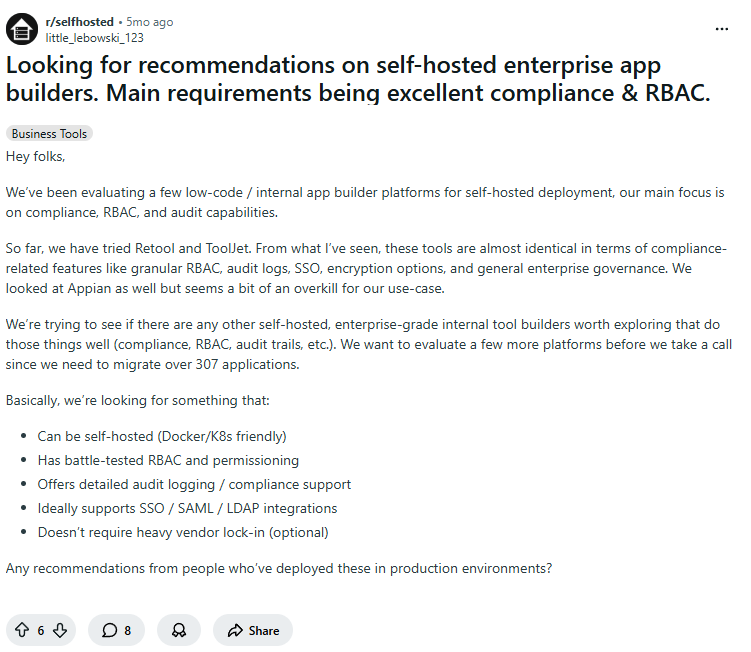
These requirements are actually very typical.
For enterprises, the value of self hosting usually comes from having full control over the system as a whole, including the deployment environment, access control, audit records, system integration, backup and recovery, and the freedom to manage operations, maintenance, and upgrades on their own terms.
As we mentioned before, with AI entering the picture, the self hosted ecosystem is moving into a more practical stage. Combining AI with self hosting can genuinely help teams build business systems with intelligent capabilities faster, and this is also why more companies are starting to look again at the real value of self hosted solutions.
But when it comes to choosing a tool, AI is only one factor worth looking at. So this article focuses on 6 dimensions that are closer to real enterprise needs, to help you judge more systematically whether a tool is truly suitable for long term use in an enterprise business system environment.
💡 Read more: Top 13 self hosted projects by GitHub Stars
Here are the 6 main dimensions we focused on in this evaluation of self hosted tools:
- Infrastructure: where it runs, how upgrades work, and whether it supports Docker / K8s
- Access control: RBAC, SSO, directory sync, and tenant isolation
- Audit and compliance: audit logs, admin activity tracking, and compliance integration
- Data security and recovery: backups, monitoring, logs, and disaster recovery
- Maintainability over time: maintenance cost, upgrade complexity, plugin extensibility, and version compatibility
- AI readiness: whether AI is built in and whether AI can be connected through APIs
💬 Hey, you’re reading the NocoBase blog. NocoBase is the most extensible AI-powered no-code/low-code development platform for building enterprise applications, internal tools, and all kinds of systems. It’s fully self-hosted, plugin-based, and developer-friendly. → Explore NocoBase on GitHub
We grouped the self hosted tools mentioned here into 5 categories based on common business scenarios, but these categories do not define hard product boundaries. Platforms like NocoBase are relatively easy to build with and highly flexible, so they are well suited to quickly supporting different business scenarios. That means they are not only internal business system platforms, but can also extend into CRM, ticketing, project management, and many other use cases. The table below gives a quick overview of the general scope of each category.
| Business scenario | Main use | Representative tools |
|---|---|---|
| Internal apps and business systems | Used to build forms, approvals, ledgers, portals, ticketing systems, internal workflows, and more | NocoBase, Appsmith, ToolJet, Budibase |
| CRM / ERP / operations management | Used for customer management, sales, inventory, finance, HR, projects, and other clearly defined business modules | Odoo, ERPNext, Twenty, Dolibarr, NocoBase |
| Project management / ticketing / service workflows | Used for project execution, task collaboration, issue routing, after sales support, and service desk management | Plane, OpenProject, Redmine, Zammad, NocoBase |
| Knowledge base / docs / Wiki | Used to store SOPs, policy documents, training materials, project knowledge, and team know how | AppFlowy, Outline, Wiki.js, BookStack, NocoBase |
| Dashboards / BI / data analytics | Used for reporting, data visualization, metric tracking, logs, and business data display | Grafana, Metabase, Apache Superset, Lightdash, NocoBase |
1. Internal apps and business systems
NocoBase
- Official website: https://www.nocobase.com/
- GitHub: https://github.com/nocobase/nocobase
- GitHub Stars: 22.1k
- Official docs: https://docs.nocobase.com/
Overview: A self hosted AI no code / low code platform for enterprise apps, internal tools, and many kinds of business systems. It can be used to build CRM, ERP, project management tools, approval systems, ticketing systems, ledgers, portals, and more. It is especially suitable for enterprise IT teams, digital teams, and implementation teams that need to keep expanding data models, permissions, and workflows over time.
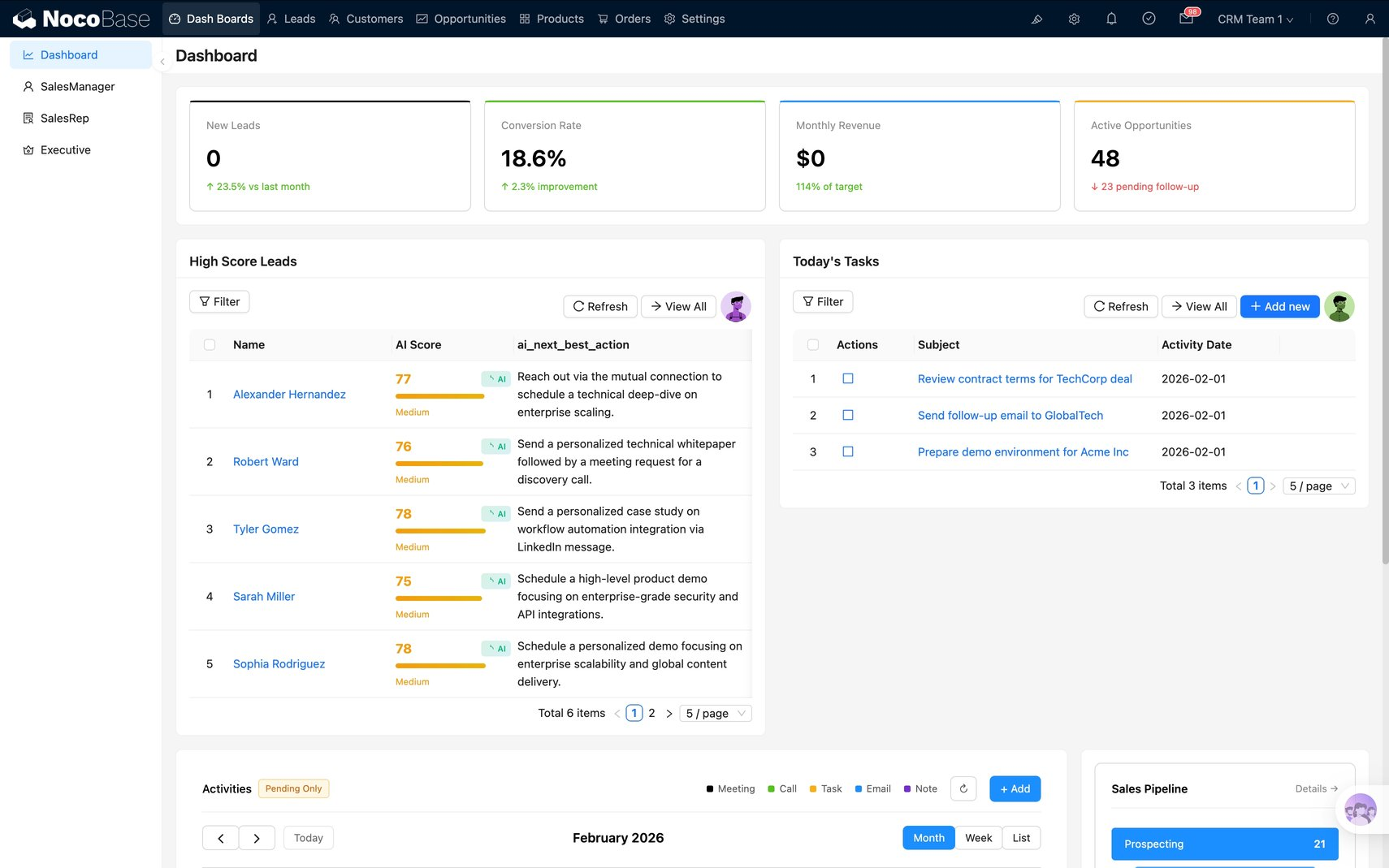
Key highlights:
- Infrastructure: Supports private deployment and can connect to MySQL, PostgreSQL, MongoDB, REST API, GraphQL, and many other data sources. It also supports Docker, Kubernetes, and multi cloud deployment, making it a good fit for enterprise infrastructure environments.
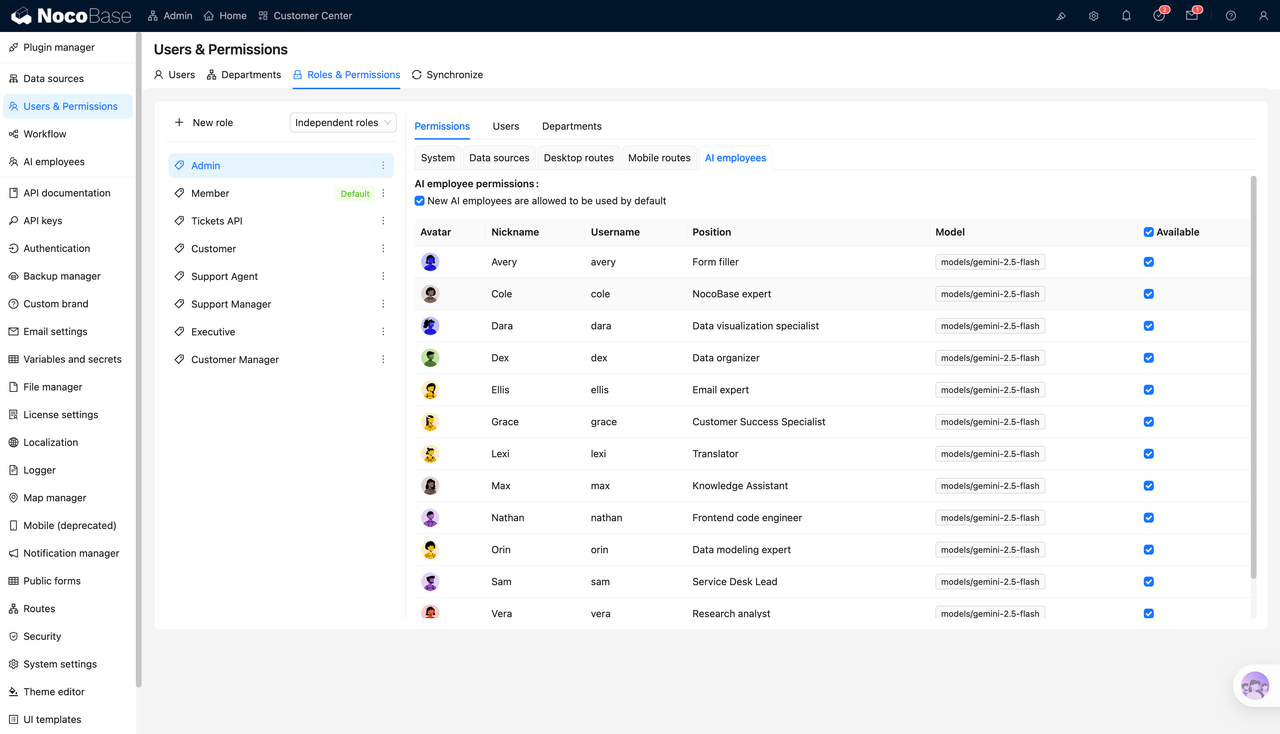
- Access control: Permissions are very granular. It supports not only role based access, but also record level, field level, and action level control, which makes it well suited to complex business scenarios involving multiple departments and roles.
- Audit and compliance: Supports audit logs, making it suitable for enterprise environments that require admin activity tracking and traceability.
- Data security and recovery: Data stays on the company’s own servers. The code is open source and auditable. It also supports encrypted database transmission and storage, making it easier to fit into existing enterprise security and recovery frameworks.
- Maintainability over time: It uses a data model driven architecture, separating data structure from page presentation, and extends fields, blocks, workflows, permissions, and integrations through plugins. This makes it a good fit for business systems that will keep evolving.
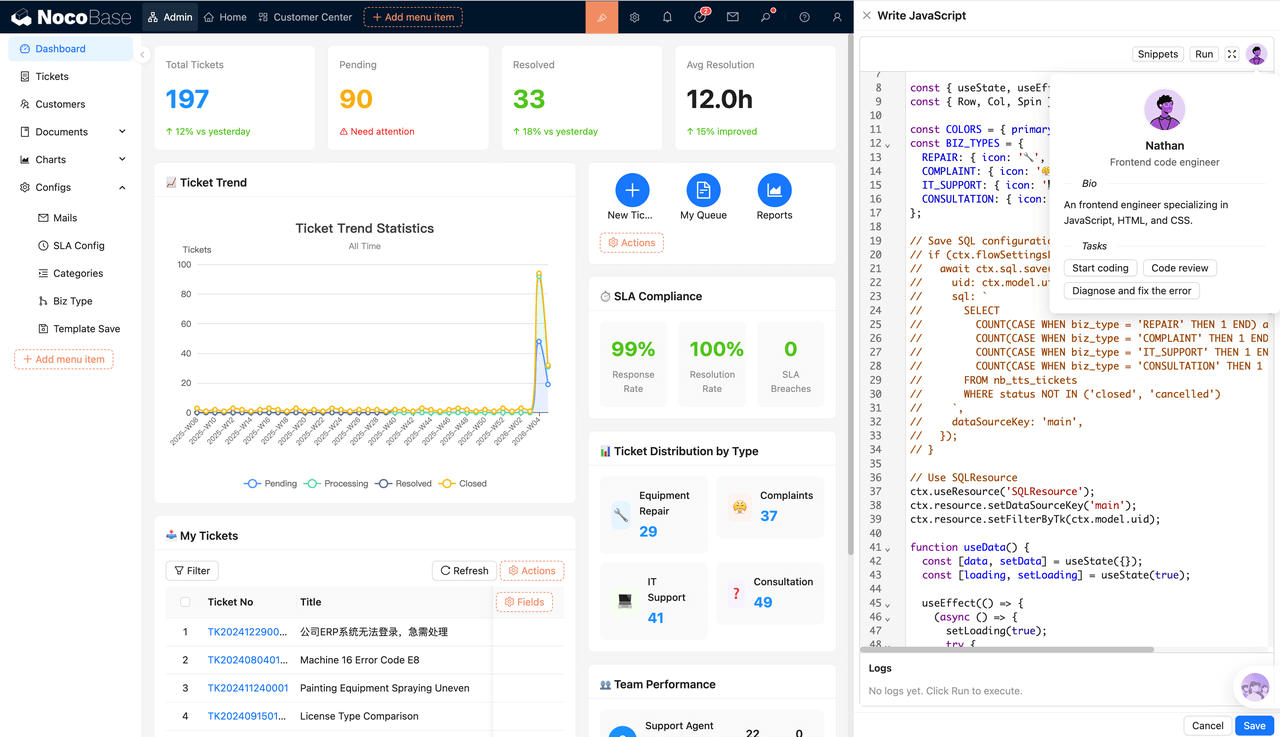
- AI readiness: It comes with native AI employees. These do more than help with setup. During actual use, they can understand context based on the current page, data, and schema, and directly perform actions such as querying the database, filling in forms, and updating records. This makes it easier to bring AI into real business workflows.
Appsmith
- Official website: https://www.appsmith.com/
- GitHub: https://github.com/appsmithorg/appsmith
- GitHub Stars: 39.6k
- Official docs: https://docs.appsmith.com/
Overview: A developer friendly platform for building internal tools. It is suitable for quickly creating admin panels, approval tools, database front ends, customer support tools, and dashboards. It is a strong fit for technical teams that want to ship internal apps quickly while still keeping code level control.
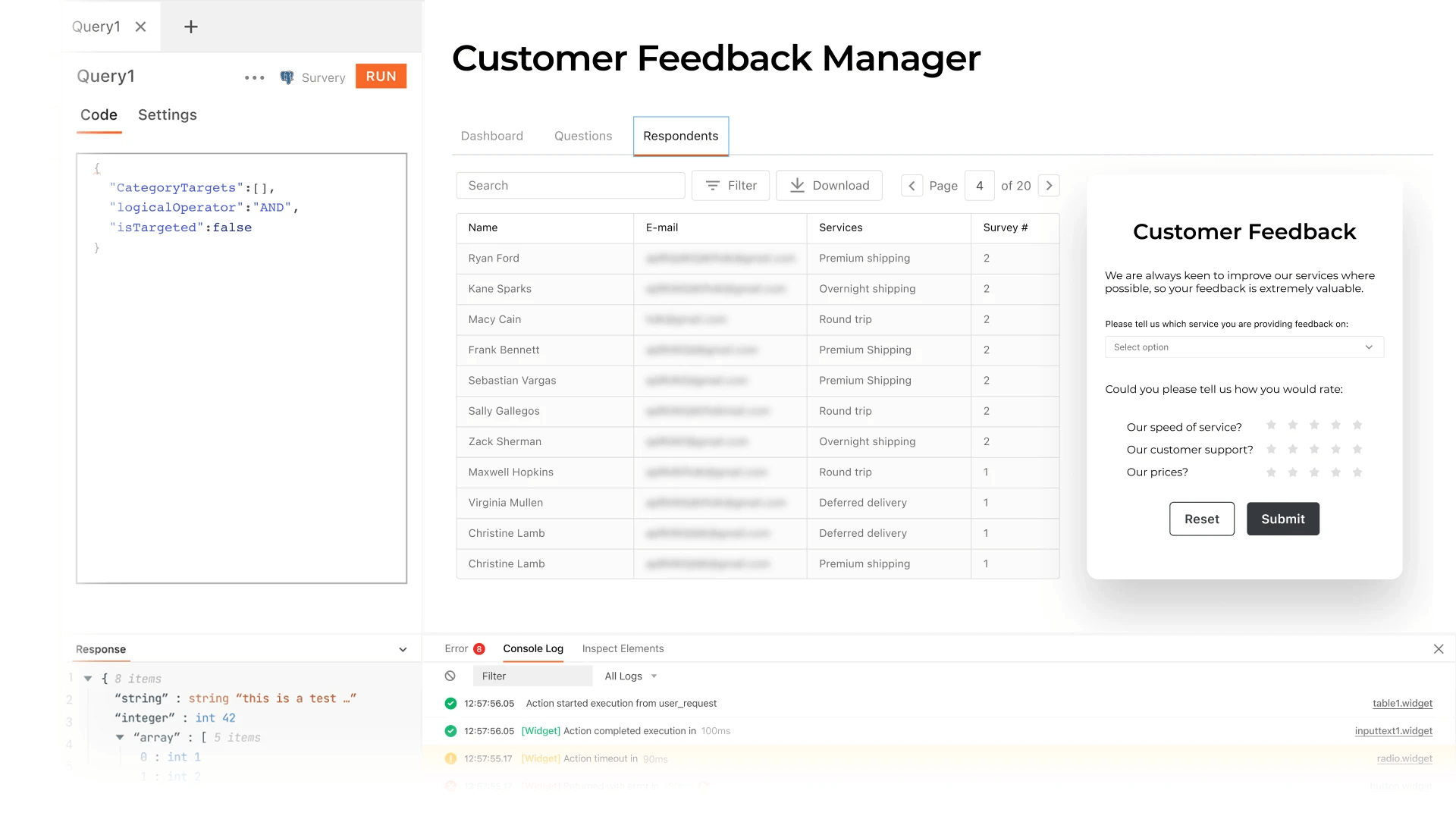
Key highlights:
- Infrastructure: Supports self hosting and air gapped deployment. Its deployment, upgrade, and migration docs are comprehensive, making it easy to fit into an enterprise infrastructure setup.
- Access control: Supports SAML, OIDC, SCIM, and fine grained permissions across apps, workspaces, queries, and other resources.
- Audit and compliance: Supports audit logs and can track important actions such as app creation, editing, login, permission changes, and data source updates.
- Data security and recovery: Backup and recovery paths are clear. appsmithctl can be used for instance backup, database backup, and recovery. Audit logs can also be exported for monitoring and analysis.
- Maintainability over time: Supports Git version control, environment branches, and app migration, making it suitable for continuous iteration and collaborative maintenance.
- AI readiness: Includes Appsmith AI and also supports models such as OpenAI, Anthropic, and Google AI, making it suitable for bringing AI queries and automation into internal applications.
ToolJet
- Official website: https://www.tooljet.ai/
- GitHub: https://github.com/tooljet/tooljet
- GitHub Stars: 37.7k
- Official docs: https://docs.tooljet.com/
Overview: A self hosted platform for building internal tools, business apps, and workflows. It is suitable for admin panels, approval tools, data apps, and automation workflows, especially for technical teams that want to combine internal app development with AI workflows.
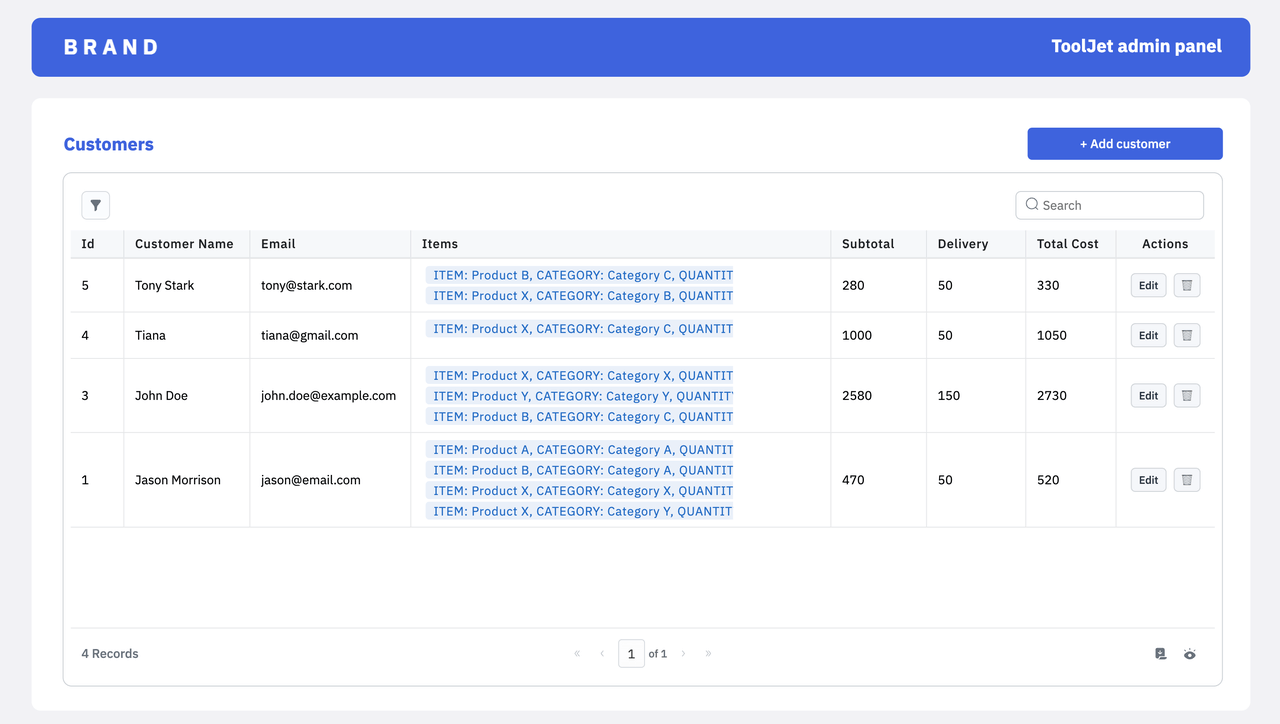
Key highlights:
- Infrastructure: Can be self hosted and supports Docker, Kubernetes, and environments such as AWS, GCP, and Azure. Deployment flexibility is high.
- Access control: Provides SSO, RBAC, and fine grained access control, making it suitable for multi user, multi role organizational scenarios.
- Audit and compliance: Provides audit logs and can integrate well with centralized security systems such as SIEM, which is helpful for enterprises that need strong traceability and operational visibility.
- Data security and recovery: Data source credentials can be encrypted, and the platform can be integrated more easily into an enterprise’s existing database, logging, and operations setup.
- Maintainability over time: Can connect to databases, APIs, SaaS apps, and object storage, leaving plenty of room for expansion as internal tools and business apps evolve.
- AI readiness: Can be used for app generation, query building, debugging, and AI agent scenarios, making it suitable for teams that want to bring AI into internal app development and workflow automation.
Budibase
- Official website: https://www.budibase.com/
- GitHub: https://github.com/Budibase/budibase
- GitHub Stars: 27.8k
- Official docs: https://docs.budibase.com/
Overview: A self hosted internal tool platform suitable for operations, workflow, and lightweight business system scenarios. It is a good fit for teams that want to combine apps, automation, and AI with a relatively low barrier to entry.
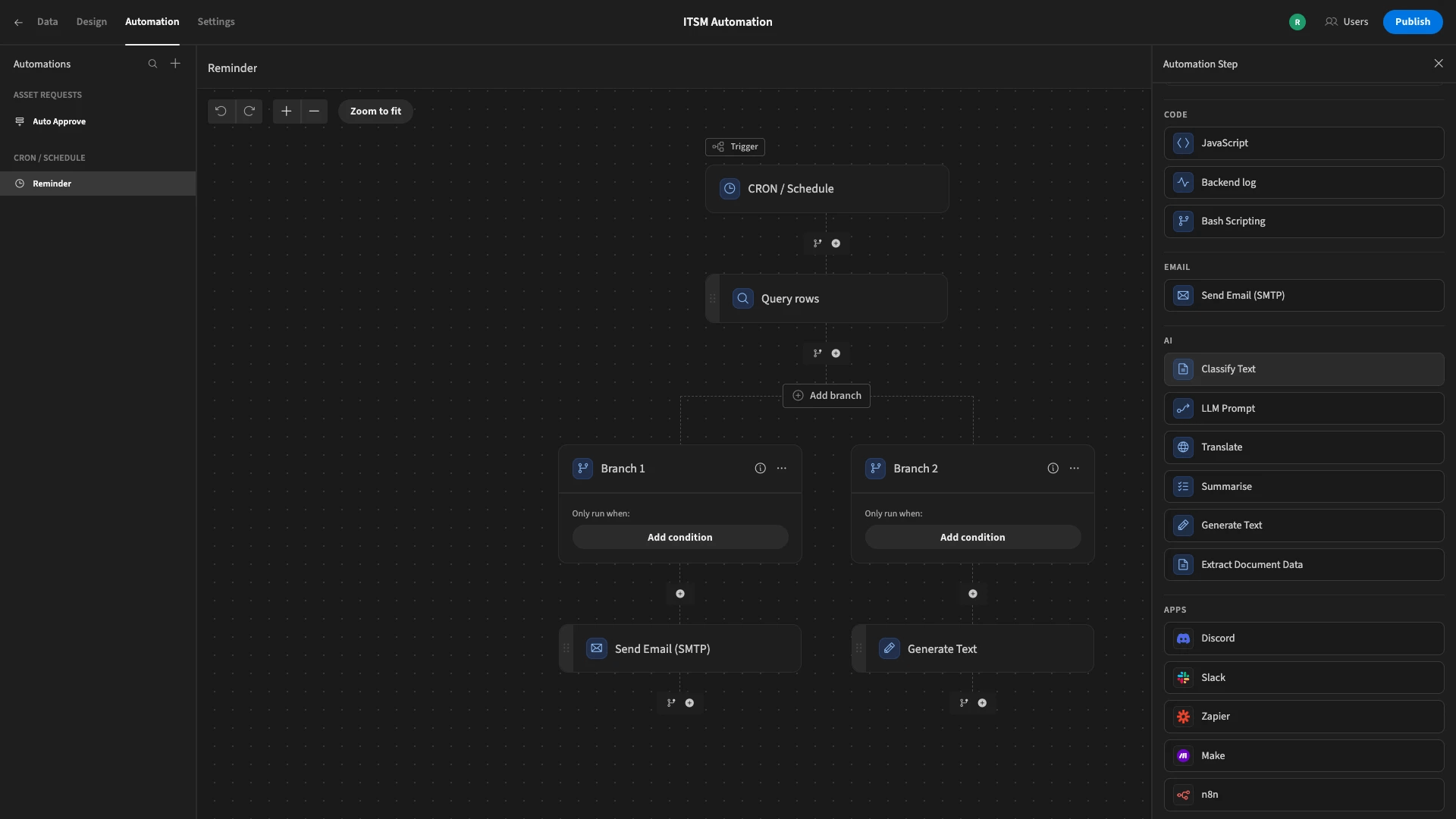
Key highlights:
- Infrastructure: Can be deployed on Docker, Kubernetes, and DigitalOcean. The overall setup path is relatively straightforward.
- Access control: Supports SSO, OIDC, enforced SSO, and user and group management, making it suitable for organization wide use.
- Audit and compliance: Provides audit logs and can track key events during installation, as well as triggered users and source apps.
- Data security and recovery: Supports backup and recovery, and automatically creates backups when apps are published, which makes everyday protection and rollback easier.
- Maintainability over time: Can connect to both built in databases and external data sources, REST APIs, and automation flows, making it suitable for continuous expansion as business needs grow.
- AI readiness: AI can be used in automation steps, text classification, summarization, translation, document extraction, and prompt processing.
2. CRM / ERP / operations management
If a company wants more flexible control over fields, permissions, and workflows around its own business processes, it can also use a business system platform to build a CRM, inventory and operations system, or another customized business application.
Odoo
- Official website: https://www.odoo.com/
- GitHub: https://github.com/odoo/odoo
- GitHub Stars: 50k
- Official docs: https://www.odoo.com/documentation/19.0/
Overview: A very full featured business suite that covers CRM, sales, e commerce, inventory, finance, HR, projects, and many other scenarios. It is a strong fit for companies that want one system to support multiple business modules.
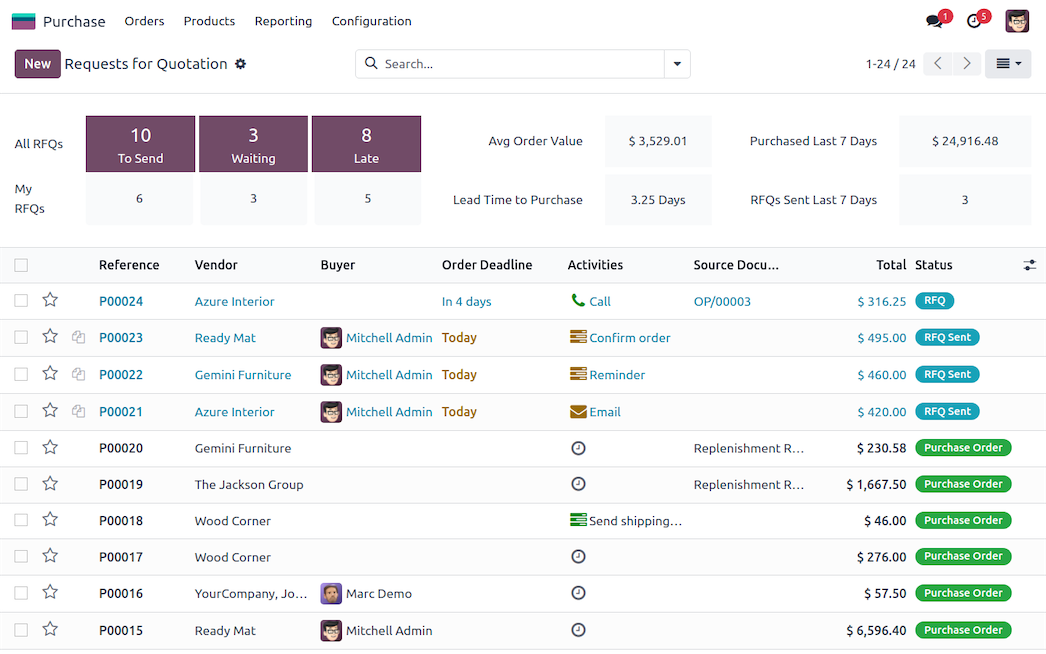
Key highlights:
- Infrastructure: Supports on premises deployment. Installation, production deployment, and upgrade paths are mature, making it suitable for teams with operations capability that want to run core business systems long term.
- Access control: The permission system is quite complete. API calls also respect access permissions, record rules, and field level controls, making it suitable for multi role business collaboration.
- Audit and compliance: Provides admin activity logs, device login records, and other management and operations features that help with operational traceability.
- Data security and recovery: Backup and upgrade processes are clear. In cloud environments, it also provides daily backups and downloadable backups, making it easier to fit into enterprise data protection processes.
- Maintainability over time: Highly modular. You can use it one module at a time or connect multiple modules together. But if there is a lot of customization, cross version upgrades and compatibility planning become more important.
- AI readiness: Already includes native AI apps and Ask AI. It can be configured with models such as OpenAI and Gemini, and can use AI for Q and A, content optimization, field generation, and more.
ERPNext
- Official website: https://erpnext.com/
- GitHub: https://github.com/frappe/erpnext
- GitHub Stars: 32.8k
- Official docs: https://docs.erpnext.com/
Overview: An open source ERP for core operational modules such as finance, inventory, procurement, sales, projects, and HR. It is especially suitable for small and medium sized businesses or teams that want to keep customizing on top of an open source framework.
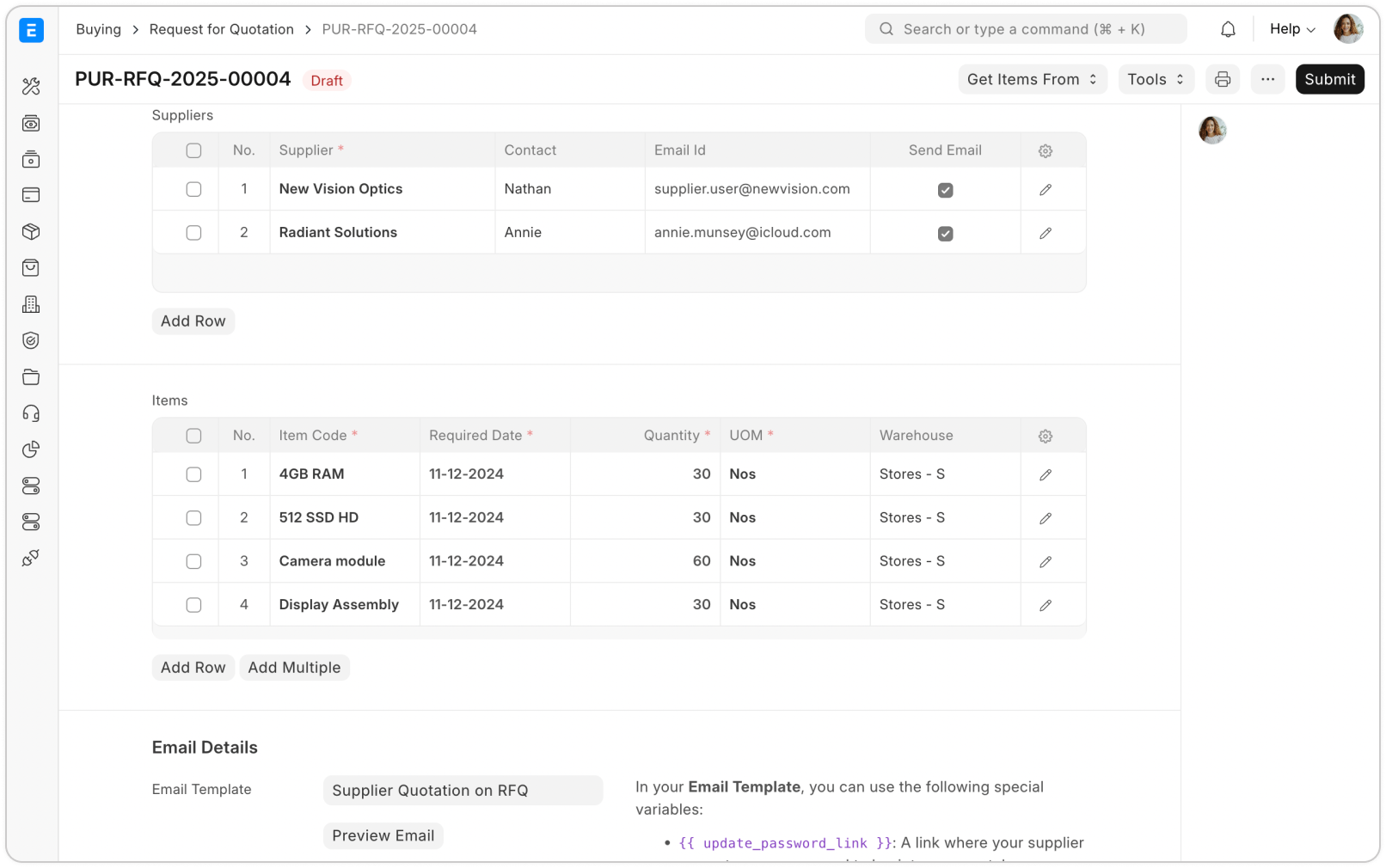
Key highlights:
- Infrastructure: Can be self hosted and has a mature production deployment path. In official recommendations, production environments lean toward Docker based deployment.
- Access control: Supports role permissions, user permissions, page permissions, and report permissions, and can also connect to identity systems such as OAuth and LDAP.
- Audit and compliance: Includes access logs, activity logs, error logs, scheduled task logs, and other runtime records, which are useful for troubleshooting and traceability.
- Data security and recovery: Logs, backup, recovery, and snapshot mechanisms are all clearly defined, making it suitable for long term use in business environments.
- Maintainability over time: Built on Frappe Framework, with strong support for further development and for extending forms and workflows, making it a good fit for teams that expect to keep evolving their systems.
- AI readiness: Better suited as a business data foundation and integration target for AI. Its REST APIs can directly expose data and methods, making it easy to connect external AI, automation, or intelligent workflows.
Twenty
- Official website: https://twenty.com/
- GitHub: https://github.com/twentyhq/twenty
- GitHub Stars: 43.7k
- Official docs: https://docs.twenty.com/
Overview: A modern open source CRM for sales leads, customer relationships, workflow automation, and customizable CRM use cases. It is a good fit for teams that want to self host a modern CRM while also valuing user experience and future extensibility.
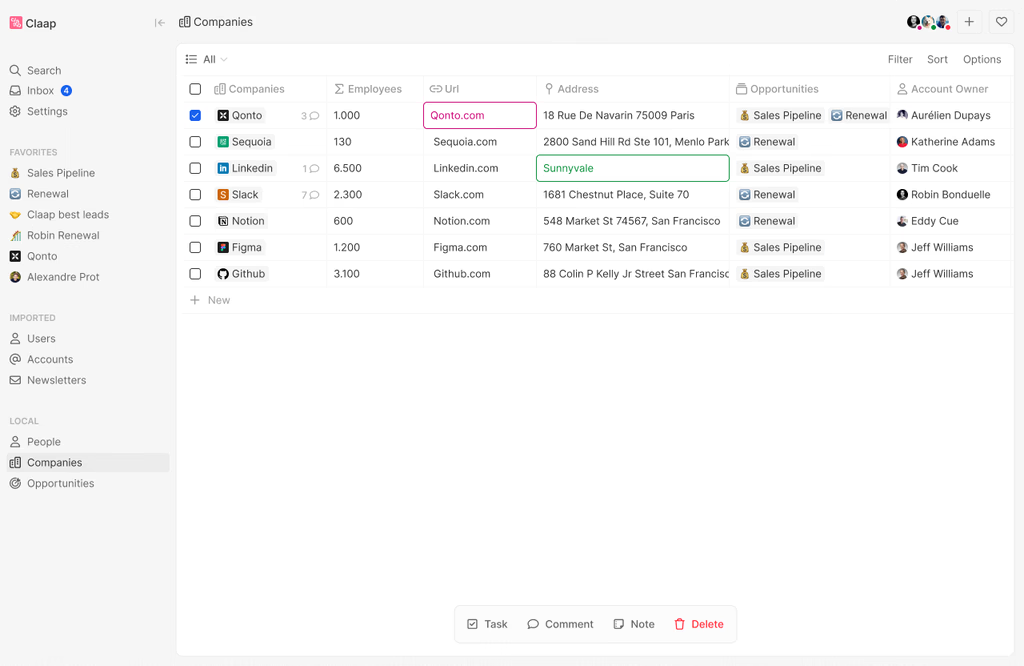
Key highlights:
- Infrastructure: The self hosted path is straightforward. It supports Docker Compose deployment and both single workspace and multi workspace modes.
- Access control: Includes a role based permission system and supports SSO options such as SAML, Google Workspace, and Microsoft Entra ID, making it suitable for organization wide use.
- Audit and compliance: Permissions, SSO integration, and workspace management are already fairly clear, but it is better understood as a modern CRM with strong organizational access control rather than a compliance focused platform.
- Data security and recovery: The self hosted docs include guidance for backup, recovery, and automated daily backups, and key settings can be centrally managed through environment variables.
- Maintainability over time: In addition to the CRM itself, it offers an Apps extension layer that can support custom objects, fields, logic functions, front end components, and AI skills, giving it strong room for expansion.
- AI readiness: Already includes AI workflows, AI actions, and AI agents for enrichment, classification, summarization, and multistep task execution. AI Chatbot is also on the roadmap.
Dolibarr
- Official website: https://www.dolibarr.org/
- GitHub: https://github.com/Dolibarr/dolibarr
- GitHub Stars: 7.1k
- Official docs: https://wiki.dolibarr.org/
Overview: A more traditional all in one ERP + CRM suite, suitable for small and medium sized businesses with limited budgets that want a direct way to manage contacts, quotes, orders, invoices, inventory, and similar business modules.
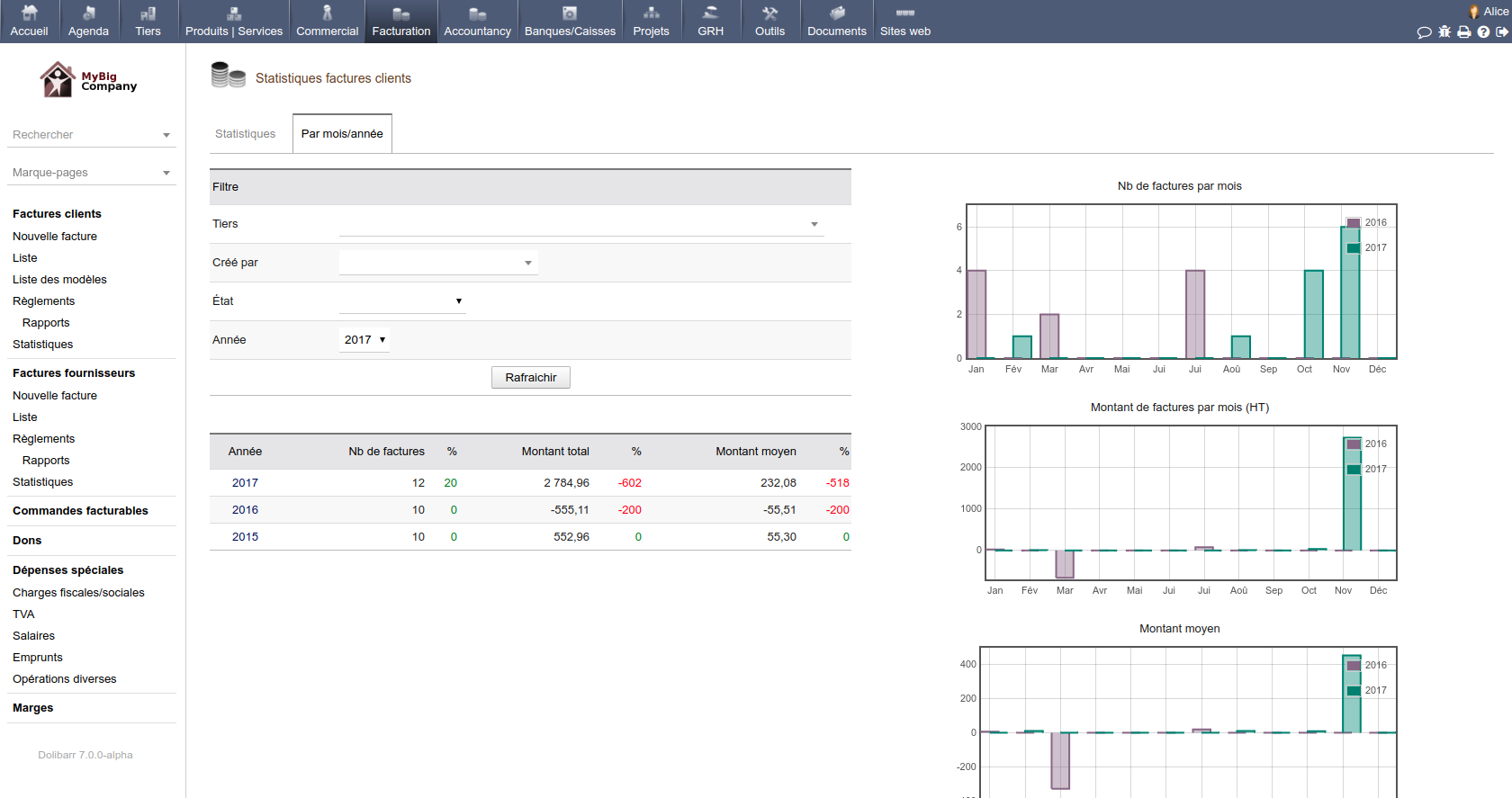
Key highlights:
- Infrastructure: Can be self hosted. The Docker path is clear, and installation and upgrade docs are fairly complete, making it suitable for teams that want to control their own deployment environment.
- Access control: Supports users, user groups, and permissions as core features, and can also connect to LDAP, OAuth, HTTP authentication, and other identity methods for basic organizational access management.
- Audit and compliance: More basic in this area, mainly focused on user permissions, logs, and some archival modules. If a company has stricter compliance and traceability needs, it will usually need additional tooling.
- Data security and recovery: Backup, recovery, and migration steps are described in detail, and database and document files can be handled separately, making it suitable for basic data protection.
- Maintainability over time: Its modular design is clear, and it also supports REST API, Webhook, and external system integration. Overall, though, it still follows a more traditional ERP / CRM maintenance model.
- AI readiness: Native AI is not its main focus, but it already includes an AI Suite module and can also connect AI, automation platforms, or external workflows through its built in REST API.
3. Project management / ticketing / service workflows
If a team wants to quickly put project collaboration, issue routing, or service support in place, it can directly adopt a mature project management or ticketing system. If it also needs approvals, customer information, asset ledgers, or cross department workflow coordination, it can build the corresponding ticketing or project management system on top of a business system platform.
⭐Comprehensive R&D project management solution - NocoBase
Plane
- Official website: https://plane.so/
- GitHub: https://github.com/makeplane/plane
- GitHub Stars: 47.5k
- Official docs: https://docs.plane.so/
Overview: A modern project management and collaboration platform for product teams, engineering teams, project execution, knowledge collaboration, and task routing. It is well suited to teams that want a strong project management experience together with self hosting and future automation potential.
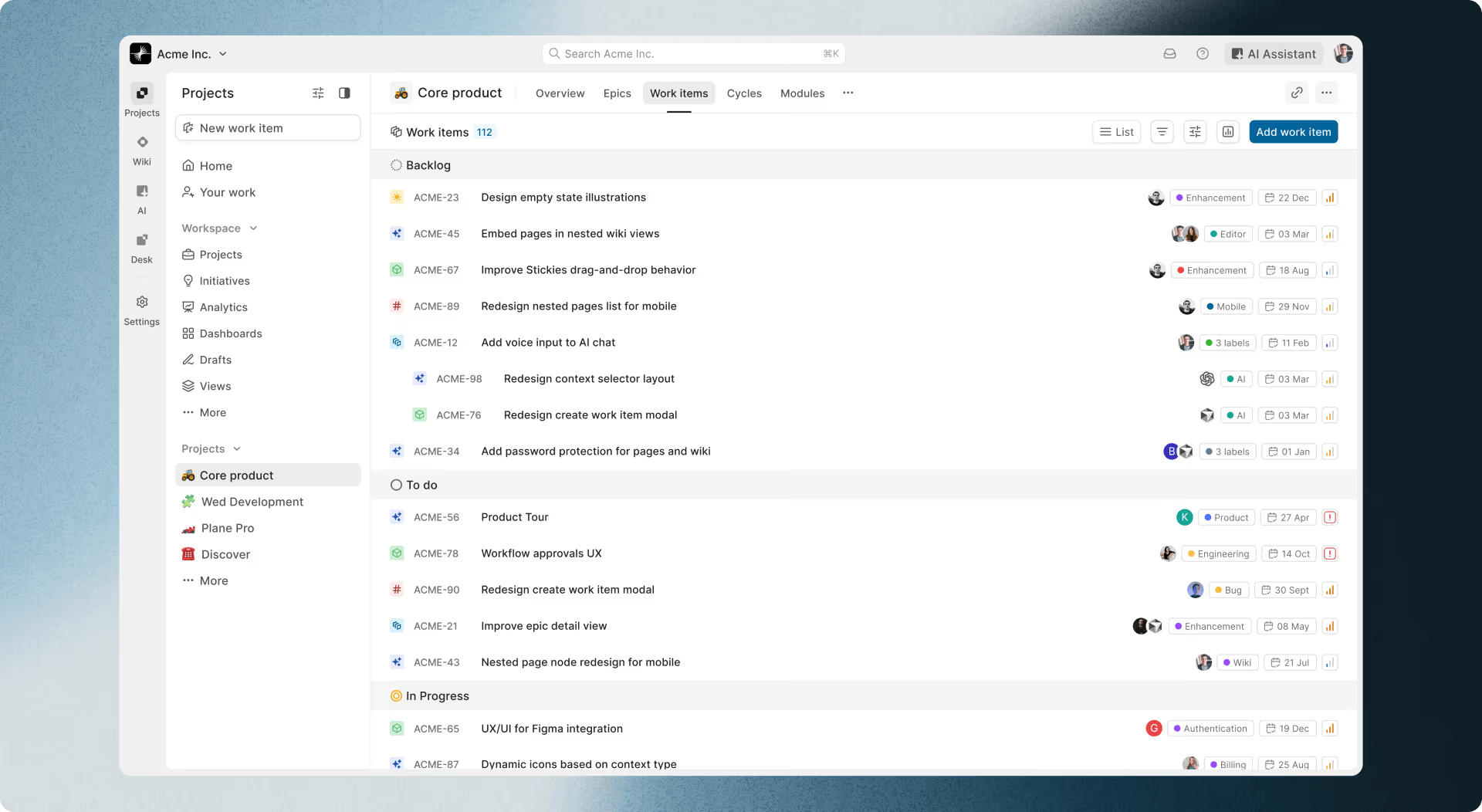
Key highlights:
- Infrastructure: Can be self hosted and supports Docker, Kubernetes, and air gapped scenarios. It also includes a CLI for upgrades, monitoring, and routine administration.
- Access control: Supports SSO, RBAC, SCIM, LDAP, and other organizational features, making it suitable for multi team and multi workspace setups.
- Audit and compliance: Provides audit logs, encryption, and security documentation. The enterprise edition is more complete for governance and compliance requirements.
- Data security and recovery: Offers clear backup and recovery documentation and also allows backup, monitoring, and log viewing through the CLI, giving it a relatively clear operations path.
- Maintainability over time: In addition to projects and docs, it also includes automation, approval flows, and developer documentation, which makes it suitable for continuously evolving internal project management systems.
- AI readiness: AI is already built into projects, pages, and workflows. It can help structure tasks, generate content, answer questions based on real time data, and let agents work together in context.
💡 Read more: 5 most popular open source AI project management tools on GitHub
OpenProject
- Official website: https://www.openproject.org/
- GitHub: https://github.com/opf/openproject
- GitHub Stars: 14.8k
- Official docs: https://www.openproject.org/docs/
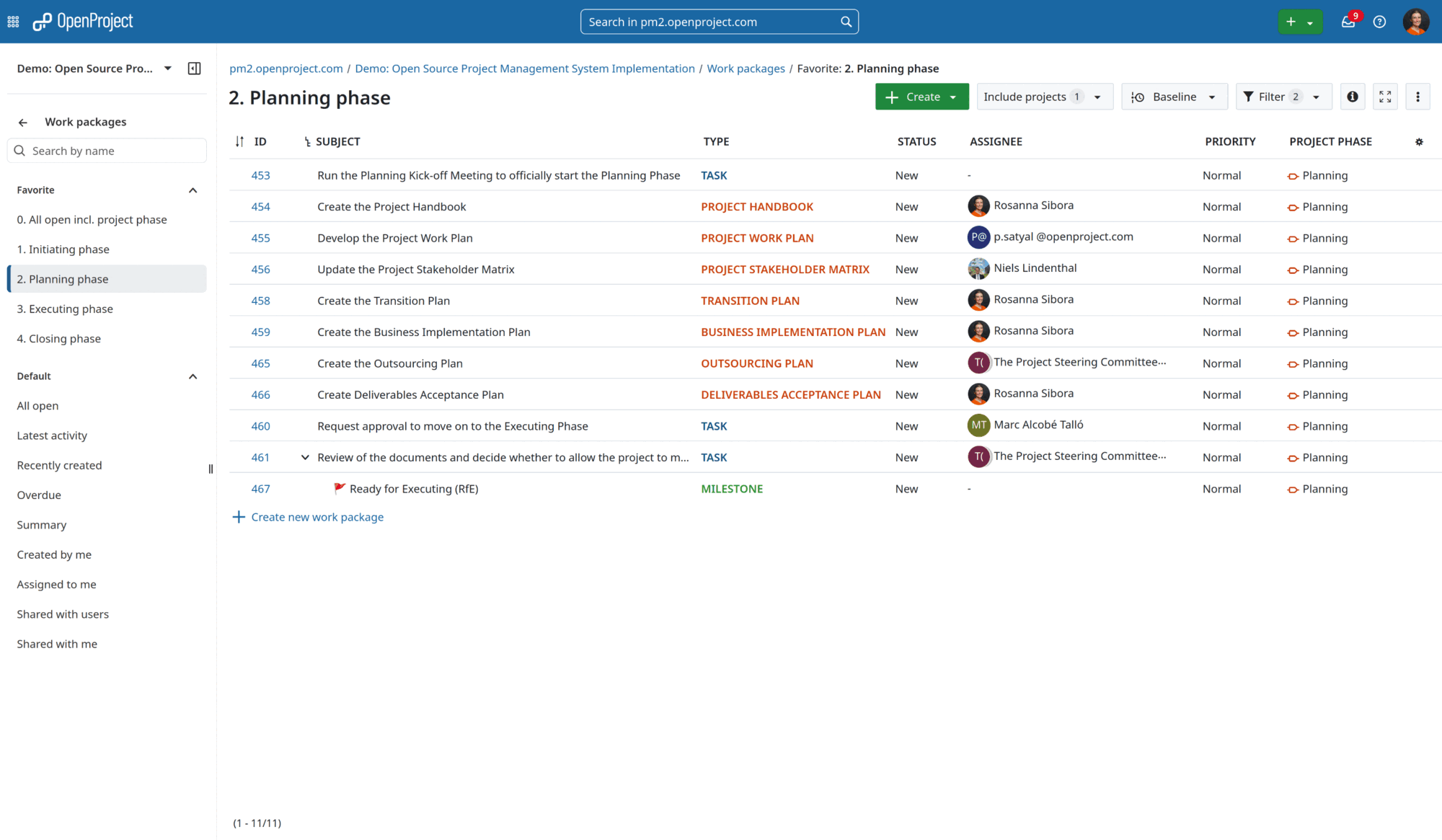
Overview: An open source platform built around mature project management methods. It fits classic, agile, and hybrid project management scenarios, and is especially suitable for organizations that need Gantt charts, task collaboration, time tracking, and cost management.
Key highlights:
- Infrastructure: Can be deployed on local servers or in Docker environments, with complete docs for installation, upgrades, and production operation.
- Access control: Its role and permission system is mature, with clear boundaries for admin, project, and organizational permissions.
- Audit and compliance: It is more of a stable enterprise collaboration platform. Documentation already covers log viewing, GDPR, virus scanning, external file storage, and other management capabilities.
- Data security and recovery: Backup guidance is detailed. Databases, configuration files, attachments, and code repositories are all included in the recommended backup scope, and backups can also be run directly from the admin interface.
- Maintainability over time: Version updates are stable, and the distinction between the community and enterprise editions is clear, making it suitable for long term use as project management infrastructure.
- AI readiness: It is better suited to connecting AI into the project environment through MCP and APIs. At the moment, AI related features are mainly focused on integration and assistance.
Redmine
- Official website: https://www.redmine.org/
- GitHub: https://github.com/redmine/redmine
- GitHub Stars: 5.9k
- Official docs: https://www.redmine.org/projects/redmine/wiki
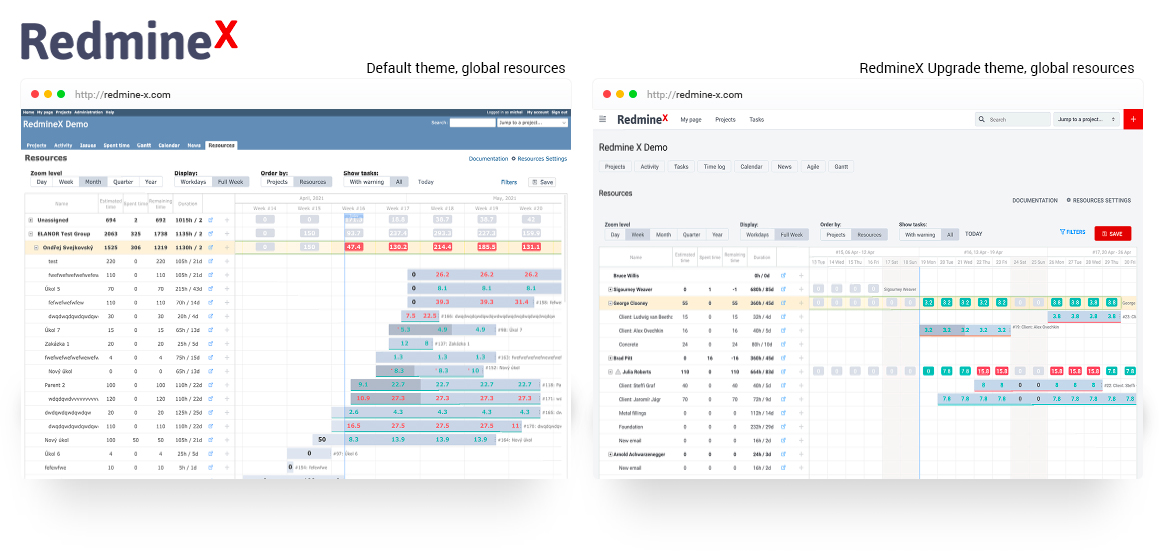
Overview: A long established and stable project management and issue tracking tool with a rich plugin ecosystem. It is suitable for engineering collaboration, issue handling, time tracking, and traditional project management, especially for technical teams that value stability and customization.
Key highlights:
- Infrastructure: Cross platform and cross database, with a relatively traditional deployment style. It is a good fit for teams that already have Ruby on Rails maintenance experience.
- Access control: The role and permission system is one of its core strengths, and workflows can also make fields read only or required.
- Audit and compliance: It focuses more on role and workflow control within project management itself. If strong enterprise grade audit trails are required, plugins or external systems are usually needed to strengthen it. This judgment is based on the fact that the official materials focus mainly on roles, workflows, and plugin extensibility rather than built in enterprise auditing.
- Data security and recovery: Backup and recovery paths are clear, mainly covering the database, attachment directory, and configuration files. Backups are also explicitly recommended before upgrades.
- Maintainability over time: Its long term advantage comes mainly from its mature community and plugin ecosystem. It works well for teams that want to shape it gradually around their own processes, though upgrades and plugin compatibility need to be managed carefully.
- AI readiness: Native AI is not a main direction. It is better suited to bringing AI into existing workflows through REST APIs, plugins, or external automation tools.
Zammad
- Official website: https://zammad.com/
- GitHub: https://github.com/zammad/zammad
- GitHub Stars: 5.5k
- Official docs: https://docs.zammad.org/
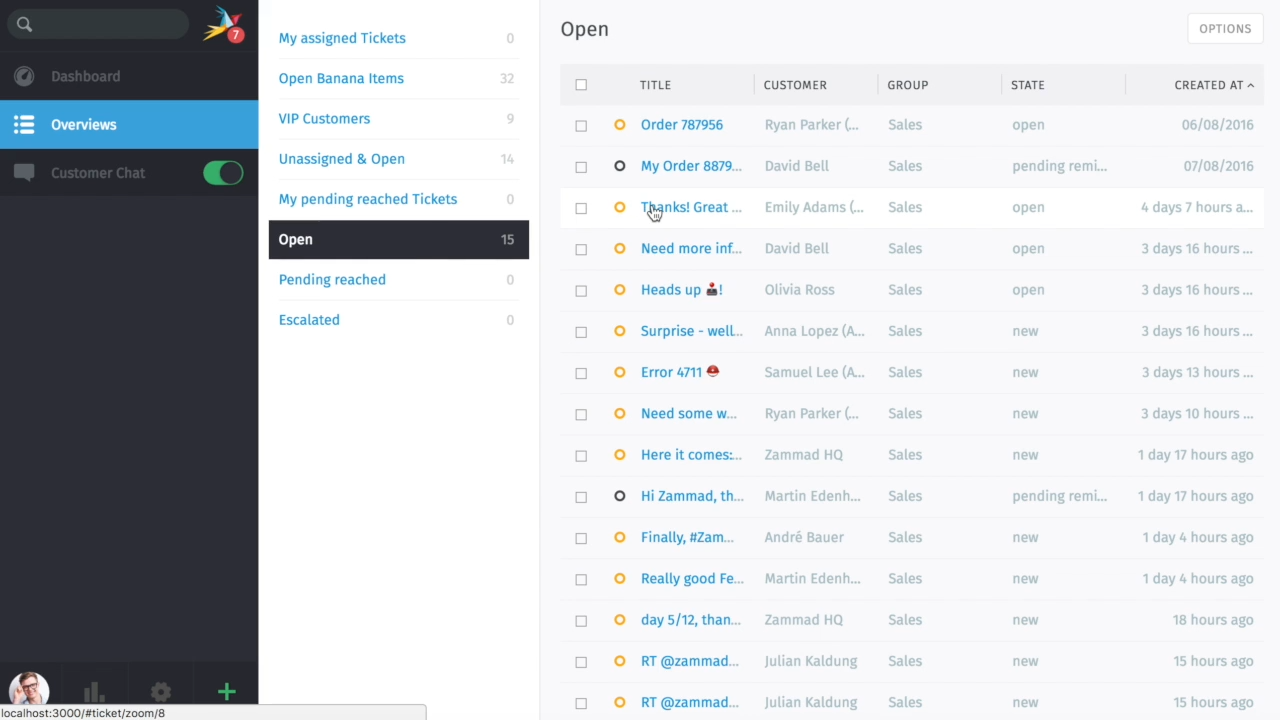
Overview: An open source customer support and ticketing platform for after sales support, customer service, multichannel ticket routing, and service desk scenarios. It is especially suitable for teams that want to bring email, chat, phone, and knowledge base functions together in one system.
Key highlights:
- Infrastructure: Can be self hosted, with deployment options including Docker, Helm Chart, and package installation, giving it a full range of deployment choices.
- Access control: The systems for roles, group permissions, and user permissions are clear, and it can also connect to single sign on methods such as Kerberos, making it suitable for layered management in customer support organizations.
- Audit and compliance: Focuses more on role management, session data, logs, and data retention settings in customer support workflows, making it suitable for traceability and governance in service operations.
- Data security and recovery: Backup and recovery docs are very complete. Package installation and Docker installation each have separate instructions, and migration to a new host is also clearly documented.
- Maintainability over time: In addition to core ticketing features, it also provides documentation for REST API, knowledge base, integrations, and environment variable settings, making it suitable for continuous operation of a support system.
- AI readiness: AI features are already available for summarization, sentiment detection, auto routing, writing assistance, and AI agents. It also gives users considerable freedom in model choice.
4. Knowledge base / docs / Wiki
AppFlowy
- Official website: https://appflowy.com/
- GitHub: https://github.com/AppFlowy-IO/AppFlowy
- GitHub Stars: 69.4k
- Official docs: https://appflowy.com/docs/
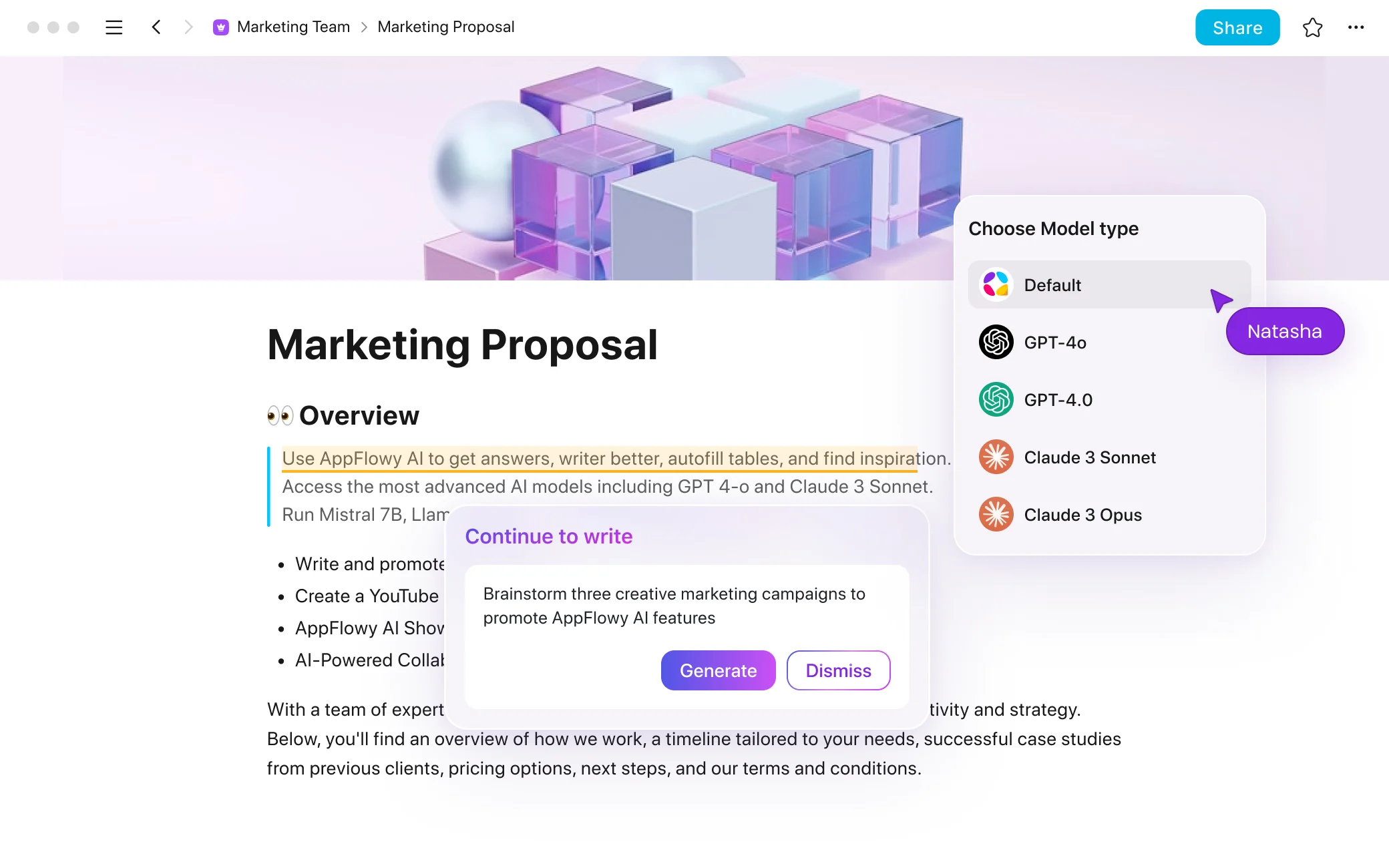
Overview: An open source docs and knowledge platform built around a collaborative workspace model. It can support projects, tasks, Wiki, and team collaboration, and is especially suitable for teams that value data control, local deployment, and local AI.
Key highlights:
- Infrastructure: Can be self hosted and supports local deployment, cloud self hosting, AWS EC2, Coolify, and other rollout paths, making it suitable for teams that want full control over the environment.
- Access control: Team collaboration and external authentication are already supported, and there is also a separate setup path for SAML login. But if highly granular enterprise access control is your top priority, this is not the product in this group that emphasizes it most.
- Audit and compliance: Focuses more on data ownership and private control. Its compliance story is mainly built around self hosting, localized data, and authentication integration.
- Data security and recovery: The self hosted model emphasizes that teams retain control of their own data. Both local deployment and private cloud deployment paths are clear, making it easy to fit into an existing data protection framework.
- Maintainability over time: It is open source, customizable, and able to run long term in your own infrastructure, making it a good fit as a workspace for accumulating knowledge and collaboration content over time.
- AI readiness: Built in AI is a clear part of the product. It can connect to local AI and support file Q and A, RAG retrieval, content generation, and chat within a private workspace.
Outline
- Official website: https://www.getoutline.com/
- GitHub: https://github.com/outline/outline
- GitHub Stars: 38k
- Official docs: https://docs.getoutline.com/
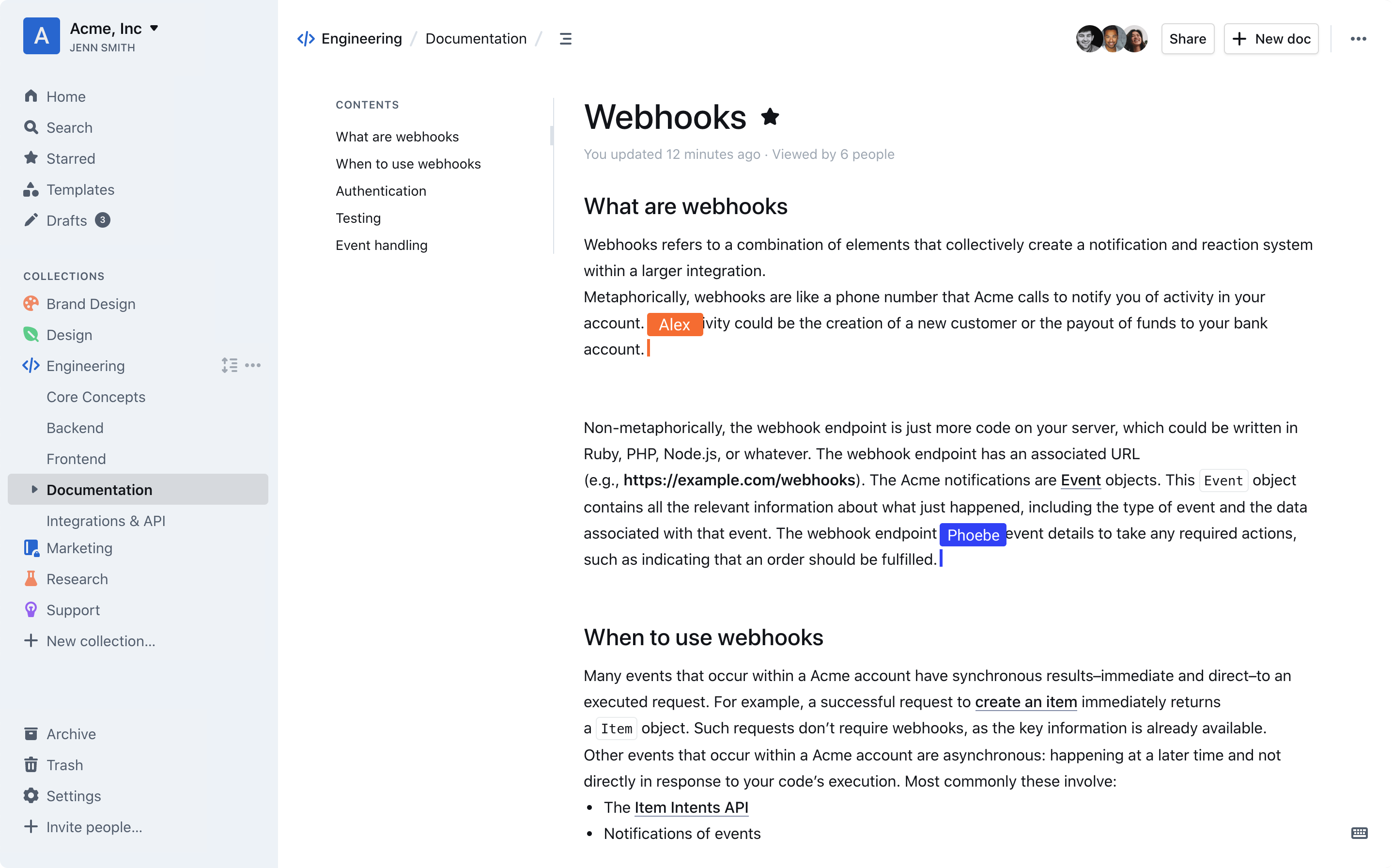
Overview: A modern team knowledge base and Wiki platform for internal docs, SOPs, project materials, and shared team knowledge. It is especially suitable for teams that care about writing experience, collaboration speed, and a clean interface.
Key highlights:
- Infrastructure: Can be self hosted and includes complete installation and configuration docs. It can run on GNU/Linux, AWS, and other environments.
- Access control: Permission boundaries are mainly based on collections, documents, users, and groups. It also supports authentication methods such as OIDC and SAML, making it suitable for team level knowledge management.
- Audit and compliance: Document version history and access control are both clear, providing a good record of content changes. Stronger audit logging and SSO support are more complete in higher tier versions.
- Data security and recovery: Export, migration, and cross instance transfer paths are clear. Both collections and entire workspaces can be exported, and JSON exports also support migration.
- Maintainability over time: Its APIs, integrations, and self hosted documentation are all mature, making it suitable for long term use as a knowledge and collaboration system.
- AI readiness: AI Answers is already available, and responses strictly follow the current user’s permissions, making it suitable for secure internal knowledge Q and A.
Wiki.js
- Official website: https://js.wiki/
- GitHub: https://github.com/requarks/wiki
- GitHub Stars: 28.1k
- Official docs: https://docs.requarks.io/
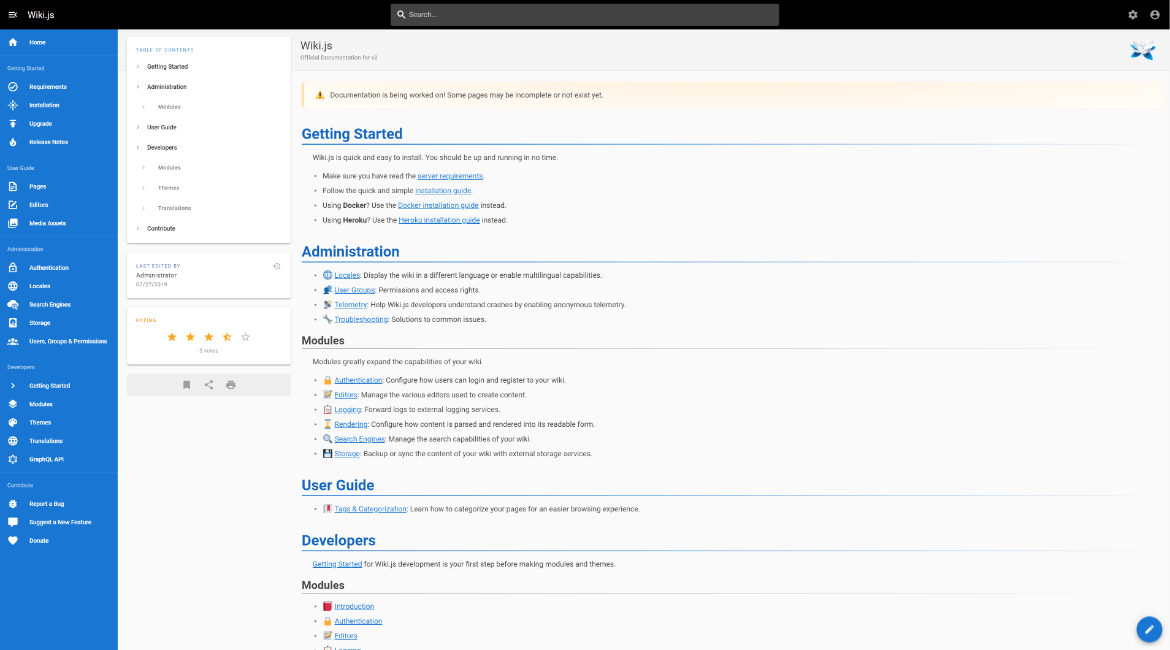
Overview: An open source Wiki for technical documentation and organizational knowledge management. It is suitable for policy docs, technical docs, team knowledge bases, and internal sites, and works especially well for teams that value flexible deployment and traditional Wiki functionality.
Key highlights:
- Infrastructure: Can run on Linux, macOS, and Windows, and also supports Docker, Kubernetes, and Heroku, making deployment quite flexible.
- Access control: Supports many authentication modules, including LDAP / AD, Keycloak OIDC, SAML 2.0, and CAS, and can also enable 2FA, making it suitable for enterprise login management.
- Audit and compliance: Focuses more on permissions and authentication than on built in compliance tooling. If strong enterprise grade audit trails are required, it usually works best alongside an external logging system. This is based on the fact that the official materials emphasize authentication, storage, and configuration more than built in compliance features.
- Data security and recovery: In addition to standard database based storage, content can also be synced to a Git repository, which is useful for combining versioning, backup, and external storage management.
- Maintainability over time: Configuration options, deployment docs, and upgrade steps are all clear, and it also supports high availability scenarios, making it suitable for long term operation.
- AI readiness: Native AI is not a core focus. It is better suited to connecting AI through APIs, search, or external automation tools within an existing Wiki setup. This is based on the fact that current official materials do not highlight native AI functionality.
BookStack
- Official website: https://www.bookstackapp.com/
- GitHub: https://github.com/BookStackApp/BookStack
- GitHub Stars: 18.6k
- Official docs: https://www.bookstackapp.com/docs/
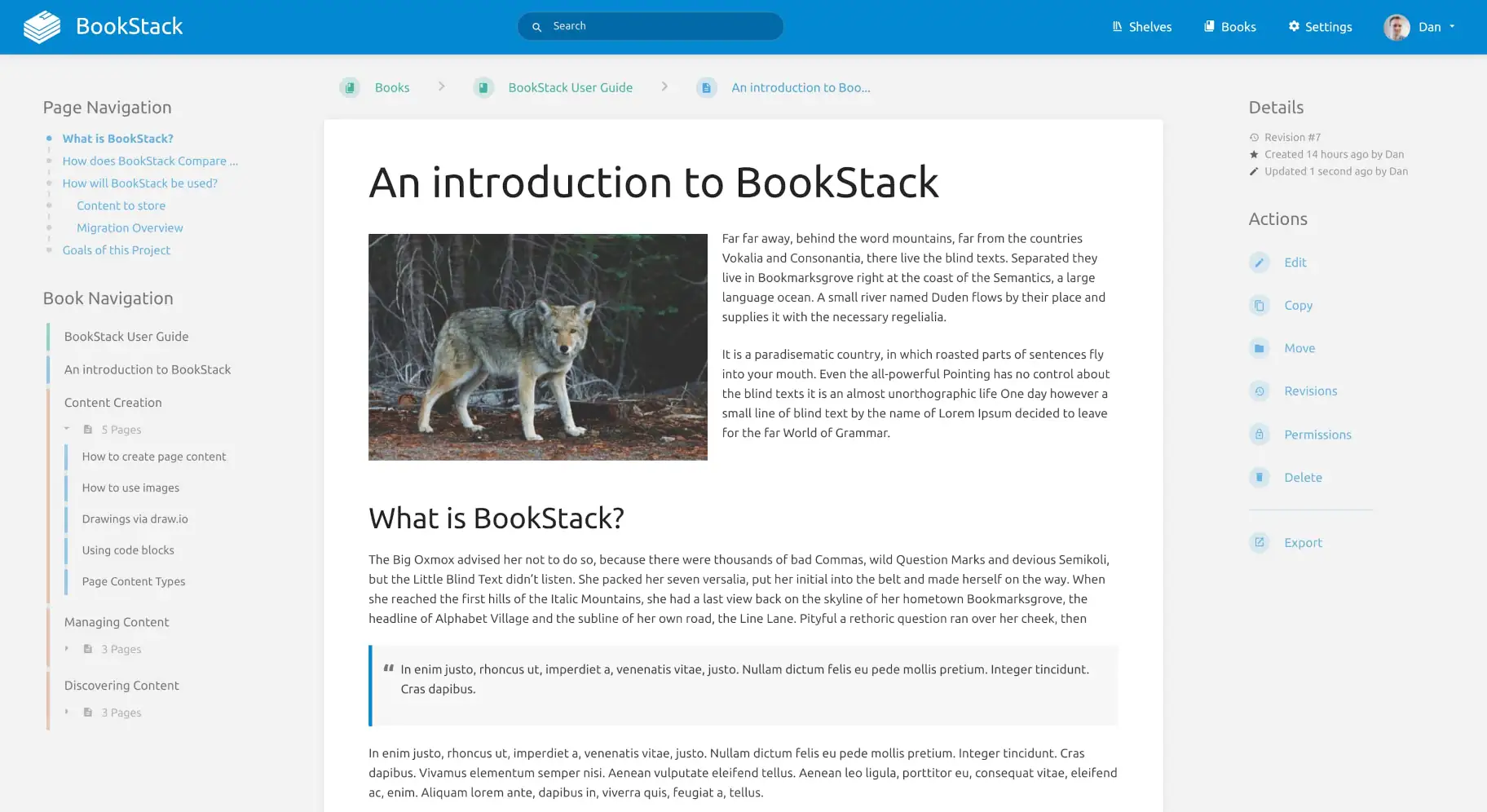
Overview: A simple, intuitive, and easy to use self hosted docs / Wiki platform for SOPs, policy docs, training manuals, and internal knowledge. It is especially suitable for teams that want to get started quickly without introducing too much structural complexity.
Key highlights:
- Infrastructure: Provides manual installation, Docker, Ubuntu scripts, and high availability deployment paths, with a relatively approachable setup experience overall.
- Access control: Supports role based permissions and can connect to LDAP, OIDC, SAML, third party OAuth, and MFA, making it suitable for basic to moderately complex organizational access needs.
- Audit and compliance: Focuses more on account security and permission management, which is suitable for general knowledge base governance. If you need finer grained auditing and stricter compliance workflows, additional surrounding tools are usually needed.
- Data security and recovery: Backup and recovery docs are straightforward, but they mainly rely on command line handling for databases and files, rather than offering a built in one click recovery workflow.
- Maintainability over time: Its purpose is very clear: do documentation well. The upgrade path is stable and the maintenance model is relatively simple, which makes it a good long term option for a lightweight knowledge base.
- AI readiness: Native AI is not a core feature. It is better suited to connecting AI through APIs, external automation workflows, or third party models. At present, BookStack is positioned more clearly as a simple documentation platform.
5. Dashboards / BI / data analytics
Grafana
- Official website: https://grafana.com/
- GitHub: https://github.com/grafana/grafana
- GitHub Stars: 73.1k
- Official docs: https://grafana.com/docs/grafana/latest/
Overview: A platform for monitoring, logs, tracing, and technical metric visualization. It is suitable for operations dashboards, observability analysis, alerts, and unified views across multiple data sources, especially for technical teams and platform teams.
Key highlights:
- Infrastructure: Can be self hosted either as a local Grafana instance or through mature Kubernetes management paths, making it easy to fit into an enterprise infrastructure environment.
- Access control: Its permission system is clear and covers server level, organization level, dashboard level, and folder level access, making it suitable for multi team collaboration.
- Audit and compliance: Focuses more on operational governance and access control. The enterprise edition provides more complete security features. If pure business auditing is the priority, this is not the strongest option in that area within this group.
- Data security and recovery: The backup path is very clear. Configuration files, plugin data, and the Grafana database are all included in the official backup recommendations.
- Maintainability over time: Its plugin ecosystem and APIs are both mature, and dashboards and resources can also be managed continuously through Git Sync, Operator, and as code approaches.
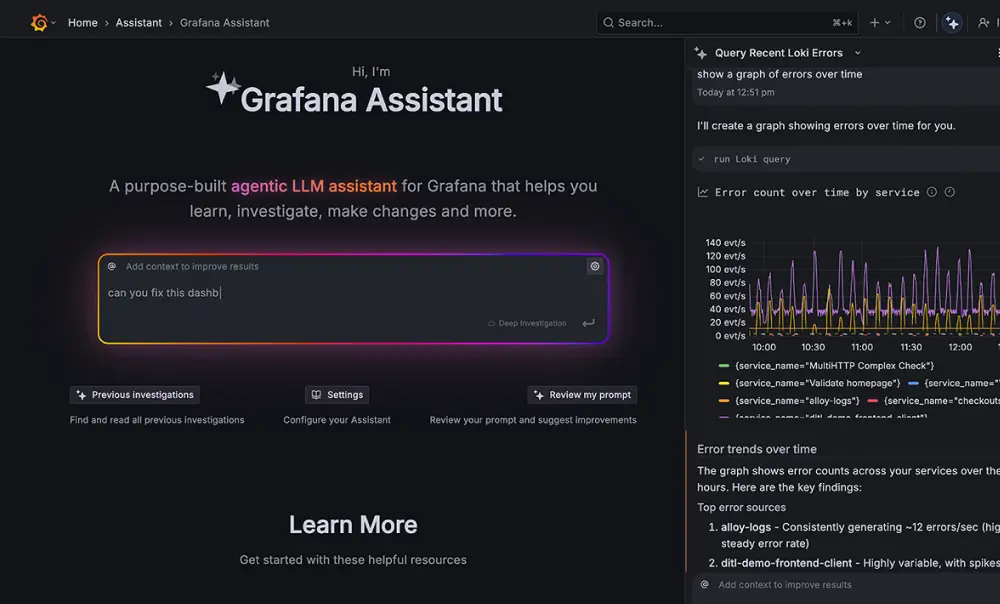
- AI readiness: Native AI is currently more associated with Grafana Assistant in Grafana Cloud. In self hosted environments, it is generally better suited to integration through HTTP APIs, plugins, or external intelligent operations workflows.
Metabase
- Official website: https://www.metabase.com/
- GitHub: https://github.com/metabase/metabase
- GitHub Stars: 46.8k
- Official docs: https://www.metabase.com/docs/latest/
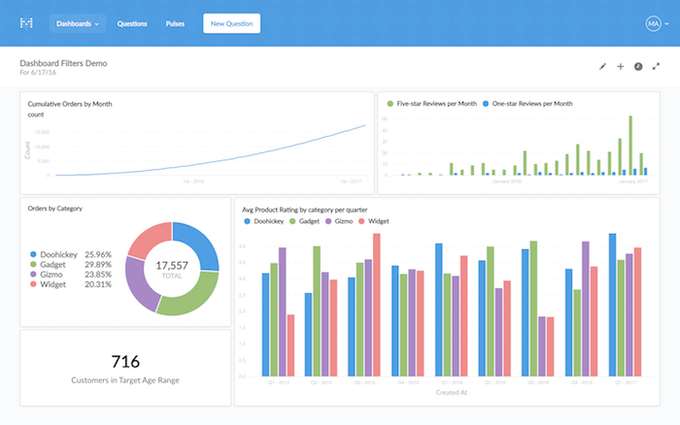
Overview: An easy to use BI and embedded analytics platform for operational reporting, self service analytics, dashboards, and embedded data access. It is especially suitable for teams that want more non technical users to work directly with data.
Key highlights:
- Infrastructure: The self hosted path is mature, and it can be deployed independently with clear production and upgrade guidance.
- Access control: Its permission system is fairly complete, covering both collection permissions and data permissions. Row and column level security is also available, though more often in Pro / Enterprise scenarios.
- Audit and compliance: Focuses more on data governance and permission boundaries, especially for embedded analytics and multitenant data isolation.
- Data security and recovery: The backup logic is straightforward, with the main priority being backup of the application database. There is also clear recovery and operations guidance around upgrades.
- Maintainability over time: APIs, embedded analytics, and versioned documentation are all mature, making it a solid long term entry point for data analysis.
- AI readiness: It already offers an Agent API that can be used to build headless agentic BI applications on top of Metabase’s semantic layer. It can also connect to external AI through APIs and embedding.
💡 Read more: 6 best open source AI dashboard tools
Apache Superset
- Official website: https://superset.apache.org/
- GitHub: https://github.com/apache/superset
- GitHub Stars: 72.3k
- Official docs: https://superset.apache.org/docs/intro
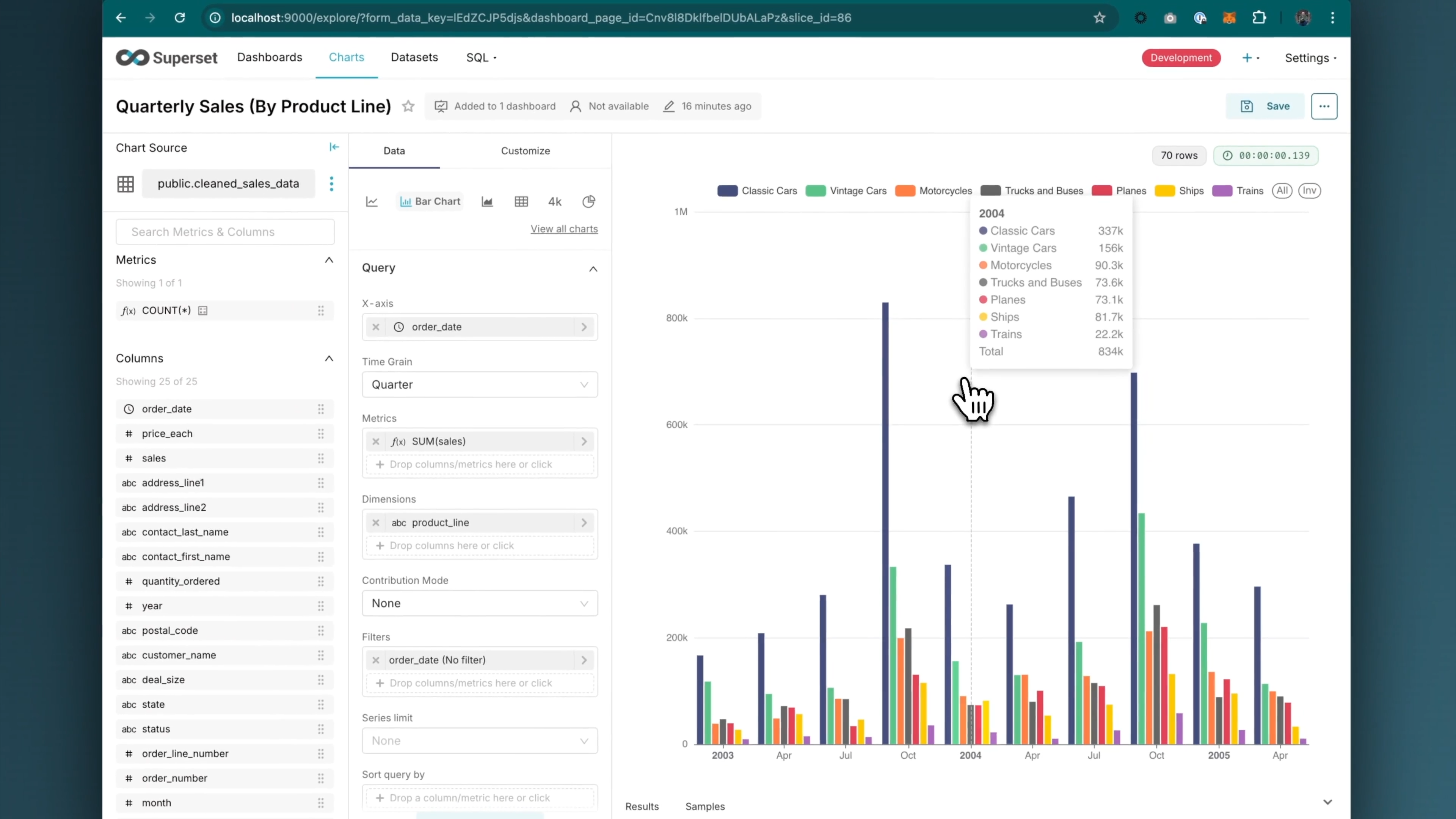
Overview: A modern BI platform for data teams, suitable for multi source analysis, complex charts, SQL exploration, and large scale visualization. It is especially suitable for teams with analytics engineering or data platform capabilities.
Key highlights:
- Infrastructure: Has a clear cloud native orientation. Docker Compose is one of the most common official ways to run it, and the platform is designed with scalability in mind.
- Access control: Has a strong authentication and permission system, with fine grained role and access options, making it suitable for multiple teams and complex data access environments.
- Audit and compliance: Leans more toward enterprise security configuration and access governance. Documentation for admin roles, permission boundaries, and security settings is relatively complete.
- Data security and recovery: Relies more on the database layer and operations tooling for backup and recovery. Official guidance clearly recommends managing the metadata database and related infrastructure through mature database services or existing backup strategies.
- Maintainability over time: SQL Lab, the semantic layer, the extension framework, and the APIs are all mature, making it suitable for long term use as a data exploration and visualization platform.
- AI readiness: It can already connect to AI assistants through MCP, allowing users to explore data, build charts, create dashboards, and run SQL in natural language. Its AI capability can also be extended further through existing extension points.
Lightdash
- Official website: https://www.lightdash.com/
- GitHub: https://github.com/lightdash/lightdash
- GitHub Stars: 5.7k
- Official docs: https://docs.lightdash.com/
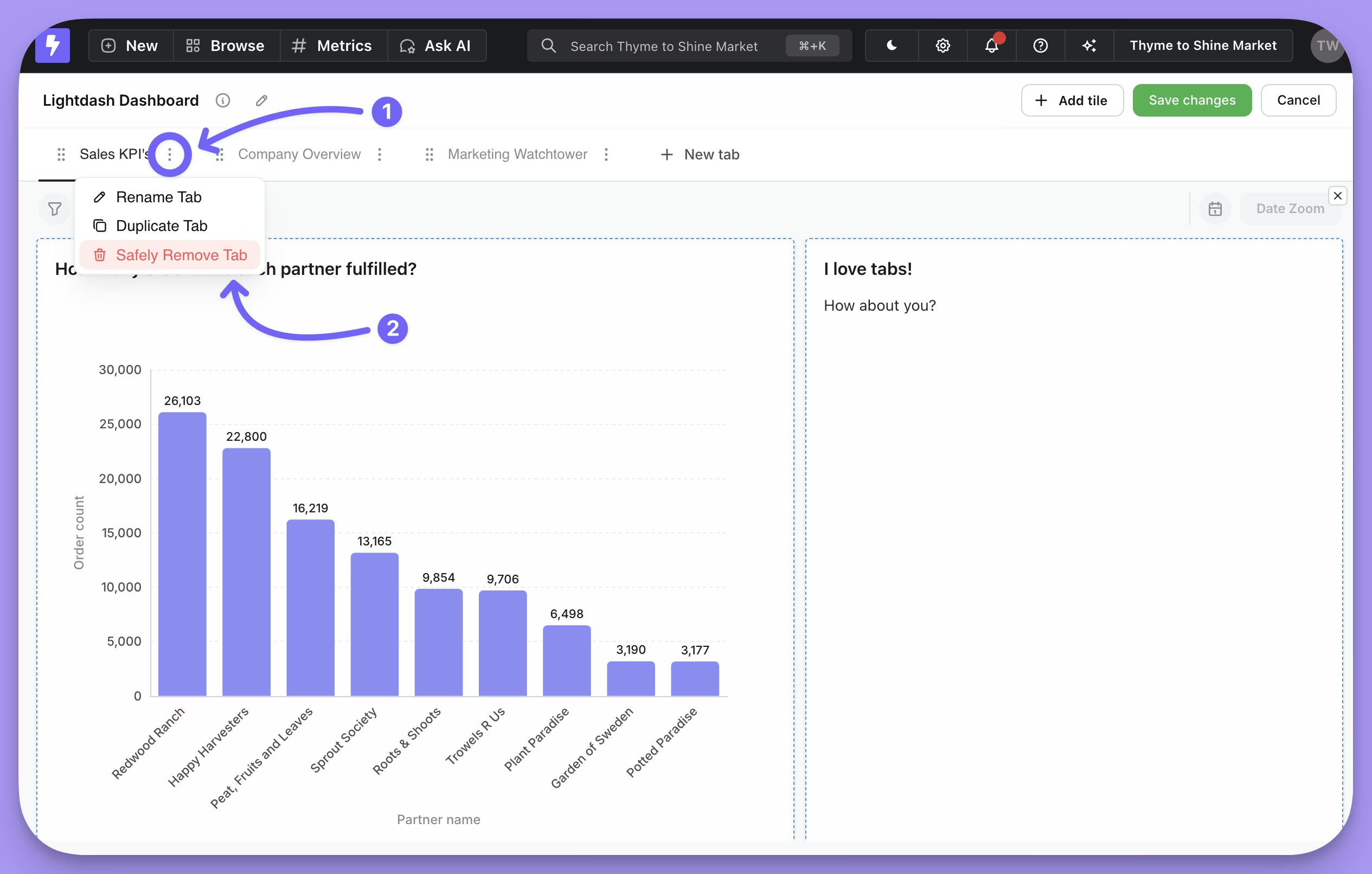
Overview: A dbt based self service analytics platform for unified metric definitions, semantic layer governance, and business friendly self service analytics. It is especially suitable for modern data teams already using dbt.
Key highlights:
- Infrastructure: Can be self hosted. Local setup is straightforward, and there is also a Kubernetes guide for production. Object storage is an important part of self hosted deployment.
- Access control: Space permissions, roles, SSO, SCIM, and user attributes are clearly defined, and user attributes can also be used for row level filtering.
- Audit and compliance: Focuses more on metric governance, permission boundaries, and organizational access control, making it suitable for teams that care about consistent metric definitions and controlled business visibility.
- Data security and recovery: In self hosted deployments, result files and export files are stored in S3 compatible object storage, which makes it easier to fit into existing enterprise storage and operations frameworks.
- Maintainability over time: It is deeply integrated with dbt. Metrics, dimensions, and business logic can all be maintained directly in the dbt project, and the platform can continue evolving through the CLI, GitHub integration, and APIs.
- AI readiness: AI is already part of the core product flow. It can support Q and A, data exploration, semantic layer building, and AI agents working on top of a trusted metric framework.
FAQ
If I just want a CRM, is choosing a CRM product directly enough?
If your needs are clear and mainly focused on customer management and sales workflows, then choosing a CRM product directly is usually the simpler option.
But if you expect to expand later into approvals, ticketing, portals, or cross department workflows, it may be worth considering a more flexible platform early on.
If the development team is strong, is a platform for building systems a better fit?
Usually yes. The stronger the development team, the more value it can get from a platform’s strengths in data models, permissions, workflows, and integrations.
If you plan to keep evolving internal systems over time, a more flexible platform like NocoBase is often worth prioritizing.
If the team’s technical capability is average, which type of product should be considered first?
In most cases, it makes more sense to start with mature off the shelf systems such as CRM, ERP, ticketing, Wiki, or BI. These products are usually faster to launch, easier to understand, and better for solving one specific problem first.
What level of access control is considered suitable for enterprise use?
For enterprises, access control is not just about account login. You also need to look at role permissions, department permissions, record level permissions, field level permissions, and whether single sign on is supported.
If the system will handle customer data, approvals, finance, or cross department collaboration, the more granular the permissions, the better. Platforms like NocoBase can support permissions at the record level, field level, and action level, which makes them better suited to complex scenarios such as customers, approvals, finance, and cross department collaboration.
Are audit logs and compliance features only something large enterprises need to think about?
No. As soon as a system starts handling customer data, approval records, or multi user collaboration content, auditing and traceability already matter.
Many products provide system logs, activity history, or content history, which are enough for basic troubleshooting. Platforms like NocoBase, however, provide full operational audit logs, which are better suited to enterprise environments that need admin accountability, clear responsibility boundaries, and compliance support.
How should AI capability be evaluated? Does having AI automatically make a product more worth choosing?
Not necessarily. What matters is whether AI can actually be integrated into real business scenarios and work with data, permissions, page context, and workflows in a meaningful way.
We already have ERP / CRM. Do we still need an internal app platform?
In many cases, yes. ERP and CRM are better suited to standardized business modules, but companies often still have gaps in approvals, portals, ledgers, and cross system workflows.
These needs are often better handled by internal app platforms such as NocoBase and Appsmith.
I hope this article helps you sort through the options and gives you some practical reference. If people around you are also looking at tools like these, feel free to share it with them.
Related reading:
- 4 Ways to Quickly Build Web Apps from Excel Data
- Not Just PostgreSQL: Comparing 5 No-Code/Low-Code Platforms with External Database Support
- Open Source Project Management Tool Selection Guide, 2026 Edition
- How to Build a Custom CRM with PostgreSQL
- Top 20 AI Projects on GitHub to Watch in 2026: Not Just OpenClaw
- Best Open Source AI CRM: NocoBase vs Twenty vs Krayin
- Top 3 Open Source ERP with AI on GitHub: NocoBase vs Odoo vs ERPNext
- 5 Most Popular Open-Source AI Project Management Tools on GitHub
- 6 Best Open-Source AI Ticketing Systems