

Key Takeaways
If you need to build a full business system on top of your existing database, such as CRM, ERP, approval workflows, or ticketing, NocoBase is the best fit. It supports multi source data management, cross source relationships, and deep business modeling. If you simply want to build internal tools or admin interfaces quickly, Retool, Appsmith, and ToolJet are easier to adopt. If your main focus is workflow driven applications such as approvals and ticketing, Budibase is a better choice.
Before We Begin
As business needs become more diverse, many teams want to quickly add an application layer on top of their existing data and systems to build internal operating systems such as CRM, ERP, approvals, and ticketing. In this context, no code and low code platforms that can connect flexibly to existing data sources without changing the underlying system have become a priority for many companies.
We have previously published two types of content around PostgreSQL. One is a practical guide, How to Build a Usable CRM Based on PostgreSQL. The other focuses on tool selection, 6 No Code Tools That Support PostgreSQL, comparing how different platforms support PostgreSQL across areas such as native integration, relationship modeling, and self hosted deployment.
PostgreSQL is only one common option. Many teams may already be working with MySQL, MariaDB, or MongoDB. In some cases, data is not stored directly in a database at all, but exposed through REST APIs or GraphQL interfaces.
In this article, we compare several mainstream no code and low code platforms across four key dimensions: support for external data sources and depth of integration, handling of complex business relationships, workflows and permissions, efficiency in building business systems, and long term extensibility.
Note: Sources used in this article
The product capabilities, data source support, and related information covered here are mainly compiled from each product’s official website, official documentation, GitHub repository, and other public materials.
💬 Hey, you’re reading the NocoBase blog. NocoBase is the most extensible AI-powered no-code/low-code development platform for building enterprise applications, internal tools, and all kinds of systems. It’s fully self-hosted, plugin-based, and developer-friendly. → Explore NocoBase on GitHub]
For this article, we selected five low code and no code platforms that are drawing strong attention right now:
NocoBase
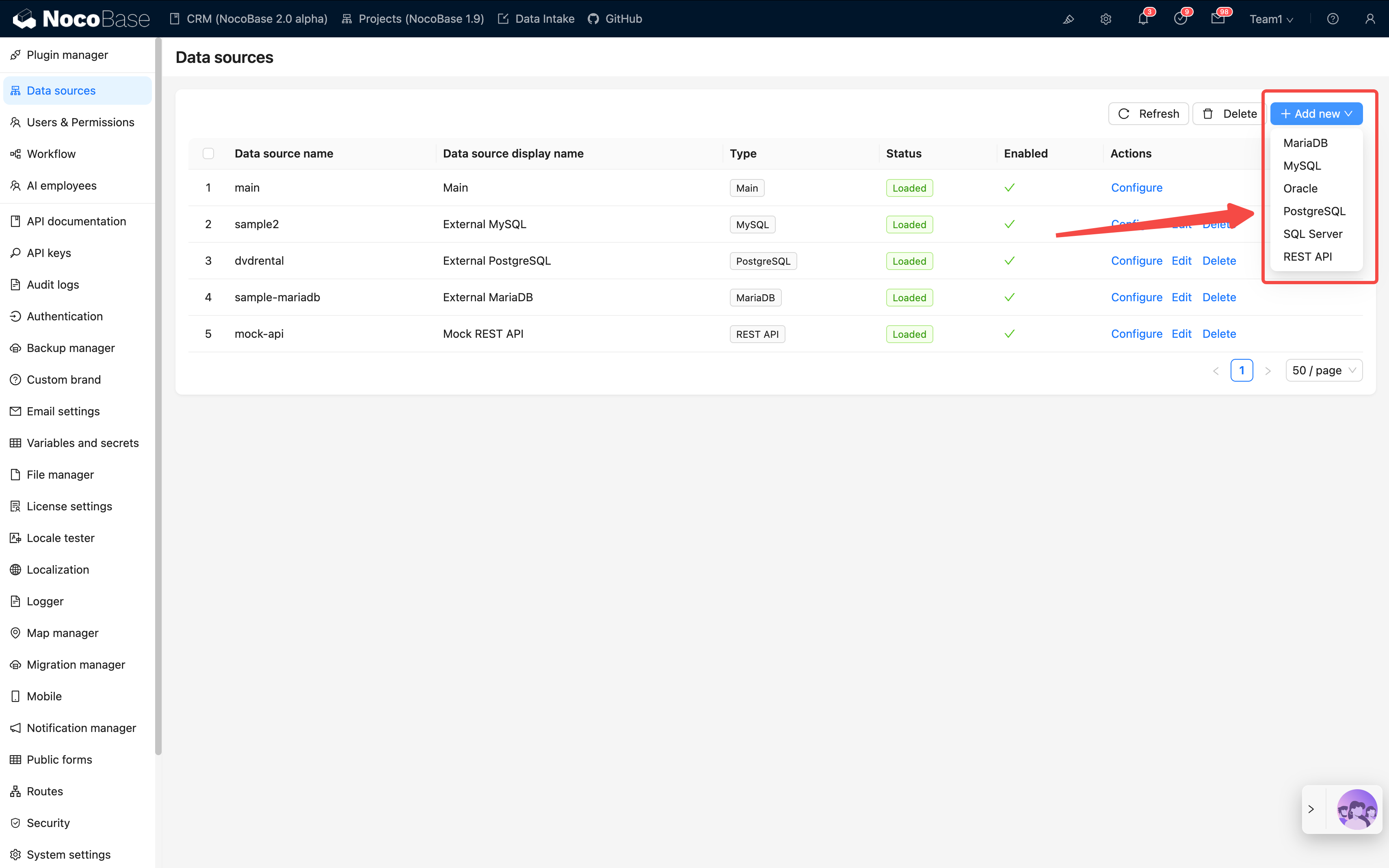
An open source AI no code and low code platform built around a data model driven architecture. It brings complex data relationships, permissions, workflows, and plugin extensions into one unified system foundation, making it well suited for continuously building enterprise applications, internal tools, and complex business systems on top of existing data.
Official website: https://www.nocobase.com/
GitHub: https://github.com/nocobase/nocobase
Data source documentation: https://docs.nocobase.com/data-sources/data-source-manager/
Retool
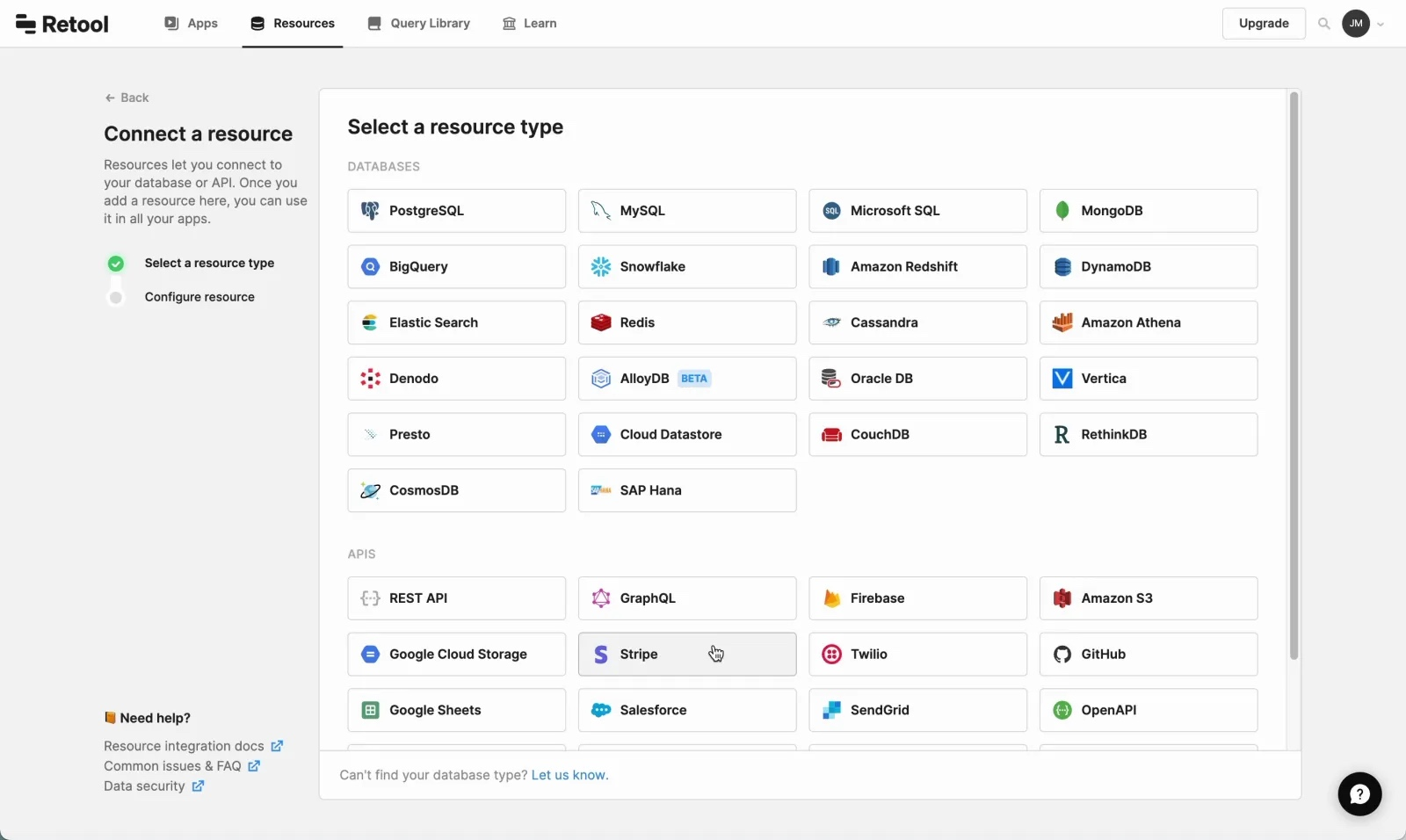
An internal tool and operations platform designed for teams. It can quickly combine databases, APIs, workflows, and front end components into usable internal software, making it a good fit for admin panels, operations dashboards, and data tools.
Official website: https://retool.com/
GitHub: https://github.com/retool
Data source documentation: https://docs.retool.com/data-sources/
Appsmith
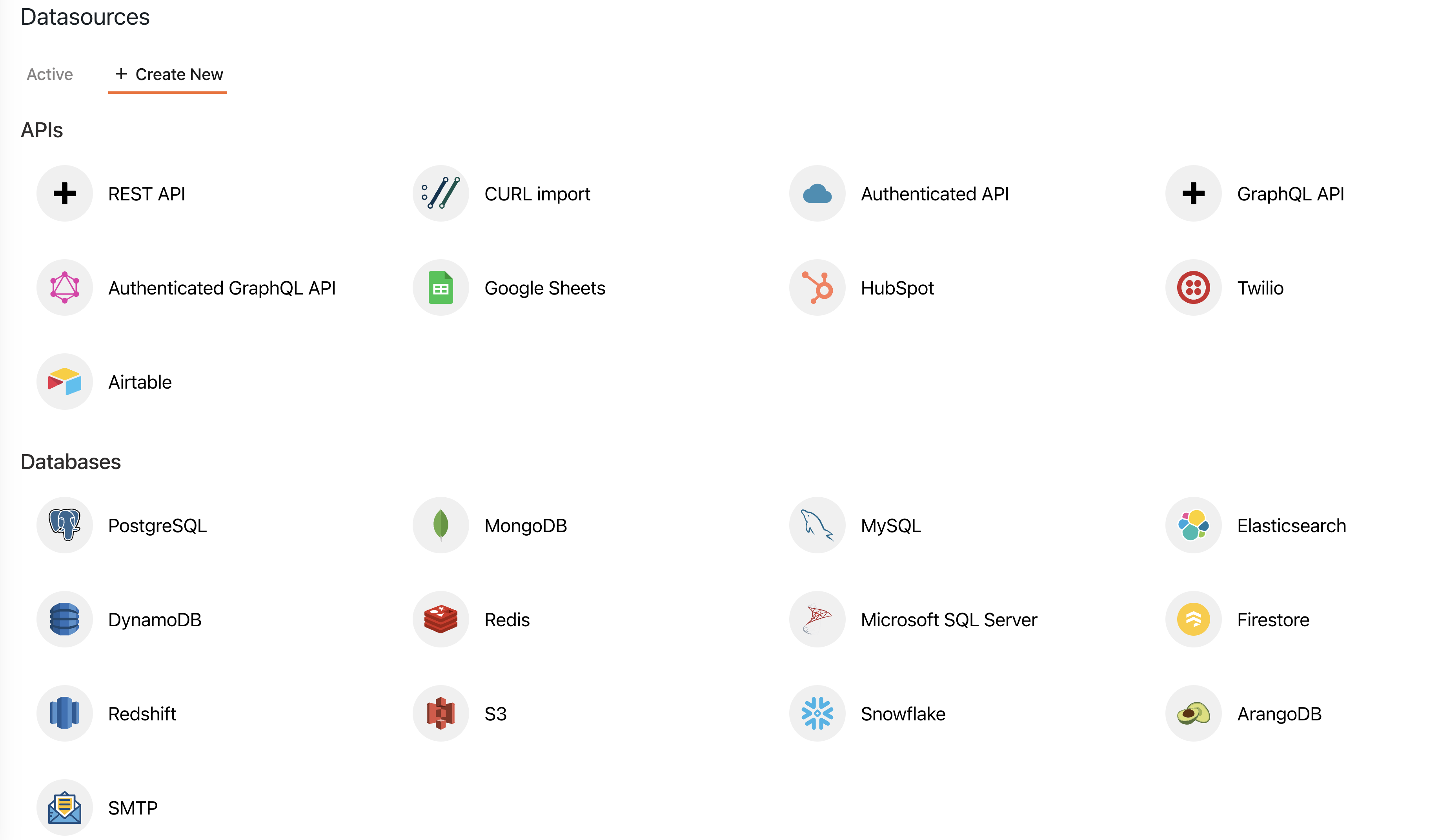
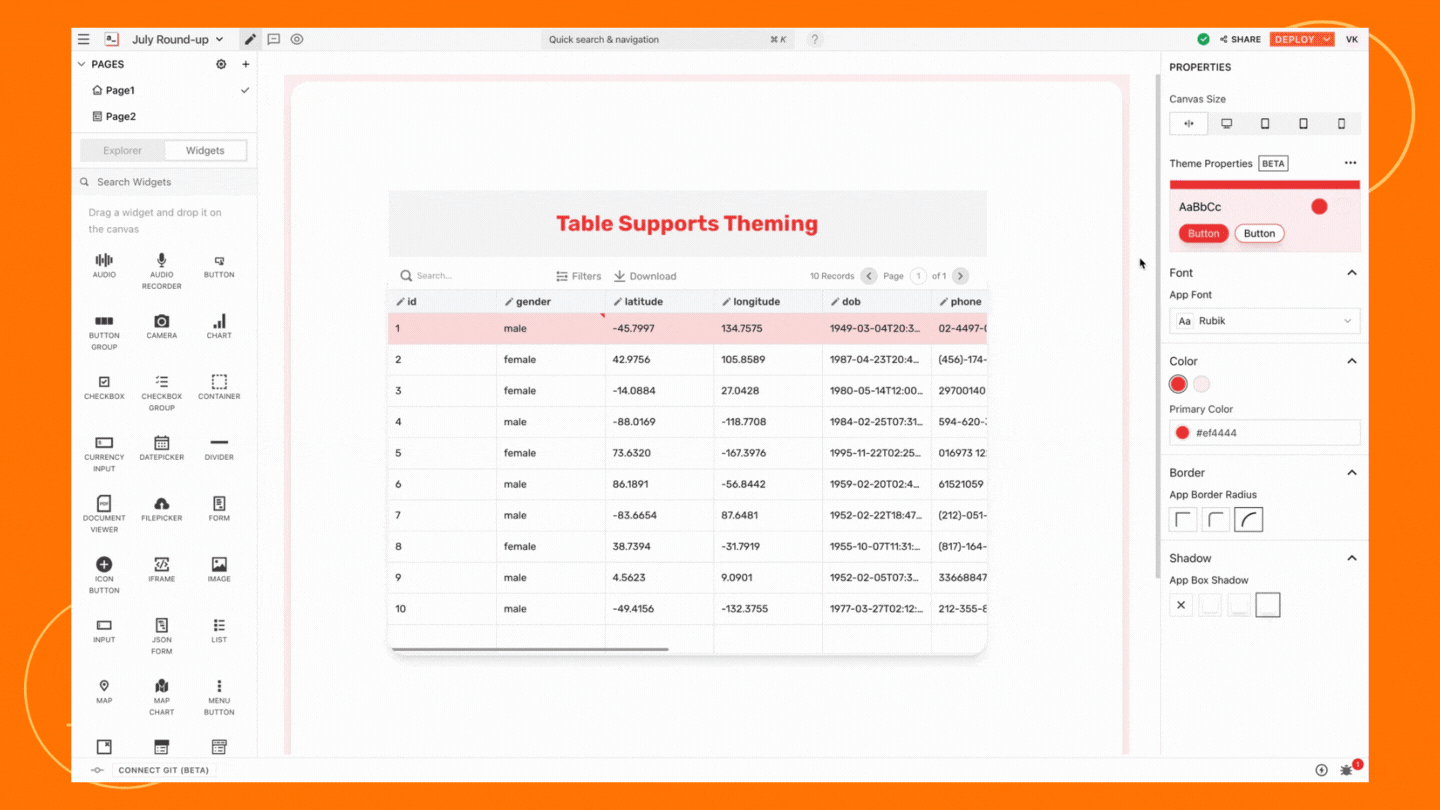
A developer friendly low code front end layer that helps engineering teams build CRUD apps, admin pages, and custom internal tools faster on top of existing databases, APIs, and scripts, while keeping strong control over JavaScript and Git workflows.
Official website: https://www.appsmith.com/
GitHub: https://github.com/appsmithorg/appsmith
Data source documentation: https://docs.appsmith.com/connect-data/overview
Budibase
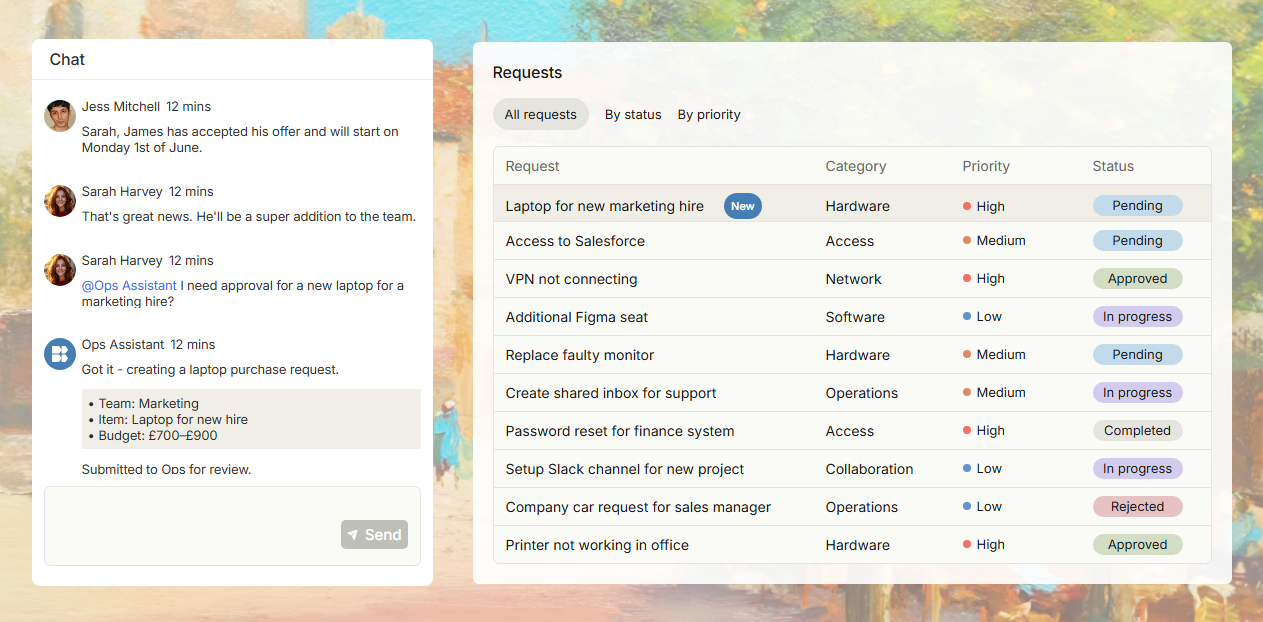
Best known for form based, approval based, request based, and workflow driven applications. Its product focus is clearly closer to internal process automation, so it is especially suitable for service requests, ticket routing, approval handling, and data collection.
Official website: https://budibase.com/
GitHub: https://github.com/Budibase/budibase
Data source documentation: https://docs.budibase.com/docs/data-sources
ToolJet
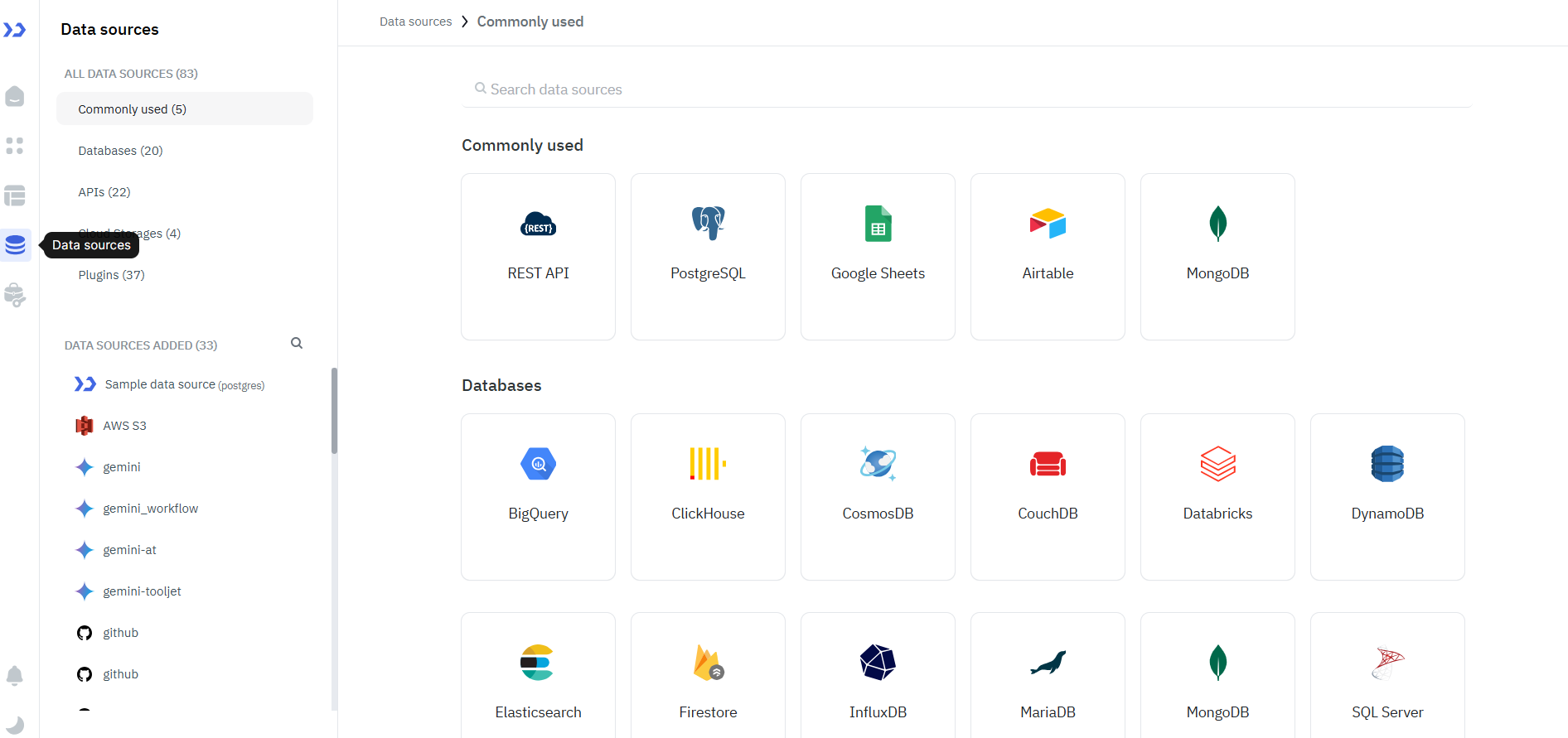
A platform focused on multi source connectivity and rapid internal tool building. It supports databases, APIs, SaaS tools, and cloud services, making it a strong choice for teams that need to bring multiple existing systems into one unified interface quickly.
Official website: https://www.tooljet.com/
GitHub: https://github.com/ToolJet/ToolJet
Data source documentation: https://docs.tooljet.com/docs/data-sources/overview/
1. External Data Source Support and Integration Depth
| Platform | Supported Data Source Types | Typical Data Sources | Integration Depth |
|---|---|---|---|
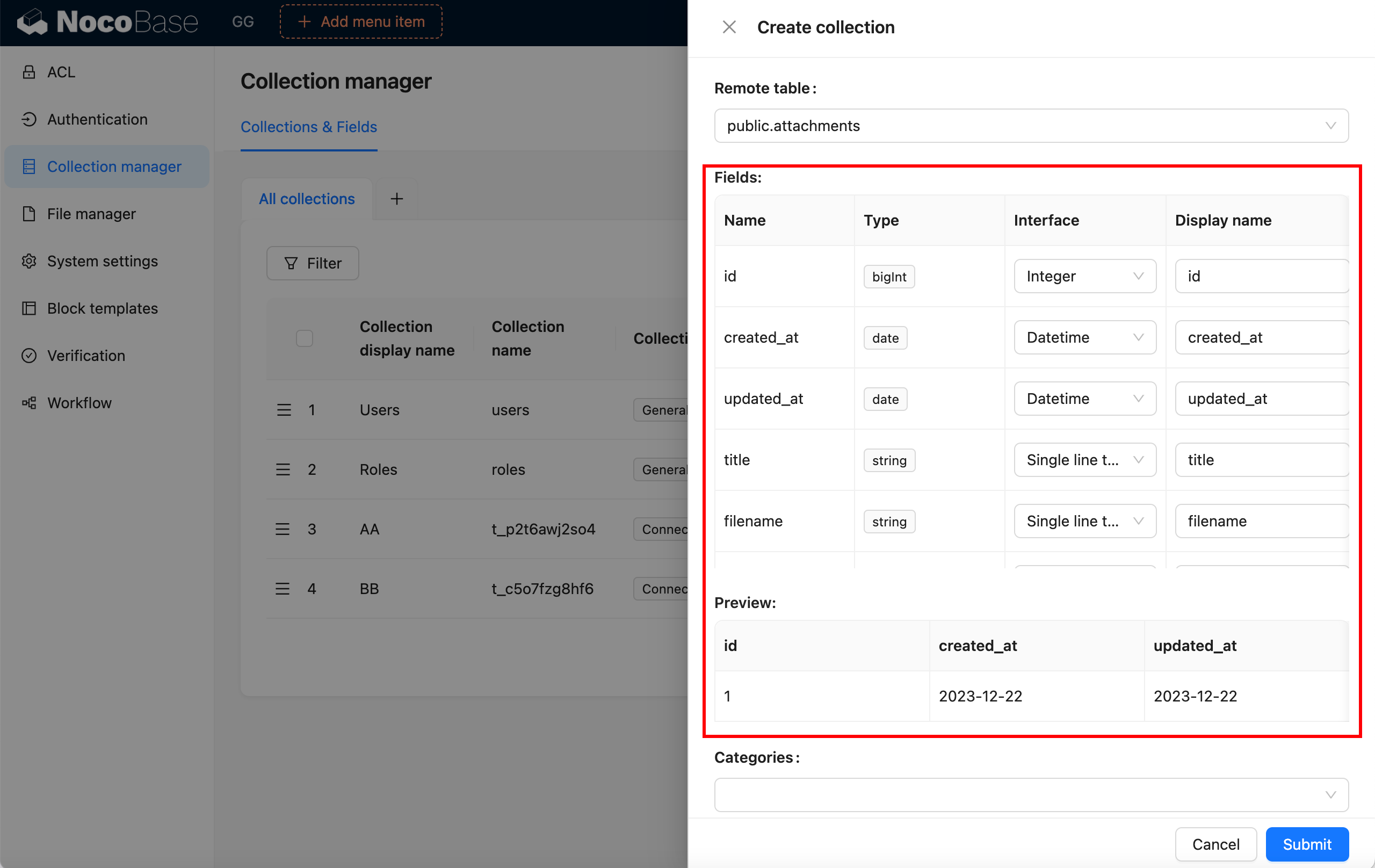
| NocoBase | Relational databases, NoSQL, APIs, file based sources | MySQL, MariaDB, PostgreSQL, MSSQL, Oracle, KingbaseES, REST API | More than simple data connection and read or write access. It also supports unified multi source management, cross source relationships, and continued modeling on top of existing data |
| Retool | Relational databases, NoSQL, data warehouses, APIs | PostgreSQL, MySQL, MongoDB, Snowflake, BigQuery, REST API, GraphQL, Google Sheets | More focused on bringing existing data sources into one interface, then using queries, components, and workflows for reading, updating, and orchestration |
| Appsmith | Relational databases, NoSQL, search engines, APIs | PostgreSQL, MySQL, MongoDB, Microsoft SQL Server, Oracle, Redis, Snowflake, GraphQL | More focused on configuring queries, pages, and interaction logic on top of existing databases and APIs to quickly form an application front end |
| Budibase | Relational databases, NoSQL, cache, APIs, object storage | PostgreSQL, MySQL / MariaDB, MongoDB, MS SQL Server, Oracle, Redis, S3, Google Sheets | Supports both external data source connections and app building through queries, forms, and workflow configuration, though it still centers mainly on data driven pages and workflows |
| ToolJet | Relational databases, NoSQL, data warehouses, APIs, SaaS data sources | PostgreSQL, MySQL, MongoDB, MS SQL Server, Snowflake, BigQuery, REST API, GraphQL | More focused on connecting many kinds of data sources for reading, updating, and unified operations, with support for both SQL and visual query building |
Highlights
- Retool, Appsmith, and ToolJet are best suited to quickly adding an operations layer or tool layer on top of existing databases and APIs, so teams can connect, query, and update data more easily
- Budibase goes a step further toward workflow driven applications
- NocoBase is positioned closer to building systems on top of existing data, with stronger extensibility in multi source management, cross source relationships, and continued modeling
2. Complex Business Relationships, Workflows, and Permissions
| Platform | Handling Complex Relationships | Workflows / Automation | Permission Granularity | Suitable Business Complexity |
|---|---|---|---|---|
| NocoBase | Strong, well suited for multi table relationships and complex business objects | Built in workflows, supports data driven processes | Role, action, data, and field level permissions | Medium to high complexity business systems |
| Retool | Moderately strong, more focused on internal tool orchestration | Mature workflows, suitable for multi step tasks | Role permissions, permission groups, and object level control | Medium complexity internal software |
| Appsmith | Moderate, with relationship handling relying more on developer configuration | Supports workflow orchestration through queries, scripts, and events | Fine grained control at the app, page, and query level | Medium complexity custom applications |
| Budibase | Moderate, more focused on forms and workflow relationships | Well suited for approvals, requests, and status transitions | Role, dataset, and field level control | Medium complexity workflow driven applications |
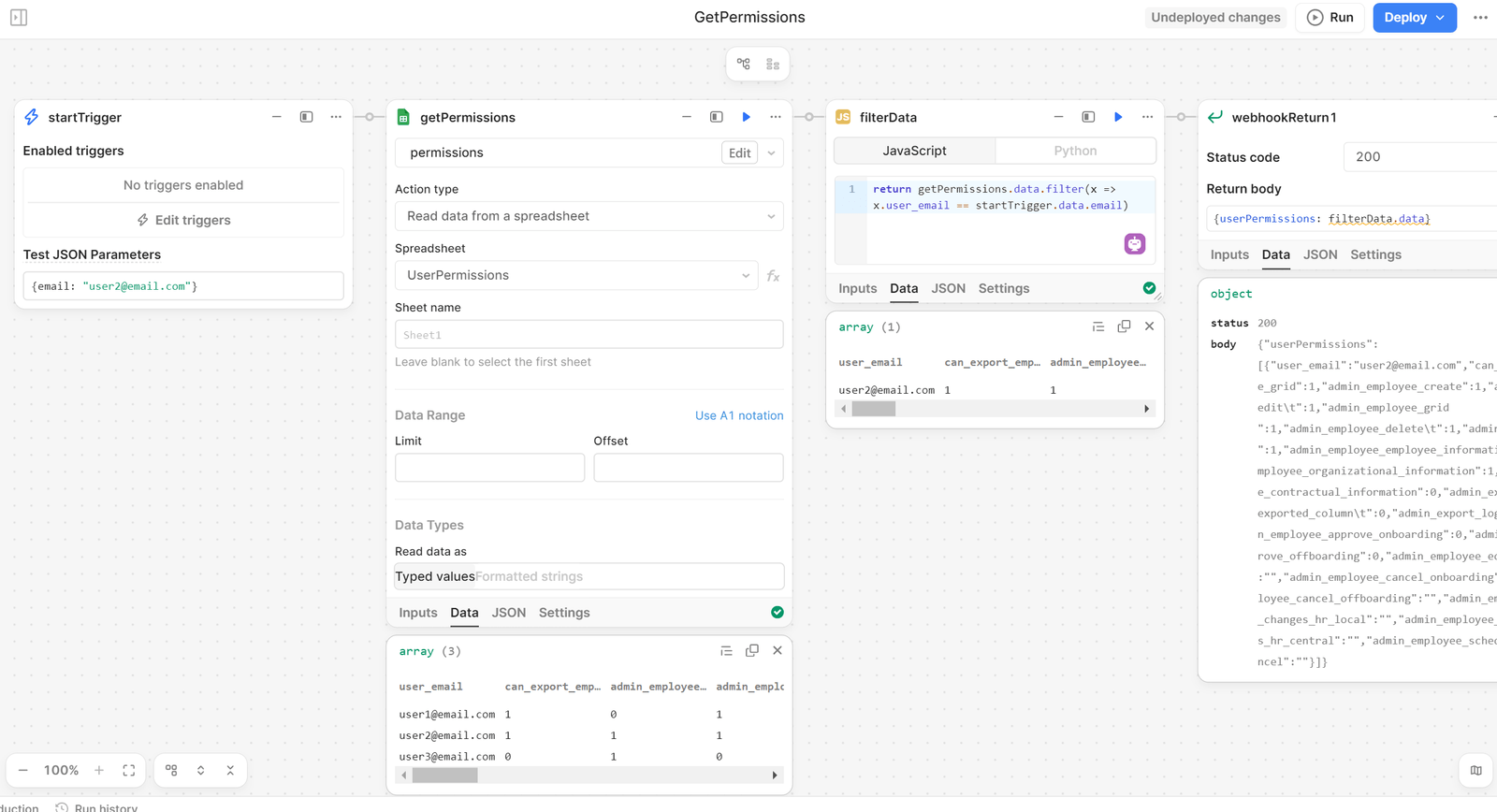
| ToolJet | Moderate, more focused on tool layer integration | Supports workflows, conditional logic, and notifications | Role, workspace, and custom group permissions | Low to medium complexity tools |
Highlights
- If your business is complex and you want to continue building complete business systems such as CRM, ERP, approvals, or ticketing on top of your existing database, NocoBase is the better fit.
- If your needs are lighter and your priority is to quickly build an internal tool, operations backend, or workflow app, platforms like Retool are easier to adopt.
3. Efficiency in Building Business Pages
| Platform | Page Support | Build Method | Code Involvement | Suitable Scenarios |
|---|---|---|---|---|
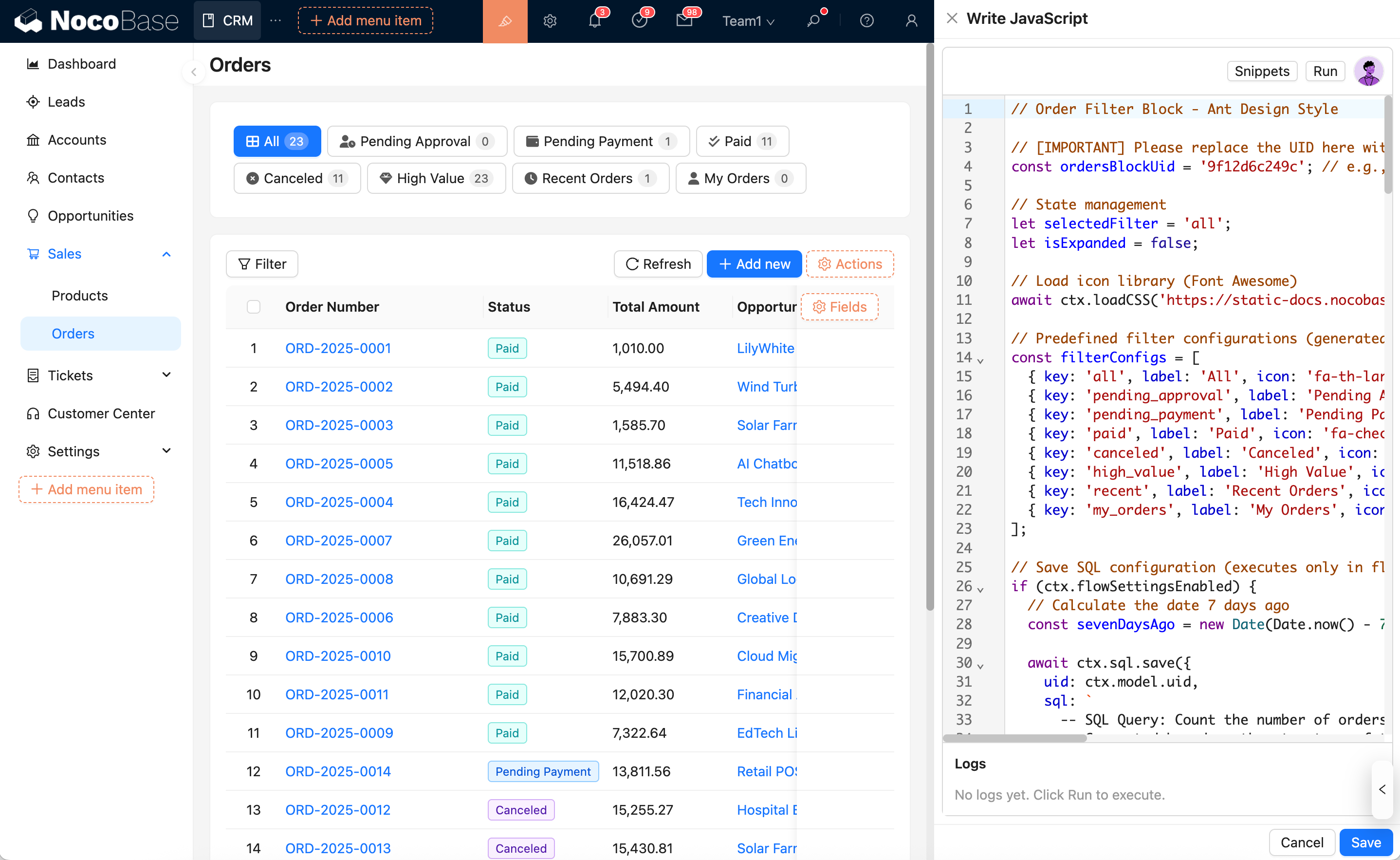
| NocoBase | Tables, forms, detail views, kanban boards, charts, action pages | Block configuration + JS block extension + action configuration + AI employee assisted generation | Low, with scripts or plugins available for more complex needs | Data driven business pages and complex backends |
| Retool | Tables, forms, charts, panels, admin backends | Canvas + drag and drop components + code | Medium, with common scenarios often combining SQL and JS | Operations consoles, data tools, and internal backends |
| Appsmith | Tables, forms, charts, dashboards, CRUD pages | Drag and drop components + JS customization | Medium to high, better suited for developer involvement | Custom internal apps and developer led pages |
| Budibase | Forms, tables, approval pages, request pages, backend pages | Low code configuration + form workflows | Low to medium, with extra configuration added for complex logic | Form driven and workflow driven pages |
| ToolJet | Tables, forms, charts, dashboards, internal tool pages | Drag and drop front end builder | Medium, with complex tool pages usually requiring query and event setup | Multi source tool pages and operations backends |
Highlights
- Retool, Appsmith, and ToolJet are a better fit for teams with engineering resources that want to keep room for customization and logic control.
- Budibase is better for teams with a lower technical barrier that want to build pages and workflows quickly through configuration.
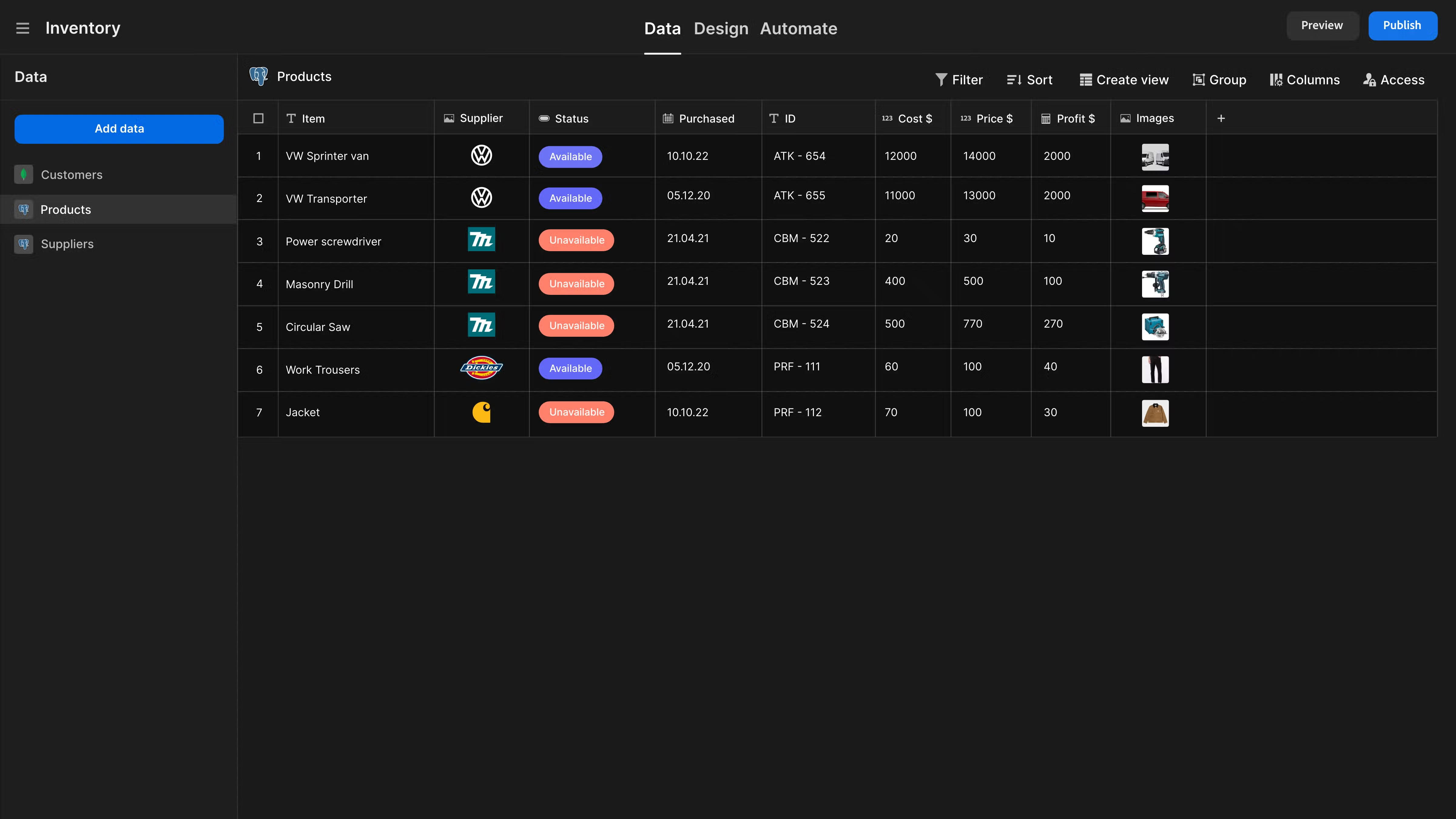
- NocoBase is more flexible. It supports visual configuration while also lowering the setup barrier further through JS blocks and AI employees.
4. Long Term Extensibility
| Platform | Extension Method | Openness | Long Term Maintainability | Typical Fit Scenarios |
|---|---|---|---|---|
| NocoBase | Plugin extensions and extending pages, blocks, actions, and APIs around the data model | High, with a microkernel and fully plugin based architecture | Strong, suitable for gradual module expansion and long term development | Complex business systems, workflow driven applications, and enterprise apps under continuous iteration |
| Retool | Module reuse, custom components, code extensions, version control | High, with reusable components and queries and support for custom React components | Strong, suitable for continuous internal software iteration by multiple team members | Internal software, operations tools, data applications, and continuously evolving projects |
| Appsmith | JavaScript customization, custom components, Git workflows, package version management | High, with room for deep developer involvement | Strong, but relies more on continued support from the development team | Custom internal apps, developer led projects, and continuously evolving backend systems |
| Budibase | Automation, custom plugins, custom data sources, self hosted extensions | Medium to high, with more flexibility for plugin and data source extension in self hosted environments | Moderately strong, suitable for gradually expanding workflows and applications | Workflow driven applications, approval and request systems, and internal operations apps |
| ToolJet | Component configuration, query logic, workflow extensions, custom components | Medium to high, supports extension but remains more focused on expanding the tool layer | Medium, suitable for continuing to add pages and integrate more data sources | Tool based apps, multi system integration, internal backends, and operations tools |
Highlights
- NocoBase has a particularly strong plugin mechanism, making it more suitable for teams that need a high degree of control and deep customization. It also offers more room for ongoing maintenance and continued expansion.
- Appsmith also allows developers to take deeper control of page and logic behavior, and it performs well in long term iteration and customization.
5. AI Capabilities
| Platform | Current AI Capabilities | How AI Connects with Business Data / Workflows | Future AI Integration Potential |
|---|---|---|---|
| NocoBase | Built in AI employees, with support for defining AI roles and capabilities in the system based on business needs | Can understand business context through the current page, data, and table structure, and can directly perform real business actions such as querying databases, filling forms, and updating data | Strong, well suited for connecting AI directly into existing business systems and workflows |
| Retool | Supports AI generated apps, AI generated workflows, and Retool Agents | Agents can connect to external systems, workflows, and data sources, and can also be called directly from apps or workflows | Strong, suitable for bringing AI into internal software, workflows, and operational layers |
| Appsmith | Provides Appsmith AI query capabilities | More focused on using AI at the application layer to add text generation, classification, analysis, and similar functions | Medium to high, suitable for adding AI interaction to existing apps |
| Budibase | Already offers Agents, Agent Chat, and AI automation | Agents can connect to automation flows and also work with data and tools inside the workspace | Strong, suitable for bringing AI into approvals, request handling, and workflow driven applications |
| ToolJet | Supports generating apps, queries, and workflows with natural language, and also offers an OpenAI plugin | Can use AI to generate applications and then continue building logic with workflows and data sources | Medium to high, suitable for using AI as a build accelerator and support capability in the tool layer |
Highlights
Retool, ToolJet, and Appsmith focus their AI capabilities more on app generation, query generation, or development efficiency.
Budibase is better suited for putting AI directly into business pages and workflows.
NocoBase can use AI both during setup to lower the configuration barrier and later inside business pages and workflows.
Conclusion
NocoBase is centered on a data model and plugin architecture. It supports a wide range of external data sources and is especially well suited for continuing to build more complete business systems such as CRM, ERP, approvals, and ticketing on top of existing databases. It is also positioned to bring AI into the system over time. If you have a technical team and want deeper control and customization on top of your existing data, NocoBase is the stronger choice.
Retool is a strong option for quickly connecting databases, APIs, and workflows into an internal operations layer. Its main advantage is the delivery speed of internal software, operations backends, and data tools. If your priority is to build a usable internal system quickly and your team already has some development capability, Retool will likely feel more efficient. Its official website also emphasizes connecting data, systems, and rules to build internal software, with support for databases, APIs, workflows, and version control.
Appsmith is more of a developer friendly low code front end layer, making it a good fit for quickly building custom internal apps on top of existing databases and APIs. If your team wants to keep strong control over JavaScript, custom components, and Git workflows, Appsmith is more suitable. Its official positioning is also that of an open source low code application platform that enables developers to build custom applications on top of existing systems.
Budibase is a better fit for forms, approvals, request handling, and workflow driven applications. Its strength lies in helping teams organize internal applications more quickly around data and workflows. If your technical threshold is lower and your focus is on approvals, ticketing, and operational workflows, Budibase will feel more natural. Its official website also places internal tools, workflows, and business process automation at the center.
ToolJet can connect databases, APIs, and third party systems into a unified tool layer interface. Its key advantage lies in building enterprise internal tools across multiple data sources. If your needs focus more on multi system integration, operations backends, or tool based apps, ToolJet is a more direct option. Its official website positions it as a platform for quickly building enterprise applications.
FAQ
-
If we care more about complex business relationships, not just simple CRUD, which platform should we focus on?
NocoBase. If your business involves many multi table relationships, related objects, role differences, and business actions, NocoBase is better suited for continuing to build the system around the data model.
-
If we have more than one data source, with databases and APIs mixed together, what should we pay most attention to when choosing?
Whether the platform supports multiple data sources at the same time, whether it can connect both databases and APIs together, whether pages and workflows become harder to maintain as more data sources are added, and whether it stays easy to connect new sources later.
-
If our database will continue to add fields, add tables, or even change relationships later, what should we look at when choosing a platform?
The key is whether the platform’s data layer and page layer are tightly bound together. In this kind of scenario, a data model driven platform is usually more suitable, such as NocoBase. When the data structure changes, pages, workflows, and permissions are easier to adjust and carry forward.
-
If we only want to build an admin backend or internal tool first, and then gradually add approvals, ticketing, and more modules later, how should we choose?
Retool is better suited for first turning an existing database into a tool layer or operations interface, so you can quickly build admin backends, data tools, and internal apps. NocoBase is more suitable if you want to keep adding workflows, permissions, and modules over time. If you already know the project will eventually grow into a more complete business system, then a platform like NocoBase that is better at supporting business structure is the more recommended choice.
-
If my needs are mainly workflow driven applications such as approvals, request handling, and ticket routing, what should I choose?
Budibase. In this kind of application, the database is more of a foundational data source. What really shapes the user experience is usually the platform’s support for forms, status transitions, workflow automation, and permission settings.
-
My team already knows JavaScript, and we also want developers to lead page and logic control. What kind of platform is suitable?
If your team already has front end or JavaScript capability and wants developers to stay in control of pages, queries, and interaction logic, then platforms like Appsmith and Retool are a better fit. These products are usually more suitable for developer led internal tools, operations consoles, and custom pages built on top of existing databases and APIs.
You can use the official websites, documentation, and data source links collected in this article to further review how each platform supports your current data sources. Once you confirm that your data sources can be connected smoothly, you can then choose the platform that best fits your business workflows, page requirements, and future expansion plans.
Related reading:
- Open Source Project Management Tool Selection Guide, 2026 Edition
- How to Build a Custom CRM with PostgreSQL
- Top 20 AI Projects on GitHub to Watch in 2026: Not Just OpenClaw
- Best Open Source AI CRM: NocoBase vs Twenty vs Krayin
- Top 3 Open Source ERP with AI on GitHub: NocoBase vs Odoo vs ERPNext
- 5 Most Popular Open-Source AI Project Management Tools on GitHub
- 6 Best Open-Source AI Ticketing Systems
- 4 Open Source Data Management Tools for Business Systems
- 4 Lightweight Enterprise Software for Business Processes (With Real-World Cases)