
- Produit
-
- Points forts de NocoBase
- Sources de données
- Blocs & Actions
- Agents IA
- Permissions
- Workflows
-
- Open source
- GitHub24k
- Awesome NocoBase
-
- Solutions
- Communauté
- Ressources
- Tarifs
Construit sur la plateforme no-code NocoBase. Couvre le processus complet leads, suivi, conversion et fusion / déduplication ; la vue 360 du client agrège l'historique des commandes, tickets, projets et actifs.
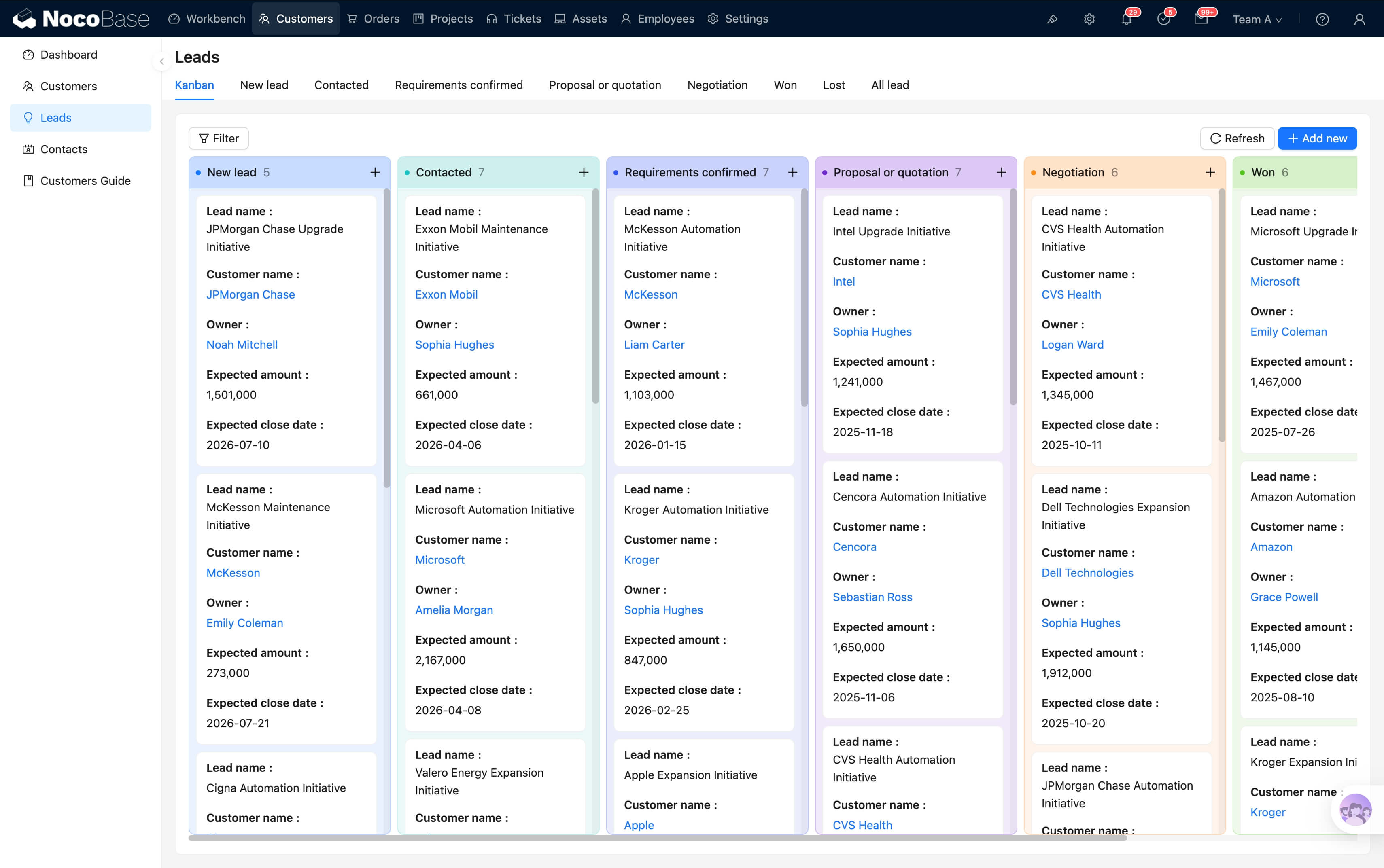
De la captation des leads à la vue 360 du client, l'ensemble de la chaîne de données est connectée
| Étape | Actions clés | Données enregistrées |
|---|---|---|
| Leads | Formulaire / import / saisie manuelle, marquage de la source et du commercial attribué | Pool de leads, étiquette de source, transitions d'étape |
| Suivi | Enregistrement des appels, e-mails et visites, planification du prochain suivi | Chronologie de suivi, rappel suivant |
| Conversion | Lead converti en client, fiche client renseignée (secteur, taille, contacts) | Table clients, table contacts, lien vers les leads |
| Vue 360 | Vue complète du client : commandes, tickets, projets, actifs | Blocs intégrés, relations transverses |
| Capitalisation | Tableau de bord commercial agrégeant les KPI par commercial / région / type | Graphiques, drill-down, exports |
Leads, clients, suivis, tableaux de bord — couverture complète de la gestion de la relation client
Import Excel en masse, formulaires de captation, intégration via API : trois modes ; mappage de champs visuel et déduplication automatique des conflits.
Étapes des leads (nouveau / contacté / converti / abandonné) configurables visuellement ; chaque changement est tracé et le taux de conversion est calculé automatiquement.
Chaque visite, appel ou e-mail est enregistré ; la chronologie donne l'historique de communication complet, facilitant les passages de relais.
Notification automatique avant l'échéance du prochain suivi ; les clients sans contact prolongé apparaissent dans un tableau « à relancer » pour éviter les oublis.
La fiche client agrège commandes, tickets, projets et actifs ; toute l'information sur un seul écran, sans changer de système.
Étiquettes multidimensionnelles par type de client, secteur, taille et source ; filtrage et analyses agrégées par étiquette.
Détection automatique des doublons lors de saisies répétées ; fusion en un clic, sans perte d'historique de suivi ni de relations associées.
KPI agrégés par commercial, région et type de client ; nouveaux clients, taux de conversion, répartition des clients actifs.
Visibilité des champs configurable par rôle ; chaque commercial voit ses propres clients, le manager voit l'ensemble.
Ce module fait partie du modèle de sauvegarde du système de gestion tout-en-un, déployé en une seule fois
Sauvegarde de la solution intégrée : après restauration, vous disposez des données préchargées des 6 modules dont celui-ci
Étapes de restauration détaillées, FAQ et points d'attention, en préparation
Ce module est également intégré au Système de gestion tout-en-un ; utilisable seul, ou en synergie avec la gestion commerciale, le help desk, la gestion de projet, la gestion d'actifs et les RH.