

Recently, a Reddit user was searching for a suitable ERP system for their company. The company is a small business focused on engineering design and construction services and is currently evaluating several ERP solutions.
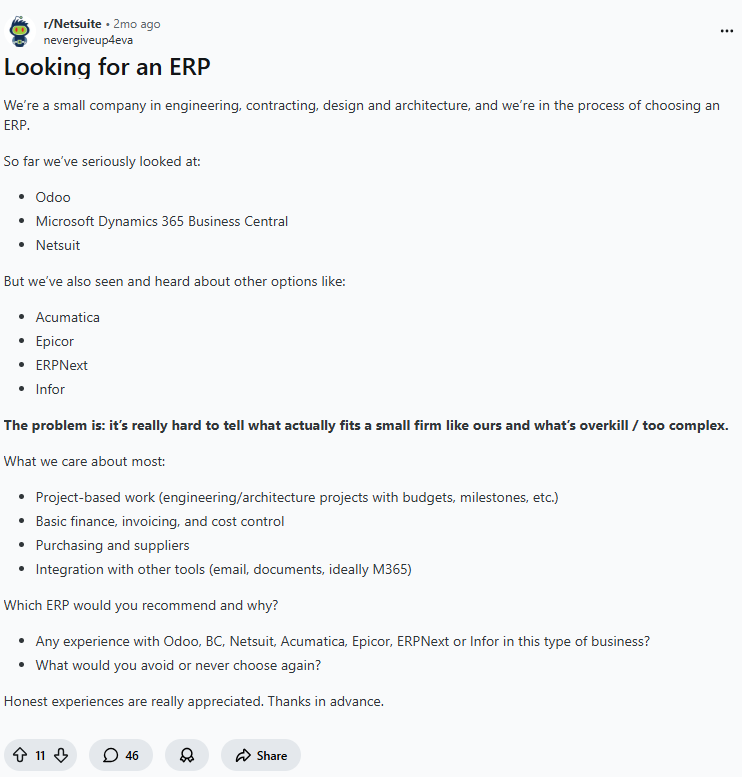
For small and medium sized teams, many ERP systems appear feature rich at first glance. However, during real world implementation, they often prove to be either overly complex or too costly to deploy, making it difficult to identify which solution truly fits the company’s business structure.
The user highlighted several practical requirements: whether the system supports project based operations, whether it covers core financial and procurement workflows, and whether it can integrate with existing workplace tools.
These challenges are common for many organizations when selecting an ERP system. If you are also looking for a suitable ERP for a small team, we previously published a guide on ERP selection for small and medium sized businesses.
As the open source ecosystem continues to grow, a number of mature ERP projects have emerged on GitHub. We previously provided an overall overview in “10 Most Developer Loved Open Source ERP and CRM Projects on GitHub”. However, open source ERPs with deep AI integration remain relatively limited, as most platforms still depend on plugins or custom development to introduce AI capabilities.
💬 Hey, you’re reading the NocoBase blog. NocoBase is the most extensible AI-powered no-code/low-code development platform for building enterprise applications, internal tools, and all kinds of systems. It’s fully self-hosted, plugin-based, and developer-friendly. → Explore NocoBase on GitHub
In this article, we take a closer look at three ERP systems on GitHub that are widely discussed in the community and offer AI extensibility or early stage AI integration:
- NocoBase
- ERPNext
- Odoo
We will compare these three systems based on their core architecture, current AI capabilities, and suitable use cases, aiming to provide practical reference points for your evaluation.
If you want a quick overview of the key differences between these AI ERP solutions, you can start with the summary below.
| Product | Product Positioning | AI Capability Model | Suitable Team Type | Typical Use Cases |
|---|---|---|---|---|
| NocoBase | AI application development platform | AI employees involved in business operations | Technical teams / Digital transformation teams | Custom ERP systems, complex business workflows, multi system integration |
| Odoo | Fully modular ERP platform | Built in AI assistant and agents | Small and medium sized businesses and growing companies | Standardized business management, manufacturing, e commerce |
| ERPNext | Open source ERP suite | AI and LLM extensions via API integration | Development oriented teams | Self hosted ERP deployments, customized business management systems |
NocoBase
Basic Information
- Official Website: https://www.nocobase.com
- GitHub: https://github.com/nocobase/nocobase
- GitHub Stars: 21.6k
Product Positioning and Core Capabilities
NocoBase is an AI powered no code enterprise application platform designed for building ERP, CRM, and various internal business systems. The platform follows a data model driven architecture and supports extensibility through plugins, enabling organizations to flexibly build and continuously evolve their business applications.
Business Processes and System Features
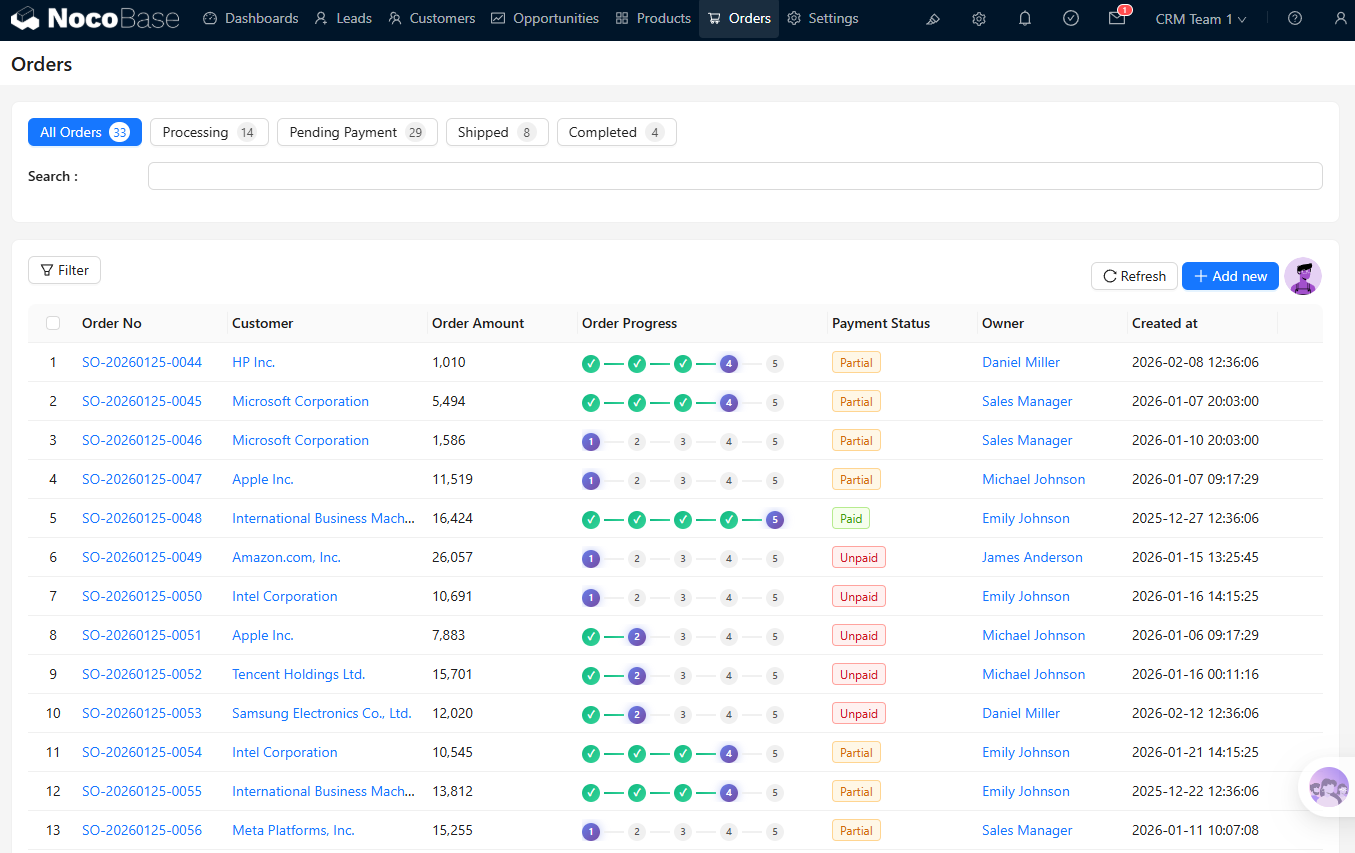
NocoBase supports common enterprise workflows, including customer management, order processing, and financial approval workflows. With modular configuration and workflow automation, users can customize data structures, process rules, and system logic based on business needs, enabling unified data collaboration across multiple business systems.
Suitable Teams and Use Cases
- Organizations or digital transformation teams that need customized business systems
- Service based or project driven companies with complex and frequently evolving workflows
- Organizations that need to integrate multiple systems under unified data management
AI Capabilities
NocoBase integrates AI into business systems through AI employees rather than treating AI as a standalone conversational tool. AI can be configured as an operational role within the system, participating in real business workflows under permission control and collaborating directly with team members.
Business Context Awareness
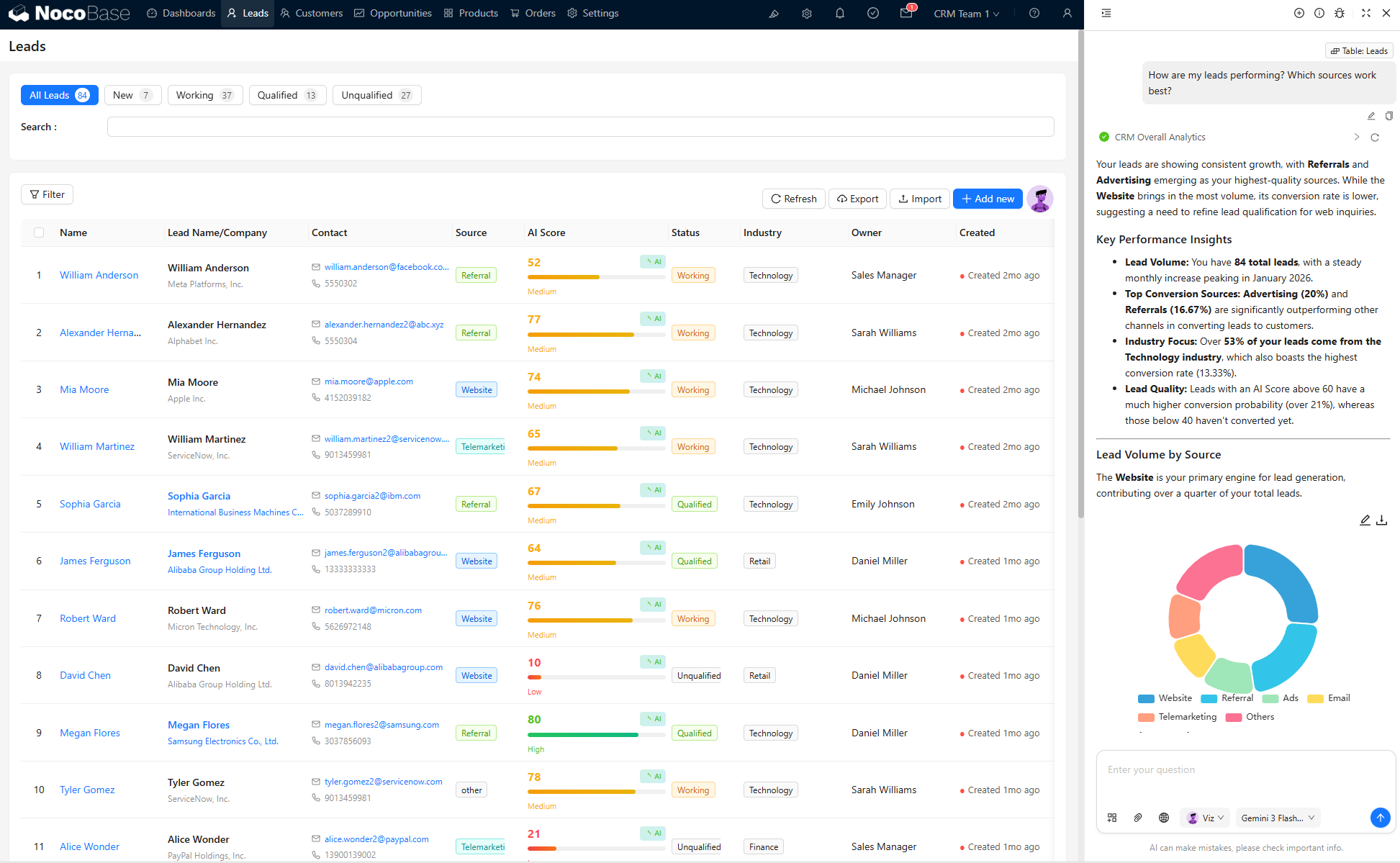
AI employees understand business context through NocoBase’s data model, including entities such as customers, orders, and project records.
Beyond processing text, AI can analyze structured fields, status data, and permission rules to produce outputs aligned with real business operations.
Data Processing and Content Generation
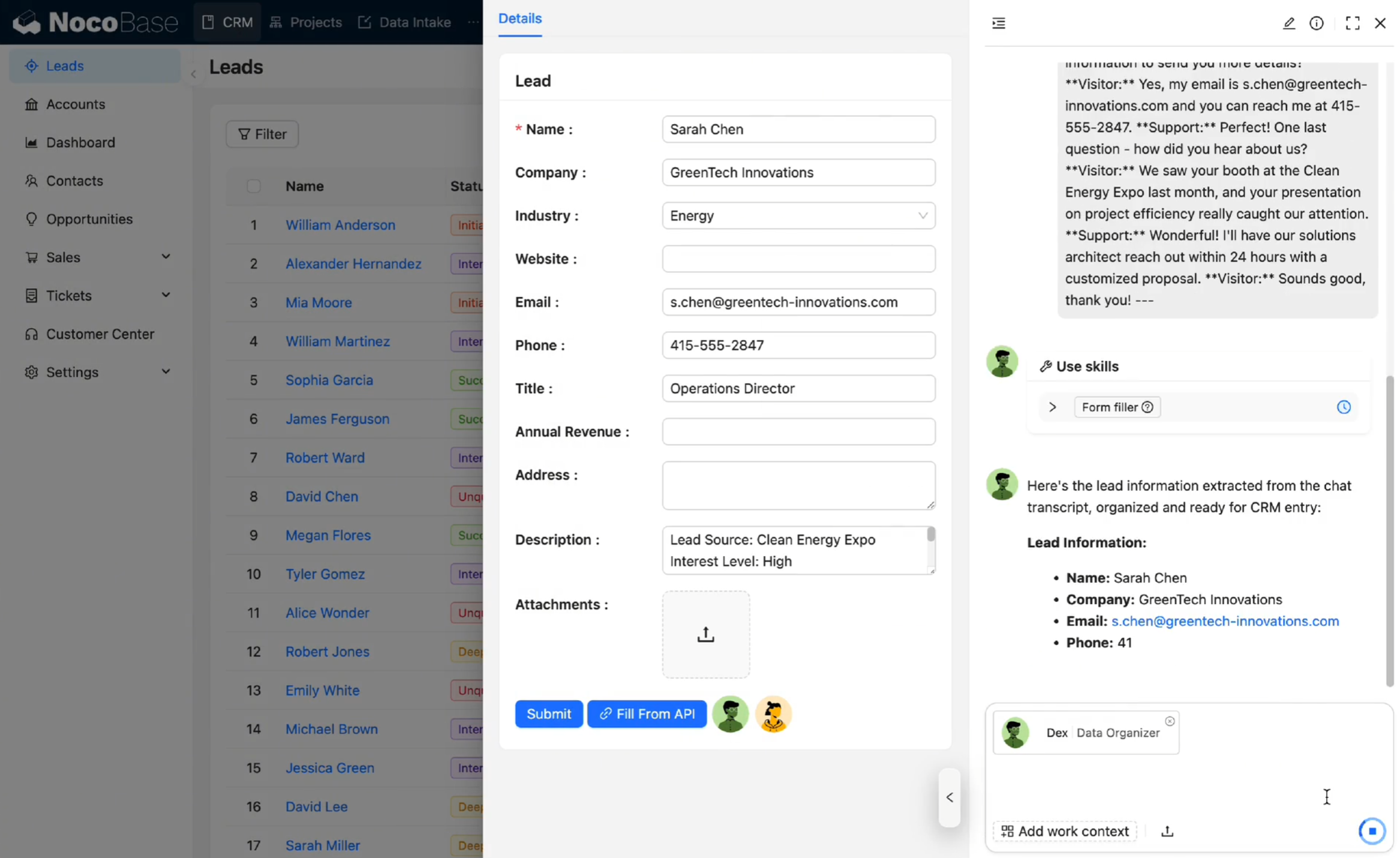
AI employees can process both structured and unstructured data within the system and write results directly back into business workflows, such as generating follow up records, organizing project information, or creating business documents automatically.
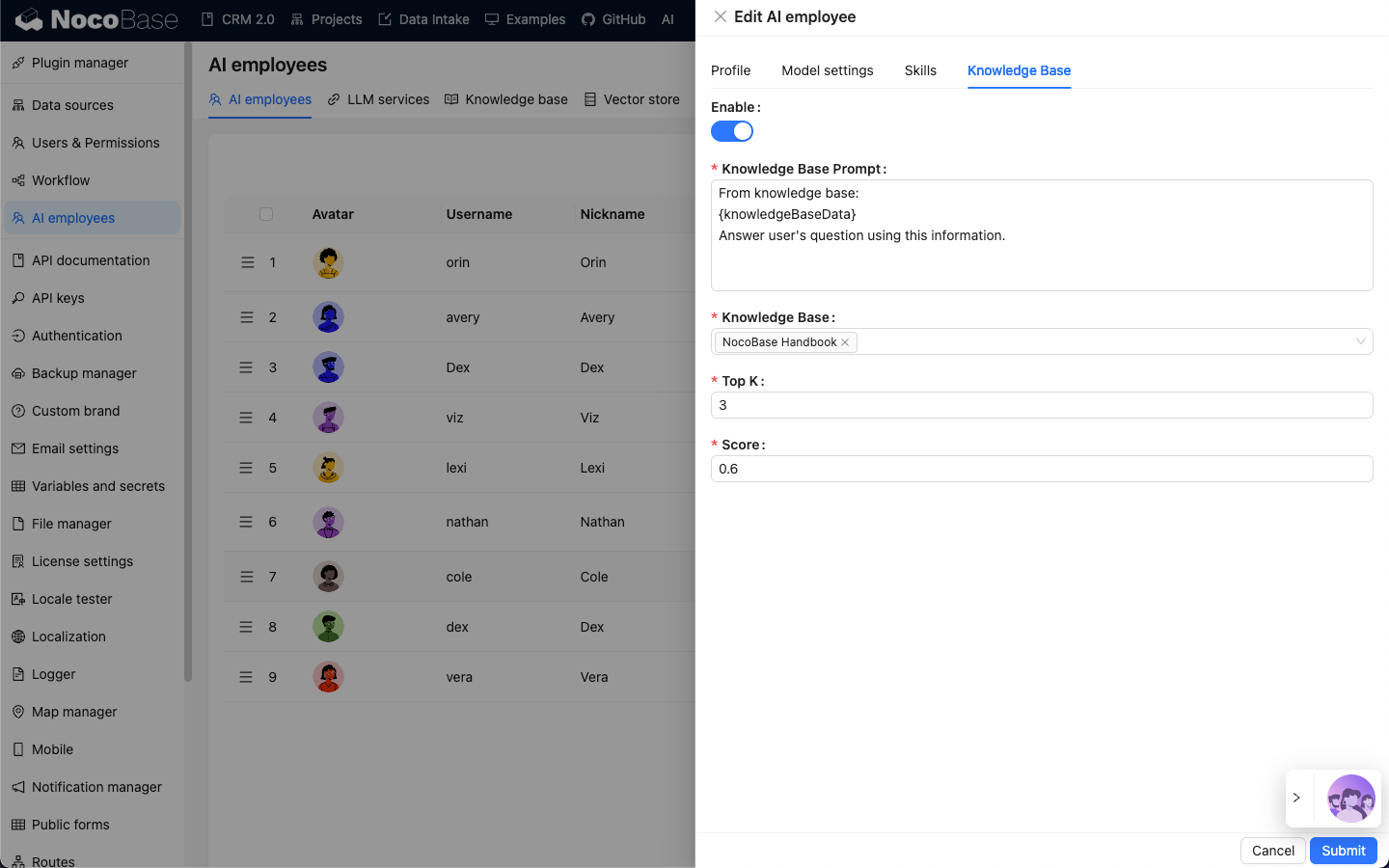
Extensible AI Employees and Knowledge Base Architecture
Through its plugin based architecture, organizations can integrate different large language model services and build dedicated AI employees combined with knowledge bases and RAG capabilities. These AI employees can continuously learn business knowledge and support data organization, analysis, and collaboration across ERP, CRM, and internal systems, enabling scalable intelligent business operations.
💡Read more: Community Story: Building a Production Ready ERP with NocoBase
Odoo
Basic Information
- Official Website: https://www.odoo.com
- GitHub: https://github.com/odoo/odoo
- GitHub Stars: 49.1k
Product Positioning and Core Capabilities
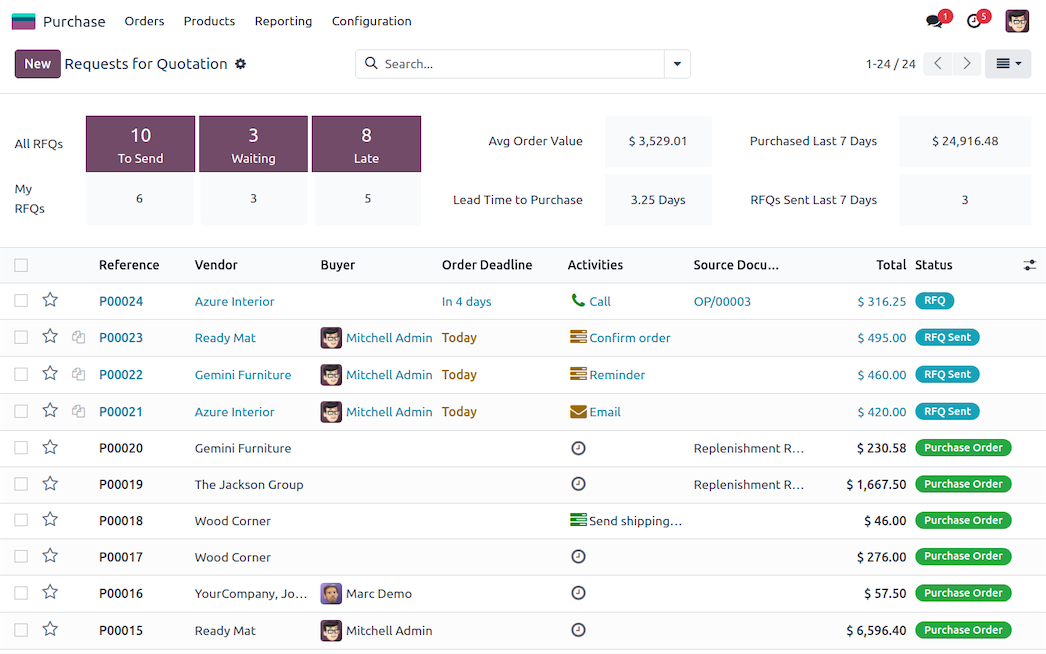
Odoo is a modular enterprise management platform that delivers a full ERP suite, including CRM, accounting, inventory, manufacturing, and human resources. Businesses can flexibly enable and extend functionality through application modules based on their operational needs.
Business Processes and System Features
Odoo supports end to end business workflows across sales, procurement, inventory, and financial management. Its modular architecture allows automated rule configuration and enables organizations to expand functionality or integrate third party services through the app marketplace.
Suitable Teams and Use Cases
- Small and medium sized businesses and growing companies seeking a complete ERP solution
- Manufacturing, retail, e commerce, and service based organizations
- Companies that prefer modular expansion for business management
AI Capabilities
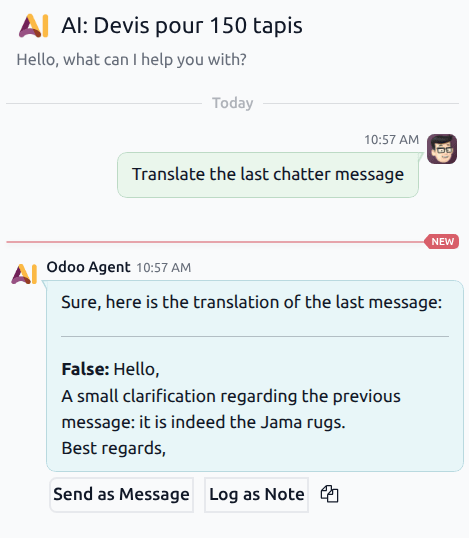
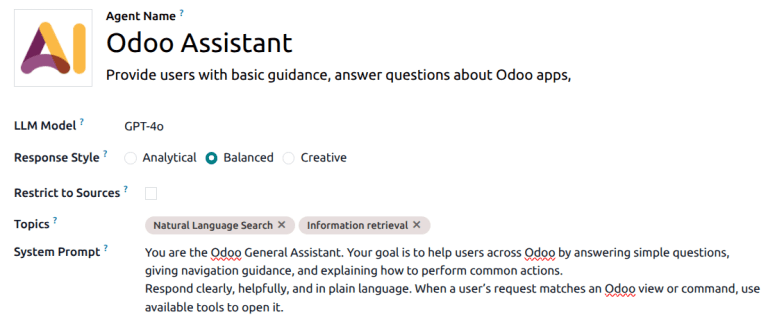
Built in AI Assistant (Ask AI) and Content Generation
Odoo has introduced the Ask AI feature, which assists with generating and refining content across modules such as email, notes, and chat. It supports use cases including sales communication, internal documentation, and marketing content creation, improving everyday operational efficiency.
API and External AI Service Integration
Through Odoo’s REST APIs and development framework, including Odoo Studio and custom modules, organizations can integrate external large language models or AI services to enable advanced analytics, automated summaries, and business insights. Modular extensibility and third party integrations allow AI capabilities to be embedded directly into sales, finance, and operational workflows.
ERPNext
Basic Information
- Official Website: https://frappe.io/erpnext
- GitHub: https://github.com/frappe/erpnext
- GitHub Stars: 31.9k
Product Positioning and Core Capabilities
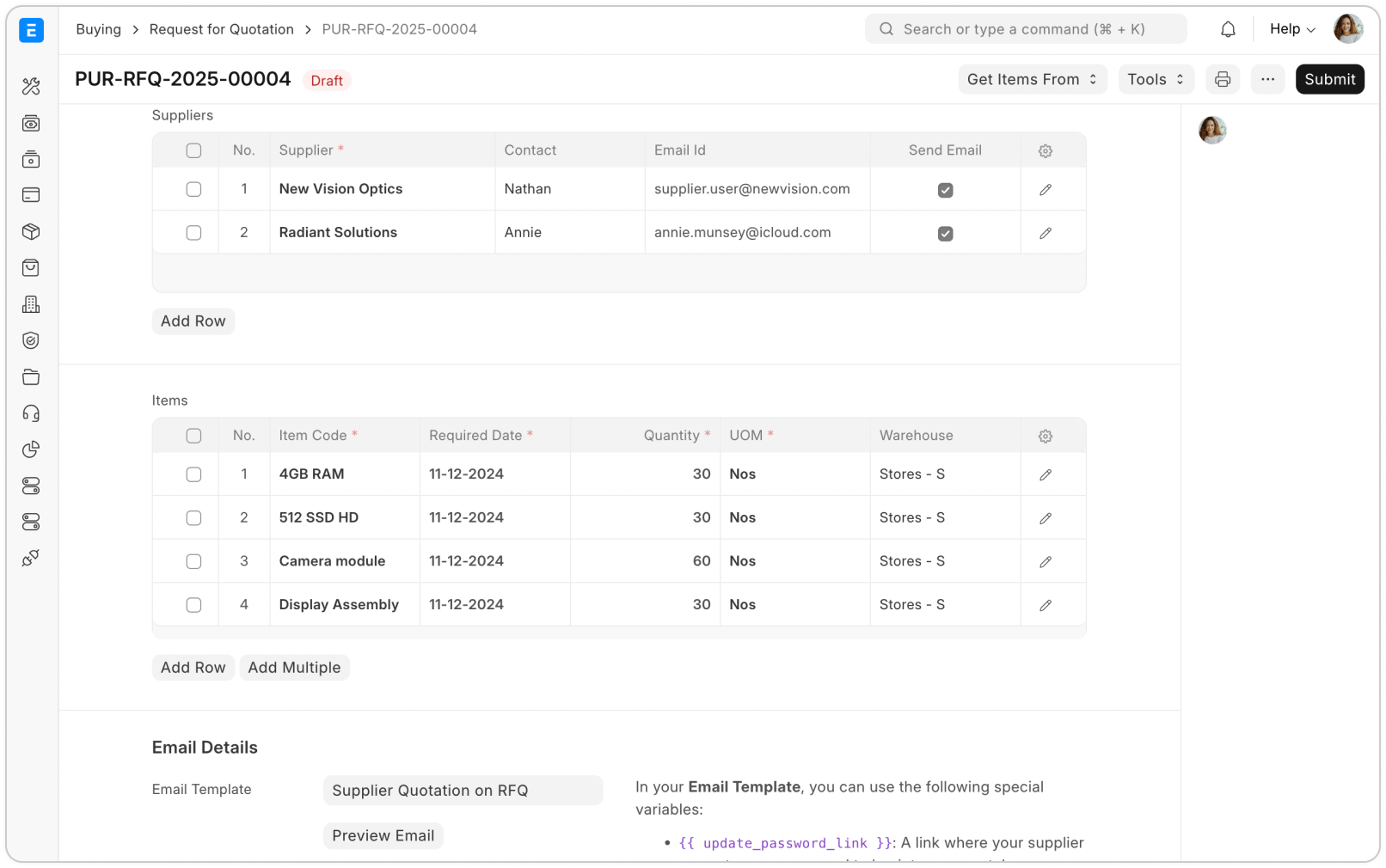
ERPNext is a fully open source ERP platform built on the Frappe Framework, offering core modules such as accounting, inventory, CRM, human resources, and project management. The platform supports extensions through applications and scripting, making it suitable for building unified enterprise management systems.
Business Processes and System Features
ERPNext supports key enterprise workflows including sales, procurement, inventory, finance, and project management. With modular configuration, workflow automation, and customizable data models, organizations can adapt management processes to evolving business requirements.
Suitable Teams and Use Cases
- Small and medium sized businesses seeking a fully open source ERP solution
- Manufacturing, distribution, e commerce, and service oriented companies
- Technically capable teams requiring system customization and development
AI Capabilities
Large Language Model Integration
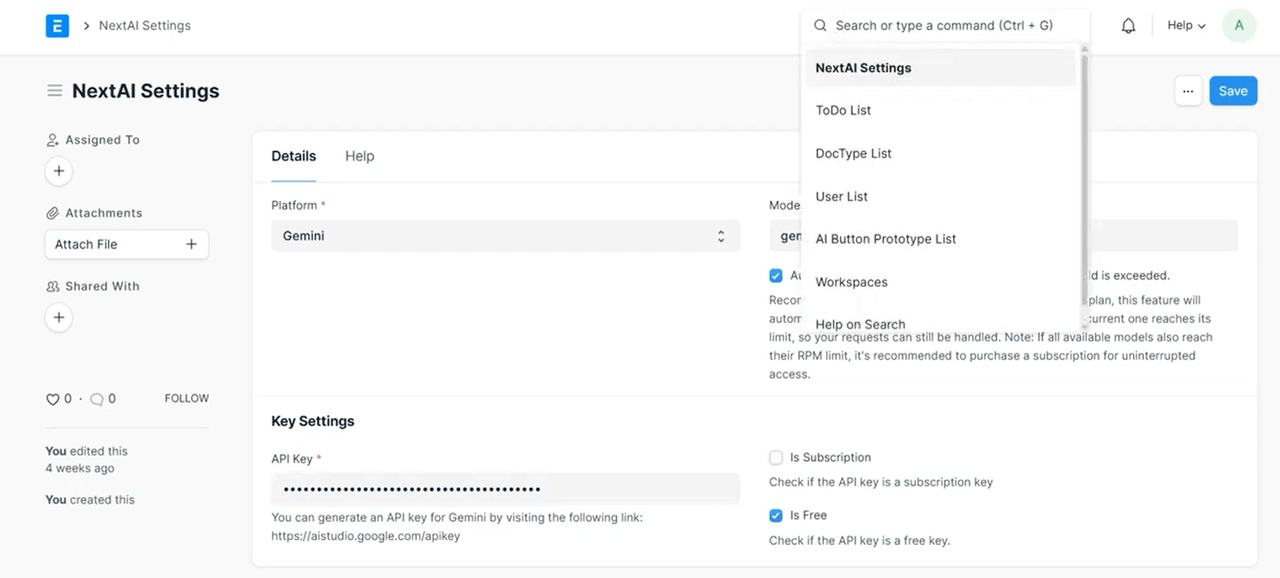
ERPNext provides open APIs and an extensible architecture through the Frappe Framework, enabling integration with third party large language models via APIs or custom applications, such as ChatGPT or local LLM solutions like Ollama. Developers can connect AI services with ERPNext data and operational modules to support flexible model integration.
Natural Language Query and Content Generation
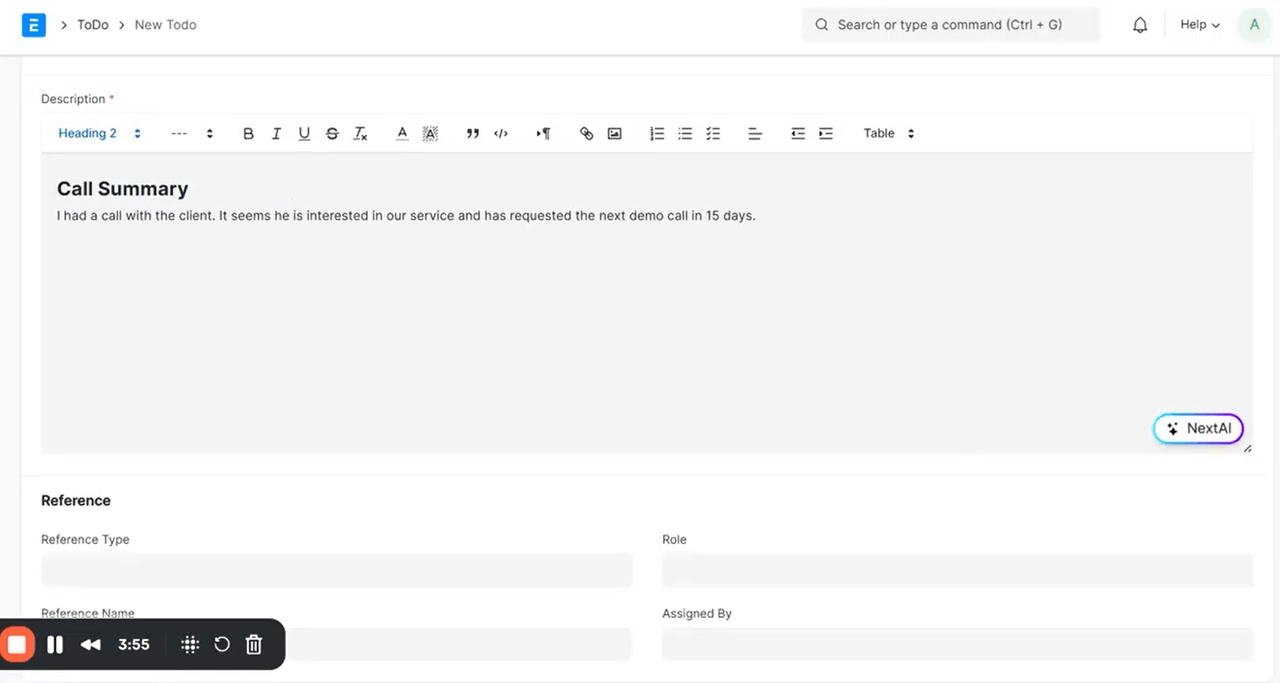
After integrating large language models, ERPNext enables natural language based data queries and automated business content generation. Examples include analyzing sales or inventory data through natural language prompts, generating report explanations, or automatically creating follow up records, approval notes, and business summaries across sales, project, and procurement workflows.
Frequently Asked Questions (FAQ)
Q1: Which open source ERP offers the most practical AI capabilities?
A: NocoBase Its AI employee model goes beyond a traditional chatbot and can:
- Understand business context such as customers, orders, and projects
- Participate in approval workflows with permission based access
- Automatically generate follow up records and write them directly into the system
- Provide responses based on enterprise knowledge bases
In comparison, the AI features in Odoo and ERPNext mainly function as assistive tools and typically require additional development for deeper integration.
Q2: Which open source ERP is best suited for manufacturing?
A: Odoo Reasons include:
- Comprehensive manufacturing, inventory, and procurement modules
- The largest community (49.1k GitHub Stars) with mature industry adoption
- A rich ecosystem of industry plugins and marketplace applications
Q3: Which open source ERP has the lowest long term cost?
A: NocoBase (one time licensing) or ERPNext with self hosting (free and open source).
- Estimated 5 year cost for a 50 person team: NocoBase $8,000 vs Odoo ~$150,000
- However, NocoBase requires an upfront investment
Q4: Which ERP should I choose if I do not have a technical team?
A: Odoo (for a complete ERP solution) or NocoBase (for AI driven workflows).
- Odoo: Modular architecture with a relatively gentle learning curve
- NocoBase: Low code configuration with AI assisted collaboration, no programming required
- ERPNext: Typically requires a technical team for customization and deployment
Q5: Which open source ERP has the most active community?
A: Odoo (49.1k GitHub Stars), followed by ERPNext (31.9k) and NocoBase (21.6k).
An active community usually means:
- More tutorials and documentation
- A larger ecosystem of third party plugins
- Faster issue resolution
Q6: What are the key differences in AI integration among NocoBase, Odoo, and ERPNext?
A:
- NocoBase (AI employee model): AI operates as part of business workflows with defined roles, permissions, and execution capabilities
- Odoo (Ask AI): AI mainly serves as an assistive tool for content generation
- ERPNext (API based integration): AI must be integrated through custom development, offering flexibility but requiring stronger technical capabilities
Q7: Which ERP is better suited for project driven companies?
A: NocoBase. Reasons include:
- Native support for project based management
- AI participation in project approvals and collaboration workflows
- Flexible data models that adapt to complex project structures
- A one time licensing model that is more cost effective for long project cycles
What to Do Next
If you are leaning toward NocoBase:
- Review case studies: Community Story Building a Production Ready ERP with NocoBase
- Try the demo: Visit the official website demo to explore AI employee capabilities
- Estimate costs: Calculate your team size and projected total cost over 3 to 5 years
- Start testing: Download the Docker version for local deployment and evaluation
If you are leaning toward Odoo:
- Evaluate modules: Identify the business modules you need
- Estimate subscription costs: Use the official pricing calculator to project monthly fees
- Try the standard edition: Register for the cloud trial
- Review integrations: Determine whether third party AI integrations are required
If you are leaning toward ERPNext:
- Assess technical readiness: Confirm whether your team has Python or Frappe development experience
- Test with self hosting: Deploy the system in a testing environment
- Plan AI integration: Evaluate whether integration with ChatGPT or Ollama is needed
- Explore community resources: Review the Frappe Framework documentation
Conclusion
The rapid advancement of AI technology is creating new opportunities for ERP systems across data analysis, content generation, and workflow collaboration. We expect to see deeper and more mature real world implementations emerge across a wider range of business scenarios.
Organizations can select tools that best match their digital maturity and business complexity. Open source ERP platforms are expected to continue evolving toward more mature and structured ecosystems, gradually becoming scalable and highly integrable enterprise application platforms.
If you found this article helpful, feel free to share it with others interested in open source ERP and AI innovation.
Related reading:
- 5 Most Popular Open-Source AI Project Management Tools on GitHub
- 6 Best Open-Source AI Ticketing Systems
- 4 Open Source Data Management Tools for Business Systems
- 4 Lightweight Enterprise Software for Business Processes (With Real-World Cases)
- 6 Enterprise Softwares to Replace Excel for Internal Operations
- 10 Open Source Tools Developers Use to Reduce Repetitive CRUD
- Top 12 Open-source AI Workflows Projects with the Most GitHub Stars
- 6 Open-Source No-Code & Low-Code Tools for Software Agencies