
- Product
-
- NocoBase Highlights
- Data Source
- Block & Action
- AI Employee
- Permission
- Workflow
-
- Open source
- GitHub24k
- Awesome NocoBase
-
- Solutions
- Community
- Resources
- Pricing
Built on the NocoBase no-code platform. End-to-end flow: customer issue → smart dispatch → handling → satisfaction review. Built-in SLA timing, priority management, AI classification, and a service workbench.
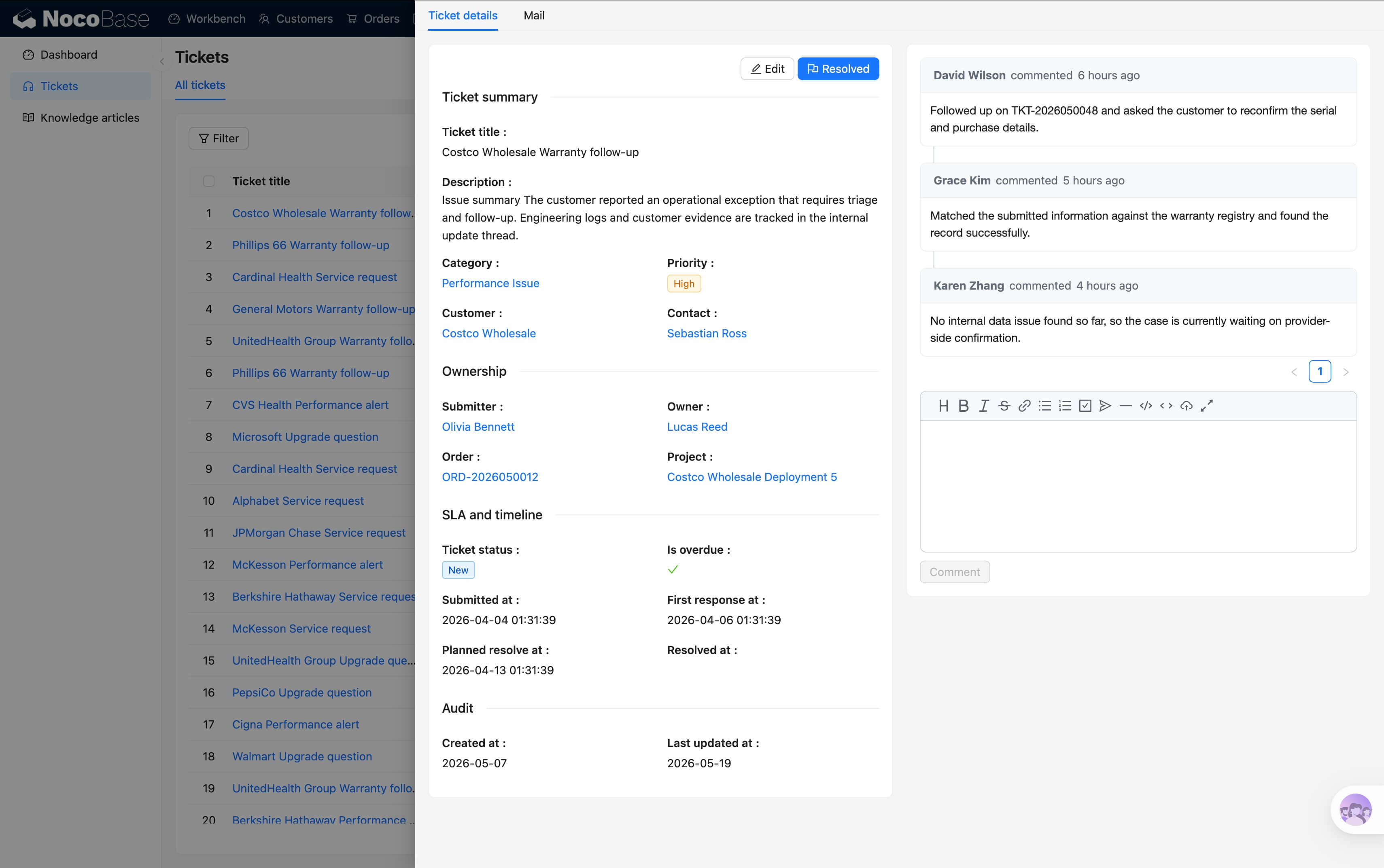
From customer issue to closure and review — SLA timing across the entire flow
| Stage | Key actions | System records |
|---|---|---|
| Create | Submit via email, form, or IM; link to customer and product | Ticket ID, source, customer profile |
| Classify | AI detects issue category (account / feature / bug) and sets priority | Category tag, priority, confidence score |
| Dispatch | Route to the right group / agent; urgent tickets notify on-call staff | Assignee, dispatch log, group queue |
| Handle | Agent works the ticket and communicates with the customer; SLA timing with pre-breach alerts | Handling log, SLA status, wait reasons |
| Review | On close, request customer rating (1–5 stars + text); aggregate by agent / product | Satisfaction records, archived ticket, KPIs |
The full daily help desk workflow, from intake to closure
Response and resolution deadlines are calculated by priority. Alerts fire before breach; overdue tickets turn red. SLA attainment surfaces on the dashboard.
Urgent, high, medium, and low, each with its own response window. Urgent tickets are pinned to the top and notify on-call staff.
New tickets are categorized automatically (account issue, feature question, bug report, etc.) and dispatched to the right group by rule.
"Waiting on customer," "waiting on third party," "needs review" — time spent in wait states does not count toward SLA breach.
Agents land directly on their assigned tickets, sorted by due time. One screen shows pending, in-progress, and near-breach work.
Today's new / closed / pending / overdue distribution. Aggregate by agent, customer, or product line for a full management view.
Planned: satisfaction rating, transfer & escalation flow, reply templates & macros, knowledge base integration
This module is already included in the all-in-one business management suite's backup template and is deployed together — follow the installation docs to deploy the system to your environment, step by step.
This module is also part of the All-in-One Business Suite. Use it standalone, or together with CRM, order management, project management, IT asset management, and HR.