Build it with your AI agent
Build a NocoBase app — Candidate Tracking System: a hiring pipeline board, candidate scoring, source tracking, and an AI recommendation report. Match the layout and signature visuals of this reference prototype: https://static-docs.nocobase.com/solution/templates/29-candidate-tracking.html
The prototype link (HTML) in the prompt is a design we pre-made, only to demonstrate the capability; NocoBase doesn't recommend generating a whole system from a single prompt. When you build with it, pair it with the “prototype reproduction” skill (nocobase-prototype-repro) in NocoBase Skills to get a good result.
Before you start, follow the AI agent quick start to install NocoBase and connect your agent. AI results can vary; depending on the model and system complexity, some fine-tuning or extra rounds may be needed.
Introduction
A candidate tracking system helps teams manage the recruitment process from resume submission, screening, interviews, and offers to final hiring. Recruiting teams can view candidate stages, conversion rates, ratings, sources, and follow-up timing in one workspace, instead of maintaining hiring information across spreadsheets and chat records.
These records can also be managed as a NocoBase-based internal business system, with candidate profiles, recruitment stages, interview records, hiring status, recruiters, job openings, and evaluation notes organized through configurable data models, role permissions, views, workflows where needed, and operation history.
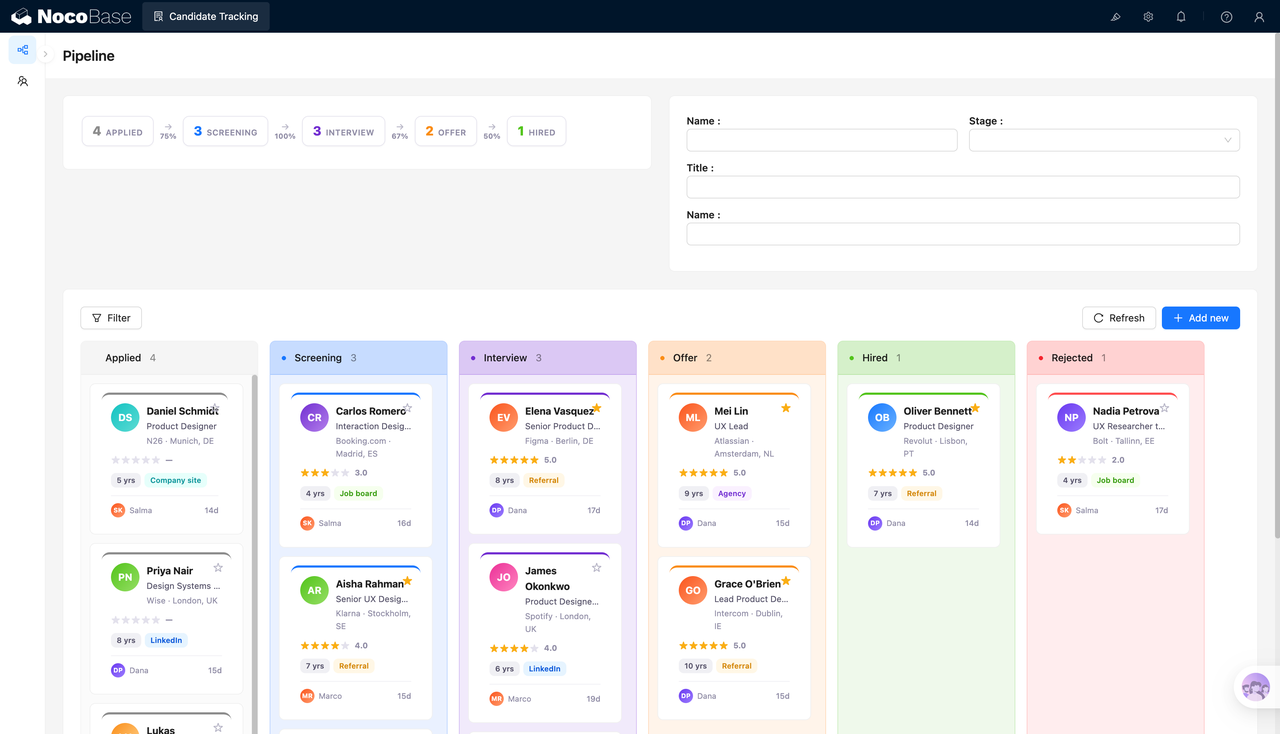
The page centers on a hiring pipeline board that groups candidates by stages such as Applied, Screening, Interviewing, Offer, Hired, and Rejected. Candidate cards can show the candidate name, role direction, current company, location, rating, years of experience, source, owner, and time in stage, helping recruiters quickly decide the next action.
With AI Agent and NocoBase, recruiting teams can first generate the basic pages for candidate management, then use them to organize candidate profiles, job fit, interview progress, and evaluation results. AI Agent can also generate candidate recommendation reports from existing data, helping teams understand the talent pool, high-priority candidates, and follow-up order more quickly.
When the hiring process changes, teams can continue adjusting stages, candidate fields, filters, scoring rules, and report content directly in NocoBase, without rebuilding the entire system.
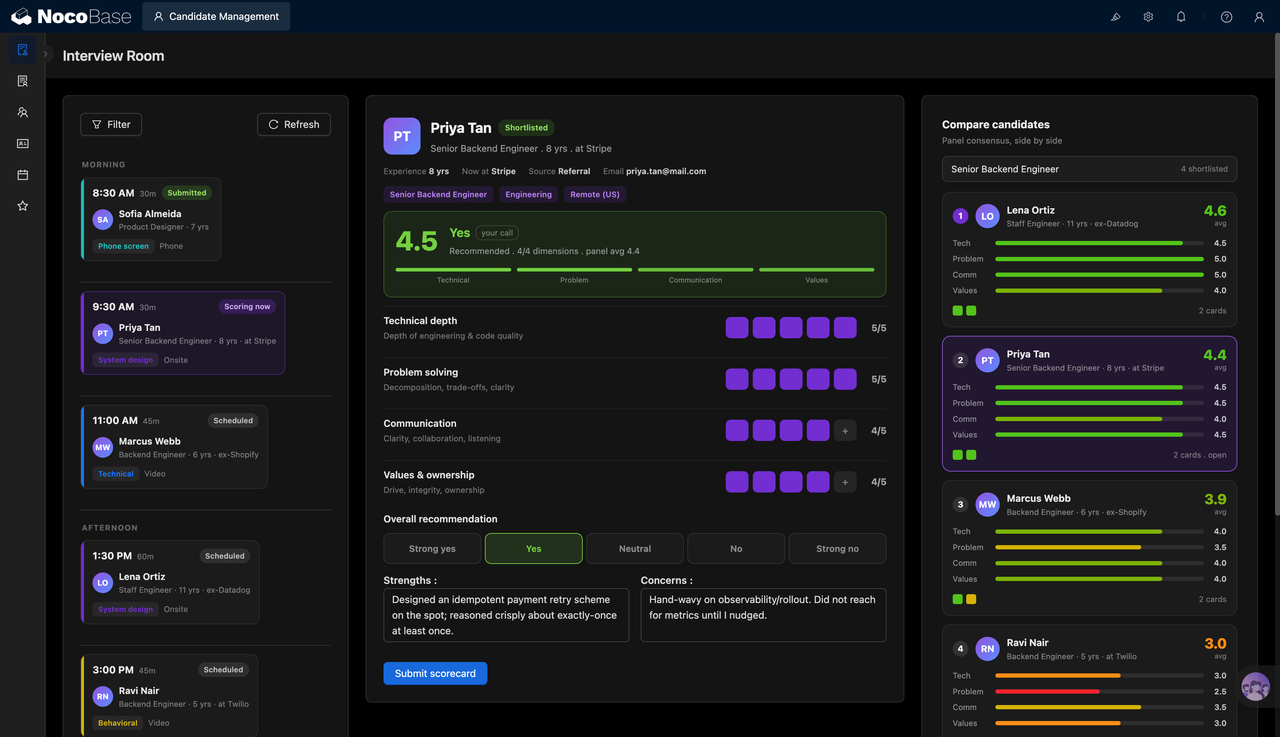
The hiring pipeline board shows candidate counts by stage:
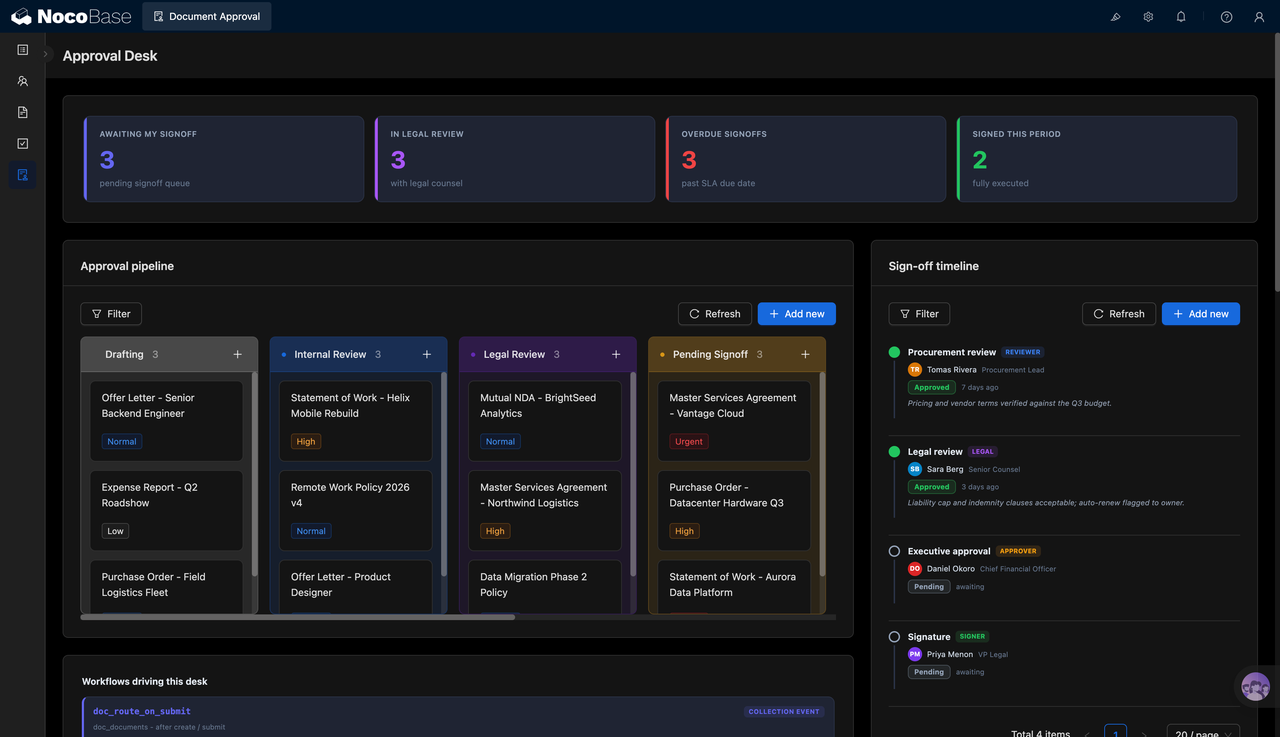
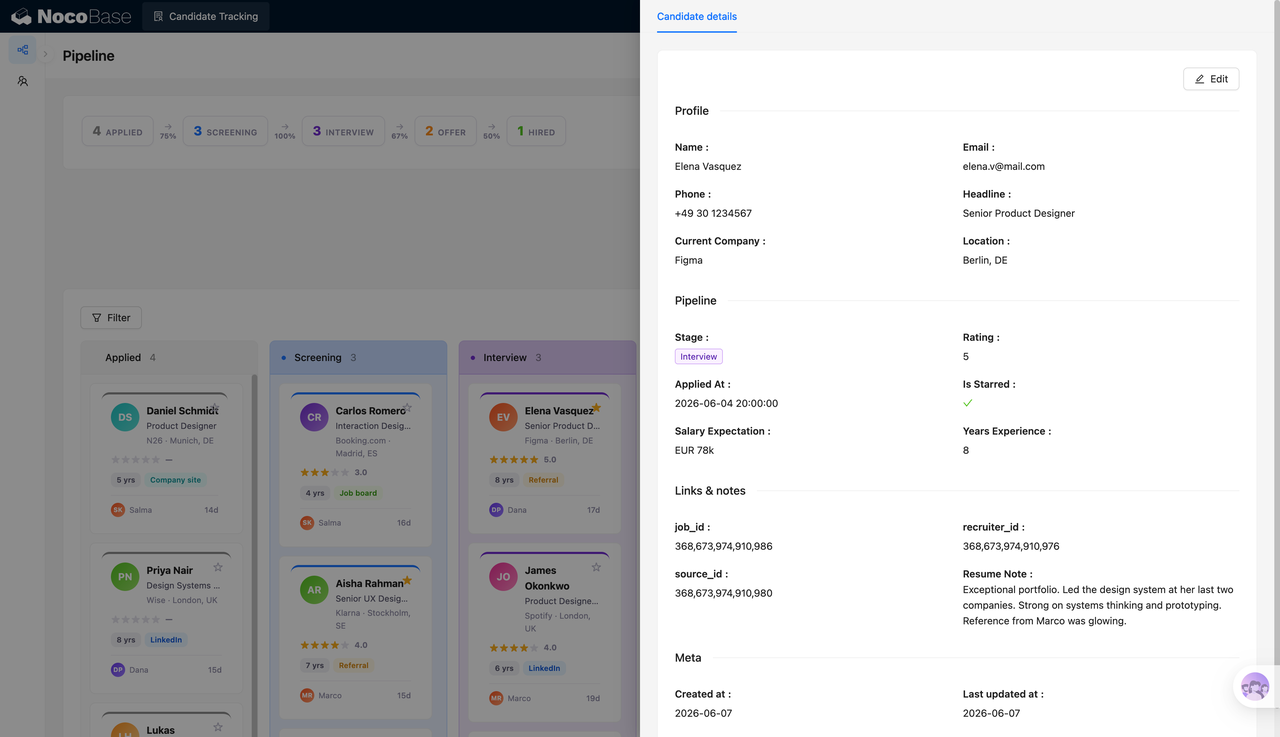
Candidate details record profile data, stage, and notes:
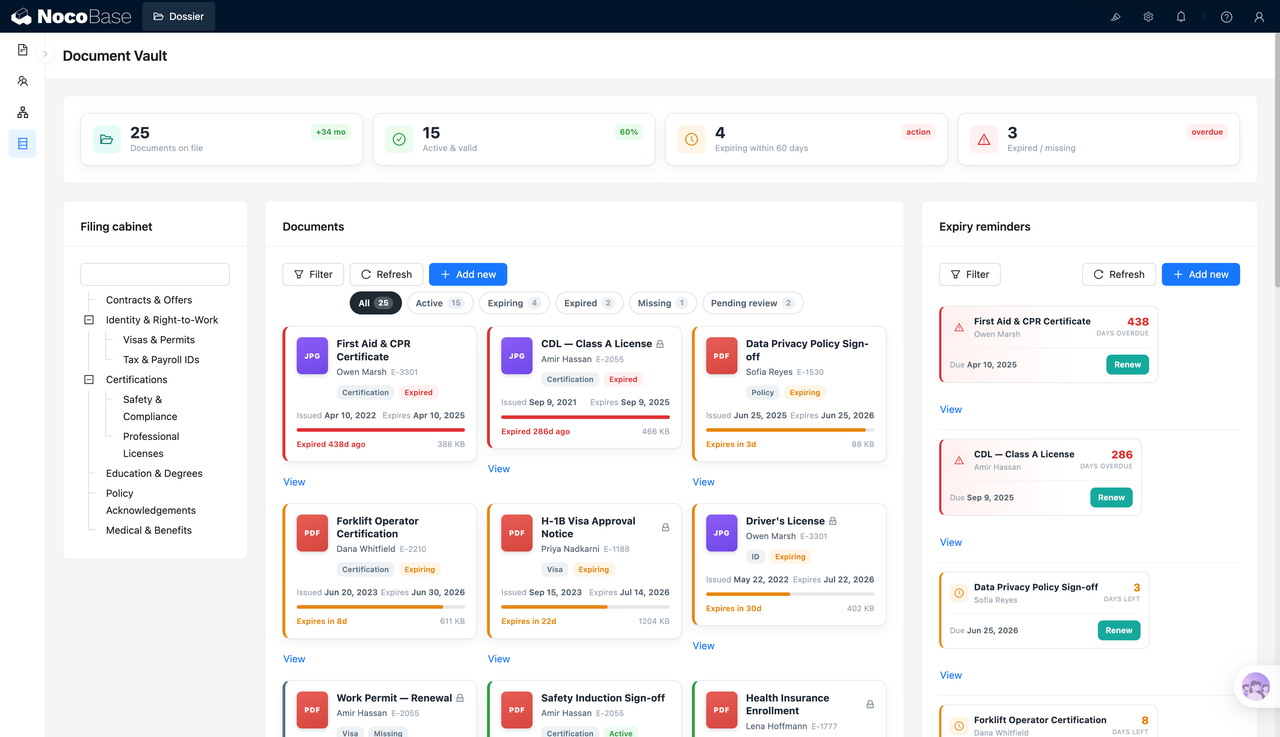
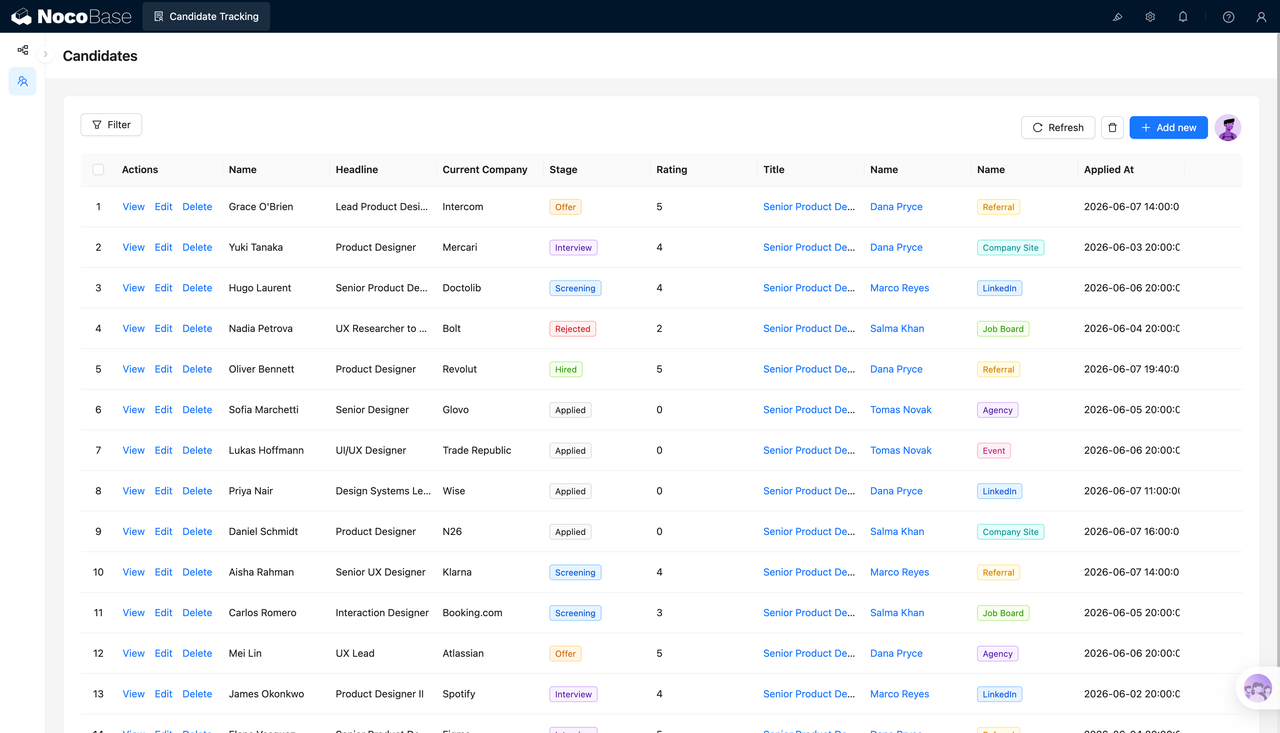
The candidate table centralizes recruiting data:
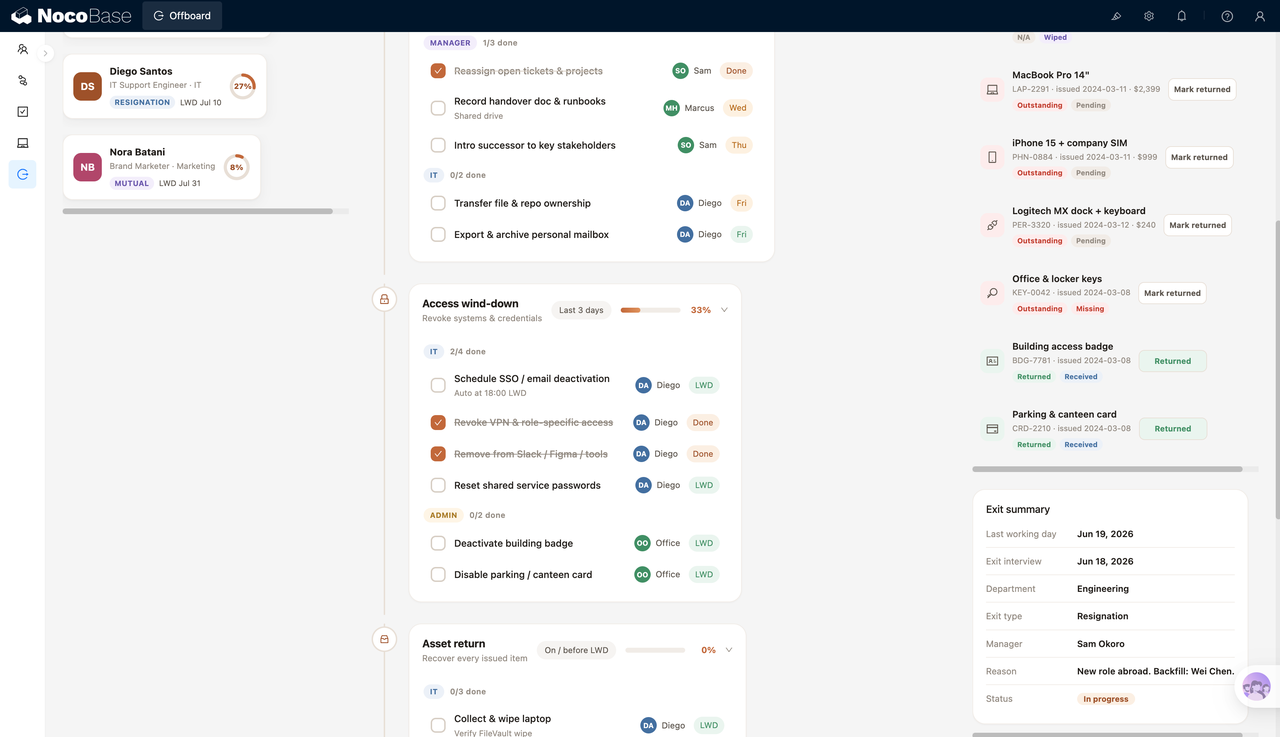
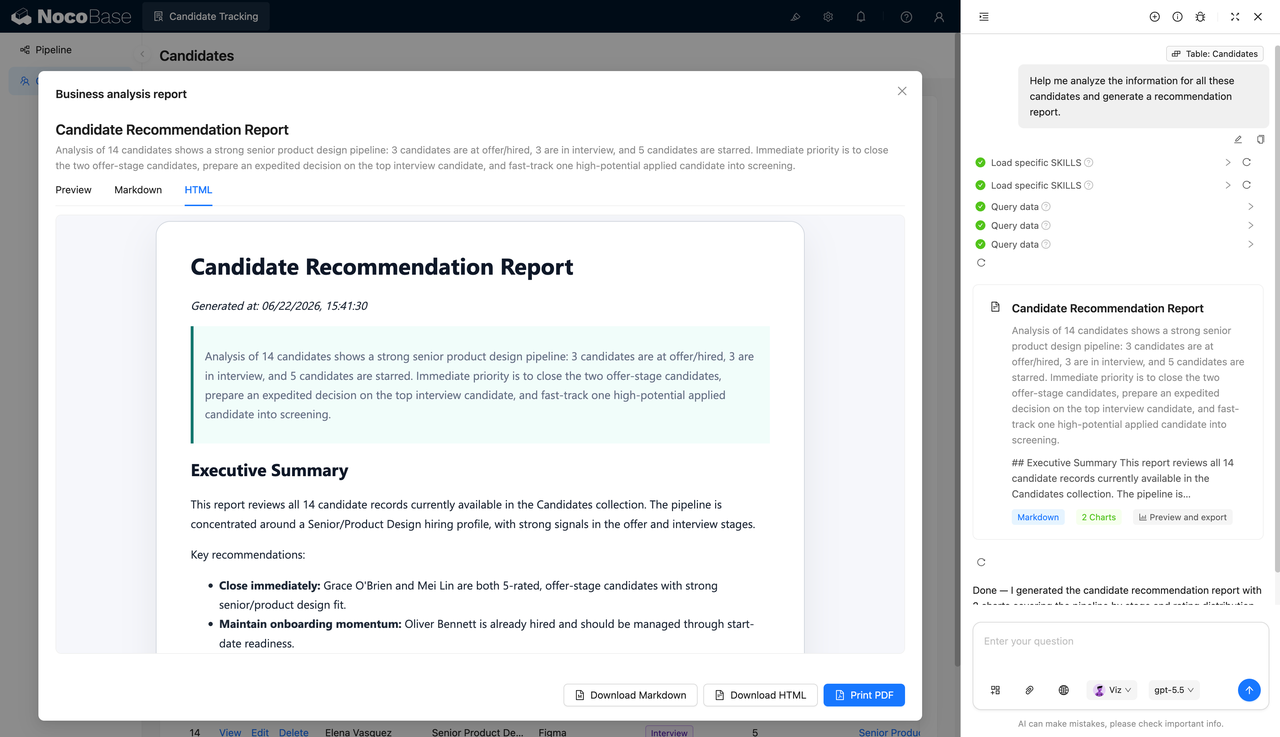
AI generates a candidate recommendation analysis report:
What Problems Can a Candidate Tracking System Solve?
As the number of open roles and candidates grows, manual spreadsheets can easily lead to outdated information, duplicate communication, missed candidates, and unclear stage ownership. For example, a candidate may already be in the interview stage while still appearing as screening in the list, or an offer-stage candidate may not be followed up in time, affecting the final hiring result.
The hiring pipeline board groups candidates by stage. Recruiters can directly view the number of candidates in Applied, Screening, Interviewing, Offer, Hired, and Rejected stages, while also monitoring conversion between stages.
The candidate details page adds more context to the board. Name, email, phone number, current company, location, hiring stage, rating, priority flag, expected salary, years of experience, source, recruiter owner, and resume notes are all kept on one page, making it easier to check information before and after interviews.
The candidate table is useful for bulk management. Teams can view all candidates by name, role direction, current company, stage, rating, target role, recruiter owner, source, and application time, making filtering, editing, and follow-up more efficient.
AI recommendation reports turn candidate data into readable conclusions. For example, reports can summarize how many candidates are in Offer or Hired stages, how many are in interviews, which candidates have higher ratings, and who should be followed up first.
Key Features
Hiring Pipeline Board
- Stage statistics: Show candidate counts for stages such as Applied, Screening, Interviewing, Offer, and Hired.
- Conversion rates: Display conversion between stages, such as from application to screening or from interview to offer.
- Stage grouping: Group candidates into Applied, Screening, Interviewing, Offer, Hired, and Rejected columns.
- Candidate cards: Show candidate name, role direction, company, location, rating, and source on each card.
- Daily operations: Support filtering, refreshing, and adding candidates, helping recruiting teams maintain the pipeline continuously.
Candidate Card Management
- Candidate information: Show the candidate name, role direction, and current company.
- Location information: Display the candidate’s city or country, such as Berlin, London, Amsterdam, or Dublin.
- Rating display: Show evaluation through stars and scores, such as 5.0, 4.0, or 3.0.
- Experience information: Display years of experience, such as 4, 8, or 10 years.
- Source tags: Mark candidate sources such as Referral, LinkedIn, Job Board, Agency, and Company Site.
Hiring Stages and Filtering
- Stage filters: View candidates by different hiring stages.
- Name search: Quickly find candidates by name.
- Role filtering: View candidates related to specific target roles.
- Stage field: Maintain the candidate’s current stage through a dropdown field.
- Process follow-up: Help recruiting teams decide the next communication, interview, or decision step based on stage changes.
Rating and Priority Candidate Management
- Candidate ratings: Record a rating for each candidate to help evaluate priority.
- Starred candidates: Mark high-priority candidates for faster follow-up.
- Interview performance: Combine ratings with interview feedback and resume quality.
- Offer-stage reminders: Prioritize high-rated candidates who have entered the Offer stage.
- Low-rating handling: Move low-rated candidates into rejection or backup workflows more quickly.
AI Candidate Recommendation Reports
- Candidate summary: AI can summarize candidate counts and hiring stage distribution.
- Priority suggestions: The report can highlight offer-stage candidates who should be moved forward first.
- Interview analysis: AI can identify the number and priority of candidates currently in interviews.
- Starred candidates: The report can use priority markers to help teams focus on high-potential candidates.
- Report export: Support Markdown, HTML, and PDF output for recruiting reviews and management reporting.
Why Build a Candidate Tracking System with AI and NocoBase?
A candidate tracking system needs to cover hiring stages, candidate profiles, job associations, ratings, sources, salary expectations, interview notes, recruiter ownership, and recommendation reports. It does more than store resume information; it helps teams keep the hiring process moving.
If built from scratch with pure Vibe Coding, a candidate list or recruiting board may be generated quickly at the beginning. But many details become harder to maintain later: different roles need different candidate pools, screening, interviews, offers, hires, and rejections must be updated continuously, recruiters and business interviewers need access to different data scopes, and interview notes and ratings must be preserved over time.
NocoBase works more like the infrastructure and scaffold for enterprise applications. It already provides data models, permissions, workflows, operation history, audit logs, notifications, single sign-on, page building, and plugin extensions. AI speeds up the initial setup, while NocoBase keeps the system maintainable, extensible, and suitable for long-term use.
Teams can first use AI to generate the hiring pipeline board, candidate detail pages, candidate table, filters, and recommendation reports. Then they can continue adjusting hiring stages, fields, scoring rules, permission scopes, recruiter ownership, and report content in NocoBase.
FAQ
1.Can the candidate tracking system show overall hiring progress?
Yes. The system can show candidate counts and conversion status across stages such as Applied, Screening, Interviewing, Offer, and Hired.
2.Does the system support a hiring pipeline board?
Yes. In the screenshots, candidates are grouped by Applied, Screening, Interviewing, Offer, Hired, and Rejected stages, making the recruitment pipeline easier to review.
3.Can each candidate have a detail page?
Yes. The detail page can show name, email, phone number, current company, location, stage, rating, expected salary, years of experience, and resume notes.
4.Does the system support candidate ratings?
Yes. Candidate cards and detail pages can display ratings, helping recruiting teams evaluate candidate priority.
5.Can the system mark priority candidates?
Yes. Candidate cards can show star markers, which are useful for highlighting candidates that need faster follow-up.
6.Does the system support candidate source management?
Yes. The screenshots include source tags such as Referral, LinkedIn, Job Board, Agency, Company Site, and Event.
7.Can the system show a candidate table?
Yes. The candidate table centralizes fields such as name, personal title, current company, stage, rating, target role, owner, source, and application time.
8.Does the system support candidate filtering?
Yes. The page includes filters for name, stage, role, and other fields, helping recruiting teams quickly locate candidates.
9.Can AI generate a candidate recommendation report?
Yes. AI can generate recommendation reports from candidate data, summarizing stage distribution, priority candidates, and next-step suggestions.
10.Can AI reports be exported?
Yes. The screenshots show report output in Markdown, HTML, and PDF formats for recruiting reviews, internal sharing, or management reporting.
11.Can Claude Code, Codex, Cursor, or OpenCode help build this system?
Yes. These AI Agents can connect to NocoBase to help generate the recruiting board, candidate details, table, filters, and recommendation reports, while NocoBase remains available for further adjustment.
12.How is this different from building with pure Vibe Coding?
Pure Vibe Coding is more suitable for quickly generating page prototypes. NocoBase is better suited for managing candidate data, hiring stages, permissions, workflow changes, report output, and long-term iteration.
13.Does the system support access control?
Yes. Access control can be configured in NocoBase. For example, recruiting teams can maintain candidate data, business interviewers can view relevant candidates, and management can review statistics and reports.
14.Can hiring stages and fields be adjusted later?
Yes. Hiring stages, candidate fields, scoring rules, source tags, table fields, board grouping, and report content can all be adjusted later.
15.Is this system suitable for formal enterprise use?
Yes. NocoBase can support candidate data, pages, permissions, and workflow configuration, while AI reduces setup and report preparation work, making the system suitable for long-term maintenance and iteration.