

TL;DR
These 10 platforms can be roughly grouped into three categories:
- NocoBase, Activepieces, Kestra, and Windmill are better suited to connecting AI with enterprise data, automation, and business processes.
- Coze Studio, Langflow, and Dify are better suited to visually building Agents and AI applications.
- MaxKB, AnythingLLM, and RAGFlow are better suited to enterprise knowledge bases and RAG.
If a company needs to manage structured business data, permissions, and internal applications, NocoBase is worth considering first. If the main goal is to connect multiple SaaS tools and automate tasks, Activepieces is a strong option. If the focus is building Agents and AI workflows, Dify, Langflow, or Coze Studio are good starting points. If private document Q&A and complex knowledge retrieval matter most, MaxKB, AnythingLLM, or RAGFlow are more suitable.
Introduction
More companies are starting to bring AI Agents into everyday work. Customer follow-up, email organization, task reminders, and data summaries are all examples of repetitive work that can increasingly be handed over to AI.
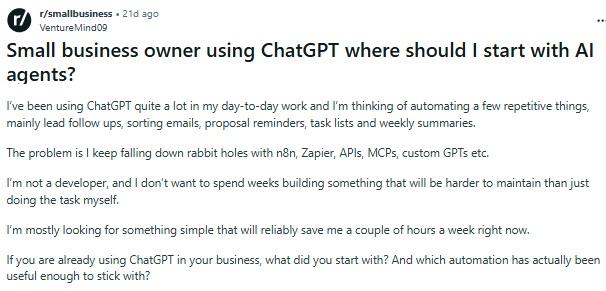
On Reddit’s r/smallbusiness, one small-business owner explained that they already use ChatGPT and want to go further by letting AI handle customer follow-up, email classification, proposal reminders, and weekly summaries. As they researched further, they came across n8n, Zapier, APIs, MCP, and various Agent-building tools. They do not have a development background and do not want to learn an entire technical stack just for a few automation workflows. What made the decision even harder was the maintenance question: if it takes several weeks to build these applications, will they then need constant upkeep and eventually become more complicated than the original way of working?
This is a common problem when businesses choose AI Agent tools. A simple search for “AI Agent” brings up very different types of products: developer frameworks such as LangChain, CrewAI, and Haystack; Agent-building platforms; automation tools; RAG platforms; and enterprise application platforms that can manage business data, pages, permissions, and workflows in the same system.
💬 Hey, you’re reading the NocoBase blog. NocoBase is the most extensible AI-powered no-code/low-code development platform for building enterprise applications, internal tools, and all kinds of systems. It’s fully self-hosted, plugin-based, and developer-friendly. → Explore NocoBase on GitHub
Based on practical business use cases, this article collects 10 open-source AI Agent projects that support self-hosting and already provide visual applications, workflows, knowledge bases, or business-system capabilities. For each project, we look at the basics, notable AI Agent capabilities, business use cases, and the types of teams it is best suited for.
To keep the scope clear, the projects included here need to meet several basic criteria: the core code is public and actively maintained, self-hosting is supported, Agent, tool-calling, or AI workflow capabilities are already available, and the project provides at least one of the following: visual applications, automation, knowledge bases, or enterprise business systems. Project information and selection guidance are based mainly on official websites, GitHub repositories, and official documentation. This is not a benchmark under a unified test environment or a complete ranking.
💡 If you are more interested in development frameworks such as LangChain and CrewAI and want to compare different Agent frameworks and development platforms, see our earlier article: 8 Open-Source AI Agent Platforms for Internal Tools.
Before going through the projects one by one, you can first scan the list below to understand how their positioning, use cases, and technical requirements differ.
1. Enterprise Applications and Business Automation
1. NocoBase
Website: https://www.nocobase.com/
GitHub: https://github.com/nocobase/nocobase
GitHub Stars: 23.9K
Related documentation
AI Employees: https://docs.nocobase.com/ai-employees/quick-start
AI Builder: https://docs.nocobase.com/ai-builder
NocoBase is an open-source, self-hosted AI no-code platform for enterprise applications. It is mainly used to build CRM systems, ticketing systems, IT management systems, approval workflows, and other internal business applications. It provides the foundational capabilities required by enterprise applications, including data models, pages, permissions, and workflows, while also allowing AI to participate in both application building and later adjustments. AI Employees can also be configured inside the system so AI can combine current business data, tools, and processes to perform analysis, information processing, and task execution.
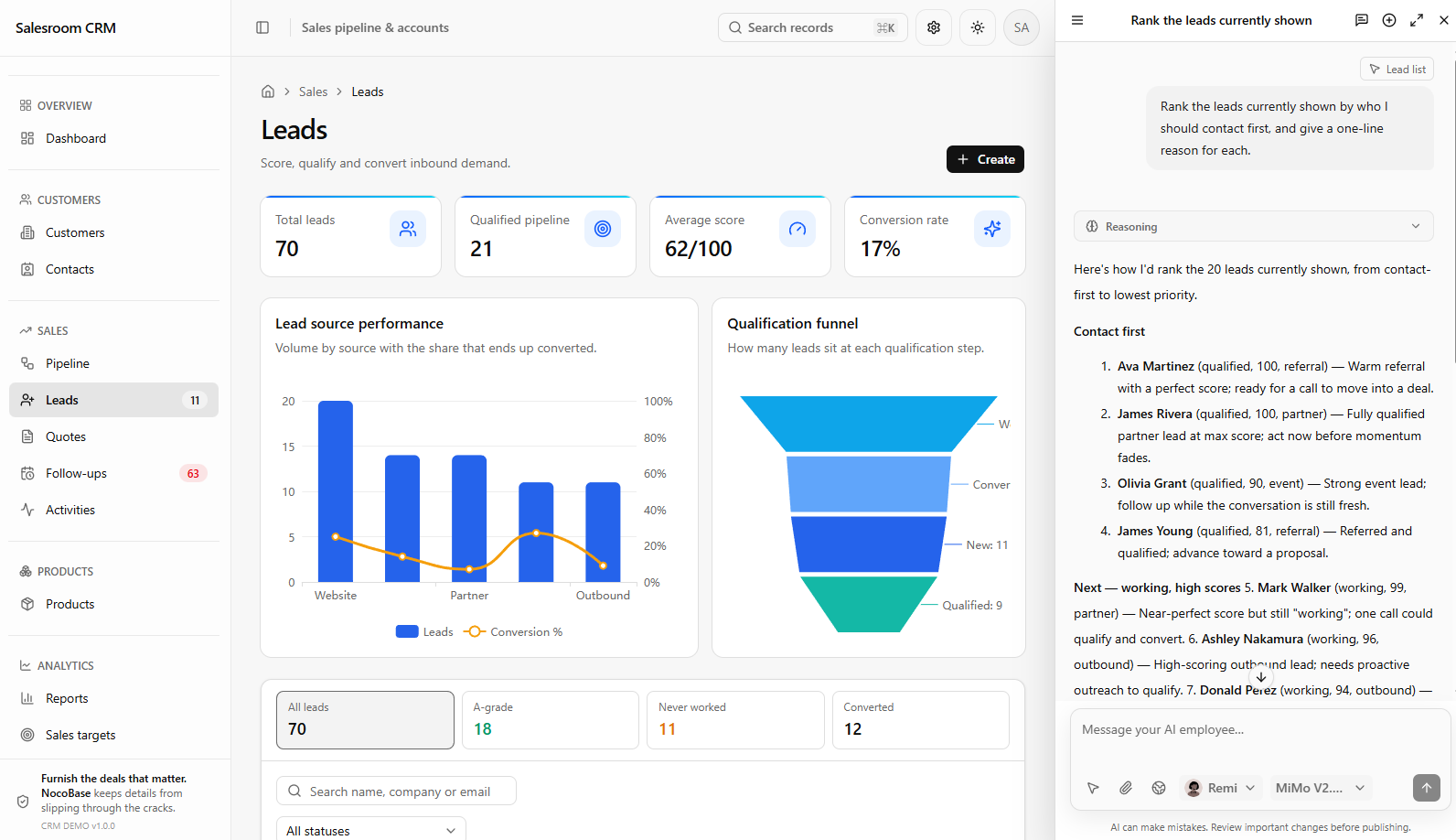
Core AI Capabilities
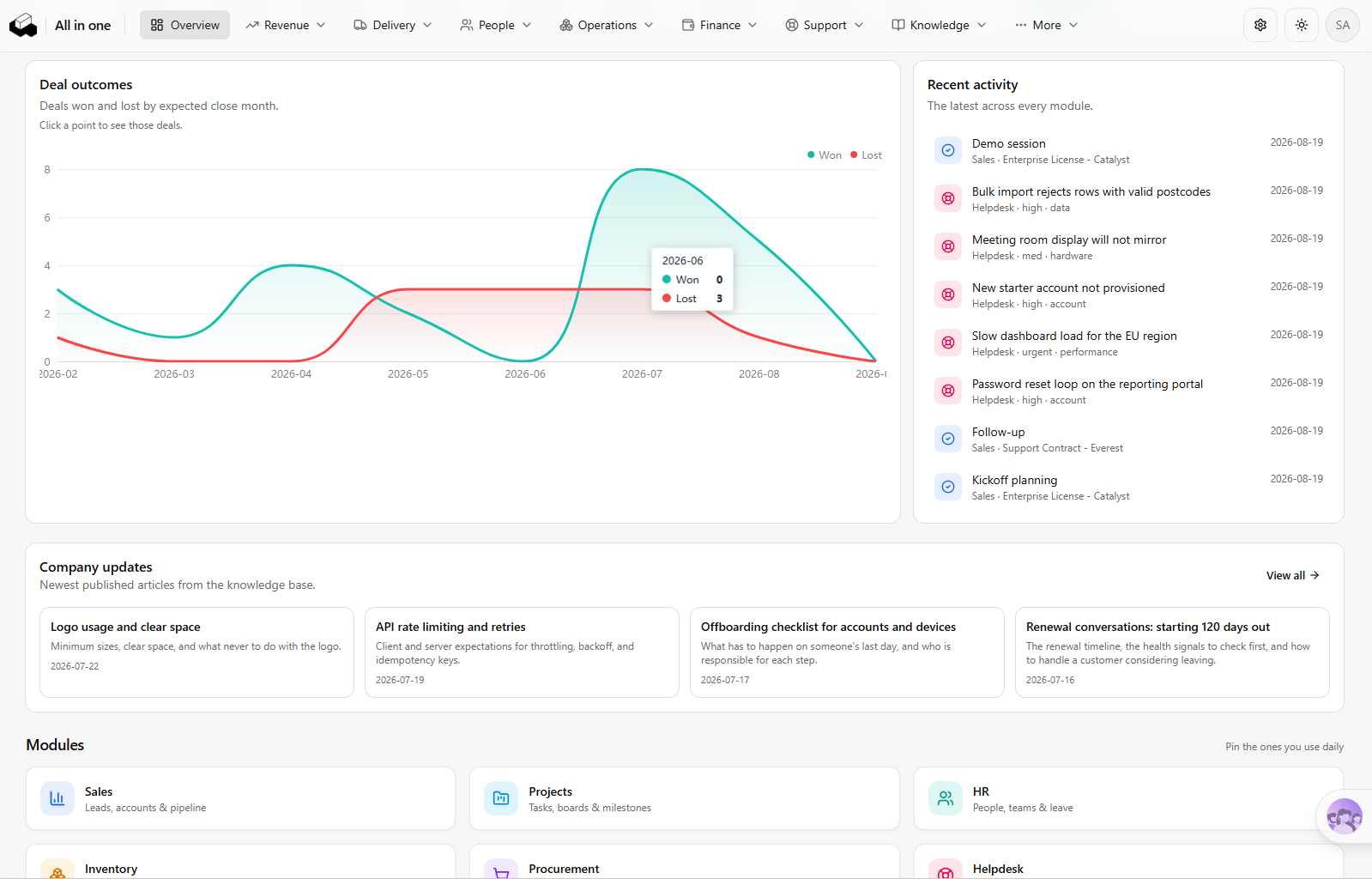
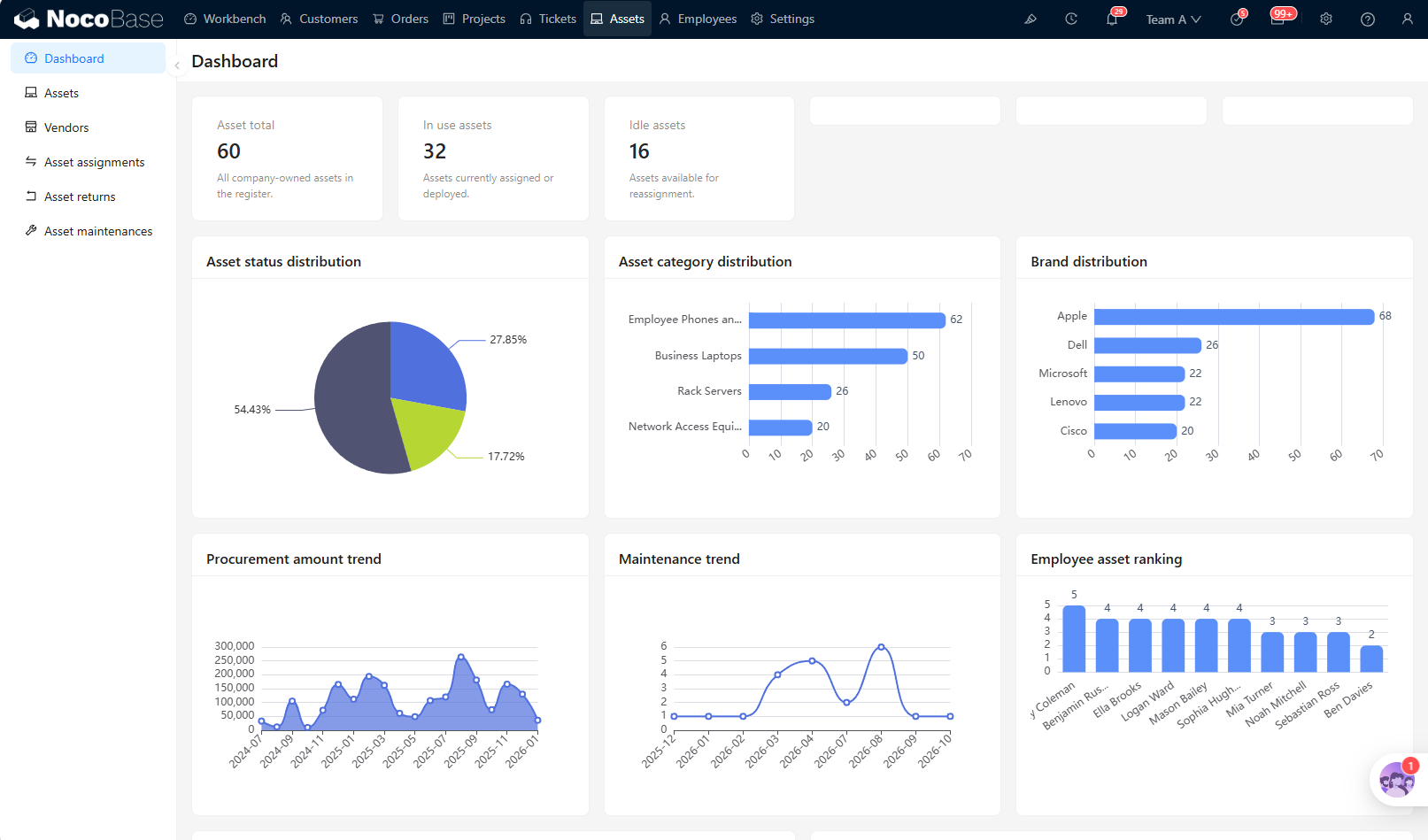
- AI + no-code application building: Users can describe business requirements in natural language, and AI can create data tables and relationships, pages, workflows, and role permissions. NocoBase provides both a no-code portal and an AI portal. The no-code portal makes it easier for business users to continue adjusting the application visually, while the AI portal is better suited to complex interactions and highly customized pages.
👉 AI Portal Quick Start - NocoBase Documentation
AI Portal:
No-code Portal:
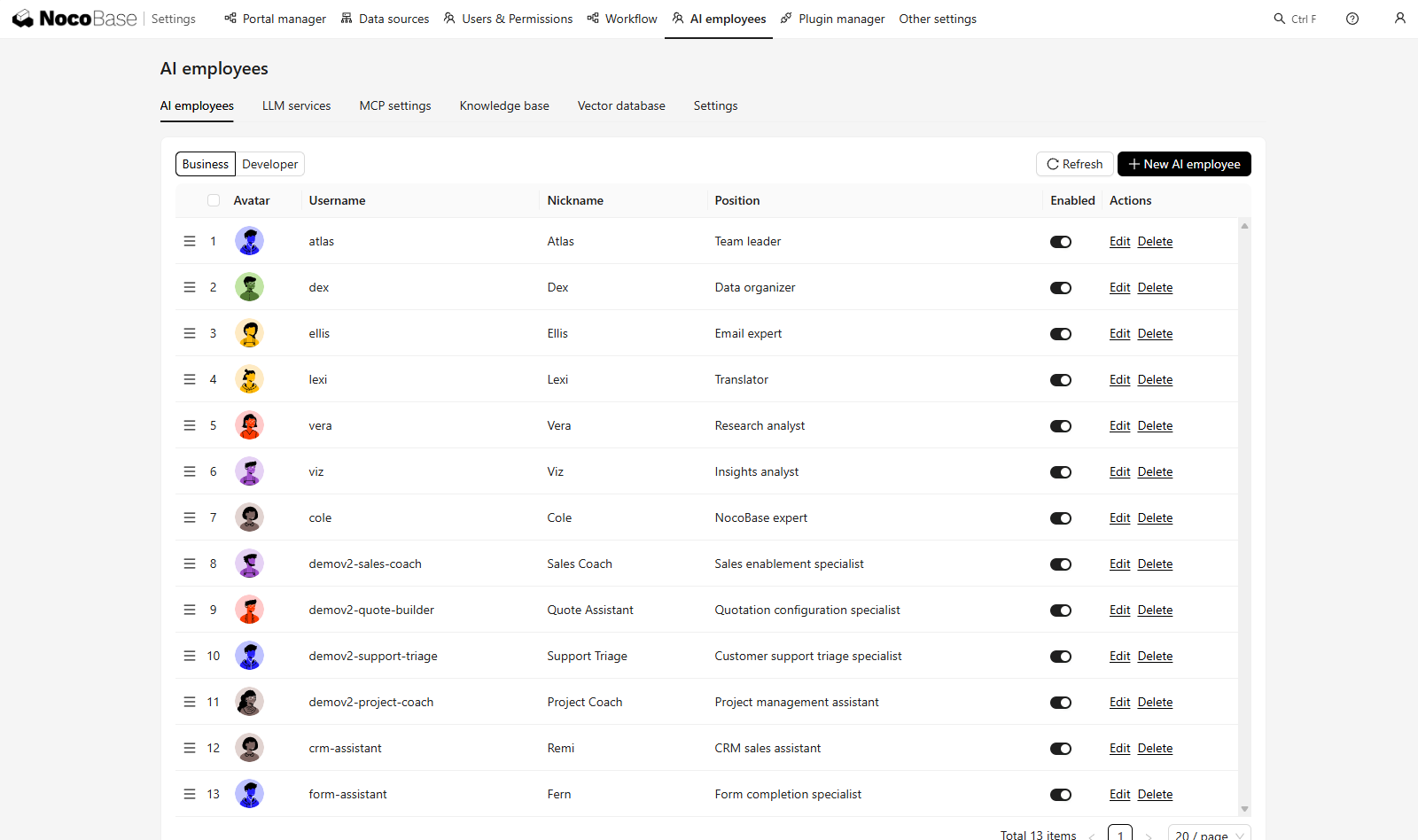
- AI Employees and business execution: AI can participate in daily work as a specific role, handling tasks such as data analysis, email organization, and information extraction. It can also use system tools and workflows to query data, fill forms, or trigger business processes.
👉 AI Employees: Using Tools - NocoBase Documentation
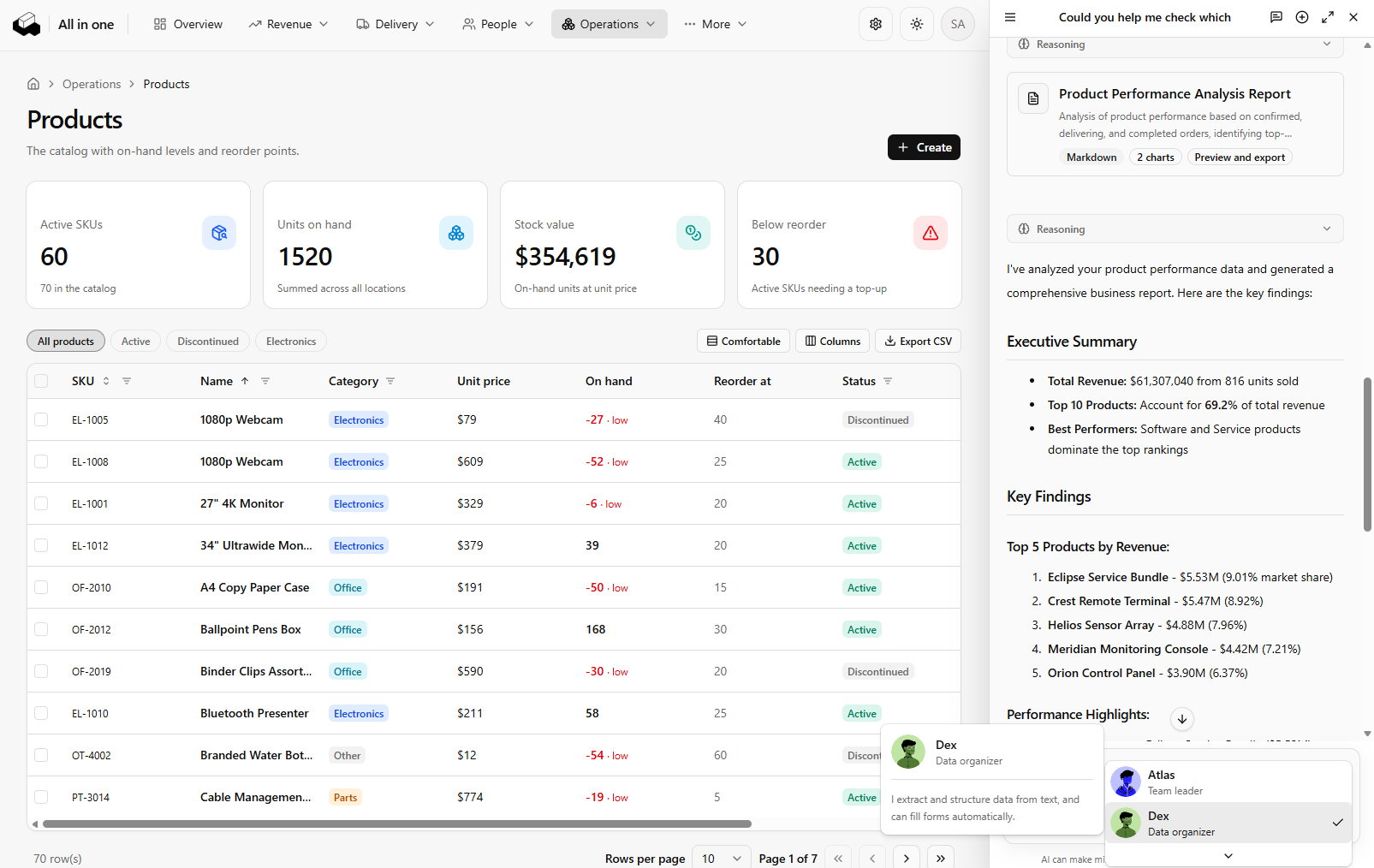
- Enterprise knowledge base: AI Employees can retrieve enterprise knowledge automatically or on demand, with accessible content filtered according to the current user’s role. This allows customer service, sales, or internal assistants to work with the company’s own knowledge.
👉 NocoBase AI Knowledge Base Documentation
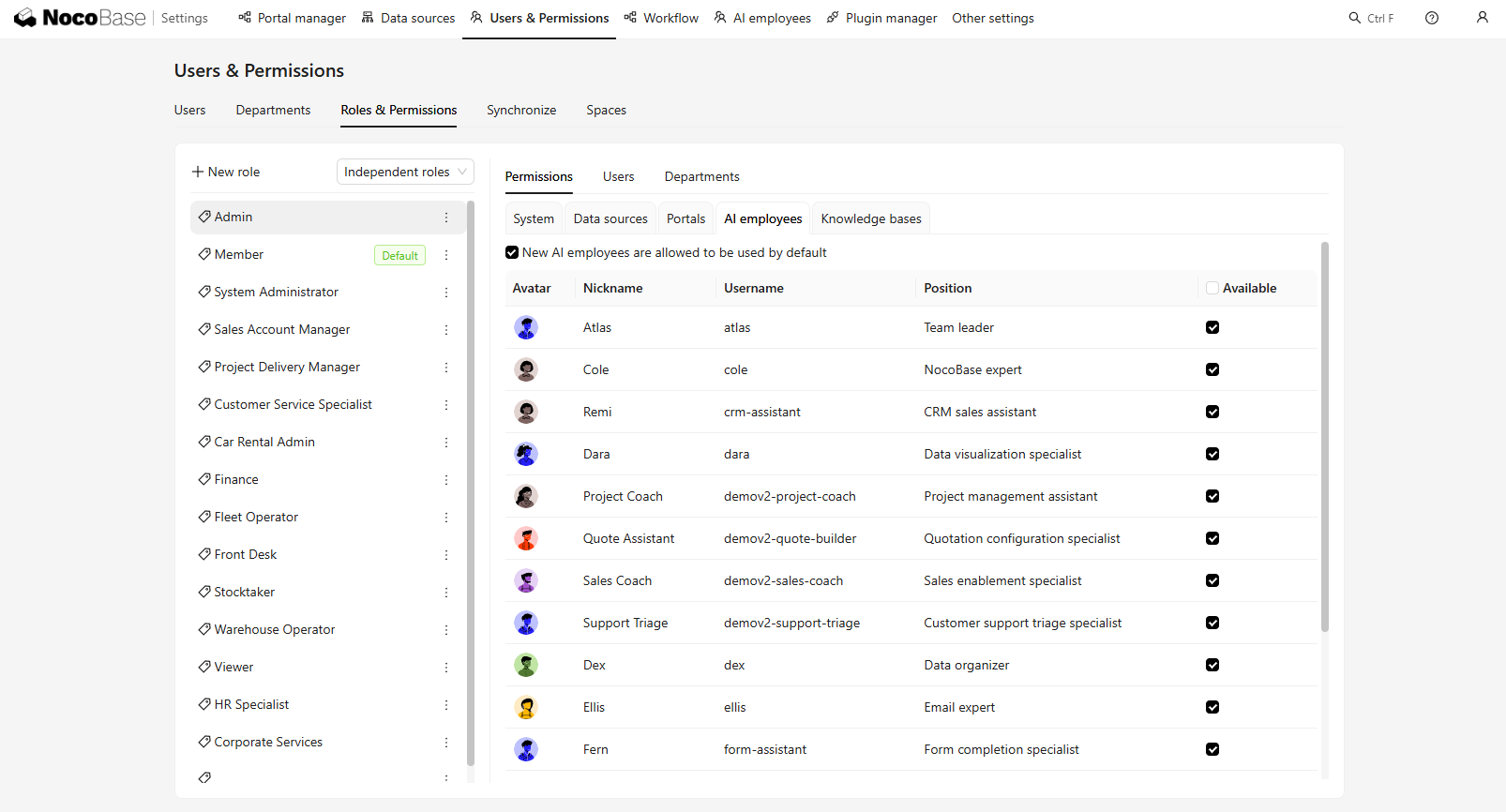
- Enterprise permissions and execution control: AI Employees inherit the current user’s data permissions. Important operations such as modifying data can also require confirmation before execution, helping prevent an Agent from gaining access beyond the user’s own permission scope.
👉 AI Employee Roles and Permissions - NocoBase Documentation
Business Use Cases
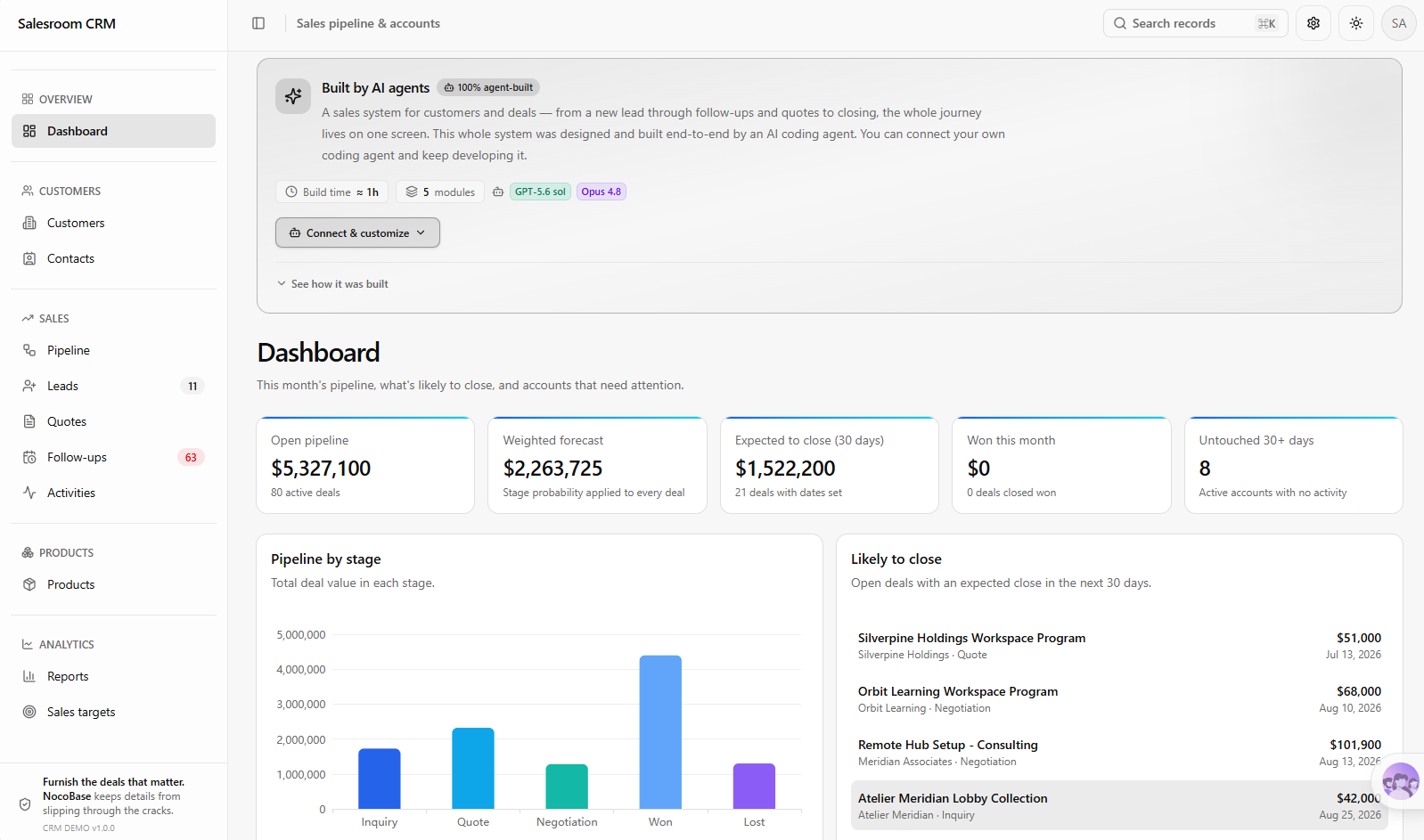
- CRM: Organize communication details from customer emails or meeting notes, generate follow-up suggestions, and assist sales using customer, contact, and opportunity data.
💡 Read more: How to Build a Production-Ready CRM with AI and NocoBase
- Customer support and ticketing: Analyze submitted customer issues, determine category and priority, generate response suggestions using the knowledge base, and participate in ticket-handling workflows.
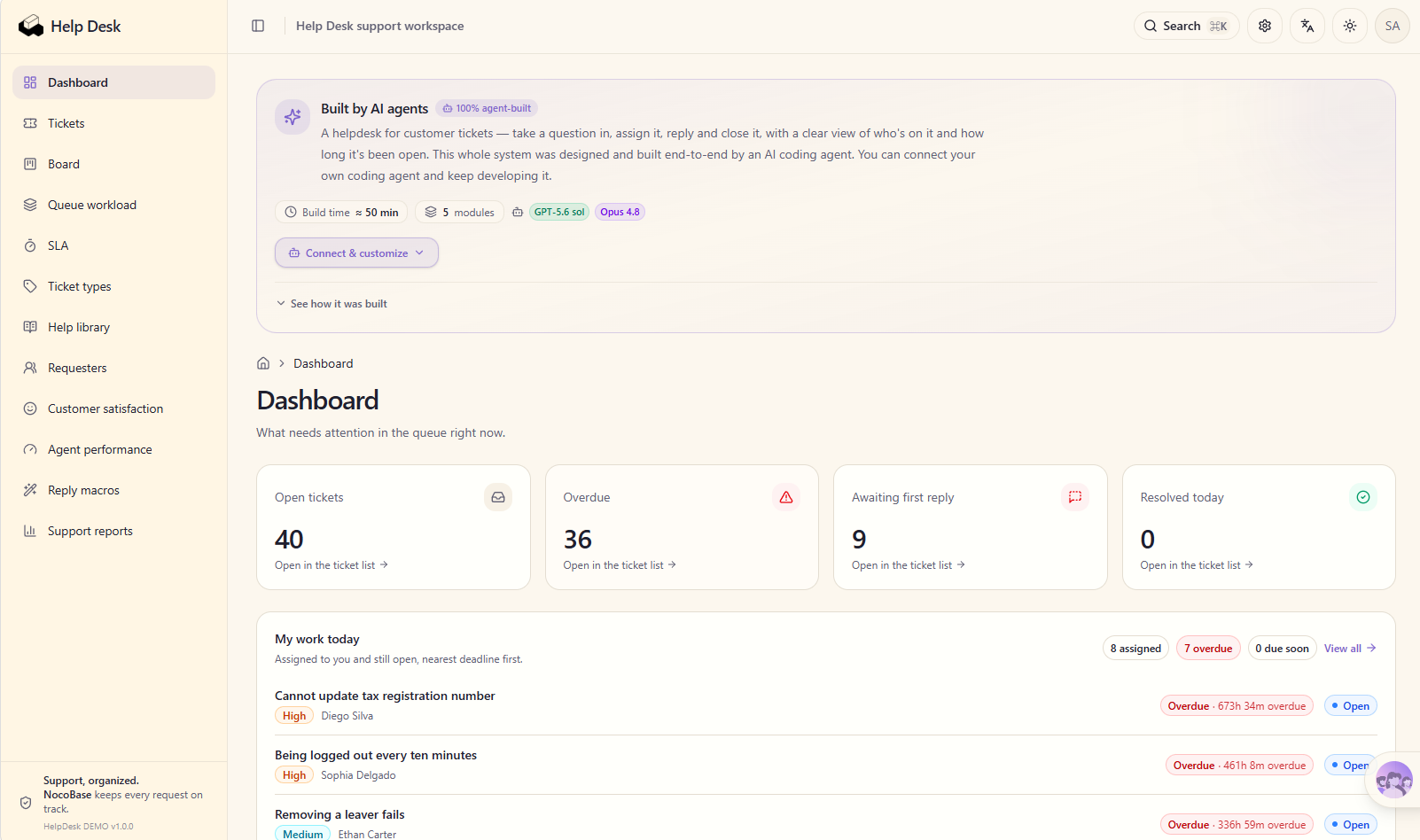
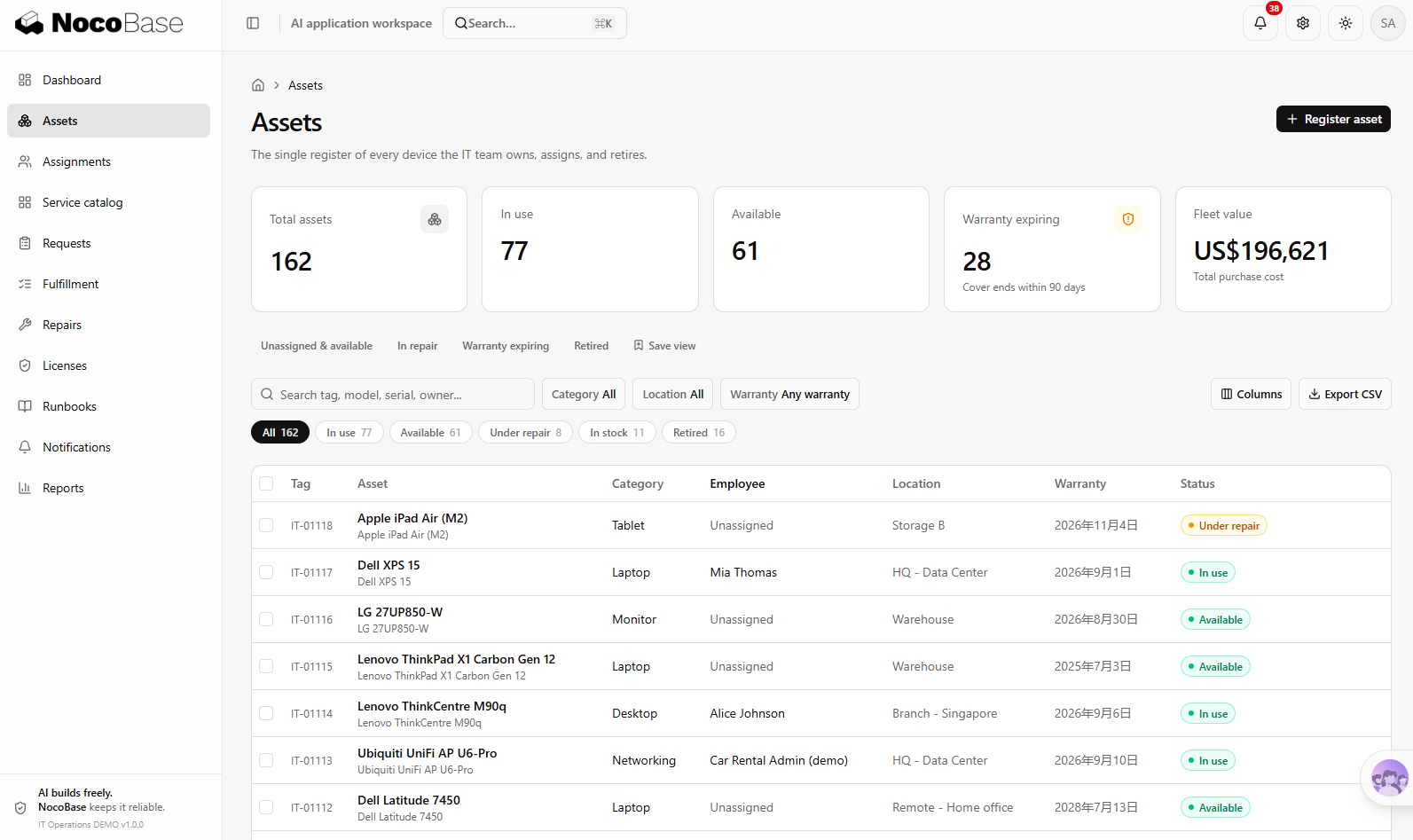
- IT management: Identify IT request types, priorities, and handling suggestions from employees’ natural-language descriptions, then work with asset, maintenance, approval, and related business data.
💡 Read more: How to Build an Enterprise IT Operations System with AI and NocoBase in 2 Hours
- Internal business applications: Configure AI Employees for different roles in procurement, approval, project management, operations, and other systems, allowing them to use business data and workflows to complete routine tasks.
Selection Guidance
NocoBase is a good fit for teams with clearly defined business needs such as CRM, customer support ticketing, IT management, or approvals, especially when they want AI to accelerate application building without asking AI to create an entire business system from scratch. Core capabilities such as data models, permissions, and workflows are already provided by the platform. Business teams can complete most of the setup with no-code tools and AI, then extend the system further through APIs and plugins. It is especially suitable for teams building internal systems that are expected to be used and iterated over the long term.
2. Activepieces
Website: https://www.activepieces.com/
GitHub: https://github.com/activepieces/activepieces
GitHub Stars: 24.0K
Related documentation
MCP: https://www.activepieces.com/docs/mcp/overview
Product Overview
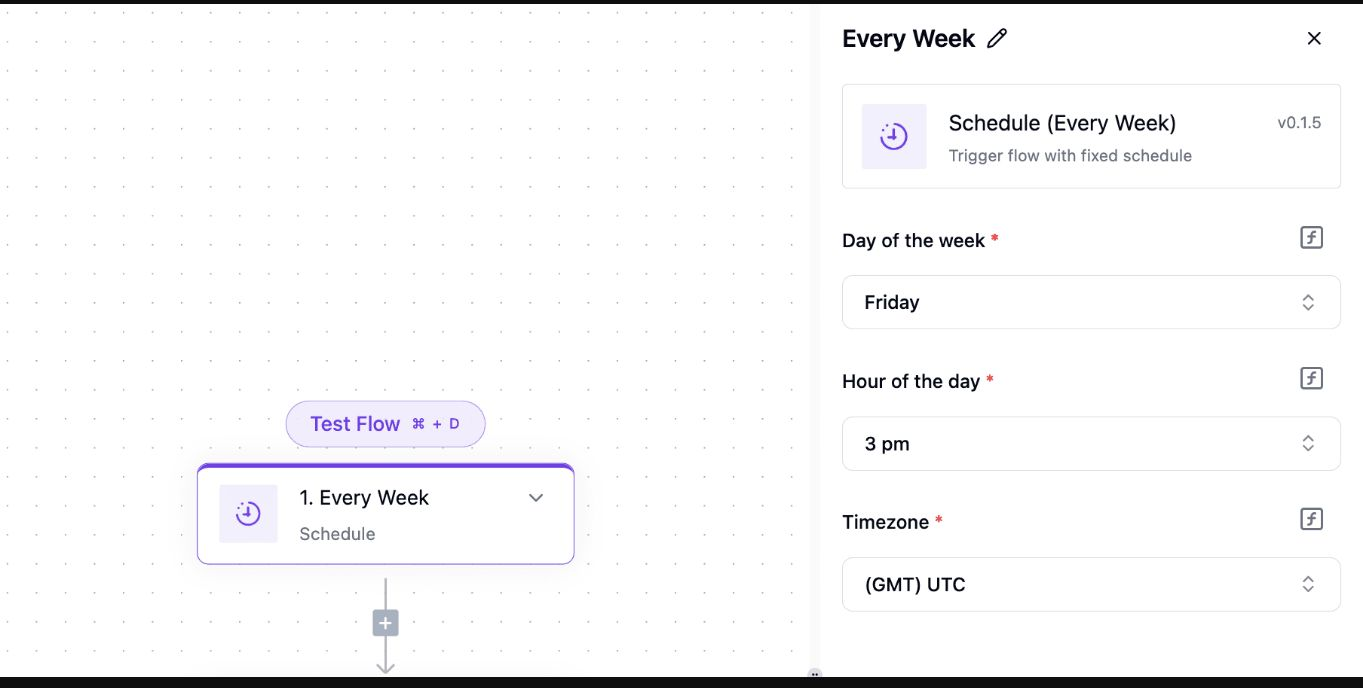
Activepieces is an open-source, self-hosted AI automation platform mainly used to connect the applications, data, and business processes a company already relies on. It brings AI Agents, automation workflows, and data into the same environment and is well suited to sales, customer support, operations, and other work that spans multiple tools.
💡 Read more: 6 Open-Source Tools to Use with WorkBuddy
Core AI Capabilities
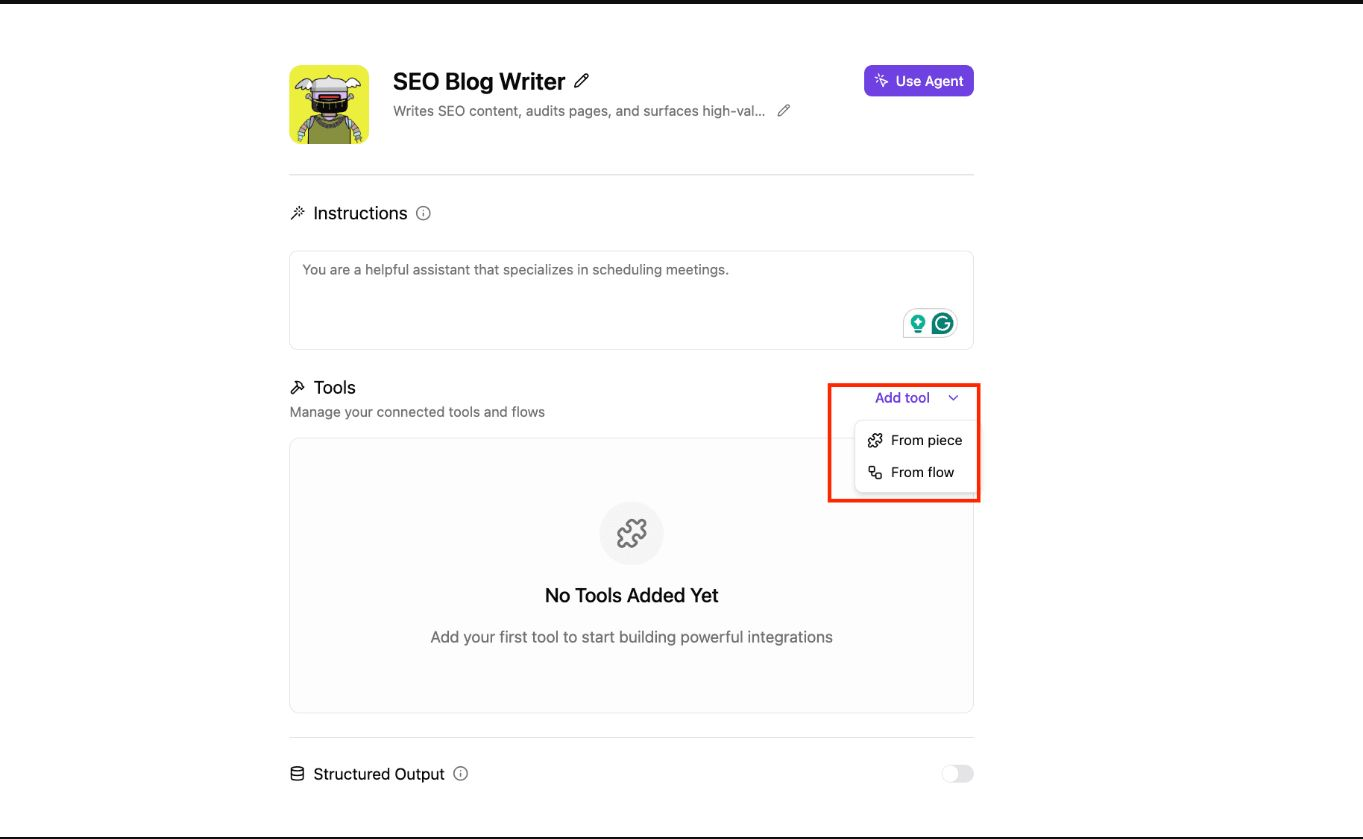
- Visual AI Agent creation: Users can define an Agent’s task, model, and available tools, then place the Agent directly inside automation workflows. Existing workflows can also be reused as Agent tools.
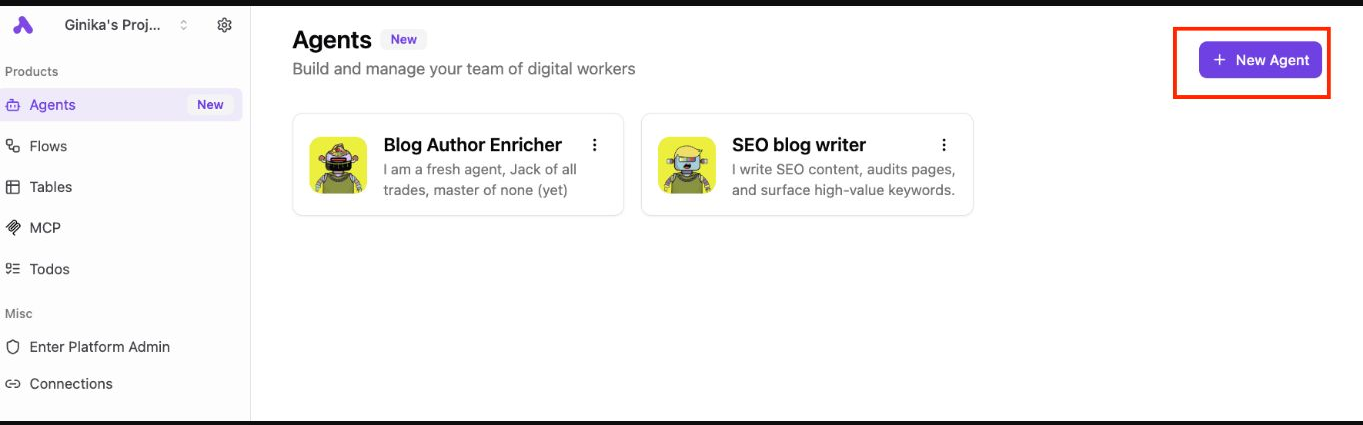
- Natural-language automation building: Users can describe what they want to accomplish and let AI generate an Agent or automation workflow. They can then continue editing visually by adding conditions, loops, and code execution.
- Connect business tools: The platform can connect more than 700 applications, including CRM systems, email, collaboration tools, spreadsheets, and other commonly used services. Through MCP, tools and workflows built in the platform can also be exposed to other AI clients that support MCP.
Business Use Cases
- Sales lead processing: Capture new leads from email or forms, let AI classify customer type and priority, update the CRM, and generate follow-up content.
- Customer support workflows: Automatically read customer issues, classify and summarize them, assign tickets, and synchronize information between customer support systems and CRM.
- Daily operations automation: Organize email, extract information, synchronize spreadsheets or databases, and automatically generate daily reports, weekly reports, and business notifications from data across multiple systems.
Selection Guidance
Activepieces is better suited to small and midsize teams or business departments that already use several SaaS tools but have limited development resources. Sales, marketing, customer support, and operations teams that frequently move data, send messages, and follow up across multiple systems can start with visual workflows and later add APIs or custom integrations as requirements become more complex.
3. Kestra
Website: https://kestra.io/
GitHub: https://github.com/kestra-io/kestra
GitHub Stars: 28.0K
Related documentation
AI Copilot: https://kestra.io/docs/ai-tools/ai-copilot
Product Overview
Kestra is an open-source, self-hosted workflow orchestration platform mainly used to manage automation across data, AI, and infrastructure. AI Agents can run directly as tasks inside workflows, calling tools, executing other tasks, or triggering existing flows based on their goals.
Core AI Capabilities
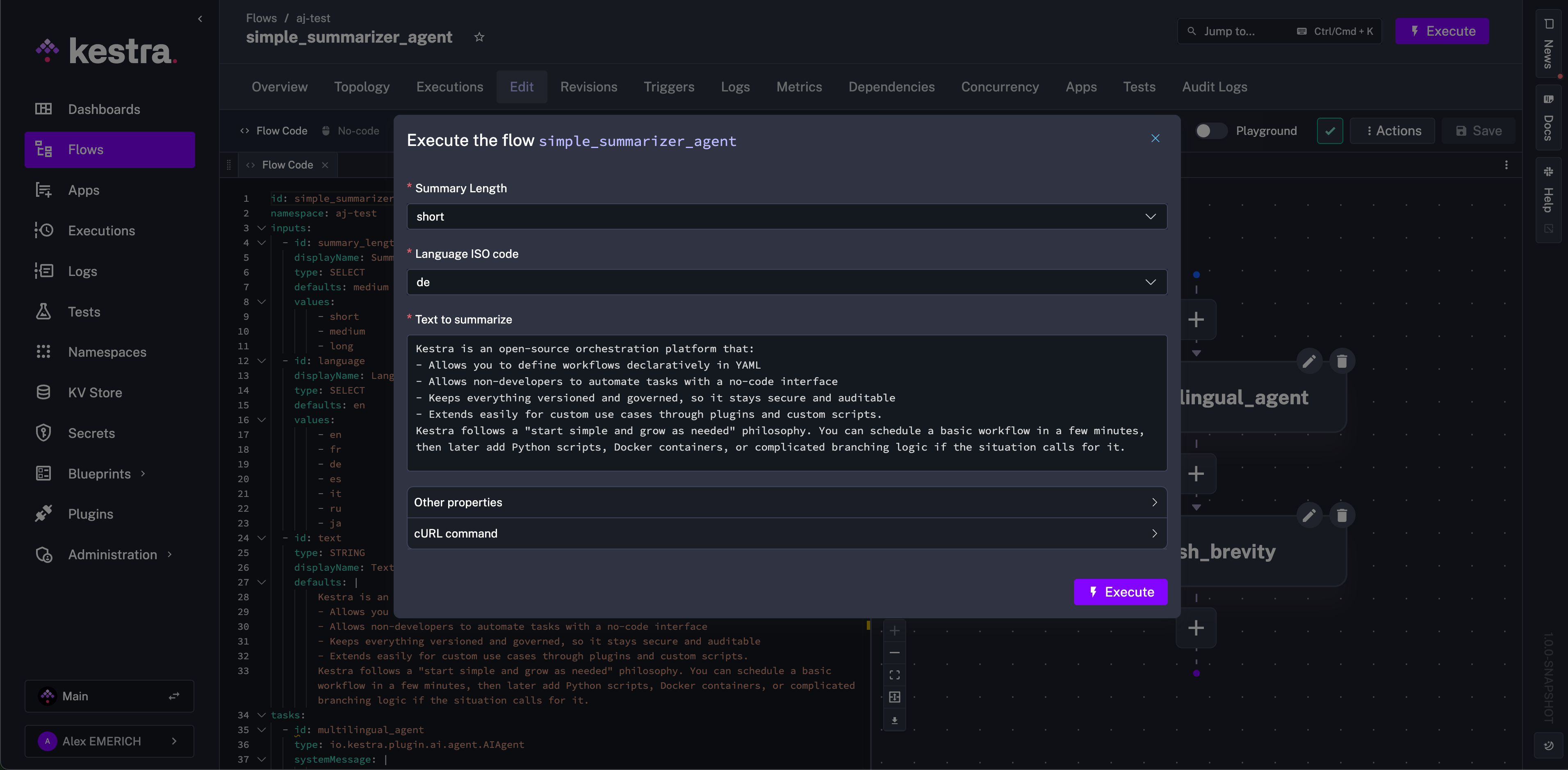
- AI Agents working with workflows: AI Copilot can generate or modify workflows from natural-language instructions. Agents can also be placed directly inside existing workflows, where they can use models, memory, tools, and existing Kestra tasks and flows, then decide the next step based on execution results.
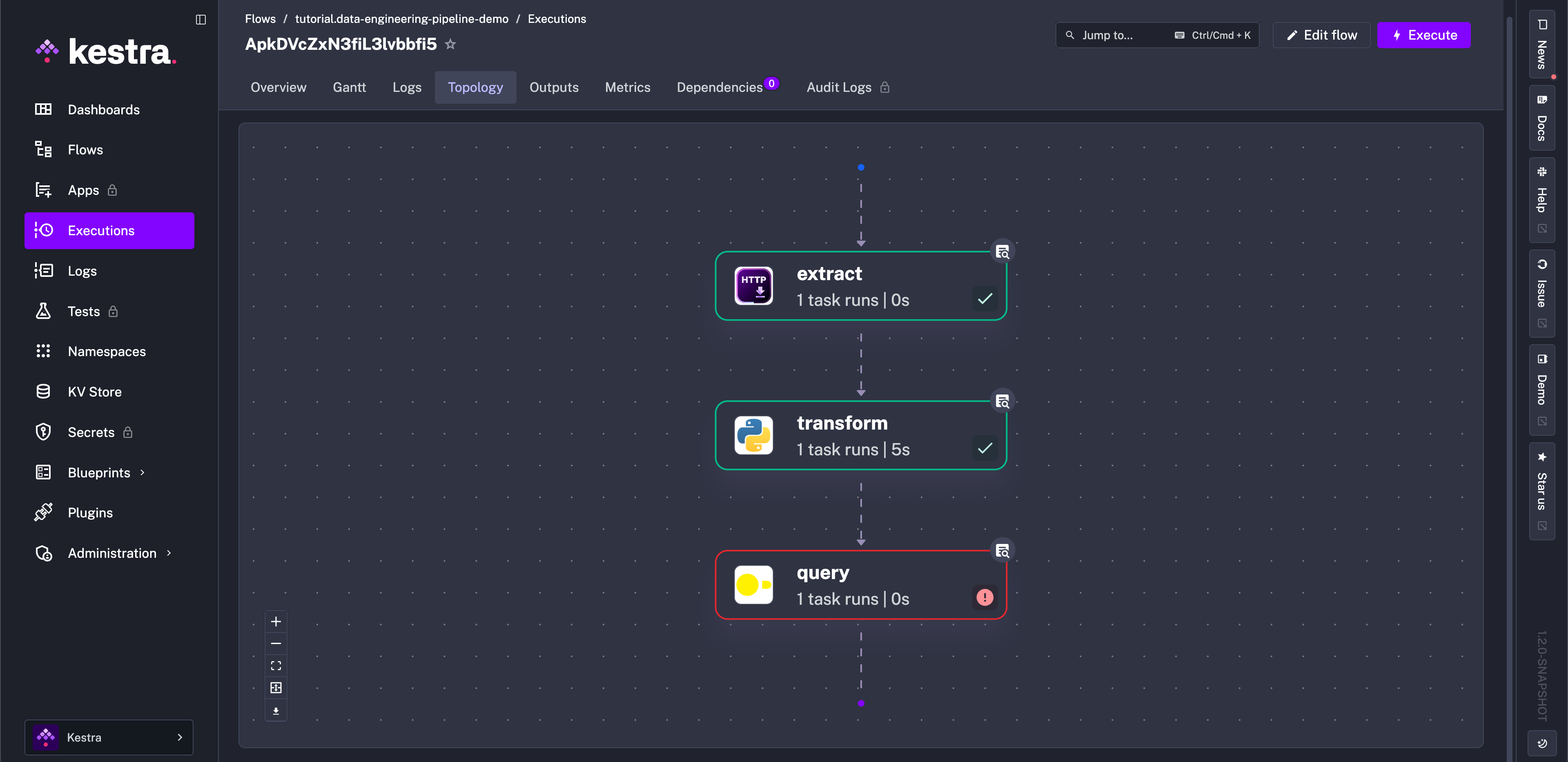
- Visual and code-based development: Workflows can be created and adjusted through the visual interface, while more complex requirements can be extended with YAML, Python, Docker, and custom scripts.
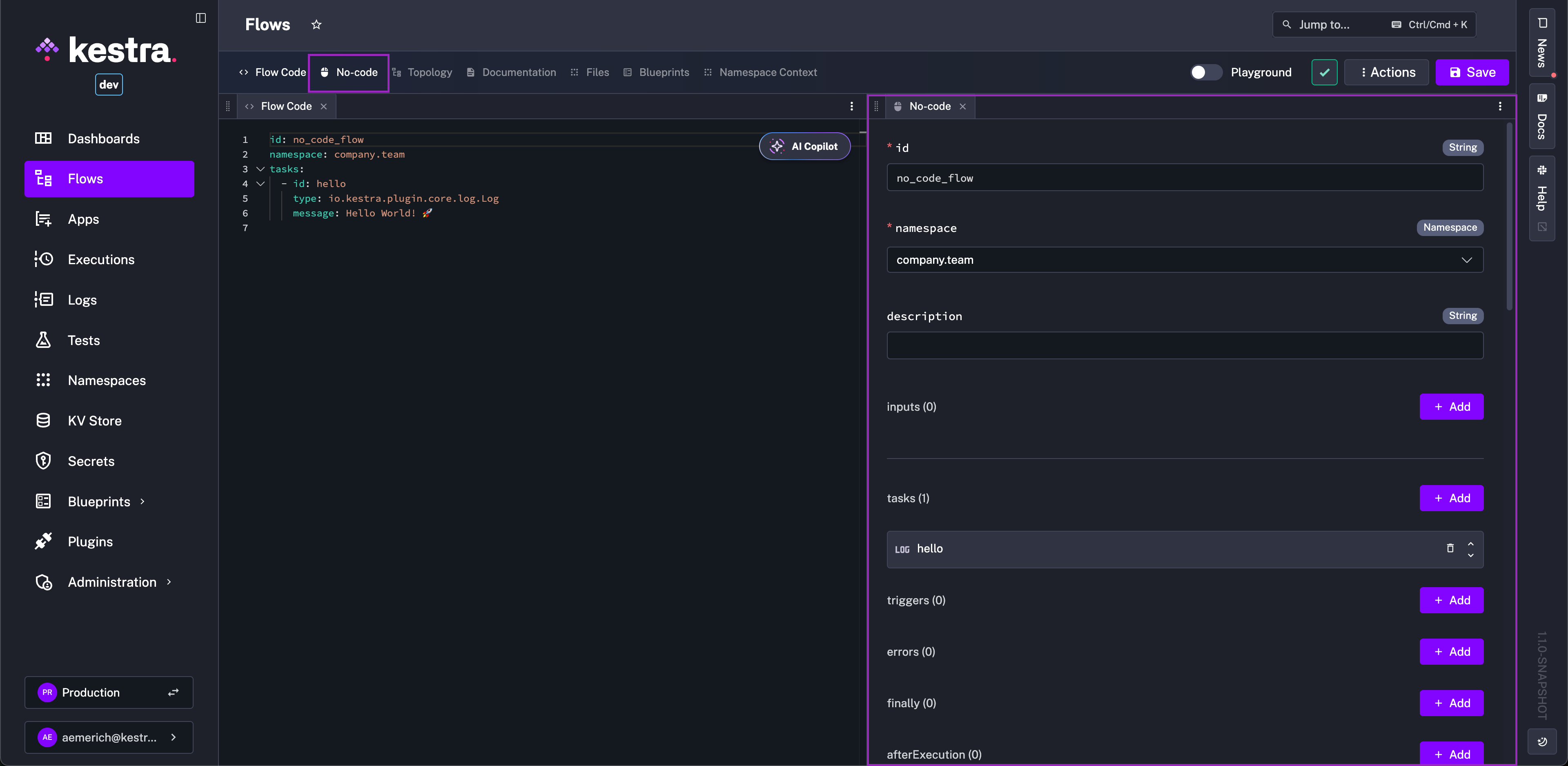
- Traceable execution: Agents and regular tasks share the same runtime system, making it possible to inspect execution status, logs, and failure records in one place for easier troubleshooting and maintenance.
Business Use Cases
- Data-processing automation: Choose next steps based on data state and call existing workflows to complete cleaning, analysis, and aggregation.
- IT and operations workflows: Analyze alerts or system events, then execute checks, notifications, or other follow-up tasks.
- Complex business and AI workflows: Combine models, tools, approvals, data processing, and cross-system tasks to handle workflows that require multiple steps and dynamic decisions.
Selection Guidance
Kestra is better suited to teams that already have some automation foundation and have developers, data engineers, or operations specialists involved. Its orchestration capabilities become more valuable when workflows grow longer and need task dependencies, retries, execution-state tracking, and multi-step AI decisions. If a small team only wants to build a few simple business automations quickly, it may not need such a complete workflow system.
4. Windmill
Website: https://www.windmill.dev/
GitHub: https://github.com/windmill-labs/windmill
GitHub Stars: 17.7K
Related documentation
AI Agent applications: https://www.windmill.dev/use-cases/ai-agents
Product Overview
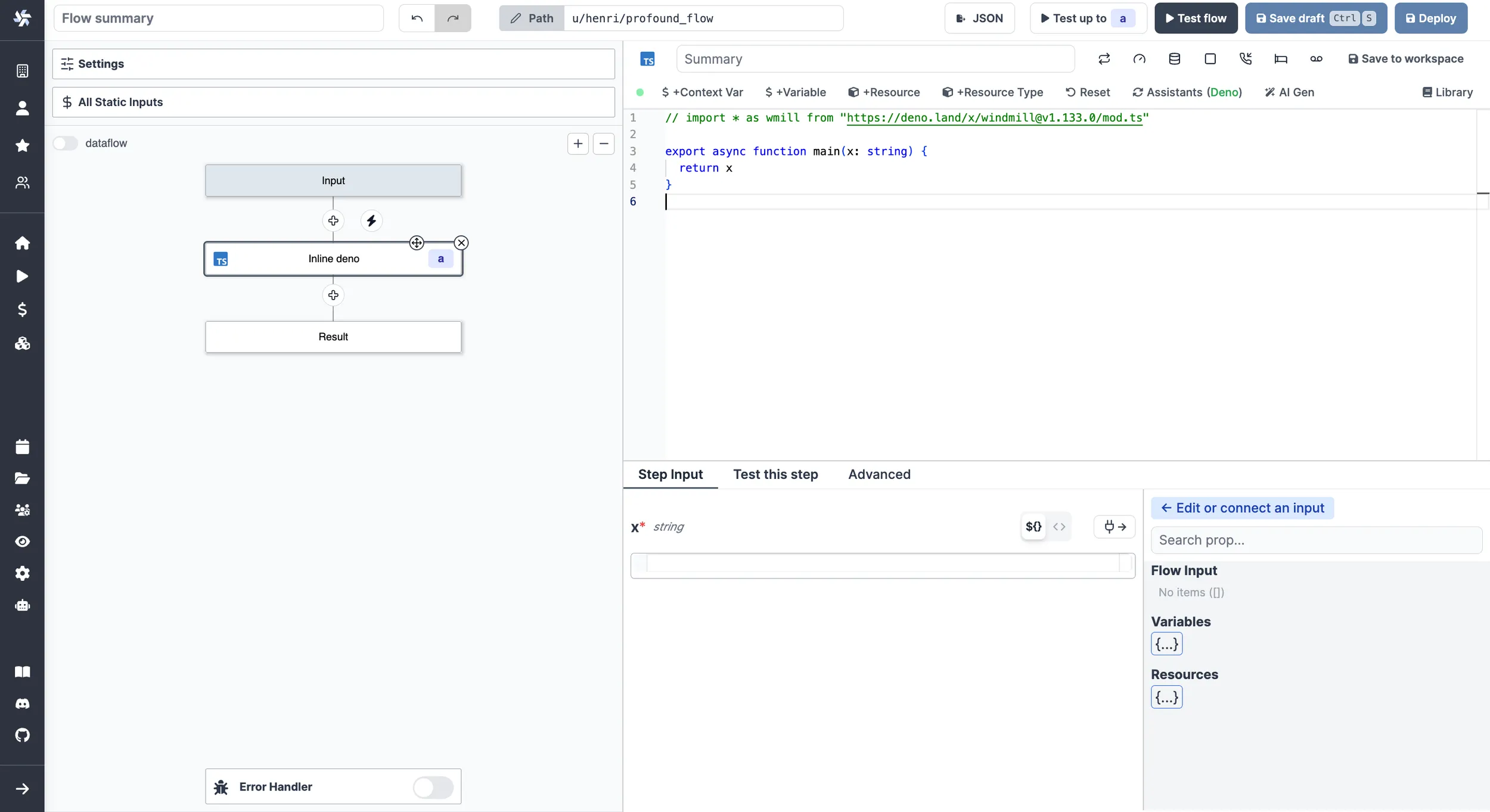
Windmill is an open-source, self-hosted development and automation platform that can run scripts, APIs, workflows, and internal applications in one environment. It supports both visual orchestration and code in Python, TypeScript, Go, SQL, and other languages, making it more suitable for teams with some technical expertise.
Core AI Capabilities
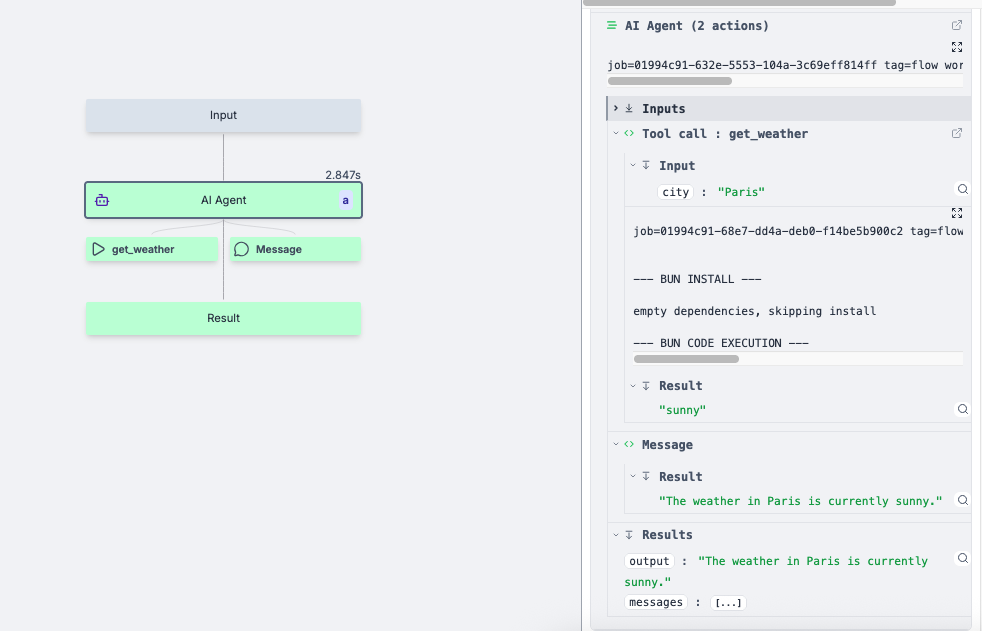
- Add Agents to workflows: AI Agents can run directly as workflow steps and be combined with conditions, approvals, error handling, and other nodes to handle tasks that require AI judgment.
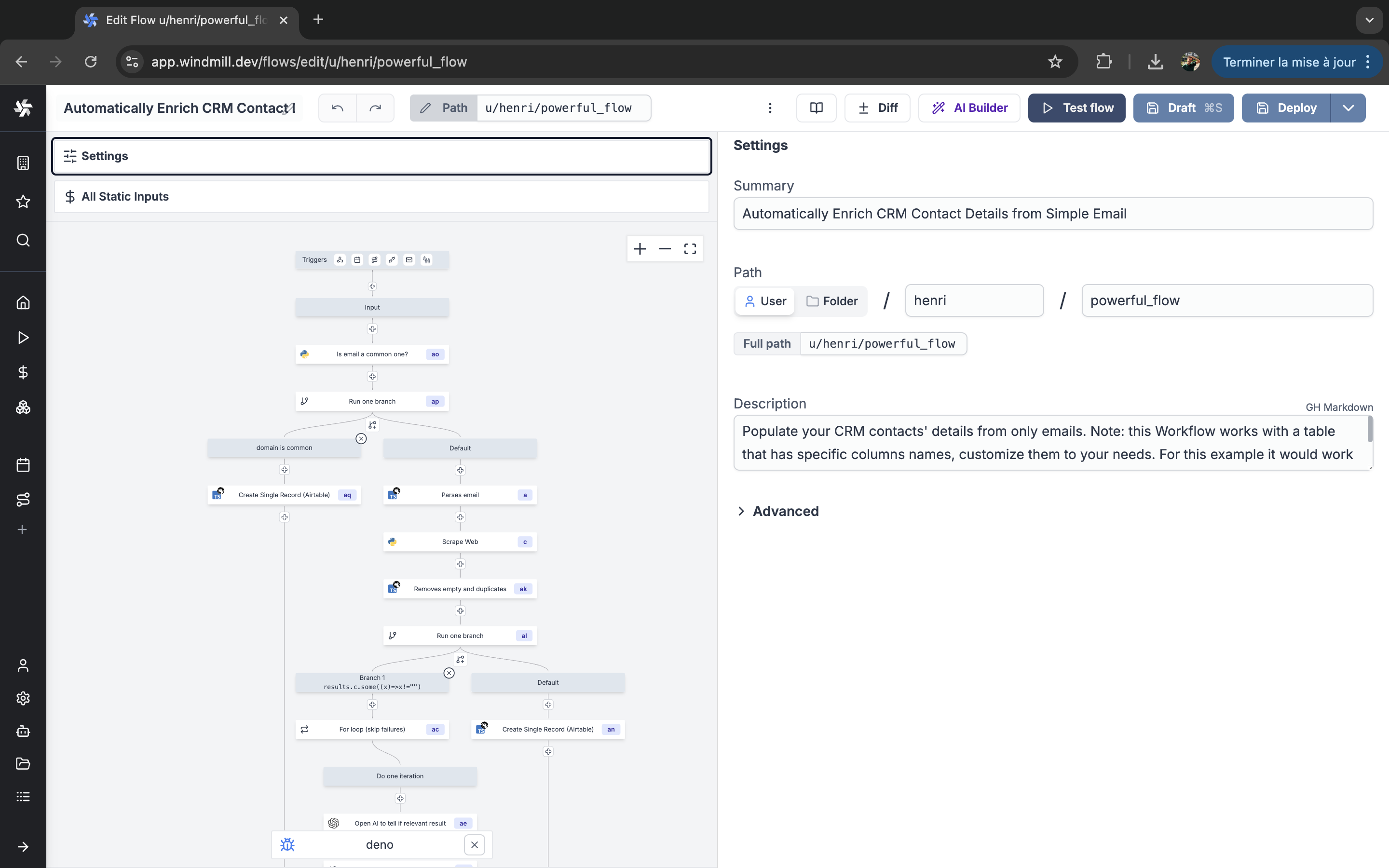
- Use existing technical resources: Agents can use scripts, databases, APIs, and other workflows already available in Windmill. They can also connect to MCP tools, allowing teams to reuse existing code and internal services directly inside Agent workflows.
- Permissions, approvals, and execution records: Teams can limit which resources an Agent can access and execute, require human confirmation before important actions, and inspect tool calls, inputs and outputs, logs, and execution status for each run.
Business Use Cases
- IT and operations automation: Analyze problems based on alerts or system state, then call scripts to perform checks, remediation, and notifications.
- Data processing and analysis: Query databases or run existing data scripts, let an Agent analyze the results, and trigger subsequent workflows.
- Internal AI tools: Combine Agents, backend scripts, and internal app interfaces to build data assistants, operations tools, and other internal applications.
Selection Guidance
Windmill is more suitable for teams that already have developers, data specialists, or operations engineers. If a company has accumulated many scripts, databases, APIs, and internal services and wants to reuse those existing resources for Agents and automation, Windmill can be a natural fit. For teams without technical staff that mainly want to build a few simple workflows visually, its development-platform orientation may feel heavier.
2. Visual AI Agent Building Platforms
5. Coze Studio
Website: https://www.coze.cn/home
GitHub: https://github.com/coze-dev/coze-studio
GitHub Stars: 21.5K
AI Agent documentation: https://github.com/coze-dev/coze-studio/wiki/1.-What-is-Coze-Studio
Product Overview
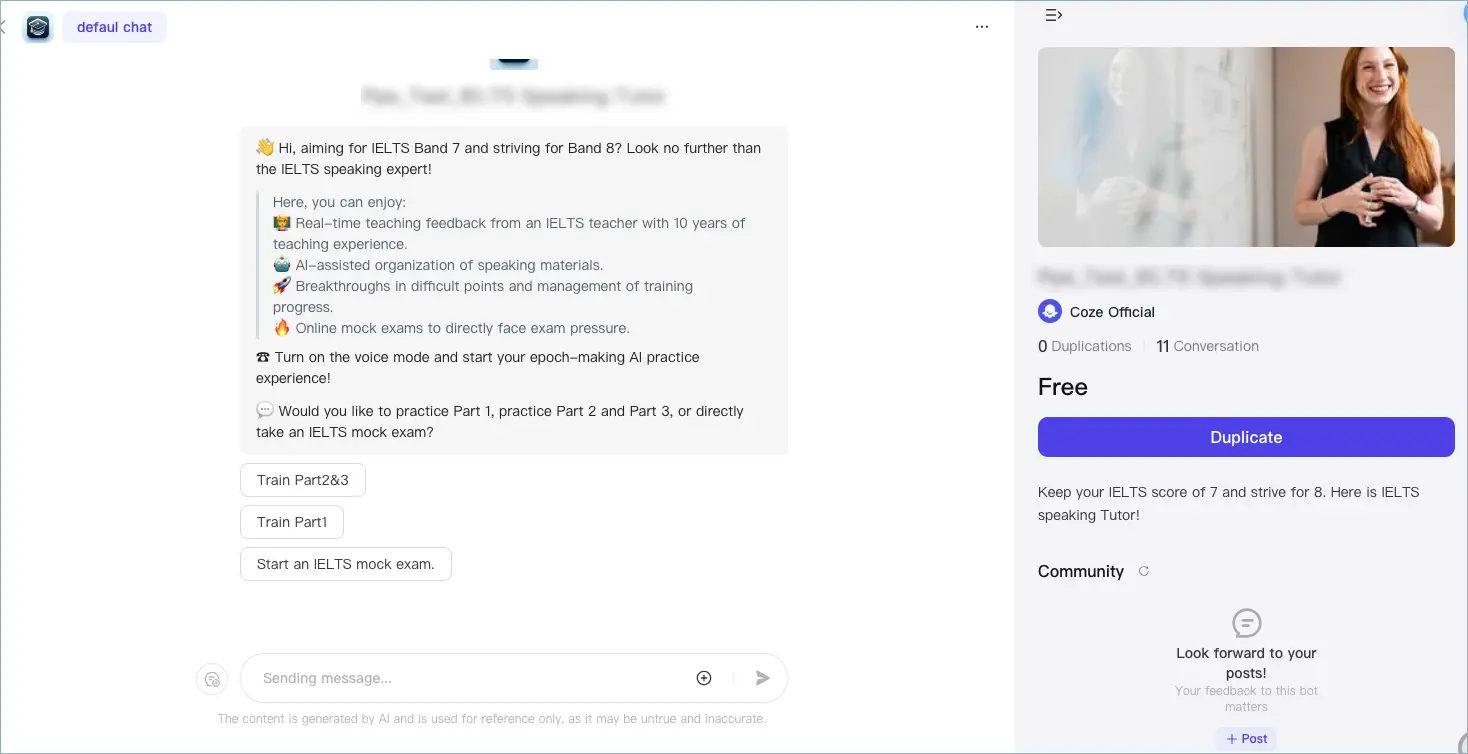
Coze Studio is an open-source, all-in-one AI Agent development platform from ByteDance. Its main focus is visually creating, debugging, and deploying Agents. Users can combine models, knowledge, and tools directly, making it suitable for quickly building customer-service assistants, knowledge Q&A, content assistants, and other AI applications.
Core AI Capabilities
- Visual Agent and workflow building: Configure models, prompts, and tools through the interface, or orchestrate multi-step workflows on a canvas with conditions, data processing, and other logic.
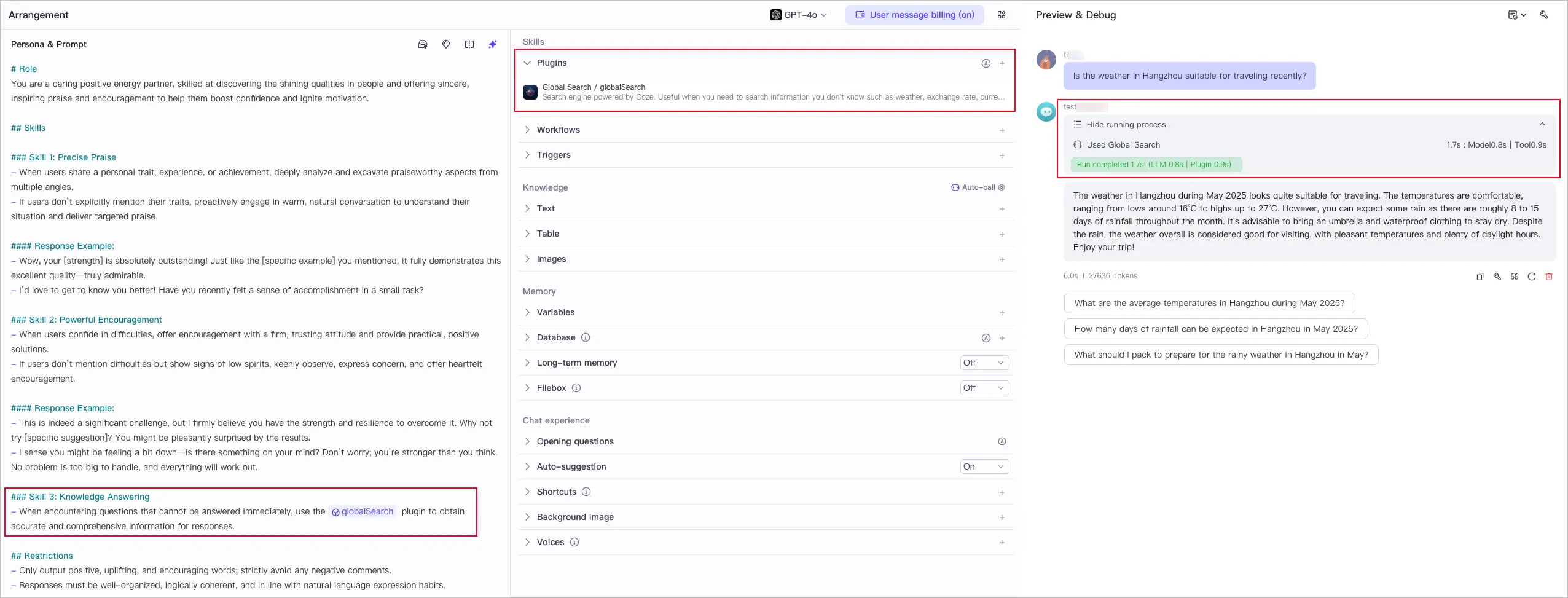
- RAG and knowledge bases: Connect enterprise documents and knowledge data so Agents can answer questions and handle tasks based on specified content.
- Plugins and external tools: Agents can call external services through plugins, bringing search, queries, data processing, and other capabilities into the execution process.
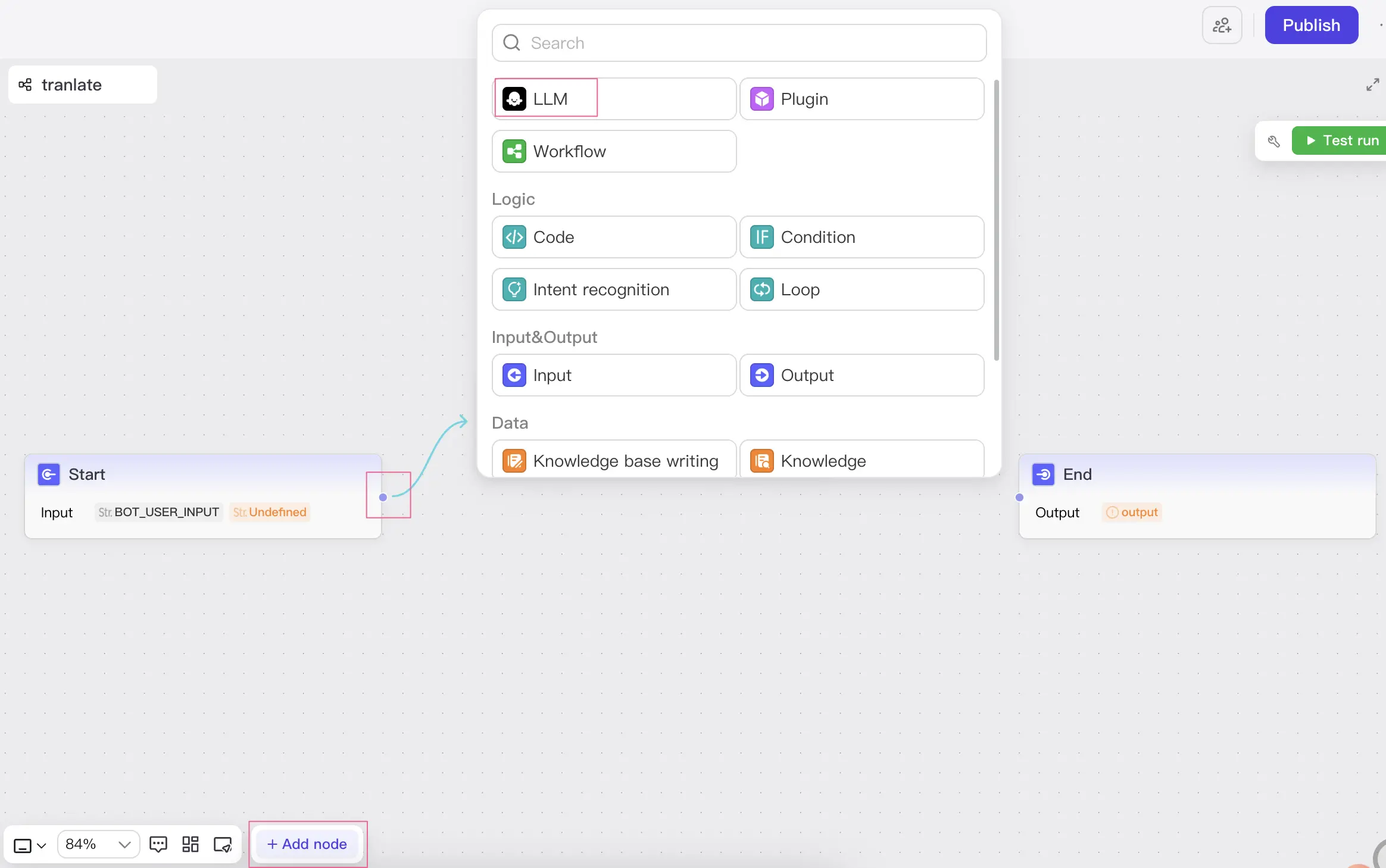
- Development, debugging, and deployment: Agents can be created, tested, and deployed within the same platform, reducing the need to switch between multiple tools.
Business Use Cases
- AI customer support: Use knowledge bases to answer product, service, and after-sales questions, while plugins query additional business information.
- Enterprise knowledge assistants: Provide employee Q&A, document lookup, and information organization based on internal documents and knowledge bases.
- Content and marketing assistants: Combine search, content generation, and workflows for research, content organization, and first-draft creation.
Selection Guidance
Coze Studio is a good fit for teams that are just starting to experiment with AI Agents and want to quickly build customer-service assistants, knowledge Q&A, or content assistants without dedicated AI developers. Product, operations, or business teams can validate ideas visually first, then add knowledge bases, plugins, and more complex workflows as needed.
6. Langflow
Website: https://www.langflow.org/
GitHub: https://github.com/langflow-ai/langflow
GitHub Stars: 153.9K
Related documentation
Agents: https://docs.langflow.org/agents
Product Overview
Langflow is an open-source visual AI application development platform mainly used to build Agents and AI workflows. It combines models, tools, data, and other Agents through modular components while retaining Python extensibility, making it suitable for AI application scenarios that require frequent experimentation and iteration.
Core AI Capabilities
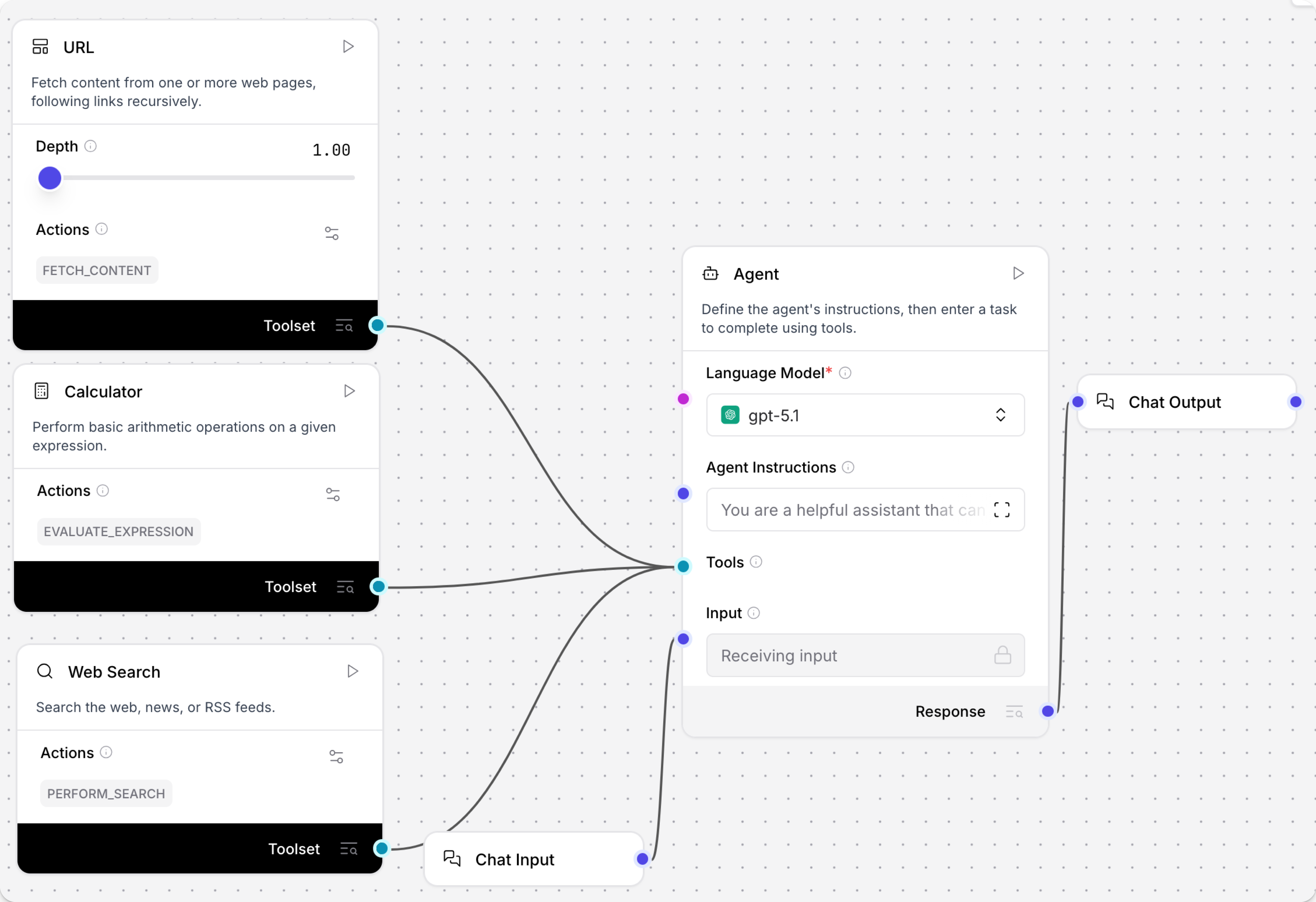
- Drag-and-drop building and multi-Agent composition: Configure Agents on a visual canvas and connect models, prompts, tools, and other components into complete workflows. Components and flows can also be used as Agent tools, and multiple Agents can divide work such as retrieval, analysis, and organization.
- MCP support: Connect external MCP services or expose workflows built in Langflow to other AI applications that support MCP.
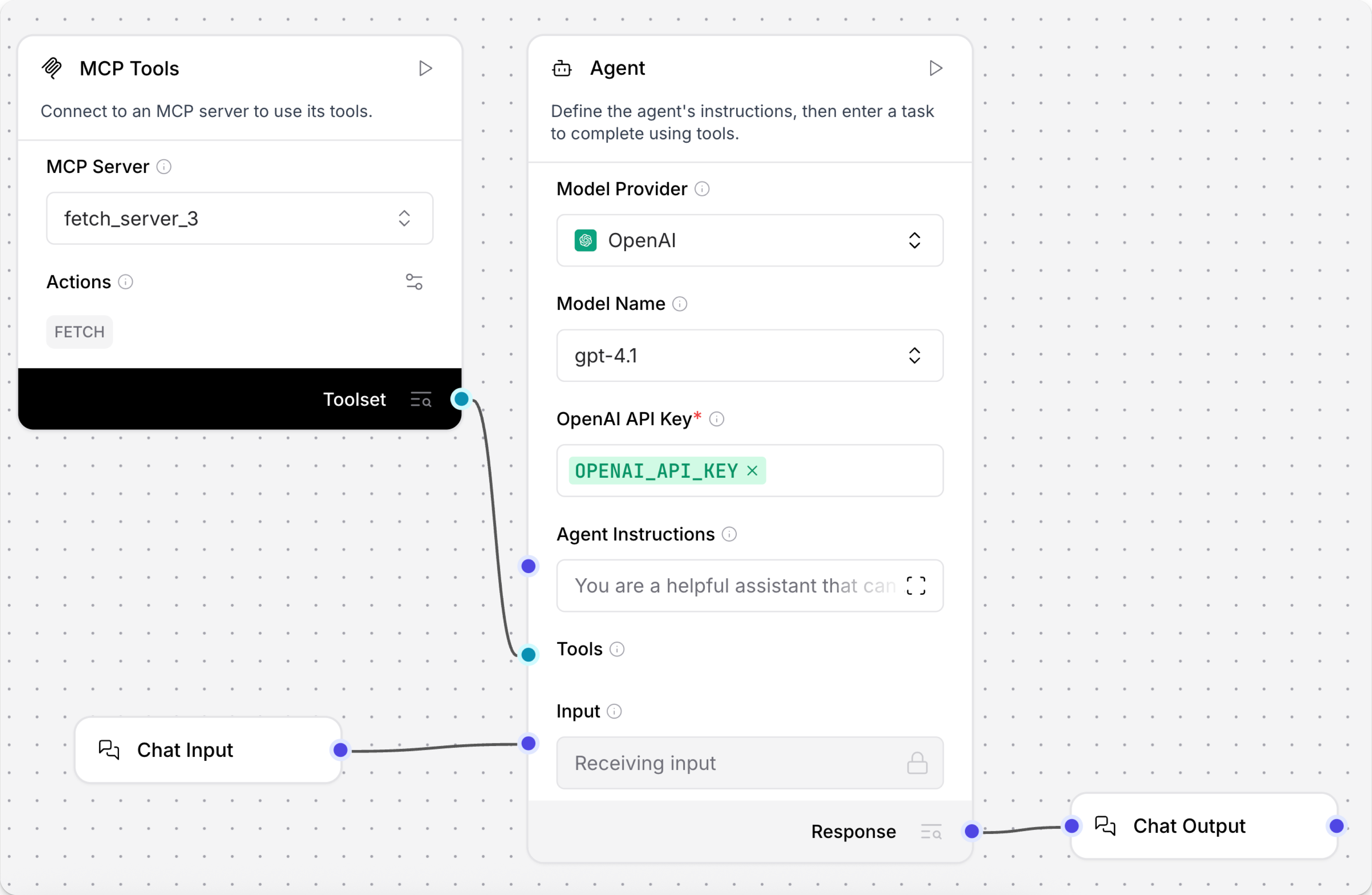
- Models and Python extensions: Freely combine different models and data sources. When built-in components do not cover a requirement, custom Python components can connect enterprise APIs and processing logic.
Business Use Cases
- Knowledge and document applications: Combine internal documents, retrieval, models, and Agents for knowledge Q&A, document analysis, and information extraction.
- Multi-Agent workflows: Let different Agents handle retrieval, analysis, organization, and other tasks, then connect them into one complete process.
- AI application prototypes: Quickly validate ideas such as customer support assistants, research assistants, and content-generation tools, then connect them to existing products through APIs.
Selection Guidance
Langflow is better suited to teams with some technical involvement that need to experiment frequently with different models and Agent structures. Product or data teams can first build workflows visually, while developers add more complex functionality through Python, custom components, and APIs. It is well suited to prototyping and continuous experimentation. For teams with no technical staff that only want to launch fixed business workflows quickly, later-stage maintenance may depend more heavily on developers.
7. Dify
Website: https://dify.ai/
GitHub: https://github.com/langgenius/dify
GitHub Stars: 154.0K
Related documentation
Official documentation: https://docs.dify.ai/
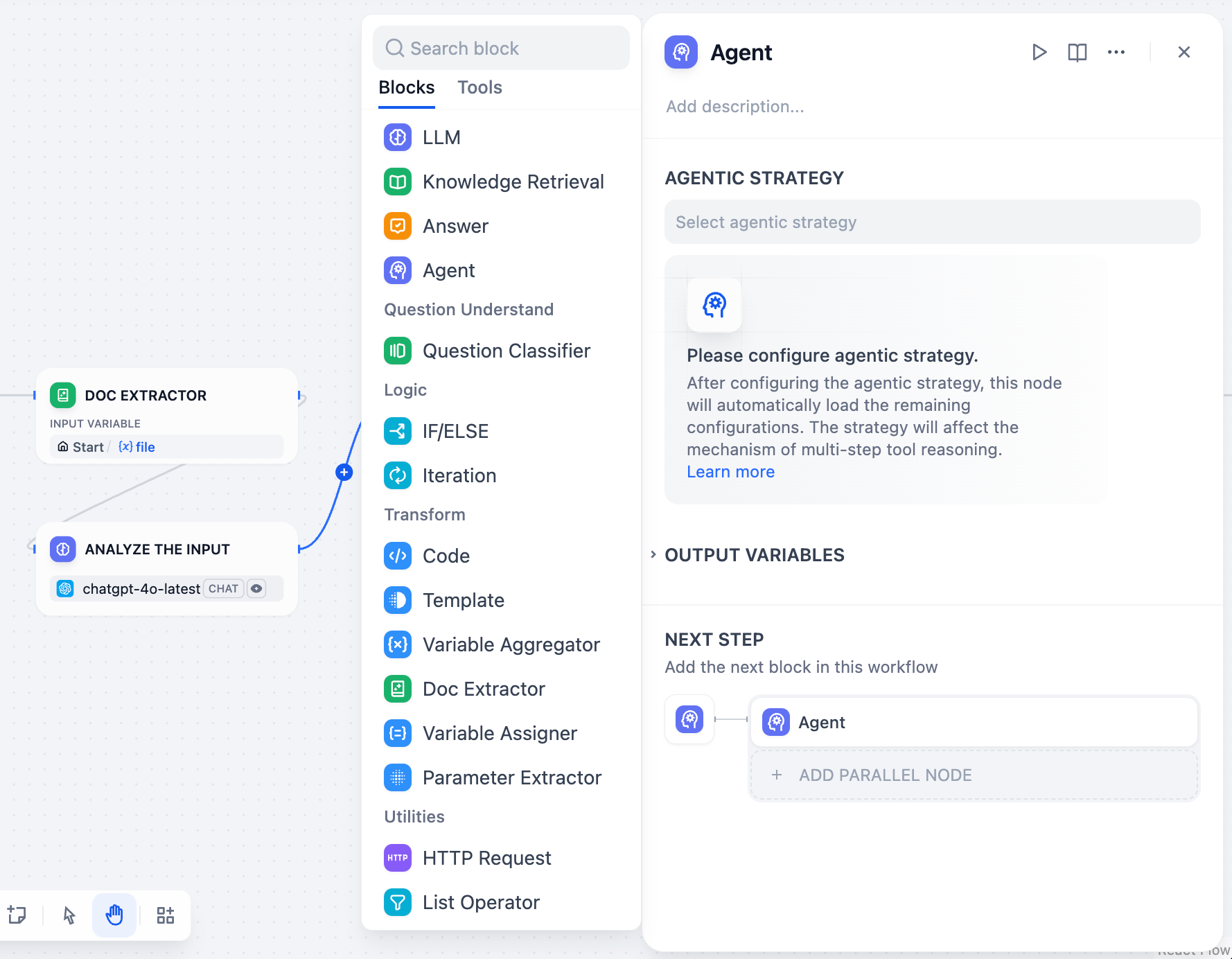
Dify is an open-source AI application development platform for building Agents, knowledge assistants, and more complex AI workflows. It covers the full lifecycle from application creation and debugging to publishing and ongoing runtime management, making it suitable for teams that want to develop multiple AI applications continuously within one platform.
Core AI Capabilities
- Agent and workflow building: Configure Agent models, instructions, tools, and knowledge bases through the visual interface, or use the canvas to orchestrate multi-step workflows with conditions, knowledge retrieval, tool calls, and human input.

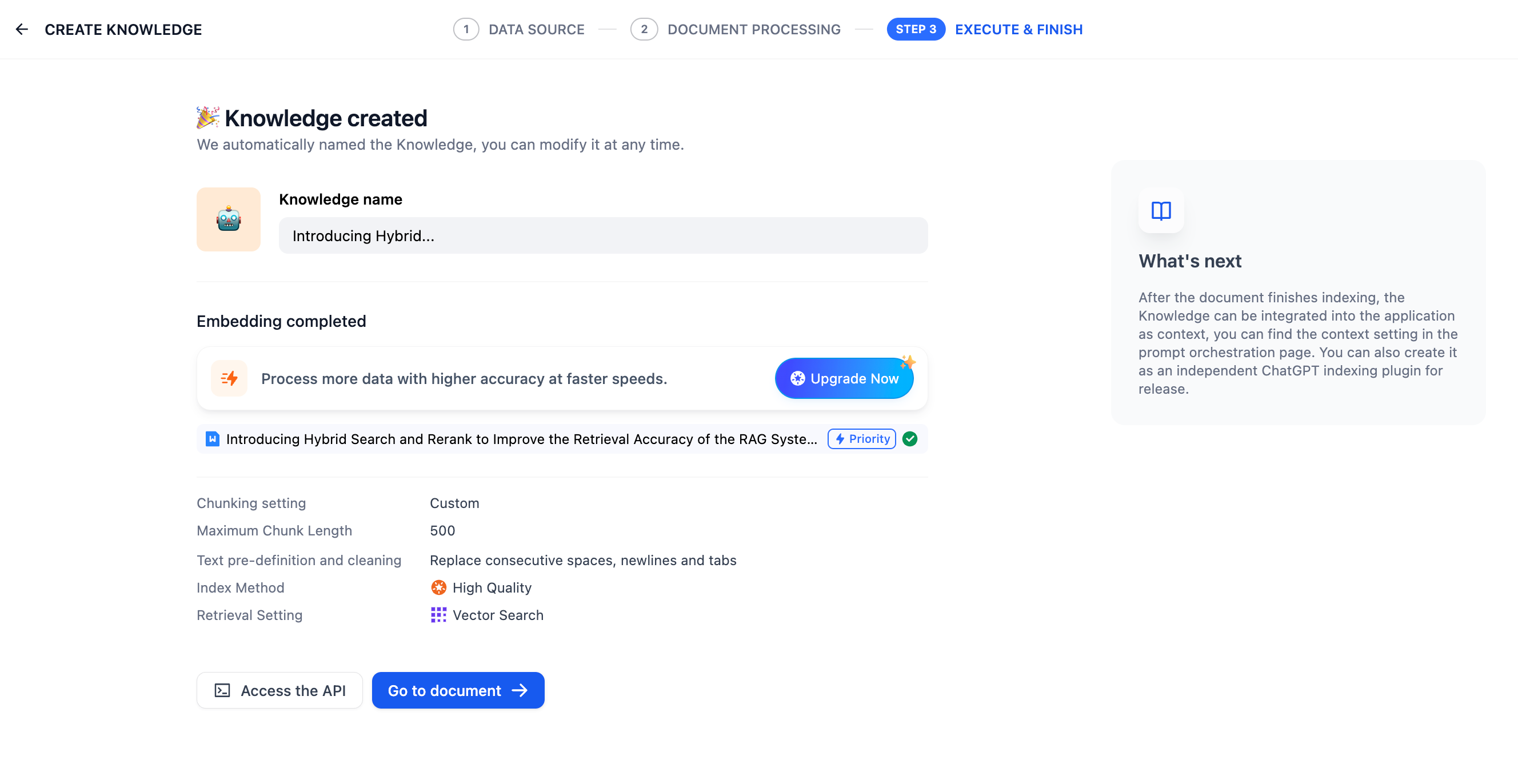
- RAG and knowledge processing: Build knowledge bases from PDF, PPT, and other documents, with content cleaning, chunking, indexing, and retrieval testing.
- Model and plugin extensions: Connect multiple model providers and add new tools, data sources, triggers, and Agent capabilities through plugins.
- Publishing and runtime management: Publish completed applications as web apps or APIs, while monitoring logs, feedback, latency, and usage.
Business Use Cases
- AI customer support and knowledge assistants: Combine enterprise knowledge bases and external tools to handle customer inquiries or internal employee knowledge searches.
- Business information processing: Connect extraction, classification, analysis, generation, and tool calls into complete workflows.
- Rapid AI application launch: Publish completed Agents or workflows as applications or APIs, then integrate them with existing products and business systems.
Selection Guidance
Dify is a good fit when a team has moved beyond experimenting with a single Agent and plans to keep building customer support, knowledge assistants, content-processing tools, and other AI applications. Business and product teams can complete most configuration visually, while developers can add plugins, APIs, and deeper integrations when needed. For small and midsize businesses or product teams that want to manage multiple AI projects on one platform, it can be easier than maintaining several separate tools.
3. Enterprise Knowledge and RAG Agents
8. MaxKB
Website: https://maxkb.cn/
GitHub: https://github.com/1Panel-dev/MaxKB
GitHub Stars: 22.6K
Related documentation
Official documentation: https://maxkb.cn/docs/v2/index.html
Product Overview
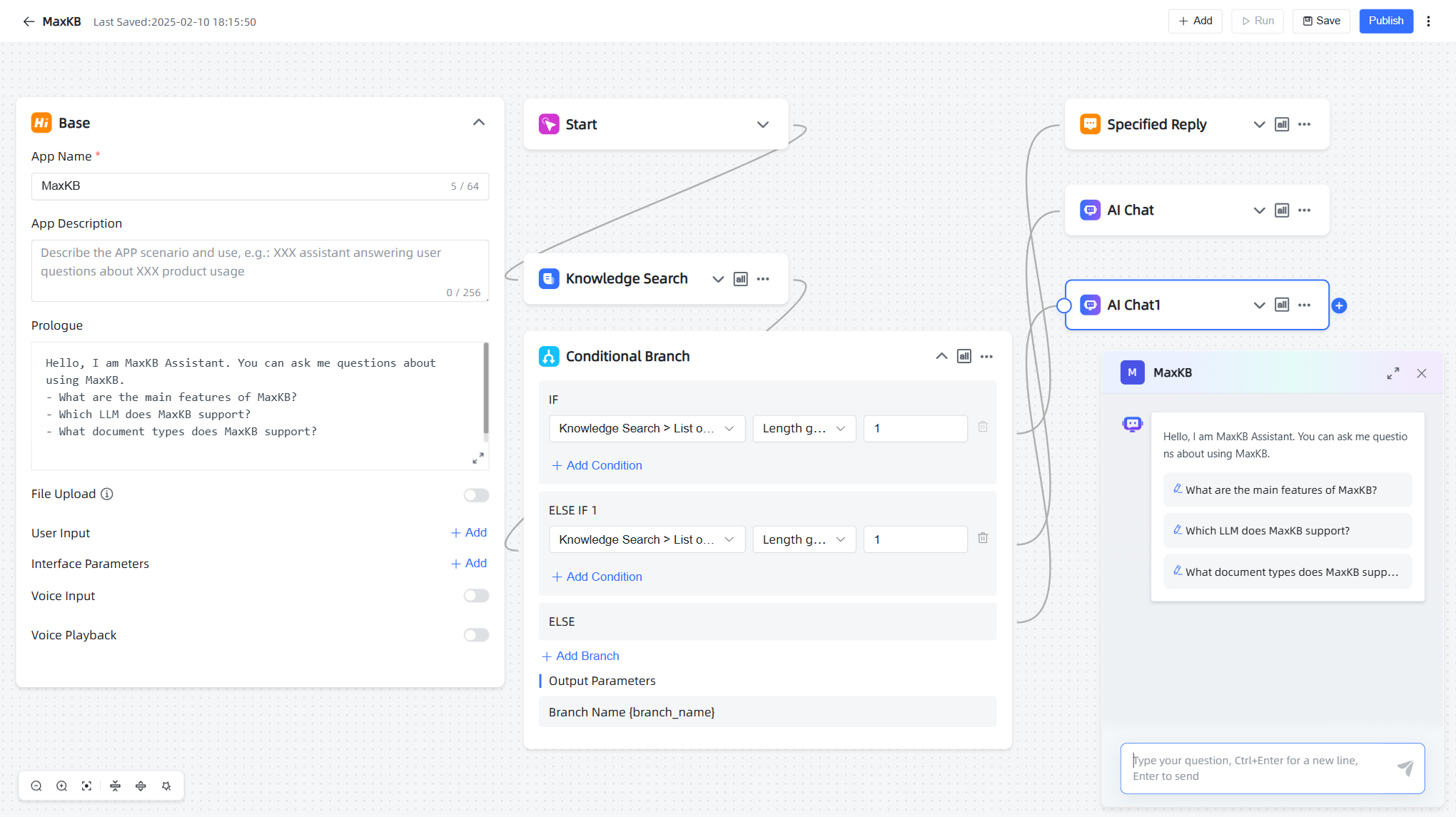
MaxKB is an open-source, self-hosted enterprise Agent platform that is well suited to starting with enterprise knowledge bases and knowledge Q&A. In addition to basic RAG, it provides visual workflows and tool-calling capabilities that can be extended into customer support, office assistants, and similar scenarios.
Core AI Capabilities
- Enterprise knowledge bases and RAG: Upload documents or crawl online content, then perform chunking, vectorization, and knowledge retrieval for internal materials and professional Q&A.
- Visual workflows and tool calling: Combine AI conversation, knowledge retrieval, conditions, forms, document extraction, and other nodes on a canvas. MCP services can also be connected so models can call external tools.
- Multiple models and local deployment: Connect public models such as OpenAI, Claude, Gemini, DeepSeek, and Qwen, as well as local models through Ollama, vLLM, and similar tools.
- Integration with existing systems: Completed Agents can be embedded into websites and internal applications through public links, embed code, or APIs.
Business Use Cases
- AI customer support: Connect product knowledge bases, FAQs, and business materials to an Agent for handling customer inquiries.
- Professional knowledge applications: Use industry materials for search, organization, and analysis in finance, education, research, and other specialized scenarios.
Selection Guidance
MaxKB is particularly suitable for teams that already have a large amount of enterprise documentation and knowledge material and want to build knowledge-focused AI Agents relatively quickly. Its visual workflows and knowledge-base capabilities have a relatively low entry barrier, while local deployment and local models make it a good fit for organizations with requirements around internal knowledge use, data control, and third-party system integration.
9. AnythingLLM
Website: https://anythingllm.com/
GitHub: https://github.com/Mintplex-Labs/anything-llm
GitHub Stars: 65.4K
Related documentation
Agent Flow: https://docs.anythingllm.com/agent-flows/overview
Product Overview
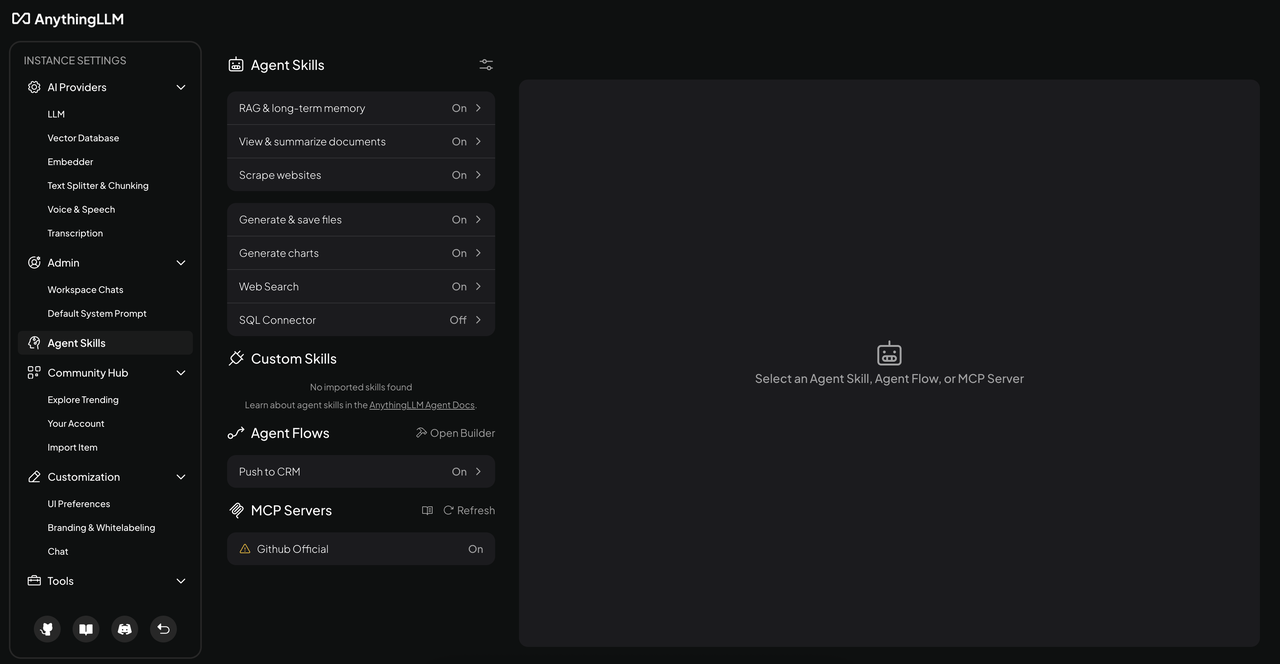
AnythingLLM is an open-source, local-first AI application mainly used to build AI assistants based on private documents and internal knowledge. It offers both desktop and self-hosted versions with a relatively complete graphical interface, so teams can start without first setting up a complex development environment.
Core AI Capabilities
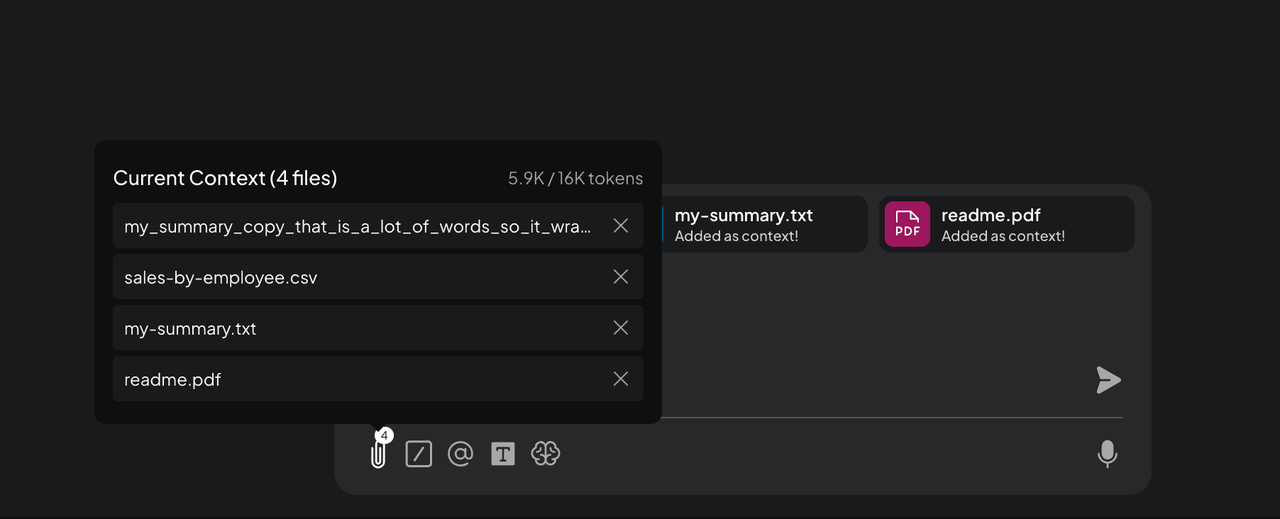
- Private documents and RAG: Add PDF, Word, text, and other files to separate workspaces so AI can answer questions based on selected content while preserving citations.
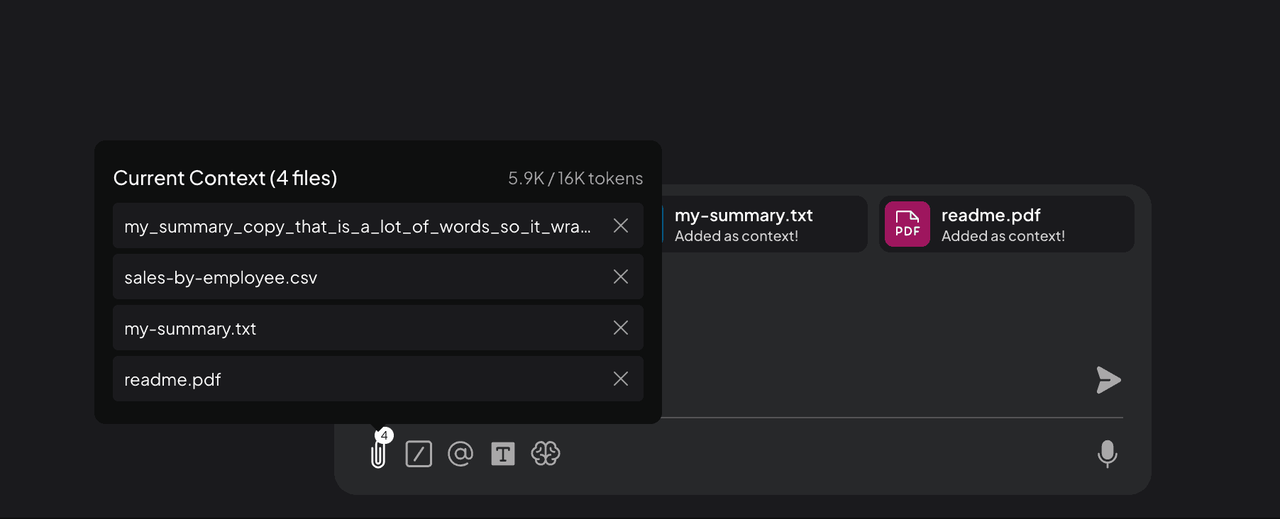
- Agent Flow: Visually combine web scraping, API calls, model instructions, file reading and writing, and other steps into repeatable processing flows.
- Multi-user and permissions: The self-hosted version supports multiple users and permission management, allowing teams to separate workspaces and knowledge access by user or group.
Business Use Cases
- Internal knowledge and document assistants: Answer questions, summarize information, and extract data from company policies, product materials, training documents, contracts, and reports.
- Research and document organization: Combine internal documents, web information, and tool calls to collect, organize, and analyze information.
Selection Guidance
AnythingLLM is better suited to individuals, small teams, or companies that want to pilot a private AI assistant within a department first. Even without dedicated AI developers, teams can start quickly with document Q&A and information organization. If the main goal is to let AI use internal knowledge securely rather than build complex business workflows, it is a lighter-weight option.
10. RAGFlow
Website: https://ragflow.io/
GitHub: https://github.com/infiniflow/ragflow
GitHub Stars: 89.7K
Related documentation
Agent guide: https://github.com/infiniflow/ragflow/tree/main/docs/guides/agent
Product Overview
RAGFlow is an open-source RAG and AI Agent platform focused on complex document processing and enterprise knowledge retrieval. Compared with simpler knowledge-Q&A tools, it is better suited to scenarios with complex document types, large knowledge volumes, and stronger requirements for retrieval accuracy and source traceability.
💡 Read more: How Can OpenClaw Be Used in Real Business? 5 Recommended Open-Source Tools
Core AI Capabilities
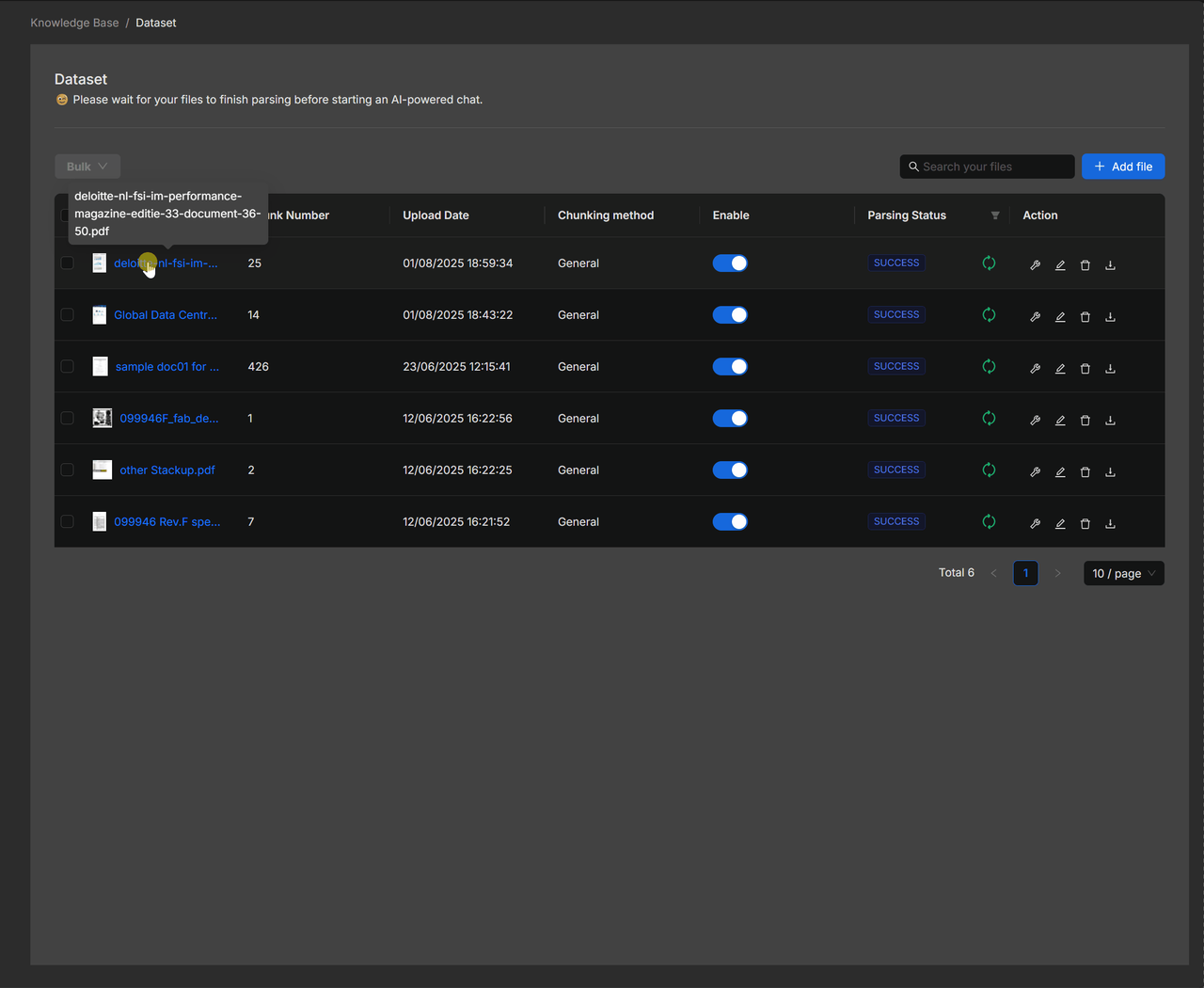
- Complex document understanding: Process PDF, Word, PPT, spreadsheets, images, and long documents, extracting information that can be used for retrieval and analysis.
- High-accuracy RAG: Combine vector retrieval, keyword search, reranking, and metadata filtering to improve retrieval accuracy and traceability.
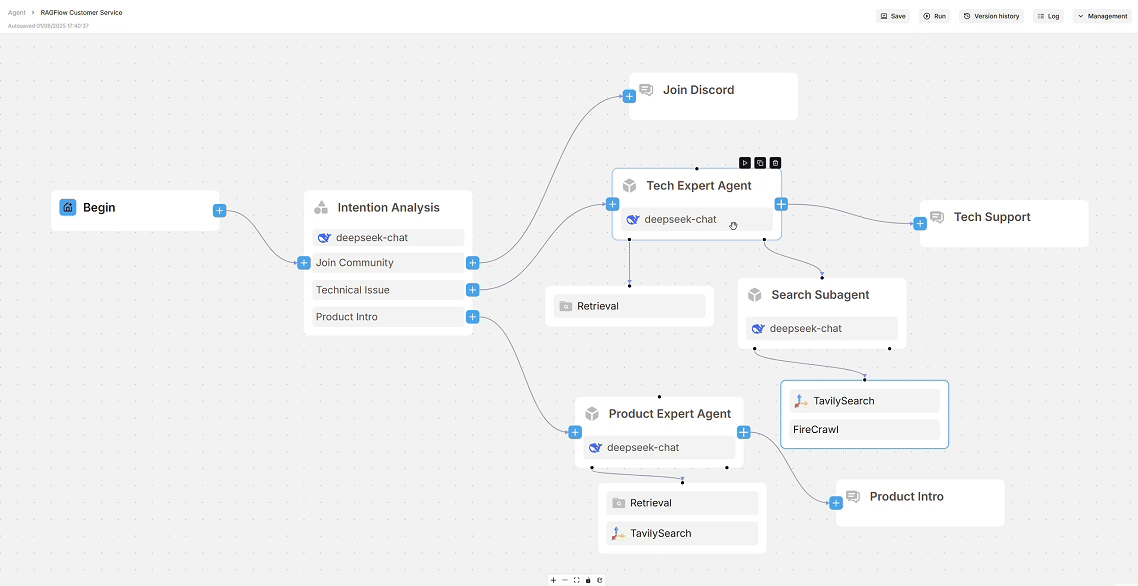
- Agent workflows: Use a visual canvas to combine retrieval, models, conditions, loops, classification, and other steps. More complex patterns such as multi-Agent workflows, planning, and reflection are also supported.
- Tools and data-source integration: Agents can call external tools and support MCP. Enterprise knowledge can also be synchronized from Confluence, S3, Notion, Google Drive, and other sources.
Business Use Cases
- Complex enterprise knowledge bases: Build a unified knowledge retrieval system across large collections of policies, technical manuals, reports, and professional materials.
- Legal and compliance analysis: Retrieve supporting evidence from regulations, contracts, cases, and internal materials, then generate analysis with sources.
- Research and decision support: Combine internal data and external materials so Agents can retrieve, analyze, and generate reports.
Selection Guidance
RAGFlow is suitable for teams with large knowledge volumes, complex documents, and some technical resources. In legal, manufacturing, technical support, research, and similar settings, it has stronger advantages when materials contain many long documents, tables, images, or specialized content and when retrieval accuracy and source evidence matter significantly.
Conclusion
Many AI Agent products are beginning to overlap in functionality. Visual workflows, knowledge bases, MCP, and tool calling are now available on more and more platforms. In practice, teams need to consider whether these capabilities can fit smoothly into existing work and how much additional operational and maintenance overhead they will introduce.
Hopefully, this article helps narrow down the options. Feel free to share it with friends or teams that are also looking for AI Agent tools.
If you want to build similar enterprise applications with AI and NocoBase, these complete examples may be useful:
👉 Build a CRM with AI + NocoBase
👉 Build an Enterprise IT Operations System with AI + NocoBase
Related reading:
- How to Build a Production-Ready Ticketing System with AI
- Building an Inventory Management System: Vibe Coding vs NocoBase + AI
- How to Build a Production-Ready IT Operations System with AI and NocoBase
- NocoBase vs Baserow: Flexible Databases vs Enterprise Systems
- How to Build a Production-Ready CRM with AI and NocoBase
- How to Design an IT Asset Management System: Data Model, Lifecycle, and Workflows
- How to Choose a Smartsheet Alternative: 7 Tools Compared
- 5 Open-Source AI No-Code Tools for Complex Relational Data Models
- What Is AI No-Code? A Practical Guide to No-Code Platforms in the AI Era
- 9 Open-Source AI No-Code Tools on GitHub Worth Watching
- 14 Open Source AI Agent Tools with the Most GitHub Stars
- Top 8 Open Source AI Assistant Tools by GitHub Stars
- 6 Open Source Tools to Use with WorkBuddy