

TL;DR
AI can build a CRM that is genuinely ready for production. With NocoBase providing the enterprise application foundations—data models, role-based permissions, security auditing, workflows, and more—AI can build a CRM from business requirements and then continue adding automation and AI Employees so the team can use it reliably in real operations over the long term.
Background
A recent Reddit discussion raised an interesting question: now that AI development tools are so capable, do teams still need to buy Salesforce or HubSpot, or can they simply Vibe Code an internal CRM?
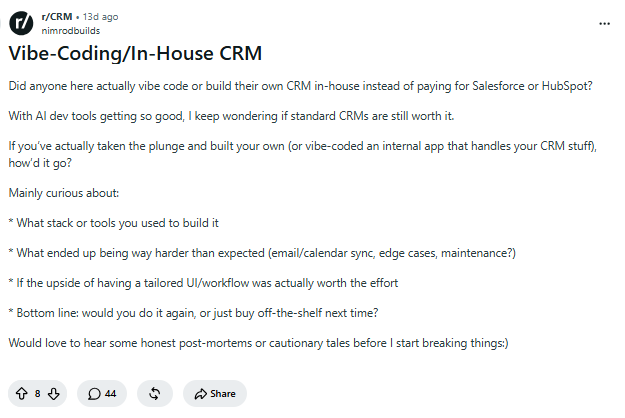
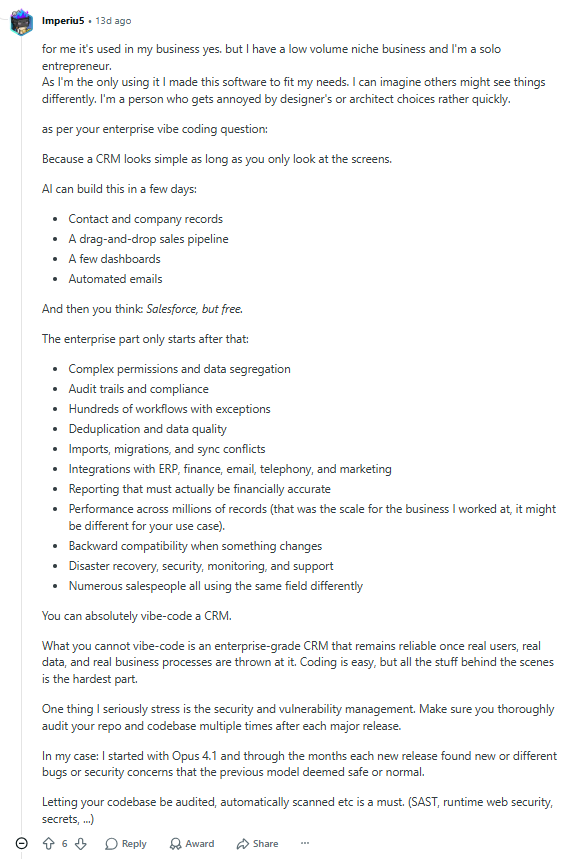
One user who had actually built a CRM this way noted that AI can quickly create basic features such as customer management and dashboards. But once the system needs to support a real team over time, issues such as permissions, data isolation, security, and ongoing maintenance still have to be solved.
He made the point that you can absolutely Vibe Code a CRM, but you cannot simply Vibe Code an enterprise CRM that remains reliable once it is exposed to real users, real data, and real business processes. Coding is the easy part; everything behind it is harder.
💬 Hey, you’re reading the NocoBase blog. NocoBase is the most extensible AI-powered no-code/low-code development platform for building enterprise applications, internal tools, and all kinds of systems. It’s fully self-hosted, plugin-based, and developer-friendly. → Explore NocoBase on GitHub
AI can build the basic framework of a CRM very quickly, but there is still a gap between that and a system that is truly ready for enterprise use.
Today, however, there is another approach. Instead of asking AI to recreate enterprise application fundamentals from scratch—permissions, security, auditing, data models, and so on—we can give it an application foundation that already provides those capabilities, then let AI focus on building and iterating the actual business system.
In this guide, we will show how to combine AI with NocoBase’s enterprise application capabilities to build a production-ready CRM from natural-language requirements in about an hour.
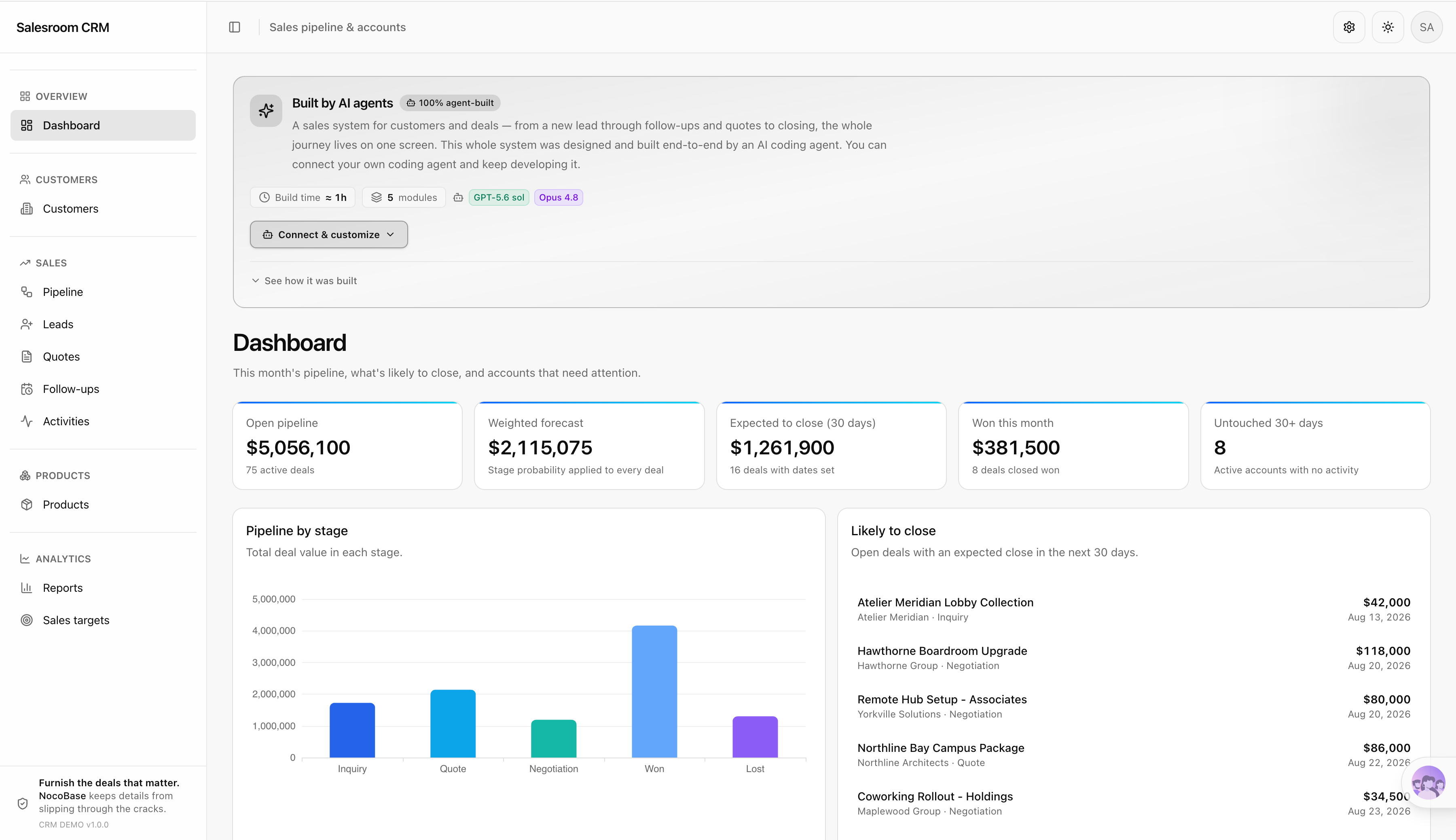
🚀 You can also try applications built with NocoBase + AI online and see what AI-assisted application building looks like in practice: https://demo.nocobase.com/new
All screenshots in this article come from the NocoBase online demo. The entire system, from design to implementation, was completed by an AI Coding Agent.
1. Start with Real Business Requirements
This article uses a small B2B office furniture company as the example.
The company mainly supplies office furniture and commercial-space solutions to businesses, design firms, architecture studios, hotels, coworking spaces, and educational institutions. A small sales team handles customer acquisition, project follow-up, quotations, and deal closing.

A typical project might begin when a design firm requests an office renovation. A salesperson needs to create the company account and contacts, open an opportunity, continuously record meetings and email communication, select products such as conference tables, office chairs, workstations, and acoustic partitions based on the project requirements, generate a quotation, and then move the deal through several rounds of communication and negotiation until it closes.
The main sales process is:
Lead → Company account → Opportunity → Quotation → Ongoing follow-up → Closed deal
For this sales team, the CRM needs to manage company accounts and contacts, leads, opportunities, products and quotations, communication records, and follow-up tasks in one place. It should also support sales dashboards, team permissions, business automation, and AI-assisted work.
Describe the Business in Natural Language
Describe the company’s business, customer types, team roles, and sales process directly to AI. The key is to explain what the company sells, which customers it serves, how salespeople develop accounts and move projects forward, how a project progresses from initial contact to closing, and what data and daily work the CRM needs to manage. You can also include team roles, sales rules that should run automatically, and the work you want AI Employees to handle so AI first understands the team and business the CRM is supposed to support.
NocoBase can connect to different large language models for application building, including GPT, Opus, Qwen, and DeepSeek. Different models may vary in how they understand requirements, how quickly they generate results, and how the final application is presented, so you can choose based on actual results and your own preferences.
Which model should you choose? NocoBase model comparison: https://docs.nocobase.com/ai-builder/ai-portal/model-selection/
You can give the business requirements to AI like this:
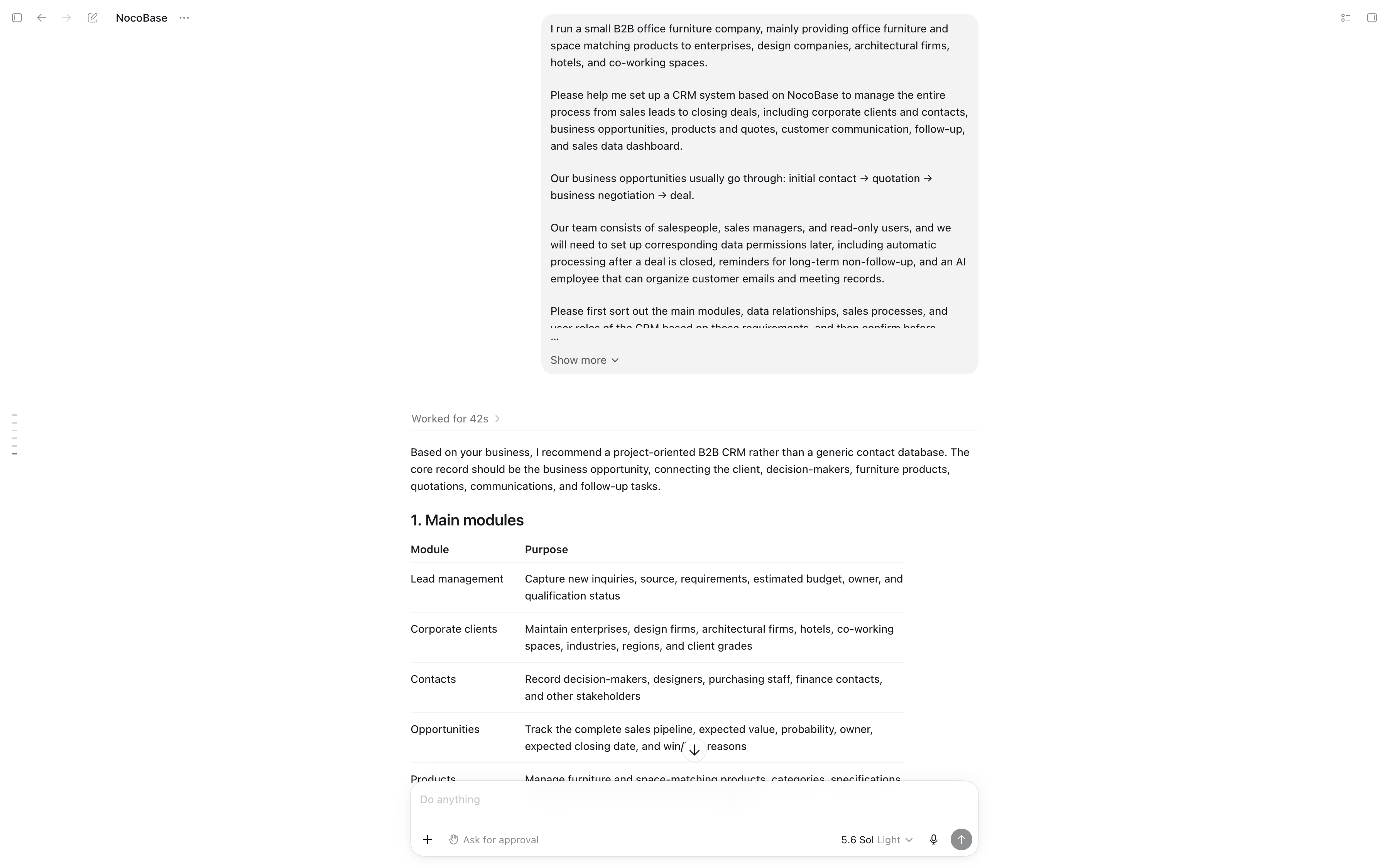
I run a small B2B office furniture company. We mainly provide office furniture and commercial-space solutions to businesses, design firms, architecture studios, hotels, and coworking spaces.

Please use NocoBase to help me build a CRM that manages the full sales process from lead to closed deal, including company accounts and contacts, opportunities, products and quotations, customer communications, follow-up activities, and sales dashboards.

Our opportunities usually move through these stages:
Initial contact → Quotation → Business negotiation → Closed deal.

The team includes sales representatives, sales managers, and read-only users. We will also need corresponding data permissions, post-deal automation, reminders for opportunities that have not been followed up for a long time, and AI Employees that can organize customer emails and meeting notes.

First, summarize the CRM's main modules, data relationships, sales process, and user roles based on these requirements. After I confirm the design, begin building it in NocoBase.
Permissions, automation, and AI Employees do not all need to be configured in one pass. First confirm that AI correctly understands the core business objects—accounts, contacts, opportunities, products, and quotations—then continue improving the existing CRM.
Confirm AI’s Understanding of the Business
Before building, ask AI to produce a concise CRM structure based on the requirements. Confirm that it includes accounts and contacts, leads, opportunities, products and quotations, communications and follow-ups, sales dashboards, user roles, and business rules.
Also verify that the main data relationships and sales stages are correct. For example, one company account can have multiple contacts, opportunities, and communication records, while each quotation should be linked to the customer, the opportunity, and the specific products being quoted.
Use the following sales stages consistently:
Initial contact → Quotation → Business negotiation → Closed deal
Once AI clearly understands the business, let it start building the CRM from this design.
2. Let AI Build the CRM, Then Check the Core Business Logic
After the CRM is generated, first verify the basic business relationships instead of immediately adding permissions, automation, or more pages. Focus on whether accounts, contacts, opportunities, products, quotations, and communication records are correctly connected and whether the full process matches how sales actually works.
Check Accounts and Contacts
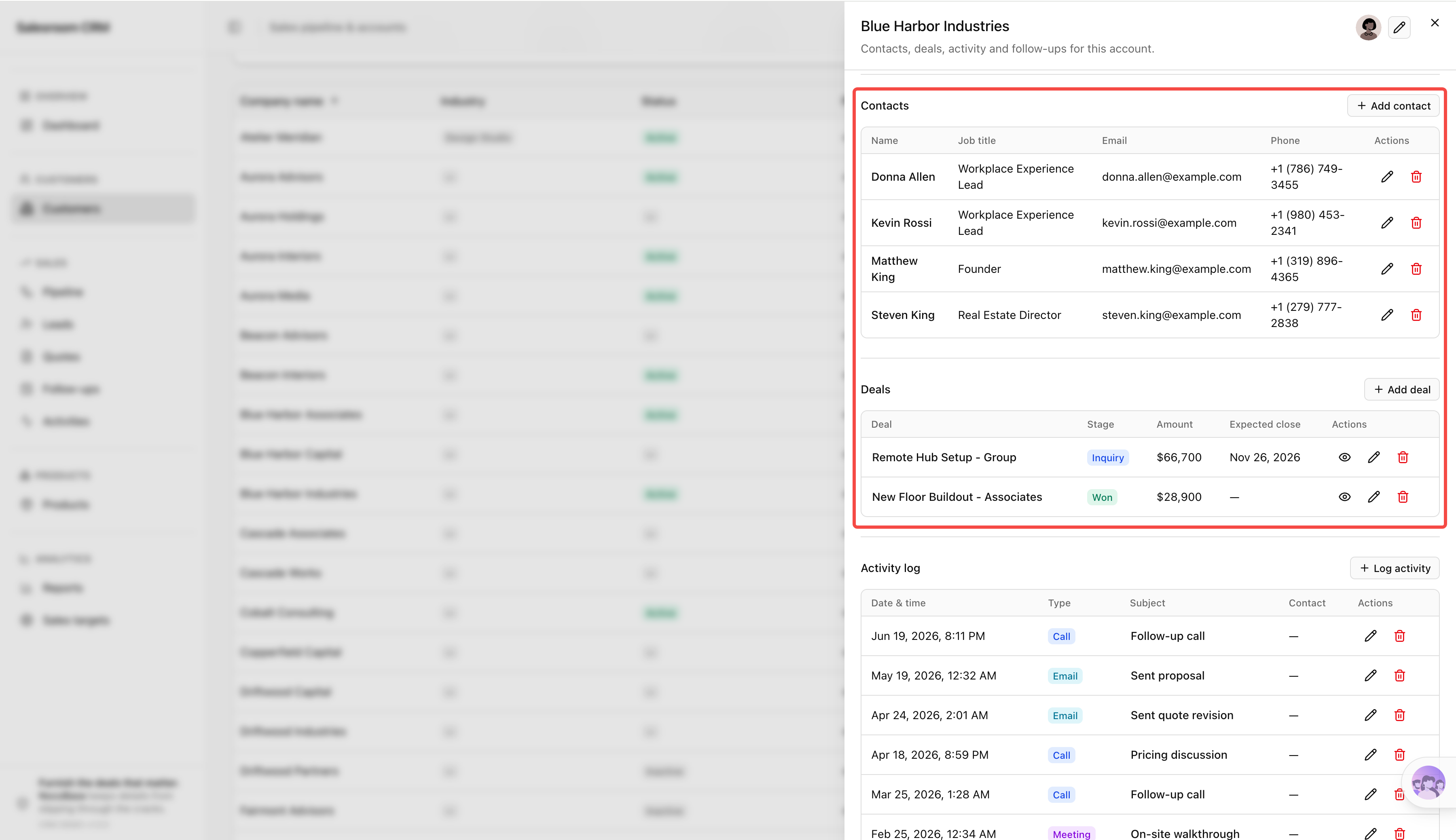
Each company account should centrally connect company information, contacts, account owner, related opportunities, communication records, and follow-up items.
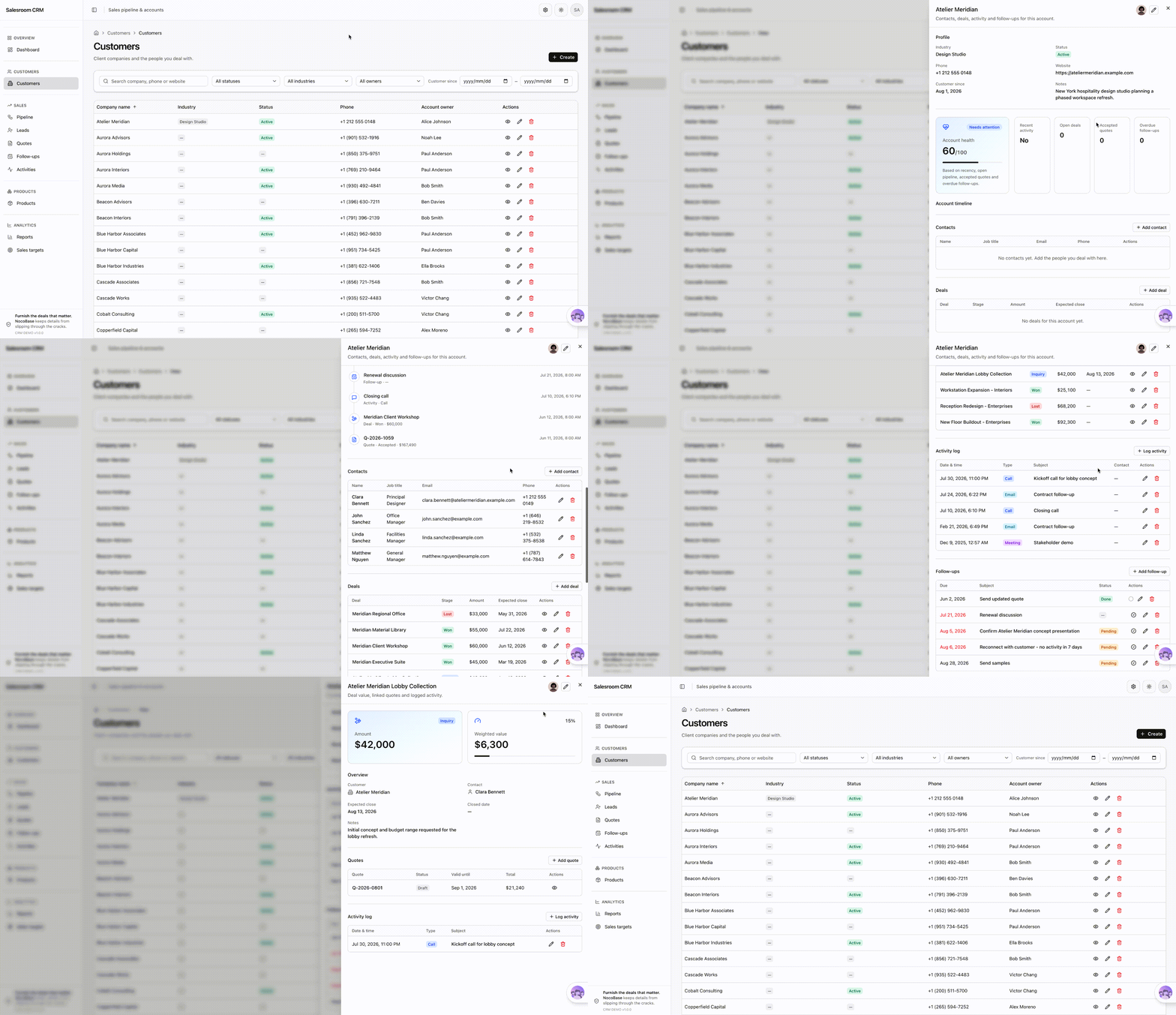
When a salesperson opens an account detail page, they should be able to immediately see who the contacts are, which projects are currently active, what the latest communication was, and what needs to happen next.
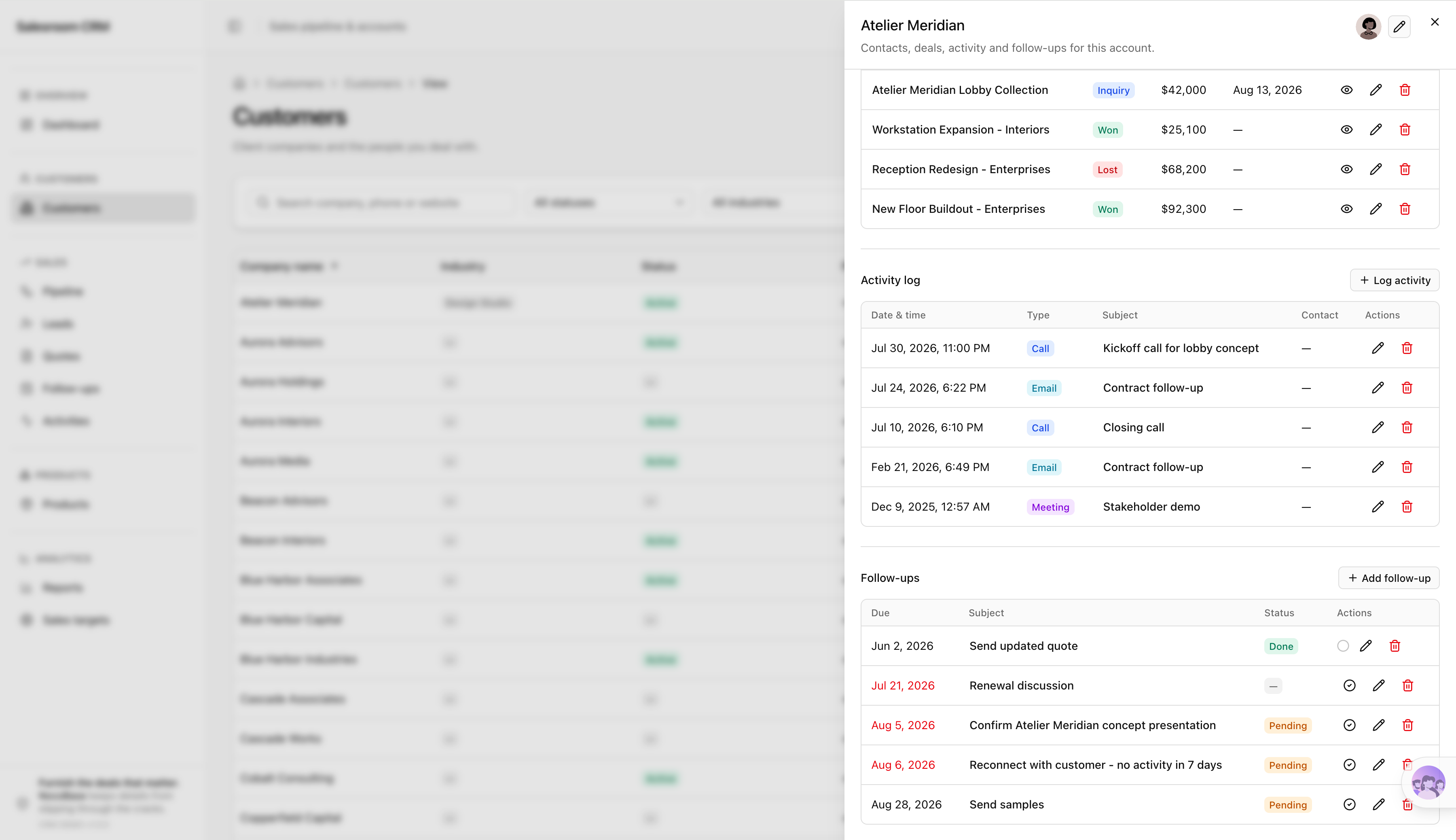
Also check that one customer can be linked to multiple contacts, opportunities, and communication records instead of having this information generated as unrelated standalone pages.
Check Opportunity Progression
All active projects should be managed through opportunities and progress through these stages:
Initial contact → Quotation → Business negotiation → Closed deal
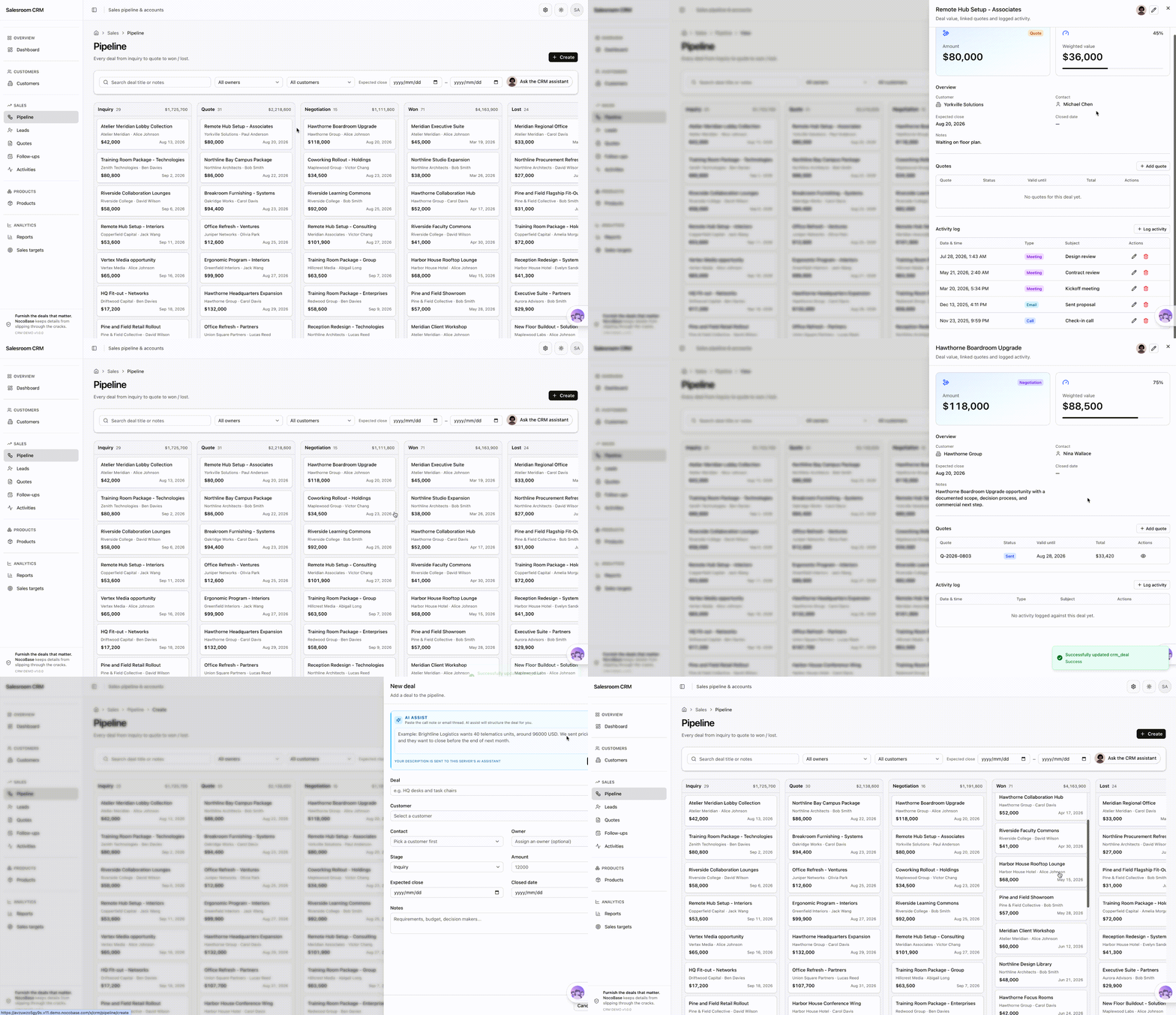
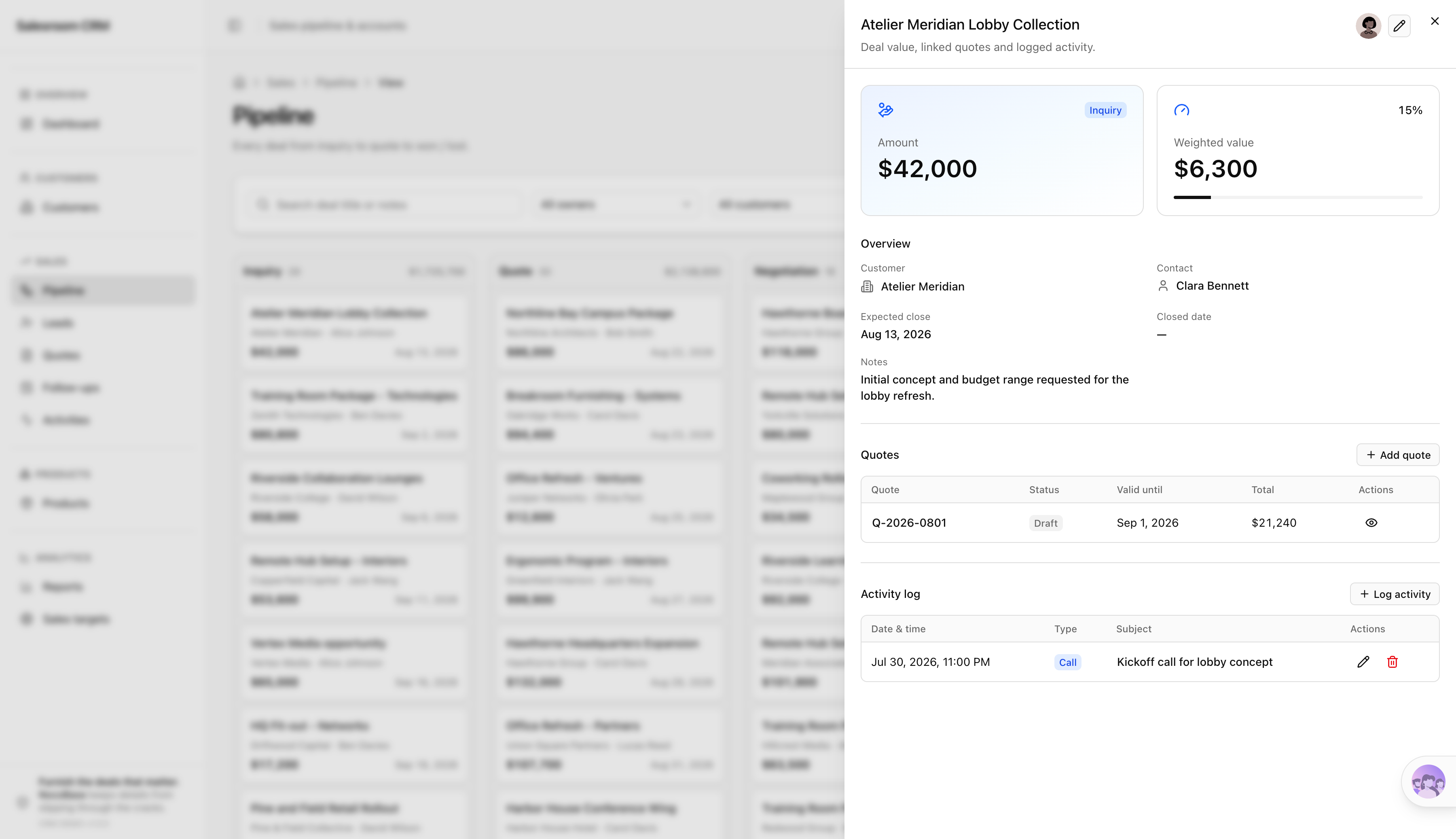
Each opportunity should record the associated customer, opportunity owner, expected value, expected close date, and current stage, and users should be able to view and update opportunities from a pipeline board.
Check Products and Quotations
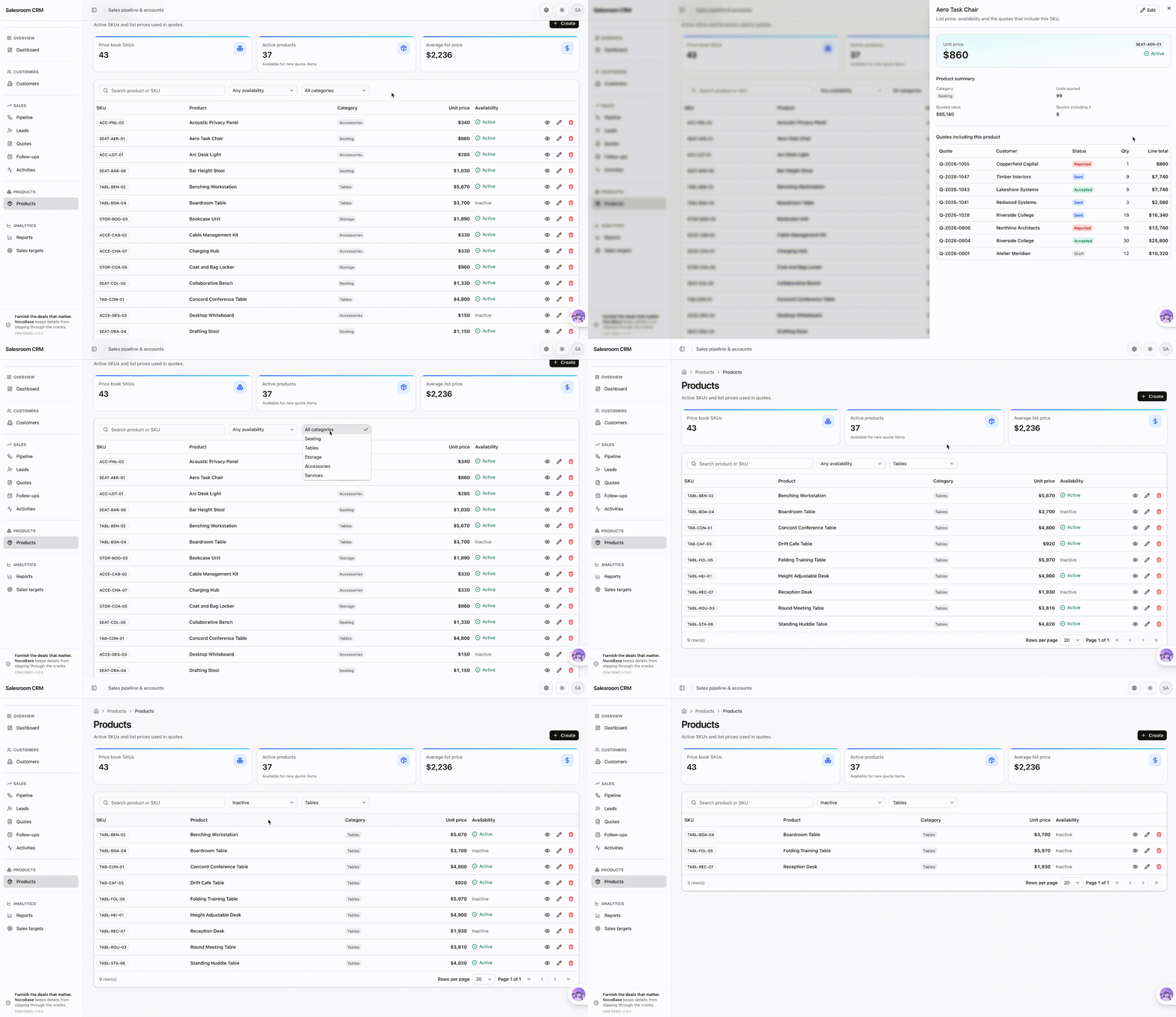
The product catalog should centrally maintain product code, product name, category, sales price, and availability status.
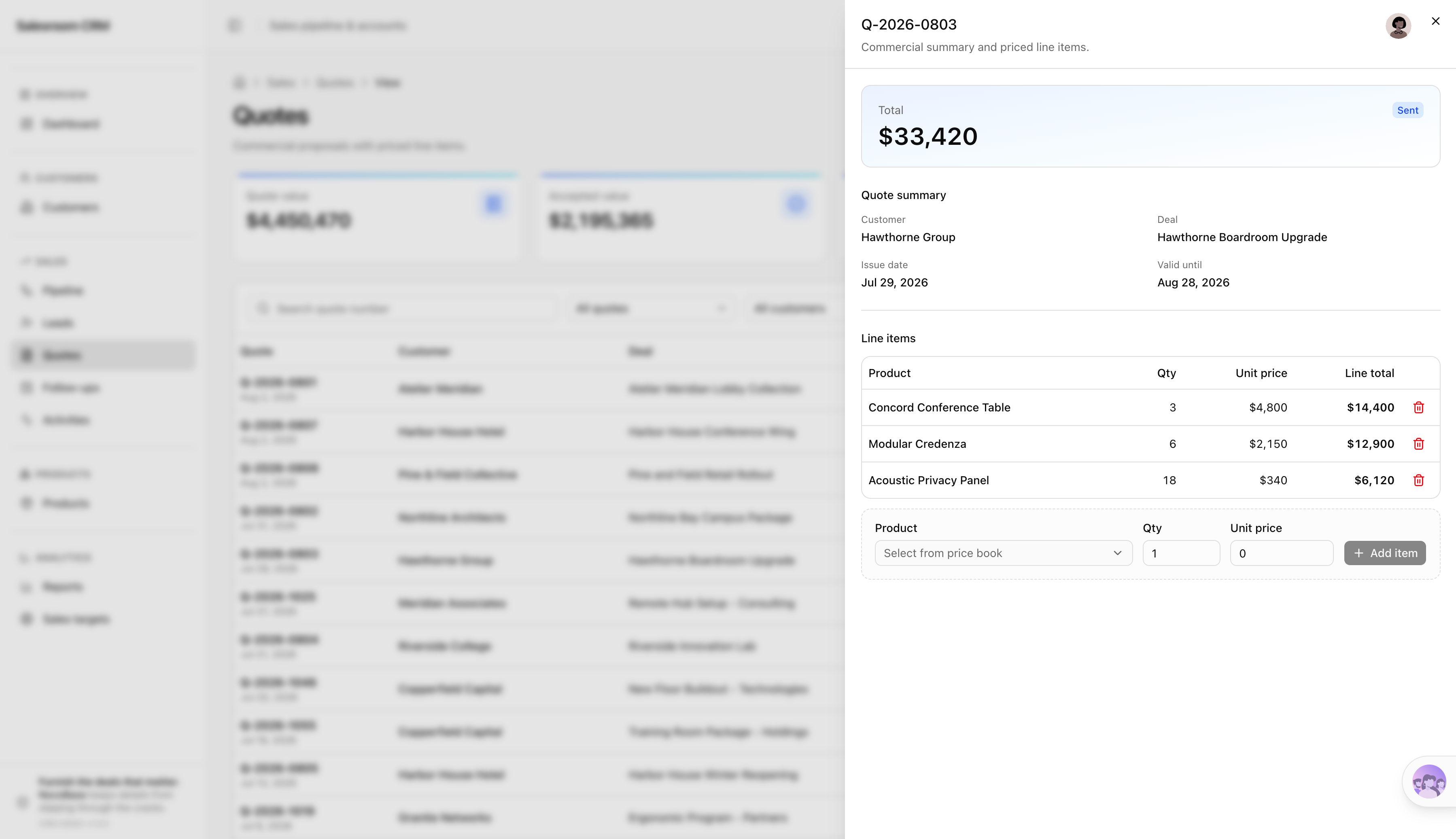
A quotation should be linked to the company account, the specific opportunity, quoted products, quotation amount, validity period, and current status, so salespeople can open quotations from an opportunity and also view related quotations from the customer detail page.
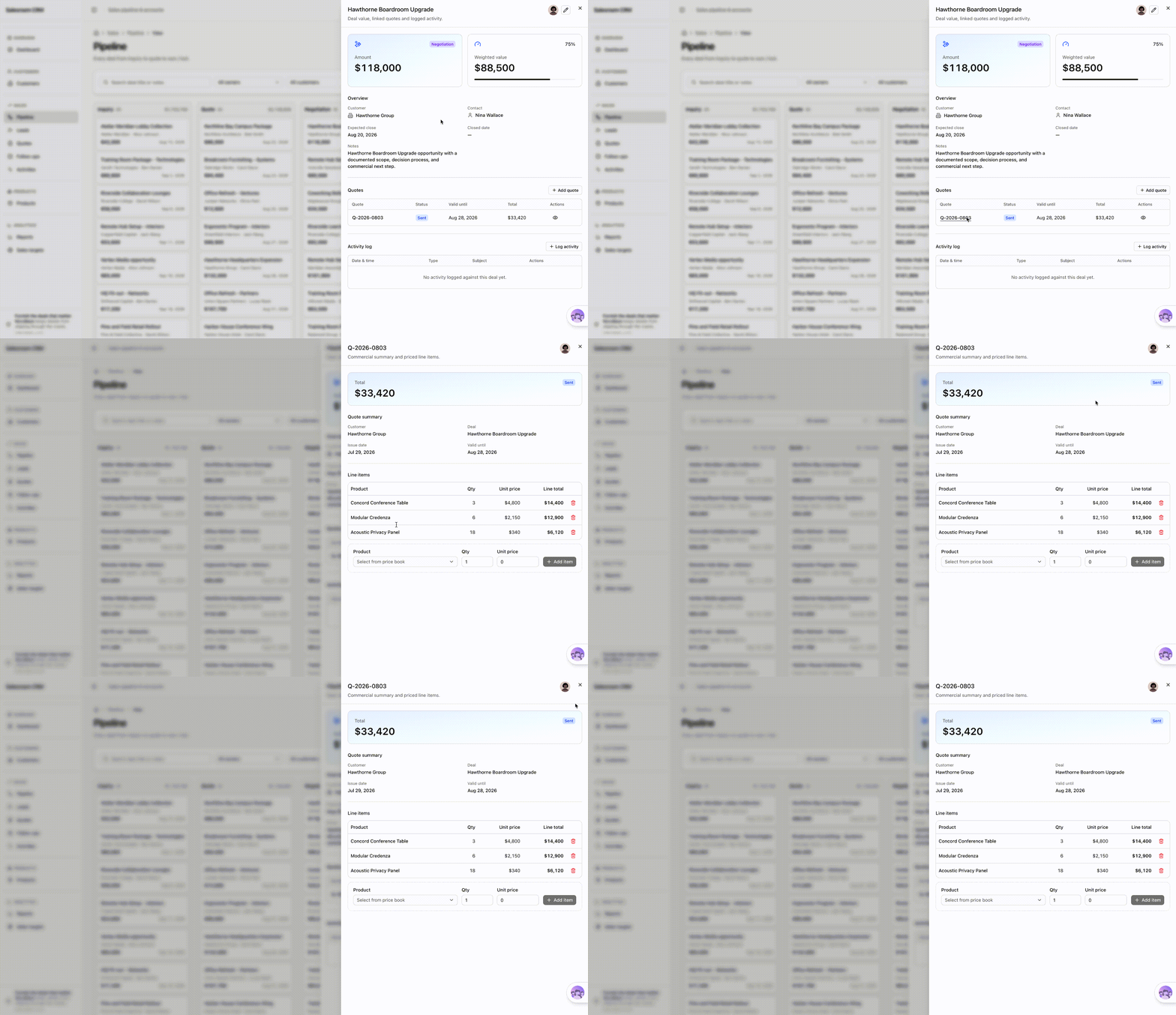
If the relationships between customers, opportunities, products, and quotations do not match the real business, describe the specific issue directly to AI and have it adjust the existing CRM. Once the core business is correct, continue adding the capabilities needed for team use.
For guidance on collaborating more effectively with an AI Agent during application building, see: https://docs.nocobase.com/ai-builder/ai-portal/agent-workflow
3. Turn the Basic CRM into a System the Team Can Actually Use
Once the core workflows around customers, opportunities, and quotations work correctly, continue giving AI the team’s roles and sales rules. AI can then add permissions and automation to the existing CRM so it supports collaboration and daily operations.
Configure Permissions Around Team Responsibilities
First tell AI which roles exist and what each role is allowed to view and do:
Sales representatives can only view and manage the customers, opportunities, and follow-up items assigned to them; sales managers can view the entire team’s data, reassign owners, and review sales progress; read-only users can view relevant information but cannot create, edit, or delete business data.
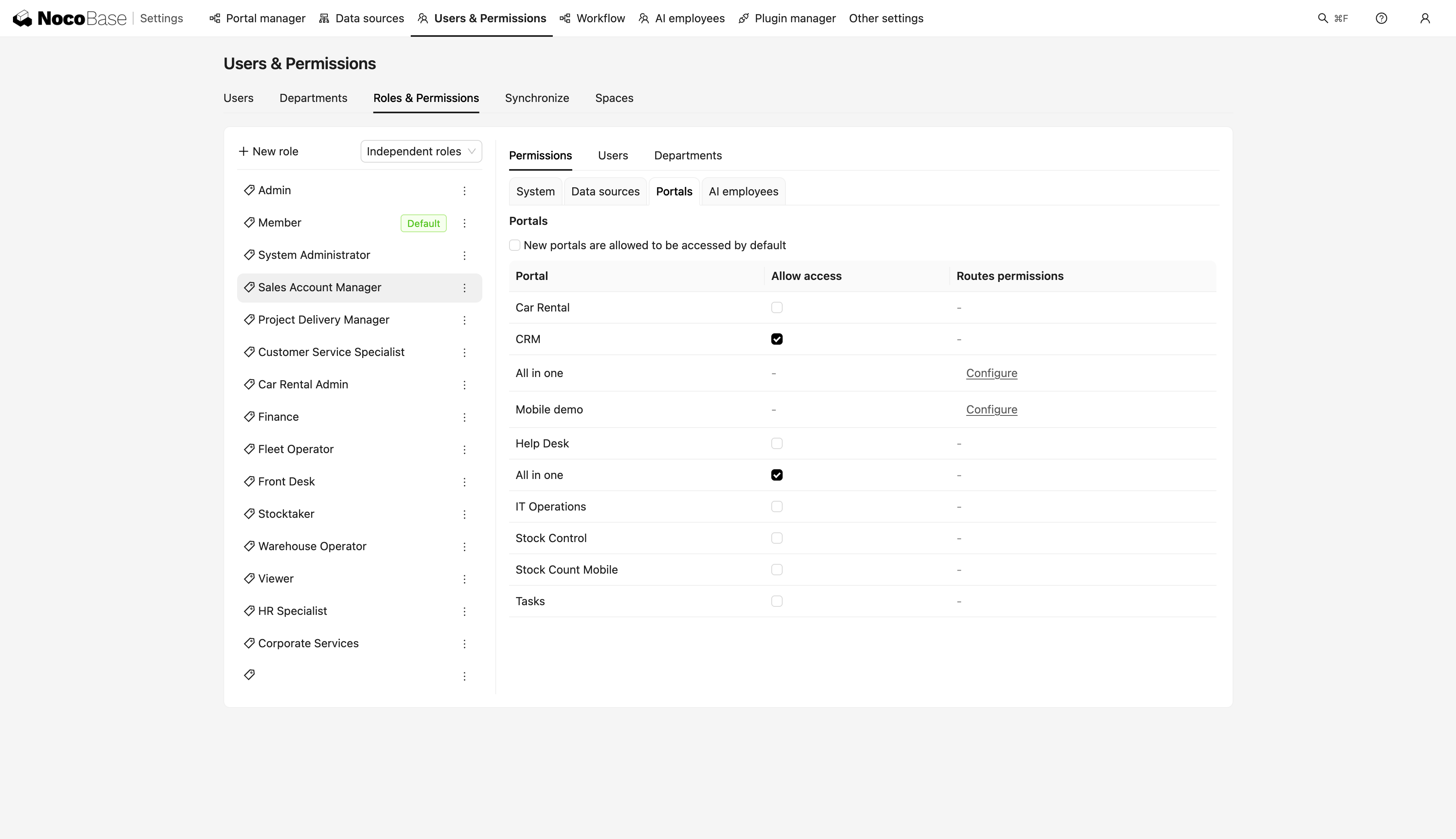
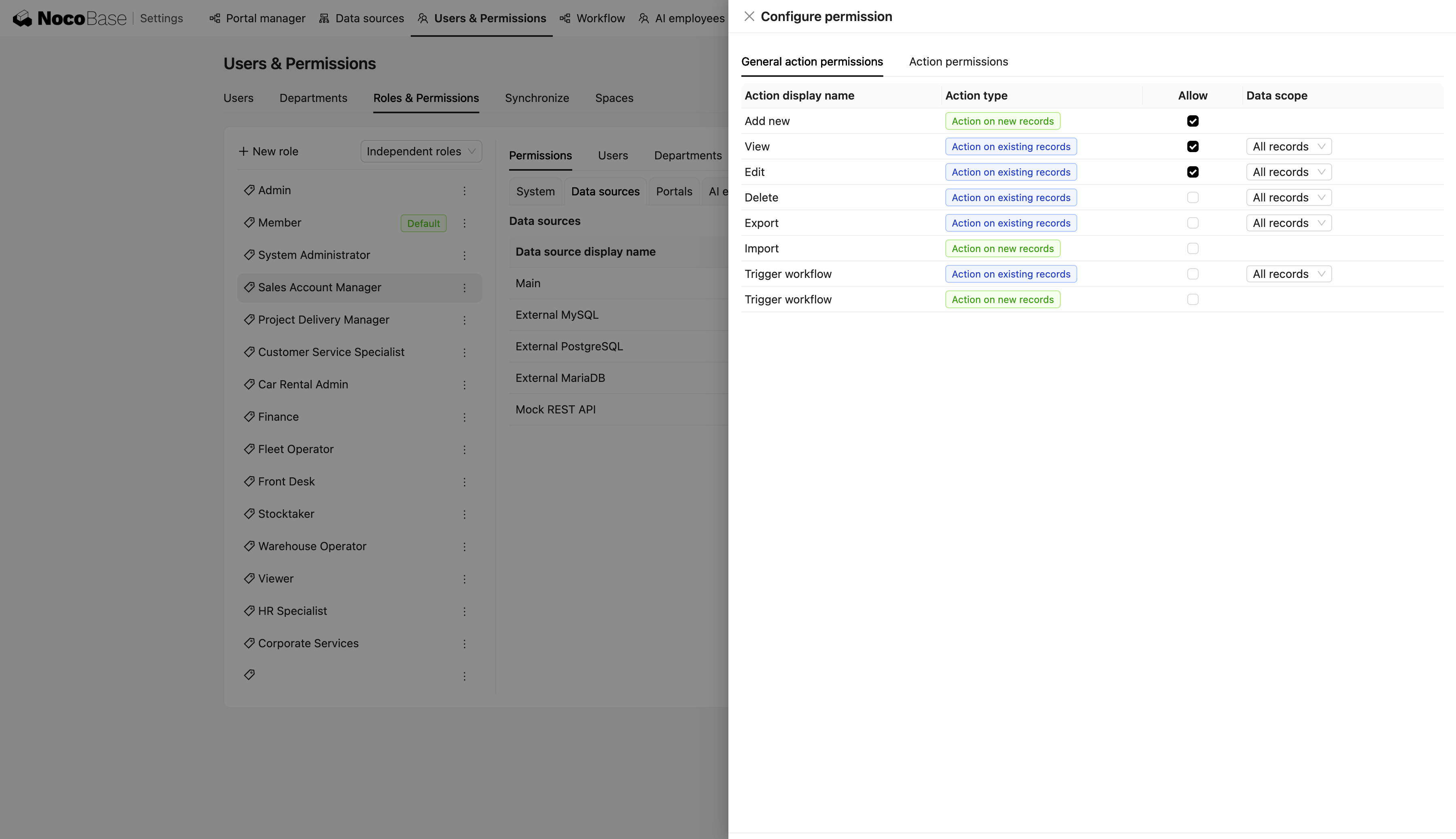
AI can create these roles directly in the existing CRM and configure data scopes and operation permissions. After configuration, enter the system as each role and confirm that the visible data and available actions match the actual division of responsibilities. If the permission scope is inaccurate, tell AI which role, data, or operation needs adjustment, or modify the permissions directly in the interface.
Turn Repetitive Sales Rules into Workflows
Repeated business actions in the sales process can also be expressed as clear trigger conditions and expected outcomes, then handed to AI to configure as automation in the existing CRM.
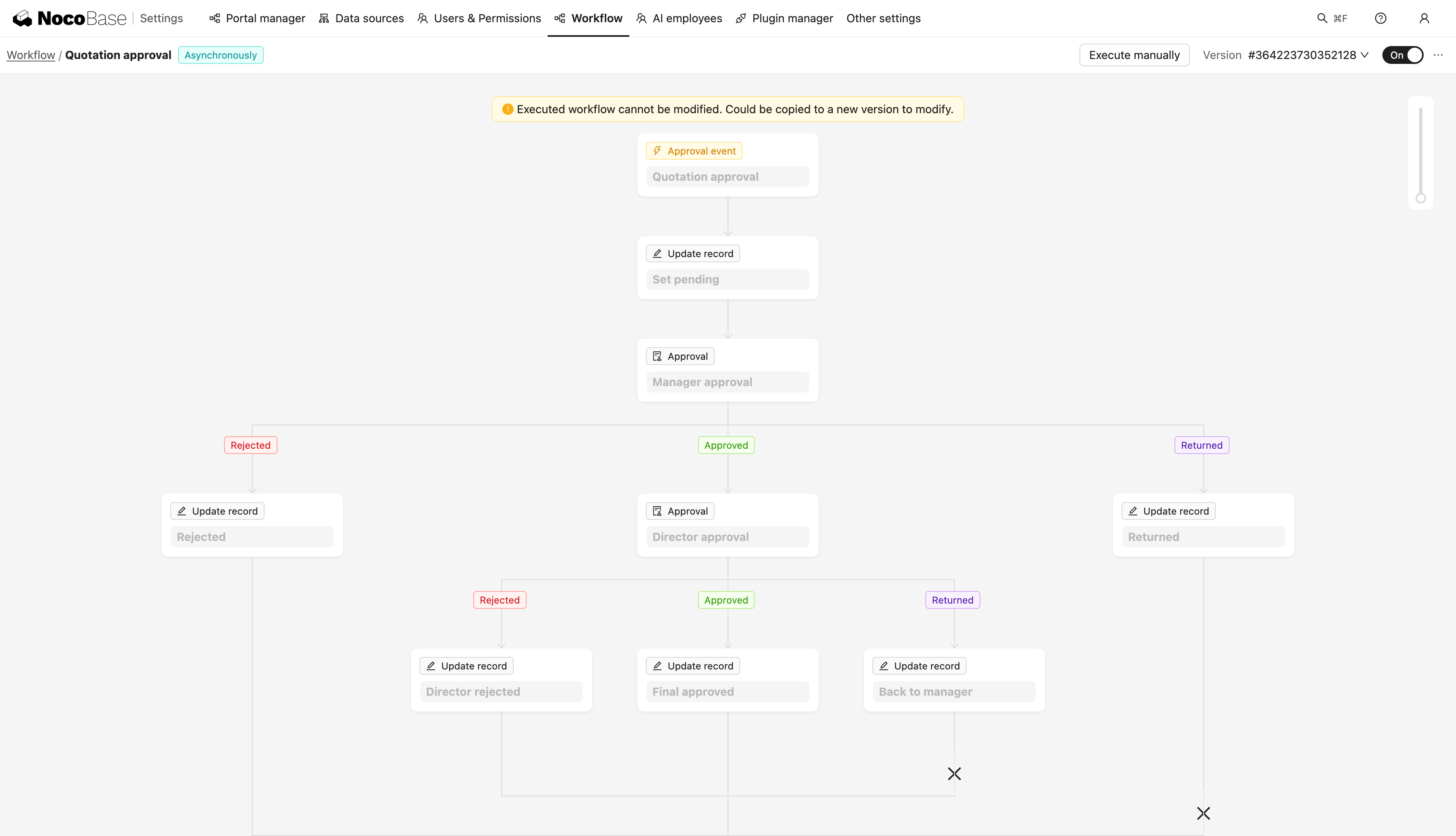
For example, when an opportunity reaches the Closed stage, the system can automatically update the customer status, create follow-up tasks, and assign them to the appropriate owner. If an opportunity has no new communication record for seven consecutive days, the system can automatically remind the salesperson to follow up.
After the rules are configured, test real scenarios by changing opportunity stages or simulating a long period without follow-up. Confirm that the automation triggers as expected and correctly updates data, creates tasks, or sends reminders.
Configure AI Employees for Sales Work
You can also configure AI Employees for sales scenarios and let them participate directly in everyday work.
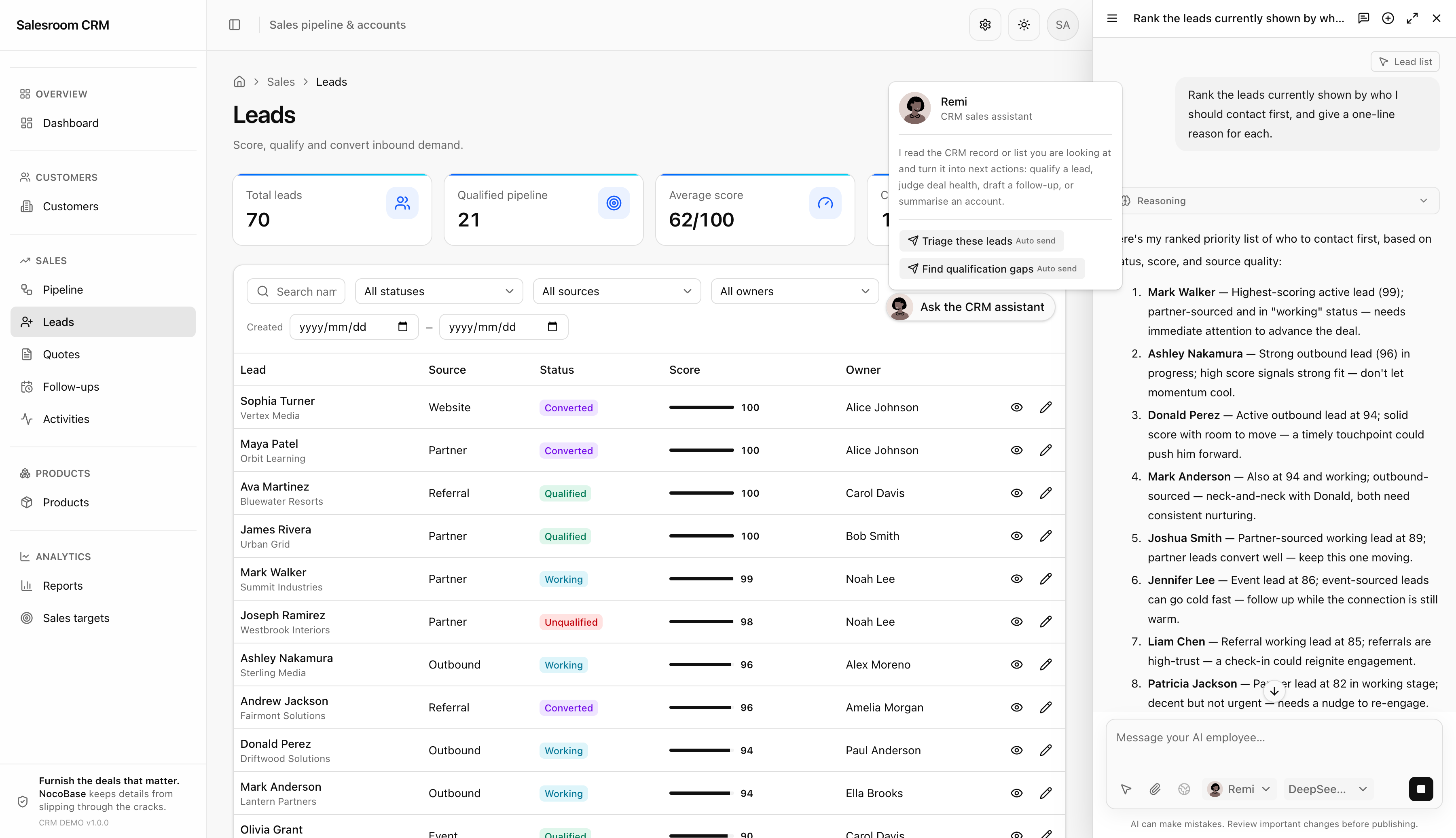
For example, after a customer meeting, a salesperson can give the meeting notes or customer email to an AI Employee. The AI Employee can organize the communication, extract key points and next actions, generate a customer activity record, and provide follow-up suggestions.
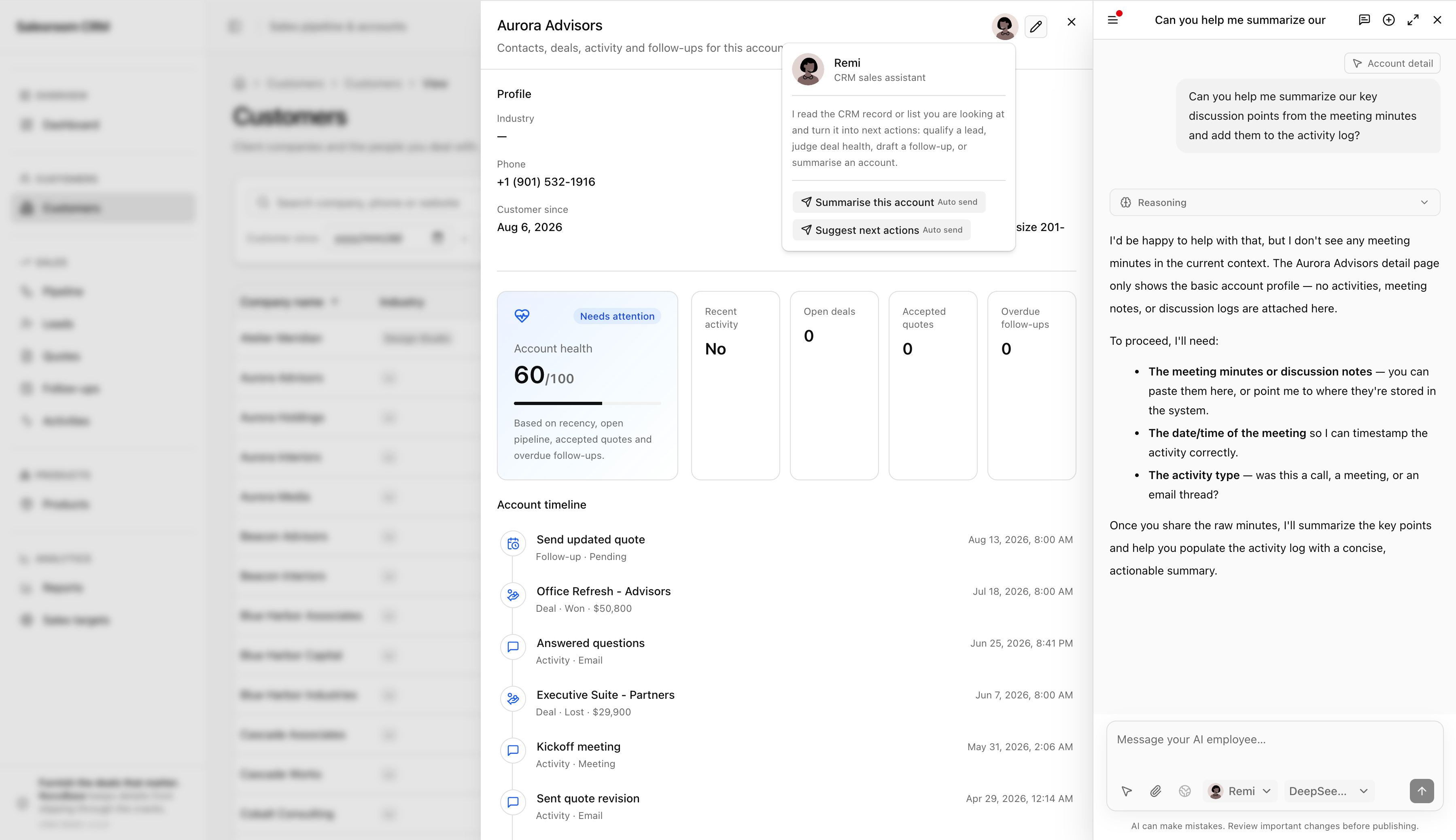
The same approach can be used to organize customer background information, summarize historical communications, and prepare follow-up content, allowing AI Employees to continuously take over repetitive information-processing work.
Keep Adjusting the CRM Based on Real Use
Once the CRM is in actual use, a sales manager may want the dashboard to add current pipeline value, expected near-term closing value, closed revenue, customers requiring follow-up, and sales target completion.
Sales representatives may also want the opportunity board to add customer filters, owner filters, expected close dates, and more complete opportunity information so they can quickly identify the projects that need attention first.
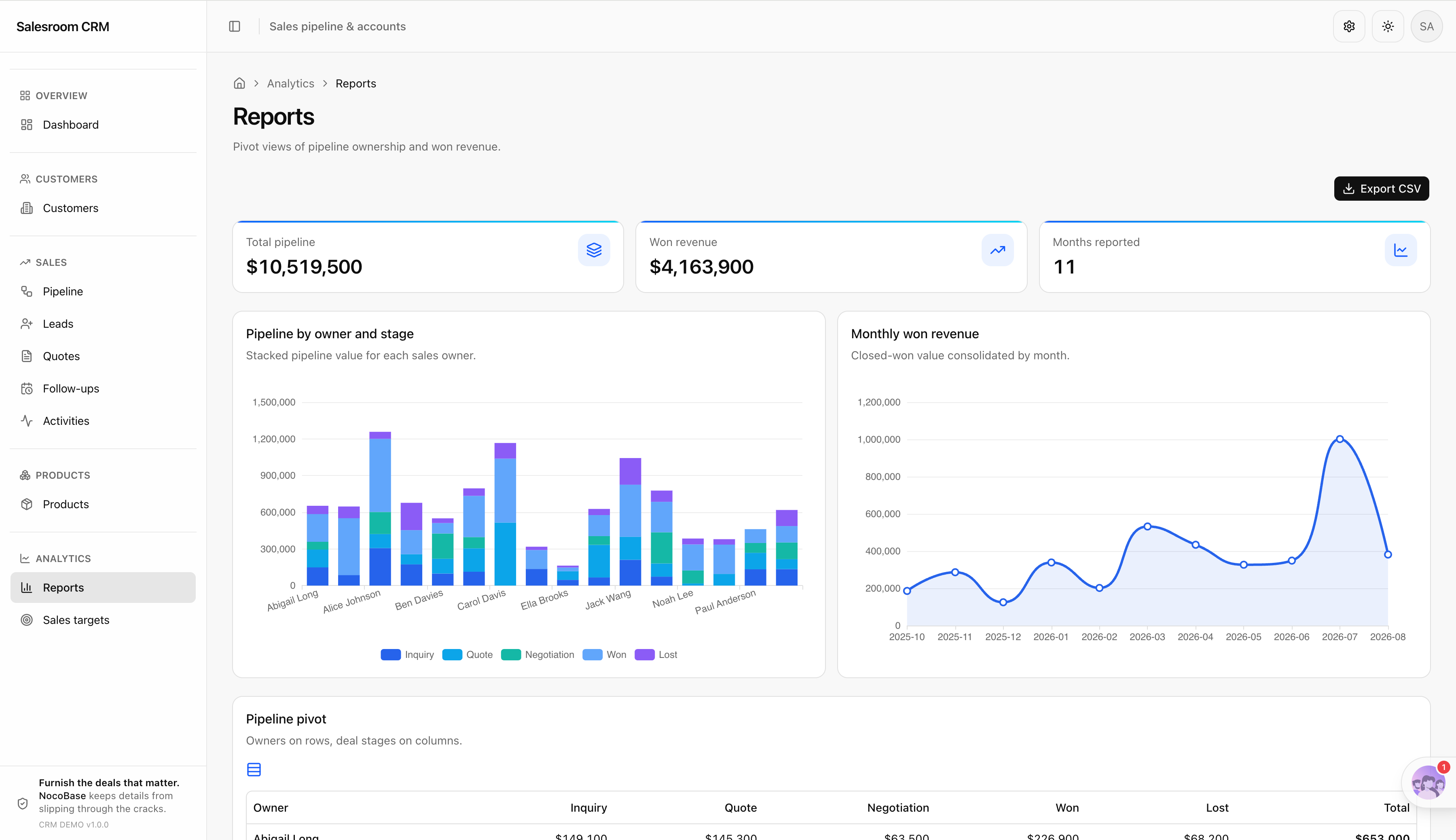
Continue giving this feedback to AI so it can adjust page layouts, information density, status presentation, card content, key data placement, and the overall visual style. All changes can be made directly on the existing CRM without rebuilding the system.
NocoBase AI Builder lets AI design, build, and continue adjusting enterprise applications from natural-language requirements: https://docs.nocobase.com/ai-builder
4. Run Through a Complete Real Sales Process
Once the system is basically complete, run through the full process in the same order a salesperson would use it:
Create company account → Add contact → Create opportunity → Move opportunity through stages → Record customer meeting → Create follow-up task → Select products and generate quotation → Enter business negotiation → Close opportunity → Automatically run post-deal workflows → Update sales dashboard
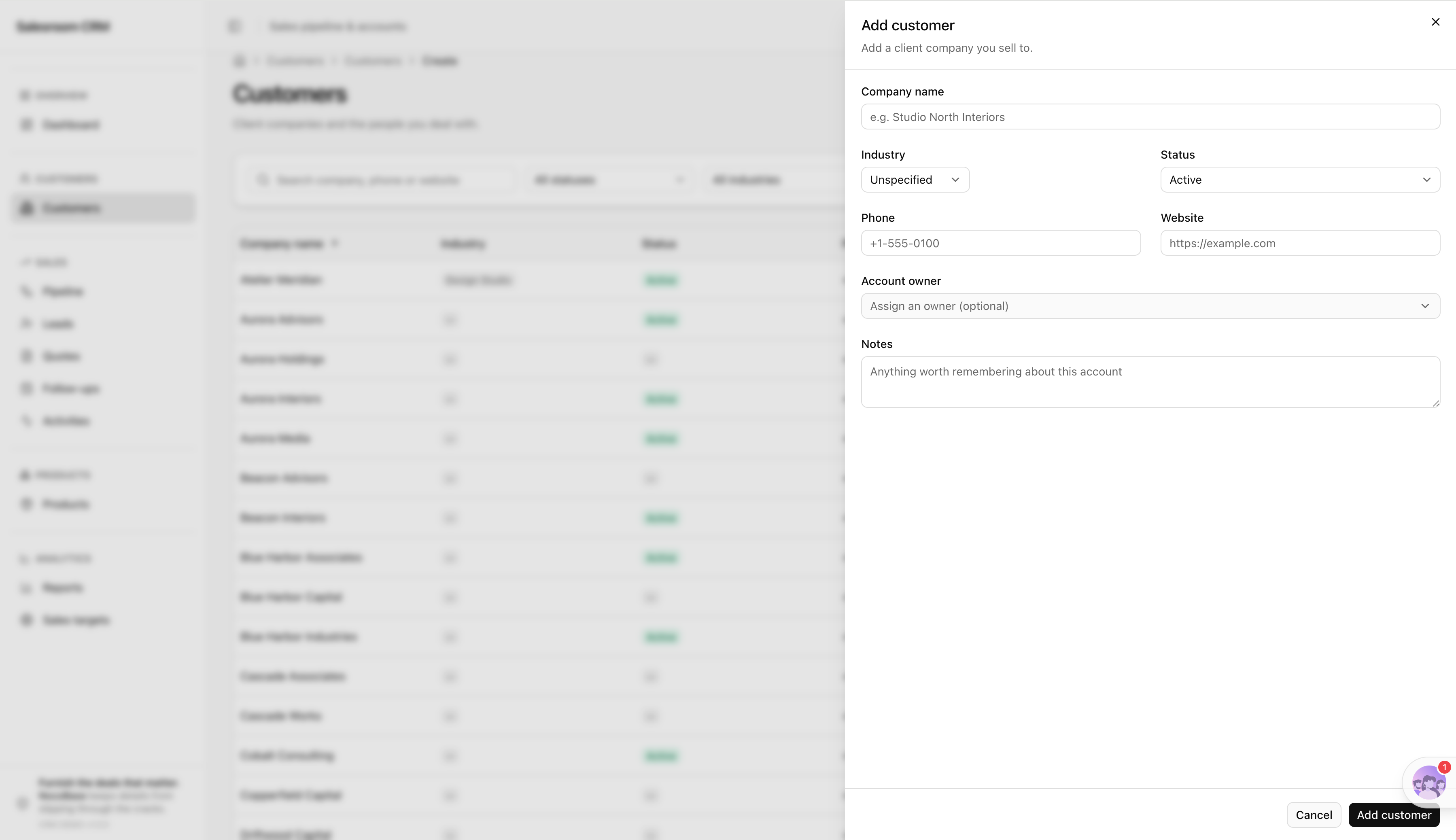
Check four areas throughout the process:
Is the business data connected correctly? Are customers, contacts, opportunities, quotations, communication records, and follow-up tasks linked correctly?
Are team permissions correct? Do sales representatives, sales managers, and read-only users see the right data and have the right actions?
Does automation run correctly? Do closed opportunities, long periods without follow-up, and other configured scenarios trigger correctly and update data or create tasks as expected?
Are AI Employees genuinely useful? Can meeting notes and customer emails be organized correctly, and can key information, next actions, and follow-up suggestions become part of the real sales workflow?
After completing this end-to-end sales process, you can confirm that the CRM is capable of supporting a small B2B sales team across customer management, opportunity progression, product quotations, ongoing follow-up, team collaboration, and daily sales operations.
Conclusion
Vibe Coding has significantly lowered the barrier to taking an application from zero to one. A new division of responsibilities is emerging between AI and enterprise application platforms: AI understands the business, generates the application, and keeps iterating as requirements change; enterprise application platforms such as NocoBase provide the data management, permissions, workflows, auditing, and other foundations required for a system to run reliably over the long term.
If you already have a clear business requirement, start by describing it. Tell AI about your business, team, and processes, then combine it with NocoBase to build the CRM you actually need step by step. Going from requirements to a usable business system may now be simpler than you expect.
Ready to get started? Build your enterprise AI CRM with AI + NocoBase.
Related reading:
- How to Design an IT Asset Management System: Data Model, Lifecycle, and Workflows
- How to Choose a Smartsheet Alternative: 7 Tools Compared
- 5 Open-Source AI No-Code Tools for Complex Relational Data Models
- What Is AI No-Code? A Practical Guide to No-Code Platforms in the AI Era
- 9 Open-Source AI No-Code Tools on GitHub Worth Watching
- 14 Open Source AI Agent Tools with the Most GitHub Stars
- Top 8 Open Source AI Assistant Tools by GitHub Stars
- 6 Open Source Tools to Use with WorkBuddy
- Top 6 Open Source AI Tools by GitHub Stars for Stronger AI Agents
- 5 Open-Source Internal Tools to Use with Hermes Agent
- OpenClaw and 5 Open-Source Tools for Monitoring Business Workflows
- What Open-Source Tools Work Well with OpenCode? 5 Projects to Try
- Building Internal Tools with Codex: 6 Open-Source Projects for Developers