

Introduction
If you are looking for an open-source, self-hosted platform to manage data, build internal applications, or automate business processes, NocoBase and Baserow are likely to appear on the same shortlist.
Both products provide visual data management and application-building capabilities, and both let teams extend the platform around their own needs. But judging only by these shared labels can make them look more similar than they really are.
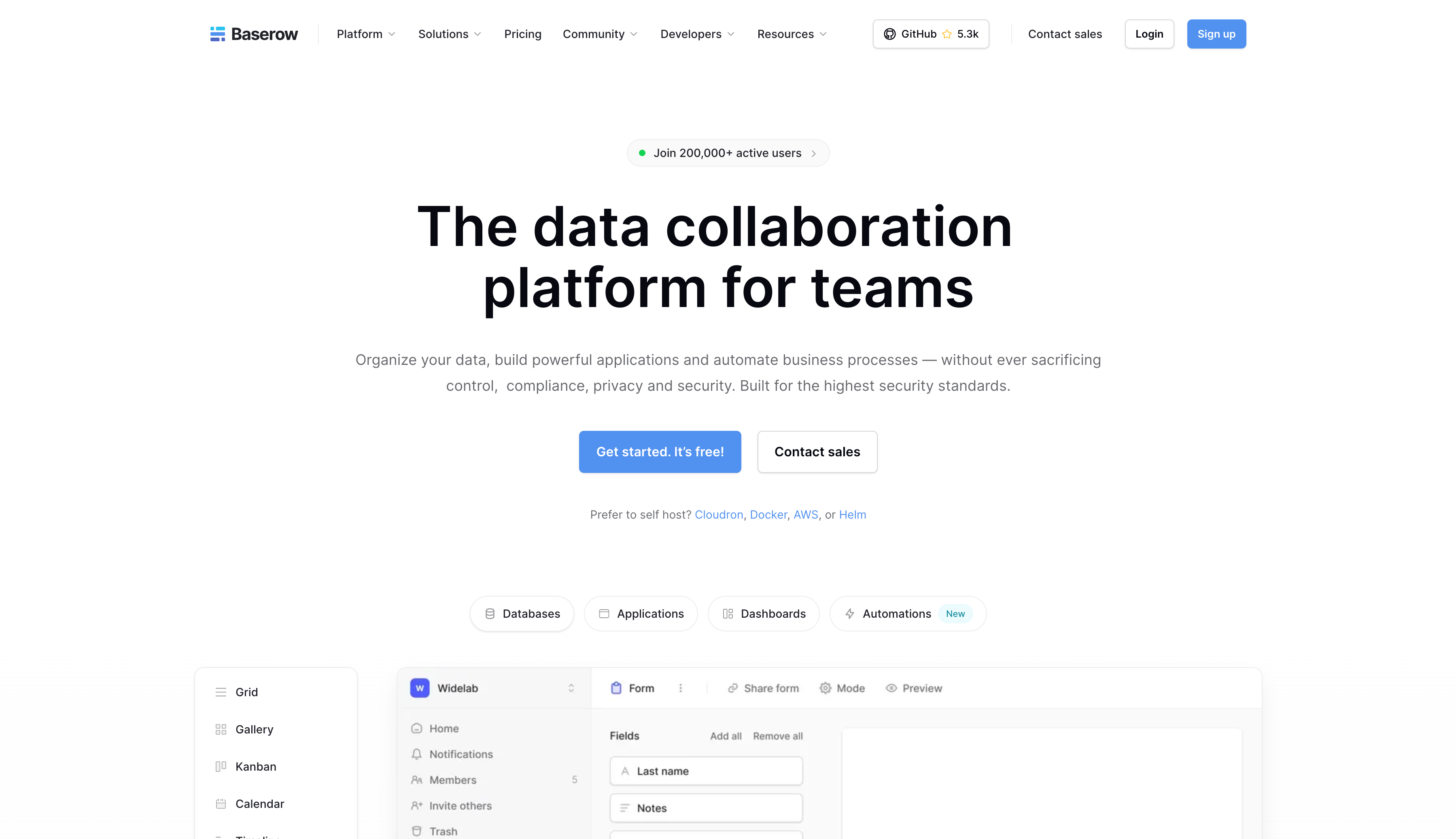
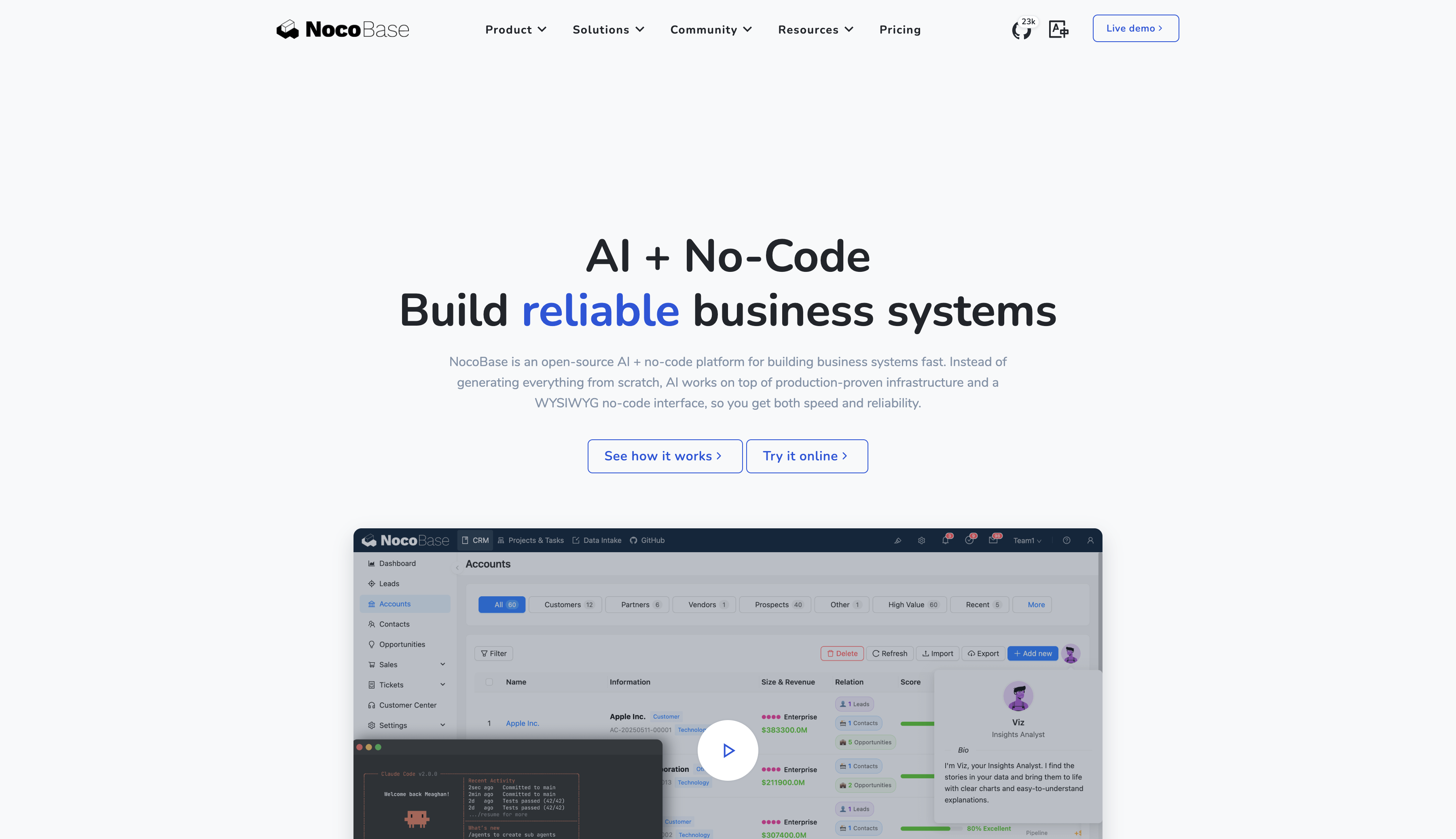
In practice, Baserow and NocoBase represent two different product directions.
💬 Hey, you’re reading the NocoBase blog. NocoBase is the most extensible AI-powered no-code/low-code development platform for building enterprise applications, internal tools, and all kinds of systems. It’s fully self-hosted, plugin-based, and developer-friendly. → Explore NocoBase on GitHub
Baserow represents the spreadsheet-style no-code approach. Its first priority is helping teams organize, manage, and collaborate on structured data in a more flexible and intuitive way.
NocoBase starts from business-system development. It combines data models, pages, role-based permissions, workflows, and automation to help teams build enterprise applications that can run for the long term and continue evolving.
As AI Agents move into real business scenarios, these capabilities are also becoming infrastructure for AI to access enterprise data, invoke business processes, and perform tasks within defined permission boundaries.
This article therefore looks at the products from the perspective of actual usage and answers a practical question: when is a spreadsheet-style no-code platform such as Baserow the better fit, and when should you choose NocoBase instead?
💡 Read more: NocoBase vs Airtable: A More Flexible Open-Source Alternative
Baserow: A Spreadsheet-Style No-Code Platform
Baserow was started by Bram Wiepjes as a personal project in 2019. Its first version was released in 2020, when the team also began to take shape. Today, its GitHub repository has around 5.3k Stars.
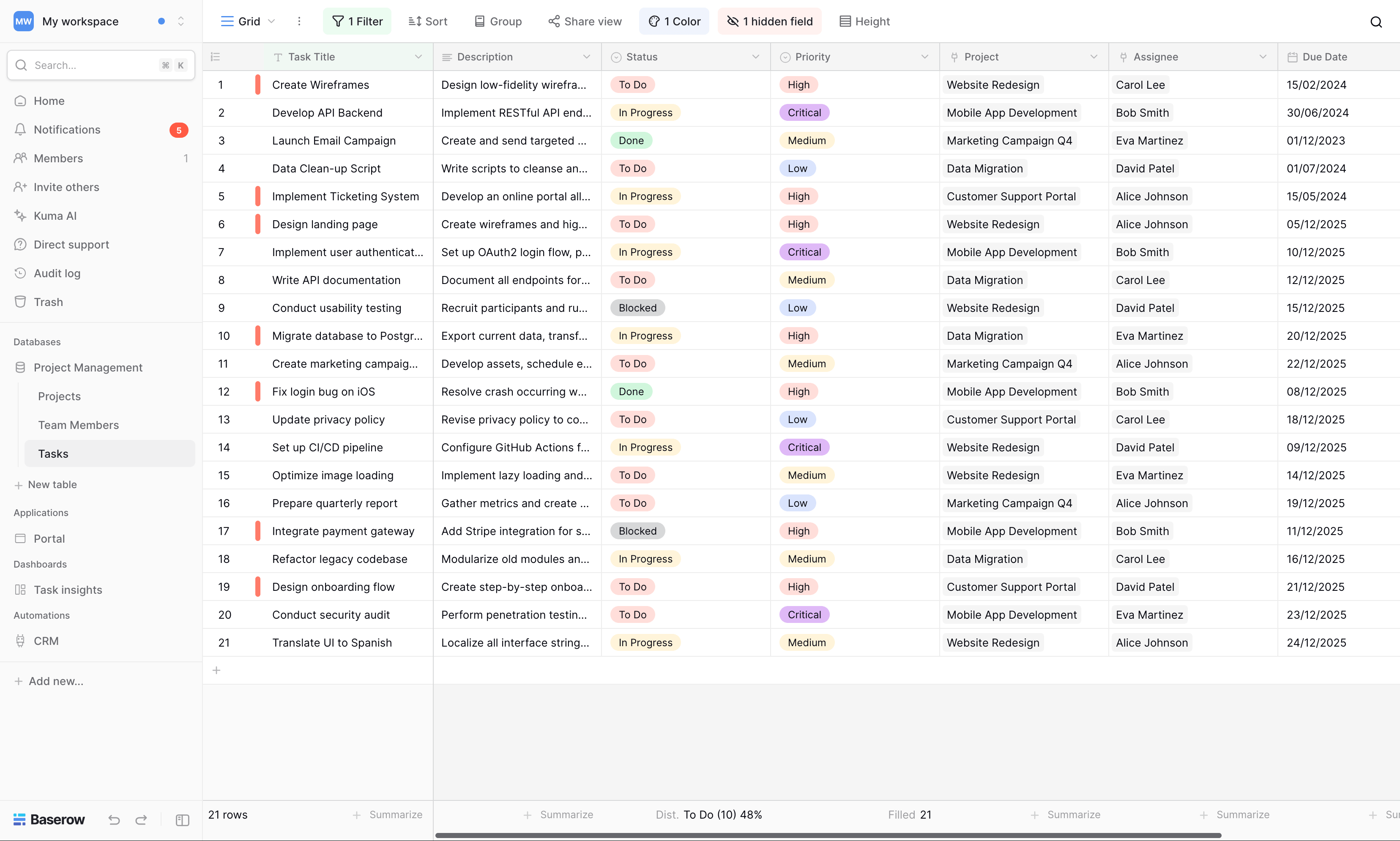
Baserow first gained attention as an open-source Airtable alternative. Its most recognizable experience still starts from a familiar model: create and manage structured data as easily as working in a spreadsheet.
Products in this category are often described as multidimensional spreadsheets, online databases, or spreadsheet-database tools. Besides Baserow, Airtable, NocoDB, Grist, SeaTable, and Feishu Bitable follow a similar approach.
NocoBase: Business-System Infrastructure for the AI Era
The NocoBase GitHub repository has now surpassed 23k Stars. NocoBase is an open-source AI + no-code platform for rapidly building business systems, but its role goes beyond visual application building. It provides infrastructure for people and AI Agents to build, run, and continuously extend business systems together.
💡 Read more: AI Builder Quick Start - NocoBase Documentation
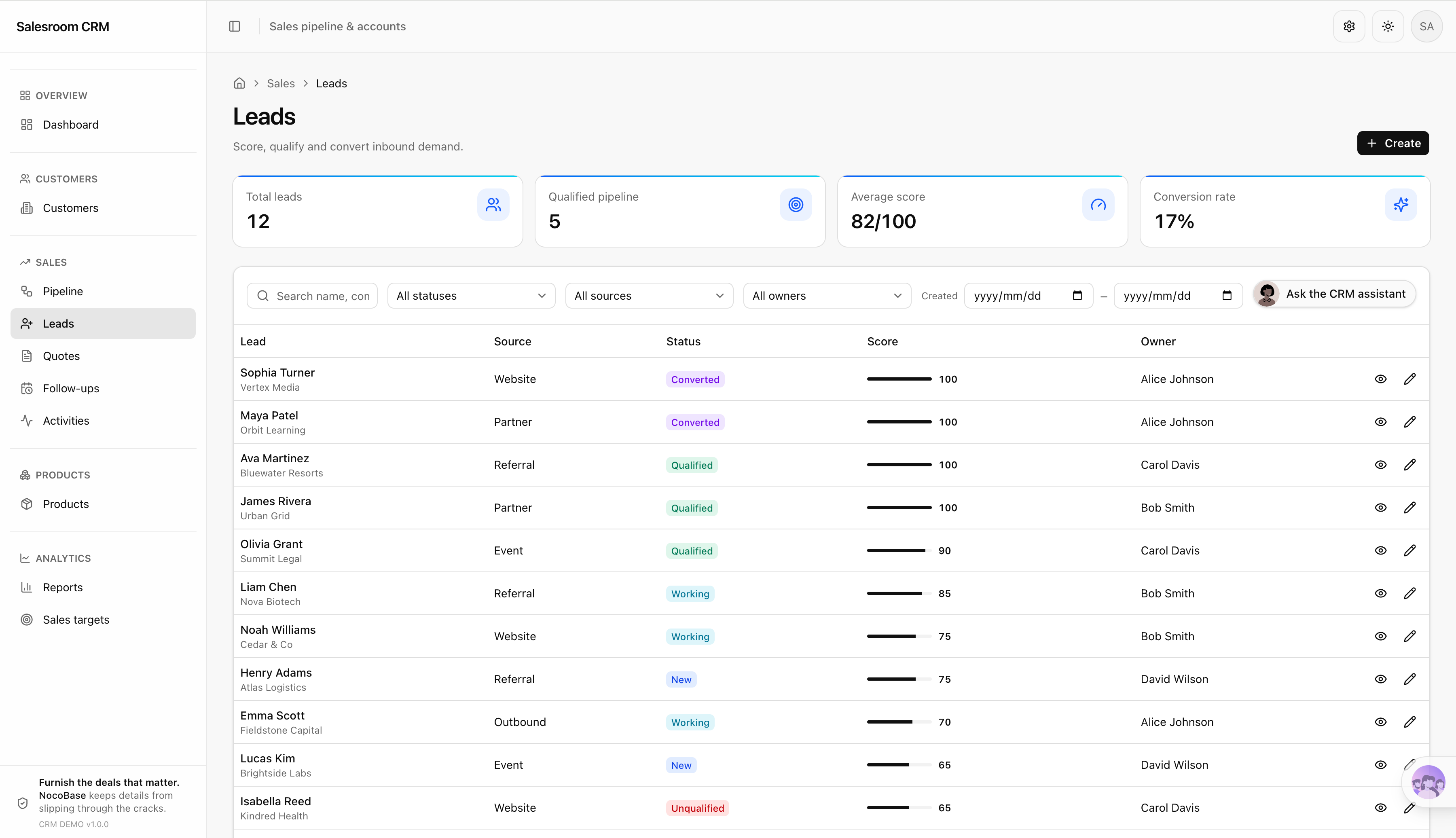
In NocoBase, the data model is the foundation, but the final product is not simply a set of tables for users to maintain directly. It is a complete business system that can include:
- Business pages designed for different roles
- Data scopes and actions available to different users
- Forms, detail pages, and business operations
- Approvals, state transitions, and automated workflows
- Operation records and audit logs
- AI Employees that participate in business processing inside the system
- APIs, MCP, CLI, and Skills for external AI Agents
- Plugins and integrations that continue to grow with enterprise requirements
These capabilities support not only traditional business applications but also the context and execution boundaries AI needs in enterprise environments. AI Coding Agents can participate in data modeling, page configuration, permission setup, workflow orchestration, and plugin development. AI Employees inside the system and external Agents can query data, trigger workflows, and execute tasks within predefined permissions, while their operations remain subject to access control and auditing.
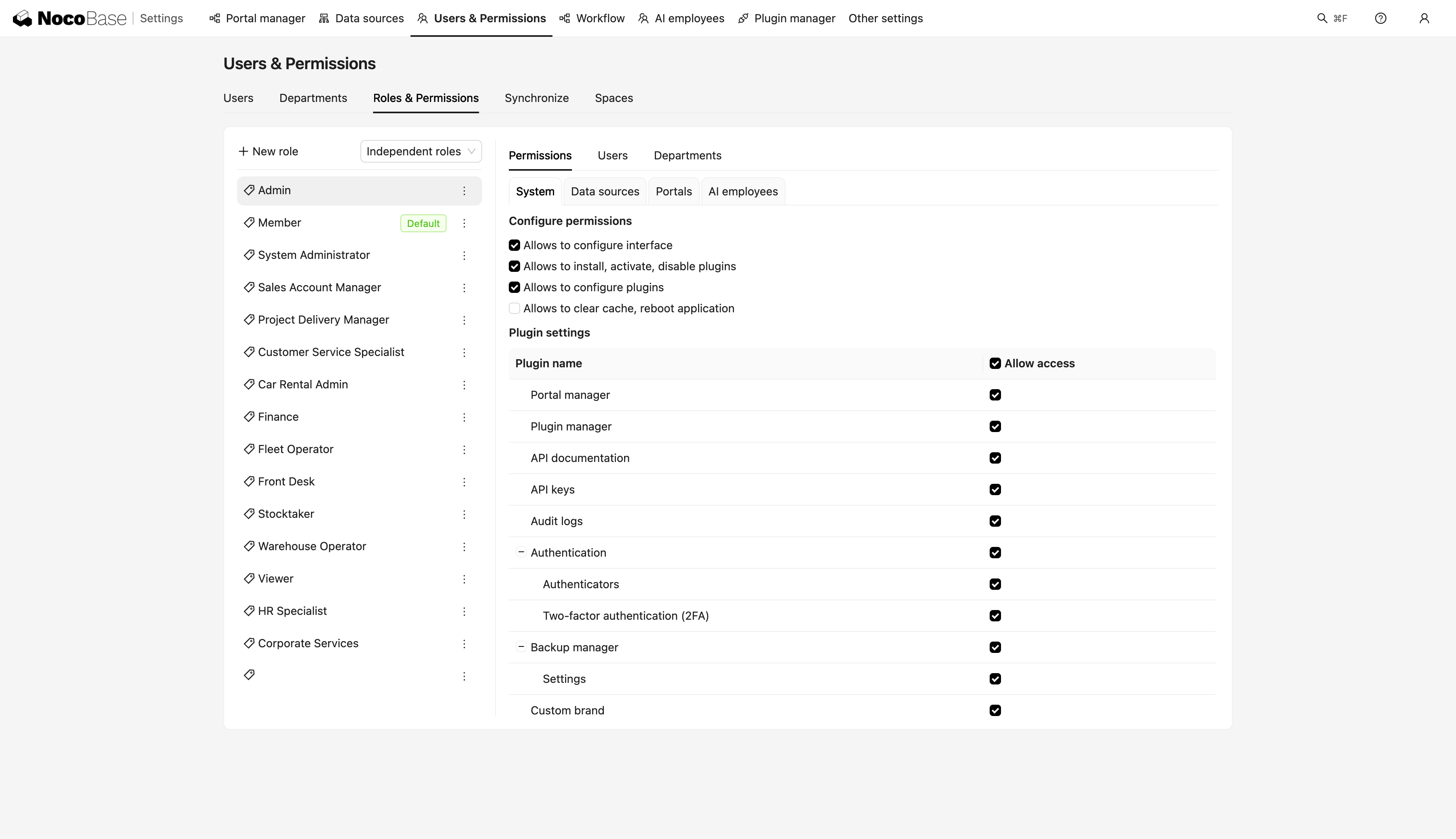
Ordinary users typically work through configured pages, forms, and actions instead of interacting directly with underlying tables. System builders can continue changing data models, pages, permissions, and workflows, while AI Agents can participate in building and iteration on top of the same architecture.
💡 Read more: Permission Configuration - NocoBase Documentation
Core Difference 1: Creating a Database or Building a Business System
Both Baserow and NocoBase are based on data models, and both let users visually create fields, relationships, and application pages.
But they start from different places in actual use.
- Baserow: start by creating a database and manage data collaboratively in a more flexible way.
- NocoBase: start by identifying business objects, roles, and processes, then combine them into a complete business system.
Both products can create tables, relationships, and application pages, but their most natural end results are different.
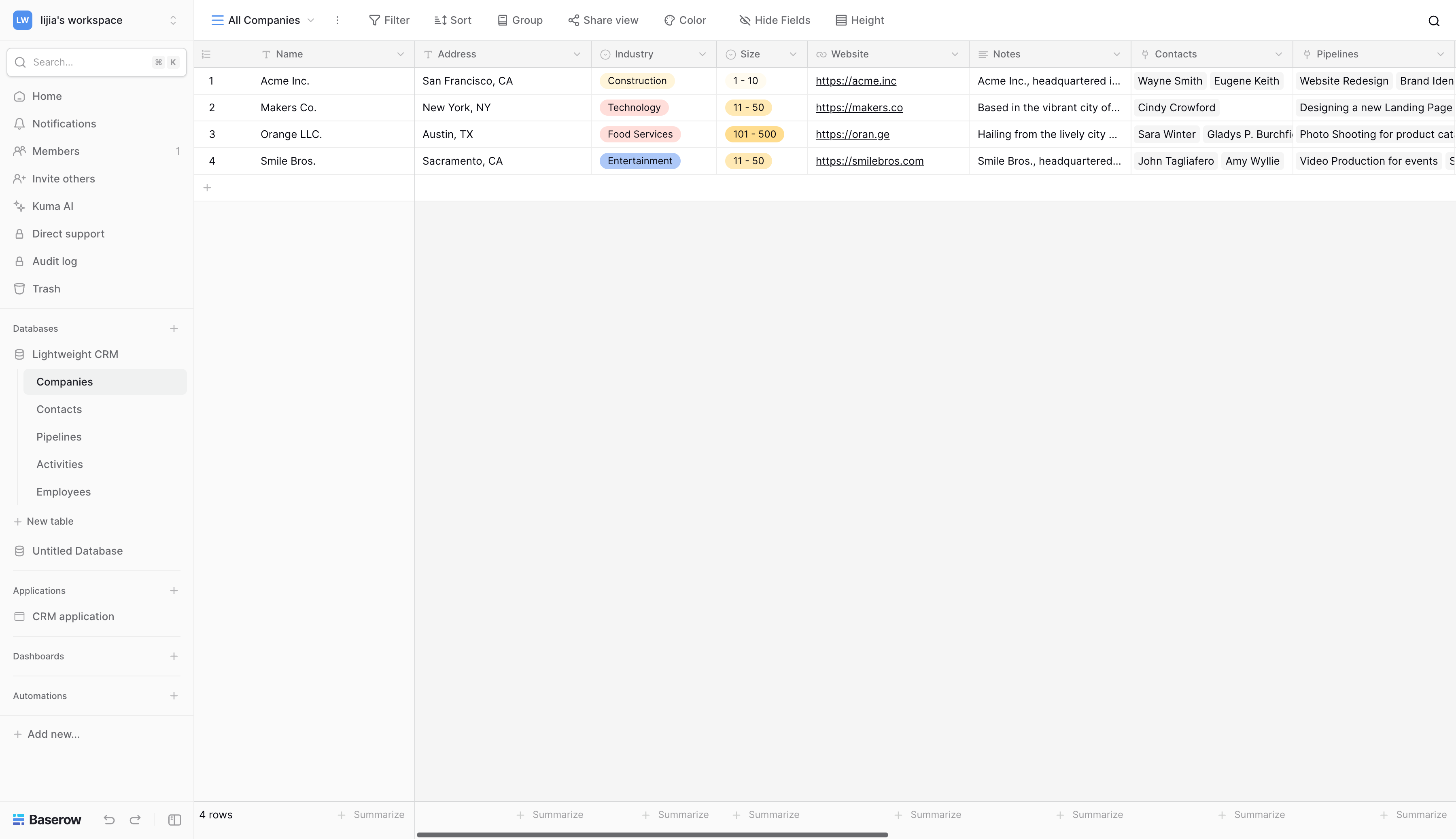
With Baserow, a team will typically end up with a table-centered collaborative workspace:
- Clear data structures
- Direct editing
- Flexible views
- Easy bulk maintenance
- Fast adaptation to changing needs
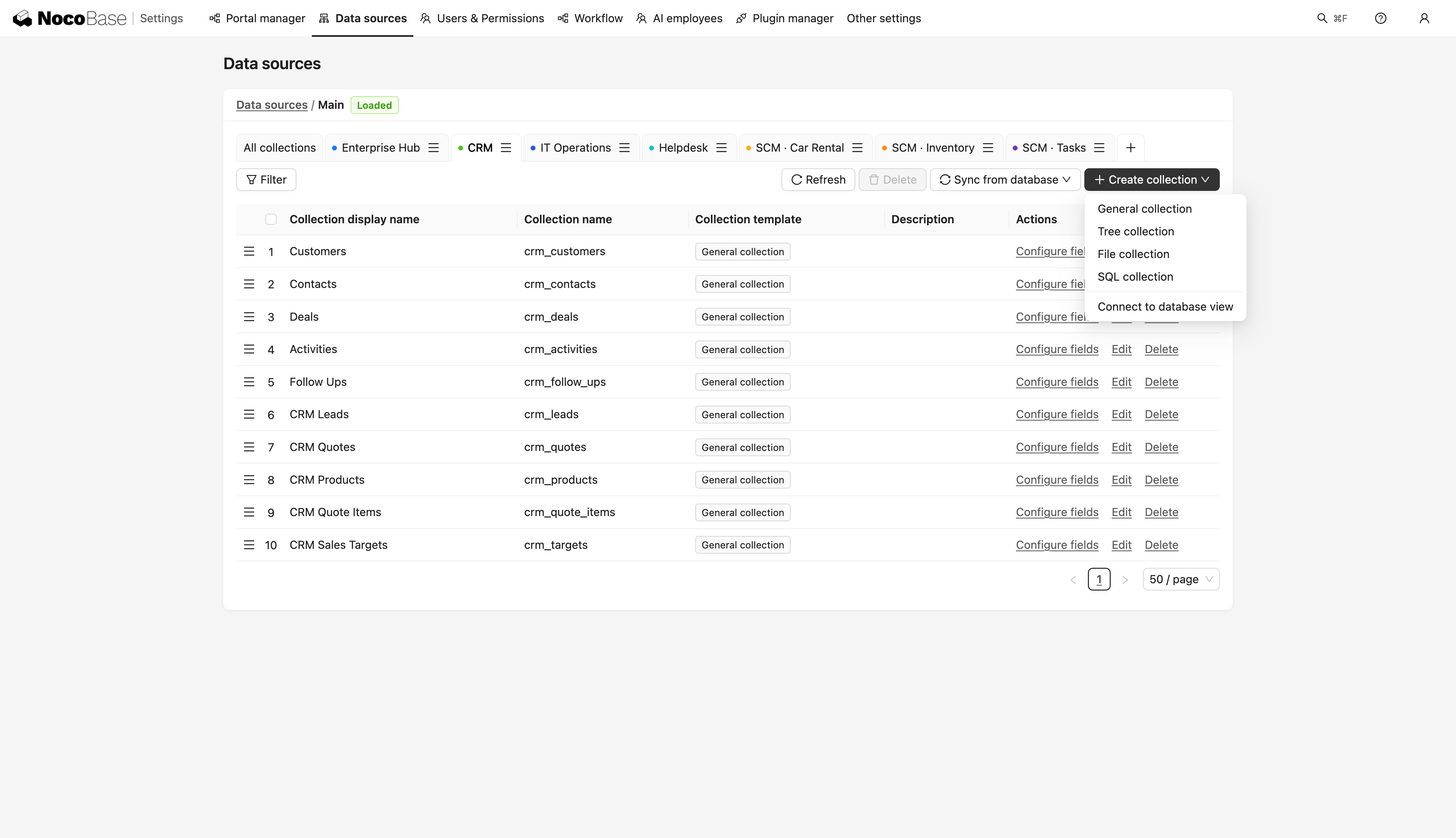
With NocoBase, a team will more naturally end up with an application system centered on business roles and processes:
- Users work through dedicated business pages
- Different roles have different permissions
- Data changes are governed by operation rules
- State changes can trigger approvals and workflows
- New modules can be added as the business grows
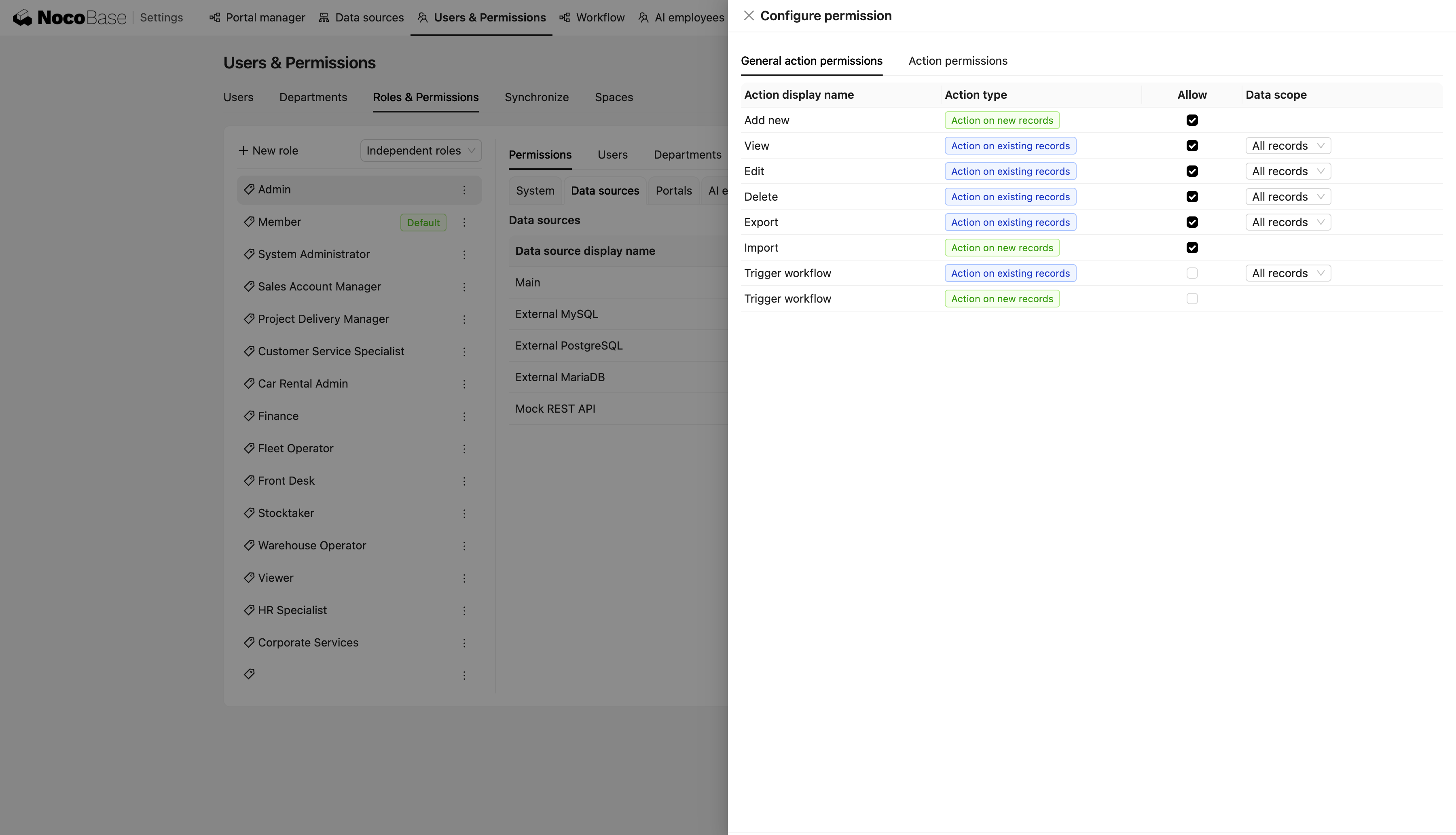
In Baserow, the database itself is often the team’s primary workspace.
In NocoBase, the database is more often the underlying foundation of a business system, while ordinary users interact with data through pages, forms, buttons, and workflows.
Core Difference 2: Editing Data or Completing Business Operations
Baserow and NocoBase both support tables, forms, and application pages, but ordinary users interact with data differently.
- Baserow: users typically enter a table view to view, filter, and bulk-edit records. Grid View remains its most representative data-management interface.
- NocoBase: users typically complete work through business pages, forms, and action buttons. Buttons can also trigger workflows that control subsequent data processing and business steps.
For example, consider updating a customer record.
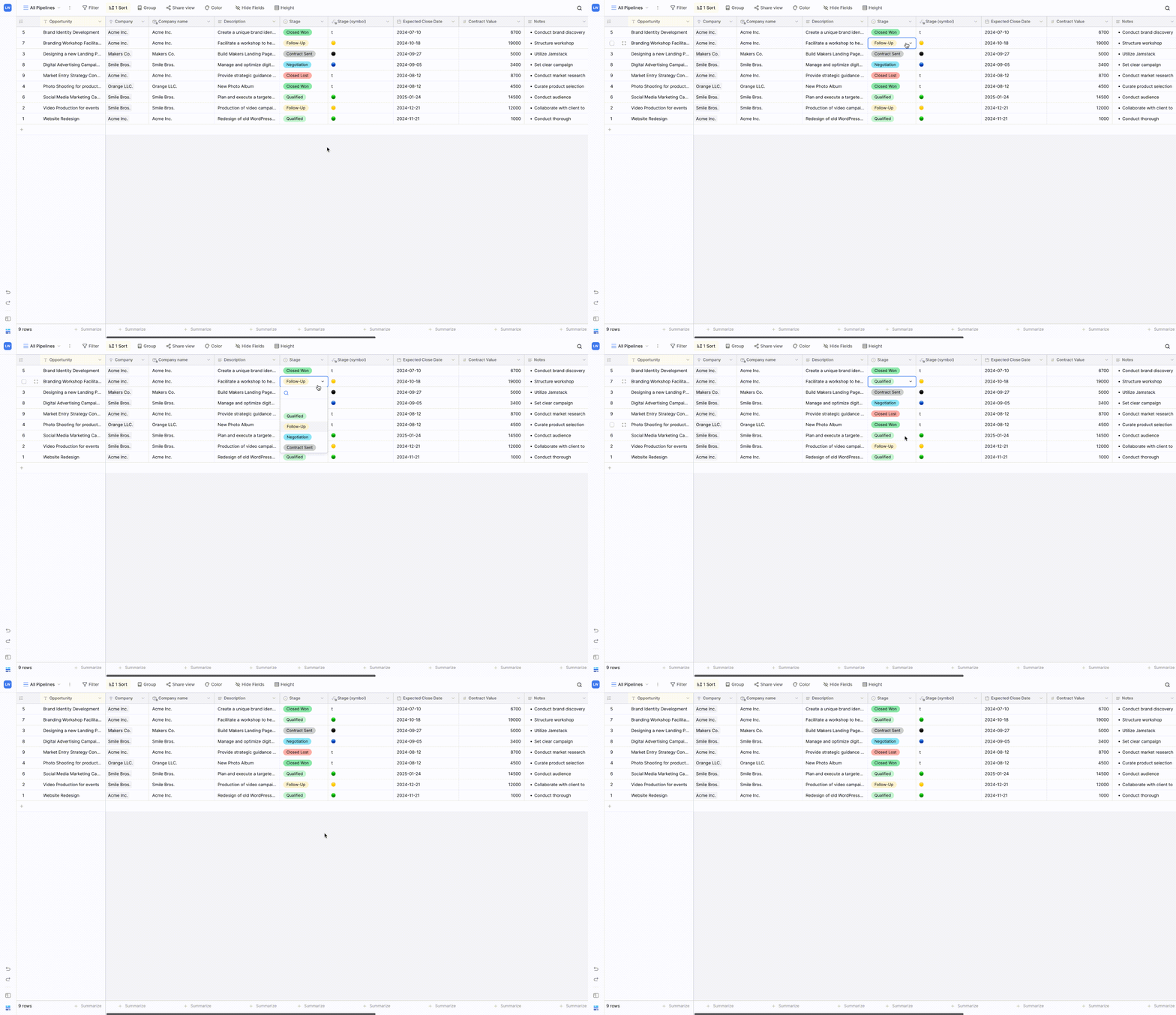
In Baserow, users can click a cell and change the value directly. This is efficient for quick maintenance and bulk editing.
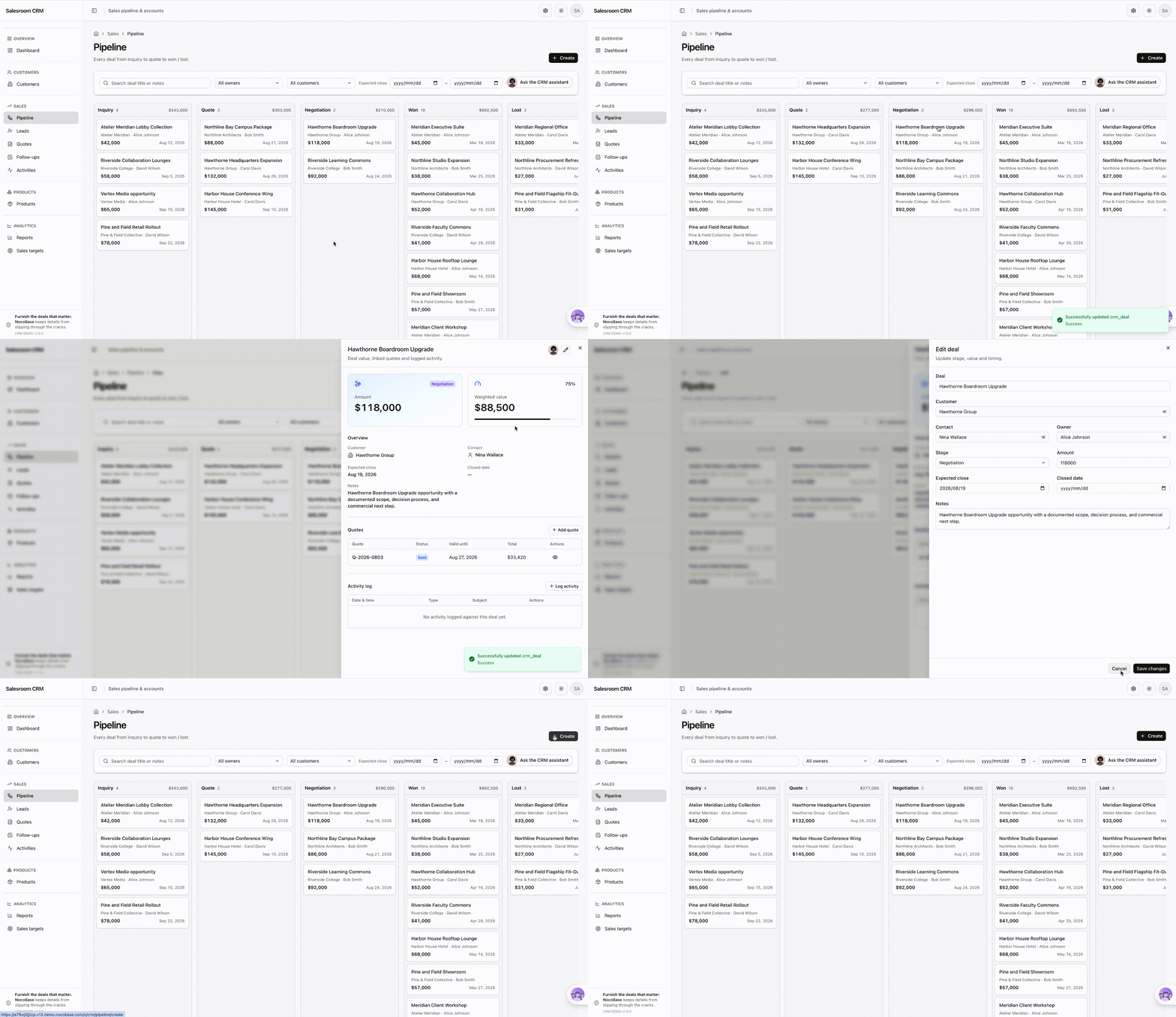
In NocoBase, once the data model is defined, the frontend can be organized much more freely. Teams can build pages around different roles and business scenarios, and AI can also help configure those pages.
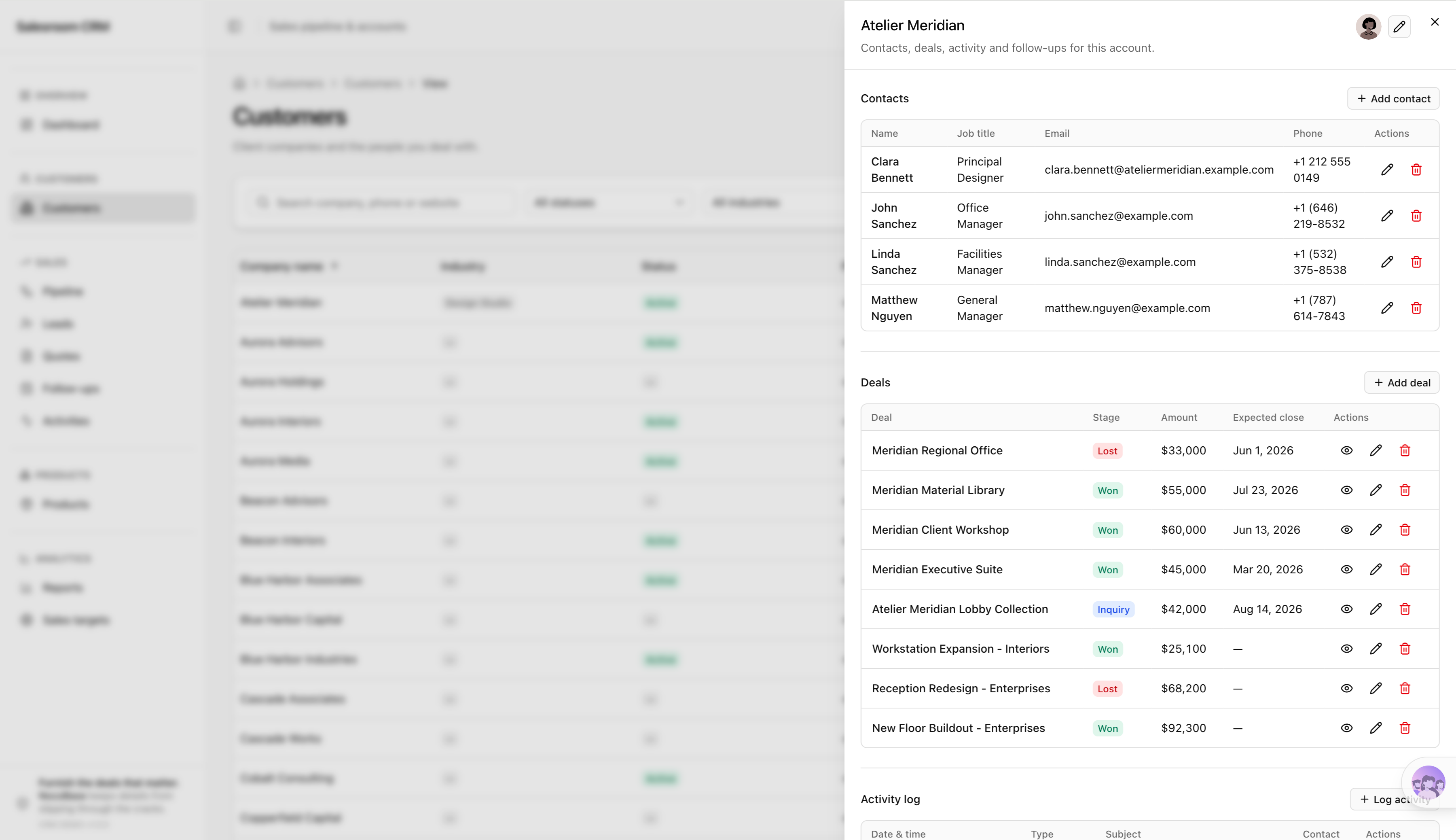
For the same customer-status change, a team could use an action button on the customer detail page, or organize customers in a Kanban board and move cards between statuses. Each record can still open into a detail page for full information and editing.
This means the same underlying data and business rules can be presented through different pages and interactions depending on how the work is actually performed.
The two approaches fit different situations:
- Spreadsheet-style tools emphasize directness, speed, and flexibility.
- Business systems emphasize explicit operation entry points, validation, and process control.
When users are changing a content plan or a task note, direct editing is often more efficient.
But when they are changing an order amount, inventory quantity, contract status, or approval result, enterprises often need users to complete an explicit business operation rather than directly change underlying data.
For collaborative data tools, saving one click can improve efficiency. For formal business systems, adding one confirmation step may reduce the cost of mistakes.
Core Difference 3: Small-Team Collaboration or Enterprise Multi-Role Use
Baserow and NocoBase both support multi-user collaboration and permission management, but their typical collaboration models differ.
- Baserow: better suited to teams collaborating around the same set of data through different views, filters, and record editing.
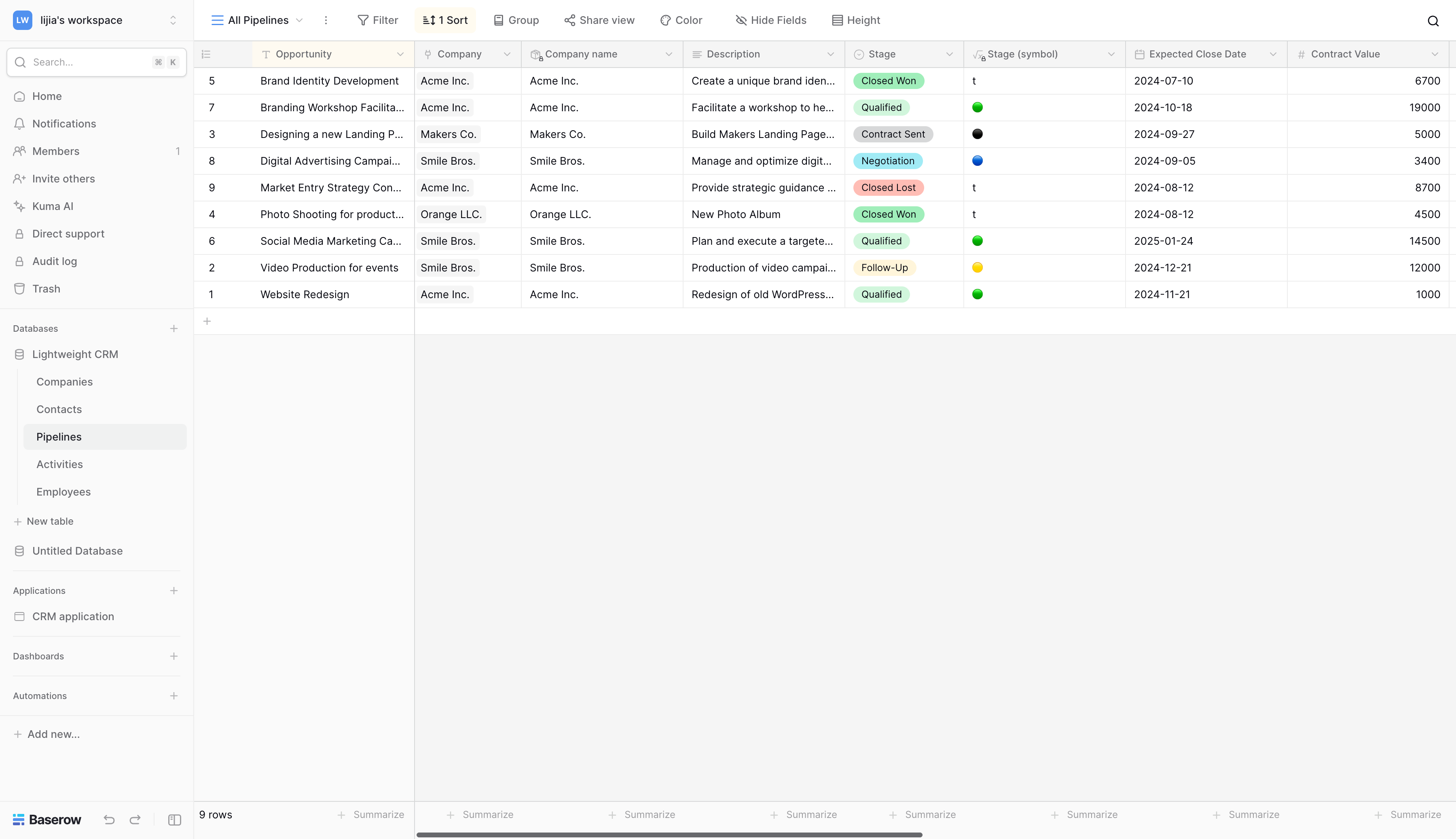
- NocoBase: better suited to multiple departments and roles working in the same system, with different pages, data scopes, and operation permissions for each type of user.
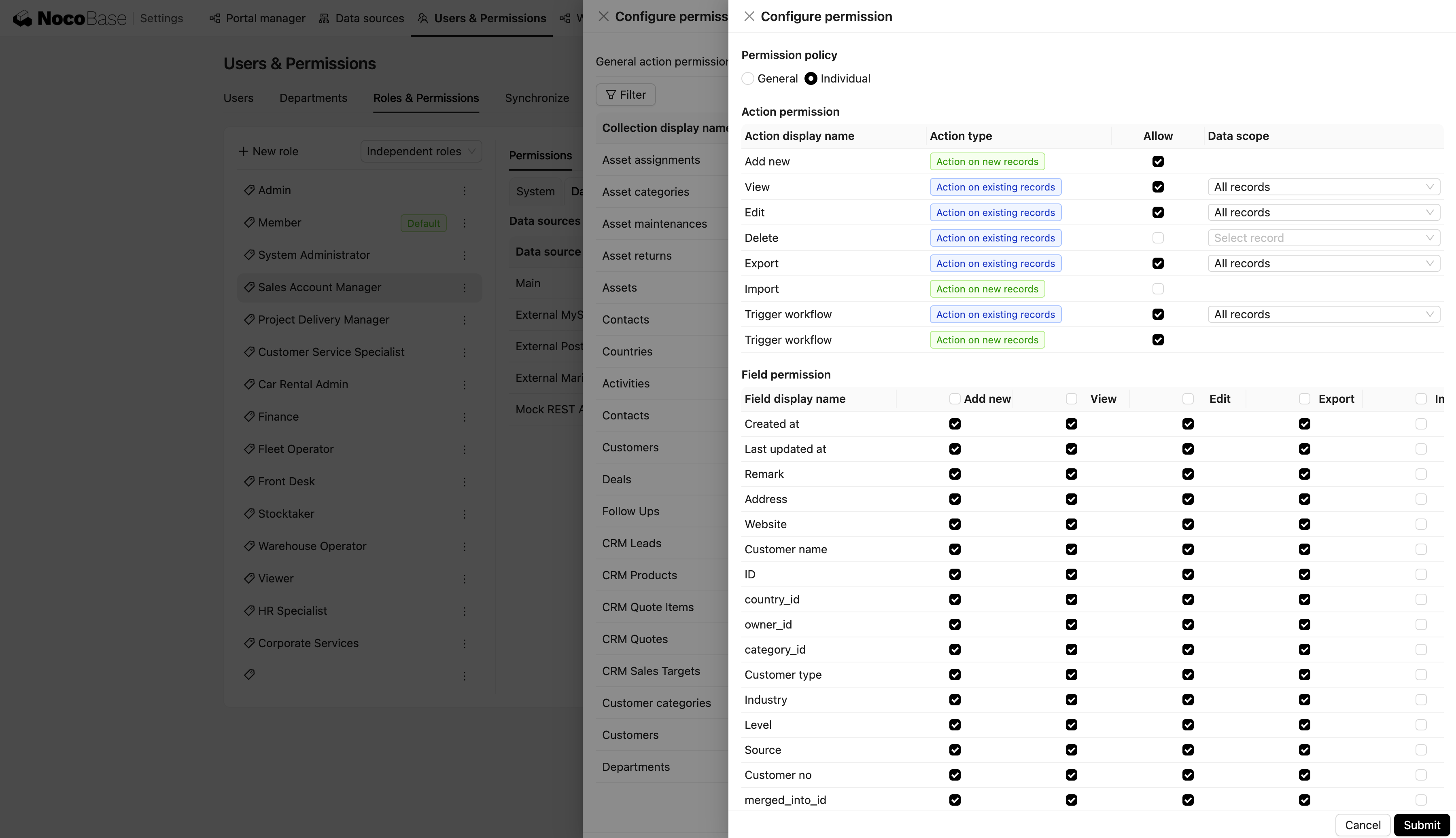
For example, in a sales-management application:
- Sales representatives can only view and edit customers assigned to them.
- Sales managers can view the entire team’s data and approve discounts.
- Finance users can only access contracts, invoicing, and payment information.
- Management can view aggregated data without directly editing business records.
In NocoBase, data permissions can also be controlled down to the row level for finer-grained access management.
Building the Same Business Scenario with Baserow and NocoBase
Consider the same CRM scenario in both products.
Assume the system needs to manage customers, contacts, sales opportunities, and follow-up records while supporting sales-stage management, owner assignment, and sales reporting.
Both products can build this CRM, but the resulting usage model will differ.
Baserow more naturally starts from data tables and views, then gradually adds application pages, automation, and permissions.
NocoBase starts from the data model, then builds pages, permissions, workflows, and AI capabilities around the same underlying data, eventually forming a business system designed for different roles.
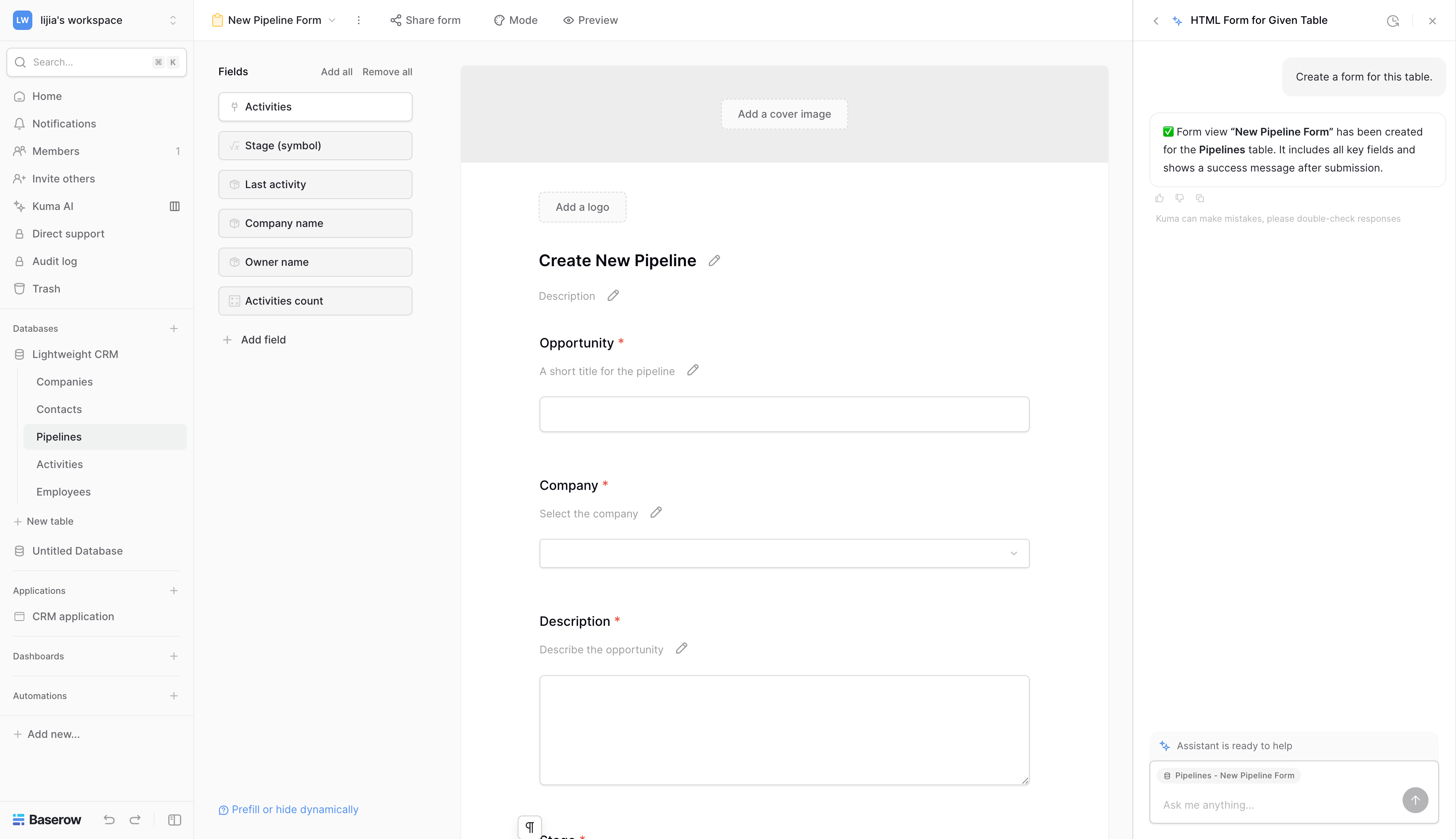
AI makes the comparison even more interesting. Baserow has already integrated AI deeply into database and application building. Its AI assistant Kuma can create and modify databases, formulas, views, and application pages through natural language.
NocoBase also supports AI-assisted system building, but AI reaches further across the complete business-system structure. AI Agents can participate in data modeling, page building, permission configuration, workflow orchestration, plugin management, and system deployment. After the system is built, AI Employees can work directly inside CRM pages using current customer data, sales opportunities, and user permissions.
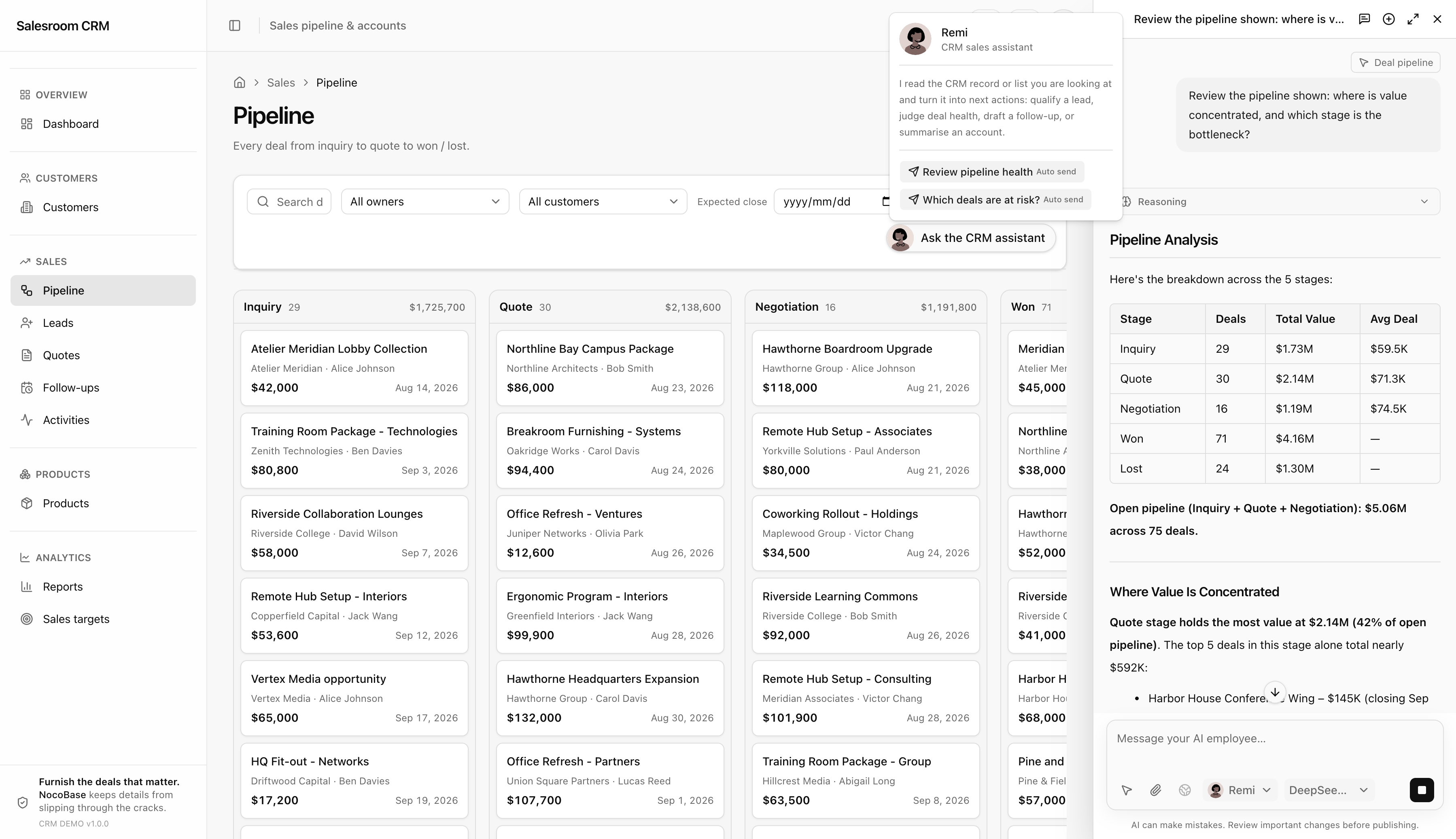
Both products can therefore use AI to build applications and process data. The clearer difference is that NocoBase can directly connect Coding Agents and treat AI as a participant in the business system: AI not only helps users build the CRM, but can continue participating in daily business execution after the CRM is in use.
Enterprise Capability Comparison
As applications spread across more teams, factors beyond data management and page building—permissions, security, deployment, and long-term operations—also become part of the selection process.
Baserow has expanded from an open-source database product into application building, automation, and AI, while adding increasingly complete enterprise capabilities.
NocoBase’s enterprise capabilities are organized around complete business systems. Data models, pages, workflows, permissions, security, multi-environment management, cluster deployment, and AI Agents all operate within the same system architecture.
Conclusion: How to Choose Between Baserow and NocoBase
Baserow and NocoBase are both open-source and self-hostable, and both now offer application building, automation, and AI capabilities. But the problems they are best suited to solve are still different.
If your core requirement is to organize data quickly, replace spreadsheets, and let a team collaborate around that data, Baserow is simpler. It keeps a spreadsheet-like experience while allowing you to add views, applications, automation, and AI.
If your requirements already involve multiple business objects, different roles, complex permissions, approvals, and workflows—or if you want AI Agents to operate inside an enterprise system under established permissions and business rules—NocoBase is better suited to building that kind of long-running business system.
In simple terms:
- Baserow is a good fit when you want to start from straightforward data management and collaboration.
- NocoBase is a better fit when you want to start from a business system and provide AI Agents with an executable enterprise environment.
We are also seeing more users who originally chose spreadsheets or multidimensional-table products for business management move to NocoBase as their needs grow. As business complexity increases, table-centered management often begins to run into limitations around role permissions, workflows, data relationships, and system extensibility. At that point, the requirement starts shifting from “a better spreadsheet” to a real business system.
Related reading:
- How to Build a Production-Ready CRM with AI and NocoBase
- How to Design an IT Asset Management System: Data Model, Lifecycle, and Workflows
- How to Choose a Smartsheet Alternative: 7 Tools Compared
- 5 Open-Source AI No-Code Tools for Complex Relational Data Models
- What Is AI No-Code? A Practical Guide to No-Code Platforms in the AI Era
- 9 Open-Source AI No-Code Tools on GitHub Worth Watching
- 14 Open Source AI Agent Tools with the Most GitHub Stars
- Top 8 Open Source AI Assistant Tools by GitHub Stars
- 6 Open Source Tools to Use with WorkBuddy
- Top 6 Open Source AI Tools by GitHub Stars for Stronger AI Agents
- 5 Open-Source Internal Tools to Use with Hermes Agent
- OpenClaw and 5 Open-Source Tools for Monitoring Business Workflows
- What Open-Source Tools Work Well with OpenCode? 5 Projects to Try