

When teams use no-code tools to manage data, many start with Airtable, Notion, or Google Sheets for customers, orders, and project data. As the number of tables, relationships, permissions, and automation workflows grows, simple spreadsheet-style tools can gradually become hard to maintain.
The rise of AI has opened up new possibilities.
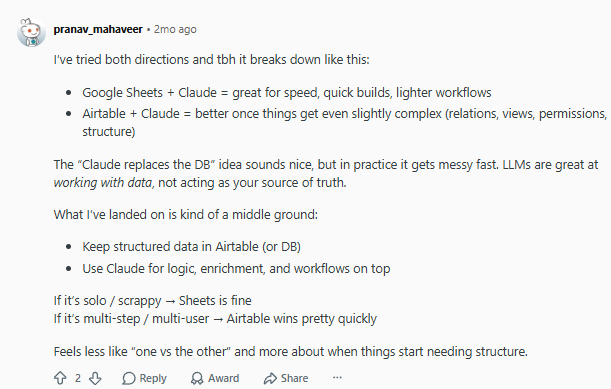
In a Reddit discussion about “Claude + Airtable” and “Claude + Sheets” workflows, a user shared their hands-on experience:
💬 Hey, you’re reading the NocoBase blog. NocoBase is the most extensible AI-powered no-code/low-code development platform for building enterprise applications, internal tools, and all kinds of systems. It’s fully self-hosted, plugin-based, and developer-friendly. → Explore NocoBase on GitHub
Google Sheets with Claude is suitable for fast setup and lightweight workflows. When a project involves multiple related tables, different views, member permissions, and complex data structures, it is clearer and easier to maintain if structured data is kept in Airtable or a database, while Claude handles data processing, information enrichment, and workflow automation. However, Airtable is a commercial closed-source product. For teams with limited budgets, or teams that care more about self-hosting, data control, and long-term extensibility, it may not be the right choice.
This article looks at five open-source AI no-code tools that are suitable for complex relational models, with a focus on their relationship modeling capabilities and AI capabilities.
1. NocoBase
Best for building complex enterprise business systems such as CRM, ERP, order management, project management, approvals, and ticketing.
- Website: https://www.nocobase.com/en/
- GitHub: https://github.com/nocobase/nocobase
- GitHub Stars: 23.3k
- Documentation: https://docs.nocobase.com/
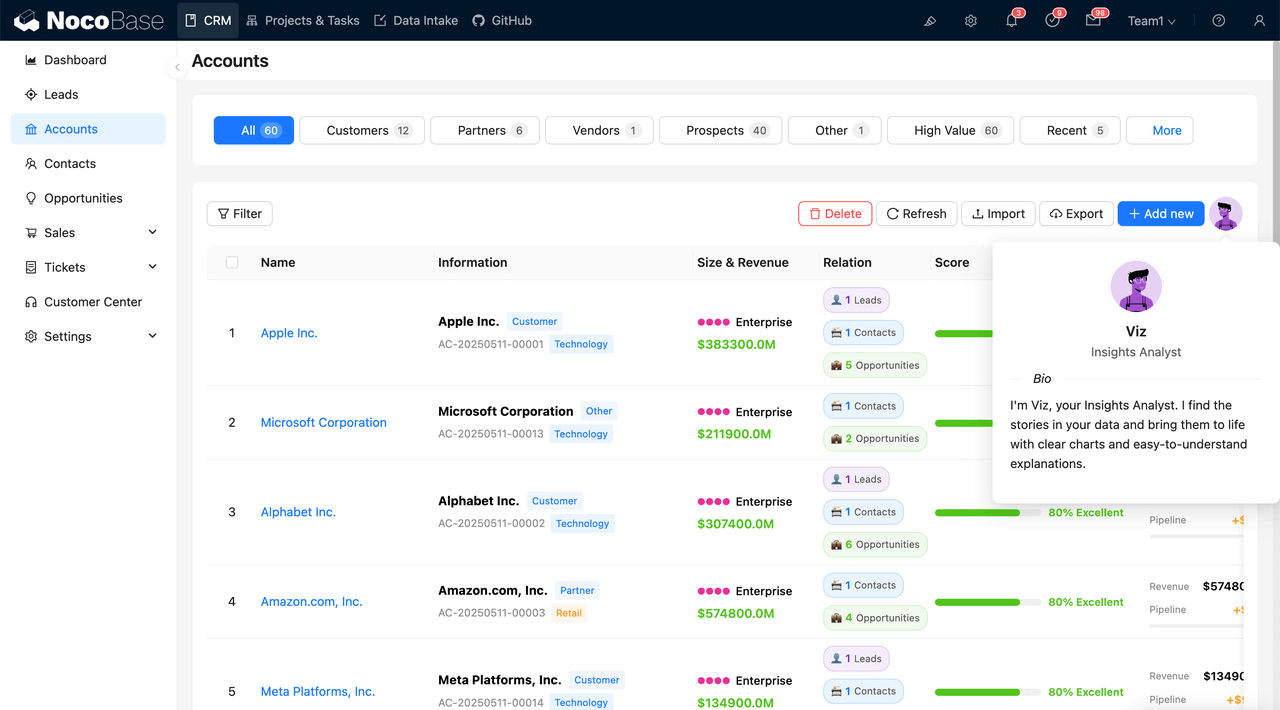
NocoBase is an open-source AI no-code platform. It is built around data modeling and separates business data from page presentation. Teams can first create tables and relationships for customers, contacts, orders, products, and other objects, then configure pages and business features through a WYSIWYG interface. Its plugin-based architecture also makes it possible to add or develop new features for specific business needs.
Complex Relational Modeling
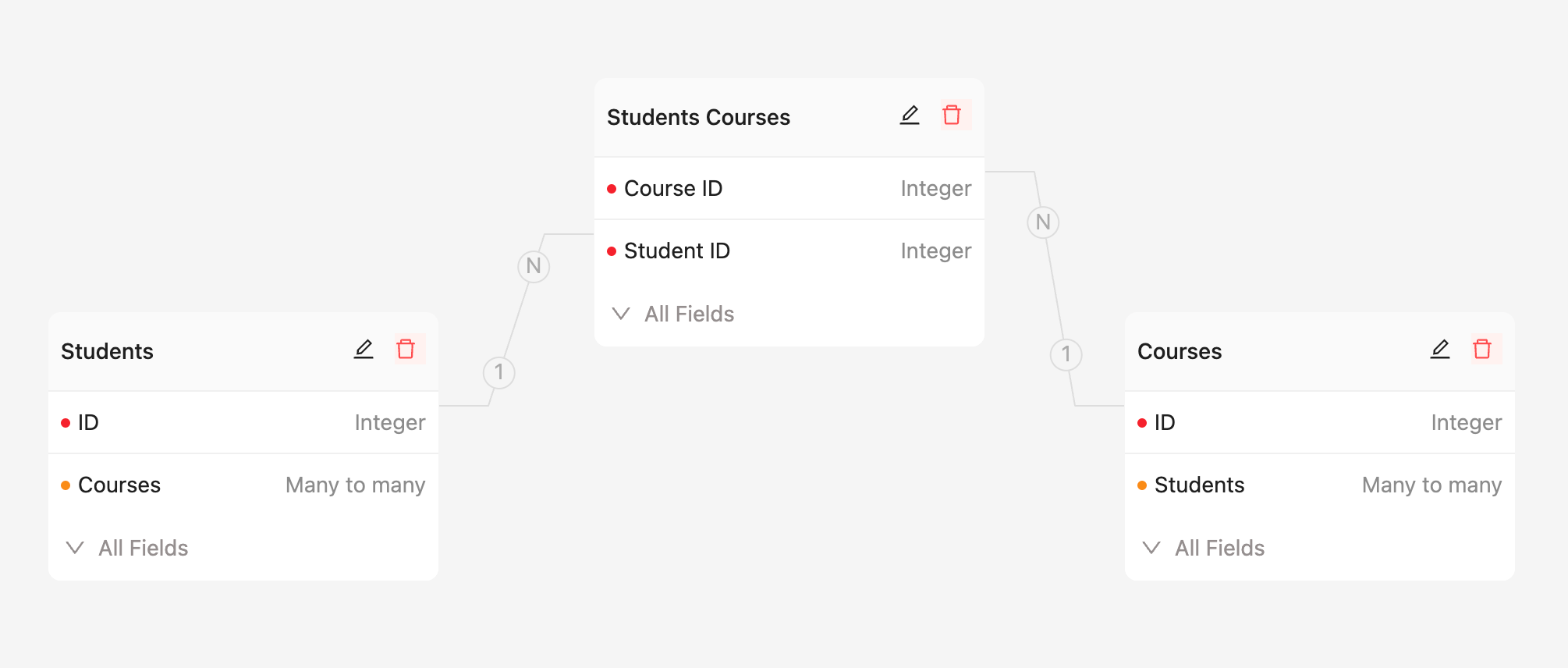
NocoBase supports one-to-one, one-to-many, many-to-one, and many-to-many relationships. For many-to-many relationships, you can use a junction table to connect two collections and store business fields such as quantity, price, status, and time in that junction table.
Take an order system as an example. You can create four tables: customers, orders, products, and order items. The order items table acts as the junction table between orders and products, recording purchase quantity, transaction price, discount, and subtotal. This keeps the many-to-many relationship between orders and products while preserving the detailed information for each transaction.
In the interface, related data can be displayed and maintained through dropdown selectors, record pickers, sub-forms, sub-tables, and sub-detail blocks. Sub-forms are suitable for directly editing related records, while sub-tables are better for managing one-to-many or many-to-many data in batches.
Association field documentation: https://docs.nocobase.com/data-sources/data-modeling/collection-fields/associations/
Many-to-many relationship documentation: https://docs.nocobase.com/data-sources/data-modeling/collection-fields/associations/m2m/
Association field components: https://docs.nocobase.com/interface-builder/fields/association-field
AI Building Capabilities
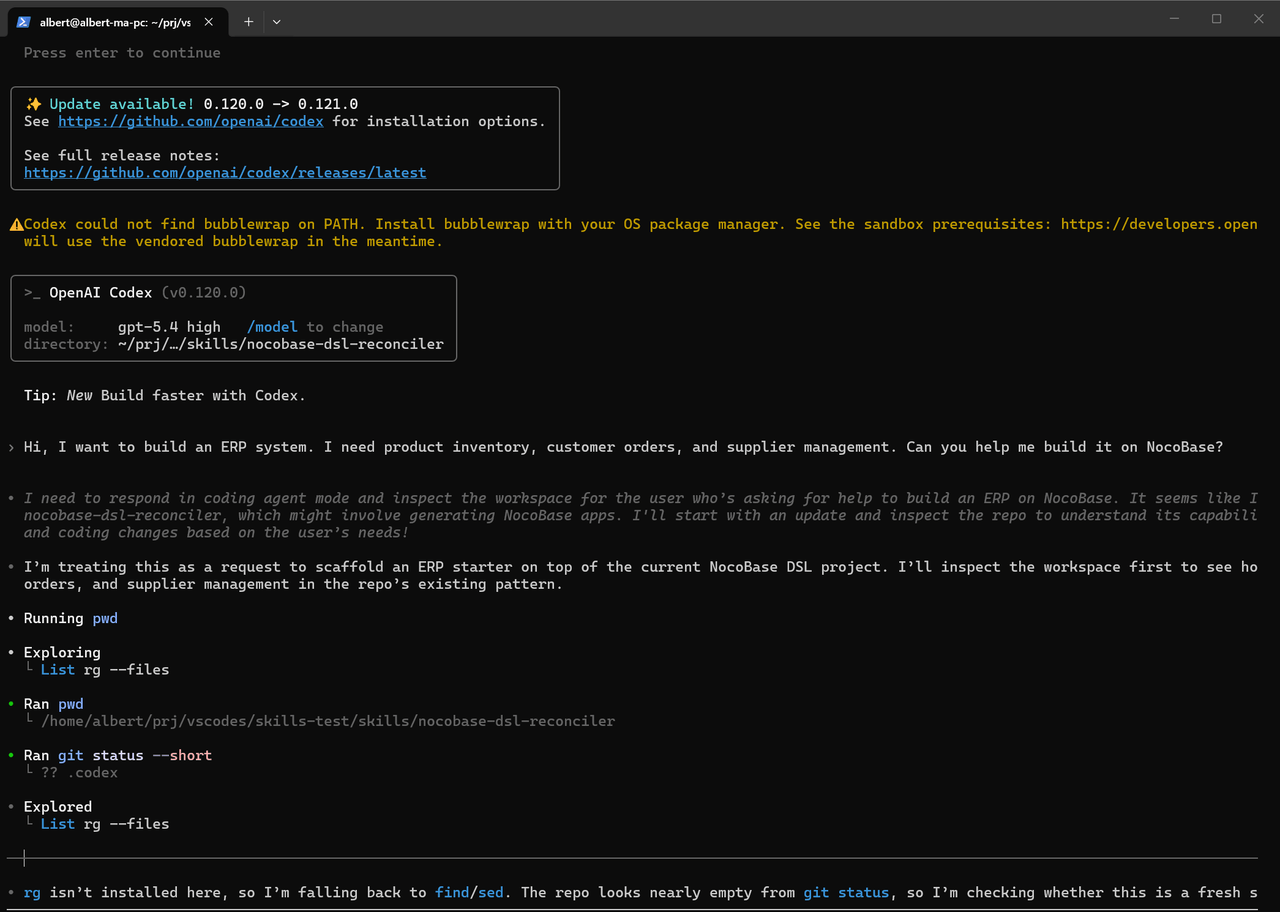
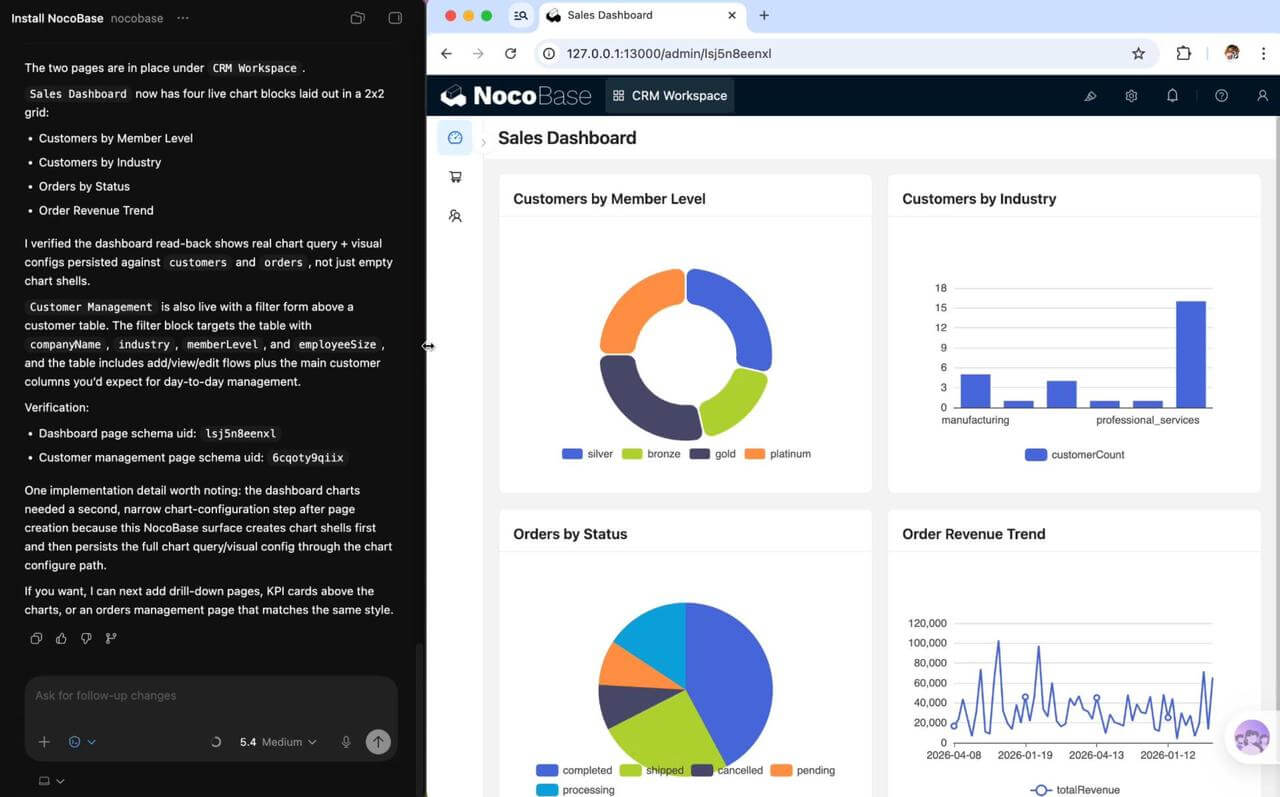
NocoBase can work with AI agents such as Claude Code, Codex, and Cursor to configure systems from natural language instructions.
For example, if you enter “I am building a CRM. Please help me design and build the data model,” AI can create tables such as customers, contacts, opportunities, and orders, add fields, and configure relationships. The data modeling skill also supports modifying and deleting tables, adding fields, and adjusting existing relationships.
In addition to data modeling, NocoBase Skills also cover:
- Page and block configuration;
- Workflow creation and diagnosis;
- Role and permission configuration;
- Plugin management;
- Release, migration, and backup;
- Version saving and recovery.
Data models, pages, workflows, and permissions created by AI can still be reviewed and modified in the no-code interface. Teams can let AI build the initial structure first, then have business users adjust fields, page layouts, and interaction details.
AI Builder documentation: https://docs.nocobase.com/ai-builder
AI data modeling documentation: https://docs.nocobase.com/ai-builder/data-modeling
AI Employees
After the system is built, AI can also participate in daily operations as AI employees.
AI employees can read the current page, data blocks, data structure, and selected content, and call the appropriate skills to complete queries, analysis, filling, configuration, and content generation. They can also join workflows to process information or perform tasks within business processes.
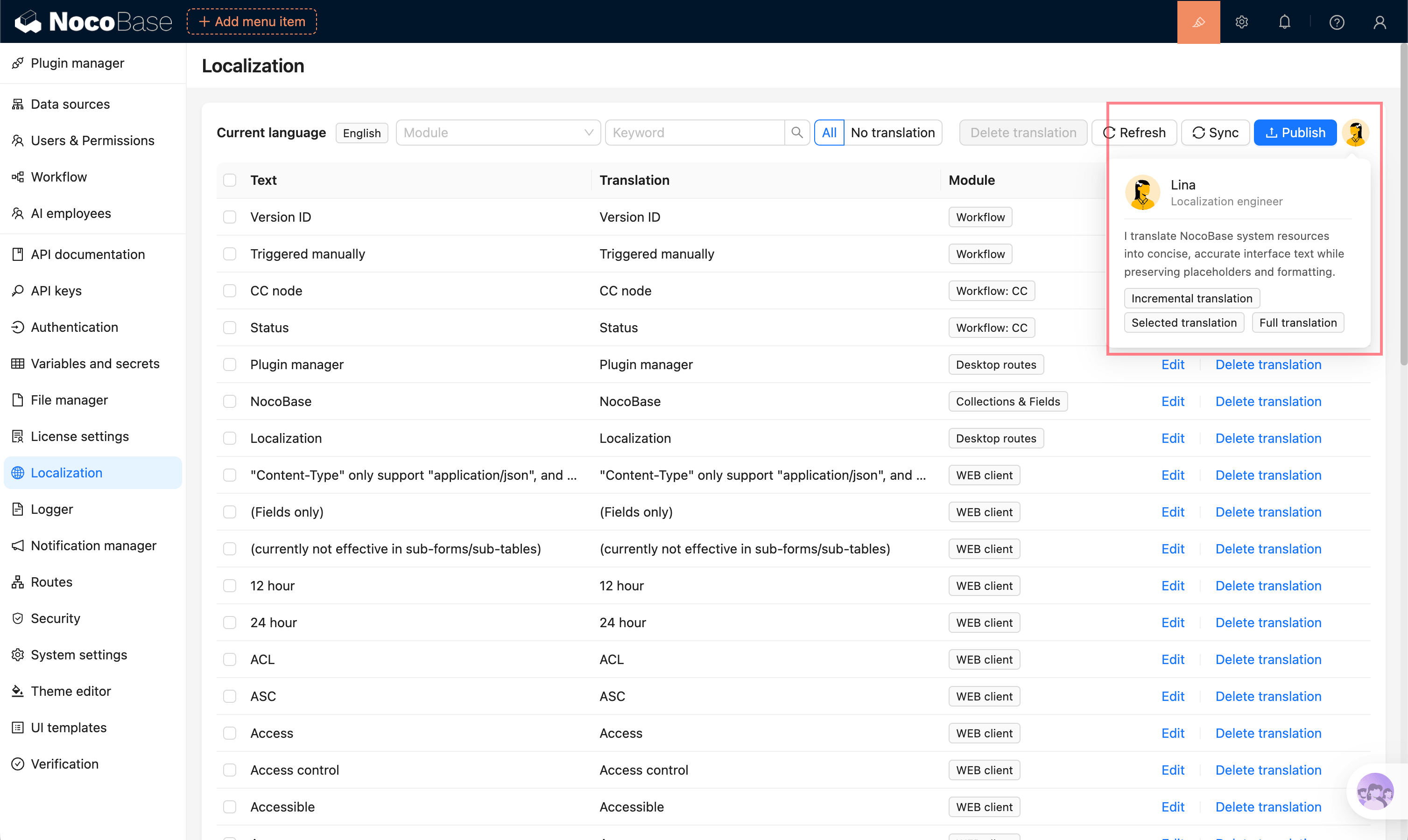
For example, teams can ask AI employees to:
- Analyze customer and sales data;
- Organize or supplement form content;
- Generate reports from current page data;
- Process documents or assist with task assignment in workflows;
- Answer business questions using an enterprise knowledge base.
AI building and AI employees play different roles. AI building is used to create and adjust systems, while AI employees assist with business work inside a running system.
AI Employees documentation: https://docs.nocobase.com/ai-employees
External Data Sources and Deployment
The main NocoBase database supports MySQL, PostgreSQL, and MariaDB. Through data source plugins, it can also connect to external MySQL, MariaDB, PostgreSQL, Microsoft SQL Server, Oracle, REST APIs, and other NocoBase applications.
After connecting to an external database, NocoBase reads the existing tables and fields, and teams can configure pages and other business features based on that data. Table structures in external databases need to be modified in the original database and then synchronized to NocoBase. Different external data source plugins may have different version requirements, so the specific requirements should be checked before use.
NocoBase Community Edition provides the full source code, supports private deployment, and does not limit the number of applications, users, or records. Some external data source, enterprise management, and advanced features are included in commercial editions.
Data source management documentation: https://docs.nocobase.com/data-sources/data-source-manager/
External database documentation: https://docs.nocobase.com/data-sources/data-source-manager/external-database
Use Cases
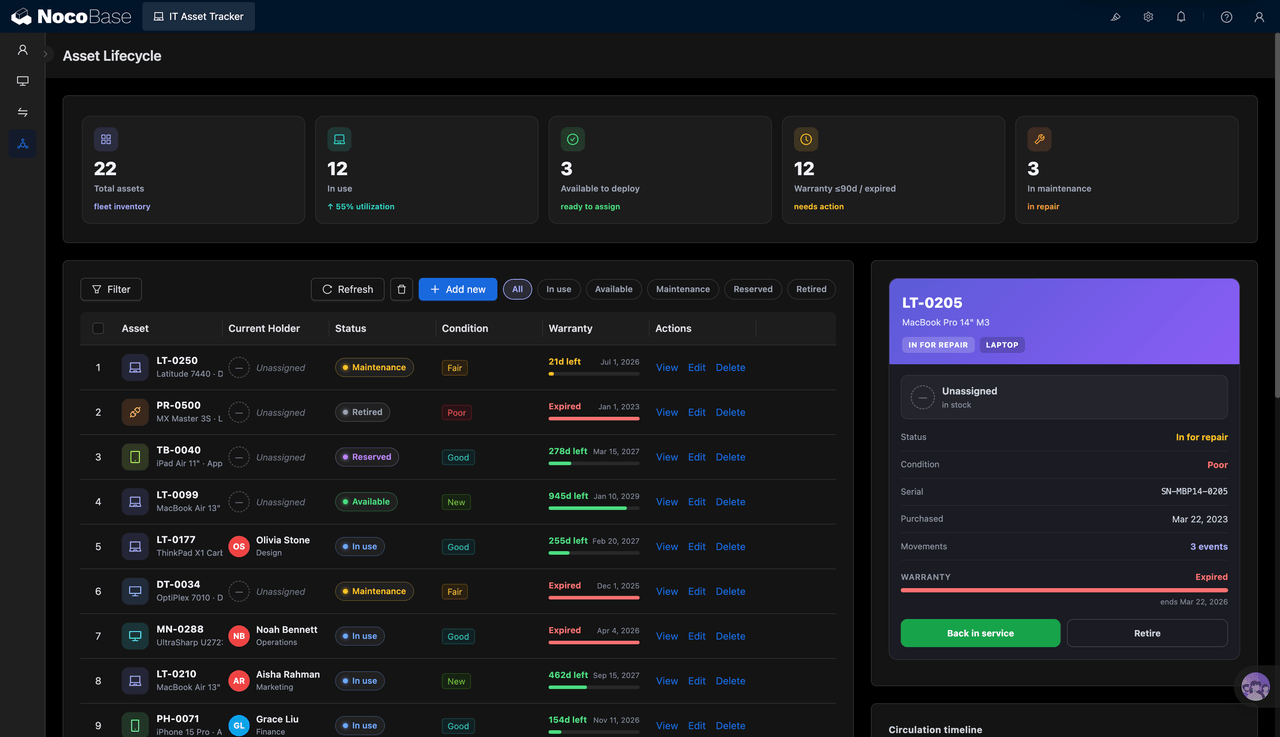
NocoBase is suitable for CRM, sales management, ERP, inventory and sales management, order and inventory management, project management, approvals, ticketing, contract management, and supplier management. It is better suited to projects with many tables, complex relationships, and long-term needs to adjust data structures and system features.
2. Baserow
Best for teams migrating from Excel, Google Sheets, or Airtable to an open-source database.
- Website: https://baserow.io/
- GitHub: https://github.com/baserow/baserow
- GitHub Stars: 5.3k
- Documentation: https://baserow.io/user-docs/
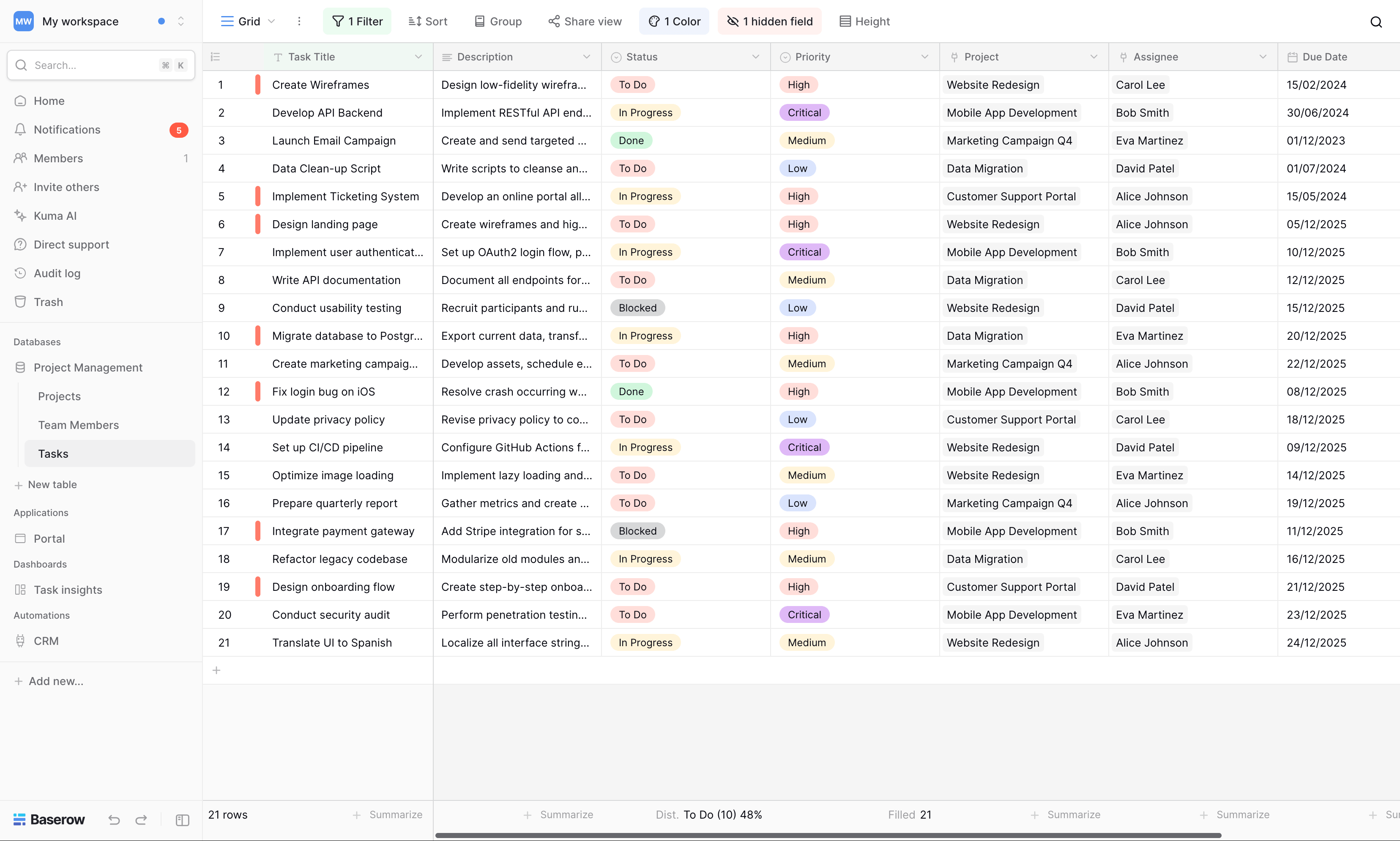
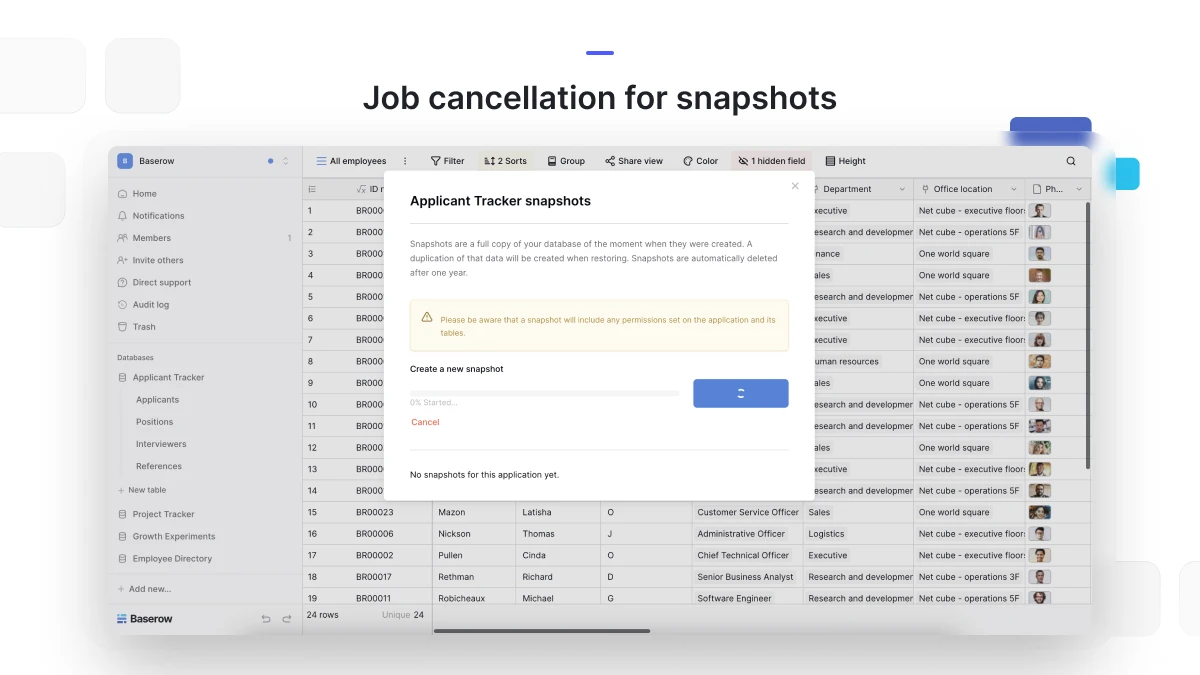
Baserow is an open-source AI no-code platform for building databases, business applications, automation workflows, and AI agents. It keeps a spreadsheet-like editing experience, allowing users to start from data tables and gradually add field relationships, views, forms, and application pages.
Complex Relational Modeling
Baserow mainly connects different tables through the “link to table” field. By default, one field can link to multiple records, making it suitable for many-to-many relationships. If multiple selections are disabled, it can be restricted to a one-to-one relationship. When a relationship is created, the system can also automatically create a reverse relationship field in the other table.
After relationships are established, lookup fields can read fields from related tables, rollup fields can calculate counts, sums, averages, maximums, or minimums, and formulas can be used for further processing.
If you need to record purchase quantities, prices, or discounts between orders and products, you can create a separate “order items” junction table and link it to the orders and products tables.
AI Capabilities
Baserow’s AI assistant, Kuma, can create and modify tables, fields, views, and relationships from natural language. It can also generate formulas, add filters and groups, and organize existing data.
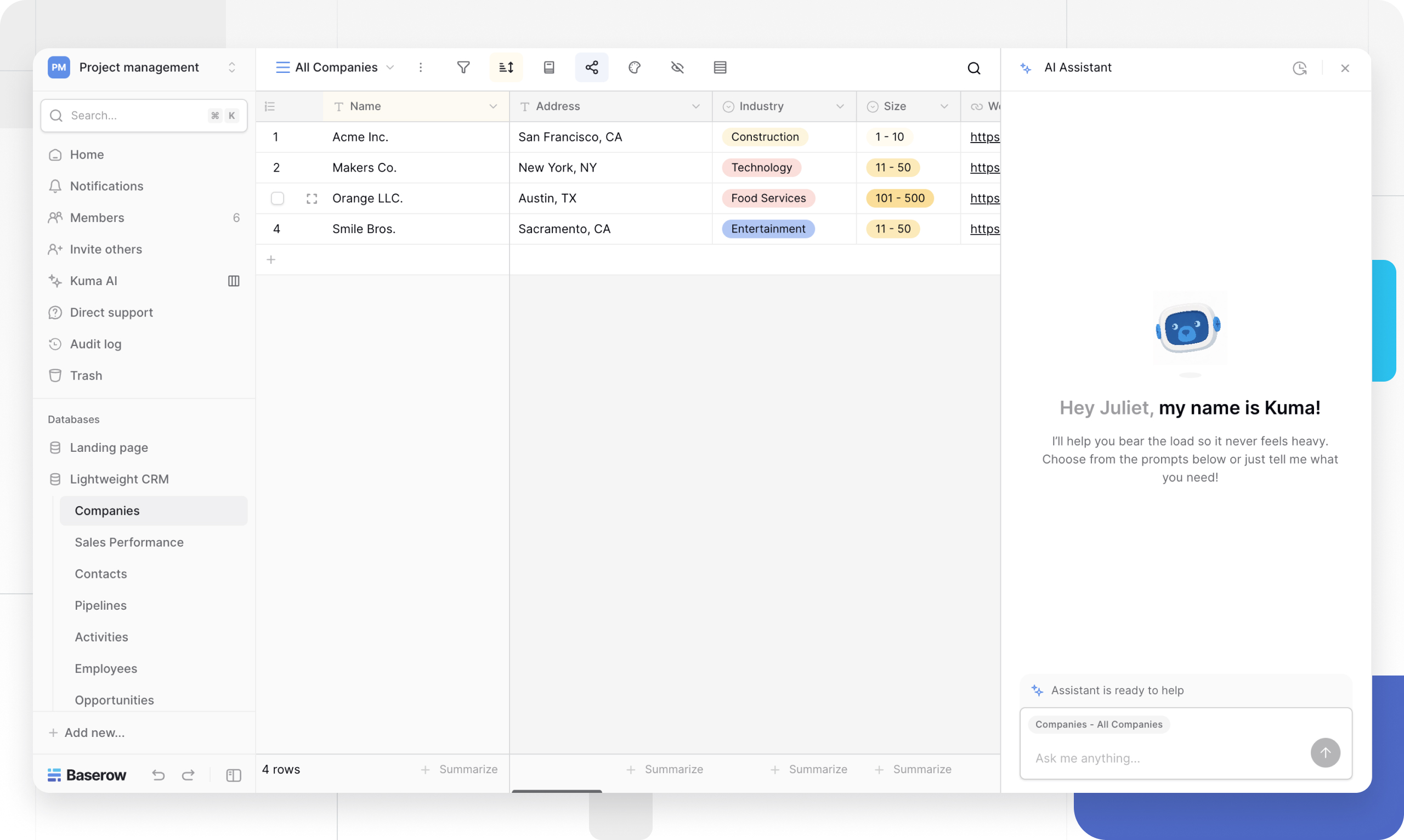
Kuma can also generate complete application pages, connect data sources, add forms and actions, and continue adjusting page structure and style based on follow-up instructions.
In addition, AI prompt fields can summarize, classify, and extract information from table content, and regenerate results when source fields change. This feature is included in the Premium plan and above.
Kuma AI documentation: https://baserow.io/user-docs/ai-assistant
Use Cases
Baserow is suitable for lightweight CRM, project and task management, content libraries, asset libraries, and scenarios that migrate from spreadsheets to structured data management. It is closer to an open-source Airtable alternative with AI capabilities, and is suitable for teams that value spreadsheet-style operation and self-hosting.
3. Teable
Best for teams that want to keep a spreadsheet-style interface while using a PostgreSQL-based data foundation.
- Website: https://teable.ai/
- GitHub: https://github.com/teableio/teable
- GitHub Stars: 21.5k
- Documentation: https://help.teable.ai/en/
Teable is a no-code database built on PostgreSQL, with an interface similar to Airtable. Users can manage data in tables, then gradually add relationship fields, calculated fields, application pages, and automation workflows.
Complex Relational Modeling
Teable’s relationship fields support one-to-one, one-to-many, many-to-one, and many-to-many relationships, and can be configured as one-way or two-way relationships. After relationships are established, lookup, rollup, conditional lookup, and conditional rollup fields can be used to read or aggregate data across tables.
For example, you can connect customers with orders, projects with tasks, and students with courses. In an order scenario, an order items table can also be used to record products, quantities, and prices.
AI Capabilities
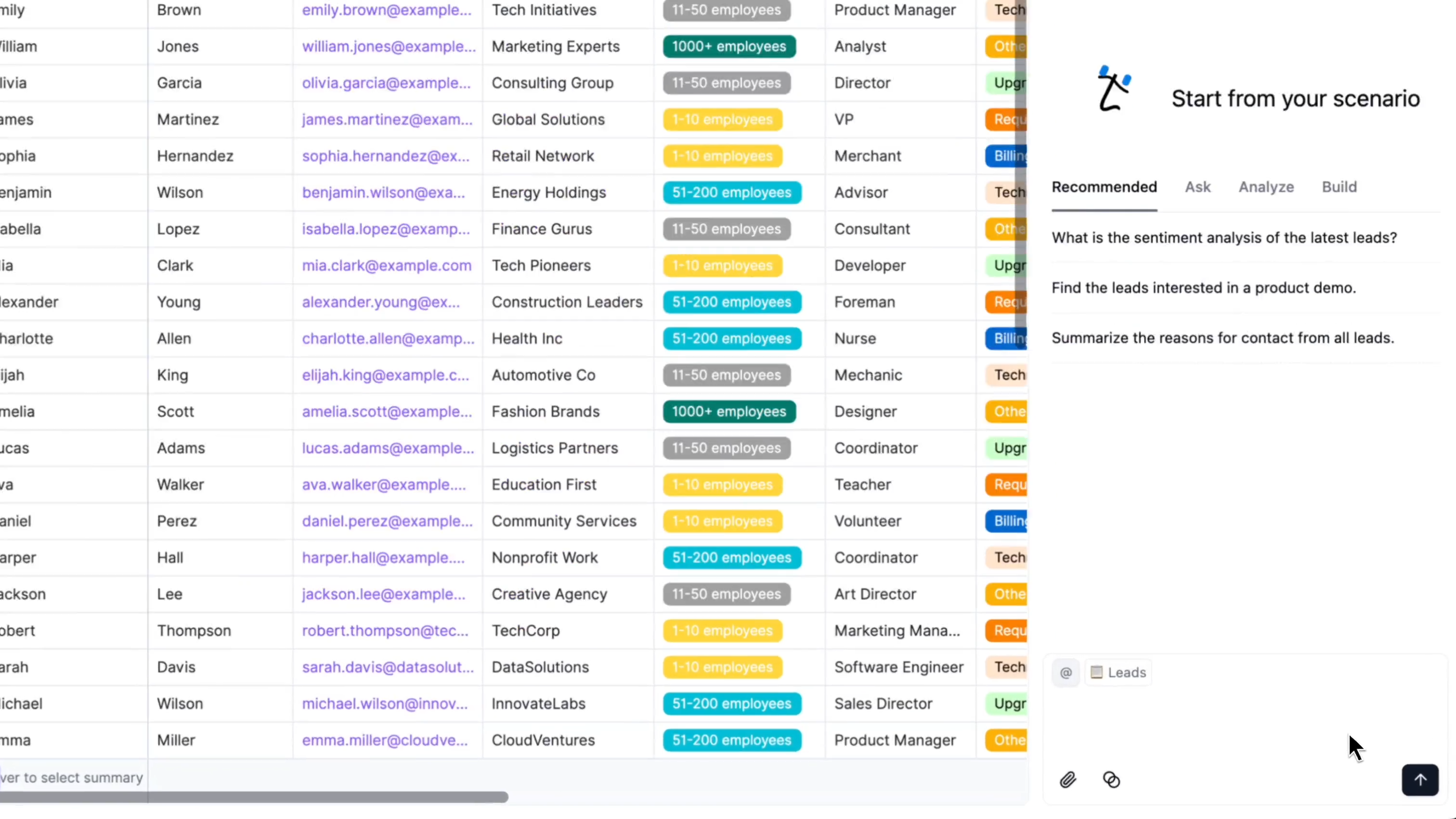
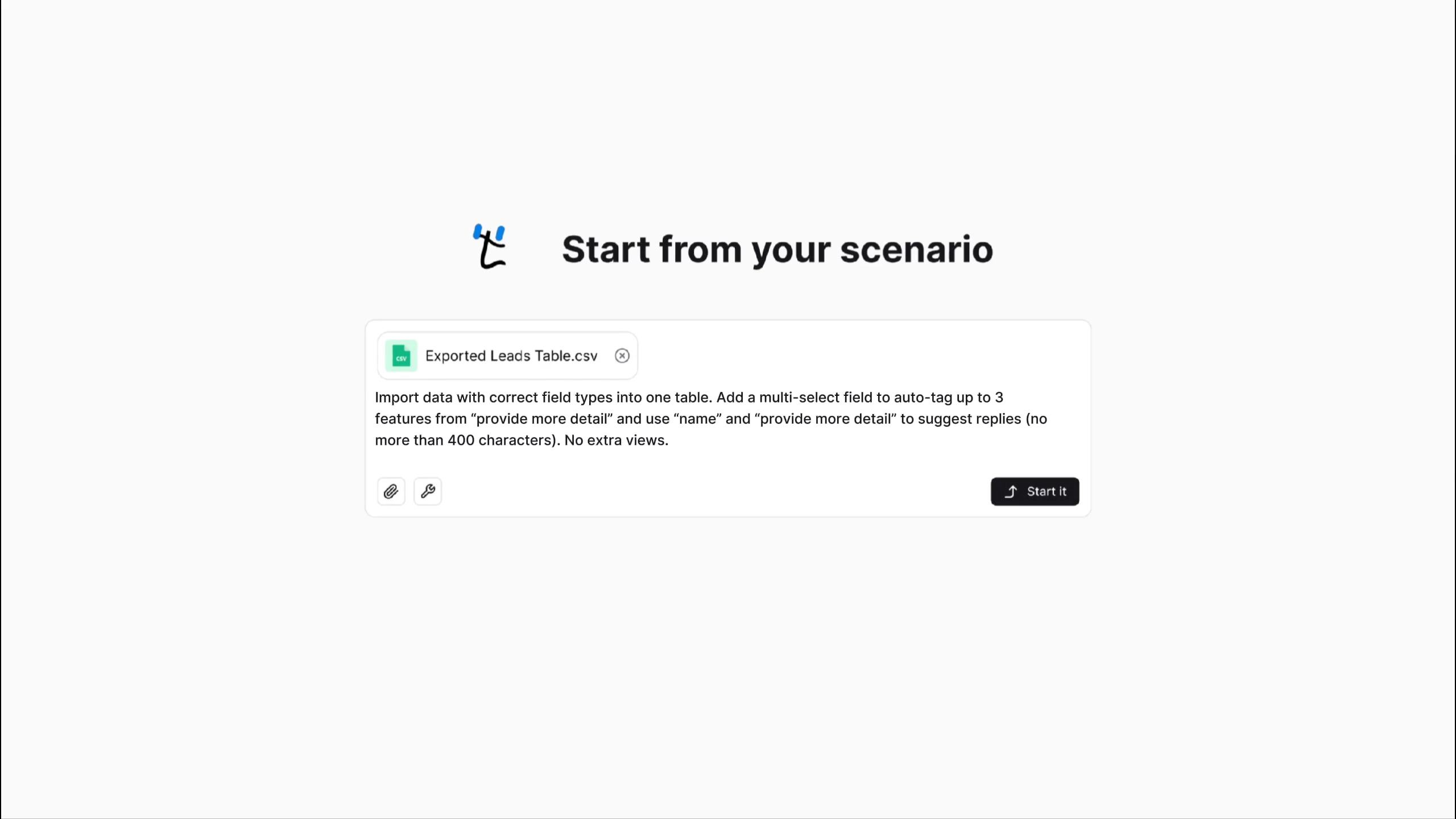
Teable AI can analyze current data and generate charts and reports. It can also create or modify tables, fields, views, applications, and automation workflows. Users can directly describe the database or business application they need, then continue refining the generated result.
AI chat documentation: https://help.teable.ai/en/basic/ai/ai-chat
AI app builder documentation: https://help.teable.ai/en/basic/ai/app-builder
Use Cases
Teable is suitable as an Airtable alternative, collaborative database, order management tool, project management tool, and PostgreSQL data management layer. Teams that want both AI app building and self-hosting should further confirm which edition includes the required features.
4. ToolJet
Best for connecting existing databases and quickly generating admin panels and internal business applications.
- Website: https://www.tooljet.com/
- GitHub: https://github.com/ToolJet/ToolJet
- GitHub Stars: 38.2k
- Documentation: https://docs.tooljet.com/docs/
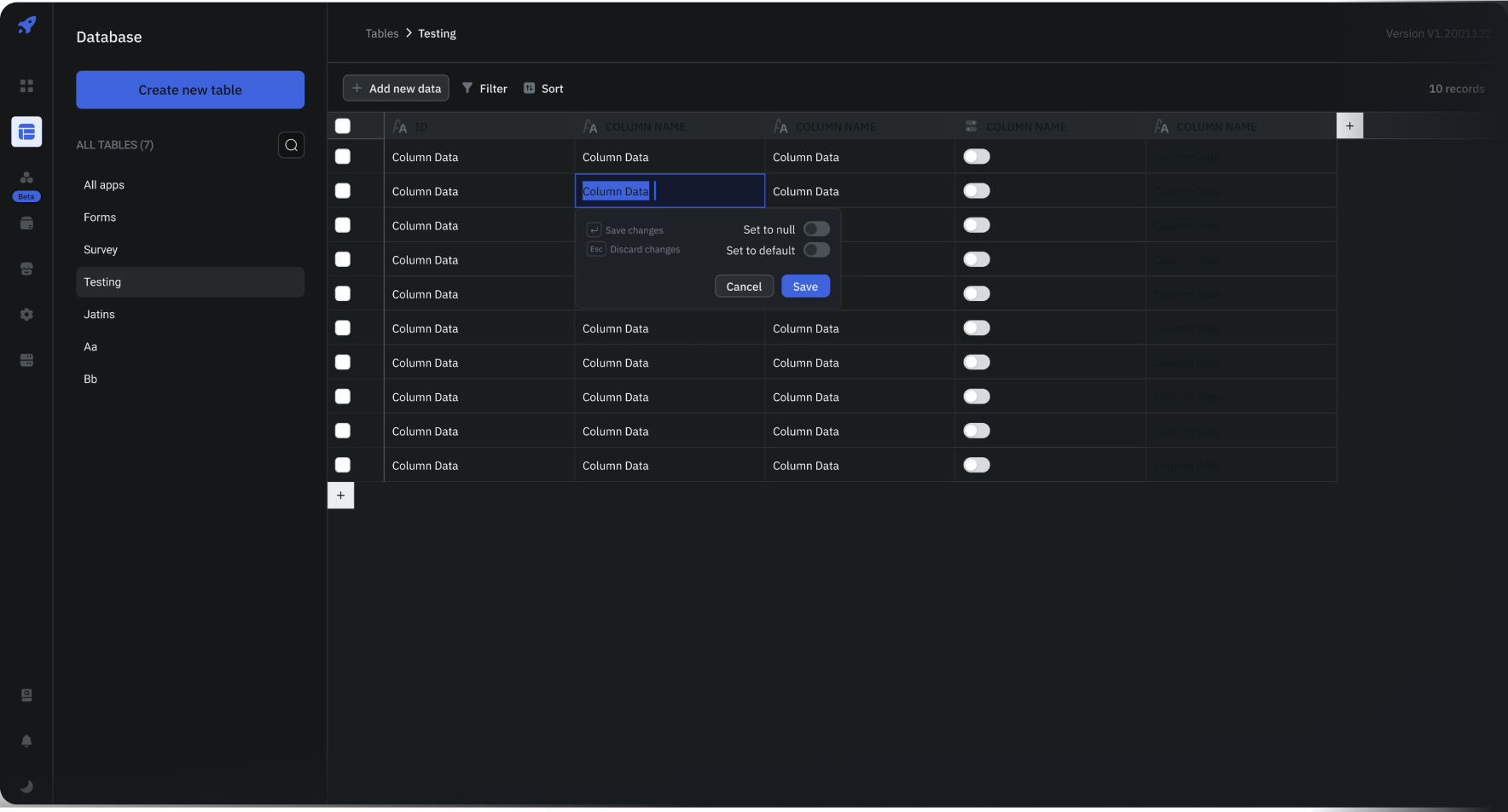
ToolJet is an open-source low-code application builder. It can connect to databases, APIs, cloud storage, and business software, then create admin panels, dashboards, and internal tools based on existing data. The community edition provides a visual page builder, a built-in database, and data source connection capabilities.
Complex Relational Modeling
ToolJet’s built-in database supports primary keys, foreign keys, unique constraints, and joins. Users can connect different tables using foreign keys and read related data based on existing relationships.
Many-to-many relationships usually require a junction table, with foreign keys pointing to the two business tables. ToolJet can also connect directly to PostgreSQL, MySQL, MongoDB, and many APIs, so it is better suited to building applications on top of existing data structures.
Database editor documentation: https://docs.tooljet.com/docs/tooljet-db/database-editor/
AI Capabilities
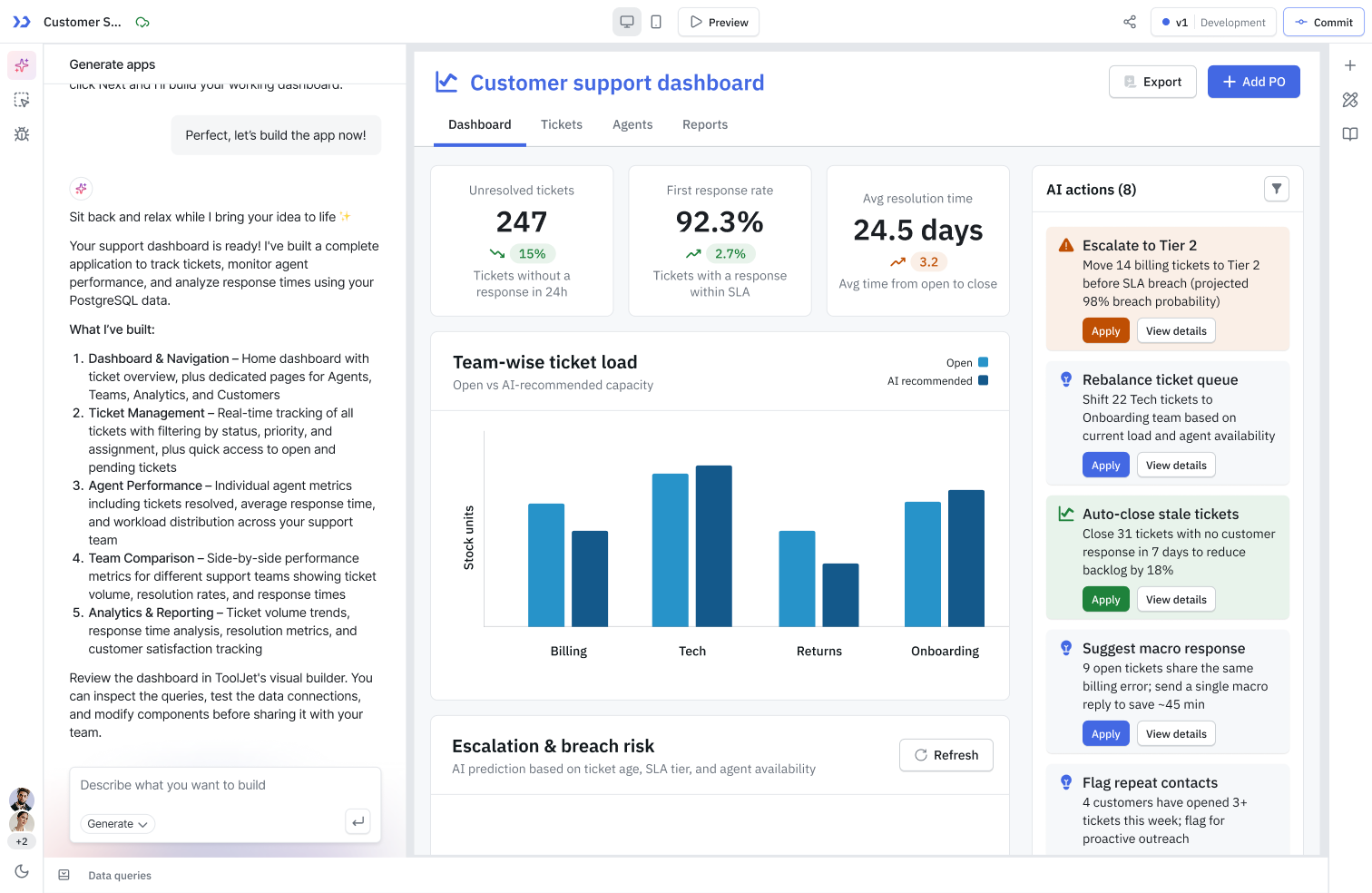
ToolJet AI can generate application pages, data structures, queries, and data bindings from natural language. It can also read existing database structures and create applications on top of existing data. After generation, users can continue adjusting pages, components, and queries.
ToolJet AI also provides query generation, component debugging, and AI agent building features. Its main AI capabilities belong to the enterprise edition, while the open-source community edition focuses on visual app building and data connections.
AI builder documentation: https://docs.tooljet.com/docs/build-with-ai/overview/
Use Cases
ToolJet is better suited for admin panels, internal operations tools, data query platforms, and business applications built on existing databases. Its strengths are clearer for teams that already have a database structure and want to quickly add pages and operation interfaces.
5. Budibase
Best for building form, approval, ticketing, and workflow-based internal applications.
- Website: https://budibase.com/
- GitHub: https://github.com/Budibase/budibase
- GitHub Stars: 28.1k
- Documentation: https://docs.budibase.com/docs/
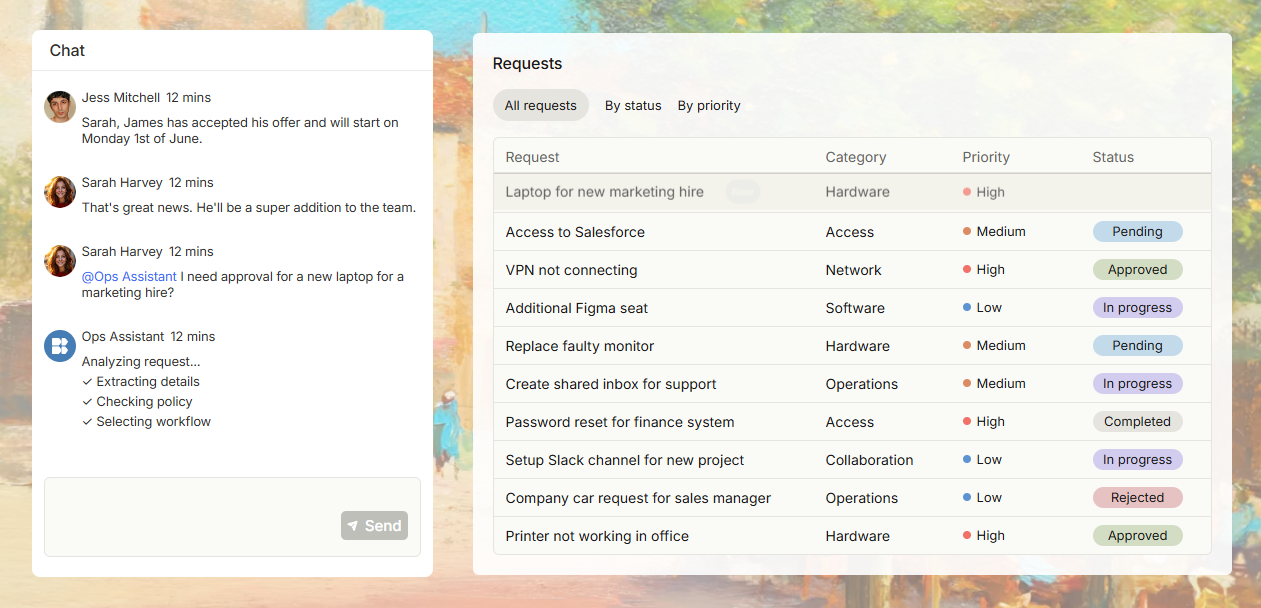
Budibase is an open-source internal tool and workflow automation platform. It can connect to existing databases, APIs, and business systems, or use its built-in database to create forms, data pages, applications, and automation workflows.
Complex Relational Modeling
Budibase relationship fields support two-way relationships, and one record can also be linked to multiple records, making many-to-many relationships possible.
When connecting to external databases such as PostgreSQL, MySQL, MariaDB, Microsoft SQL Server, or Oracle, many-to-many relationships need to use a junction table. The junction table stores foreign keys pointing to both data tables, and Budibase then reads and manages related data based on those relationships.
SQL data source documentation: https://docs.budibase.com/docs/sql-datasource
AI Capabilities
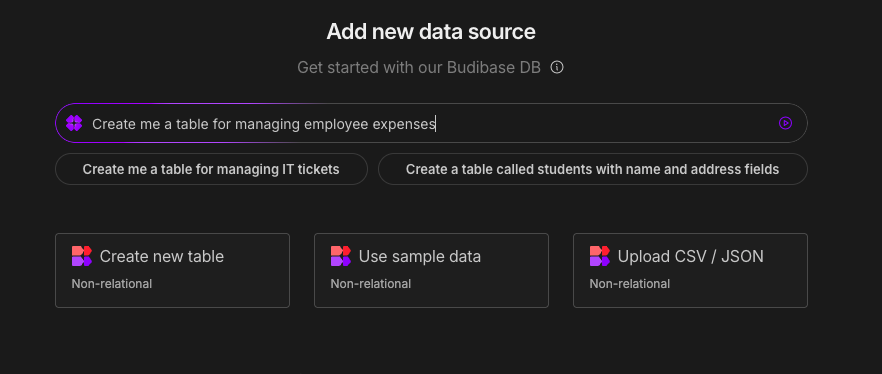
Budibase AI can generate tables, fields, relationships, and sample data for the built-in database from prompts. It can also generate JavaScript and perform text classification, translation, summarization, content generation, and document information extraction in automations. The platform also supports building AI agents that can call data and workflows.
The AI table generation feature currently applies only to the built-in Budibase DB. It can generate one or more tables and their relationships, but it does not generate application pages at the same time. Before production use, field types and relationships should still be checked.
AI-powered table generation documentation: https://docs.budibase.com/docs/ai-powered-table-generation
Budibase AI configuration documentation: https://docs.budibase.com/docs/quickstart-budibase-ai
Use Cases
Budibase is suitable for approval and request forms, ticketing systems, internal operations tools, and data pages and automation workflows built on existing SQL databases. It is especially strong in forms, workflows, and AI-powered data processing.
Hope this article helps you find the right open-source AI no-code tool for complex relational models more quickly. Feel free to share it with teams evaluating Airtable alternatives, AI app builders, or internal business system tools.
Related reading:
- What Is AI No-Code? A Practical Guide to No-Code Platforms in the AI Era - NocoBase
- 9 Open-Source AI No-Code Tools on GitHub Worth Watching
- 14 Open Source AI Agent Tools with the Most GitHub Stars
- Top 8 Open Source AI Assistant Tools by GitHub Stars
- 6 Open Source Tools to Use with WorkBuddy
- Top 6 Open Source AI Tools by GitHub Stars for Stronger AI Agents
- 5 Open-Source Internal Tools to Use with Hermes Agent
- OpenClaw and 5 Open-Source Tools for Monitoring Business Workflows
- What Open-Source Tools Work Well with OpenCode? 5 Projects to Try
- Building Internal Tools with Codex: 6 Open-Source Projects for Developers
- After Claude Code: 6 Open-Source Tools You Should Know
- Top 10 Open-Source AI And No-Code Tools for Enterprise Software Development
- 8 Open-Source AI Agent Platforms for Building Internal Tools