

Smartsheet is one of the first tools many teams consider when setting up project management and collaboration workflows.
It retains a familiar spreadsheet-style interface while adding boards, Gantt charts, forms, automation, reports, and dashboards. For teams that previously relied on Excel to manage projects, the learning curve is relatively low, making it easier to establish consistent processes for task assignment, progress tracking, and project reporting.
However, a tool that works well at the beginning may not remain suitable for every stage of a team’s development.
Recently, we came across a discussion about alternatives in the Smartsheet community on Reddit. The original poster works for a construction company with about 100 employees and belongs to a seven-person department. Previously, everyone managed projects according to their own habits: some used spreadsheets, some relied on personal task tools, and others tracked progress through email and meetings. As the number of projects increased, the team wanted to establish a unified project management and reporting process.
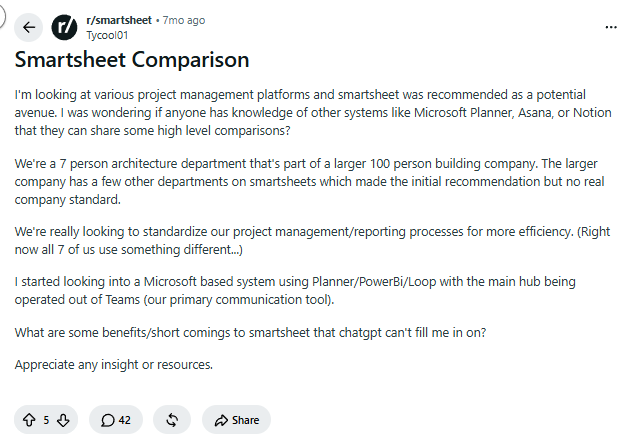
The comments showed that opinions about Smartsheet were mixed.
Users who supported Smartsheet mentioned:
- Migrating from Excel is relatively straightforward
- Real-time data can be connected across different sheets
- Dashboards and reporting are intuitive
- Forms, file review, approvals, and automation are well covered
- Business teams do not have to wait for IT to develop every system
Users considering replacing Smartsheet mentioned:
- Changes to pricing and licensing models
- Uneven adoption across departments
- Automation is often maintained by only a few advanced users
- Complex relational data remains difficult to manage
- Maintenance costs increase as data volume and usage expand
Based on these needs, we selected several representative Smartsheet alternatives, including open-source platforms. The following sections introduce each product’s positioning, core capabilities, major differences from Smartsheet, pricing, and suitable team types.
Before examining each product in detail, use the comparison table below to quickly identify options that may better match your team’s needs.
| Product | Open Source | Primary Positioning | Similarities to Smartsheet | Key Differences |
|---|---|---|---|---|
| NocoBase | Yes | Enterprise business system development | Tables, pages, workflows | Focuses on data relationships, permissions, and controlled operations; highly flexible plugin architecture; self-hosted and extensible |
| Baserow | Yes | No-code database | Spreadsheet-style data management | Open source, self-hosted, relational data |
| monday | No | Visual work management | Projects, boards, automation | Greater emphasis on boards and team collaboration |
| SmartSuite | No | Comprehensive work management | Projects, records, processes | Combines data management with project execution |
| Airtable | No | Relational data collaboration | Tables, views, automation | Stronger at linked data and interface building |
| ClickUp | No | All-in-one project management | Tasks, dashboards, automation | Task-centric with broad feature coverage |
| Asana | No | Project and task management | Tasks, dependencies, timelines | Clearer and more standardized project workflows |
💬 Hey, you’re reading the NocoBase blog. NocoBase is the most extensible AI-powered no-code/low-code development platform for building enterprise applications, internal tools, and all kinds of systems. It’s fully self-hosted, plugin-based, and developer-friendly. → Explore NocoBase on GitHub
1. NocoBase: For Teams Moving From Collaborative Spreadsheets to Business Systems
Product Information
- Website: https://www.nocobase.com/
- Documentation: https://docs.nocobase.com/
- Pricing: https://www.nocobase.com/en/commercial
- GitHub: https://github.com/nocobase/nocobase
- GitHub Stars: 23.4K
What Is NocoBase?
NocoBase is an open-source AI-powered no-code platform for building enterprise business systems such as project management, CRM, contract management, order management, approvals, and ticketing.
Teams can first create related data tables for customers, projects, contracts, tasks, invoices, and other business objects. They can then configure tables, boards, forms, detail pages, charts, and action buttons through a visual interface. As business requirements change, pages, permissions, workflows, and plugins can continue to be adjusted.
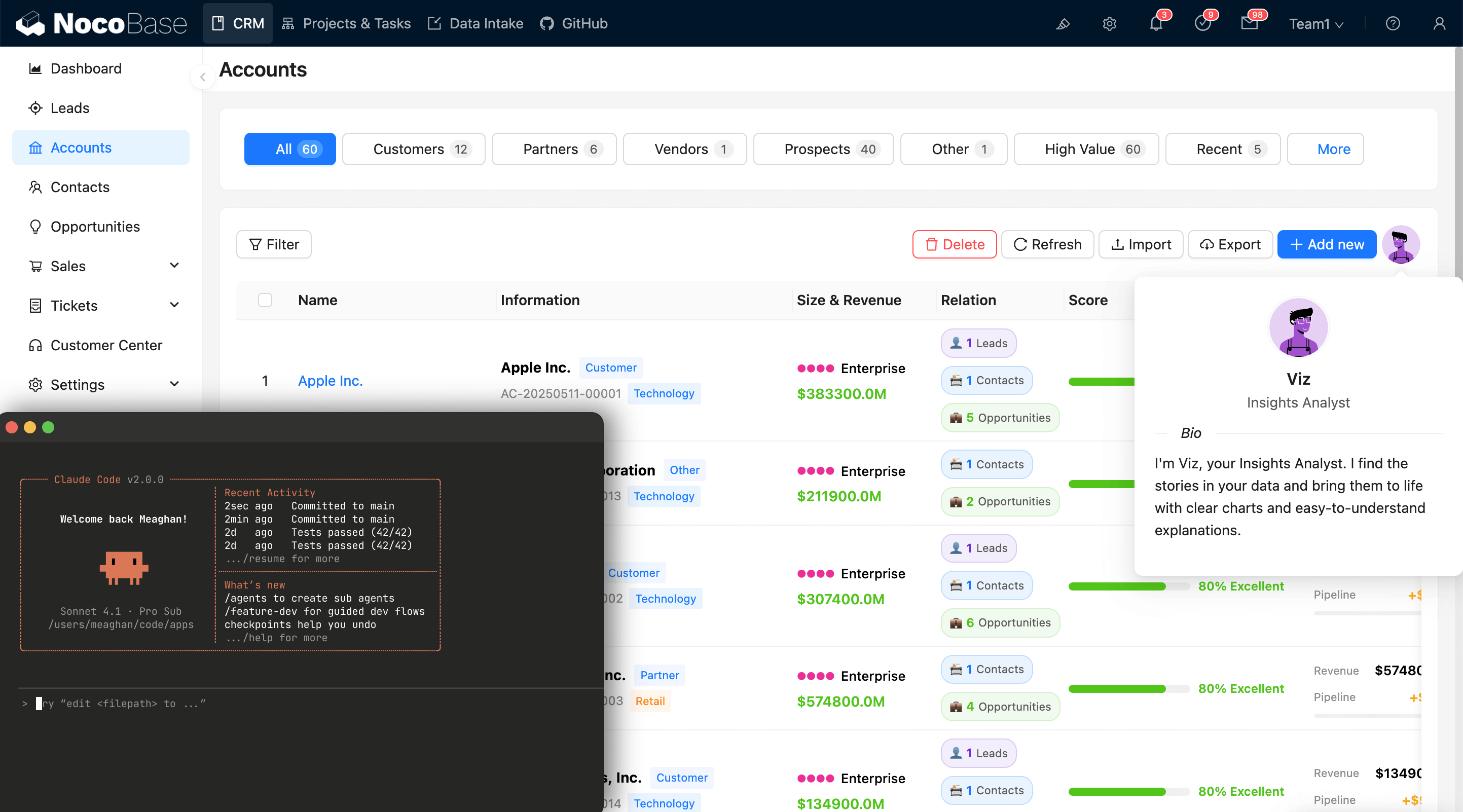
Why Can It Replace Smartsheet?
NocoBase provides tables, boards, forms, detail pages, charts, and workflows, covering common Smartsheet scenarios such as project management, data collection, progress tracking, and automation.
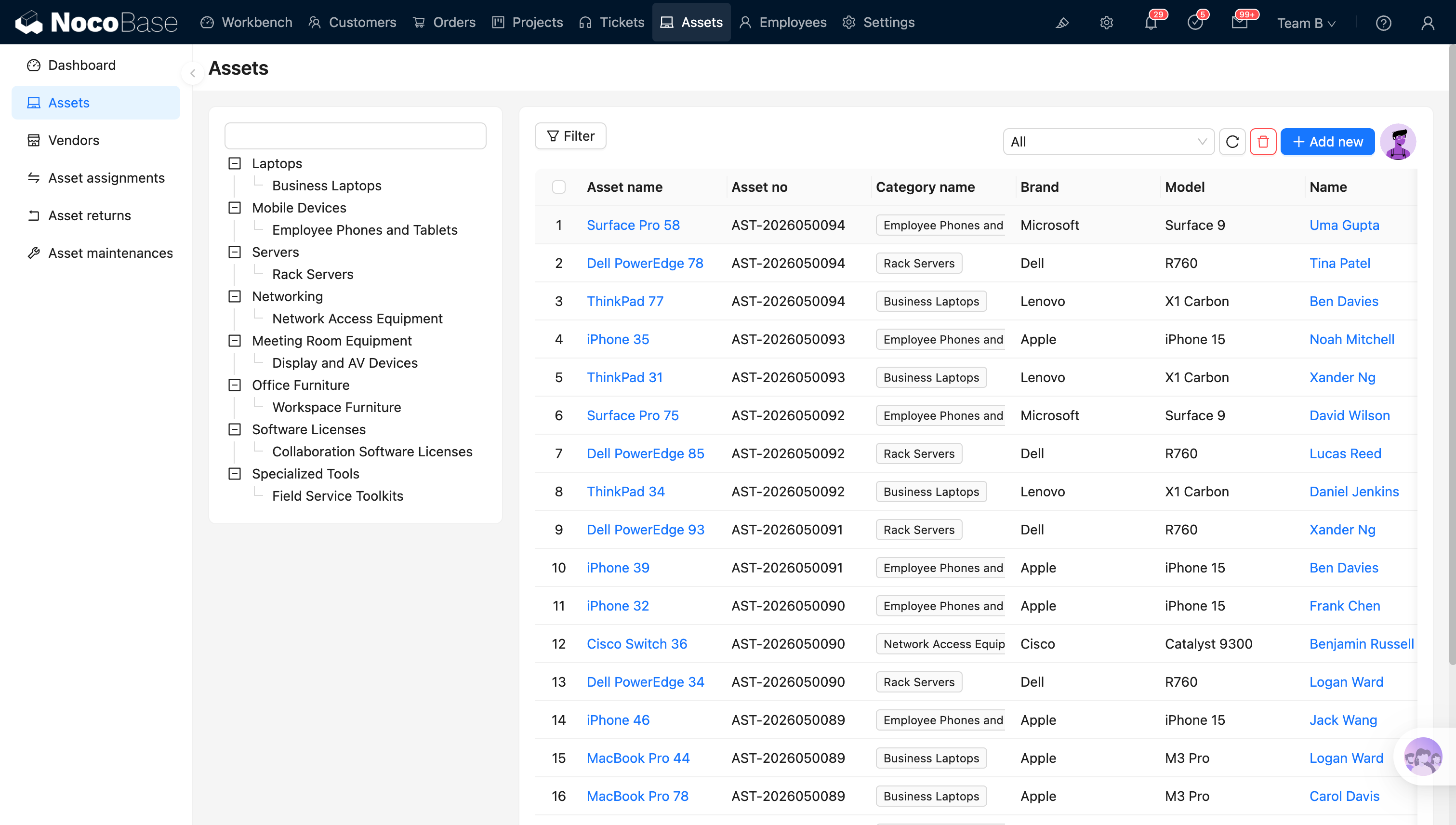
For teams with increasingly complex data structures, NocoBase can also create multiple related tables. For example, one customer can have multiple projects, while each project can be linked to contracts, tasks, invoices, and payment records. Sales, finance, project managers, and executives can work from the same underlying data while using different pages and receiving role-based data and operation permissions.
NocoBase also offers two types of AI collaboration capabilities that support both system development and ongoing operations.
The first is AI-assisted development. Teams can connect commonly used AI agents such as Claude Code, Codex, and Cursor to NocoBase, describe business requirements in natural language, and have the AI agent assist with data modeling, page configuration, workflow orchestration, permission settings, and plugin development. The generated system can still be reviewed and adjusted through NocoBase’s no-code interface.
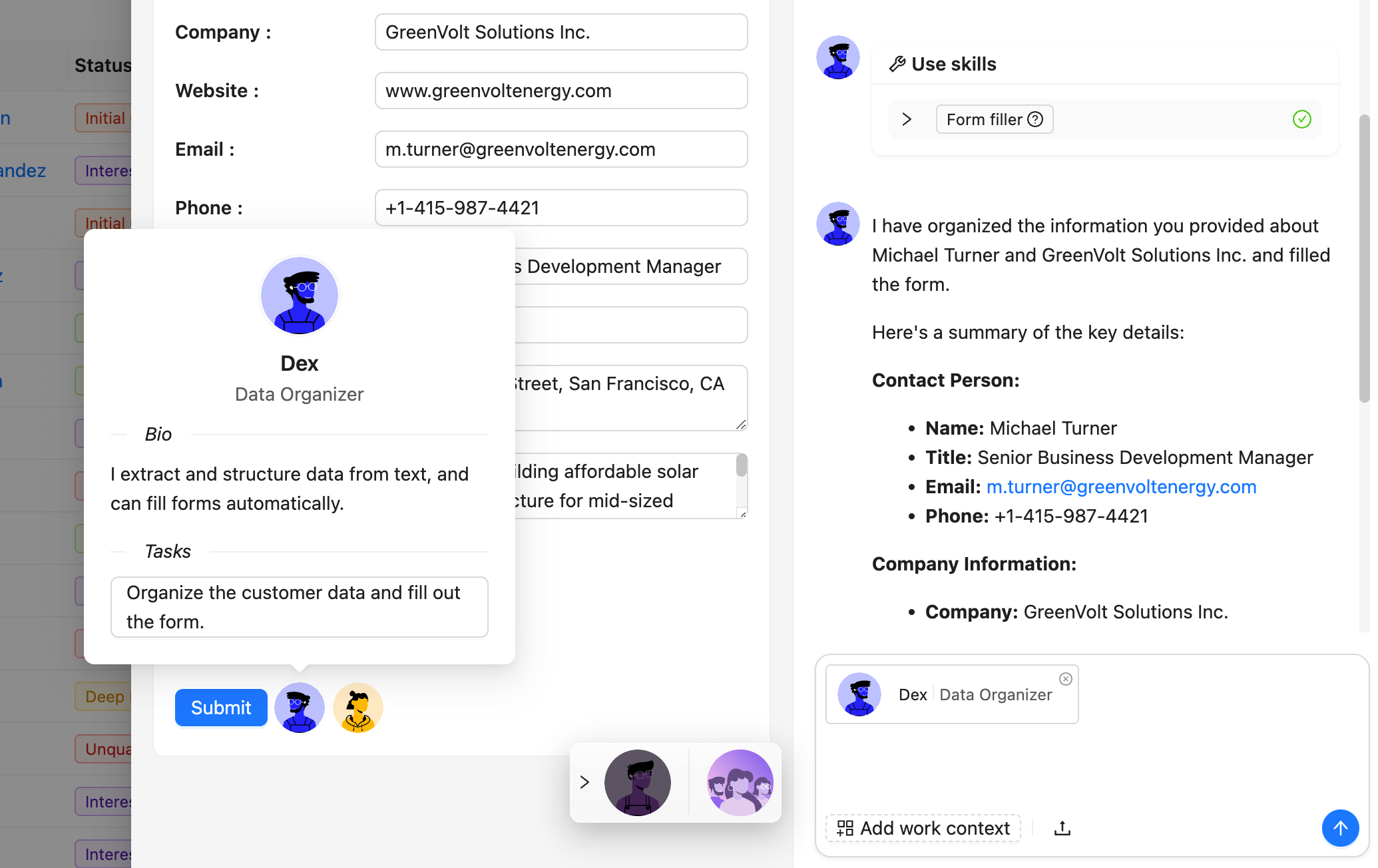
The second is AI Employees. After the business system goes live, AI Employees can understand business context from the current page, data blocks, and selected records. They can invoke relevant skills to query data, organize information, fill in forms, analyze trends, generate reports, and process content. AI Employees can also be orchestrated into workflows, bringing AI capabilities into specific business processes.
NocoBase also supports self-hosting, plugin extensions, and external database connections, making it suitable for teams that want control over their data and deployment environment while continuously expanding business modules.
Key Differences From Smartsheet
Smartsheet mainly uses worksheets as the collaboration entry point, with members typically viewing and updating project data directly in a grid. NocoBase starts with a data model and then configures pages, permissions, operations, and workflows around that data.
In NocoBase, users do not all have to enter the same underlying data table. Administrators can configure separate work interfaces for different roles:
- Sales teams can view customers, contacts, and opportunities;
- Project managers can view projects, tasks, and delivery progress;
- Finance teams can view contracts, invoices, and payments;
- Executives can view aggregated metrics and dashboards.
Data modification methods can also be configured according to business risk. Routine fields such as task status and assignee can support quick editing. Critical data such as contract amounts, payment status, and approval results can be entered, validated, confirmed, and submitted through dedicated forms. Once submitted, the system can trigger notifications, approvals, data updates, or other workflows.
AI further expands this system-oriented approach. During development, AI agents can understand NocoBase’s data models, pages, permissions, and workflow configurations to help teams build systems faster. During operation, AI Employees can read business context, analyze data, and perform authorized actions.
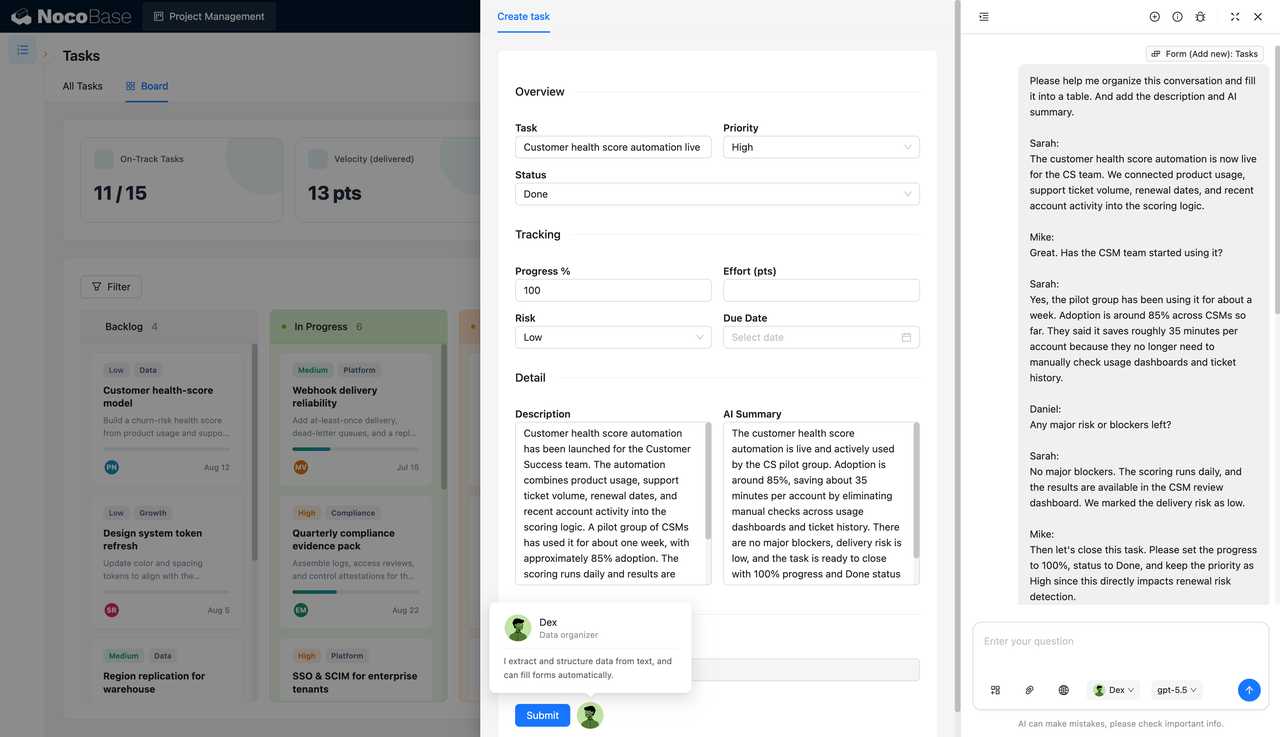
This means AI can participate throughout the complete lifecycle of a business system:
- Assist with creating data models and pages from natural-language requirements;
- Configure role permissions, operation methods, and business processes;
- Analyze and process business data after the system goes live;
- Continue participating in daily operations through AI Employees or workflows.
For teams already using Smartsheet to manage customers, contracts, projects, and financial data, this design can reduce errors and management pressure caused by multiple people directly maintaining complex worksheets.
Which Teams Is It Best For?
NocoBase is better suited to teams that:
- Already use Smartsheet to manage formal business data such as customers, contracts, orders, or payments;
- Have complex data relationships across multiple worksheets;
- Need different operating interfaces for sales, finance, operations, and management;
- Need to control which data different roles can view and modify;
- Require validation, confirmation, approval, or auditing for critical data changes;
- Want to use AI agents to accelerate business system development;
- Want AI Employees to participate in data analysis and business processing after launch;
- Need self-hosting and control over data and deployment environments;
- Plan to continue adding business modules on the same platform.
🎉 NocoBase lightweight solutions are now available. Try them today!
These focused business solutions are built with NocoBase. They are open source, controllable, and easy to extend or modify around your own processes.
Each solution includes a standard prompt. Give it to an AI agent connected to your instance, and you can reproduce the same system in minutes.
2. Baserow: For Teams That Want to Keep a Spreadsheet-Style Experience
Product Information
- Website: https://baserow.io/
- Documentation: https://baserow.io/user-docs
- Pricing: https://baserow.io/pricing
- GitHub: https://github.com/baserow/baserow
- GitHub Stars: 5.3K
What Is Baserow?
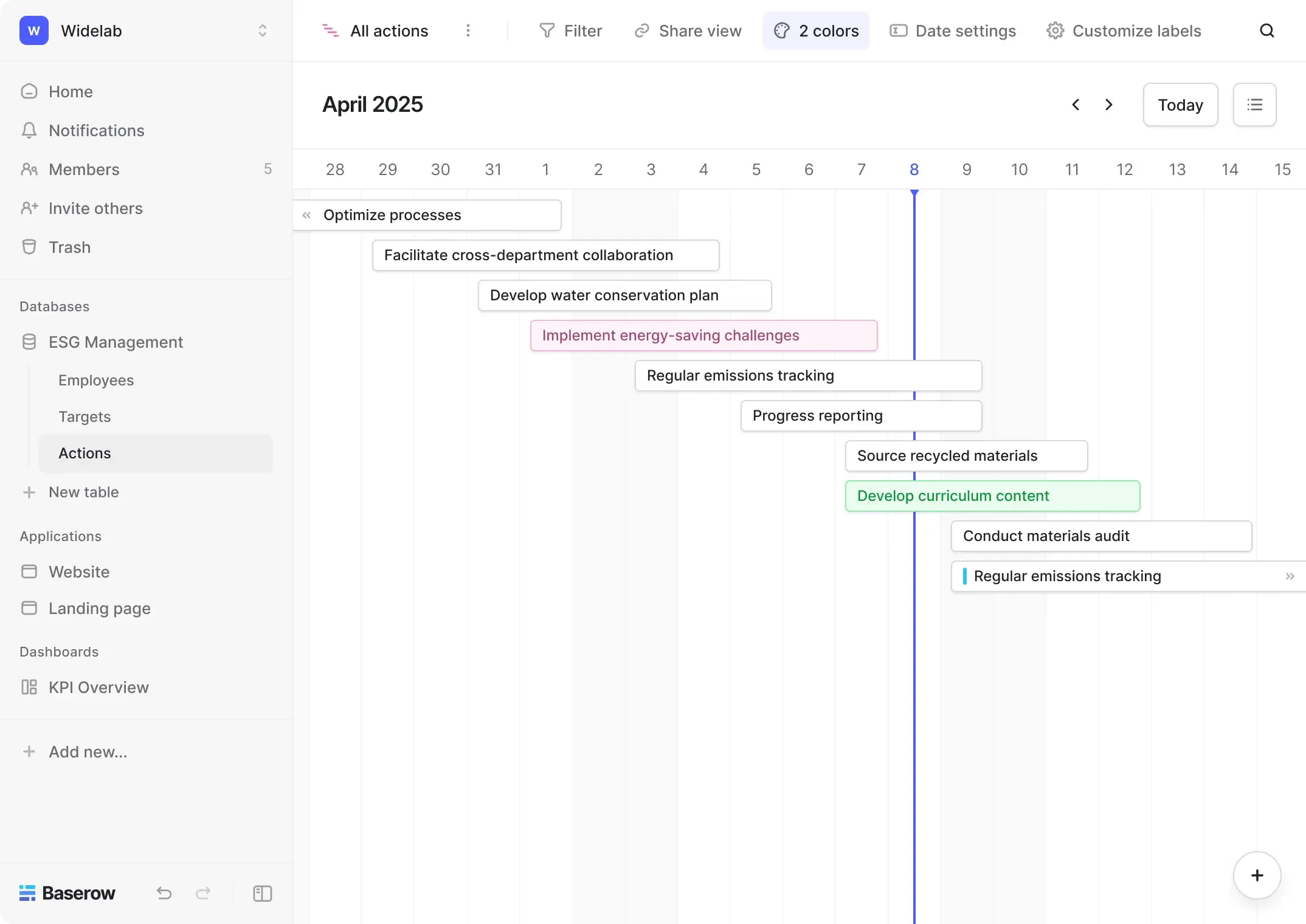
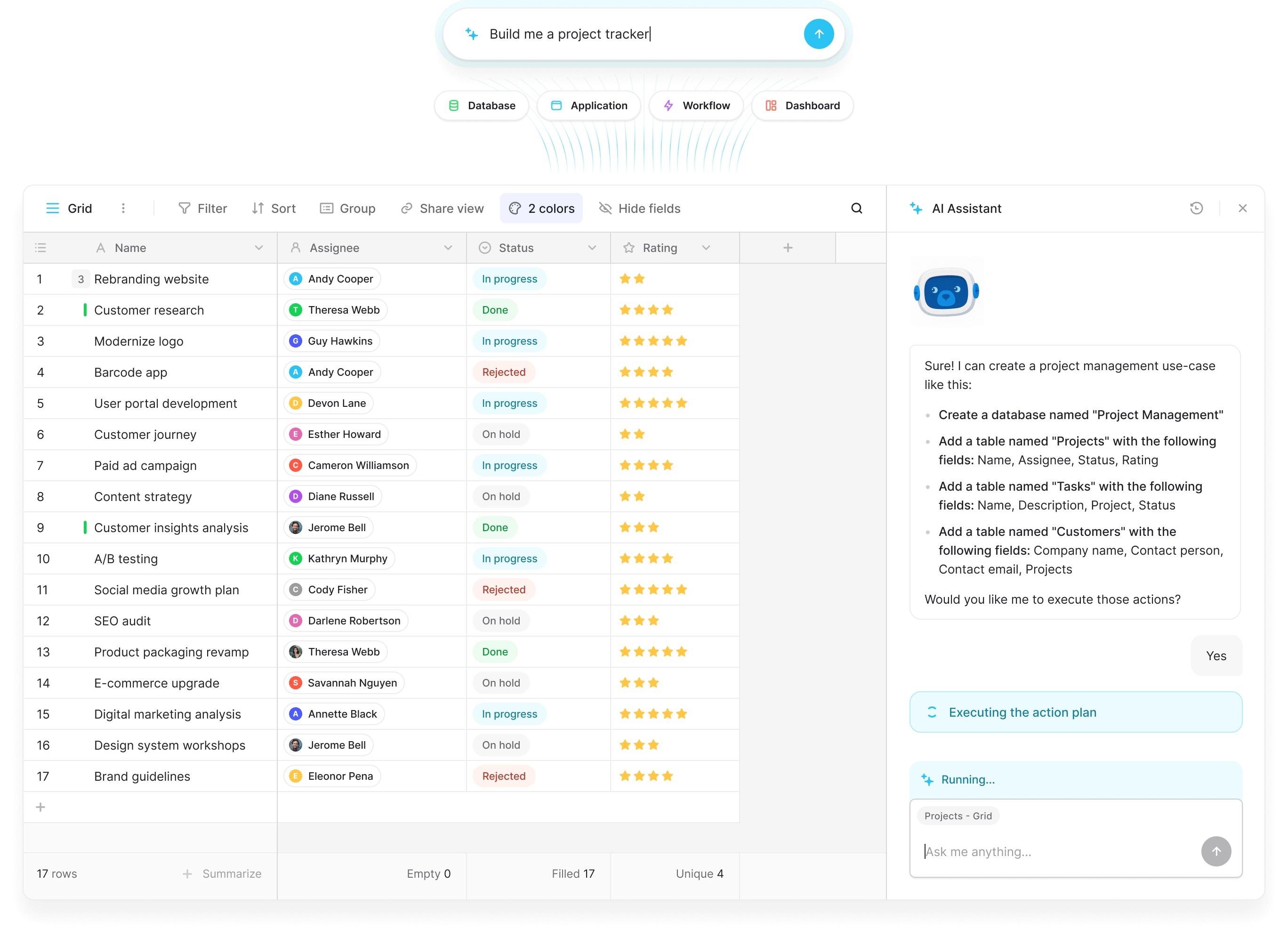
Baserow is an open-source no-code database and application-building platform. It retains a spreadsheet-like interface, allowing users to manage customers, projects, content, inventory, and other information through tables, fields, linked records, and multiple views. Teams can also build internal applications, dashboards, and automated processes. Baserow additionally provides AI fields, AI formula generation, and the Kuma AI assistant.
Why Can It Replace Smartsheet?
Baserow supports tables, forms, boards, calendars, timelines, and dashboards, covering common Smartsheet needs such as data collection, project tracking, and information presentation. It also supports table relationships, lookups, rollups, and formulas, making it more suitable for related data. For teams accustomed to editing information directly in tables but seeking stronger database capabilities, the post-migration experience is relatively easy to understand.
Key Differences From Smartsheet
Smartsheet places greater emphasis on project management, task dependencies, resource planning, and cross-project reporting, while Baserow is closer to a no-code database. Teams can freely create tables and relationships, then use the application builder to turn underlying data into internal tools or customer portals. Baserow also offers an open-source, self-hosted version, allowing teams to control their deployment environment, data storage, and system extensions.
Which Teams Is It Best For?
Baserow is suitable for teams that are comfortable with spreadsheets, need to manage multiple related data tables, and prefer an open-source or self-hosted solution. It is particularly useful for content management, lightweight CRM, project data, inventory, and internal information management, as well as teams that want to build simple internal tools on top of data tables.
3. monday: For Project Teams That Prioritize Visual Collaboration
Product Information
- Website: https://monday.com/
- Documentation: https://support.monday.com/hc/en-us
- Pricing: https://monday.com/pricing
How Does monday Organize Team Work?
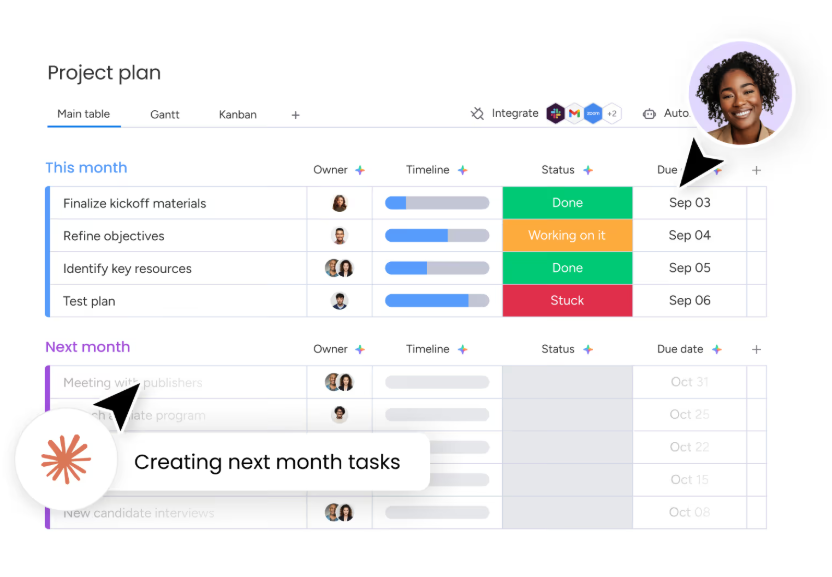
monday is a visual work management platform. Teams can centralize projects, tasks, owners, deadlines, and current status in a Board, then switch among Kanban, timeline, Gantt, calendar, and dashboard views to review progress from different perspectives. It is used for project management, marketing campaigns, product development, operational planning, and cross-functional collaboration, and the platform is also adding AI workflows and AI agents.
Why Is It a Suitable Smartsheet Alternative?
For teams seeking a consistent way to collaborate on projects, monday provides a relatively intuitive starting point. Administrators can use templates to quickly create project spaces, while members work around tasks, status, owners, and milestones. Automation rules can send notifications, update fields, or move tasks when a status changes, a date arrives, or a task is assigned. Dashboards can aggregate project progress, budgets, and team workloads across multiple Boards.
monday’s AI workflows can also add content generation, information analysis, and task assignment to existing processes. Its AI agents can monitor activities, determine the next action, and execute tasks within the context of Boards and workflows, although this capability is still being rolled out gradually.
Key Differences From Smartsheet
Smartsheet retains stronger spreadsheet conventions and is well suited to managing data, formulas, and cross-sheet reports in dense grids. monday focuses more on Boards, statuses, and task progression. Colors, groups, views, and automation make it easier for members to understand who owns each task and how far the work has progressed.
This design is collaboration-friendly, particularly for scenarios that require frequent status updates, owner coordination, and milestone tracking. For complex formulas, extensive cross-sheet references, or relational business data, monday differs significantly from traditional spreadsheets and should be evaluated against each existing Smartsheet use case.
Which Teams Are Better Suited to monday?
monday is better suited to marketing, operations, product, PMO, and cross-functional teams centered on projects, tasks, and team collaboration. When members need to quickly understand owners, deadlines, current status, and project risks while also using boards, Gantt charts, automation, and management dashboards, monday can be more intuitive than maintaining complex worksheets directly.
4. SmartSuite: For Teams Managing Projects, Data, and Business Processes Together
Product Information
- Website: https://www.smartsuite.com/
- Documentation: https://help.smartsuite.com/en/
- Pricing: https://www.smartsuite.com/pricing
What Is SmartSuite?
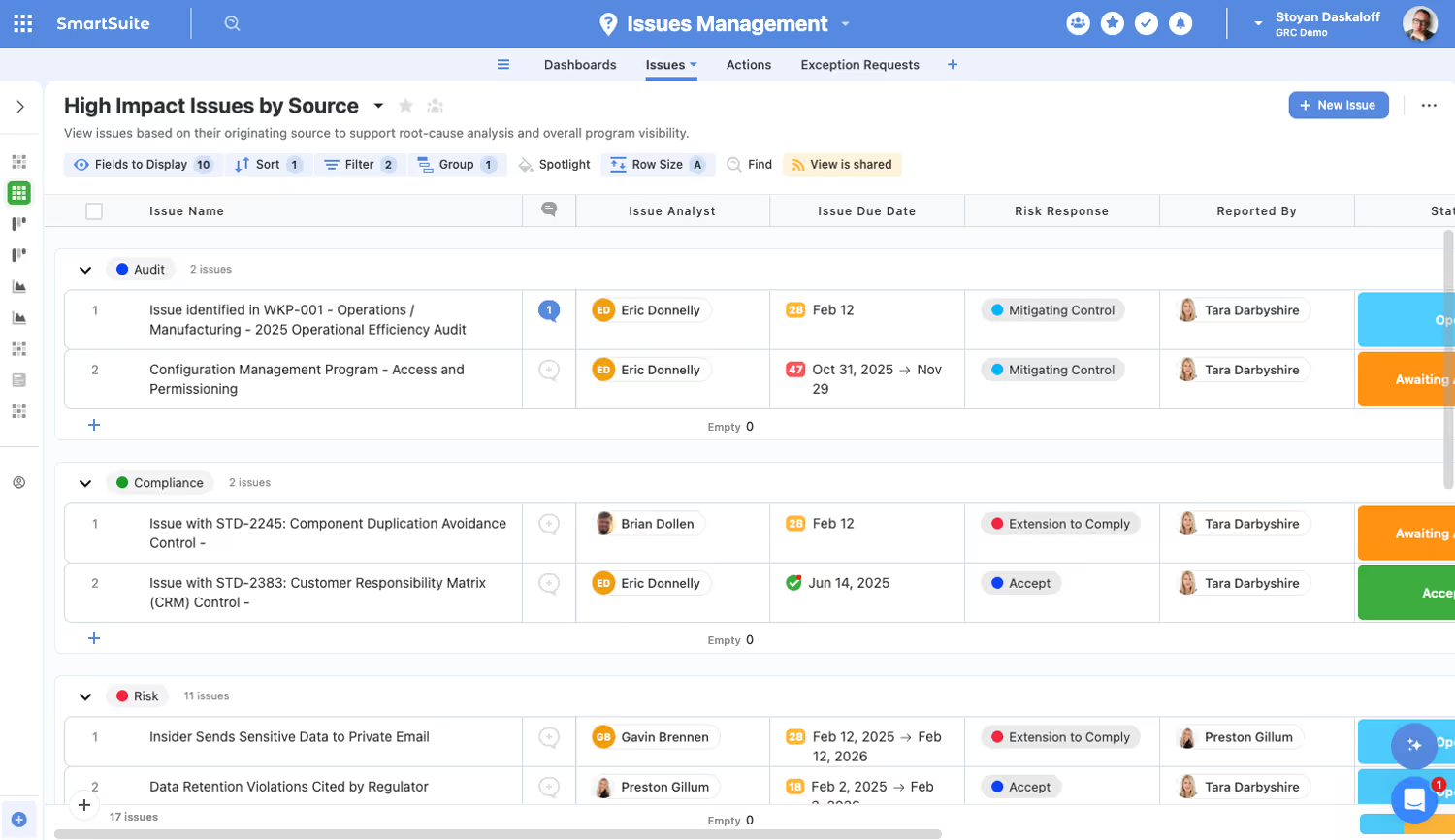
SmartSuite is a work management platform for business teams. It uses Solutions, Tables, and Records as its basic structure. Within one workspace, teams can manage projects, tasks, customers, contracts, risks, assets, and other business records, then view progress through tables, boards, calendars, timelines, Gantt charts, and dashboards.
SmartSuite is also gradually adding AI capabilities. Users can describe the business they need to manage in natural language, and AI Solution Generator can automatically create a solution containing tables, fields, and relationships. AI Field Agents can use field content from records to generate summaries, classifications, recommendations, or structured results and write those results directly back to the records.
Why Is It a Suitable Smartsheet Alternative?
For teams already using Smartsheet to manage projects, customers, suppliers, or operational processes, SmartSuite provides a similar table view while adding more complete record pages, linked data, and templates for multiple scenarios.
For example, a team can create separate customer, project, and task tables and connect them through linked records. Project managers can manage task dependencies and schedules in Gantt charts, business users can open individual records to view files, comments, checklists, and activity history, and management can monitor overall progress through dashboards.
Key Differences From Smartsheet
Smartsheet retains a strong worksheet-based approach, with many operations centered on rows, columns, formulas, and cross-sheet reports. SmartSuite places greater emphasis on records and the relationships among them. A project record can link to customers, tasks, budgets, risks, and deliverables while providing its own detail page and collaboration information.
This design positions SmartSuite between a traditional project management tool and a business data platform. Teams can use boards, Gantt charts, and timelines to move projects forward while connecting projects with customers, contracts, assets, and other business information. Linked records can also be used across different Solutions, reducing duplicate maintenance of the same data in multiple workspaces.
Which Teams Is It Best For?
SmartSuite is better suited to teams that manage both projects and structured business records, including professional services, marketing operations, product management, construction projects, procurement, supplier management, and lightweight CRM teams. When teams need boards, Gantt charts, and task dependencies while also connecting customers, projects, files, budgets, and risks, SmartSuite is more complete than a task-only management tool.
It is also suitable for teams that want to adopt ready-made templates and cloud services quickly and do not require self-hosting. AI Solution Generator can shorten initial configuration time, while AI Field Agents can automatically organize content, classify information, and suggest next steps after records are updated.
5. Airtable: For Teams Managing Linked Data and Flexible Business Processes
Product Information
- Website: https://www.airtable.com/
- Documentation: https://support.airtable.com/docs
- Pricing: https://airtable.com/pricing
What Is Airtable?
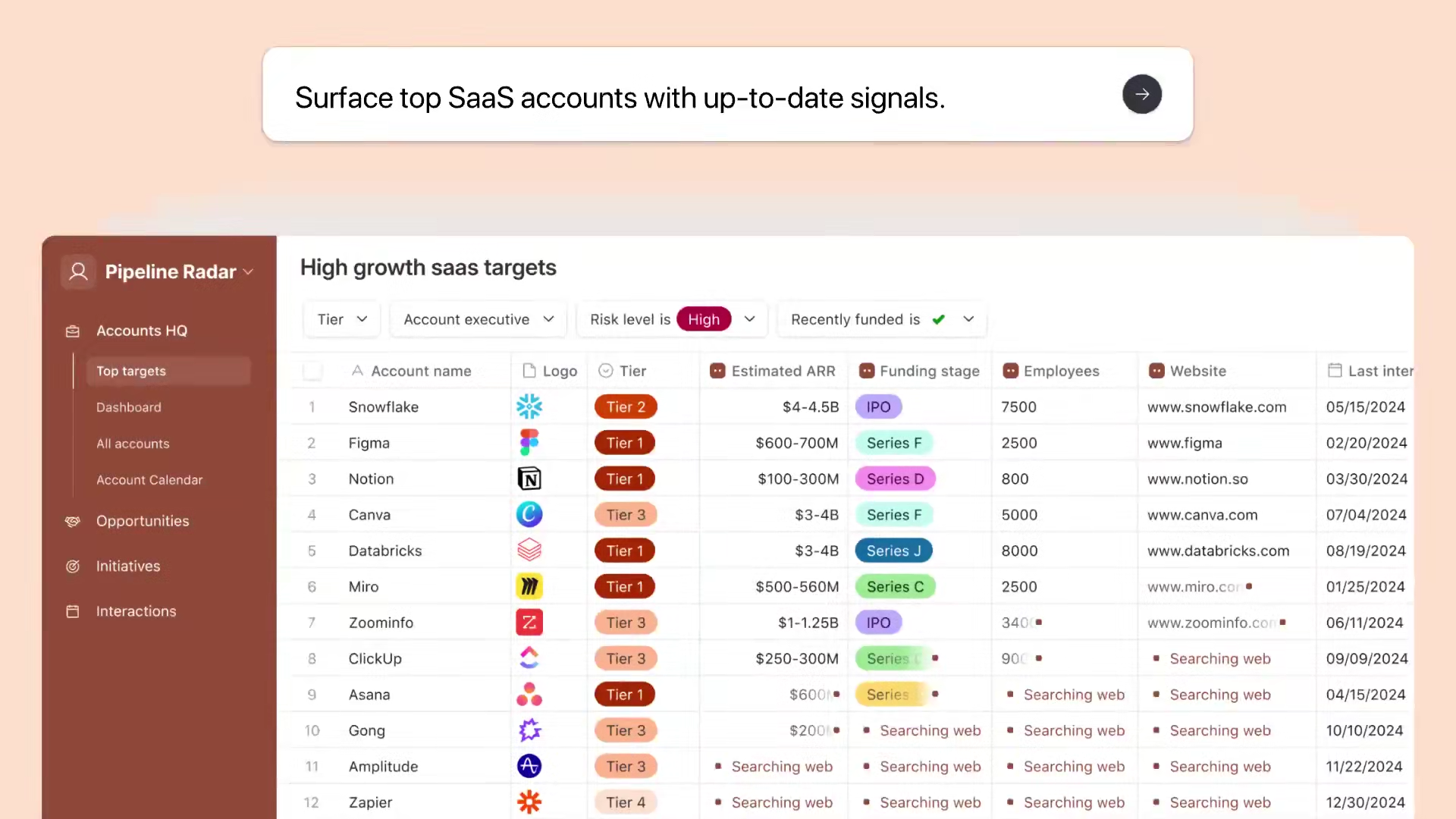
Airtable is a no-code application platform built on a relational database. Teams can enter and organize data much like they would in a spreadsheet while using linked records, lookups, rollups, and formulas to connect customers, projects, tasks, content, products, and other information. Interface Designer can create operating interfaces for different teams from the same data, while automation connects notifications, record updates, and external tools.
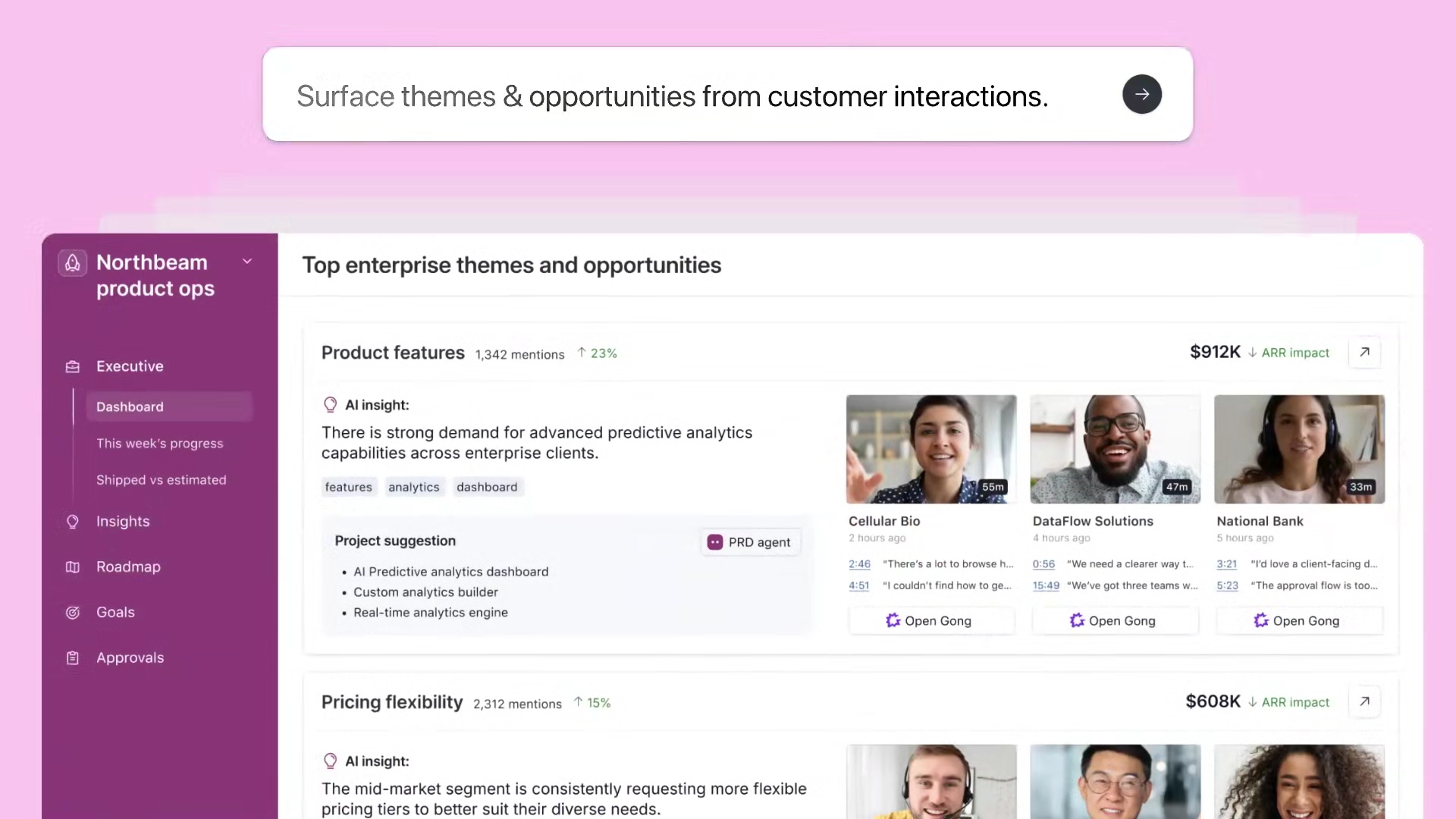
Airtable is also strengthening its AI capabilities. Omni can create and adjust tables, interfaces, and automations from natural-language instructions. Field Agents can use record content to conduct research, classify information, generate content, and analyze feedback.
Why Is It a Suitable Smartsheet Alternative?
Airtable provides tables, boards, calendars, timelines, forms, interfaces, and automation, covering common Smartsheet needs such as data collection, project tracking, and team collaboration. It is stronger at linked data. For example, teams can create separate tables for customers and projects, projects and tasks, or products and suppliers, then keep information synchronized through linked records and reduce duplicate maintenance across multiple tables.
Key Differences From Smartsheet
Smartsheet is more focused on managing projects through worksheets, task progress, and cross-sheet reports, while Airtable is built on relational data. Users can create one-to-many and many-to-many relationships through linked records and use Interface to turn underlying data into pages for marketing, product, operations, or management teams.
This structure is suitable for scenarios involving many data objects and complex relationships. However, teams that rely heavily on Smartsheet’s task dependencies, resource management, and project portfolio capabilities should still confirm whether Airtable can cover their existing processes.
Which Teams Is It Best For?
Airtable is better suited to marketing, content, product, research, and operations teams. Common scenarios include content calendars, product roadmaps, campaign management, lightweight CRM, user research, and asset management. Teams that want to retain the flexibility of spreadsheet-style operations while connecting multiple data tables, configuring role-specific interfaces, and adding automation or AI can prioritize Airtable.
6. ClickUp: For Teams That Want to Consolidate Multiple Project Tools
Product Information
- Website: https://clickup.com/
- Documentation: https://help.clickup.com/hc/en-us
- Pricing: https://clickup.com/pricing
What Is ClickUp?
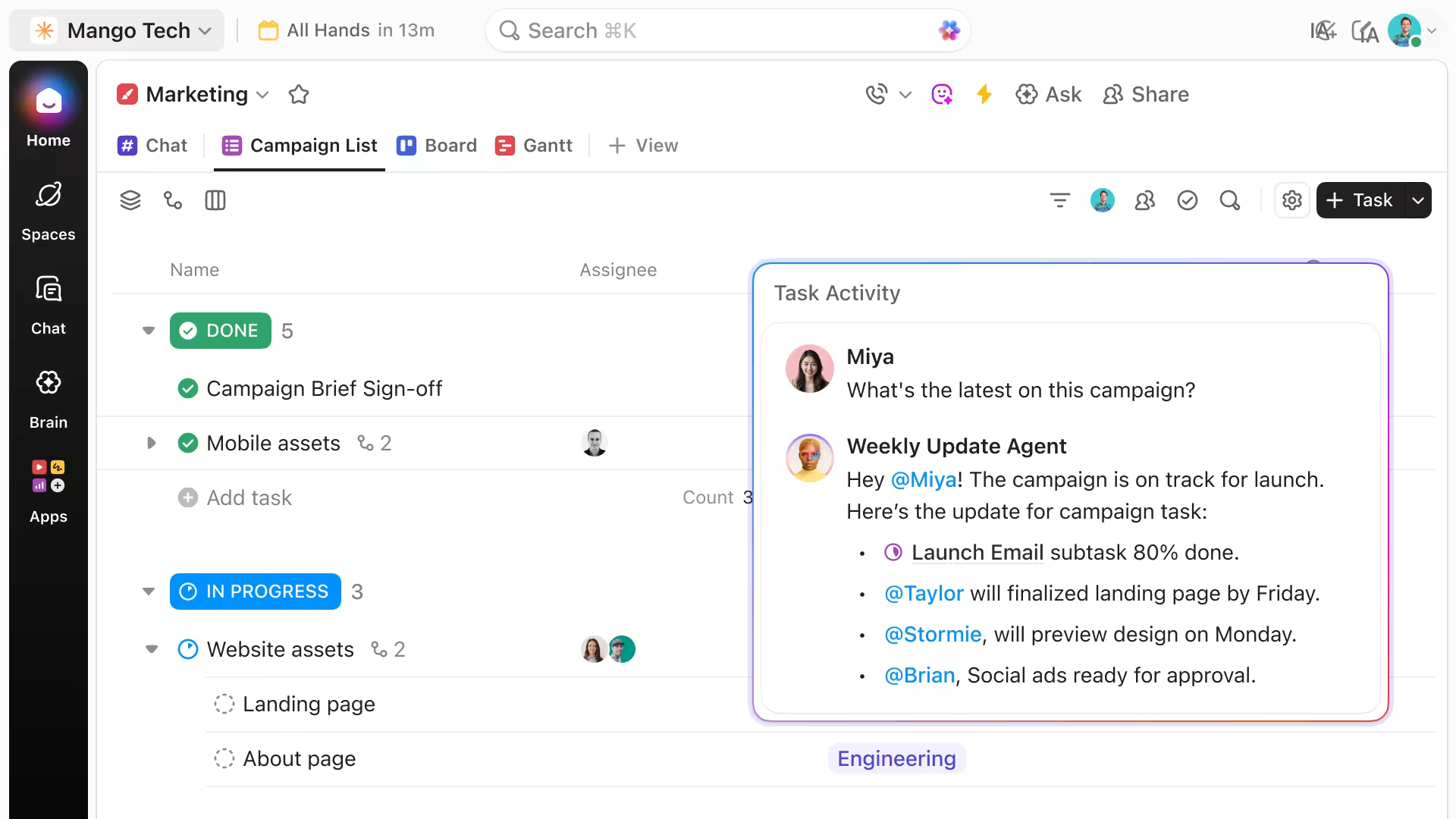
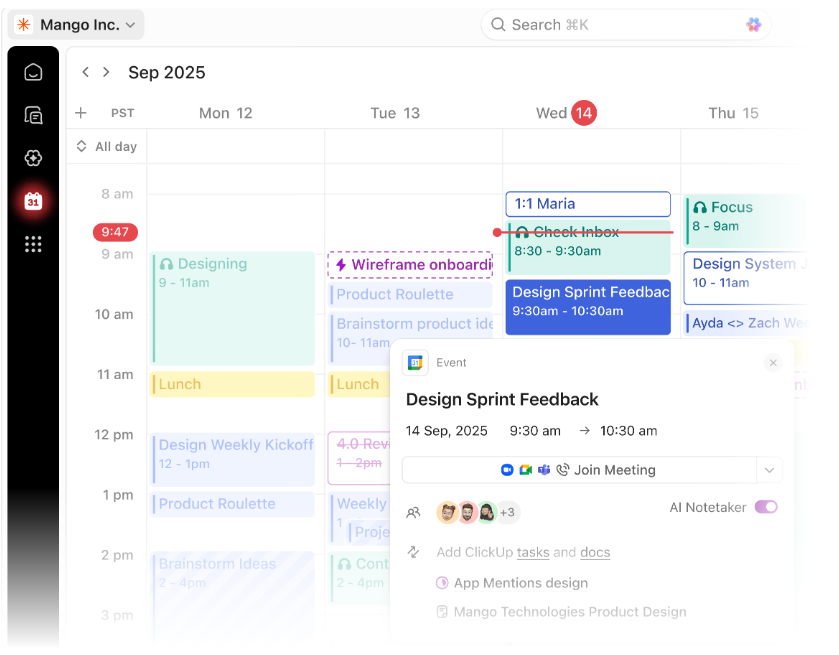
ClickUp is an all-in-one work management platform that brings tasks, documents, whiteboards, goals, chat, calendars, and dashboards into one workspace. Teams can manage projects through list, board, Gantt, and timeline views, and use ClickUp Brain, AI agents, and automation for task summaries, content generation, information queries, and process execution.
Why Is It a Suitable Smartsheet Alternative?
ClickUp can cover common Smartsheet needs such as task assignment, project progress, automation, Gantt charts, and dashboards. Its task structure includes owners, priorities, dependencies, time tracking, and custom fields, while documents, communication, and goal management are integrated into project spaces. It is suitable for teams that want to reduce switching among multiple tools.
Key Differences From Smartsheet
Smartsheet is closer to a spreadsheet with project management capabilities, while ClickUp is centered on tasks and project execution. Team members primarily open tasks to review requirements, update progress, and communicate, making daily collaboration more centralized. Complex formulas, cross-table calculations, and large volumes of structured business data are not its main strengths.
Which Teams Is It Best For?
ClickUp is suitable for product, engineering, marketing, and operations teams, especially those currently using separate task, document, chat, and goal-management tools and wanting to bring them into one platform.
7. Asana: For Teams That Emphasize Ownership and Project Processes
Product Information
- Website: https://asana.com/
- Documentation: https://help.asana.com/
- Pricing: https://asana.com/pricing
What Is Asana?
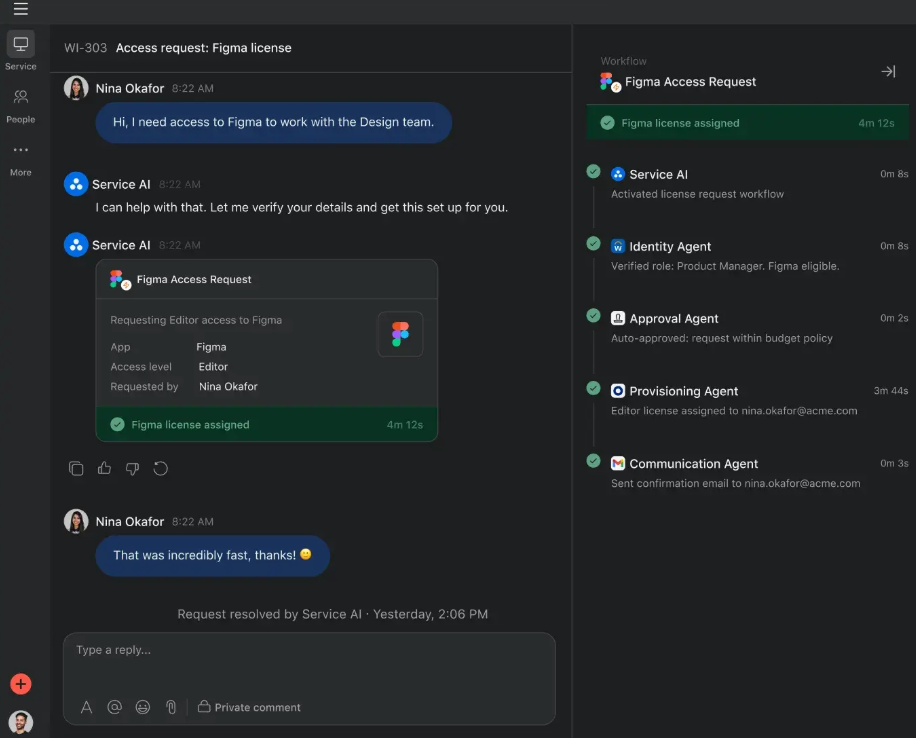
Asana is a collaborative project management platform organized around projects, tasks, owners, deadlines, and dependencies. Teams can use lists, boards, calendars, timelines, and Gantt charts to move projects forward, while forms, rules, dashboards, and portfolios support cross-team work. Asana also provides AI Studio and AI Teammates for building intelligent workflows, generating status reports, and assisting with project tasks.
Why Is It a Suitable Smartsheet Alternative?
Asana covers common Smartsheet needs such as task assignment, project timelines, dependencies, automation, and progress reporting. Task ownership and project processes are clearly defined, allowing members to see what they are responsible for, when work is due, and which tasks are blocking the project.
Key Differences From Smartsheet
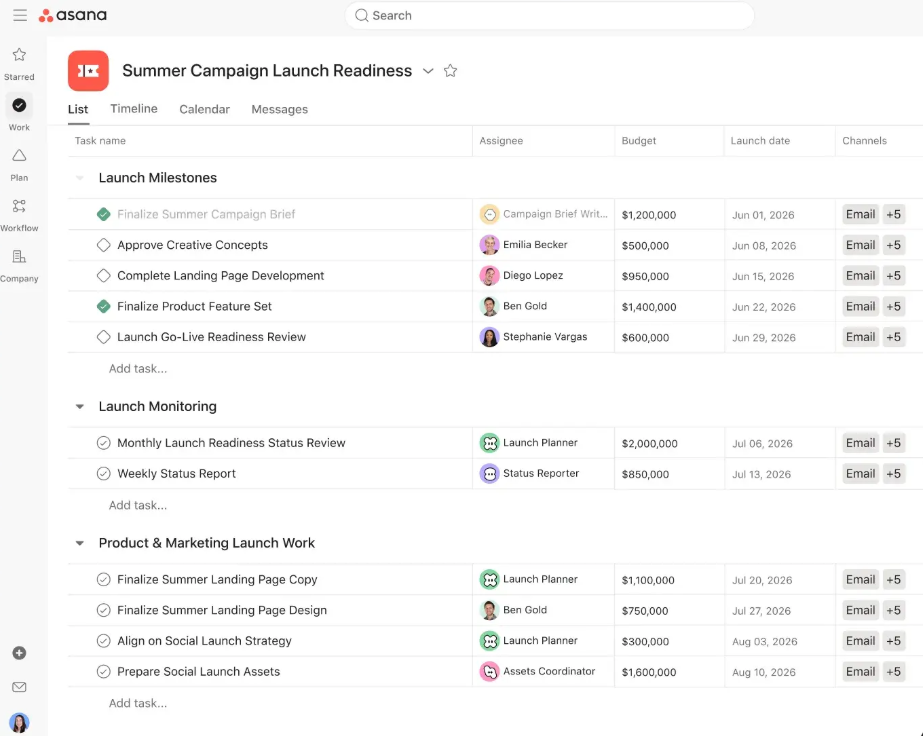
Smartsheet allows teams to organize data freely around worksheets, while Asana places greater emphasis on standardized task execution. It is suitable for breaking plans into projects, milestones, and tasks, but it is less flexible for complex data tables, formula calculations, and relationships across multiple tables.
Which Teams Is It Best For?
Asana is suitable for marketing campaigns, product launches, operational plans, and cross-functional projects, especially for teams that want clear task owners, deadlines, dependencies, and project goals.
Asana is better suited to project execution than directly replacing a complex database. The Advanced plan costs significantly more than Starter, while cross-project management capabilities such as portfolios, goals, and workloads are mainly available in Advanced and higher plans.
Three-Year Pricing Summary
Even when plans are labeled Team, Standard, or Pro, the included project views, automation, permissions, and data management capabilities can differ substantially among products.
The following table provides an approximate view of each product’s budget.
The calculations use publicly listed annual billing prices for five and 15 editable members over three consecutive years. For each product, we selected a representative plan that is more suitable for ongoing team use.
| Product | Reference Plan | Three-Year Cost for 5 Users | Three-Year Cost for 15 Users | Pricing Notes |
|---|---|---|---|---|
| Smartsheet | Business | $3,420 | $10,260 | Per-member subscription; includes timelines, workload management, and unlimited automation |
| NocoBase | Standard | $800 | $800 | One-time license with no user-based pricing; server and maintenance costs are separate |
| Baserow | Advanced | $3,240 | $9,720 | Per-paid-user subscription; includes more complete role and field permissions |
| monday | Pro | $3,420 | $10,260 | Per-seat subscription; includes higher automation limits and workload management |
| SmartSuite | Professional | $5,760 | $17,280 | Per-editor subscription; includes advanced permissions and higher data capacity |
| Airtable | Team | $3,600 | $10,800 | Primarily charges for editors; read-only users generally do not require paid seats |
| ClickUp | Business | $2,160 | $6,480 | Per-user subscription; AI and some enterprise management capabilities may require additional purchases |
| Asana | Advanced | $4,498.20 | $13,494.60 | Per-user subscription; includes portfolios, workload management, and approvals |
We hope this article helps you find a Smartsheet alternative that better fits your team. Feel free to share it with teams evaluating project management tools, multi-dimensional spreadsheets, open-source self-hosted platforms, or enterprise business systems.
Related reading:
- 5 Open-Source AI No-Code Tools for Complex Relational Data Models
- What Is AI No-Code? A Practical Guide to No-Code Platforms in the AI Era
- 9 Open-Source AI No-Code Tools on GitHub Worth Watching
- 14 Open Source AI Agent Tools with the Most GitHub Stars
- Top 8 Open Source AI Assistant Tools by GitHub Stars
- 6 Open Source Tools to Use with WorkBuddy
- Top 6 Open Source AI Tools by GitHub Stars for Stronger AI Agents
- 5 Open-Source Internal Tools to Use with Hermes Agent
- OpenClaw and 5 Open-Source Tools for Monitoring Business Workflows
- What Open-Source Tools Work Well with OpenCode? 5 Projects to Try
- Building Internal Tools with Codex: 6 Open-Source Projects for Developers
- After Claude Code: 6 Open-Source Tools You Should Know
- Top 10 Open-Source AI And No-Code Tools for Enterprise Software Development