

On Reddit in r/InventoryManagement, someone wanted to use AI to build an inventory management app for a restaurant.
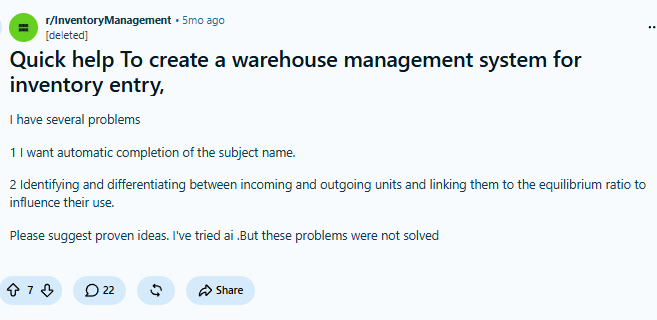
At first, the requirements seemed simple: enter products, receive goods, and issue goods. But once the system was actually being built, more questions appeared. How should different inventory units be handled? How should quantities change after receiving and issuing goods? Requirements that can be described in just a few sentences often involve more data and business rules than expected once they are implemented in a real system. People in the comments also pointed out that inventory management is much more complex than it appears on the surface.

This is also a common issue when using AI to build business systems. Generating a few pages is becoming increasingly fast, but the data relationships behind those pages, inventory movements, permissions, workflows, and whether the system can still be maintained when requirements change all need to be checked carefully.
💬 Hey, you’re reading the NocoBase blog. NocoBase is the most extensible AI-powered no-code/low-code development platform for building enterprise applications, internal tools, and all kinds of systems. It’s fully self-hosted, plugin-based, and developer-friendly. → Explore NocoBase on GitHub
If we use exactly the same inventory management requirements, what is the difference between letting AI generate an application from scratch and letting AI build the same system on NocoBase?
We built two versions:
- Starting from a blank project, AI directly generated an independent inventory management application.
- AI built the same system on top of NocoBase’s data models, permissions, and workflows.
Next, we compare the two approaches across purchasing, receiving, inventory movement records, inventory counting, and later requirement changes, focusing on concrete differences in data relationships, business rules, permissions, and maintenance.
1. What Can the Same Prompt Generate?
The requirements we gave AI covered a relatively complete inventory management workflow:
Build an inventory management system for an auto-parts sales company to centrally manage products, categories, suppliers, purchase orders, and inventory; record receipts, issues, damage, and inventory adjustments; view inventory movement records; identify stockouts, low stock, overstock, and products with no outbound movement for a long time; support inventory counting, discrepancy review, and inventory adjustments; and provide a management workspace with interconnected demo data.
The requirements mainly contain five parts:
Products and suppliers → Purchasing → Inventory movements → Inventory risks → Inventory counting and adjustments
A purchase order may contain multiple products. After products are received, inventory quantities need to change, while the corresponding receipt record must also be preserved. If an inventory count finds a discrepancy, the system should not simply overwrite an inventory figure; it also needs to record the discrepancy, adjustment reason, and confirmation result.
The full prompt is below. Both systems in the rest of this article were generated from this same requirement.
I am responsible for inventory management at an auto-parts sales company. We currently manage products, suppliers, purchasing, and inventory mainly with spreadsheets. As the number of products grows, we frequently encounter inaccurate inventory quantities, delayed discovery of stockouts, long-term overstock of some products, and inventory count discrepancies that are difficult to trace.

I want to build an inventory management system that centrally manages products, categories, suppliers, purchase orders, and inventory data. The system should record every receipt, issue, damage event, and inventory adjustment so that I can view current inventory at any time and understand why inventory quantities changed.

I want the system to automatically identify stockouts, low-stock items, overstock, and products with no outbound movement for a long time. Based on recent sales and inventory conditions, it should provide replenishment suggestions to help purchasing staff decide which products to buy, how much to buy, and which supplier to use.

The system also needs to support inventory counting. Staff can enter the actual quantity, and the system should automatically calculate inventory gains or losses. After review is completed, inventory should be adjusted according to the discrepancy, with a complete record retained.

Managers need an intuitive workspace showing total inventory, inventory value, recent receipts and issues, inventory risks, and pending items. The overall design should be clear and easy to use, allowing inventory staff to handle daily operations efficiently while helping managers quickly identify problems.

Based on the actual business requirements above, please design a reasonable functional structure, data relationships, and page interactions, and prepare some interconnected sample data so the system can directly demonstrate a complete inventory management process.
First-Round Results
We built the system in two ways: with Vibe Coding and with NocoBase + AI.
From the pages alone, both versions already cover the main functions, including products, purchasing, receipts and issues, inventory counting, and data overview. Once we actually tested the systems, however, the difference in completeness became much clearer.
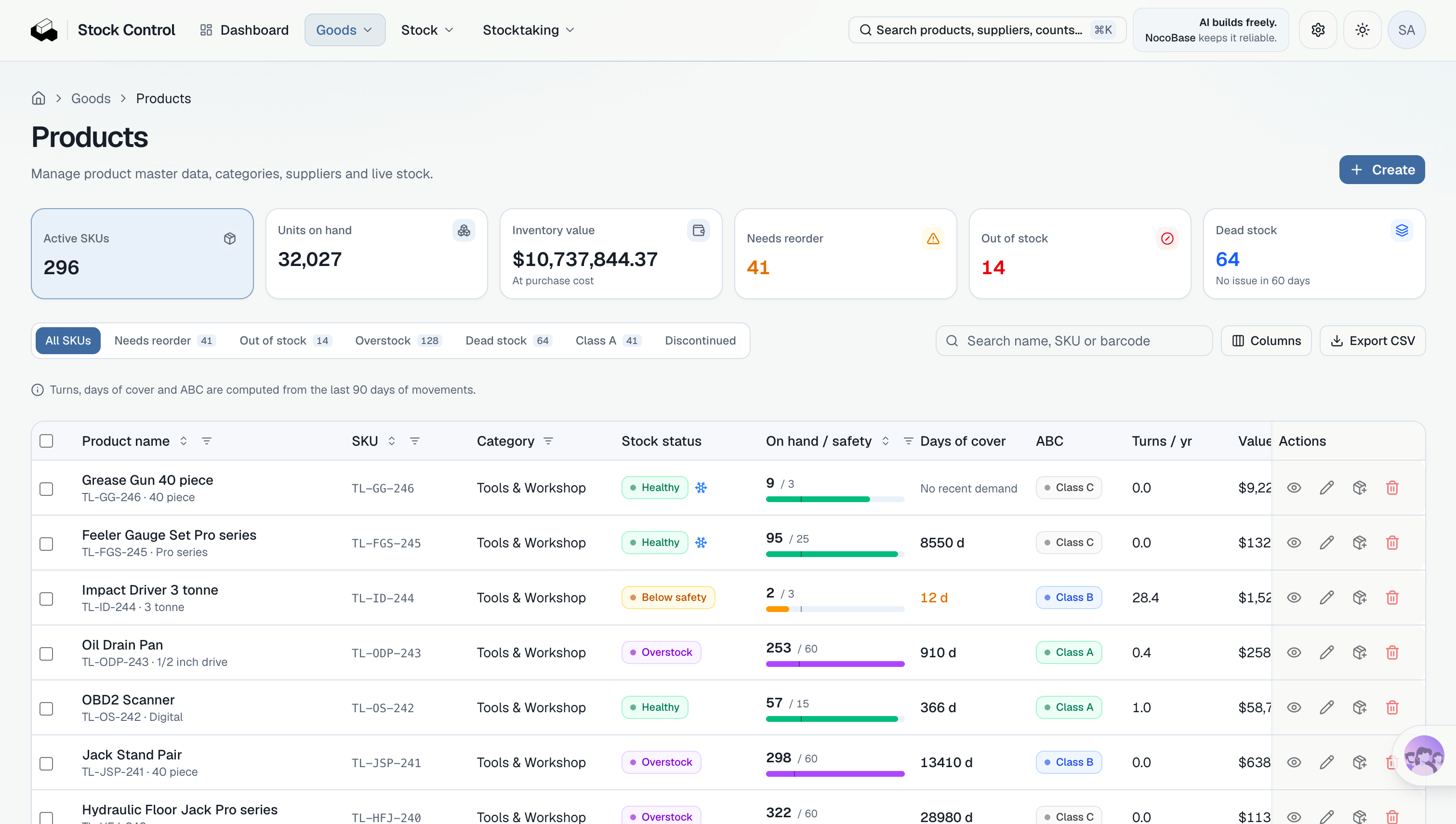
In this generated result, NocoBase + AI had already created operational data tables, pages, and basic business relationships. Product, supplier, and purchase-order data could be entered and linked normally. After the first round, the system was already relatively close to something that could be used in practice, and the next step was mainly to refine rules and operation details around the real business.
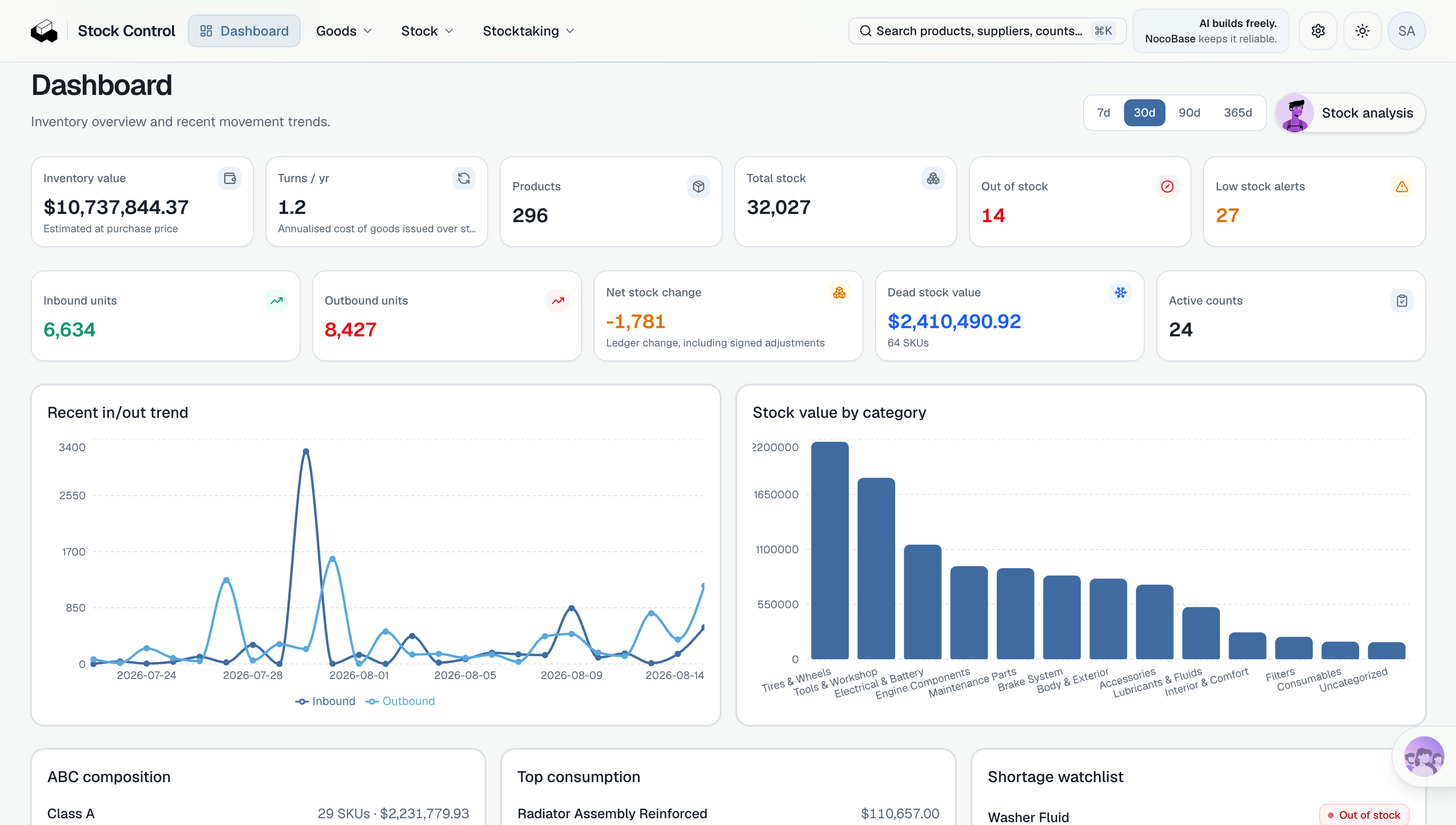
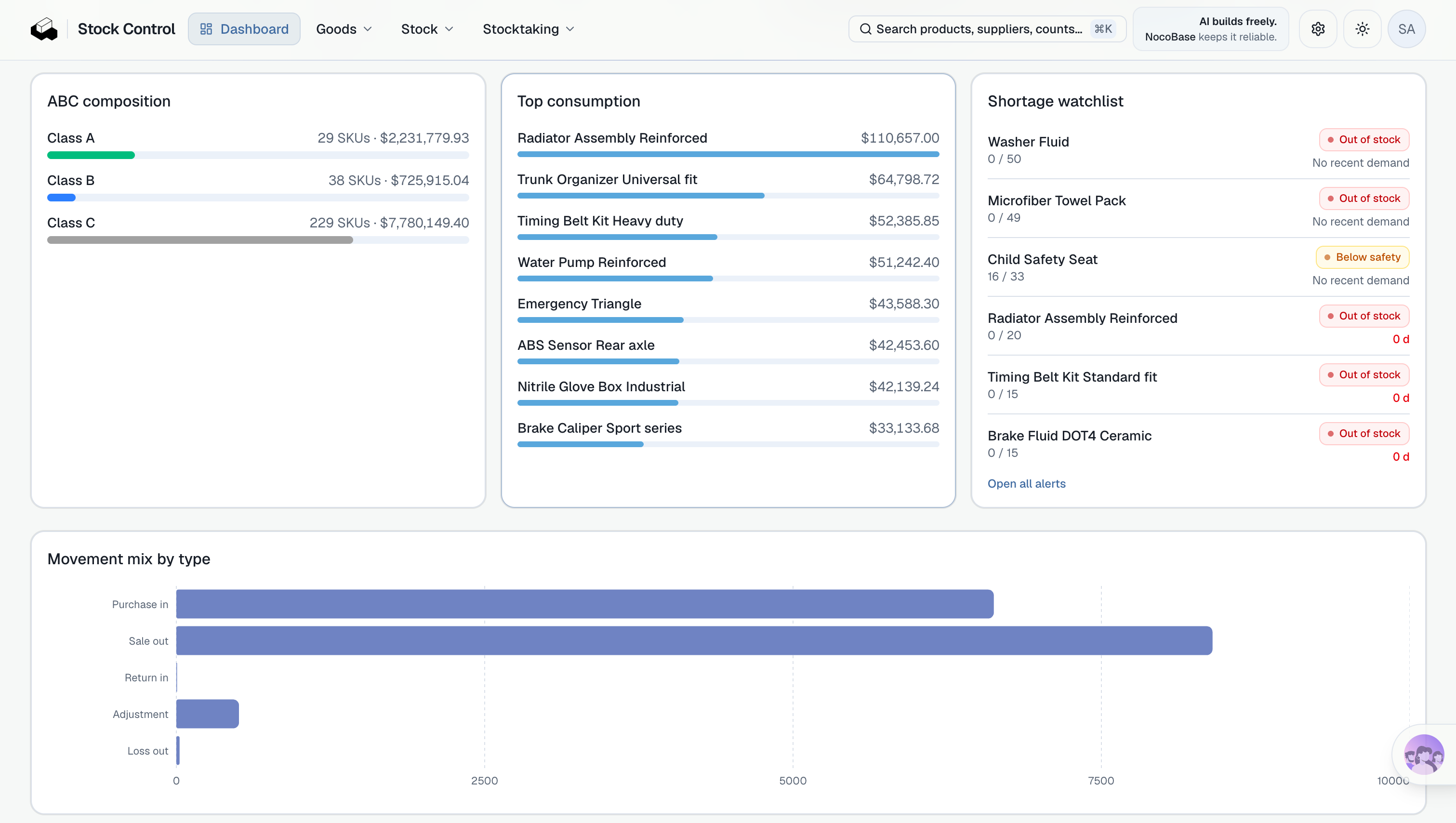
The Vibe Coding version was still closer to a frontend prototype. Although the pages already presented products, purchasing, receipts and issues, and inventory counting, the data was not yet truly interactive, and some buttons and actions could not complete actual business operations. To reach the same usage state, it would still need data persistence, APIs, business logic, permissions, and other pieces.
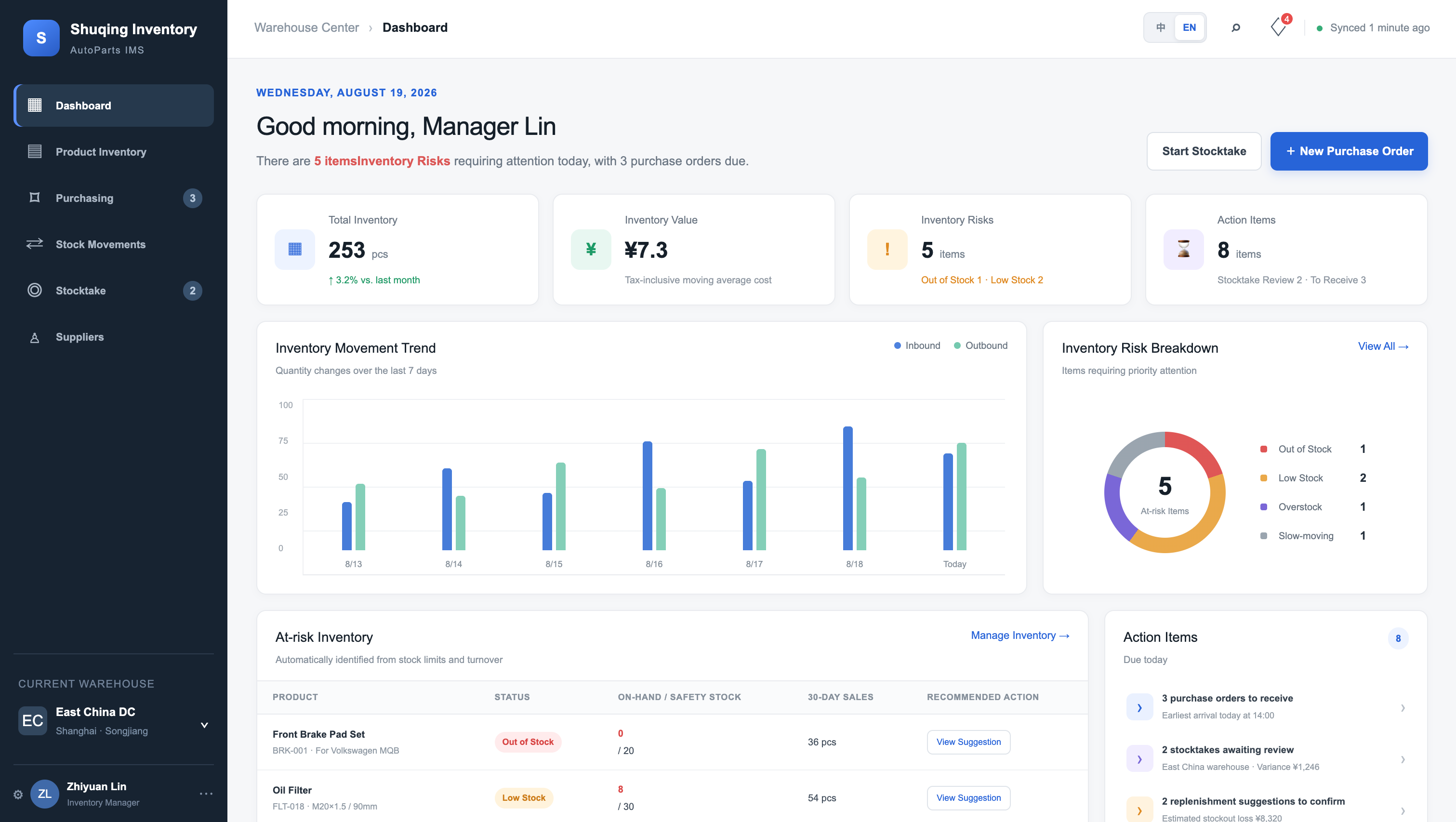
This difference comes from the starting point of the two approaches.
Vibe Coding starts from a blank project. The database, APIs, pages, and business logic all need to be generated by AI step by step according to the current requirements.
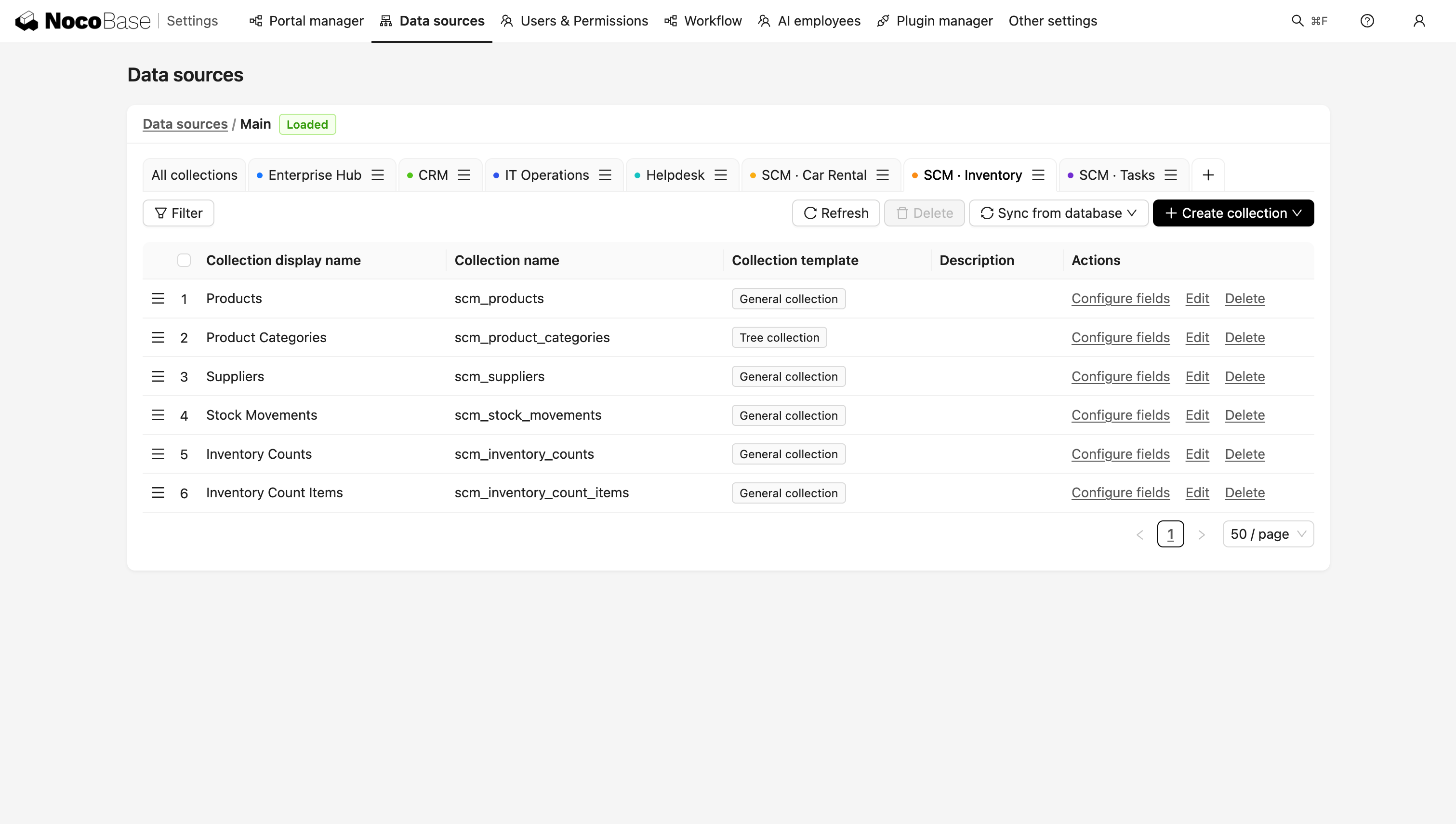
NocoBase + AI builds inside an existing application framework. When AI creates products, purchase orders, and inventory records, it can directly use existing capabilities for data relationships, pages, permissions, and workflows.
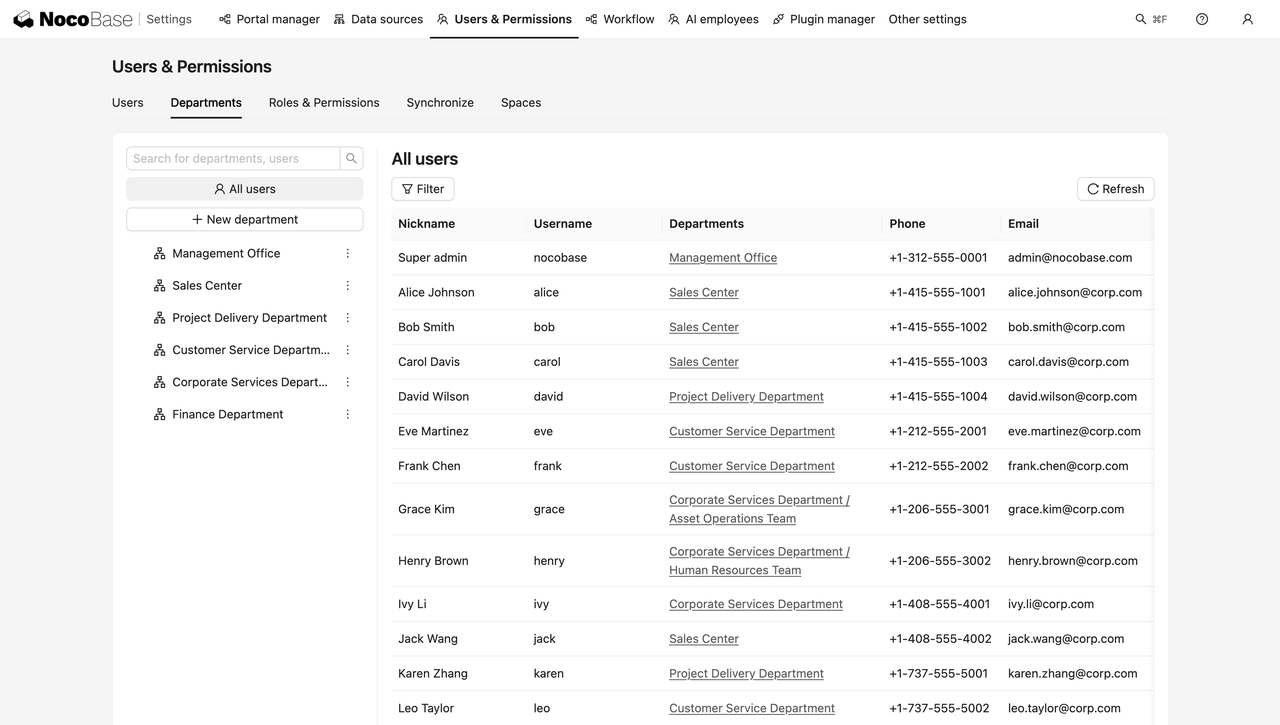
2. Comparing the Two Inventory Management Systems in Real Business Workflows
We selected a common inventory management workflow:
Create products and suppliers → Create purchase order → Receive goods → Generate an inventory movement record → Identify low stock → Start an inventory count → Review discrepancy → Adjust inventory
Start with Products and Purchase Orders
Start with the most basic data: products, suppliers, and purchase orders.
Suppose the company purchases three types of auto parts from Supplier A. One purchase order contains:
- 100 sets of brake pads
- 200 air filters
- 300 spark plugs
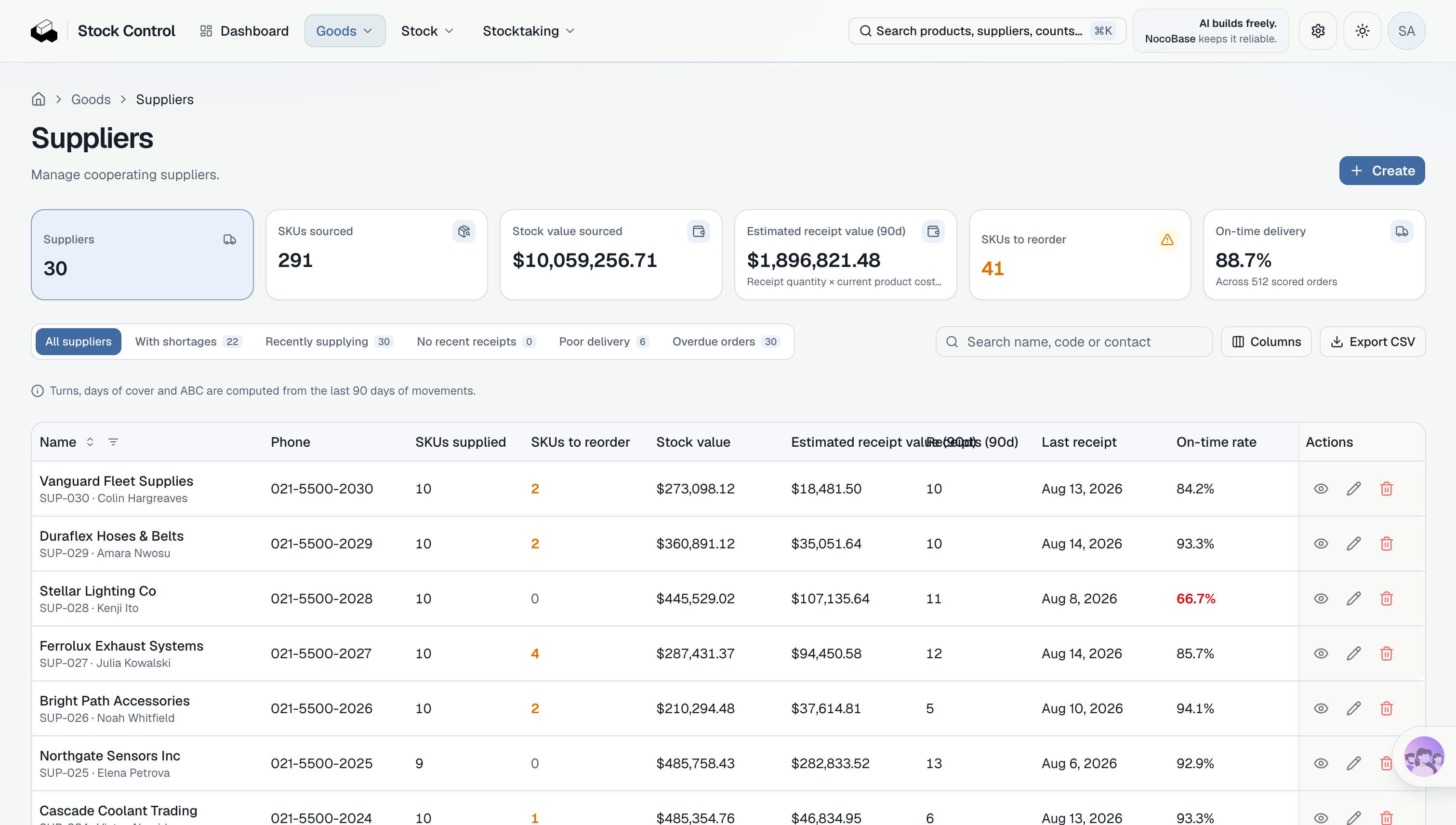
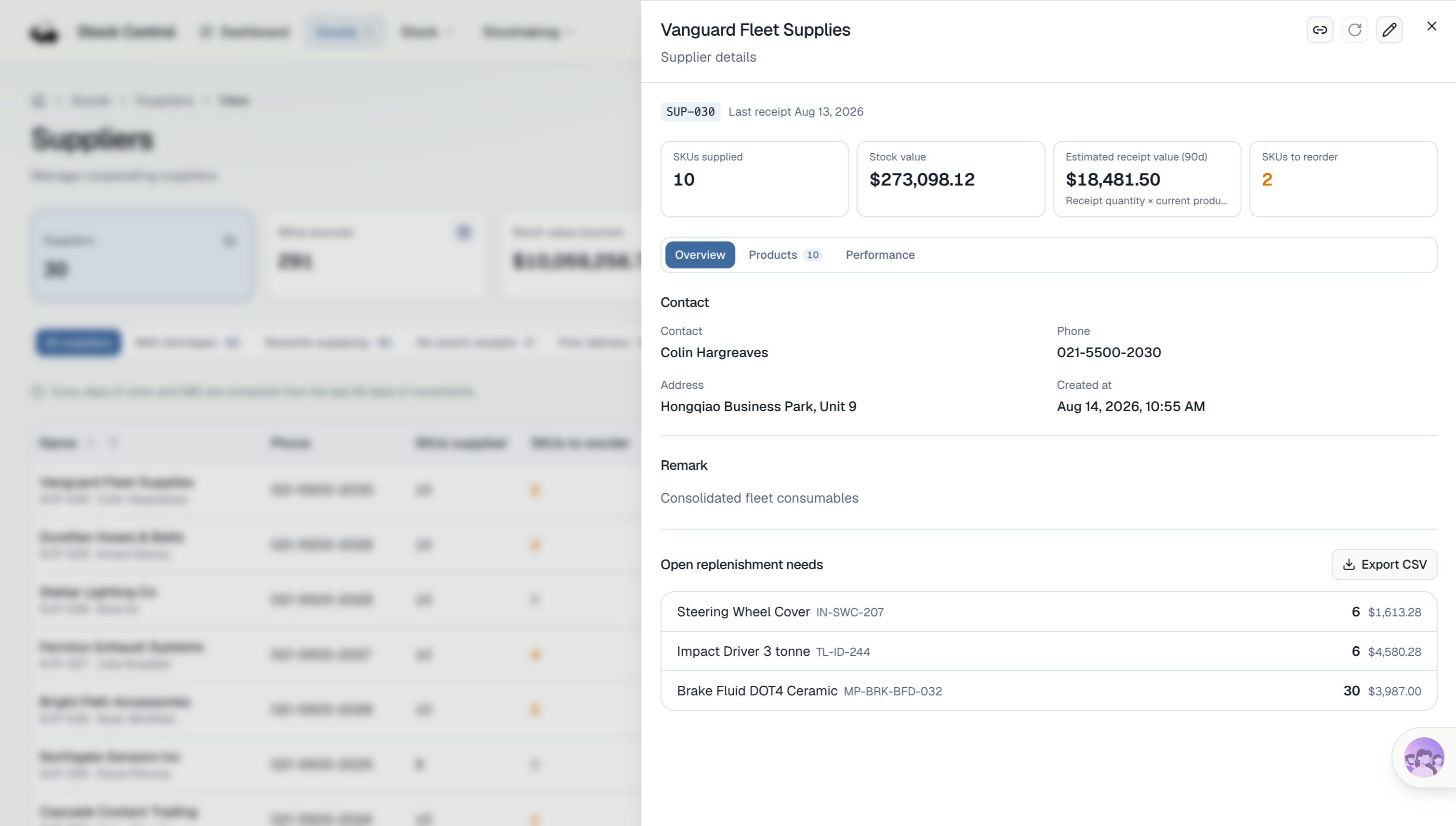
This order involves at least four types of records: supplier, purchase order, purchase order lines, and products. One order can contain multiple line items, and each line records a product, quantity, and unit price.
NocoBase + AI
Vibe Coding
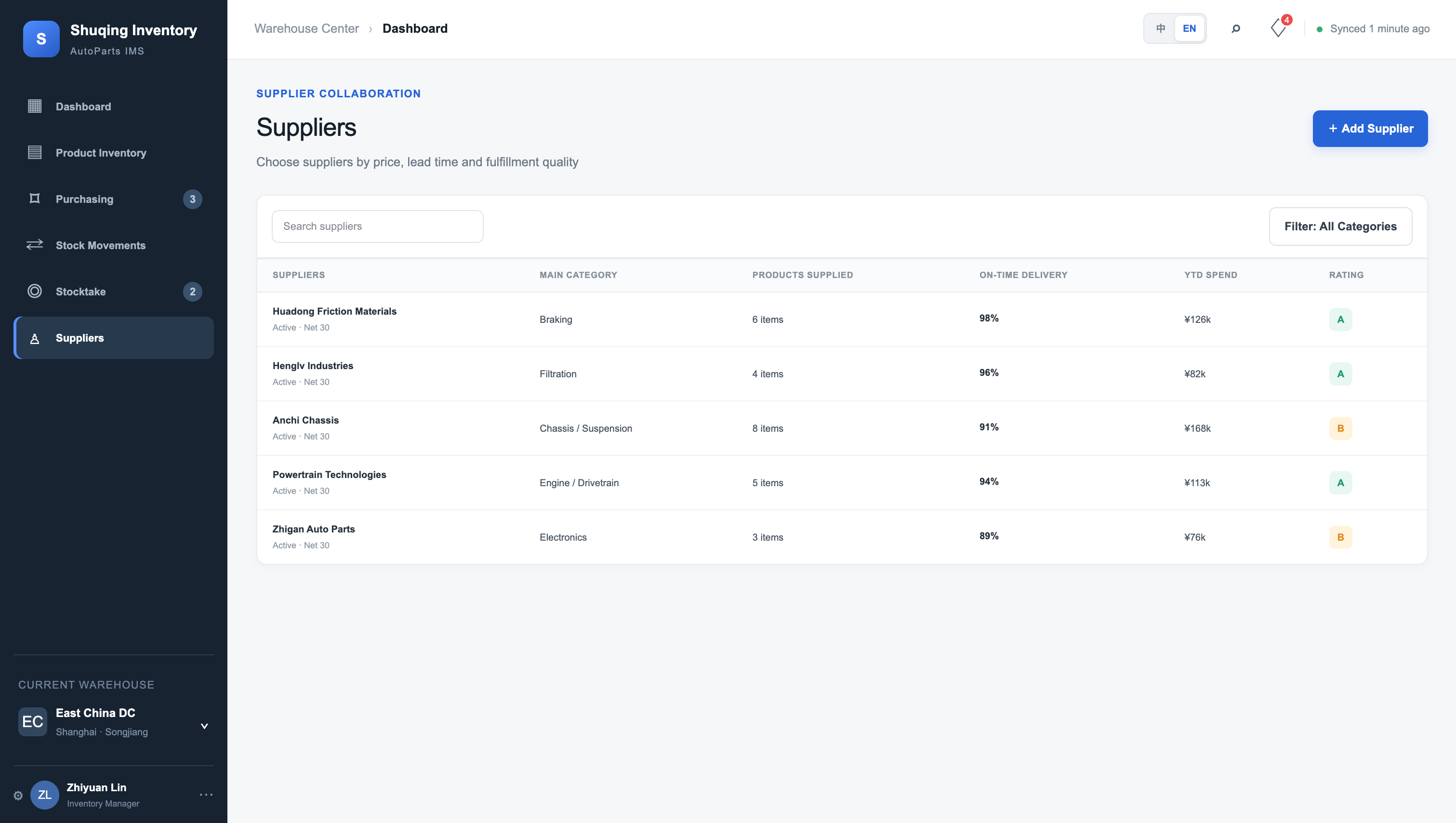
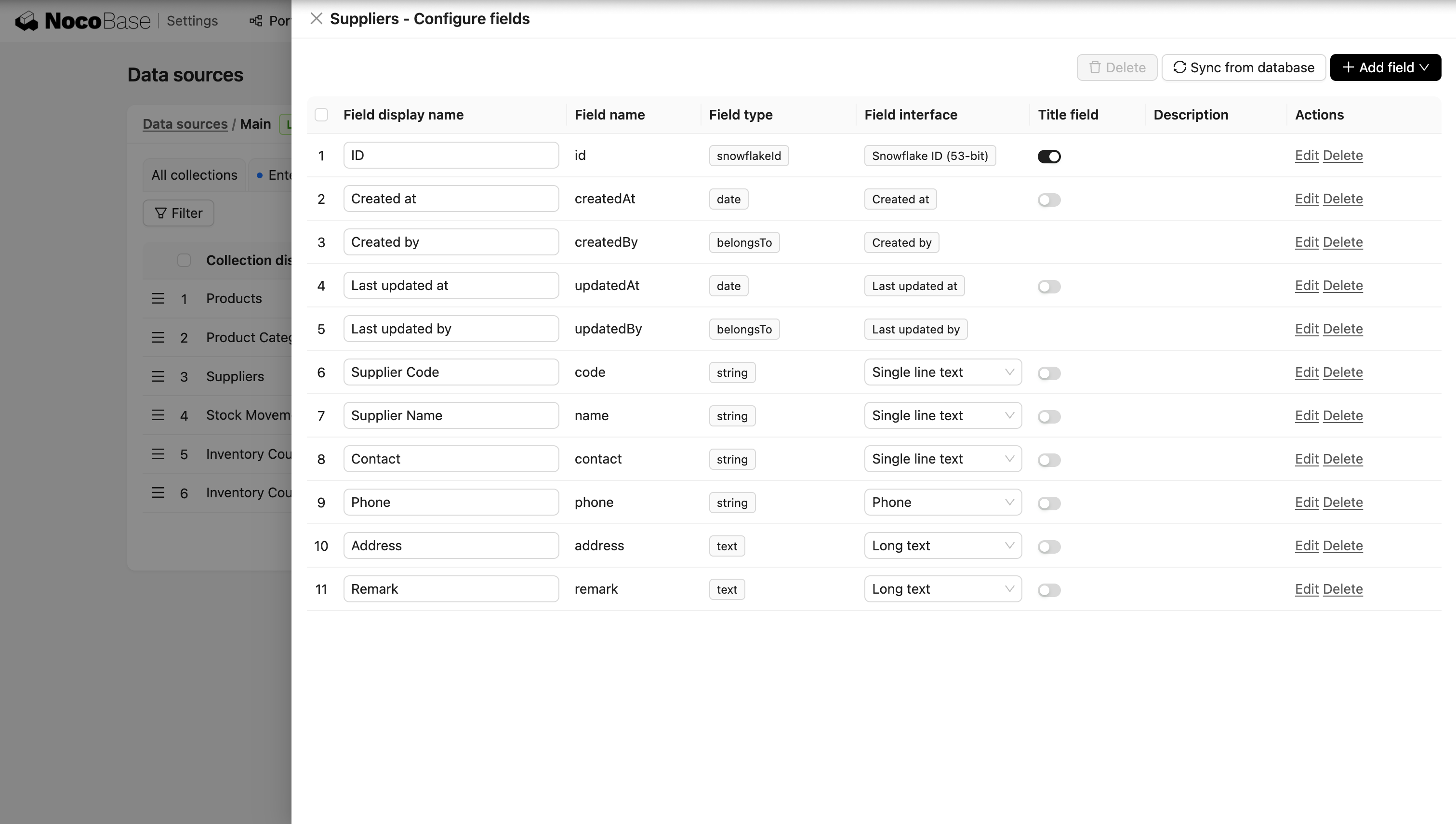
When checking an inventory management system, seeing a “Supplier” page and a “Purchase Order” page is not enough.
Can these records reference one another and continue to be used during later receiving operations?
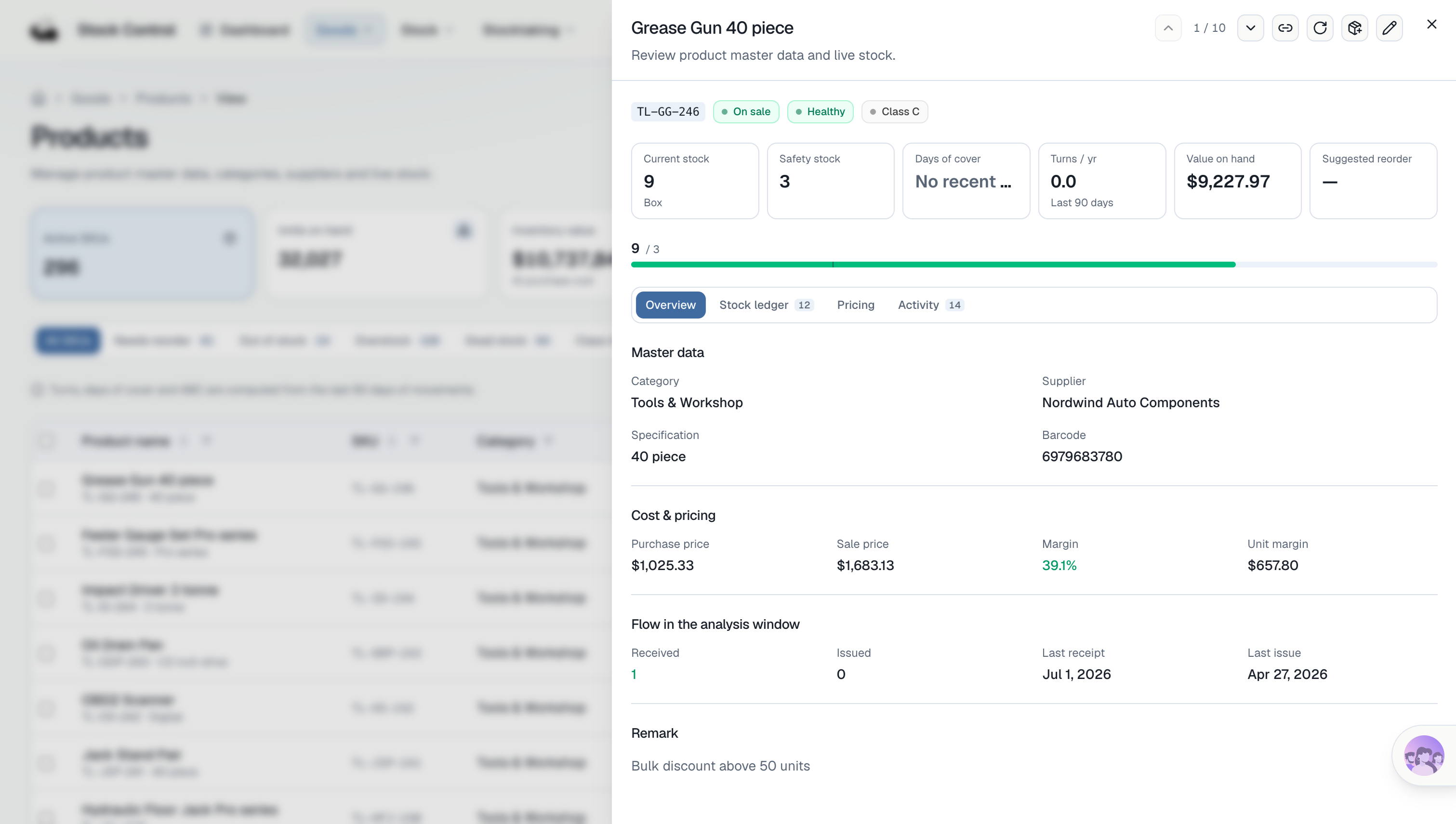
For example, can you view related products and purchase records from the supplier detail page? When opening a purchase order, can you see every product line? When receiving goods later, can the system still reference the data from this purchase order?
NocoBase + AI
Vibe Coding
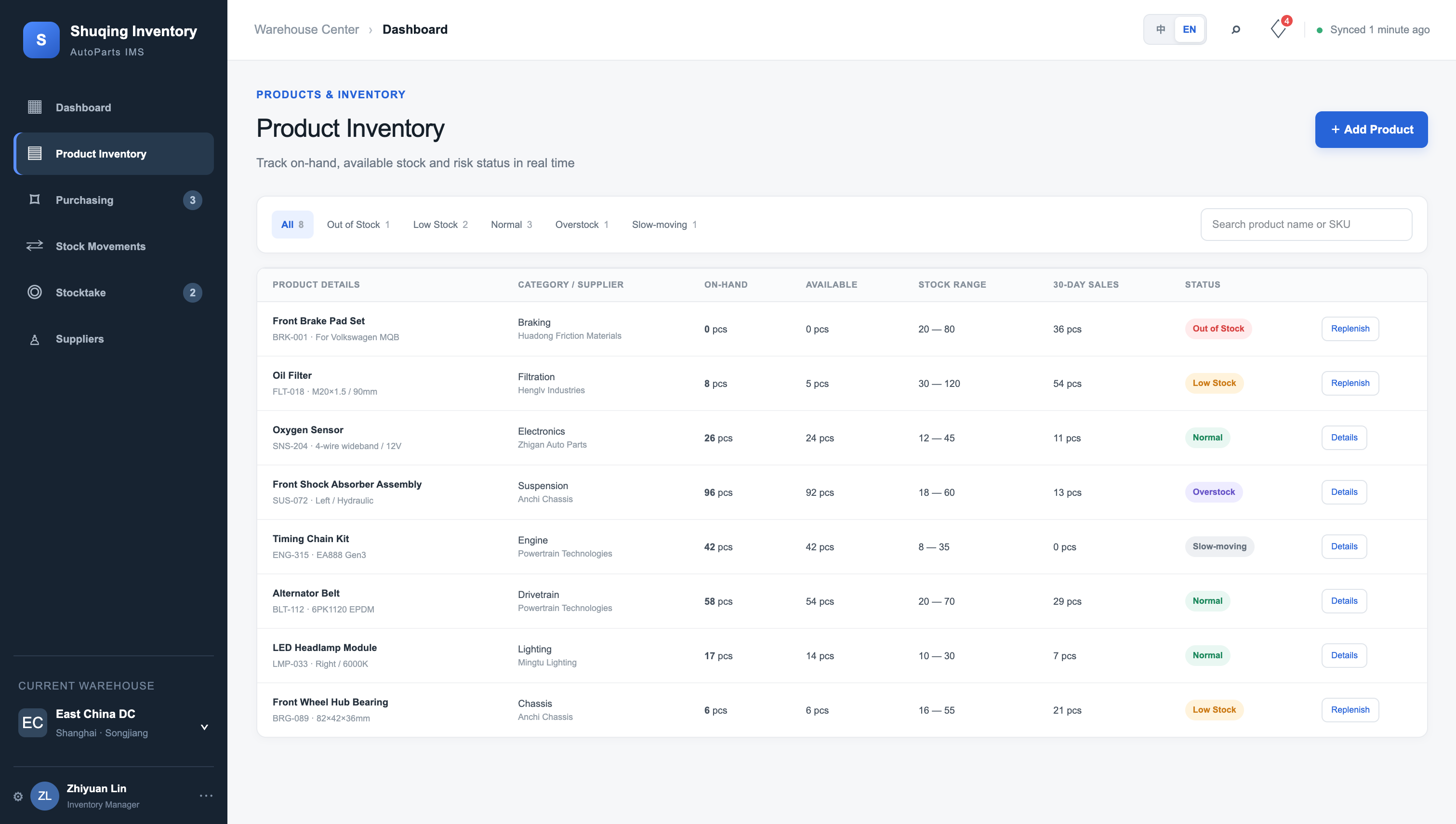
Based on the current generated results, both systems already provide pages for these business objects. In NocoBase + AI, these business objects are built on a unified data model; in the Vibe Coding version, those relationships need to be maintained by the generated database structure and program logic.
Purchase Receiving and Inventory Movement Records
After the purchase order is created, the next step is receiving.
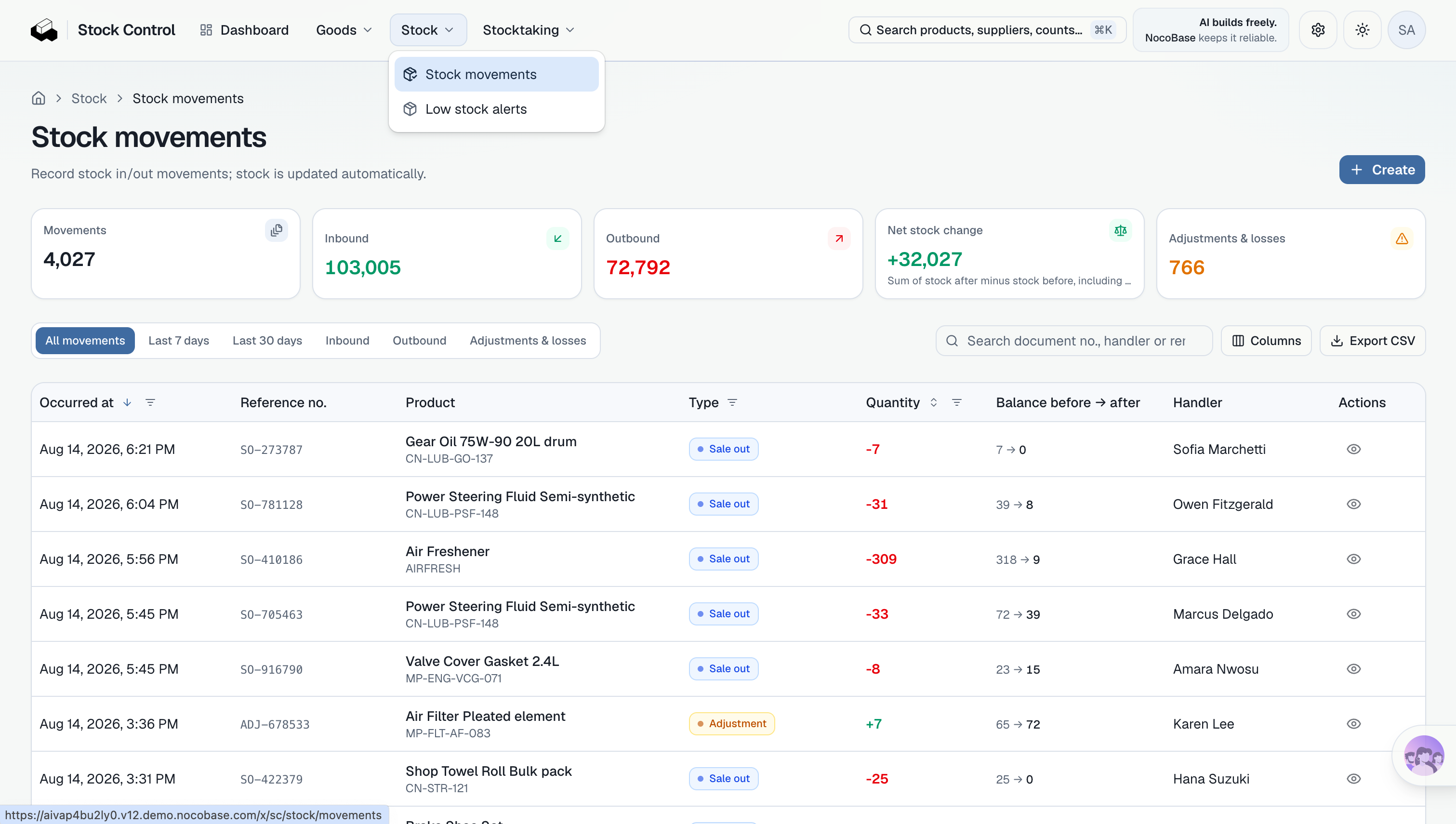
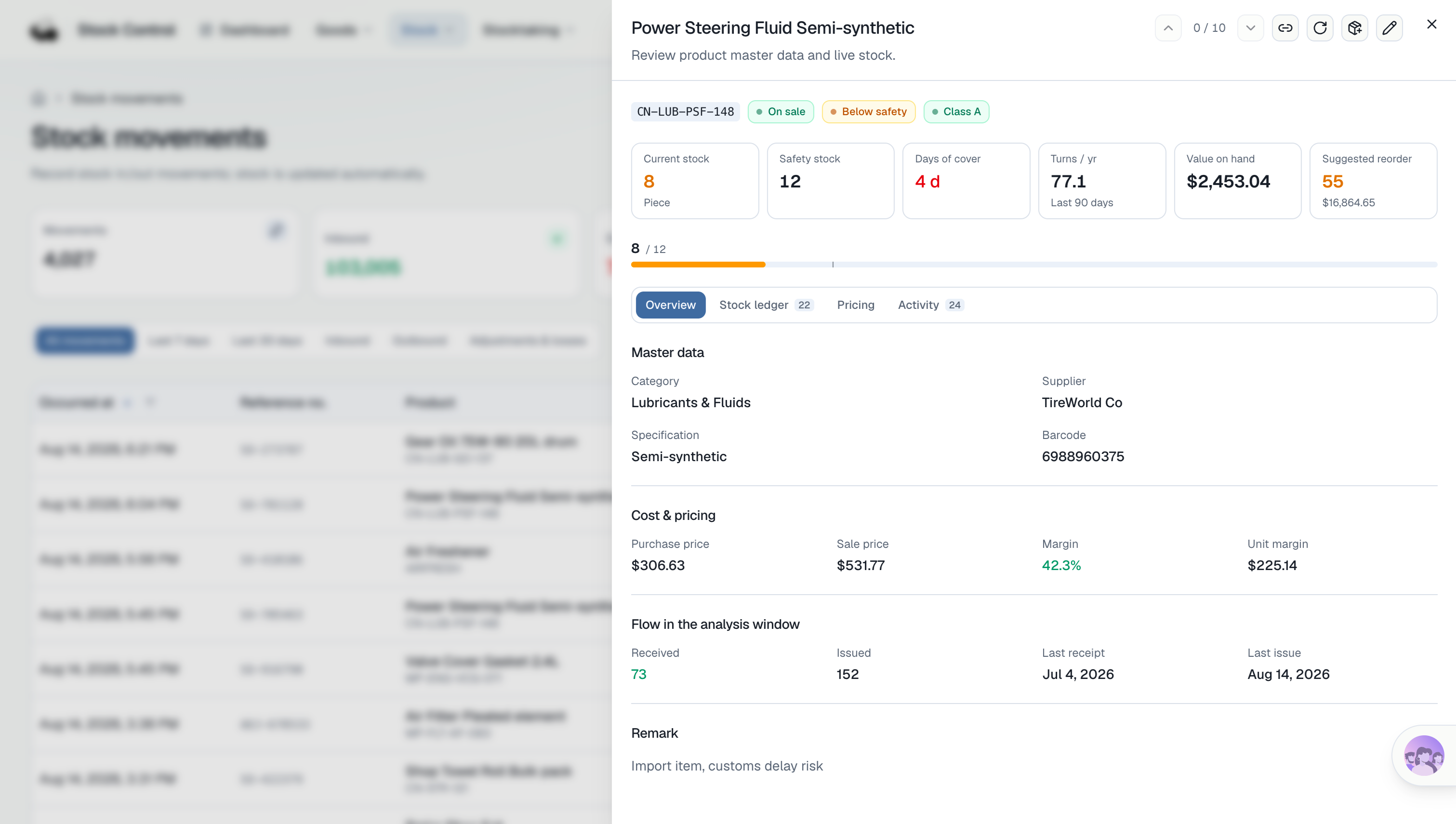
Suppose the brake pads already have 20 units in inventory and another 100 are received from this purchase order. After receiving, current inventory should become 120, and a new receipt record should be created and linked to the corresponding purchase order.
The record also needs to retain the receiving time, operator, and other information. Later issues, damage, returns, or inventory-count adjustments should continue generating new inventory movement records.
So we focus on three things: whether inventory is updated correctly, whether a corresponding record is preserved, and whether that record can be traced back to the original purchase order.
NocoBase + AI
Vibe Coding
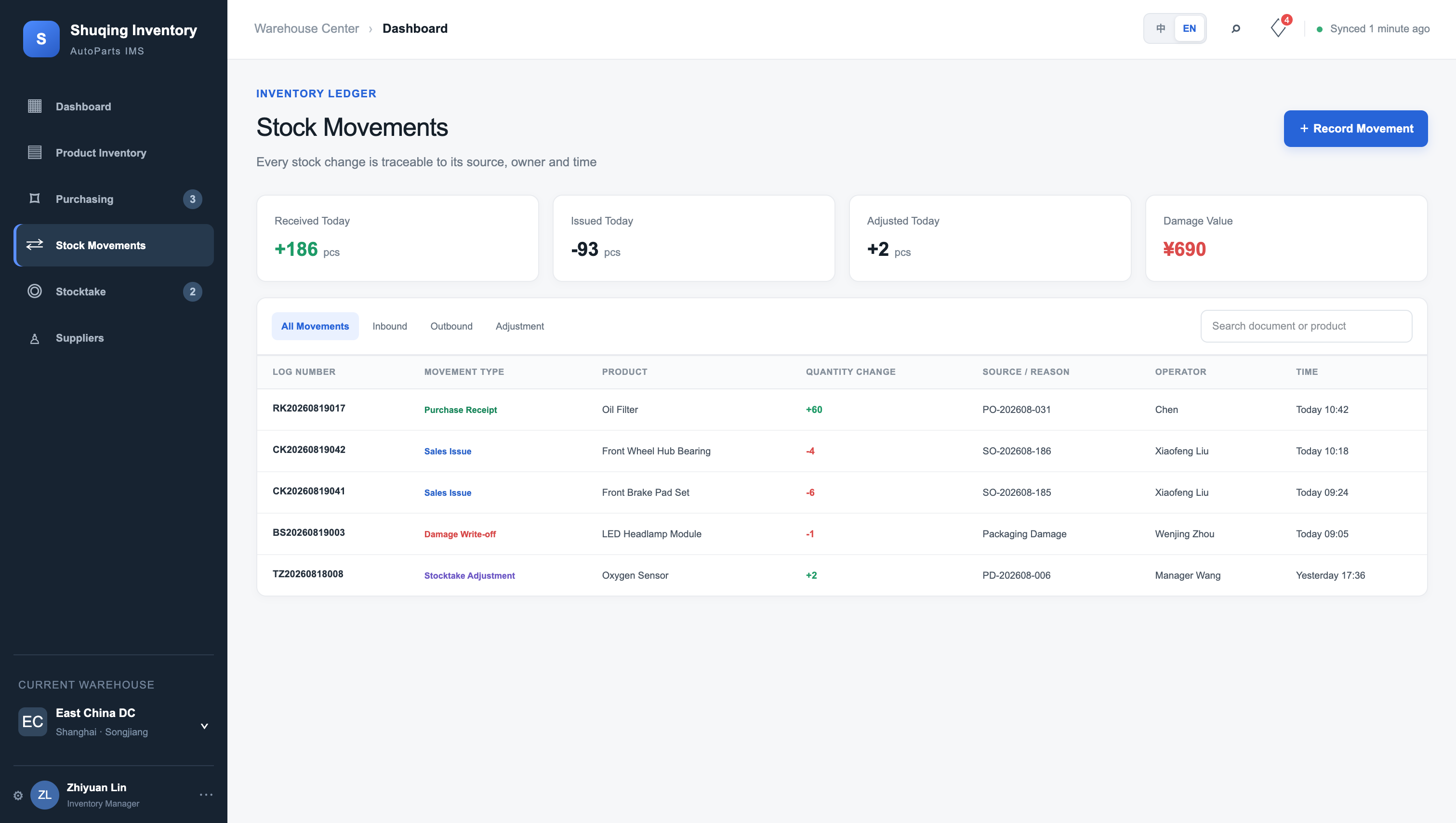
An inventory management system cannot store only the latest inventory figure. Receipts, issues, damage, and adjustments all need their own movement records so the source of the current inventory can be traced later.
Low Stock and Replenishment Decisions
After inventory changes, managers also need to quickly identify which products have fallen below safety stock.
For example, if a product has current inventory of 20 and safety stock of 50, the system should classify it as low stock. If safety stock is later changed to 30, the risk result should update accordingly.
Both first versions already generated inventory-risk or similar management pages.
But the source of the data still matters. Are these results directly derived from the inventory data created earlier?
If the system also generates replenishment suggestions, it needs to calculate suggested quantities using current inventory, safety stock, target stock levels, and potentially historical outbound movements, while also retrieving the corresponding supplier information.
NocoBase + AI
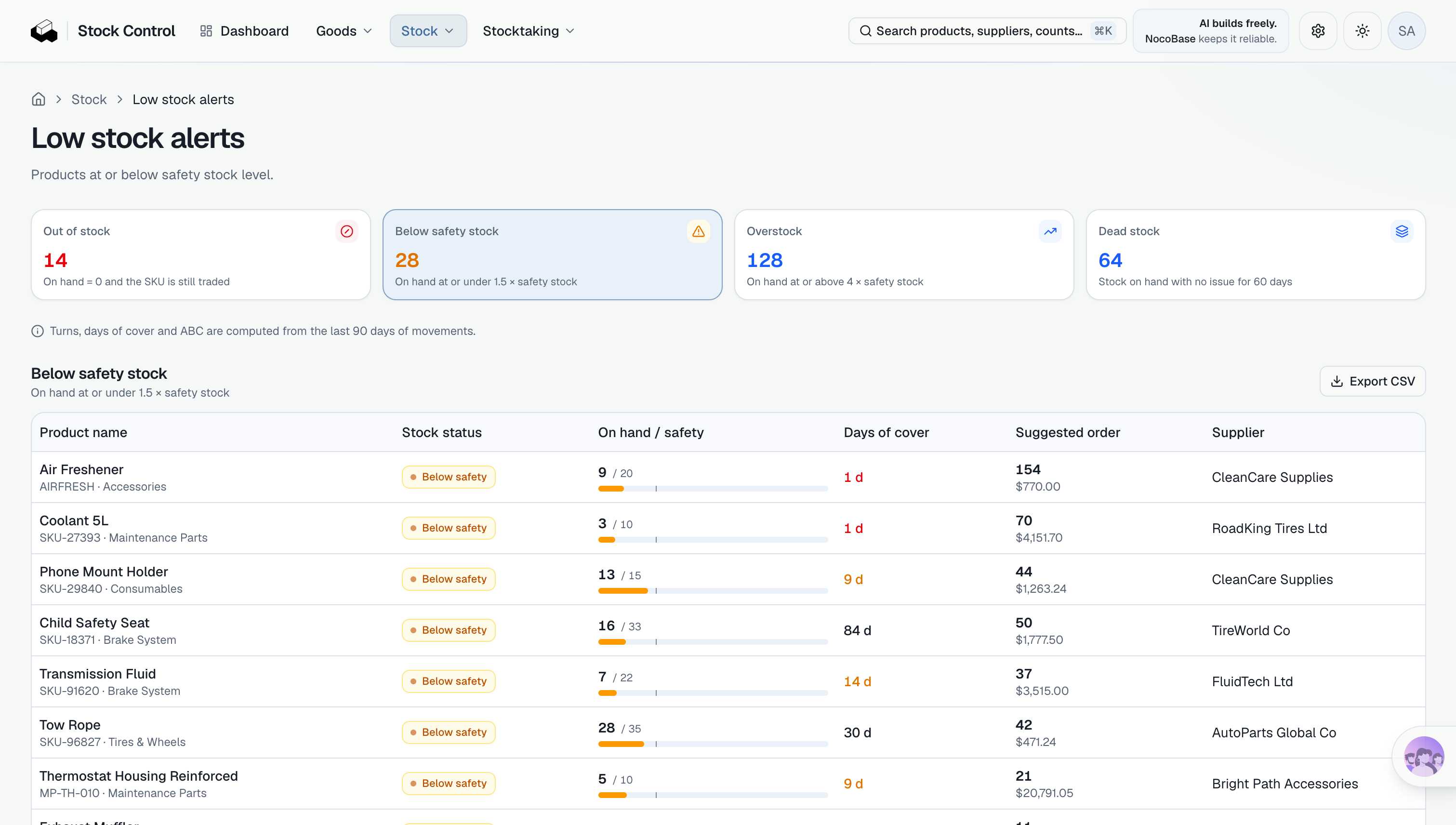
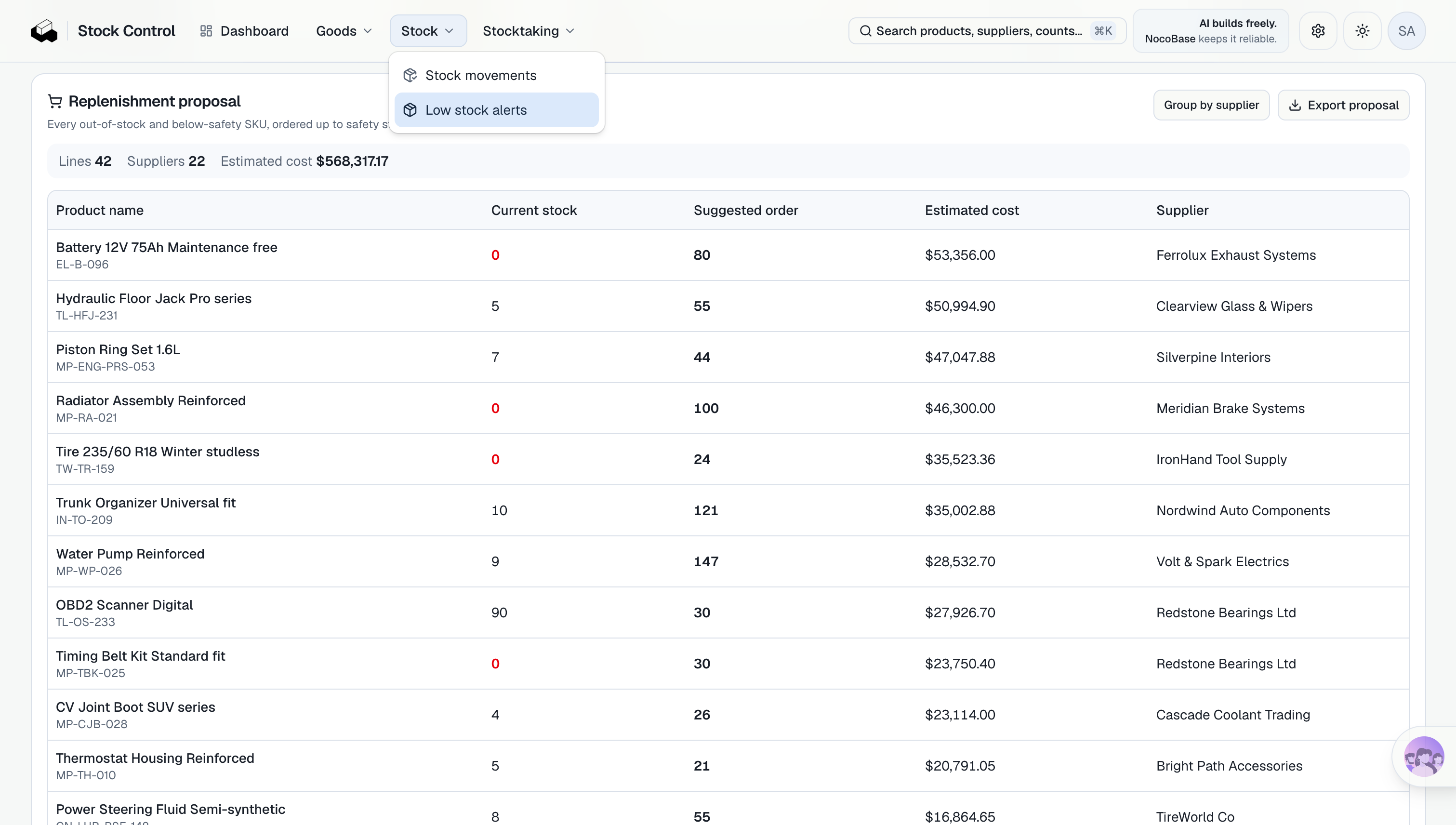
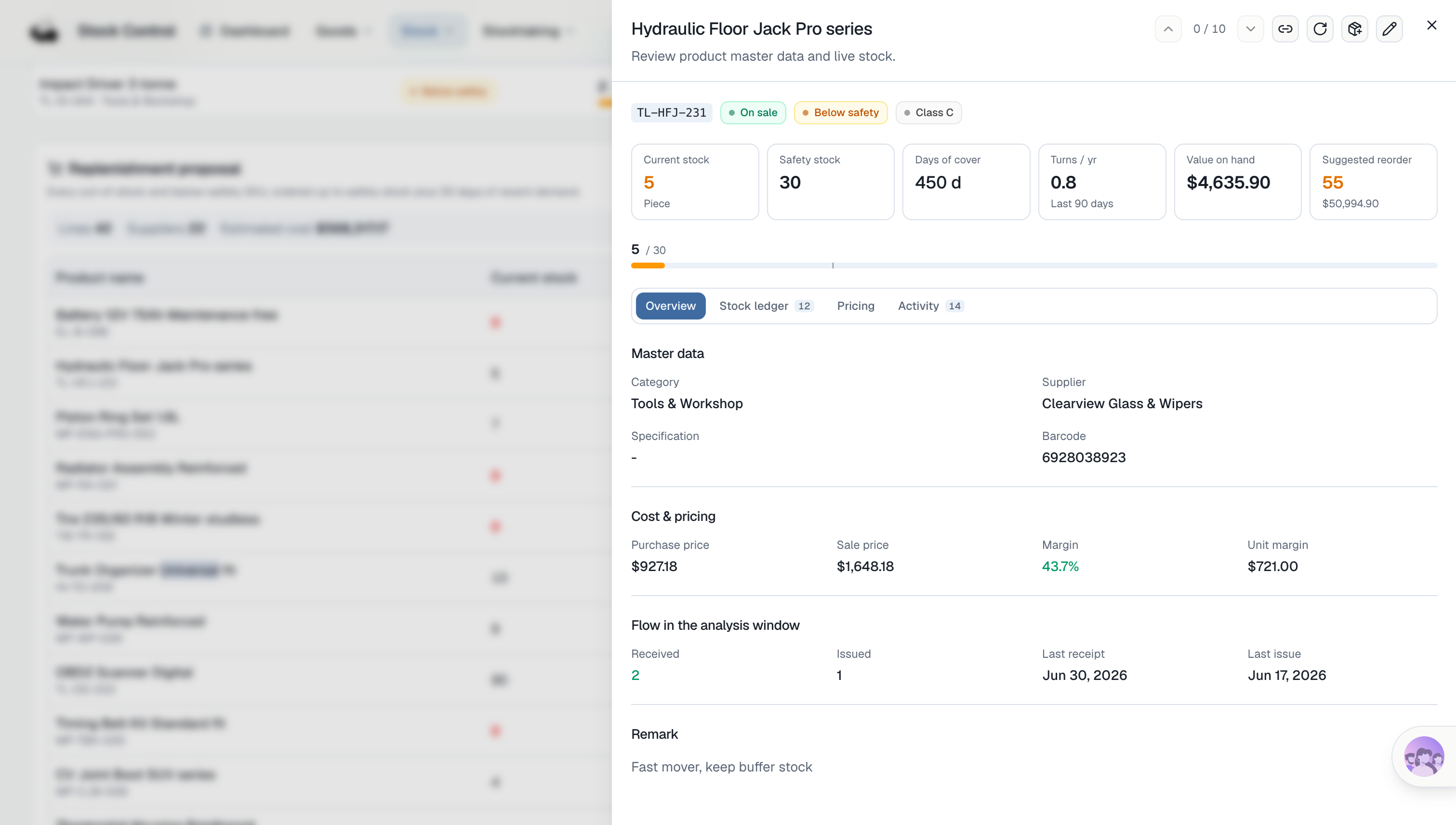
Inventory risk is not standalone data. It comes from existing information such as current inventory, safety stock, products, and suppliers.
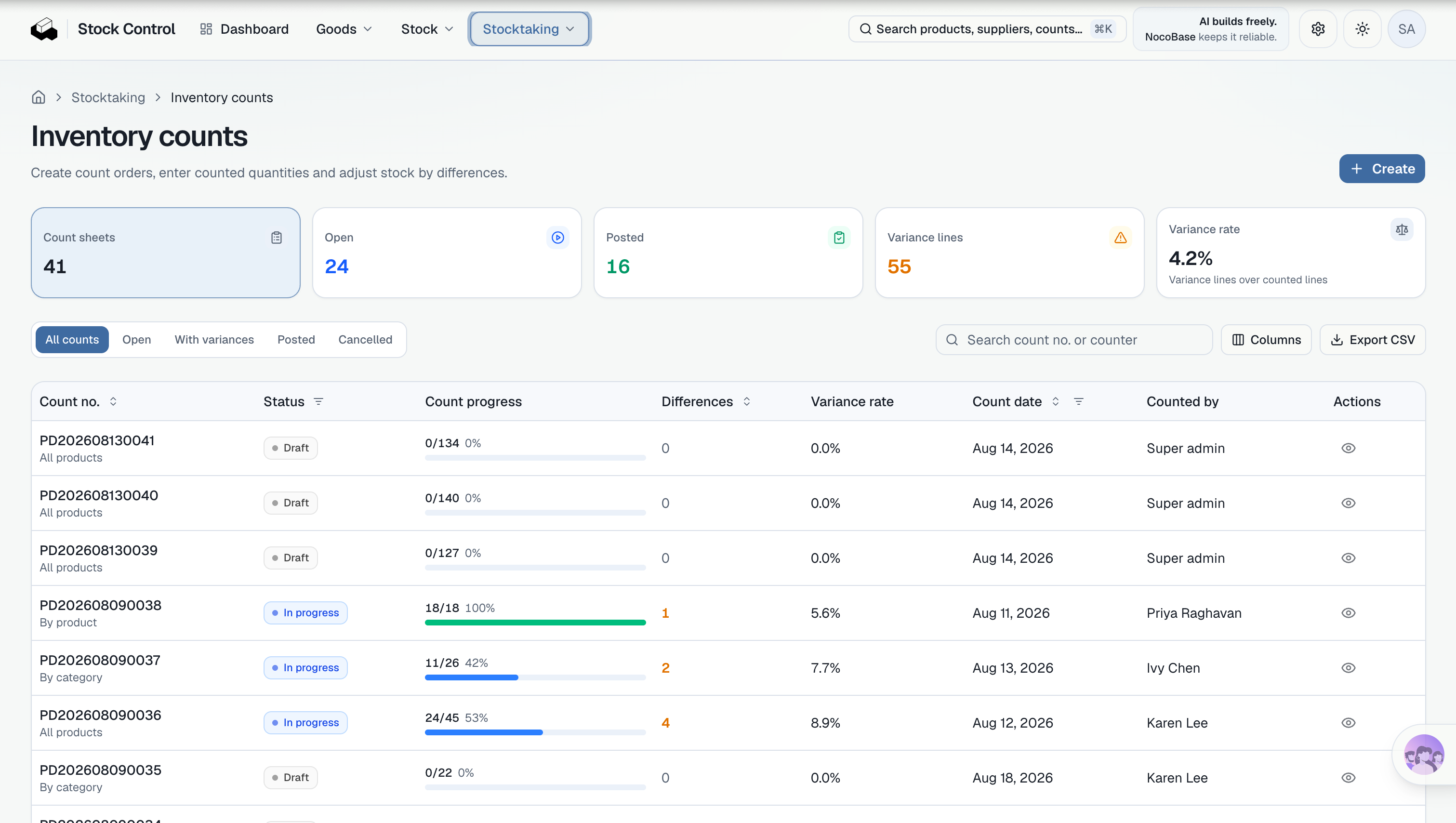
Inventory Count Discrepancies, Review, and Inventory Adjustments
Suppose the system shows 100 units of a part, but warehouse staff physically count only 96.
The counting staff first enter the actual quantity, and the system calculates a discrepancy of -4. But inventory should not immediately be changed to 96.
The reason for those four missing units needs to be confirmed first. It may be an unrecorded issue, loss, an input error, or another cause. If counting staff can directly overwrite the original inventory figure after entering a count, it becomes difficult to determine later how the change occurred.
So we added a more specific rule:
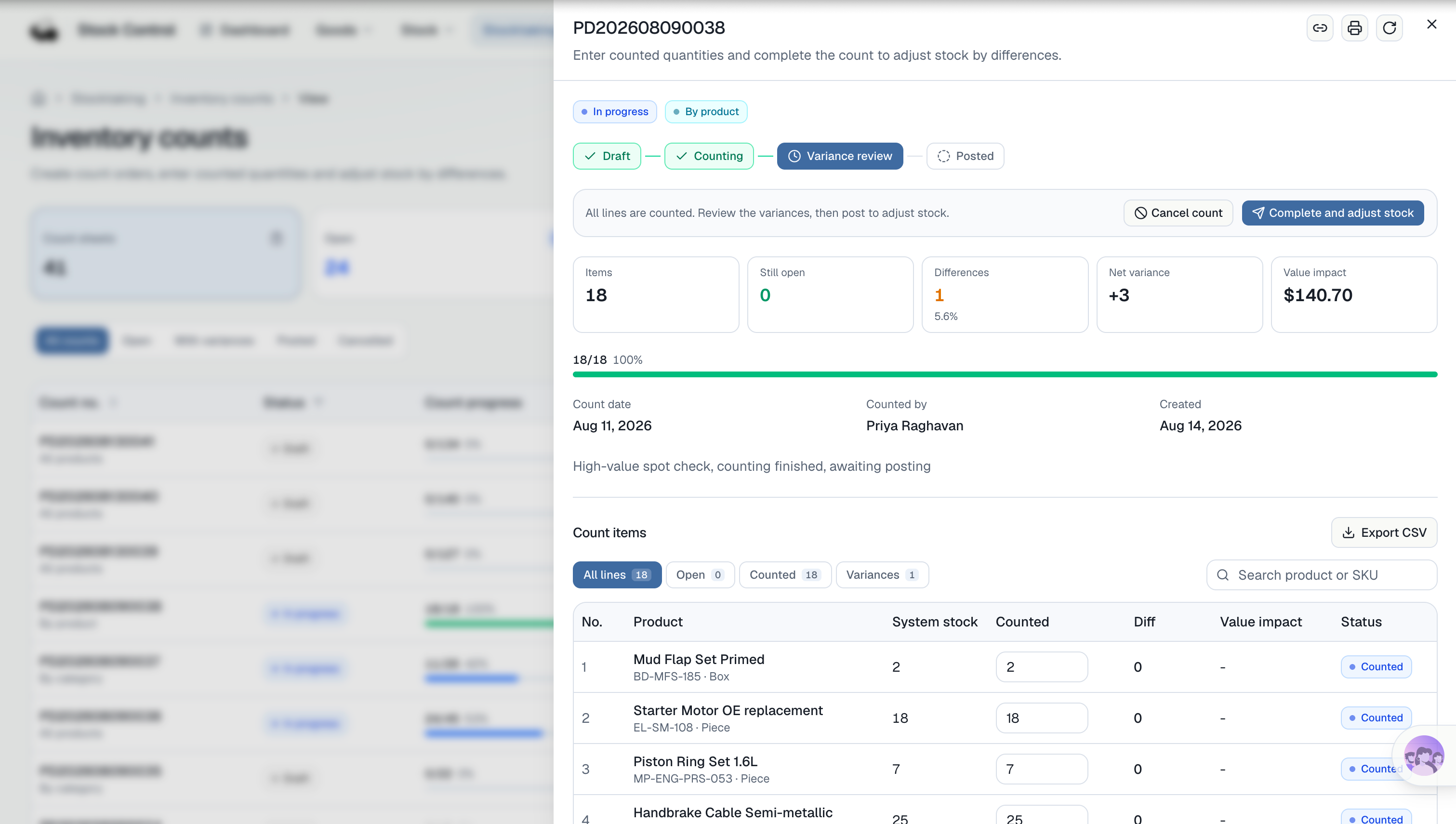
Counting staff can enter the actual quantity and discrepancy reason, but only after a reviewer confirms the result can the system formally adjust inventory.
The processing flow for one inventory-count discrepancy is:
Enter actual quantity → Calculate discrepancy -4 → Submit for review → Confirm adjustment → Inventory becomes 96 → Save adjustment record
At this point, there is much more to check:
- Is the discrepancy calculated automatically and moved into the correct status?
- Can users without review permission adjust inventory?
- After review, is inventory updated and an inventory movement record generated at the same time?
- Are the operator, time, and reason recorded?
- Are historical inventory-count results preserved?
This kind of requirement is difficult to solve simply by “generating an inventory count page.”
In the Vibe Coding version, the system needs additional program logic to connect count status, review permissions, inventory updates, and adjustment records. For example, once a review is approved, the program must update inventory and create an adjustment record at the same time. Accounts without review permission must not be able to perform that operation.
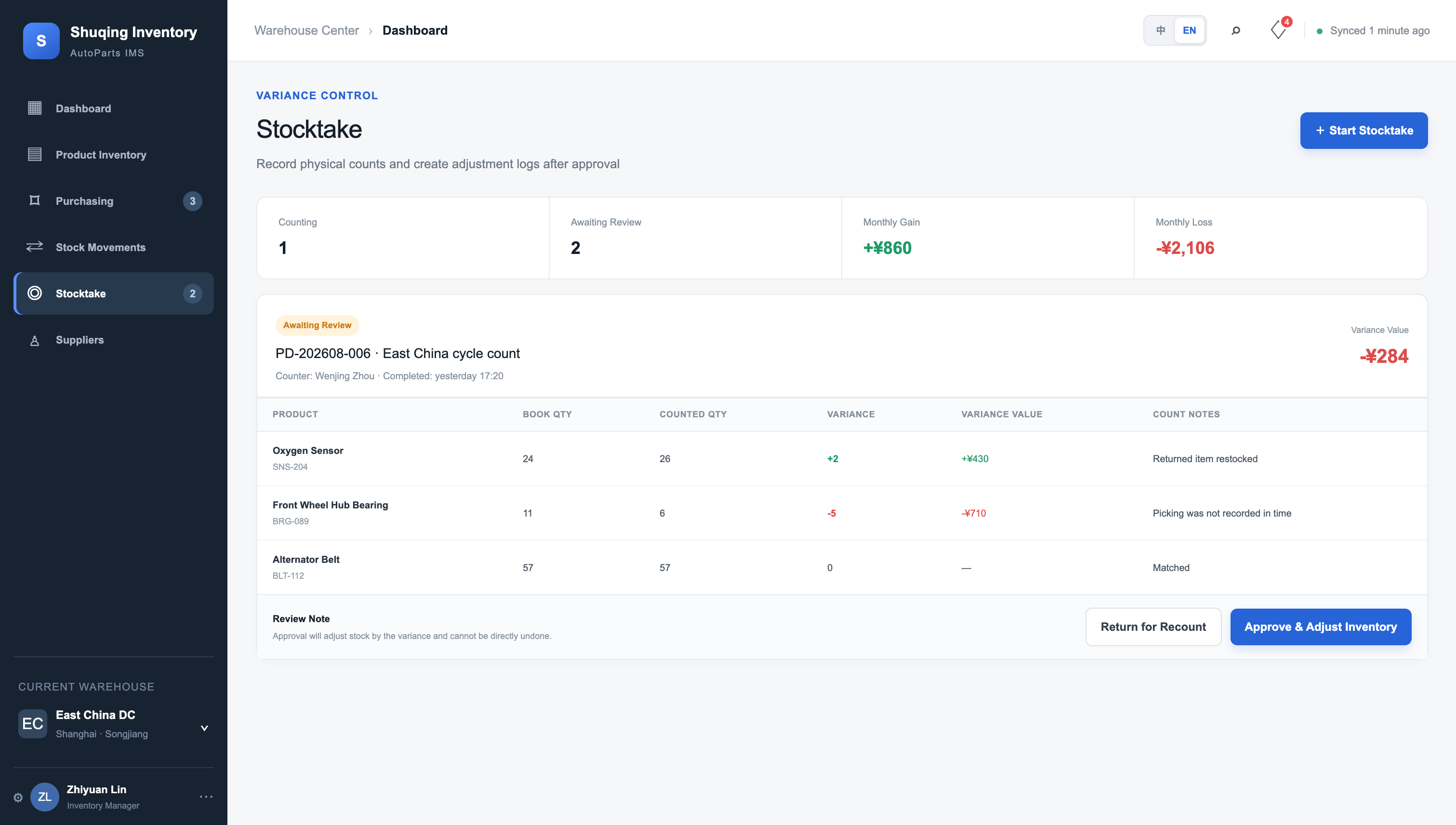
The NocoBase + AI version uses existing data relationships, role permissions, and workflows to handle the same set of rules. After an inventory-count record is submitted, it enters a pending-review status. A reviewer confirms it, then inventory is updated and the corresponding adjustment record is preserved.
3. Vibe Coding or NocoBase + AI: Which Should You Choose?
After comparing purchasing, receiving, inventory risks, inventory counting, and the resulting features, the difference between the two approaches becomes more visible.
| Comparison | Vibe Coding | NocoBase + AI |
|---|---|---|
| First-Round Results | In this test, it was closer to a frontend prototype and still required additional data and business logic. | In this test, it was already able to enter, link, and operate business data. |
| Data Model | Database structures, APIs, and data relationships need to be implemented within the project. | Relationships between products, purchasing, inventory, and other business objects are built directly on a unified data model. |
| Permissions & Data Scope | Permission logic needs to be developed and tested according to business rules. | Roles, operation permissions, and data scopes can be configured directly. |
| Business Processes | Status transitions, approvals, and automation require further development. | Can be configured and adjusted directly through workflows. |
| Requirement Changes | Changes may affect databases, APIs, pages, validation logic, and testing at the same time. | Changes mainly focus on data models, pages, permissions, and workflows. |
| Extension Approach | Extend and modify the system directly through code. | Can be extended through configuration, while still supporting JS, plugins, and custom code when needed. |
| Future Maintenance | More dependent on developers and a complete codebase. | Many business adjustments can continue to be handled through configuration, while complex requirements can move into the code layer. |
When Is NocoBase + AI a Better Fit?
If you are building an internal business system for inventory management, procurement, CRM, or IT management, NocoBase + AI is generally a better fit.
Its advantages mainly appear in four areas.
1. AI generates more than pages
Products, suppliers, purchase orders, inventory movement records, inventory-count records, permissions, and workflows created by AI become business objects inside NocoBase that can continue to be used and modified.
2. Common back-office capabilities do not need to be rebuilt
Data relationships, permissions, forms, workflows, and similar capabilities are already provided by NocoBase. Teams can spend more time on specific business rules such as how inventory should be calculated, who can see which warehouses, and how transfers should work.
3. Later changes cost less
When adding fields, adjusting pages, changing permissions, or adding workflows, many changes can be configured directly on the existing data model rather than repeatedly modifying frontend code, APIs, and database code.
4. The scope of AI changes is clearer
AI mainly operates on explicit objects such as data models, fields, pages, permissions, and workflows. As the system becomes more complex, it is easier to inspect which parts were affected by a change.
When Is Vibe Coding a Better Fit?
Vibe Coding’s main advantages are speed and flexibility. It can be a better choice when your project is focused on the following:
1. The project is still in an early validation stage. The current goal is simply to build a demo, MVP, or disposable prototype quickly, without needing to consider complex data relationships, permissions, or long-term maintenance.
2. You already have an existing codebase and want AI to continue developing within that technical stack. For example, your team already has its own frontend and backend projects and only wants AI to add pages, APIs, or business logic.
How Can You Let AI Build on NocoBase?
If you want to reproduce the NocoBase + AI approach above, first let your Coding Agent enter the NocoBase AI Builder environment, then submit the specific business requirements. During initialization, you can use the following instruction:
Please follow the official NocoBase documentation to help me install the NocoBase CLI and complete initialization:
https://docs.nocobase.com/ai-builder

All subsequent applications must be built with NocoBase AI Builder and NocoBase Skills. Do not create a standalone React, Vue, or Next.js project.
After initialization is complete, submit the inventory management requirements from earlier and ask AI to prioritize NocoBase’s data models, pages, permissions, and workflows. This keeps later generation and modification within the same application structure.
If this article was helpful, feel free to share it with others who are exploring how to use AI to build business systems.
If you also want to see what a system built with NocoBase + AI looks like in practice, you can request an online demo. If you want to try building one yourself, you can start with the AI Builder documentation.
- Try the NocoBase + AI Demo: Request an online demo
- Build it yourself: View the AI Builder documentation
Related reading:
- How to Build a Production-Ready IT Operations System with AI and NocoBase
- NocoBase vs Baserow: Flexible Databases vs Enterprise Systems
- How to Build a Production-Ready CRM with AI and NocoBase
- How to Design an IT Asset Management System: Data Model, Lifecycle, and Workflows
- How to Choose a Smartsheet Alternative: 7 Tools Compared
- 5 Open-Source AI No-Code Tools for Complex Relational Data Models
- What Is AI No-Code? A Practical Guide to No-Code Platforms in the AI Era
- 9 Open-Source AI No-Code Tools on GitHub Worth Watching
- 14 Open Source AI Agent Tools with the Most GitHub Stars
- Top 8 Open Source AI Assistant Tools by GitHub Stars
- 6 Open Source Tools to Use with WorkBuddy
- Top 6 Open Source AI Tools by GitHub Stars for Stronger AI Agents
- 5 Open-Source Internal Tools to Use with Hermes Agent