

TL;DR
SuiteCRM, EspoCRM, Twenty CRM, and Odoo are all solid self-hosted CRM options — but they come with fixed data structures and predefined workflows that may not align with how your business actually operates.
NocoBase takes a different approach: it’s the foundation you build your own CRM on.
- Data model-driven — you define the entire data architecture
- AI agents that work inside your workflows (not just bolt-on AI features)
- Enterprise-grade, field-level security
- Full data sovereignty
Traditional CRMs expect you to conform to their processes. NocoBase conforms to yours — no vendor lock-in, no trade-offs.
Recently, someone in Reddit’s r/CRMSoftware community posed a question: for enterprise teams with complex workflows, which CRM actually works?
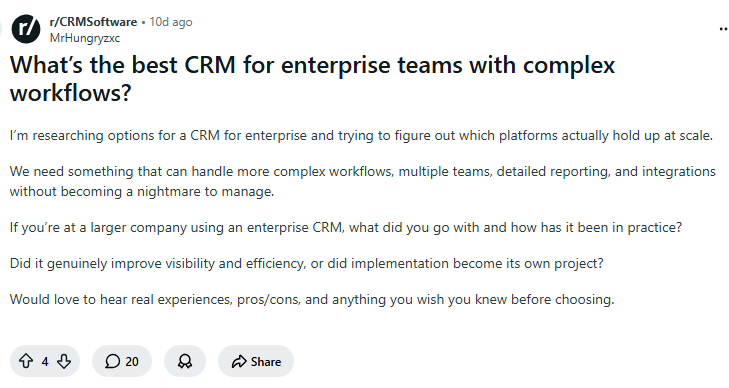
The problem is that standard CRMs aren’t built for complex business logic — you either reshape your processes around the tool, or pay a premium for customization. To help cut through the noise, we evaluated 13 leading self-hosted CRM tools across key dimensions: RBAC, AI capabilities, and API openness, so you can quickly find the right fit for your business.
💬 Hey, you’re reading the NocoBase blog. NocoBase is the most extensible AI-powered no-code/low-code development platform for building enterprise applications, internal tools, and all kinds of systems. It’s fully self-hosted, plugin-based, and developer-friendly. → Explore NocoBase on GitHub
How Do Enterprises Self-Host a CRM?
Not all self-hosted CRMs are built the same. Enterprises typically require:
- RBAC (Role-Based Access Control) — granular permissions across sales, support, and management
- AI capabilities — intelligent automation, predictive analytics, and AI-driven insights
- Open APIs — seamless integration with existing systems (ERP, marketing, support)
With those requirements in mind, let’s evaluate 13 self-hosted CRM solutions across each of these dimensions.
Evaluation Framework: 6 Dimensions for Enterprise CRM
| Dimension | What It Measures | Why It Matters for Enterprises |
|---|---|---|
| 1. RBAC | Depth of role and permission management | Enterprises need granular access control across sales, support, and management |
| 2. AI Integration | Native AI features or API readiness | AI is the top CRM priority in 2026 — lead scoring, automation, and insights |
| 3. API Openness | API quality, documentation, and ease of integration | Must connect with ERP, marketing automation, and support platforms |
| 4. Customization | How well the system adapts to your business | Every enterprise has unique workflows |
| 5. Deployment Options | Docker, Kubernetes, cloud options | IT teams have specific infrastructure requirements |
| 6. Total Cost | Setup + maintenance + hosting costs over 3 years | Budget decisions must account for hidden maintenance costs |
Category 1: Low-Code Platforms for Building a Custom CRM
Best for: Enterprises with workflows that don’t fit standard CRM molds
Trade-off: More upfront effort required, but the result is a perfect fit for your business
#1 NocoBase | Data Model-Driven CRM Platform
| Attribute | Details |
|---|---|
| GitHub | github.com/nocobase/nocobase (22k+ stars) |
| Pricing | Free (open-source) |
| RBAC | ⭐⭐⭐⭐⭐ (granular, field-level permissions) |
| AI | ⭐⭐⭐⭐⭐ (AI agents, workflow integration) |
| API | ⭐⭐⭐⭐⭐ (RESTful API, fully programmable) |
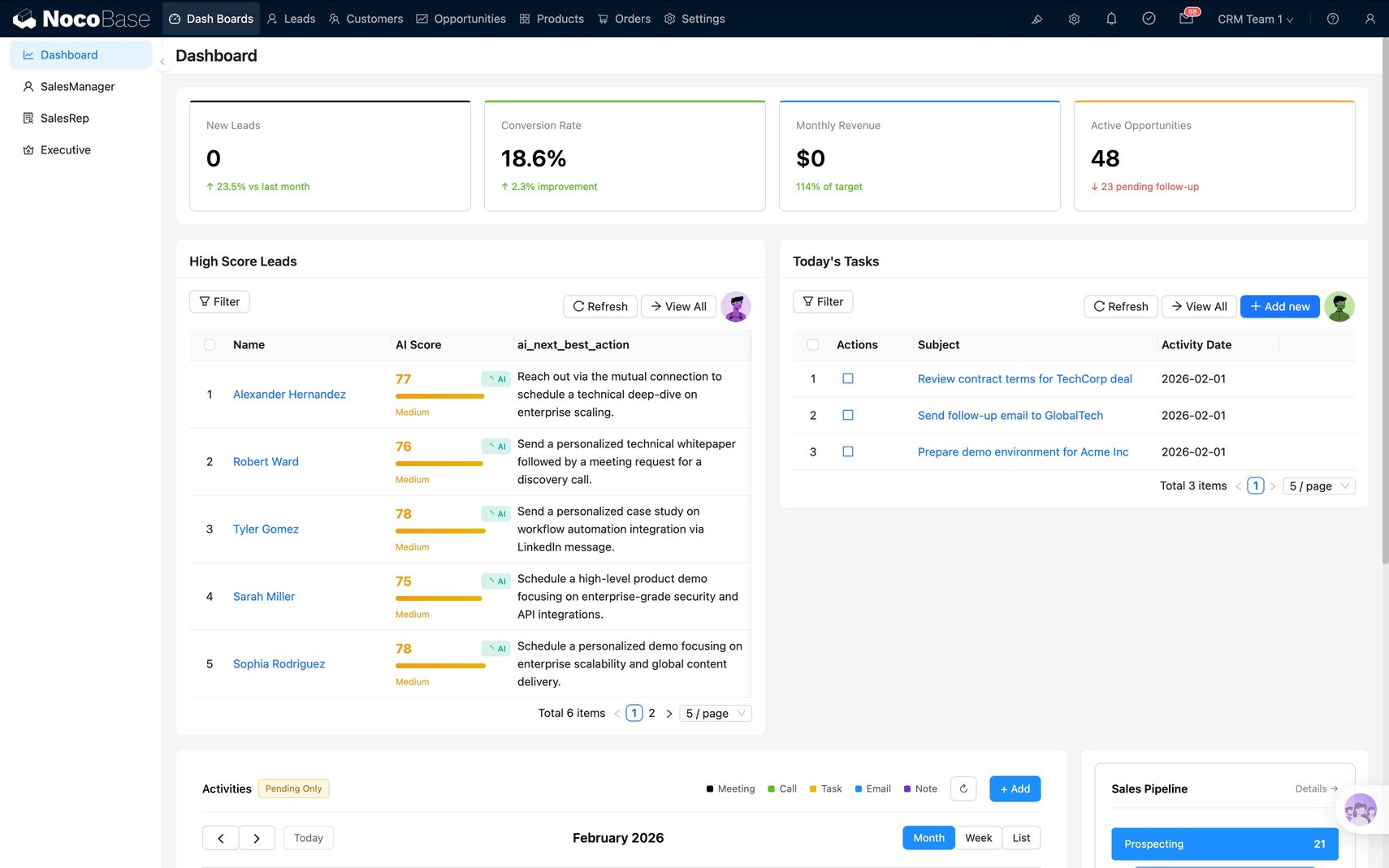
What Sets NocoBase Apart:
NocoBase isn’t a CRM — it’s the platform you use to build your own CRM. Think of it this way:
Traditional CRM = Buying off the rack
NocoBase = Getting a bespoke suit
💡 How to Build a CRM from Scratch with NocoBase?
Advantages:
- ✅ Enterprise-grade RBAC: Granular permissions down to the field level
- ✅ AI-native: AI agents embedded directly in your CRM workflows
- ✅ Open API: Full RESTful API for seamless integration
- ✅ You own the data model: Design your customer data structure from the ground up
- ✅ Plugin ecosystem: Extend the system without breaking it
- ✅ Self-hosted: Complete data sovereignty
Best For:
- Enterprises with non-standard sales processes
- Companies that need deep AI integration
- Teams with development resources (or leveraging AI + NocoBase)
- Organizations that have outgrown traditional CRMs
NocoBase CRM Capabilities:
| Feature | NocoBase Advantage |
|---|---|
| Data Model | Define your own customer entities — no rigid fields |
| Sales Pipeline | Visual workflow builder tailored to your pipeline stages |
| Permissions | Field-level RBAC (e.g., sales reps can’t view profit margins) |
| AI Agents | Qualify leads, update records, and trigger workflows automatically |
| Integration | API-first design — connect to any system |
| Reporting | Custom dashboards built around your own metrics |
🎉 Explore the NocoBase CRM Solution!
#2 Baserow | Database-First CRM Builder
| Attribute | Details |
|---|---|
| GitHub | github.com/bram2w/baserow (18k+ stars) |
| Pricing | Free (self-hosted) / Paid cloud plans |
| RBAC | ⭐⭐⭐⭐ (team-level permissions) |
| AI | ⭐⭐⭐ (via integrations) |
| API | ⭐⭐⭐⭐⭐ (REST API with JWT authentication) |
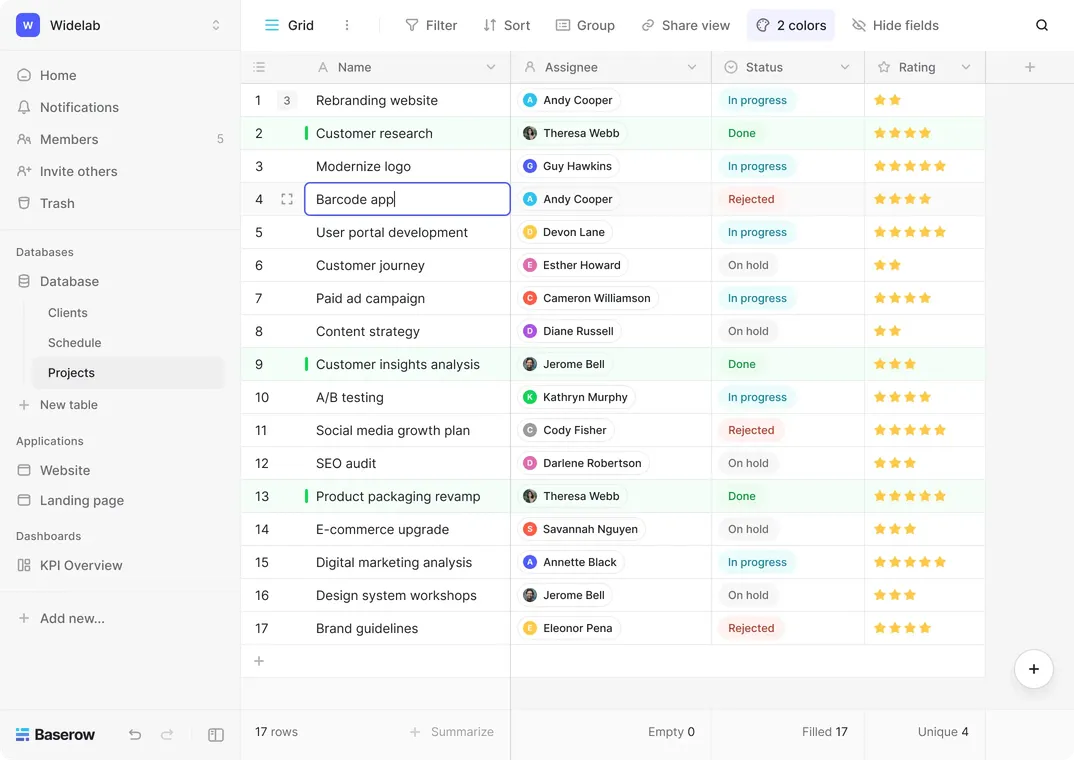
Best For:
- Simple CRM use cases
- Database-first workflows
- Teams looking for an Airtable-like experience
#3 Appsmith | Build CRM UIs Fast
| Attribute | Details |
|---|---|
| GitHub | github.com/appsmithorg/appsmith (32k+ stars) |
| Pricing | Free (self-hosted) / Paid cloud plans |
| RBAC | ⭐⭐⭐ (user groups and permissions) |
| AI | ⭐⭐ (via AI widgets) |
| API | ⭐⭐⭐⭐⭐ (connects to any data source) |
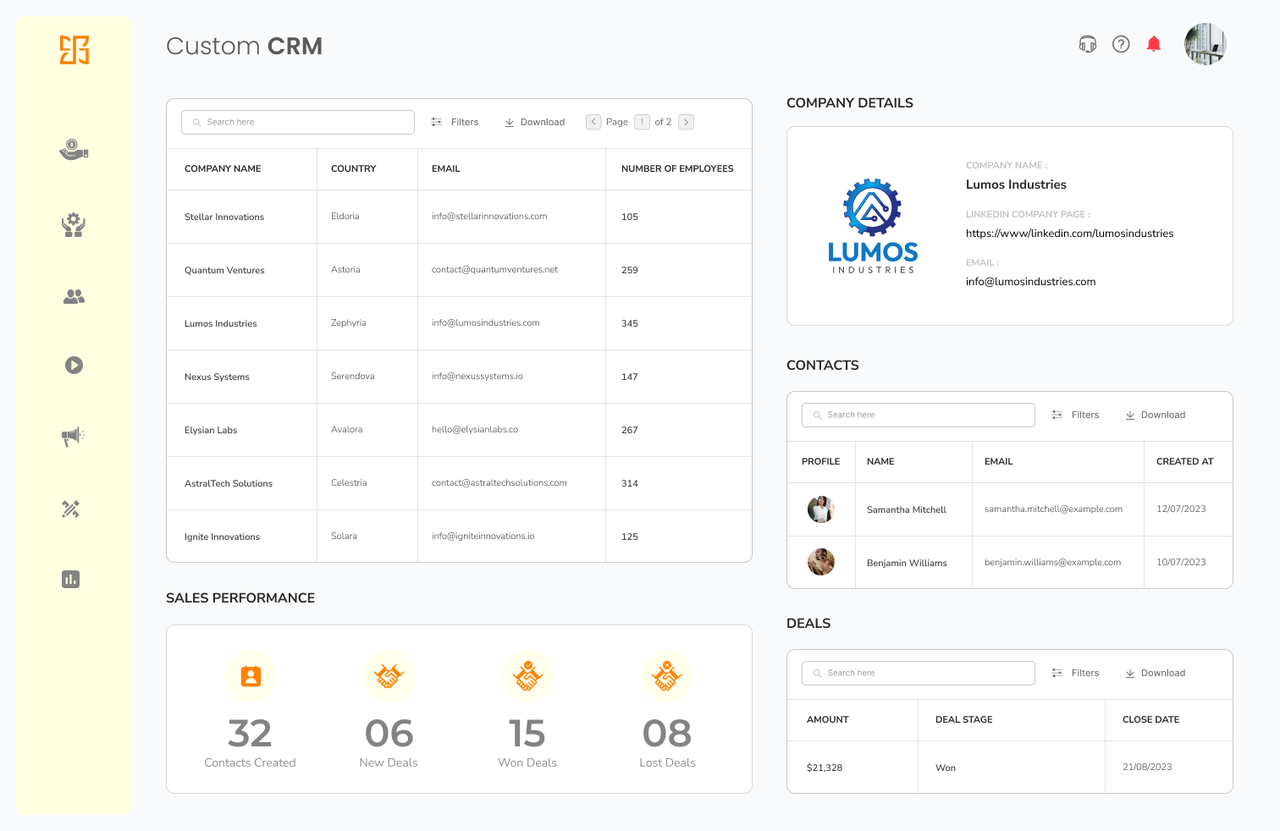
Best For:
- Building CRM frontends on top of existing databases
- Internal tooling teams
- Rapid prototyping
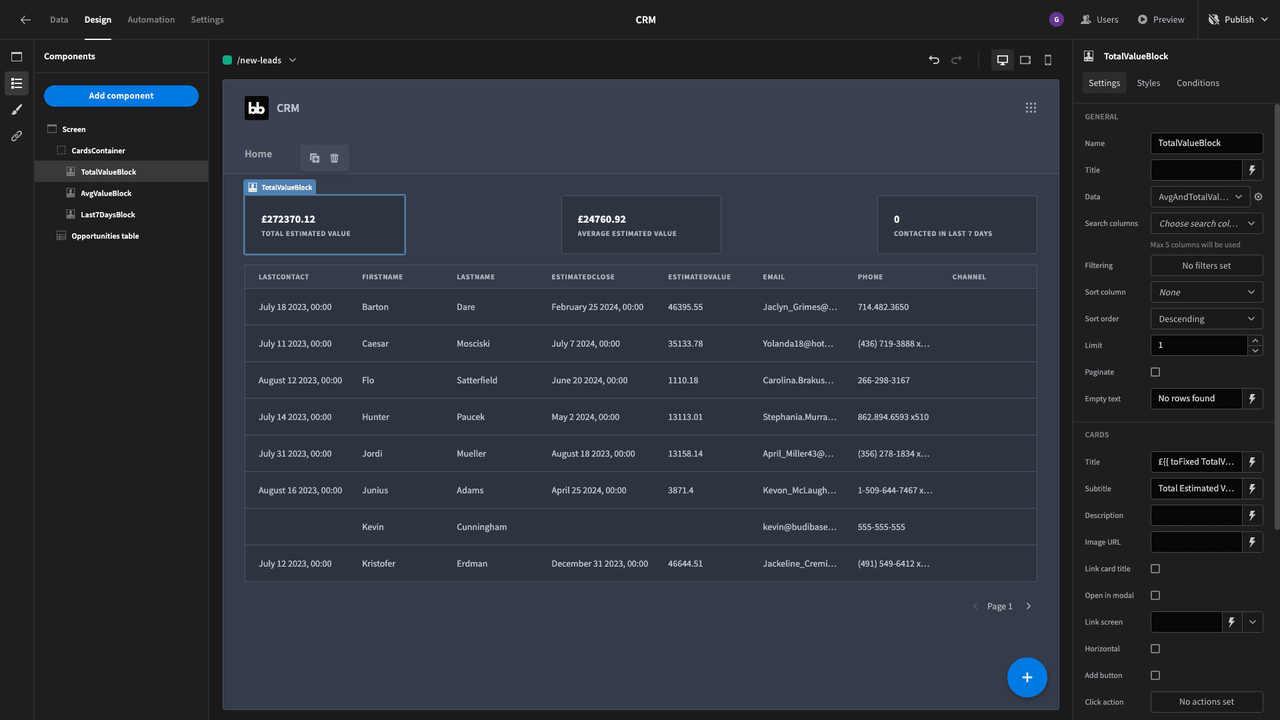
#4 Budibase | Low-Code CRM Builder
| Attribute | Details |
|---|---|
| GitHub | github.com/Budibase/budibase (21k+ stars) |
| Pricing | Free (self-hosted) / Paid cloud plans |
| RBAC | ⭐⭐⭐⭐ (row-level permissions) |
| AI | ⭐⭐ (via extensions) |
| API | ⭐⭐⭐⭐ (REST API) |
Best For:
- Internal CRM tools
- Simple customer databases
- Low-code development teams
Category 2: Dedicated Self-Hosted CRM Platforms
Best for: Organizations that want a full-featured CRM ready to go out of the box
Trade-off: Less flexible than building your own, but significantly faster to deploy
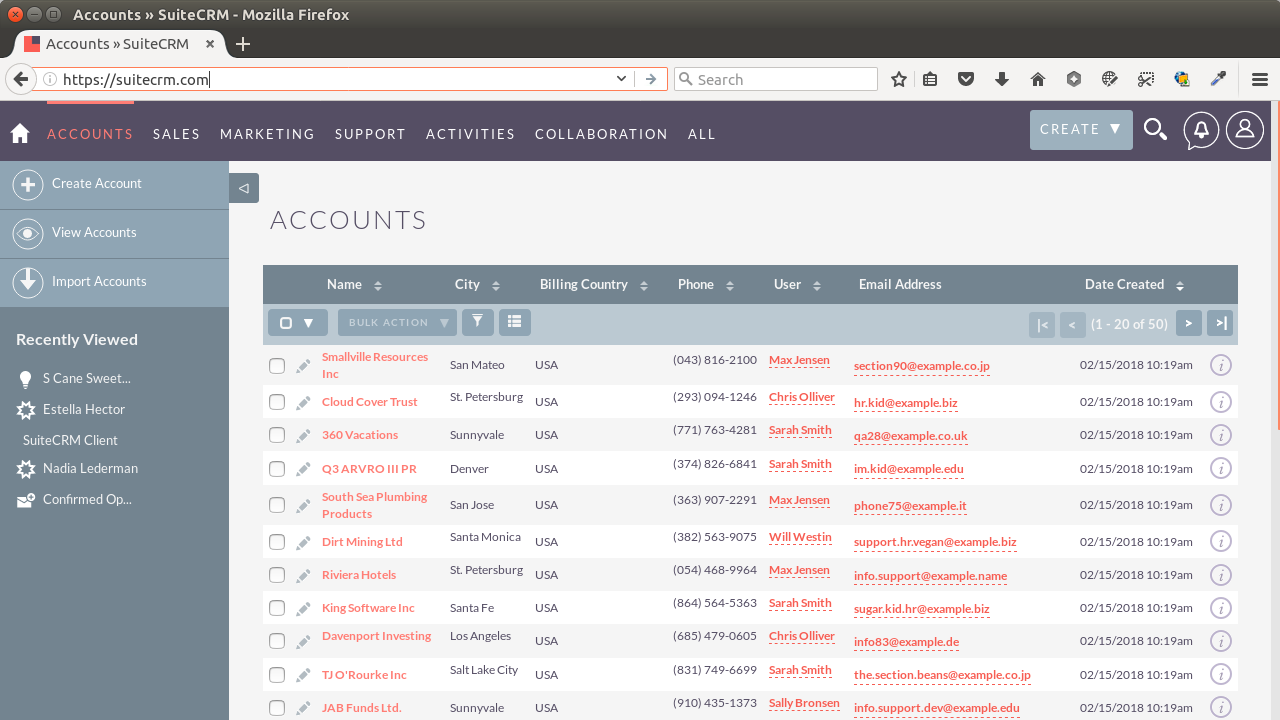
#5 SuiteCRM | Battle-Tested, Full-Featured Open-Source CRM
| Attribute | Details |
|---|---|
| GitHub | github.com/salesagility/SuiteCRM (4.5k+ stars) |
| Pricing | Free (open-source) |
| RBAC | ⭐⭐⭐⭐ (role-based, flexible) |
| AI | ⭐⭐⭐ (via plugins/extensions) |
| API | ⭐⭐⭐⭐ (REST API) |
Advantages:
- ✅ Forked from SugarCRM, with a continuously active development community
- ✅ Comprehensive feature set covering sales, marketing, and service
- ✅ Large community with a rich extension marketplace
- ✅ Proven track record in enterprise deployments
Best For:
- Enterprises migrating from SugarCRM
- Organizations looking for a conventional CRM experience
- Teams with PHP development resources
RBAC Capabilities:
- Flexible role-based access control
- Field-level security for sensitive data
- Team-based data segmentation
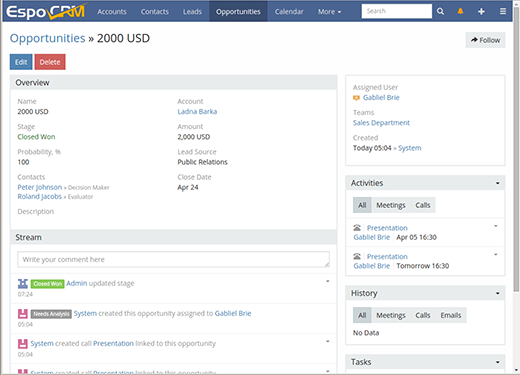
#6 EspoCRM | Lightweight Architecture, Exceptional Permission Control
| Attribute | Details |
|---|---|
| GitHub | github.com/espocrm/espocrm (2.5k+ stars) |
| Pricing | Free (open-source) |
| RBAC | ⭐⭐⭐⭐⭐ (outstanding granular permissions) |
| AI | ⭐⭐⭐⭐ (open AI integration architecture) |
| API | ⭐⭐⭐⭐⭐ (RESTful API, well-documented) |
Advantages:
- ✅ Modern, lightweight architecture — PHP backend with a fully modernized frontend
- ✅ Excellent RBAC with both role-based and team-based permissions
- ✅ Clean, well-structured REST API that’s easy to integrate with
- ✅ Responsive mobile interface
Best For:
- Modern IT stacks
- API-first integration scenarios
- Teams that need granular permission control
RBAC Capabilities:
- Granular role-based permissions
- Team-based data visibility controls
- Field-level access control
- Custom role creation
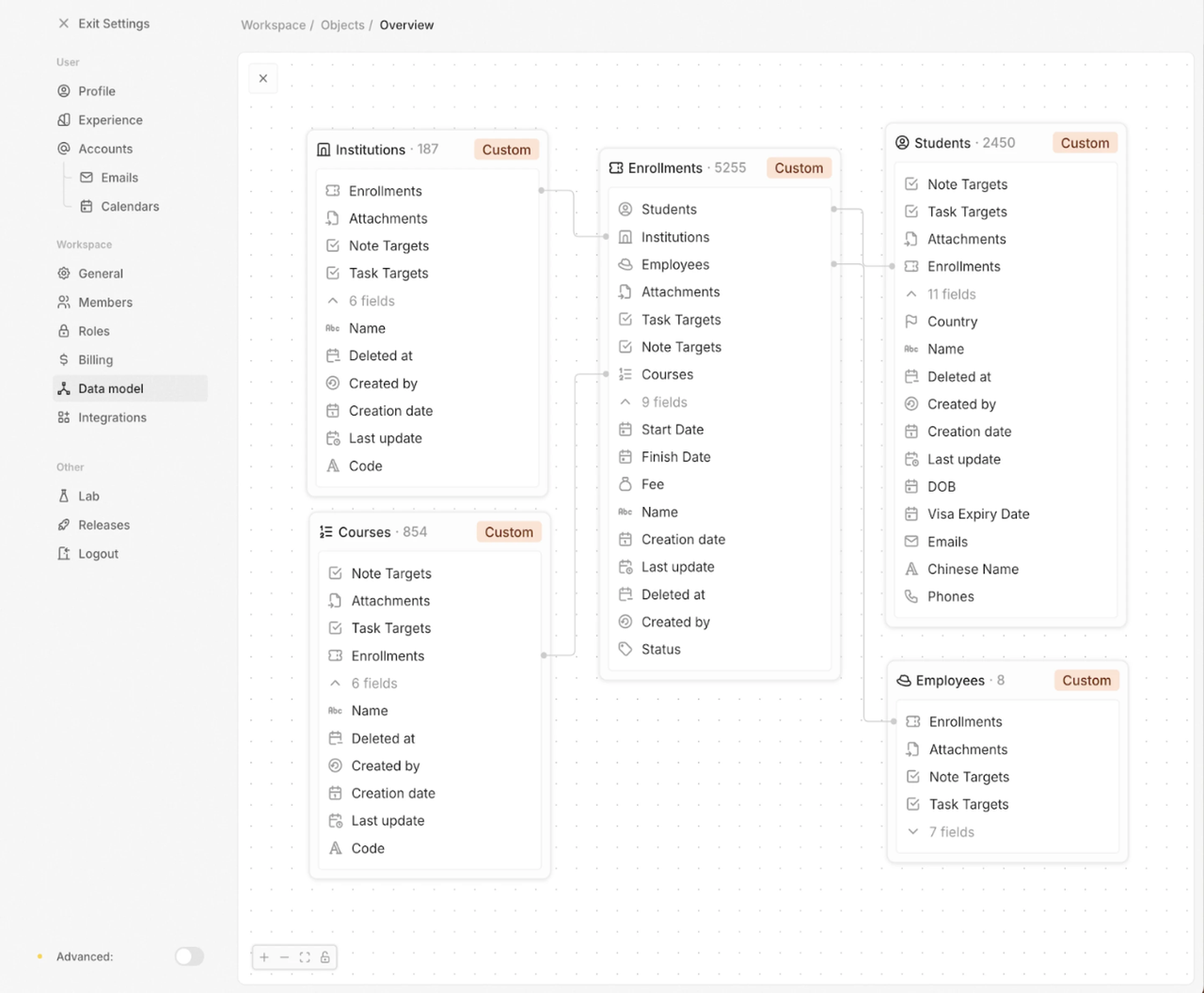
#7 Twenty CRM | A Modern Open-Source CRM Built for Today’s Tech Stacks
| Attribute | Details |
|---|---|
| GitHub | github.com/twentyhq/twenty (22k+ stars) |
| Pricing | Free (open-source) |
| RBAC | ⭐⭐⭐⭐ (capabilities rapidly improving) |
| AI | ⭐⭐⭐⭐ (AI-native architecture, features actively being rolled out) |
| API | ⭐⭐⭐⭐⭐ (GraphQL API) |
Advantages:
- ✅ Modern tech stack (React, NestJS, PostgreSQL)
- ✅ Polished, well-crafted UI/UX
- ✅ GraphQL API for flexible, efficient integrations
- ✅ Highly active development community (22k+ GitHub stars)
- ✅ AI-native by design, with new features being actively shipped
Best For:
- Startups and modern-minded enterprises
- GraphQL-first development teams
- Organizations prioritizing AI capabilities
RBAC Capabilities:
- Role-based permissions (under rapid development)
- Workspace-level data isolation
- API-level access control
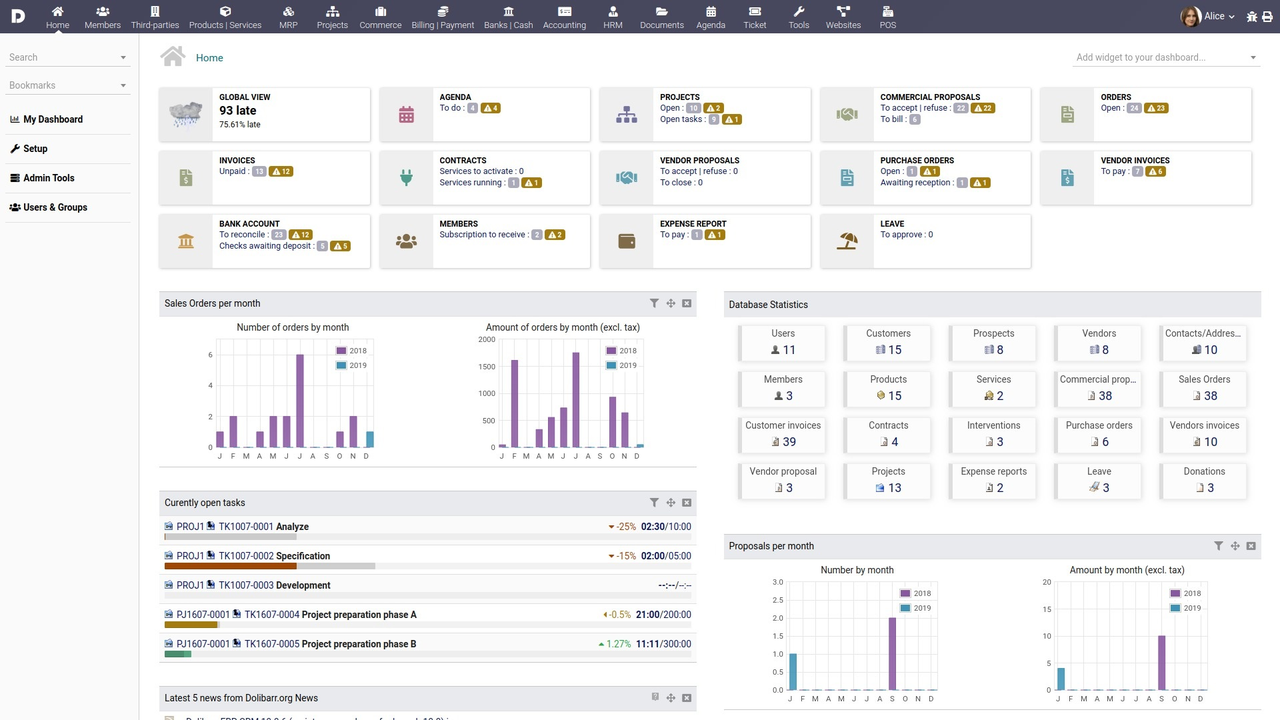
#8 Dolibarr | Lightweight All-in-One Solution for SMBs
| Attribute | Details |
|---|---|
| GitHub | github.com/Dolibarr/dolibarr (5.5k+ stars) |
| Pricing | Free (open-source) |
| RBAC | ⭐⭐⭐ (basic role-based permissions) |
| AI | ⭐⭐ (via third-party modules) |
| API | ⭐⭐⭐⭐ (REST API) |
Advantages:
- ✅ Truly all-in-one: CRM + ERP + invoicing in one package
- ✅ Simple to set up and easy to use
- ✅ Extensive module ecosystem
- ✅ A great fit for small and mid-sized businesses
Best For:
- SMBs that want CRM + ERP under one roof
- Organizations with straightforward CRM needs
- Budget-conscious teams
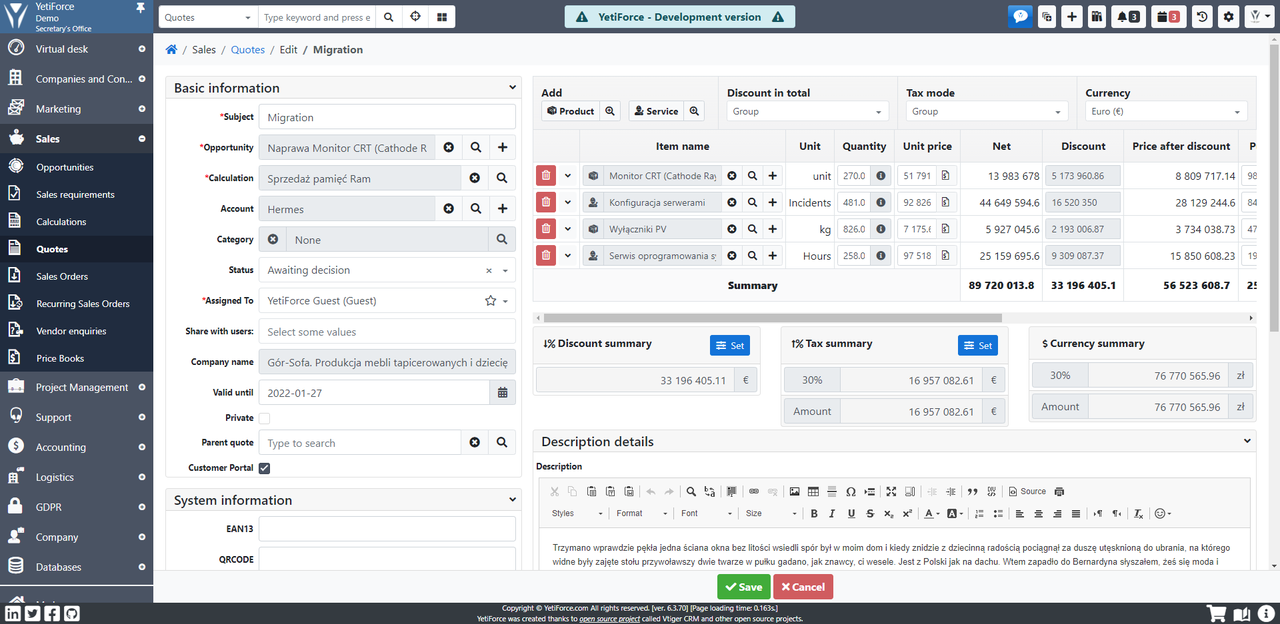
#9 YetiForce | Highly Configurable CRM with Deep Permission Controls
| Attribute | Details |
|---|---|
| GitHub | github.com/YetiForceCompany/YetiForceCRM (1.2k+ stars) |
| Pricing | Free (open-source) |
| RBAC | ⭐⭐⭐⭐⭐ (deep, layered permission system) |
| AI | ⭐⭐⭐ (via integrations) |
| API | ⭐⭐⭐⭐ (REST API) |
Advantages:
- ✅ Extensively customizable
- ✅ Advanced security controls and granular permissions
- ✅ Broad module coverage
- ✅ Actively maintained
Best For:
- Enterprises with complex permission requirements
- Teams willing to invest in custom configuration
- Organizations that demand fine-grained control
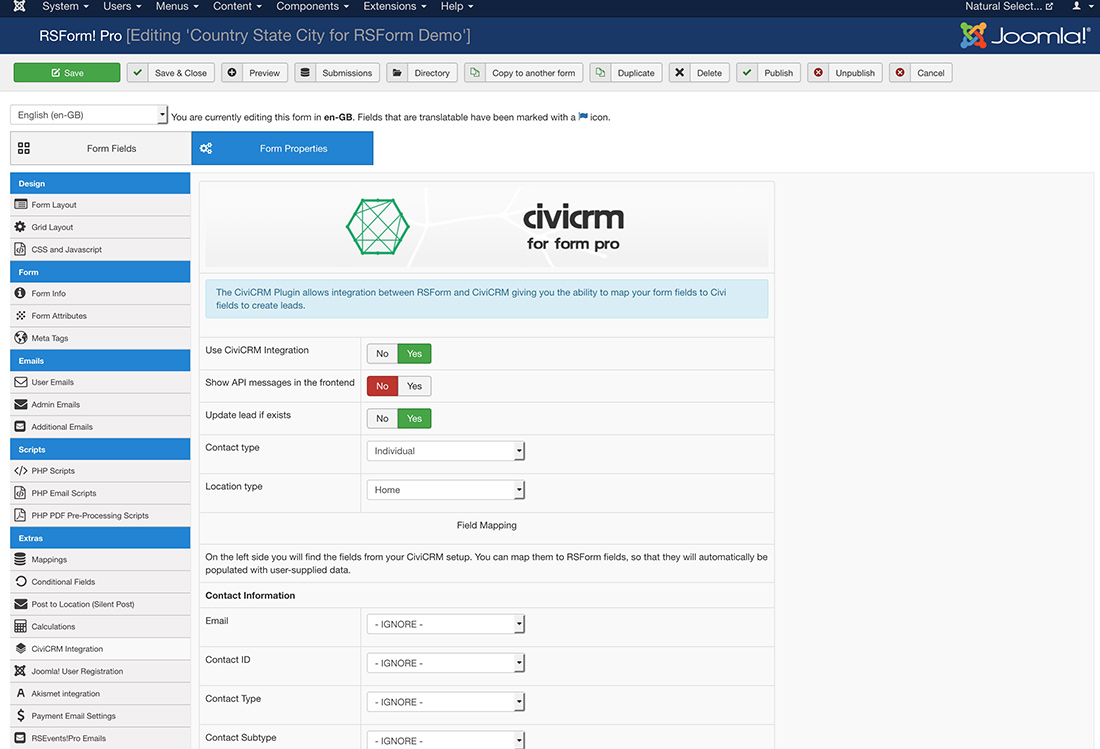
#10 CiviCRM | Purpose-Built CRM for Nonprofits
| Attribute | Details |
|---|---|
| GitHub | github.com/civicrm/civicrm-core (1k+ stars) |
| Pricing | Free (open-source) |
| RBAC | ⭐⭐⭐⭐ (ACL system) |
| AI | ⭐⭐ (via extensions) |
| API | ⭐⭐⭐⭐ (REST v3 and v4 API) |
Best For:
- Nonprofit organizations
- Membership associations
#11 Vtiger (Open Source) | Familiar Interface, Low Learning Curve
| Attribute | Details |
|---|---|
| GitHub | github.com/vtiger/vtigercrm (1.5k+ stars) |
| Pricing | Free (open-source version) |
| RBAC | ⭐⭐⭐ (role-based) |
| AI | ⭐⭐ (limited in the open-source edition) |
| API | ⭐⭐⭐ (REST API) |
-czbyg3.png)
Best For:
- Teams who prefer a conventional CRM interface
- Small businesses
- Organizations migrating from commercial Vtiger
Category 3: ERPs with Built-In CRM
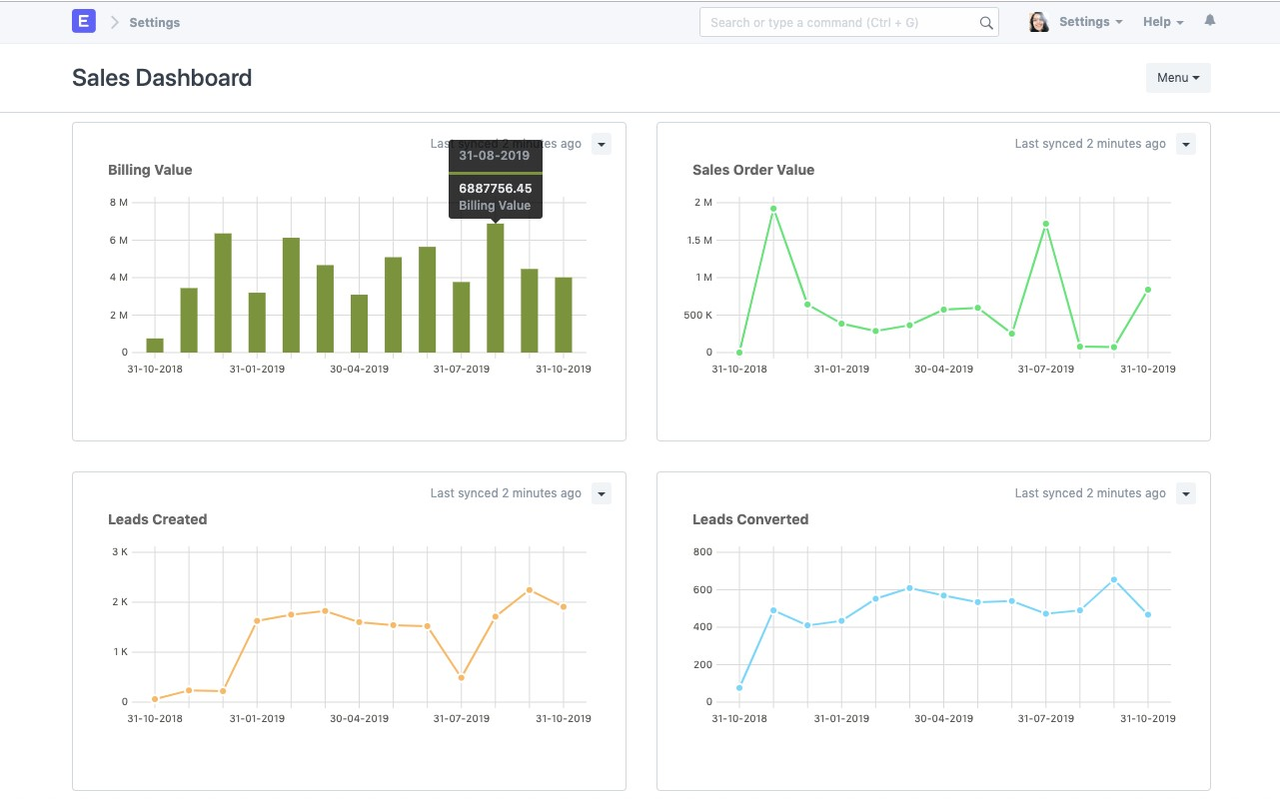
#12 ERPNext | Open-Source ERP + CRM
| Attribute | Details |
|---|---|
| GitHub | github.com/frappe/erpnext (23k+ stars) |
| Pricing | Free (self-hosted) / Paid cloud plans |
| RBAC | ⭐⭐⭐⭐⭐ (robust permission system) |
| AI | ⭐⭐⭐ (via integrations) |
| API | ⭐⭐⭐⭐⭐ (REST API) |
Best For:
- Manufacturing companies
- Distribution businesses
- Organizations that need unified ERP + CRM
#13 Odoo CRM | Modular ERP + CRM with a Complete App Ecosystem
| Attribute | Details |
|---|---|
| GitHub | github.com/odoo/odoo (35k+ stars) |
| Pricing | Community edition: free / Enterprise edition: paid |
| RBAC | ⭐⭐⭐⭐⭐ (advanced access controls) |
| AI | ⭐⭐⭐⭐ (AI features available in Enterprise edition) |
| API | ⭐⭐⭐⭐⭐ (External API, XML-RPC, JSON-RPC) |
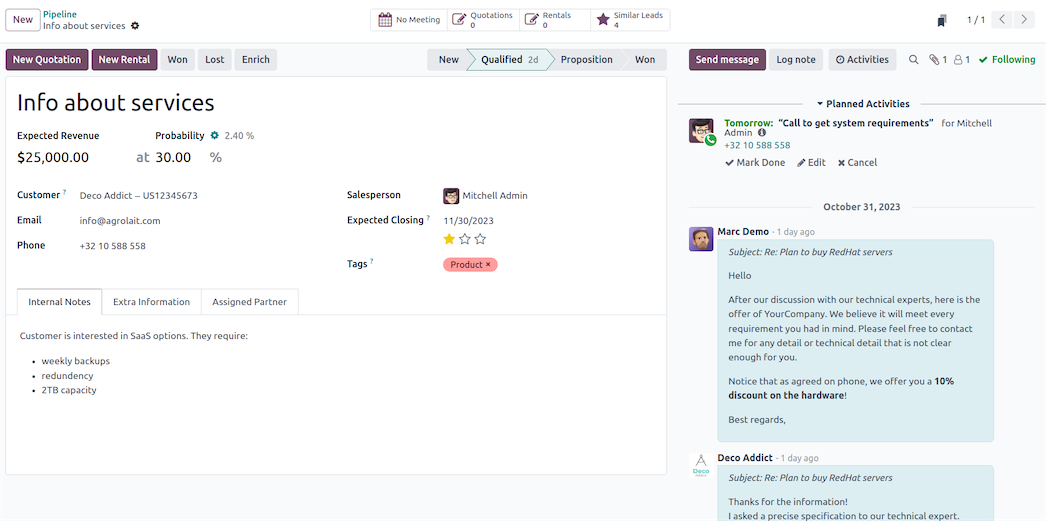
Advantages:
- ✅ Native CRM + ERP integration
- ✅ Massive app ecosystem (15,000+ apps)
- ✅ Advanced record rules and access controls
- ✅ Proven enterprise-grade deployment history
Best For:
- Companies requiring tight CRM + ERP integration
- Manufacturing and distribution enterprises
- Organizations seeking a unified business platform
RBAC Capabilities:
- Record-level access rules
- Field-level permissions
- Advanced multi-company access controls
- Custom roles and user groups
Full Platform Comparison Matrix
| CRM | Type | RBAC | AI | API | Customization | Deployment | 3-Year Cost | Score |
|---|---|---|---|---|---|---|---|---|
| NocoBase | Platform | ⭐⭐⭐⭐⭐ | ⭐⭐⭐⭐⭐ | ⭐⭐⭐⭐⭐ | ⭐⭐⭐⭐⭐ | ⭐⭐⭐⭐⭐ | Low | 9.5/10 |
| EspoCRM | CRM | ⭐⭐⭐⭐⭐ | ⭐⭐⭐⭐ | ⭐⭐⭐⭐⭐ | ⭐⭐⭐⭐ | ⭐⭐⭐⭐ | Low | 8.8/10 |
| Twenty CRM | CRM | ⭐⭐⭐⭐ | ⭐⭐⭐⭐⭐ | ⭐⭐⭐⭐⭐ | ⭐⭐⭐⭐ | ⭐⭐⭐⭐ | Low | 8.7/10 |
| Odoo | ERP+CRM | ⭐⭐⭐⭐⭐ | ⭐⭐⭐⭐ | ⭐⭐⭐⭐⭐ | ⭐⭐⭐⭐ | ⭐⭐⭐⭐ | Medium | 8.5/10 |
| SuiteCRM | CRM | ⭐⭐⭐⭐ | ⭐⭐⭐ | ⭐⭐⭐⭐ | ⭐⭐⭐ | ⭐⭐⭐ | Low | 7.8/10 |
| YetiForce | CRM | ⭐⭐⭐⭐⭐ | ⭐⭐⭐ | ⭐⭐⭐⭐ | ⭐⭐⭐⭐⭐ | ⭐⭐⭐ | Low | 7.8/10 |
| Dolibarr | ERP+CRM | ⭐⭐⭐ | ⭐⭐ | ⭐⭐⭐⭐ | ⭐⭐⭐ | ⭐⭐⭐⭐ | Low | 7.2/10 |
| Baserow | Platform | ⭐⭐⭐⭐ | ⭐⭐⭐ | ⭐⭐⭐⭐⭐ | ⭐⭐⭐⭐ | ⭐⭐⭐⭐⭐ | Low | 7.5/10 |
FAQ
Q1: Which self-hosted CRM is best for enterprises?
A: It depends on your priorities:
| Your Priority | Best Choice |
|---|---|
| Out-of-the-box CRM | EspoCRM or SuiteCRM |
| Custom workflows | NocoBase |
| ERP + CRM integration | NocoBase, Odoo, or ERPNext |
| Modern tech stack | Twenty CRM |
| Limited budget | NocoBase, Dolibarr, or Twenty CRM |
Top recommendation: For enterprises that want complete control and deep customization, NocoBase delivers the strongest combination of RBAC, AI integration, and API openness.
Q2: Should I use an off-the-shelf CRM or build my own?
A: Use this decision framework:
Go with an off-the-shelf CRM if:
- Your sales process is fairly standard
- You need to get up and running quickly
- You don’t have dedicated developer resources
- A traditional CRM workflow fits your team
Build your own with NocoBase if:
- Your business processes are genuinely unique
- You need deep AI integration
- You have developer resources (or use AI coding agents)
- You want complete ownership and control
- You’ve outgrown what traditional CRMs can offer
Hybrid approach: Use NocoBase to extend an existing CRM with custom workflows and AI capabilities.
Q3: How does NocoBase compare to Salesforce?
A: They serve fundamentally different purposes:
| Dimension | Salesforce | NocoBase |
|---|---|---|
| Type | SaaS CRM | Platform for building CRMs |
| Cost | $150–300/user/year | Free (self-hosted) |
| Customization | Limited (within the platform’s constraints) | Unlimited (you own the code) |
| Data Control | Salesforce cloud | Your own servers |
| AI Features | Einstein AI (paid add-on) | AI agents (built-in, free) |
| Vendor Lock-in | High | None |
| Best For | Standard sales workflows | Custom business processes |
Bottom line: Choose Salesforce if you want standard capabilities with minimal setup. Choose NocoBase if you want full ownership of a system built entirely around your business.
💡 Recommended reading: NocoBase vs Salesforce: Which Is Your Ideal CRM?
Q4: Can I migrate from Salesforce to a self-hosted CRM?
A: Absolutely — but it takes planning:
Migration steps:
- Export your data from Salesforce (via CSV or API)
- Map fields to the structure of your new CRM
- Recreate custom workflows in the new system
- Import data into your self-hosted CRM
- Test thoroughly before going live
- Train your team on the new platform
Timeline: 1–2 months, depending on complexity
Tools: Most self-hosted CRMs provide migration utilities or professional services
💡 Recommended reading: Four Powerful Open-Source Alternatives to Salesforce (With Cost Comparison)
Q5: Which self-hosted CRM has the best AI capabilities?
A: Ranked by AI capability:
| CRM | AI Capability | Rating |
|---|---|---|
| NocoBase | AI agents, workflow integration, automated insights | ⭐⭐⭐⭐⭐ |
| Twenty CRM | AI-native architecture, features actively being shipped | ⭐⭐⭐⭐ |
| Odoo | AI features in the Enterprise edition | ⭐⭐⭐⭐ |
| EspoCRM | Open AI integration architecture | ⭐⭐⭐⭐ |
| SuiteCRM | Via third-party plugins | ⭐⭐⭐ |
| Dolibarr | Via modules | ⭐⭐ |
Top AI-first picks: NocoBase or Twenty CRM
💡 Recommended reading: AI Agents — NocoBase Documentation
Q6: How difficult is it to set up a self-hosted CRM?
A: Here’s a difficulty breakdown:
| CRM | Technical Difficulty | Setup Time |
|---|---|---|
| Dolibarr | ⭐ (Beginner) | 1–2 hours |
| Twenty CRM | ⭐⭐ (Moderate) | 2–4 hours |
| EspoCRM | ⭐⭐ (Moderate) | 3–6 hours |
| SuiteCRM | ⭐⭐⭐ (Intermediate) | 1–2 days |
| Odoo | ⭐⭐⭐⭐ (Advanced) | 3–5 days |
| NocoBase | ⭐⭐ (Moderate) | 2–4 hours to deploy; 2–4 days to build out your CRM |
All support Docker deployment for a streamlined setup experience.
Non-technical teams: Consider a managed hosting service or bringing in an external consultant.
Q7: What about compliance (GDPR, HIPAA, SOC 2)?
A: Self-hosted CRMs offer distinct compliance advantages:
| Regulation | Self-Hosting Advantage |
|---|---|
| GDPR | Data stays within the EU; full control over data processing |
| HIPAA | On-premises deployment with built-in audit trails |
| SOC 2 | You manage your own security controls with no third-party exposure |
| Data Localization | Deploy in-country to meet local regulatory requirements |
NocoBase advantage: Built-in audit logs, field-level permissions, and role-based access controls make it easier to satisfy compliance requirements.
Q8: Can self-hosted CRMs integrate with other tools?
A: Yes — most offer robust integration options out of the box:
| Integration Type | How It Works |
|---|---|
| SMTP/IMAP integration with calendar sync | |
| Marketing Automation | Zapier, Make, n8n, or custom API |
| Support Tools | API integration or shared database connections |
| ERP | Database-level sync or API-based integration |
| Custom Systems | REST API, webhooks, GraphQL |
NocoBase advantage: An open RESTful API with webhook support enables unlimited integrations with virtually any system.
Conclusion
SuiteCRM and EspoCRM are strong picks for teams that want an out-of-the-box solution. Odoo and ERPNext are the go-to choices for enterprises that need ERP integration. Twenty CRM and Dolibarr are well-suited to budget-conscious startups.
But if your business operates differently from the norm, forcing it into an off-the-shelf CRM will always create friction. In that case, the more strategic move is to build a CRM that’s truly yours using NocoBase — one that fits your exact permission model, integrates AI where it actually matters, and is shaped entirely around your own data architecture.
If you found this guide useful, feel free to share it with anyone navigating the same decision.
Related reading
- 6 Best Open-Source Tools to Replace Custom Integration Middleware
- Replace Excel with NocoBase or Airtable? A Cost-by-Cost Comparison
- 4 Ways to Quickly Build Web Apps from Excel Data
- Not Just PostgreSQL: Comparing 5 No-Code/Low-Code Platforms with External Database Support
- Open Source Project Management Tool Selection Guide, 2026 Edition
- How to Build a Custom CRM with PostgreSQL
- Top 20 AI Projects on GitHub to Watch in 2026: Not Just OpenClaw
- Best Open Source AI CRM: NocoBase vs Twenty vs Krayin
- Top 3 Open Source ERP with AI on GitHub: NocoBase vs Odoo vs ERPNext