

As companies rely on more and more systems, integration gets harder. For software outsourcing firms and enterprise IT teams, the key concerns in system integration are long term maintenance costs, data ownership and control, and how much room the solution leaves for future expansion.
A similar situation was discussed on Reddit’s r/ITManagers: a mid sized to large enterprise was already running ERP, CRM, WMS, industry specific systems, and Excel based workflows at the same time. The team wanted to move ahead with system integration, but did not want to keep building custom APIs from scratch forever. They also had to think about cost, compatibility with existing systems, security, maintainability, and whether every future change would still require heavy development work.
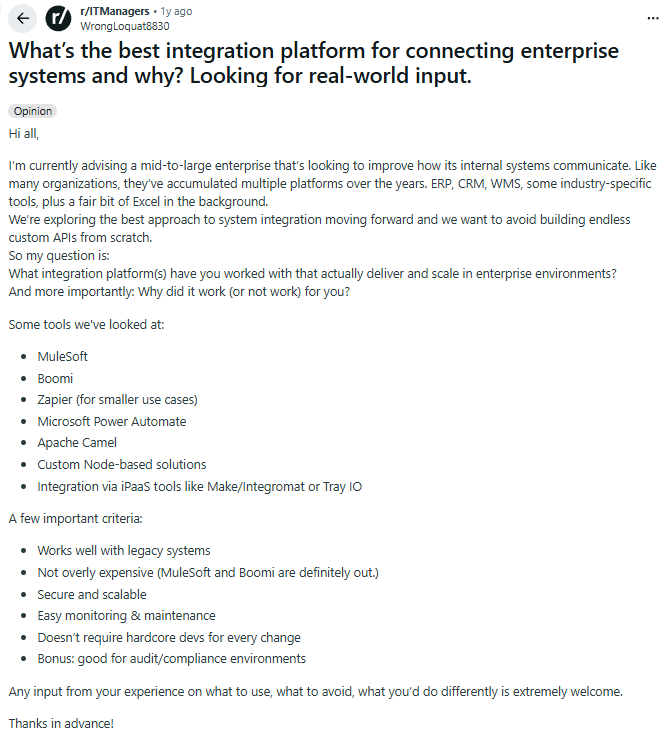
This is a common situation for companies choosing an integration solution.
Building middleware in house offers flexibility, but it usually comes with high development and maintenance costs. Pure SaaS tools are easier to adopt at the start, but they can also create ongoing costs and platform dependence.
Open source integration tools offer another path. They can be self hosted, while still leaving room for future extension and custom development.
💡Read more: Recommended self hosted tools for enterprises: 20+ tools for complete data control
This article compares 6 common open source integration tools across four key dimensions: deployment, connectivity, extensibility, and long term cost.
💬 Hey, you’re reading the NocoBase blog. NocoBase is the most extensible AI-powered no-code/low-code development platform for building enterprise applications, internal tools, and all kinds of systems. It’s fully self-hosted, plugin-based, and developer-friendly. → Explore NocoBase on GitHub
Comparison table
Here is a quick overview of the 6 tools covered in this article.
| Tool | Integration approach | Data source support | Self hosted | Extensibility | Learning curve | Best fit |
|---|---|---|---|---|---|---|
| NocoBase | API + database | 15+ | ✅ Yes | Plugin system | Medium | Integration scenarios that require stronger data control |
| n8n | Workflow automation | 200+ | ✅ Yes | Custom nodes | Low | Fast business process automation |
| Apache NiFi | Data flow processing | 100+ | ✅ Yes | Processor extensions | High | Complex data pipelines and high throughput workloads |
| Node-RED | Event driven | Custom | ✅ Yes | Custom nodes | Medium | IoT and real time data processing |
| Airbyte | ELT pipelines | 150+ | ✅ Yes | Custom connectors | Medium | Data warehouse sync |
| LogicMesh | API integration | 50+ | ✅ Yes | Custom adapters | Medium | API heavy integration |
6 open source tools that can replace in house integration middleware
1. NocoBase
Introduction: NocoBase is an open source AI no code/low code platform with built in support for multiple data sources, self hosted deployment, and a plugin architecture that can be extended continuously.
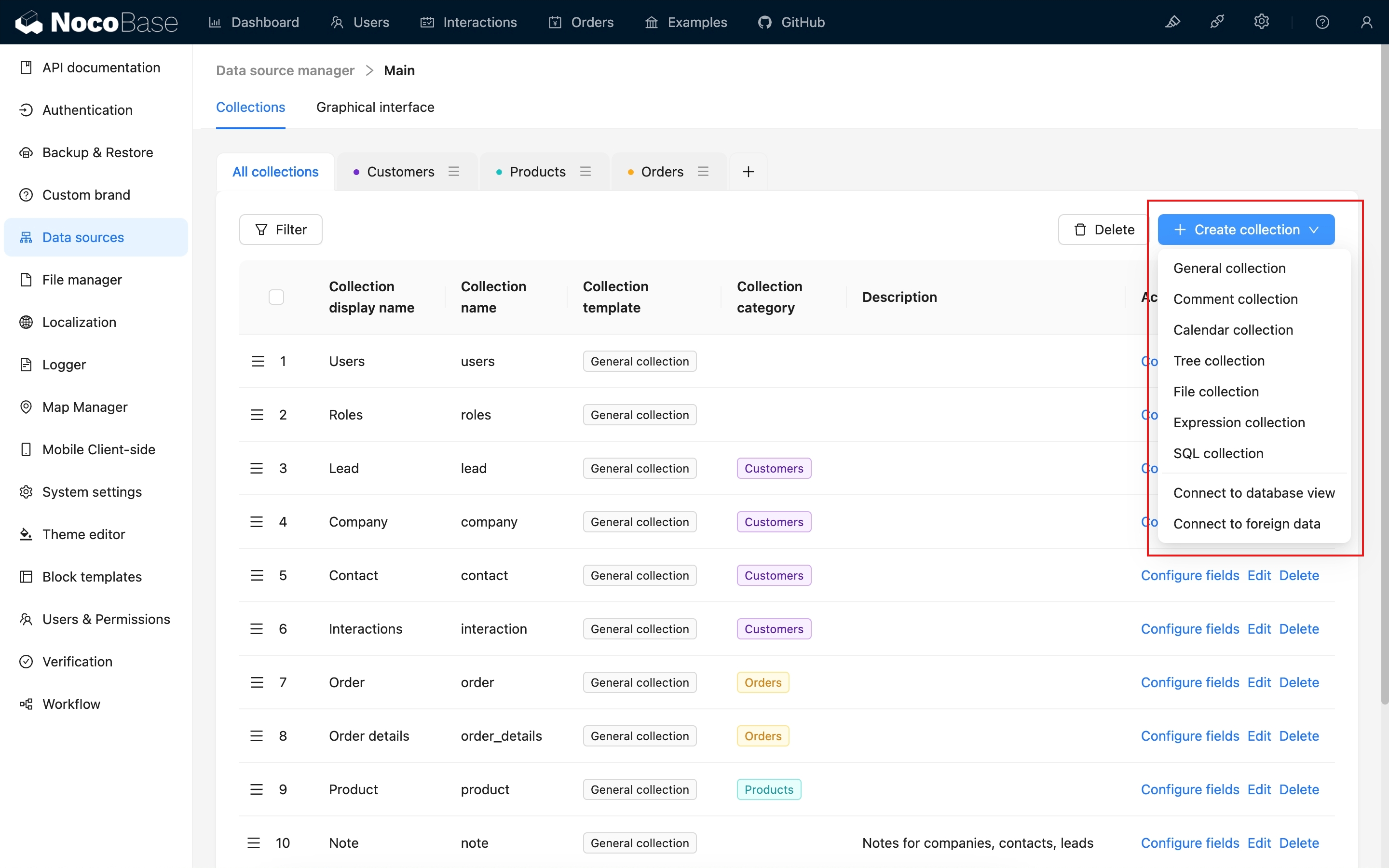
Core features:
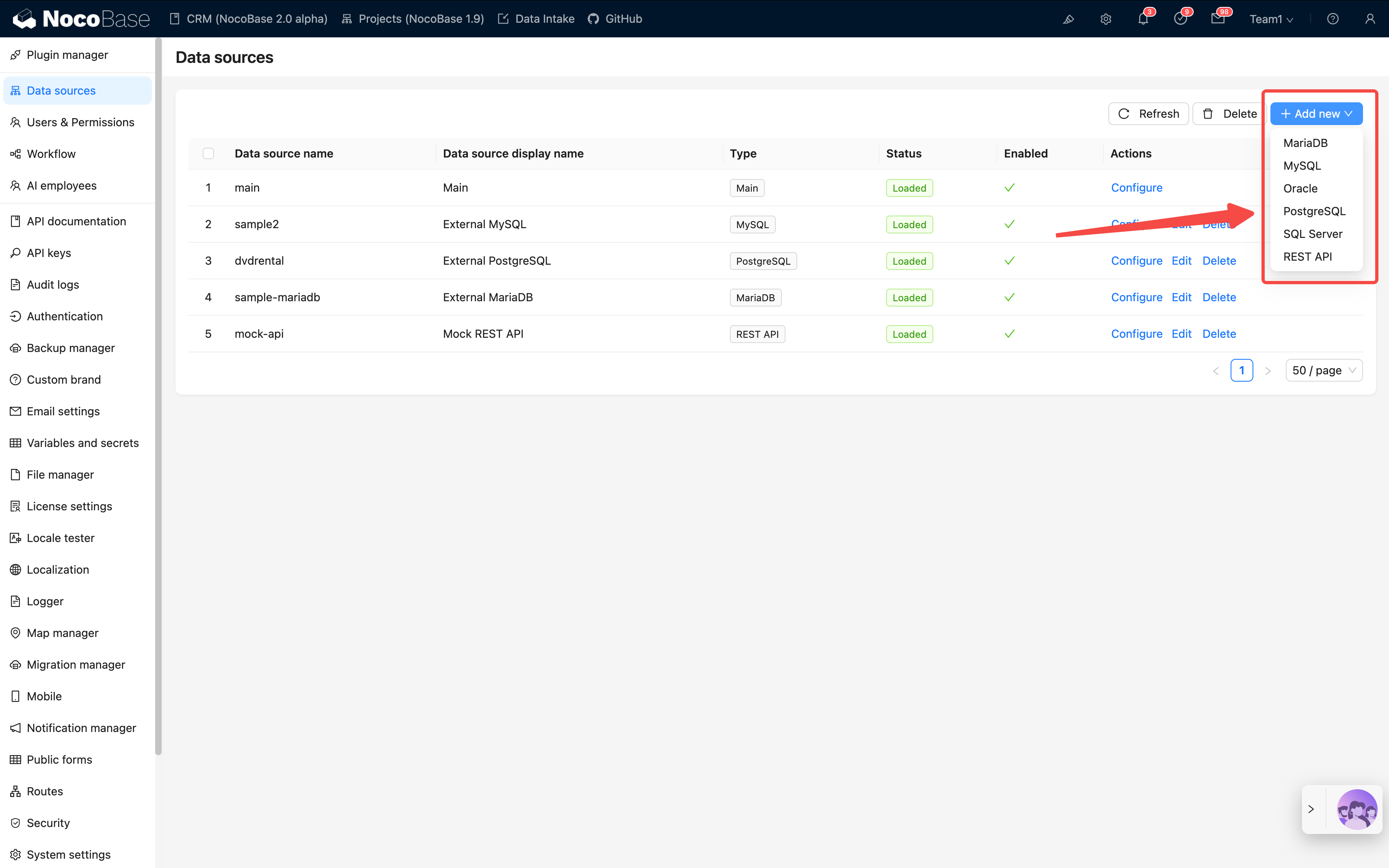
- Data sources and integration: It can connect to both primary databases and external data sources. Its commercial capability matrix covers MySQL, PostgreSQL, MariaDB, MSSQL, and REST APIs, while the enterprise edition adds support for Oracle, ClickHouse, Doris, and more
- Workflow engine: Supports event triggers, scheduled tasks, conditions, loops, CRUD operations, HTTP requests, Webhooks, approvals, and more
- Plugin system: Plugins can be used to extend data sources, interfaces, actions, and workflows
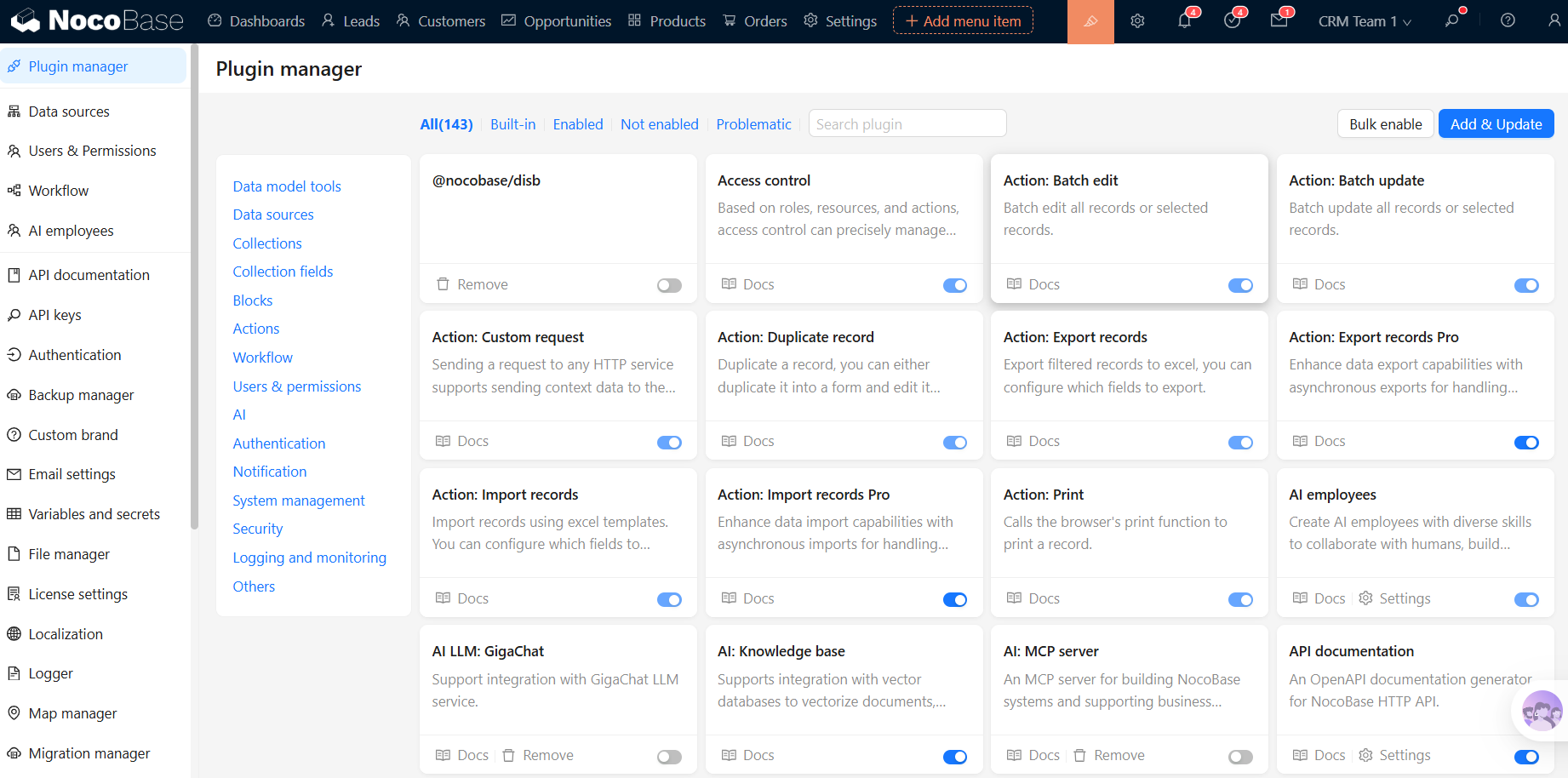
- 100% self hosted: Data stays fully under your control, with clear control over where it flows
- AI capabilities: AI Employees can understand business context inside the system and directly take action. NocoBase also provides official Skills for Codex, Claude Code, and OpenCode, making it easier to use Agents for installation, data modeling, UI setup, and workflow configuration.
Advantages:
- ✅ Strongest data sovereignty (fully self hosted)
- ✅ Highly extensible (plugin system)
- ✅ No vendor lock in (Apache 2.0 license)
- ✅ Well suited for database heavy integration
Typical scenarios: A good fit for teams that need to integrate existing databases, APIs, and business data while also quickly building internal tools such as CRM, ticketing, approvals, and project management systems. Compared with tools that only handle connections, NocoBase is better suited for teams that want to keep integration and internal system building on the same platform and keep iterating over time.
💡Read more: More than PostgreSQL: 5 no code/low code platforms that support external databases
Open source license: Apache 2.0 (commercial use allowed)
Official website: https://nocobase.com/
GitHub: https://github.com/nocobase/nocobase (22k+ stars)
2. n8n
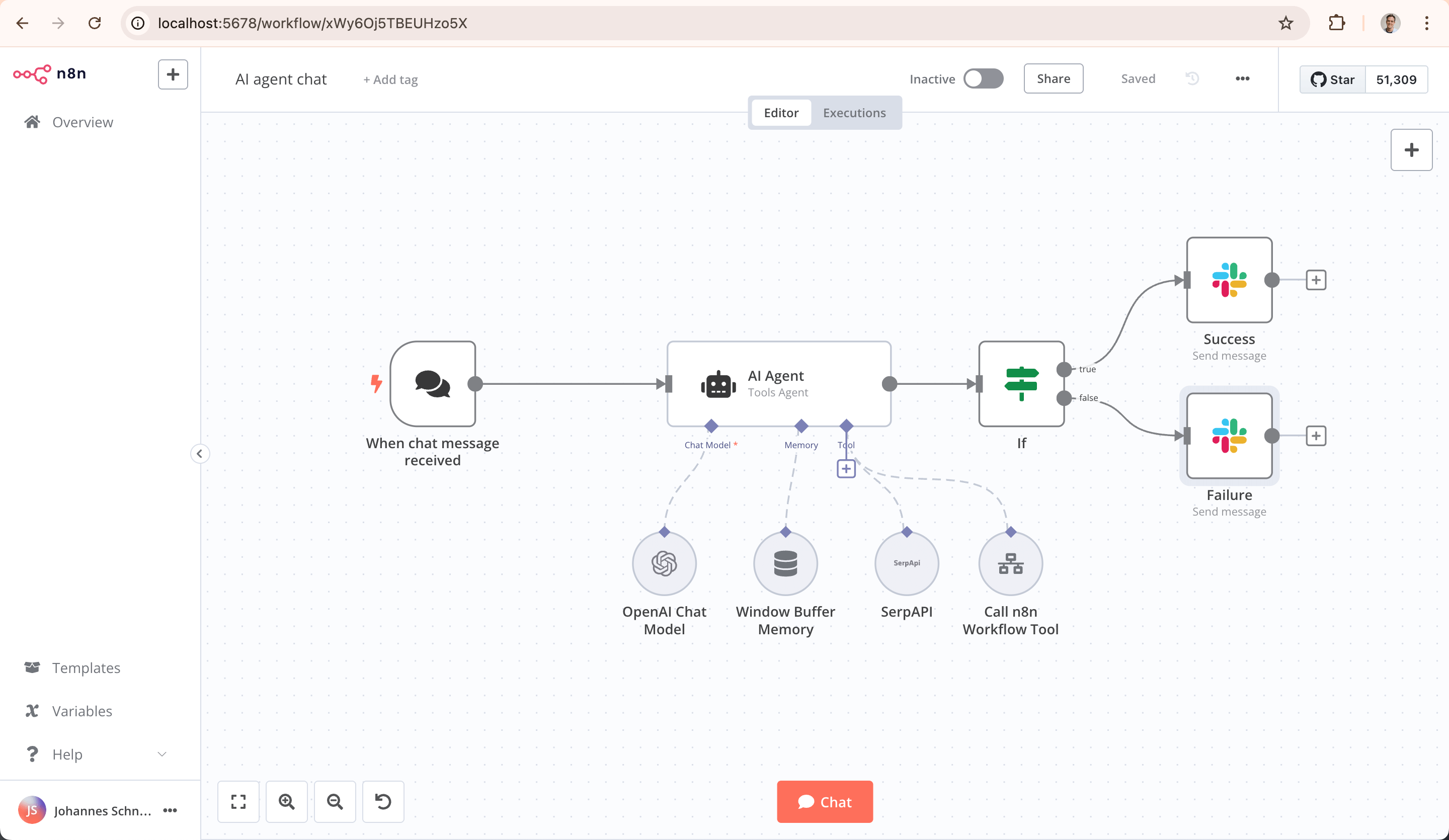
Introduction: n8n is a workflow automation tool with 200+ integrations, built for connecting applications and automating business processes.
💡Read more: 7 open source workflow tools that can replace Zapier
Core features:
- 200+ built in integrations: Covers a wide range of mainstream SaaS apps
- Visual workflow editor: Build workflows with drag and drop
- Self hosted deployment: Supports one click Docker deployment
- Custom node development: Extensible with TypeScript
Advantages:
- ✅ Large integration library
- ✅ Easy for non developers to use
- ✅ Active community support
Typical scenarios: Best for automation between SaaS applications, such as lead sync, form capture, notifications, approval routing, and AI workflow orchestration. Its main strengths are the large number of ready made integrations and fast setup. That said, the official self hosted option also clearly notes that users need technical knowledge in servers, containers, security, and operations.
Open source license: Fair Code (commercial use allowed, with limitations)
Official website: https://n8n.io/
GitHub: https://github.com/n8n-io/n8n (50k+ stars)
3. Apache NiFi
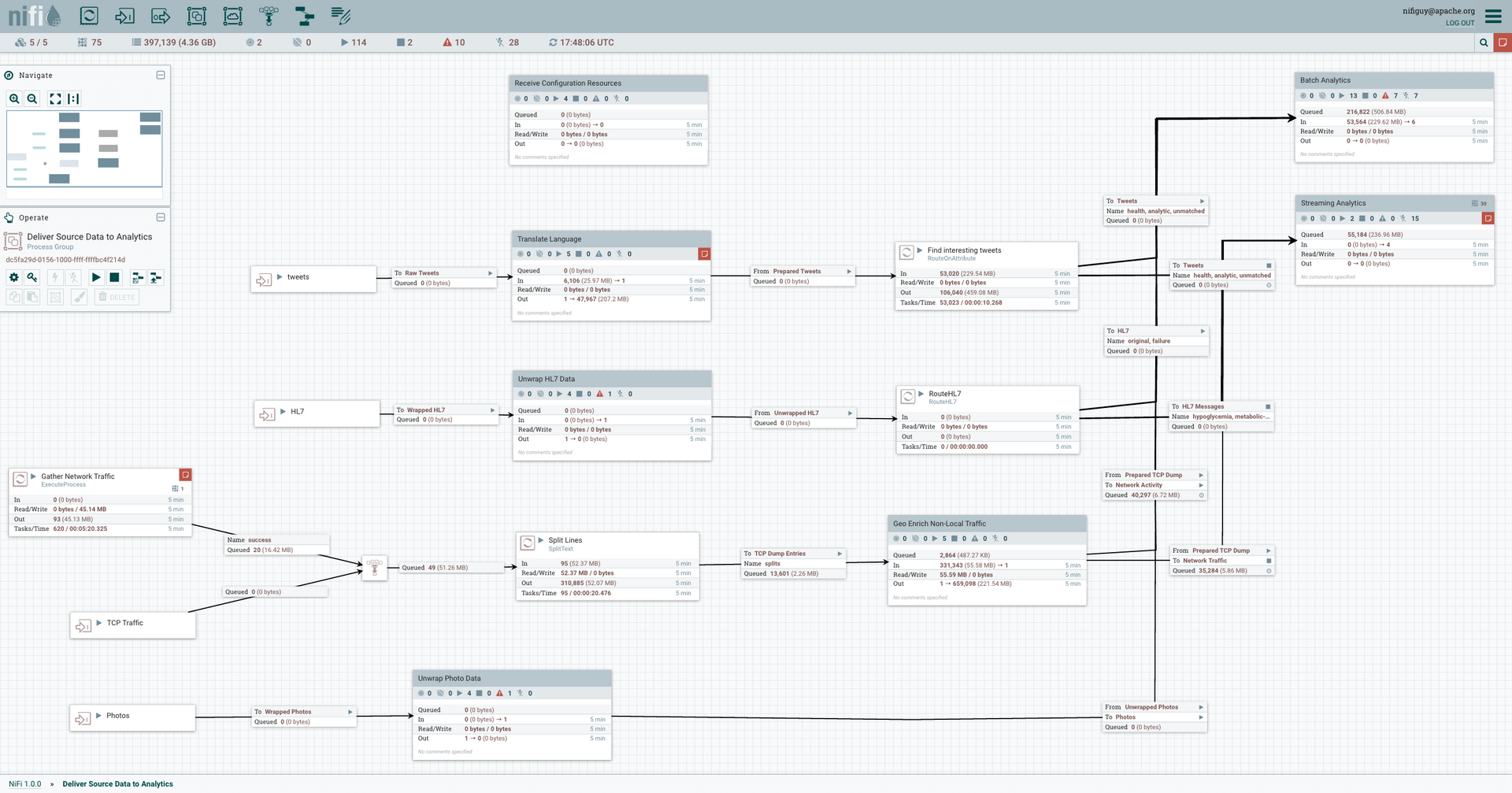
Introduction: Apache NiFi is an automated data flow platform with a powerful visual interface for managing how data moves between systems.
Core features:
- 100+ processors: Supports a wide range of data sources and protocols
- Visual data flow design: Build pipelines with drag and drop
- Enterprise features: Built in monitoring, logging, and back pressure control
- High availability: Supports cluster deployment
Advantages:
- ✅ Strong data transformation capabilities
- ✅ Enterprise grade reliability
- ✅ Well suited for high throughput scenarios
- ✅ Fine grained security controls
Typical scenarios: Best for high throughput, cross system data flow workloads, such as logs, event streams, observability data, and batch or continuous pipelines. It is also a strong fit for enterprise scenarios that need data provenance, clustering, and stable long term operation.
Open source license: Apache 2.0
Official website: https://nifi.apache.org/
GitHub: https://github.com/apache/nifi (4k+ stars)
4. Node-RED
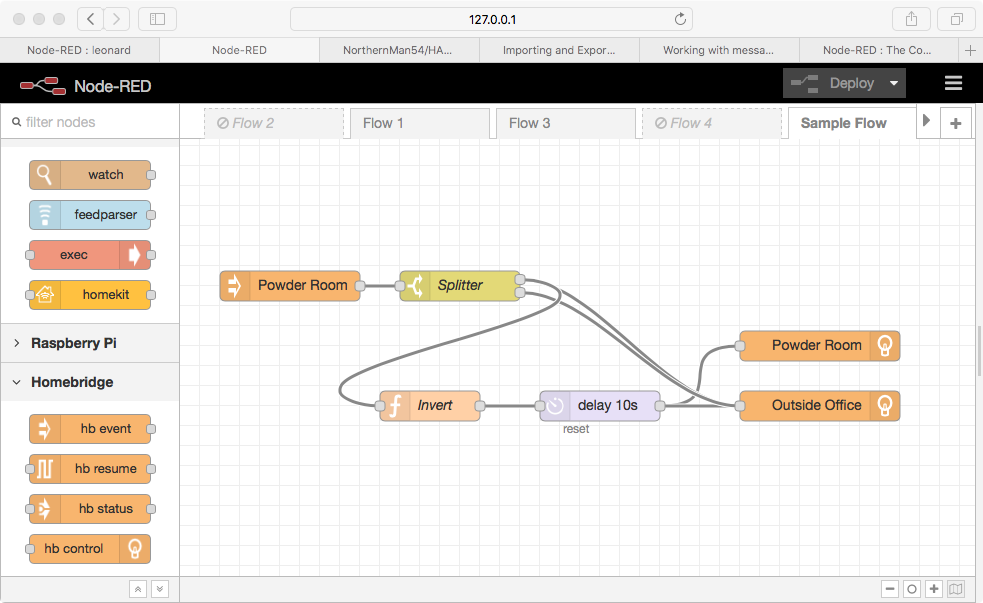
Introduction: Node-RED is a browser based flow editor that was originally built for IoT and is now widely used for event driven integration.
Core features:
- Event driven architecture: Designed for real time data handling
- Node ecosystem: 3000+ community nodes
- Lightweight deployment: Can run on embedded devices
- Native JavaScript support: Flexible for custom logic
Advantages:
- ✅ Great for real time data streams
- ✅ Large community node library
- ✅ Easy to learn and use
Typical scenarios: Best for real time event streams, device side workflows, IoT, industrial control, edge scenarios, and lightweight API orchestration. Its official positioning has long focused on event driven low code, with an emphasis on collecting, transforming, and visualizing real time data across home automation and industrial control use cases.
Open source license: Apache 2.0
Official website: https://nodered.org/
GitHub: https://github.com/node-red/node-red (20k+ stars)
5. Airbyte
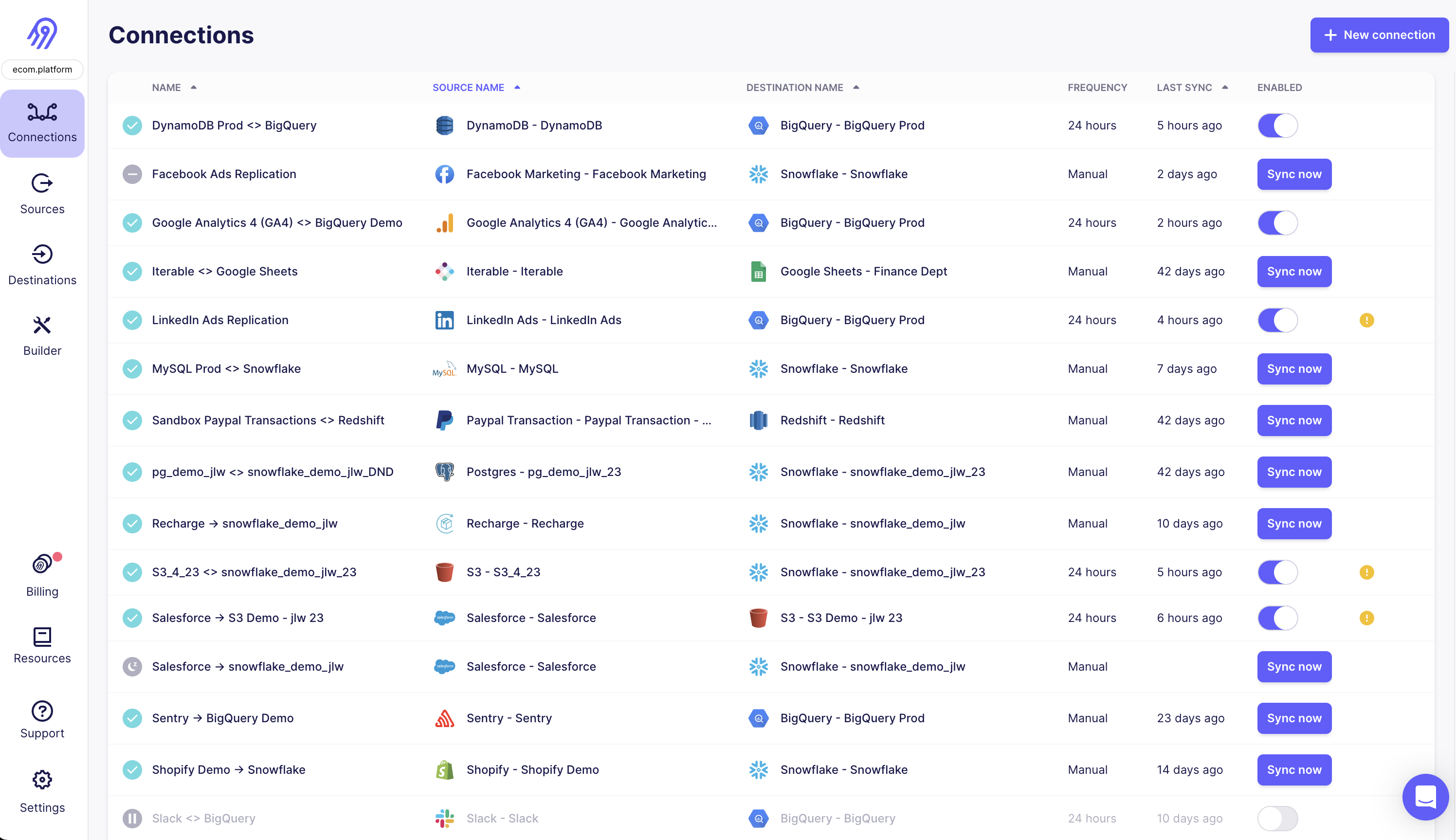
Introduction: Airbyte is a data integration platform focused on ELT (Extract, Load, Transform), mainly used for syncing data into data warehouses.
Core features:
- 150+ data source connectors: Supports databases, SaaS tools, and files
- Standardized connector API: Makes it easier to build custom connectors
- Incremental sync: Only syncs changed data
- CDC support: Supports change data capture
💡Read more: 7 best data integration platforms
Advantages:
- ✅ Built for data warehouses
- ✅ Strong sync capabilities
- ✅ Active developer community
Typical scenarios: Best for syncing data from business systems into data warehouses, data lakes, and databases. Its core job is batch replication, incremental sync, and CDC, rather than complex business workflow orchestration. Airbyte’s homepage and pricing pages both focus heavily on data replication, batch processing, and CDC.
Open source license: ELv2 (commercial use allowed)
Official website: https://airbyte.com/
GitHub: https://github.com/airbytehq/airbyte (16k+ stars)
6. LogicMesh
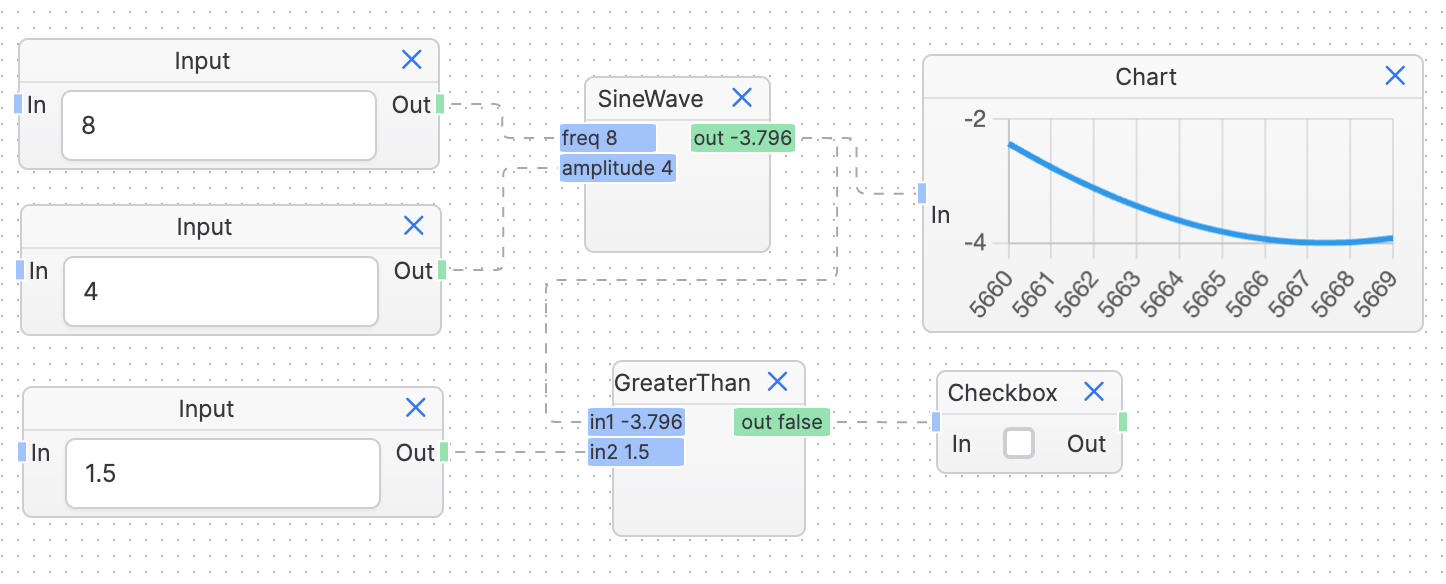
Introduction: LogicMesh is a lightweight API integration platform focused on API aggregation and orchestration.
Core features:
- API orchestration: Combines multiple API calls into one
- Response aggregation: Merges responses from multiple APIs
- Caching and rate limiting: Built in API management features
- Low code configuration: Uses YAML files to define integration logic
Advantages:
- ✅ Lightweight deployment
- ✅ Focused on API integration
- ✅ Easy to configure
Best fit: API heavy integration scenarios
Open source license: MIT
GitHub: https://github.com/logicmesh/logicmesh (1k+ stars)
How to choose the right integration tool
Here is a quick decision framework based on different needs.
| Scenario | Recommended tools | Why |
|---|---|---|
| Enterprises with data residency requirements | NocoBase, Apache NiFi | Fully self hosted, with no risk of external data transfer |
| Fast app to app integration | n8n, LogicMesh | Low learning curve and large connector libraries |
| Complex data pipelines (ETL/ELT) | Airbyte, Apache NiFi | Built for data warehouse and data flow scenarios |
| IoT and real time event processing | Node-RED | Event driven architecture optimized for real time use |
| Non technical business teams | n8n | No code and easy to start with |
| Replacing in house middleware | NocoBase | Plugin based extensibility makes it easier to build custom logic on one platform |
Key questions to ask before choosing
- Do you need database level integration, not just API integration?
- If yes → Consider NocoBase or Airbyte
- If API integration is enough → n8n or LogicMesh may be a better fit
- Who will build and maintain the integrations?
- Technical teams → Apache NiFi, NocoBase
- Non technical users → n8n, Node-RED
- Do you need to develop custom connectors?
- If yes, look for tools with strong extensibility, such as NocoBase plugins or n8n custom nodes
- What are your data volume and performance requirements?
- High throughput → Apache NiFi
- Mid sized workloads → NocoBase, n8n
- Low frequency integration → Any of these tools can work
Cost comparison (illustrative 3 year total cost)
Take a mid sized integration project as an example: it needs to connect 5 systems, configure around 10 core integration flows, and continue to maintain, adjust, and expand them over 3 years. The estimates below are illustrative only. They include software costs, implementation effort, maintenance labor, and future adjustment costs, and do not represent official product pricing.
| Option | Illustrative 3 year total cost | Cost profile | Summary |
|---|---|---|---|
| In house development | ¥1.2M to ¥2.5M+ | High upfront development cost, with ongoing maintenance and changes continuing to consume engineering resources | Most flexible, but usually the most expensive |
| Commercial iPaaS | ¥600K to ¥1.5M+ | Annual subscription plus implementation services, with costs rising as usage scales | Mature and reliable, but expensive over time |
| SaaS tools (Zapier) | ¥50K to ¥200K+ | Low upfront cost, but expenses rise clearly as task volume and usage increase | Cost effective for light use cases, but costs rise as operations grow |
| Open source tools (NocoBase) | ¥80K to ¥300K | Some deployment and setup cost upfront, then relatively stable over time | Usually a better long term value |
Frequently asked questions (FAQ)
What is the difference between open source tools and commercial iPaaS platforms like MuleSoft?
Commercial iPaaS platforms usually offer more complete enterprise support, built in connectors, and SLA guarantees, but they are expensive, with annual fees often reaching six figures in USD. Open source tools require your team to deploy and maintain them, but licensing costs are zero and data remains fully under your control. For most mid sized companies, the total cost of ownership of open source tools is often only 1/3 to 1/5 of that of commercial alternatives.
Do I need development experience to use these tools?
n8n and Node-RED are relatively friendly to business analysts and other non technical users.
NocoBase and Apache NiFi require some technical background, including basic SQL and API knowledge.
AI has already lowered the barrier to getting started with NocoBase. NocoBase provides official Skills for Codex, Claude Code, and OpenCode, so Agents can help with installation, data modeling, UI setup, and workflow configuration. People can focus more on business decisions, reviewing the output, and final confirmation.
Which databases do these tools support?
NocoBase supports the widest range of database types, including PostgreSQL, MySQL, SQL Server, Oracle, MongoDB, and more. Airbyte and Apache NiFi also provide strong database connectivity. n8n mainly connects to databases through APIs.
Can I use multiple tools together?
Yes. Many companies use a hybrid setup, but it is important not to make the overall architecture too complex.
For example, you can use NocoBase for database level integration, n8n for SaaS integration, and Airbyte for data warehouse sync.
Do the open source licenses allow commercial use?
Yes. All the tools covered in this article, including NocoBase, n8n, Apache NiFi, Node-RED, Airbyte, and LogicMesh, allow commercial use. NocoBase, Apache NiFi, and Node-RED use the Apache 2.0 license, which is one of the most permissive. Airbyte uses ELv2, and n8n uses Fair Code.
Related reading:
- Replace Excel with NocoBase or Airtable? A Cost-by-Cost Comparison
- 4 Ways to Quickly Build Web Apps from Excel Data
- Not Just PostgreSQL: Comparing 5 No-Code/Low-Code Platforms with External Database Support
- Open Source Project Management Tool Selection Guide, 2026 Edition
- How to Build a Custom CRM with PostgreSQL
- Top 20 AI Projects on GitHub to Watch in 2026: Not Just OpenClaw
- Best Open Source AI CRM: NocoBase vs Twenty vs Krayin
- Top 3 Open Source ERP with AI on GitHub: NocoBase vs Odoo vs ERPNext
- 5 Most Popular Open-Source AI Project Management Tools on GitHub