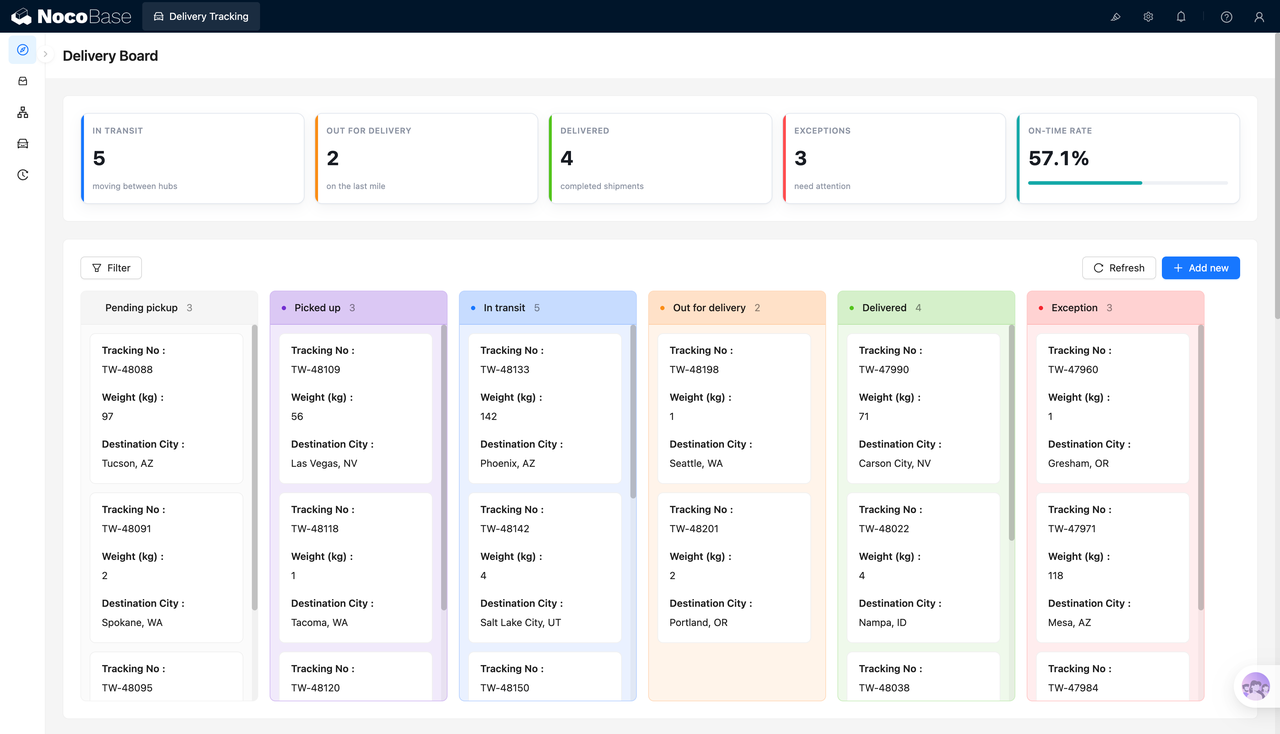
Asset tracking

Build a customizable asset tracking system with AI and NocoBase. Connect coding agents like Claude Code, Codex, Cursor, and OpenCode to NocoBase and use natural language to generate asset tag lookup, barcode scanning, checkout and return, asset transfers, current location, current holder, and movement records — not just a prototype, but a customizable, reliable, and continuously evolvable asset tracking system.

NocoBase Team |
Inventory & Assets
AI エージェントで同じシステムを構築する
Build a NocoBase app — Asset Tracking: checkout / return flows with a location timeline. Match the layout and signature visuals of this reference prototype: https://static-docs.nocobase.com/solution/templates/09-asset-tracking.html

始める前に、AI Agent クイックスタート に従って NocoBase をインストールし、エージェントを接続してください。AI の生成結果には個体差があります。モデルの性能とシステムの複雑さによっては、微調整や複数回のやり取りが必要になる場合があります。

Introduction

Use your favorite AI agent and NocoBase to quickly build a customizable, reliable, and continuously evolvable asset tracking system for managing asset tags, current status, current location, current holder, checkout and return, asset transfers, and movement history.

You can copy the prompt below and let your AI agent generate the basic structure of the asset tracking system in NocoBase, then adjust fields, pages, and operation flows through the no-code UI.

This system fits IT equipment tracking, office equipment checkout, instrument and device circulation, shared equipment management, cross-department asset transfers, and any scenario where assets need to be looked up quickly via barcodes or QR codes.

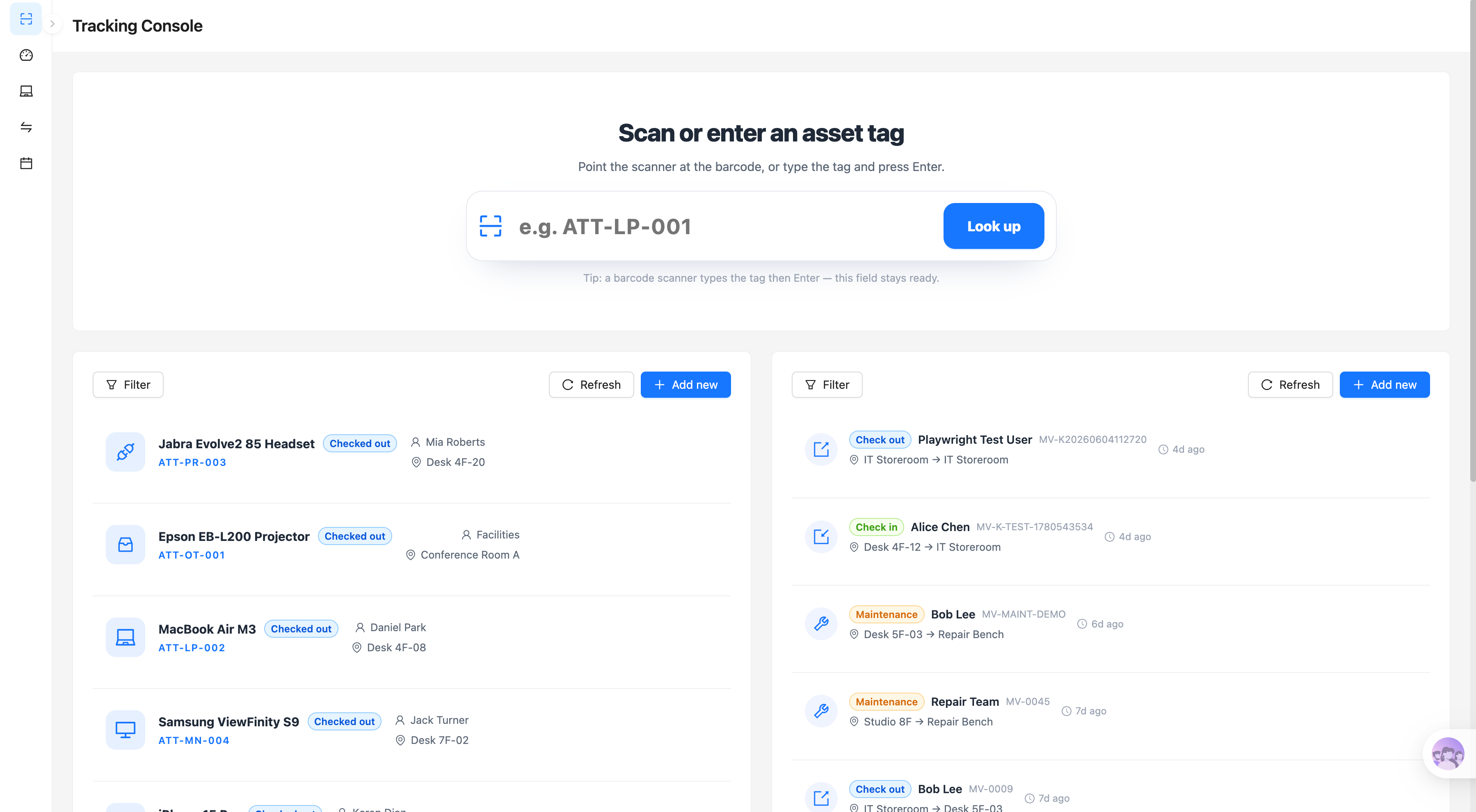
Asset tag scanning and lookup:

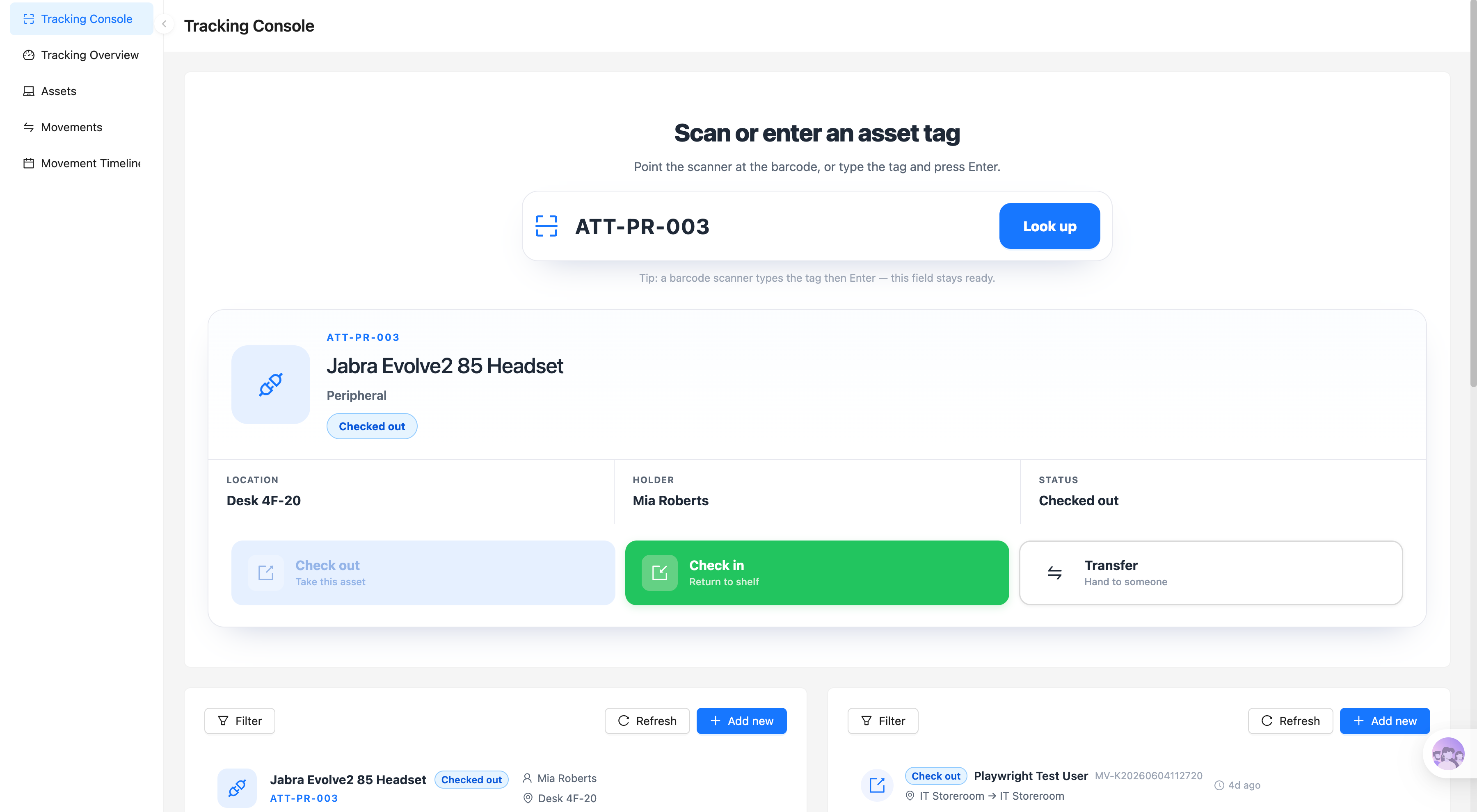
Asset status with checkout and return actions:

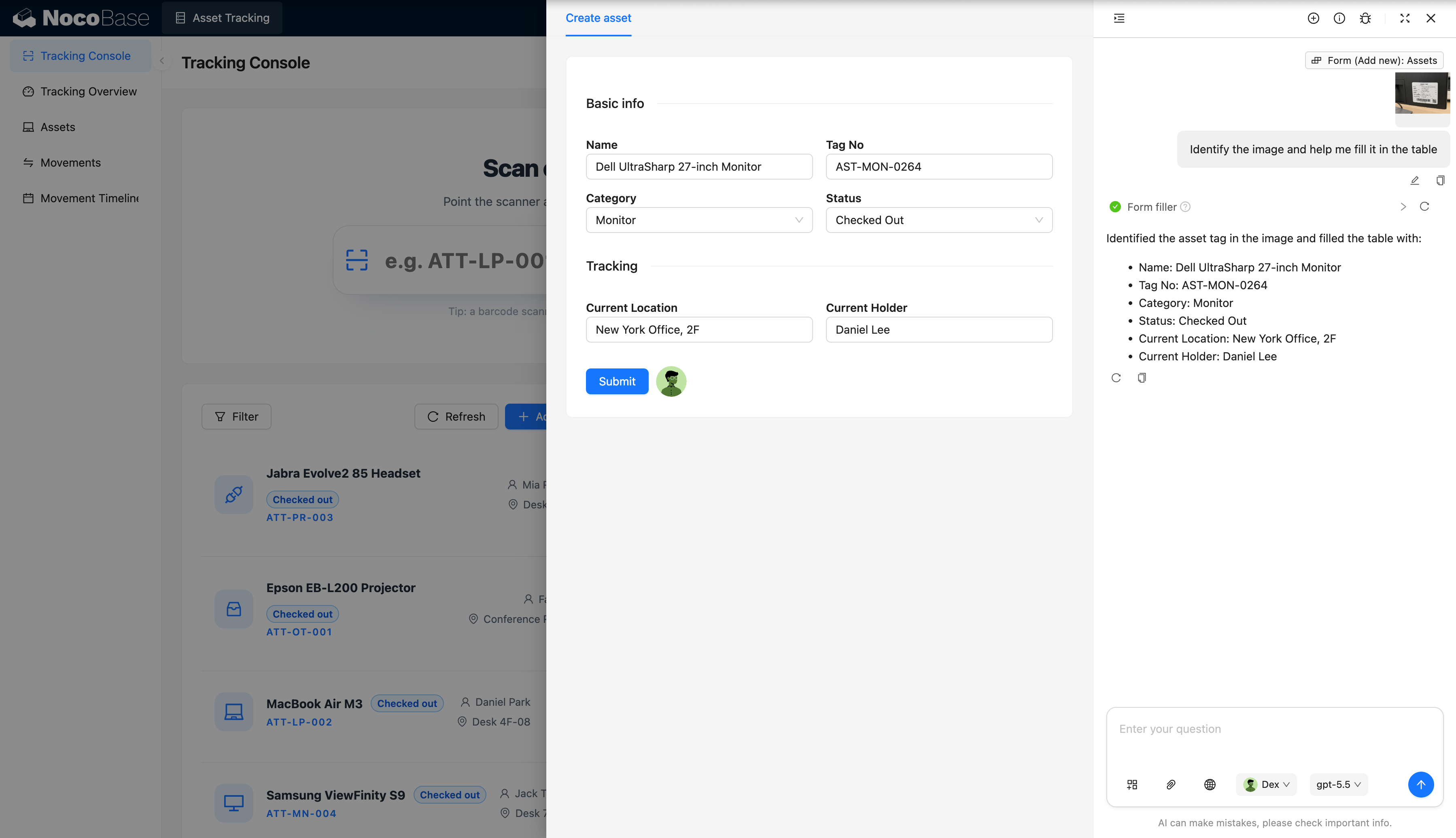
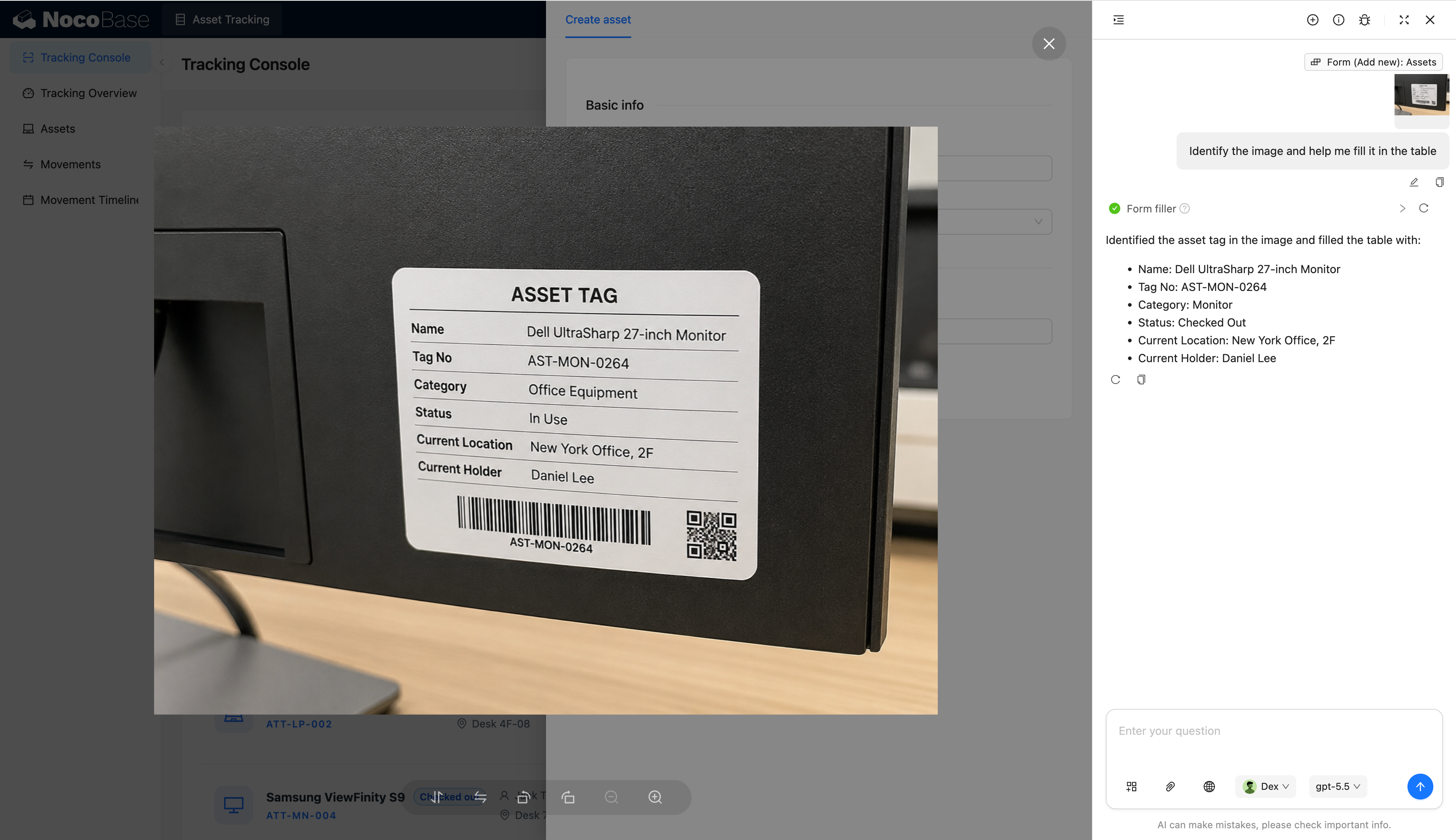
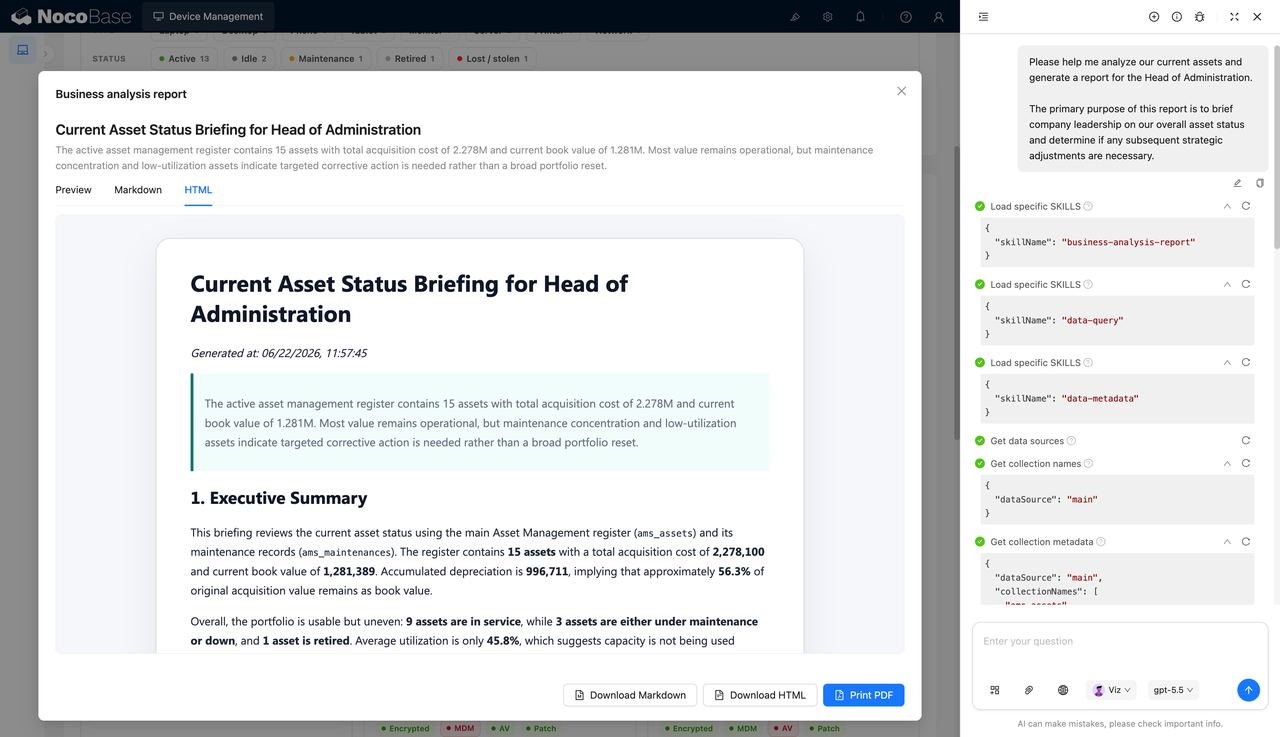
AI recognizes asset tags and fills in forms:

Asset tag image recognition:

What problems does an asset tracking system solve?

The core of asset tracking is knowing where an asset is right now, who holds it, what state it is in, and what movements have happened recently.

In day-to-day use, laptops, monitors, headsets, projectors, and other shared equipment constantly move between employees, offices, meeting rooms, warehouses, and repair sites. If you rely on spreadsheets alone, checkout, return, and transfer records easily fall behind, and the system no longer matches reality.

With this system, users can scan a barcode or QR code, or simply type in an asset tag number, to quickly find the matching asset and view its name, category, current location, current holder, and current status.

Once an asset is found, users can perform checkout, return, or transfer actions directly. Every action creates a movement record capturing the action type, the people involved, the source location, the target location, and the time — helping the team trace how assets actually move.

For teams that frequently borrow, return, and transfer equipment, an asset tracking system reduces lost devices, unclear accountability, and stale records, making each asset’s current location and holder unambiguous.

Core features

Asset tag lookup

  • Multiple lookup methods: Enter an asset number manually, or scan a barcode or QR code to look up an asset instantly.
  • Fast asset locating: Find the matching record by its unique tag number and stop digging through asset ledgers by hand.
  • Consolidated results: View the asset’s name, category, status, location, and current holder on a single page.

Asset status and location tracking

  • Real-time status display: Clearly show whether an asset is available, checked out, under repair, or retired.
  • Current location records: Keep track of the office, warehouse, meeting room, or other place where the asset currently resides.
  • Current holder management: Record which employee is currently using the asset, making device accountability explicit.

Asset checkout and return

  • Checkout actions: Record who checked the asset out, when, and its status, while updating the current holder.
  • Return handling: Record the return time and the target storage location, and update the asset’s status.
  • Automatic synchronization: After a checkout or return, the asset’s holder, location, and usage status are updated in sync.

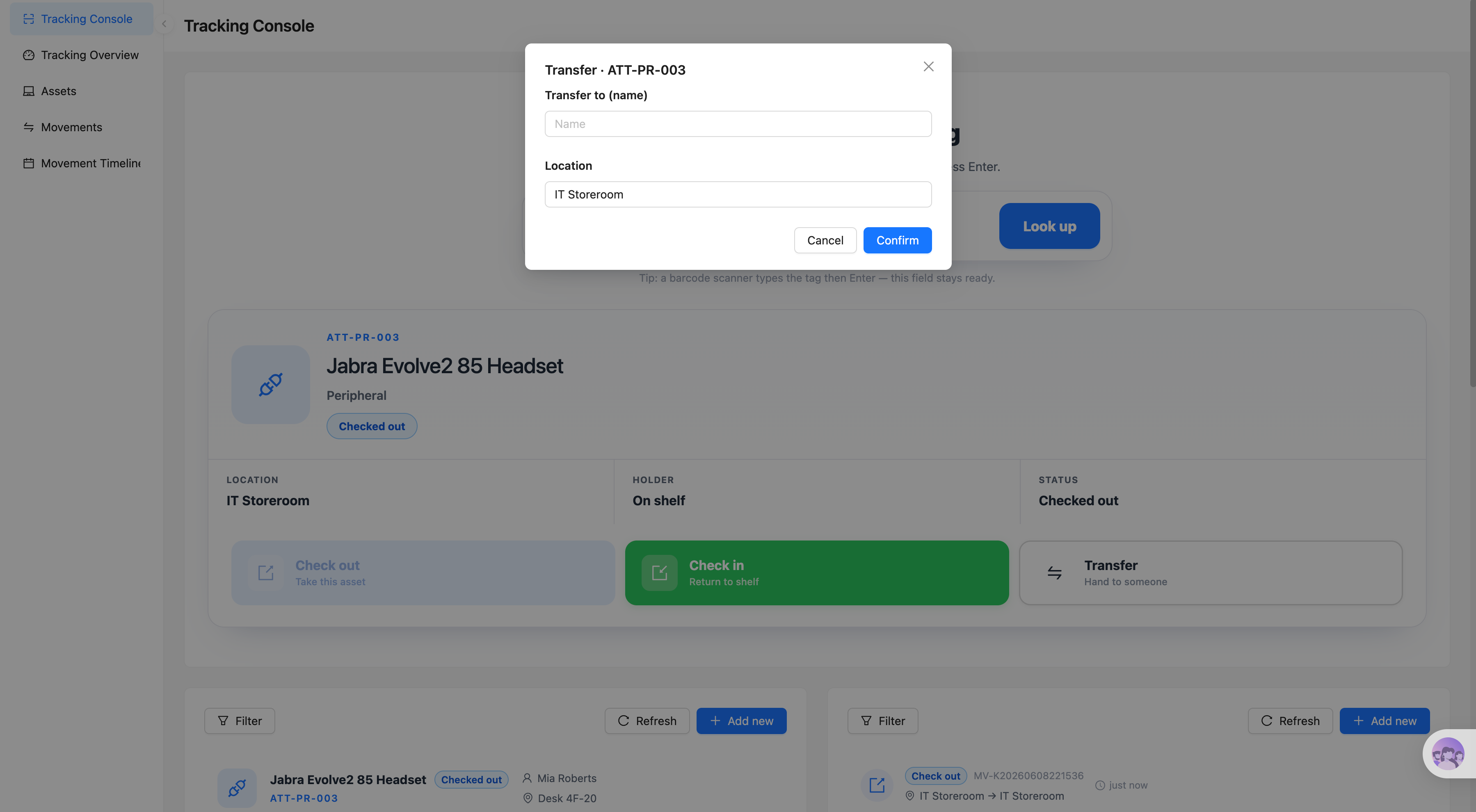
Asset transfer and circulation

  • Person-to-person transfers: Hand an asset from one employee to another and update the responsible person.
  • Location and department transfers: Record asset movements across offices, departments, or storage areas.
  • Transfer details: Save the source location, target location, time, and transfer notes so the process stays traceable.

Movement history and asset activity

  • Complete movement records: Capture every change across checkout, return, transfer, and repair.
  • Recent asset activity: Surface recent asset movements in one place so administrators always have the latest picture.
  • Historical traceability: See who has held an asset, which locations it passed through, and when each action happened.

AI-powered assistance

  • AI asset tag recognition: Extract the asset name, tag number, and category from uploaded asset tag images.
  • AI tracking-info extraction: Automatically pull out the asset’s status, current location, and current holder.
  • AI form autofill: Fill the recognized structured information into the new-asset form, reducing manual entry and recognition errors.

Why build an asset tracking system with AI and NocoBase?

Once an asset tracking system goes into real use, the key is not just having an asset lookup page — it is keeping asset status, current location, holder, and movement records linked together at all times.

If you generate a system from scratch with ordinary vibe coding, checkout, return, and transfer are usually just a few buttons. You still have to handle status updates, location changes, operation history, user permissions, and record traceability, and data easily drifts out of consistency after repeated changes.

NocoBase links asset records with movement records. Teams can configure asset tags, statuses, locations, holders, and operation pages to match how they actually work, and control which assets each role can look up or operate on.

AI lowers the cost of both asset entry and system building. You can have an AI agent generate the asset table, the movement record table, the tag lookup page, and the checkout/return actions, and let AI employees recognize asset tag images and automatically fill the asset name, number, category, status, location, and holder into the form.

A system built this way not only launches quickly, but also keeps evolving as device types, office locations, and circulation rules change. For teams that value open source, self-hosting, data control, operation traceability, and long-term maintenance, AI + NocoBase is a better foundation for real asset tracking workflows.

FAQ

  1. How is an asset tracking system different from an asset management system?

An asset management system focuses more on asset ledgers, procurement information, asset value, repair records, and lifecycle management; an asset tracking system focuses on where an asset is right now, who holds it, and the actual movements that happen during checkout, return, transfer, and repair.

Both can be extended on top of the same asset data in NocoBase, keeping the asset ledger, current location, current holder, and movement history connected.

  1. How is this different from pages generated by ordinary vibe coding?

Ordinary vibe coding is great for quickly generating a scan page, a lookup screen, or an operation prototype. But once it goes into real enterprise use, you still need asset status synchronization, person-and-location linkage, operation permissions, movement history, audit logs, and long-term maintenance.

NocoBase already ships the foundational capabilities of a business system — data modeling, permissions, workflows, operation history, APIs, and plugin extensions. An AI agent can build the asset tracking flow directly on top of these capabilities instead of rebuilding enterprise basics from scratch over and over.

  1. Can I look up assets via barcodes or QR codes?

Yes. Users can scan the barcode or QR code on an asset tag with a scanning device, or simply type in the asset tag number, to quickly see the asset’s name, category, current status, location, and current holder.

  1. Can AI recognize asset tags and enter them automatically?

Yes. After a user uploads an asset tag image, AI can extract the asset name, tag number, category, status, current location, and current holder, and fill the asset form automatically, reducing manual recognition and repeated entry.

AI coding agents such as Claude Code, Codex, Cursor, and OpenCode can also connect to NocoBase and generate the asset tables, movement records, tag lookup pages, and operation flows from prompts.

  1. Can I record asset checkout, return, and transfer?

Yes. When an asset is checked out, the system updates its current holder, location, and status; when it is returned, the storage location is updated and the holder association is cleared; when it is transferred, the new holder or target location is recorded.

Each action can generate a corresponding movement record, keeping the asset’s current information consistent with its movement history.

  1. Can I view an asset’s complete movement history?

Yes. Every checkout, return, person transfer, location transfer, or repair dispatch can create an independent record, including the action type, the people involved, the source location, the target location, the time, and notes.

This lets administrators see not only where an asset is now, but also which people and locations it has passed through.

  1. Can I control which users can look up or transfer assets?

Yes. NocoBase supports permission configuration by role, data scope, and action type.

For example, regular employees can only look up assets and check out or return the devices they use; department managers can view their own department’s assets; asset administrators can perform cross-person or cross-location transfers and view complete movement history; system administrators can configure fields, pages, workflows, and permissions.

What asset data AI agents or AI employees can read and modify is also constrained by their corresponding identities and role permissions.

  1. Can I integrate enterprise SSO and keep audit logs?

Yes, on demand. NocoBase can connect to enterprise identity and single sign-on systems through the corresponding plugins, so employees log in to the asset tracking system with their existing corporate accounts.

The system can also record asset status changes, holder adjustments, location transfers, and key operation history, helping administrators trace who did what to which asset and when — meeting internal accountability and audit requirements.

  1. Can a system built with AI keep evolving over time?

Yes. What the AI agent generates is the system’s foundational structure, not a one-off static tracking page.

After launch, you can keep adjusting asset fields, tag rules, statuses, location structures, checkout/return flows, transfer actions, permissions, and plugin capabilities. As office locations, device types, and management policies change, you can keep modifying the system through no-code configuration or an AI agent — no rebuild required.

  1. Is this system suitable for real internal enterprise use?

Yes. NocoBase lets you enable, on demand, the capabilities internal enterprise systems commonly need: permission management, workflows, operation history, audit logs, single sign-on, notifications, file management, APIs, and plugin extensions.

Teams can start with the core features — asset tag lookup, checkout and return, and transfers — and gradually add approvals, reminders, stocktaking, or external system integrations. Compared with one-off pages generated by ordinary vibe coding, it is far better suited to building an asset tracking system that is maintainable, traceable, extensible, and built to last.

× View Image