

TL;DR
NocoBase is suitable for embedding AI into internal business processes such as approvals, data entry, and reports, and for unified management of data, permissions, pages, and workflows around these processes.
Frameworks like LangChain, CrewAI, and Haystack are suitable for enterprises with technical teams. They provide greater customization space but also require development, deployment, permissions, monitoring, and long-term maintenance capabilities.
n8n and Flowise are more suitable for rapid automation or prototype validation.
Recently, there was an interesting discussion on Hacker News about AI and internal tools. In the comments, someone mentioned that AI now gives people the ability to build various things. But AI hasn’t taught them to understand — whether this thing really needs to be built, how to maintain it, how to iterate, and how to integrate it with other tools.
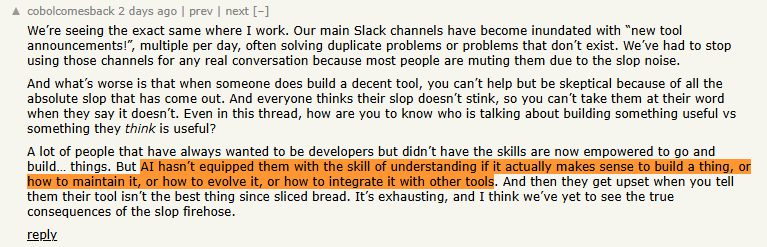
AI is greatly lowering the barrier to tool development, but it’s also bringing new problems:
- A large number of redundantly built tools
- Lack of permission control, data governance, and system integration capabilities
- Maintenance costs are severely underestimated
- Team communication channels are flooded with countless “new tool releases”
- Truly high-value solutions are buried in the noise
Enterprises are entering a new dilemma: tools are becoming easier to create, but truly reliable, maintainable, and scalable business systems remain scarce.
Which platform can enable AI and Agents to stably enter business processes and continuously play a role under data, permissions, auditing, and manual confirmation mechanisms? To help you make a clearer selection decision, this article compares 8 mainstream open-source AI Agent-related platforms, analyzing their advantages and disadvantages, implementation capabilities, and applicable scenarios in enterprise internal tool scenarios.
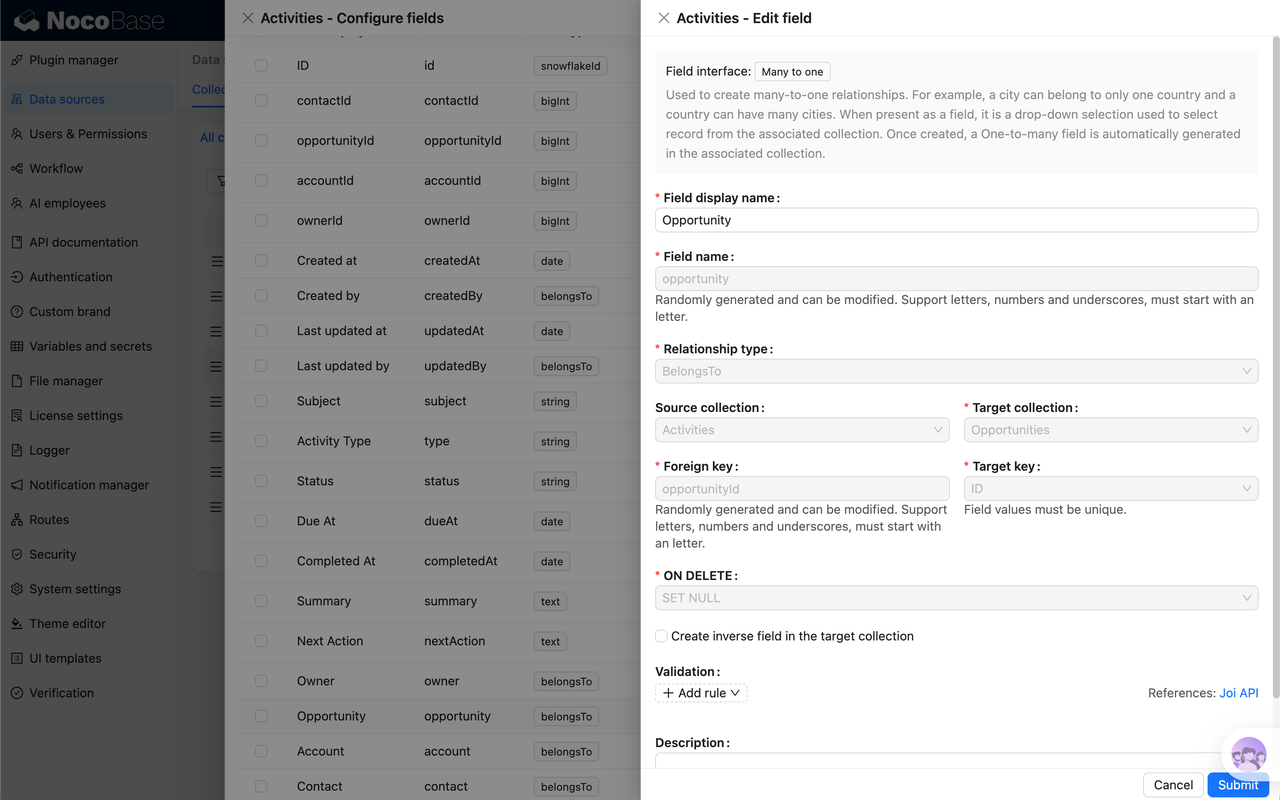
#1 NocoBase | Open-source no-code AI development platform
| Attribute | Details |
|---|---|
| GitHub | github.com/nocobase/nocobase(22k+ stars) |
| Website | nocobase.com |
| Open Source License | Apache-2.0 (Fully permitted for commercial use) |
| Self-hosting | ⭐⭐⭐⭐⭐ (100% self-hosted, full data control) |
| Integration capability | ⭐⭐⭐⭐⭐ (15+ databases + REST API + workflows) |
| Security | ⭐⭐⭐⭐⭐ (field-level RBAC, audit logs, multi-tenancy) |
| Non-technical friendly | ⭐⭐⭐⭐⭐ (visual configuration, usable by business personnel) |
Core features and advantages:
- AI employees embedded in business systems: NocoBase’s AI employees can automatically acquire page data and structure as context, understand business scenarios and directly execute tasks, such as summarizing emails, analyzing data, organizing unstructured content and automatically filling forms, designing data models, and even writing JavaScript code. Each AI employee has independent skills, tools, and knowledge bases, and enterprises can create any number of AI employees to form their own AI team.
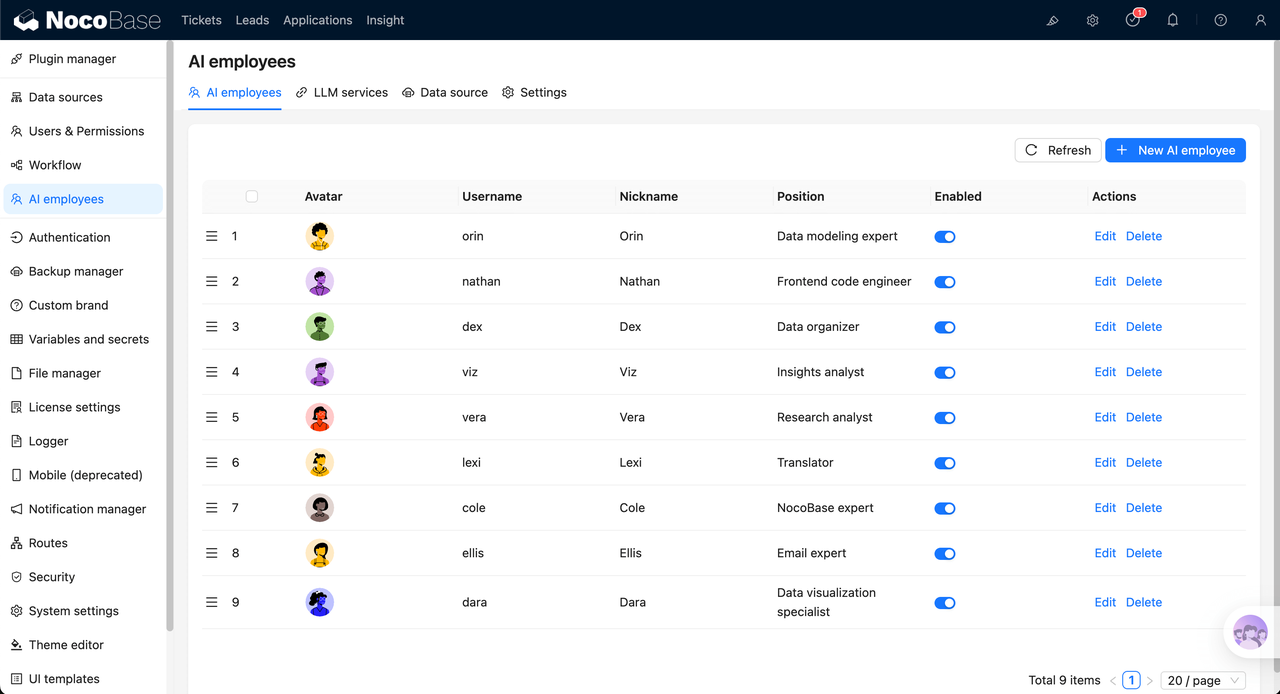
💡 How to quickly build internal tools with AI? NocoBase official guide: https://github.com/nocobase/skills
- Skills + MCP, external Agents can also build NocoBase: In addition to built-in AI employees, NocoBase also provides an official Skills repository, which, combined with NocoBase MCP Server, allows coding Agent CLIs like Codex, Claude Code, and OpenCode to directly complete NocoBase installation and deployment, data modeling, interface building, workflow configuration, and other work. Both in-platform AI employees and out-of-platform coding Agents can participate in system building.
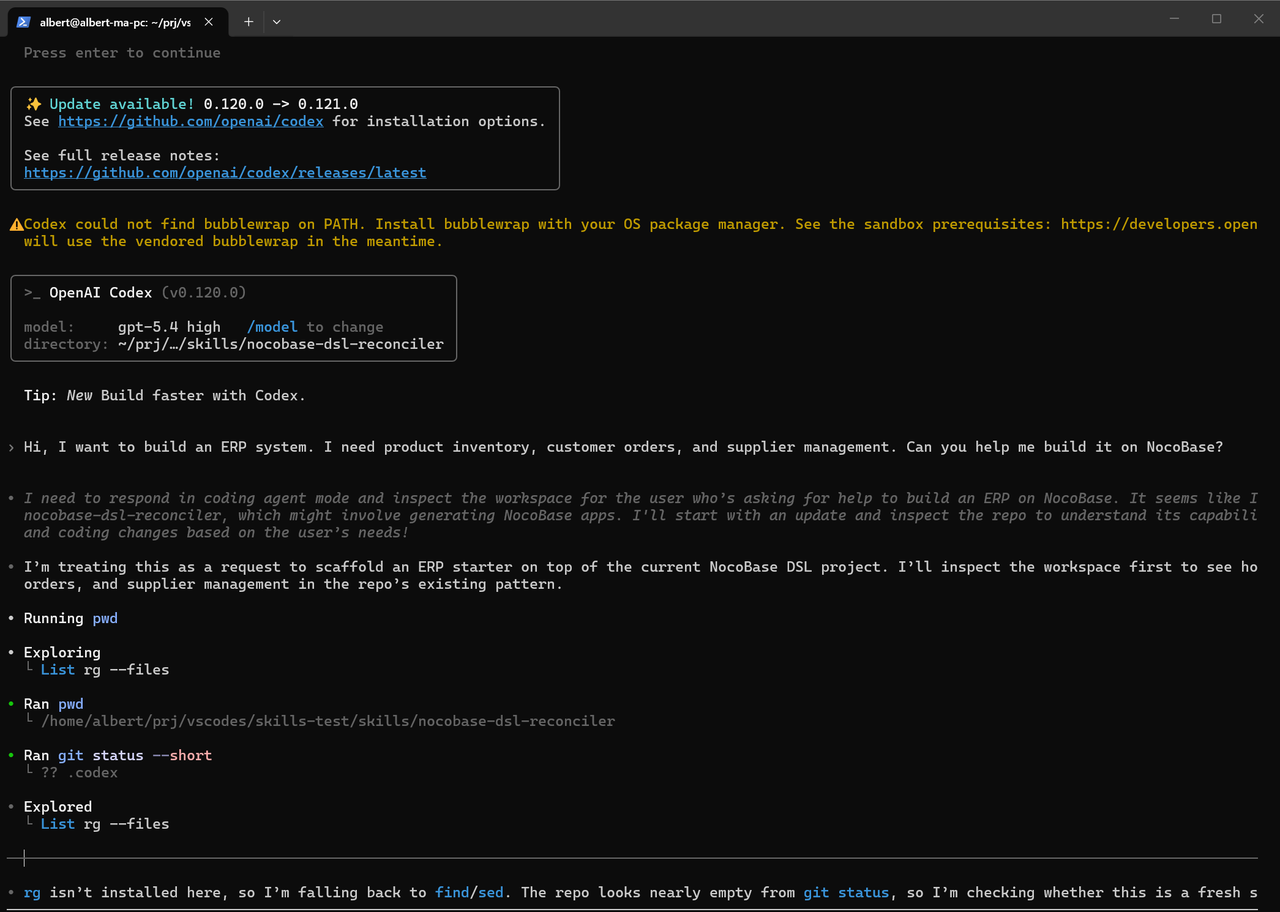
💡 Want to let AI Agents better understand and build NocoBase? Check the official Skills repository: https://github.com/nocobase/skills
- More aligned with enterprise internal tool requirements: NocoBase can manage AI, data, permissions, pages, workflows, and auditing in the same system, making it more suitable for enterprise scenarios that require self-hosting, permission control, and process constraints.
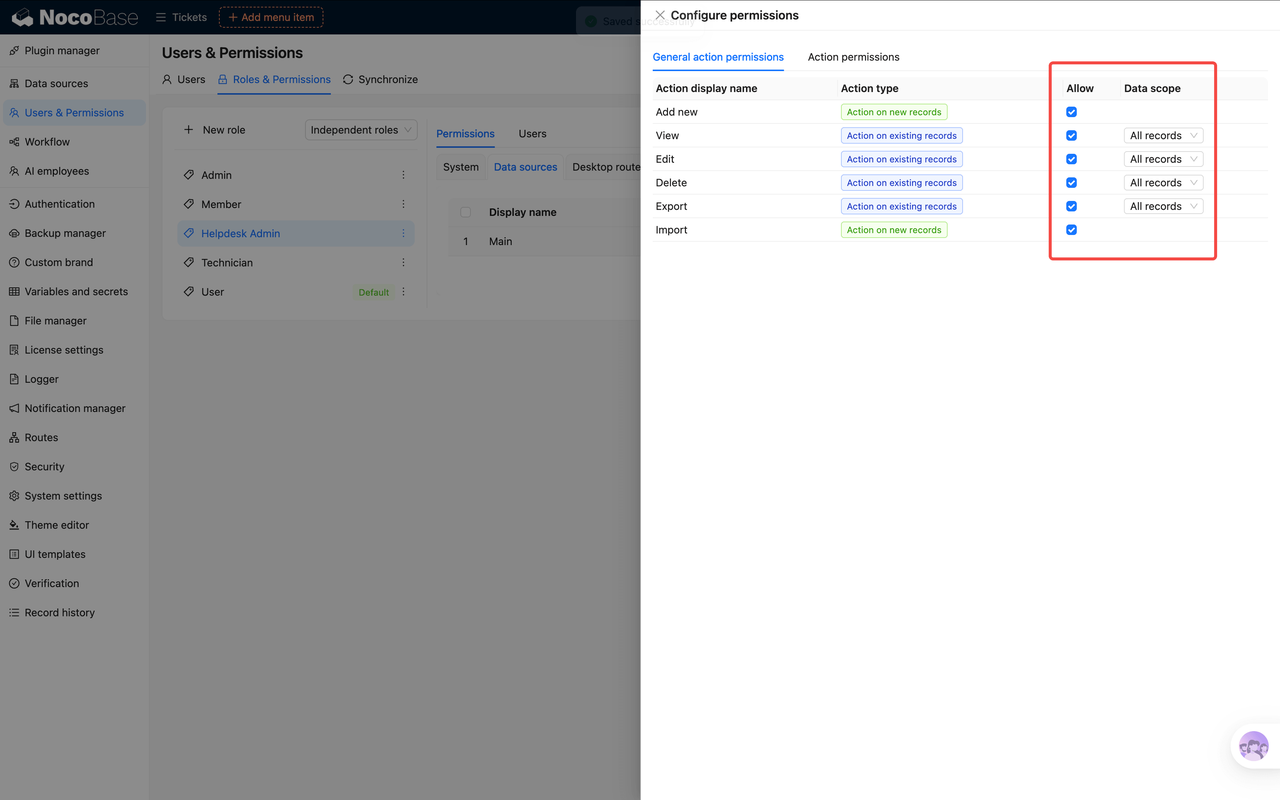
💡 How to connect AI Agents to NocoBase? Read the official guide: https://docs.nocobase.com/en/ai-builder
NocoBase AI typical scenarios:
| Scenario | How AI Agent works |
|---|---|
| Smart approval | Agent reads application → queries historical data → approves/rejects based on rules → records decision |
| Customer service | Agent views CRM → analyzes problem → drafts response → manual confirmation → sends |
| Data entry | Extracts information from email/document → auto-fills form → validates data → saves to database |
| Report generation | Collects multi-source data → analyzes trends → generates charts → sends to management |
Implementation capability
NocoBase provides native support at four levels: data model, page, roles and permissions, and workflow. Data modeling adopts a model-driven architecture with native support for 15+ mainstream databases; pages are visually arranged through a block system; the permission system covers field-level RBAC and data scope control; workflows support approval, timing triggers, data linkage, and manual confirmation business nodes.
Compared with developing from scratch or end-to-end AI generation in a vibe coding style, building a long-term sustainable, auditable, traceable, and clearly bounded permission model and approval process in a system still requires platform-level abstraction and constraint mechanisms like NocoBase.
Most suitable for:
- Enterprises that need business teams to directly use AI
- Industries with data compliance requirements (finance, healthcare, government)
- Teams building internal tools that conform to enterprise business processes from scratch
- Enterprises that already have databases, ERP, CRM, and need AI enhancement
#2 n8n | Workflow automation + AI nodes
| Attribute | Details |
|---|---|
| GitHub | github.com/n8n-io/n8n(50k+ stars) |
| Website | n8n.io |
| Open Source License | Fair-Code (commercial use has limitations) |
| Self-hosting | ⭐⭐⭐⭐ (supports self-hosting) |
| Integration capability | ⭐⭐⭐⭐ (200+ app integrations) |
| Security | ⭐⭐⭐ (basic permission management) |
| Non-technical friendly | ⭐⭐⭐⭐ (visual workflow editor) |
Core features and advantages:
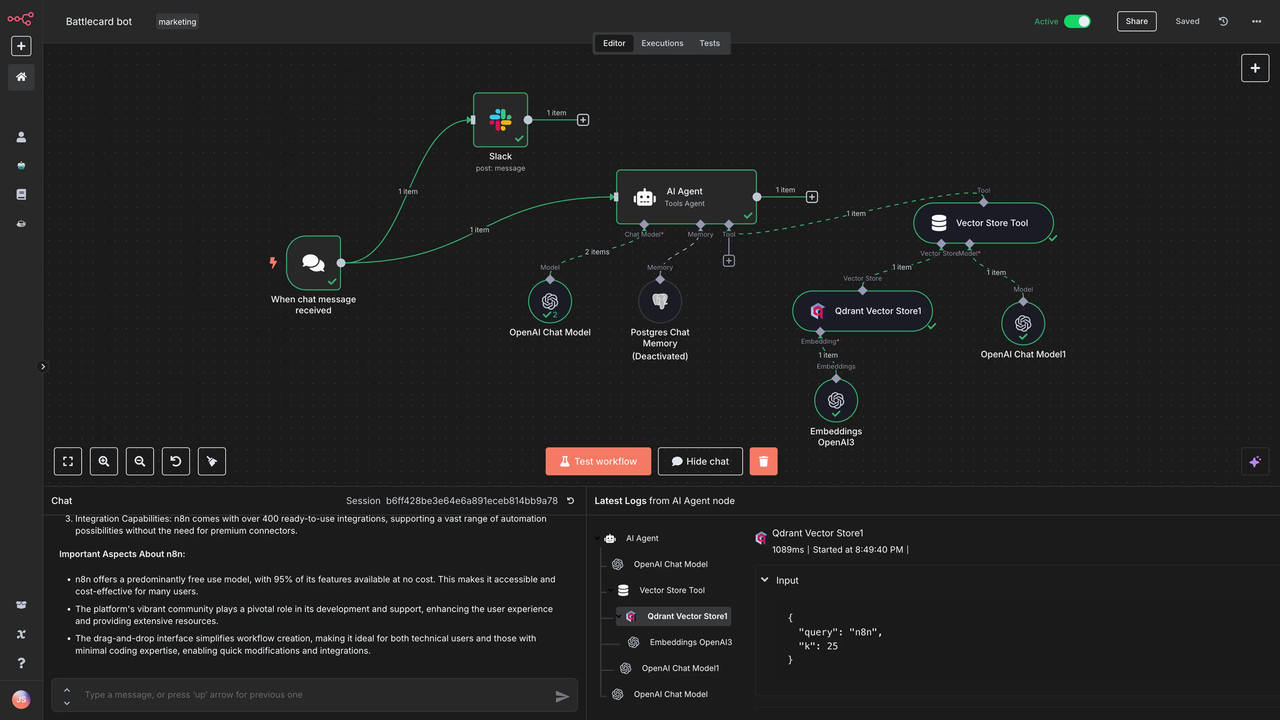
- Strong SaaS integration capability: n8n provides a large number of ready-made app nodes, suitable for connecting CRM, forms, email, Slack, databases, and various SaaS tools to quickly build cross-system automation workflows.
- Visual workflow is quick to get started: By dragging nodes and configuring workflows, teams can quickly build automation tasks, suitable for scenarios like simple notifications, data synchronization, and content processing.
- AI nodes are suitable for lightweight intelligent processing: n8n supports integration with models like OpenAI and Anthropic, suitable for adding AI capabilities like summarization, classification, translation, and text generation in automation workflows.
Disadvantages:
- More adept at SaaS application integration, not a complete internal business system platform.
- Database modeling, page building, and complex permission control capabilities are relatively limited.
- AI capabilities are more like “calling LLM API”, not Agents deeply embedded in business objects and permission systems.
Typical scenarios:
- Data synchronization and notification automation between SaaS applications.
- Lightweight AI text processing like summarization, classification, and translation.
- Quickly building automation prototypes.
Implementation capability:
Workflow is n8n’s core strength; however, its data model relies on external databases or SaaS, it has no end-user business pages, and permissions only go to workflow and credential levels (Project Admin/Editor/Viewer), lacking field-level or row-level business permissions. More suitable as a “process bonding layer”, not a complete internal business system.
#3 Flowise | Visual LangChain builder
| Attribute | Details |
|---|---|
| GitHub | github.com/FlowiseAI/Flowise(28k+ stars) |
| Open Source License | Apache 2.0 |
| Self-hosting | ⭐⭐⭐⭐⭐ |
| Integration capability | ⭐⭐⭐⭐ (based on LangChain ecosystem) |
| Security | ⭐⭐ (basic authentication) |
| Non-technical friendly | ⭐⭐⭐ (drag-and-drop, but still requires technical concepts) |
Core features and advantages:
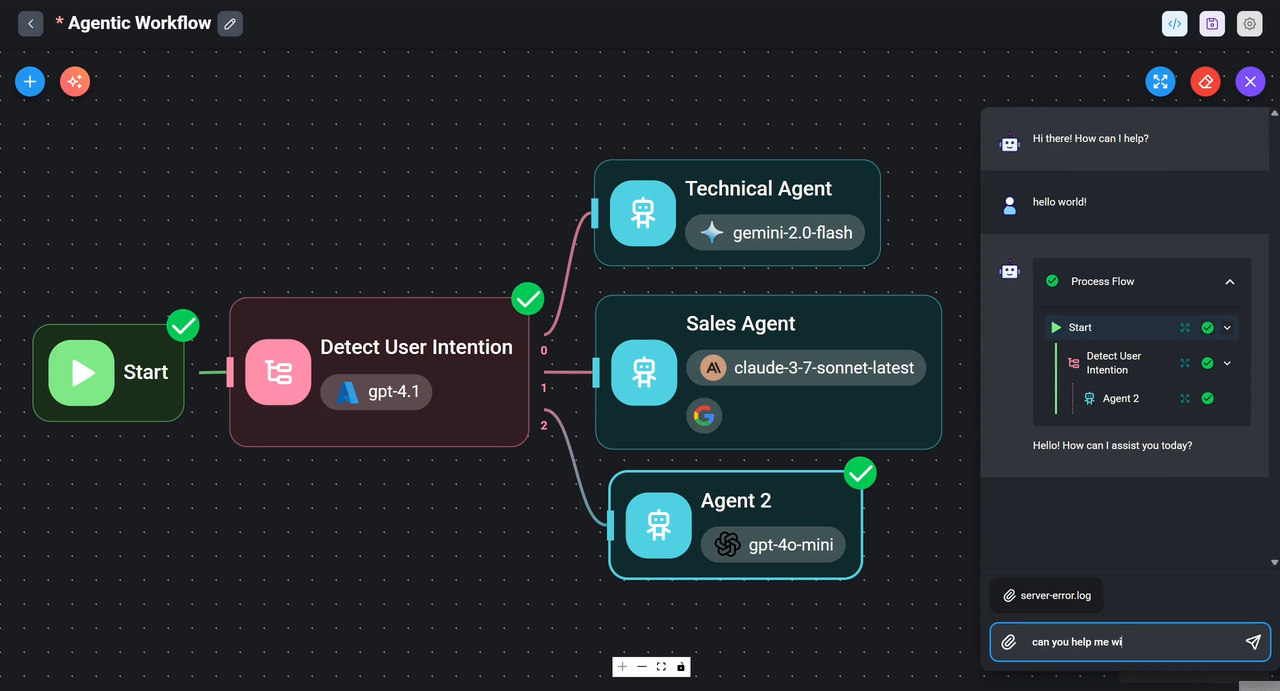
- Build LLM applications visually: Flowise turns common LangChain capabilities into draggable nodes, suitable for quickly building Chatbot, RAG, Agent, and tool-calling workflows.
- Suitable for quick prototype validation: Technical teams can verify AI application ideas in a relatively short time, such as knowledge base Q&A, document retrieval, customer service assistant, or internal query tools.
- Compatible with LangChain ecosystem: Flowise is based on the LangChain ecosystem, can reuse some model, vector database, and toolchain capabilities, and is suitable as a low-barrier entry point for building LLM applications.
Disadvantages:
- Production environment deployment, permission management, and security auditing still require additional configuration.
- Complex business logic and system integration may still require developer involvement.
- Not suitable for undertaking complete enterprise business process management.
Typical scenarios:
- Quickly building LLM application prototypes.
- Technical teams lightly building Agent workflows.
Implementation capability:
Flowise focuses on visual construction of LLM applications (Chatflow, Agentflow, RAG). It has no business data modeling, business pages, or enterprise-level permission system. Workflows are limited to AI inference chains, not business processes, making it only suitable for prototyping AI modules.
#4 LangChain | LLM framework with the most complete ecosystem
| Attribute | Details |
|---|---|
| GitHub | github.com/langchain-ai/langchain(90k+ stars) |
| Open Source License | MIT (allows commercial use) |
| Self-hosting | ⭐⭐⭐⭐⭐ (fully self-hosted) |
| Integration capability | ⭐⭐⭐ (through extension libraries, requires development) |
| Security | ⭐⭐ (the framework itself does not provide enterprise-level security, needs self-implementation) |
| Non-technical friendly | ⭐ (must write code) |
Core features and advantages:
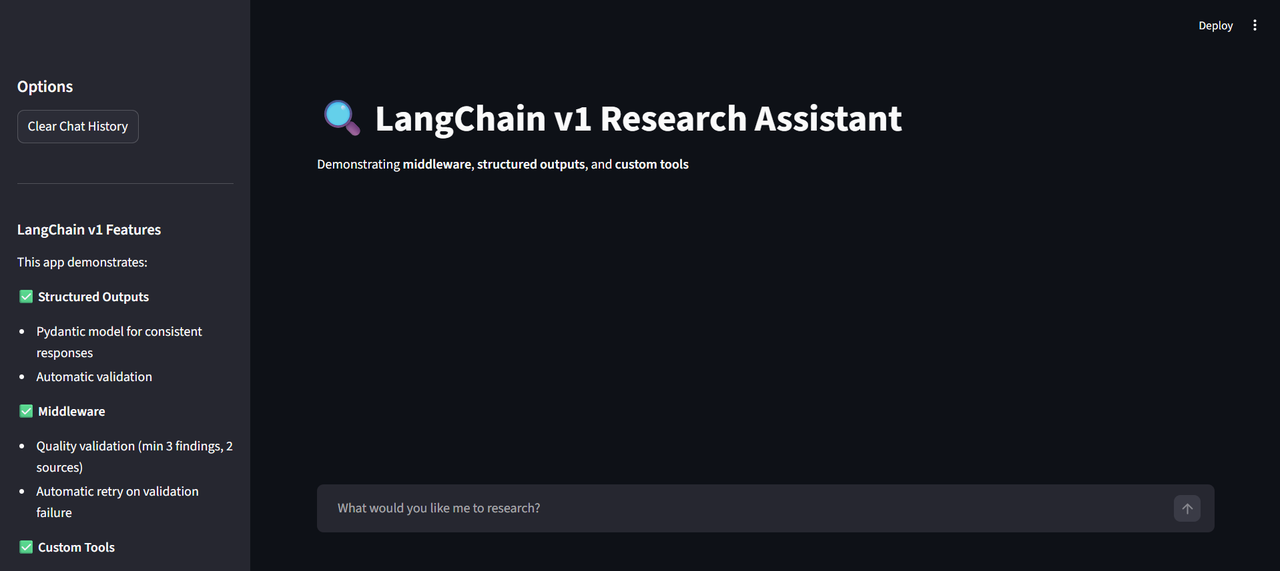
- Complete LLM ecosystem coverage: LangChain provides rich components and extension capabilities, covering common scenarios like mainstream large models, vector databases, tool calling, RAG, Agent, and memory mechanisms.
- High modularity: Modules like Chains, Agents, Memory, and Tools are clearly divided, allowing developers to freely combine according to business needs, suitable for building highly customized AI applications.
- Mature community, rich resources: As one of the earliest widely adopted LLM development frameworks, LangChain has an active community, rich tutorials, and numerous examples, making it easier to find reference solutions when encountering problems.
Disadvantages:
- Must write code, business teams cannot directly use it.
- Steeper learning curve, relatively many abstract concepts.
- Need to build and maintain infrastructure by yourself.
- The framework itself does not provide complete enterprise-level security capabilities like RBAC and audit logs.
Typical scenarios:
- Development teams building customized AI applications.
- Complex scenarios requiring deep control of Agent behavior.
- Enterprises with AI engineers or backend development resources.
Implementation capability:
As a code framework, data models depend on developer customization, pages require front-end development by themselves, permissions need to connect to IAM or write authentication logic, and workflows are arranged in code through Chains/Agents. Maximum flexibility, but also the largest engineering effort for enterprise-level implementation.
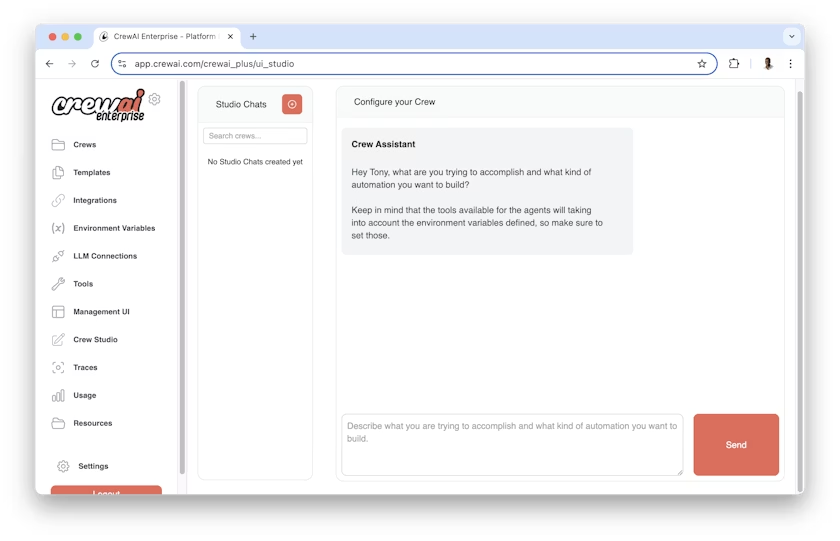
#5 CrewAI | Multi-Agent collaboration framework
| Attribute | Details |
|---|---|
| GitHub | github.com/joaomdmoura/crewAI(15k+ stars) |
| Open Source License | AGPL-3.0 (commercial use requires attention) |
| Self-hosting | ⭐⭐⭐⭐⭐ (fully self-hosted) |
| Integration capability | ⭐⭐⭐ (through LangChain and custom tools) |
| Security | ⭐⭐ (needs self-implementation) |
| Non-technical friendly | ⭐ (must write code) |
Core features and advantages:
- Native support for multi-Agent collaboration: CrewAI takes “roles” and “tasks” as core, each Agent can be set to different roles, suitable for decomposing complex tasks to multiple Agents for collaborative completion.
- Clear task flow expression: Through role, goal, background settings, and task orchestration, CrewAI can naturally simulate multi-step workflows like “research, draft, review, execute”.
- Suitable for complex content and process automation: Compared with single Agent, CrewAI is more suitable for scenarios requiring multiple intelligent agents to collaborate, such as content production, research analysis, process decomposition, and multi-step business processing.
Disadvantages:
- Still requires writing Python code.
- Project is relatively young, ecosystem maturity is not as good as LangChain.
- Production environment deployment, permissions, security, and monitoring capabilities still need to be filled by the enterprise.
Typical scenarios:
- Content production pipeline, such as research, writing, editing, and publishing.
- Multi-step, multi-role business process automation.
- Complex tasks requiring multiple AI Agents to collaborate.
Implementation capability:
CrewAI focuses on “role-task” orchestration for multi-Agent collaboration. At the workflow level, it can express division of labor and dependencies between Agents, but it belongs to Agent internal collaboration flow, not a workflow engine carrying business like approval and form submission.
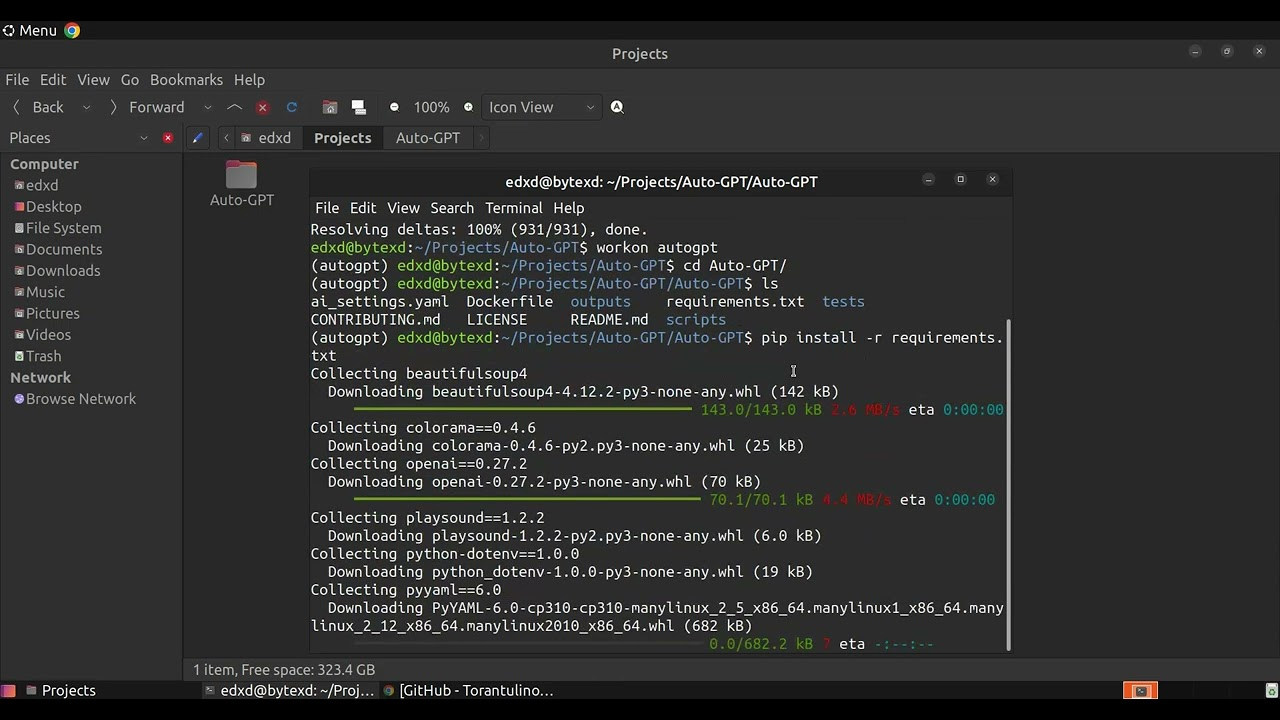
#6 AutoGPT | Pioneer of autonomous Agents
| Attribute | Details |
|---|---|
| GitHub | github.com/Significant-Gravitas/AutoGPT(160k+ stars) |
| Open Source License | MIT (allows commercial use) |
| Self-hosting | ⭐⭐⭐⭐⭐ (fully self-hosted) |
| Integration capability | ⭐⭐ (limited, mainly file and browser operations) |
| Security | ⭐ (experimental project, no enterprise-level security) |
| Non-technical friendly | ⭐ (command-line tool) |
Core features and advantages:
- Outstanding autonomous task decomposition capability: AutoGPT’s core idea is that after giving a goal, the Agent automatically performs task decomposition, planning, execution, and adjustment.
- Strong concept influence: AutoGPT promoted public attention to AI Agents, and also made “goal-driven Agent” an important reference for many subsequent projects.
- Suitable for experimentation and concept verification: It’s more suitable for learning Agent principles, verifying autonomous execution chains, or observing AI’s behavioral boundaries in open tasks.
Disadvantages:
- Insufficient stability, prone to loops or invalid operations.
- Uncontrollable LLM call costs.
- Lacks enterprise-level permission management, audit logs, and security mechanisms.
Typical scenarios:
- Agent principle learning.
- Experimental projects and concept verification.
- Individual developers exploring autonomous Agent behavior patterns.
Implementation capability:
AutoGPT is an experimental project for single Agent autonomous task execution. It has no data modeling, no business pages, no enterprise permissions, business processes are improvises by LLM itself, uncontrollable and non-auditable, not recommended for direct use in production systems.
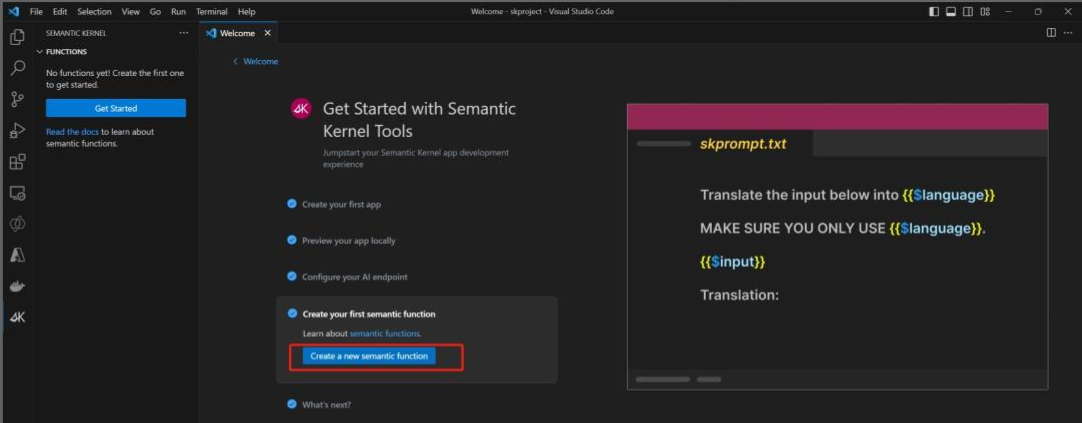
#7 Microsoft Semantic Kernel
| Attribute | Details |
|---|---|
| GitHub | github.com/microsoft/semantic-kernel(20k+ stars) |
| Open Source License | MIT |
| Self-hosting | ⭐⭐⭐ (deeply bound with Azure) |
| Integration capability | ⭐⭐⭐⭐⭐ (Microsoft 365, Azure ecosystem) |
| Security | ⭐⭐⭐⭐⭐ (enterprise-level Azure AD, permission management) |
| Non-technical friendly | ⭐⭐ (developer tool) |
Core features and advantages:
- Deep adaptation to Microsoft ecosystem: Semantic Kernel is closely integrated with Azure, Azure OpenAI, Microsoft 365, Teams, SharePoint, etc., suitable for enterprises already using Microsoft technology stack.
- Oriented toward enterprise-level AI orchestration: It provides capabilities like plugins, planners, memory, and function calling, suitable for development teams to embed AI capabilities into existing enterprise applications and services.
- Strong security and compliance foundation: Relying on Azure AD, permission system, and Microsoft cloud services, Semantic Kernel can more easily integrate into existing enterprise identity authentication, security, and compliance frameworks.
Disadvantages:
- Strong dependence on Microsoft and Azure ecosystems, limited flexibility in multi-cloud or self-built environments.
- Still a developer tool, business personnel cannot directly configure and use it.
- Higher learning curve, need to understand Microsoft ecosystem, cloud services, and AI orchestration methods.
- For enterprises with non-Microsoft technology stack, the onboarding cost may be relatively high.
Typical scenarios:
- Enterprises deeply using Microsoft 365 and Azure.
- Scenarios needing to embed AI into Teams, Office, SharePoint, or internal Microsoft applications.
Implementation capability:
Semantic Kernel is more suitable for enterprises with existing Microsoft technology foundation. It does not provide business data models and pages by itself. Permissions can be leveraged through Azure AD system, but need to be implemented in the enterprise’s own application layer; workflows orchestrate AI steps through Planner and function calling, more oriented toward AI flow.
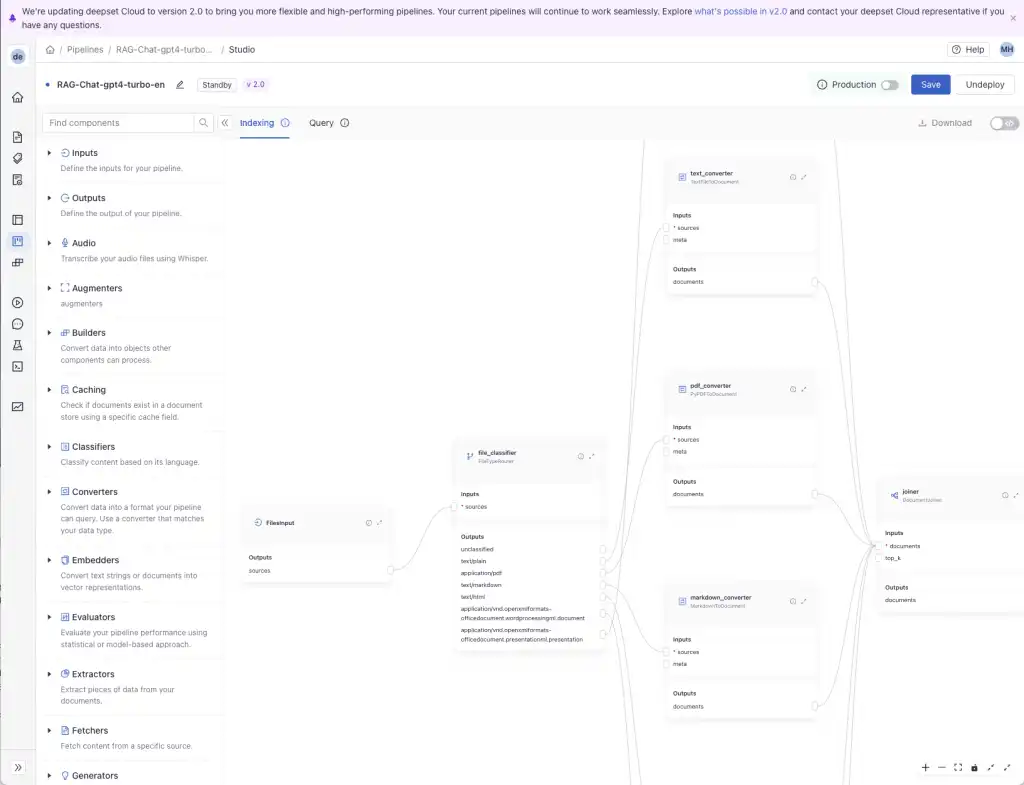
#8 Haystack | Enterprise AI framework from deepset
| Attribute | Details |
|---|---|
| GitHub | github.com/deepset-ai/haystack(15k+ stars) |
| Open Source License | Apache 2.0 |
| Self-hosting | ⭐⭐⭐⭐⭐ |
| Integration capability | ⭐⭐⭐⭐ (focused on search and RAG) |
| Security | ⭐⭐⭐ (needs self-implementation for enterprise-level security) |
| Non-technical friendly | ⭐⭐ (developer tool) |
Core features and advantages:
- Focused on RAG and enterprise search: Haystack is mainly oriented toward retrieval-augmented generation, document Q&A, semantic search, and knowledge base scenarios, suitable for processing large amounts of unstructured documents.
- Strong integration capability with search and vector databases: It supports combination with Elasticsearch, OpenSearch, vector databases, and multiple models, suitable for building more complex enterprise-level retrieval systems.
- Closer to production-level AI framework: Compared with some experimental Agent projects, Haystack is more mature in enterprise search, Q&A systems, and RAG flows, and also has commercial support from deepset.
Disadvantages:
- More suitable for knowledge base and search scenarios, not a general-purpose internal tool platform.
- Needs development team for system design, deployment, and maintenance.
- Enterprise capabilities like permission control, audit logs, and business process integration need additional implementation.
- Not friendly to non-technical teams.
Typical scenarios:
- Enterprise knowledge base and document Q&A system.
- AI retrieval and analysis of large amounts of unstructured documents.
- Enterprise projects needing production-level RAG capabilities.
Implementation capability:
Haystack focuses on RAG and enterprise search Pipeline. Data models only serve document/vector retrieval, no business pages and role permissions, workflows are retrieval-augmented generation processing flows, not business workflow engines. Most suitable as a knowledge base/search subsystem, used in combination with a real internal tool platform.
Quick decision framework
| Your scenario | Recommended tool | Why |
|---|---|---|
| Business teams directly using AI | NocoBase | No coding, visual configuration, enterprise-level security |
| SaaS application automation | n8n | 200+ integrations, quick to get started |
| Deeply customized Agents | LangChain, CrewAI | Full programming control, most flexible |
| Quick prototype validation | Flowise, n8n | Drag-and-drop, build in minutes |
| Microsoft 365 deep users | Semantic Kernel | Natural integration with Azure, M365 |
| Enterprise knowledge base + RAG | Haystack | Focused on search augmentation, production-ready |
| Existing database/ERP needing AI enhancement | NocoBase | Database-level integration, native workflow |
| Experimental projects | Flowise, AutoGPT | Quickly try concepts |
FAQ
Q1: How can non-technical teams start using AI Agents?
A: It is recommended to start from a clear, verifiable business scenario, such as approval assistance, customer service response drafting, document information extraction, or weekly report generation.
| Team type | Recommended tool |
|---|---|
| Completely non-technical | NocoBase + official AI Skills, let AI help you build the system |
| Some technical background | n8n, start with simple automation |
| Has development resources | LangChain + NocoBase, deep customization |
NocoBase provides official Skills (Codex, Claude Code, OpenCode), AI Agents can help you: install and deploy NocoBase, design data models, configure UI and workflows, and set up other AI Agents.
Q2: Are open-source Agent frameworks allowed for commercial use?
A: Most allow it, but need to pay attention to license differences:
| Platform | License | Commercial use restrictions |
|---|---|---|
| NocoBase | Apache 2.0 | ✅ Fully allowed, no restrictions |
| LangChain | MIT | ✅ Fully allowed |
| AutoGPT | MIT | ✅ Fully allowed |
| n8n | Fair-Code | ⚠️ Allowed, but has some restrictions |
| CrewAI | AGPL-3.0 | ⚠️ Need to open source modifications if providing as SaaS |
| Flowise | Apache 2.0 | ✅ Fully allowed |
| Semantic Kernel | MIT | ✅ Fully allowed |
| Haystack | Apache 2.0 | ✅ Fully allowed |
It is recommended to choose tools with Apache 2.0 or MIT licenses, such as NocoBase, LangChain, and Flowise.
Q3: How to handle data privacy and security?
A: First clarify whether data can leave the country, whether audit trails are needed, whether field-level permissions are needed, and whether model calls will touch sensitive data.
| Requirements | Recommended solution |
|---|---|
| Data cannot leave the country | NocoBase (100% self-hosted), LangChain |
| Need audit logs | NocoBase (built-in), Semantic Kernel |
| Field-level permissions | NocoBase (field-level RBAC) |
| SOC 2 / HIPAA | NocoBase, Semantic Kernel |
Q4: What is the core difference between NocoBase vs LangChain?
A: They serve different scenarios:
| Dimension | NocoBase | LangChain |
|---|---|---|
| Positioning | Internal tool platform | LLM development framework |
| Target users | Business teams + technical teams | Developers |
| Core capabilities | Building complete business systems | Building AI/LLM applications |
| AI integration | AI embedded in workflows | AI is the core function |
| Learning curve | Low (visual configuration) | High (needs to write code) |
| Enterprise features | Built-in RBAC, audit logs | Needs self-implementation |
| Database support | 15+ databases natively supported | Needs through extensions |
Simply put, LangChain is more like an AI development component library, while NocoBase is more like a business system platform that carries data, pages, permissions, and processes. They are not tools at the same level and can be used in combination, for example: use LangChain to build customized AI modules, then integrate into NocoBase workflows through API.
Q5: Can multiple tools be used in combination?
A: Yes, many enterprises use different tools at different levels, but avoid increasing maintenance complexity for the sake of tool combinations.
Recommended combination methods:
| Scenario | Combination |
|---|---|
| SaaS integration + database operations | n8n (SaaS) + NocoBase (database) |
| Custom AI + business system | LangChain (AI logic) + NocoBase (UI and workflows) |
| Quick prototype + production deployment | Flowise (prototype) → NocoBase (production) |
Q6: How to ensure the stability of AI Agents?
A:
| Stability issues | Solutions |
|---|---|
| Unstable LLM output | 1. Structured output (JSON mode) 2. Validation and retry mechanism 3. Manual confirmation for critical operations |
| Uncontrollable costs | 1. Set LLM call frequency limits 2. Use caching 3. Monitoring and alerts |
| Agent falling into loops | 1. Set maximum iteration count 2. Timeout mechanism 3. Manual intervention points |
In workflow platforms like NocoBase, the following methods can reduce business risks caused by Agent instability:
- ✅ AI Agent integrated with workflows, can set manual confirmation points
- ✅ Audit logs record all Agent operations for traceability
- ✅ Configurable trigger conditions (e.g., only trigger AI review when amount > ¥10K)
Note: Agent stability still depends on model capability, prompt design, input data quality, and manual confirmation at critical nodes.
Conclusion
For internal enterprise tools, the Agent itself is not the only focus. The focus is on verifying whether the Agent can truly enter the business process and stably reduce repetitive operations and improve processing efficiency under the constraints of permissions, auditing, and manual confirmation mechanisms.
You can start from a high-frequency, clearly bounded business scenario, such as smart approval, AI customer service, or document information extraction, and after a single scenario runs through, gradually expand to more core processes.
If this article is helpful to you, please share it with colleagues and friends who are evaluating AI Agent platforms.
Related reading
- The Best Enterprise-Grade Self-Hosted CRMs with RBAC, AI, and Open API Support
- 6 Best Open-Source Tools to Replace Custom Integration Middleware
- Replace Excel with NocoBase or Airtable? A Cost-by-Cost Comparison
- 4 Ways to Quickly Build Web Apps from Excel Data
- Not Just PostgreSQL: Comparing 5 No-Code/Low-Code Platforms with External Database Support
- Open Source Project Management Tool Selection Guide, 2026 Edition
- How to Build a Custom CRM with PostgreSQL
- Top 20 AI Projects on GitHub to Watch in 2026: Not Just OpenClaw
- Best Open Source AI CRM: NocoBase vs Twenty vs Krayin
- Top 3 Open Source ERP with AI on GitHub: NocoBase vs Odoo vs ERPNext