Built on the NocoBase no-code platform. Employee records with end-to-end tracking for onboarding, offboarding, leave, and probation, aligned with position and department structure.
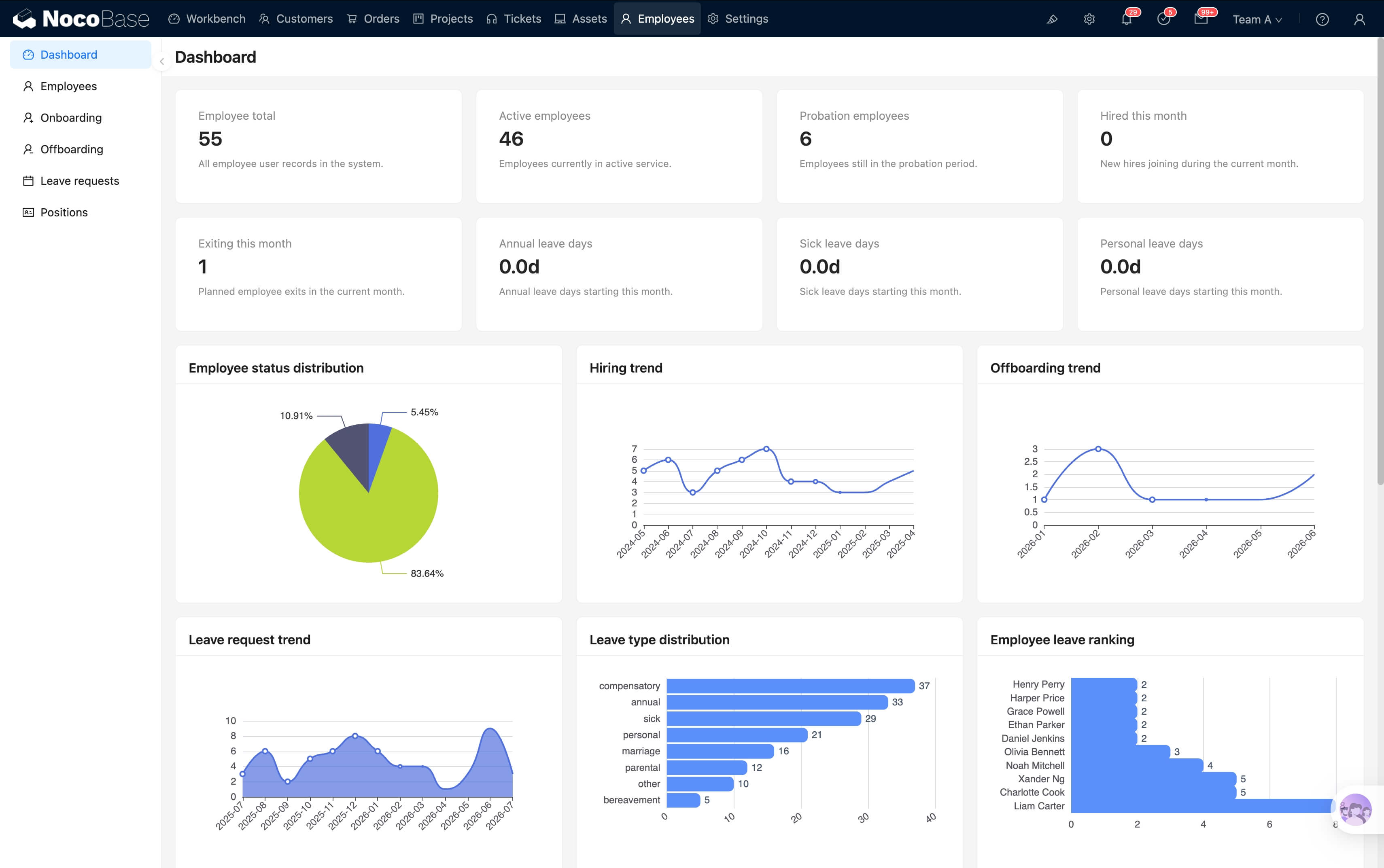
A full HR management loop from recruiting to offboarding
| Stage | Key actions | System records |
|---|---|---|
| Recruiting | Capture candidate details and interview evaluations; convert to employee record on hire | Candidate table, interview scores |
| Onboarding | Onboarding task checklist (sign contract, issue badge, hand out equipment, create accounts) | Onboarding checklist, contract file |
| Active employee | Day-to-day attendance, leave, time off, and overtime approval | Leave records, balance |
| Evaluation | Probation review, confirmation, transfer, promotion | Evaluation form, position changes |
| Offboarding | Offboarding checklist: handover, return assets, disable accounts, complete paperwork | Offboarding record, asset release |
Complete HR management from onboarding to offboarding
Employee profiles with employee number, hire date, position, department — unified records, searchable by multiple dimensions.
Pending onboarding → probation → active → offboarding → inactive: 5 statuses across the employee record; filter by status at a glance.
Tree-shaped org chart: department → sub-department, based on NocoBase's built-in departments plugin, linked with permissions.
Position definitions with job level (junior / mid / senior / expert); employees linked to positions for career path and permission management.
8 leave types (annual / sick / personal / compensatory / marriage / parental / bereavement / other); approval flow configurable by department / direct manager.
HR sees salary fields; managers see basic info of their team — flexible config via NocoBase role permissions.
Planned: onboarding / offboarding checklists, probation evaluation, contract & social insurance management, recruitment & candidates, transfer / promotion records
This module is included in the all-in-one suite backup template and is deployed together
All-in-one backup. After restore, all six modules — including this one — are populated with preset data.
Detailed restore steps, FAQs, and notes — currently in preparation
This module is also part of the All-in-One Business Suite. Use it standalone, or together with CRM, sales management, help desk, project management, and IT asset management.
