

Introduction
When we mention data management tools, data warehouses, data pipelines, or analytics platforms often come to mind. These tools are typically used for data storage, synchronization, cleaning, and analysis, and indeed play an important role in modern data architectures.
In the developer community, many engineers have expressed this sentiment: they’ve tried some widely recommended data management tools, only to find that these tools ultimately just stack onto their technology stack without bringing the expected improvements.
Some even state bluntly that if you truly want a solution that perfectly fits your needs, you often have no choice but to modify and make trade-offs on top of existing tools, or even accept imperfection as the norm.
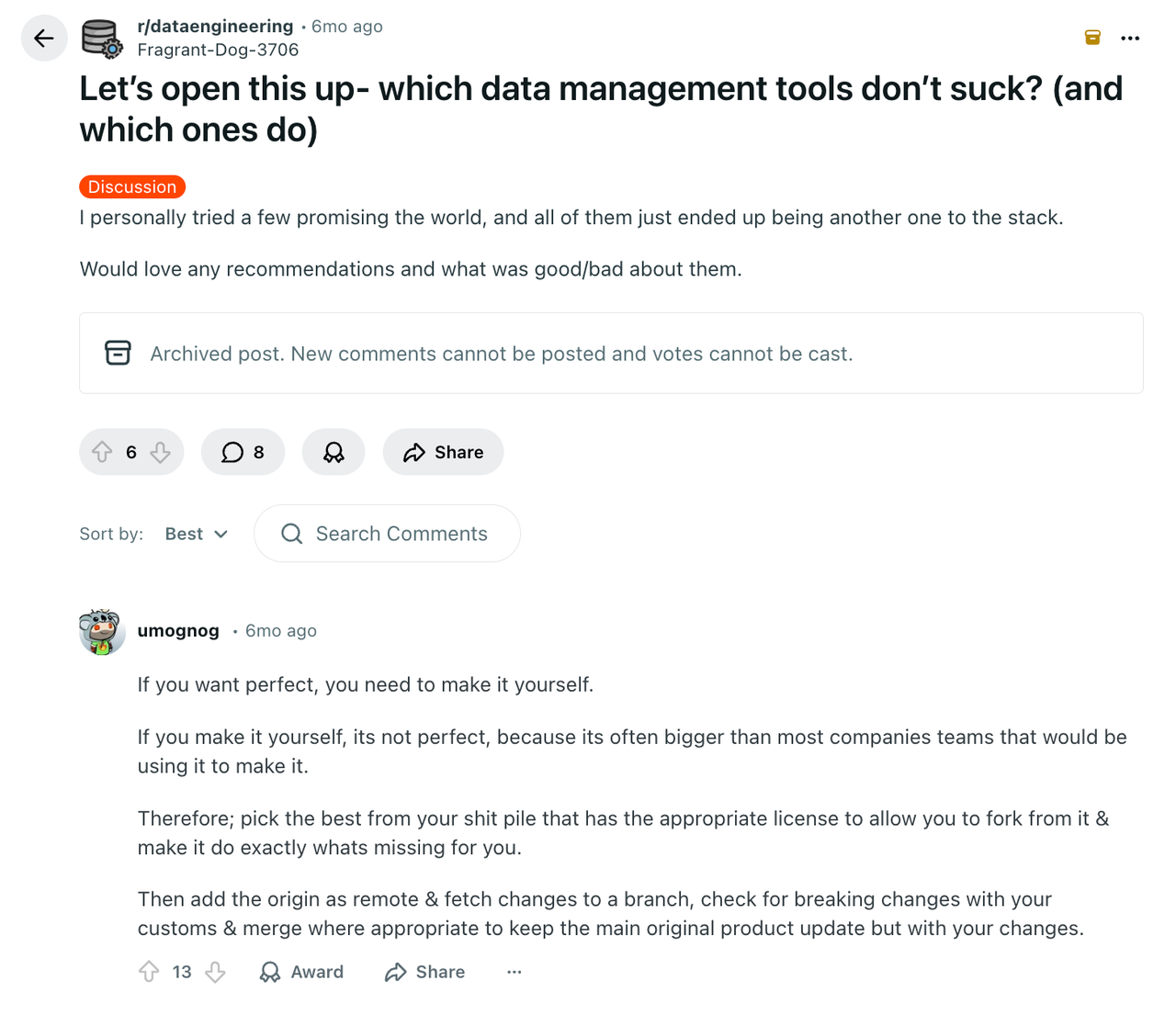
Today’s article focuses on data management challenges within business systems. If you’re looking for data management tools, this article may be helpful.
💬 Hey, you’re reading the NocoBase blog. NocoBase is the most extensible AI-powered no-code/low-code development platform for building enterprise applications, internal tools, and all kinds of systems. It’s fully self-hosted, plugin-based, and developer-friendly. → Explore NocoBase on GitHub
💡Dive deep:4 Lightweight Enterprise Software for Business Processes (With Real-World Cases)
What Problems Do Data Management Tools Actually Solve?
The problems solved by data management tools typically include these aspects:
Structuring and Organizing Business Data
Converting scattered information into structured data models with clear fields, types, and constraints so that data can be maintained and reused long-term.
Managing Relationships Between Data Entities
Describing relationships between different business objects, such as one-to-many and many-to-many relationships, and ensuring these relationships remain consistent throughout the system.
Data Access Permissions and Role Control
Different roles have different visibility and operation permissions for data. Security must be ensured without hindering collaboration efficiency.
Processes and Collaboration Around Data Changes
Data is not static. Creation, modification, approval, rollback, synchronization—these behaviors often require clear processes and rules, not just a one-time write.
Maintaining Data Consistency as Systems Evolve
When business requirements change, needs grow, and system scale expands, data structures and rules must be able to adjust accordingly without frequent rebuilds.
These problems aren’t necessarily complex, but they span the lifecycle of almost all business systems. From a few tables in the beginning to dozens or even hundreds of data entities later, data management challenges tend to accumulate gradually rather than erupt all at once.
Precisely because these problems manifest very differently at different stages and across different teams, data management tools have gradually diverged into different types.
Four Common Types of Data Management Tools
- Data Infrastructure and Data Warehouse Tools
This category focuses primarily on centralized data storage and analysis. Typical users are data engineers and data analytics teams.
Common representative products include:
- Snowflake
- Google BigQuery
- Amazon Redshift
- Data Integration and Data Pipeline Tools
The core responsibility of data integration and pipeline tools is moving data between different systems, enabling data to flow from business systems into analytics or storage layers.
Common tools include:
- Fivetran
- Airbyte
- Talend
- Data Governance and Data Quality Management Tools
As an organization’s data architecture becomes increasingly complex, data governance and quality management tools begin to play a role.
Typical products include:
- Collibra
- Alation
- Informatica
- Business System-Oriented Data Management Tools
Unlike the previous categories, this type directly serves business systems themselves. They are the primary places where business data is generated, changed, and collaborated upon.
Such tools typically have these characteristics:
- Data models are tightly integrated with business logic
- Data is primarily generated and maintained through user operations
- Permission control and process configuration are core capabilities
And these tools themselves have their own focuses, making them suitable for different business scenarios. Only by choosing the most suitable product can they deliver maximum value.
⚠️ Note: The data management tools discussed in this article specifically refer to tools that directly serve business systems for data modeling, relationships, permissions, and process management—not data warehouses or analytics platforms.
We’ll discuss across five dimensions:
- Data Modeling
- Relationships
- Permissions
- Processes
- Extensibility
Let’s get started!
NocoBase
Website: https://www.nocobase.com/
GitHub: https://github.com/nocobase/nocobase
GitHub Stars: 21.2k
NocoBase is an open-source, data model-driven AI business system building platform (also a no-code/low-code development platform). Through configurable data modeling, permissions, processes, and plugin mechanisms, it helps teams build and iterate complex business systems, rather than merely providing a generic data backend or management interface.
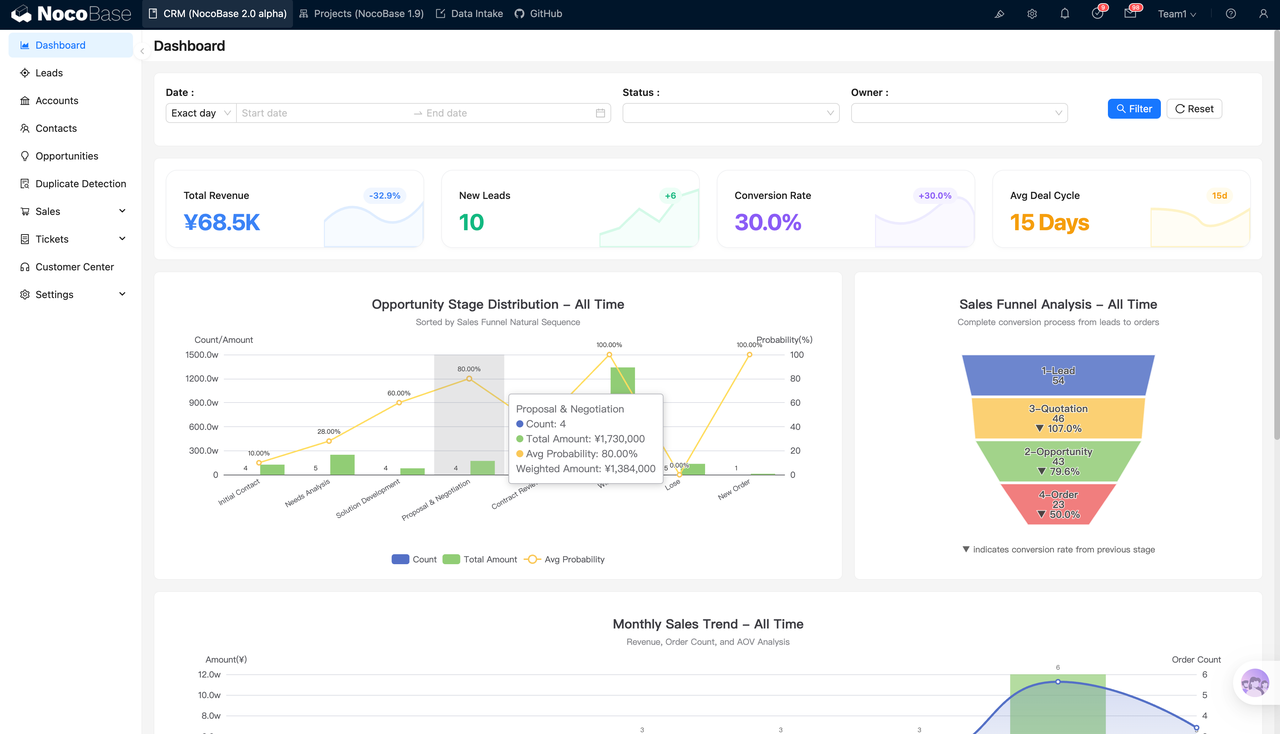
1. Data Modeling
NocoBase’s core philosophy is to make business systems data model-centric. You can connect existing data sources (supporting MySQL, PostgreSQL, MariaDB, and other relational databases), or redefine data collections and fields yourself. Then overlay interfaces, permissions, and processes on top.
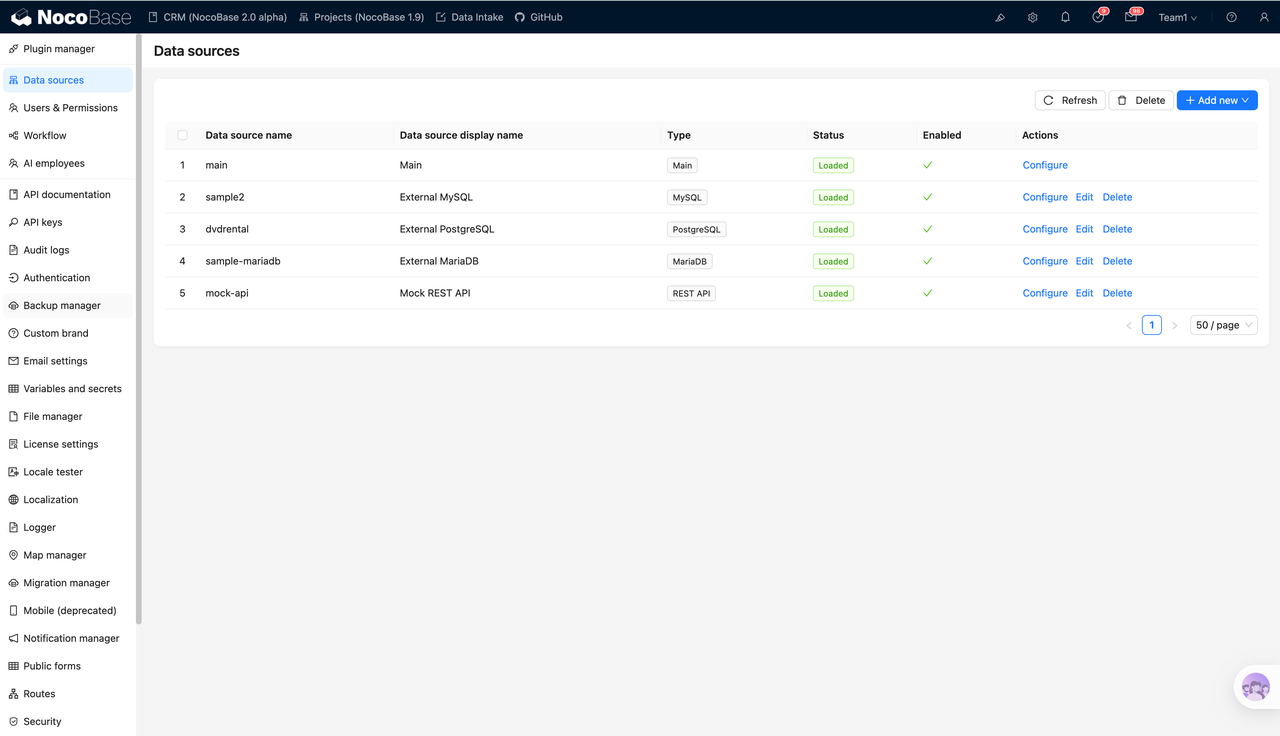
When business changes lead to field or structure adjustments, other layers of the system can follow more stably, rather than patching from the UI or script layer every time.
NocoBase makes data structures themselves maintainable, iterable, and capable of carrying business rules long-term, rather than being built once and then frozen.
2. Relationships
When dealing with business systems, data relationships are often more critical than fields. Customers, orders, contracts, approvals, tasks—these objects are inherently related, and relationships become more complex as business develops.
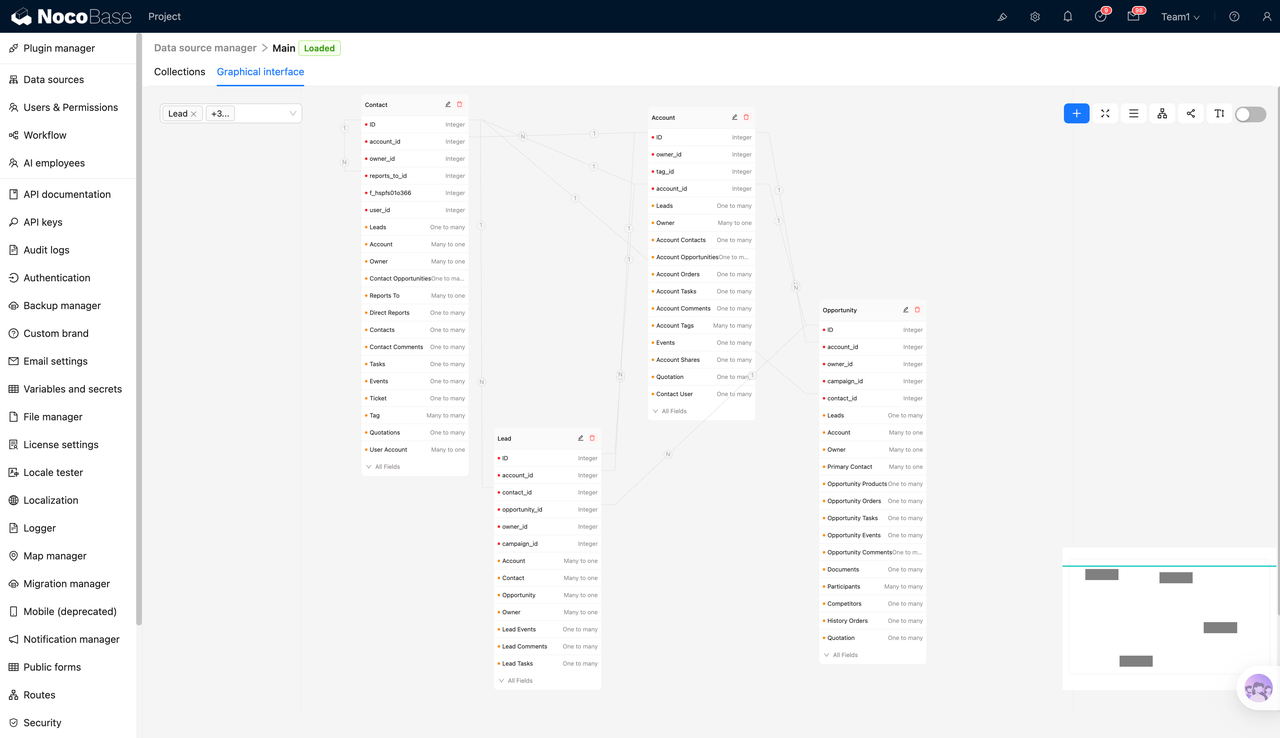
NocoBase’s approach is to make relationship modeling a first-class capability of the system. You can establish clear relationship structures around business entities and continuously reuse these relationships in subsequent permissions, processes, and page interactions—rather than scattering relationship logic everywhere.
3. Permissions
Permissions are one of NocoBase’s strengths. It emphasizes fine-grained control, from system level all the way down to row-level and field-level, and supports common enterprise scenarios such as a user having multiple roles.

For business system data management tools, permissions aren’t an add-on option—they’re part of business rules. What you need to control isn’t just can they see a table, but:
- Which records can be viewed
- Which fields can be modified
- Which actions can be executed
- Whether different roles see different modules on the same page
These capabilities are explicitly covered in NocoBase’s permission system.
4. Processes
When data changes require approval, notification, or automated processing, the system enters a process-driven stage. NocoBase’s workflow capabilities are provided as plugins, covering common nodes like approval, email notifications, and custom action events. This upgrades data changes from manually editing fields to rule-based business processes.
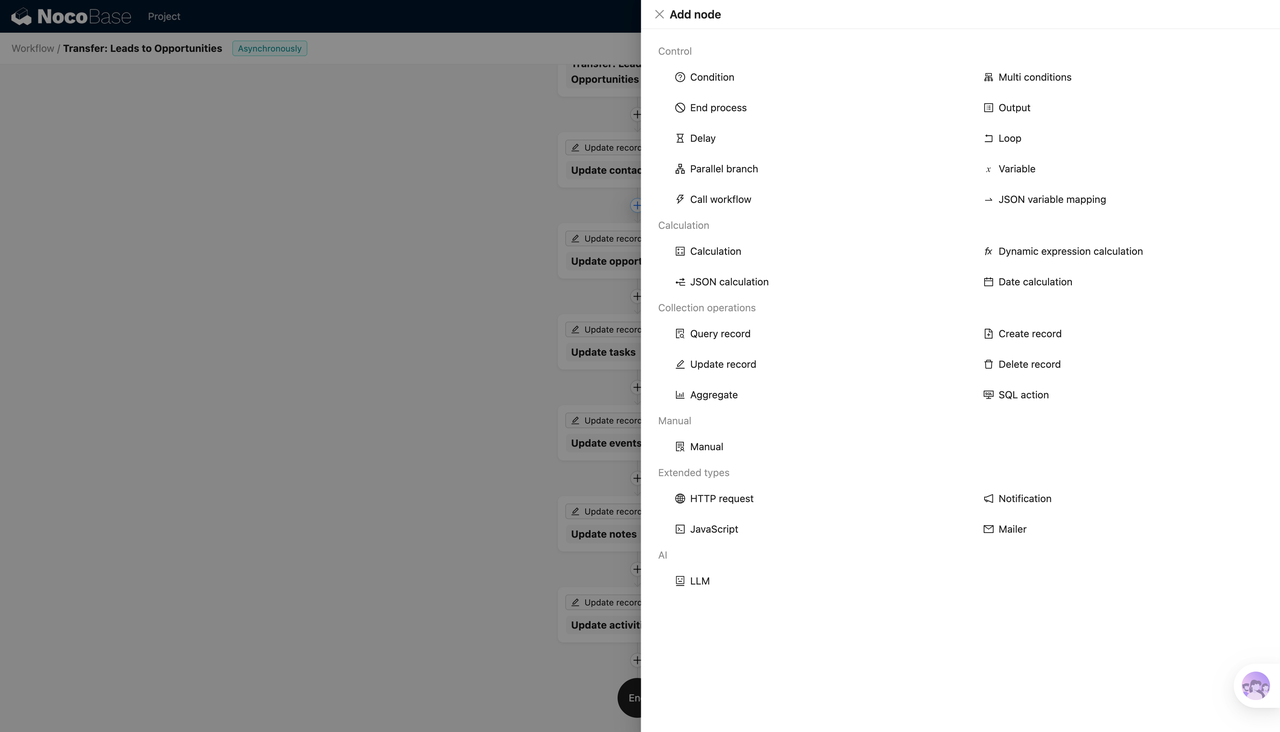
The significance of such capabilities lies in: data management is no longer just CRUD, but collaboration and control around data changes. For example, modifying key fields only after initiating approval, or executing a series of data processing after some action is triggered.
5. Extensibility
NocoBase’s extension approach centers on a plugin system. You can split capabilities into modules to combine—for example, workflow nodes, API documentation, mobile configuration, UI blocks—all appear as plugins.
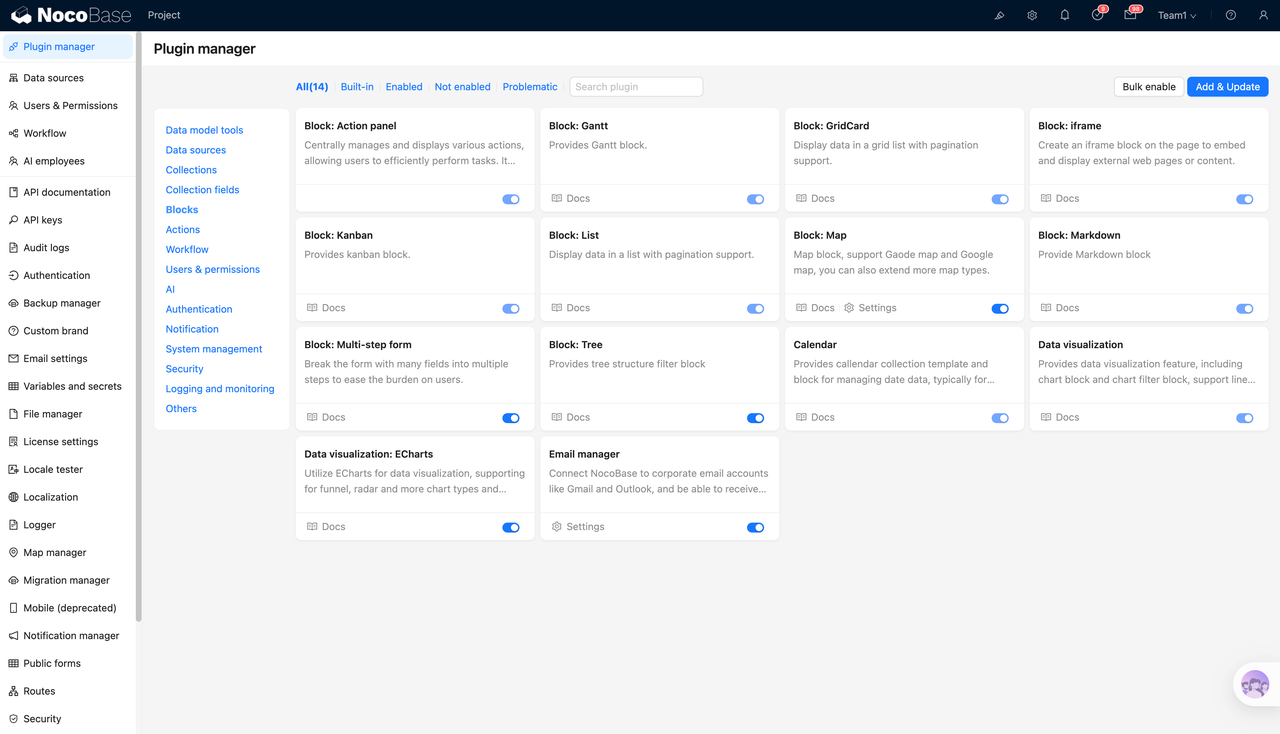
For tools serving business systems, extensibility typically doesn’t refer to whether you can write code, but whether the system can:
- Add capabilities in a modular way
- Adapt to new processes and permission requirements at relatively low cost
- Continuously expand system boundaries without rebuilding
If your data complexity mainly comes from business changes themselves—such as more relationships, finer permissions, longer processes—then when choosing tools, you shouldn’t just look at build speed. You should prioritize evaluating whether data modeling, relationships, permissions, processes, and extensibility are first-class capabilities. NocoBase is a representative designed around these dimensions.
Directus
Website: https://directus.io/
GitHub: https://github.com/directus/directus
GitHub Stars: 33.9k
Directus’s core positioning is an open-source Headless CMS and open data platform. By automatically generating real-time APIs and visual management interfaces for any SQL database, it enables both developers and business users to efficiently manage and access structured data.
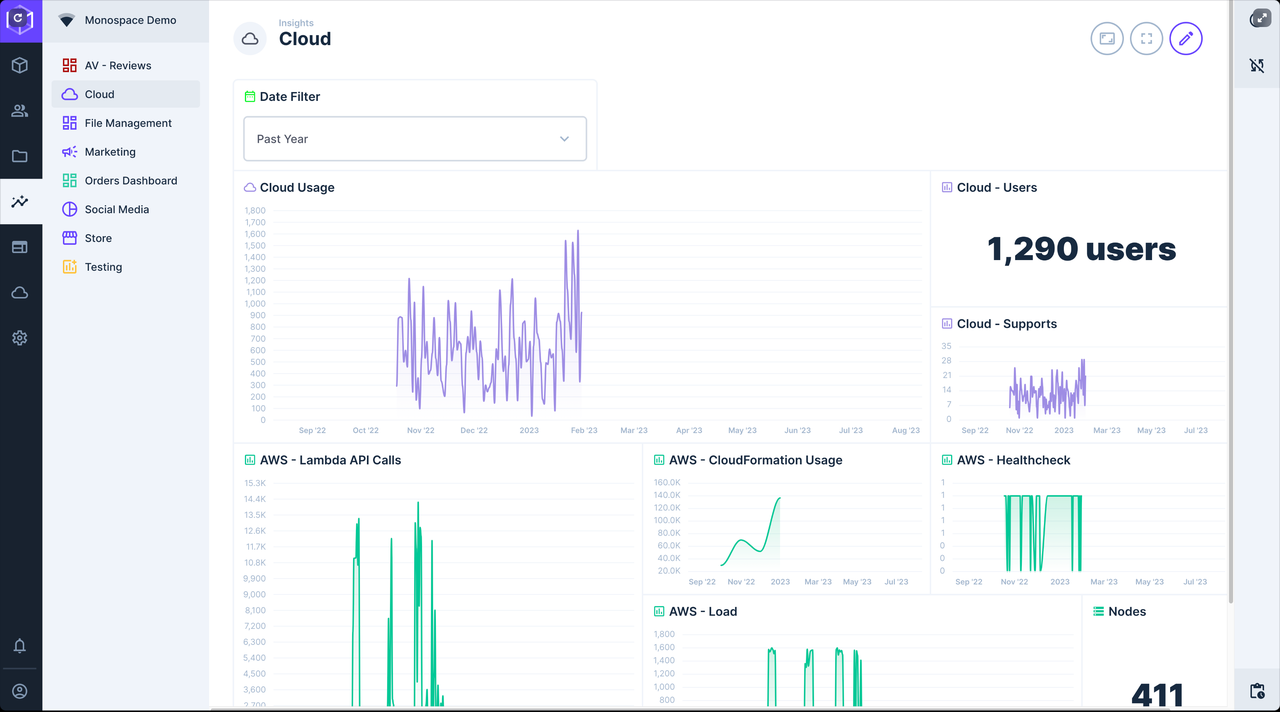
1. Data Modeling
Directus’s starting point is to make the database the core of the system. It builds directly on top of existing databases, managing table structures, fields, constraints, and metadata visually.
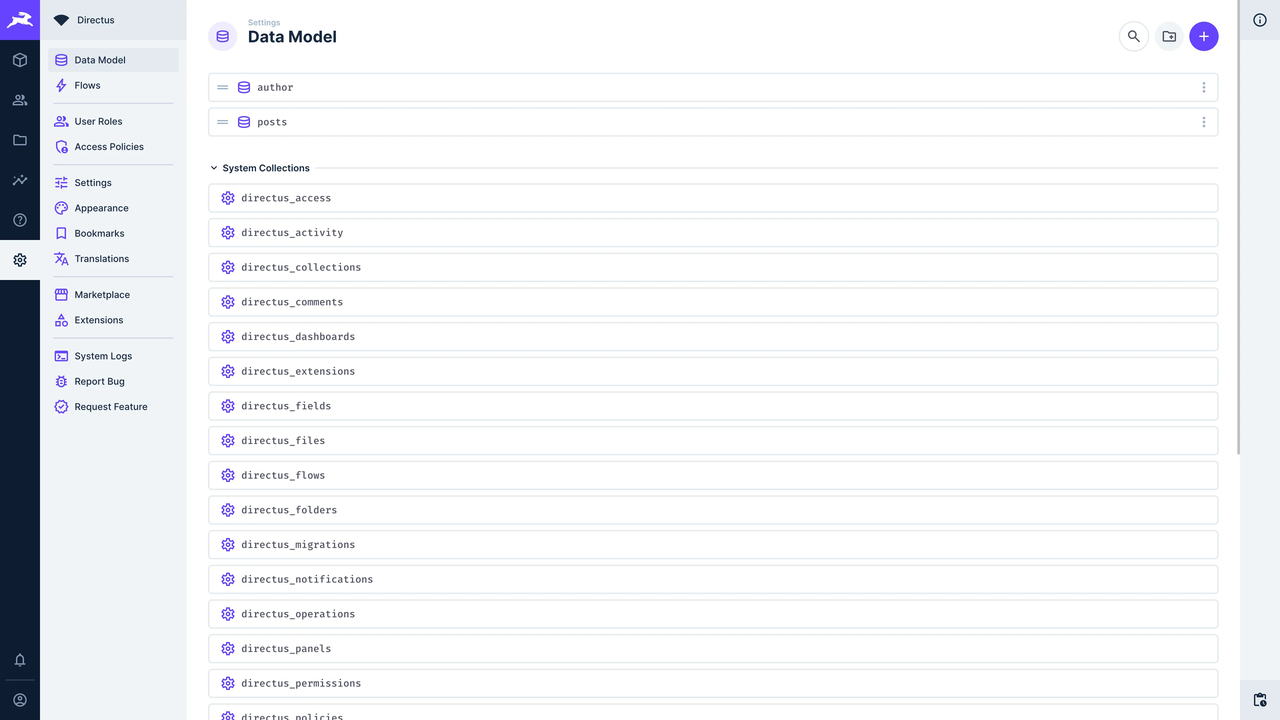
The advantages of this approach are:
- Data structure is highly transparent, almost identical to the database itself
- Very suitable for database-first, schema-relatively stable systems
- Strong controllability and predictability for technical teams
Directus tends to provide a unified, manageable system entry point for existing or clearly defined data models.
2. Relationships
Directus’s handling of relationships also closely adheres to the database layer.
- One-to-many and many-to-many relationships directly map database structure
- Relationships themselves are part of the Schema, not additional business abstractions
The benefit is that relationship definitions are very clear and unlikely to be distorted.
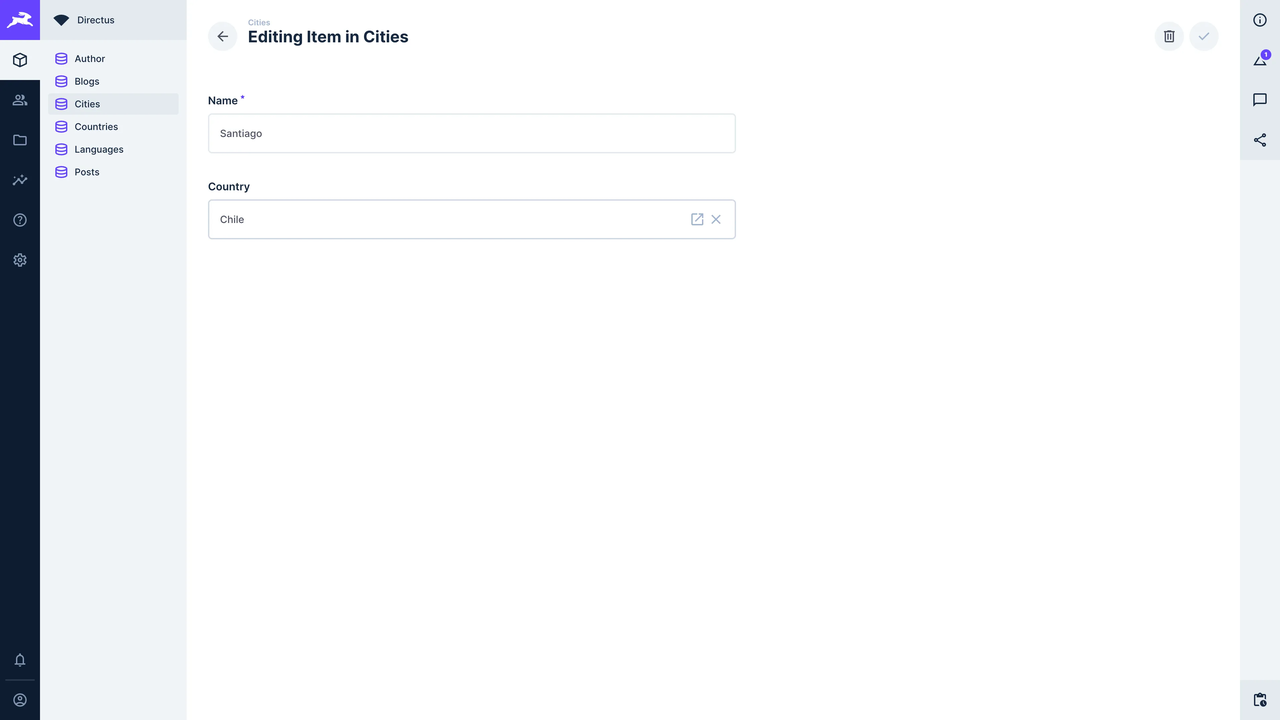
But it also means that when business relationships change frequently, system adjustment costs are more concentrated at the Schema layer, rather than at higher-level business abstractions.
3. Permissions
Directus’s permissions support role-, collection-, and field-level access control, and are highly tied to the data model.
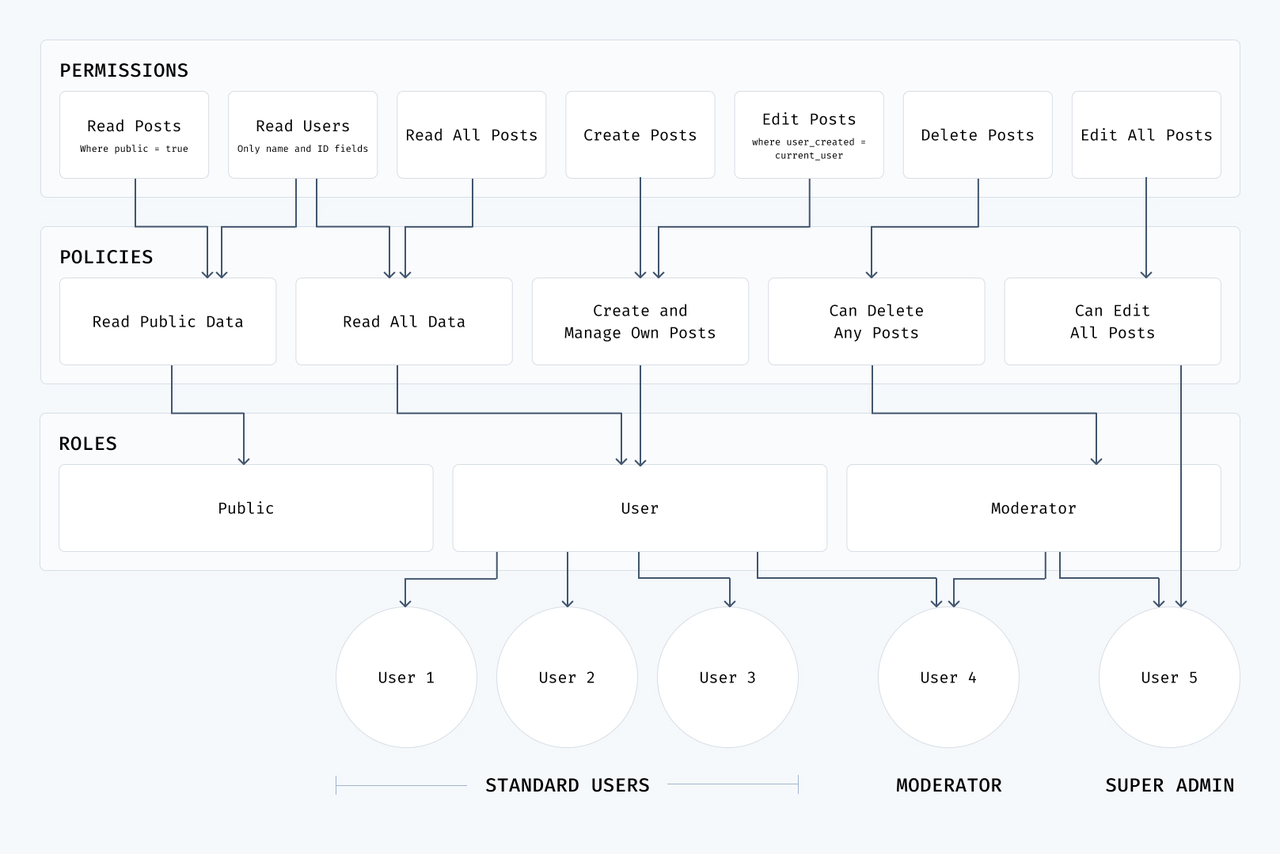
In practice, Directus’s permission system is more like:
- A security control mechanism around data access
- Rather than a rule system around business processes
This makes it very suitable for scenarios with strict requirements about who can access which data. But when permission logic is tightly coupled with business processes, additional design or coordination with external systems is often needed.
4. Processes
At the process level, Directus offers relatively few capabilities.
- Mainly responds to data changes through events, hooks, webhooks, and other mechanisms
- More biased towards data change triggers behavior rather than complete business process orchestration
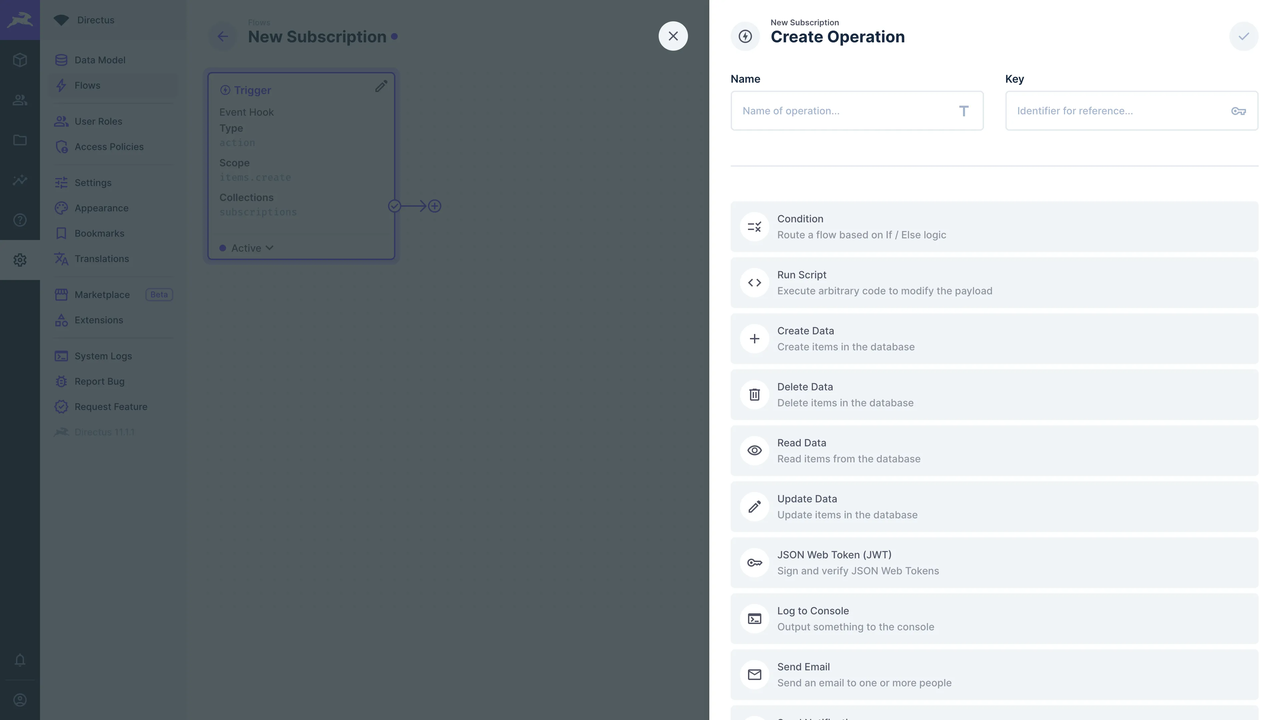
Therefore, it’s better suited as the data and API layer of a system backend, rather than the core system bearing complex approval, cross-role collaboration processes.
5. Extensibility
Directus’s extension philosophy is primarily backend programmability:
- Can extend logic through custom extensions, hooks, APIs
- High degree of decoupling from frontend or other systems
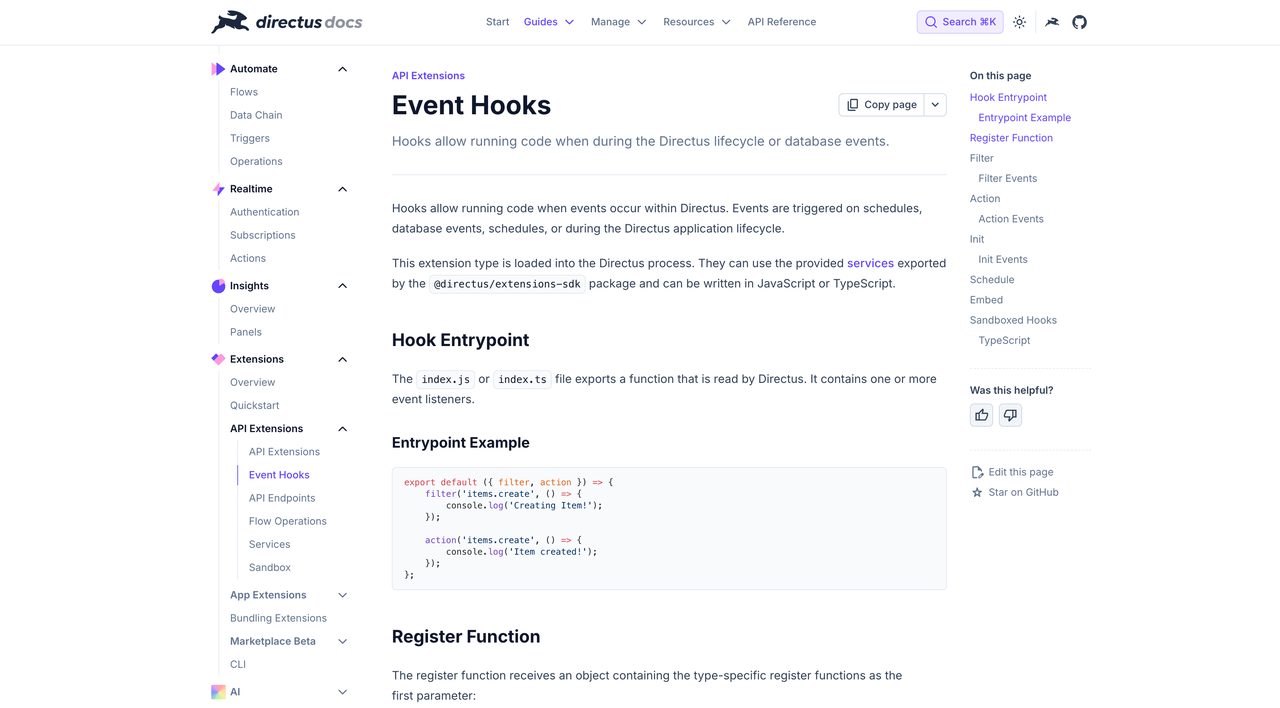
This extension approach is very friendly to developers, but it also means system capability growth relies more on code-level investment, rather than through configuration or plugin combinations.
Budibase
Website: https://budibase.com/
GitHub: https://github.com/Budibase/budibase
GitHub Stars: 27.5k
Budibase is an open-source internal business tool building platform, emphasizing rapid building of CRUD-type business applications through low-code methods. It’s suitable for business scenarios where delivery efficiency takes priority and system complexity is relatively controllable.
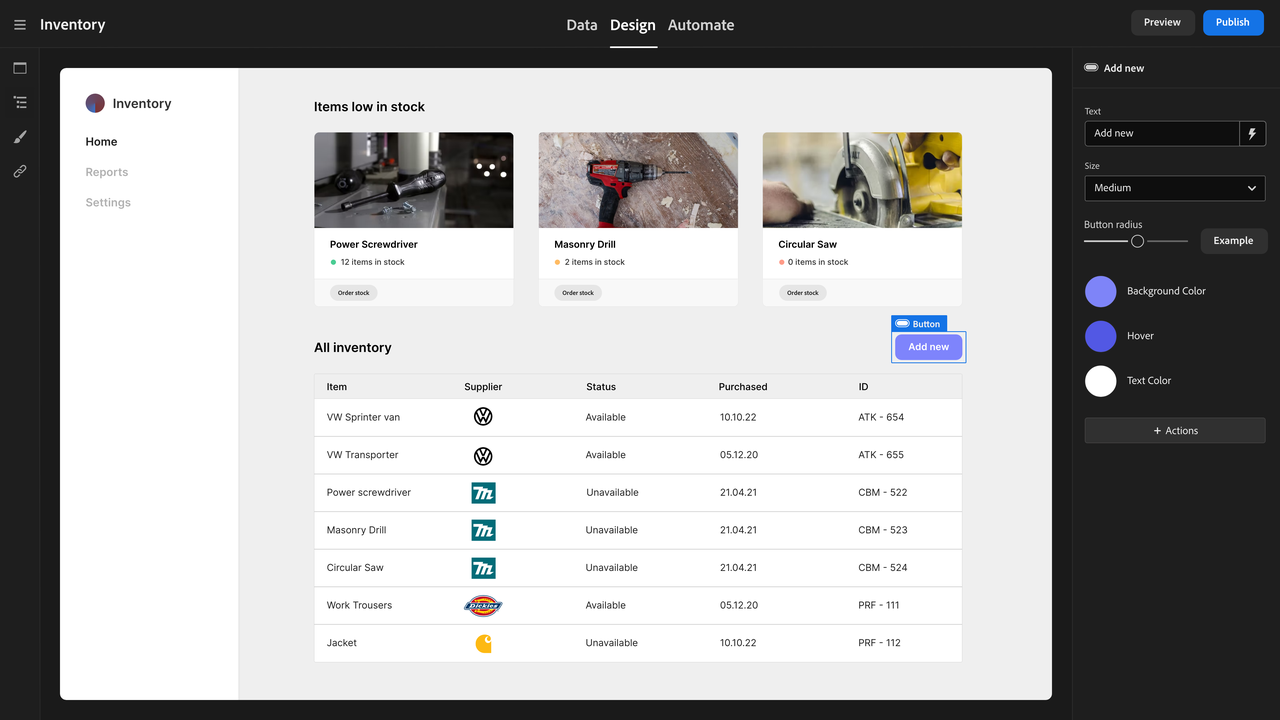
1. Data Modeling
Budibase’s data modeling centers on data structures required by applications, not business models.
- Can quickly define tables, fields, and basic constraints
- More focused on good enough rather than highly abstract or extensible modeling
- Data models typically serve a specific application, not system-level reuse
From a data management perspective, it’s more like preparing data structures for a specific internal application.
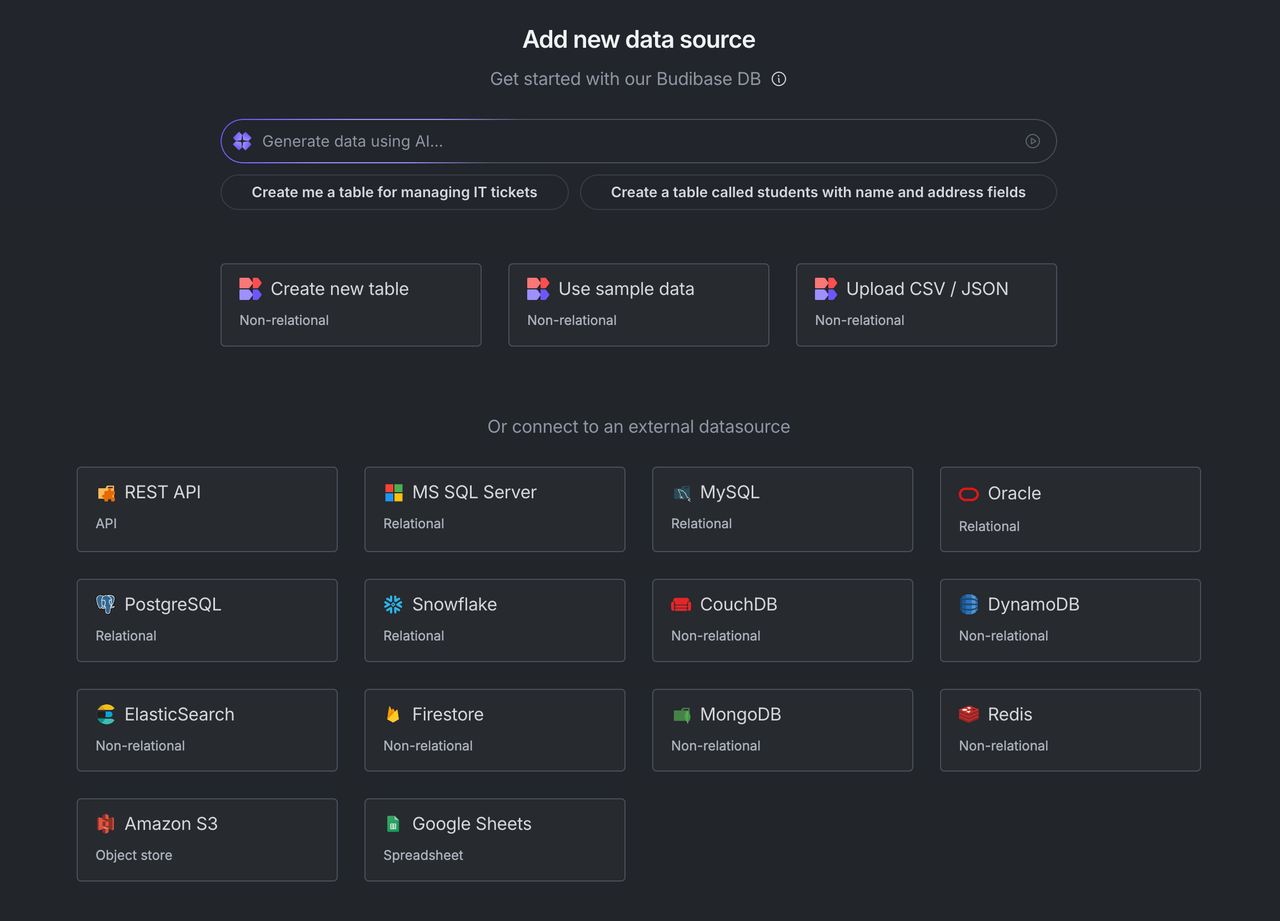
2. Relationships
Budibase supports basic data relationships, but relationship capability is more for meeting page display and simple business logic.
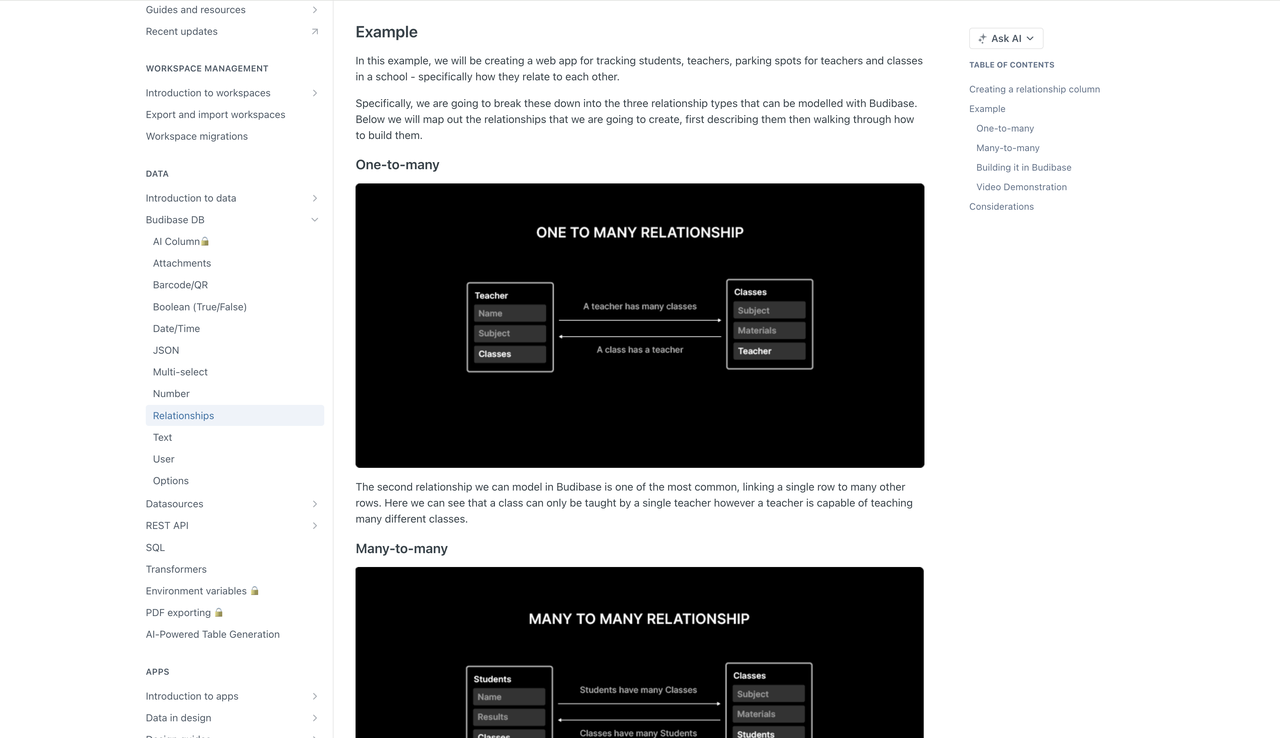
- Suitable for common relationships like one-to-many
- Relatively limited support for complex, multi-level, cross-module relationships
- Relationships are often tightly bound to specific pages and forms
This means that when facing business systems where relationships gradually become more complex, extension costs rise significantly.
3. Permissions
Budibase provides role- and user-level permission control, covering the most common scenarios in internal tools:
- Different roles see different pages
- Control whether certain operations can be executed
But overall, the permission model leans more towards application-level control, not system-level, data-level fine-grained governance.
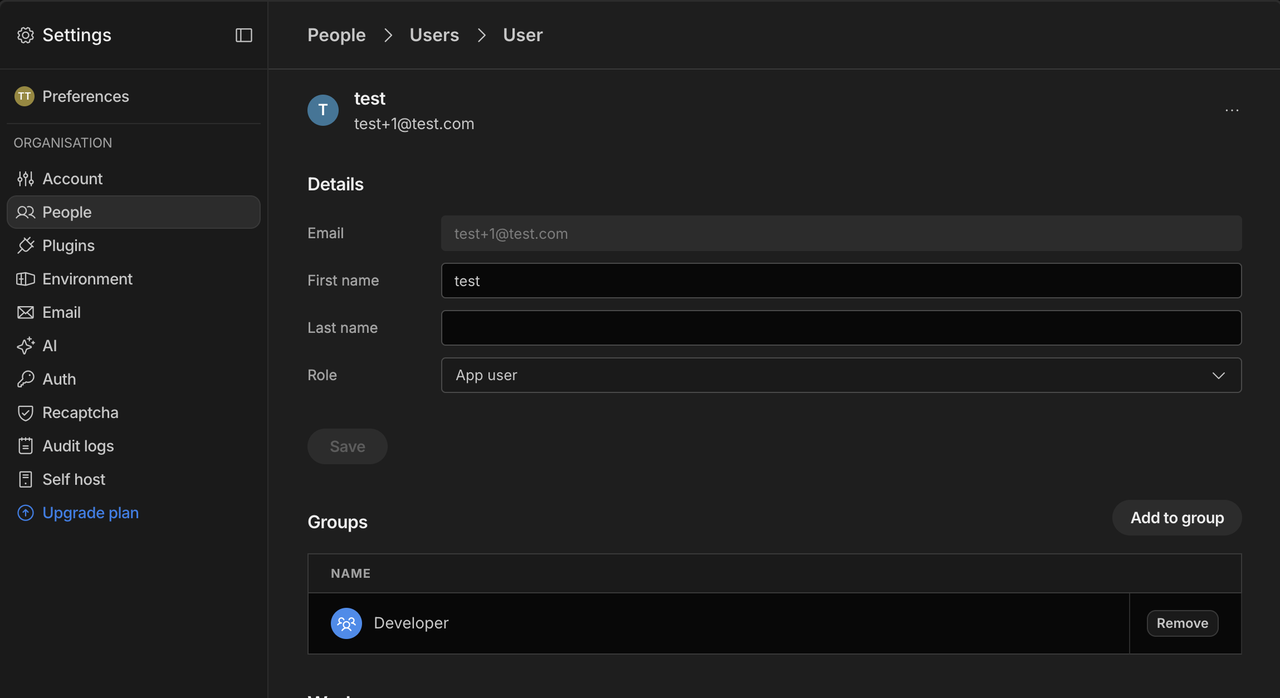
For systems where permission logic itself is the business core (such as multi-role, multi-data-scope scenarios), additional design is usually needed or complex requirements must be avoided.
4. Processes
At the process level, Budibase provides lightweight automation capabilities:
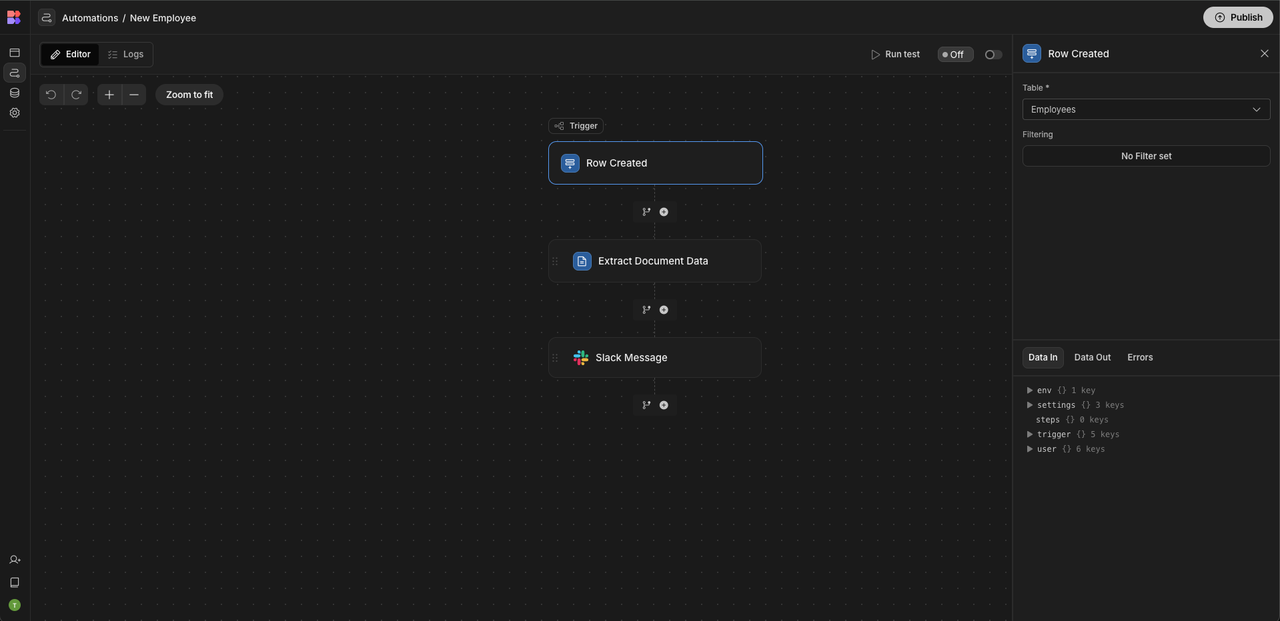
- Automatic operations triggered by events
- Simple logic judgment and action execution
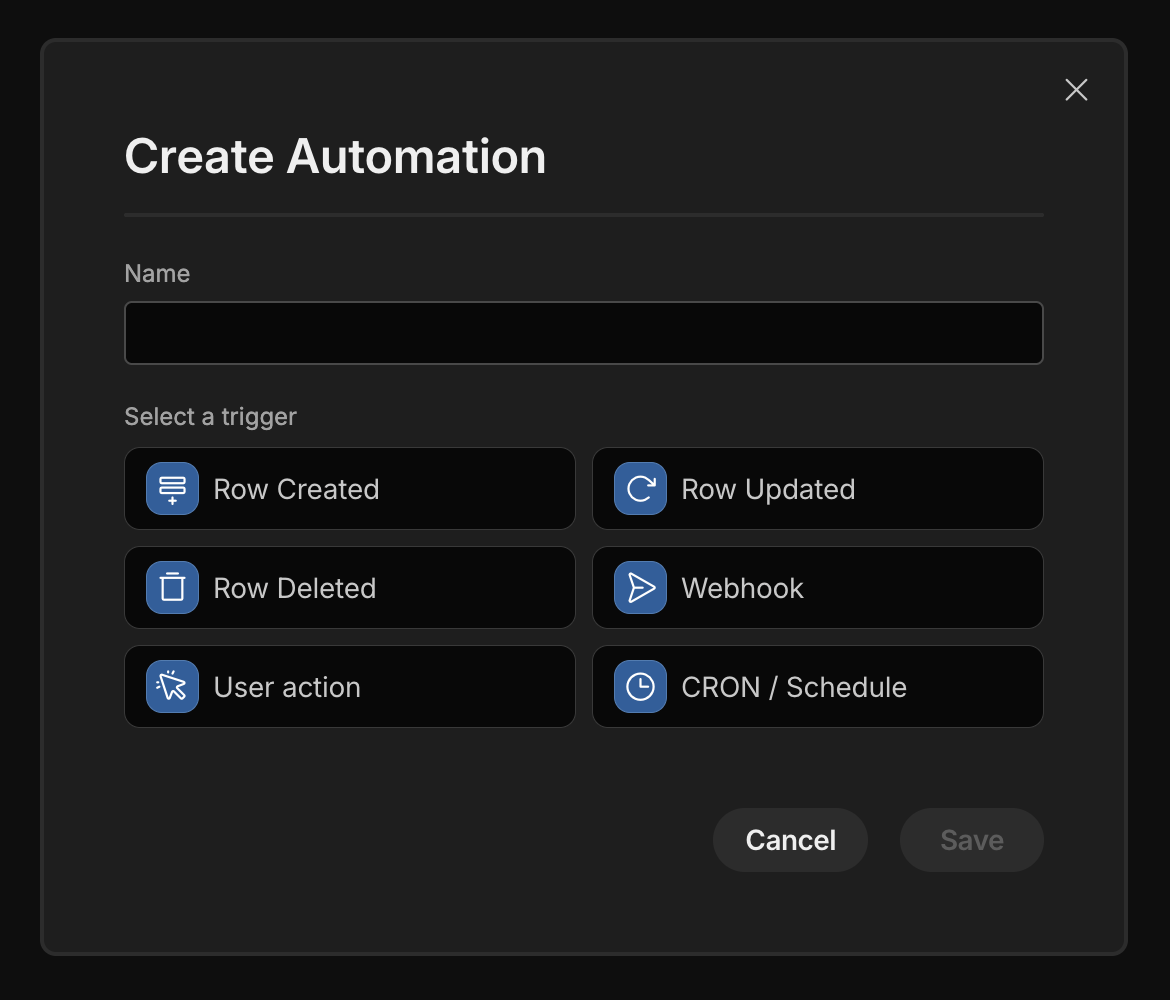
Such capabilities are very suitable for handling common internal process automation, but complex approval flows or cross-role collaboration are not the main goals.
5. Extensibility
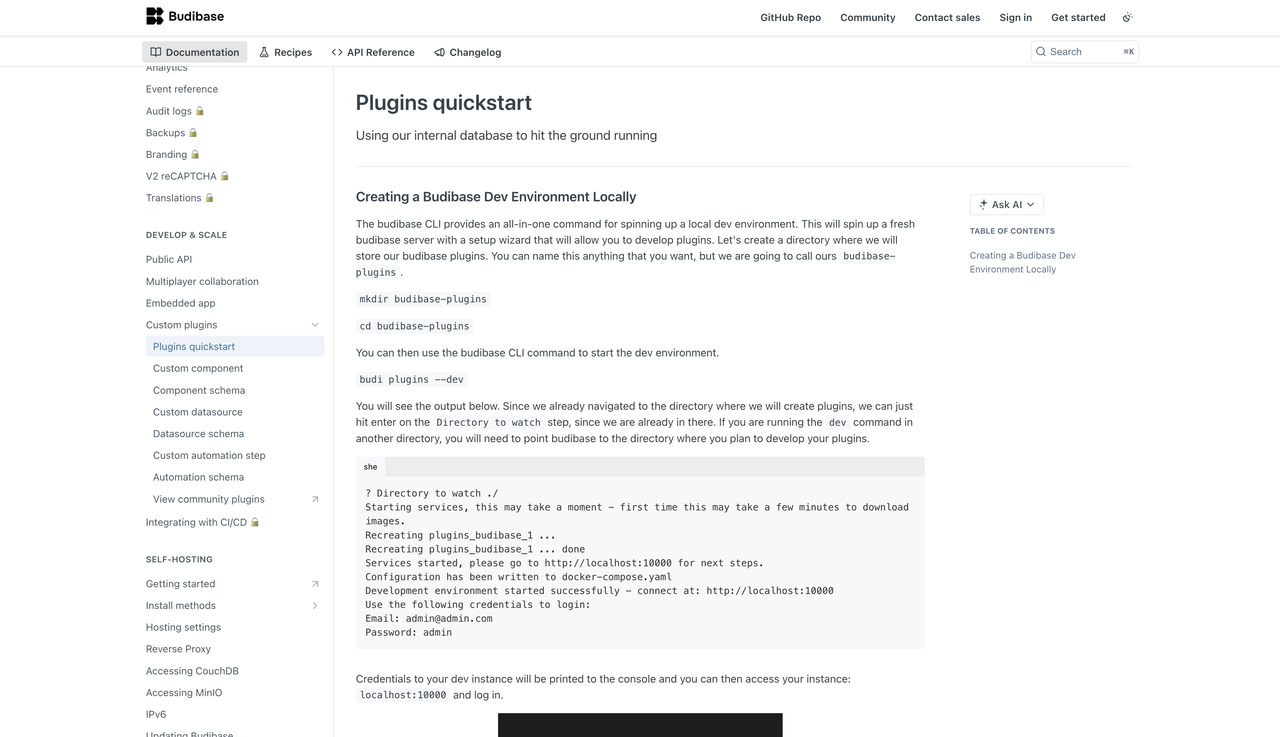
Budibase’s extensibility is mainly reflected in:
- Component and plugin ecosystem
- Integration capabilities with external services
It emphasizes quickly supplementing functionality on top of existing applications.
Appsmith
Website: https://www.appsmith.com/
GitHub: https://github.com/appsmithorg/appsmith
GitHub Stars: 38.9k
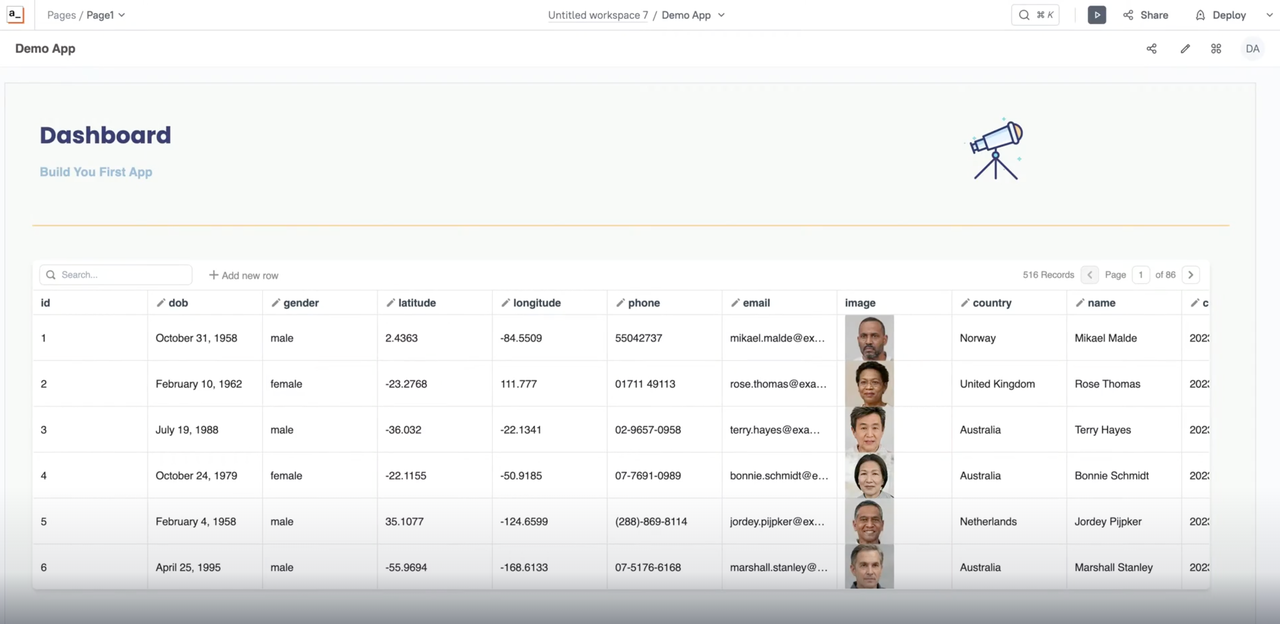
Appsmith is an open-source low-code tool for developers, rapidly building management interfaces and operational applications through code and component combinations.
1. Data Modeling
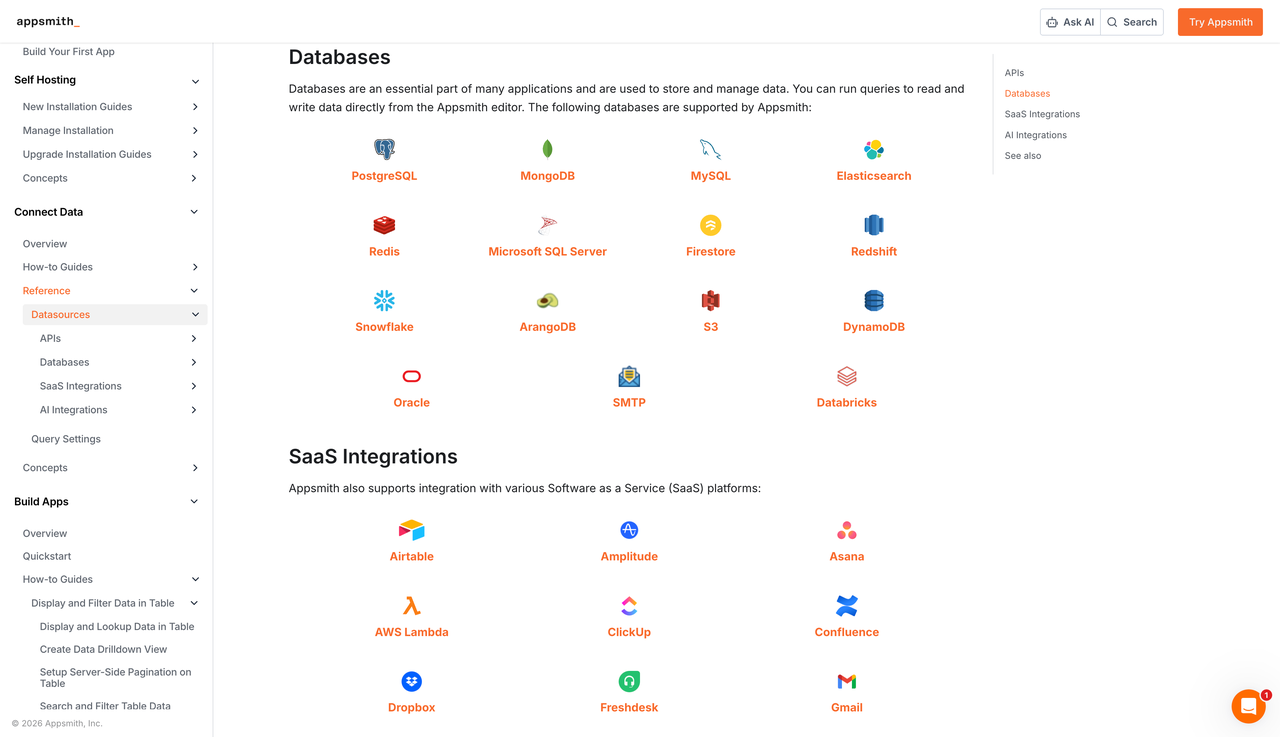
Appsmith itself doesn’t take data modeling as a core capability.
- More about connecting existing data sources (databases, APIs, services)
- Data structures are typically defined in external systems
- Appsmith is responsible for how to operate this data
From a data management perspective, it assumes these problems have already been handled elsewhere.
2. Relationships
Since data relationships mainly exist in external data sources, Appsmith’s support for relationships is more reflected in:
- How to display and operate related data in interfaces
- How to join multi-table results through queries or scripts
Relationship logic is often scattered across queries, scripts, and page logic, rather than existing as a first-class system-level capability.
3. Permissions
Appsmith provides basic access control capabilities, mainly concentrated in:
- Application-level and page-level permissions
- Control which users can access or edit a specific tool

But the permission model serves more for tool usage security.
4. Processes
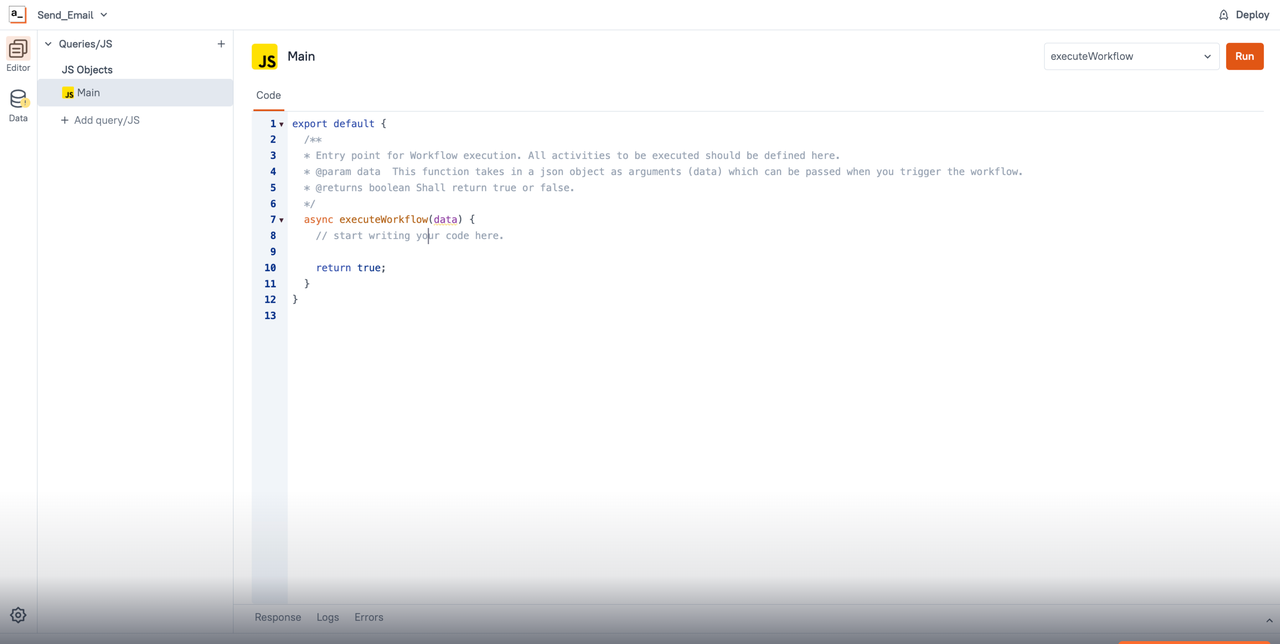
In terms of processes, Appsmith leans more towards frontend interaction and operational flows:
- User clicks button → triggers query or script
- Simple logic control based on events
It doesn’t attempt to build complete business process engines. Complex processes usually need to be implemented through external systems or custom code.
5. Extensibility
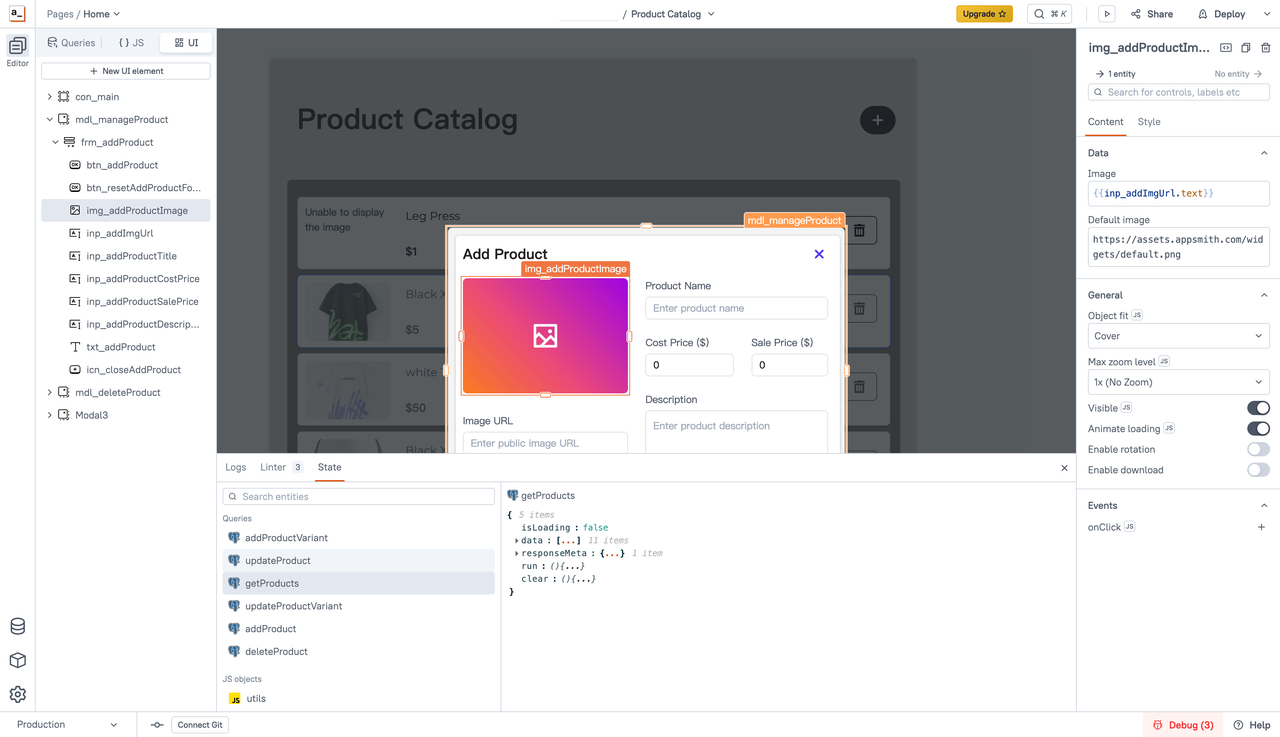
Appsmith’s extensibility is mainly reflected in developer controllability:
- Can write JavaScript scripts
- Freely combine APIs, databases, and components
- Very flexible for technical personnel
But this extension approach is more suitable for tool-level customization.
Summary
Returning to the question at the beginning of the article, why is disappointment with data management tools often seen in the community?
After reading this article, you should have the answer: data management means completely different things to different teams.
Some teams care about:
- How to expose data as APIs safely and stably
- Whether data structures remain consistent with the database
Some teams care about:
- How to quickly build a usable internal system
- Whether pages and operations can be delivered as soon as possible
Based on the content discussed in this article, I’ve put together this comparison table, contrasting several typical open-source tools from a data management perspective.
| Dimension | NocoBase | Directus | Budibase | Appsmith |
|---|---|---|---|---|
| Core positioning | Building full-fledged business systems | Data backend / Headless CMS | Internal business applications | Internal operational tools |
| Data modeling | System-level, evolving data models | Database-first with schema mapping | Application-level data structures | Relies on external data sources |
| Relationship management | A first-class capability embedded across the system | Direct mapping of database relationships | Basic relationship support | Managed through queries and scripts |
| Permission model | Fine-grained control tightly aligned with business rules | Focused on secure data access | Role-based control at the application layer | Page- or application-level permissions |
| Process capabilities | Built-in workflows and approval mechanisms | Event- and flow-driven | Lightweight automation | Front-end-driven interaction flows |
| Extension approach | Plugin-based, system-level extensibility | Backend extensions and hooks | Components and integrations | Scripts and API-based composition |
Welcome to experience and try out. I hope you find the data management tool that suits you best.
Related reading:
- 4 Lightweight Enterprise Software for Business Processes (With Real-World Cases)
- 6 Enterprise Softwares to Replace Excel for Internal Operations
- 10 Open Source Tools Developers Use to Reduce Repetitive CRUD
- Top 12 Open-source AI Workflows Projects with the Most GitHub Stars
- 6 Open-Source No-Code & Low-Code Tools for Software Agencies
- Top 10 Open-source AI CRM Projects with the Most GitHub Stars
- How to Quickly Build a Real System to Replace Excel: A Complete Guide
- Top 5 Open-Source AI Internal Tools on GitHub
- The 8 Best Google Sheets Alternatives (Specs & Pricing)