

AI coding is getting a lot of attention. Many tools can already generate code, pages, and application prototypes very quickly. At first glance, it may seem like AI is weakening the value of no-code.
But real business applications need more than speed. Once user permissions, data structures, business workflows, handover, and long-term maintenance are involved, a system needs clearer structure and more stable governance.
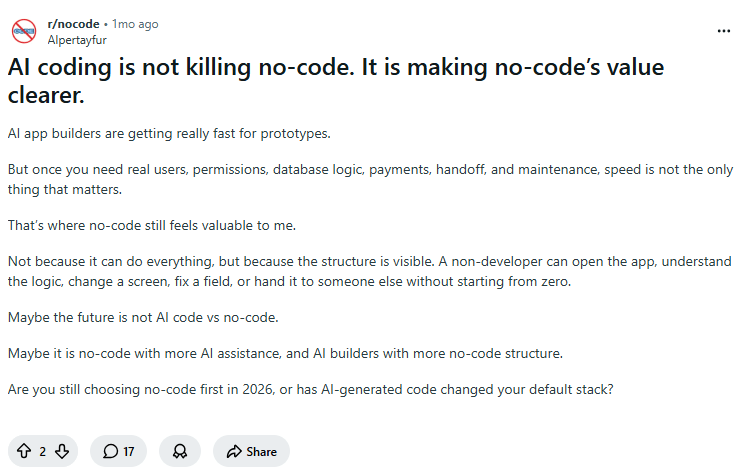
A similar point appears in this Reddit discussion: AI app-building tools are fast for prototypes, but when they enter real business environments, the value of no-code platforms becomes even more visible.
💬 Hey, you’re reading the NocoBase blog. NocoBase is the most extensible AI-powered no-code/low-code development platform for building enterprise applications, internal tools, and all kinds of systems. It’s fully self-hosted, plugin-based, and developer-friendly. → Explore NocoBase on GitHub
AI coding is not replacing no-code. Instead, it is making the boundary between the two increasingly blurred. AI is moving into app building, workflow automation, knowledge bases, and business systems, while no-code platforms are also adding stronger AI-assisted capabilities.
This article is based on open-source projects under the GitHub no-code topic. We selected 9 no-code tools where AI has already become part of the core positioning. We will focus on their AI highlights and suitable use cases, and look at how AI is entering application building, workflow automation, knowledge bases, agent orchestration, design generation, and enterprise business system development.
💡 Read more: 14 Open-Source AI Agent Tools Worth Watching on GitHub
Before going into the details, here is a quick overview of the 9 tools covered in this article.
| No. | Tool | GitHub Stars | Positioning | AI Highlights | Suitable Use Cases |
|---|---|---|---|---|---|
| 9 | NocoBase | 23.1k | AI no-code platform for enterprise business systems | AI employees, AI-assisted building, knowledge base, plugin extension | CRM, ERP, approvals, ticketing, inventory, project management, and other internal enterprise systems and tools |
| 8 | Budibase | 28.1k | AI-powered internal operations app platform | AI agents, process execution, automation, internal apps | IT service desk, approval workflows, employee services, operations processes |
| 7 | Sim | 28.9k | Multi-agent collaboration workspace | Agent orchestration, task decomposition, tool calling, multi-agent collaboration | Sales operations, customer support, data processing, research and analysis |
| 6 | ToolJet | 38.1k | AI platform for building internal enterprise tools | AI app generation, query assistance, debugging, workflows | Admin panels, dashboards, approval systems, order processing |
| 5 | Flowise | 54.1k | Visual builder for AI agents and model workflows | Visual workflows, RAG, knowledge-base Q&A, human-in-the-loop review | AI app prototypes, document Q&A, customer support assistants |
| 4 | AnythingLLM | 62.2k | Private AI knowledge base and local assistant | Private document Q&A, RAG, self-hosting, AI agents | Enterprise knowledge bases, internal document search, local AI assistants |
| 3 | open-design | 72.3k | AI design prototype generation tool | Natural-language design generation, design systems, multi-format export | Product prototypes, landing pages, presentations, visual assets |
| 2 | Dify | 147k | Production-grade AI application development platform | AI workflows, RAG, tool calling, model management | AI customer service, AI assistants, enterprise RAG, AI applications |
| 1 | n8n | 194k | AI workflow automation platform | AI agent workflows, system integration, automated execution, self-hosting | Sales operations, customer support automation, data synchronization, ticket routing |
9. NocoBase
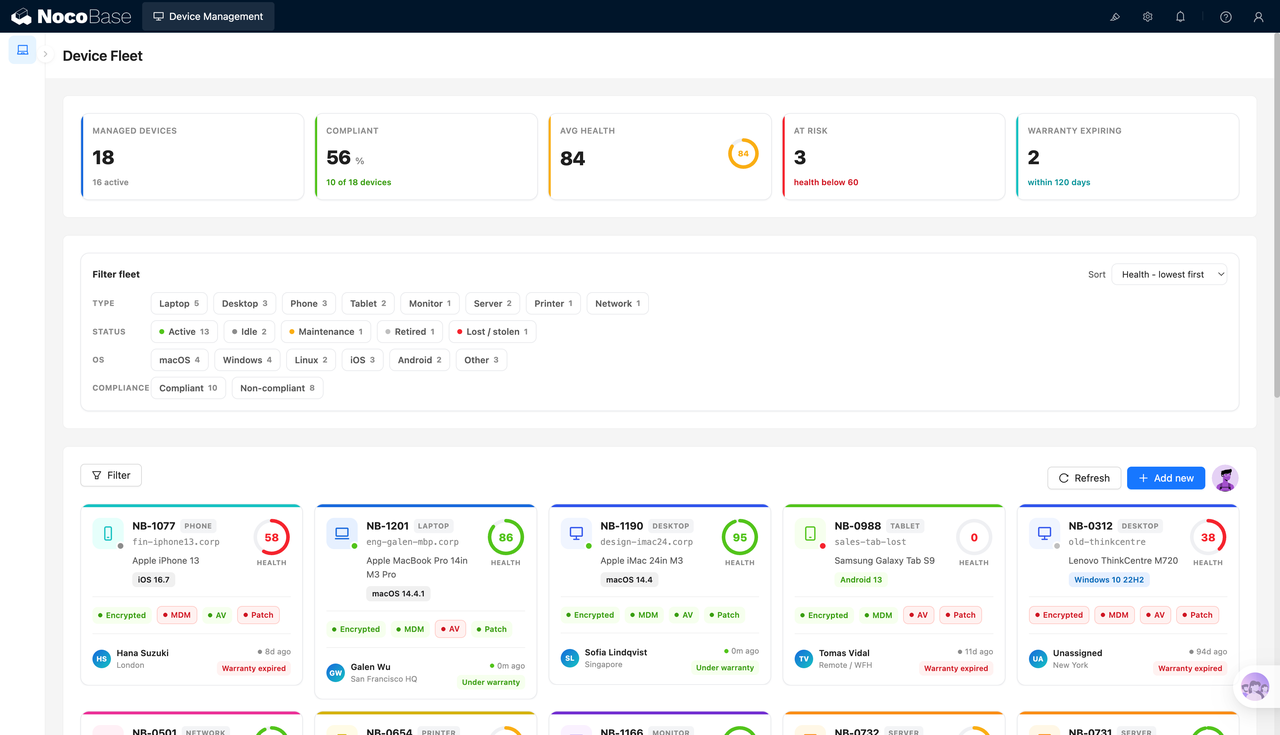
Official site: https://www.nocobase.com/
GitHub: https://github.com/nocobase/nocobase
GitHub Stars: 23.1k
NocoBase is an AI-powered open-source no-code/low-code development platform for building enterprise applications, internal tools, and business systems. It supports self-hosting and uses a plugin-based architecture, making it suitable for teams that need to build CRM, ERP, approval systems, ticketing systems, inventory systems, project management tools, operations back offices, and other systems around their own business processes.
NocoBase is closer to a development framework and business system infrastructure for enterprise applications. It includes common foundational capabilities required by enterprise systems, such as data modeling, page configuration, user permissions, workflows, security audit, and plugin extension. This gives AI a clear system architecture and permission boundary to work within. Instead of generating a hard-to-maintain codebase from scratch, AI can help create data tables, configure pages, orchestrate workflows, set permissions, and continue supporting later extensions within the NocoBase framework. For enterprises, this approach is better suited to real business systems: it improves building efficiency with AI while keeping the stability, security, and maintainability required for long-term operation.
AI Highlights
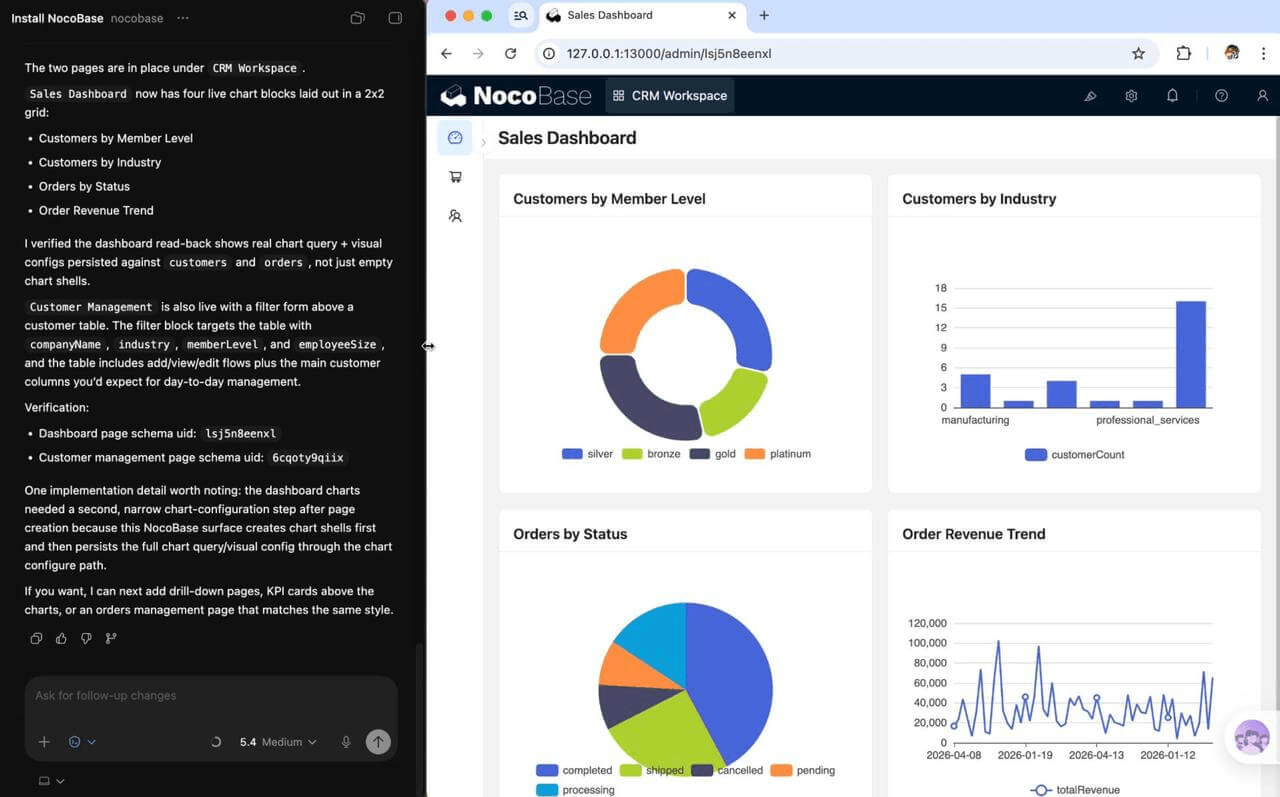
AI-assisted business system building: Users can describe business requirements in natural language and let AI help with data model design, page configuration, workflow orchestration, permission setup, and plugin management. For example, when building a customer management system, ticketing system, contract approval system, or project dashboard, AI can generate the basic system first. The team can then review fields, relationships, pages, action buttons, and permission settings in the no-code interface to ensure they match the actual business process.
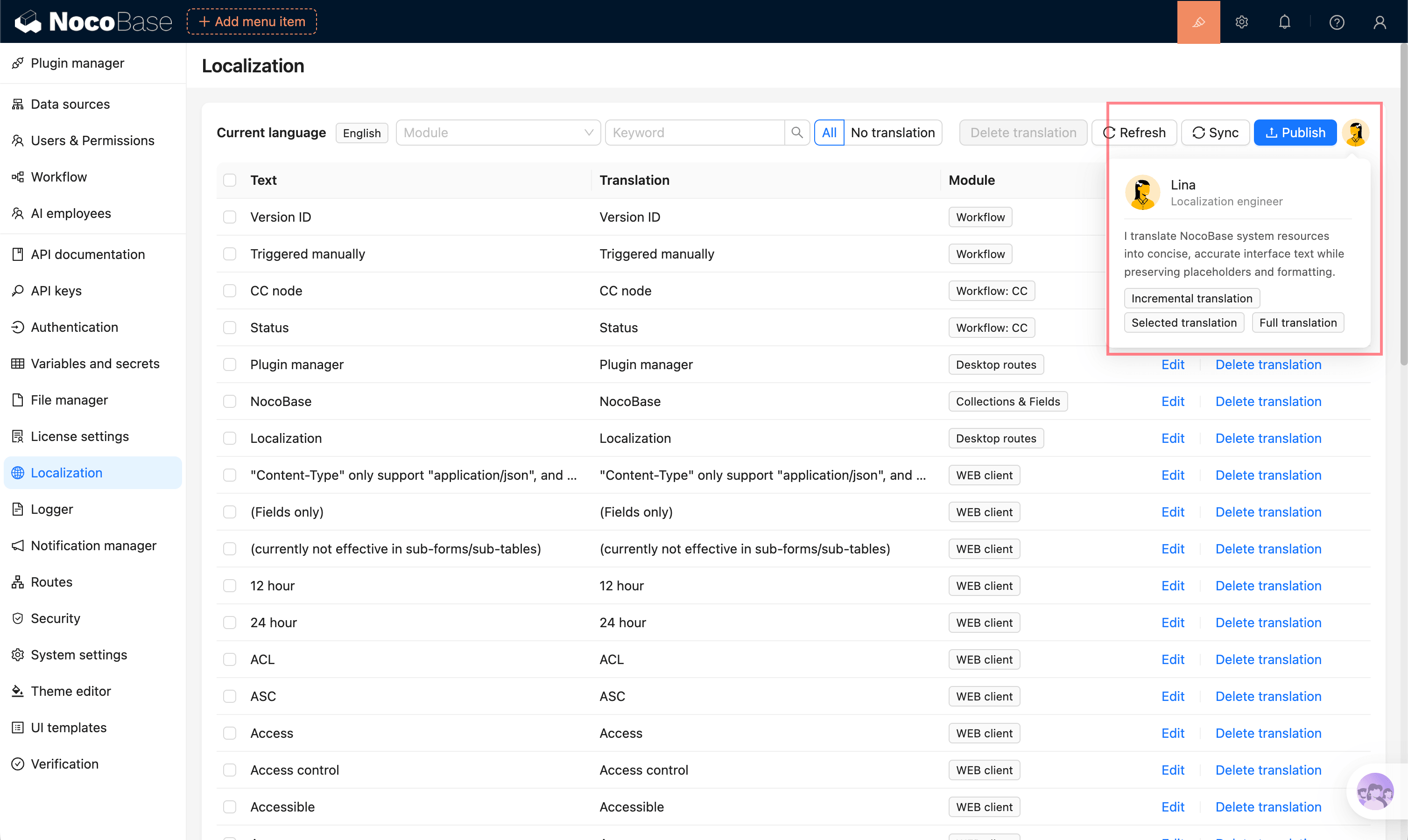
AI employees entering system operations: NocoBase AI employees can act as intelligent assistants inside the system. They can work with page data, business context, tools, and knowledge bases to complete tasks such as data queries, content summaries, report generation, translation, unstructured content extraction, form filling, and workflow node processing. This means AI does not only help during system building; it can also continue participating in system operation.
💡 Read more: 8 Open-Source AI Assistant Tools with the Most GitHub Stars
AI Skills, CLI, and MCP support external Agent collaboration: NocoBase also provides AI Skills, CLI, and MCP capabilities. AI Skills help external Agents understand how NocoBase is configured and what operation boundaries they should follow. CLI allows Agents to execute commands for installation, creation, and modification. MCP provides a more standardized entry point for external AI tools to connect with NocoBase.
🎉 Related resources
AI documentation: https://docs.nocobase.com/en/ai/
CLI: https://docs.nocobase.com/en/api/cli/
Skills: https://docs.nocobase.com/en/ai-builder#nocobase-skills
No-code capabilities reduce long-term maintenance costs: Many AI generation tools can quickly create code, but later maintenance often depends on developers. NocoBase is different because after AI generates the initial system, users can still modify fields, pages, menus, action buttons, permissions, and workflows in the no-code interface. For business teams, the system does not stop at a one-off demo. It can keep evolving as the business changes.
Suitable Use Cases
Internal business systems: NocoBase is suitable for CRM, approval systems, ticketing systems, project management systems, operations back offices, admin panels, and similar systems. These systems need stable data structures, clear permission boundaries, and continuously adjustable workflow rules, so they are not well suited to one-off generation tools alone.
💡 Read more: 4 Lightweight Enterprise Software Options for Business Processes with Real Examples
Lightweight ERP and business management modules: Procurement management, inventory management, order management, equipment management, asset management, archive management, and customer follow-up scenarios are also suitable for NocoBase. Teams can start from specific business modules, use AI to generate the basic structure, and then gradually improve fields, pages, permissions, and workflows through no-code configuration.
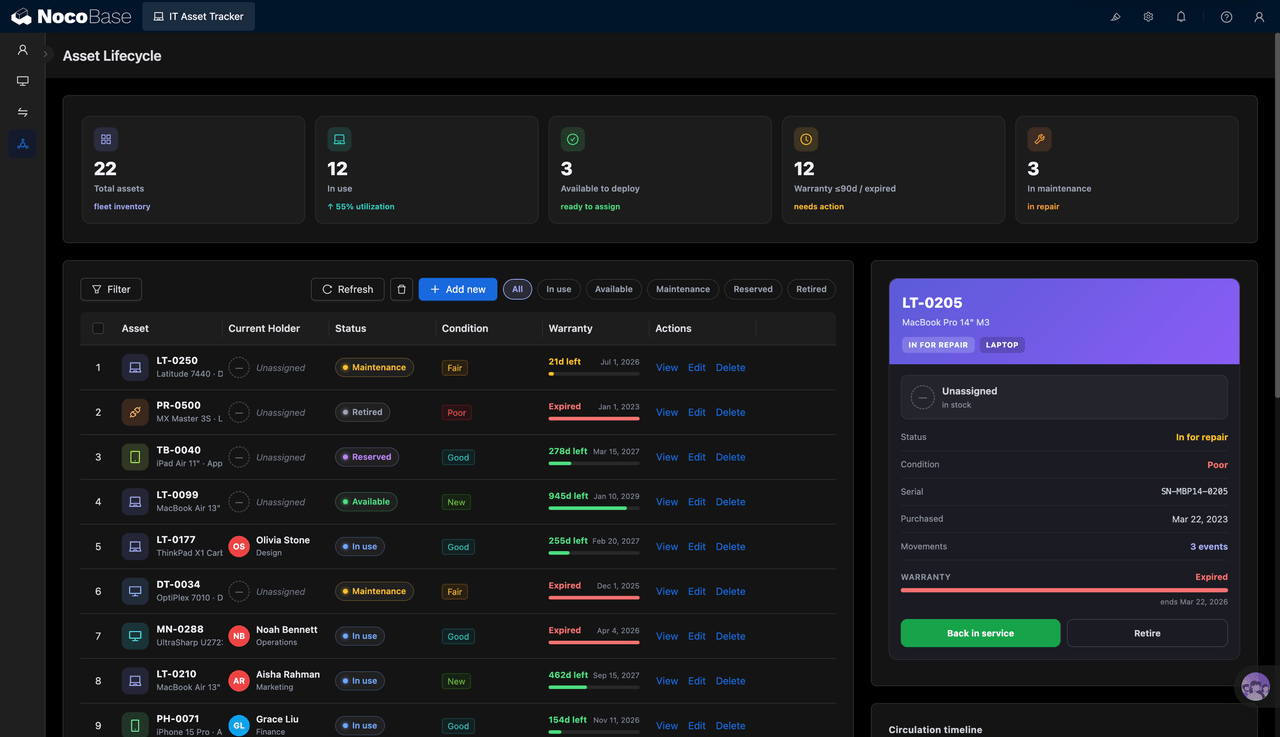
🎉 NocoBase AI Blueprints are now available. Try them out!
These are small, focused business solutions built with NocoBase. They are open-source, controllable, and easy to extend or modify around your own process.
Each solution comes with a standard prompt. Give it to the AI Agent connected to your NocoBase instance, and you can recreate the same type of system in minutes.
Extending and enhancing existing systems: For enterprises that already have databases, ERP, CRM, or other business systems, NocoBase can also be used as an extension layer to integrate data, configure pages, manage permissions, and orchestrate workflows. When an AI Agent needs to enter real business processes, NocoBase can provide a structured, governable, and maintainable business system environment.
8. Budibase
Official site: https://budibase.com/
GitHub: https://github.com/Budibase/budibase
GitHub Stars: 28.1k
Budibase brings internal applications, automated workflows, and AI agents into one platform. It is suitable for handling high-frequency, repetitive internal operations that require process routing. Its focus is not single-turn Q&A, but enabling AI to enter everyday business steps such as request handling, approval routing, notification distribution, and record updates.
For IT, HR, administration, operations, and support teams, Budibase is more like a platform for productizing internal processes. Teams can first build forms, data tables, and internal applications, and then let AI agents participate in judgment, assignment, and execution. Processes that used to depend on manual communication can become traceable and reusable systems.
AI Highlights
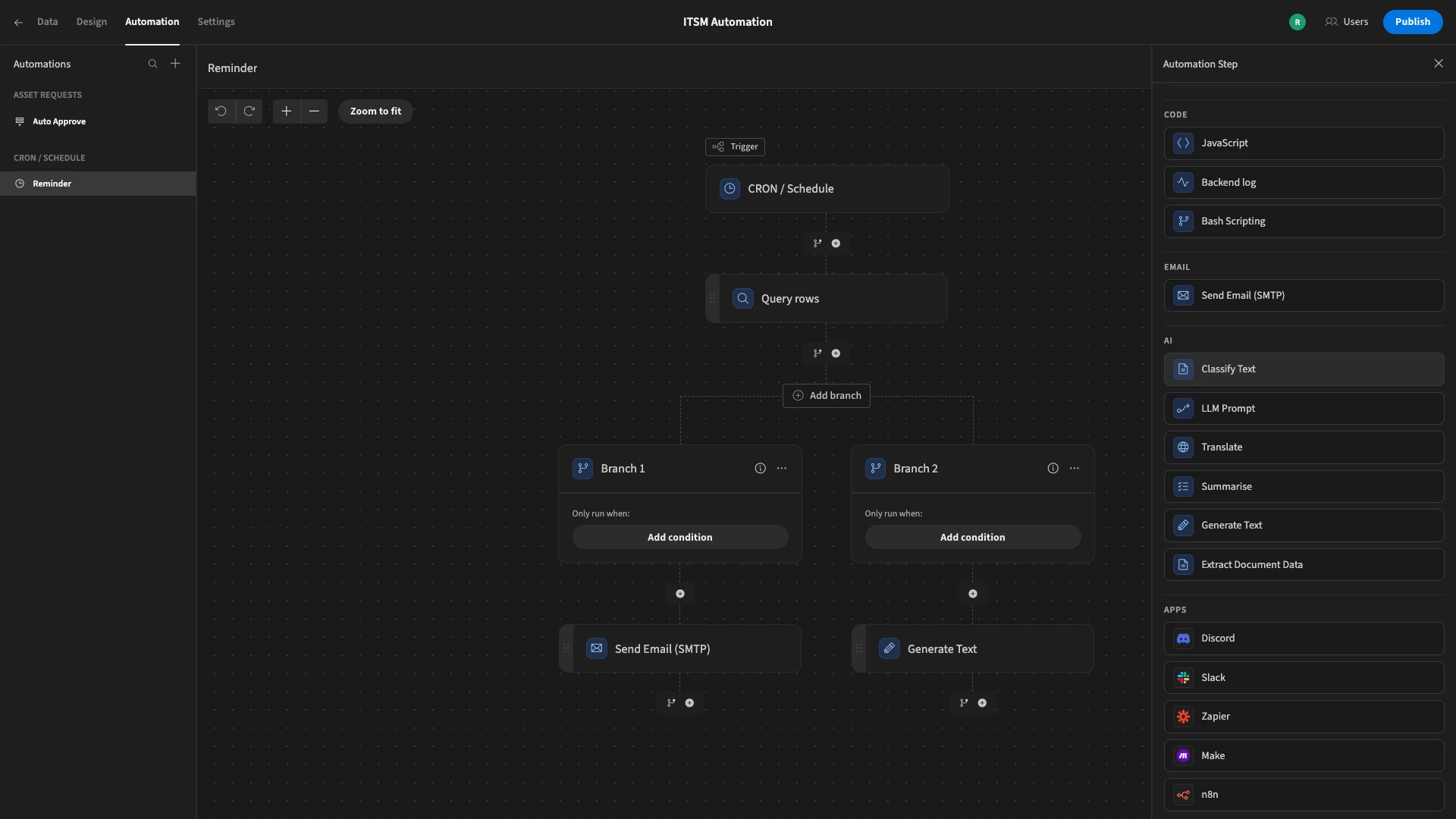
AI agents participate in process handling: Budibase AI agents can understand employee requests, approval items, feedback, and operational tasks, then decide what should happen next. They can classify requests, assign them to the right owner, and enter automated workflows to reduce manual triage and repeated communication.
Automation and internal apps work together: Budibase connects forms, databases, permissions, automation, and AI agents. After a request enters the system, AI can make the first judgment, automation continues the following steps, and the result becomes a traceable business record.
Suitable Use Cases
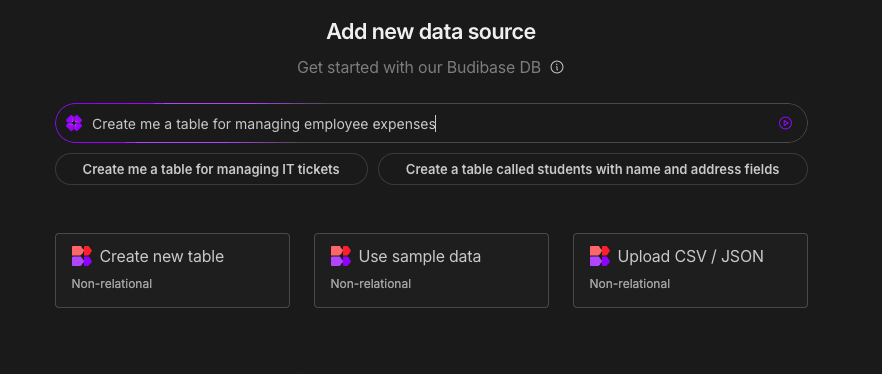
Internal service requests and approval flows: Budibase is suitable for IT service desks, equipment requests, HR support, administrative approvals, support routing, and operational task flows. For example, after an employee submits an account permission request, AI can identify the request type, create a ticket, and assign the task to the right owner.
7. Sim
Official site: https://www.sim.ai/
GitHub: https://github.com/simstudioai/sim
GitHub Stars: 28.9k
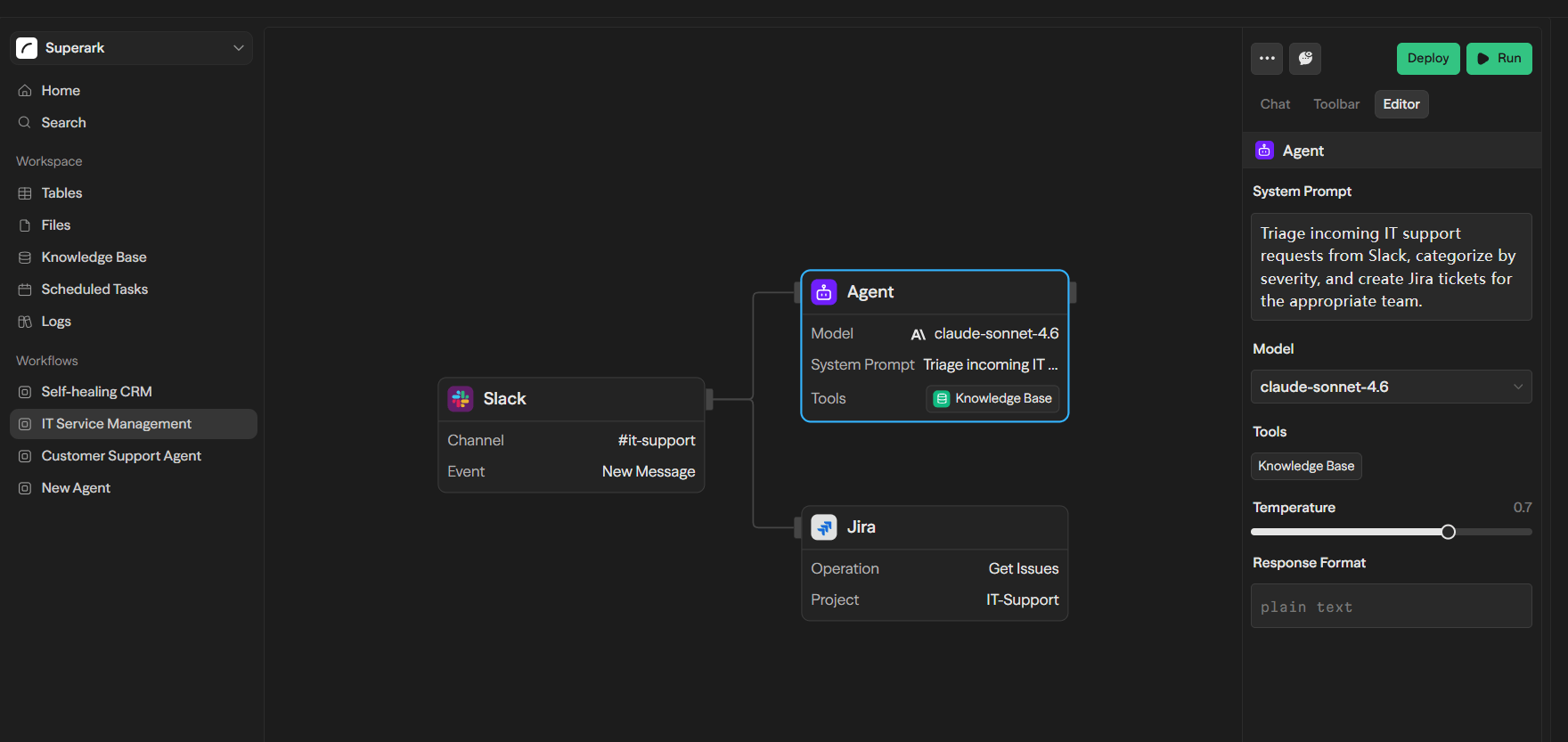
Sim is mainly used to build, deploy, and manage AI agents. It organizes large models, external tools, integration capabilities, and task flows so teams can place multiple AI agents into the same workflow and handle more complex business tasks.
In real work, a task is often not completed in one step. Sales lead handling, for example, may involve information collection, customer qualification, email drafting, CRM updates, and follow-up reminders. Sim helps split these steps and coordinate them through different agents or workflow stages, making AI feel closer to an execution team that can participate in real work.
AI Highlights
AI agent building and orchestration: Sim helps teams build multiple AI agents and organize them into the same task flow. Each agent can take responsibility for a different step, such as information organization, judgment, execution, or result writing, making it suitable for multi-step tasks.
Connecting models, tools, and business workflows: Sim can connect mainstream large models and external tools, allowing AI agents to read information, call tools, and perform actions. Agents are therefore not limited to generating text; they can enter real tool environments and complete tasks closer to business execution.
Suitable Use Cases
Multi-step business tasks: Sim is suitable for sales operations, data processing, customer support, research, and analysis. For example, a sales team can let different AI agents handle lead organization, email drafting, CRM updates, and follow-up reminders.
6. ToolJet
Official site: https://tooljet.com/
GitHub: https://github.com/ToolJet/ToolJet
GitHub Stars: 38.1k
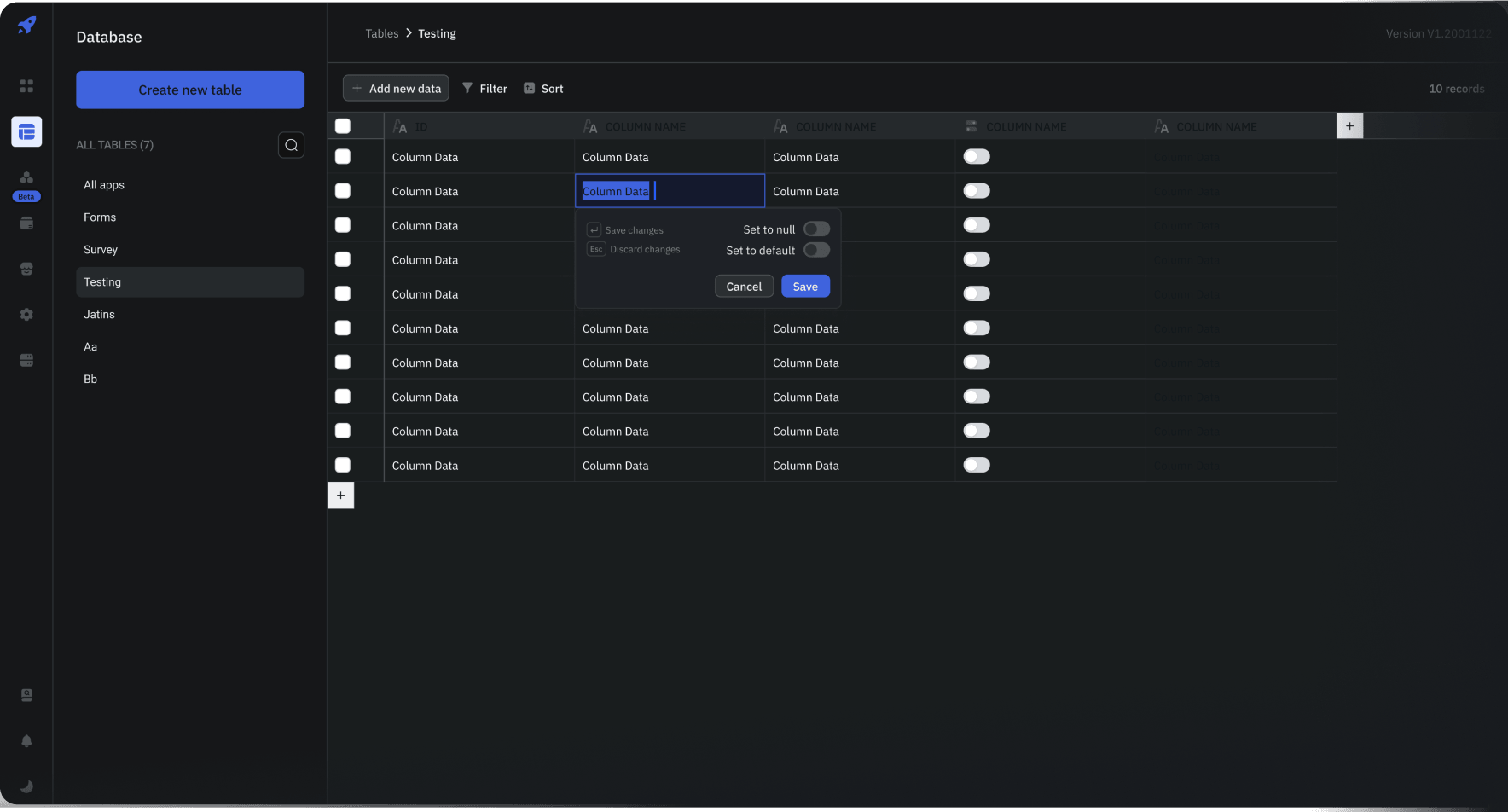
ToolJet is used to build internal enterprise applications, dashboards, admin panels, and business tools. It combines app building, data connection, workflows, and AI capabilities, making it suitable for teams that want to generate internal apps quickly and then continue connecting real data, adjusting pages, and refining business logic.
For many internal tools, the hard part is not only the interface. Data source connections, API calls, query configuration, and permission rules are often more difficult. ToolJet’s AI capabilities focus on these practical building steps: first helping generate an app skeleton, then assisting with queries, debugging, and workflow automation.
AI Highlights
AI-generated internal applications: ToolJet can generate the basic structure of an internal tool based on requirements, including pages, components, fields, and interaction logic. Teams do not need to start from a blank canvas. They can get an initial version first and then continue adjusting it around real business needs.
AI-assisted data queries and debugging: Internal tools often need to connect to databases, APIs, and business systems. Incorrect queries, API errors, and mismatched field mapping can all slow down implementation. ToolJet’s AI capabilities can help generate queries and locate configuration issues, reducing the cost of data connection and debugging.
Suitable Use Cases
Internal enterprise tools: ToolJet is suitable for admin panels, dashboards, approval systems, supplier management, employee directories, order processing back offices, and similar scenarios. For example, an operations team building an order exception handling back office can first generate the app skeleton with AI and then connect databases and APIs for further refinement.
💡 Read more: 10 Open-Source AI No-Code Tools for Enterprise Software Development
5. Flowise
Official site: https://flowiseai.com/
GitHub: https://github.com/FlowiseAI/Flowise
GitHub Stars: 54.1k
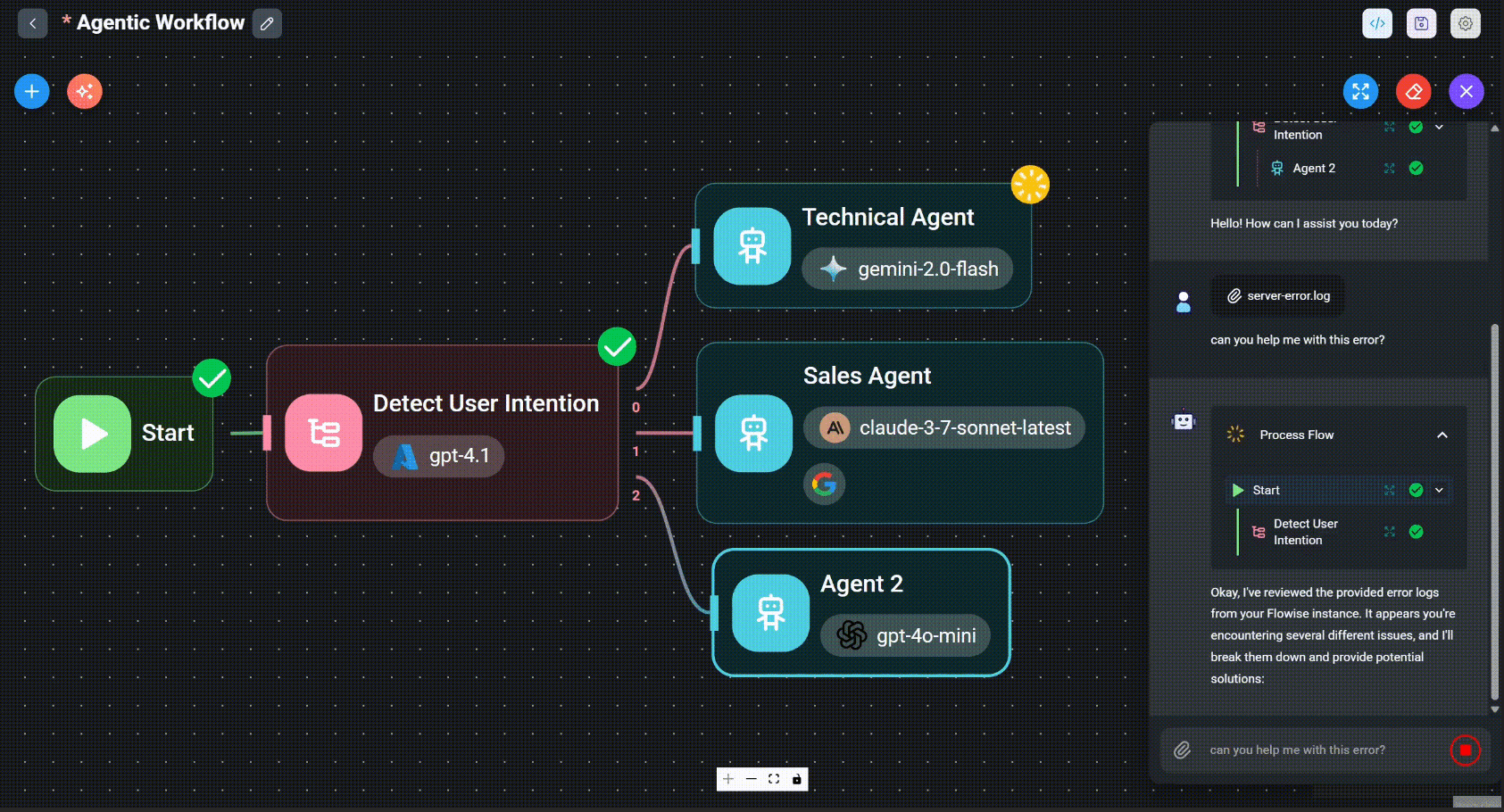
Flowise breaks large language model applications into visual nodes, allowing users to build AI agents and model workflows through drag-and-drop. Models, prompts, memory, tool calls, knowledge bases, and retrievers—parts that usually require code orchestration—can all be combined into runnable AI application flows in Flowise.
For teams that want to validate AI applications quickly, Flowise is valuable because it is intuitive to build with and inexpensive to iterate on. Teams can first connect the nodes and make the flow run, then adjust retrieval methods, prompts, tool calls, and output logic based on the results.
AI Highlights
Visual building for AI agents and model workflows: Flowise can build AI agents through a node-based interface and orchestrate multi-step model workflows. Users can connect models, prompts, tool calls, memory, and output logic to quickly create a runnable and adjustable AI application.
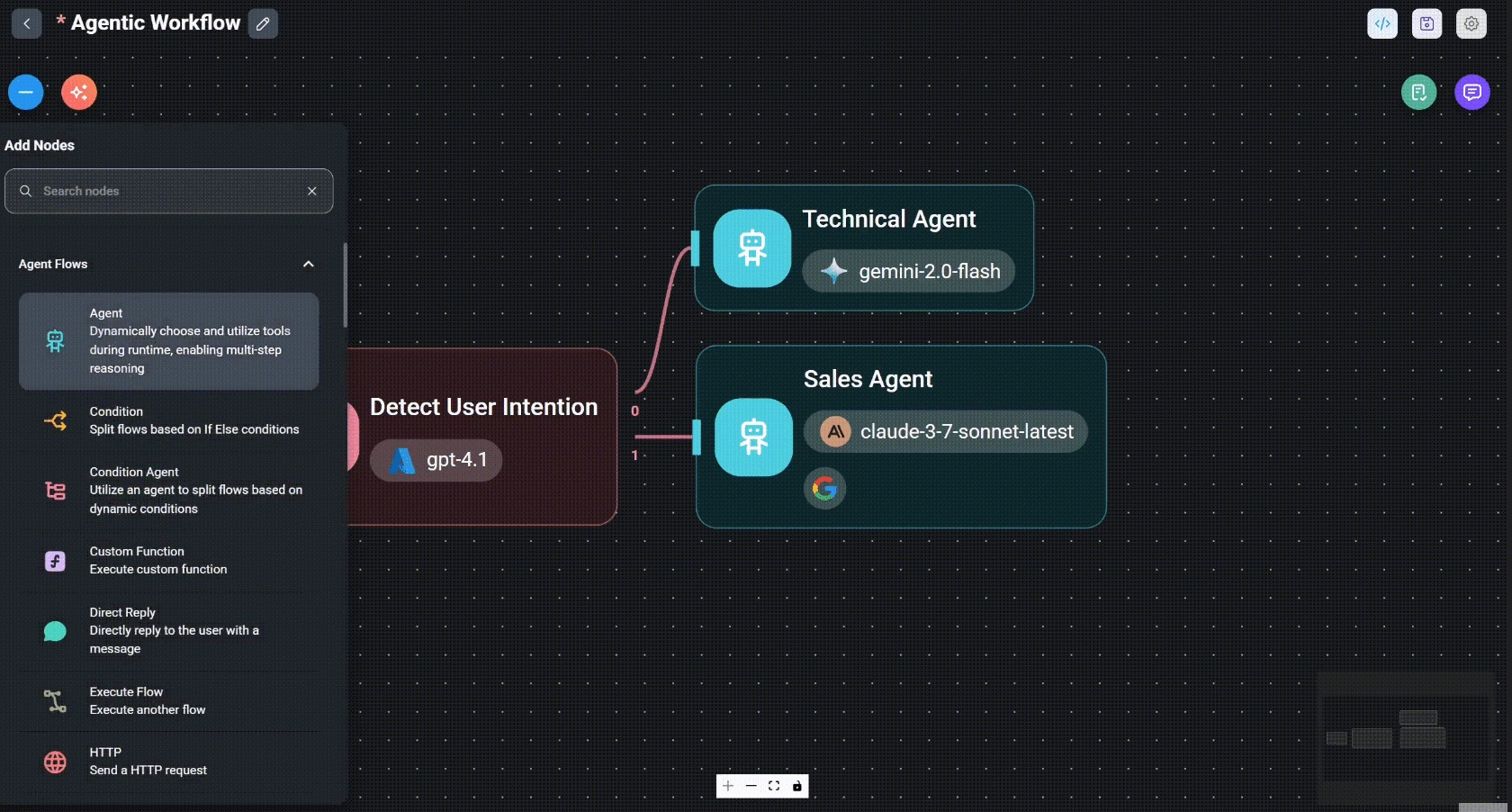
RAG and knowledge-base Q&A: Flowise is suitable for connecting documents, vector databases, retrievers, and large language models to build enterprise knowledge-base Q&A, document assistants, or customer support Q&A. It lowers the barrier from “we have a set of documents” to “we can ask questions directly about those documents.”
Suitable Use Cases
AI application prototypes and enterprise document Q&A: Flowise is suitable for quickly validating AI chatbots, knowledge-base Q&A, RAG applications, and multi-step agent workflows. Product teams can first build a Q&A assistant based on product documentation, test the results, and then decide whether to move into formal development.
4. AnythingLLM
Official site: https://anythingllm.com/
GitHub: https://github.com/Mintplex-Labs/anything-llm
GitHub Stars: 62.2k
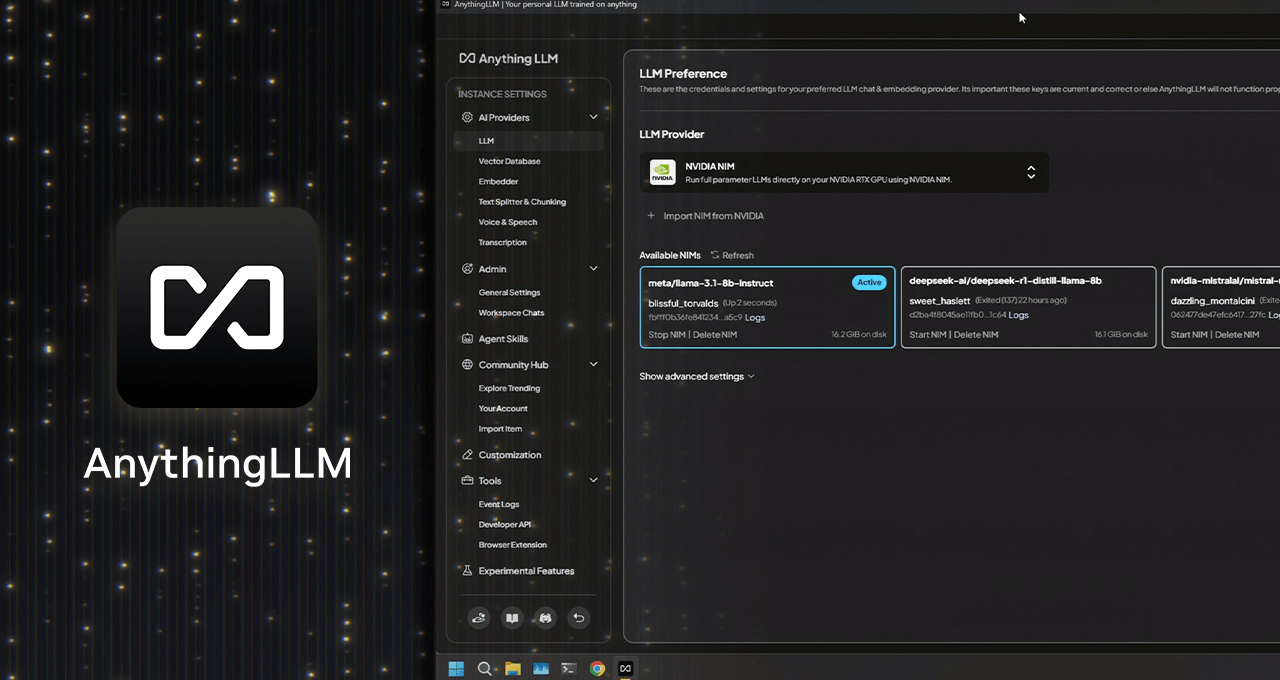
AnythingLLM starts from how teams use enterprise knowledge. It brings document Q&A, RAG, AI agents, multi-user management, and model access into one workspace. For many teams, the first step in using AI is not building a complex application right away. Instead, they want AI to understand internal materials and answer questions in a controlled environment.
Its key characteristics are local-first usage and private deployment. For teams with data security requirements, deployment method and data control are very important when connecting internal documents, project materials, customer records, or codebases to AI. AnythingLLM is suitable for starting with a private knowledge base and gradually extending into agent tasks.
AI Highlights
Private document Q&A and RAG: AnythingLLM allows users to upload PDFs, Word documents, CSVs, codebases, and internal documentation, then ask questions around those materials in natural language. It is not general chat; it lets AI answer based on the team’s own knowledge and files.
AI agents: AnythingLLM is not only used for document Q&A. It also supports AI agent configuration. Teams can build on the knowledge base and let agents continue completing tasks such as information organization, content generation, and document lookup.
Suitable Use Cases
Private enterprise knowledge bases: AnythingLLM is suitable for consulting firms, R&D teams, customer support teams, and operations teams building internal knowledge Q&A systems. For example, teams can upload project documents, product manuals, and FAQs so employees can query them quickly in natural language.
3. open-design
Official site: https://open-design.ai/
GitHub: https://github.com/nexu-io/open-design
GitHub Stars: 72.3k
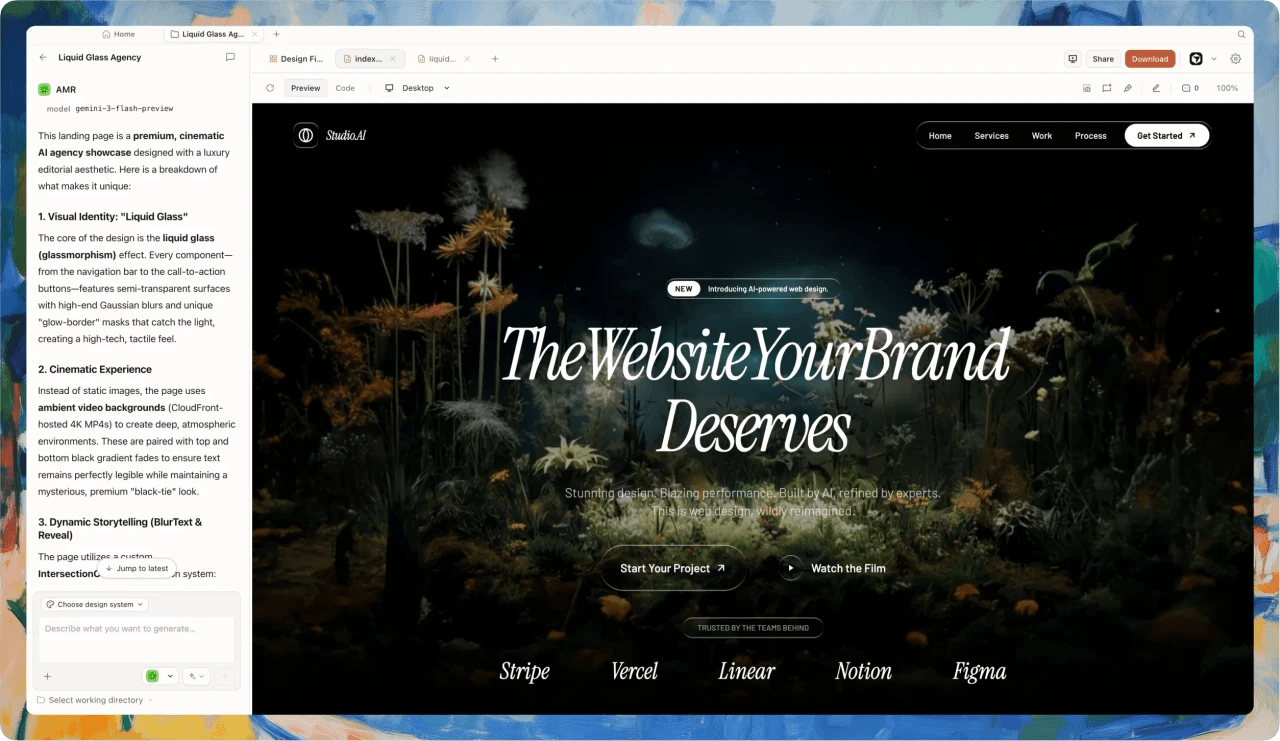
open-design turns natural-language design generation into an open-source, local-first AI design workspace. It does not focus on business processes or knowledge bases, but on the path from ideas to visual outputs: pages, prototypes, dashboards, slides, images, and videos can all start from a text description.
For product managers, designers, startup teams, and growth teams, open-design can reduce the cost of early-stage expression. Often, teams are not short of ideas; they struggle to quickly turn ideas into visual materials that can be discussed, modified, and delivered. open-design helps requirements descriptions become prototypes and design drafts faster.
AI Highlights
Generating design outputs from natural language: Users can describe the pages, dashboards, landing pages, presentations, or prototypes they want, and open-design generates an initial design result based on the description. It is suitable for turning early ideas into visual content quickly and helping product, design, and business teams align on direction. open-design includes many design systems, making AI-generated results easier to keep visually consistent. Compared with general image generation tools, it focuses more on interface structure, component style, brand guidelines, and reusability.
Multi-type outputs and format export: open-design can generate web, desktop, and mobile prototypes, dashboards, decks, images, and videos, and supports exports in formats such as HTML, PDF, PPTX, and MP4. This makes it more than an inspiration tool; it is closer to an AI design tool that can enter the delivery process.
Suitable Use Cases
Product prototypes and presentation materials: open-design is suitable for product managers, designers, startup teams, and growth teams that need to quickly generate product prototypes, landing pages, dashboard mockups, pitch decks, and brand visual assets.
2. Dify
Official site: https://dify.ai/
GitHub: https://github.com/langgenius/dify
GitHub Stars: 147k
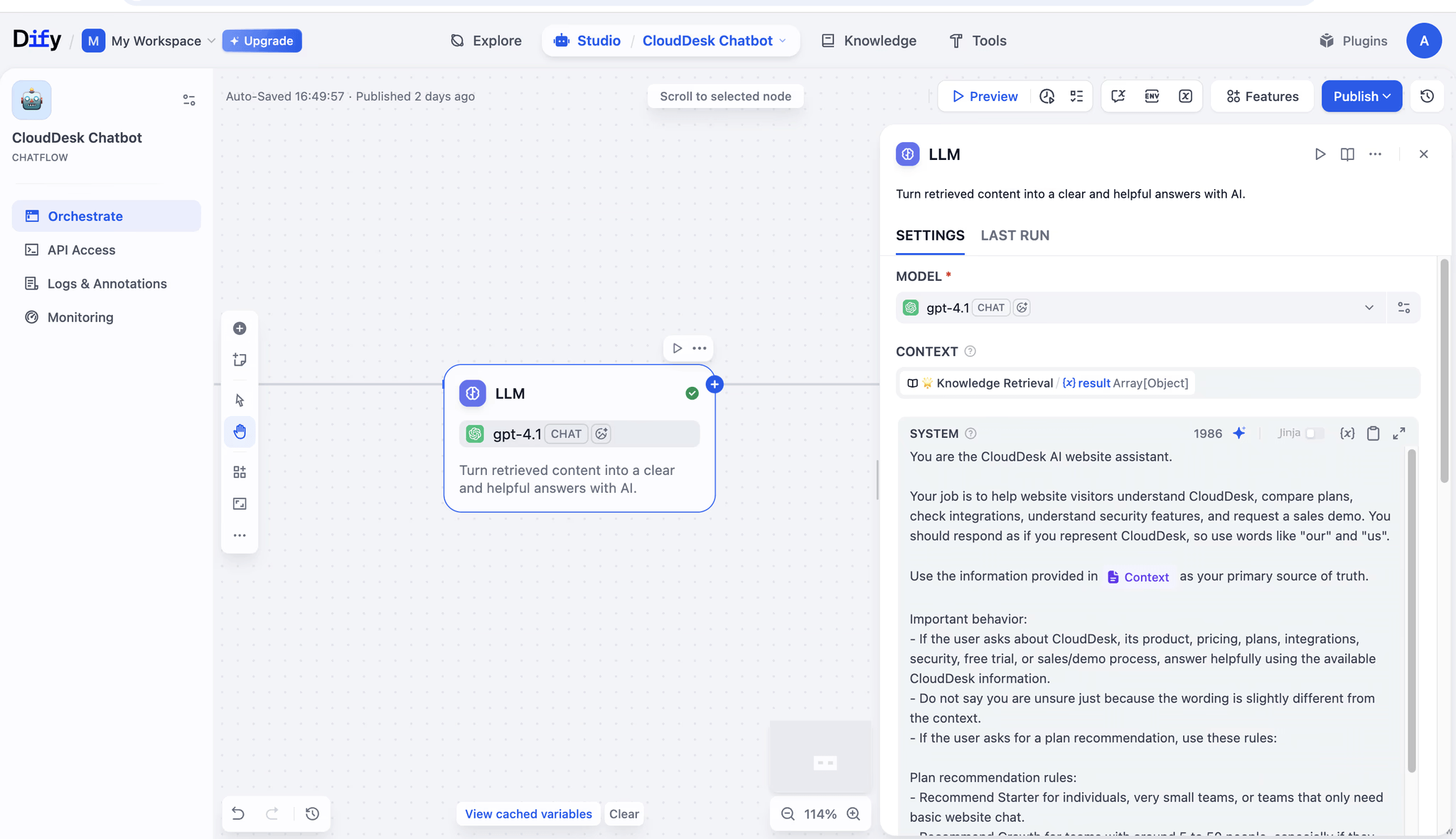
Dify covers the full process of building, orchestrating, and managing AI applications after launch. It brings AI workflows, RAG, agents, model management, and observability together, making it suitable for building AI applications closer to production environments rather than simple chat windows.
For teams that already know they want to build an AI product or AI feature, Dify’s value is that it productizes many foundational tasks: how models are connected, how knowledge bases are managed, how workflows are orchestrated, how tools are called, and how application performance is observed after launch. If all of these are built from code, development and maintenance costs can be high.
AI Highlights
AI workflow orchestration: Dify can visually orchestrate AI workflows. Complex AI applications are usually not just “user asks, model answers.” They need to identify intent, retrieve information, call tools, evaluate conditions, and generate responses. Dify can organize these steps into maintainable workflows.
RAG and knowledge-base applications: Dify provides RAG capabilities and is suitable for building AI Q&A systems based on enterprise documents, product materials, help centers, or internal knowledge bases. For enterprises, RAG is a key capability for making AI answers closer to business content.
Agents and tool calling: Dify supports building agents and enabling them to call tools, APIs, or external services. This allows AI to do more than answer questions; it can perform searches, queries, calculations, and calls to business systems.
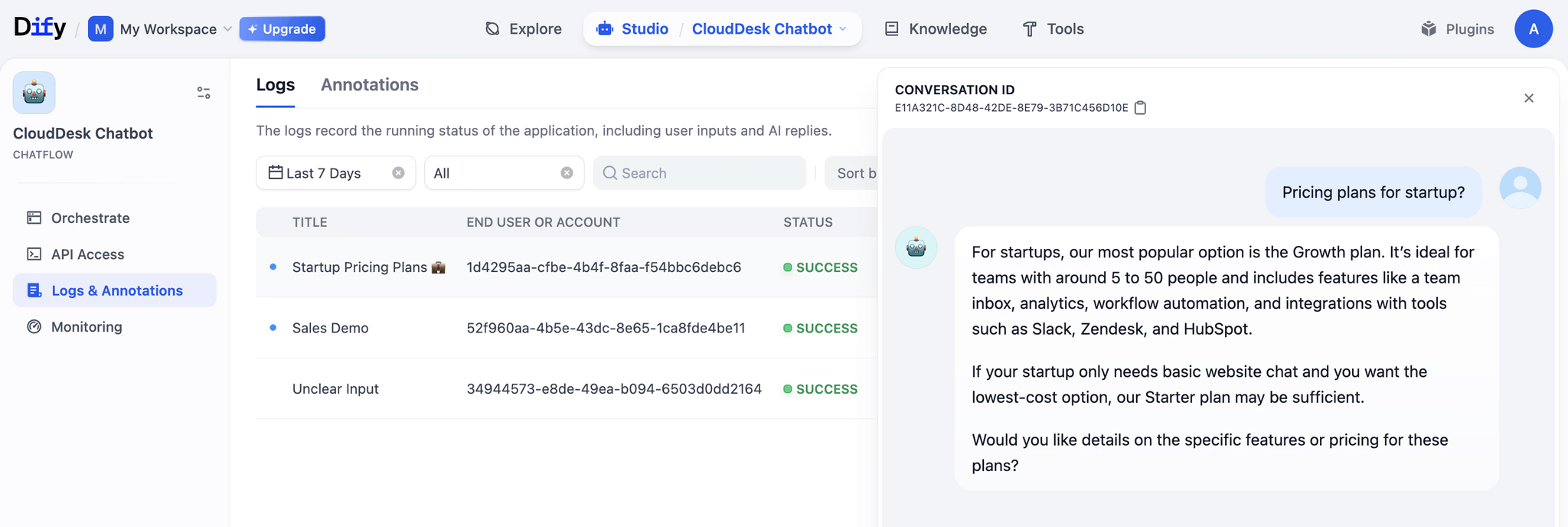
Model management and observability: After an AI application goes live, teams need to continuously monitor answer quality, call cost, response speed, and user feedback. Dify provides model management and observability features so teams can keep optimizing during real use.
Suitable Use Cases
Production-grade AI applications: Dify is suitable for building AI chatbots, intelligent customer service, AI assistants, enterprise RAG, and agent applications. If a team wants to deploy an AI application into real business scenarios rather than build a demo only, Dify’s workflow, model management, and observability capabilities become more valuable.
1. n8n
Official site: https://n8n.io/
GitHub: https://github.com/n8n-io/n8n
GitHub Stars: 194k
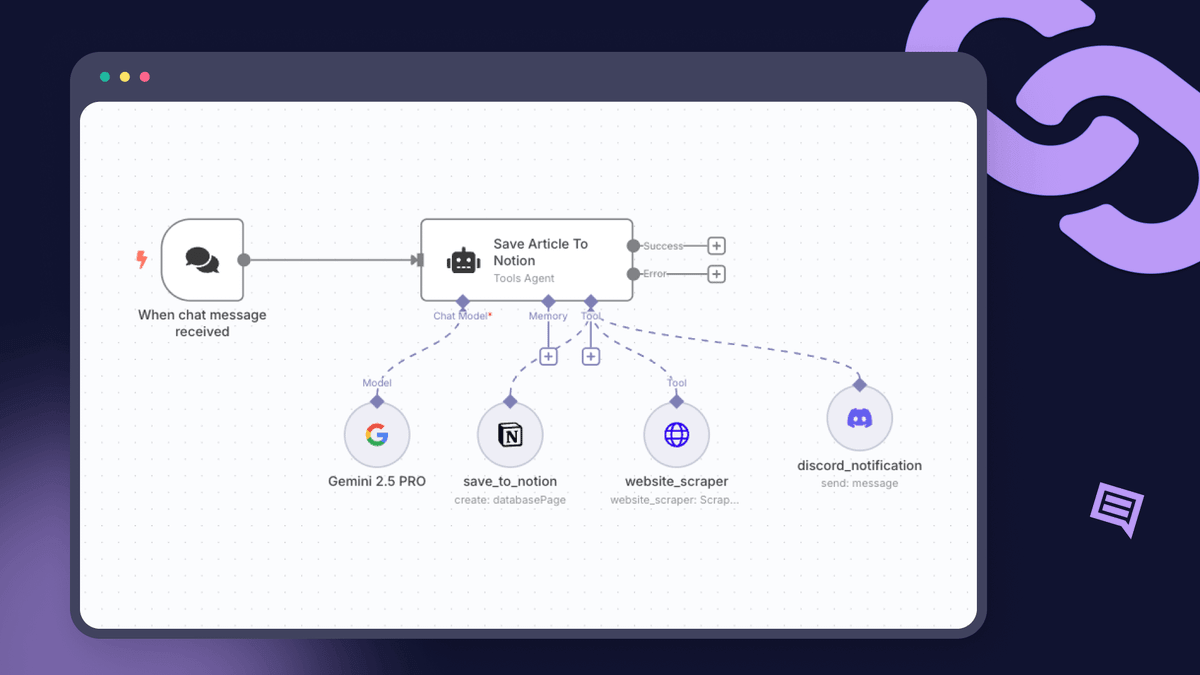
n8n’s most direct value is letting AI enter existing business processes. Many companies do not lack tools. The real problem is that tools are fragmented: CRM, forms, databases, ticketing systems, email, messaging tools, and marketing platforms all run separately. n8n connects these systems and places AI into workflow nodes, allowing AI to read data, judge conditions, generate content, call APIs, and trigger actions.
It is not only for building an AI application. It is more suitable as an AI automation execution layer. When AI needs to truly enter business systems and complete actions such as updating records, sending notifications, synchronizing data, processing leads, or assigning tasks, n8n’s workflow capability becomes valuable.
AI Highlights
AI agent workflows: n8n can build AI agent workflows that allow AI to participate in judgment and execution inside automation flows. For example, it can read customer information, decide the next action, generate follow-up content, and write the result back to a CRM or notify the sales team.
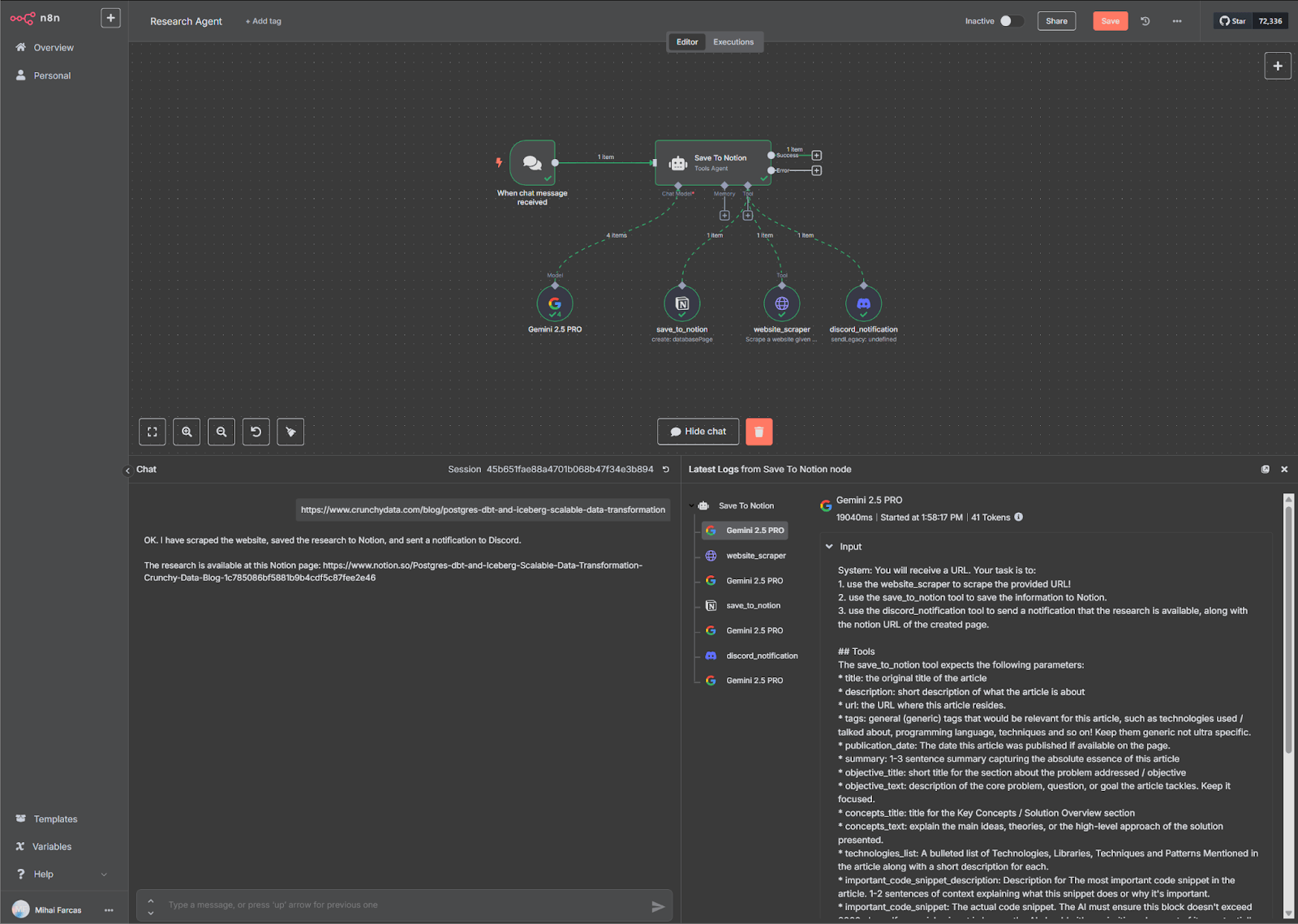
Business system integration and automated execution: n8n can connect a large number of SaaS tools, databases, APIs, and internal systems. AI-generated results can directly enter business workflows, such as triggering processes, updating data, calling APIs, and sending messages, rather than stopping at a text response.
Suitable Use Cases
Cross-system automation: n8n is suitable for sales operations, customer support automation, marketing automation, data synchronization, and ticket routing. For example, after a sales lead enters a form, AI can first identify the customer type, generate follow-up suggestions, then automatically update the CRM and notify sales.
FAQ
1. What Are AI No-Code Tools?
AI no-code tools are platforms that combine AI capabilities with visual building. Users do not need to start from code. They can build AI applications, agents, knowledge bases, internal tools, or business systems through natural language, drag-and-drop configuration, and workflow orchestration.
The point of these tools is not only to “write less code.” They also let AI participate in app building, data processing, workflow execution, and content generation, such as generating pages, orchestrating workflows, calling tools, retrieving knowledge bases, or assisting in the building of enterprise internal systems.
2. Why Pay Attention to AI No-Code Tools Now?
AI is changing how no-code tools are used. In the past, no-code mainly solved the problem of “building applications without writing code.” Now, AI makes application generation, process configuration, knowledge retrieval, and agent execution faster.
But real business applications still need data structures, permission control, workflow rules, deployment options, and long-term maintenance. That is why the combination of AI and no-code is becoming more important: AI improves building efficiency, while no-code platforms provide visual structure and maintainable frameworks.
3. Which Open-Source AI No-Code Tools on GitHub Are Worth Watching?
This article selected 9 open-source AI no-code tools worth watching on GitHub: n8n, Dify, open-design, AnythingLLM, Flowise, ToolJet, Sim, Budibase, and NocoBase.
They cover different directions. n8n focuses more on workflow automation; Dify focuses on AI application development; Flowise focuses on visual AI workflows; AnythingLLM focuses on private knowledge bases; open-design focuses on design generation; ToolJet and Budibase focus more on internal tools and operational processes; NocoBase is more suitable for building enterprise business systems.
4. Which AI No-Code Tool Is Suitable for Building Enterprise Business Systems?
If the goal is to build enterprise business systems such as CRM, approvals, ticketing, project management, inventory management, or operations back offices, NocoBase is a better fit.
These systems need more than a page or a chat entry. They need data models, permissions, pages, workflows, operation records, and later extension capabilities. NocoBase is itself an open-source AI no-code/low-code platform for internal enterprise business systems, admin panels, and continuously evolving business applications. It also supports AI participation in data modeling, page configuration, workflow, and plugin development.
5. Which AI No-Code Tools Are Suitable for Building AI Agents?
If the focus is building AI agents, Dify, Flowise, Sim, n8n, and Budibase are worth looking at first.
Dify is better for AI applications and agent workflows. Flowise is suitable for visually building large language model flows and agents. Sim focuses more on collaboration across multiple agents. n8n is suitable for letting agents enter cross-system automation workflows. Budibase is more suitable for agents participating in internal requests, approvals, and operations workflows.
6. Which Tools Are Better for RAG Knowledge Bases?
AnythingLLM, Dify, and Flowise are all suitable for RAG, or retrieval-augmented generation.
AnythingLLM is better for private knowledge bases and local AI assistants. Dify is better for putting RAG into production-grade AI applications. Flowise is better for visually building and debugging RAG flows. If a knowledge base also needs to connect with enterprise business data, permissions, pages, and workflows, NocoBase can also serve as the business system layer.
7. How Is NocoBase Different from Dify and Flowise?
Dify and Flowise focus more on AI applications themselves. They are suitable for building chat assistants, RAG applications, agent workflows, and large language model flows.
NocoBase focuses more on enterprise business systems. It looks at how AI enters enterprise application infrastructure such as data models, page configuration, permission management, workflows, and plugin extension. In other words, if you want to build an AI application, Dify or Flowise is worth considering. If you want to build a business system that can run for the long term and remain maintainable, NocoBase deserves closer attention.
8. Are AI No-Code Tools Suitable for Non-Technical Teams?
Yes, but the learning curve varies by tool.
NocoBase, Budibase, ToolJet, and AnythingLLM are friendlier to business teams and are suitable for starting from internal tools, business processes, knowledge bases, or enterprise systems. Dify, Flowise, n8n, and Sim are more powerful, but users usually need to understand some models, workflows, APIs, data sources, or automation logic.
For non-technical teams, a safer approach is to start from a clear scenario, such as knowledge-base Q&A, approval workflows, internal back offices, or customer management systems, and then gradually add AI capabilities.
9. Are Open-Source AI No-Code Tools Suitable for Enterprises?
Yes, but enterprises should not choose tools only based on how many AI features they have. Deployment method, permission control, data security, model access, team collaboration, and long-term maintenance also matter.
If an enterprise cares more about business systems, tools such as NocoBase, ToolJet, and Budibase are closer to internal application scenarios. If the focus is workflow automation, n8n is worth considering. If the focus is AI applications and knowledge bases, Dify, Flowise, or AnythingLLM may be more suitable. What enterprises really need is a tool that can be implemented, maintained, and connected to real business processes.
We look forward to seeing AI and no-code platforms integrate more deeply in the future—not only to improve building efficiency, but also to help teams expand into more real business scenarios and make application building, workflow automation, and system maintenance more flexible.
If you found this article helpful, feel free to share it with friends who are following AI, no-code tools, or enterprise application development.
Related reading:
- 14 Open Source AI Agent Tools with the Most GitHub Stars
- Top 8 Open Source AI Assistant Tools by GitHub Stars
- 6 Open Source Tools to Use with WorkBuddy
- Top 6 Open Source AI Tools by GitHub Stars for Stronger AI Agents
- 5 Open-Source Internal Tools to Use with Hermes Agent
- OpenClaw and 5 Open-Source Tools for Monitoring Business Workflows
- What Open-Source Tools Work Well with OpenCode? 5 Projects to Try
- Building Internal Tools with Codex: 6 Open-Source Projects for Developers
- After Claude Code: 6 Open-Source Tools You Should Know
- Top 10 Open-Source AI And No-Code Tools for Enterprise Software Development
- 8 Open-Source AI Agent Platforms for Building Internal Tools
- The Best Enterprise-Grade Self-Hosted CRMs with RBAC, AI, and Open API Support
- 6 Best Open-Source Tools to Replace Custom Integration Middleware