
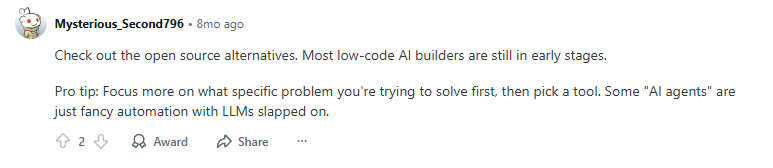
Recently I came across a very blunt comment on Reddit:

- "These no-code AI platforms will not last a year. If AI is really that powerful, it should not still depend on dragging workflow blocks to build features."*
The view is sharp, but this comment was posted eight months ago. Looking back now, these tools have not faded away. Many have become more mature, and new projects continue to appear.
A few days ago, we also reviewed a list of the most popular open-source no-code AI tools on GitHub. Based on stars, community activity, and feature maturity, many projects are not only active but continue to evolve with stronger AI capabilities.
Some Reddit users still argue that most AI low-code tools are in an early stage and that certain so-called AI agents are simply automation tools connected to an LLM.
💬 Hey, you're reading the NocoBase blog. NocoBase is the most extensible AI-powered no-code/low-code development platform for building enterprise applications, internal tools, and all kinds of systems. It’s fully self-hosted, plugin-based, and developer-friendly. → Explore NocoBase on GitHub
From our observation, the low-code ecosystem has been progressing steadily. Many platforms already support real business scenarios through data modeling, workflow logic, plugin extensions, and AI-driven collaboration.
For this article, we explored GitHub’s low-code topic and identified fourteen platforms that have already integrated AI in practical ways. We organized them into three categories: business system builders, agent workflow tools, and data-table-based applications.
Before getting into the details, you can use the following comparison table for a clear overview of how these fourteen tools position themselves and apply AI.👇
Comparison Table (AI Features × Tool Positioning Overview)
| Tool | Category | How AI is Used | Workflow Extensible | Supports Modeling/UI | Table/Data Support | Cross-domain Capability |
|---|---|---|---|---|---|---|
| NocoBase | Business Apps | AI generates data models, pages, logic | ✅ Plugins + Automation | ✅ Full | ✅ | ⭐ Strong (Data + System + Flow) |
| ToolJet | Business Apps | AI Copilot generates pages/API scripts | ⚠️ Light Flows | ✅ | ⚠️ | Medium |
| Appsmith | Business Apps | AI generates SQL and form logic | ⚠️ | ✅ | ⚠️ | Medium |
| Budibase | Business Apps | AI fills fields, generates form text | ⚠️ | ✅ | ⚠️ | Weak |
| refine | Business Apps | AI generates CRUD logic and code | ❌ | ✅ (code-focused) | ❌ | No |
| n8n | Workflow/Agent | AI tasks, API calls | ✅ | ❌ | ❌ | No |
| Dify | Workflow/Agent | Agents, knowledge base, tool calling | ✅ | ❌ | ⚠️ | No |
| Flowise | Workflow/Agent | RAG, visual LLM chains | ⚠️ | ❌ | ⚠️ | No |
| Kestra | Workflow/Agent | AI generates YAML workflows | ✅ | ❌ | ❌ | No |
| Node-RED | Workflow/IoT | AI nodes + device/event automation | ⚠️ | ❌ | ❌ | No |
| Sim | Workflow/Agent | Multi-agent collaborative workflows | ⚠️ | ❌ | ❌ | No |
| NocoDB | Data Tables | AI fill, smart fields, insights | ⚠️ | ❌ | ✅ | Weak |
| Teable | Data Tables | AI chat and auto-generated reports | ⚠️ | ❌ | ✅ | Weak |
| Onlook | AI UI | AI generates UI/components/React code | ❌ | ⚠️ (UI-focused) | ❌ | Special (UI-focused) |
AI-Powered Business Application Builders
These tools don’t just use AI to answer questions or trigger workflows — AI is directly involved in building the application itself.
They help users quickly create data models, forms, pages, permissions, and internal business systems, making them ideal for CRM, approvals, ERP, admin dashboards, and data-entry platforms.
NocoBase
⭐️ Stars: 20k
Website: https://www.nocobase.com/
GitHub: https://github.com/nocobase/nocobase
Overview:
NocoBase began as an open-source low-code platform built on a data-model-driven architecture and a plugin system.
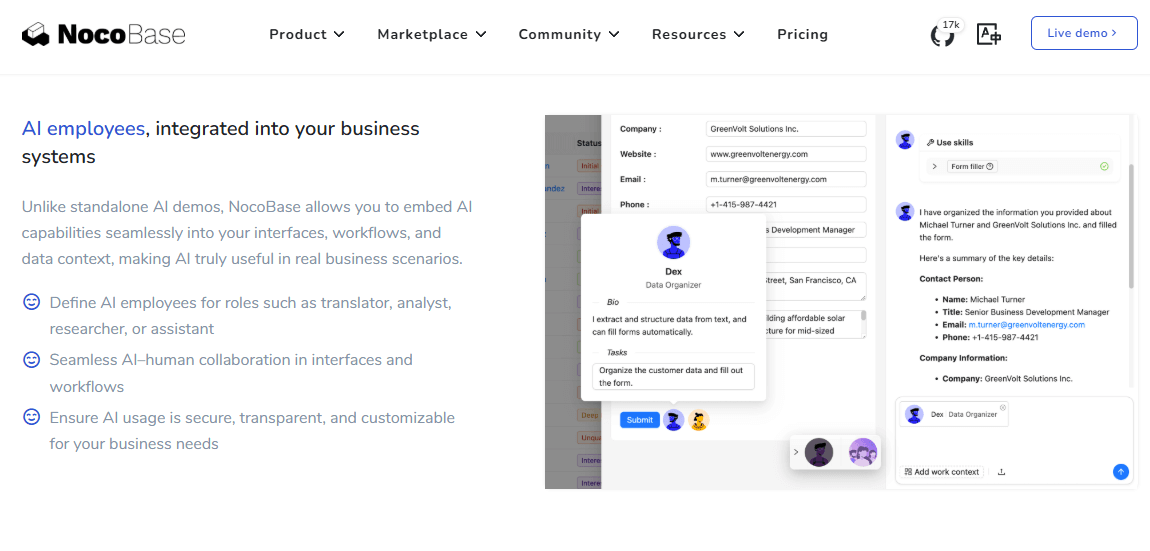
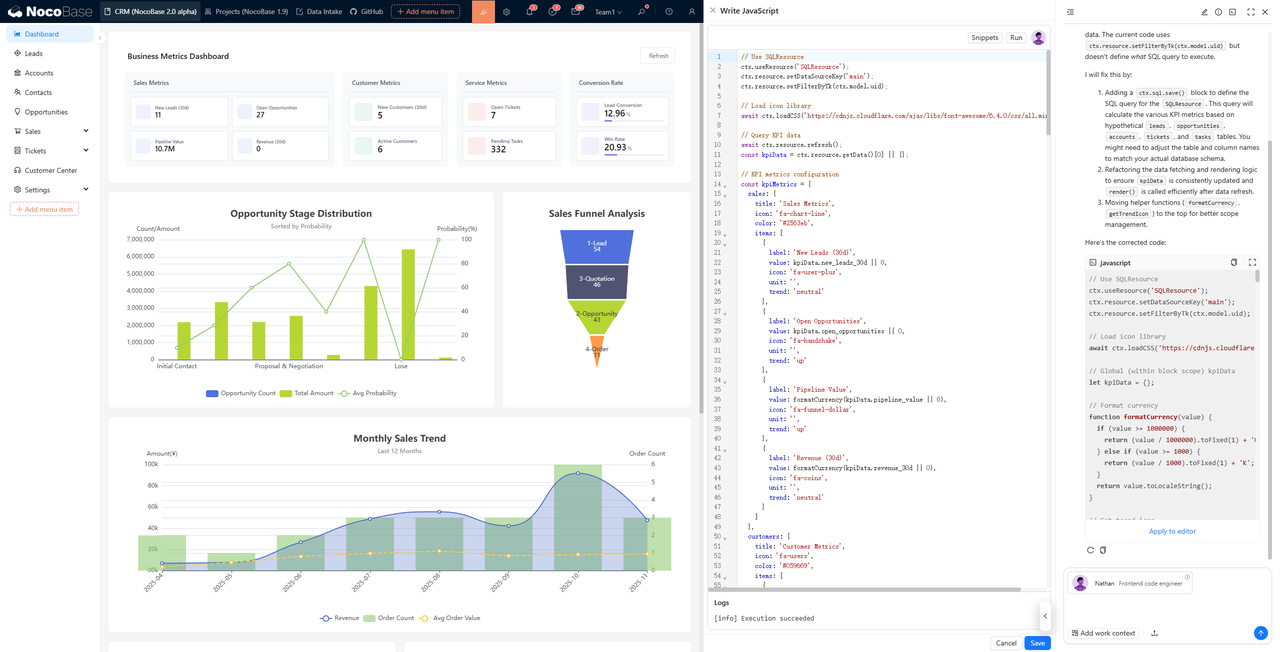
In version 2.0, it allows AI to take part in both system building and daily operation. It can write and run JavaScript inside the platform for complex logic and automation, and AI workers can be placed in any part of the system to improve the overall experience.
Build stage
AI workers can generate data models, field relations, page structures, and basic logic from natural language. Tasks that once required multiple configuration steps become simpler. With AI assistance, a business system can take shape much faster, greatly improving development efficiency.
Use stage
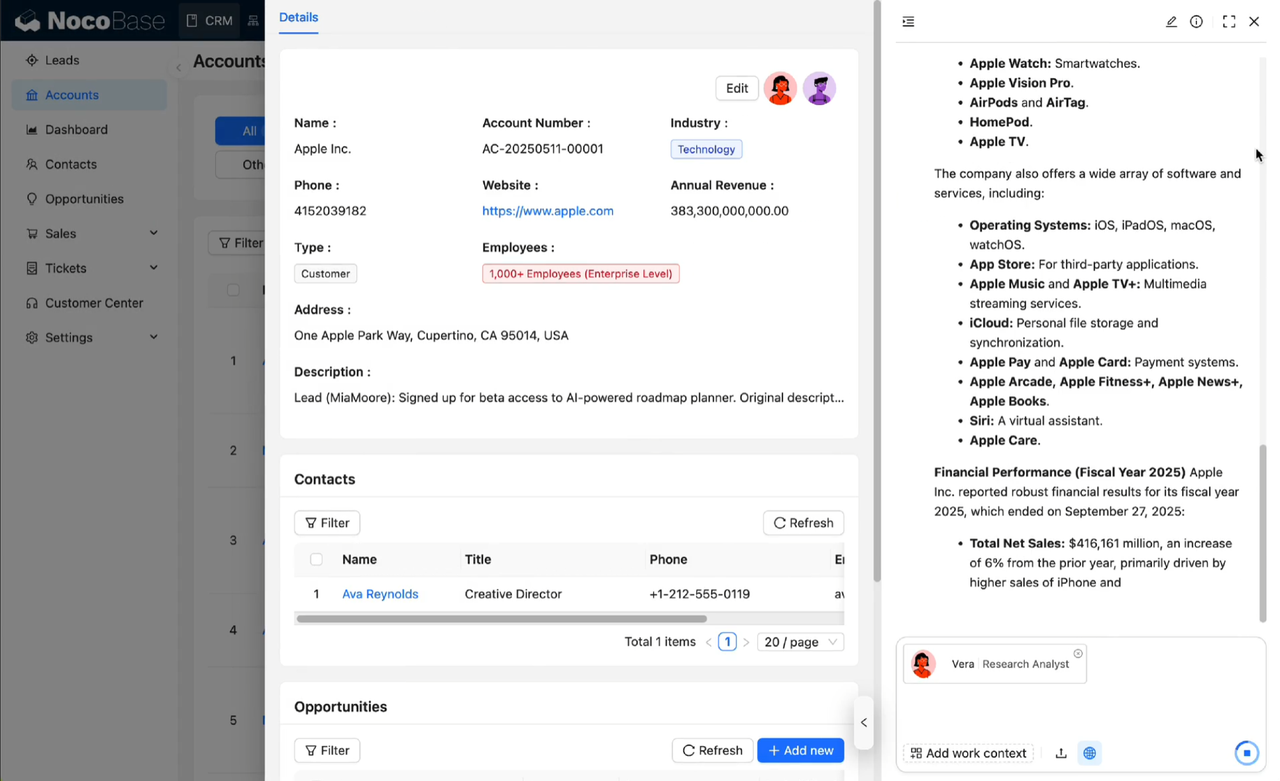
AI can query and interpret system data and provide relevant insights or suggestions, such as filling forms, summarizing customer information, or supporting research tasks.
Target users: Teams building business systems — internal IT teams, B2B product teams, system integrators.
Use cases: CRM, approval workflows, project management, order and asset systems, with plugin support for automation and AI-driven modeling.
ToolJet
⭐️ Stars: 37k
Website: https://www.tooljet.ai/
GitHub: https://github.com/ToolJet/ToolJet
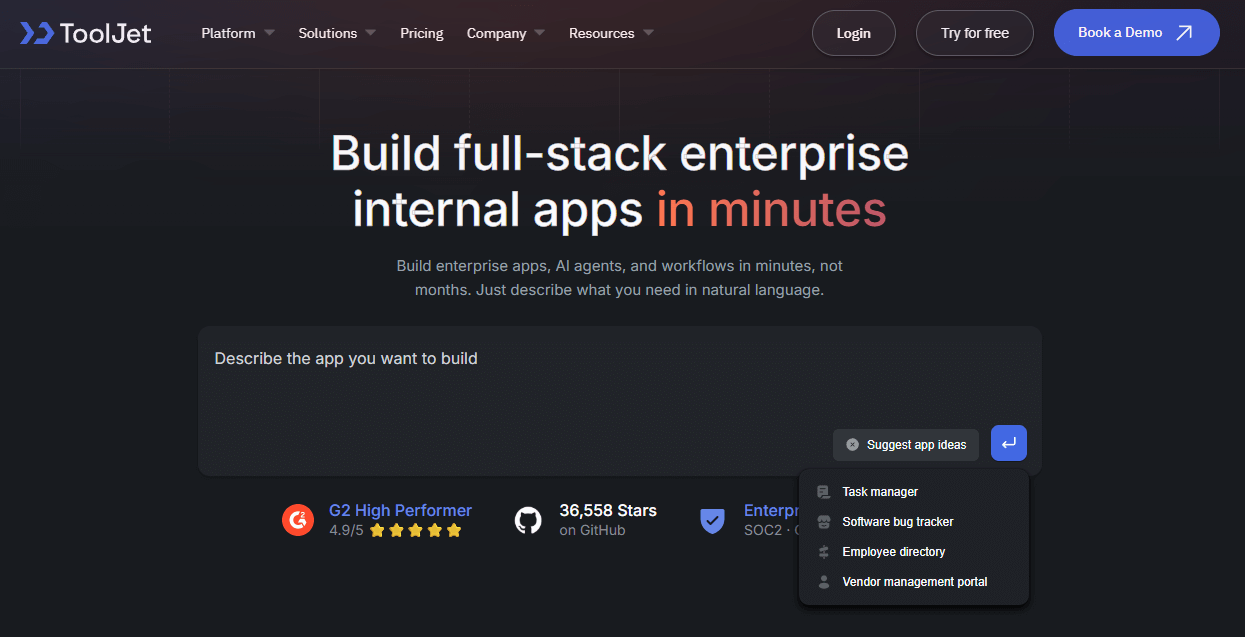
Overview: ToolJet has long been a productive tool for building internal enterprise applications. With AI added, the development flow becomes even more efficient. AI Copilot generates page layouts, component logic, and basic interactions from natural language, which removes the need for developers to switch back and forth between components, scripts, and APIs. This describe-and-generate workflow reduces manual setup and scripting work and helps teams build internal tools in a more focused and cost-efficient way.
Target users: Engineering, operations, or data teams that need internal dashboards fast.
Use cases: Admin panels, internal tools, API-based applications where AI can help write SQL, generate layouts, or scripts.
Appsmith
⭐️ Stars: 38k
Website: https://www.appsmith.com/
GitHub: https://github.com/appsmithorg/appsmith
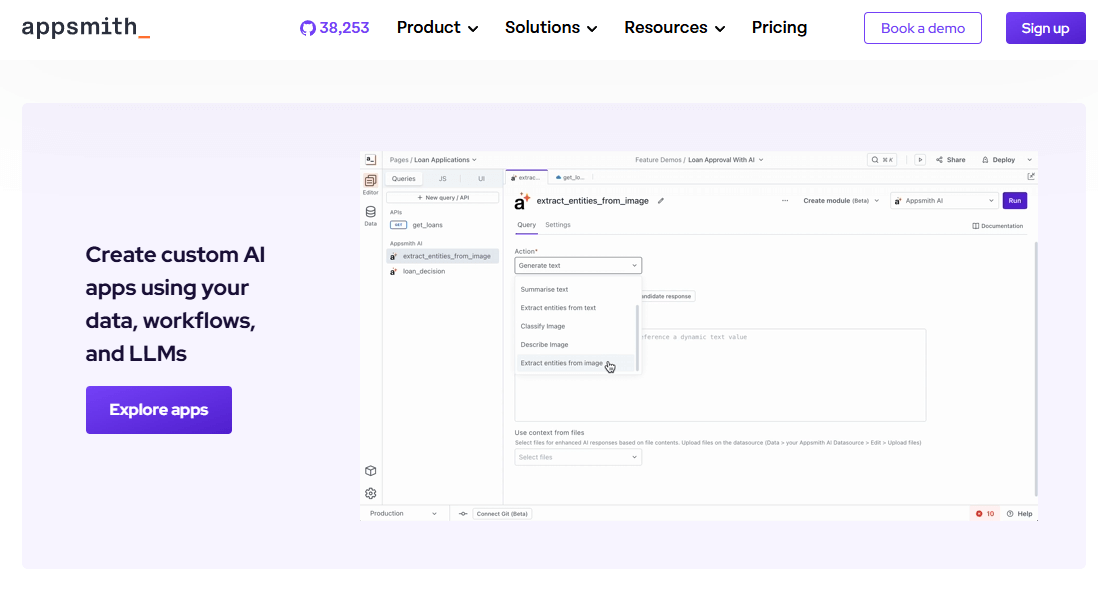
Overview: Appsmith is an open-source low-code platform designed for internal tool development, offering a strong component system, reliable data-source connections, and well-developed CRUD capabilities. With AI introduced, the development experience becomes smoother. AI generates SQL queries, form validation logic, and basic scripts from natural language and can complete common page configuration automatically. This reduces the need to switch between code and component settings and speeds up internal tool development while lowering the barrier for data-focused applications.
Target users: Front-end developers, data tool builders, teams creating CRUD systems.
Use cases: Query dashboards, internal admin tools, database utilities — e.g. natural language → AI generates SQL → table output.
Budibase
⭐️ Stars: 27k
Website: https://budibase.com/
GitHub: https://github.com/Budibase/budibase
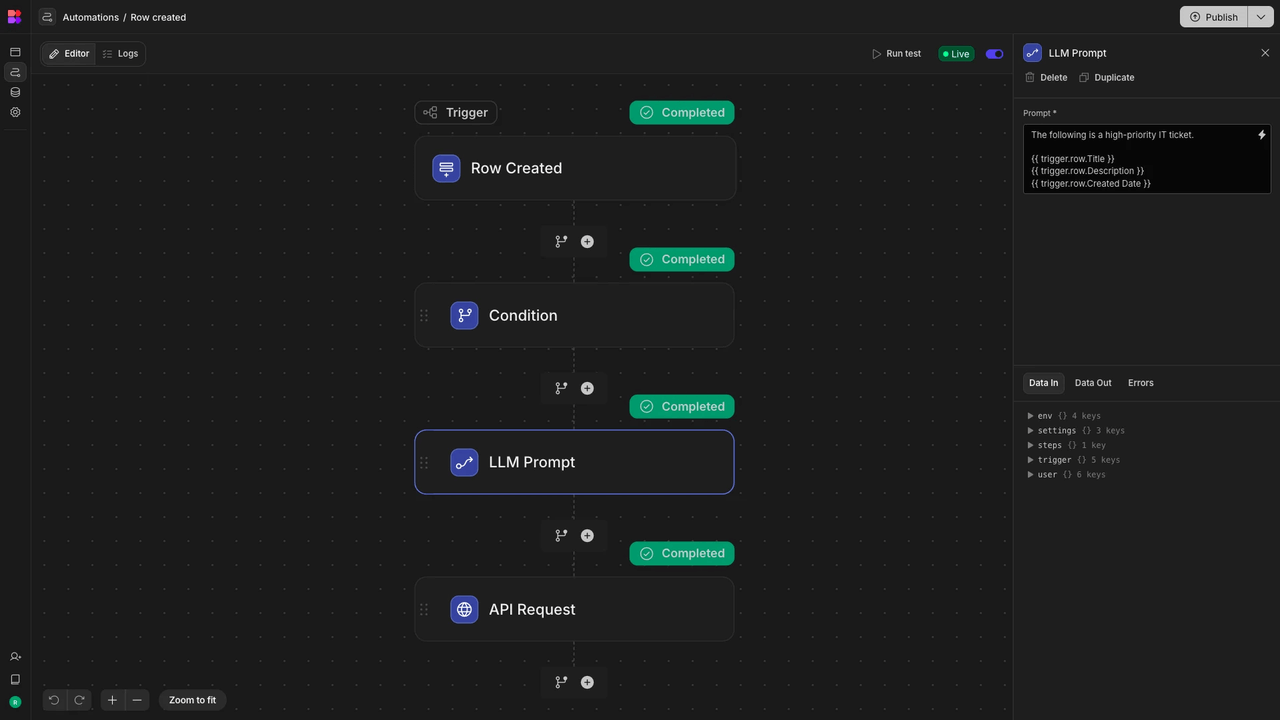
Overview: Budibase is an open-source low-code platform designed for internal business applications. It focuses on data modeling, form creation, and basic workflows and fits small to medium business needs. With AI added, Budibase enhances the building process by assisting with routine tasks.
AI helps generate field content, fill data, and create simple page layouts, cutting down repetitive work in form setup and data entry. While it still has limited support for complex logic, AI makes Budibase more efficient for lightweight systems, internal form tools, and data-entry applications.
Target users: Small and medium-sized teams, lightweight internal systems, no-code enthusiasts.
Use cases: Form apps, internal office tools, data-entry platforms. AI helps fill fields or create sample data, but complex logic support is limited.
Refine
⭐️ Stars: 33k
Website: https://refine.dev/
GitHub: https://github.com/refinedev/refine
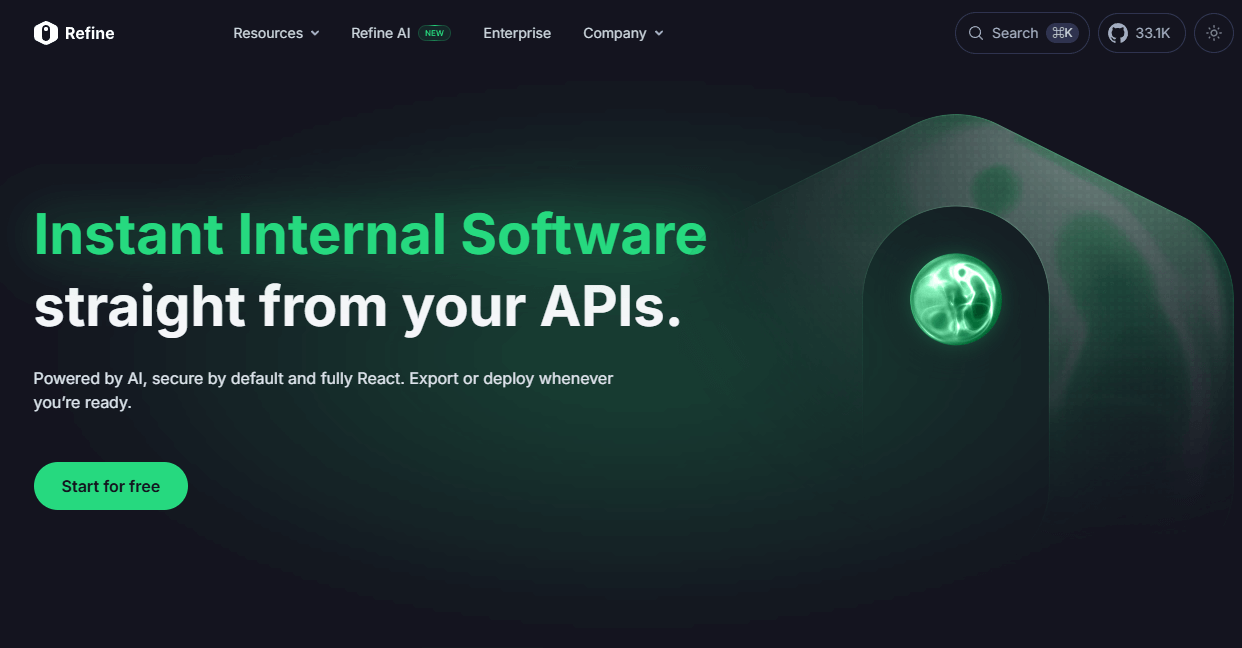
Overview: Refine is a React-based framework for building admin panels and internal tools. It handles common CRUD flows, routing, permissions, and data connections well. Developers can describe the interface or feature in natural language, and AI generates the layout, interactions, and basic code as a ready-to-use React project.
Target users: Frontend developers and tech teams that need flexibility rather than drag-and-drop tools.
Use cases: Admin dashboards and data tools where code-level control is required, but development speed is still important. Does not include backend modeling.
AI Workflow / Agent Orchestration
These tools stand out because AI is not just generating content — it actively participates in executing workflows. AI can call tools, trigger actions, and drive business automation.
Think of them as AI-enhanced workflow engines or agent execution platforms, rather than full low-code business system builders.
They excel at automation and execution, but usually lack complex data modeling, permission systems, or UI/page building capabilities.
n8n
⭐️ Stars: 157k
Website: https://n8n.io/
GitHub: https://github.com/n8n-io/n8n
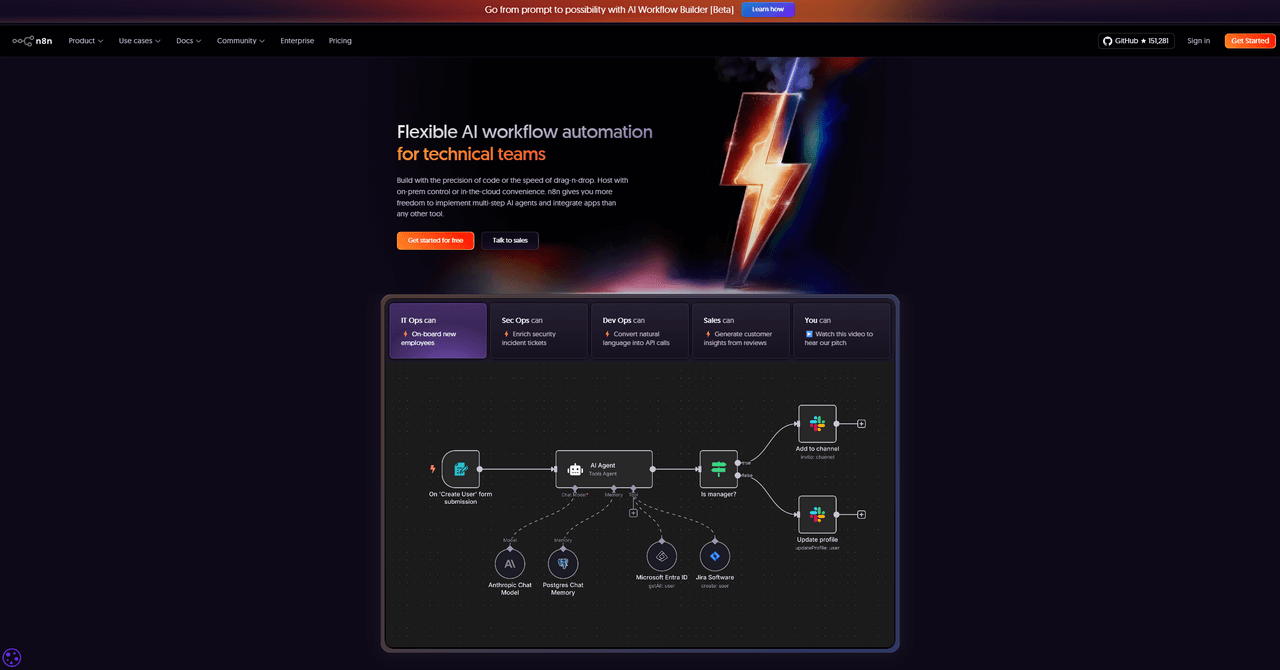
Overview: n8n is an open-source low-code automation platform that links systems, APIs, and services through a visual interface. With AI nodes added, n8n can let LLMs analyze data, generate content, make decisions, and call external APIs inside a workflow rather than only follow preset rules.
Target users: Operations teams, support engineers, automation specialists, SMEs.
Use cases: Automated content generation, data sync, email replies, AI-assisted decision workflows (e.g. AI replies to a customer → logs to database → sends email).
Dify
⭐️ Stars: 119k
Website: https://dify.ai/
GitHub: https://github.com/langgenius/dify
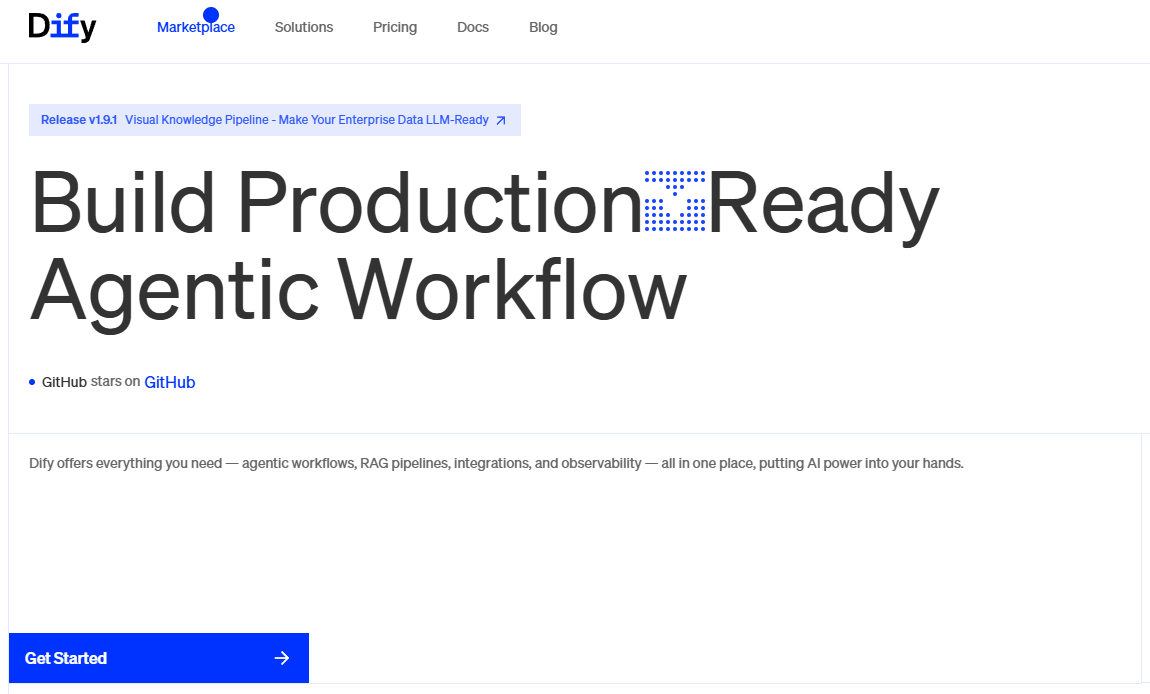
Overview: Dify is an open-source platform for building AI applications and Agents. It offers model management, knowledge bases, conversational orchestration, and tool integration. With these capabilities, Dify supports multi-step reasoning, API calls, data access, and visual Agent workflow building so teams can move smoothly from conversation to system actions.
Target users: Product teams and developers building AI assistants, knowledge bots, or prototypes.
Use cases: Knowledge-base chatbots, automated ticket handling, AI agents executing API actions.
Flowise
⭐️ Stars: 47k
Website: https://flowiseai.com/
GitHub: https://github.com/FlowiseAI/Flowise
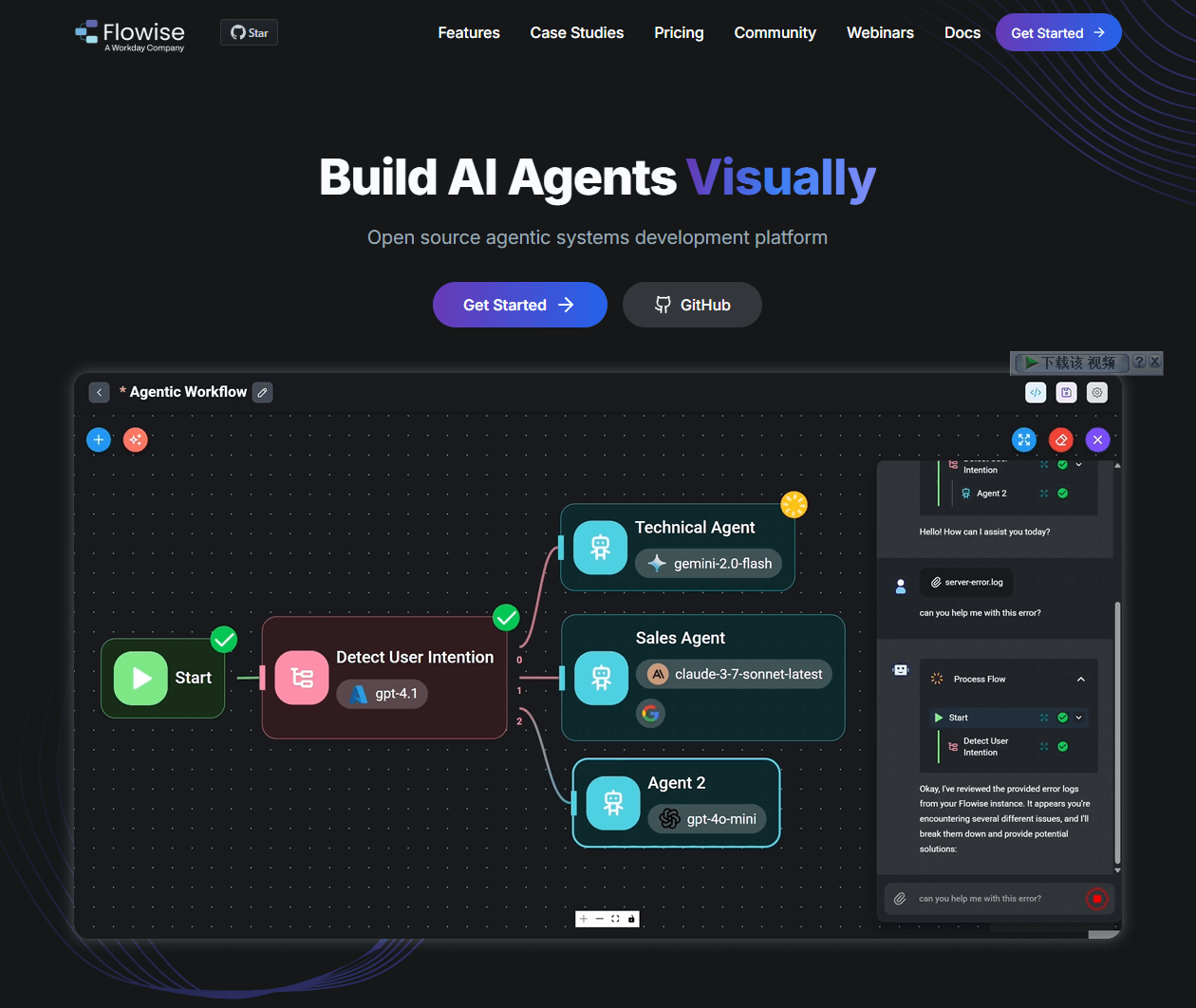
Overview: Flowise is an open-source low-code visual platform for building AI agents and LLM workflows. It offers a visual builder, execution tracing, API and SDK integrations, and local deployment. With AI capabilities included, Flowise supports multi-step agents, tool use, and knowledge retrieval. Teams can design human-AI collaboration and workflow logic simply by dragging and connecting nodes.
Target users: AI developers, prototype teams, early-stage startups.
Use cases: Knowledge Q&A, lightweight chatbots, multi-step reasoning demos — not suitable for full business systems.
Kestra
⭐️ Stars: 23k
Website: https://kestra.io/
GitHub: https://github.com/kestra-io/kestra
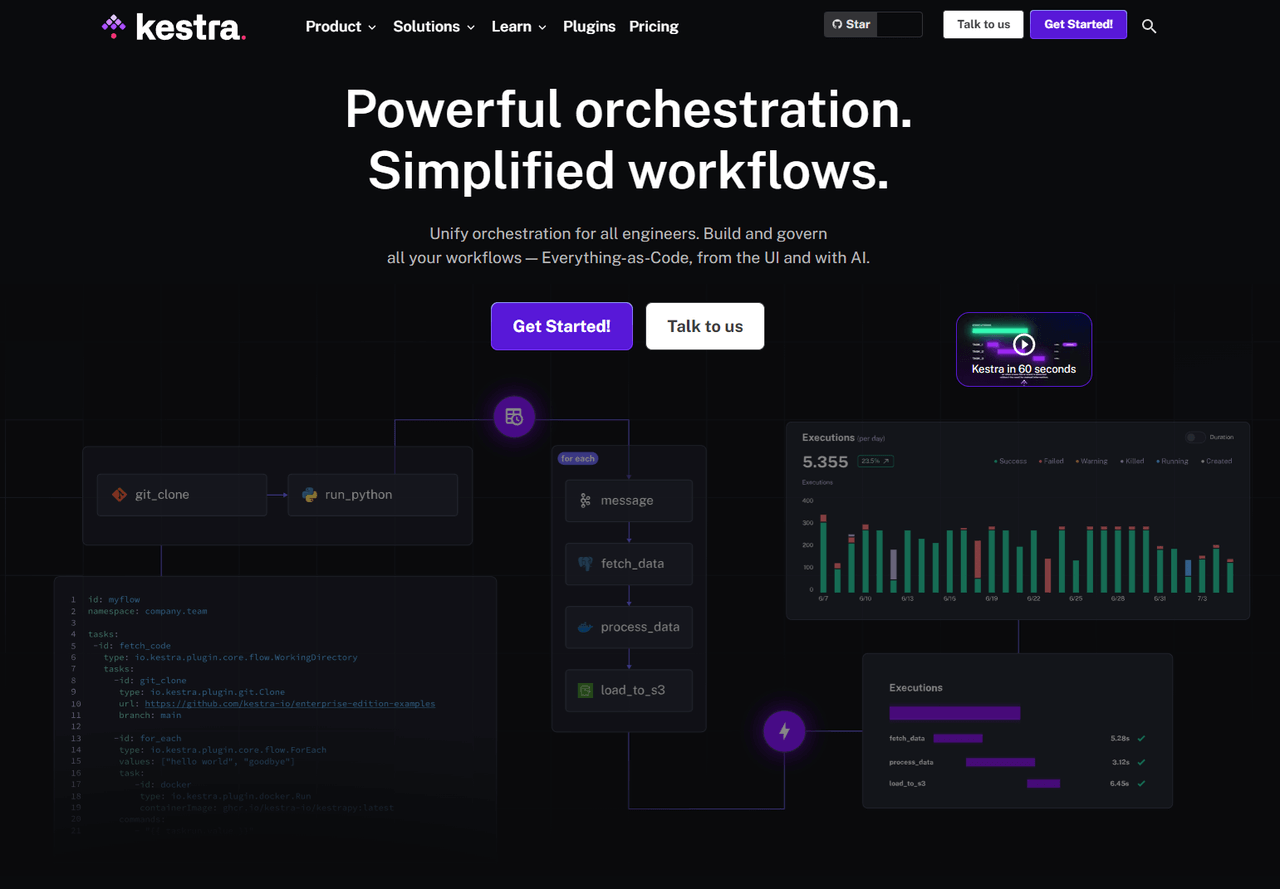
Overview: Kestra is an open-source platform for task orchestration and scheduling designed for visual workflows, execution plans, and monitoring. It supports AI-assisted YAML workflow generation, model calls, and conditional logic. Users can create complex task chains with natural language or templates and track execution with detailed logs.
Target users: Data engineers, backend developers, DevOps teams.
Use cases: AI-generated scheduled jobs, data pipelines, API task chains — focused on backend execution.
Node-RED
⭐️ Stars: 22k
Website: https://nodered.org/
GitHub: https://github.com/node-red/node-red
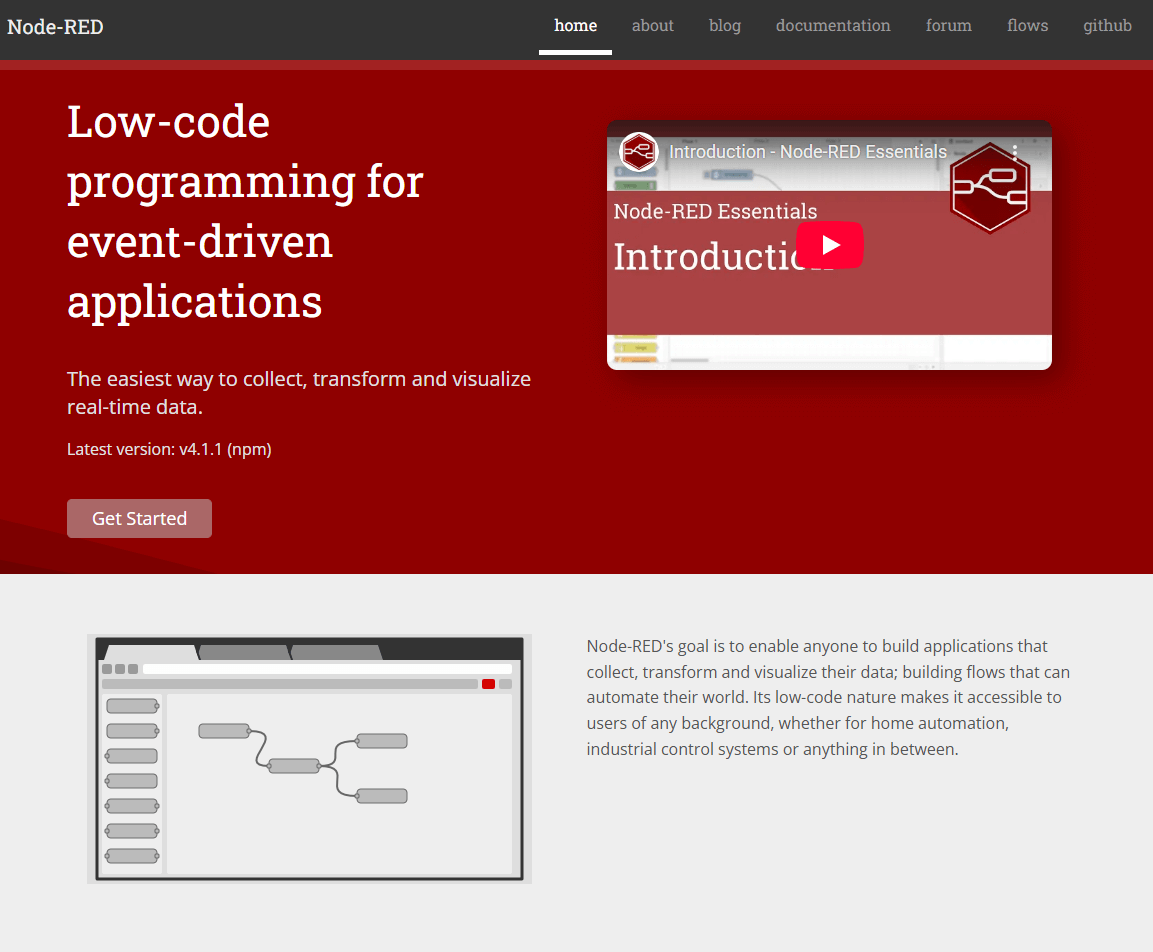
Overview: Node-RED is an event-driven visual flow tool that connects devices, services, and APIs through nodes to build automation logic and data pipelines. The platform offers a variety of AI nodes for model inference, content generation, information analysis, and conditional decision making. Flows can execute more flexible actions based on model outputs. Nodes can also integrate with IoT devices, webhooks, or system events to create end-to-end processing workflows
Target users: Automation engineers, hardware developers, smart home/IoT teams.
Use cases: Camera detects motion → AI makes decision → trigger switch; device anomaly → AI analysis → send alert.
Sim
⭐️ Stars: 18k
Website: https://www.sim.ai/
GitHub: https://github.com/simstudioai/sim
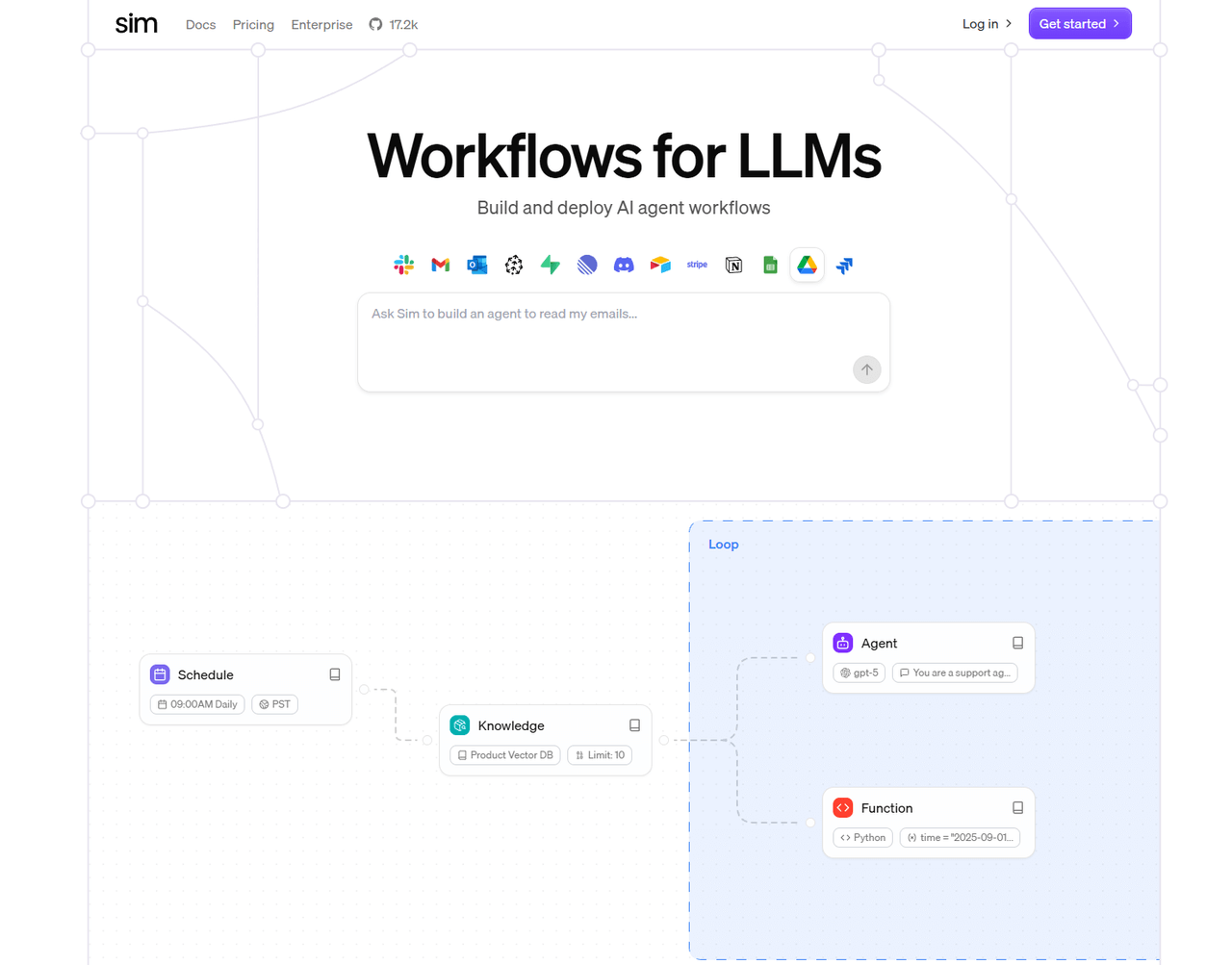
Overview: Sim is an open source platform for building multi-agent collaborative workflows. It organizes models, tools, and task steps through a visual interface. The platform supports multi-model cooperation, tool invocation, task decomposition, and flow execution. Agents can communicate, divide work, and complete reasoning or actions within the same workflow. Users can configure roles, capabilities, and task chains as needed to generate executable multi-agent systems.
Target users: AI teams building multi-role agents, intelligent assistant startups.
Use cases: AI assistants, automated report generation, intelligent task execution — though not as mature as n8n or Dify.
AI + Smart Spreadsheets / Database Tools
These tools don’t focus on workflow execution or full business systems — their core value lies in making data and spreadsheets smarter.
Here, AI is mainly used for generating, completing, querying, and analyzing data — not for handling complex business logic.
They can be seen as “Airtable / Notion Database enhanced with AI”, ideal for data-driven teams, content operations, or knowledge management — rather than heavy business systems or workflow automation.
NocoDB
⭐️ Stars: 59k
Website: https://nocodb.com/
GitHub: https://github.com/nocodb/nocodb
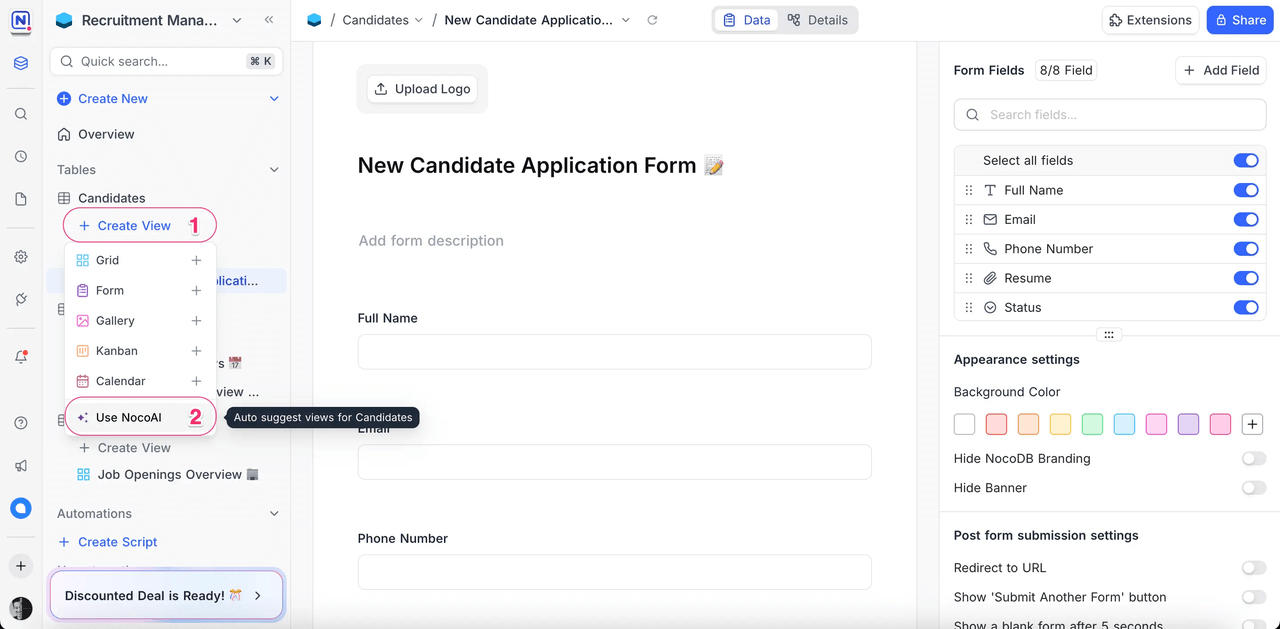
Overview: An open-source Airtable alternative that provides field configuration, view management, and basic automation. Its AI features support content generation, data completion, table analysis, and smart suggestions.
Target users: Teams managing structured data — operations teams, internal collaboration groups, lightweight CRM users.
Use cases: Content repositories, customer tables, inventory management, team collaboration sheets. AI features include field suggestions, content generation, auto-completion, and smart insights for data analysis.
Teable
⭐️ Stars: 20k
Website: https://teable.ai/
GitHub: https://github.com/teableio/teable
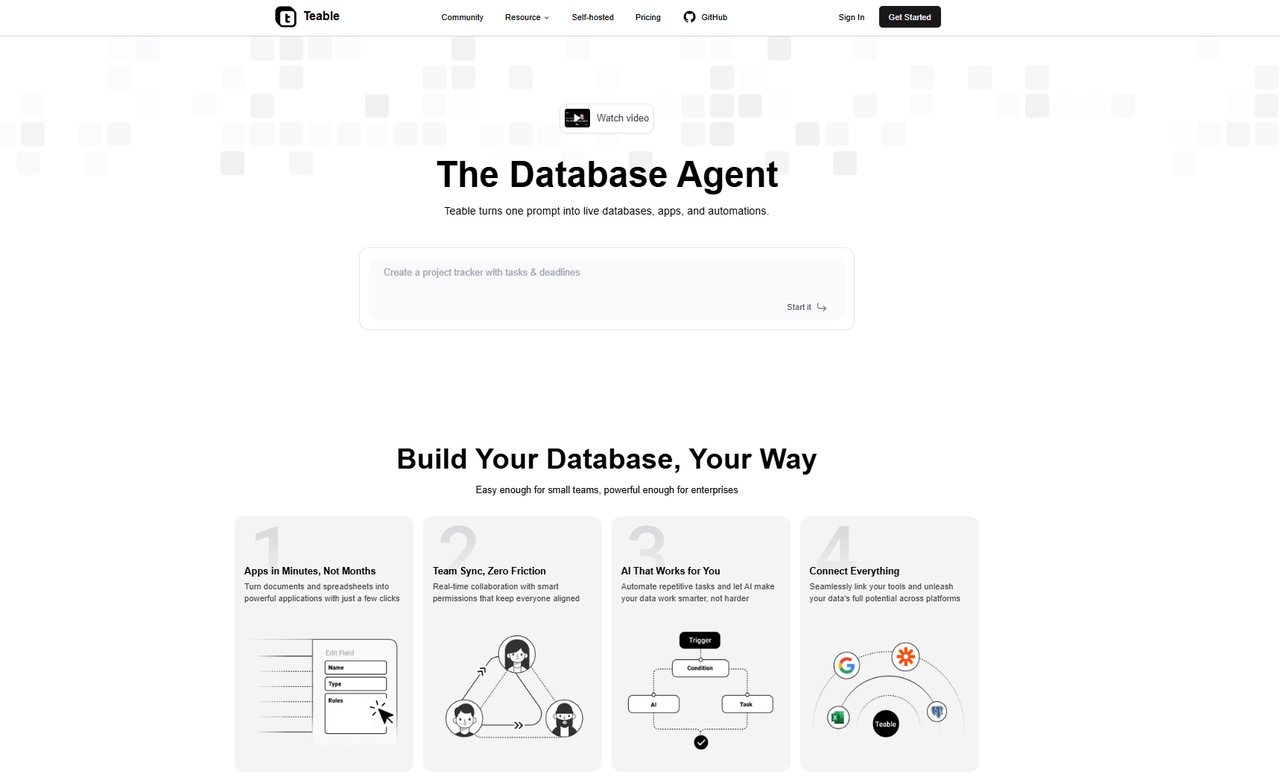
Overview: A data management platform similar to Airtable with support for field types, views, and team collaboration. Its AI features can generate table content through conversation, process data, create reports, and execute text-based commands, with models working directly inside the table.
Target users: Airtable/Notion users or teams needing data collaboration with AI-powered assistance.
Use cases: Content management, lightweight data warehouse, team project tables. Supports conversational data interaction — such as querying records via natural language, generating table data in bulk, or auto-creating reports.
Tools That Don’t Fully Fit Into the Above Categories
During our research, we also found tools that don’t completely fall into any of the three main categories — such as Onlook.
⭐️ Stars: 23k
Website: https://onlook.com/
GitHub: https://github.com/onlook-dev/onlook

What makes Onlook different is that its core capability is “AI-generated UI interfaces.”
You can describe a page in natural language or provide a wireframe, and the platform will produce the page structure and component layout. It generates React code, manages styles and layout relationships, and offers visual editing so you can refine the interface and adjust component hierarchy. The tool is designed for interface building with AI assisted design, sitting between a design tool and a low code front end platform.
Final Thoughts
We used to build systems by writing code. Then came drag-and-drop interfaces. Now, more and more people are starting to describe how a system should work — and let AI help build it.
“AI doesn’t remove the work — it just moves the work.”
The real challenge is no longer whether we are using AI, but whether we can deeply integrate AI with business logic, data, and workflows, and make it a part of the system itself.
AI is moving from a conversation tool to a construction tool. It isn’t perfect yet, but the direction is clear. In the future, systems may not be “developed” — they may be described. And we will start from real business problems, not just from a code editor.
If you’ve read this far and feel the same shift happening, feel free to share this list with others who care about AI × low-code.👍
Related reading:
- Top 11 Open Source No-Code AI Tools with the Most GitHub Stars
- Top 18 Open Source AI Agent Projects with the Most GitHub Stars
- Top 20 Open Source AI Projects with the Most GitHub Stars
- Top 8 Open Source MCP Projects with the Most GitHub Stars
- Top 7 Open Source Web Applications with the Most GitHub Stars
- Top 40 Open-source Developer Tools with the Most GitHub Stars
- Top 15 Fastest-Growing Open-Source Low-Code Projects on GitHub in 2025
(1)-cehdfe.png)