Build it with your AI agent
Build a NocoBase app — Expense Reimbursement System: a submission wizard, a my-reimbursements view, and approval progress. Match the layout and signature visuals of this reference prototype: https://static-docs.nocobase.com/solution/templates/33-expense-reimbursement.html
The prototype link (HTML) in the prompt is a design we pre-made, only to demonstrate the capability; NocoBase doesn't recommend generating a whole system from a single prompt. When you build with it, pair it with the “prototype reproduction” skill (nocobase-prototype-repro) in NocoBase Skills to get a good result.
Before you start, follow the AI agent quick start to install NocoBase and connect your agent. AI results can vary; depending on the model and system complexity, some fine-tuning or extra rounds may be needed.
Introduction
Use your favorite AI agent and NocoBase to quickly build a customizable, reliable, and continuously evolvable expense reimbursement system for managing reimbursement requests, expense items, receipts, cost centers, currencies, approval progress, reimbursement status, and monthly expense analysis.
These records can also be managed as a NocoBase-based internal business system, with reimbursement requests, expense items, receipts, cost centers, currencies, approval status, and finance reports organized through configurable data models, role permissions, views, workflows where needed, and operation history.
You can copy the prompt below and let an AI agent generate the basic structure of the expense reimbursement system in NocoBase, then adjust data models, fields, pages, expense categories, and approval flows through the no-code UI.
This system fits scenarios such as travel reimbursement, client visits, vendor meetings, trade shows and events, everyday employee expenses, distributed teams, and multi-currency reimbursement.
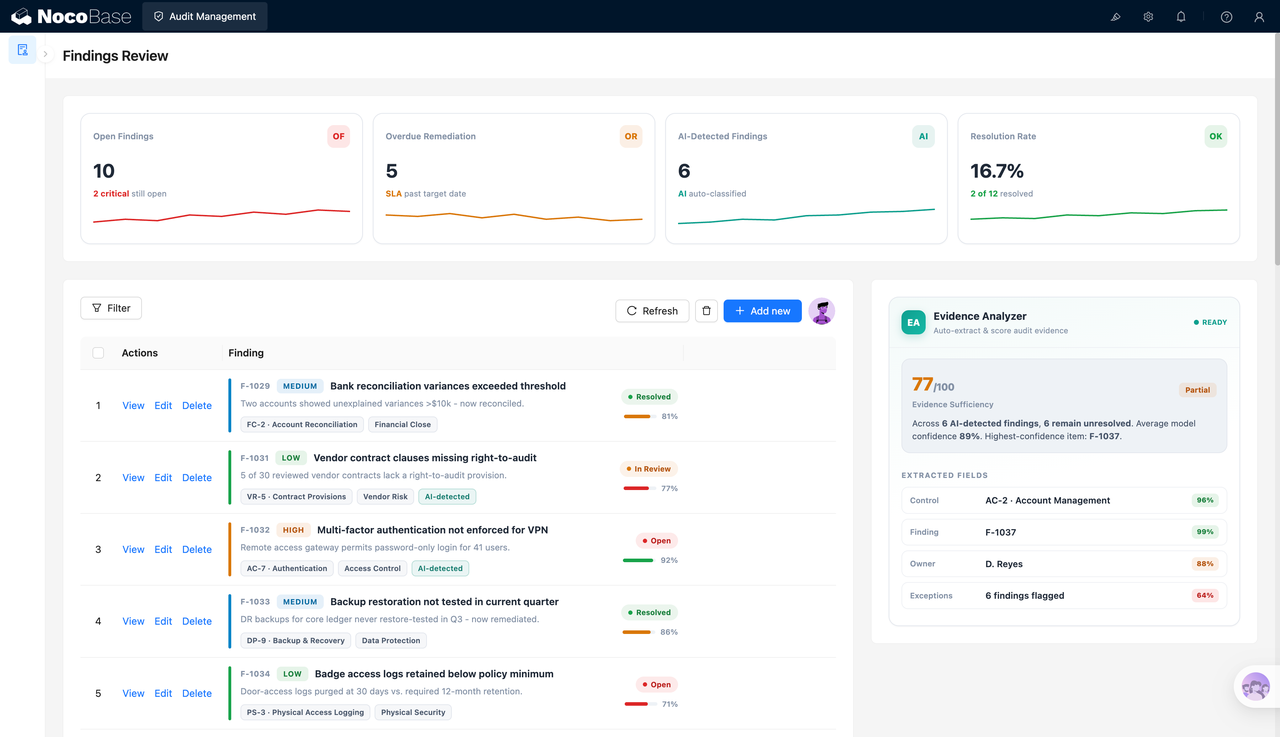
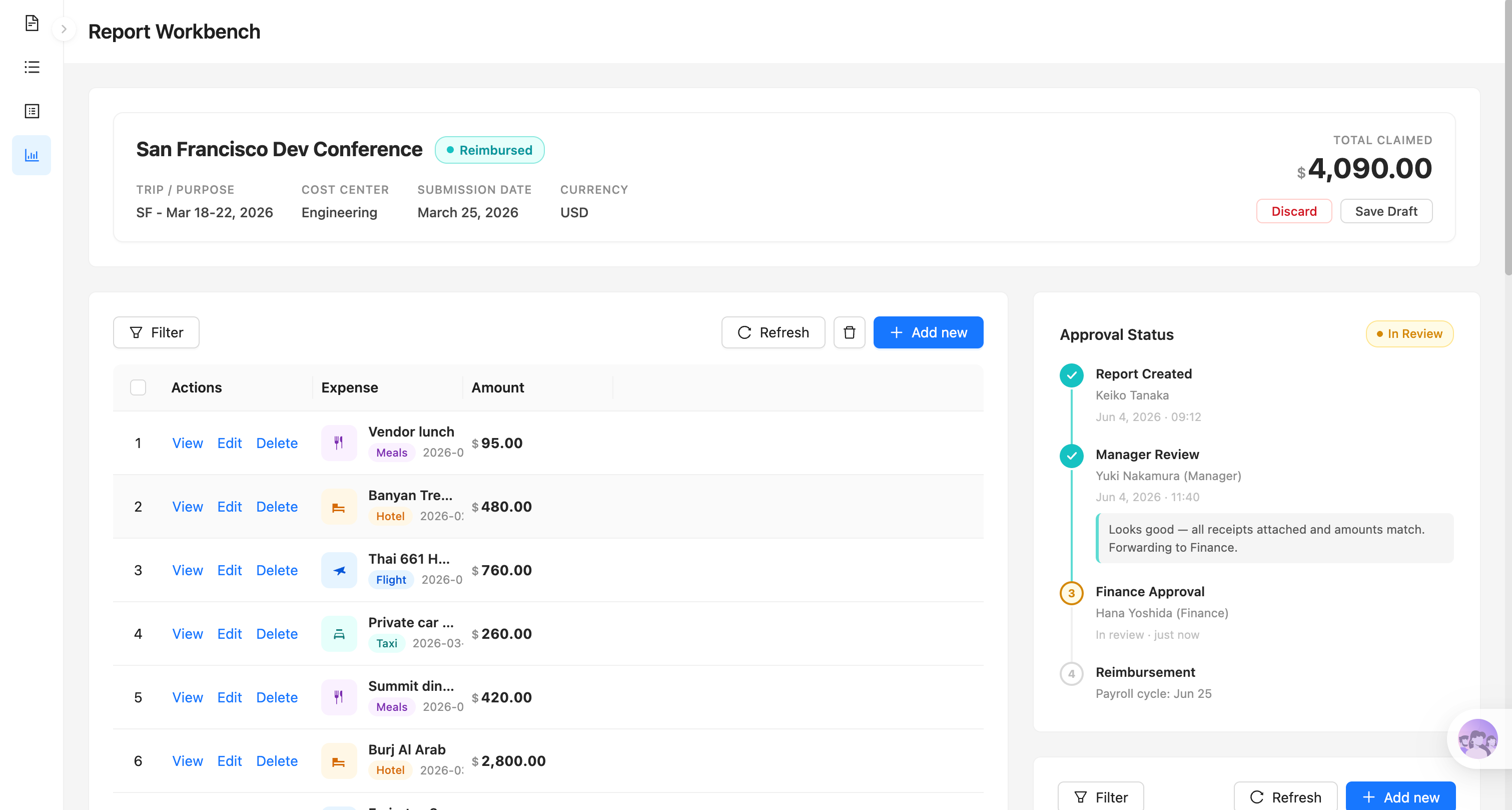
Reimbursement workbench and approval progress:
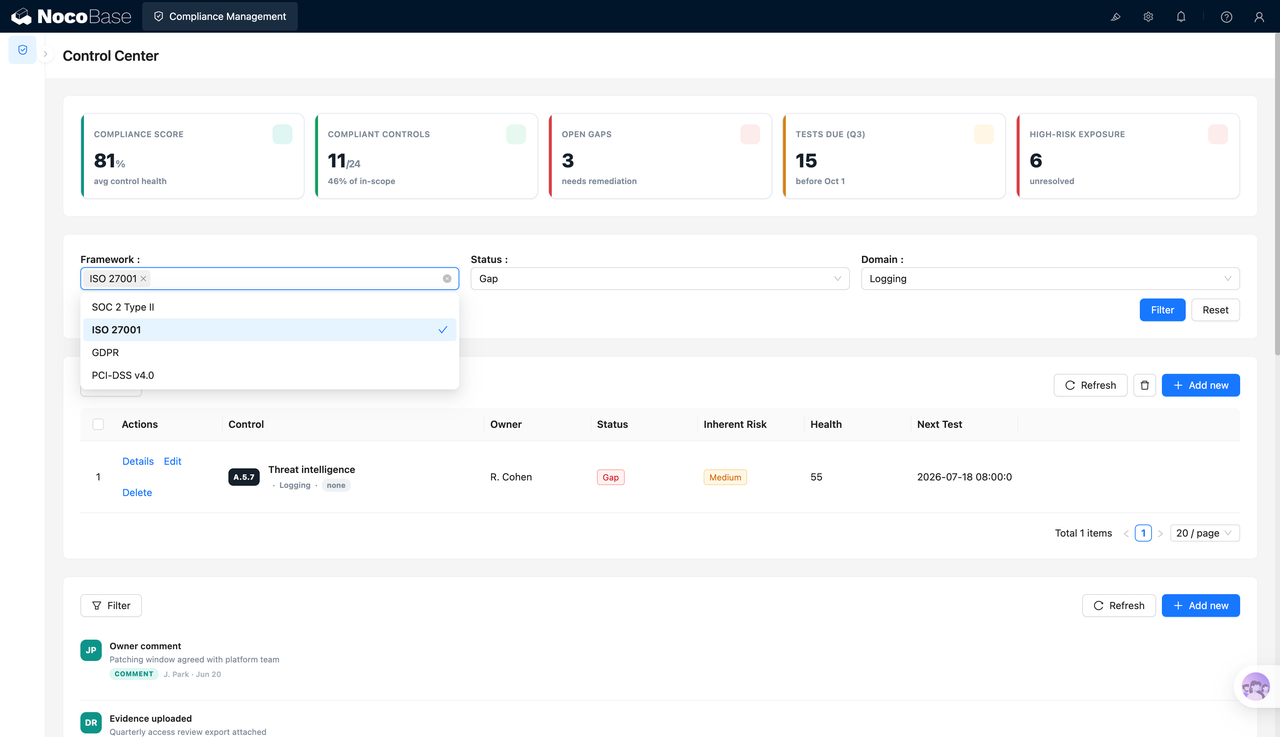
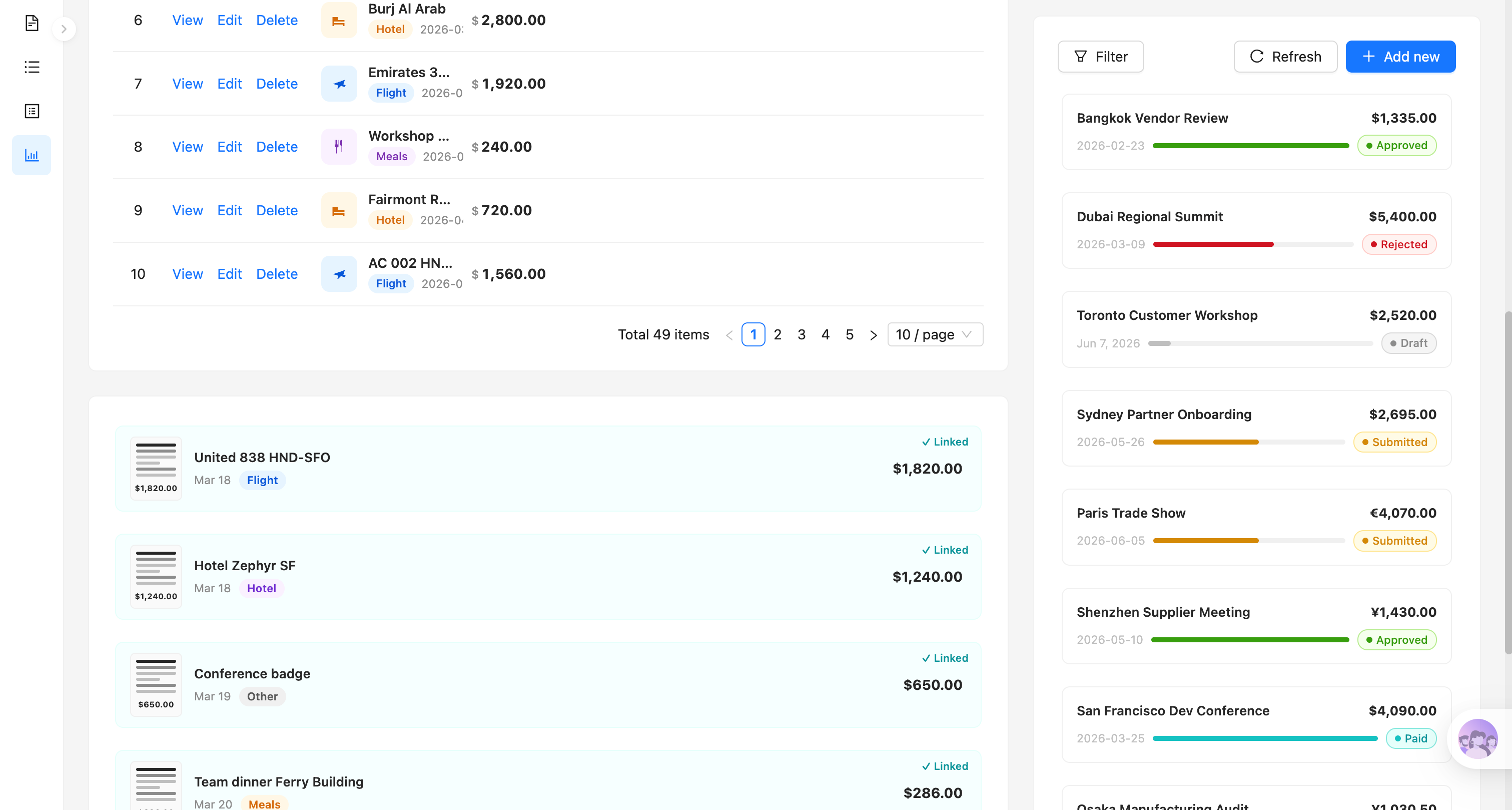
Expense items, receipts, and reimbursement status:
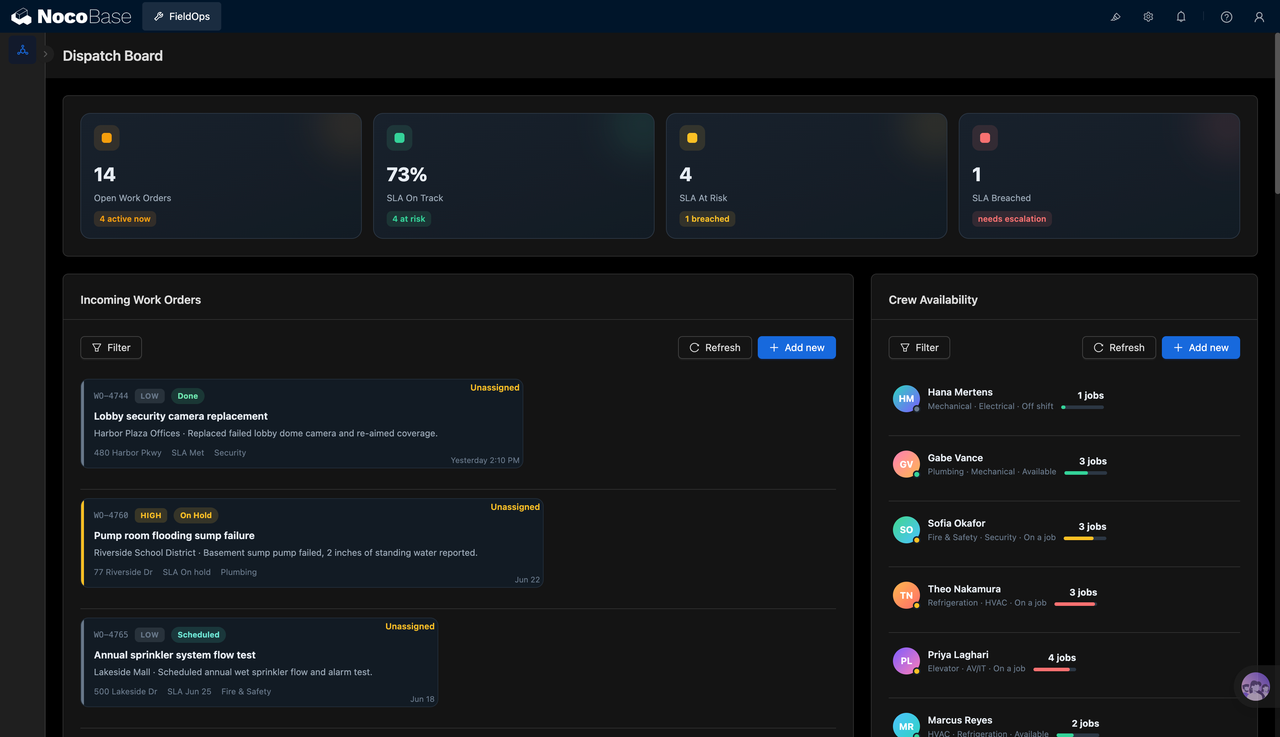
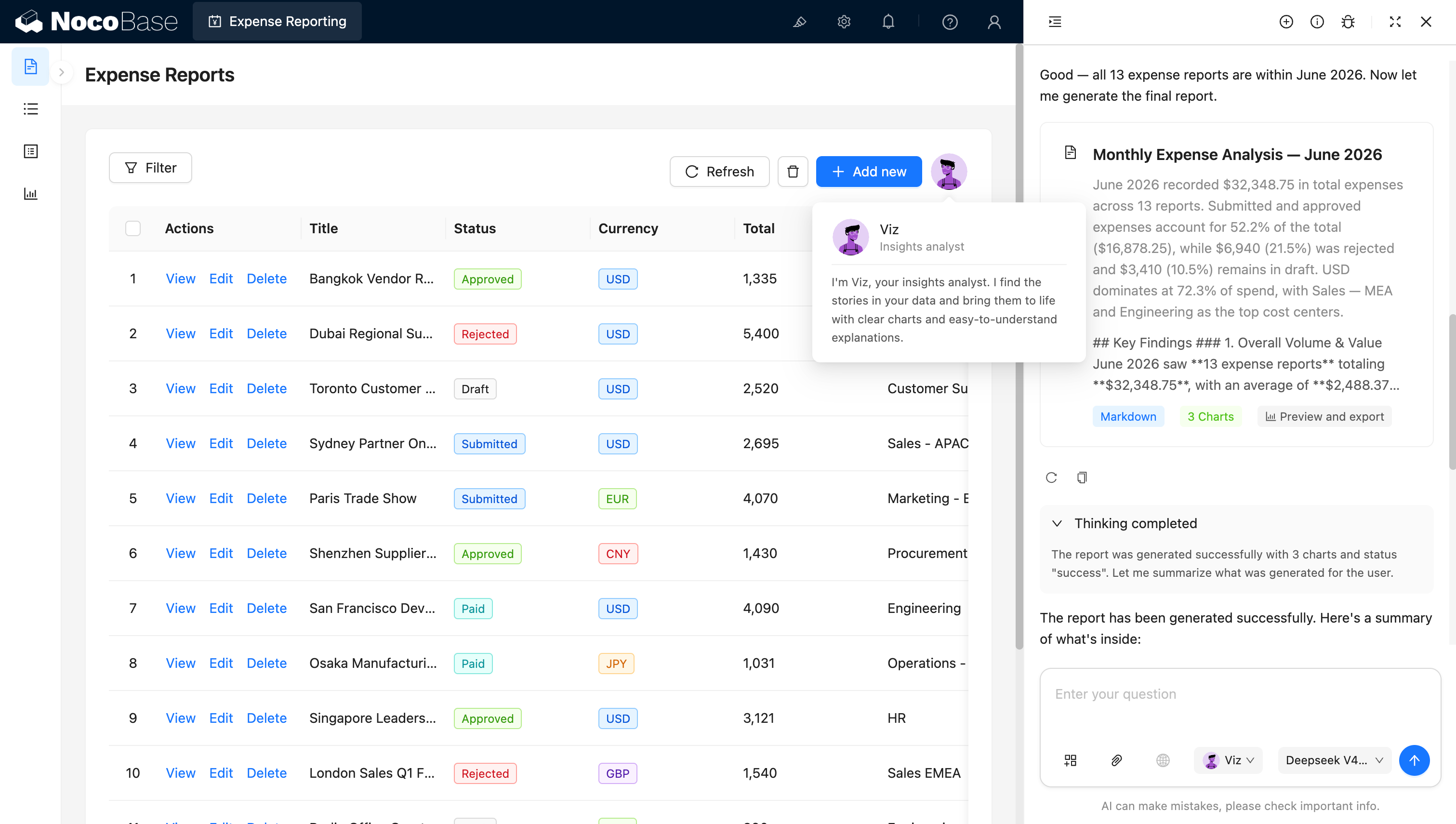
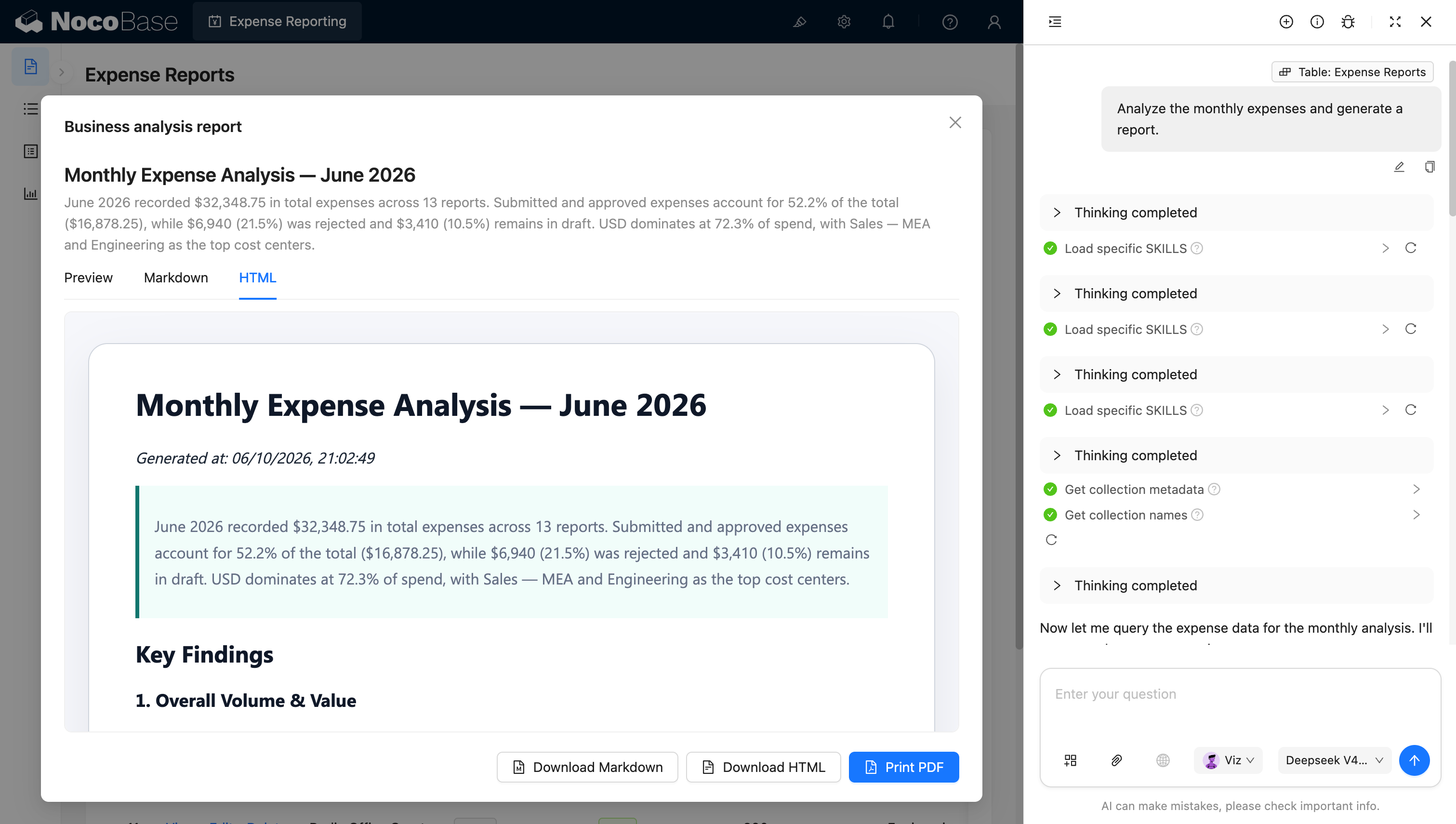
AI employee generating a monthly expense analysis report:
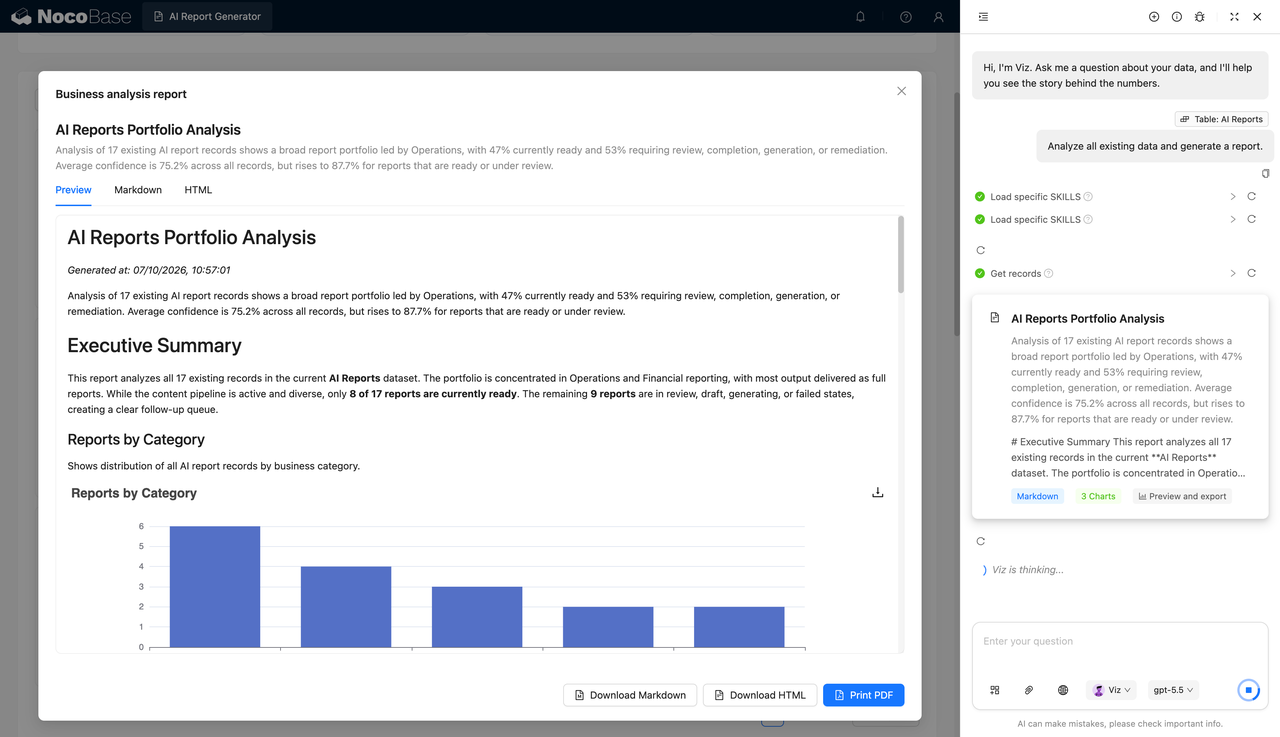
Expense analysis report preview and export:
What problems does an expense reimbursement system solve?
The hard part of expense reimbursement is organizing multiple expense items, receipts, cost centers, approvers, and reimbursement statuses within a single process.
When employees submit expenses via email, chat, or spreadsheets, finance teams often run into missing receipts, inconsistent amounts, unclear approval progress, multi-currency data that is hard to consolidate, and reimbursement requests that cannot be matched to their expense items.
With this system, employees can create a separate reimbursement request for each trip or business activity, recording the title, travel purpose, cost center, submission date, currency, and total claimed amount.
Each reimbursement request can be linked to multiple expense items, such as meals, hotels, flights, taxis, and other expenses. Every item can record the expense name, category, date, and amount, and link to the corresponding receipt or invoice.
The system can also display the full approval progress, including request creation, manager review, finance approval, and final reimbursement. Approvers can view the expense details and receipts and leave review comments along the way.
For finance managers, the system provides a centralized view of the status, currency, total amount, and cost center of every reimbursement request, and lets AI read the current month’s expense data to generate analysis such as total spend, status distribution, currency breakdown, and major cost centers.
Core features
Reimbursement request management
- Basic reimbursement info: Record the request title, travel or business purpose, cost center, submission date, and reimbursement currency in one place.
- Claimed amount rollup: Automatically aggregate the linked expense items and show the total claimed amount at the top of the request.
- Status tracking: Clearly display processing statuses such as Draft, Submitted, In Review, Approved, Rejected, Paid, and Reimbursed.
Expense item management
- Expense record maintenance: Record the expense name, category, date, and amount, with support for viewing and editing details.
- Multiple expense categories: Support types such as Meals, Hotel, Flight, Taxi, and Other, distinguished at a glance with icons and tags.
- Error handling: Fix incorrectly entered expense items, or delete duplicate and invalid records.
Receipt and invoice management
- Receipt upload: Upload the corresponding receipt or invoice for meals, hotels, flights, and other expenses.
- Expense-receipt linking: Match each receipt to a specific expense item to form a complete reimbursement record.
- Matching status display: Show the receipt amount, date, category, and linking status so finance can verify quickly.
Multi-stage approval flow
- Complete reimbursement process: Support stages such as request creation, manager review, finance approval, and final payment.
- Approval node display: See the current handler and approval stage in real time to quickly locate pending items.
- Review comments and timeline: Save review comments, decisions, and completion times to form a complete approval record.
Multi-currency expense management
- Common currency support: Record different currencies such as USD, EUR, CNY, JPY, and GBP.
- Original currency preserved: Keep the original currency and amount of the actual expenses on each request.
- Unified cross-region management: Manage travel and business expenses incurred in different countries and regions within one system.
Reimbursement list and lookup
- Unified request list: Show titles, statuses, currencies, total amounts, and cost centers in one place.
- Quick status filtering: Find records by status such as draft, submitted, approved, rejected, or paid.
- Quick record actions: View, edit, and delete reimbursement requests so both employees and finance staff can work with the data easily.
AI expense analysis
- Monthly expense summary: Automatically compute the total reimbursement amount, number of requests, and expense structure for a given month.
- Status and currency analysis: Analyze submitted, approved, rejected, and draft expenses, and compute the share of each currency.
- Cost center identification: Identify the main expense sources and the departments or cost centers with the highest spend.
- Key findings generation: Automatically summarize expense changes, unusual spending, and reimbursement statuses that need attention.
- Download and archive AI-generated reports: Download as Markdown or HTML, or print and export to PDF.
Why build an expense reimbursement system with AI and NocoBase?
Once expense reimbursement is truly used inside a company, it usually involves expense items, receipts, cost centers, multiple currencies, approval flows, and financial analysis.
For expense reimbursement workflows, the AI Agent can first draft collections, relationships, prompts, and analysis logic around reimbursement requests, expense items, receipts, cost centers, currencies, approval status, and finance reports. NocoBase then keeps the data model, permissions, workflows, pages, and operation history maintainable after launch.
If you use plain Vibe Coding to generate a reimbursement form from scratch, you typically only get data entry. Linking requests to expense items, matching receipts, multi-stage approvals, status transitions, and monthly analysis still need to be added piece by piece.
NocoBase can connect reimbursement requests, expense items, receipts, employees, cost centers, and approval records. Employees can submit expenses, managers and finance staff can review at different stages, and administrators can centrally view reimbursement data across statuses and currencies.
AI lowers the cost of data analysis and report preparation. The AI data analyst shown in the screenshots can read the reimbursement records of a given month, compute total spend, status share, currency breakdown, and cost centers, and automatically generate a complete report with charts and key findings.
The generated report can be previewed directly, or exported as Markdown, HTML, or PDF, making it easy for finance teams to archive, report, and share.
The resulting expense reimbursement system is not just a request form — it is a complete internal system covering expense submission, receipt linking, approval, payment, and financial analysis.
FAQ
- Can one reimbursement request include multiple expense items?
Yes. A request can be linked to meals, hotel, flight, taxi, and other expense types, each with its own date, category, amount, and notes.
The system can total all item amounts and reconcile them with the claimed total of the request, helping employees submit complete travel or business expenses.
- Can I upload receipts or invoices and link them to specific expenses?
Yes. Employees can upload receipts, invoices, or other supporting documents and link each one to the corresponding expense item.
The system can also show whether each receipt has been matched, helping finance staff quickly spot missing receipts, duplicate uploads, or amount mismatches.
- Can I set up manager review, finance approval, and final payment?
Yes. The reimbursement process can include multiple stages such as request creation, direct-manager review, finance approval, and payment.
The detail page can show the current approval node, approver, completion time, and processing status on a timeline, so employees and finance know exactly where a request is stuck.
- Can approvers record the reasons for approval or rejection?
Yes. Managers and finance staff can leave review comments at each approval node, such as “receipts complete”, “amount needs revision”, or “expense violates policy”.
These comments are saved together with the approval time, approver, and status, making follow-up communication easier and avoiding the situation where employees only see “Rejected” without knowing why.
- Can I manage reimbursements in different currencies?
Yes. Every request and expense item can record currencies such as USD, EUR, CNY, JPY, and GBP, which suits distributed teams and international travel.
Companies can also add fields like exchange rates, converted currencies, and base-currency amounts as needed for unified financial consolidation.
- Can I clearly tell which stage a reimbursement request is in?
Yes. The system can use statuses such as Draft, Submitted, In Review, Approved, Rejected, Paid, or Reimbursed to show the processing stage.
Employees can quickly confirm whether a request is still a draft, in review, approved, or already paid; finance staff can also filter pending records by status.
- Can finance staff verify expense items, receipts, and claimed totals?
Yes. The request detail page can show all expense items, categories, dates, amounts, linked receipts, and the claimed total at the same time.
Finance staff no longer need to switch between spreadsheets, emails, and attachments — verification and approval happen in one workbench.
- Can AI help recognize and organize expense receipts?
Yes. AI can extract the merchant, date, amount, currency, and expense category from receipt or invoice images and help fill in the expense form.
AI coding agents such as Claude Code, Codex, Cursor, and OpenCode can also connect to NocoBase to help generate reimbursement requests, expense items, receipt linking, and approval pages, which the team can then keep adjusting through the no-code UI.
- Can AI generate monthly expense analysis and anomaly alerts?
Yes. AI can read the reimbursement data of a given month and analyze the total amount, status distribution, currency share, cost centers, and expense categories.
It can also flag issues worth attention, such as a cost center with sharply rising spend, a high rejected amount, drafts left unsubmitted for a long time, or an unusual share of a particular expense type.
- Can AI-generated expense reports be used for reporting and archiving?
Yes. The analysis report can include key conclusions, expense structure, status distribution, cost-center comparisons, and charts.
Reports can be viewed in Preview, Markdown, and HTML, and downloaded as Markdown or HTML or printed to PDF — well suited for monthly finance reports, budget reviews, and management briefings.
- Can employees, managers, and finance staff see different data?
Yes. NocoBase can configure permissions based on roles, employee relationships, and data scopes.
For example, employees can only view and edit their own requests; direct managers can approve requests submitted by their reports; finance staff can see all expenses and receipts; and management can view only aggregated analysis without touching the raw records.
- Can I track who changed budgets, amounts, or approval statuses?
Yes. You can enable operation history and audit logging as needed to record changes to key fields such as amount, currency, expense category, approval status, and payment status.
When an amount is modified, an approval is withdrawn, or a payment status changes, the company can trace who made the change, when, and what exactly changed — meeting financial audit and accountability requirements.
- How is this different from a reimbursement form generated by plain Vibe Coding?
Plain Vibe Coding can quickly generate an expense-entry page, but real enterprise reimbursement also requires item-receipt linking, multi-stage approvals, data permissions, audit trails, multiple currencies, and financial analysis.
NocoBase puts all of these capabilities in one business system. AI speeds up building, data entry, and analysis, while NocoBase handles data relationships, permissions, workflows, and long-term maintenance, reducing the need to keep patching features later.
- Can the system keep evolving when reimbursement policies or approval flows change?
Yes. Companies can keep adding expense categories, approval nodes, amount thresholds, currencies, cost centers, and receipt requirements.
For example, large expenses can require an additional approval from the head of finance, certain categories can require invoices, and different regions can use different flows. All adjustments happen on the existing system without redevelopment.
- Is this system suitable for production-grade enterprise expense management?
Yes. Expense reimbursement especially values permission isolation, receipt management, approval audit trails, and financial traceability.
NocoBase lets you enable workflows, file management, operation history, audit logging, SSO, notifications, APIs, and plugin extensions as needed. Compared with a one-off reimbursement demo, it is better suited for building an auditable, maintainable expense management system that can evolve over the long term.