

NocoBase 2.0 is a major upgrade focused on building complex applications and scaling deployments. This release brings systematic improvements to AI capabilities, application architecture, data editing experience, and frontend event flow, along with full adaptation of V2 pages and core features.
New Features
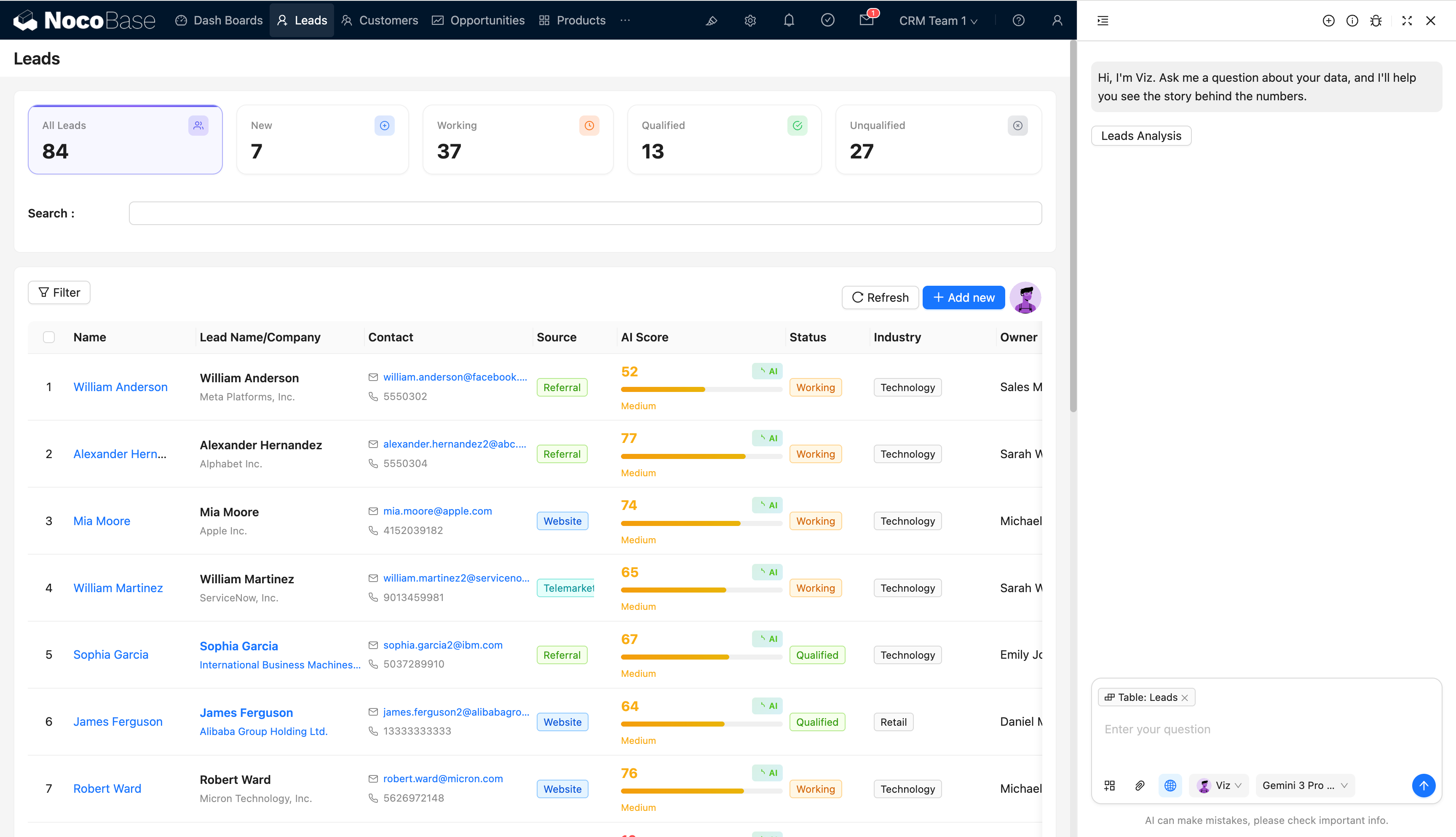
AI Employees
AI capabilities are now built into the core as a first-class citizen, with extensibility through the plugin system:
- Integrated into the core with plugin-based extensibility
- Upgraded and optimized LangChain dependencies for better stability and scalability
- Simplified AI employee interaction flow, lowering configuration and usage barriers
Reference:
App Supervisor
The App Supervisor plugin provides unified discovery, scheduling, and management of multiple NocoBase application instances, suitable for multi-app and multi-environment deployment scenarios.
- Application auto-discovery and centralized management
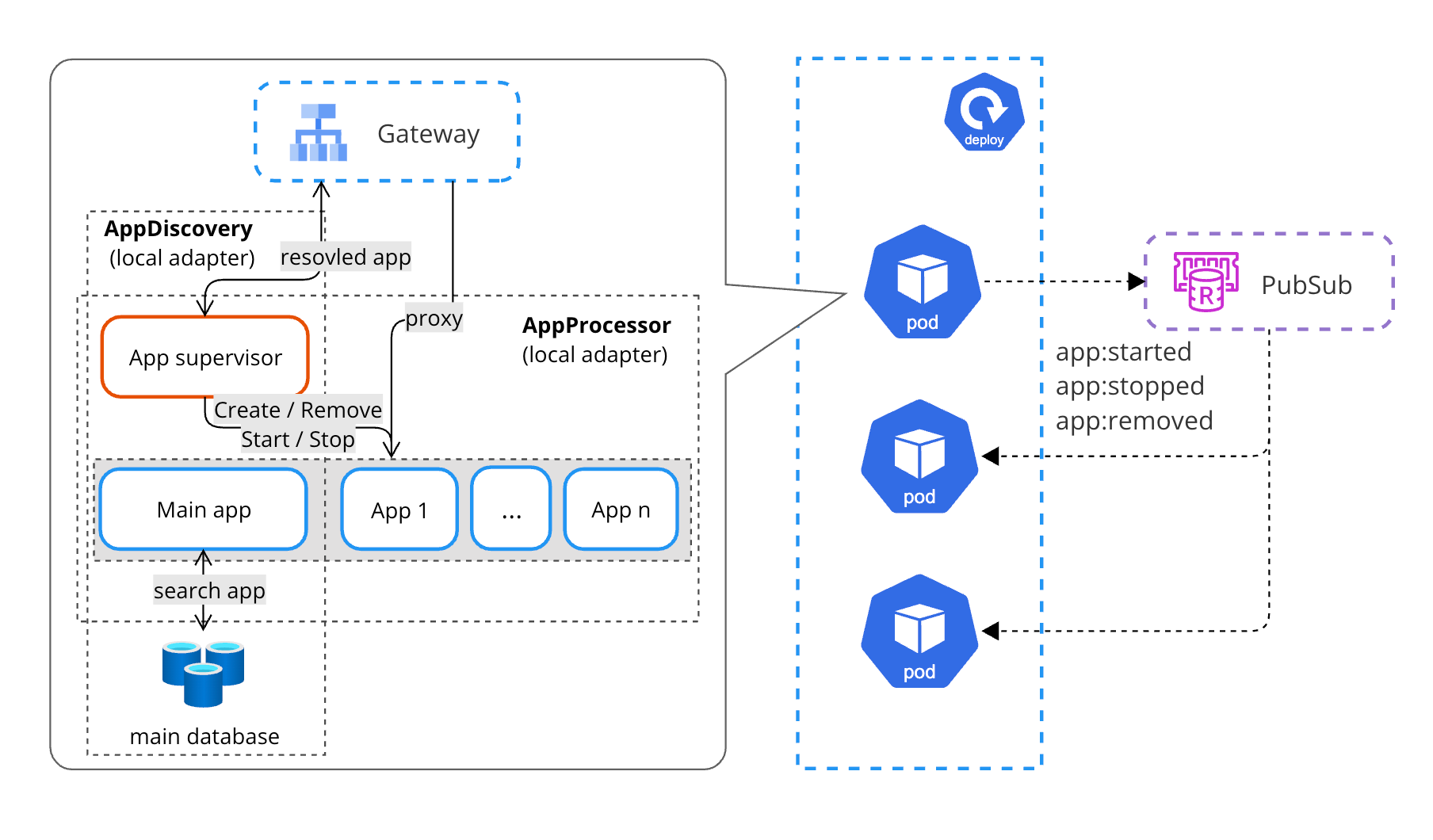
- Shared memory mechanism for improved inter-instance collaboration
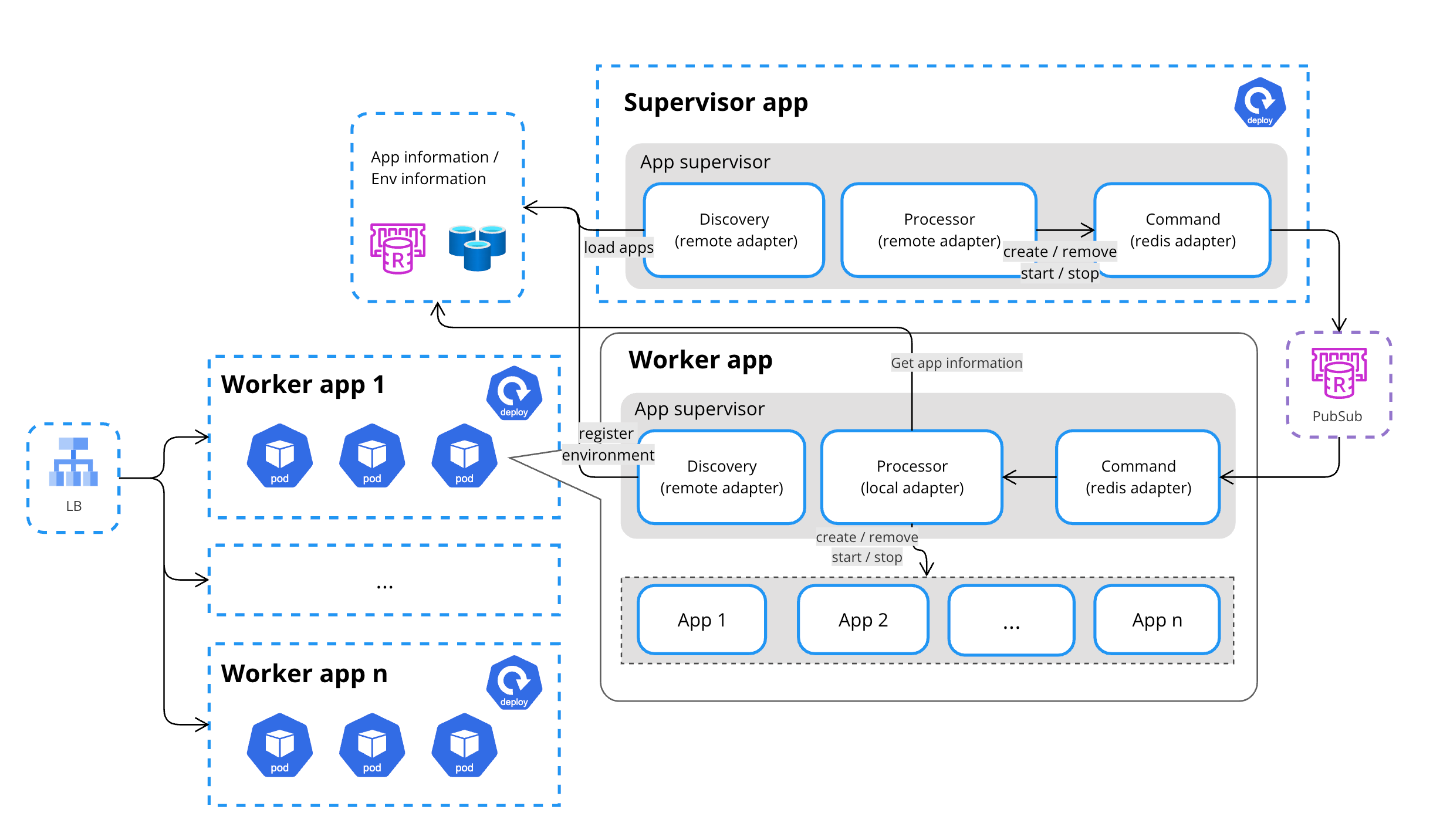
- Multi-environment hybrid deployment for complex delivery requirements
Shared Memory
Multi-Environment Hybrid Deployment
Reference:
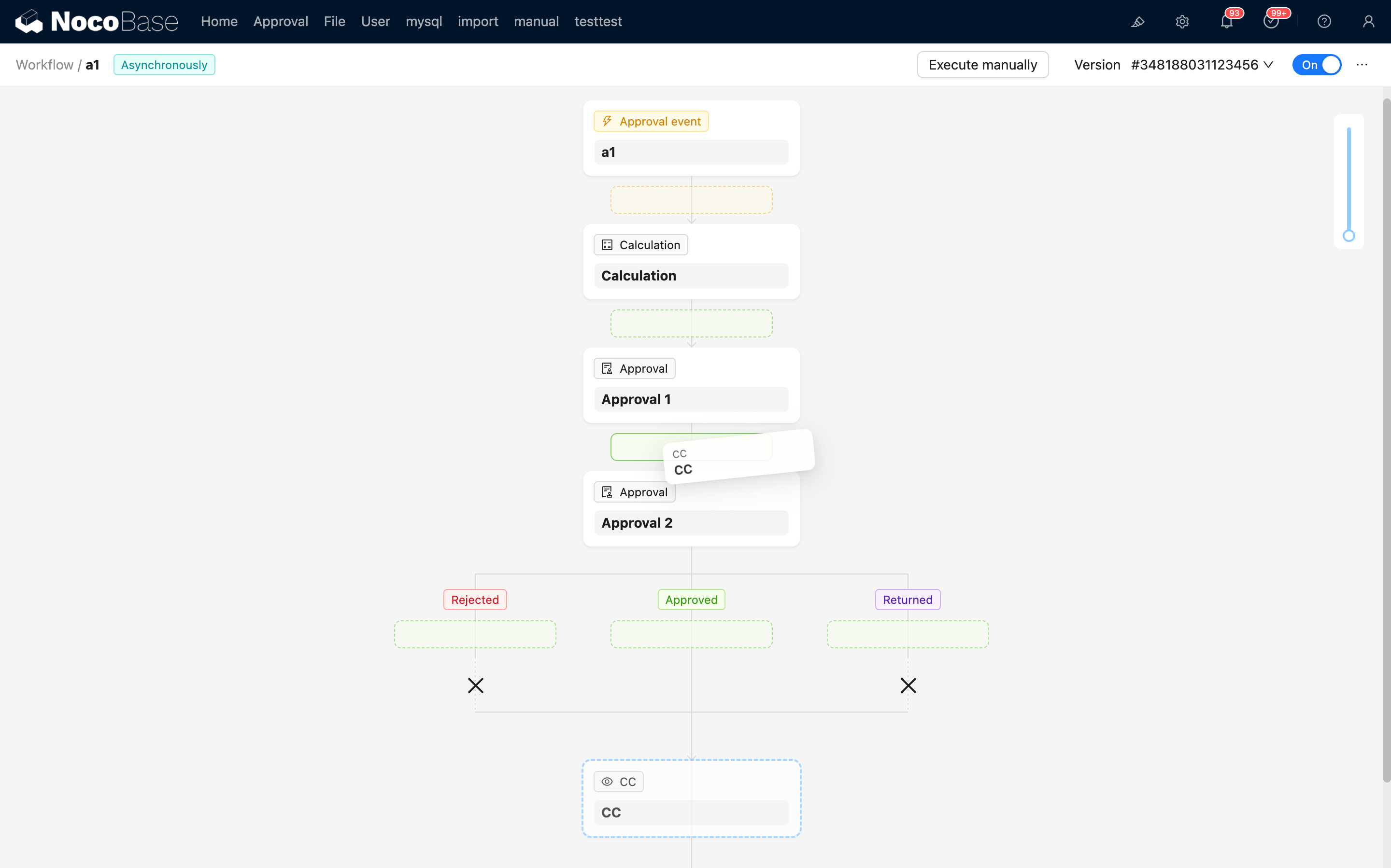
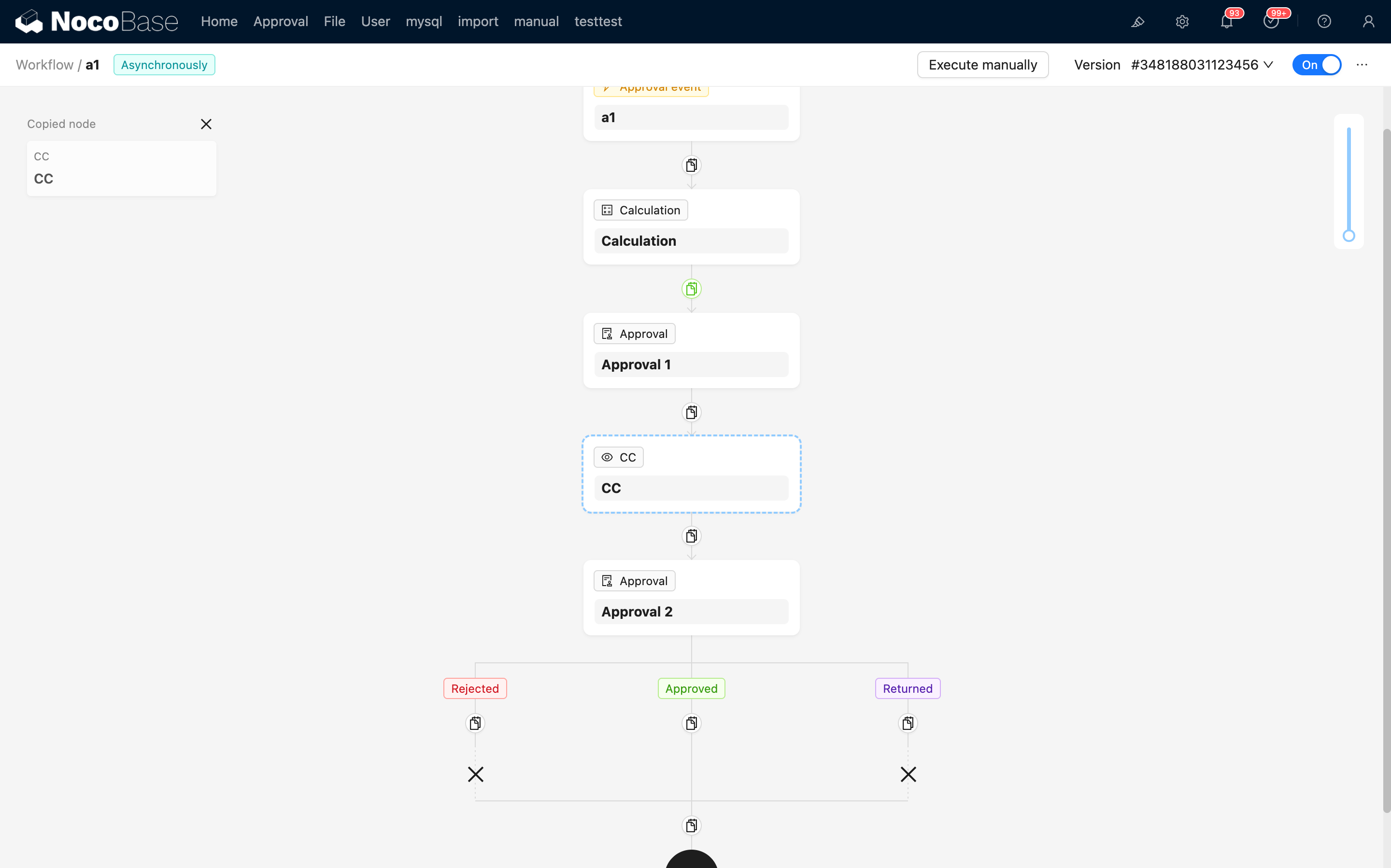
Workflow Canvas Enhancement
Drag-and-Drop Node Reordering
Copy and Paste Nodes
Sub-table (Inline Edit / Popup Edit)
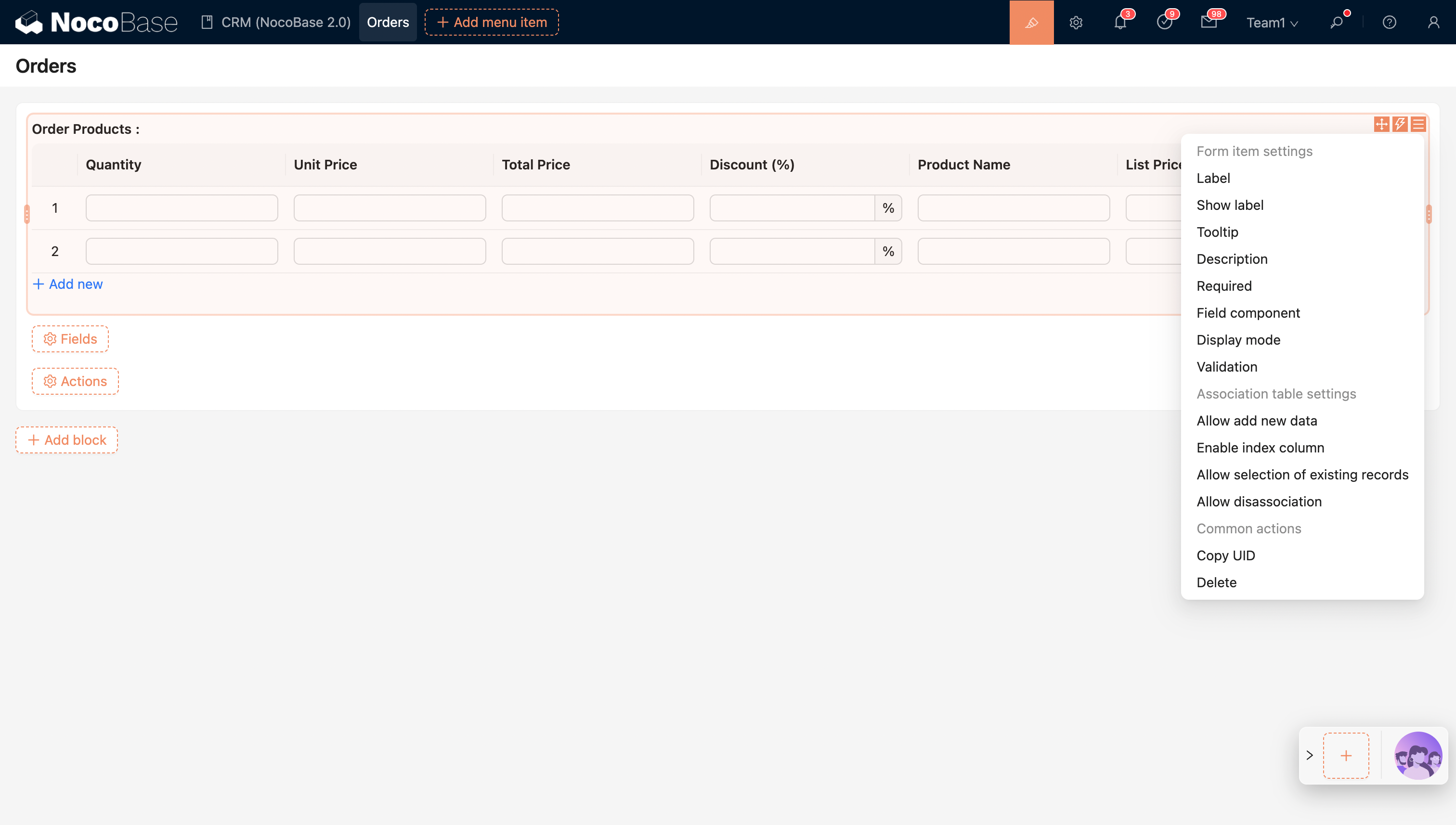
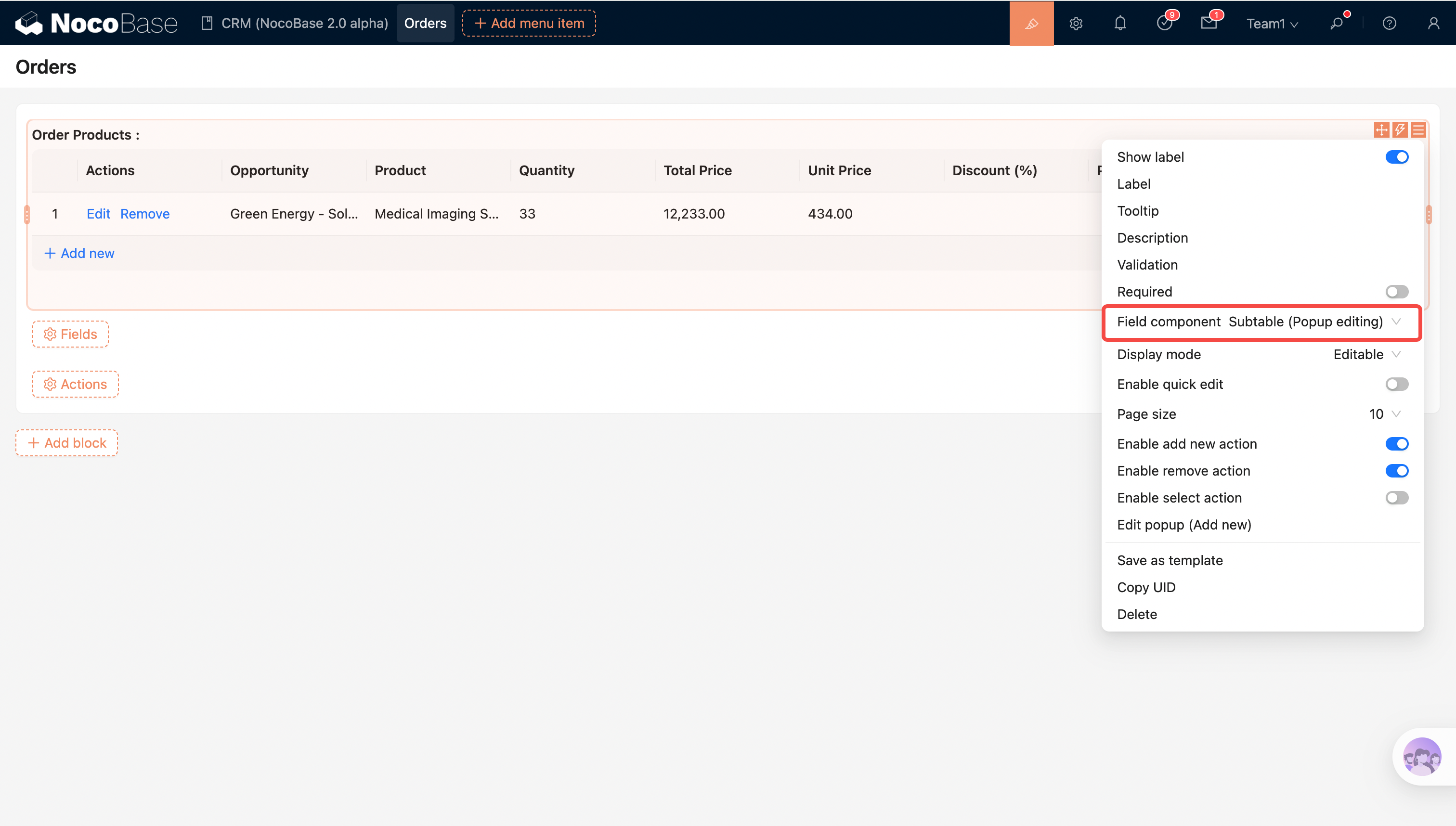
To meet different levels of complexity in related data editing, NocoBase offers two sub-table edit modes:
- Sub-table (Inline Edit): Edit related data directly in the table for efficient operations, ideal for quick data entry and batch updates
- Sub-table (Popup Edit): Edit data via popup forms with support for more complex field types and validation logic, suitable for high-complexity scenarios
Sub-table (Inline Edit)
Sub-table (Popup Edit)
Reference:
Field Assignment
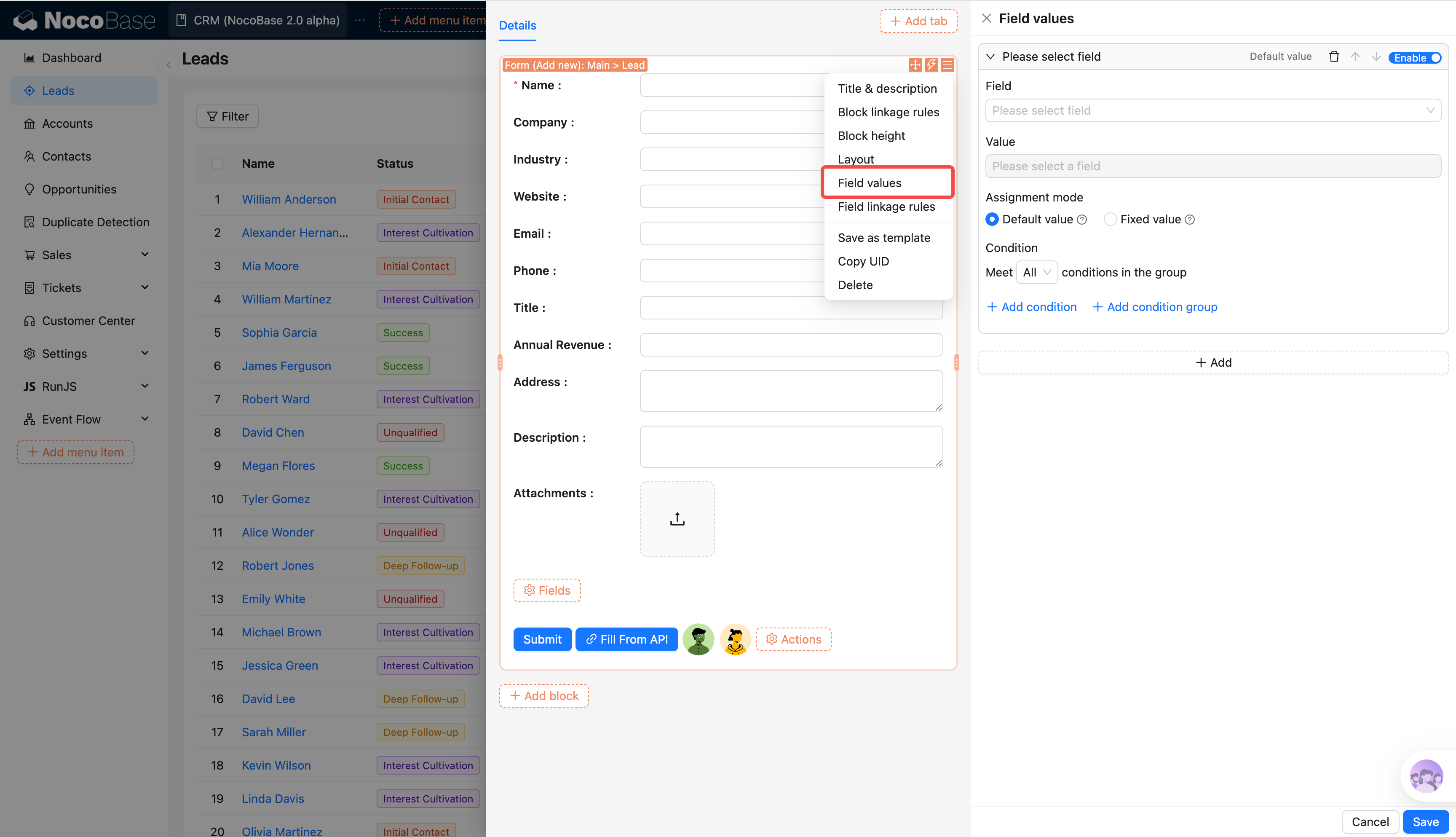
The new field assignment mechanism unifies and enhances initialization and write logic for form data, improving clarity and consistency:
- Unified field assignment configuration entry, reducing the complexity of scattered configuration
- Field assignment logic no longer depends on field component type, making data behavior more stable and predictable
- Support for field-level assignment on relation fields, enabling complex relational data modeling
- Both default value and constant value assignment modes, covering initialization and override scenarios
- Legacy “field default value” is deprecated; please migrate to the new field assignment mechanism
Reference: Field Assignment (documentation coming soon)
Event Flow Execution Order
Event flow runs strictly in the Event → Flow → Step hierarchy, with corresponding hooks triggered before and after each level for fine-grained control and extension.
event:
  before:
    - track_event_start
  flows:
    - name: flow1
      before:
        - track_flow_start
      steps:
        - name: step1
          before: [track_step_start]
          run: do_something
          after: [track_step_done]
      after:
        - track_flow_end
    - name: flow2
      ...
    - name: flow3
      ...
  after:
    - track_event_end
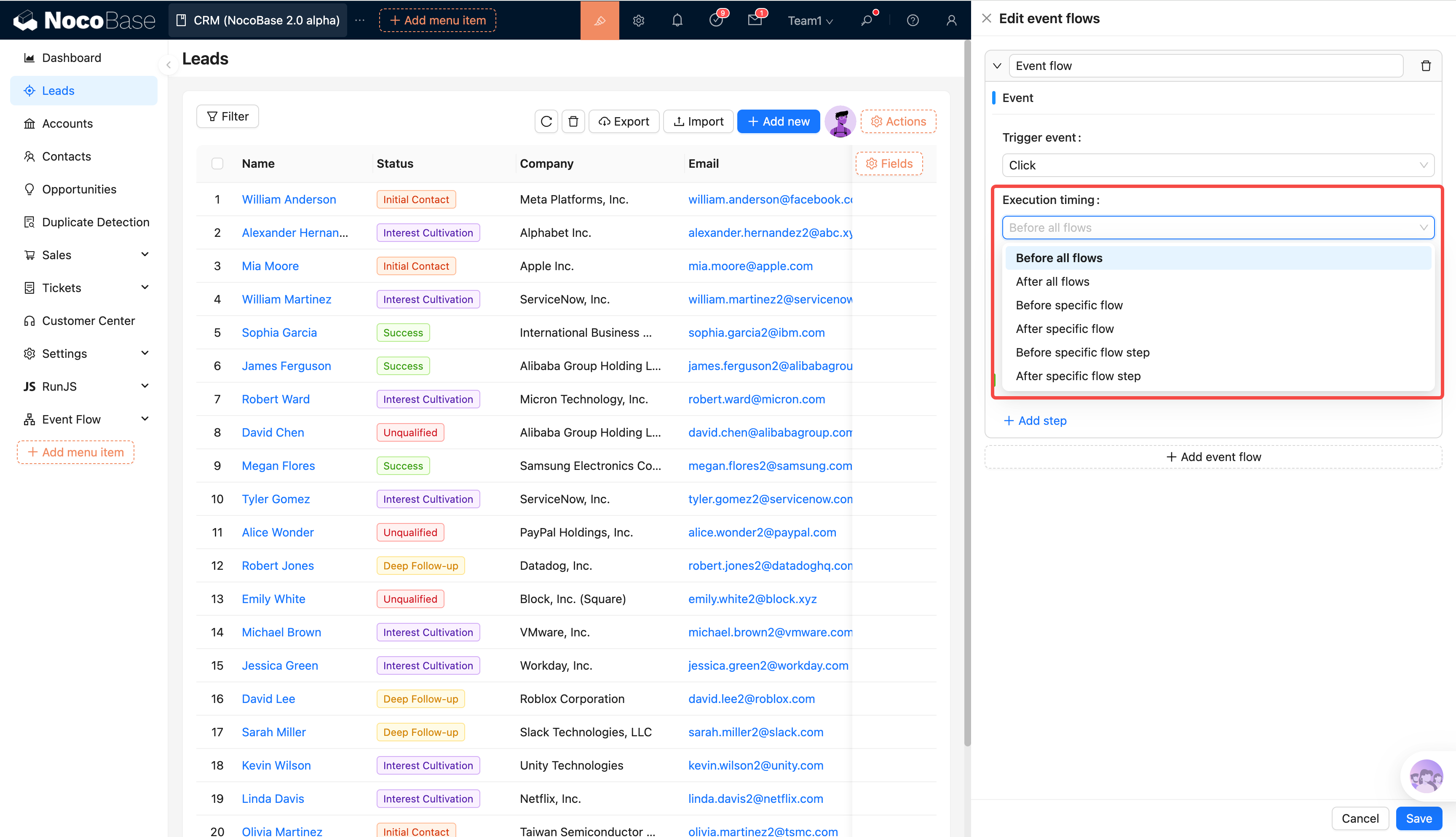
Reference:
Features Adapted to 2.0
Bulk Edit
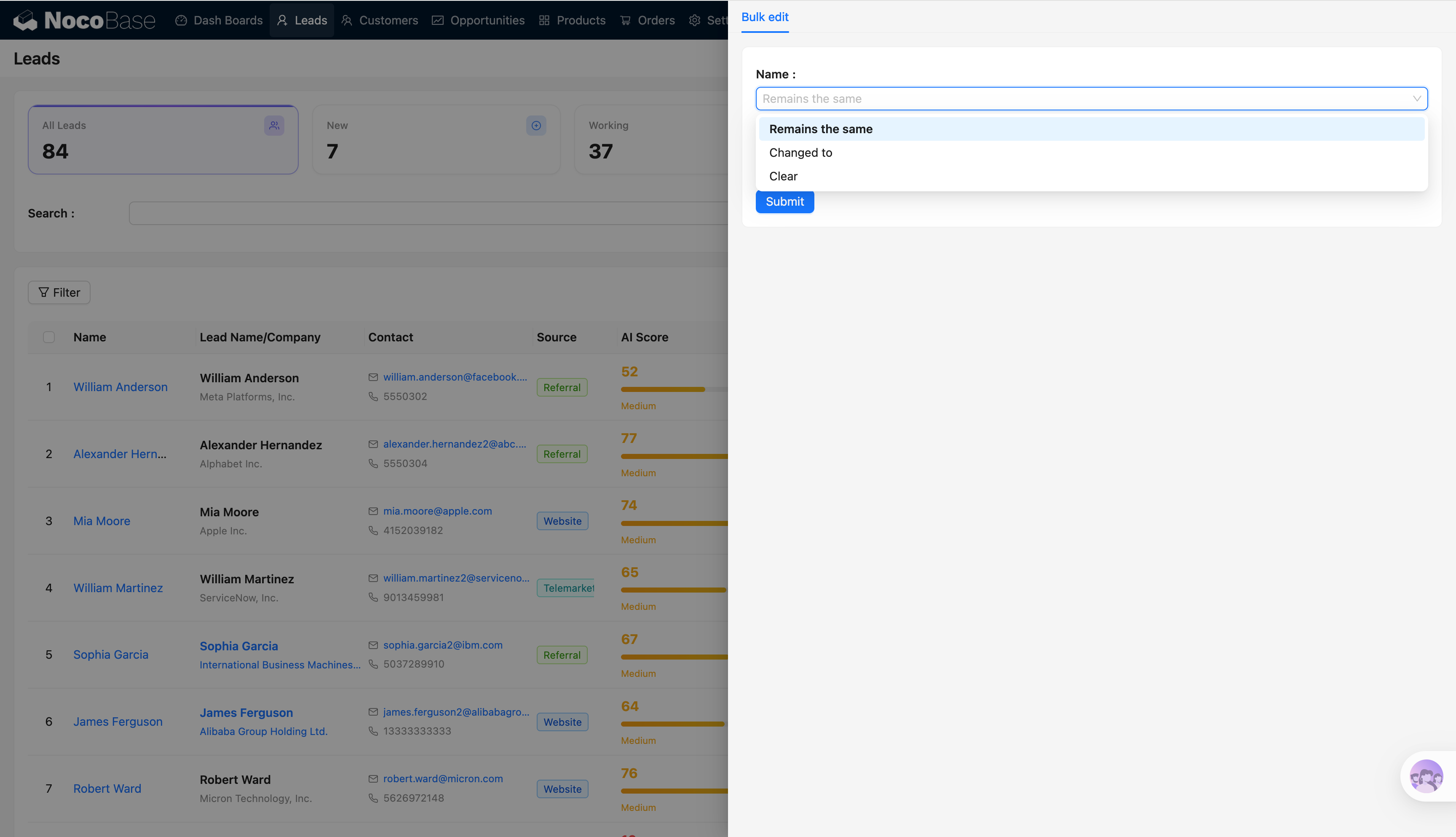
Reference:
Duplicate
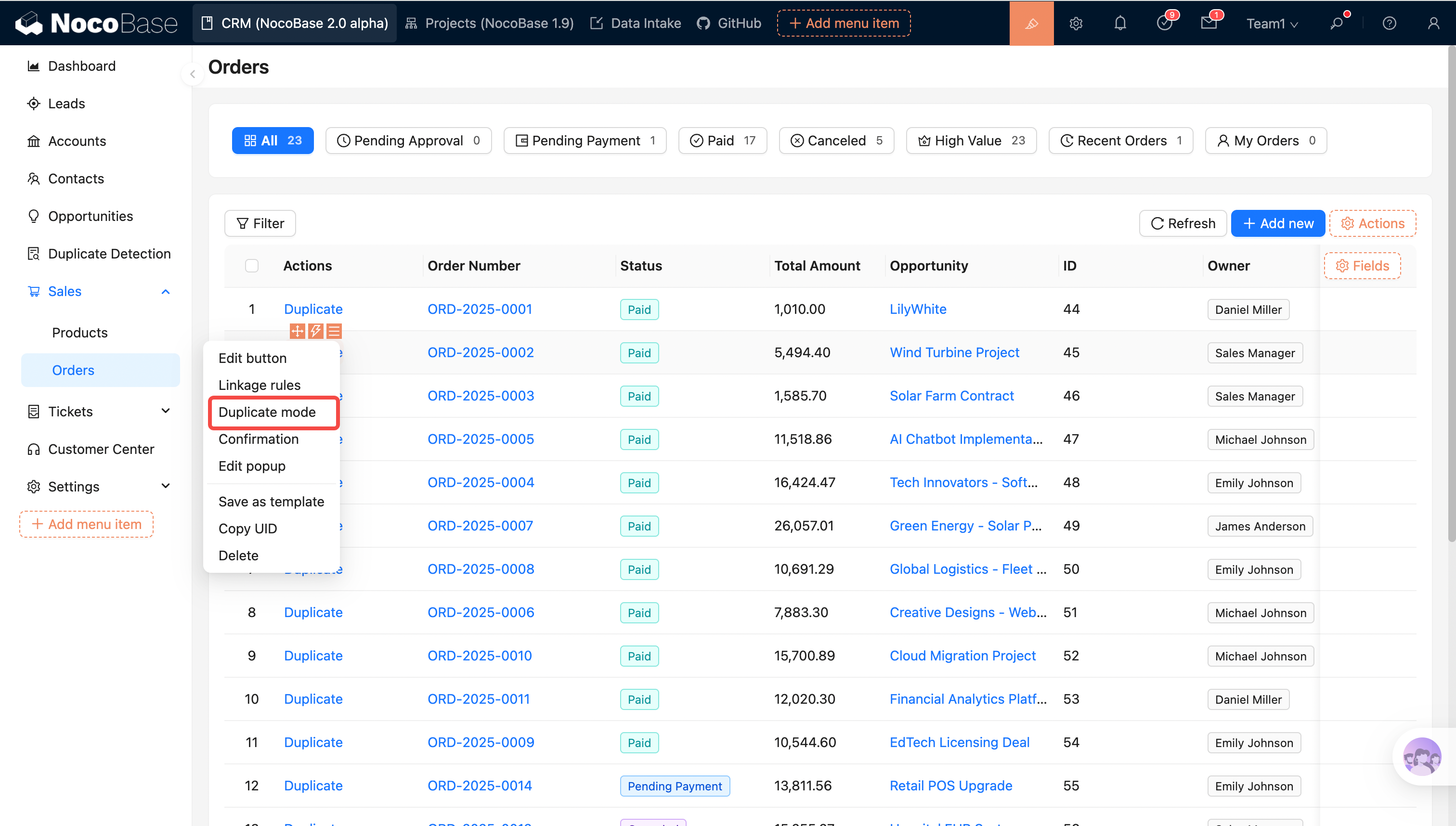
Reference:
Block Height
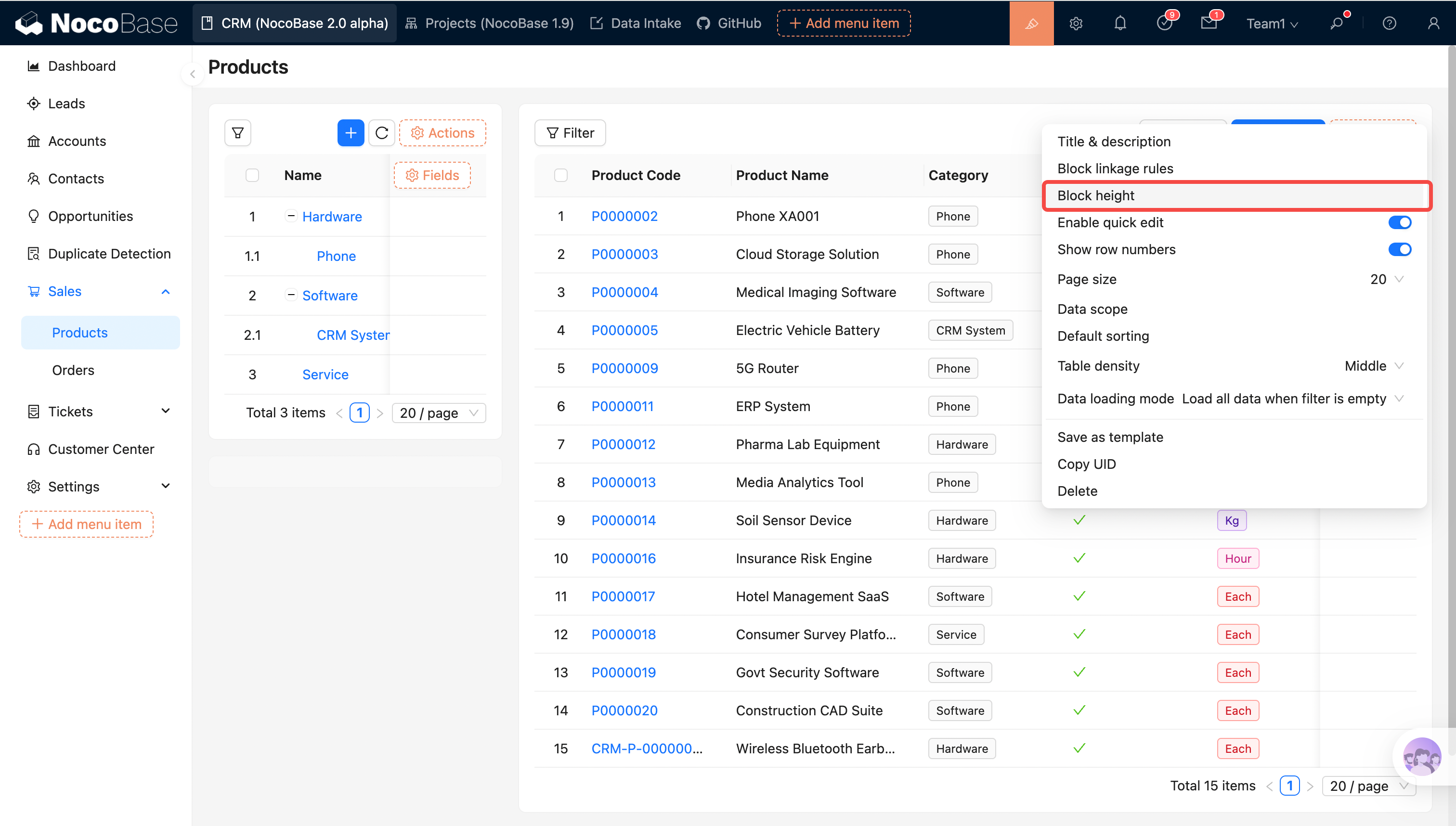
Reference:
Table Row Drag-and-Drop Sort
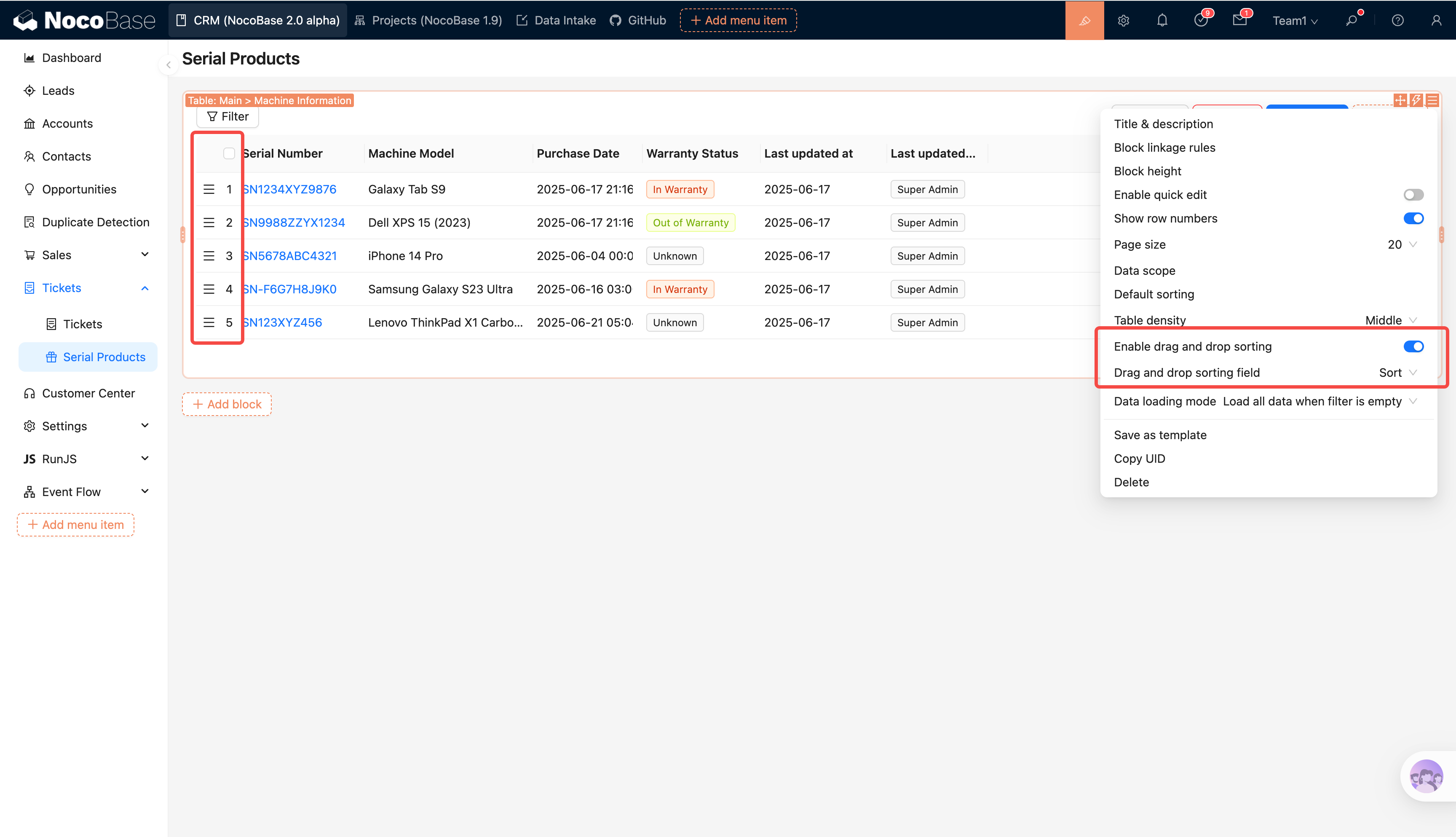
Reference:
Data Loading Method
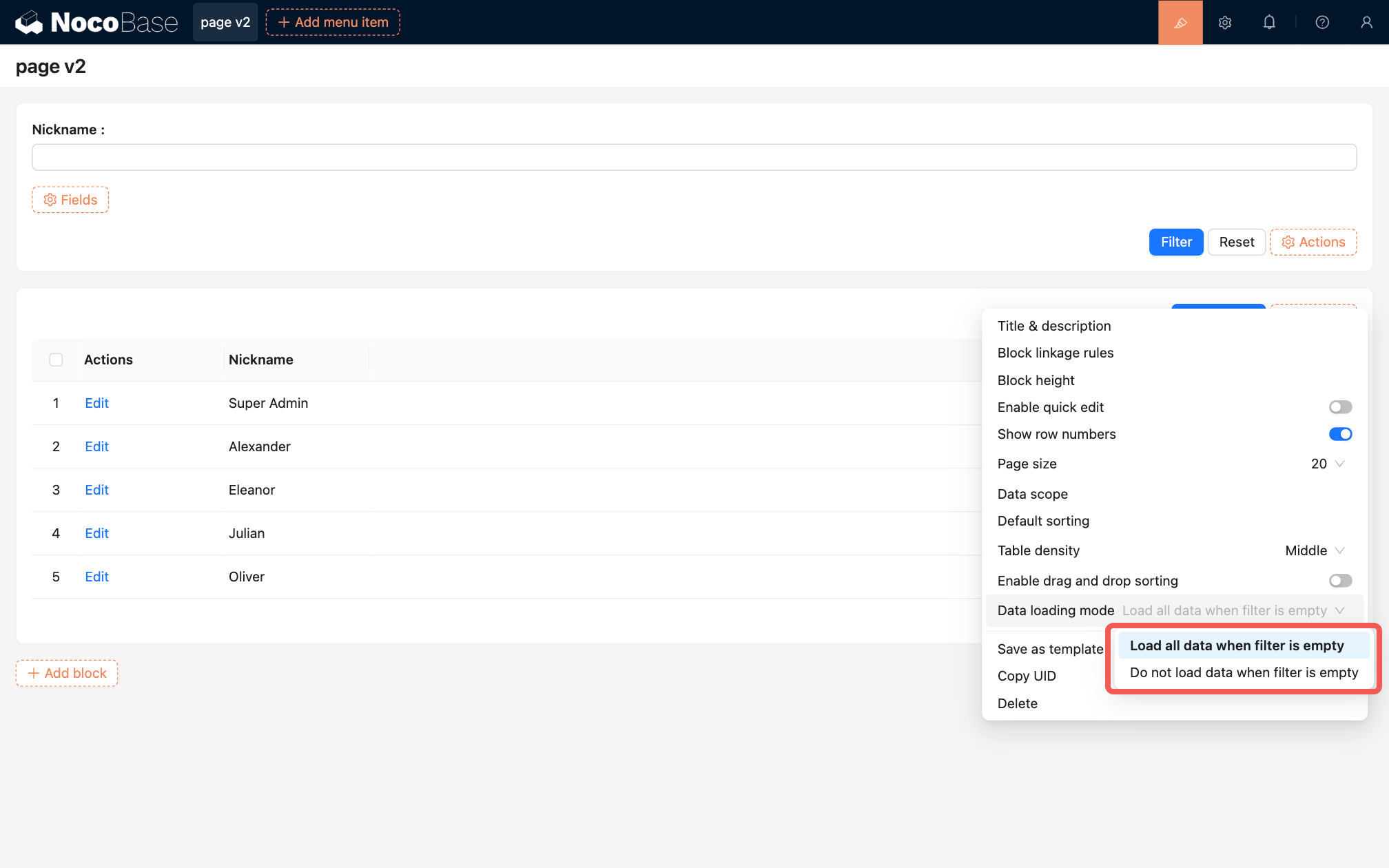
Reference:
Displaying Relation Fields in Forms
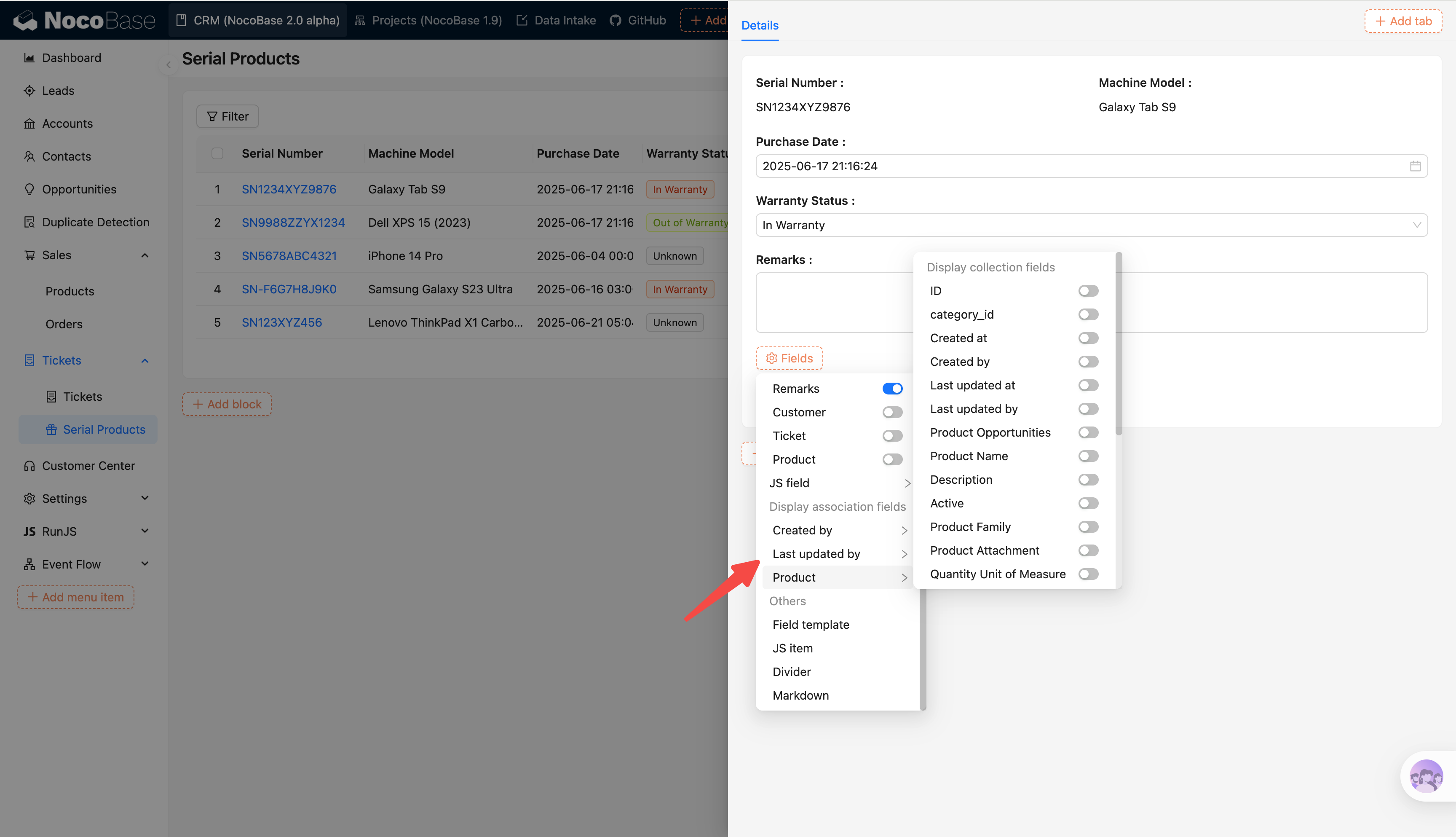
Reference:
Page (V2) Localization Support
V2 pages now fully support localization across pages, blocks, actions, and fields.
After enabling the localization plugin, the system automatically collects missing translation entries and displays them in the localization management list for centralized maintenance.
In JS blocks, use ctx.t() to retrieve localized text with variable interpolation:
const label = ctx.t('Your name is {{name}}', {
  name: await ctx.getVar('ctx.user.nickname')
});
ctx.render(label);
Approval 2.0
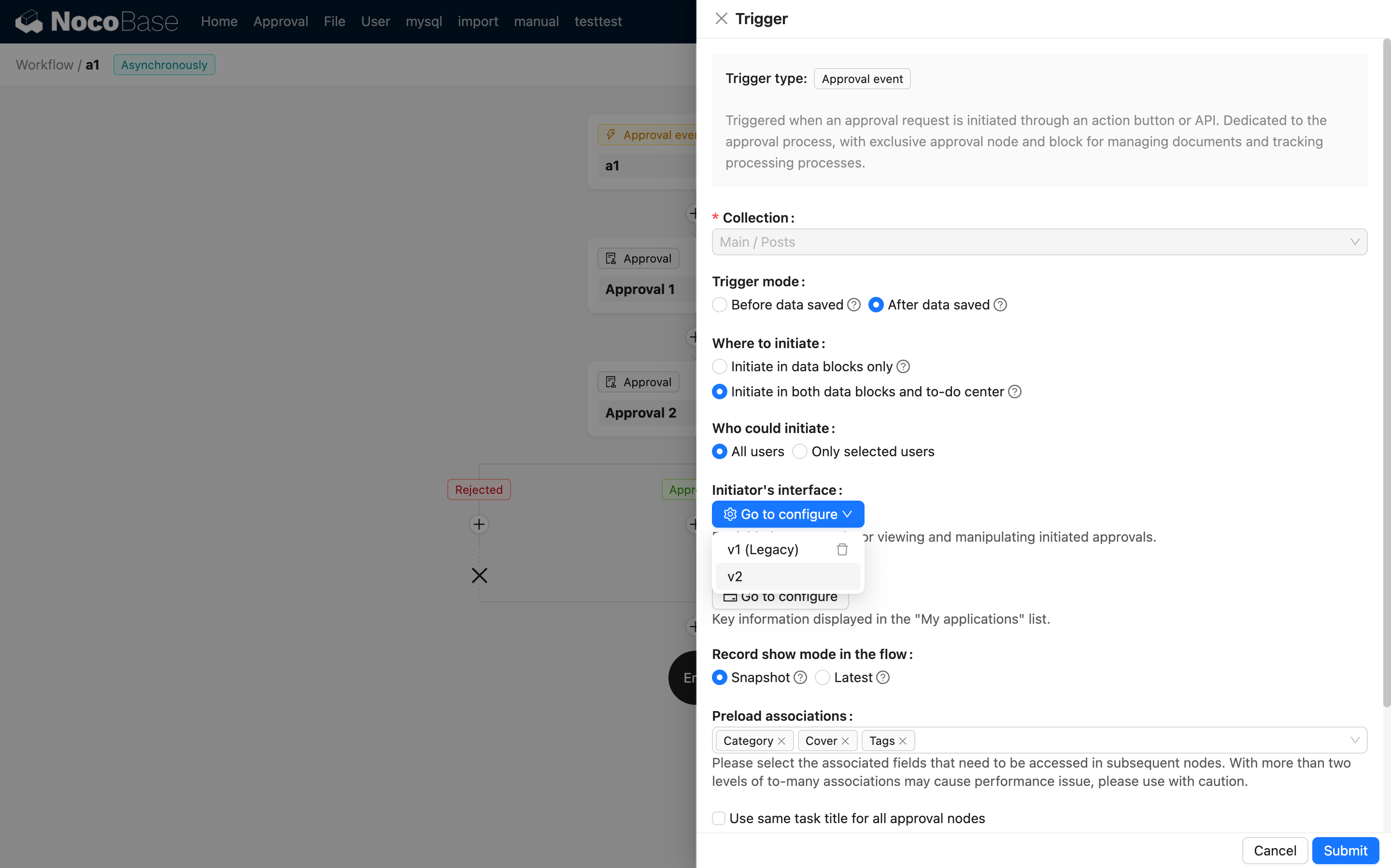
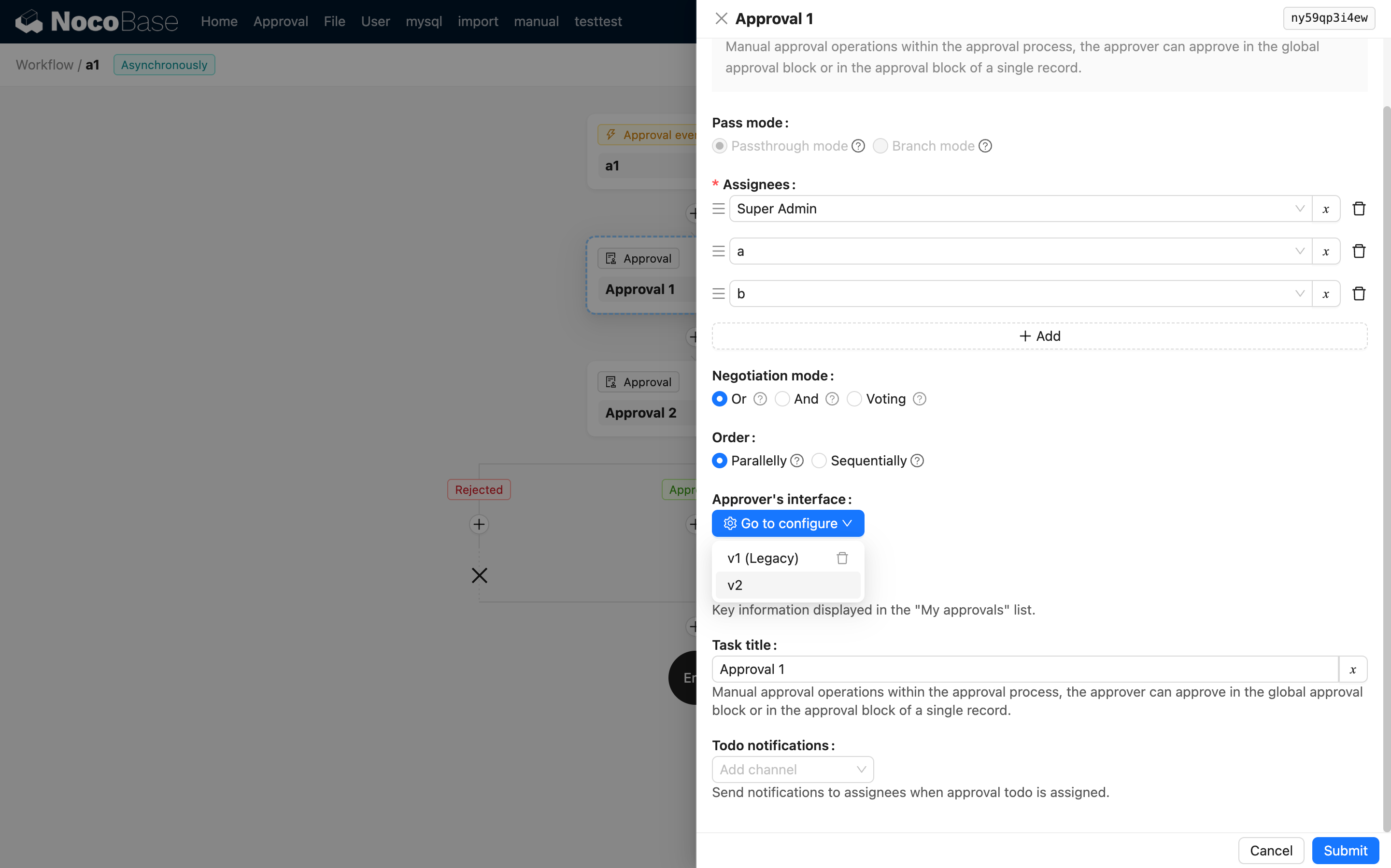
All newly created approval workflows use the 2.0 block-based layout. Existing 1.x configurations remain supported. To switch a 1.x approval to the 2.0 layout, select the v2 version and reconfigure the interface. Note that once switched, it cannot be reverted to 1.x.
Configure Initiator Interface
Configure Approver Interface
CC (Carbon Copy) 2.0
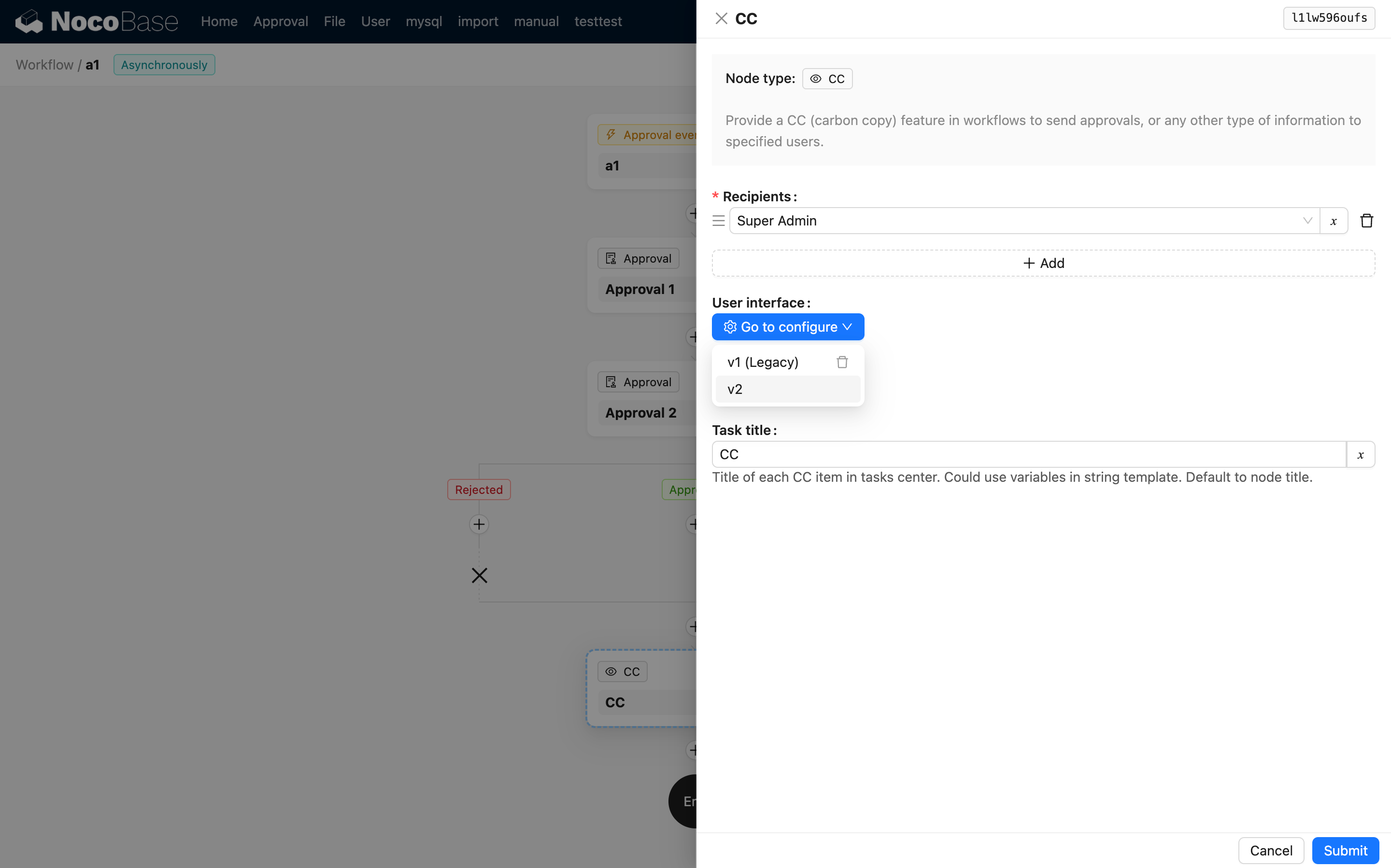
All newly created CC nodes use the 2.0 block-based layout for the recipient’s view. Existing 1.x configurations remain supported. To switch a 1.x CC to the 2.0 layout, select the v2 version and reconfigure the interface. Note that once switched, it cannot be reverted to 1.x.
Not Yet Available in 2.0
The following features are not yet available in 2.0 and will be upgraded in future releases:
| Feature | Current Alternative |
|---|---|
| Custom Request | Workflow Request Node |
| Browser Print | JS Action |
| Multi-step Form | JS Block |
| Tree Filter Block | JS Block |
| Calendar Block | JS Block |
| Custom Variable | Event Flow |
| Gantt Block | JS Block |
| Kanban Block | JS Block |
| Text Copy | Event Flow |
| Column Settings | JS Action |
| Style Linkage Rule | Event Flow |
| Copy Text Shortcut | Event Flow |
| QR Code Field | JS Field |
| Scan to Input | Event Flow |
| Embed NocoBase | — |
| China Administrative Region Field | — |
| Code Field | — |
| Public Form | — |
| Workflow Manual Node Todo | — |
| After Successful Submission | Event Flow |
| Data Template | Event Flow |