

NocoBase 2.0 est une mise à niveau majeure axée sur la construction d’applications complexes et le déploiement à grande échelle. Cette version apporte des améliorations systématiques aux capacités d’IA, à l’architecture applicative, à l’expérience d’édition de données et au flux d’événements frontend, ainsi qu’une adaptation complète des pages V2 et des fonctionnalités principales.
Nouvelles fonctionnalités
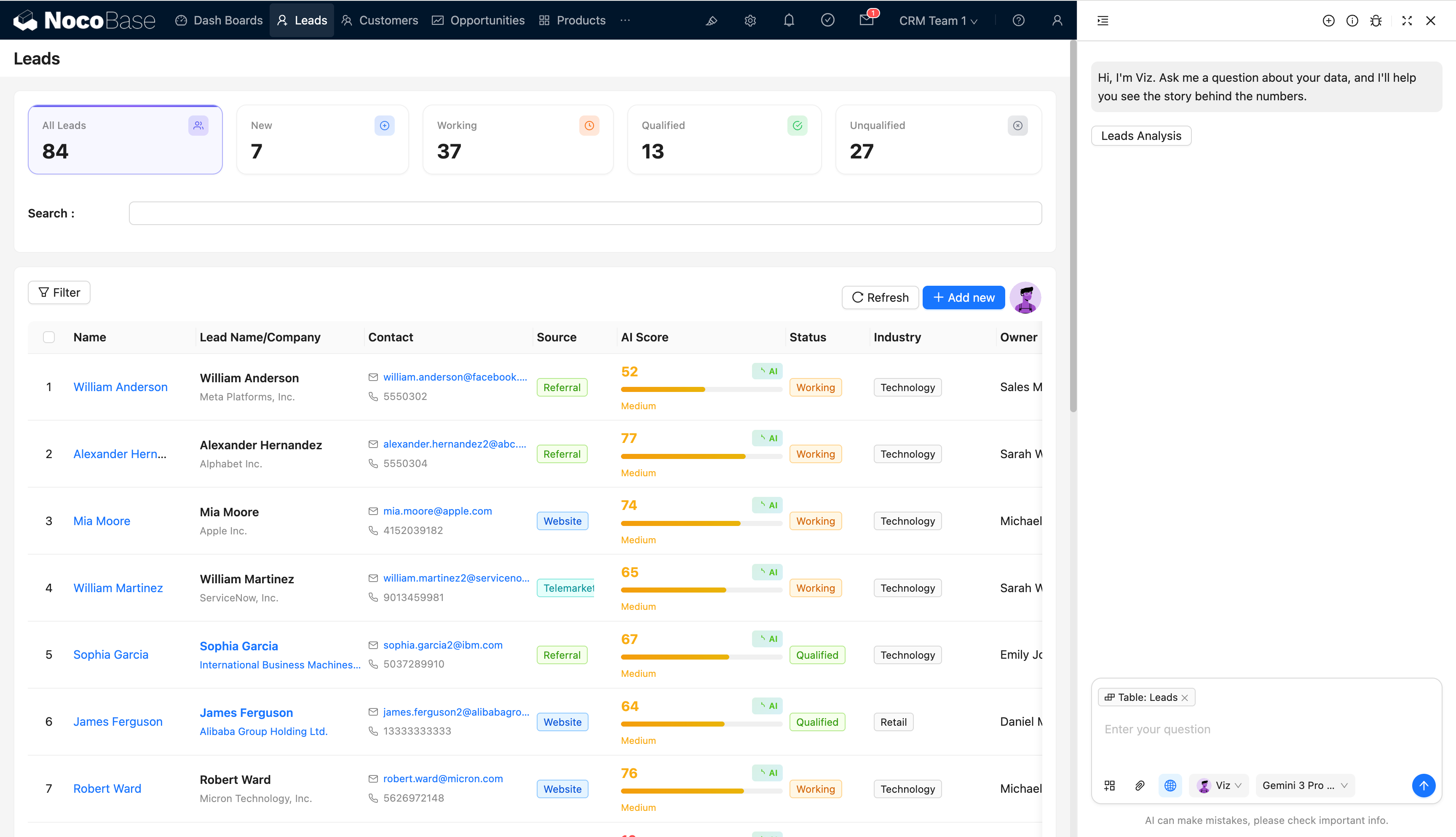
Employés IA
Les capacités d’IA sont désormais intégrées au cœur en tant que citoyen de première classe, avec une extensibilité via le système de plugins :
- Intégrées au cœur avec une extensibilité basée sur les plugins
- Dépendances LangChain mises à niveau et optimisées pour une meilleure stabilité et évolutivité
- Flux d’interaction des employés IA simplifié, abaissant les barrières de configuration et d’utilisation
Référence :
Superviseur d’application
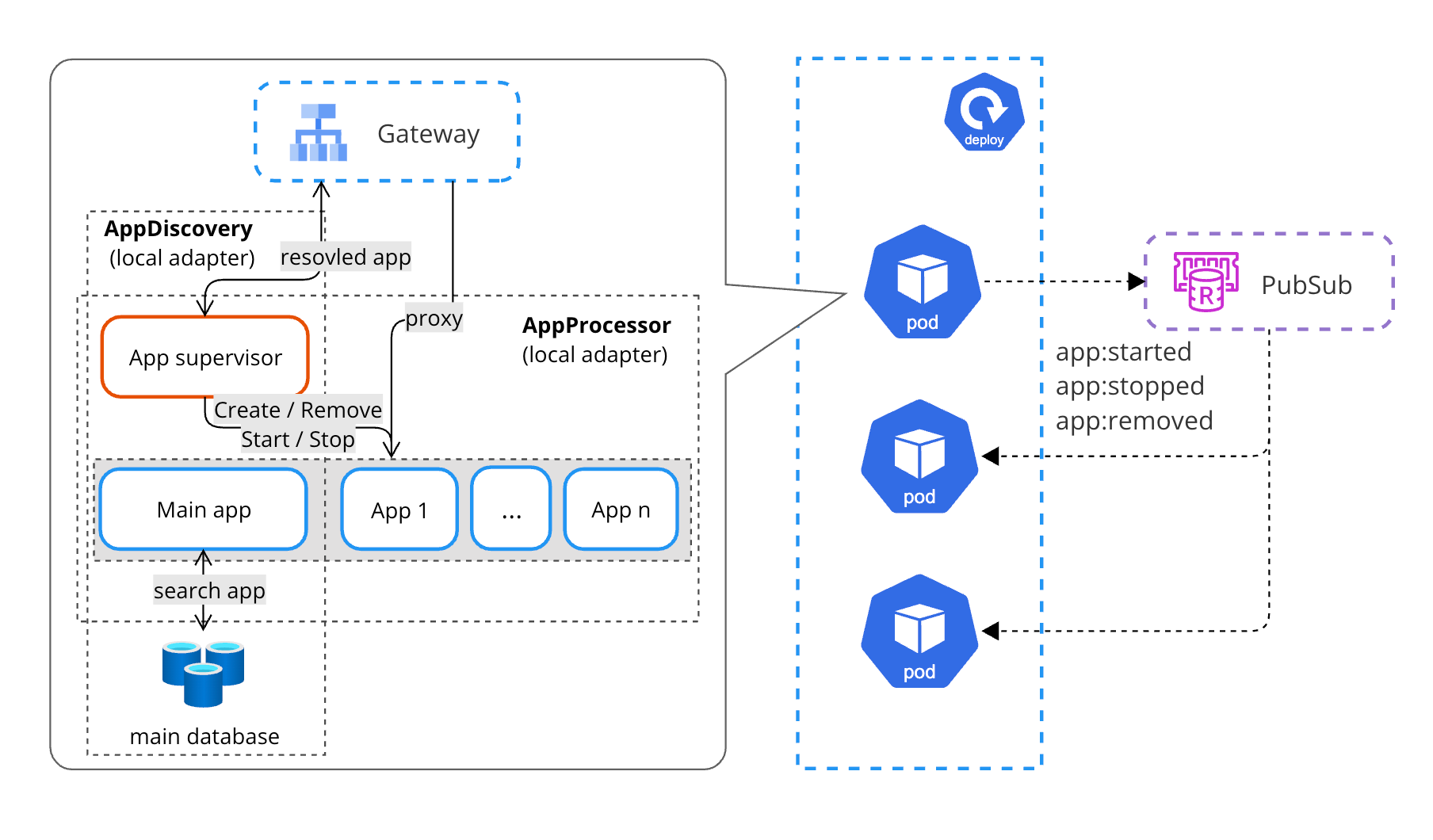
Le plugin Superviseur d’application fournit une découverte, planification et gestion unifiées de plusieurs instances d’application NocoBase, adapté aux scénarios de déploiement multi-applications et multi-environnements.
- Découverte automatique des applications et gestion centralisée
- Mécanisme de mémoire partagée pour une meilleure collaboration inter-instances
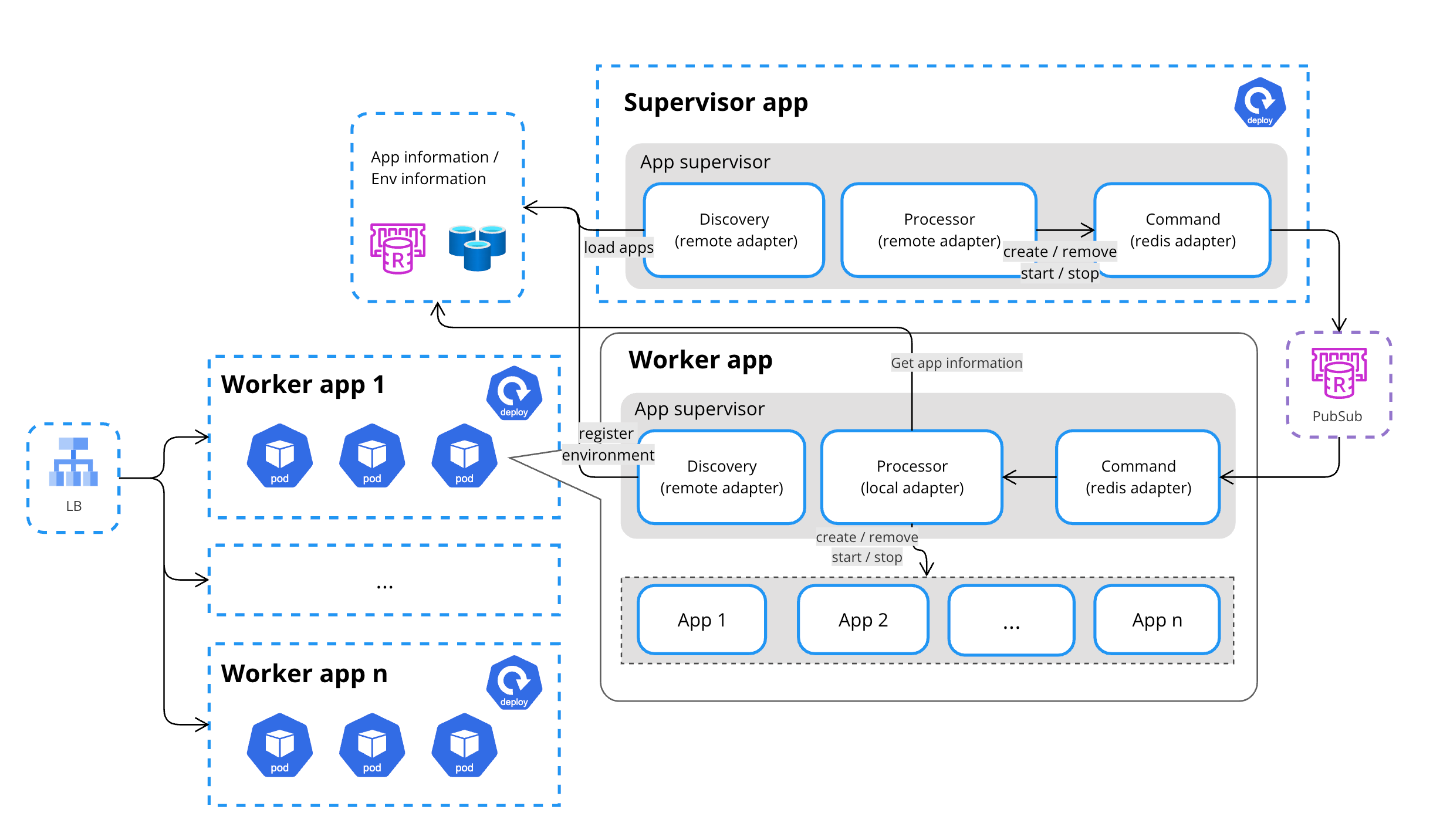
- Déploiement hybride multi-environnement pour des besoins de livraison complexes
Mémoire partagée
Déploiement hybride multi-environnement
Référence :
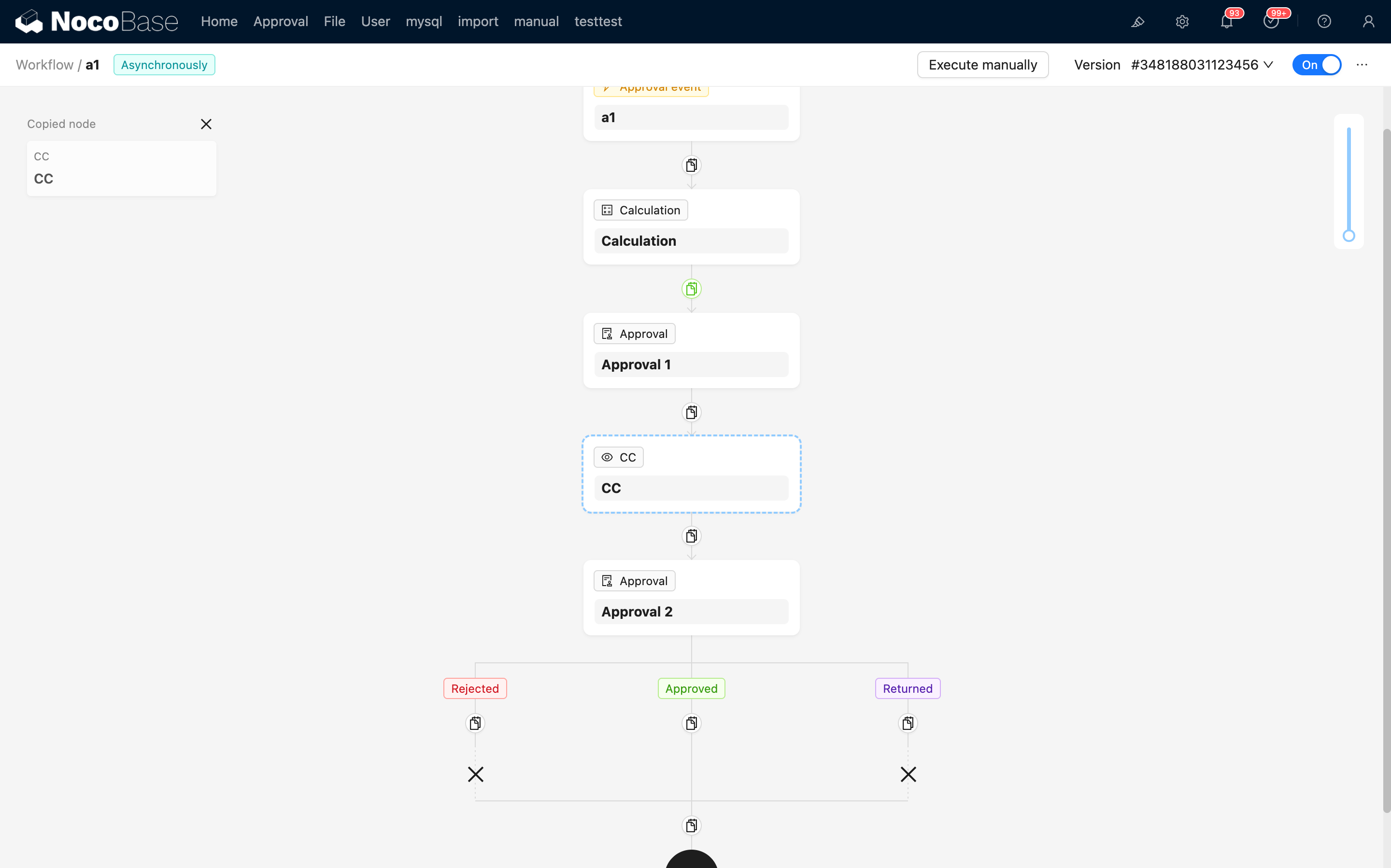
Amélioration du canevas de workflow
Réorganisation des nœuds par glisser-déposer
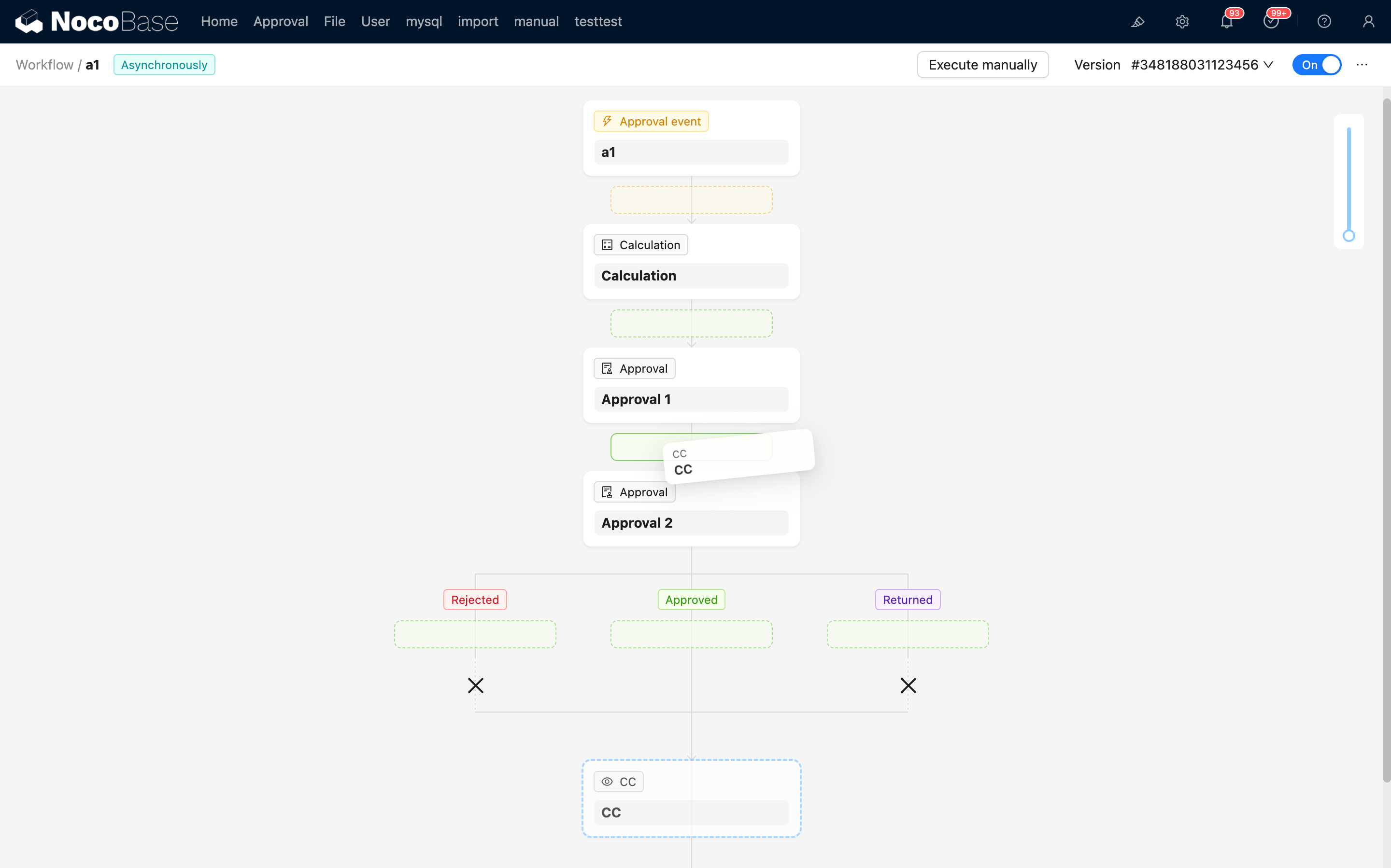
Copier et coller des nœuds
Sous-tableau (Édition en ligne / Édition contextuelle)
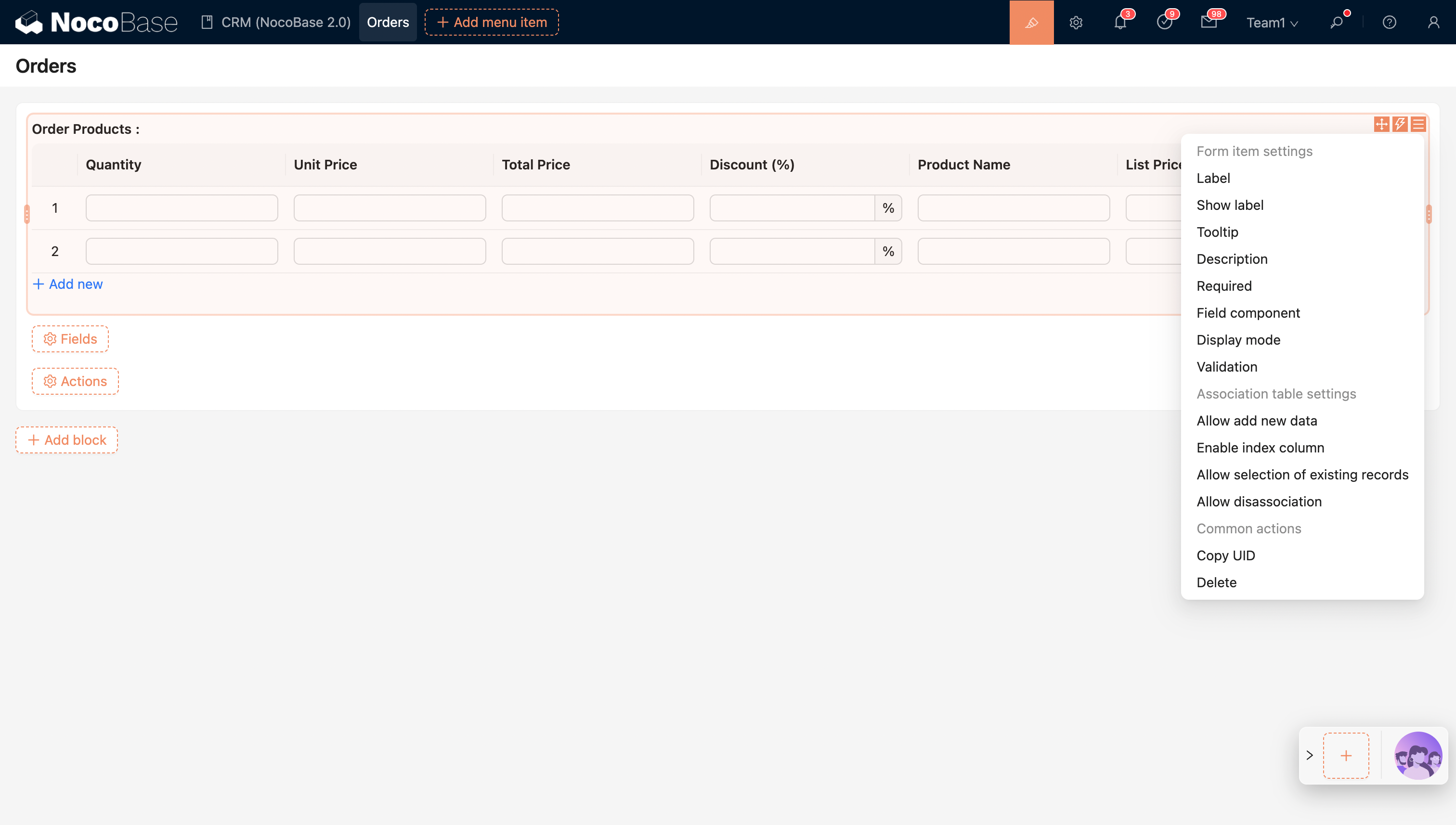
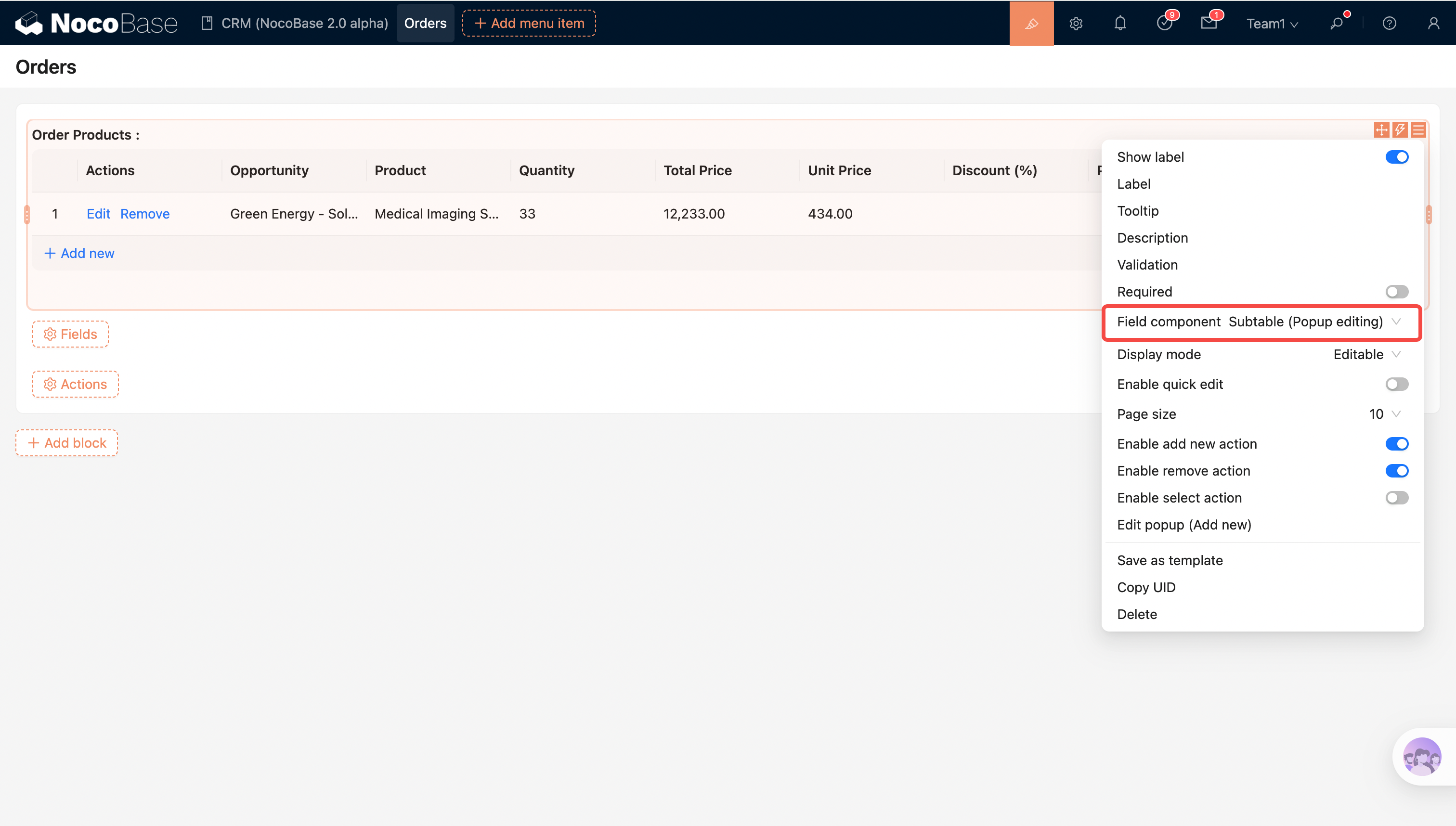
Pour répondre à différents niveaux de complexité dans l’édition de données associées, NocoBase propose deux modes d’édition de sous-tableau :
- Sous-tableau (Édition en ligne) : Modifier les données associées directement dans le tableau pour des opérations efficaces, idéal pour la saisie rapide de données et les mises à jour par lots
- Sous-tableau (Édition contextuelle) : Modifier les données via des formulaires contextuels avec prise en charge de types de champs plus complexes et de logique de validation, adapté aux scénarios de haute complexité
Sous-tableau (Édition en ligne)
Sous-tableau (Édition contextuelle)
Référence :
Affectation de champs
Le nouveau mécanisme d’affectation de champs unifie et améliore la logique d’initialisation et d’écriture pour les données de formulaire, améliorant la clarté et la cohérence :
- Point d’entrée de configuration d’affectation de champs unifié, réduisant la complexité d’une configuration dispersée
- La logique d’affectation de champs ne dépend plus du type de composant de champ, rendant le comportement des données plus stable et prévisible
- Prise en charge de l’affectation au niveau du champ sur les champs de relation, permettant une modélisation complexe des données relationnelles
- Modes d’affectation valeur par défaut et valeur constante, couvrant les scénarios d’initialisation et de remplacement
- La “valeur par défaut du champ” héritée est obsolète ; veuillez migrer vers le nouveau mécanisme d’affectation de champs
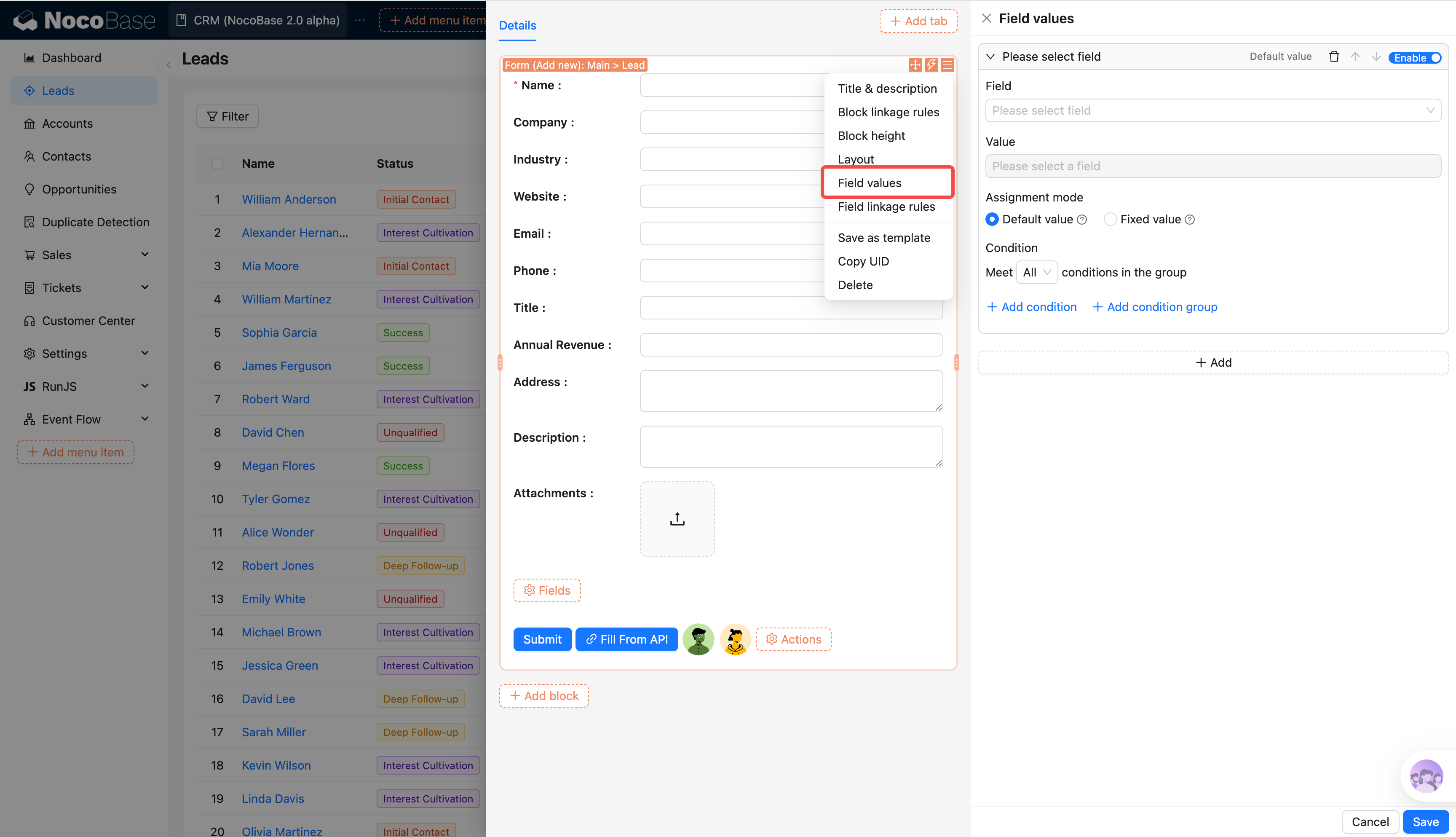
Référence : Affectation de champs (documentation à venir)
Ordre d’exécution du flux d’événements
Le flux d’événements s’exécute strictement selon la hiérarchie Événement → Flux → Étape, avec des hooks correspondants déclenchés avant et après chaque niveau pour un contrôle et une extension précis.
event:
  before:
    - track_event_start
  flows:
    - name: flow1
      before:
        - track_flow_start
      steps:
        - name: step1
          before: [track_step_start]
          run: do_something
          after: [track_step_done]
      after:
        - track_flow_end
    - name: flow2
      ...
    - name: flow3
      ...
  after:
    - track_event_end
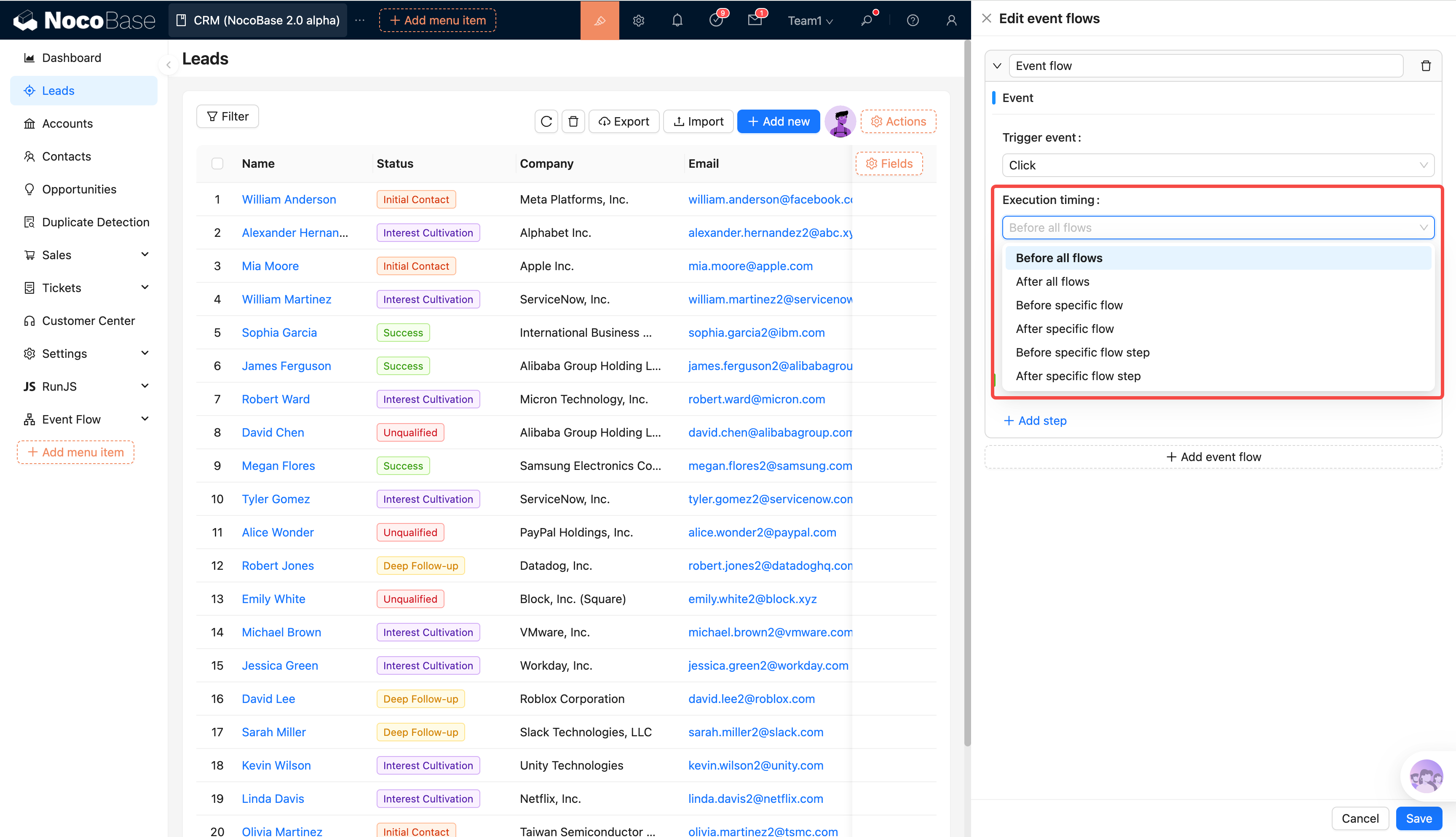
Référence :
Fonctionnalités adaptées à la version 2.0
Modification en masse
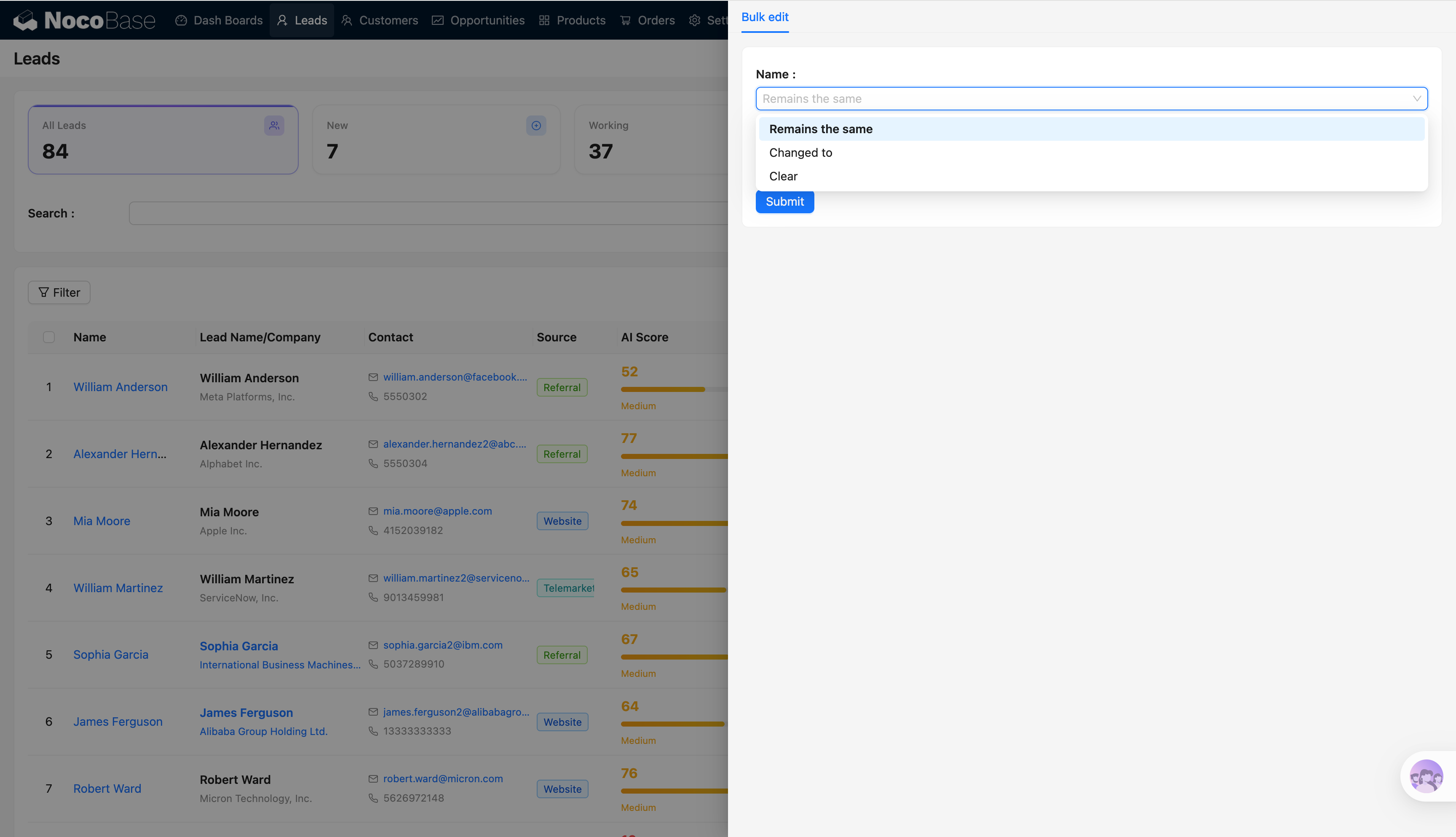
Référence :
Dupliquer
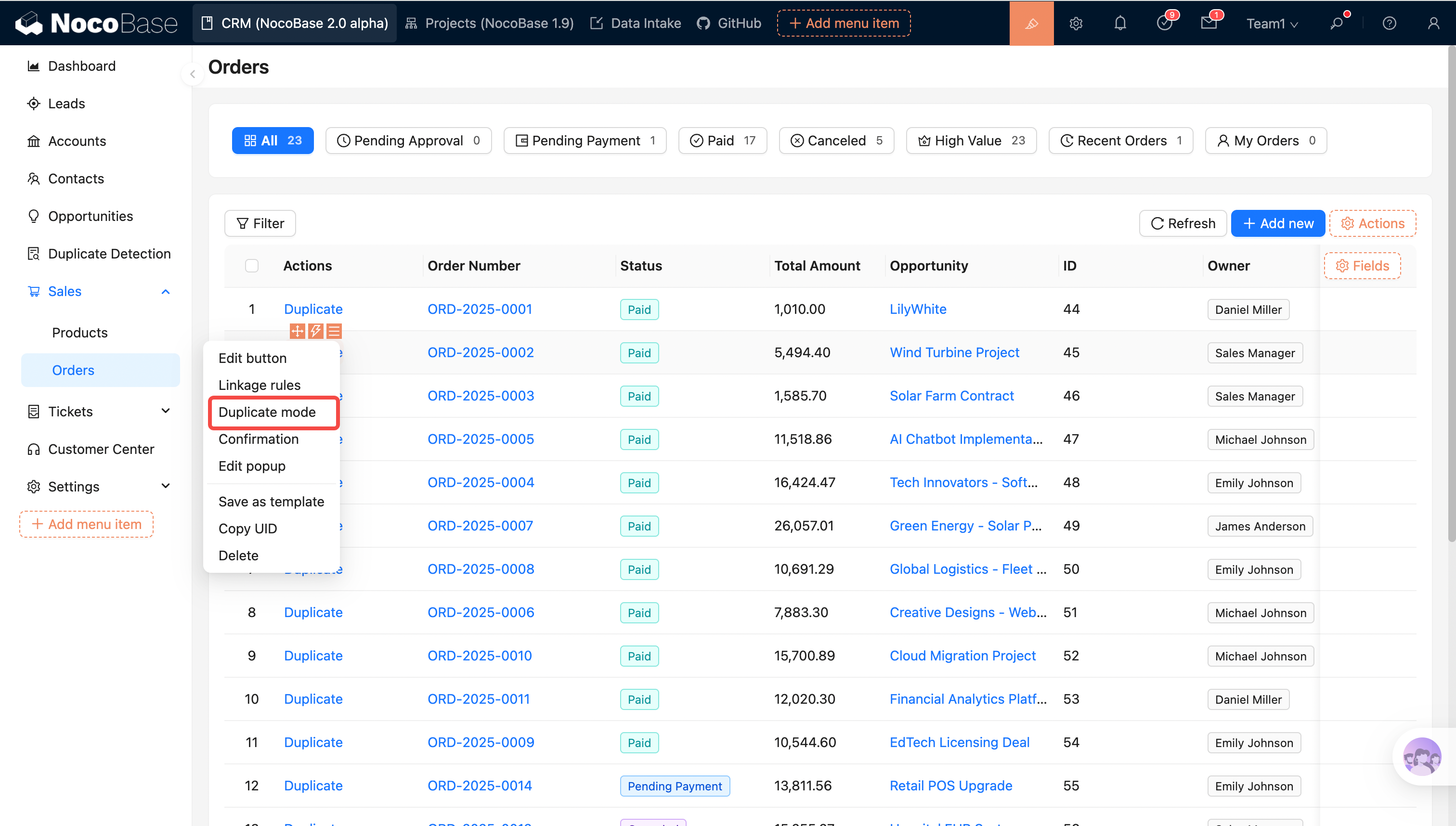
Référence :
Hauteur du bloc
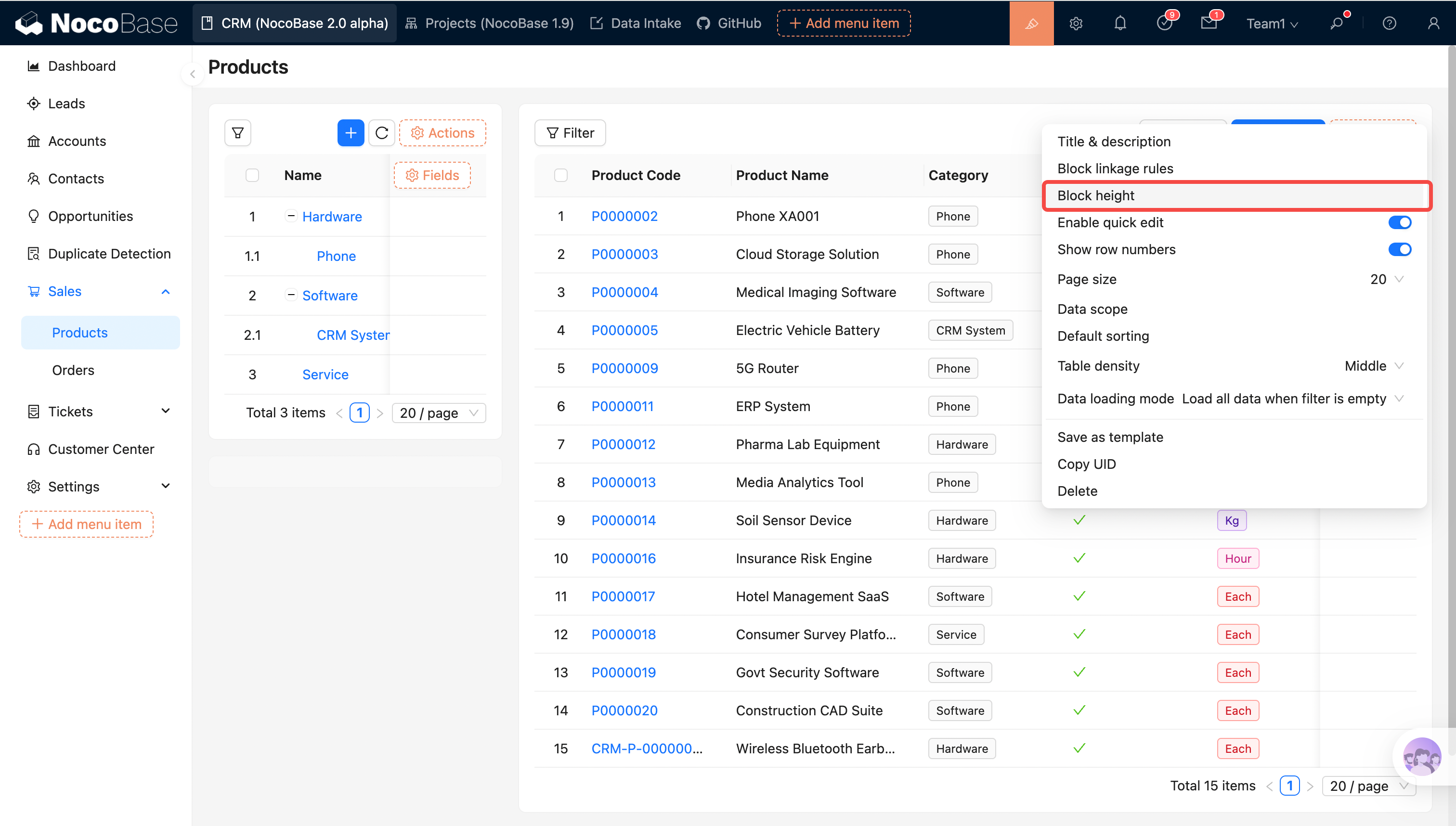
Référence :
Tri par glisser-déposer des lignes du tableau
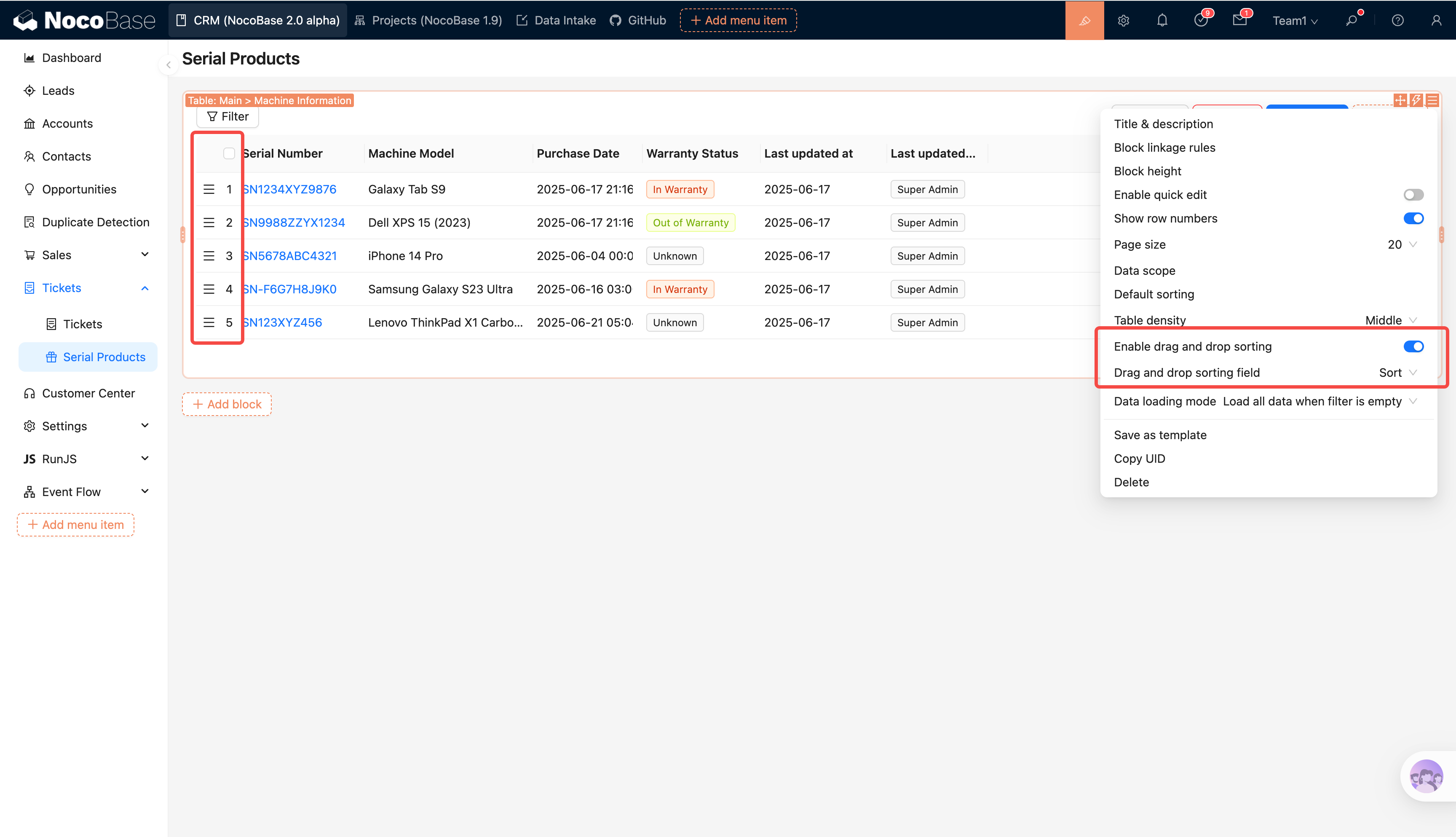
Référence :
Méthode de chargement des données
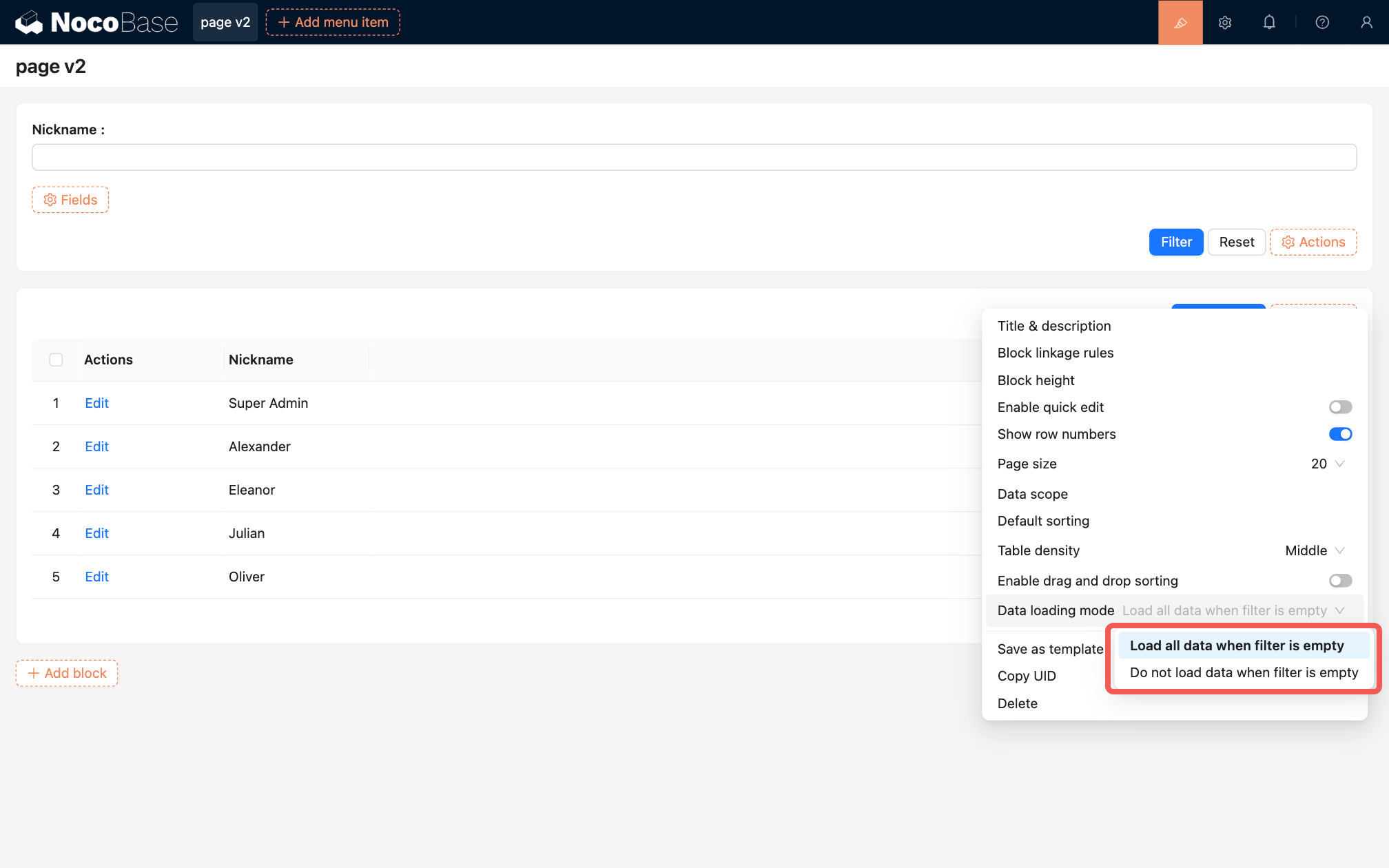
Référence :
Affichage des champs de relation dans les formulaires
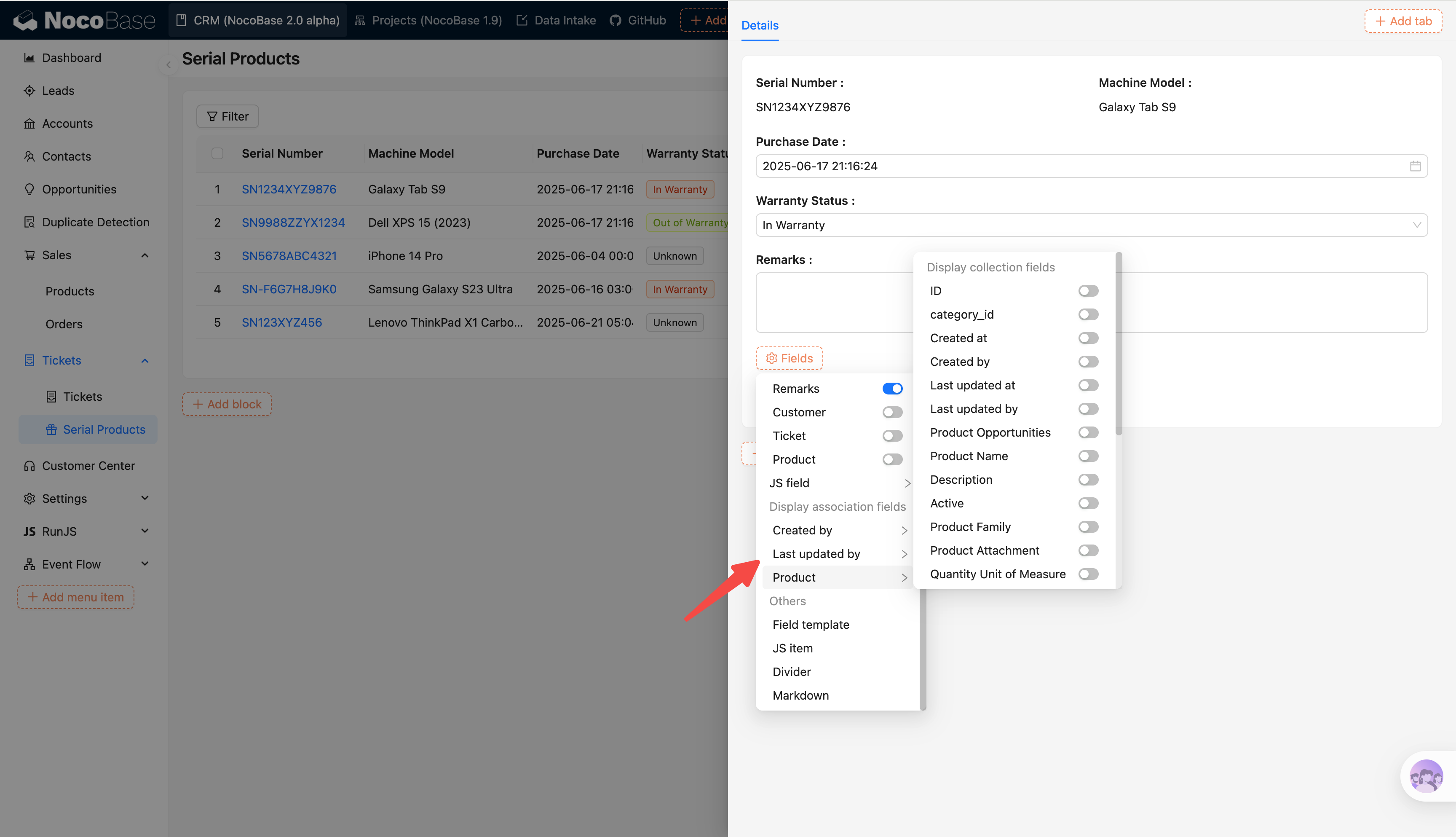
Référence :
Prise en charge de la localisation des pages (V2)
Les pages V2 prennent désormais entièrement en charge la localisation pour les pages, blocs, actions et champs.
Après avoir activé le plugin de localisation, le système collecte automatiquement les entrées de traduction manquantes et les affiche dans la liste de gestion de la localisation pour une maintenance centralisée.
Dans les blocs JS, utilisez ctx.t() pour récupérer le texte localisé avec interpolation de variables :
const label = ctx.t('Votre nom est {{name}}', {
  name: await ctx.getVar('ctx.user.nickname')
});
ctx.render(label);
Approbation 2.0
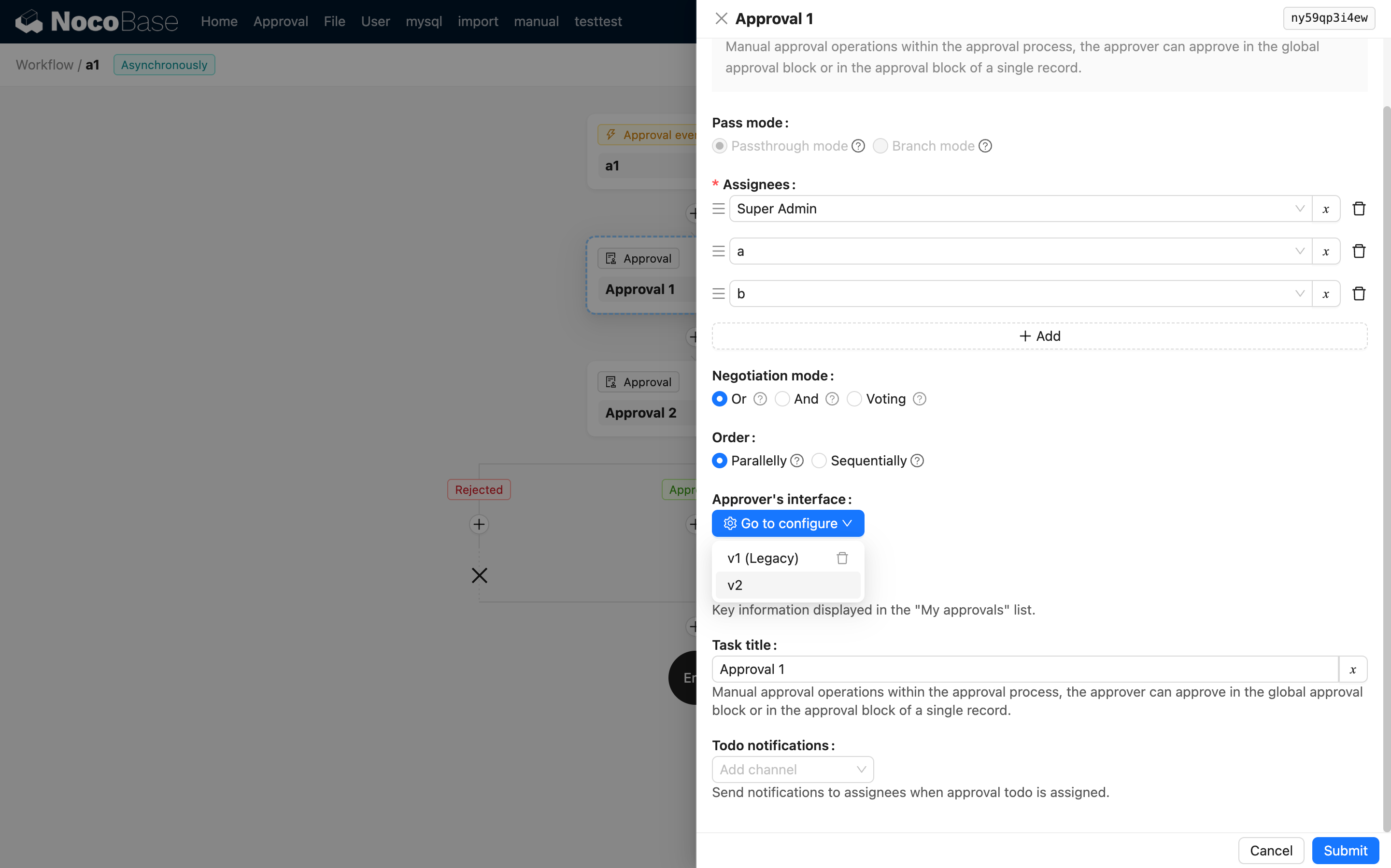
Tous les workflows d’approbation nouvellement créés utilisent la disposition basée sur les blocs 2.0. Les configurations 1.x existantes restent prises en charge. Pour basculer une approbation 1.x vers la disposition 2.0, sélectionnez la version v2 et reconfigurez l’interface. Notez qu’une fois basculée, elle ne peut pas être rétablie en version 1.x.
Configurer l’interface du demandeur
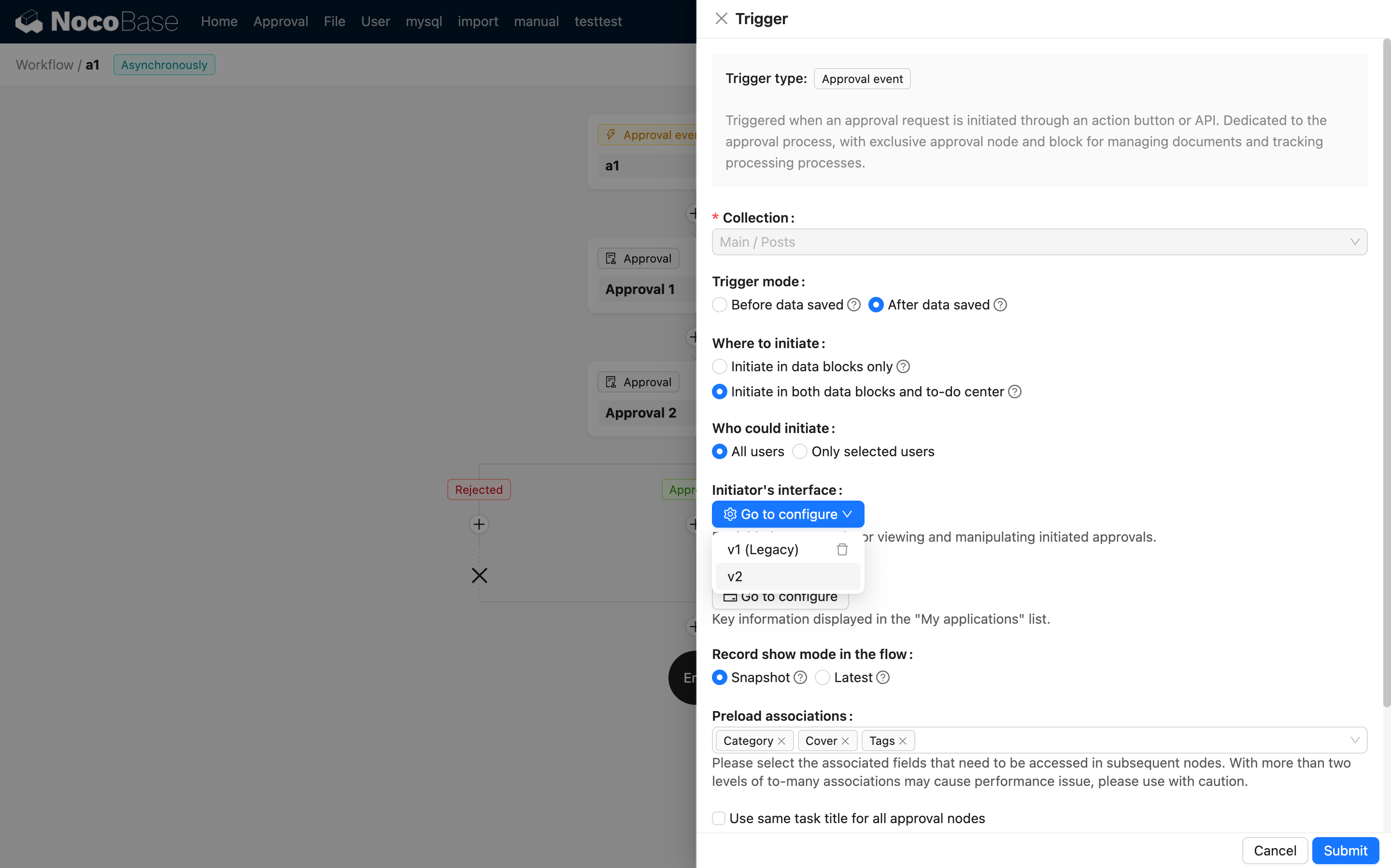
Configurer l’interface de l’approbateur
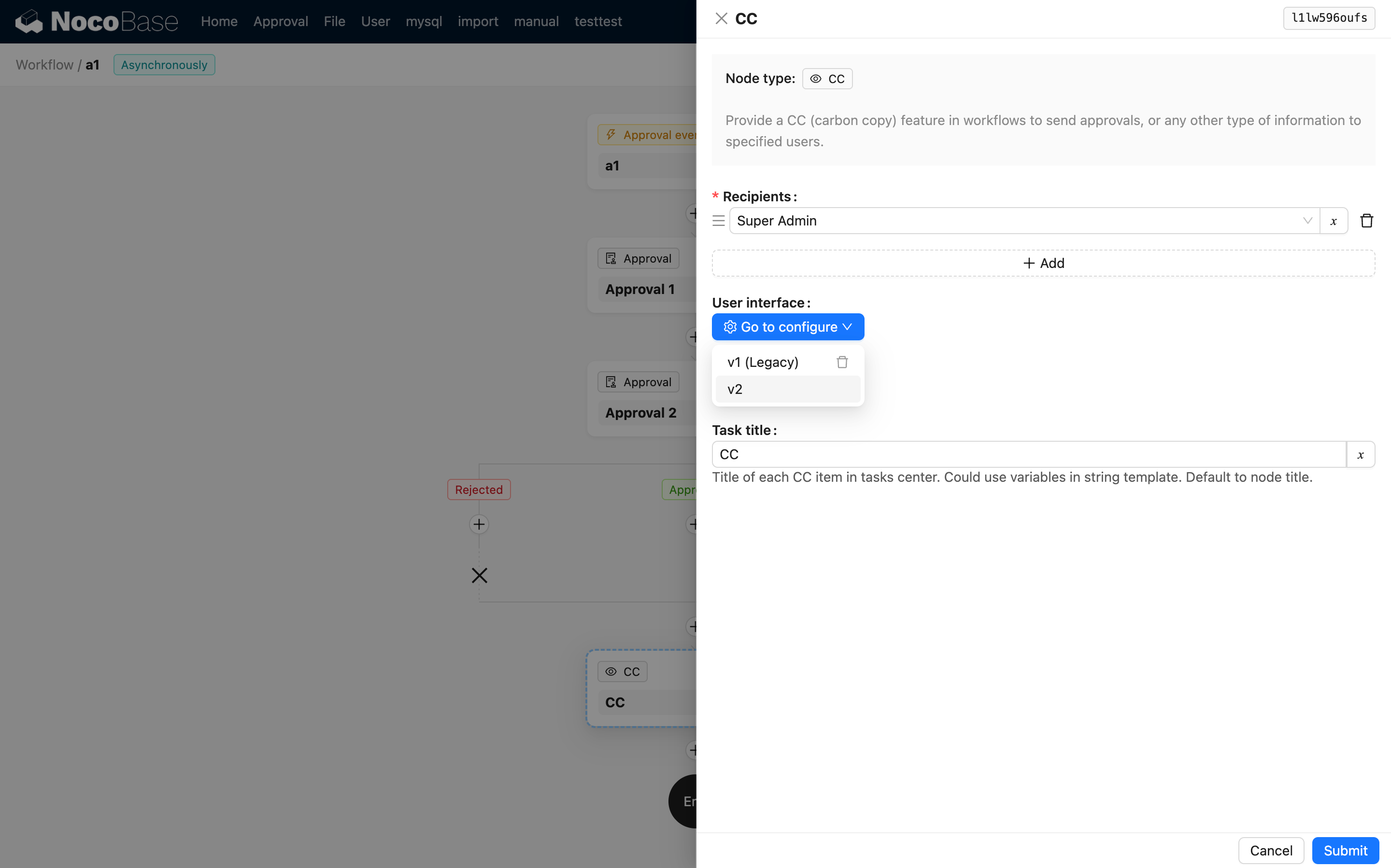
CC (Copie carbone) 2.0
Tous les nœuds CC nouvellement créés utilisent la disposition basée sur les blocs 2.0 pour la vue du destinataire. Les configurations 1.x existantes restent prises en charge. Pour basculer un CC 1.x vers la disposition 2.0, sélectionnez la version v2 et reconfigurez l’interface. Notez qu’une fois basculée, elle ne peut pas être rétablie en version 1.x.
Pas encore disponible dans la version 2.0
Les fonctionnalités suivantes ne sont pas encore disponibles dans la version 2.0 et seront mises à niveau dans les versions futures :
| Fonctionnalité | Alternative actuelle |
|---|---|
| Requête personnalisée | Nœud de requête du workflow |
| Impression navigateur | Action JS |
| Formulaire en plusieurs étapes | Bloc JS |
| Bloc de filtre arborescent | Bloc JS |
| Bloc calendrier | Bloc JS |
| Variable personnalisée | Flux d’événements |
| Bloc Gantt | Bloc JS |
| Bloc Kanban | Bloc JS |
| Copie de texte | Flux d’événements |
| Paramètres de colonne | Action JS |
| Règle de liaison de style | Flux d’événements |
| Raccourci de copie de texte | Flux d’événements |
| Champ code QR | Champ JS |
| Scanner pour saisir | Flux d’événements |
| Intégrer NocoBase | — |
| Champ région administrative chinoise | — |
| Champ code | — |
| Formulaire public | — |
| Tâche du nœud manuel du workflow | — |
| Après soumission réussie | Flux d’événements |
| Modèle de données | Flux d’événements |