

TLDR
O Claude Code é excelente para gerar código e implementar funcionalidades, mas construir sistemas empresariais sustentáveis requer limites estruturais mais claros. Aqui estão 6 ferramentas open-source comprovadas que funcionam bem com o Claude Code, cobrindo cenários essenciais como sistemas de negócios, automação, bases de conhecimento, armazenamento vetorial e implantação.
Introdução
Há alguns dias, encontrei um post interessante no Reddit r/ClaudeCode.
O autor do post é um engenheiro de dados. Ele disse que, nos últimos meses, o Claude Code se tornou quase parte do seu fluxo de trabalho diário. Seja escrevendo pipelines de dados, construindo dashboards ou criando scripts de análise, ele podia deixar o Claude Code cuidar do trabalho com confiança.
Como essas tarefas estavam dentro de sua área de especialização, ele entendia a lógica do Claude Code e podia revisar e validar rapidamente os resultados.
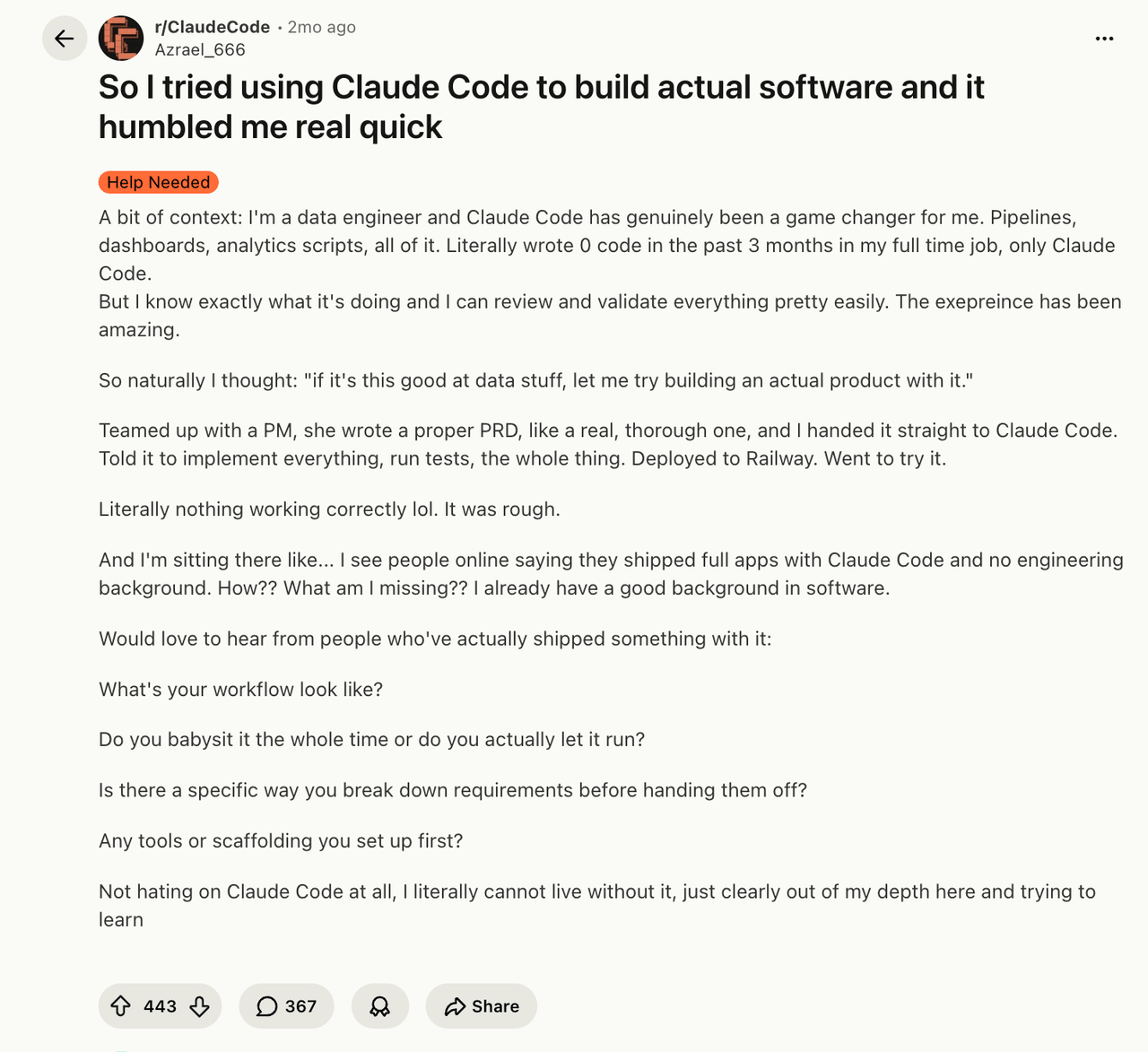
Isso o levou a uma nova ideia: se o Claude Code funciona tão bem para tarefas relacionadas a dados, poderia também ser usado para construir um produto real?
Mais tarde, ele e um PM prepararam um documento completo de requisitos do produto. Eles deram os requisitos ao Claude Code e pediram que ele implementasse as funcionalidades, executasse os testes e implantasse o produto no Railway.
Após o lançamento, quase nenhuma funcionalidade funcionou corretamente.
Conforme usei o Claude Code mais extensivamente, percebi gradualmente algo: quando uma tarefa está dentro da sua área de especialização, a IA pode melhorar muito a eficiência. Mas quando a tarefa se move para um domínio que você não entende bem, não consegue decompor claramente ou não consegue avaliar adequadamente, a IA pode facilmente levar o projeto a um estado difícil de controlar.
Este também é um desafio comum que muitas pessoas enfrentam ao usar ferramentas de codificação e agentes de IA.
O Claude Code não tem falta de capacidade para escrever código. O que ele precisa são de limites de sistema mais claros e um andaime de construção mais estável.
💬 Ei, você está lendo o blog da NocoBase. NocoBase é a plataforma de desenvolvimento no-code/low-code mais extensível, alimentada por IA, para construir aplicações empresariais, ferramentas internas e todos os tipos de sistemas. É totalmente auto-hospedada, baseada em plugins e amigável para desenvolvedores. → Explore o NocoBase no GitHub
Claude Code e Ferramentas Open-Source
A IA não funciona bem com caixas-pretas. É aqui que as vantagens das ferramentas open-source se tornam muito claras.
Esquemas claros, estruturas de dados abertas, APIs acessíveis, mecanismos de plugins e ambientes de implantação controláveis já eram características valorizadas pelos desenvolvedores. Agora, elas também se tornaram condições-chave para uma melhor colaboração com IA.
Da perspectiva do uso de longo prazo e da colaboração com IA, as ferramentas open-source são mais adequadas para servir como infraestrutura para sistemas empresariais.
Então hoje, vamos ver várias ferramentas open-source que combinam bem com o Claude Code e podem ajudá-lo a construir produtos e funcionalidades mais estáveis e confiáveis.
Visão Geral da Comparação de Ferramentas
| Ferramenta | Estrelas GitHub | Uso Principal | Dificuldade de Implantação | Melhor Para | Como Funciona com o Claude Code |
|---|---|---|---|---|---|
| NocoBase | 22,3k | Construção de sistemas de negócios | ⭐⭐ | Ferramentas internas/CRM/ticketing/ERP | NocoBase fornece a base para modelos de dados, permissões, páginas e fluxos de trabalho, enquanto o Claude Code gera rapidamente sistemas, interfaces de integração e lógica de negócios adicional sobre ela |
| n8n | 187k | Automação de fluxos de trabalho | ⭐⭐⭐ | Orquestração de agentes | Claude Code gera a lógica dos nós, enquanto o n8n visualiza e gerencia o fluxo de trabalho |
| Qdrant | 31,2k | Banco de dados vetorial | ⭐ | RAG/Busca com IA | A IA gera a lógica de embedding, enquanto o Qdrant fornece memória de longo prazo |
| Outline | 38,5k | Base de conhecimento/documentação | ⭐⭐⭐ | Colaboração em equipe | A IA trabalha com o contexto do documento, enquanto o Outline gerencia o conhecimento em um só lugar |
| Coolify | 55k | Plataforma de auto-hospedagem | ⭐⭐ | Hospedagem de aplicações | A IA gera configurações Docker, enquanto o Coolify gerencia a implantação |
| OpenHands | 73,2k | Agente de IA | ⭐⭐⭐ | Tarefas de longa duração | Claude Code atua como assistente de desenvolvimento, enquanto o OpenHands executa tarefas completas de engenharia |
1. NocoBase
Site oficial: https://www.nocobase.com/
GitHub: https://github.com/nocobase/nocobase
Estrelas: 22,3k
NocoBase é uma plataforma open-source de IA + no-code usada principalmente para construir sistemas de negócios e ferramentas empresariais internas, como sistemas de CRM, sistemas de tickets, sistemas de aprovação, sistemas de gerenciamento de projetos e backends operacionais.
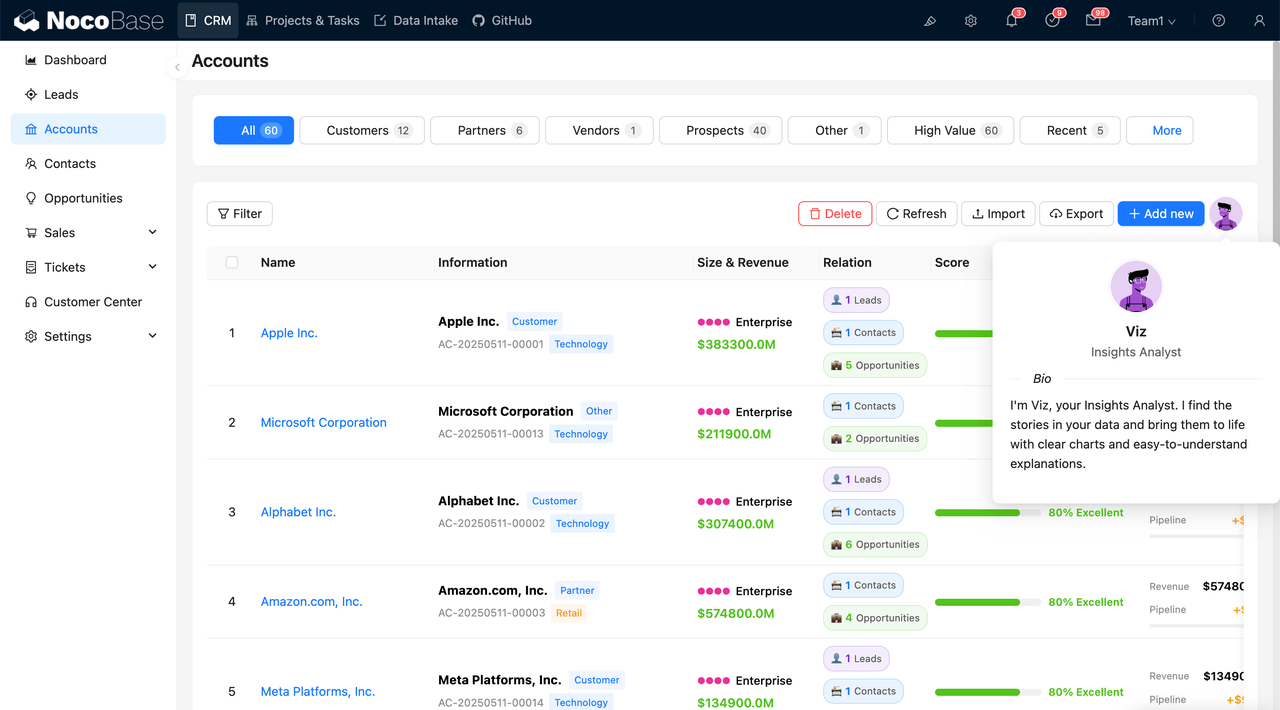
NocoBase funciona muito bem com o Claude Code. Juntos, eles resolvem um problema comum: o Claude Code pode gerar uma aplicação rapidamente, mas se tudo for gerado do zero, os relacionamentos de dados, os limites de permissão e os fluxos de trabalho de negócios podem se tornar difíceis de manter depois.
NocoBase dá ao Claude Code uma base comprovada para construir sistemas de negócios.
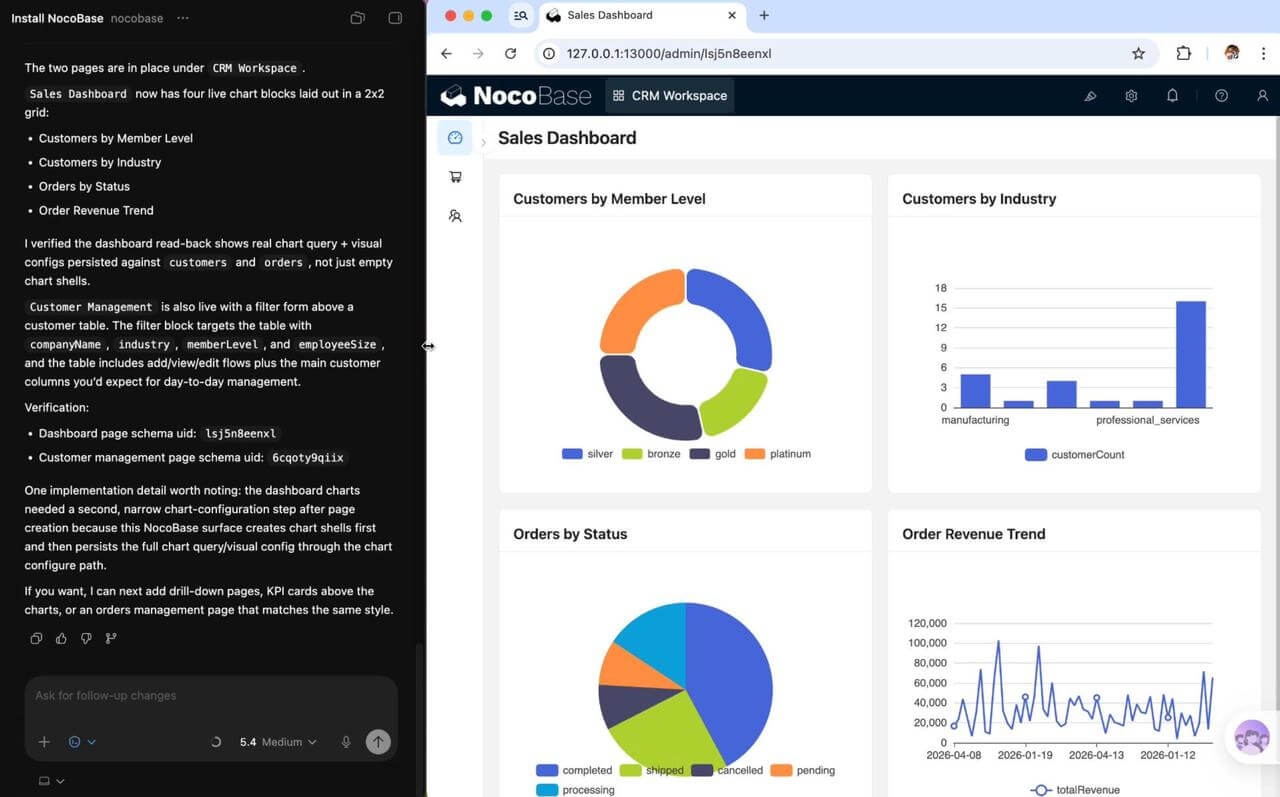
O Claude Code pode gerar rapidamente modelos de dados, páginas e fluxos de trabalho com base no NocoBase. Ao mesmo tempo, os humanos podem continuar ajustando e melhorando o sistema através da interface visual. A IA melhora a velocidade de construção, enquanto o NocoBase define a estrutura de dados, permissões, fluxos de trabalho e limites do sistema.
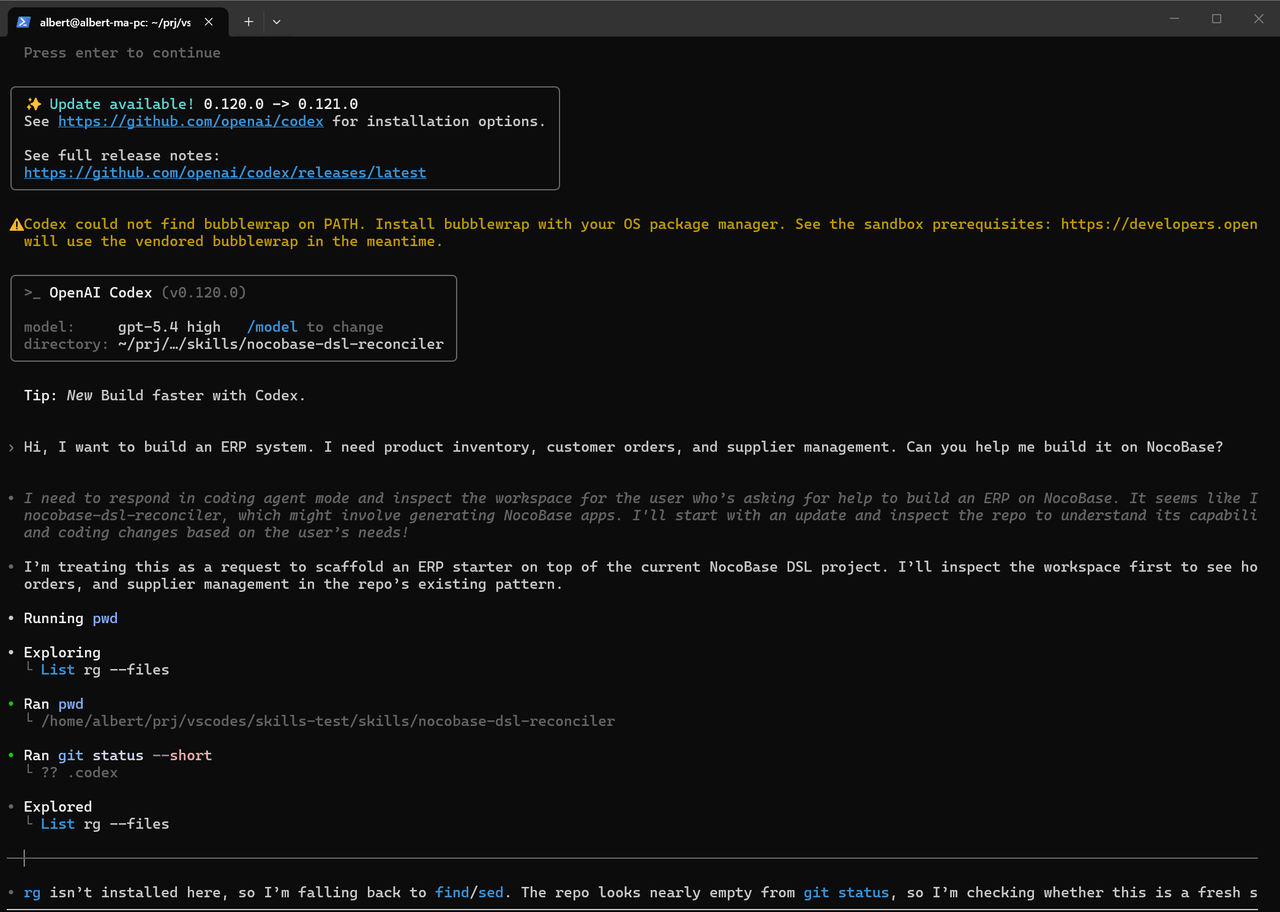
Esta abordagem é muito mais estável do que gerar um sistema inteiro do zero.
Isso é especialmente verdadeiro em cenários de negócios empresariais como CRM, tickets, aprovação e sistemas ERP. Grande parte da complexidade não vem das páginas em si, mas de:
- Relacionamentos de dados
- Controle de permissões
- Colaboração multi-função
- Manutenção de longo prazo
Em essência, o NocoBase impede que a IA reconstrua a infraestrutura a partir de um projeto em branco toda vez. Em vez disso, a IA continua trabalhando em cima de um sistema que já possui estrutura de negócios e limites de regras.
Cenários Adequados
- Construção de sistemas internos como CRM, tickets, ERP e gerenciamento de projetos com Claude Code
- Aplicações de negócios que exigem permissões, aprovações e fluxos de trabalho
- Equipes que querem que a IA ajude a construir sistemas sem deixar a estrutura geral ficar incontrolável
- Cenários empresariais que exigem auto-hospedagem e manutenção de longo prazo
Instalar com Claude Code
Copie o seguinte prompt para o Claude Code, e ele pode completar automaticamente a instalação e configuração:
Ajude-me a instalar a CLI do NocoBase e completar a inicialização: https://docs.nocobase.com/cn/ai/ai-quick-start.md (acesse o conteúdo do link diretamente)
Recursos Relacionados
Você pode copiar esses recursos e enviá-los ao Claude Code para uso direto.
Documentação: https://docs.nocobase.com/ai/
CLI: https://docs.nocobase.com/api/cli/
Habilidades: https://docs.nocobase.com/ai-builder#nocobase-skills
MCP: https://docs.nocobase.com/ai/mcp/
Claude Code + NocoBase: https://docs.nocobase.com/ai/claude-code
2. n8n
Site oficial: https://n8n.io/
GitHub: https://github.com/n8n-io/n8n
Estrelas: 187k
n8n é uma plataforma de automação open-source muito popular. É usada principalmente para conectar diferentes sistemas, orquestrar fluxos de trabalho e ajudar agentes de IA a participar de processos de negócios reais.
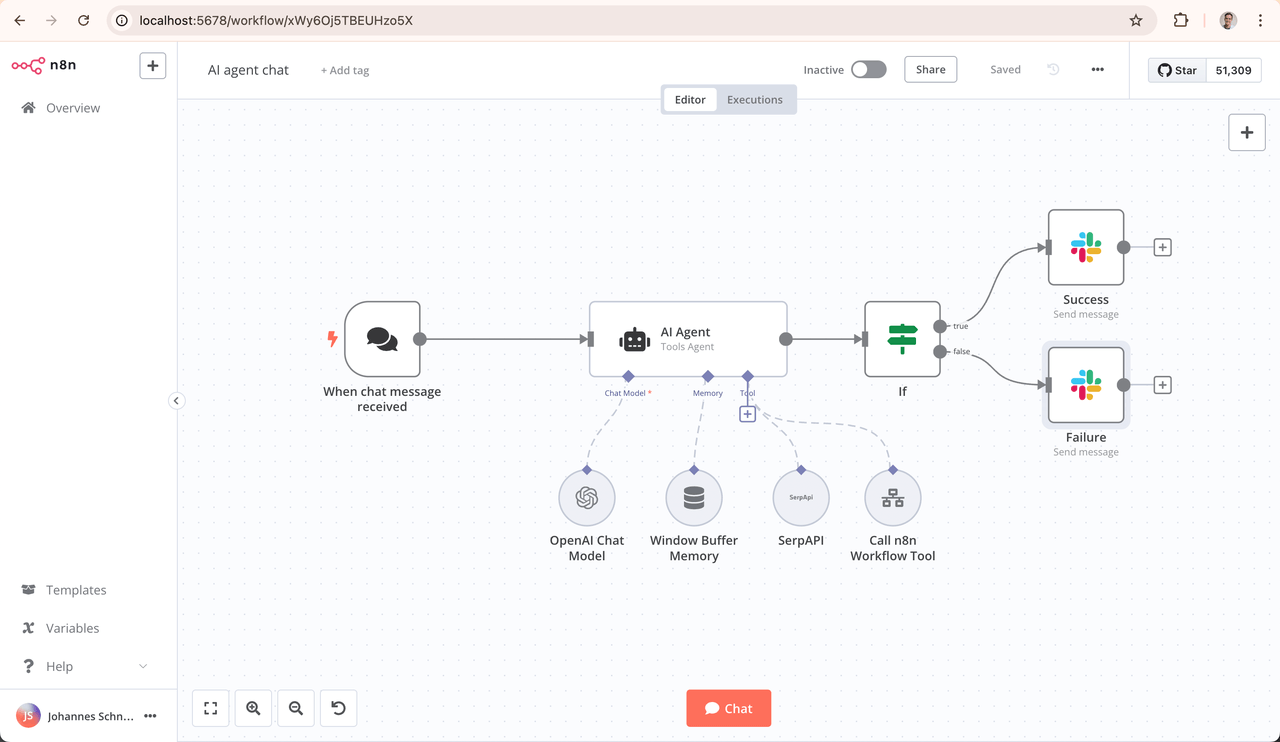
No início, muitas pessoas pedem ao Claude Code para gerar vários scripts de automação, como processamento de e-mail, Webhooks e sincronização de dados.
Mas, à medida que a complexidade do projeto cresce, um problema aparece rapidamente: os fluxos de trabalho de automação se tornam cada vez mais difíceis de manter.
Quando os fluxos de trabalho envolvem múltiplos sistemas, múltiplos agentes de IA e muitas tarefas assíncronas, confiar apenas em scripts pode gradualmente se tornar ingerenciável.
n8n fornece uma camada de fluxo de trabalho visual e sustentável para esses processos de automação.
O Claude Code pode gerar rapidamente lógica de nós, chamadas de API e código personalizado. O n8n então estrutura o fluxo de trabalho geral e torna a automação mais fácil de manter ao longo do tempo.
Comparado com a manutenção de fluxos de trabalho inteiramente através de código, a estrutura visual do n8n é mais adequada para iteração de longo prazo. Essa diferença se torna especialmente clara à medida que a equipe cresce.
Cenários Adequados
- Orquestração de fluxos de trabalho de agentes de IA
- Gerenciamento de fluxos de trabalho de automação do Claude Code
- Conexão de e-mail, IM, CRM, bancos de dados e outros sistemas
- Sincronização de dados multi-sistema
- Automação de processos de negócios com IA
- Integração MCP e serviços externos
Instalar com Claude Code
Copie o seguinte prompt para o Claude Code, e ele pode completar automaticamente a instalação:
Ajude-me a instalar o n8n com Docker e configurar armazenamento persistente PostgreSQL e autenticação básica
Recursos Relacionados
Documentação: https://docs.n8n.io/
Agente de IA: https://docs.n8n.io/advanced-ai/
MCP: https://docs.n8n.io/integrations/builtin/core-nodes/n8n-nodes-langchain.mcpclient/
Modelos: https://n8n.io/workflows/
3. Qdrant
Site oficial: https://qdrant.tech/
GitHub: https://github.com/qdrant/qdrant
Estrelas: 31,2k
Qdrant é um dos bancos de dados vetoriais open-source mais populares atualmente. É amplamente usado em projetos de agente de IA, RAG, busca com IA e base de conhecimento.
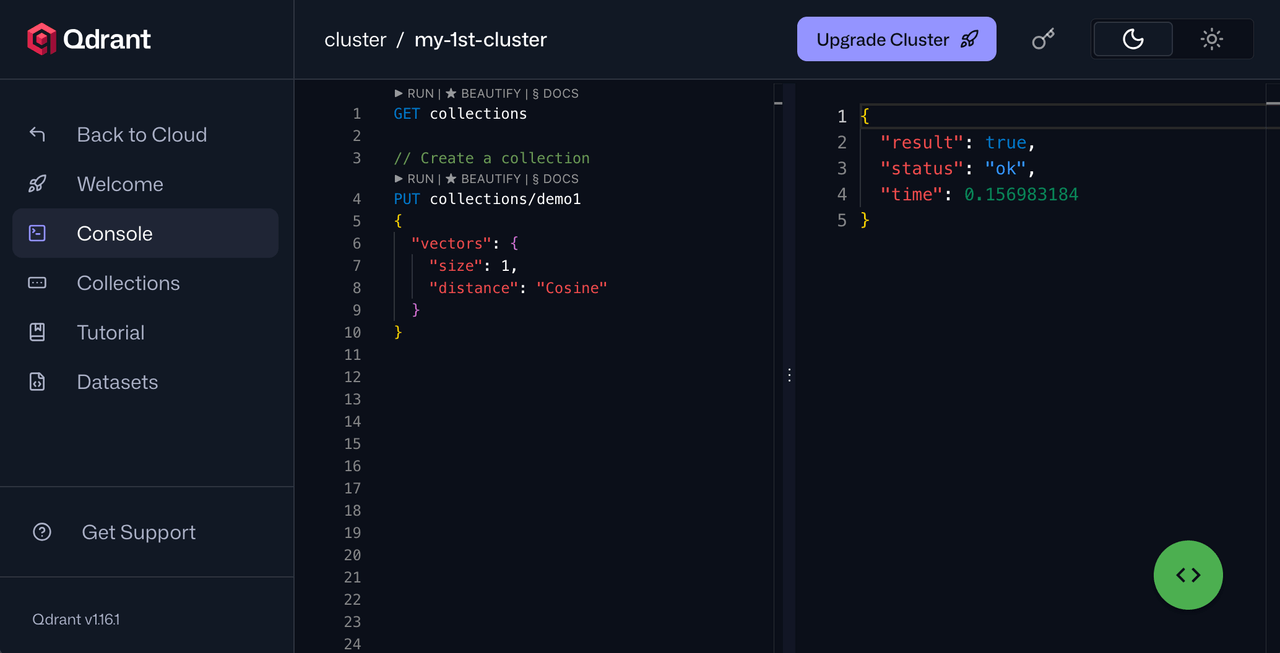
Quando as pessoas começam a usar o Claude Code, muitas vezes notam um problema: a IA depende muito do contexto atual. À medida que um projeto cresce, torna-se difícil para o Claude Code “lembrar” de todo o sistema a longo prazo.
Nesse ponto, você começa a precisar de:
- Memória de longo prazo
- Recuperação de conhecimento
- Busca semântica
- RAG
Qdrant se tornou uma camada comum no stack de IA open-source atual.
O Claude Code é adequado para gerar rapidamente lógica de embedding, lógica de recuperação, cadeias de chamadas de agentes e fluxos de trabalho de IA. O Qdrant armazena e gerencia os dados vetoriais, permitindo que a IA trabalhe com conhecimento de longo prazo em vez de depender apenas do contexto da conversa atual.
Cenários Adequados
- Base de conhecimento de IA
- Atendimento ao cliente com IA
- Recuperação de documentos
- Sistemas de conhecimento empresarial
- Busca com IA
- Memória de agente
Comparado com muitas plataformas SaaS de IA, usar o Qdrant diretamente lhe dá uma vantagem clara: a estrutura de dados, o método de indexação e a lógica de recuperação são totalmente controláveis. Isso é especialmente importante para sistemas que exigem manutenção de longo prazo, auto-hospedagem ou acesso a dados de negócios internos.
Instalar com Claude Code
Copie o seguinte prompt para o Claude Code, e ele pode completar automaticamente a instalação:
Ajude-me a instalar o Qdrant com Docker e criar uma coleção básica para uma Base de Conhecimento de IA
Recursos Relacionados
Documentação: https://qdrant.tech/documentation/
LangChain: https://python.langchain.com/docs/integrations/vectorstores/qdrant/
LlamaIndex: https://docs.llamaindex.ai/en/stable/examples/vector_stores/QdrantIndexDemo/
4. Outline
Site oficial: https://www.getoutline.com/
GitHub: https://github.com/outline/outline
Estrelas: 38,5k
Outline é um sistema open-source de base de conhecimento e documentação de equipe. Muitas equipes o usam como alternativa ao Notion, Confluence ou uma Wiki interna.
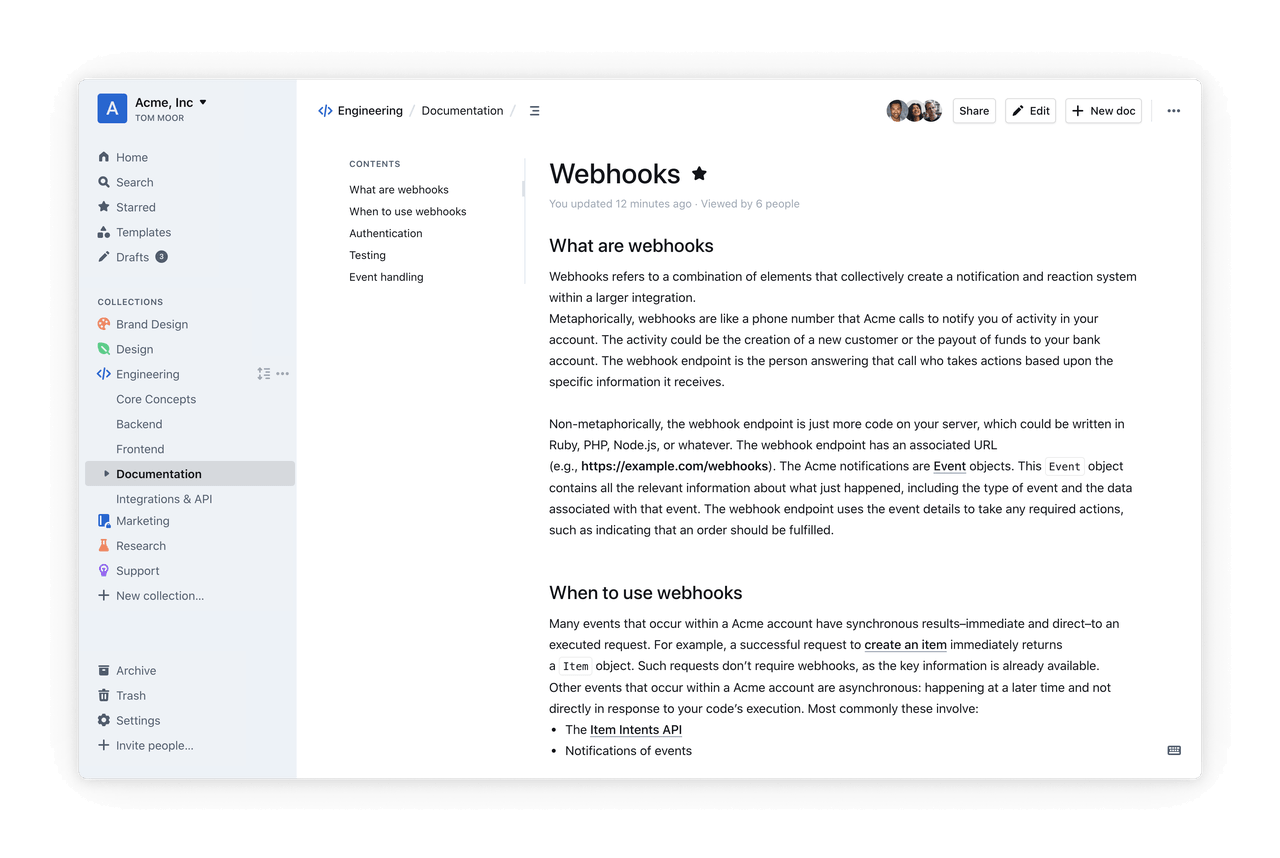
Na era da IA, a documentação se tornará cada vez mais importante.
Documentos não são apenas para as pessoas lerem. Eles também se tornam um contexto importante que ajuda a IA a entender os sistemas. Se PRDs, estruturas de dados, fluxos de trabalho, prompts e comportamento de agentes não estiverem claramente documentados, torna-se difícil para a IA participar continuamente do desenvolvimento e da manutenção.
O valor do Outline reside na sua capacidade de centralizar o conhecimento disperso da equipe. Com permissões, edição colaborativa, suporte a Markdown e capacidades de auto-hospedagem, torna a documentação mais fácil de manter a longo prazo. Para equipes que desejam trazer a IA para o processo de desenvolvimento, o Outline pode servir como uma base de conhecimento clara e controlável, dando a humanos e IA um contexto compartilhado.
Comparado com muitas ferramentas SaaS de documentação, o Outline tem uma estrutura simples e uma boa experiência de auto-hospedagem. Para cenários onde a IA precisa acessar documentos internos, processos de negócios e conhecimento da equipe, é mais fácil de controlar.
Instalar com Claude Code
Copie o seguinte prompt para o Claude Code, e ele pode completar automaticamente a instalação:
Ajude-me a instalar o Outline com Docker e configurar PostgreSQL e armazenamento de objetos
Recursos Relacionados
Documentação: https://docs.getoutline.com/
Implantação: https://docs.getoutline.com/s/hosting/doc/docker-7pfeLP5a8t
GitHub: https://github.com/outline/outline
5. Coolify
Site oficial: https://coolify.io/
GitHub: https://github.com/coollabsio/coolify
Estrelas: 55k
Coolify é uma plataforma de auto-hospedagem open-source popular. Você pode pensar nela como uma alternativa open-source ao Vercel, Railway ou Heroku, usada para gerenciar servidores, Docker, bancos de dados e implantações de aplicações.
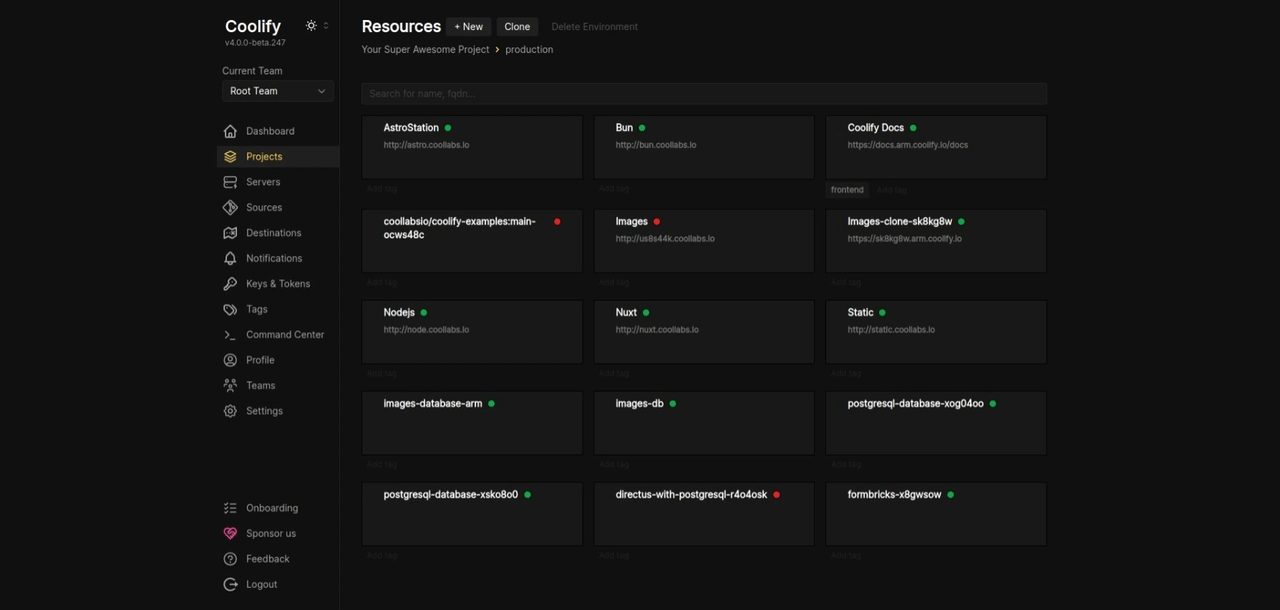
Quando muitas pessoas usam o Claude Code para construir um projeto pela primeira vez, elas geralmente o implantam no Vercel ou Railway primeiro, porque é rápido e conveniente.
Mas, uma vez que você começa a auto-hospedar um stack de IA completo, manter manualmente o Docker e os servidores pode se tornar cada vez mais doloroso.
É aqui que o Coolify é adequado para gerenciar a camada de implantação.
O Claude Code pode gerar rapidamente configurações Docker, scripts CI/CD e lógica de orquestração de serviços. O Coolify então gerencia essas aplicações, bancos de dados e ambientes de execução em um só lugar, tornando todo o stack de IA mais fácil de manter ao longo do tempo.
Comparado com DevOps manual, é mais adequado para pequenas equipes e projetos de IA que precisam de iteração rápida.
Instalar com Claude Code
Copie o seguinte prompt para o Claude Code, e ele pode completar automaticamente a instalação:
Ajude-me a instalar o Coolify em um servidor Ubuntu e completar a configuração básica de inicialização
Recursos Relacionados
Documentação: https://coolify.io/docs/
Instalação: https://coolify.io/docs/installation
GitHub: https://github.com/coollabsio/coolify
6. OpenHands
Site oficial: https://www.all-hands.dev/
GitHub: https://github.com/All-Hands-AI/OpenHands
Estrelas: 73,2k+
OpenHands é um projeto de agente de IA open-source de rápido crescimento. Comparado com ferramentas tradicionais de codificação de IA, ele enfatiza mais permitir que a IA participe verdadeiramente da engenharia de software, em vez de apenas gerar código.
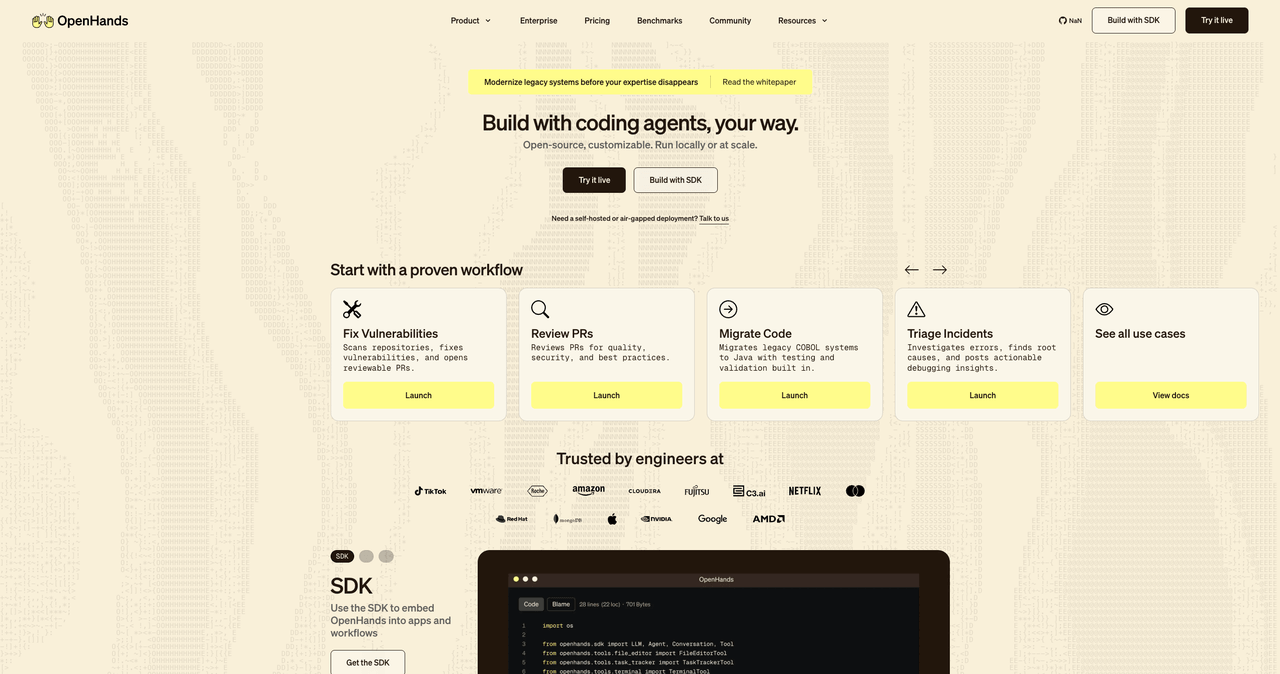
Ele permite que o Claude Code participe de tarefas de desenvolvimento mais complexas, como:
- Ler toda a base de código
- Entender a estrutura do projeto existente
- Analisar logs
- Corrigir problemas de implantação
- Executar tarefas de longa duração
- Chamar ferramentas externas
- Suportar colaboração em várias etapas
Claude Code é mais como um assistente de desenvolvimento de alta qualidade, enquanto o OpenHands é mais como um agente de engenharia que pode continuar executando. Juntos, eles são adequados para tarefas que exigem execução de longa duração, iteração contínua ou colaboração entre ferramentas.
Cenários Adequados
- Correção automatizada de bugs
- DevOps com IA
- Agentes de longa duração
- Colaboração em engenharia com IA
- Execução automatizada de fluxos de trabalho de desenvolvimento
- Fluxos de trabalho colaborativos com múltiplas ferramentas
Instalar com Claude Code
Copie o seguinte prompt para o Claude Code, e ele pode completar automaticamente a instalação:
Ajude-me a instalar o OpenHands com Docker e completar a configuração básica do ambiente de execução
Recursos Relacionados
Documentação: https://docs.all-hands.dev/
GitHub: https://github.com/All-Hands-AI/OpenHands
MCP: https://docs.all-hands.dev/usage/mcp/
FAQ
1. Todas essas ferramentas são adequadas para construir sistemas empresariais internos?
Não exatamente.
Se você deseja construir sistemas de negócios sustentáveis a longo prazo, como CRM, tickets, aprovação, gerenciamento de projetos ou backends operacionais, o NocoBase é uma escolha melhor. Ele é projetado em torno de modelos de dados, permissões, páginas e fluxos de trabalho.
Se você se preocupa mais com orquestração de agentes de IA, tarefas de automação ou Q&A de base de conhecimento, as outras ferramentas podem ser melhor usadas como componentes de suporte, em vez de como a base para um sistema de negócios completo.
2. Por que o NocoBase é adequado para uso com IA?
Porque o NocoBase não é apenas uma ferramenta simples de geração de páginas. É uma plataforma orientada por modelos de dados.
A IA pode gerar tabelas, campos, relacionamentos, páginas e fluxos de trabalho com base em estruturas de dados claras. Depois, se você quiser conectar agentes de IA, automatizar fluxos de trabalho ou permitir que a IA leia dados de negócios dentro do sistema, é mais fácil de implementar.
Simplificando, o NocoBase é mais adequado para servir como a base para a IA construir e executar sistemas empresariais.
3. Essas ferramentas podem substituir ferramentas de programação de IA como Claude Code e Cursor?
Não. Elas se complementam.
Claude Code e Cursor são adequados para ajudar desenvolvedores a escrever código, modificar código, gerar plugins e estender capacidades. Plataformas como NocoBase fornecem a base do sistema, incluindo modelos de dados, permissões, páginas, fluxos de trabalho e ambientes de implantação.
Uma abordagem melhor não é escolher entre eles, mas deixar as ferramentas de programação de IA continuarem construindo em cima dessas plataformas open-source. Isso é mais fácil de manter do que gerar um sistema inteiro do zero.
4. Se eu já uso SaaS maduro, devo considerar ferramentas open-source?
Depende das suas necessidades.
Se você precisa apenas de funcionalidades padrão, o SaaS maduro pode ser mais fácil de usar.
Mas se você deseja conectar agentes de IA, integrar dados internos, lidar com permissões complexas, auto-hospedar o sistema ou continuar estendendo-o à medida que o negócio muda, as ferramentas open-source são geralmente mais flexíveis.
Isso é especialmente verdade quando a IA precisa entender e operar diretamente os dados do sistema. Nesse caso, a estrutura transparente das ferramentas open-source se torna uma grande vantagem.
5. Que tipos de cenários são melhores para experimentar o NocoBase primeiro?
Você pode começar com estes cenários:
- Sistemas de gerenciamento de clientes
- Sistemas de gerenciamento de tickets
- Sistemas de aprovação
- Sistemas de gerenciamento de projetos
- Sistemas de gerenciamento de ativos
- Backends operacionais
- Dashboards de dados
- Automação de fluxos de trabalho internos
Esses cenários geralmente têm estruturas de dados claras, relacionamentos de permissão e regras de fluxo de trabalho. Eles são adequados para construir rapidamente com NocoBase e também podem ser conectados posteriormente à IA.
Desafios Comuns e Soluções
Ao usar o Claude Code para construir sistemas empresariais, os desenvolvedores frequentemente encontram os seguintes desafios:
| Desafio | Abordagem Tradicional | Vantagem da Abordagem Open-Source |
|---|---|---|
| Modelos de dados incontroláveis | A IA gera uma estrutura diferente a cada vez | NocoBase fornece uma camada de modelo de dados pré-validada |
| Gerenciamento de permissões bagunçado | Código gerado por IA é difícil de manter | NocoBase inclui um sistema de permissão de nível empresarial |
| Lacunas de conhecimento | IA não consegue lembrar do sistema a longo prazo | Outline + Qdrant fornecem uma base de conhecimento unificada |
| Complexidade de implantação | Múltiplos contêineres são gerenciados manualmente | Coolify gerencia o stack de implantação em um só lugar |
| Fluxos de trabalho difíceis de manter | Scripts estão espalhados por toda parte | n8n fornece gerenciamento visual de fluxos de trabalho |
Considerações Finais
O Claude Code deu a muitas pessoas a capacidade de escrever código pela primeira vez.
Mas ainda há uma longa distância entre um demo funcional e um sistema real que pode ser usado a longo prazo. O verdadeiro desafio é se a estrutura do sistema é clara, os dados são sustentáveis, as permissões são controláveis e a IA pode trabalhar dentro de limites claros.
É por isso que prefiro usar o Claude Code junto com essas ferramentas open-source. Um bom stack open-source torna a saída da IA mais controlável e também facilita para os humanos assumirem, validarem e manterem o sistema ao longo do tempo.
Leitura relacionada
- Top 10 Open-Source AI And No-Code Tools for Enterprise Software Development
- 8 Open-Source AI Agent Platforms for Building Internal Tools
- The Best Enterprise-Grade Self-Hosted CRMs with RBAC, AI, and Open API Support
- 6 Best Open-Source Tools to Replace Custom Integration Middleware
- Replace Excel with NocoBase or Airtable? A Cost-by-Cost Comparison
- 4 Ways to Quickly Build Web Apps from Excel Data
- Not Just PostgreSQL: Comparing 5 No-Code/Low-Code Platforms with External Database Support
- Open Source Project Management Tool Selection Guide, 2026 Edition
- How to Build a Custom CRM with PostgreSQL
- Top 20 AI Projects on GitHub to Watch in 2026: Not Just OpenClaw