Bangun dengan AI agent Anda
Build a NocoBase app — Employee Leave Management System: a multi-select calendar with pills, a balance dashboard, and a request ledger. Match the layout and signature visuals of this reference prototype: https://static-docs.nocobase.com/solution/templates/18-leave-management.html
Tautan prototipe (HTML) di prompt adalah desain yang sudah kami siapkan, hanya untuk mendemonstrasikan kemampuannya; NocoBase tidak menyarankan membuat satu sistem utuh hanya dari satu prompt. Saat membangun dengannya, padukan dengan skill “prototype reproduction” (nocobase-prototype-repro) di NocoBase Skills agar mendapat hasil yang baik.
Sebelum memulai, ikuti panduan cepat AI agent untuk menginstal NocoBase dan menghubungkan agent Anda. Hasil AI dapat bervariasi; bergantung pada model dan kompleksitas sistem, mungkin diperlukan penyesuaian atau beberapa putaran tambahan.
Pendahuluan
Gunakan AI agent favorit Anda bersama NocoBase untuk membangun sistem manajemen cuti karyawan yang dapat dikustomisasi, andal, dan dapat berkembang dalam jangka panjang — mencakup saldo cuti tahunan, pengajuan cuti, jenis cuti, tanggal mulai dan selesai, hari kerja, status persetujuan, dan jadwal cuti tim.
Anda dapat menyalin prompt di bawah ini dan membiarkan AI agent menghasilkan struktur dasar sistem manajemen cuti di NocoBase, lalu menyesuaikan kolom, halaman, jenis cuti, dan alur persetujuan melalui antarmuka no-code.
Sistem ini sangat cocok untuk tim HR, manajer departemen, dan karyawan untuk bersama-sama mengelola cuti tahunan, cuti sakit, cuti pribadi, cuti kompensasi, dan cuti melahirkan, sekaligus menggunakan kalender tim untuk melihat jadwal cuti dan cara setiap departemen menggunakan haknya.
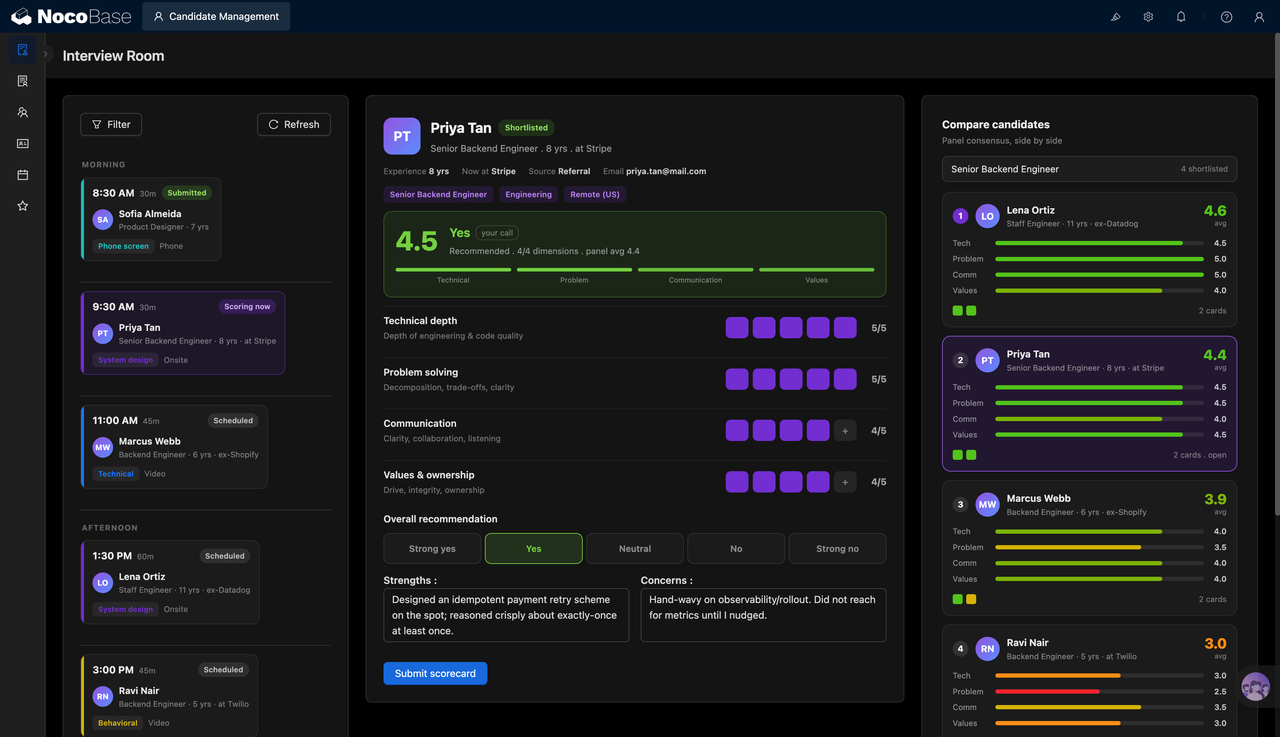
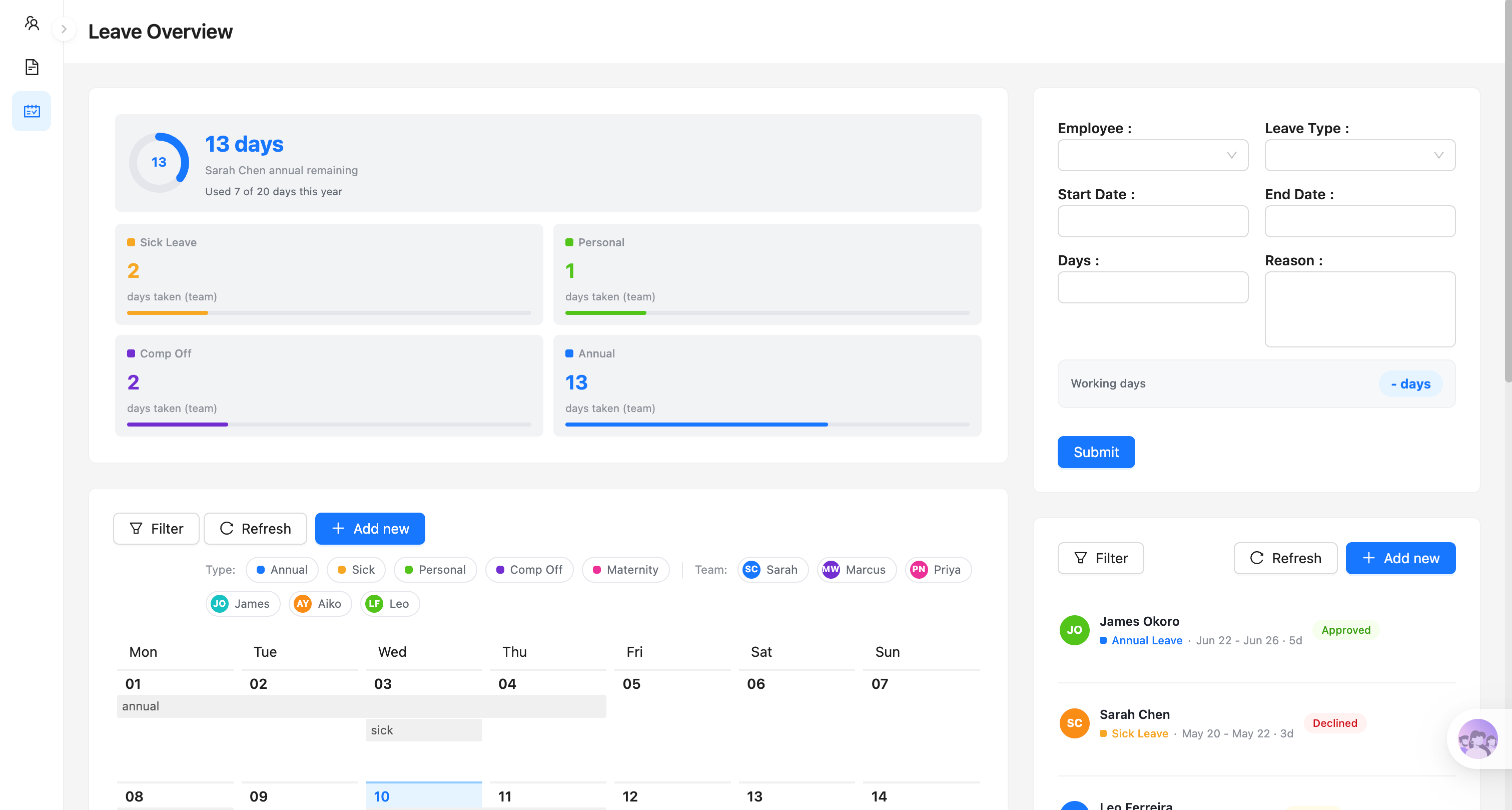
Saldo cuti, formulir pengajuan, dan kalender tim:
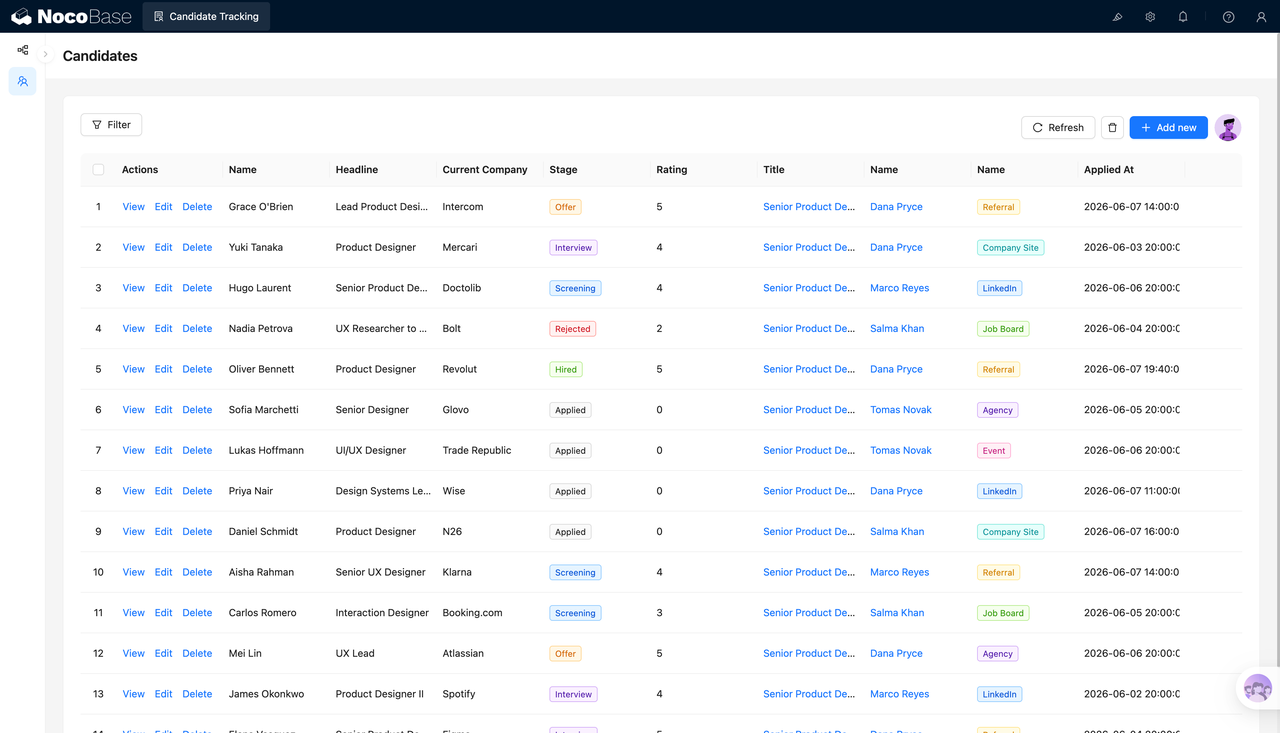
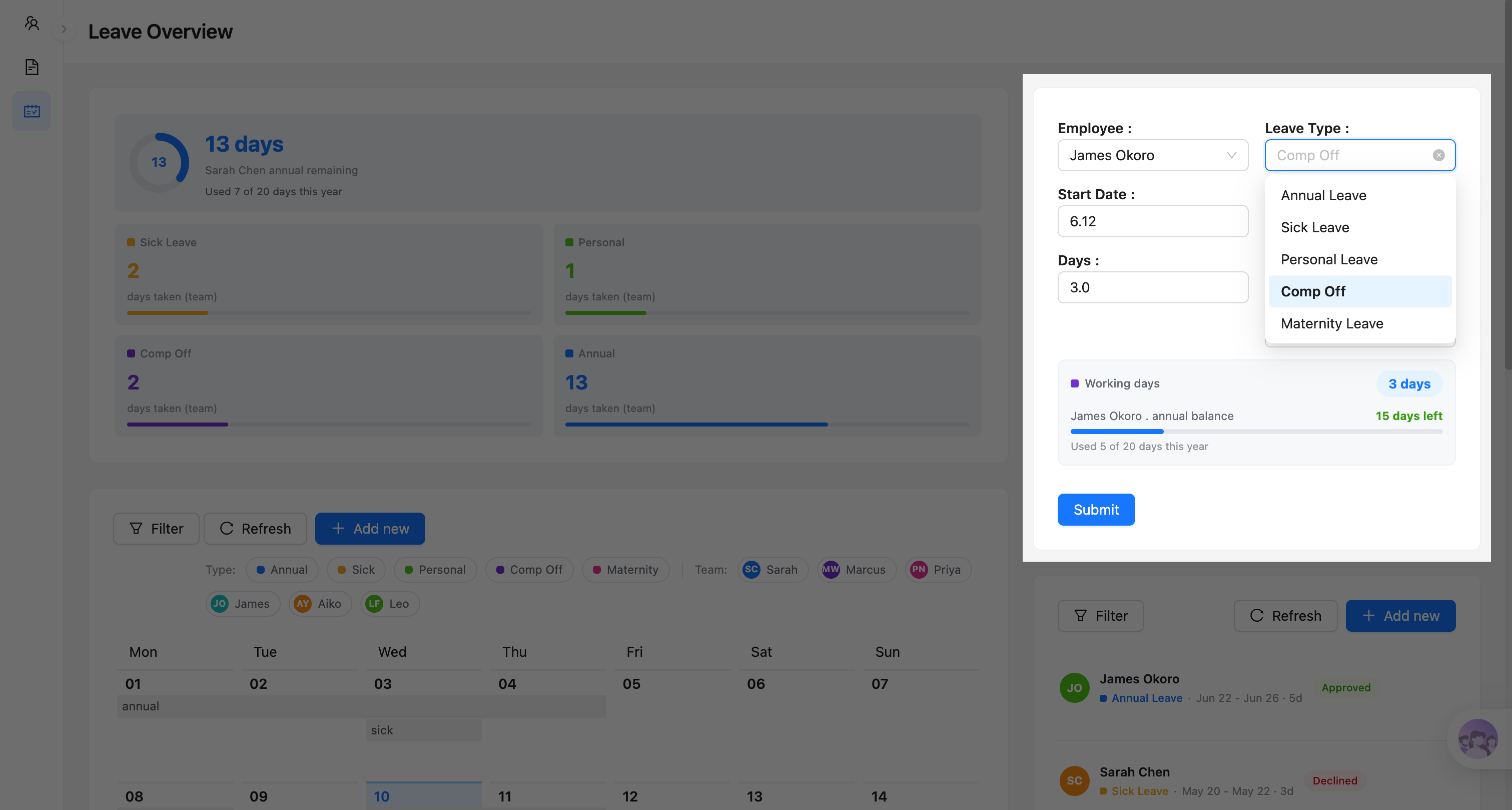
Pemilihan jenis cuti dan validasi saldo:
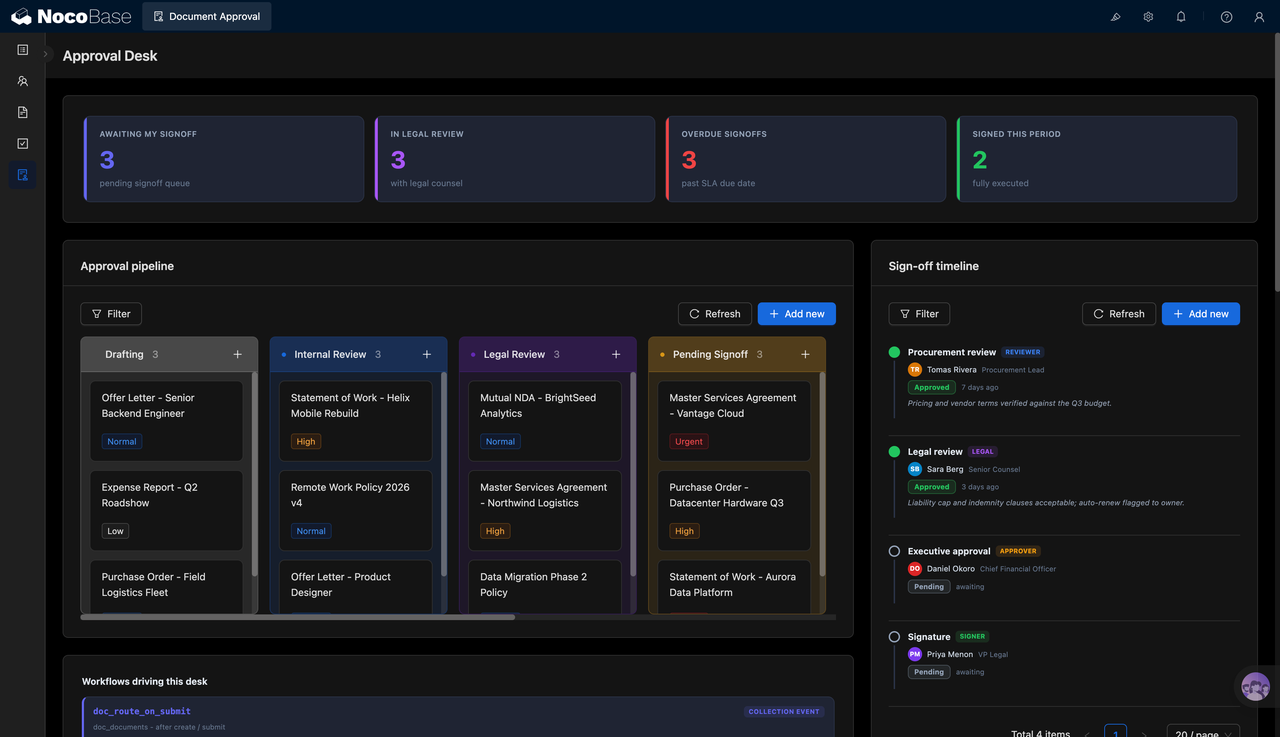
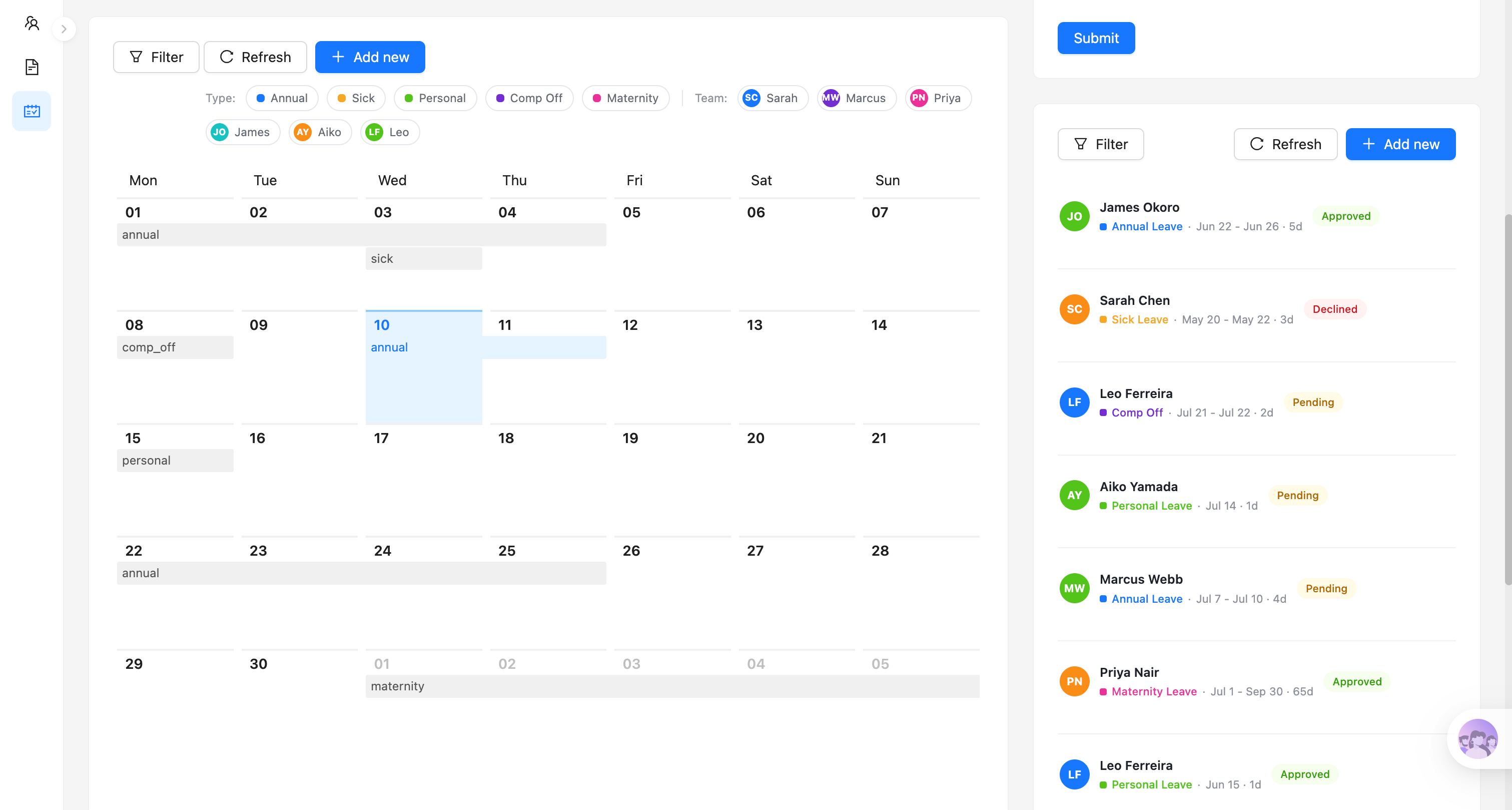
Kalender cuti dan status pengajuan:
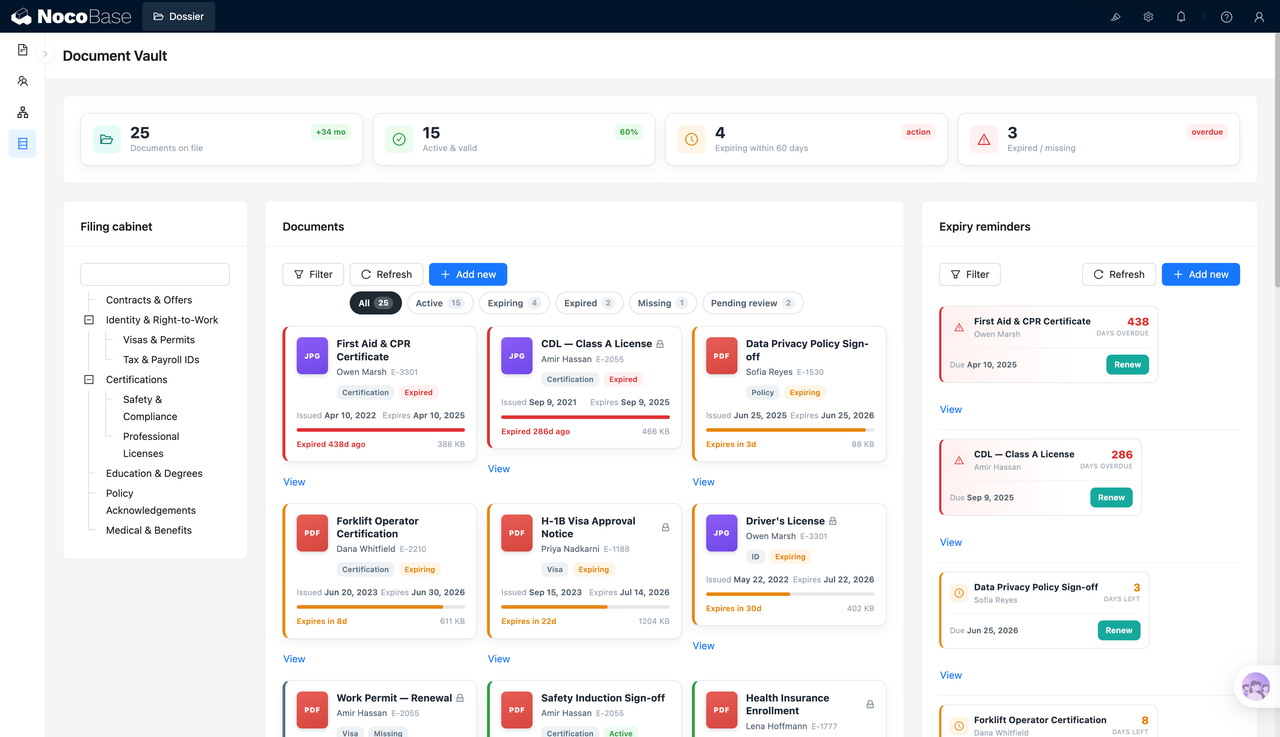
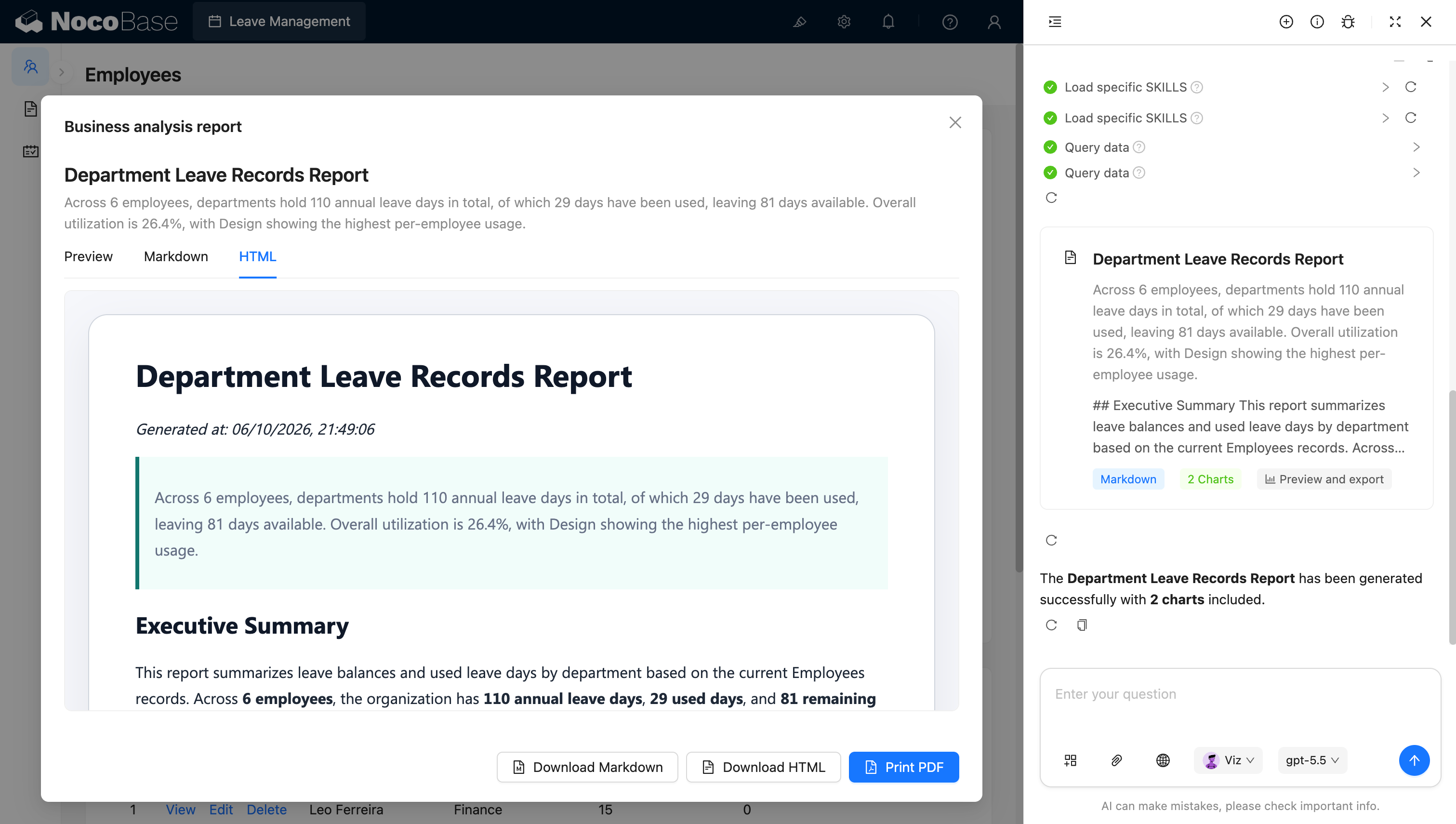
Laporan analisis cuti departemen yang dihasilkan AI:
Masalah apa yang diselesaikan sistem manajemen cuti karyawan ini?
Manajemen cuti harus menangani saldo cuti yang tersisa, hari kerja aktual, penjadwalan tim, dan status persetujuan sekaligus.
Ketika tim menangani cuti melalui email, obrolan, atau spreadsheet, karyawan sering tidak tahu berapa banyak cuti tahunan yang tersisa, dan manajer kesulitan untuk dengan cepat mengetahui apakah beberapa orang sudah absen selama periode tertentu. HR harus menghitung hari cuti secara manual, memperbarui saldo, dan mengagregasi penggunaan cuti di berbagai departemen.
Dengan sistem ini, setiap karyawan dapat melihat jatah cuti tahunan, hari yang sudah digunakan, dan hari yang tersisa. Misalnya, sistem dapat menampilkan bahwa seorang karyawan memiliki 20 hari cuti tahunan tahun ini, telah menggunakan 7 hari, dan tersisa 13 hari.
Saat mengajukan permintaan, karyawan memilih karyawan, jenis cuti, tanggal mulai, dan tanggal selesai, serta mengisi alasan. Sistem dapat secara otomatis menghitung hari kerja antara dua tanggal tersebut dan menampilkan saldo yang tersisa untuk jenis cuti yang sesuai, membantu karyawan mengonfirmasi apakah saldo mencukupi sebelum mengajukan.
Kalender cuti tim menampilkan cuti tahunan, cuti sakit, cuti pribadi, cuti kompensasi, dan cuti melahirkan berdasarkan tanggal, serta mendukung pemfilteran berdasarkan jenis cuti atau karyawan. Manajer dapat melihat sekilas kapan anggota tim yang berbeda sedang absen, mengurangi konflik penjadwalan.
Sistem juga memusatkan pengajuan cuti dan status persetujuannya — Pending, Approved, dan Declined — sehingga HR dan manajer dapat menindaklanjuti dengan cepat.
Fitur utama
Manajemen saldo cuti karyawan
- Ikhtisar saldo: Menampilkan total jatah tahunan, hari yang digunakan, hari yang tersisa, dan progres penggunaan saat ini untuk setiap karyawan.
- Berbagai jenis cuti: Mendukung cuti tahunan, cuti sakit, cuti pribadi, cuti kompensasi, dan cuti melahirkan, dengan penggunaan yang dilacak secara terpisah untuk setiap jenisnya.
- Pembaruan saldo real-time: Setelah pengajuan cuti disetujui, hari yang digunakan dan saldo yang tersisa diperbarui secara otomatis.
Persetujuan cuti dan manajemen status
- Pelacakan status pengajuan: Mendukung status seperti Pending, Approved, dan Declined, menampilkan dengan jelas posisi setiap pengajuan.
- Hasil persetujuan sekilas pandang: Lihat pemohon, jenis cuti, tanggal mulai dan selesai, jumlah hari, dan status persetujuan dalam daftar pengajuan.
- Alur persetujuan yang dapat diperluas: Tambahkan langkah persetujuan manajer langsung, HR, atau multi-level agar sesuai dengan kebijakan perusahaan.
Kalender cuti tim
- Kalender cuti bulanan: Menampilkan cuti anggota tim berdasarkan bulan, memudahkan untuk melihat siapa yang absen pada tanggal tertentu.
- Jenis cuti berkode warna: Cuti tahunan, cuti sakit, cuti pribadi, cuti kompensasi, dan cuti melahirkan masing-masing ditandai dengan warna yang berbeda.
- Filter berdasarkan karyawan atau jenis: Filter kalender berdasarkan karyawan atau jenis cuti untuk dengan cepat menemukan orang tertentu atau catatan cuti.
Analisis data cuti berbasis AI
- Statistik penggunaan AI: Mengagregasi total jatah tahunan, hari yang digunakan, hari yang tersisa, dan pemanfaatan keseluruhan.
- Perbandingan departemen AI: Membandingkan saldo cuti dan penggunaan per orang di berbagai departemen, menandai tim dengan penggunaan yang sangat tinggi atau sangat rendah.
- Deteksi risiko penjadwalan AI: Mengidentifikasi cuti yang terkonsentrasi, karyawan yang belum mengambil cuti untuk waktu lama, atau peran kunci yang absen bersamaan.
- Ringkasan manajemen AI: Secara otomatis menyusun tren cuti departemen, risiko utama, dan saran pengaturan staf tindak lanjut.
Mengapa membangun sistem manajemen cuti karyawan dengan AI dan NocoBase?
Setelah sistem cuti masuk ke penggunaan perusahaan yang sesungguhnya, biasanya harus menangani jatah cuti, perhitungan hari kerja, pengajuan karyawan, persetujuan manajer, kalender tim, dan statistik departemen — bukan hanya formulir tanggal.
Jika Anda menggunakan vibe coding biasa untuk membuat halaman cuti dari nol, Anda biasanya hanya mendapatkan pengajuan permintaan. Pengurangan saldo, beberapa jenis cuti, tampilan multi-hari, status persetujuan, izin data, dan analisis departemen semuanya masih perlu ditambahkan setelahnya.
NocoBase menghubungkan karyawan, departemen, saldo cuti, dan catatan cuti. Karyawan dapat memeriksa jatah mereka dan mengajukan permintaan, manajer dapat melihat jadwal cuti tim mereka, dan HR dapat mempertahankan semua data cuti dan catatan persetujuan.
Tim juga dapat menyesuaikan jenis cuti, jatah tahunan, aturan perhitungan hari kerja, dan alur persetujuan sesuai kebijakan mereka sendiri. Misalnya, wilayah yang berbeda mungkin memiliki kebijakan cuti tahunan, cuti melahirkan, atau cuti kompensasi yang berbeda, yang semuanya dapat dikonfigurasi dalam sistem.
AI lebih lanjut mengurangi biaya statistik dan pelaporan. AI data analyst dalam tangkapan layar dapat membaca data cuti karyawan, mengagregasi jatah tahunan, hari yang digunakan, hari yang tersisa, dan pemanfaatan keseluruhan, serta menghasilkan laporan analisis cuti departemen dengan grafik.
Sistem manajemen cuti yang dibangun dengan cara ini bukan hanya formulir permintaan, tetapi sistem bisnis jangka panjang yang mencakup saldo cuti, permintaan, persetujuan, penjadwalan, dan analisis organisasi.
FAQ
- Bisakah saya melihat seluruh jadwal cuti tim dalam kalender?
Ya. Kalender cuti tim menampilkan waktu cuti setiap karyawan berdasarkan bulan, dengan warna yang berbeda untuk cuti tahunan, cuti sakit, cuti pribadi, cuti kompensasi, dan cuti melahirkan.
Manajer dapat dengan cepat melihat apakah beberapa anggota kunci absen selama periode yang sama dan menyesuaikan penempatan staf lebih awal.
- Bisakah saya memfilter kalender cuti berdasarkan karyawan, departemen, atau jenis cuti?
Ya. Sistem dapat menampilkan hanya catatan karyawan, tim, atau jenis cuti tertentu.
Misalnya, manajer dapat melihat semua cuti departemen mereka untuk bulan depan, atau hanya melihat cuti tahunan, memangkas informasi yang tidak relevan saat merencanakan jadwal.
- Bisakah saya mengatur persetujuan cuti multi-level?
Ya. Setelah karyawan mengajukan permintaan, permintaan tersebut dapat terlebih dahulu diteruskan ke manajer langsung untuk persetujuan, kemudian diarahkan ke HR atau level yang lebih tinggi berdasarkan durasi cuti, jenis, atau level karyawan.
Misalnya, cuti singkat dapat disetujui oleh manajer langsung, sementara cuti beberapa hari atau cuti khusus menambahkan tinjauan HR. Pemberi persetujuan juga dapat mencatat alasan persetujuan atau penolakan.
- Bisakah karyawan biasa melihat alasan cuti rekan kerja mereka?
Hal ini dapat dibatasi melalui izin. Karyawan biasa hanya dapat melihat tanggal cuti dan status rekan satu tim mereka, tanpa alasan spesifik atau informasi sensitif lainnya.
Manajer langsung dan HR dapat melihat konten pengajuan yang lebih lengkap berdasarkan tanggung jawab mereka. NocoBase mendukung kontrol akses berdasarkan peran, departemen, dan cakupan kolom, yang sangat cocok untuk melindungi privasi karyawan.
- Bisakah saya melihat pengajuan yang tertunda, disetujui, dan ditolak?
Ya. Daftar pengajuan menampilkan karyawan, jenis cuti, tanggal mulai dan selesai, hari cuti, dan status seperti Pending, Approved, dan Declined.
Karyawan dapat melacak progres pengajuan mereka sendiri, dan manajer dapat fokus pada yang belum diproses sehingga tidak ada persetujuan yang terlewat.
- Bisakah AI menganalisis penggunaan cuti departemen?
Ya. AI dapat mengagregasi total jatah tahunan, hari yang digunakan, hari yang tersisa, dan pemanfaatan keseluruhan, serta membandingkan penggunaan cuti di berbagai departemen.
AI juga dapat menandai tim dengan penggunaan per orang yang tinggi atau karyawan yang belum mengambil cuti untuk waktu lama, memberikan referensi kepada HR untuk beban kerja, pemanfaatan cuti, dan penjadwalan.
- Bisakah AI mendeteksi potensi risiko penempatan staf?
Ya. Dengan menggabungkan kalender tim dan catatan historis, AI dapat mengidentifikasi cuti yang terkonsentrasi, peran kunci yang absen bersamaan, atau karyawan yang belum menggunakan cuti tahunan mereka untuk waktu yang lama.
Temuan-temuan ini dapat disusun ke dalam laporan analisis cuti departemen, membantu manajer mengatur serah terima dan cakupan lebih awal.
- Bisakah laporan analisis cuti yang dihasilkan AI diekspor?
Ya. Laporan dapat mencakup saldo cuti departemen, pemanfaatan, perbedaan per orang, risiko utama, dan grafik analisis, yang dapat dilihat sebagai Preview, Markdown, atau HTML.
Laporan juga dapat diunduh sebagai Markdown atau HTML, atau dicetak ke PDF — sangat cocok untuk analisis bulanan HR dan pelaporan manajemen.
- Bisakah Claude Code, Codex, Cursor, atau OpenCode membantu membangun sistem cuti?
Ya. AI coding agent seperti Claude Code, Codex, Cursor, dan OpenCode dapat terhubung ke NocoBase dan menghasilkan karyawan, saldo cuti, pengajuan cuti, alur persetujuan, dan kalender tim dari sebuah prompt.
Setelah sistem dihasilkan, HR masih dapat menyesuaikan jenis cuti, aturan saldo, langkah persetujuan, dan izin melalui antarmuka no-code NocoBase — tidak perlu pengembangan ulang setiap kali kebijakan berubah.
- Apa bedanya dengan formulir cuti yang dihasilkan oleh vibe coding biasa?
Vibe coding biasa dapat dengan cepat menghasilkan pemilih tanggal dan formulir pengajuan, tetapi manajemen cuti perusahaan juga membutuhkan perhitungan hari kerja, saldo cuti, pengurangan setelah persetujuan, kalender tim, izin data, dan riwayat perubahan.
NocoBase menyatukan karyawan, saldo, pengajuan, persetujuan, dan analitik dalam satu sistem. AI mempercepat pembangunan dan analisis, sementara NocoBase menangani konsistensi data, kontrol akses, dan pemeliharaan jangka panjang.
- Bisakah sistem terus berkembang seiring perubahan kebijakan cuti?
Ya. Perusahaan dapat mengubah jenis cuti, jatah tahunan, aturan perhitungan hari kerja, kondisi persetujuan, dan aturan pengurangan saldo, serta mengonfigurasi kebijakan yang berbeda untuk wilayah atau kelompok karyawan yang berbeda.
Sistem dapat terus berkembang sambil mempertahankan catatan historis, tanpa perlu dibangun ulang dari awal setelah setiap perubahan kebijakan.
- Apakah sistem ini cocok untuk manajemen cuti karyawan perusahaan yang sesungguhnya?
Ya. Manajemen cuti menyentuh privasi karyawan, akurasi saldo, akuntabilitas persetujuan, dan penjadwalan tim — ini membutuhkan kemampuan data dan proses yang lebih stabil daripada formulir permintaan sekali pakai.
NocoBase memungkinkan Anda mengaktifkan alur kerja, manajemen izin, riwayat operasi, log audit, single sign-on, notifikasi, API, dan ekstensi plugin sesuai kebutuhan, sehingga sangat cocok untuk membangun sistem manajemen cuti karyawan yang dapat dikelola, dapat dilacak, dan berjalan dalam jangka panjang.