

This is a major upgrade centered on the V2 experience. This release brings Multi Portal, a new mobile client, and a new comment block, while continuing to enhance the AI knowledge base and workflow capabilities. For teams already using V2, the more noteworthy addition is the brand-new /v/ branch—it will serve as a dedicated front-end entry for V2 and carry forward all future feature development.
New Features
The new /v/ branch
/v/ is a brand-new, standalone front-end entry that is built independently. In the 2.0 release we carried out a very large refactor of the front end, and at the time, for compatibility reasons, we kept support for V1 modules, pages, and so on. The /v/ branch, however, completely removes the V1 legacy content—you can no longer create or render V1 pages and blocks, and it keeps only V2-oriented capabilities. At the same time, the /v/ branch has been significantly optimized in terms of performance, and it will be the main branch that the NocoBase team iterates on going forward.
We recommend that, if your production environment consists entirely of users centered on v2 Pages, you consider starting to use the
/v/branch, so that upcoming new feature iterations can be used directly.If you are centered on v2 Pages but have a small number of v1 Pages, consider first migrating the v1 Pages to v2 Pages, and then consider using the
/v/branch.If you are centered on v1 Pages, we do not recommend switching directly to the
/v/branch. We suggest you first migrate your current v1 Pages to v2 Pages, and then switch to the/v/branch.
Typically, you only need to add the /v/ prefix before the original path to enter the /v/ branch.
For example:
# Original path
https://nocobase.example.com/admin/1xl0epqn6q3

# v branch path
https://nocobase.example.com/v/admin/1xl0epqn6q3
Setting the application’s default entry
You can control the application’s entry mode via the environment variable APP_CLIENT_ENTRY_MODE:
legacy-default: both/and/v/are accessible, and the default entry is/modern-default: both/and/v/are accessible, and the default entry is/v/modern-only: only/v/is accessible
Current status of the /v/ branch
The /v/ branch is a progressive-migration branch. After entering the /v/ branch, there will be a few noticeable changes:
- Pages created via Page V1 will no longer be displayed in the
/v/branch. Pages created via Page V2 will still display normally in the/v/branch. - Plugins that are only adapted for
client-v1will no longer be loaded in the/v/branch. The/v/branch only loads plugins adapted forclient-v2. For details, refer to the Client-side plugin development documentation.
At present, most of the plugins built into NocoBase have been adapted and migrated to client-v2 in this release, so most features can be used directly (a small number of plugins have not yet been migrated, and we will keep migrating them). However, some capabilities provided by certain plugins will only be updated and iterated on the /v/ branch going forward. Specifically:
- The plugin list no longer shows deprecated plugins or plugins that support only 1.x
- Adding new Page V1 is no longer supported
- Public forms distinguish between v1 and v2; the
/v/branch does not display v1 public forms - If you want to use approval workflows on the
/v/branch, you need to reconfigure the related UI - The new mobile client is only supported on the
/v/branch - Multi Portal is only supported on the
/v/branch - The Display configuration for sub-applications in the App supervisor has been removed; you can use Portals instead
- The “AI Employees / Data Sources” tab has been removed
- The comment table, calendar table, expression table, and external data table have been removed
- The workflow manual node is not yet supported on the
/v/branch - Adding badge counts to menus is not yet supported
You can carry out the migration to the /v/ branch based on the actual situation of your production environment.
Multi Portal (only supported on the /v/ branch)
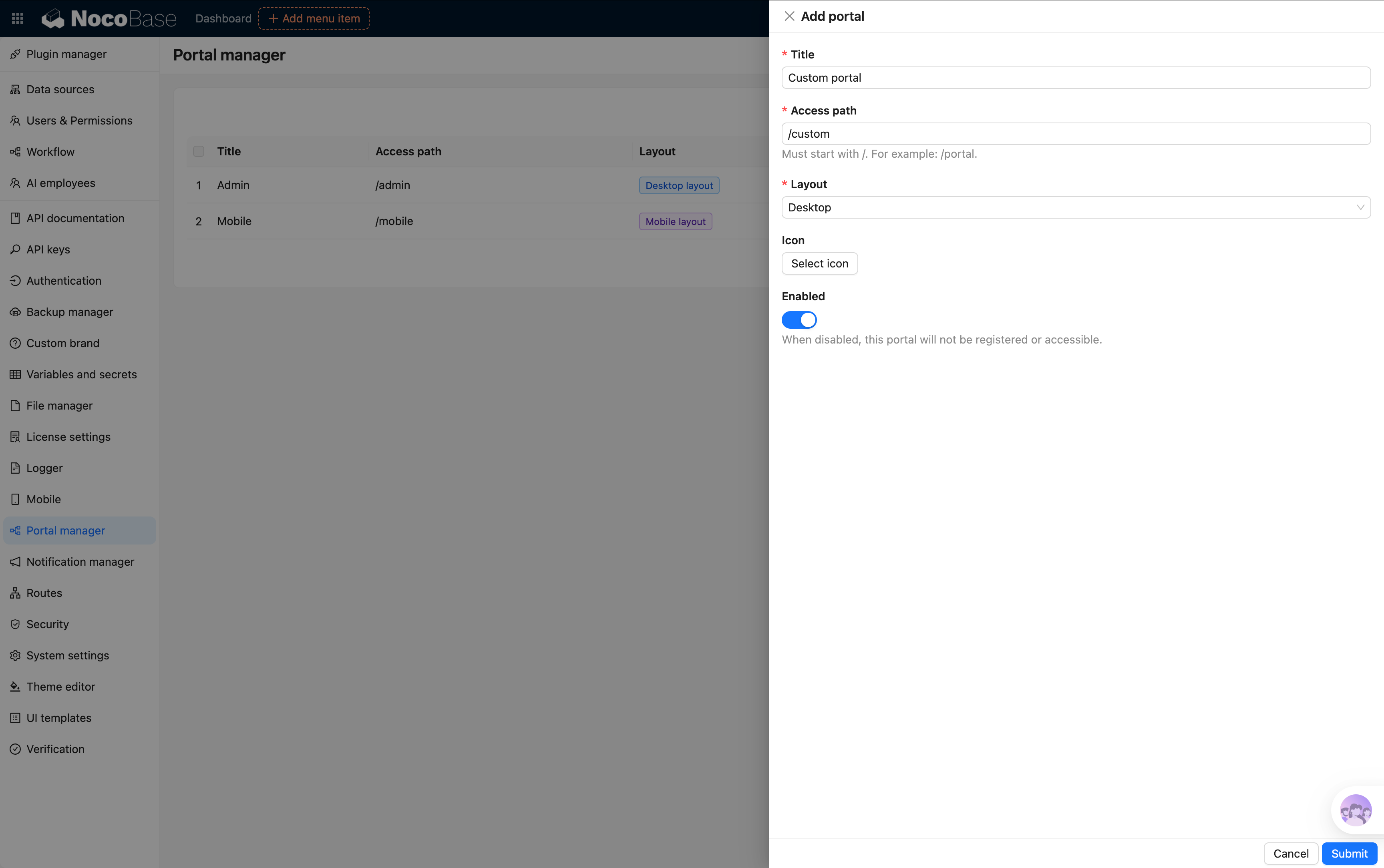
Portals are used to provide multiple access entries within the same application. Each Portal can have its own independent pages, menus, navigation structure, layout, and permission configuration. (Supported in the Professional edition and above)
In real-world business scenarios, different roles usually need different operational interfaces. For example, a retail management system:
Retail management system

├─ Headquarters Portal
├─ Store Portal
├─ Dealer Portal
└─ Mobile Portal
Headquarters staff care about:
- Product management
- Inventory management
- Data analysis
Store staff care about:
- Checkout
- Stock counting
- Order processing
Dealers care about:
- Procurement
- Reconciliation
- Shipping status
Even though they use the same system, different roles don’t need to see the same menus and pages. Multi Portal is precisely what solves this problem.
Reference documentation:
New mobile client (only supported on the /v/ branch)
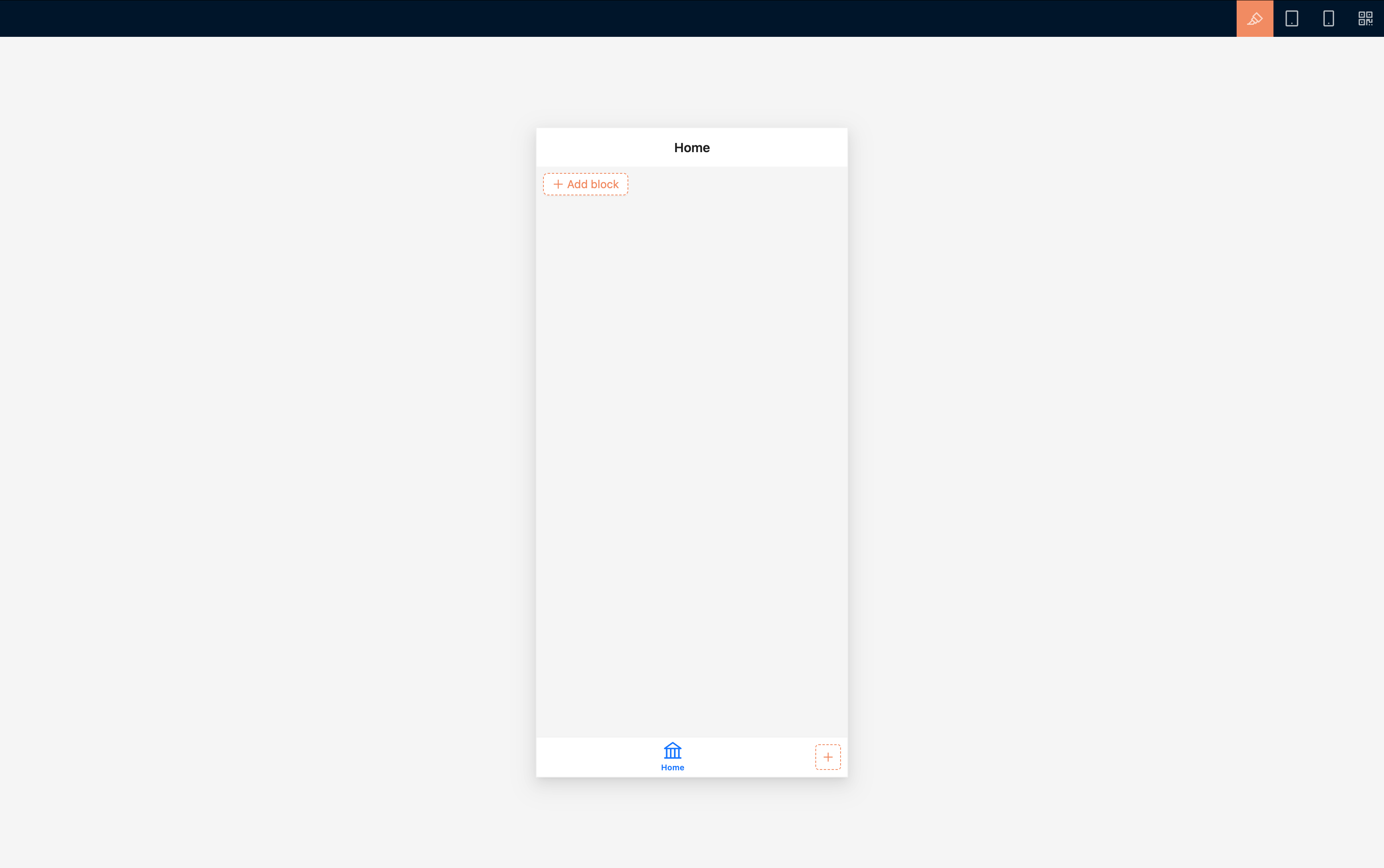
The new mobile client provides a brand-new /v/mobile entry, and at the same time, Portals also support adding Portals with a mobile layout.
The mobile layout and desktop layout use the same data source and business data, but menus, routing, and page content are configured separately. This allows you to reorganize pages according to how they are used on mobile, without being constrained by the desktop page structure. In addition, using the bottom tab bar as the primary navigation makes it better suited for data entry, querying, approval, and task handling on phones.
Reference documentation:
New comment block
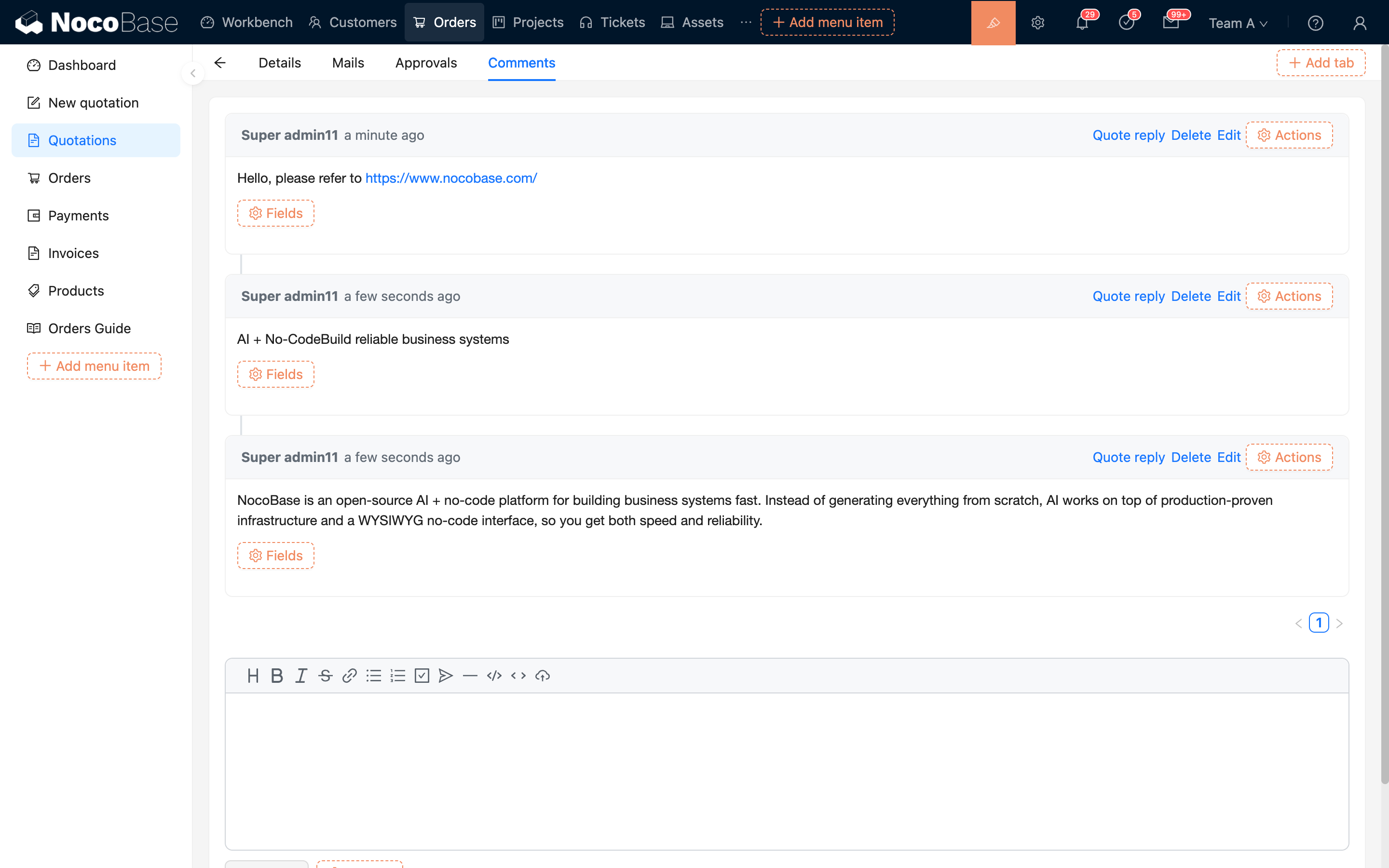
The new comment block is no longer limited to the comment table of the main data source, and it can be used even outside of relationship blocks. The comment block is used to add commenting capabilities to business records. You can add a comment block on the detail page or popup of records such as tasks, articles, tickets, and customers, allowing users to view, reply to, and add comments around the current record.
Reference documentation:
AI knowledge base improvements
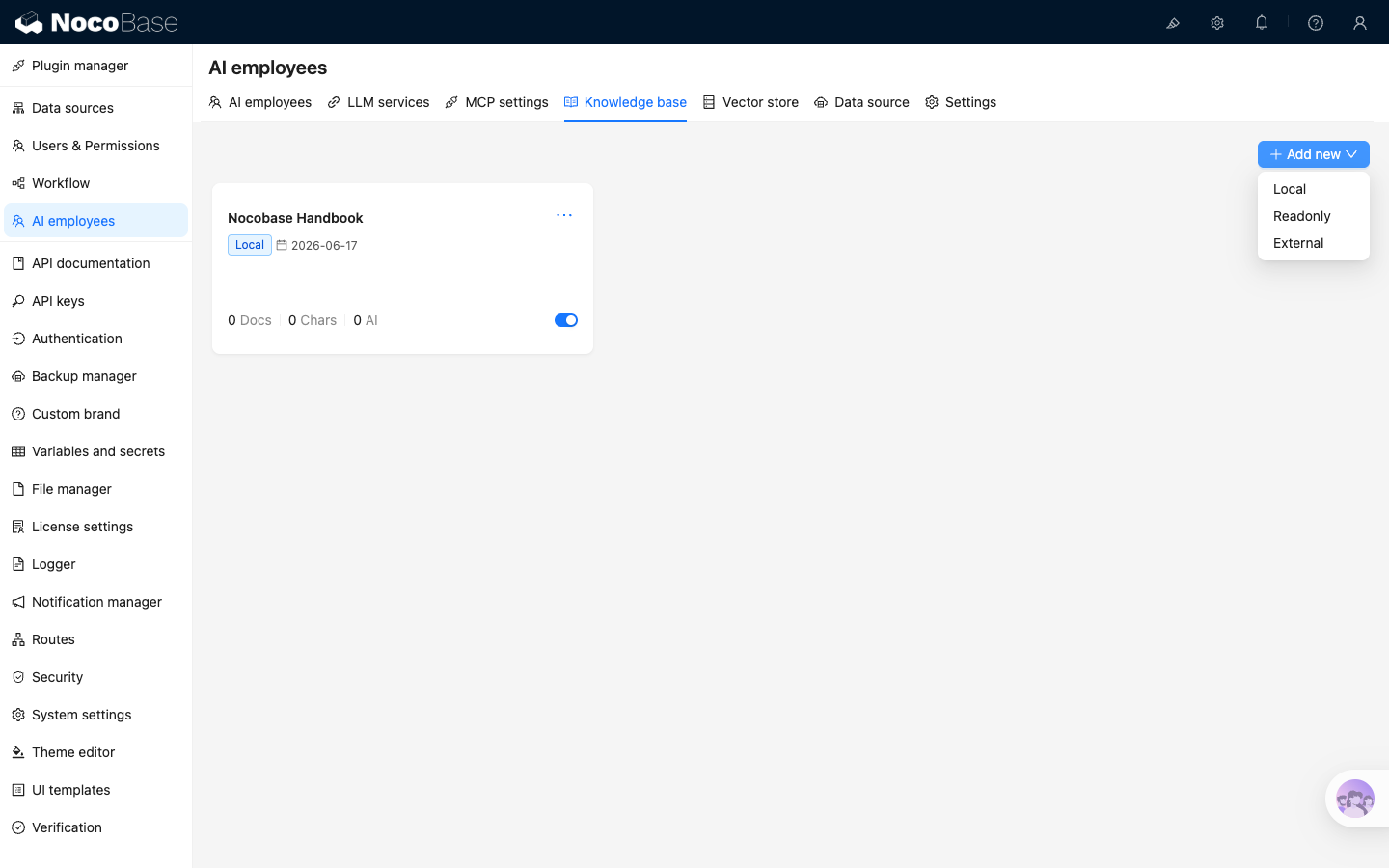
In this release, the AI knowledge base has also completed its migration to the client-v2 version. In addition, when a workflow creates knowledge base documents, it now supports overwriting by the knowledge base document’s key.
Reference documentation:
Workflow: Database transaction node
The workflow adds a database transaction node. It is used to execute a group of database operations within the same transaction. It is suited for scenarios that need to guarantee “all succeed or all roll back” across multi-step data processing—for example, deducting inventory, writing line items, and updating status after creating an order.
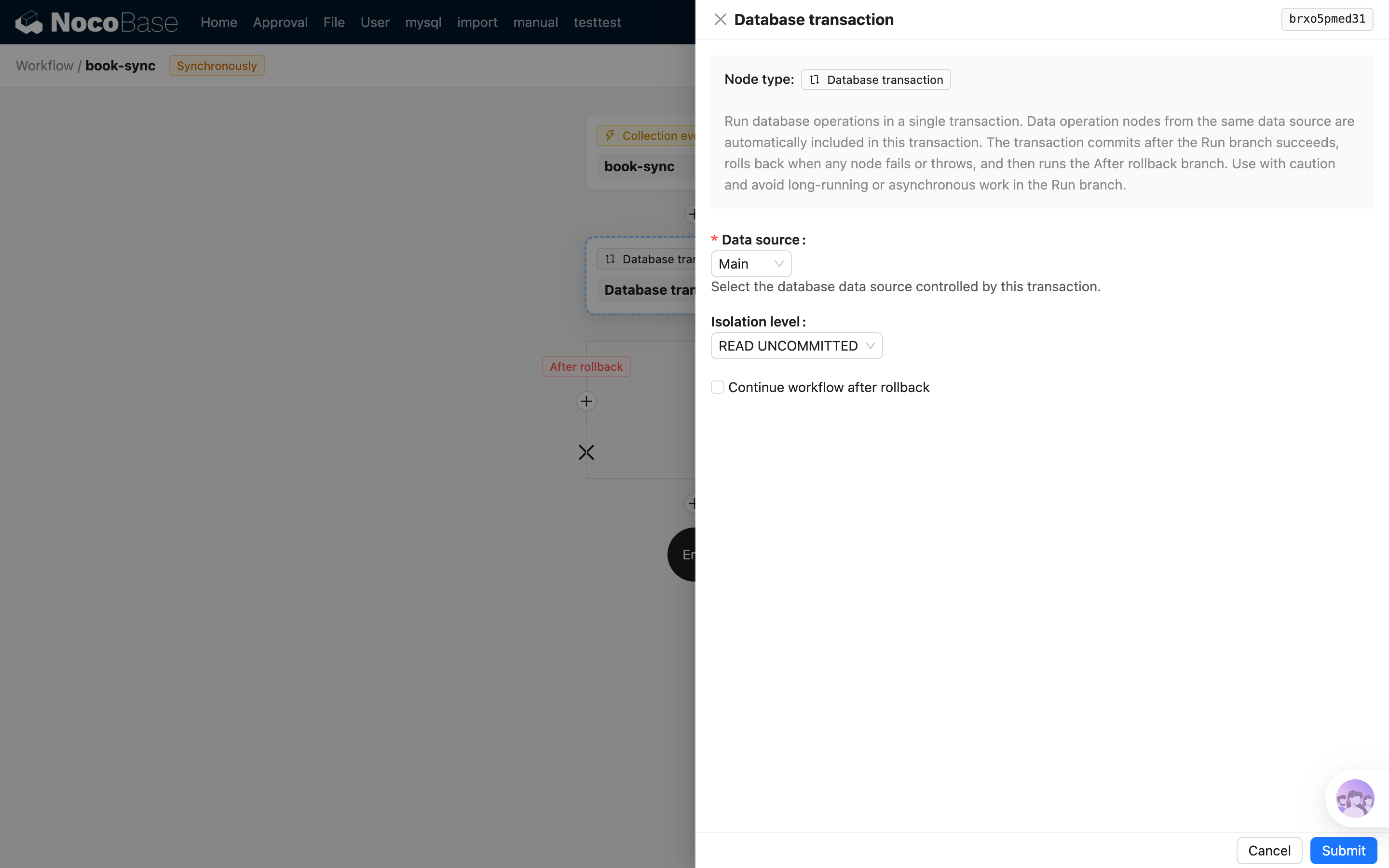
Reference documentation:
The following plugins are no longer supported in V2 (deprecated but not yet removed)
Some plugins were actually deprecated much earlier. Some of them can still be used at present, but they will be completely removed in V3.
| Plugin | Replacement | Notes |
|---|---|---|
@nocobase/plugin-audit-logs | @nocobase/plugin-audit-logger | Deprecated since 1.0 |
@nocobase/plugin-backup-restore | @nocobase/plugin-backups | Deprecated since 1.0 |
@nocobase/plugin-block-multi-step-form | JS Block | Deprecated since 2.0 |
@nocobase/plugin-charts | @nocobase/plugin-data-visualization | Deprecated since 2.0 |
@nocobase/plugin-collection-fdw | Sync from database | Deprecated since 2.2 |
@nocobase/plugin-comments | @nocobase/plugin-block-comment | Deprecated since 2.2 |
@nocobase/plugin-custom-variables | Event flow | Deprecated since 2.2 |
@nocobase/plugin-data-visualization-echarts | @nocobase/plugin-data-visualization | Deprecated since 2.0 |
@nocobase/plugin-disable-pm-add | None | Deprecated since 2.2 |
@nocobase/plugin-field-component-mask | RunJS | Deprecated since 2.0 |
@nocobase/plugin-graph-collection-manager | None | Deprecated since 2.2 |
@nocobase/plugin-mobile-client | @nocobase/plugin-ui-layout | Deprecated since 2.0 |
@nocobase/plugin-mobile | @nocobase/plugin-ui-layout | Deprecated since 2.0 |
@nocobase/plugin-mock-collections | AI-assisted building | Deprecated since 2.0 |
@nocobase/plugin-multi-app-manager | @nocobase/plugin-app-supervisor | Deprecated since 2.0 |
@nocobase/plugin-multi-app-share-collection | None | Deprecated since 1.0 |
@nocobase/plugin-notifications | @nocobase/plugin-notification-manager | Deprecated since 1.0 |
@nocobase/plugin-snapshot-field | None | Deprecated since 1.0 |