
Recently, we came across several Hacker News discussions about self-hosted, open-source AI platforms.
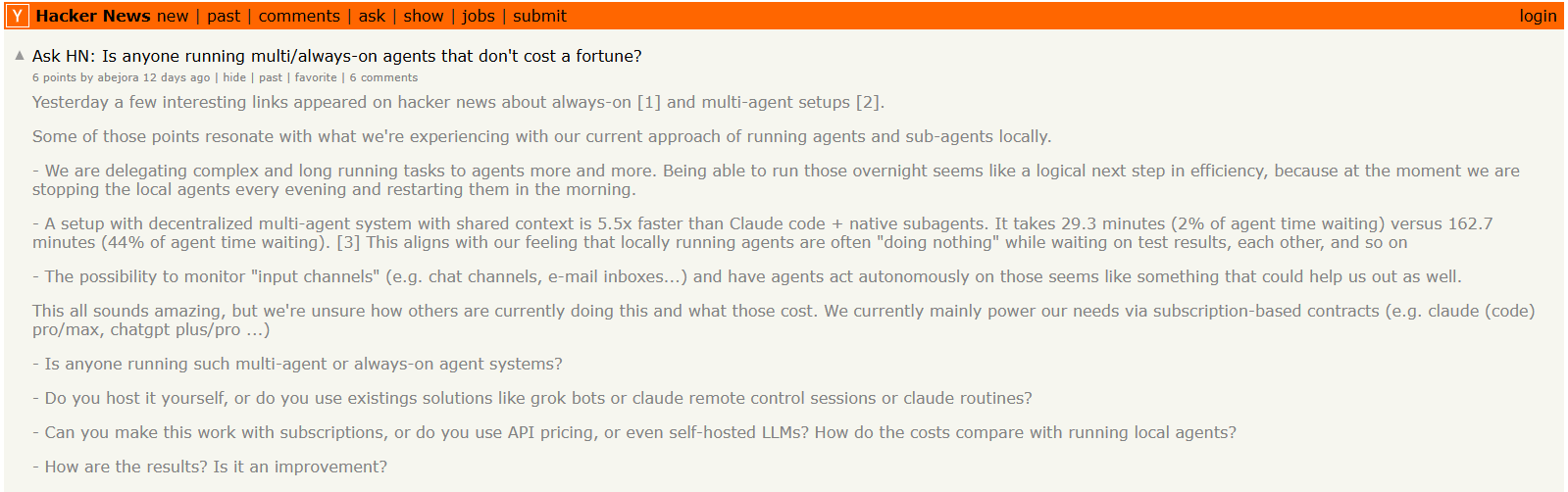
What stood out was how different people's needs were. Some simply want to run AI models on their own computers. Others want Agents to connect to Slack and internal systems to help with everyday team tasks. Still others are thinking about running multiple always-on Agents while keeping costs under control. Three discussions illustrate these differences:
- Ask HN: What Does Your Self-Hosted LLM Stack Look Like in 2025?: People discussed how to combine local models, runtime tools, and hardware into a genuinely usable self-hosted AI setup.

- Ask HN: Open-source AI Agents building platform?: A founder wanted an open-source, self-hostable Agent platform that could connect internal systems through Slack and help get work done, rather than requiring every Agent to be developed from scratch.

- Ask HN: Is anyone running multi/always-on agents that don't cost a fortune?: Others wanted to run several Agents continuously, control operating costs, and understand whether self-hosting was a better option.
Based on these needs, we selected 24 self-hostable open-source or source-available AI platforms, covering AI Agents, workflow automation, model serving, knowledge bases, and business application development.
To make the options easier to compare, we have grouped them by typical use case:
- Individuals and businesses (11): useful for personal work and extensible to team settings.
- Businesses (8): better suited to team collaboration, centralized management, and enterprise deployment.
- Individuals (5): focused on local use, personal development, and everyday AI tasks.
Each project includes an overview of its main capabilities and use cases to help you find a suitable fit.
Here are 24 projects worth considering.
💬 Hi there! You are reading the NocoBase blog. NocoBase is an open-source platform for enterprise application development that lets AI take part in building and continuously improving business systems. Come and find us on GitHub.
| Project | Best for | Primary use | Stars |
|---|---|---|---|
| NocoBase | Individuals and businesses | Build and continuously improve CRM, procurement, ticketing, and other business systems with Agents | 25.0k |
| Dify | Individuals and businesses | Visually orchestrate Agents, workflows, and RAG apps | 161.4k |
| Langflow | Individuals and businesses | Drag-and-drop Agent and RAG workflows | 156.7k |
| n8n | Individuals and businesses | Self-hosted workflow automation with AI nodes | 210.9k |
| LobeHub | Individuals and businesses | From personal chat to team super-agents | 85.7k |
| Ollama | Individuals and businesses | Run open-source models with one command and a REST API | 187.5k |
| Open WebUI | Individuals and businesses | ChatGPT-style UI with multi-user support and RBAC | 159.0k |
| LibreChat | Individuals and businesses | Multi-model, multi-user chat with Agents and MCP | 47.3k |
| AnythingLLM | Individuals and businesses | Document Q&A and no-code Agents, desktop and Docker | 68.4k |
| OpenClaw | Individuals and businesses | Task-executing Agents connected to messaging channels | 394.7k |
| Khoj | Individuals and businesses | Self-hosted AI second brain with Q&A and scheduled tasks | 38.2k |
| Sim | Businesses | Collaborative Agent and workflow workspace | 30.2k |
| Paperclip | Businesses | Approvals, budgets, and projects for Agent organizations | 114.7k |
| Buzz | Businesses | Channels where people and Agents collaborate | 37.6k |
| Onyx | Businesses | Enterprise AI search and assistants across knowledge sources | 33.4k |
| vLLM | Businesses | Production-grade LLM inference serving | 97.1k |
| LiteLLM | Businesses | Unified APIs for 100+ models, budgets, and keys | 63.5k |
| RAGFlow | Businesses | RAG engine with deep document parsing | 94.4k |
| MLflow | Businesses | Experiment tracking, model registry, and LLM evaluation | 28.9k |
| Jan | Individuals | Fully offline desktop AI application | 45.8k |
| LocalAI | Individuals | OpenAI-compatible local inference without a GPU | 50.4k |
| Hermes Agent | Individuals | Personal Agent with memory and scheduled tasks | 264.3k |
| nanobot | Individuals | Ultra-lightweight self-hosted personal Agent framework | 50.2k |
| Cherry Studio | Individuals | Desktop workspace for models and Agents | 53.6k |
1. For Individuals and Businesses
1. NocoBase
GitHub Stars: 25.0k
Website: https://www.nocobase.com
GitHub: https://github.com/nocobase/nocobase
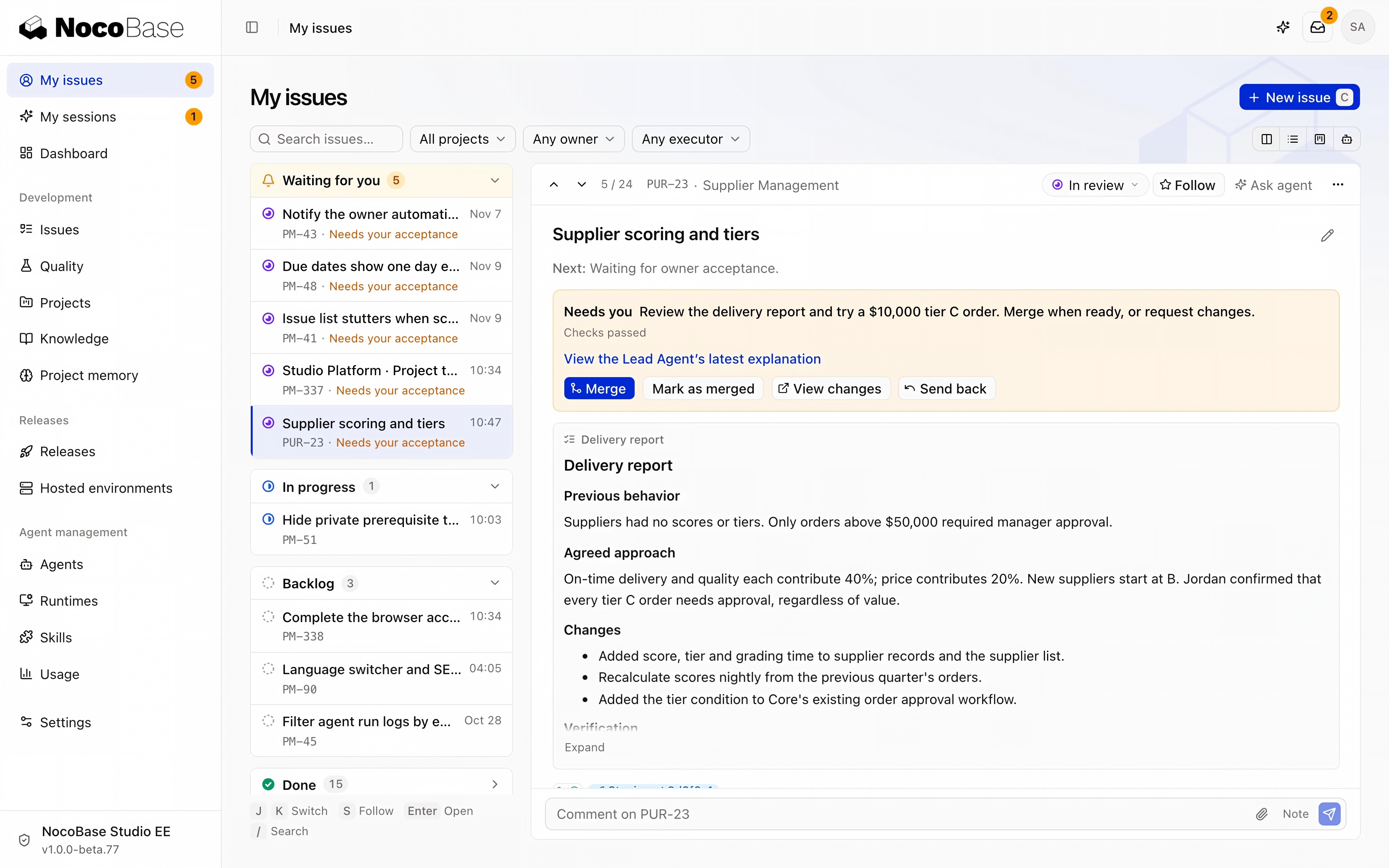
NocoBase is an open-source platform for building, running, and continuously improving business systems with AI. Coding Agents develop business functionality, NocoBase provides the application foundation and development governance, and people set goals, review results, and make key decisions.
A Coding Agent can build the first version of a CRM, procurement, or ticketing system from scratch surprisingly quickly. The harder part starts after launch: changing requirements mean ongoing changes to data structures, role permissions, approvals, and deployment. Each new feature can affect the existing architecture and make the system harder to maintain. NocoBase addresses this challenge: how can AI-built business systems launch quickly and continue evolving reliably over time?
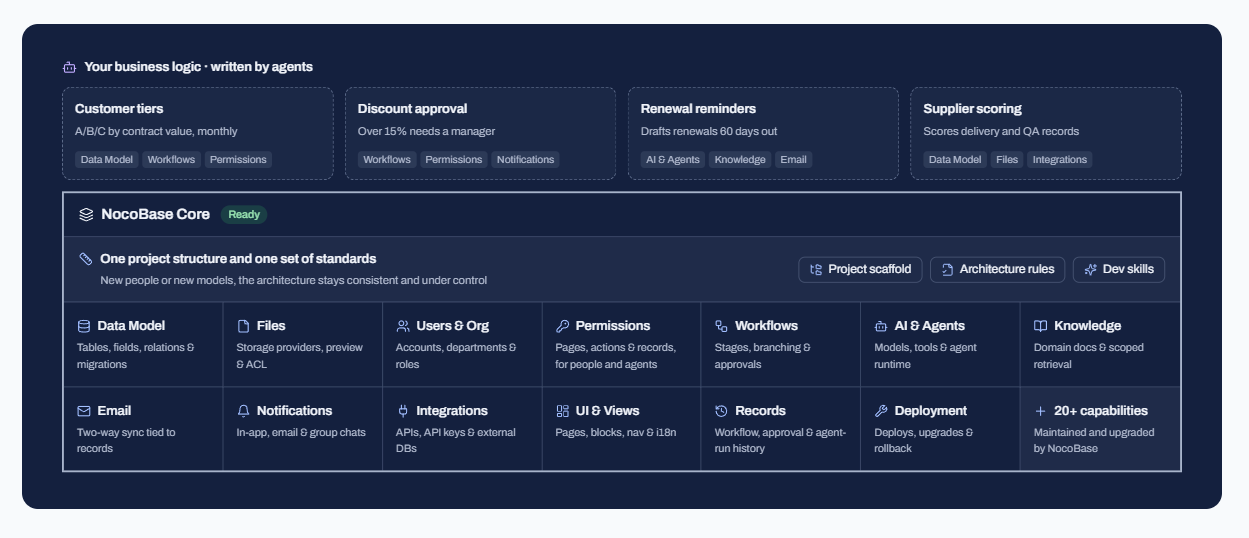
NocoBase therefore offers two core parts. NocoBase Core is the open-source application foundation, providing data management, role permissions, workflows, approvals, and deployment so Coding Agents can concentrate on business features rather than rebuilding infrastructure each time. NocoBase Studio focuses on collaboration between people and Agents during development. It can coordinate multiple Agents for development, testing, and review, and brings checks, human acceptance, and release approvals into one process, preventing unapproved changes from reaching production.
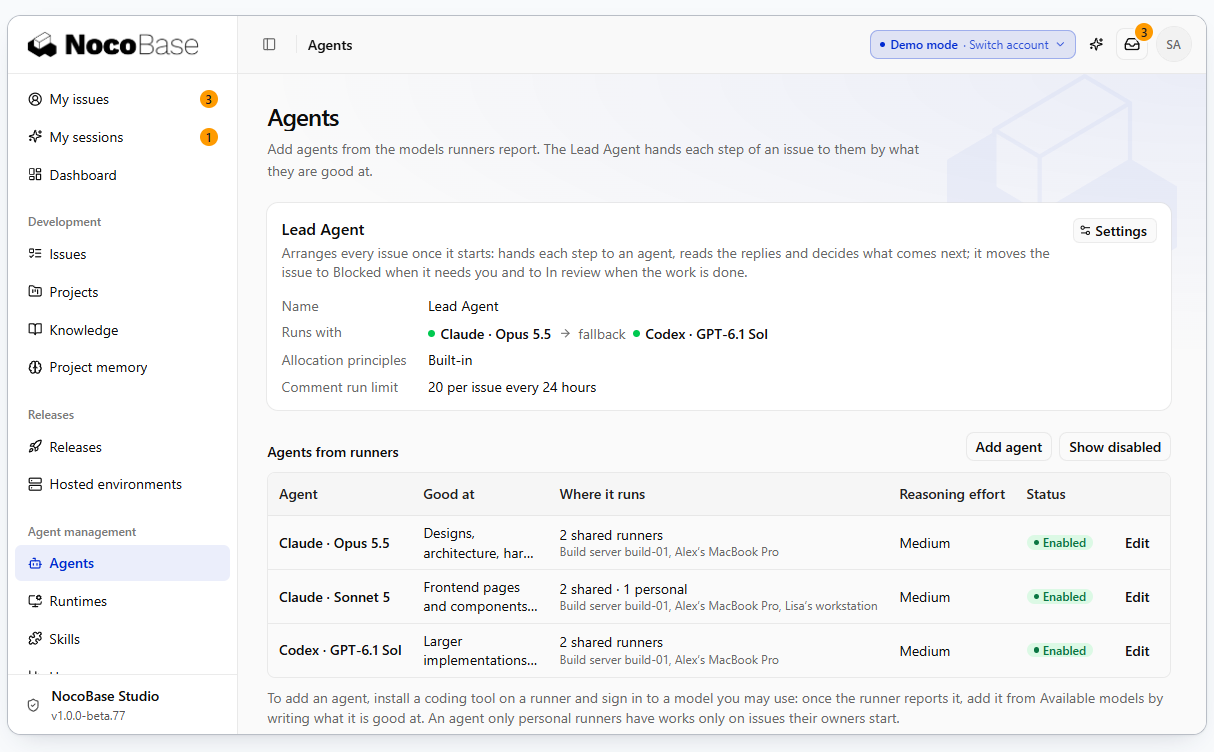
For individual developers, the free Community edition (Apache-2.0) can run on a local machine or personal server. Coding Agents such as Claude Code, Codex, and Hermes Agent can build business functionality on the architecture provided by Core. Without repeatedly implementing login, permissions, and admin features, one developer can build a well-structured business system that remains maintainable and extensible.
For teams and enterprises, NocoBase also supports collaboration and long-term operation. Business Agents can use the same role and permission system as team members, important actions can require human approval, and operations are recorded for review. Teams that need to manage multiple development projects, coordinate multiple Agents, or use more extensive release approvals and enterprise SSO can choose the Professional edition, which includes NocoBase Studio.
2. Dify
GitHub Stars: 161.4k
Website: https://dify.ai
GitHub: https://github.com/langgenius/dify
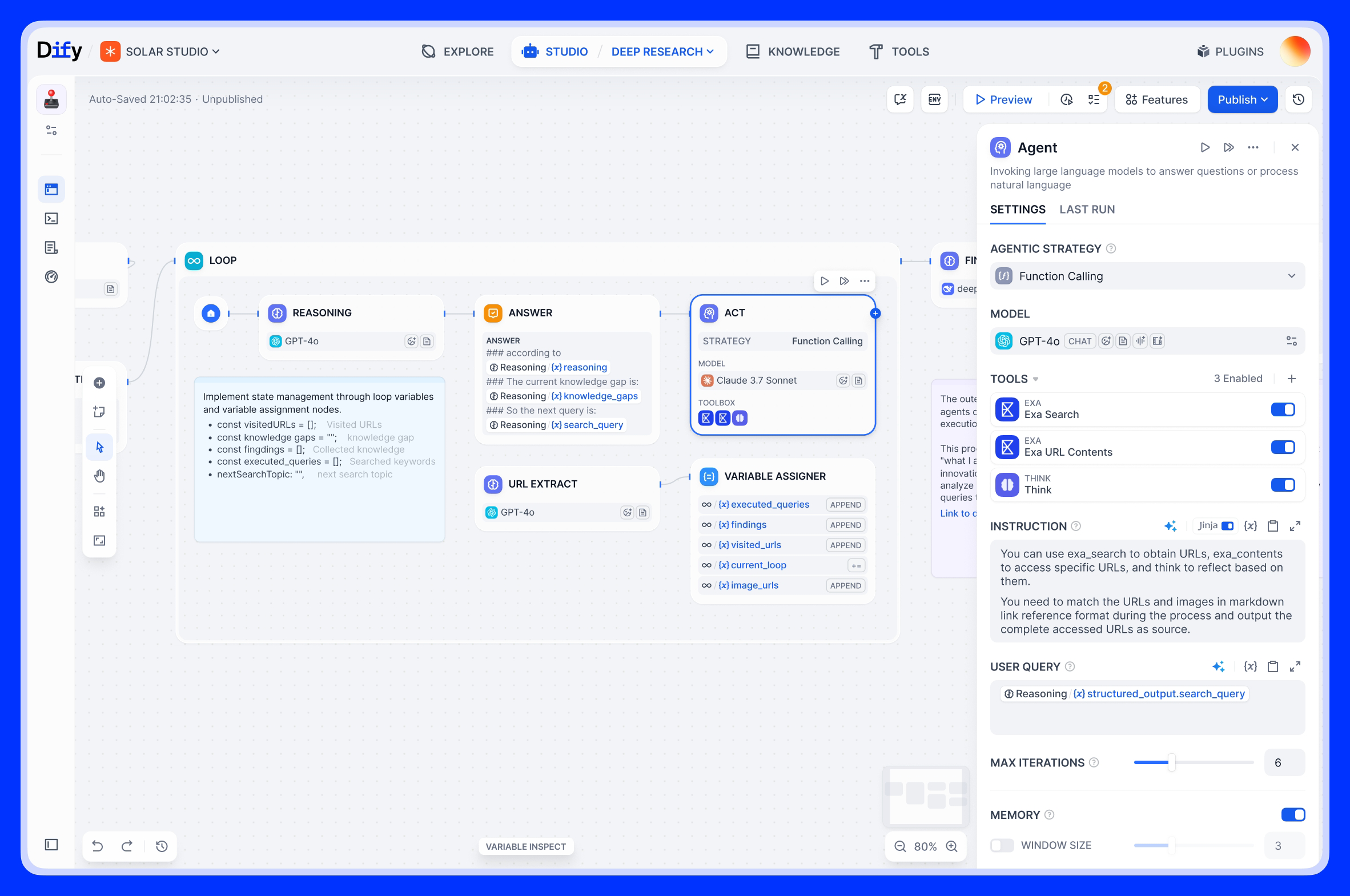
Dify is a self-hostable platform for building AI applications and orchestrating workflows. Its strength is the visual canvas for Agents, workflows, and RAG pipelines, multi-model integration, and direct publishing as applications or APIs. This reduces the cost of prototyping and changing workflows, but it focuses on AI orchestration and interfaces rather than replacing the underlying business system; complex data permissions and approval processes still need another system. Individuals can start with Docker Compose to build and validate AI workflows. Teams can iterate in shared workspaces and quickly deliver multi-model workflows as applications or APIs. Internal use is permitted, but multi-tenant hosted services require written authorization, and the frontend logo must be retained.
3. Langflow
GitHub Stars: 156.7k
Website: https://www.langflow.org
GitHub: https://github.com/langflow-ai/langflow
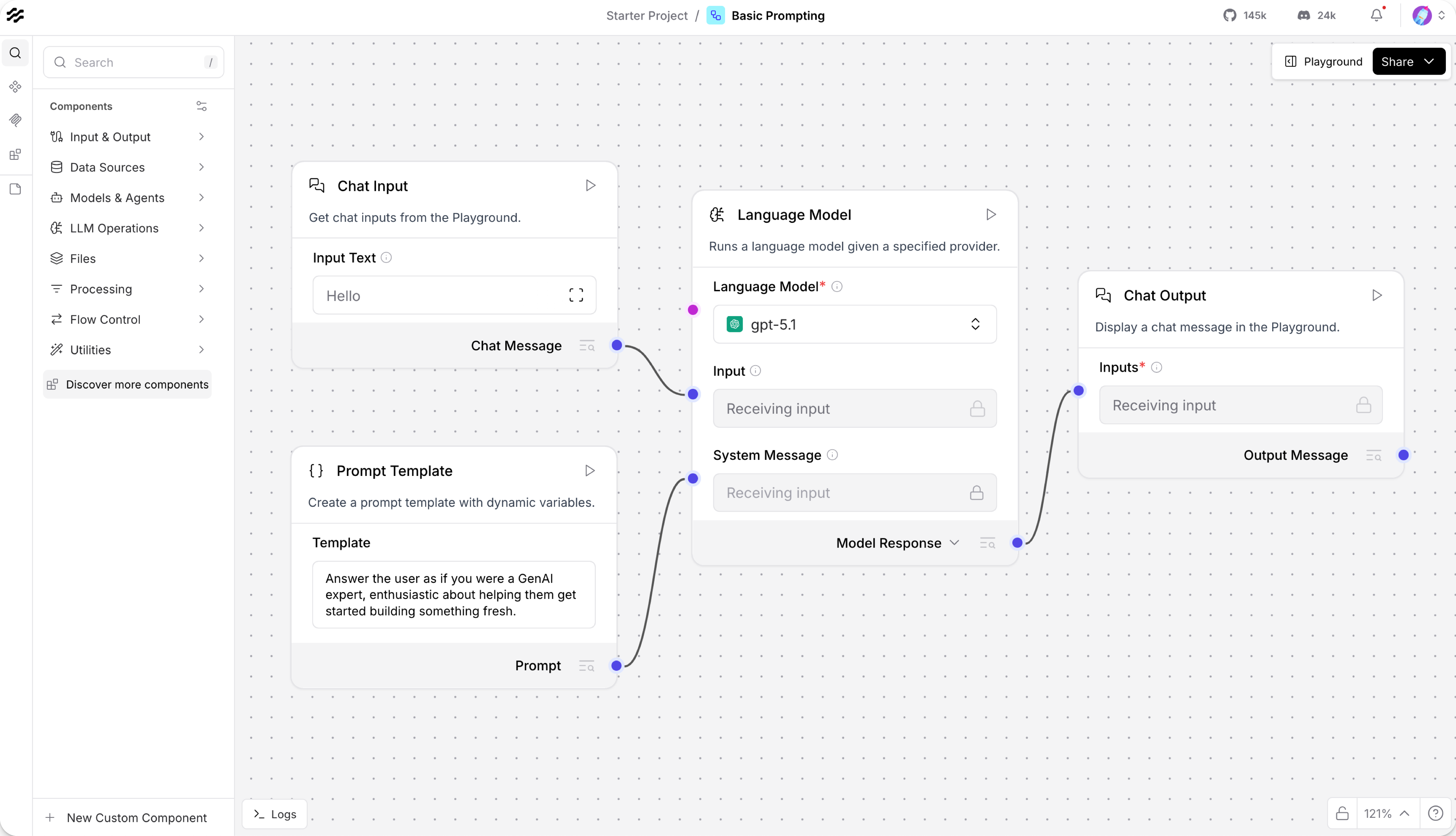
Langflow is a self-hostable, drag-and-drop tool for building Agents and RAG workflows. It turns common components from the LangChain ecosystem into visual nodes, allowing users to connect and test an Agent or retrieval flow and expose it as an API without writing repeated integration code. However, it focuses on prototyping and orchestration; business rules such as permissions and approvals must be implemented elsewhere. Individuals can start locally with pip or Docker, test a workflow, and decide later whether custom code is necessary. Teams can deploy a shared instance and reuse workflows when experimenting with multiple Agent approaches. Its MIT license imposes no additional restrictions on commercial use or redistribution.
4. n8n
GitHub Stars: 210.9k
Website: https://n8n.io
GitHub: https://github.com/n8n-io/n8n
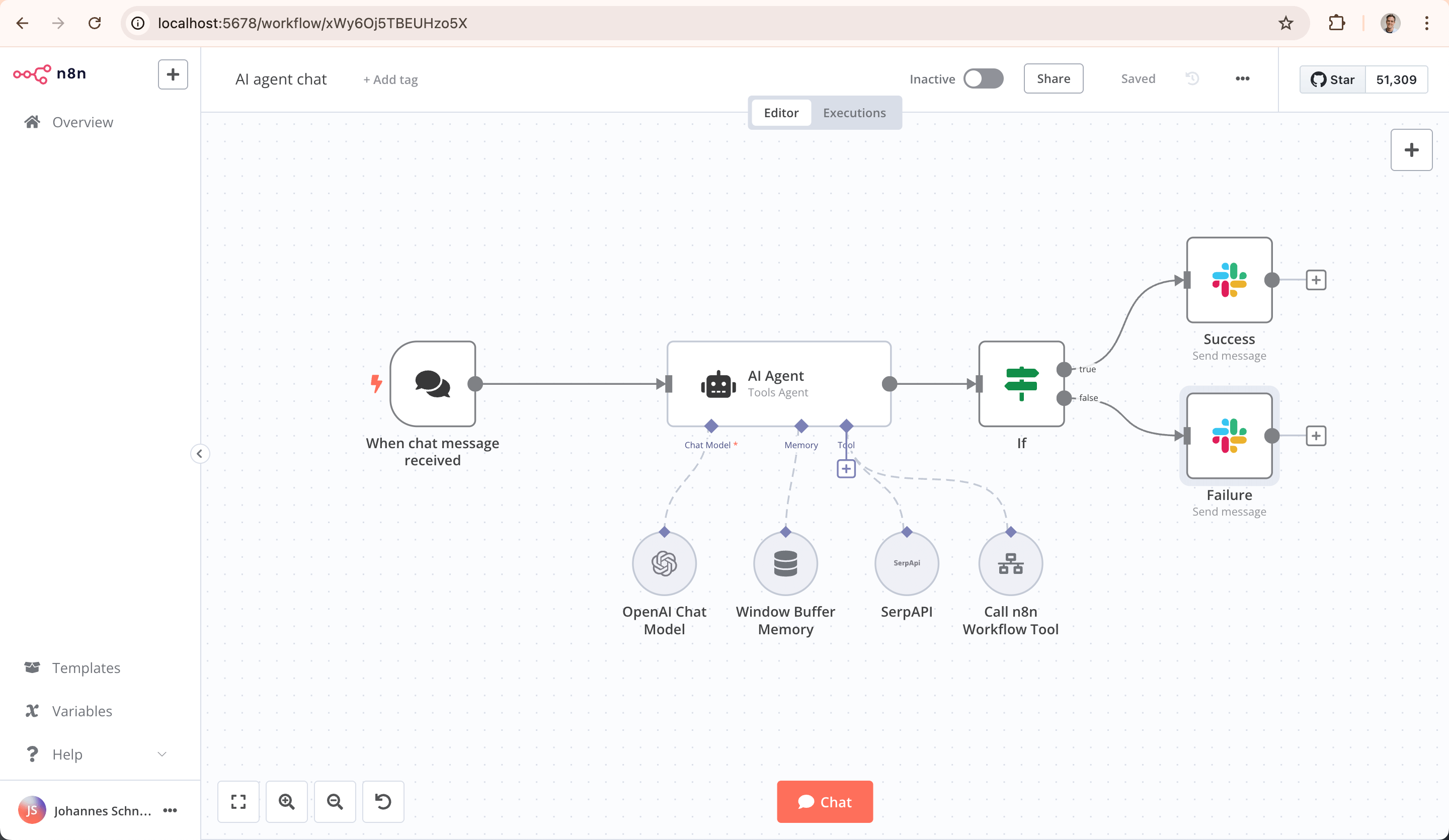
n8n is a self-hostable workflow automation tool often described as 'Zapier with AI' after adding its AI Agent nodes. It offers more than 400 ready-made integrations for connecting CRM, email, databases, and model calls, with code nodes for anything the canvas cannot handle. It is a workflow engine, however, not a system for modeling business data, permissions, or approvals; those capabilities come from the connected systems. Individuals can get started with a Docker command to automate their personal toolchain. Teams can use it for internal notifications and data synchronization. Its Sustainable Use License 1.0 is a fair-code, source-visible license, not an OSI-approved open-source license. Personal and internal business use are allowed; offering a hosted service to others requires a commercial license.
5. LobeHub
GitHub Stars: 85.7k
Website: https://lobehub.com
GitHub: https://github.com/lobehub/lobehub
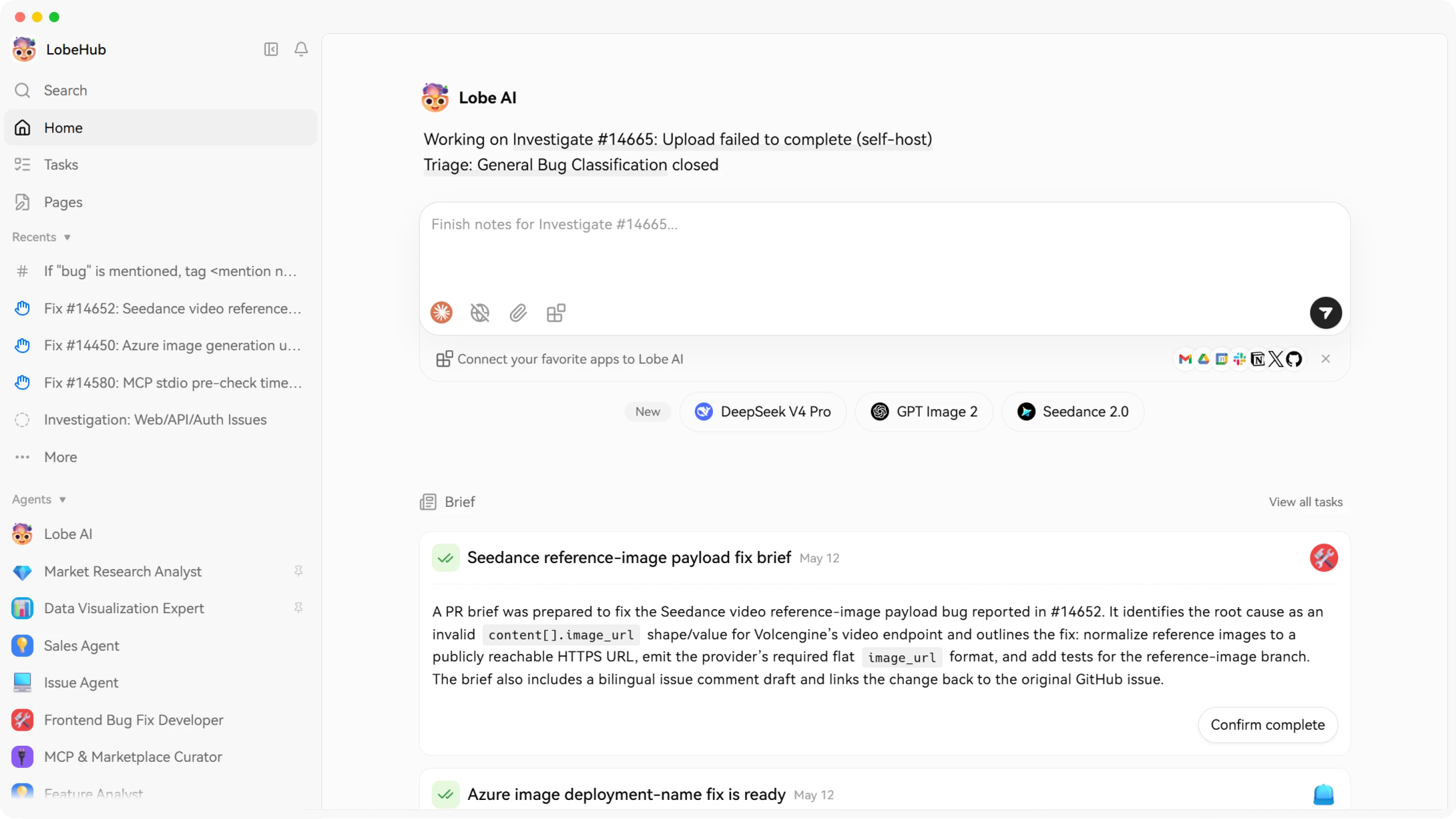
LobeHub grew out of the personal chat interface Lobe Chat into an AI Agent platform focused on team 'super-agents.' It retains an Agent marketplace, model switching, and local deployment while connecting Agents to Slack, Discord, Telegram, and other channels, with SSO options such as Auth0. Its primary role is the conversation and assistant layer; business data and permission boundaries for Agent actions remain the responsibility of external systems. Individuals can deploy a polished multi-model chat assistant quickly. Teams can place assistants in existing collaboration tools and manage sign-in centrally. Its LobeHub Community License adds conditions to Apache-2.0: unmodified software can be used commercially, while redistribution of modified code requires a commercial license.
6. Ollama
GitHub Stars: 187.5k
Website: https://ollama.com
GitHub: https://github.com/ollama/ollama
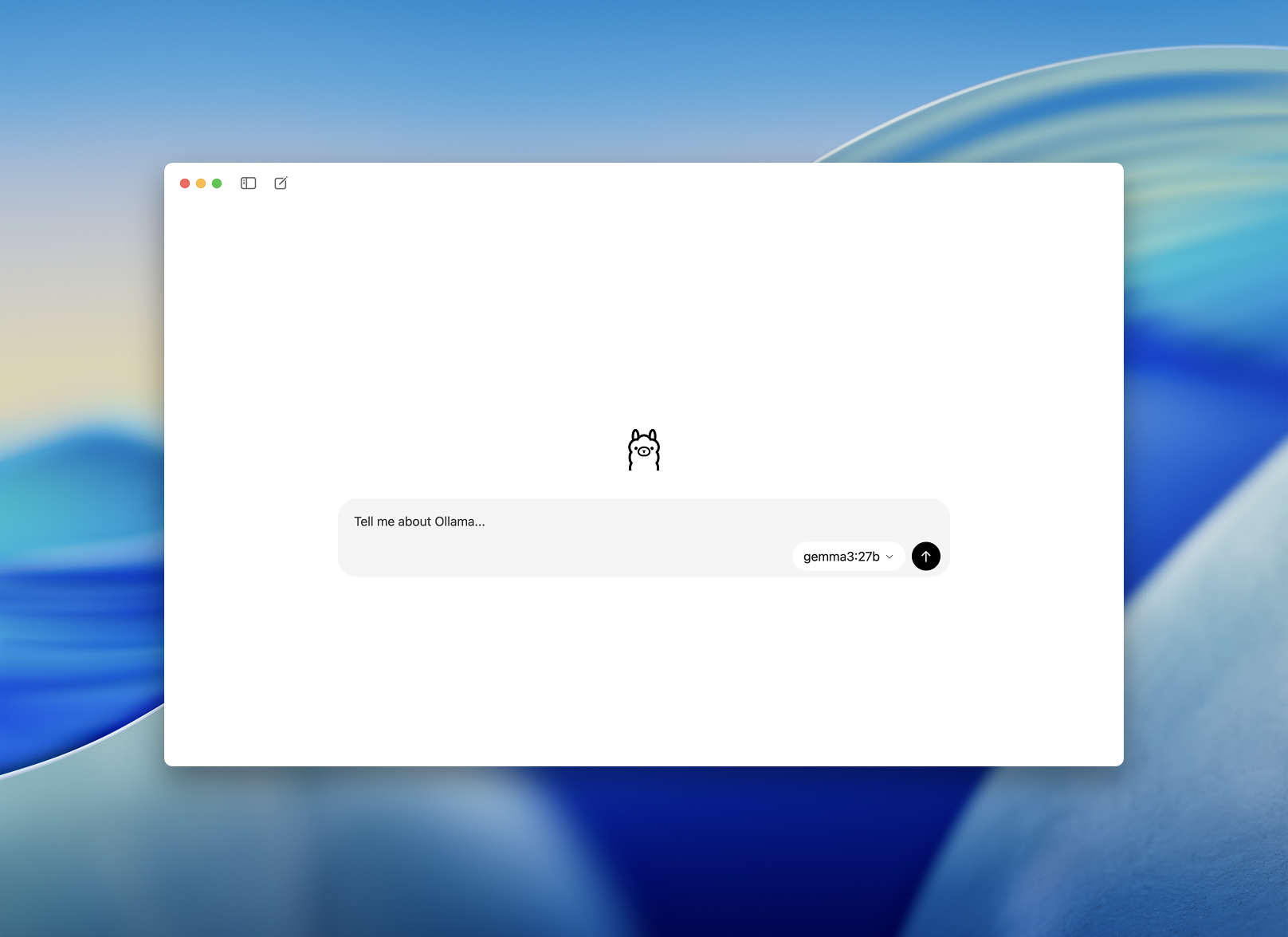
Ollama downloads and runs open-source models locally. A single command can pull and run models such as Llama, Qwen, and DeepSeek, and it provides a REST API and an OpenAI-compatible interface for other applications. It is often the model-serving layer in a local AI stack, but it does not provide a chat interface, multi-user management, or a knowledge base; tools such as Open WebUI or LibreChat add those capabilities. Individuals can run models on their own computers without sending data elsewhere. Teams often deploy it on internal servers as a shared model service. The MIT license has no additional commercial-use restrictions.
7. Open WebUI
GitHub Stars: 159.0k
Website: https://openwebui.com
GitHub: https://github.com/open-webui/open-webui
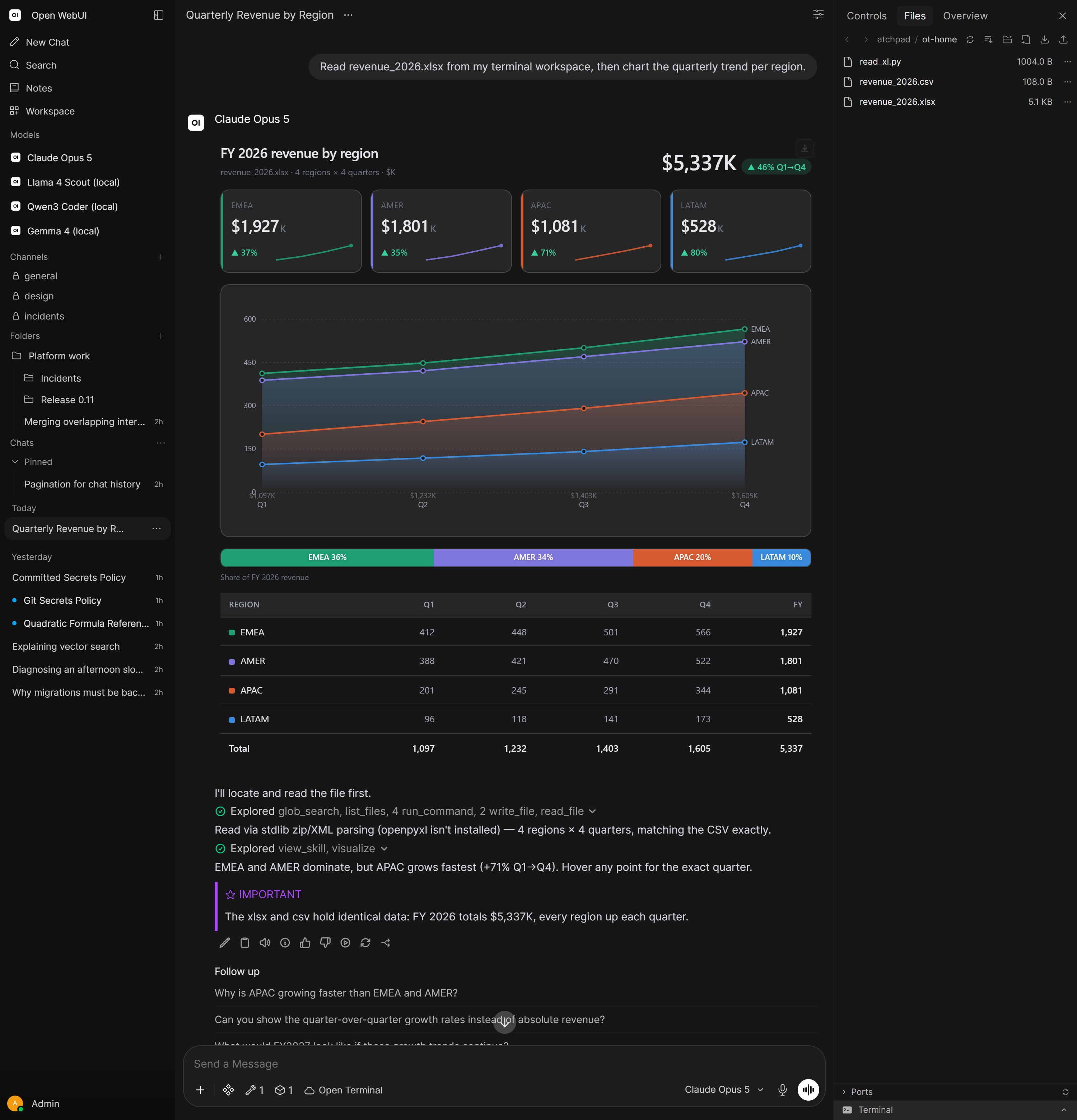
Open WebUI is a self-hostable, ChatGPT-style chat interface. It connects to Ollama and any OpenAI-compatible API, with multi-user support, RBAC, knowledge bases, tool calling, and model management. It is a conversation interface rather than a business system, so permissions and approvals for Agents modifying business data must be handled elsewhere. Individuals can combine it with Ollama through Docker for a local ChatGPT-like setup. Teams can provide a shared model interface with role-based access. The Open WebUI License adds branding terms to a BSD-3-style license: the branding cannot be removed or altered, with an exemption for no more than 50 direct users within any 30-day period; otherwise, retain the branding or obtain an enterprise license.
8. LibreChat
GitHub Stars: 47.3k
Website: https://librechat.ai
GitHub: https://github.com/LibreChat-AI/LibreChat
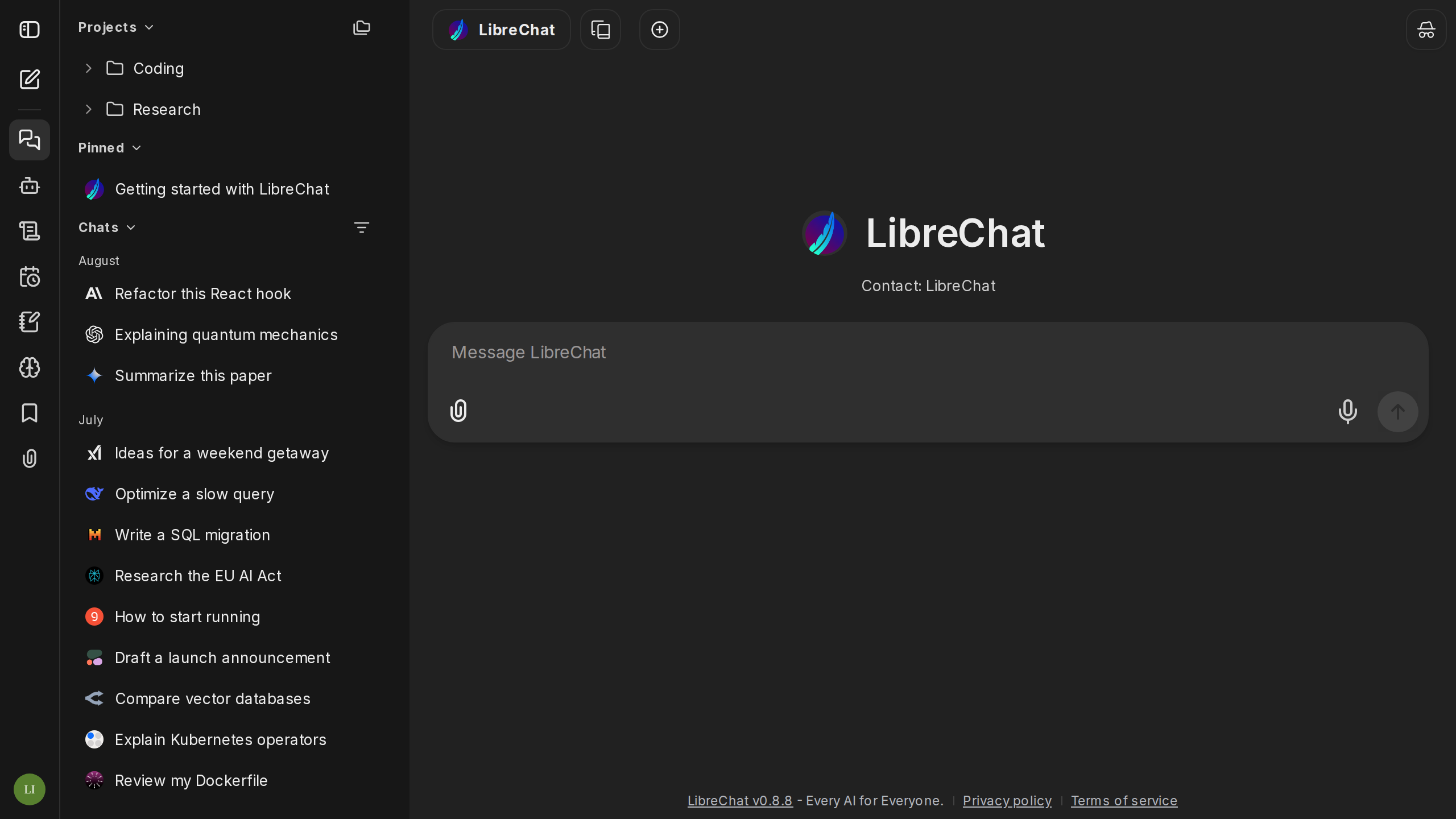
LibreChat is a self-hostable multi-model chat interface. It brings OpenAI, Anthropic, Google, Ollama, and other local models into one interface, supports OAuth2, LDAP, and email sign-in, and offers an Admin Panel for managing users, groups, and roles. Agents can be shared with selected users or groups, and MCP tools are supported. However, its many configuration options mean that setting up providers and authentication often requires editing configuration files, making the initial deployment more involved than Open WebUI. Individuals can start with the official Docker Compose setup to compare models in one place. Teams can integrate directory authentication and assign Agents and model access by group. Its MIT license has no additional commercial-use restrictions.
9. AnythingLLM
GitHub Stars: 68.4k
Website: https://anythingllm.com
GitHub: https://github.com/Mintplex-Labs/anything-llm
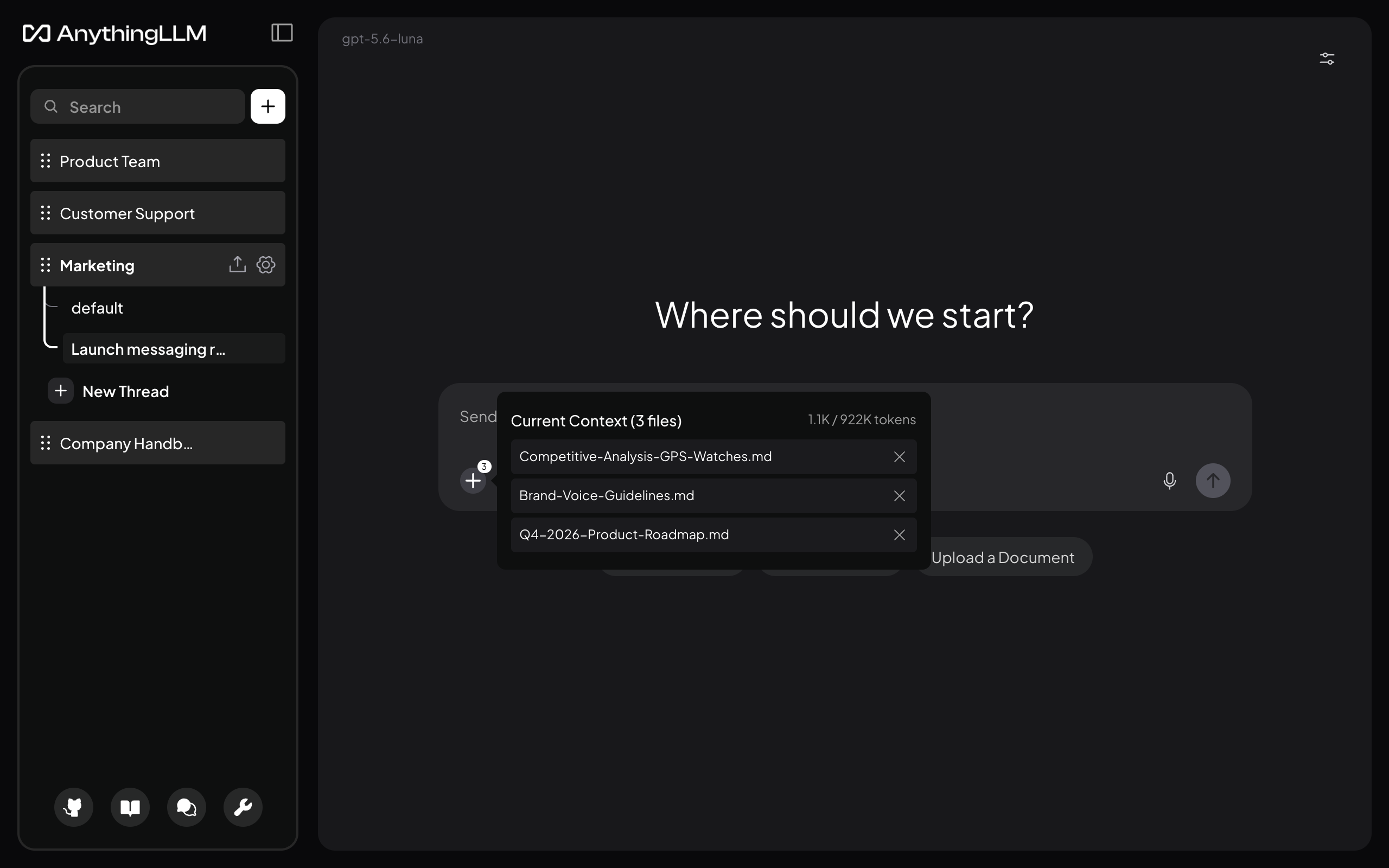
AnythingLLM is an AI application for document Q&A and no-code Agents. Users can add PDFs, web pages, notes, and other documents to a workspace for question answering, configure Agents and scheduled tasks without code, and choose between desktop and Docker versions. It focuses on knowledge Q&A and lightweight automation rather than complex business processes. Individuals can install the desktop app on macOS, Windows, or Linux and query their own materials. Teams can use the Docker version with multiple users and permission management to share a document Q&A workspace. Multi-user access and permissions are available only in the Docker version; the desktop application is single-user. MIT licensed.
10. OpenClaw
GitHub Stars: 394.7k
Website: https://openclaw.ai
GitHub: https://github.com/openclaw/openclaw
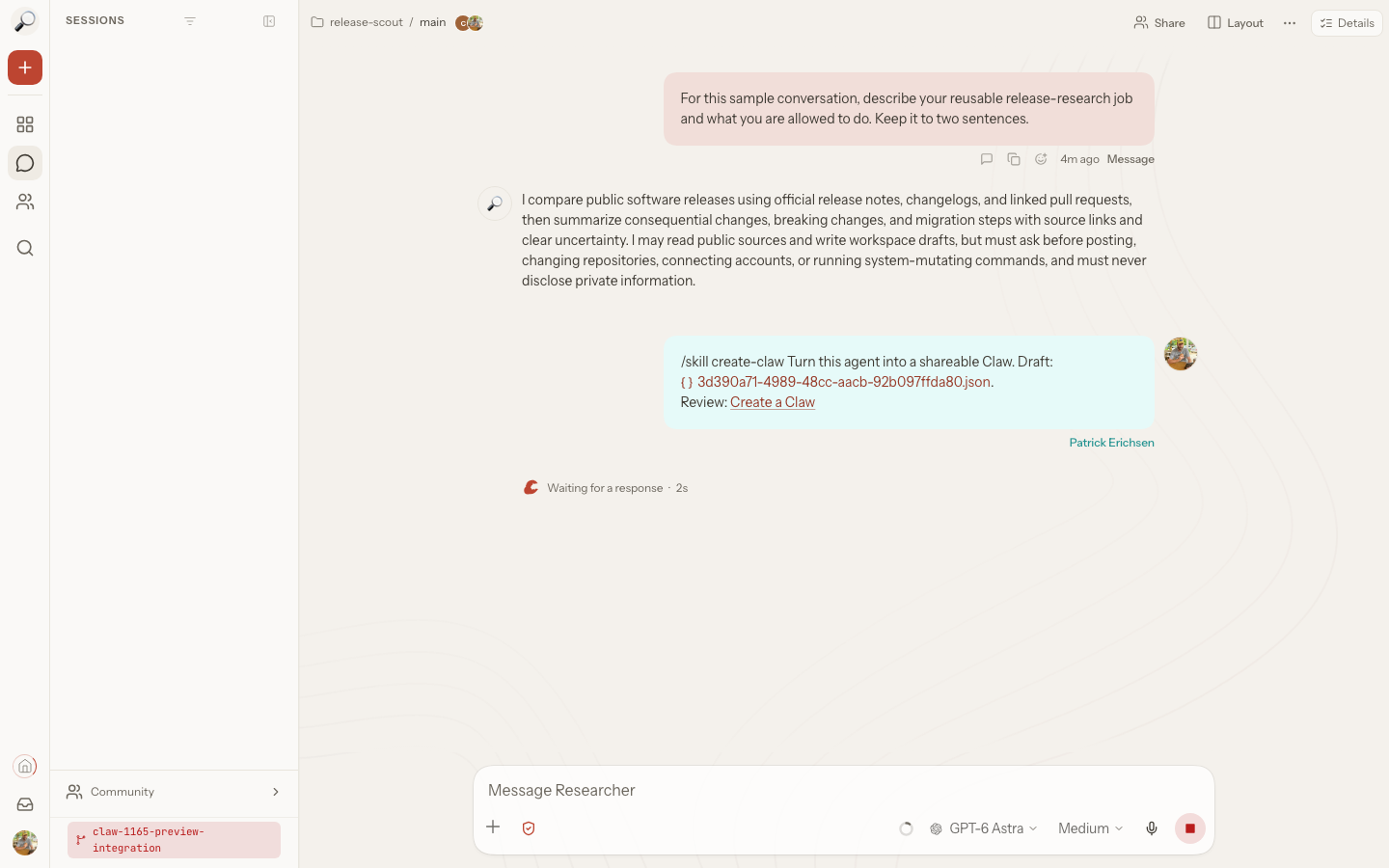
OpenClaw is a personal Agent that connects to messaging channels and executes tasks. One Gateway can run as a personal 'claw' on a laptop or as a shared multi-user 'claw' with different configuration. The Agent acts on the host machine rather than merely answering questions. Because its default tools run directly on the host, all incoming messages must be treated as untrusted input and security boundaries must be configured carefully. Individuals can call on an action-taking assistant through chat channels. Small teams can share an instance, but the README asks users to read its security and sandboxing guidance before exposing it to others. MIT licensed.
11. Khoj
GitHub Stars: 38.2k
Website: https://khoj.dev
GitHub: https://github.com/khoj-ai/khoj
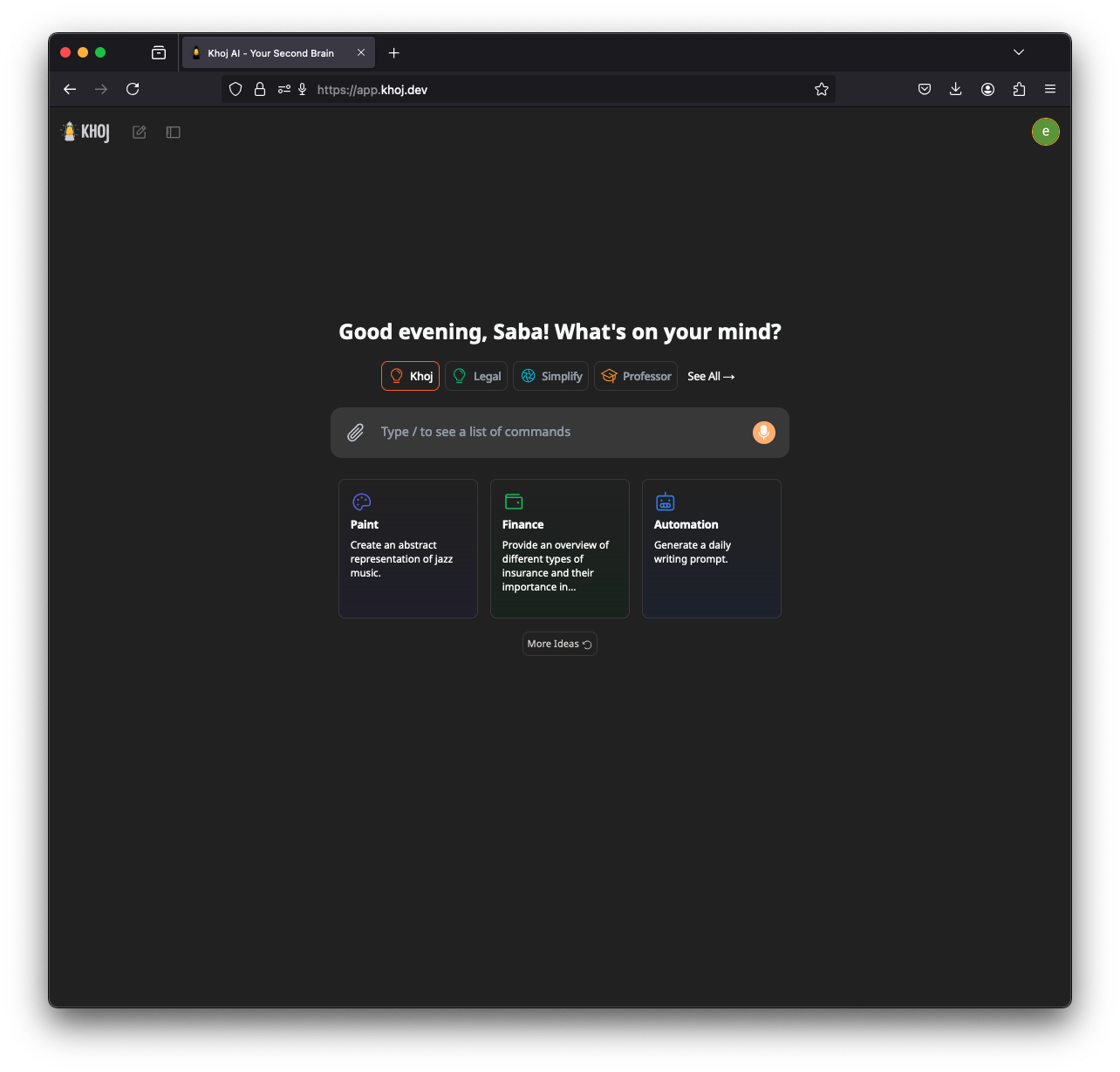
Khoj is a self-hostable AI 'second brain.' It brings notes, documents, and web pages into one assistant for search, Q&A, and scheduled automation. Its README describes a path from personal AI on a device to cloud-scale enterprise AI, with a separate on-premises enterprise option. However, the README does not spell out the multi-user details for self-hosted instances, so teams should check the official documentation before deployment. The source notes that, as of November 18, 2026, its latest repository push was in August 2026. Individuals can begin with a personal knowledge assistant; teams considering expansion can start from the same codebase. AGPL-3.0 allows commercial use but requires making the modified source available under its terms.
2. For Teams and Businesses
12. Sim
GitHub Stars: 30.2k
Website: https://www.sim.ai
GitHub: https://github.com/simstudioai/sim
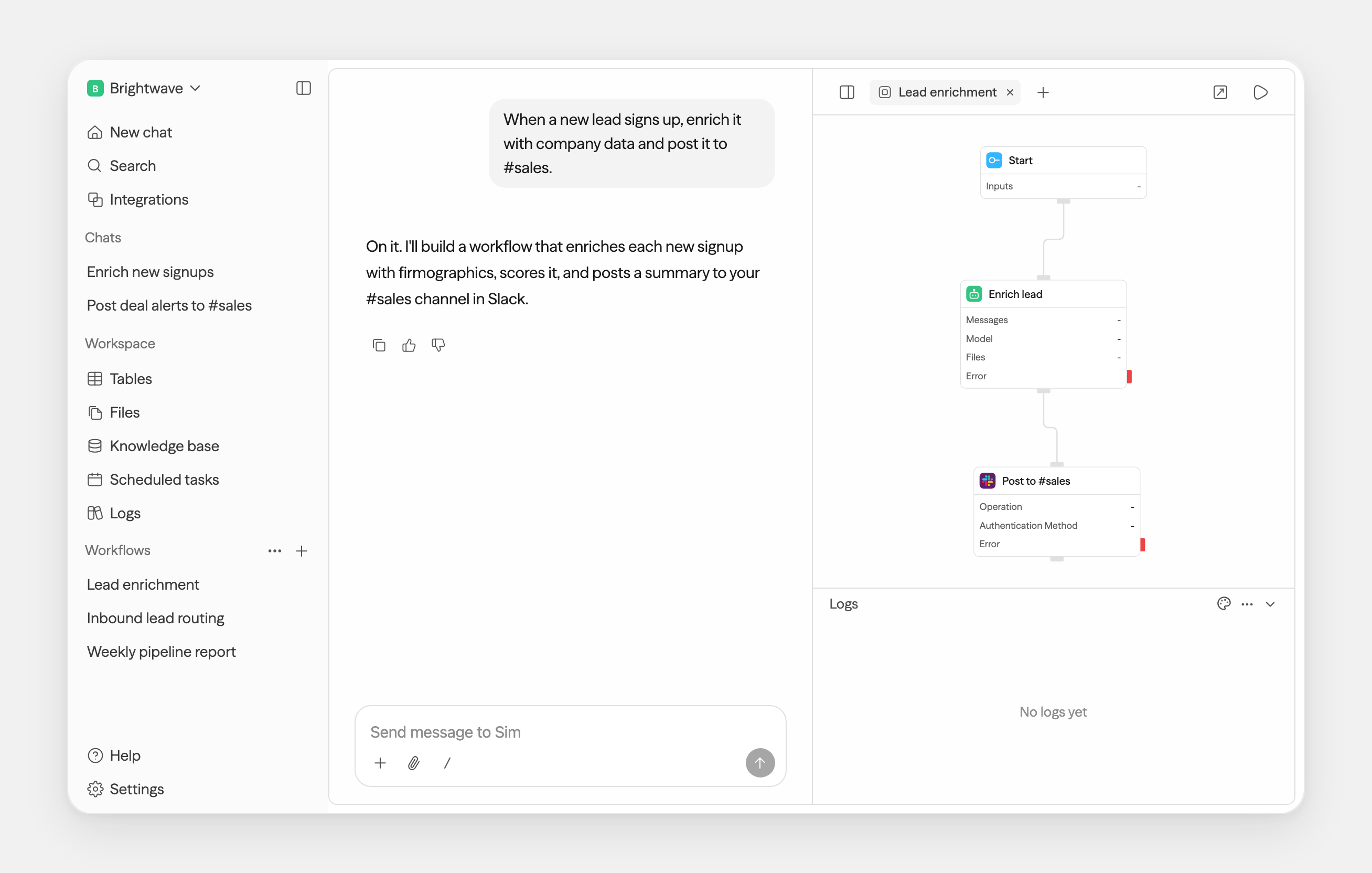
Sim is a collaborative workspace for Agents and workflows. Multiple people can build, debug, deploy, and monitor Agent workflows on the same canvas, combining orchestration with team collaboration. However, Sim orchestrates flows; the connected systems still define the business data and permissions that Agents can operate on. Individuals can try it using Docker. Teams can use it when several people need to maintain a shared set of Agent workflows. Apache-2.0 licensed.
13. Paperclip
GitHub Stars: 114.7k
Website: https://paperclip.ing
GitHub: https://github.com/paperclipai/paperclip
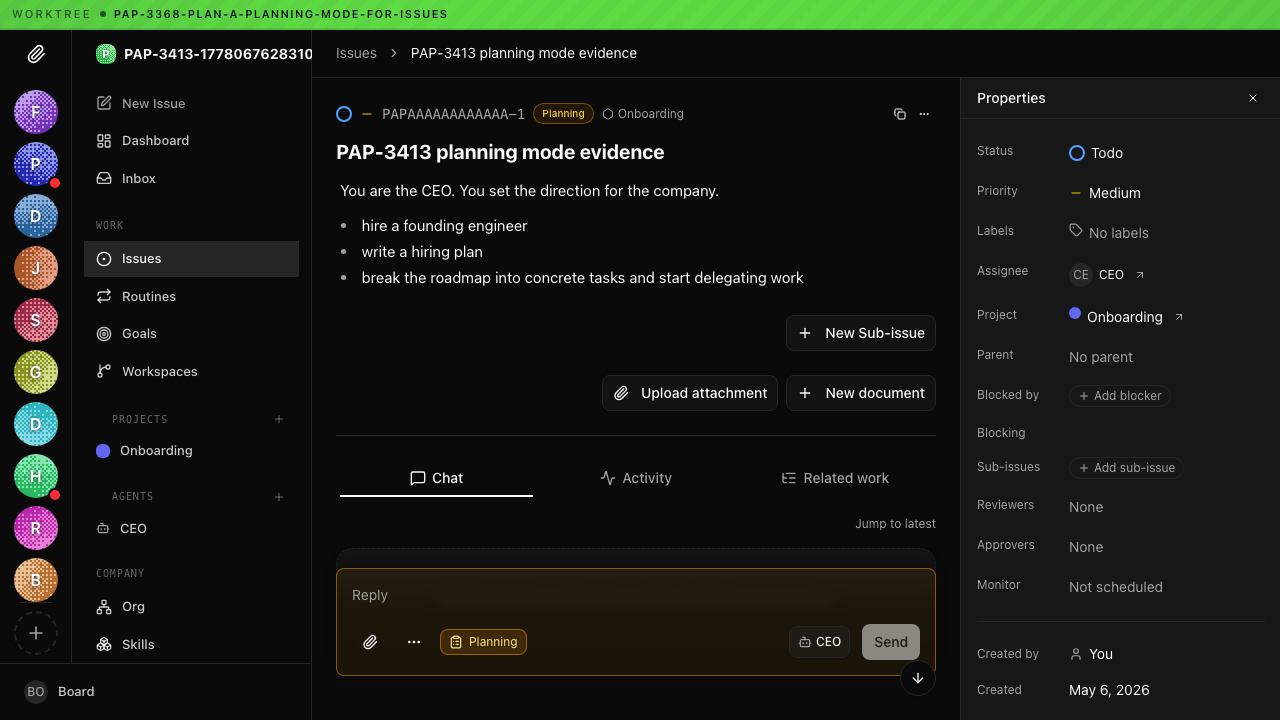
Paperclip is an organizational layer for managing multiple Agents. Its README describes the concept as: 'If OpenClaw is an employee, Paperclip is the company.' It adds approval stages and budgets at the company, Agent, and project levels, automatically pausing work when limits are exceeded. Budget enforcement depends on Agents reporting their costs, and most connectors remain experimental. Individuals can start with a single Agent. Teams already running multiple Agents can use it to manage them more like an organization. MIT licensed.
14. Buzz
GitHub Stars: 37.6k
GitHub: https://github.com/block/buzz
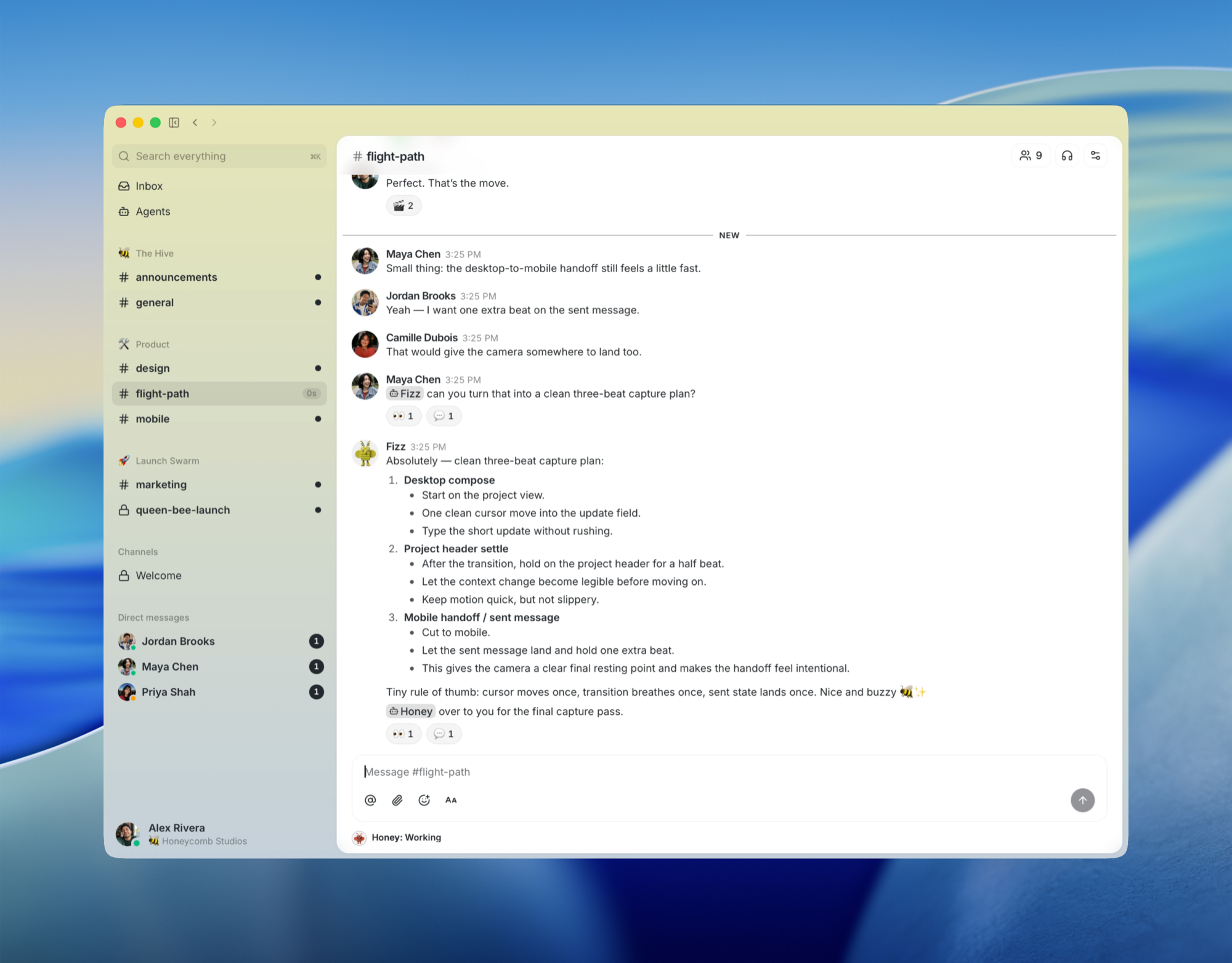
Buzz is an open-source workspace from Block where people and Agents collaborate in channels, running on the user's own relay. Messages, approvals, and git events are signed so teams can trace who approved what and when. Its README calls the project 'unfinished,' with mobile support and push notifications still under development. Individuals may get limited value from a team-focused workspace. Engineering teams willing to follow an early-stage project may find it useful for bringing Agents into channel-based collaboration. Apache-2.0 licensed.
15. Onyx
GitHub Stars: 33.4k
Website: https://onyx.app
GitHub: https://github.com/onyx-dot-app/onyx
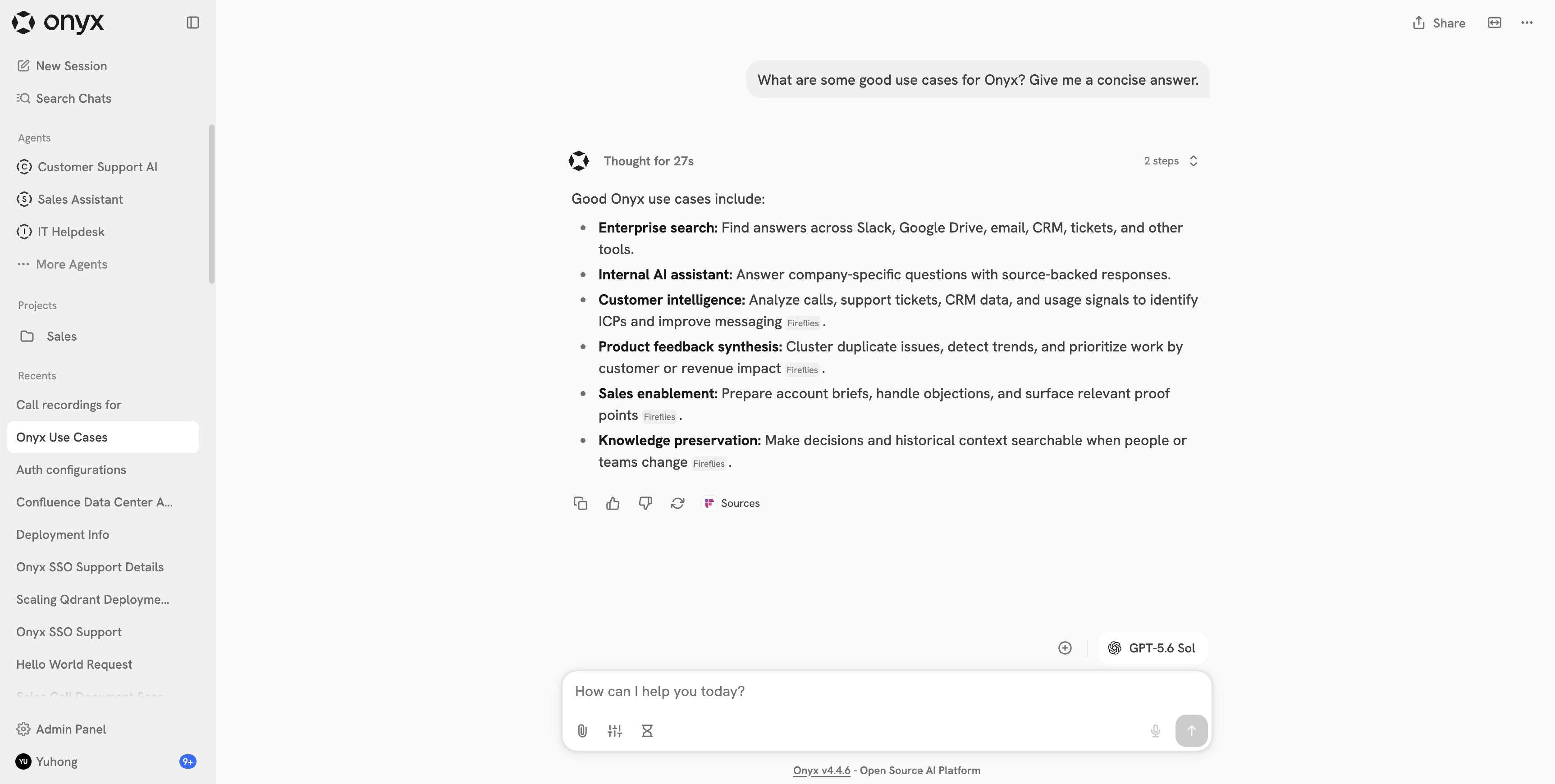
Onyx calls itself an 'Open Source AI Platform' for enterprise search and assistants. It connects more than 50 enterprise knowledge sources, including documents, tickets, and chat history, while respecting the source systems' existing access permissions: documents a user cannot see at the source will not appear in answers. However, capabilities such as SSO and RBAC are in the ee directory and use the Onyx Enterprise License. Individuals can deploy it with Docker for their own materials. Teams can build a company-wide knowledge Q&A entry point in their own environment. The core is MIT (Expat) licensed.
16. vLLM
GitHub Stars: 97.1k
Website: https://vllm.ai
GitHub: https://github.com/vllm-project/vllm
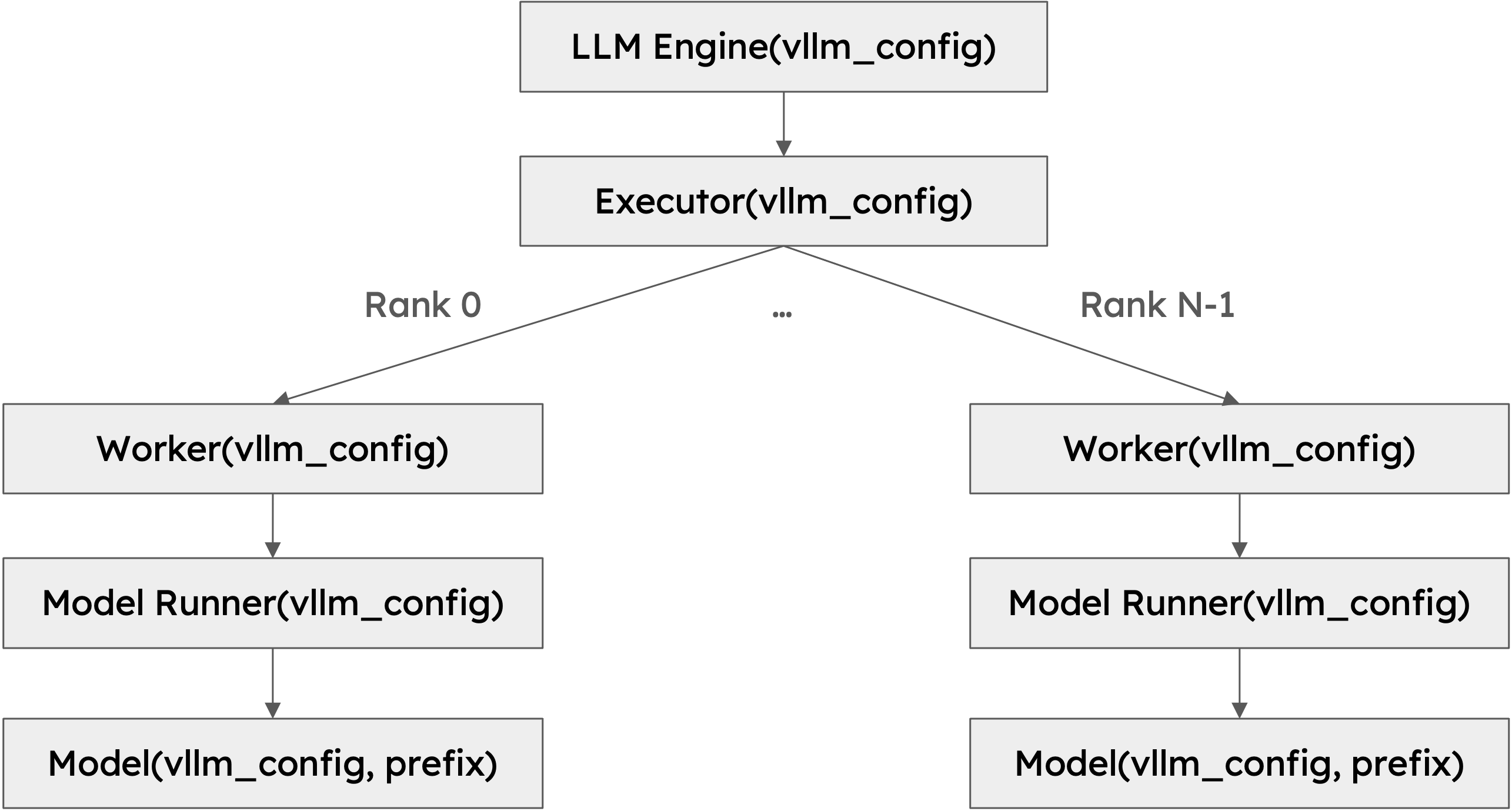
vLLM is a production-grade large-model inference service. Optimizations such as PagedAttention improve concurrency on the same GPU, and an OpenAI-compatible API makes it possible to point existing applications at its service. It does require GPUs and operational resources; for local laptop use, Ollama is usually a better fit. Individuals with GPUs can operate their own model server. Teams can use it as a common inference layer serving multiple applications. Apache-2.0 licensed.
17. LiteLLM
GitHub Stars: 63.5k
Website: https://www.litellm.ai
GitHub: https://github.com/BerriAI/litellm
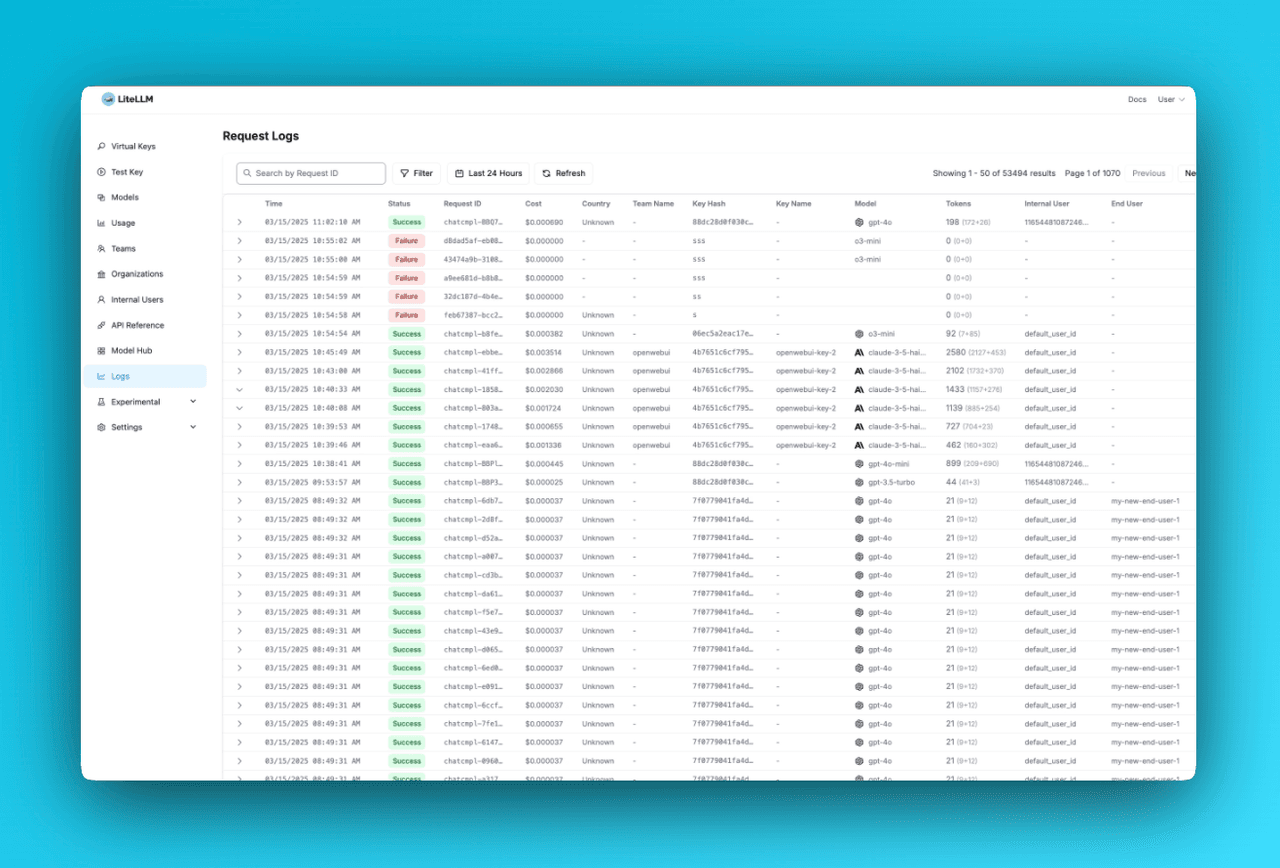
LiteLLM is a gateway that unifies model APIs from many providers. It presents more than 100 model providers through an OpenAI-compatible API and offers budgets, keys, rate limits, and logs for controlling spending by team. It governs model calls, however, not Agent permissions within business systems. Individuals can use its Python SDK to switch models in code. Platform teams can provide a centralized model gateway for multiple internal applications. Budgets, keys, and other core capabilities are under MIT; enterprise features such as SSO are separately licensed in the enterprise directory.
18. RAGFlow
GitHub Stars: 94.4k
Website: https://ragflow.io
GitHub: https://github.com/infiniflow/ragflow
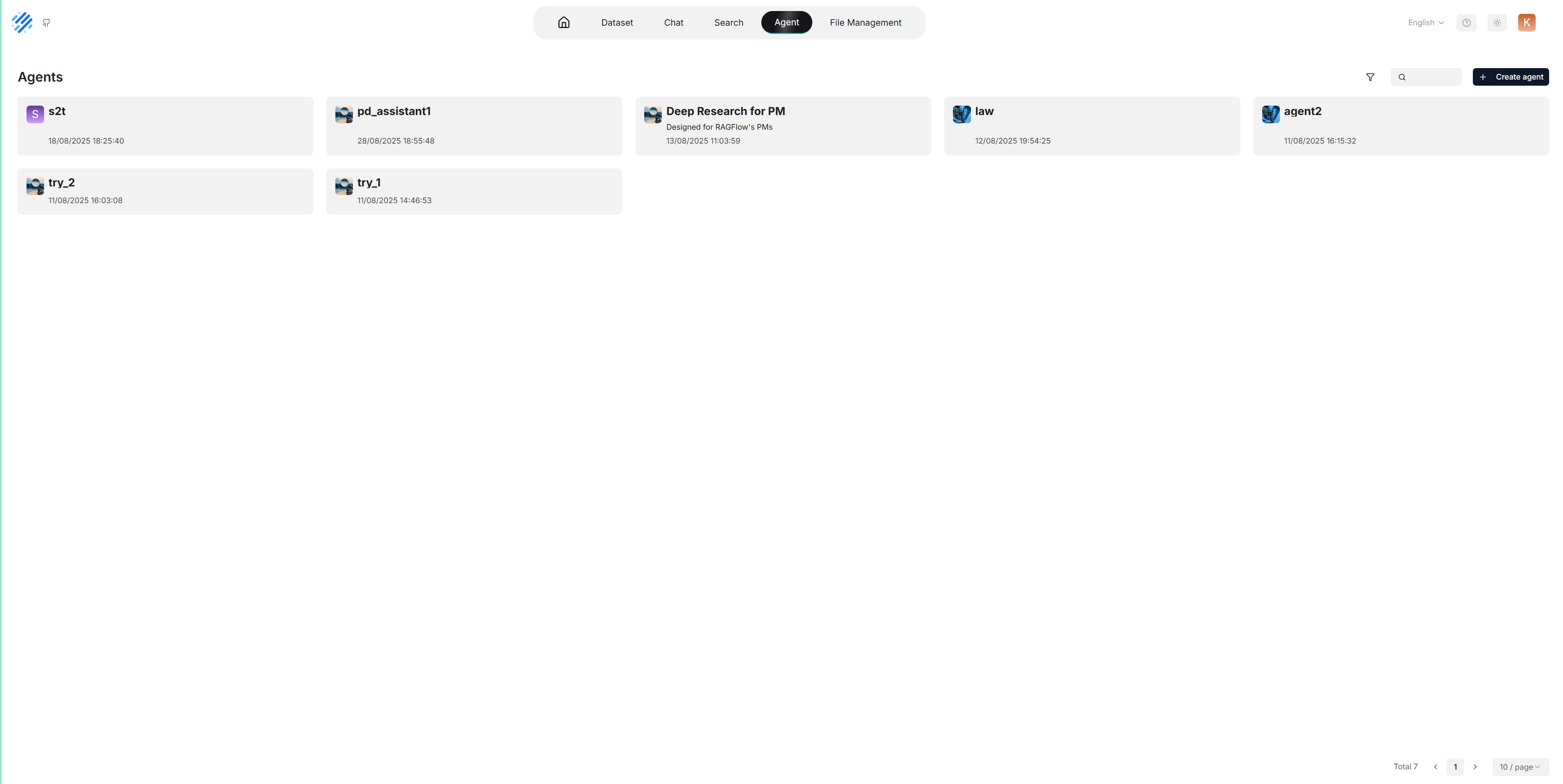
RAGFlow is a RAG engine focused on deep document parsing. It can chunk complex PDFs with tables and intricate layouts and return answers with citations traceable to locations in the original documents. Its focus is retrieval quality, not deciding which users may access which information; permissions must be managed at the integration layer. Individuals can deploy it with Docker for their own documents. Teams can use it to bring contracts, manuals, and reports into a question-answering system. Apache-2.0 licensed.
19. MLflow

GitHub Stars: 28.9k
Website: https://mlflow.org
GitHub: https://github.com/mlflow/mlflow
MLflow is an established platform for experiment tracking, model registration, and LLM evaluation. Recent versions add tracing for LLM and Agent calls, allowing Agent evaluations and traditional model management to live in one place. It is designed for data science and platform teams rather than direct use by business users. Individuals can run experiments locally. Teams with data scientists can use it to centralize model and Agent evaluations. Apache-2.0 licensed.
3. For Individuals
20. Jan
GitHub Stars: 45.8k
Website: https://jan.ai
GitHub: https://github.com/janhq/jan
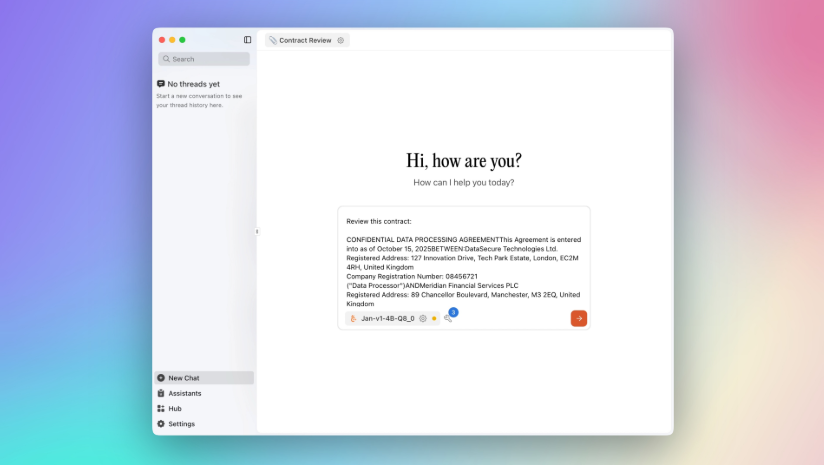
Jan is a fully offline desktop AI application. Models and conversations stay on the local machine, while its model library and local API at localhost:1337 let other programs call local models. It runs on individual computers rather than offering multi-user, team-sharing, or server-deployment modes. Individuals who want to keep all data on their own devices are its main audience. Teams would need separate installations for each person. Apache-2.0 licensed.
21. LocalAI
GitHub Stars: 50.4k
Website: https://localai.io
GitHub: https://github.com/mudler/LocalAI
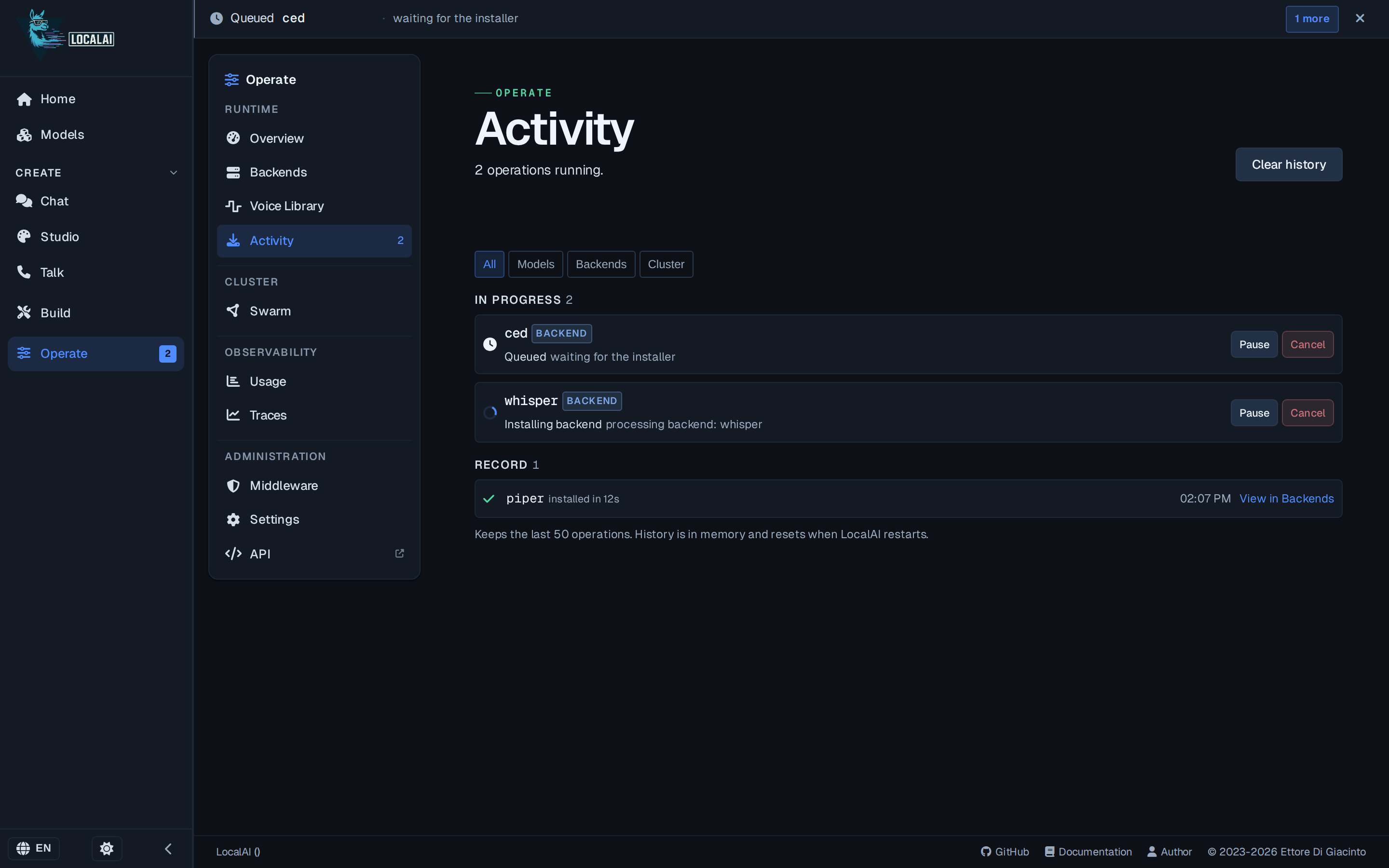
LocalAI is a local inference engine with an OpenAI-compatible API. It can run without a GPU, supports text, speech, and image models, and lets existing applications switch to local inference by changing an API endpoint. Performance depends on hardware; CPU inference is better suited to small models and infrequent use. Individuals can build a 'local OpenAI' on an older PC or mini computer. Teams typically use it as an inference layer rather than a multi-user platform, with vLLM often preferred for team-scale serving. MIT licensed.
22. Hermes Agent
GitHub Stars: 264.3k
Website: https://hermes-agent.nousresearch.com
GitHub: https://github.com/NousResearch/hermes-agent
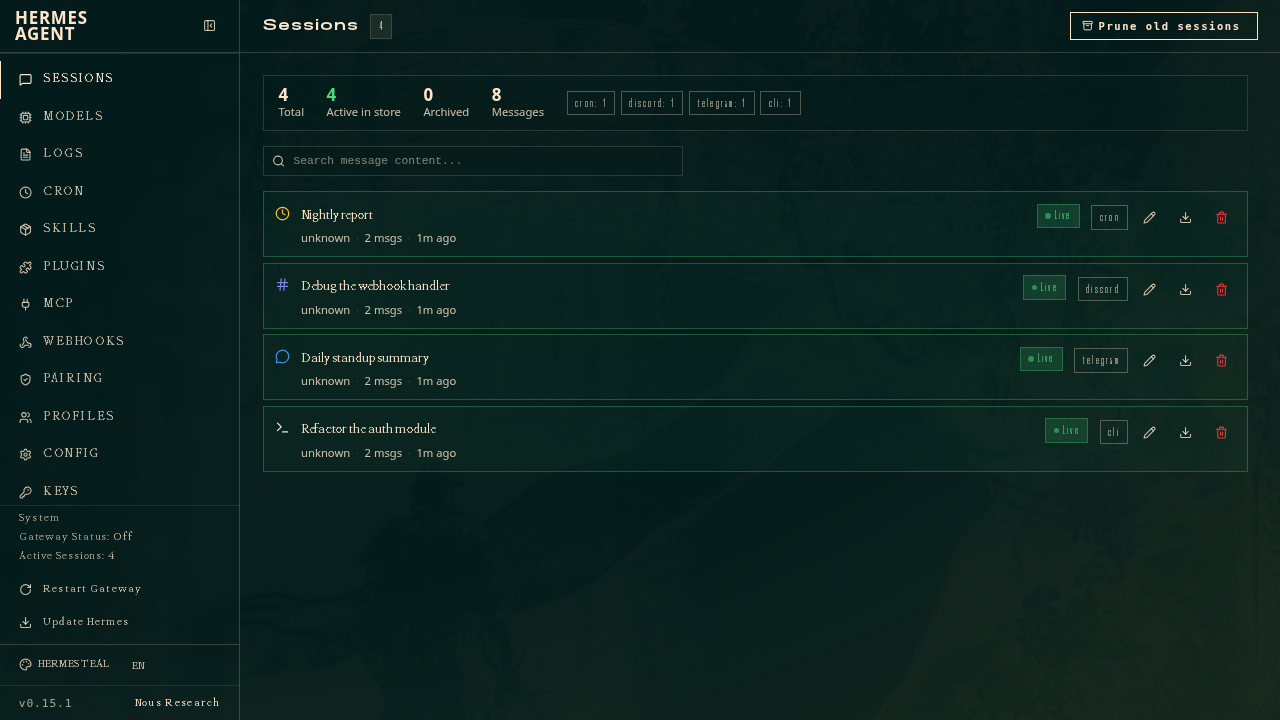
Hermes Agent is an open-source personal Agent from Nous Research with memory and scheduled tasks. Long-term memory and scheduled execution let it organize information and run scripts regularly; it can also act as a Coding Agent in development environments such as NocoBase and adapt to a user's habits over time. It is designed as a single-user instance without multi-user accounts or permission management. Individuals seeking a persistent personal assistant are the primary audience. Teams would need separate instances for different users. MIT licensed.
23. nanobot
GitHub Stars: 50.2k
Website: https://nanobot.wiki
GitHub: https://github.com/HKUDS/nanobot
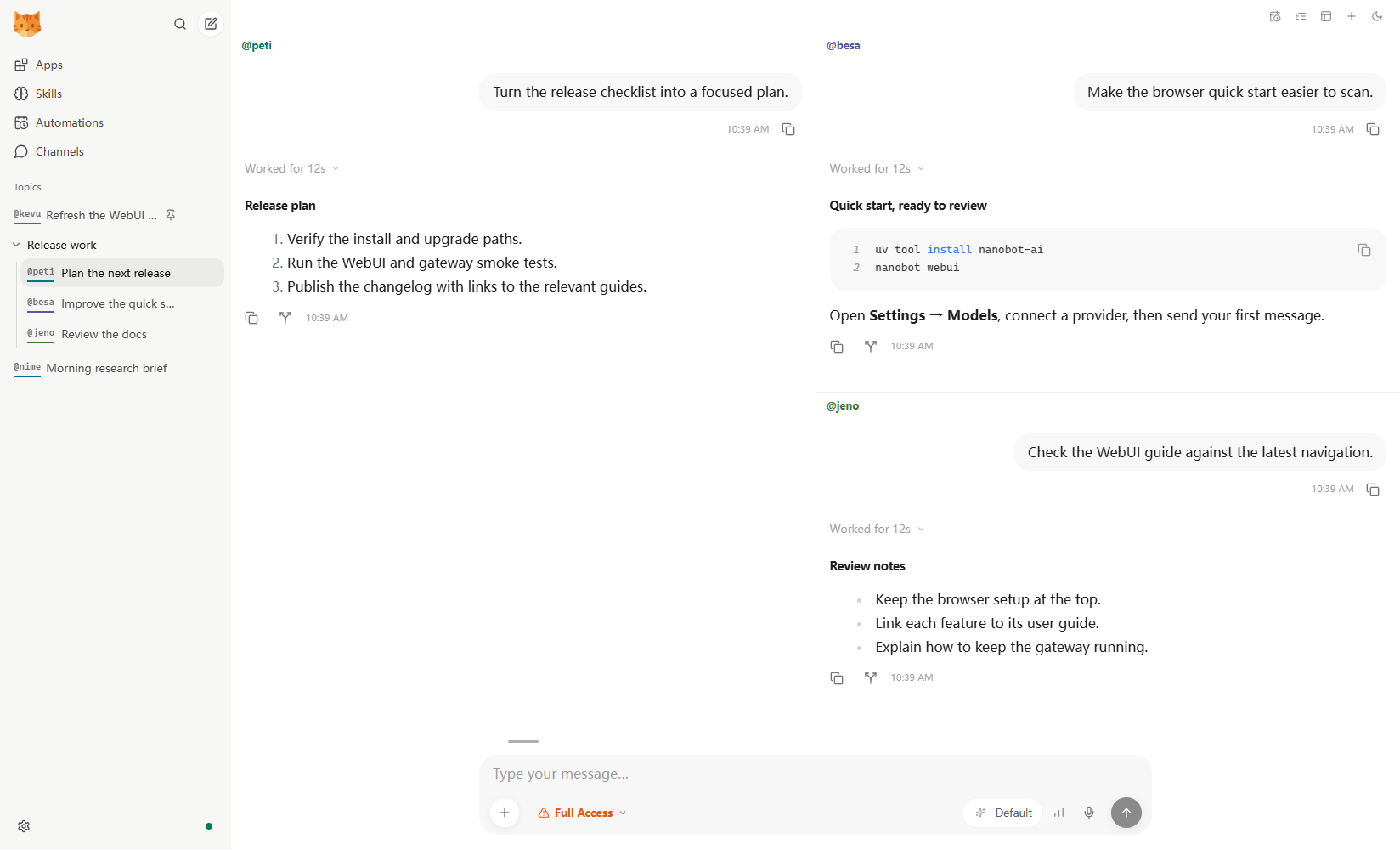
nanobot is an ultra-lightweight, open-source, self-hosted personal AI Agent framework. Its small, understandable codebase can be customized directly, and it works through browsers, terminals, and chat applications. However, a single instance shares memory, and access to the WebUI grants administrative permissions. Individuals who want to customize an Agent at the source-code level may find it appealing. Teams need separate instances because the project does not offer a multi-user mode. MIT licensed.
24. Cherry Studio
GitHub Stars: 53.6k
Website: https://cherryai.com
GitHub: https://github.com/CherryHQ/cherry-studio
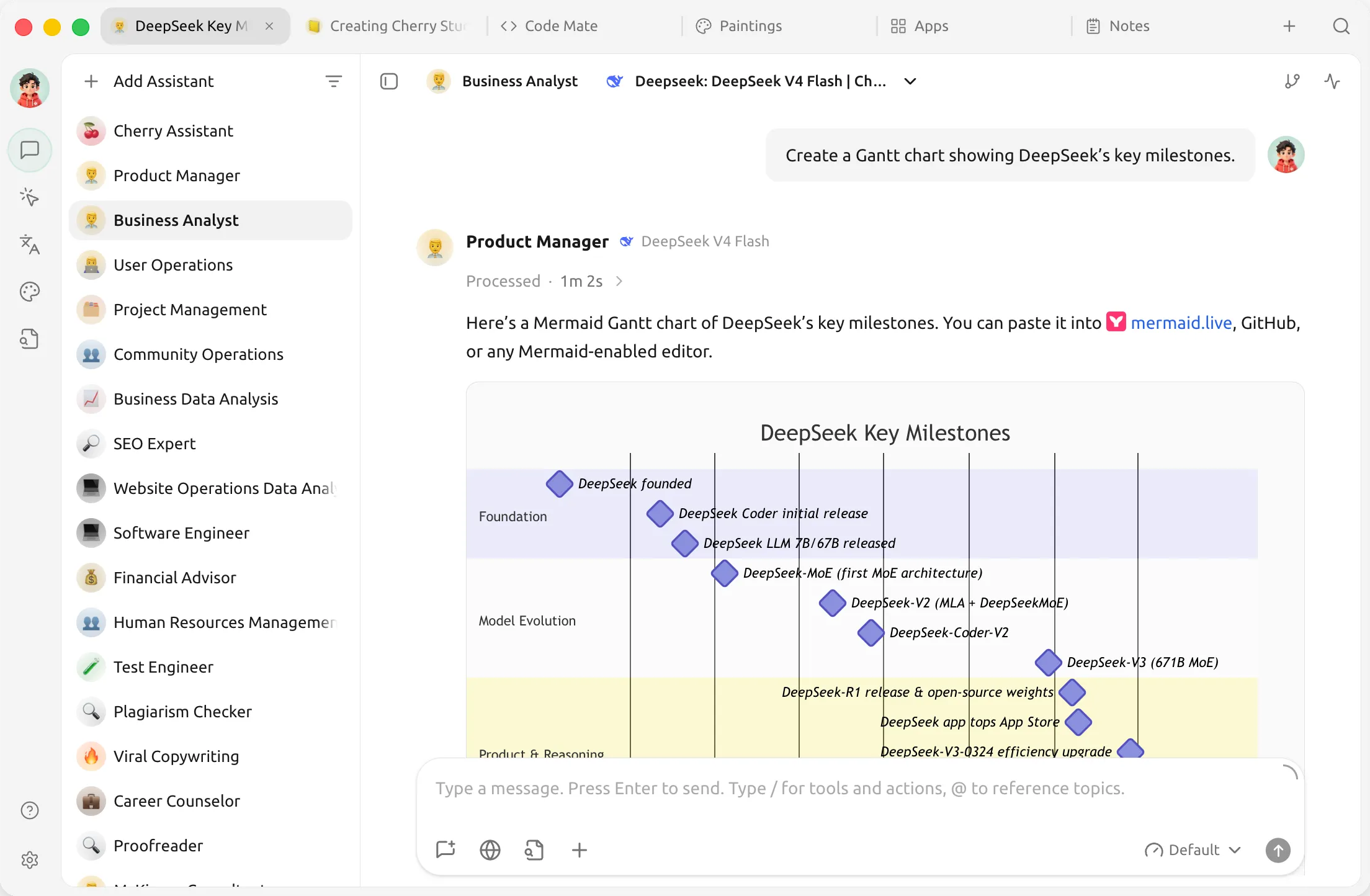
Cherry Studio is a desktop AI workspace for Windows, macOS, and Linux. It brings multiple model providers into one window, supports quick switching, and includes Agents, a knowledge base, and MCP tools, making it convenient for people who prefer desktop software. Central model management and shared knowledge bases are part of its closed-source Enterprise Edition; this article covers only the Community edition. Individuals can use it for everyday model access and switching. Teams do not get a team mode in the Community edition. The Community edition uses AGPL-3.0, which permits commercial use while requiring modified source to be made available under its terms.
⭐ If this overview was useful, share it with colleagues who are evaluating AI platforms. You can also give NocoBase a Star on GitHub.
Further Reading
- Top 20 AI Projects on GitHub in 2026
- 10 Open-Source AI Agent Platforms for Business
- 8 Open-Source AI Agent Platforms for Internal Tools
- Top 5 Open-Source AI Internal Tools on GitHub
- Add AI to Existing Enterprise Systems with NocoBase
- NocoBase Core: Application Foundation for Business Systems
- NocoBase Studio: Human–Agent Development and Controlled Releases
- NocoBase Solutions: Open-Source Business Applications
- Plans and Pricing
- NocoBase 3 Documentation