
Introduction
In late October 2026, someone on Hacker News asked: Is your company also seeing a wave of "internal vibe-coded apps"? The poster cited an article from The Pragmatic Engineer: at a power-line construction company, a few non-developer employees used AI to build a construction-planning app that automatically looks up cadastral records and emails the landowners along a route; another industrial company built its own internal social network.
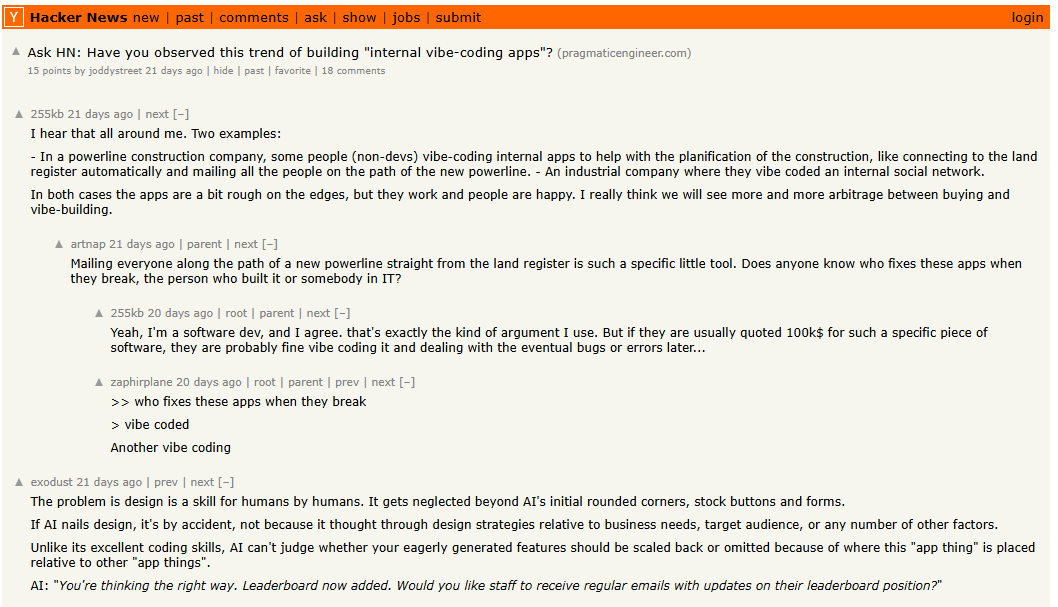
In the comments, some argued that AI has sharply lowered the cost of building internal tools; others worried that as the number of apps grows, maintenance, feature expansion and handovers may become a new burden.
Different departments each build their own CRM, ticketing or approval tools. Customer records are maintained in several places, permission rules are inconsistent, and sometimes nobody is clearly responsible for maintenance. This is what application sprawl looks like in the age of AI coding. A CRM or an approval tool can be built in a few days, but these apps are created by different people at different times: the customer table in the CRM slowly drifts away from the one in the ticketing system, three apps each keep their own employee list, and nobody can say which approval flow is the authoritative one.
As internal apps become ever easier to build, how can enterprises reduce duplicated work and keep these apps maintainable over the long term? This article looks at three areas: shared capabilities, governance methods, and measuring results.
💬 Hi! You're reading the NocoBase blog. NocoBase is an open-source platform for building and running business systems with AI: Agents write the code and do the work, NocoBase provides the foundation and governance, and people make the decisions. → Check us out on GitHub
01 | Draw the Line Between Shared and Independent Parts of Internal Apps
Internal apps usually serve different departments, each with its own business rules and ways of working. The first question in application governance is: which foundational capabilities are worth managing centrally, and what should be left to each business team to decide?
For example, both a CRM and a ticketing system need customer information, but one manages sales opportunities while the other manages customer requests. They can share customer master data while keeping their own business models and processes.
The same principle applies to permissions, workflows and infrastructure:
| Dimension | Capabilities to unify or reuse | Business parts that stay independent |
|---|---|---|
| Data | Master data sources, data standards, cross-app access rules | Each app's own data model and business records |
| Permissions | Authentication integration standards, core permission capabilities | Each app's role assignments, operation permissions and data scopes |
| Workflow | Workflow engine, state management and notifications | Each app's specific approval and business-flow rules |
| Infrastructure | Deployment standards, upgrades, backup and recovery | Page interactions, department-specific business logic |
Using a shared application foundation does not mean that several independent apps automatically share a database or user accounts. Cross-app data relationships and identity management still have to be designed for the actual architecture.
In NocoBase 3, NocoBase Core provides authentication, permissions, workflow, file management and other foundational capabilities as a framework and dependency packages. A Coding Agent can build business pages, APIs, data models and business rules on top of these capabilities, with the code kept in the enterprise's own project repository.
This way, business apps can reuse the existing foundation and manage later changes through Git, tests and code review.
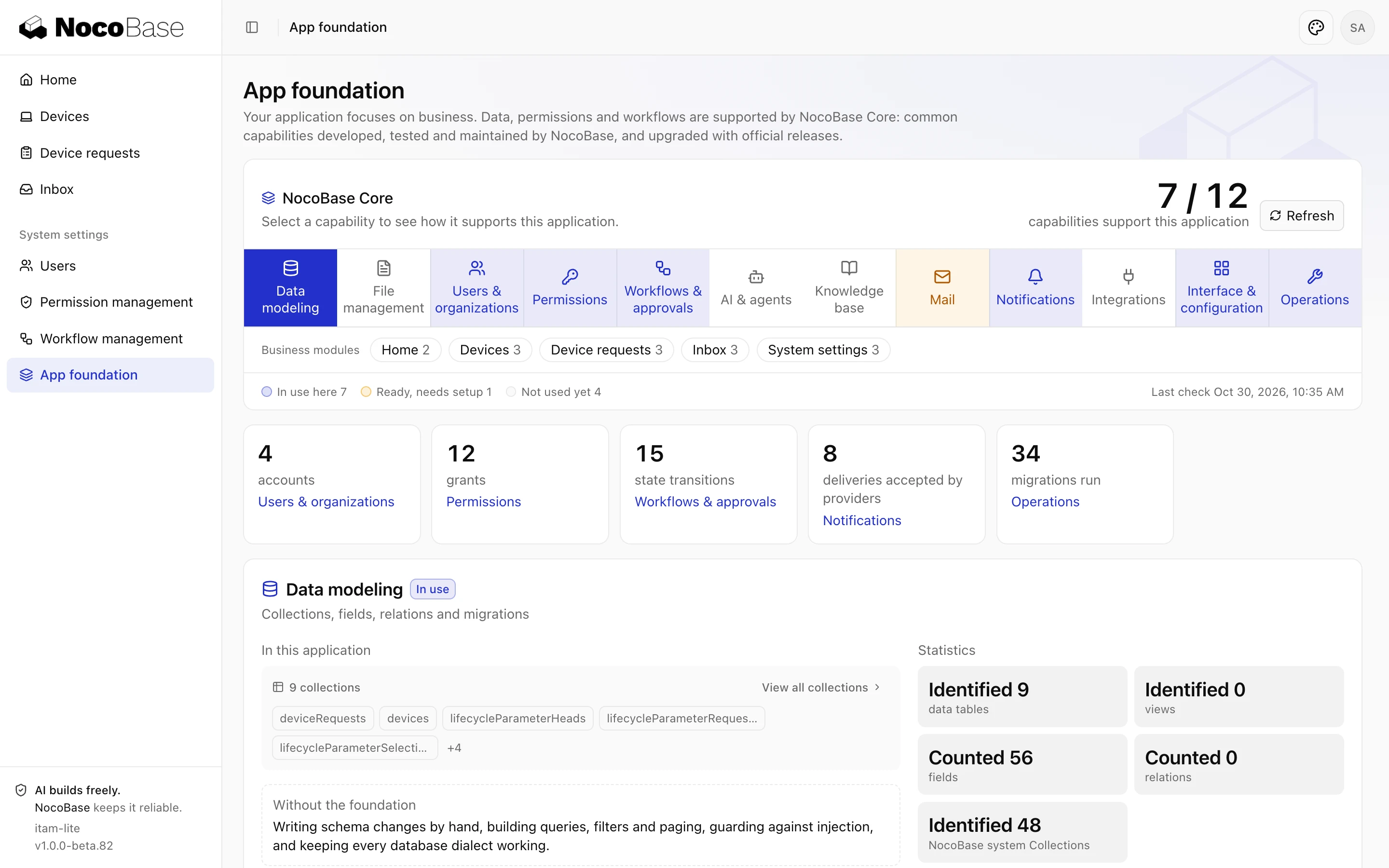
Once the boundary between shared capabilities and business parts is clear, teams can reuse the existing infrastructure while keeping each business app independent.
02 | How to Govern Existing Internal Apps Step by Step
2.1 Step 1: Inventory existing apps and who maintains them
| Field | What to fill in |
|---|---|
| App and purpose | The name people actually use, the URL, and a one-line description in business terms, e.g. "field sales log visits and opportunities". |
| Owner and maintainer | The department that would complain if the app disappeared, plus the specific person who can answer questions and approve changes; if no name can be given, write "none" and treat it as a risk. |
| How it was built and where it runs | How it was made (Coding Agent, hand-written code, SaaS configuration, a spreadsheet with macros), where it runs, who holds the deployment credentials, and whether it can be backed up and restored. |
| Core data entities | The main tables or objects: customers, orders, employees, tickets. Flag any that also exist in other apps. |
| Data sources and dependencies | Which apps or external systems it reads from or writes to, with direction: read-only, write-only or two-way. |
| Identity and permissions | Whether it uses the company SSO and shared roles or its own user table; what each role can see. |
| Workflows and approvals | Every approval or automation flow, who approves, and what it triggers; flag any that may duplicate flows in other apps. |
| Usage and changes | Rough number of active users, how many changes in the last six months; known weak spots, e.g. manual data syncing or only one person who understands it. |
In the first round, get every app onto the list, even if the answers are rough. A list that covers all apps with limited detail is more useful than one that covers a third of them precisely. It is also the first thing a newly onboarded Coding Agent gets to read.
2.2 Step 2: Identify the foundational capabilities worth unifying
Score the apps on the list against three criteria:
- Duplication: Is a capability implemented over and over in several apps?
- Coupling: Do they need to read or modify the same kind of data?
- Change frequency: Does a rule change often, requiring updates to several apps each time?
Capabilities that are highly duplicated, tightly coupled and frequently changed are the first candidates for central management or reuse. For example, employee and department information can have a single source, and the CRM and ticketing system can reference the same customer master data.
These capabilities can be delivered as shared services, external data sources or reusable business modules; which approach to take depends on the existing system architecture.
Apps that are loosely coupled and running stably do not need to be migrated for the sake of uniformity, which would only add development and maintenance cost.
2.3 Step 3: Establish shared development conventions for Coding Agents
When Coding Agents take part in development on an ongoing basis, enterprises face another question: how does a new Agent learn about the existing data models, permission rules and reusable capabilities?
Without this information, an Agent may recreate data structures that already exist, or implement new features in ways that are inconsistent with the current system.
Enterprises can maintain an AGENTS.md file in the project repository, turning master data sources, shared capabilities, development conventions and change requirements into a project guide that Agents can read.
For example, you can add conventions like these:
Before developing, check the existing data models, permissions and workflows, and reuse existing capabilities first.

Use the designated sources for master data such as customers, employees and departments; do not create duplicates.

Follow the existing project structure and naming conventions; do not modify the foundation on your own.

For changes that touch shared data structures, roles or APIs, describe the impact first and wait for human review.

Before committing, check permission declarations, data migrations and test results.
These conventions need to be maintained as the project evolves. Especially for changes to shared rules, the Agent should raise the question first and continue only after the owner confirms.
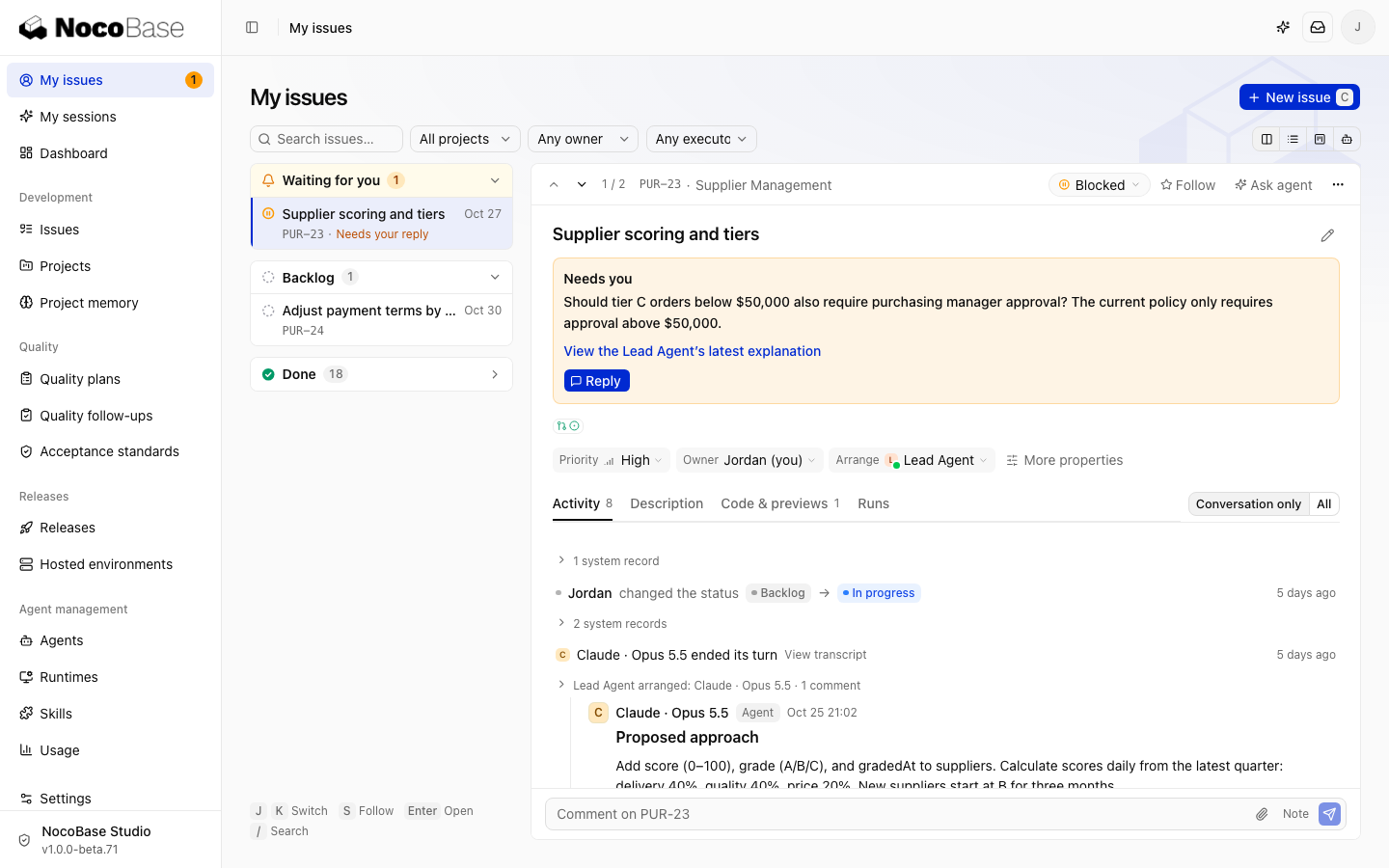
How does NocoBase 3 support ongoing application development?
With development conventions in place, a Coding Agent still needs to understand the existing project and use the capabilities it already has. NocoBase 3 supports this in three areas: the application foundation, development conventions, and delivery management.
NocoBase Core: a reusable application foundation.
Core provides data modeling, identity and permissions, workflow, notifications and other foundational capabilities. Business code is organized in a consistent project structure, for example data models in database/, pages in client/pages/ and APIs in server/routes/.
A Coding Agent can inspect the existing data structures and business code and build new features inside the current app, reducing duplicated work.
AGENTS.md, Rules and Skills: keeping development aligned with project conventions.
AGENTS.md is the entry point where a Coding Agent reads the project conventions, .agents/rules/ holds the app's own development conventions, and .agents/skills/ provides development skills that match the installed platform capabilities.
For team collaboration, NocoBase Studio can also store business materials in a knowledge base and record confirmed rules and the background of decisions in project memory. This information can be reused in later development tasks, reducing repeated explanations when people or Coding Agents change.
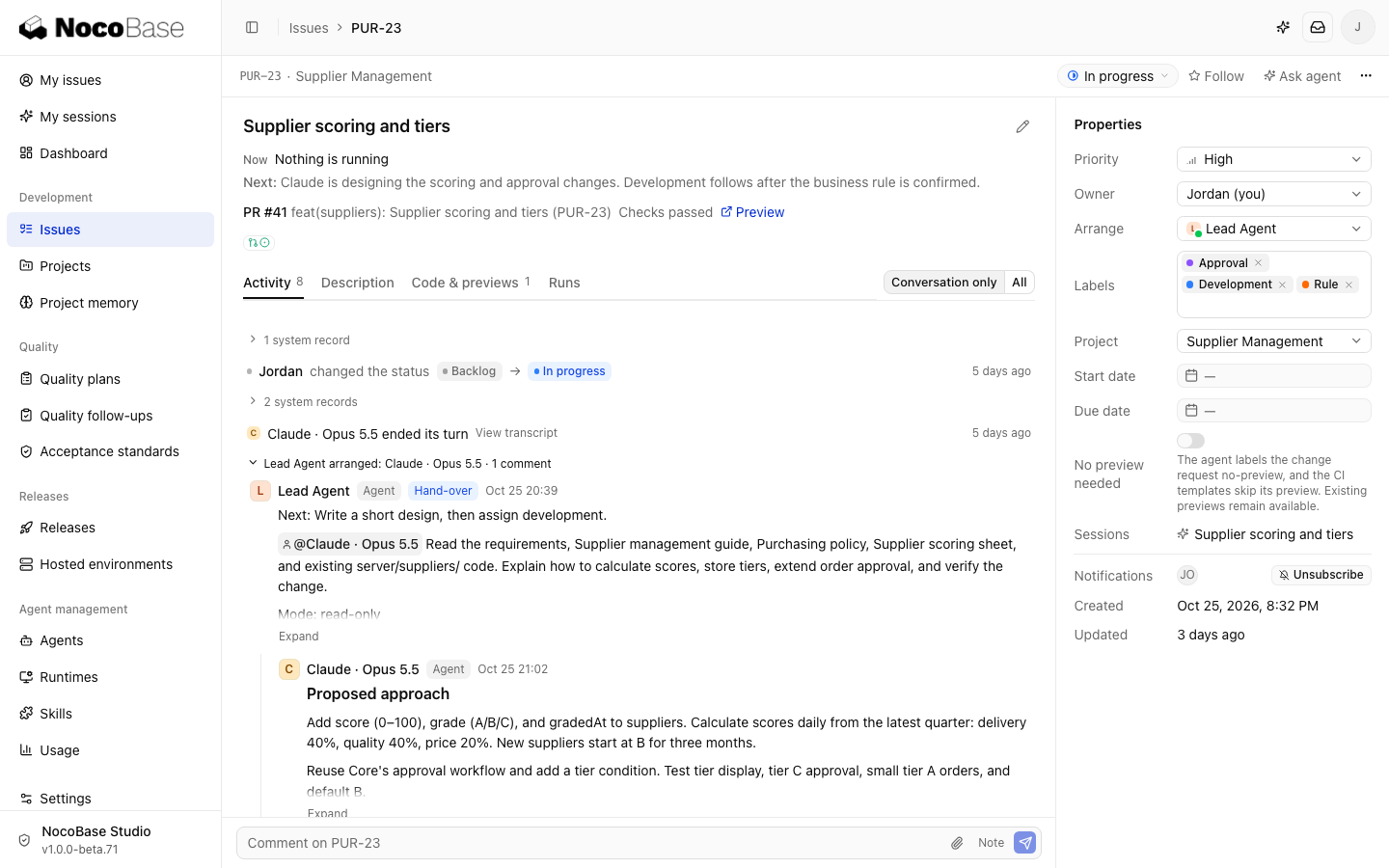
NocoBase Studio: managing development, review and release.
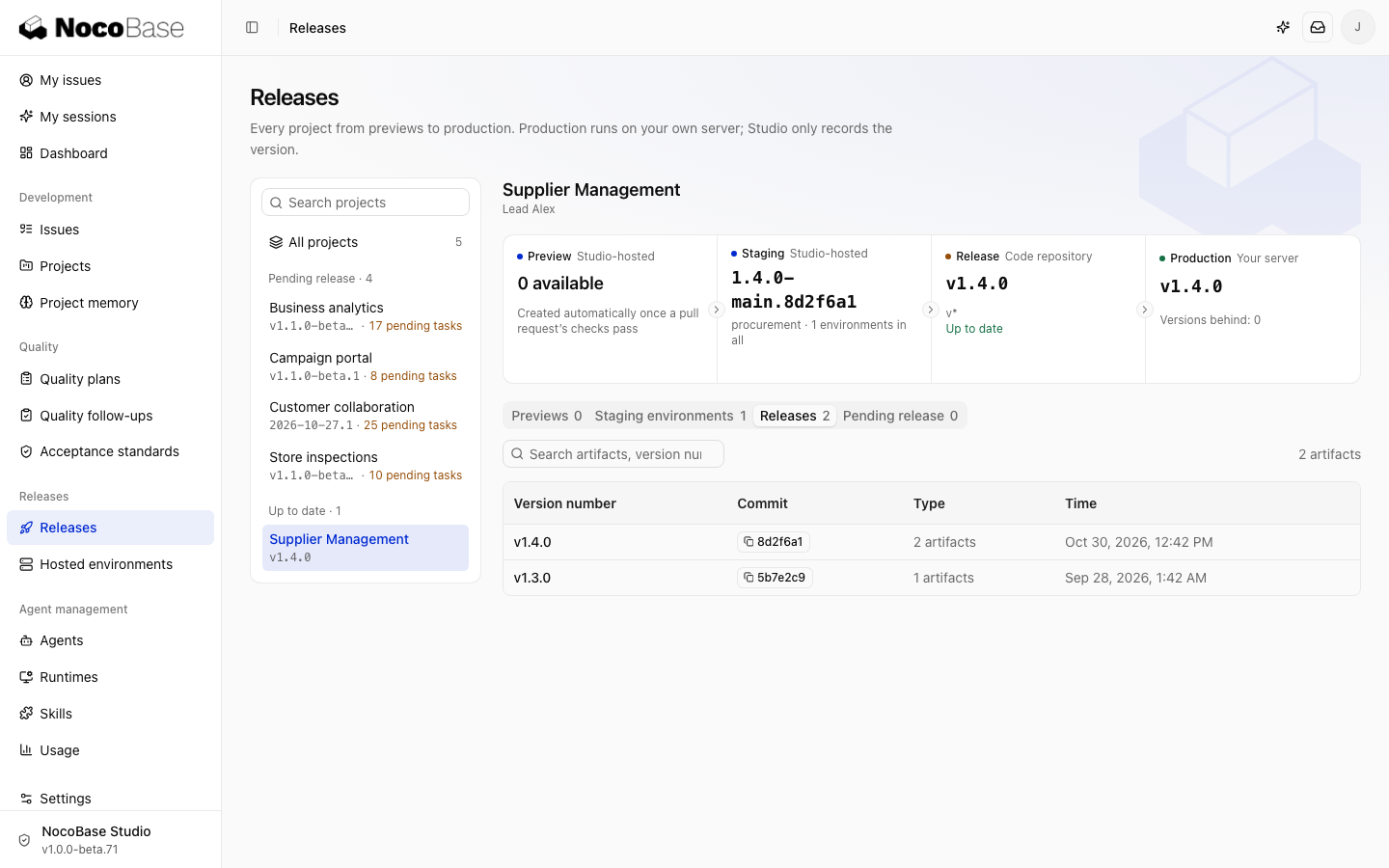
NocoBase Studio is a commercial platform for people and Agents developing together. Teams can use Studio to assign tasks, track development progress, and verify changes with code checks, independent review and preview environments.
When development is complete, the owner checks the result against the delivery report and acceptance criteria, and decides whether to merge and move on to release.
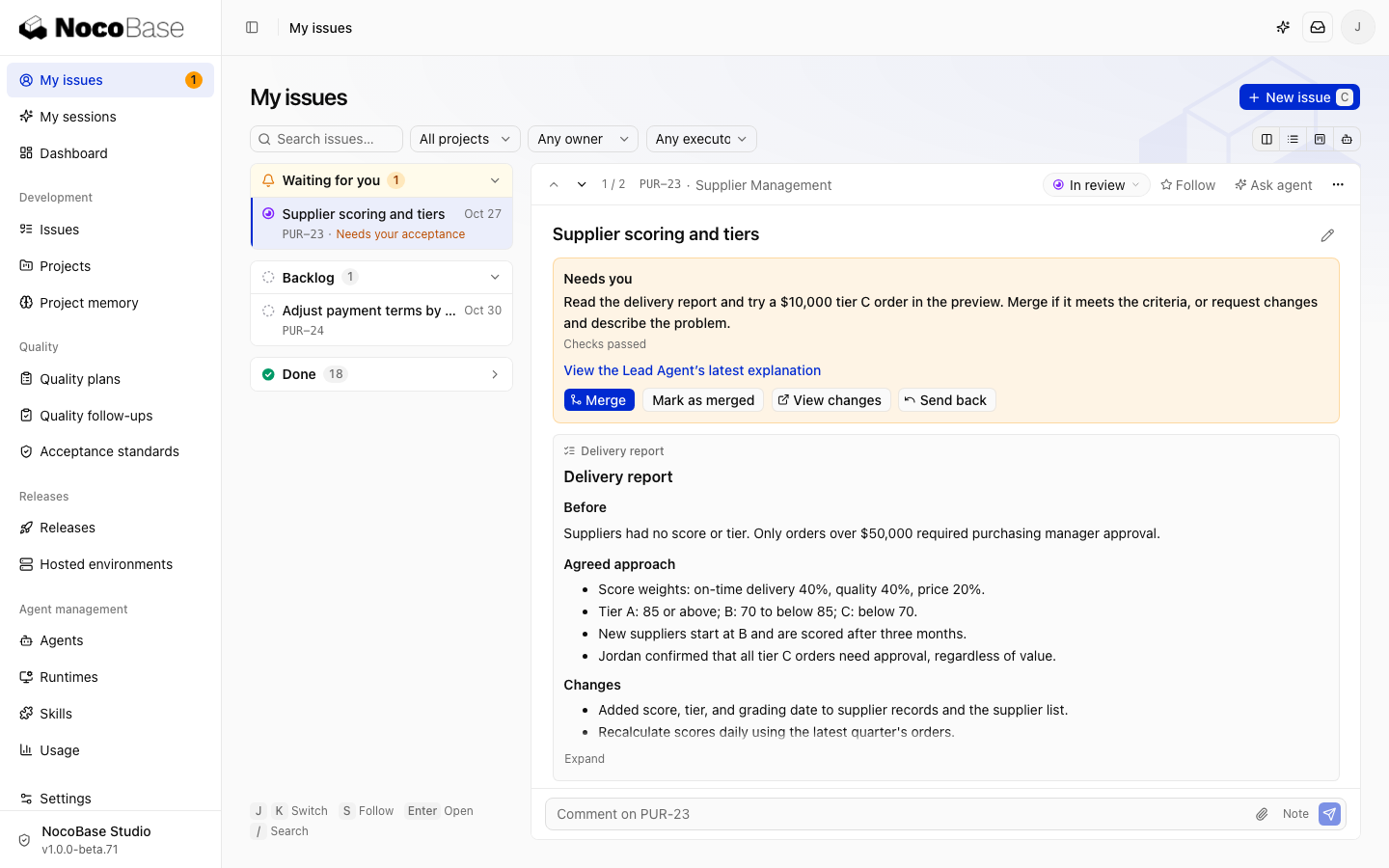
Through these mechanisms, a Coding Agent can keep building on existing apps, and the team gains a clearer view of development conventions, the change process and delivery results.
2.4 Step 4: Start with new requirements, then gradually improve existing apps
When a new requirement comes in, first check whether existing capabilities can be reused. Say the finance department needs an expense review feature: employee identities, department relationships, the approval mechanism and notifications already exist. What actually has to be built is one expense table, one review-flow definition, a few pages and a role scope for finance reviewers. Following the existing development conventions, a Coding Agent can reuse the data, permission and workflow capabilities provided by Core to build expense records, the review flow and the related pages. Employee information can be linked to existing data sources according to the actual architecture, and finance review permissions are declared explicitly in the app. Once the feature is done, it is checked through tests and human acceptance before deciding whether to release it.
After piloting with new requirements, the team can evaluate step by step whether existing apps need adjusting, based on real development and maintenance experience. Apps that run stably and have few links to other systems can simply be kept as they are; there is no need to migrate them for the sake of uniformity.
📃 Customer story: How Sungrow manages multiple business modules in one system
An overseas team at Sungrow used AI and NocoBase 3 to build, in about two months, a system covering opportunities, projects, technical solutions, quotes and orders. The team reused NocoBase's data, permission and workflow capabilities directly, had AI generate the specific features from business requirements, and then had business staff check and adjust them.
Business information that used to be scattered across spreadsheets, documents and chat tools can now be managed in one system. Different modules share the relevant data while keeping their own business rules. As requirements grow, the team can keep extending the existing system.
03 | How to Evaluate Whether Application Governance Is Working
Once a shared foundation and development conventions are in place, you still need to know whether these measures have actually lowered development and maintenance costs.
Enterprises can keep an eye on the following areas:
| Dimension | Metrics to record |
|---|---|
| Duplicated work | Number of data structures and foundational features recreated in new apps |
| Change management | Time needed to identify the impact of a change, and number of unexpected issues after release |
| Development handover | Time a new developer or Agent needs to understand the project, and number of manual explanations |
| Day-to-day maintenance | Number and duration of manual cross-app data syncs |
| Maintenance ownership | Number of apps with no clear owner or without backup and recovery |
| Delivery quality | Number of Agent changes rejected in review, sent back for rework, or rolled back after release |
These metrics can be recorded monthly or quarterly and compared against the number of apps, business complexity and actual usage.
In the end, the results of application governance show up in daily work: whether new features involve less duplicated development, whether the impact of changes to existing systems is easier to assess, and whether new developers or Coding Agents can take over smoothly.
Conclusion
Sometimes adding a set of data, a process or a feature to an existing app is all it takes to solve the problem. Letting Coding Agents learn about the existing system before they start developing, reuse existing capabilities first, and leave a clear trail for later changes and handovers is what keeps the maintenance burden of a growing number of internal apps under control.
If you want Coding Agents to keep developing on top of your existing business systems, take a look at the NocoBase 3 documentation for more specific guidance on development methods and platform capabilities.
Related reading
- How to Use AI for Business Analysis: Sales, Inventory, and Profit Analysis
- How to Build a Real-World Business System with AI and NocoBase: A Car Rental Management Example
- 10 Open-Source AI Agent Platforms for Business: From Automation to Internal Apps
- How to Build a Production-Ready Ticketing System with AI
- Building an Inventory Management System: Vibe Coding vs NocoBase + AI
- How to Build a Production-Ready IT Operations System with AI and NocoBase
- NocoBase vs Baserow: Flexible Databases vs Enterprise Systems
- How to Build a Production-Ready CRM with AI and NocoBase
- How to Design an IT Asset Management System: Data Model, Lifecycle, and Workflows
- How to Choose a Smartsheet Alternative: 7 Tools Compared
- 5 Open-Source AI No-Code Tools for Complex Relational Data Models
- What Is AI No-Code? A Practical Guide to No-Code Platforms in the AI Era
- 9 Open-Source AI No-Code Tools on GitHub Worth Watching