

Will drag-and-drop no-code tools still survive as AI coding and AI agents become more mature?
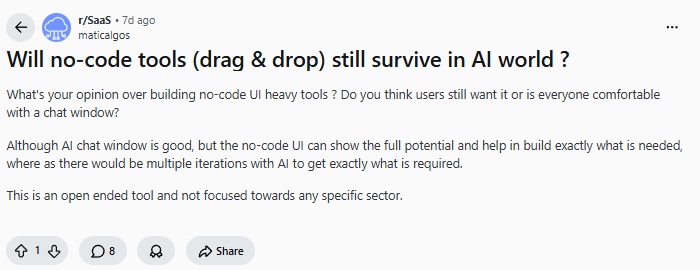
A recent discussion on Reddit raised this exact question. AI is changing how software is built, but many teams are also rethinking whether visual tools, structured platforms, and long-term maintainability still matter in enterprise software development.
AI coding makes it possible for companies to generate a prototype faster, and even build pages, features, and parts of business workflows within a short period of time. But fast generation does not mean the system will remain usable over time. If a system built purely with AI coding lacks a mature platform foundation, it may create higher costs later when the team needs to adjust data structures, manage permissions, maintain workflows, integrate systems, or update versions.
For enterprise software development, a more practical approach is to use mature no-code/low-code platforms while combining them with AI-powered generation and collaboration.
Many no-code products are now deeply integrating with AI. They preserve the speed and flexibility of AI, while the platform itself provides the foundation for data, permissions, workflows, integrations, and deployment. For enterprise teams, these tools are better suited for building maintainable internal systems, AI applications, and automation workflows.
💬 Hey, you’re reading the NocoBase blog. NocoBase is the most extensible AI-powered no-code/low-code development platform for building enterprise applications, internal tools, and all kinds of systems. It’s fully self-hosted, plugin-based, and developer-friendly. → Explore NocoBase on GitHub
This article introduces 10 open-source AI no-code tools for enterprise software development, helping you quickly compare their core capabilities, AI collaboration features, and best-fit use cases.
| Tool | GitHub Stars | Open-source License | Extensibility | AI Collaboration Capabilities | How AI is integrated |
|---|---|---|---|---|---|
| NocoBase | 22.3k | Apache-2.0 + additional terms | Plugins, Skills, API, CLI | AI Employees, AI Agent Skills, AI-assisted system building | AI can help build systems and also handle data, workflows, and daily tasks inside business systems |
| Appsmith | 39.7k | Apache-2.0 | Components, API, data source integrations | Appsmith AI, LLM integrations | AI is mainly embedded into internal apps for querying, generating, classifying, and summarizing content |
| ToolJet | 37.9k | AGPL-3.0 | Components, data source integrations, AI features | AI app generation, AI Agent | AI can assist with app generation and can also be used to build AI Agents and workflows |
| Budibase | 27.9k | GPLv3 / MPL / BSL and others | Components, automations, data source integrations | AI Agent, AI workflow automation | AI mainly supports request handling, information collection, workflow triggers, and automated tasks |
| Dify | 140k | Dify Open Source License | Workflows, plugins, model integrations | RAG, Agentic Workflow, model management | AI is the core capability for building AI apps, knowledge base Q&A, Agents, and RAG workflows |
| Flowise | 52.6k | Apache-2.0 | Nodes, templates, API | AI Agent, LLM workflows | AI is mainly orchestrated through visual nodes for building Agents, chatbots, and LLM workflows |
| Langflow | 148k | MIT | Components, API, MCP | AI Agent, RAG, MCP server | AI is used through components and workflow orchestration, suitable for Agents, RAG, and MCP-related workflows |
| n8n | 187k | Sustainable Use + Enterprise | Nodes, API, templates | AI workflows, AI Agent | AI is usually used as a node or step in a workflow to connect models, tools, data, and business systems |
| Activepieces | 22.1k | MIT / commercial features billed separately | Pieces, MCP, API | AI automation, MCP | AI connects to business tools through automations and MCP, making it suitable for connecting AI with external systems |
| Windmill | 16.4k | AGPLv3 / partially Apache-2.0 | Scripts, workflows, API | AI code generation, AI Agent | AI mainly helps generate scripts, apps, and workflows, and can also take part in automated task execution |
1.NocoBase
Basic Information
- Website: https://www.nocobase.com/
- GitHub: https://github.com/nocobase/nocobase
- AI documentation: https://docs.nocobase.com/ai
- GitHub Stars: 22.3k
Tool Positioning
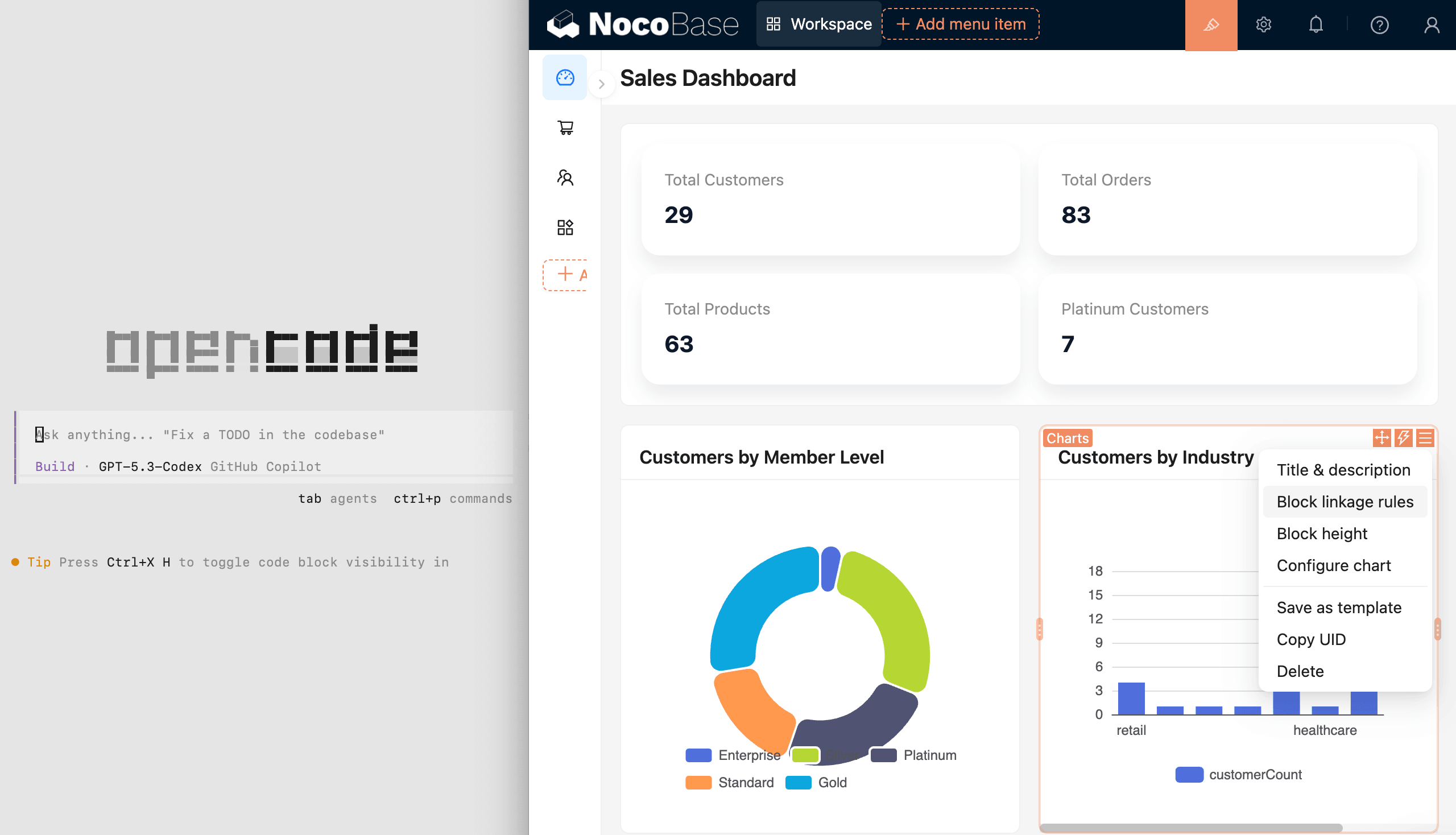
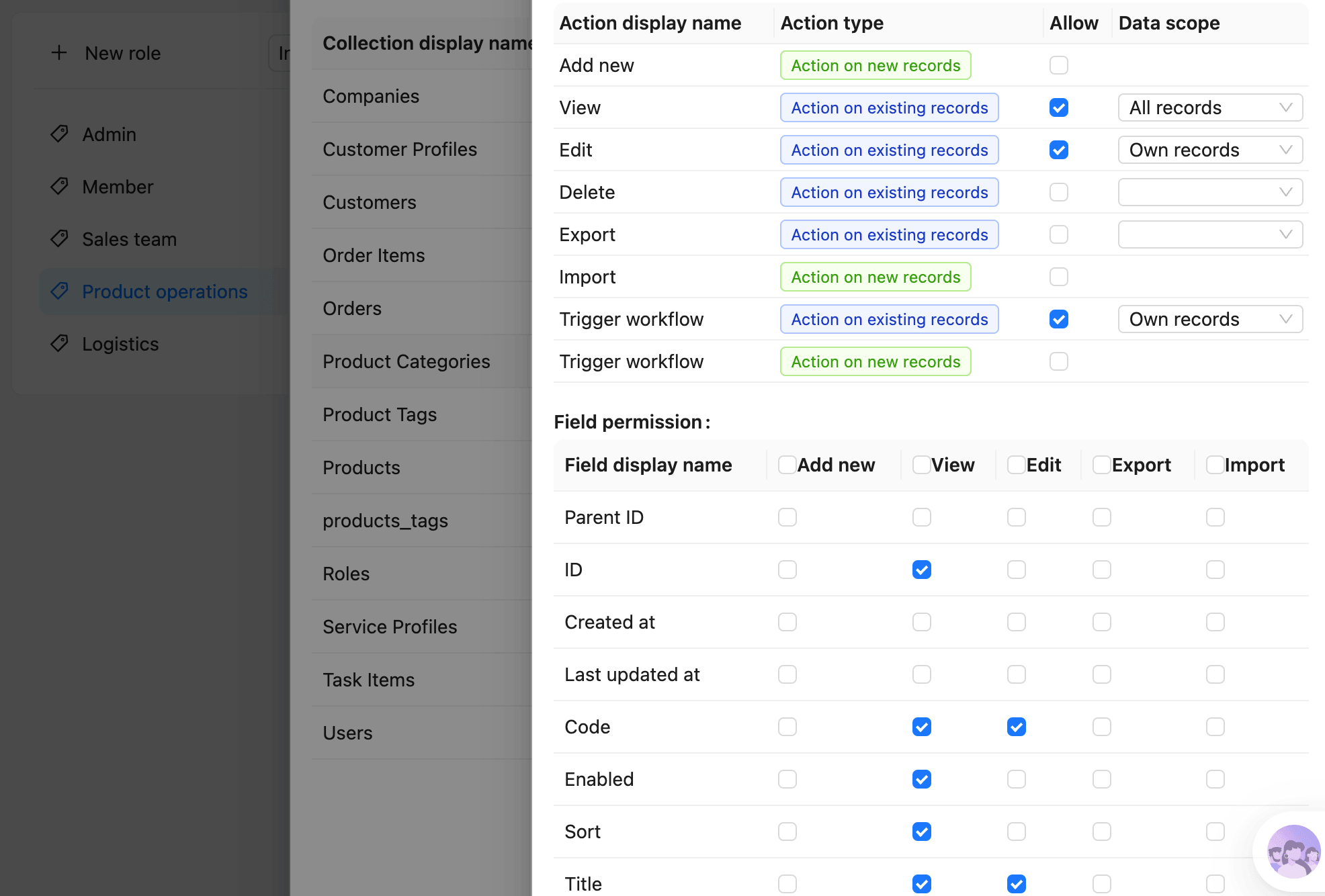
NocoBase is an open-source AI no-code platform designed for building enterprise business systems. Built on mature system infrastructure and a visual no-code interface, it brings AI-assisted building into data modeling, page configuration, workflows, permissions, and business rules, helping teams build, adjust, and maintain long-running business systems more efficiently.
💡 How can you use AI to quickly build internal tools? NocoBase official guide: https://docs.nocobase.com/cn/ai-builder
Best-fit Use Cases
NocoBase can help teams quickly build business systems that match their needs. It is also suitable for internal enterprise systems that need to run for a long time and change continuously, such as CRM, ticketing systems, approval systems, project management systems, customer portals, ERP-like management systems, and data dashboards. For enterprise teams that need self-hosting, data control, clear permissions, and configurable workflows, it is better suited to real business scenarios than simple page generation tools.
AI Collaboration Capabilities
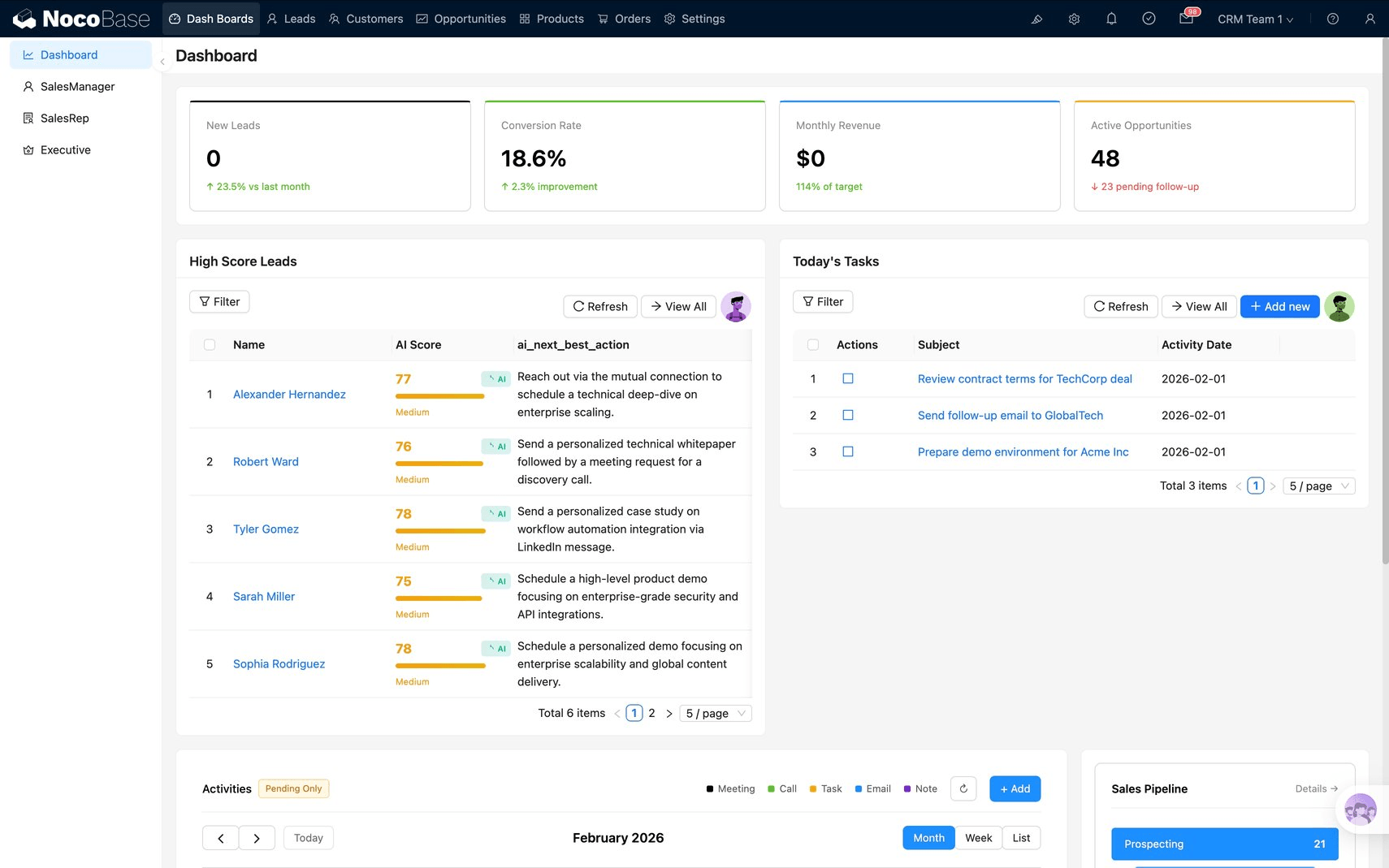
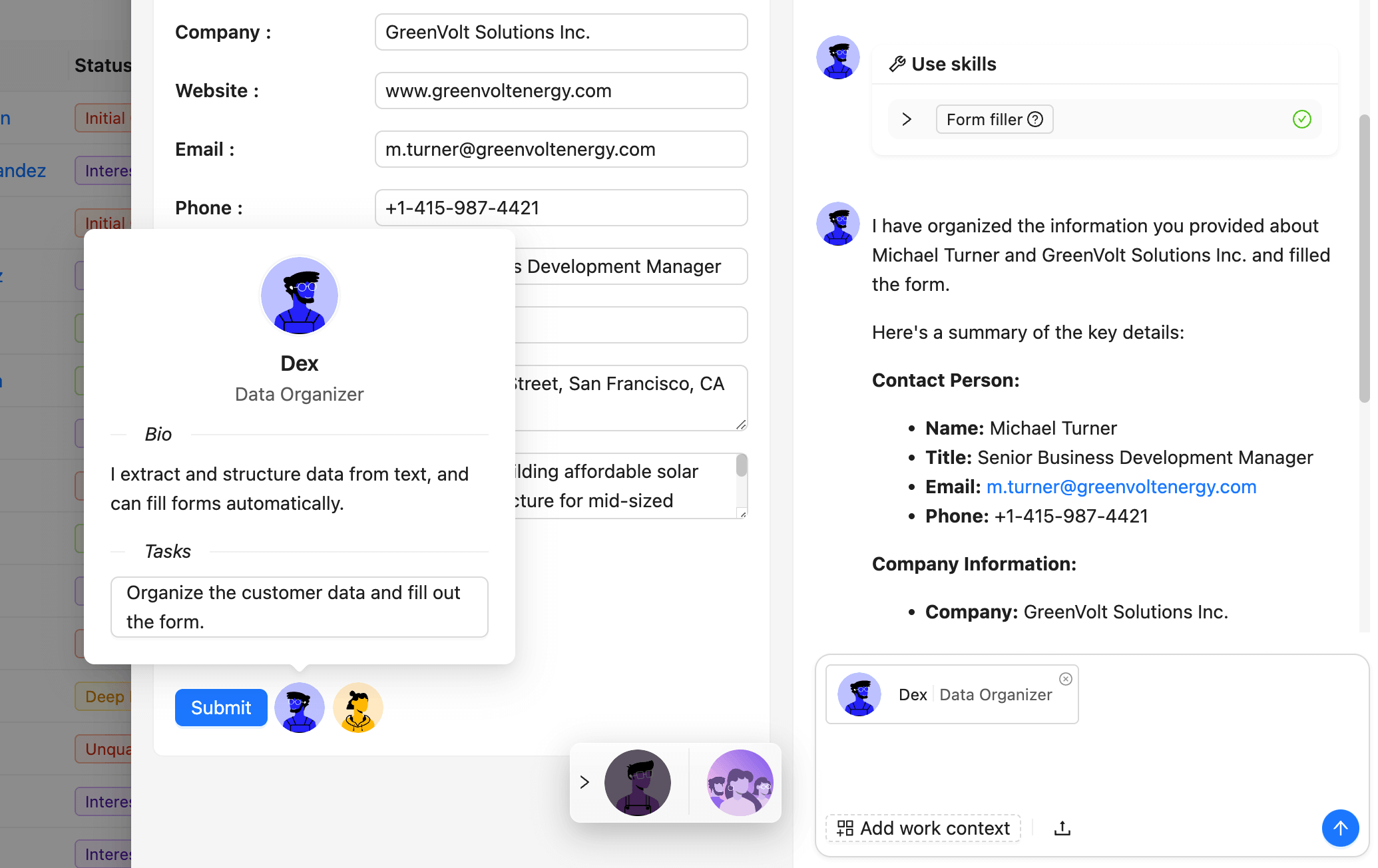
NocoBase’s AI capabilities are mainly reflected in two scenarios. First, AI coding agents can assist with system building, including data modeling, page configuration, workflows, and release management. Second, AI Employees can participate in daily business operations, such as analyzing data, handling tasks, supporting decisions, and executing workflows. NocoBase Skills also help AI agents such as Claude Code, Codex, Cursor, and OpenCode better understand and operate NocoBase.
💡 NocoBase Skills: Domain knowledge packages that help AI agents understand NocoBase’s configuration system and development standards.
Advantages
NocoBase’s strengths lie in AI + no-code collaboration, production-grade system infrastructure, data-model-driven design, fine-grained permission control, self-hosting, and plugin-based extensibility. Teams can use AI coding agents to build systems quickly, then continue configuring and adjusting them through a visual no-code interface. NocoBase also brings data, pages, workflows, and permissions into one platform, making it well suited for internal enterprise systems that require long-term operation, continuous maintenance, and flexible expansion.
💡 How do you connect an AI Agent to NocoBase? Read the official guide: https://docs.nocobase.com/cn/ai-builder
2. Appsmith
Basic Information
- Website: https://www.appsmith.com/
- GitHub: https://github.com/appsmithorg/appsmith
- AI documentation: https://docs.appsmith.com/connect-data/reference/appsmith-ai
- GitHub Stars: 39.8k
Tool Positioning
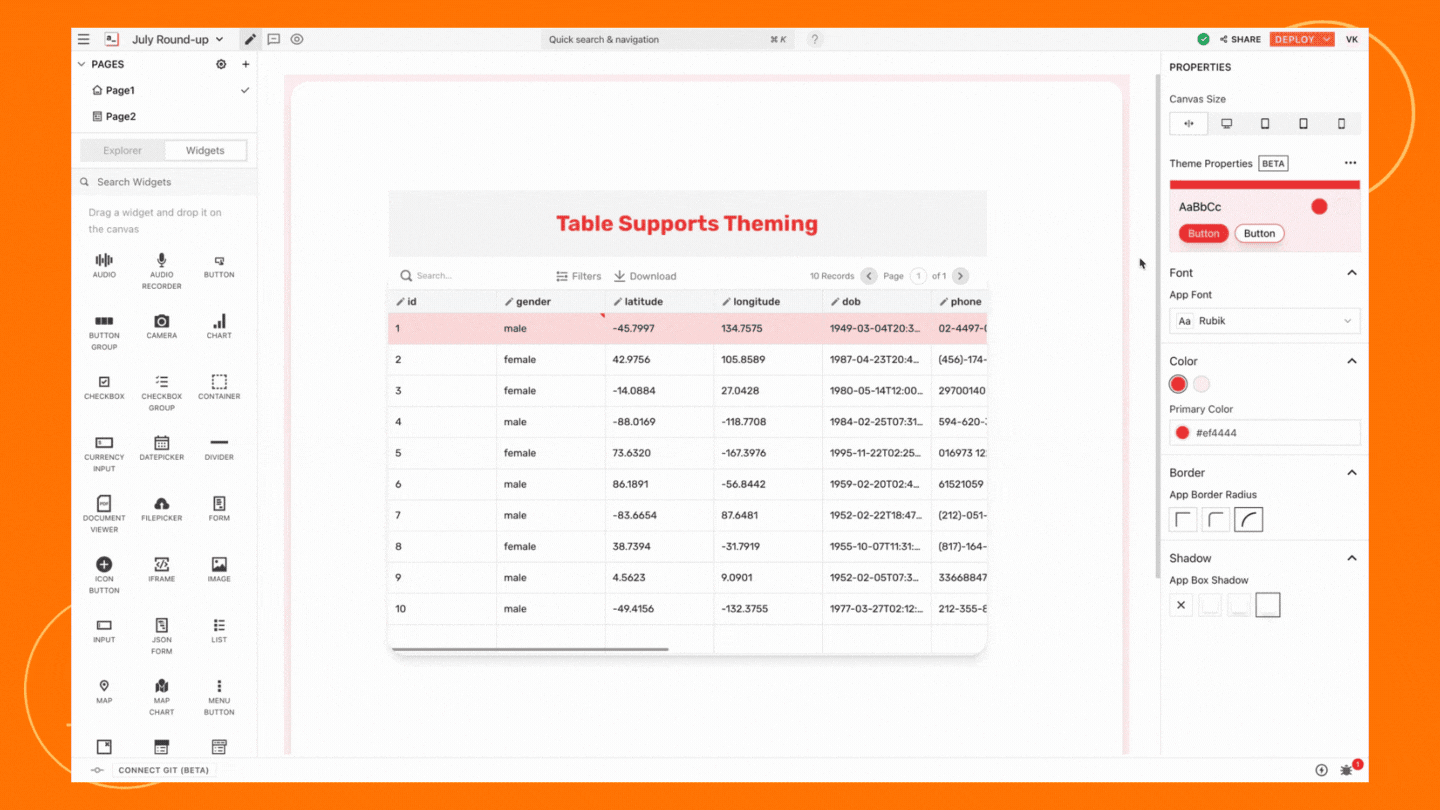
Appsmith is more like an internal tool builder for developers. Teams can build pages with drag-and-drop components, connect databases, APIs, and third-party services, and quickly create admin panels, data dashboards, and business operation interfaces.
💡 Read more: More Than PostgreSQL: 5 No-Code/Low-Code Platforms Supporting External Databases - NocoBase
Best-fit Use Cases
Appsmith is well suited for internal applications where technical teams are involved, such as admin panels, dashboards, database management interfaces, customer support backends, approval apps, and operations tools. If a company already has databases or APIs and mainly needs a visual interface to operate them, Appsmith is a straightforward choice.
AI Collaboration Capabilities
Appsmith provides Appsmith AI, which can add AI-powered querying, text processing, content generation, classification, summarization, and other capabilities to applications. Its AI capabilities are better suited for embedding intelligence into existing internal apps, helping them support smarter interactions and automated processing.
Advantages
Appsmith stands out for its developer-friendly experience, strong data connectivity, and efficient page building. For teams that need to quickly combine databases, APIs, and frontend operation interfaces, it can reduce a large amount of repetitive development work.
3. ToolJet
Basic Information
- Website: https://tooljet.com/
- GitHub: https://github.com/ToolJet/ToolJet
- AI documentation: https://docs.tooljet.com/docs/build-with-ai/overview
- GitHub Stars: 37.9k
💡 Read more: 11 Most Popular Open-Source No-Code AI Tools on GitHub - NocoBase
Tool Positioning
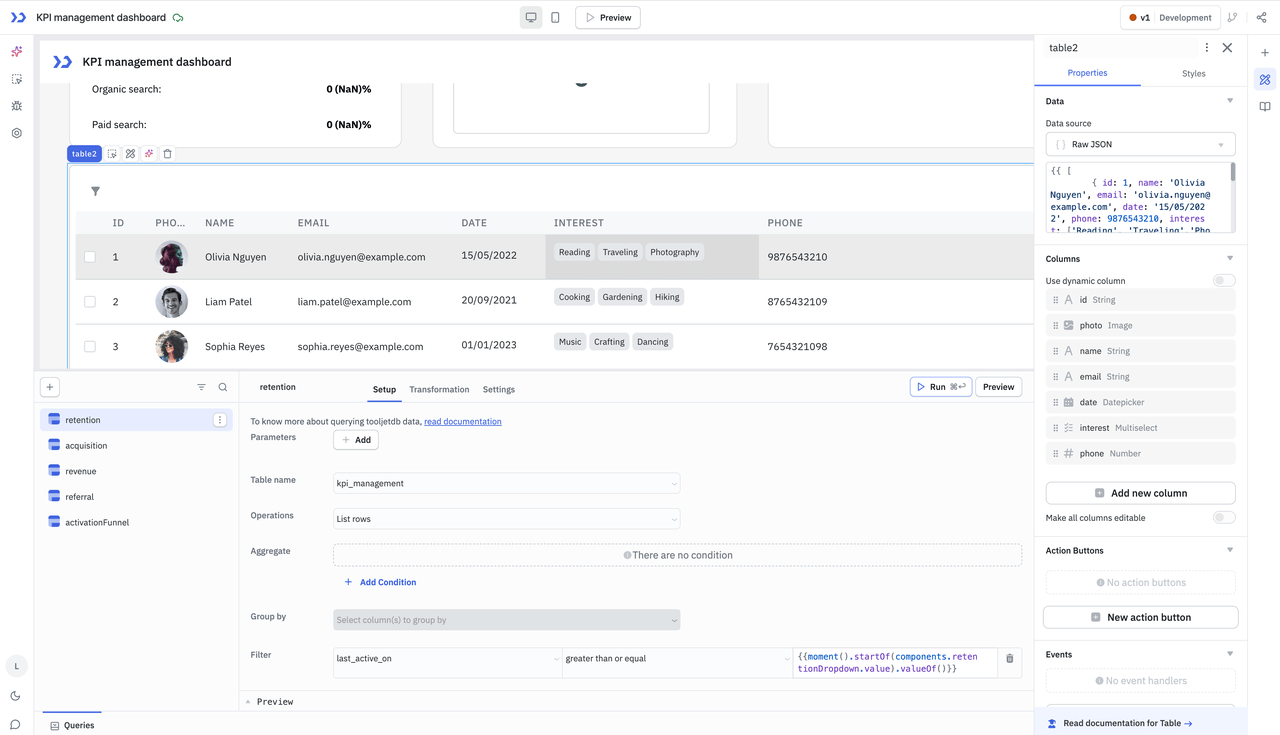
ToolJet is built for enterprise internal apps, workflows, and AI agent scenarios. It provides a low-code builder and visual page-building capabilities. It can connect databases, APIs, SaaS apps, and object storage, helping teams quickly build business applications and internal tools.
Best-fit Use Cases
ToolJet is suitable for building internal management systems, data dashboards, operations tools, and business workflows. For teams that want to generate applications with natural language or add AI agents to a low-code platform, it is worth considering.
AI Collaboration Capabilities
ToolJet’s Build with AI can help users create or optimize applications through natural language. It can also help users understand components, data sources, and feature configurations. Its AI capabilities are mainly used to lower the barrier to building and configuring applications.
Advantages
ToolJet combines low-code building, data integration, and AI-assisted generation. It is suitable for teams that want to build internal tools quickly while reducing manual configuration work.
4. Budibase
Basic Information
- Website: https://budibase.com/
- GitHub: https://github.com/Budibase/budibase
- AI documentation: https://docs.budibase.com/docs/agents-config
- GitHub Stars: 27.9k
Tool Positioning
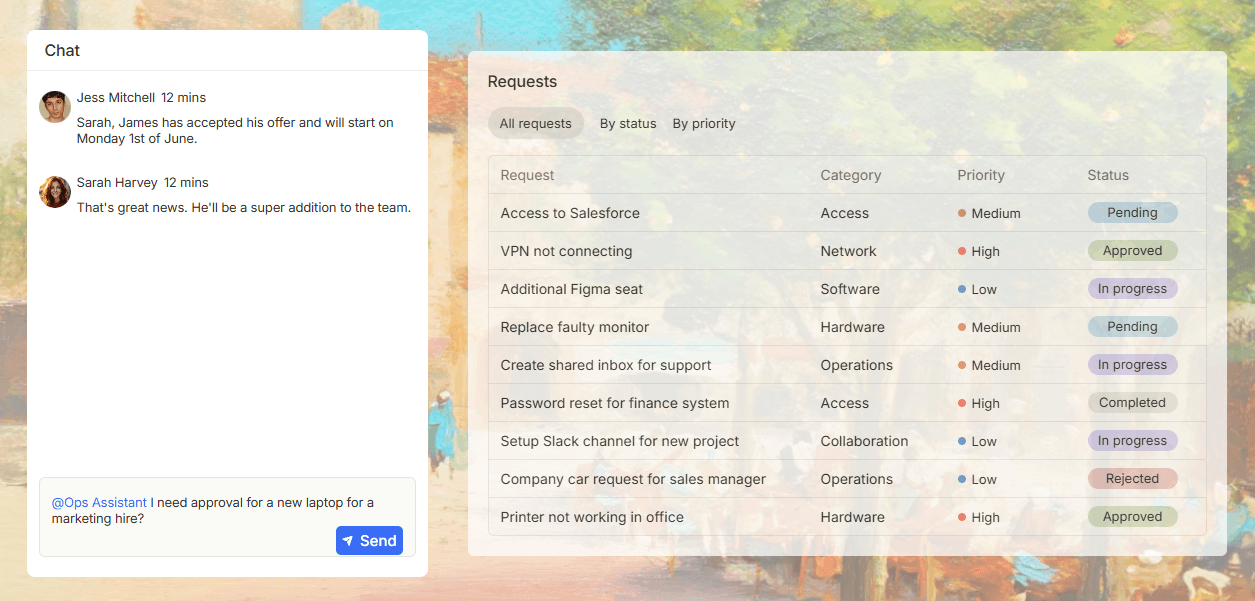
Budibase focuses on internal apps, automation workflows, and AI agents. It helps teams organize repetitive operational tasks, approval requests, information collection, and data updates through apps and automated workflows.
Best-fit Use Cases
Budibase is better suited for teams with many operational processes, such as internal approvals, request handling, form routing, notification triggers, data updates, and lightweight internal system building. Its use cases are usually closer to business process automation.
AI Collaboration Capabilities
Budibase AI agents can take part in request handling, information collection, Q&A, data connections, and workflow triggers. Its AI capabilities are better suited for operational workflows where teams need help handling multi-step tasks.
Advantages
Budibase brings internal apps, automation, and AI agents into one product. For teams that want to automate approvals, requests, notifications, and data updates, it is relatively easy to work with.
5. Dify
Basic Information
- Website: https://dify.ai/
- GitHub: https://github.com/langgenius/dify
- AI documentation: https://docs.dify.ai/
- GitHub Stars: 140k
💡 Read more: Top 18 Open-Source AI Agent Projects on GitHub by GitHub Stars - NocoBase
Tool Positioning
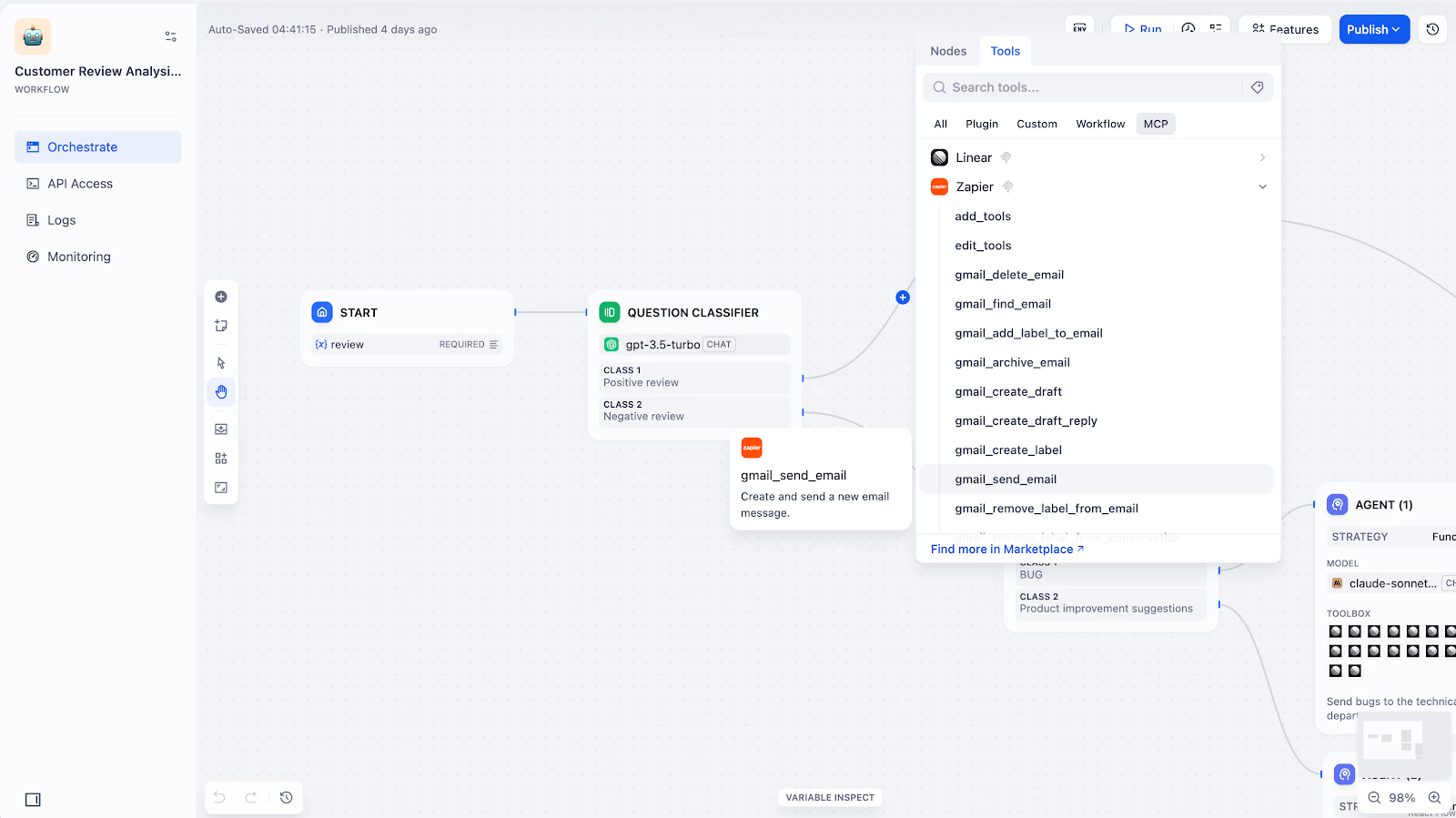
If your team’s goal is to build AI applications, Dify is a very typical choice. It provides capabilities for large language model application development, including workflow orchestration, knowledge bases, model integration, tool calling, app publishing, and runtime monitoring.
Best-fit Use Cases
Dify is suitable for building AI assistants, knowledge base Q&A, customer service chatbots, enterprise RAG applications, Agent workflows, and AI-native applications. It is better suited for AI application development than for building traditional internal business systems.
AI Collaboration Capabilities
Dify covers Agentic Workflow, RAG pipeline, model management, tool calling, and application orchestration. Teams can combine different models, knowledge bases, tools, and business workflows into runnable AI applications.
Advantages
Dify’s strength is its relatively complete AI application development workflow. From prototyping to knowledge base configuration, workflow orchestration, and application publishing, it provides systematic support for teams that want to bring AI applications into real-world use.
6. Flowise
Basic Information
- Website: https://flowiseai.com/
- GitHub: https://github.com/FlowiseAI/Flowise
- AI documentation: https://docs.flowiseai.com/
- GitHub Stars: 52.6k
Tool Positioning
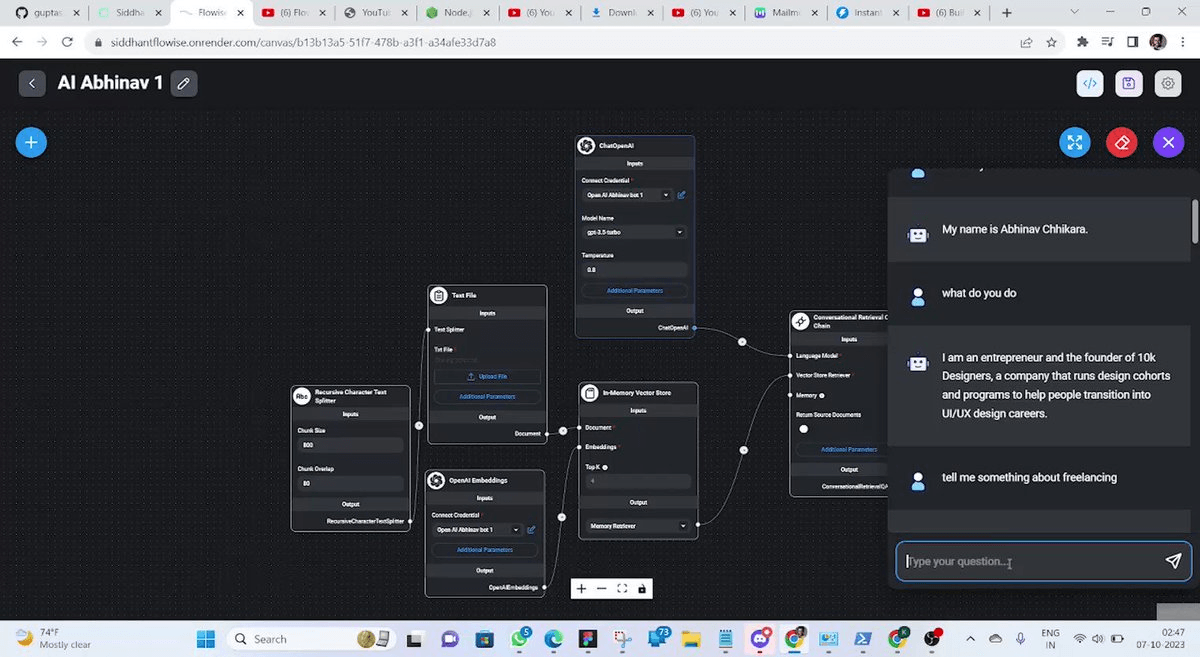
Flowise is centered on building AI Agents and LLM workflows visually. It provides modular nodes and a graphical orchestration interface, making it suitable for connecting models, tools, memory, knowledge bases, and business logic into runnable AI workflows.
Best-fit Use Cases
Flowise is often used for chatbots, knowledge base Q&A, RAG applications, AI Agents, and LLM workflow prototyping. For teams that want to quickly assemble AI application logic through drag and drop, it is relatively easy to get started with.
AI Collaboration Capabilities
Flowise supports Visual Builder, Agentflow, Tracing & Analytics, Evaluations, Human in the Loop, API, CLI, SDK, embedded chatbots, and more. It focuses more on AI workflow orchestration and Agent building.
💡 Read more: Essential for Enterprise Internal Tools: 8 Open-Source AI Agent Platforms Compared - NocoBase
Advantages
Flowise stands out for its highly visual AI workflow experience. It is suitable for quickly building, testing, and adjusting LLM applications, especially AI Agents, chatbots, and RAG scenarios.
7. Langflow
Basic Information
- Website: https://www.langflow.org/
- GitHub: https://github.com/langflow-ai/langflow
- AI documentation: https://docs.langflow.org/
- GitHub Stars: 148k
Tool Positioning
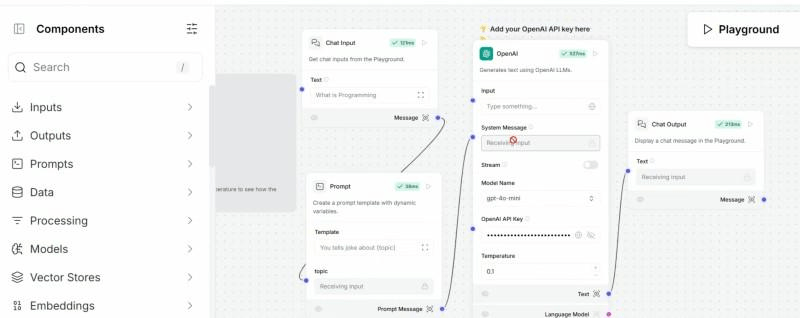
Langflow is a low-code AI application framework for AI agents, RAG applications, MCP servers, and LLM workflows. Built on Python, it offers a highly visual building experience while still preserving room for developer extension.
Best-fit Use Cases
Langflow is suitable for AI engineering teams, developers, and teams that need to quickly experiment with Agent and RAG workflows. It can be used to build AI agents, knowledge base Q&A, content generation, classification, assistant applications, and MCP-related workflows.
AI Collaboration Capabilities
Langflow supports mainstream LLMs, vector databases, AI tools, MCP, and visual workflow orchestration. Developers can combine components, tools, and workflows, then embed them into different applications or agent workflows.
Advantages
Langflow stands out for its flexible AI workflow building experience. It is suitable for rapidly prototyping, experimenting with, and deploying AI agents. Compared with general automation tools, it focuses more on LLM applications and AI orchestration.
8. n8n
Basic Information
- Website: https://n8n.io/
- GitHub: https://github.com/n8n-io/n8n
- AI documentation: https://docs.n8n.io/advanced-ai/
- GitHub Stars: 187k
Tool Positioning
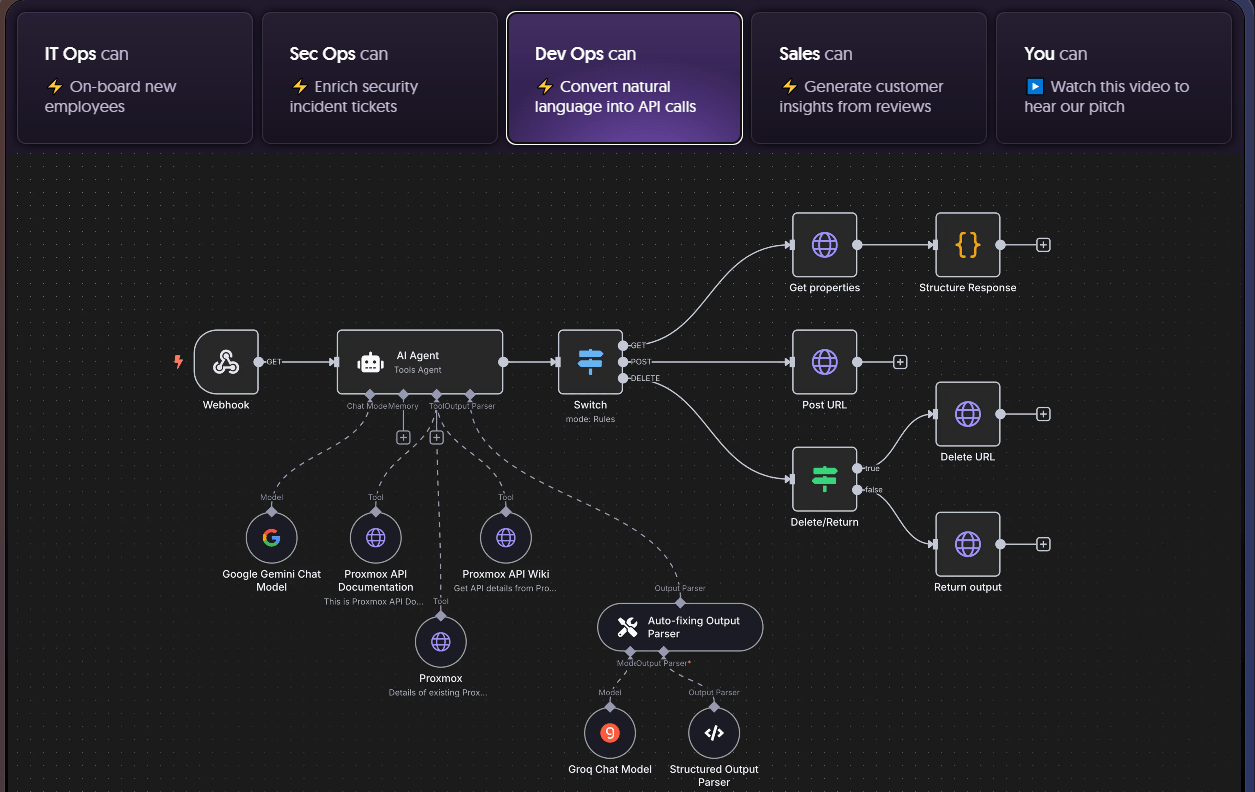
n8n is a workflow automation and system integration platform for technical teams. It uses visual nodes to connect tools, databases, APIs, and business workflows, while still allowing users to add code logic when needed.
Best-fit Use Cases
n8n is suitable for cross-system automation, data synchronization, API orchestration, AI workflows, notification triggers, form processing, and internal process automation. It is practical for teams that need to connect multiple SaaS tools, databases, APIs, and AI models.
AI Collaboration Capabilities
n8n can add LLMs, AI Agent nodes, tool calling, external APIs, and data processing nodes into workflows. It can be used to build chatbots, document processing flows, AI data analysis, and multi-step automation workflows.
Advantages
n8n stands out for its rich integration ecosystem and strong automation capabilities. It is suitable for connecting scattered systems, and it also helps technical teams balance visual building with code-based extension.
9. Activepieces
Basic Information
- Website: https://www.activepieces.com/
- GitHub: https://github.com/activepieces/activepieces
- AI documentation: https://www.activepieces.com/mcp/activepieces
- GitHub Stars: 22.1k
Tool Positioning
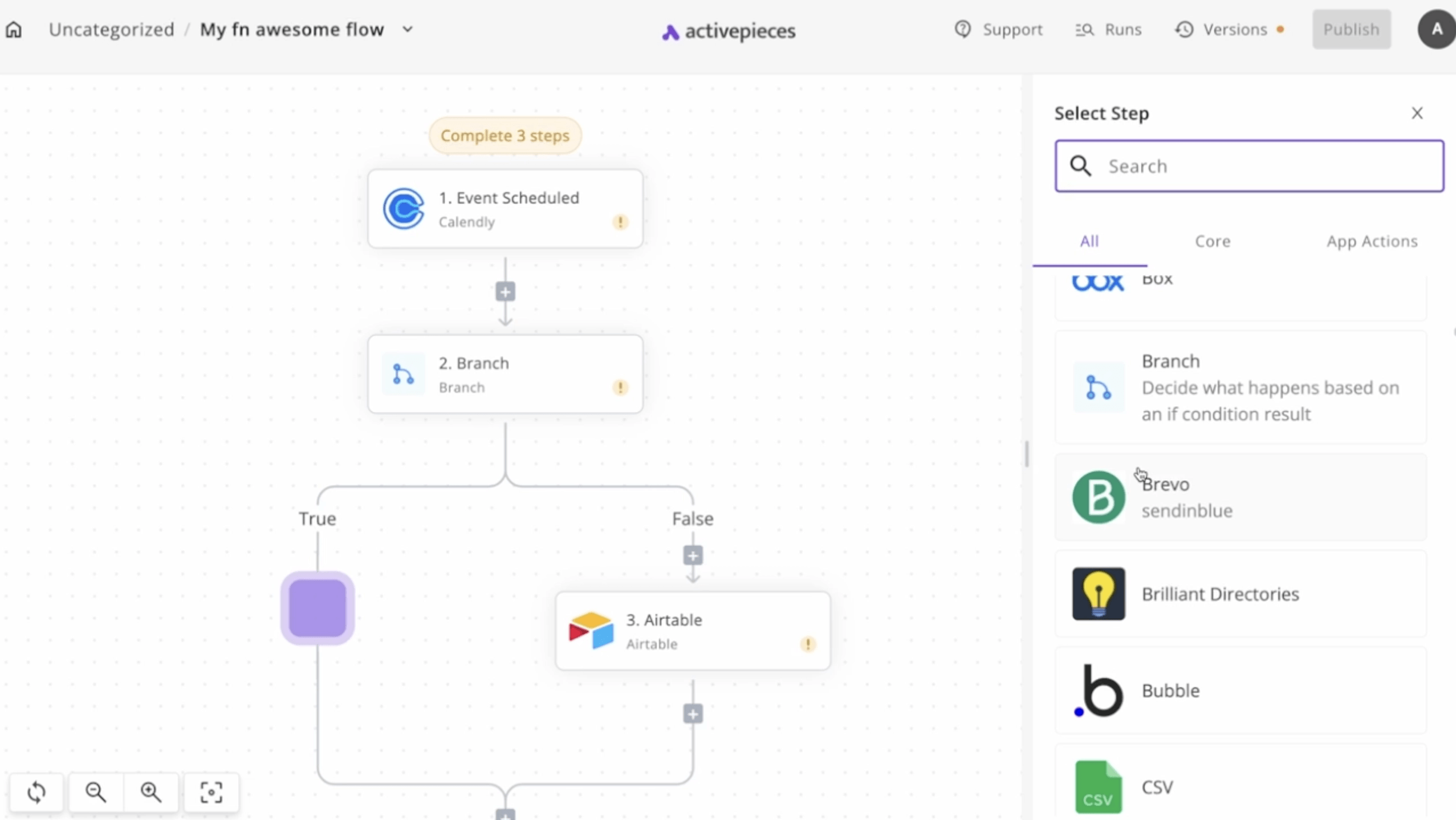
Activepieces focuses on AI-first automation. Its core idea is to let different teams build their own automation workflows. It covers business automation, AI workflows, AI agents, and MCP connections, with a relatively low barrier to entry.
Best-fit Use Cases
Activepieces is suitable for marketing, sales, HR, finance, operations, and IT teams that want to build no-code automations, such as lead syncing, email notifications, CRM updates, form triggers, data cleaning, and cross-tool operations.
AI Collaboration Capabilities
Activepieces can use MCP to turn pieces into capabilities that AI tools can call, allowing tools such as Claude Desktop, Cursor, and Windsurf to connect with and operate external systems. It is well suited for making business automations available to AI agents.
Advantages
Activepieces is lightweight and intuitive, making it suitable for business teams that want to build automations quickly. It is also relatively strong in MCP-related scenarios, especially for teams that want AI tools to connect with more business applications.
10. Windmill
Basic Information
- Website: https://www.windmill.dev/
- GitHub: https://github.com/windmill-labs/windmill
- AI documentation: https://www.windmill.dev/docs/core_concepts/ai_agents
- GitHub Stars: 16.4k
Tool Positioning
Windmill is built for engineering teams and is more of a code-first workflow engine and developer platform. It can combine scripts, APIs, background tasks, data pipelines, internal UIs, and AI agents to build internal software and automation platforms.
Best-fit Use Cases
Windmill is suitable for internal tools, operations scripts, automation tasks, data processing workflows, API orchestration, and developer platforms. For engineering teams that want to retain control over their code while turning scripts and workflows into usable products, Windmill is a good fit.
AI Collaboration Capabilities
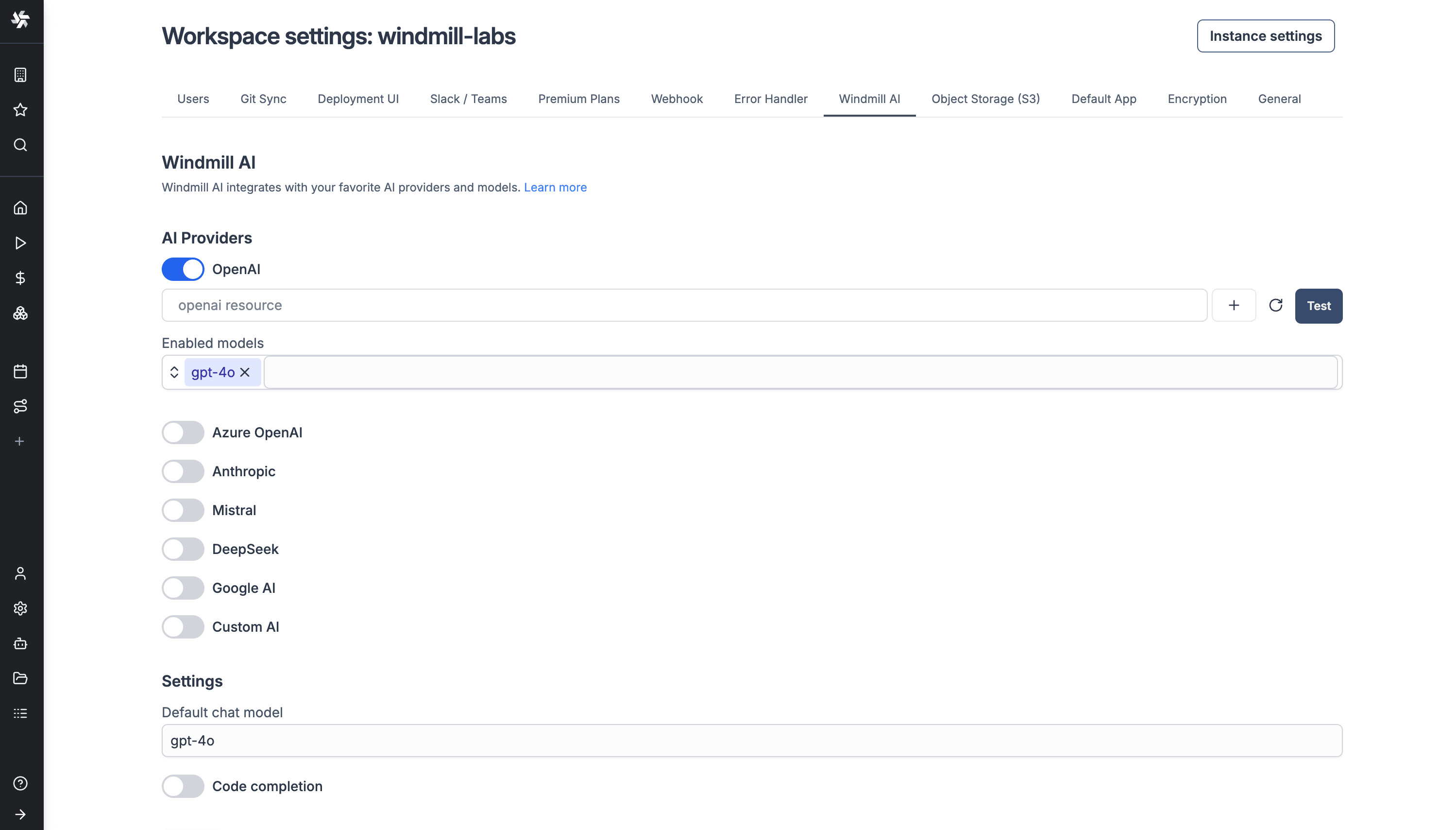
Windmill supports AI agents and AI generation. AI agents can be integrated into Windmill flows to support data processing, content generation, script execution, and automated decision-making. AI generation can help generate and edit scripts, flows, and apps.
Advantages
Windmill is characterized by strong code control and a high level of engineering depth. It is suitable for technical teams that want to turn existing scripts, internal workflows, and developer tools into a maintainable platform.
FAQ
1. If my team wants to build a CRM, ticketing system, approval system, or project management system, which tool should we choose?
NocoBase.
These systems are usually more than pages and forms. They also involve data models, permissions, workflows, role responsibilities, and long-term maintenance. NocoBase is better suited for building complete enterprise business systems, rather than just a single AI application or one automation workflow.
2. If my team mainly wants to build AI applications, knowledge base Q&A, or RAG, which tool should we choose?
Dify, Flowise, Langflow. If you want to build more complete AI applications and Agentic Workflow, consider Dify. If you want to build LLM workflows visually, consider Flowise. If you care more about AI agents, RAG, and MCP workflow experimentation, consider Langflow.
3. If my team only wants to connect multiple systems and workflows, which tool should we choose?
n8n or Activepieces. n8n is better suited for technical teams handling complex workflows, API integrations, and self-hosted automation. Activepieces is better suited for business teams building no-code automations, and also for teams that need an MIT-licensed community edition.
4. If my team has development capabilities and only wants to quickly build an internal admin backend, which tool should we choose?
NocoBase, Appsmith, or ToolJet.
If the backend involves relatively complete business data, permission control, workflows, and ongoing maintenance, NocoBase is a better fit. It can build pages around data models, configure permissions and workflows, and support expansion from an admin backend into a full internal enterprise system.
If the team mainly wants to quickly connect databases and APIs to build data dashboards, admin panels, or operation interfaces, Appsmith is a straightforward choice.
If the team wants to build internal applications and workflows in a low-code way while also exploring AI agents, ToolJet is also worth considering.
5. If my team wants AI to participate more deeply in enterprise system building, instead of only generating a page, which tool should we choose?
NocoBase.
AI web coding tools are useful for quickly generating pages or prototypes, but enterprise systems also need data models, permissions, workflows, and long-term maintenance. NocoBase’s advantage is that it places AI capabilities on top of an enterprise business system foundation, rather than stopping at frontend generation.
6. If my team is an engineering team and wants to retain control over code, which tool should we choose?
If the core requirement is to retain control over code and deployment, most of the open-source tools mentioned in this article are worth considering, such as NocoBase, Appsmith, ToolJet, Activepieces, and Windmill.
7. If we care a lot about open-source licenses, how should we choose?
If you care more about permissive licenses, prioritize MIT or Apache-2.0 tools, such as NocoBase, Langflow, Activepieces Community Edition, Appsmith, and Flowise. If a tool uses AGPL, additional terms, fair-code, or a source-available model, such as ToolJet, Budibase, Dify, or n8n, carefully review the license terms before using it commercially, redistributing it, or providing services based on it.
I hope this article helps you find the right tool faster. If you find it useful, feel free to share it with others who are evaluating tools or building enterprise internal systems.
Related reading
- 8 Open-Source AI Agent Platforms for Building Internal Tools
- The Best Enterprise-Grade Self-Hosted CRMs with RBAC, AI, and Open API Support
- 6 Best Open-Source Tools to Replace Custom Integration Middleware
- Replace Excel with NocoBase or Airtable? A Cost-by-Cost Comparison
- 4 Ways to Quickly Build Web Apps from Excel Data
- Not Just PostgreSQL: Comparing 5 No-Code/Low-Code Platforms with External Database Support
- Open Source Project Management Tool Selection Guide, 2026 Edition
- How to Build a Custom CRM with PostgreSQL
- Top 20 AI Projects on GitHub to Watch in 2026: Not Just OpenClaw
- Best Open Source AI CRM: NocoBase vs Twenty vs Krayin