

In a previous article, we examined several open-source and self-hosted AI ticketing systems that can serve as alternatives to Zendesk. While writing that article and conducting related research, we also kept a close eye on ongoing discussions within the community.
Based on real-world usage, traditional ticketing systems are essentially tools for logging and processing requests. They capture issues, update their status, and eventually close them. Whether a problem is quickly understood, properly assigned, or resolved efficiently, however, depends almost entirely on human judgment and experience.
Within Reddit’s technical communities, two particular discussions stood out to us.
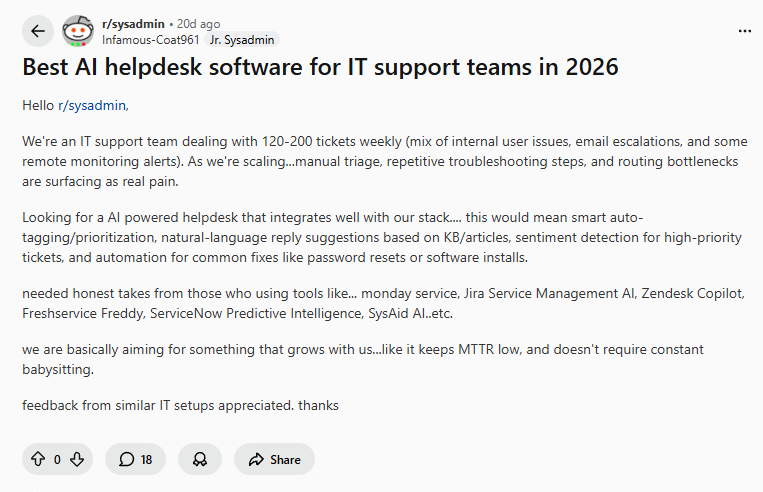
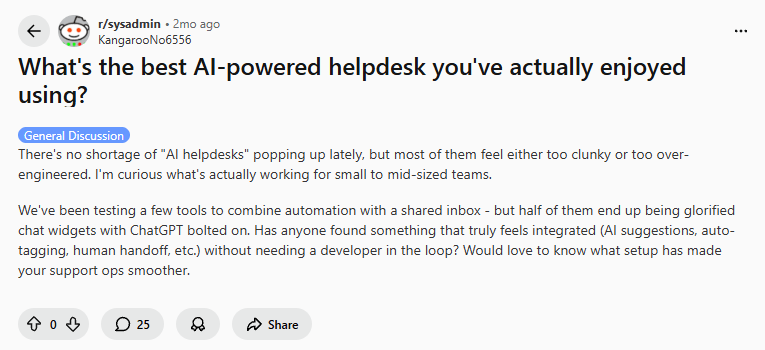 More and more teams are beginning to experiment with so-called AI helpdesks, hoping that AI can help reduce the burden on support teams. However, the feedback we observed in Reddit discussions was remarkably consistent and very straightforward:
- AI often does little more than generate responses that sound intelligent
- The impact on real operational efficiency is minimal
- The overall workflow remains unchanged, with nothing more than an added AI button on top of the existing system
When AI is limited to the response layer and does not genuinely participate in the ticket workflow, its value to teams is inherently limited.
💬 Hey, you’re reading the NocoBase blog. NocoBase is the most extensible AI-powered no-code/low-code development platform for building enterprise applications, internal tools, and all kinds of systems. It’s fully self-hosted, plugin-based, and developer-friendly. → Explore NocoBase on GitHub
Against this backdrop of needs and feedback, we believe that an “AI ticketing system” is no longer merely a simple product category, but a solution layer that needs to be redefined. It should go beyond generating replies and instead actively engage in workflows by automatically understanding and routing tickets, offering practical recommendations based on a knowledge base, and integrating deeply with internal business systems.
This article will examine the core capabilities an AI ticketing system should possess in 2026, and systematically explore how these capabilities can be realized across different platforms, helping you and your team move beyond the superficial question of “does it have AI” and refocus on efficiency and structural design.
2026 Must-Have Capabilities for AI Ticketing Systems
1.Automatic Understanding and Summarization
An AI ticketing system must accurately interpret ticket content, extract key information from natural language descriptions, and reduce the need for repeated manual review and context checks.
2.Intelligent Classification and Routing
Effective AI should be able to handle initial categorization and priority setting automatically, routing tickets to the right teams or roles instead of leaving these decisions entirely to humans.
3.Knowledge-Based Response Recommendations
The real value of AI lies in reusing existing knowledge. By leveraging historical tickets and documentation, it should generate editable handling suggestions rather than automatically closing tickets or producing generic, context-free replies.
4.AI Touchpoints Across the Workflow
AI should be embedded throughout the entire ticket lifecycle, adding value before ticket creation, during processing, and in the closing and summary stages.
5.Controlled, Extensible, and Self-Hosted
In enterprise environments, AI ticketing systems must support data ownership and interchangeable models. Avoiding dependence on a single SaaS provider is essential for long-term control and scalability.
Open-Source AI Ticketing System Shortlist
1.NocoBase
Official Website: https://www.nocobase.com/
GitHub: https://github.com/nocobase/nocobase
GitHub Stars: 21.4k
Core Positioning
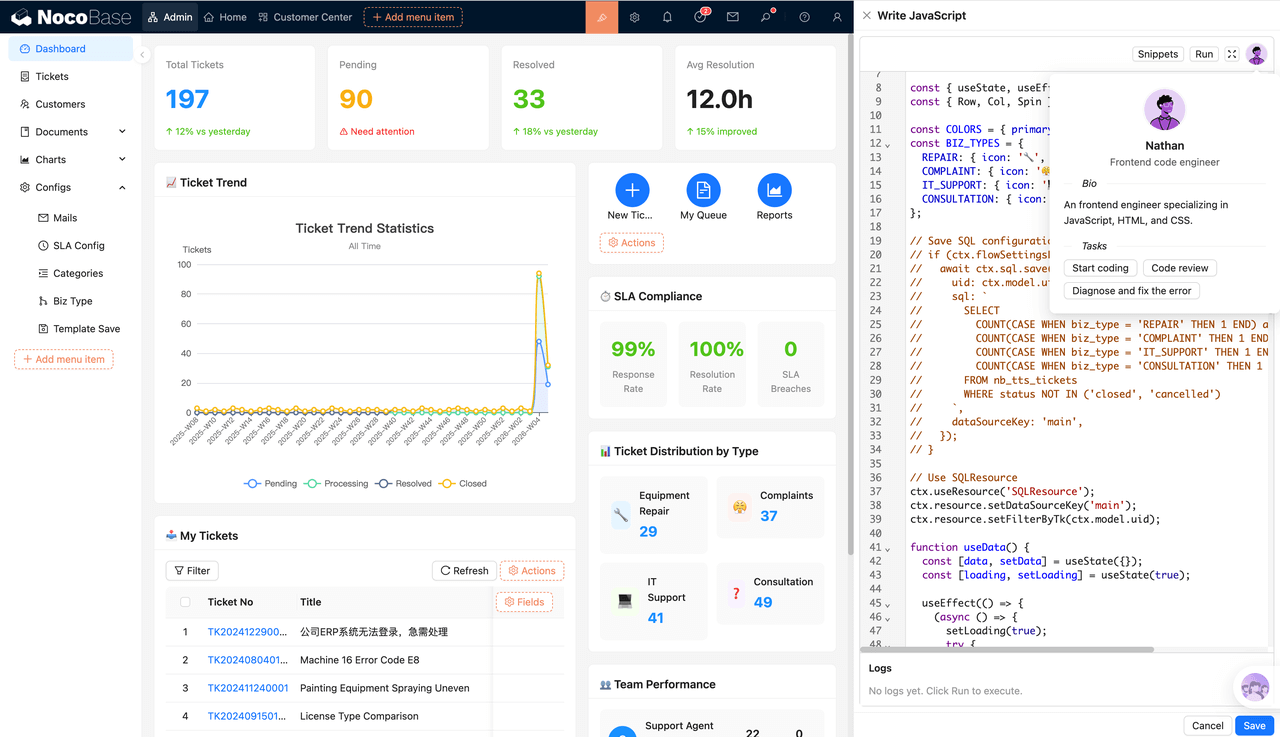
NocoBase is an open-source business system platform built around data models. It extends functionality through a plugin-based architecture and deeply embeds AI capabilities into its core modules. Ticketing, knowledge bases, workflows, and internal service desks can all be implemented as part of the system.
🎉 Intelligent Ticketing System Built on NocoBase 2.0
Suitable Scenarios
- IT or internal support teams that require highly customizable ticket workflows
- Organizations that need to integrate ticketing with internal business systems rather than rely on standard processes
- Enterprises with strict requirements for data ownership, self-hosting, and AI model control
- Teams aiming to evolve their ticketing system into an internal intelligent service platform over time
AI Extension Approach
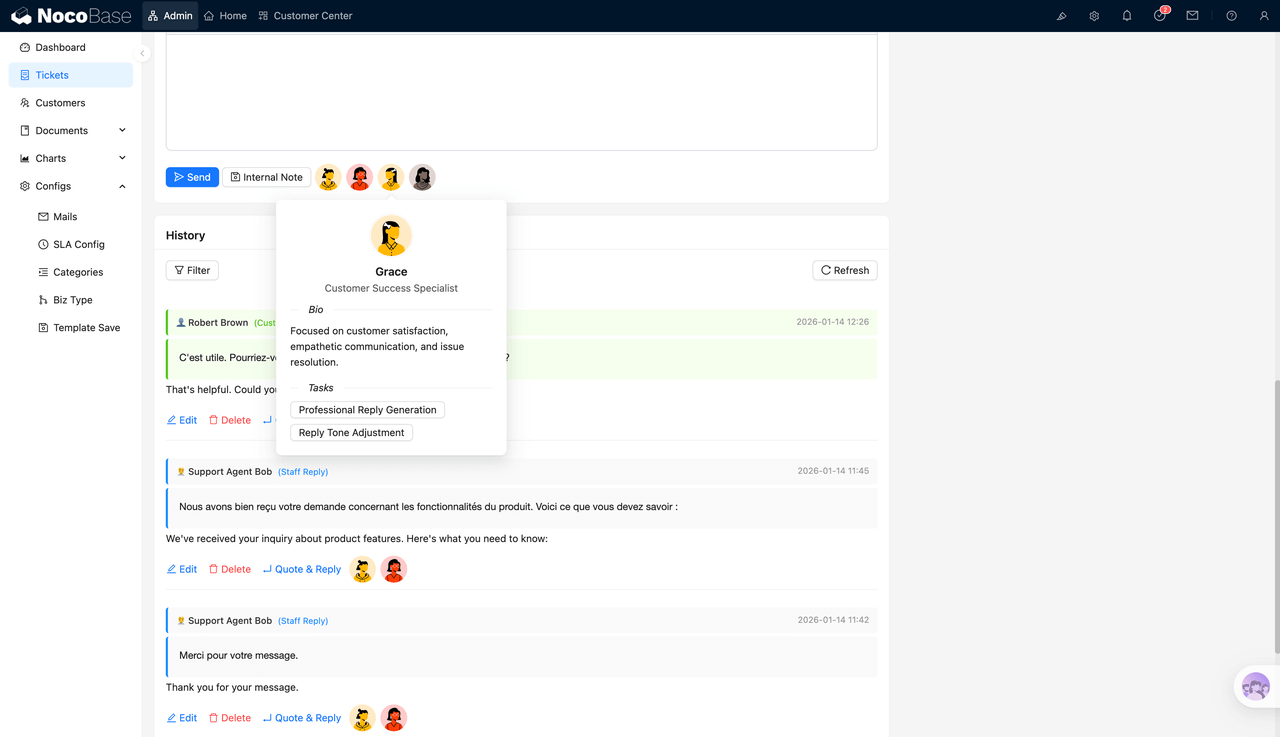
In NocoBase, AI is not an add-on feature. Instead, AI “employees” are deeply embedded into the business system to participate directly in operations.
- Automatic Understanding and Summarization
- AI employees can interpret tickets written in natural language
- By combining data models with structured fields, they automatically extract key information
- They can generate summaries and write them back into ticket fields, reducing manual review and context verification efforts
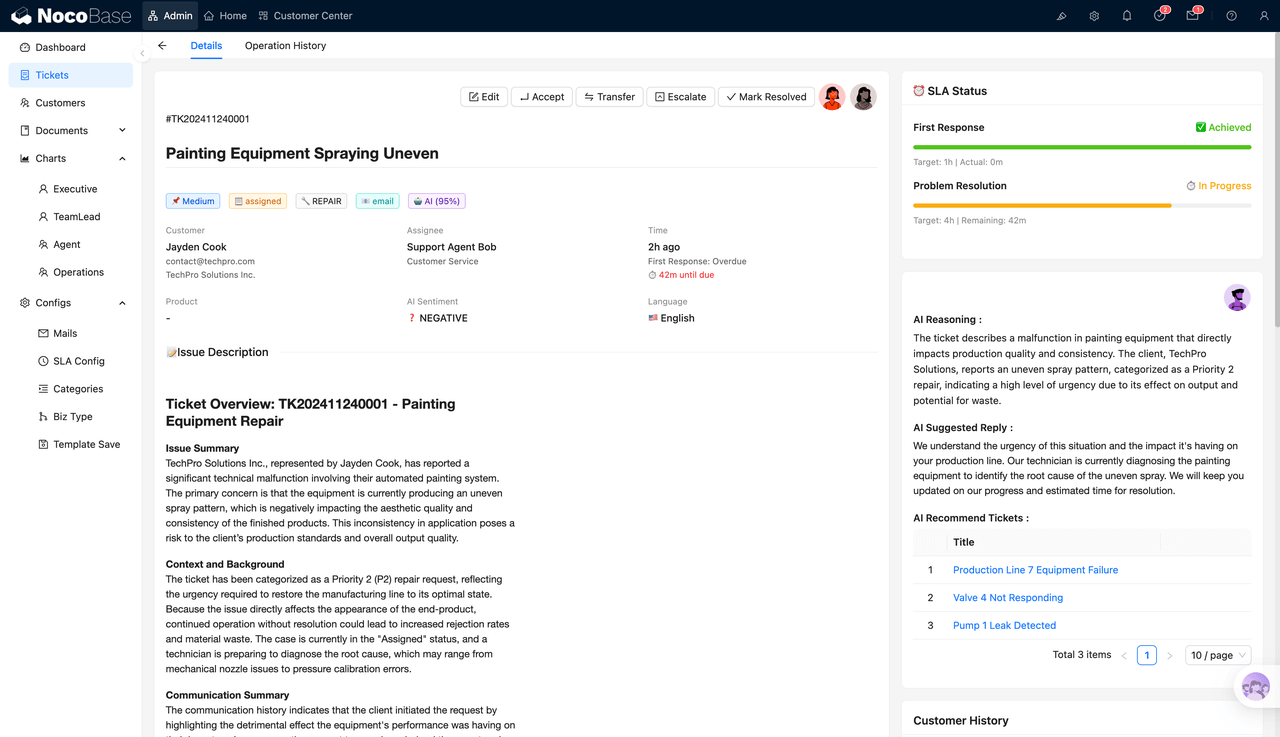
- Intelligent Classification and Routing
- AI can function as a decision point within the workflow
- Tickets are automatically categorized based on their content, structured fields, and historical data
- Priority is determined and tickets are routed to the appropriate teams, roles, or SLA processes
- Knowledge-Based Response Recommendations (RAG)
- Ticket resolution processes can be automatically distilled into reusable knowledge entries
- When a new ticket is created, similar solutions can be recommended based on existing knowledge
- AI employees can help locate relevant knowledge and generate suggested responses

- AI Touchpoints Within the Workflow
- AI can assist before ticket creation, such as helping users complete forms
- During processing, AI can support analysis, provide recommendations, and request additional information
- At the closing stage, AI can summarize tickets and turn outcomes into reusable knowledge

- Controlled, Extensible, and Self-Hosted
- 100% open source and designed for full self-hosting
- Supports multiple AI models, including OpenAI, Claude, and local deployments
- A plugin-based architecture that allows the system to be flexibly adapted to enterprise-specific workflows
2.Frappe Helpdesk
Official Website: https://frappe.io/helpdesk
GitHub: https://github.com/frappe/helpdesk
GitHub Stars: 2.9k
Core Positioning
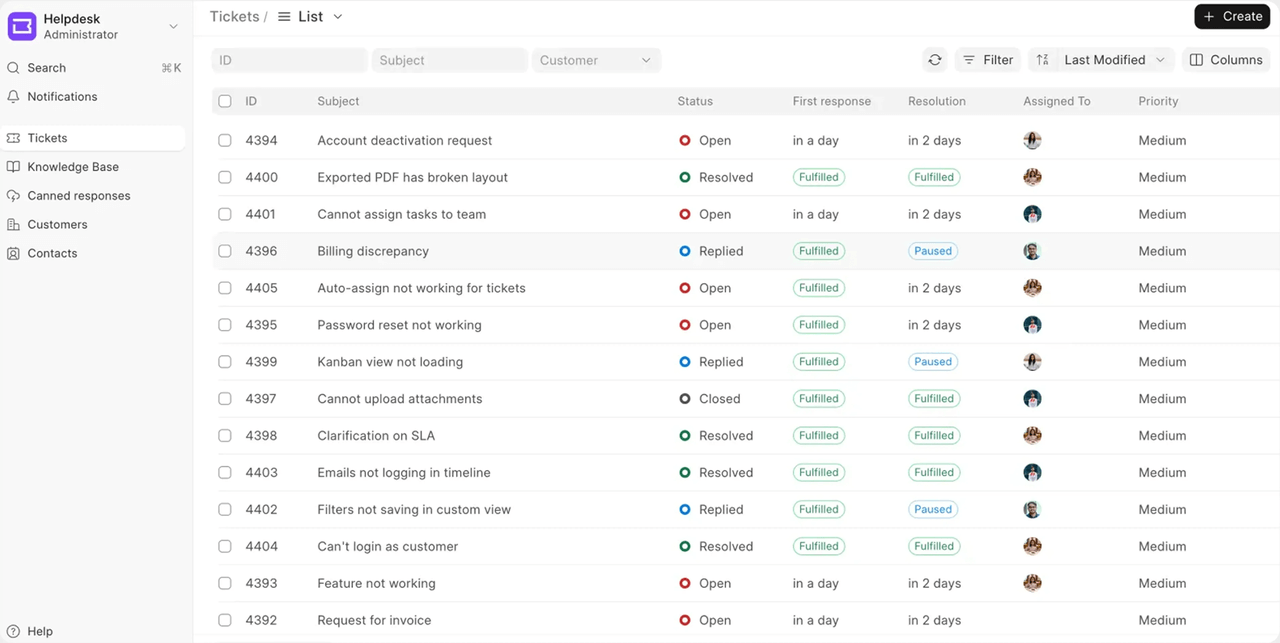
Frappe Helpdesk is not a standalone ticketing tool, but a native part of the Frappe business platform. It shares a common data model with ERP, CRM, project management, and other modules, making it better suited for organizations that view support as an extension of their core business systems.
Suitable Scenarios
- Organizations already running on ERPNext or the Frappe platform
- Teams that want to link tickets with business data such as customers, orders, and assets
- Enterprises that prioritize system consistency and internal data integration over pure customer support features
- Internal IT support and business-facing helpdesk use cases
AI Extension Approach
As a component of the broader business platform, Frappe Helpdesk allows tickets to fit naturally into existing enterprise data and workflows. For teams already using ERPNext, it serves more as a unified business support entry point than as an independent AI ticketing product.
- Automatic Understanding and Basic Classification (Extensible)
- Leverages the existing data structures of the Frappe platform
- Uses external LLMs or in-house AI services to perform basic interpretation of ticket descriptions
- Business Data–Driven Support Recommendations
- Tickets can be directly linked to ERP and CRM data
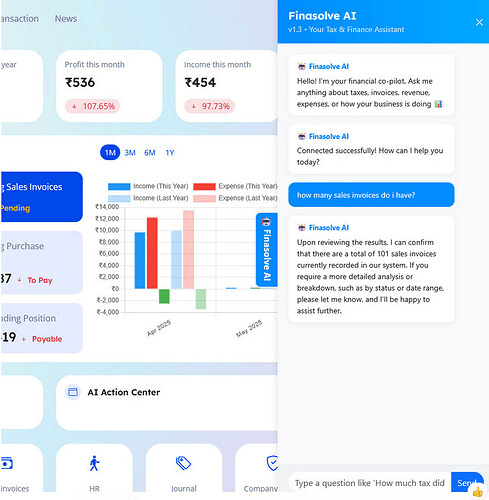
- AI can use existing business records to provide handling guidance and relevant background information
- Better suited for business-support use cases rather than high-volume customer support environments
3.Chatwoot
Official Website: https://www.chatwoot.com/
GitHub: https://github.com/chatwoot/chatwoot
GitHub Stars: 27.1k
Core Positioning
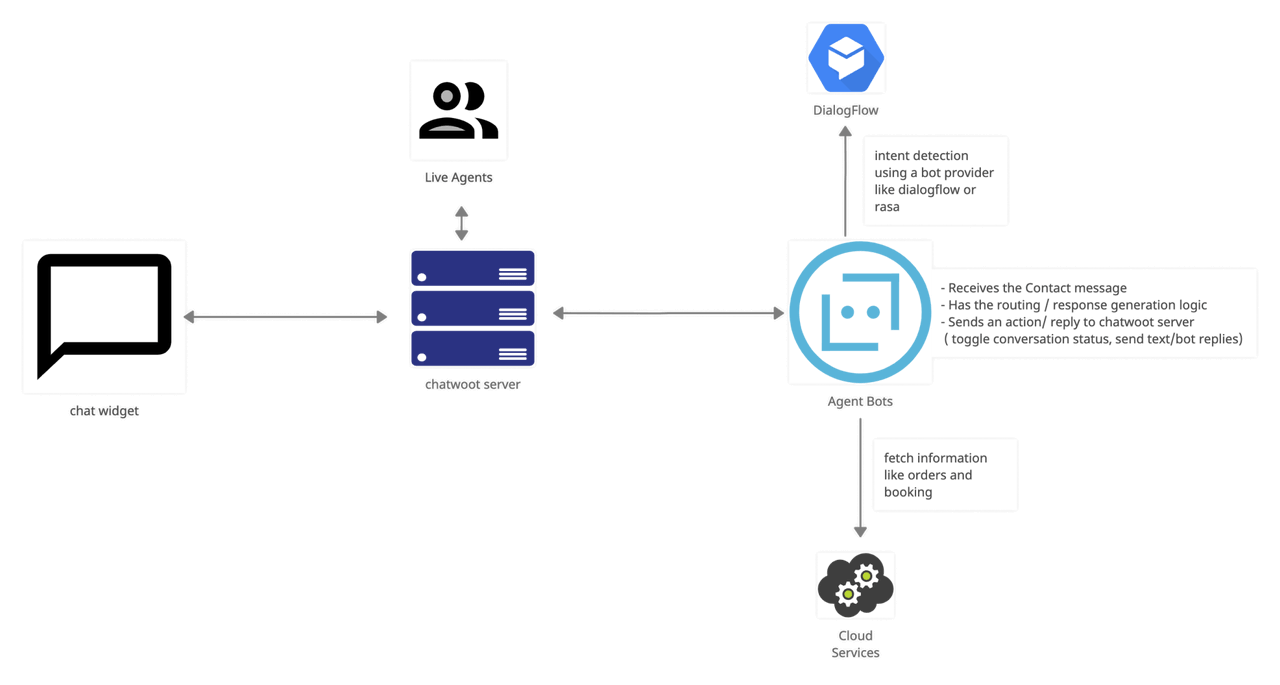
Chatwoot serves as a unified inbox for conversations across multiple channels and turns those interactions into manageable support requests or tickets.
Suitable Scenarios
- Teams that need to manage support across web chat, email, social media, and instant messaging from a single interface
- Organizations that treat conversations as the starting point of service rather than creating tickets upfront
- Teams looking to introduce AI at the front end of the support workflow to reduce manual intake and initial communication overhead
AI Extension Approach
Chatwoot is not designed for complex ticket lifecycle management. Instead, its AI capabilities are primarily focused on the communication layer and support entry points.
- Automatic Understanding and Summarization
- Chatwoot is built around conversations as its primary object
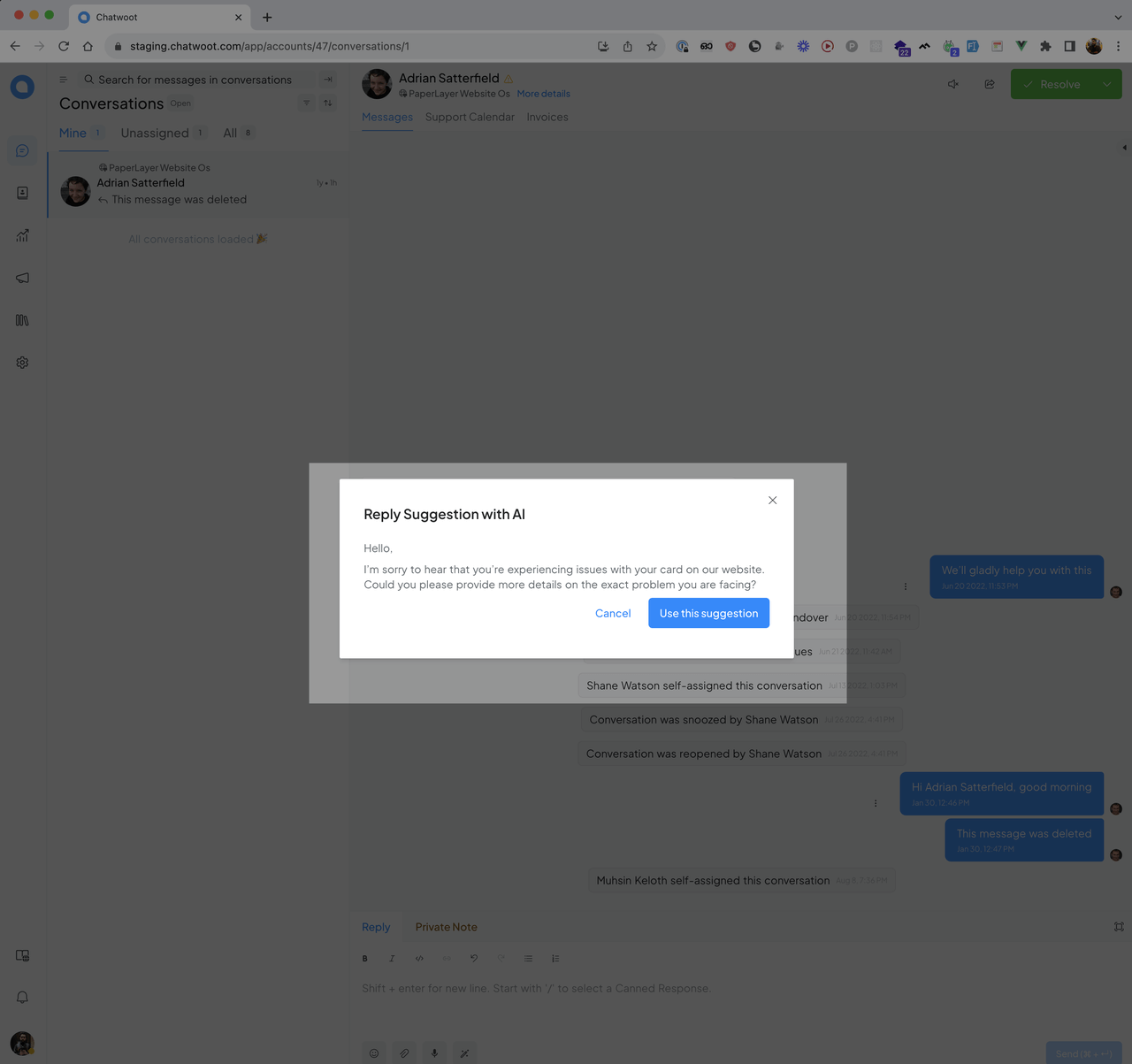
- By integrating external LLMs, it can support:
- Conversation summaries
- Draft response generation
- Automated replies for common questions
- Ticket Creation and Pre-Routing
- Conversations can be converted into tickets based on rules or AI-driven judgments
- Initial screening and routing are completed before tickets are created
- This helps prevent invalid or duplicate tickets from reaching the core support system
4.Zammad
Official Website: https://zammad.com/ GitHub: https://github.com/zammad/zammad GitHub Stars: 5.4k
Core Positioning
Zammad is built around comprehensive ticket lifecycle management. It places strong emphasis on multi-channel intake, status transitions, permissions, and SLA control, making it a helpdesk tool with a clearly defined, workflow-driven design.
Suitable Scenarios
- IT support teams that require a mature helpdesk system with a clear and structured workflow
- Organizations with well-defined requirements for ticket lifecycles, permissions, and SLA management
- Teams that want to add AI-driven assistance and recommendations on top of an established ticketing process
- Use cases where the helpdesk itself is the core system, rather than part of a broader platform transformation
AI Extension Approach
Zammad does not ship with built-in AI features, but its rule engine and API architecture make it well suited for augmenting existing workflows with AI capabilities.
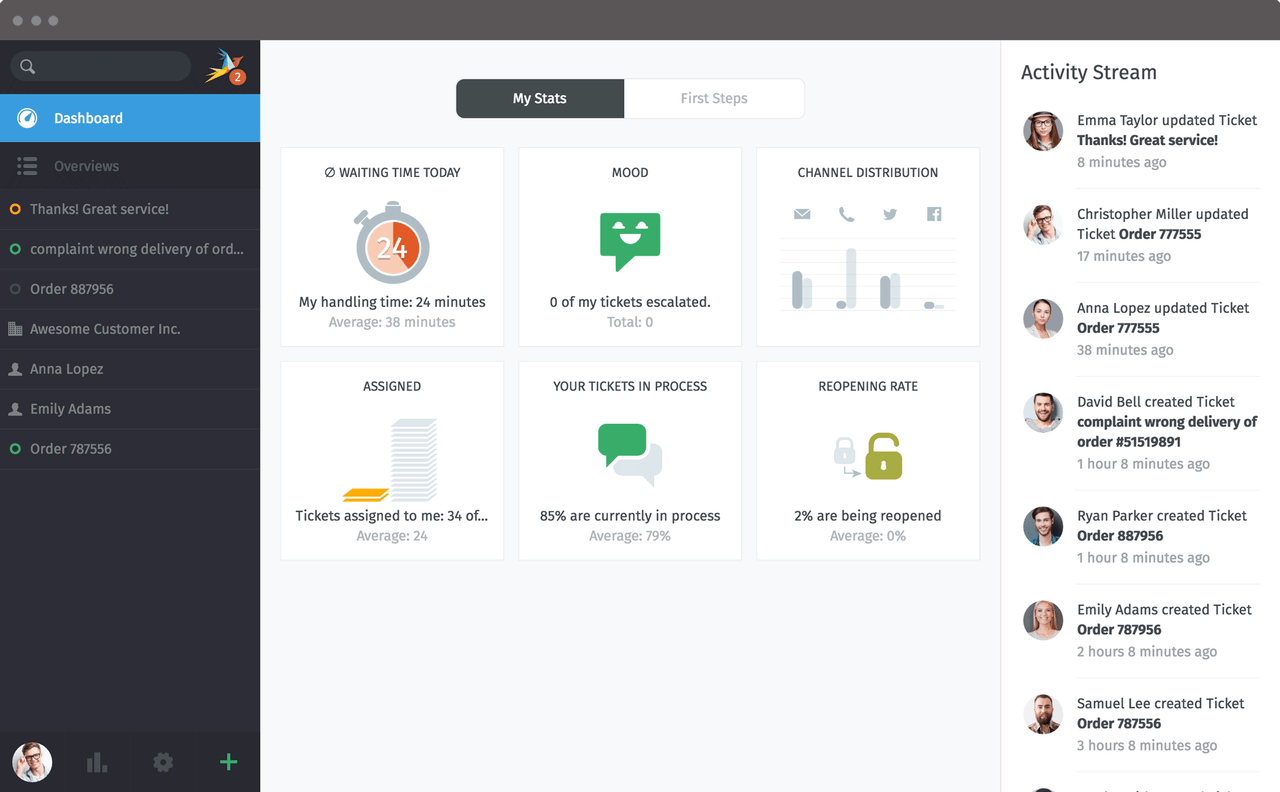
- Automatic Understanding and Summarization (Extensible)
- External LLMs can be integrated through APIs or webhooks
- This helps support agents quickly identify the core issue and reduces the need for manual review
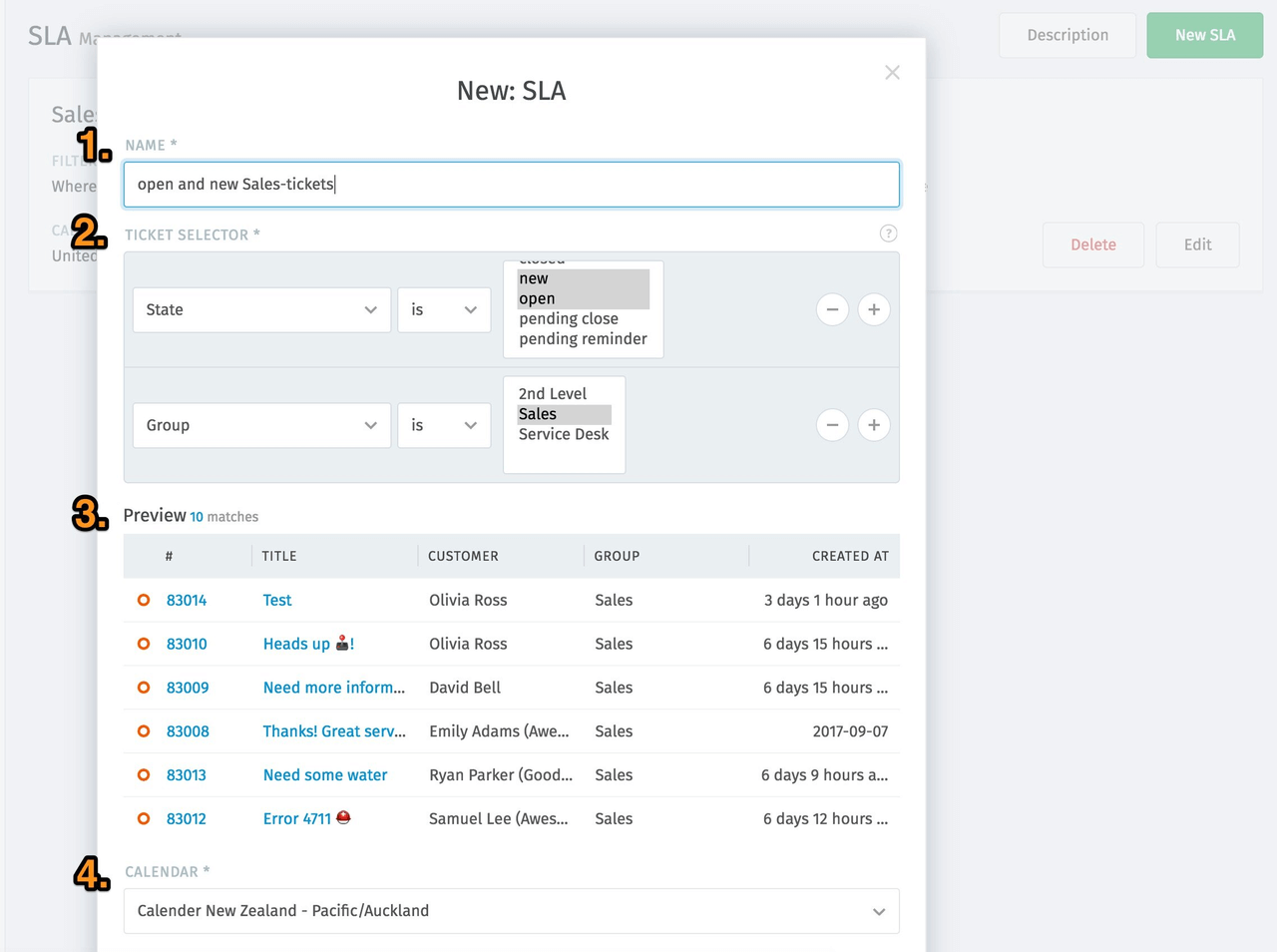
- Rule-Based Classification and Routing
- Zammad includes a well-established rules engine
- AI can support topic detection and priority evaluation
- When combined with existing rules, this enables smarter routing and escalation workflows
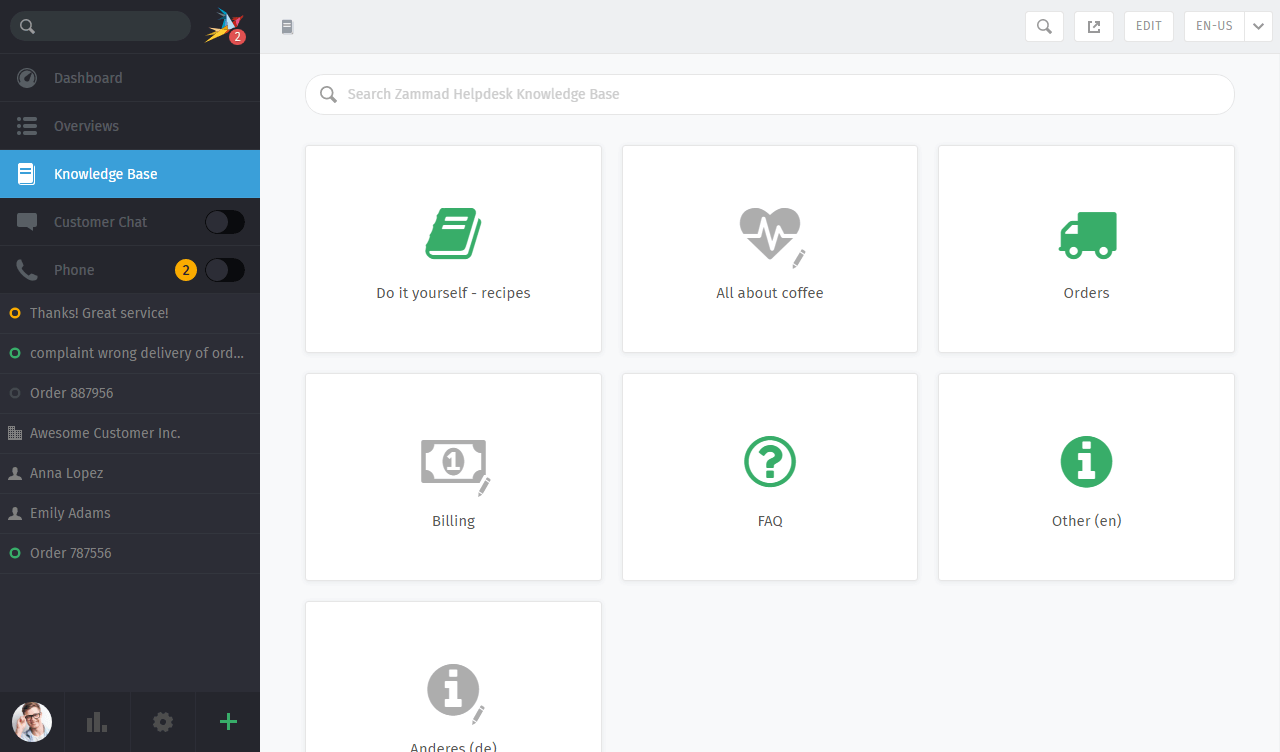
- Knowledge-Based Response Recommendations
- Zammad provides a built-in knowledge base
- By integrating external AI services, response suggestions can be generated based on existing knowledge content
5.FreeScout
Official Website: https://freescout.net/
GitHub: https://github.com/freescout-help-desk/freescout
GitHub Stars: 4k
Core Positioning
FreeScout offers a lightweight and controllable shared inbox and ticketing tool. It focuses on essential features, has a low learning curve, and can be seen as an open-source alternative to Help Scout.
Suitable Scenarios
- Small or early-stage support teams
- Organizations that rely mainly on email-based ticketing
- Budget-conscious teams looking to avoid the overhead of complex systems
- Use cases with relatively simple workflows that want to gradually introduce AI assistance
AI Extension Approach
FreeScout does not ship with built-in AI features, but its plugin system and straightforward data model make it possible to add limited AI-assisted functionality.
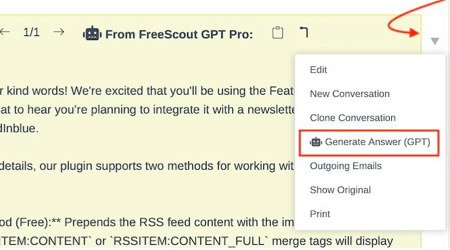
- Knowledge-Based Response Recommendations (Extensible)
- Leverages configured knowledge base content, historical tickets, or predefined response templates
- Uses LLMs to generate editable response drafts for agents to review and refine
- Best suited for common questions or repetitive scenarios, rather than complex, multi-step reasoning
- Rule-Based Initial Classification
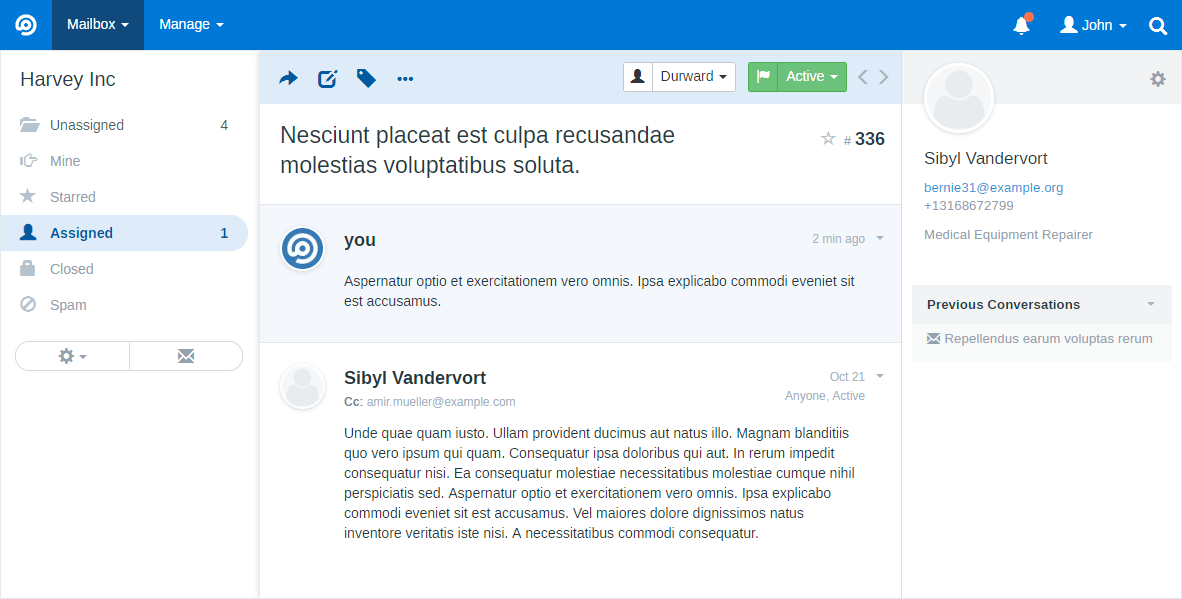
- Combines predefined rules with AI-assisted decision-making
- Applies initial classification or tags to email-based tickets
6.Faveo Helpdesk
Official Website: https://www.faveohelpdesk.com/
GitHub: https://github.com/faveosuite/faveo-helpdesk
GitHub Stars: 1.2k
Core Positioning
Faveo Helpdesk is an open-source helpdesk system built on the Laravel ecosystem. It offers built-in ticketing, a knowledge base, and basic workflow management, with a strong emphasis on code clarity and extensibility, making it well suited for customization and feature expansion.
Suitable Scenarios
- Teams using the Laravel or PHP technology stack
- Organizations that want to gradually add custom functionality or AI capabilities on top of a helpdesk foundation
- Support teams with clear needs around knowledge base development and content reuse
- Use cases that do not require a platform-level overhaul but still need room for extension
AI Extension Approach
Faveo Helpdesk’s AI extensions primarily build on its well-structured knowledge base and extensible codebase, making it better suited for introducing AI at the content and recommendation layer.
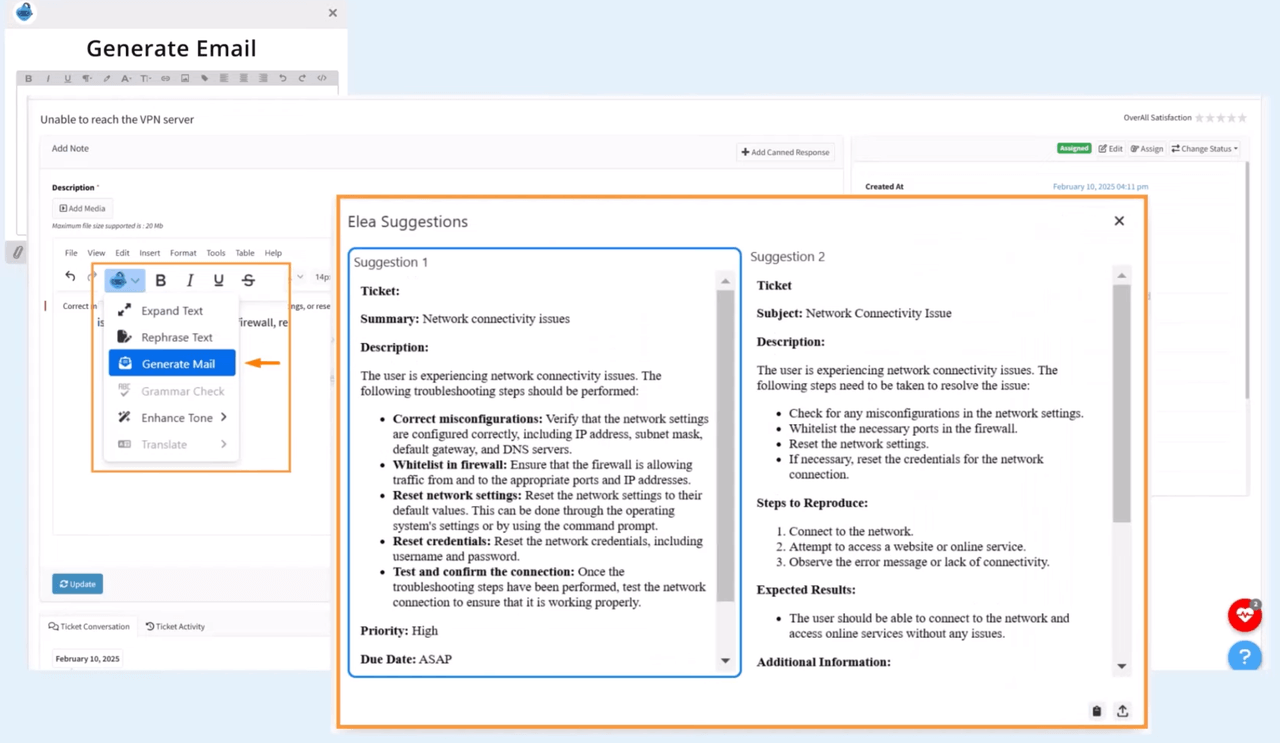
- Knowledge-Based Response Recommendations
- Provides a built-in knowledge base with a clear structure
- Can integrate external LLMs to retrieve and generate content from the knowledge base
- Offers editable response suggestions for support agents
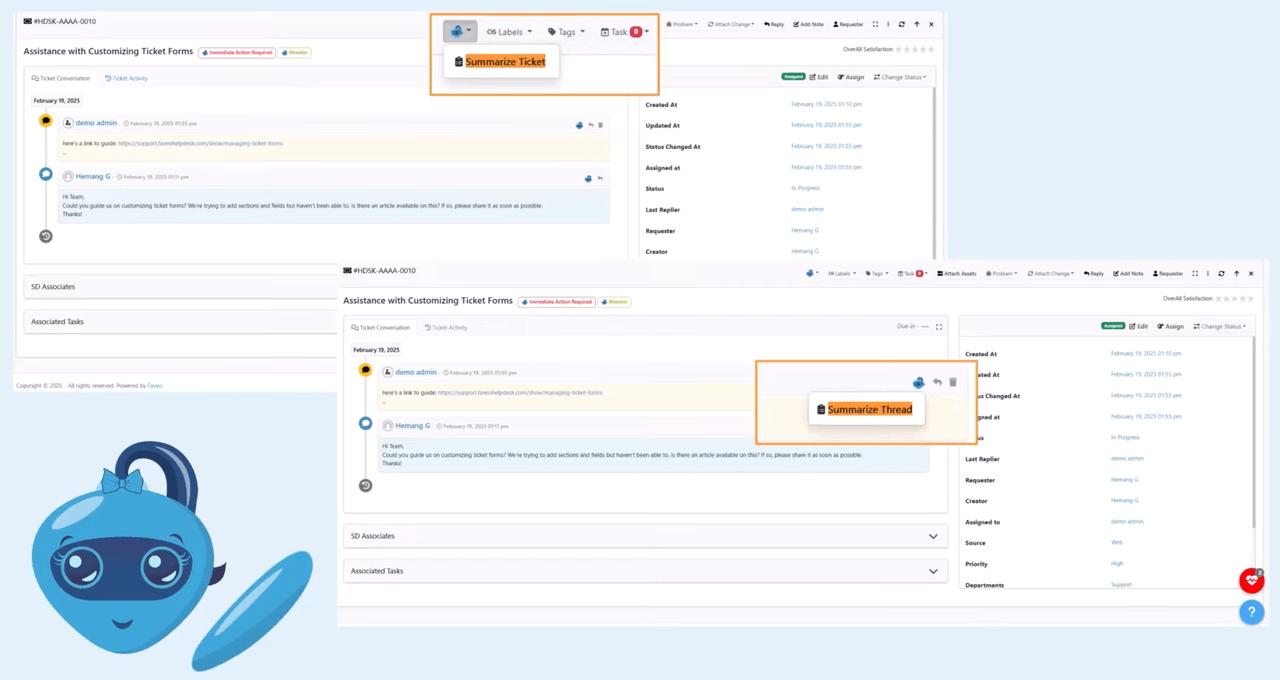
- Automatic Understanding and Summarization (Extensible)
- Can integrate AI services from the Laravel ecosystem
- Performs basic semantic analysis and summarization of ticket descriptions
- Helps support agents understand the issue context more quickly
Conclusion
When choosing a system, it matters less how many features it offers and more how deeply AI can participate in your ticket workflows, as well as whether the system provides room to continuously extend those capabilities.
As use cases evolve, the boundaries of ticketing systems continue to expand—from basic issue-tracking tools, to internal service desks, and now to AI-driven business support platforms. A new generation of ticketing systems is gradually becoming a core piece of infrastructure for internal collaboration and service delivery.
💕If you are facing similar questions when selecting or implementing an AI ticketing system, we hope this article offers useful perspective. Feel free to share it with others who may find it helpful.
Related reading:
- 4 Open Source Data Management Tools for Business Systems
- 4 Lightweight Enterprise Software for Business Processes (With Real-World Cases)
- 6 Enterprise Softwares to Replace Excel for Internal Operations
- 10 Open Source Tools Developers Use to Reduce Repetitive CRUD
- Top 12 Open-source AI Workflows Projects with the Most GitHub Stars
- 6 Open-Source No-Code & Low-Code Tools for Software Agencies
- Top 10 Open-source AI CRM Projects with the Most GitHub Stars
- How to Quickly Build a Real System to Replace Excel: A Complete Guide