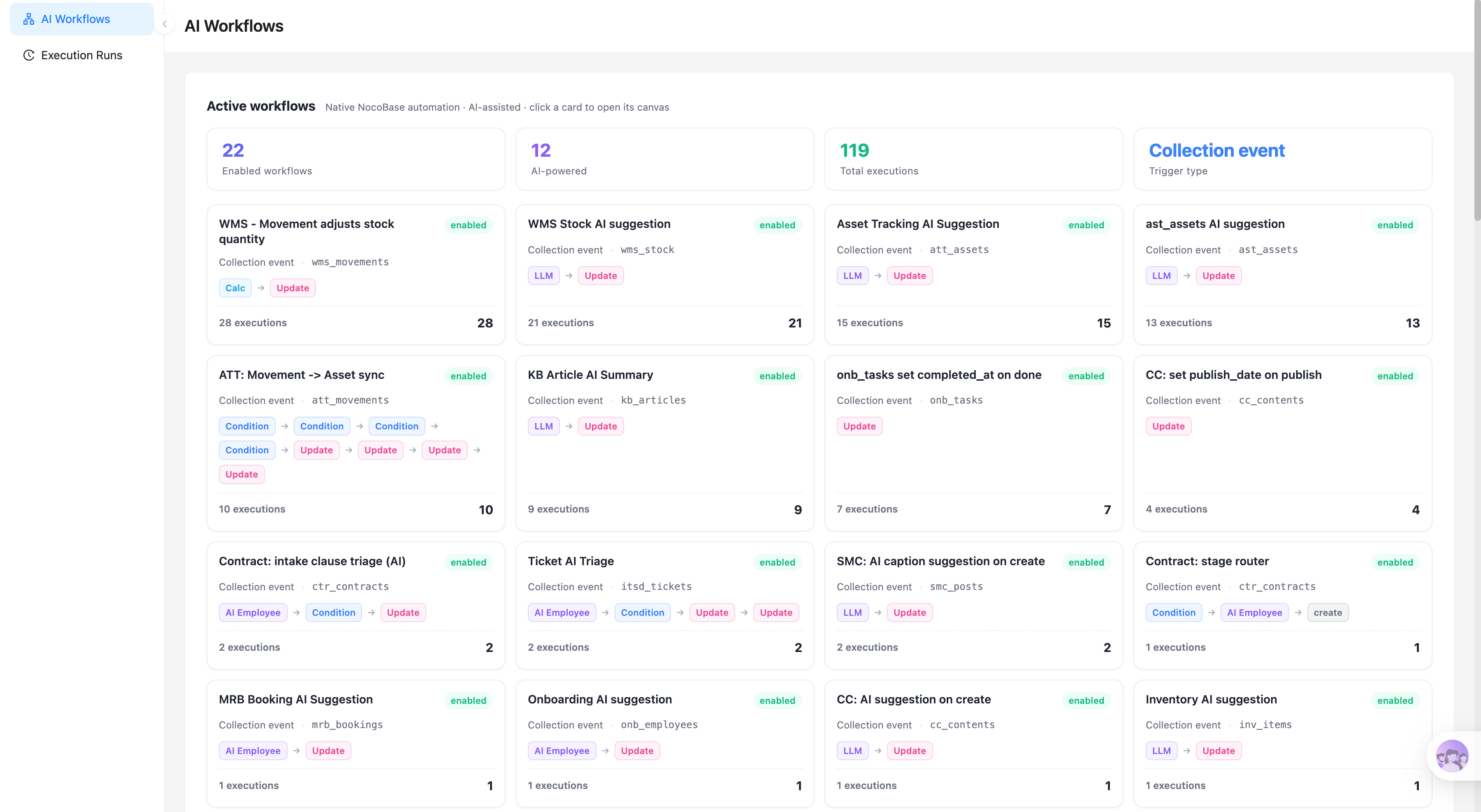
Mit Ihrem KI-Agenten nachbauen
Build an App with NocoBase — Self-Service Knowledge Base System: Help center homepage, article library, FAQ categories, knowledge topic management, view and helpfulness statistics, and AI content analysis. The layout and signature visual style can reference this prototype: https://static-docs.nocobase.com/solution/templates/34-self-service-kb.html
Der Prototyp-Link (HTML) im Prompt ist ein von uns vorbereitetes Design und dient nur als Funktionsdemo; NocoBase empfiehlt nicht, ein ganzes System aus einem einzigen Prompt zu generieren. Kombinieren Sie es beim Aufbau mit dem Skill „prototype reproduction“ (nocobase-prototype-repro) aus den NocoBase Skills, um ein gutes Ergebnis zu erzielen.
Folgen Sie zunächst dem AI-Agent-Schnellstart, um NocoBase zu installieren und Ihren Agenten anzubinden. KI-Ergebnisse können variieren; je nach Modell und Systemkomplexität sind möglicherweise Feinabstimmungen oder mehrere Runden erforderlich.
What is a self-service knowledge base?
A self-service knowledge base is an AI-powered business system for customer support, product documentation, and internal service scenarios. It helps teams manage help articles, FAQs, content categories, search entry points, and user feedback data. Teams can describe the pages, fields, and workflows they need in natural language, and an AI Agent can call NocoBase tables, forms, views, and page components to generate a help center homepage, article library, and category management pages in about one hour.
This system can support a knowledge base with 400+ help articles, organized into six knowledge topics such as account and billing, API and developer docs, security and SSO, troubleshooting, integrations, and getting started. With NocoBase AI employees, teams can also analyze views, helpfulness rates, and popular questions, turning the knowledge base from a static article repository into an operational entry point for improving customer self-service.
Key value
- ⏱️ Build a help center, article library, and category management pages in about one hour
- 🔍 Support search and browsing for a knowledge base with 418 articles
- 📊 Identify high-value articles through views, helpfulness rate, and reading time
- 🤖 Use NocoBase AI employees to analyze popular articles and recommend future content topics
System preview
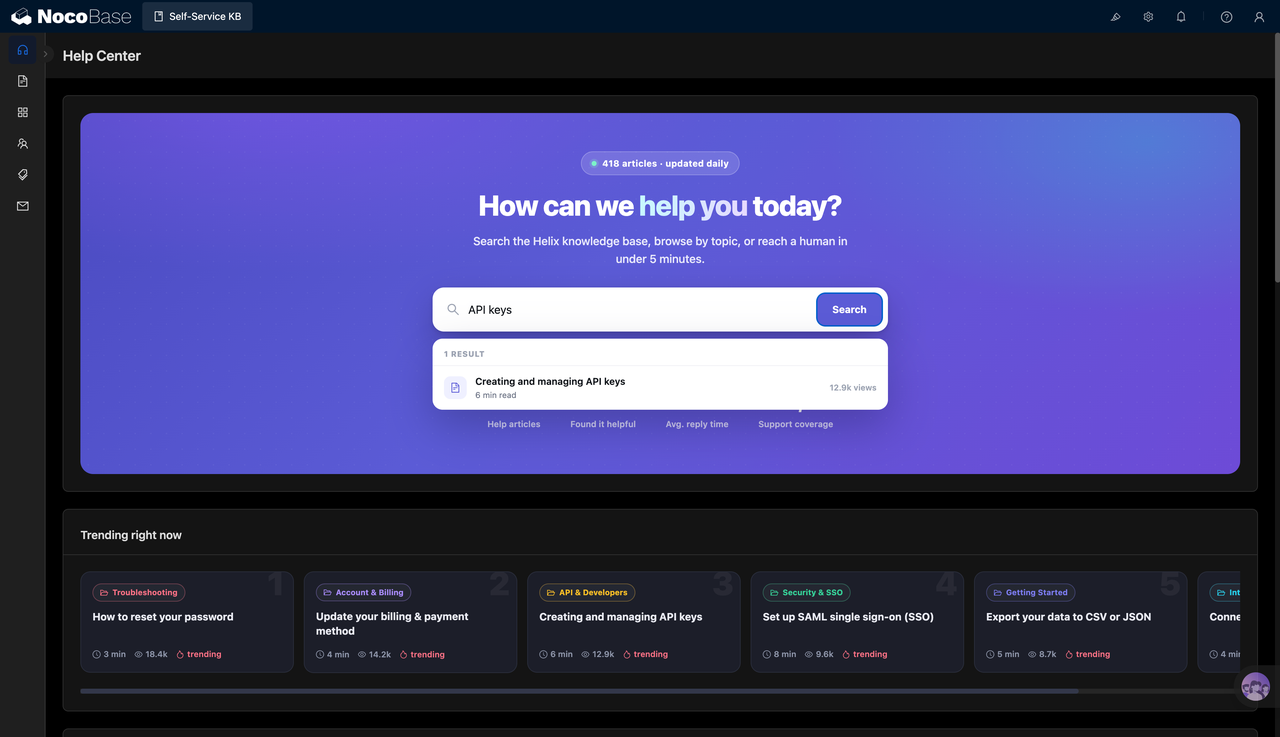
1.Help center homepage
The help center homepage provides a unified search entry point where users can search for common questions such as API keys, account settings, SSO, and billing. It can also display popular articles, views, and category tags, helping users quickly find the content that is most frequently accessed.
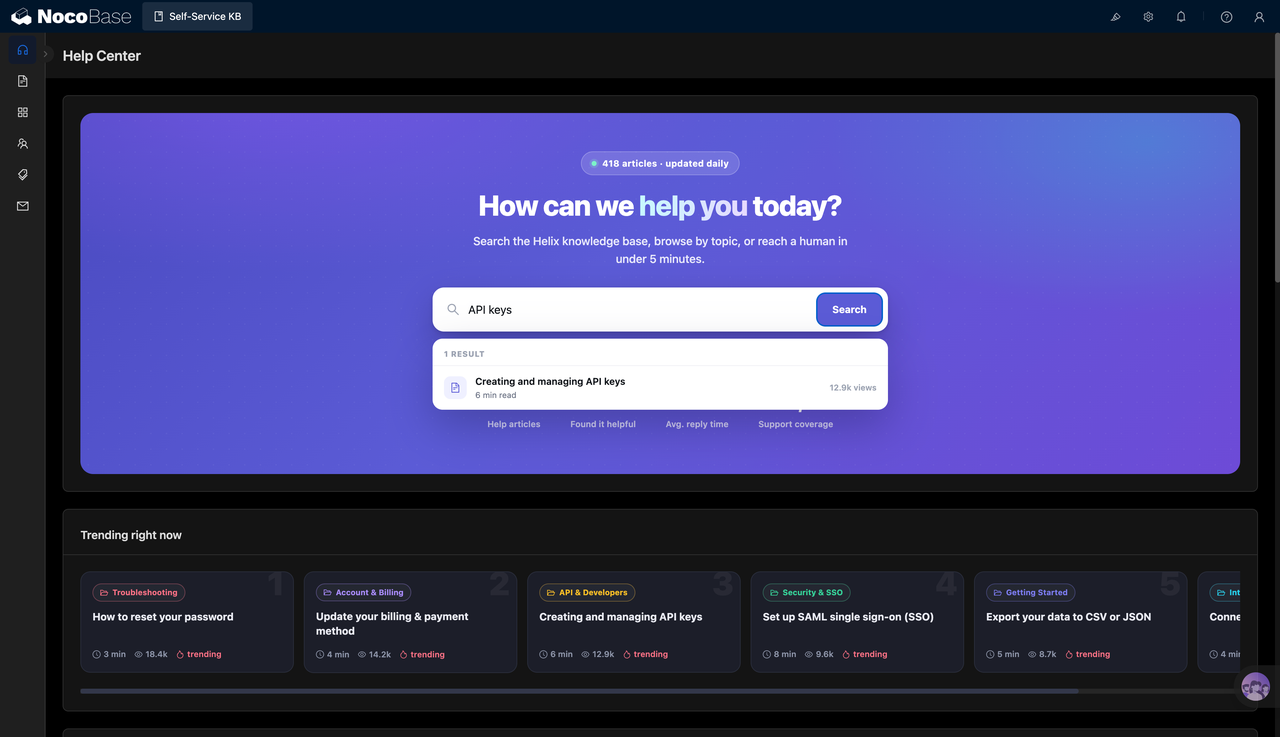
2.High-helpfulness article list
The system can organize the most valuable articles by helpfulness rate, reading time, category, and author. Support and product teams can prioritize high-frequency topics such as API keys, member permissions, password reset, and two-factor authentication, improving the rate at which users solve issues on their own.
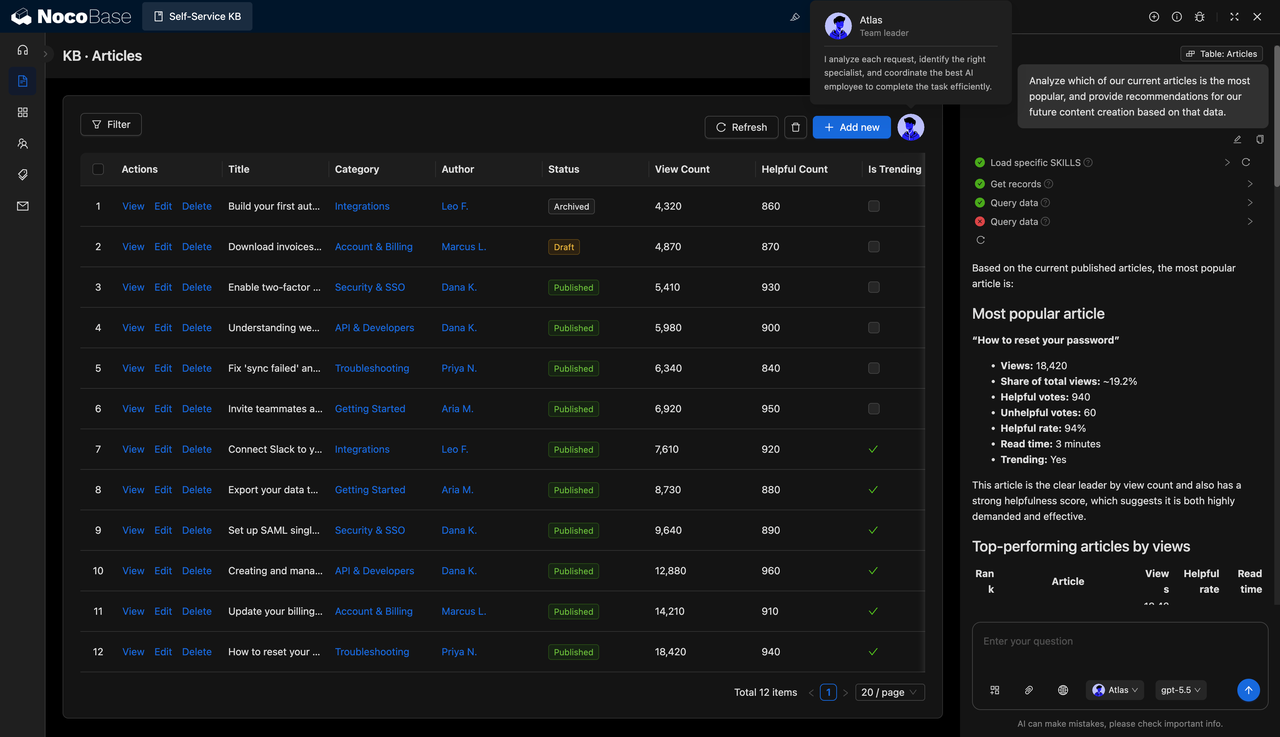
3.Article management and AI analysis
The article library centralizes article titles, categories, authors, publishing status, views, helpfulness counts, and popularity markers. NocoBase AI employees can analyze the most popular articles, identify high-view and high-helpfulness content, and provide suggestions for future content operations.
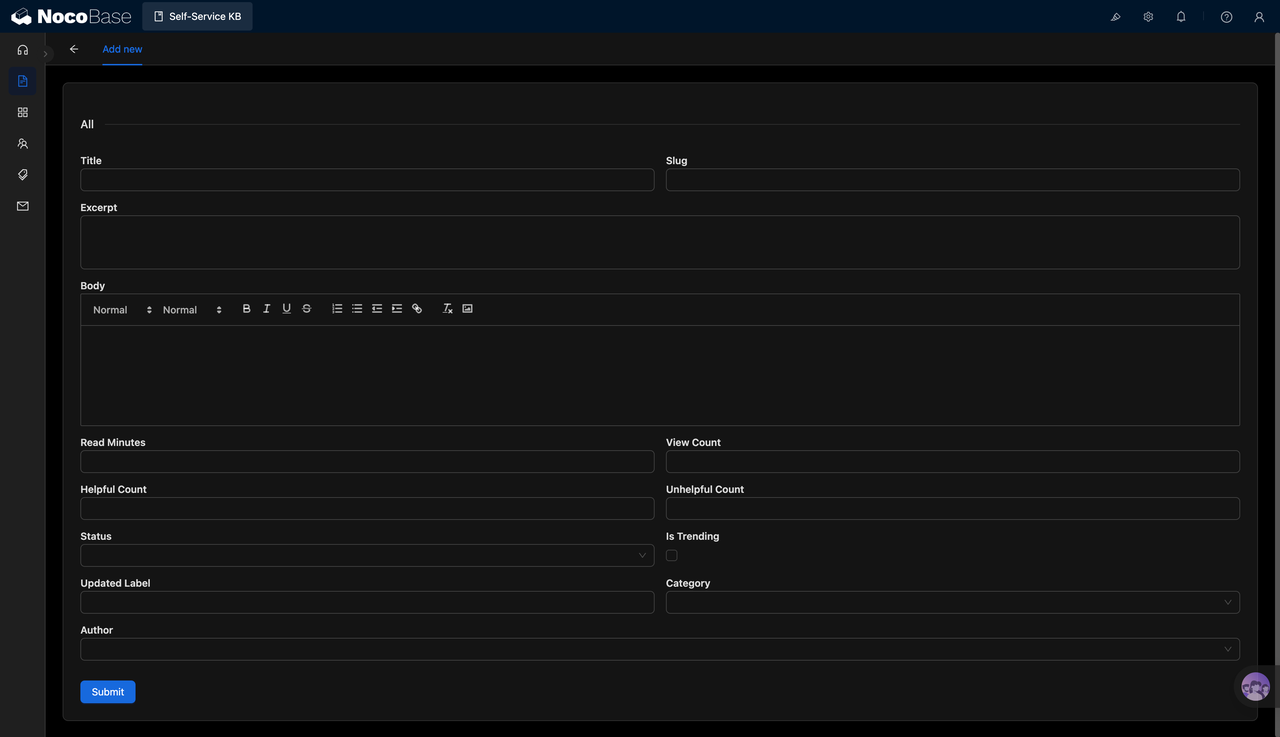
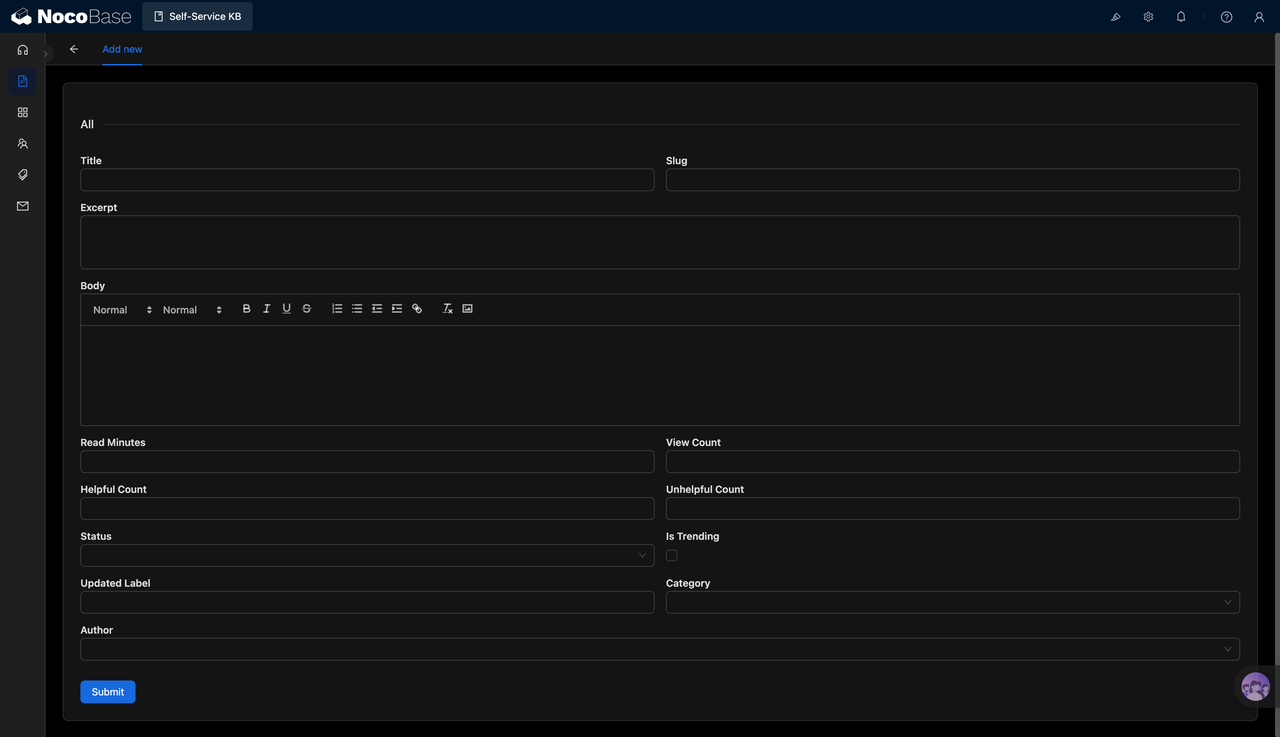
4.Add new knowledge base articles
When creating a new article, teams can maintain fields such as title, slug, summary, body content, reading time, views, helpfulness count, status, category, and author. This gives each help document a standardized structure for later search, filtering, publishing, and reporting.
5.Manage knowledge base categories
Category management can include category name, slug, icon, description, color, article count, sort order, and recommendation status. Teams can group articles under themes such as troubleshooting, developer documentation, security and login, integrations, account and billing, and getting started, making the help center easier to search and browse instead of becoming a simple pile of articles.
Suitable use cases
- Customer self-service help center: Build a customer-facing help center, FAQ system, and product support entry point.
- SaaS product knowledge base: Manage API docs, account settings, billing questions, security configuration, and integration guides.
- Support knowledge base management: Collect high-frequency questions, standard answers, and troubleshooting steps to reduce repeated support requests.
- Internal IT self-service: Manage account permissions, system access, password resets, SSO, and common employee questions.
Why choose a self-service knowledge base?
| Comparison | Standard docs / FAQ | Self-service knowledge base |
|---|---|---|
| Search experience | ❌ Users need to browse directories manually | ✅ Users can search questions and keywords directly |
| Content structure | ❌ Articles are scattered across multiple documents | ✅ Content is managed by category, status, and author |
| Popular content | ❌ Teams do not know which questions are viewed most often | ✅ Views and popularity markers identify high-frequency topics |
| User feedback | ❌ It is hard to measure whether an article is helpful | ✅ Helpfulness counts and rates can be recorded |
| Content maintenance | ❌ Updates can easily lead to version confusion | ✅ Titles, slugs, body content, and status are managed with standard fields |
| AI analysis | ❌ Data needs to be filtered and summarized manually | ✅ NocoBase AI employees can generate content analysis and optimization suggestions |
| Extensibility | ❌ Adding permissions, workflows, reports, or related processes is difficult | ✅ Approval flows, permissions, tickets, and data analysis can be extended later |
Key features
1.Help center search
Provide a user-facing search entry point that supports keyword-based article lookup, making it suitable for customer self-service queries and product usage questions.
2.Article library management
Manage article titles, categories, authors, publishing status, views, helpfulness counts, and popularity markers in one place, so the content team can operate the knowledge base continuously.
3.Category and topic management
Organize articles by business topics such as troubleshooting, API and developer docs, security and SSO, integrations, account and billing, and getting started, making the knowledge base structure clearer.
4.AI content analysis
Use NocoBase AI employees to analyze article views, helpfulness rates, and popular content, helping teams decide which articles need optimization, updates, or further expansion.
FAQ
1.What teams is a self-service knowledge base suitable for?
It is suitable for SaaS teams, customer support teams, product operations teams, technical support teams, and internal IT teams, especially when they need to maintain a help center, FAQ, and product documentation over the long term.
2.What types of content can the system manage?
It can manage help articles, product tutorials, API documentation, account and billing questions, security settings, integration guides, troubleshooting documents, and getting-started content.
3.Can the system track article performance?
Yes. The system can record article views, helpfulness counts, helpfulness rate, reading time, and popularity status, helping teams understand which content actually solves user problems.
4.Does it support AI analysis of knowledge base content?
Yes. NocoBase AI employees can analyze article performance, popular questions, and content gaps, then generate suggestions for future content creation. This reduces the manual effort needed for reporting and review.
5.Why build a self-service knowledge base with AI and NocoBase?
An AI Agent can call NocoBase directly to generate the article library, category tables, help center pages, and analysis logic. NocoBase provides the data structure, permissions, views, and extension capabilities needed for long-term use, making it more suitable for continuous enterprise operations than a standalone document tool.