

Introduction
This year, OpenCode has become one of the most talked-about open source AI Coding Agents.
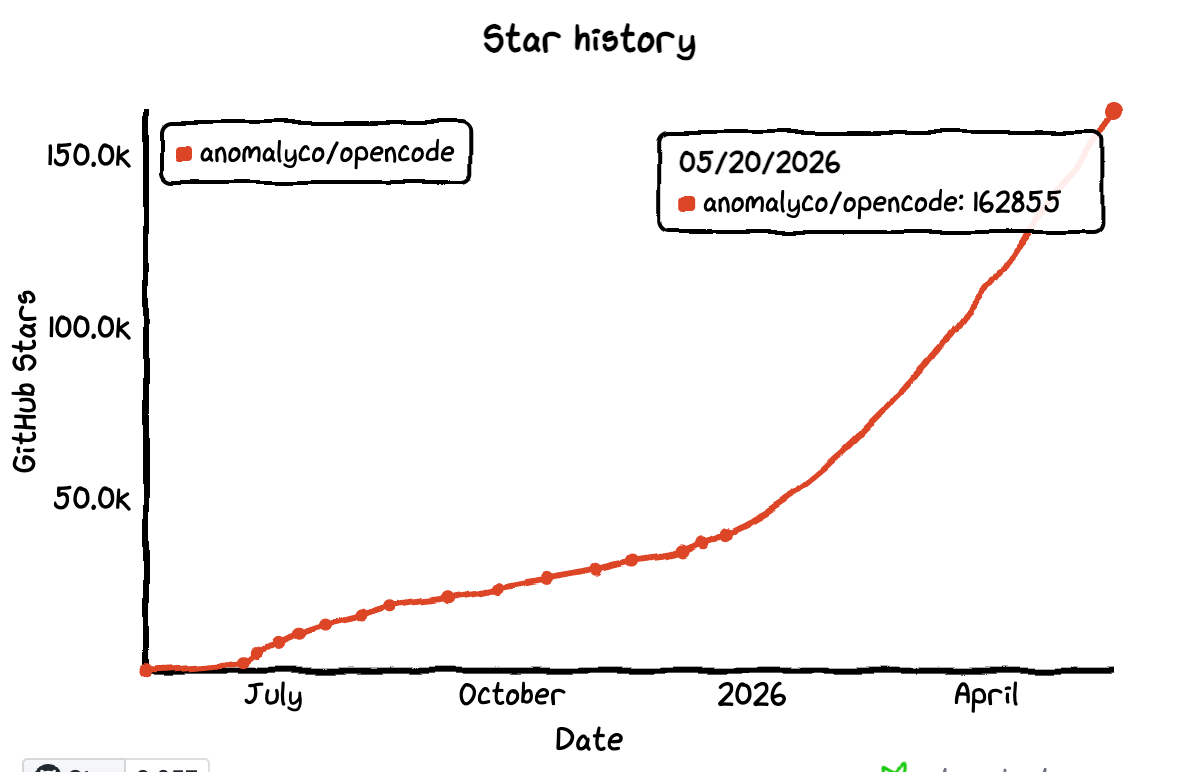
It gives developers more control: you can choose your own model, use it in your terminal and project environment, and connect it to your existing development workflow, instead of relying entirely on a closed platform.
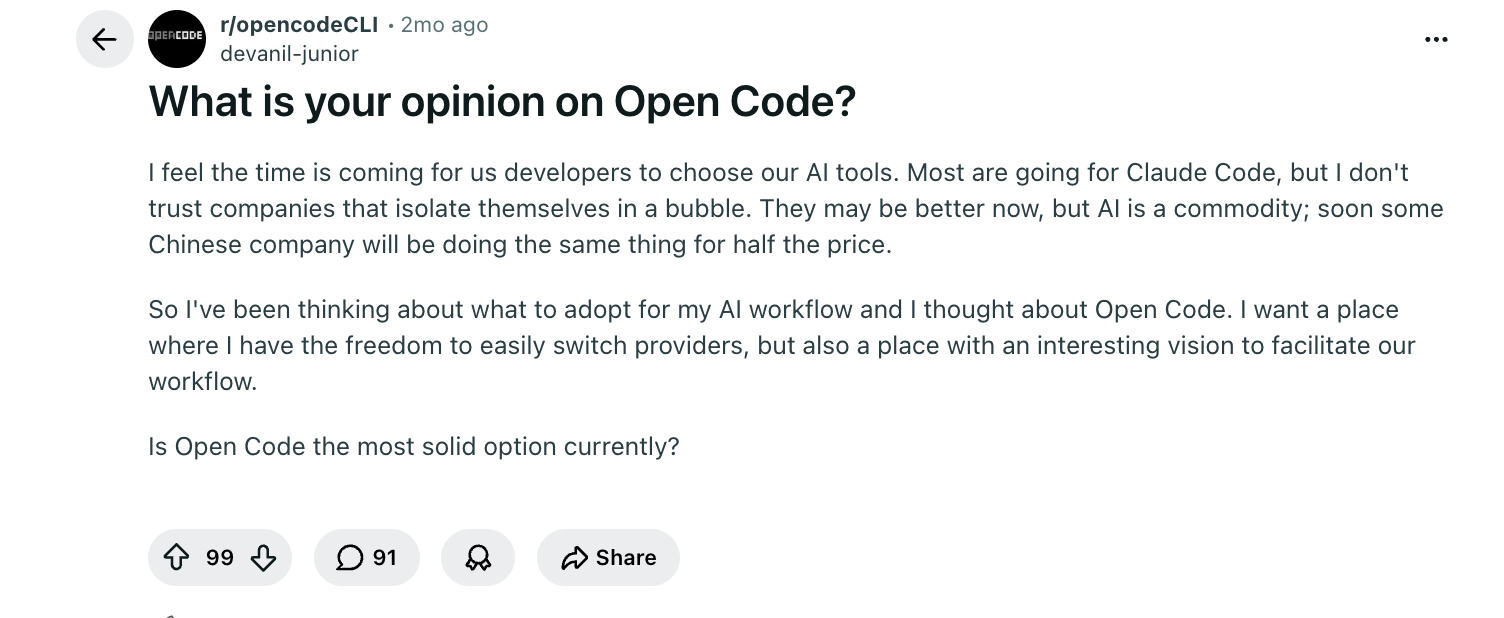
This Reddit user also shared: he wants to choose his own AI tools. He does not trust companies that lock users inside a “bubble,” and wants a place where he can freely switch providers.
This is also why open source tools are becoming increasingly important in the AI era.
In the past, we chose open source tools mainly because they were free, self-hostable, and customizable. Now, there is another layer of value: open source projects are easier for AI tools to understand, use, and extend.
When a project has a clear code structure, documentation, APIs, CLI, or plugin system, an AI Agent like OpenCode is no longer just “helping you write a few snippets of code.” It can actually take part in installation, configuration, integration, extension, and maintenance.
So, if you are using OpenCode, you often do not need to ask it to write everything from scratch. A better approach is to start with mature open source projects and let OpenCode help you complete real development work faster.
This article recommends 5 open source projects that work well with OpenCode, covering business systems, data APIs, automation, data analysis, knowledge bases, identity authentication, and access control. These are all proven AI-friendly open source projects, and they are worth trying.
💬 Hey, you’re reading the NocoBase blog. NocoBase is the most extensible AI-powered no-code/low-code development platform for building enterprise applications, internal tools, and all kinds of systems. It’s fully self-hosted, plugin-based, and developer-friendly. → Explore NocoBase on GitHub
| What you want OpenCode to help you build | Recommended project |
|---|---|
| CRM, ticketing, approval, asset management, operations backends, and other internal tools | NocoBase |
| Data APIs, Headless CMS, content backend | Directus |
| Data analysis, reports, dashboards | Metabase |
| Project documentation, knowledge base, AI context | Outline |
| SSO, identity authentication, access control | Keycloak |
1. NocoBase: Business systems and internal tools
Official website: https://www.nocobase.com/
GitHub: https://github.com/nocobase/nocobase
GitHub Stars: 22.5k
If you want to build business systems such as CRM, ticketing, approval, asset management, project management, or operations backends, NocoBase is a strong open source project to use with OpenCode. NocoBase is an AI-powered no-code development platform. It provides production-proven infrastructure and a WYSIWYG no-code interface, helping AI and humans work together efficiently while balancing development speed and system reliability.
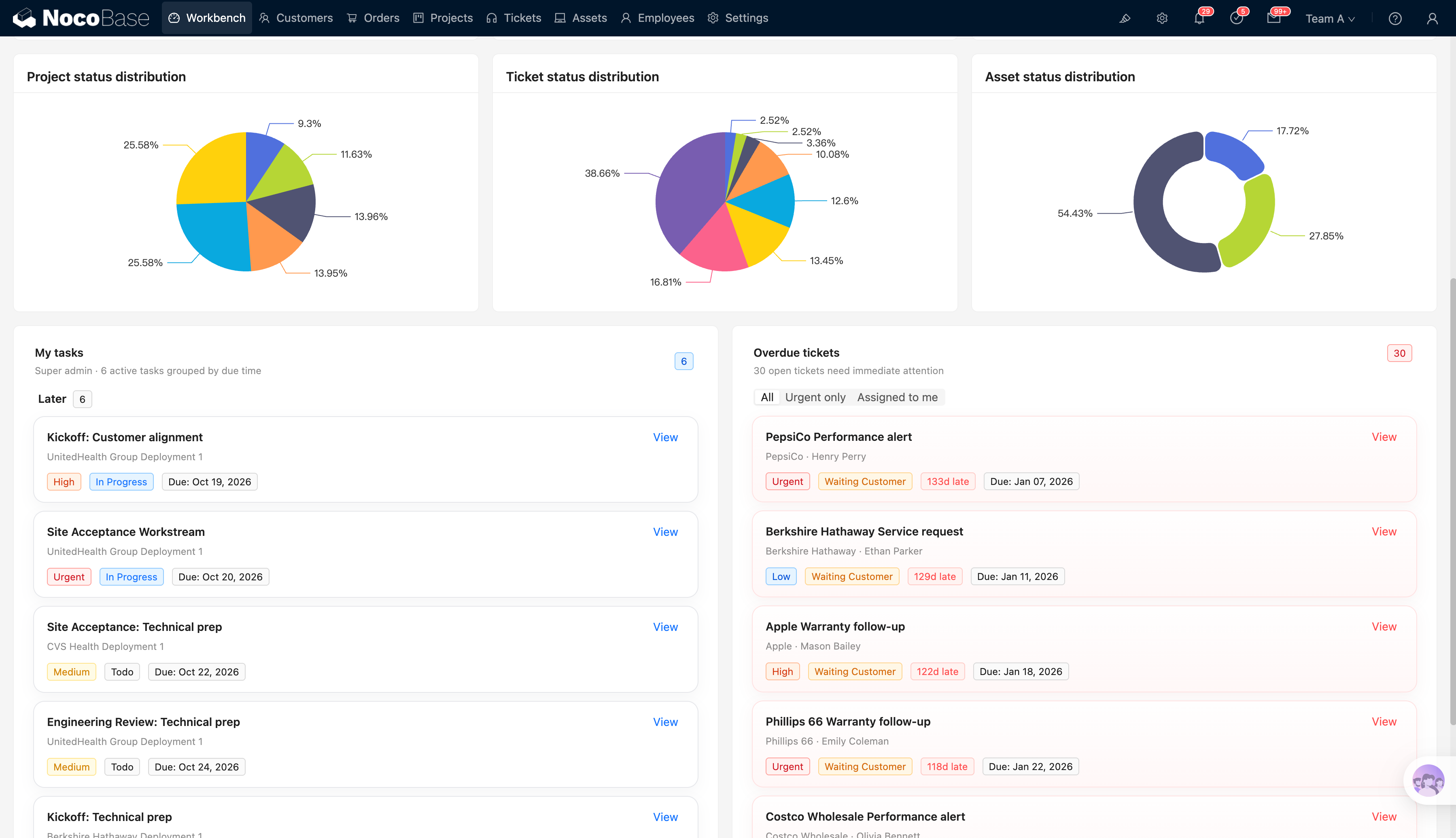
For example, if you want to build an internal ticketing system, OpenCode can help you:
- Initialize a NocoBase project
- Design data models based on your requirements
- Generate data structures for customers, tickets, assignees, priorities, and more
- Build pages for the ticketing system
- Configure status transitions and notification workflows
- Develop custom business plugins
- Connect external system APIs
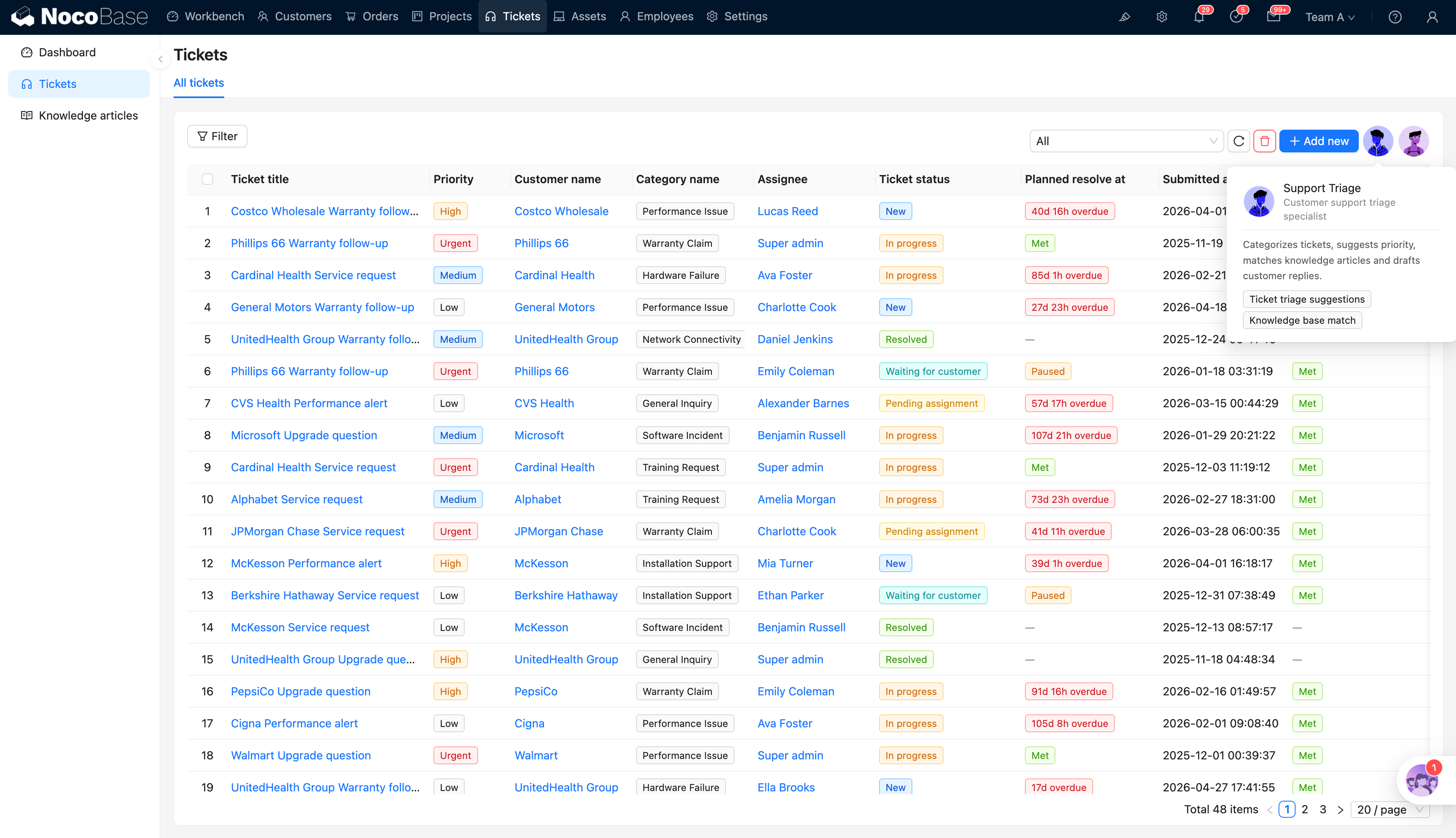
NocoBase carries the system itself, including pages, permissions, automation workflows, and data relationships. This means OpenCode does not need to generate the entire system from scratch. It can work within the existing NocoBase structure.
This matters for real business systems, because enterprise internal system requirements often change. With NocoBase, developers can let OpenCode handle complex extensions, while business users can continue adjusting pages, fields, and workflows in the no-code interface.
At the same time, because NocoBase has built-in AI Employee capabilities, AI can collaborate smoothly after the business system is built in NocoBase.
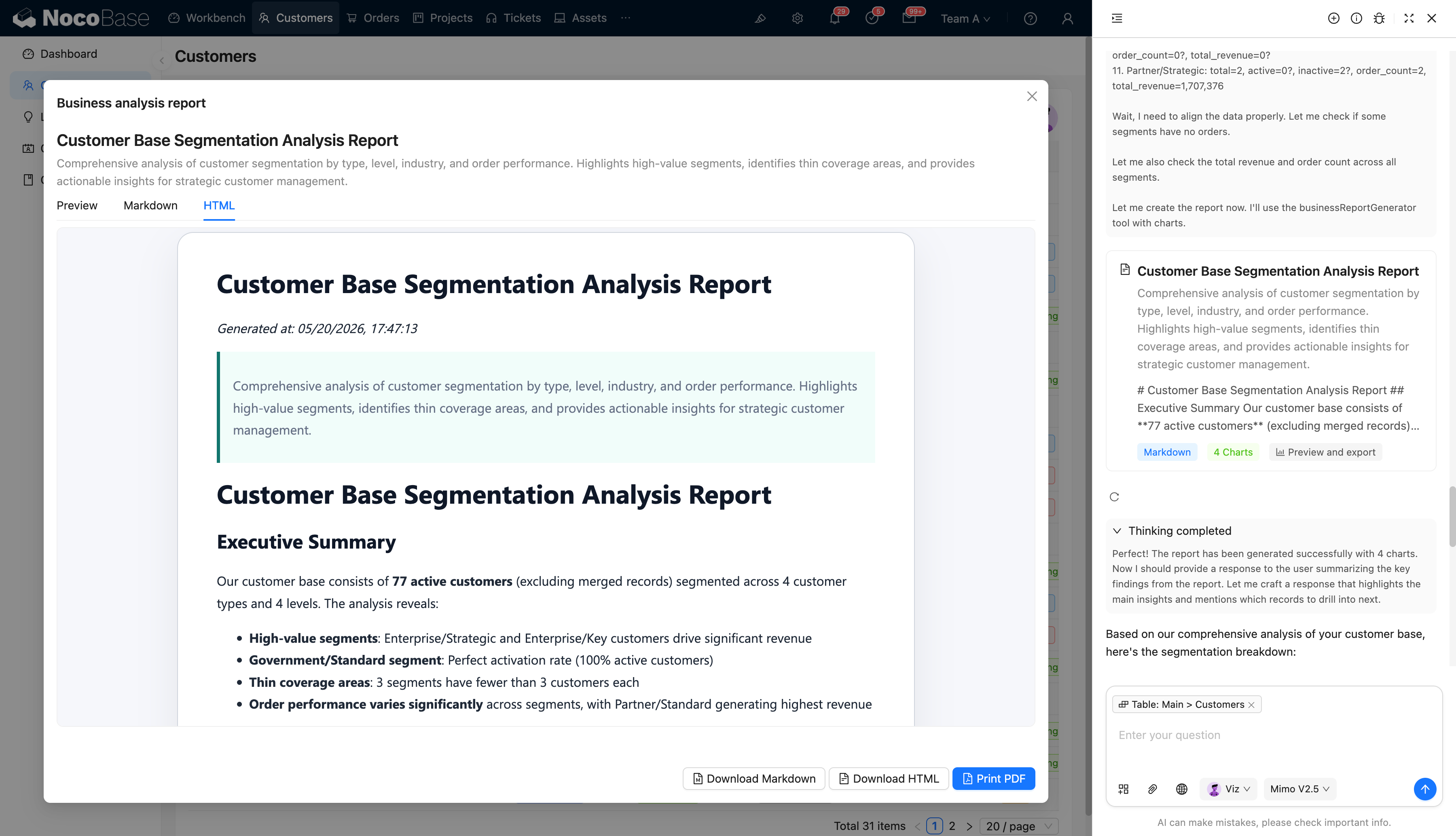
For example, it can generate business insight reports directly inside the system. Once completed, the reports can be exported as PDFs or displayed in HTML.
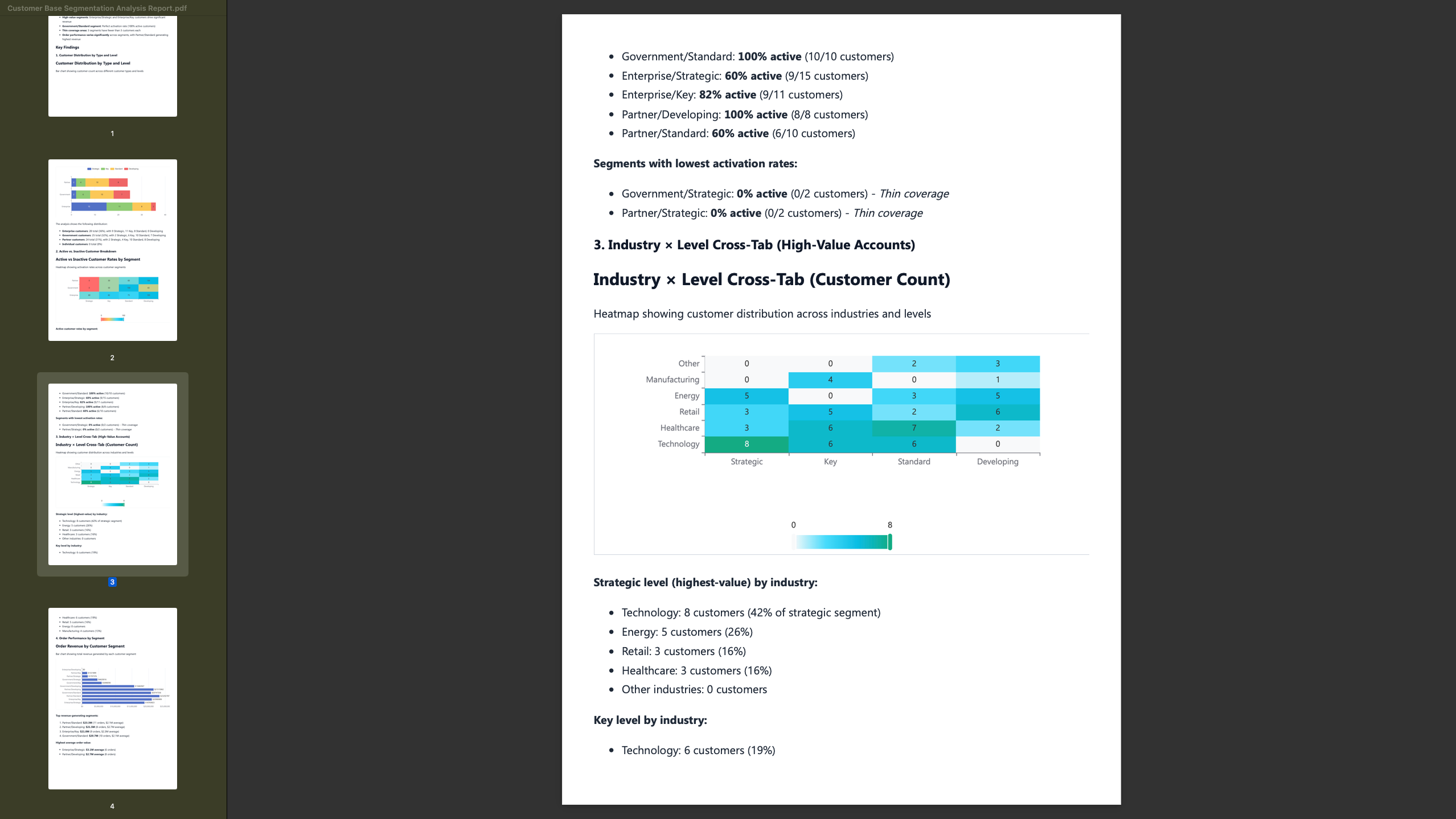
Related documentation: OpenCode + NocoBase: an open, flexible, and lock-in-free way to build with NocoBase
OpenCode works with NocoBase in the following way:
You (Terminal / VS Code / JetBrains / ...)
  │
  └─→ OpenCode
        │
        ├── NocoBase Skills (help the Agent understand the NocoBase configuration system)
        │
        └── NocoBase CLI (executes creation, modification, deployment, and other operations)
              │
              └─→ NocoBase Service (your business system)
- NocoBase Skills: domain knowledge packages that help OpenCode understand how to operate NocoBase
- NocoBase CLI: a command-line tool that executes tasks such as data modeling and page building
- NocoBase Service: your running NocoBase instance
One-click AI installation
Copy the prompt below into OpenCode. It will automatically install the NocoBase CLI, initialize the project, and configure the environment:
Help me install the NocoBase CLI and complete initialization: https://docs.nocobase.com/en/ai/ai-quick-start.md Please open and read the link directly.
Related resources
Documentation: https://docs.nocobase.com/en/ai/
CLI: https://docs.nocobase.com/en/api/cli/
Skills: https://docs.nocobase.com/en/ai-builder#nocobase-skills
MCP: https://docs.nocobase.com/en/ai/mcp/
2. Directus: Data APIs and content management backend
Official website: https://directus.io/
GitHub: https://github.com/directus/directus
GitHub Stars: 35k
If your project already has a database, or if you want to quickly add data APIs, a content management backend, and an access control layer to a business system, Directus is a good open source project to pair with OpenCode.
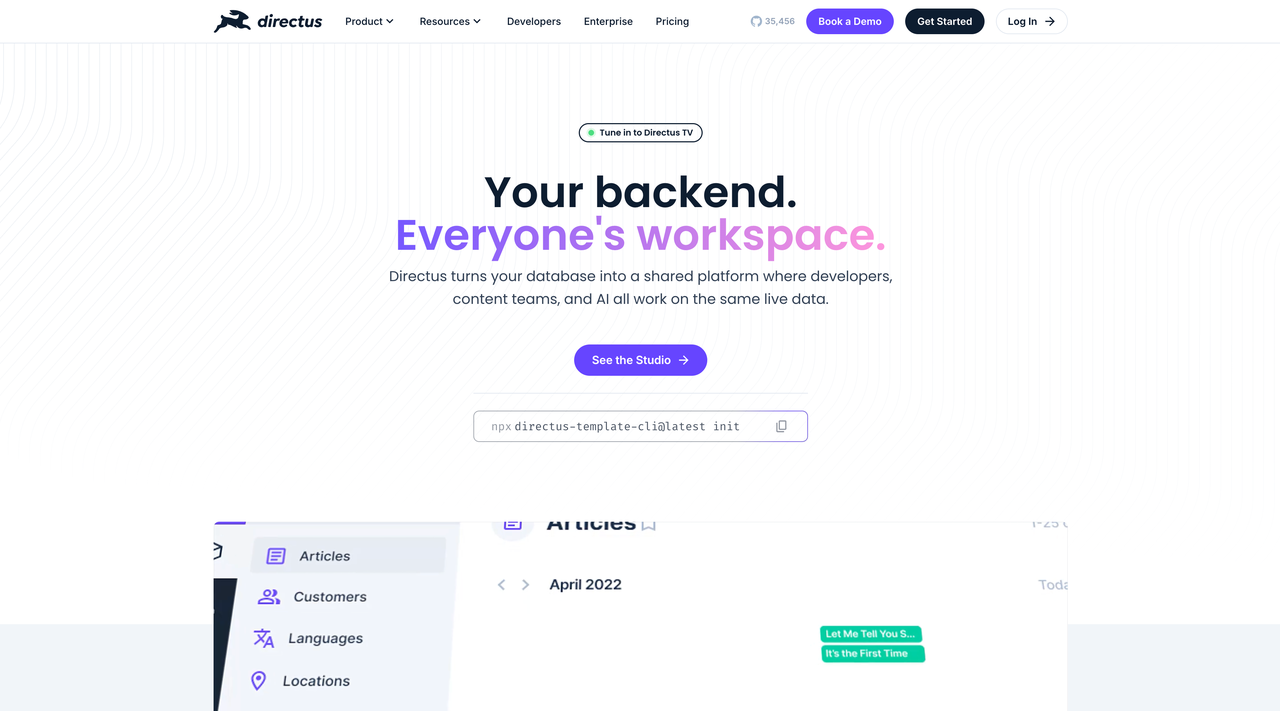
The core capability of Directus is: turning SQL databases into manageable data platforms. It can automatically generate REST APIs and GraphQL APIs from a database, while also providing a visual Data Studio where both developers and business users can manage data, content, files, and permissions.
For example, suppose you are using OpenCode to develop a content-driven website, customer portal, product library, or internal data platform. If you start completely from scratch, OpenCode would need to generate the database models, API services, authentication logic, admin panel, file management, and access control. That creates a large workload and makes long-term maintenance harder.
With Directus, Directus provides data management, APIs, permissions, and the admin interface, while OpenCode handles project development, integration, and extension around these capabilities.
This combination is especially suitable for content-heavy and data-heavy projects. For example, if you want to build a product library, Directus can manage product categories, parameters, images, documents, and publishing status. OpenCode can then quickly generate frontend pages, search and filtering features, data import scripts, and custom endpoints based on the Directus API.
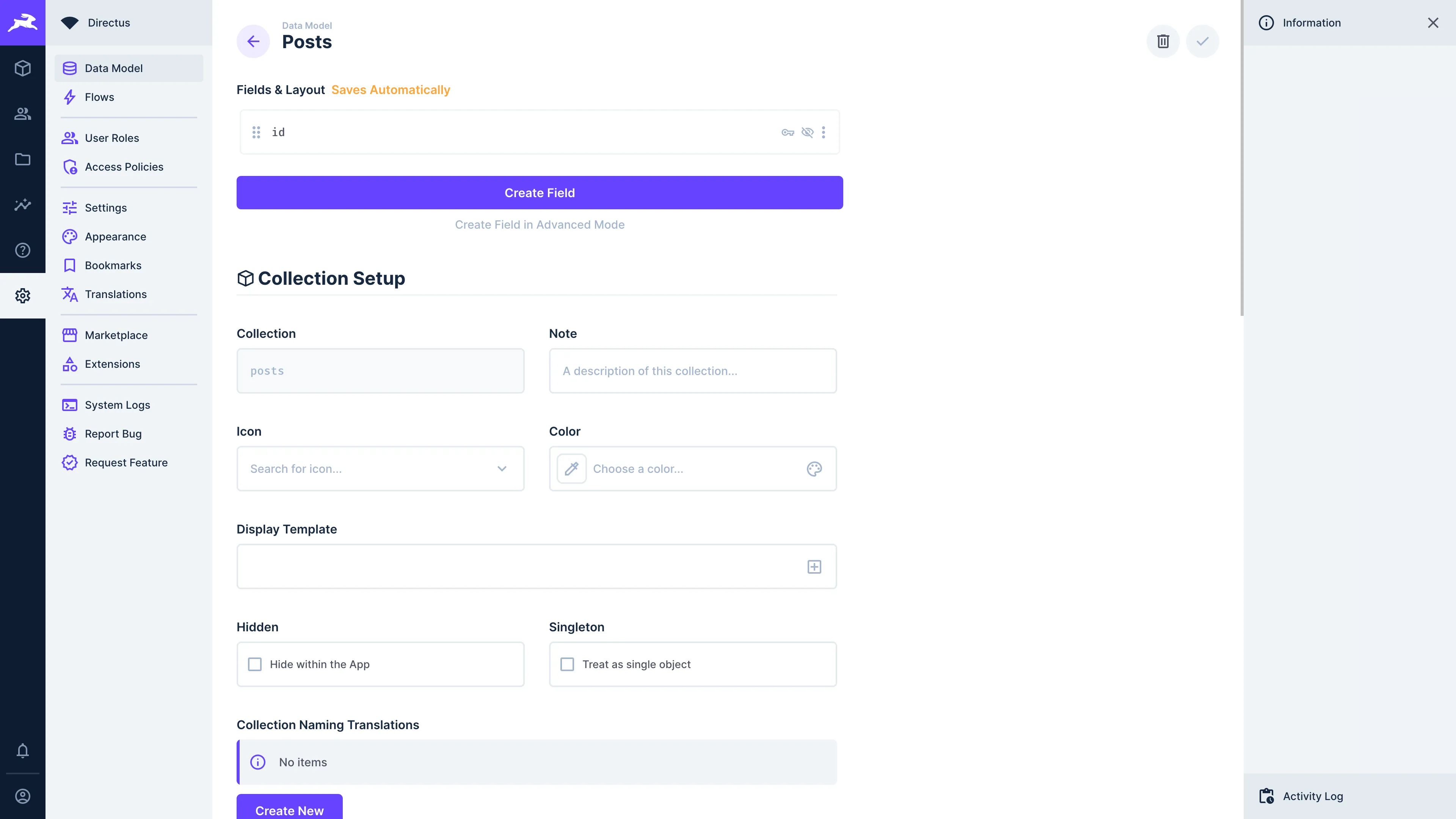
Directus and OpenCode work especially well in these scenarios:
- Headless CMS
- Content management system
- Product library
- Customer case center
- Multilingual content platform
- Internal data management backend
- Data API layer
- File and media asset management
- Customer portal / Partner portal
- Mobile App backend
The difference between Directus and NocoBase is also clear.
Directus is better suited for projects centered on databases and content APIs, such as content platforms, product catalogs, multilingual websites, and customer portals. NocoBase is better suited for building complete business systems, such as CRM, ticketing, approval, asset management, and operations backends. These systems usually require stronger data relationships, workflow orchestration, permission control, and page configuration capabilities.
3. Metabase: Data analysis and advanced reporting
Official website: https://www.metabase.com/
GitHub: https://github.com/metabase/metabase
GitHub Stars: 47.4k
If you are using OpenCode to develop a business system, internal tool, operations backend, or data platform, Metabase is a strong open source project to use alongside it.
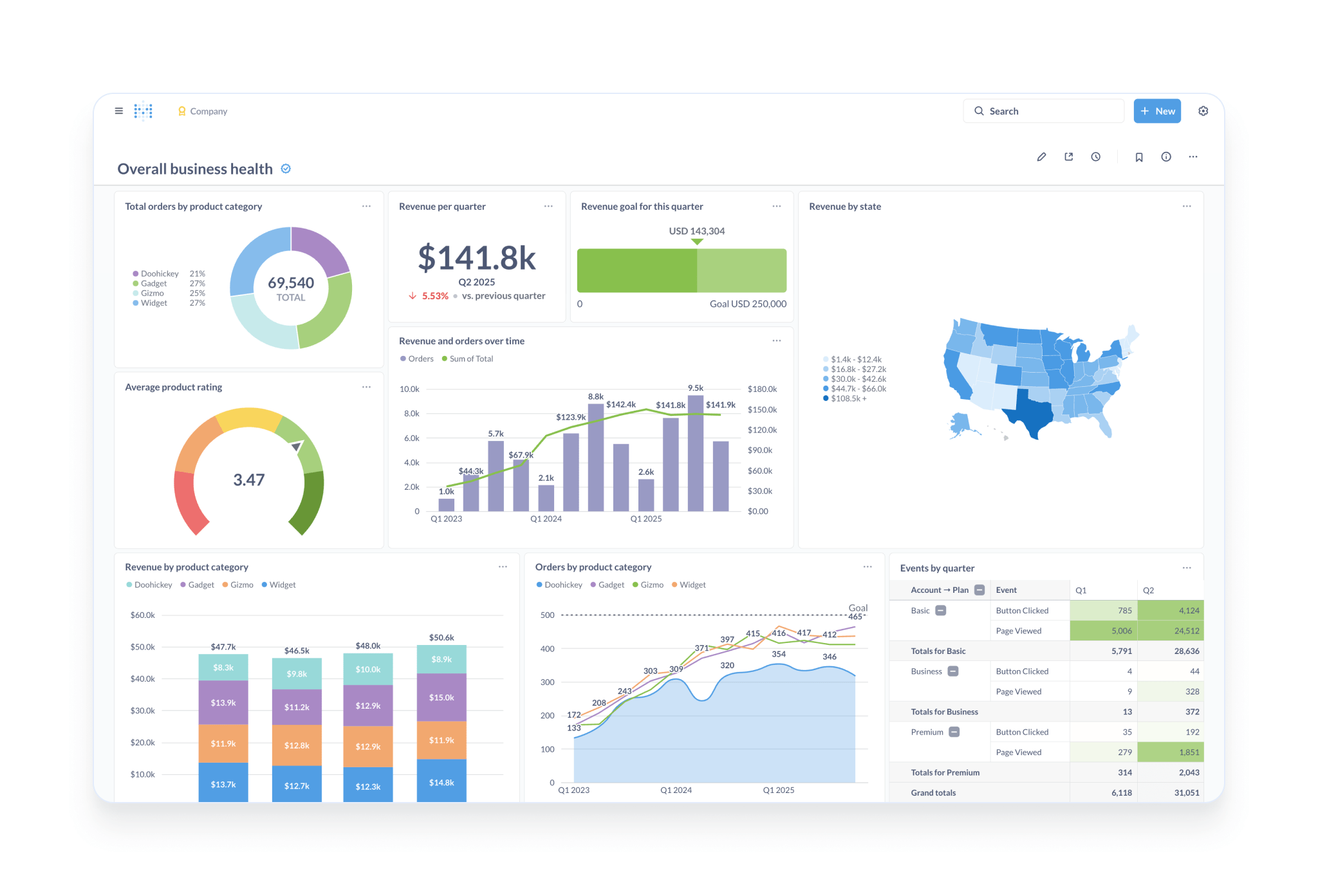
Metabase provides open source data analytics and BI capabilities. It can connect to databases and help teams analyze business data through charts, queries, and dashboards. Metabase also supports natural language data queries and can provide analytics capabilities based on metrics and permissions.
For example, suppose you already have a ticketing system with data such as customers, tickets, owners, priorities, processing status, and completion time. OpenCode does not need to write a reporting module from scratch. Instead, it can help connect the data to Metabase and quickly create analytics capabilities.
Metabase provides data analysis, charts, dashboards, and permission systems. OpenCode handles database connections, query generation, metric design, system embedding, and automation integration around these capabilities.
Metabase and OpenCode work especially well in these scenarios:
- Business dashboards
- Sales analysis
- Customer analysis
- Ticket efficiency analysis
- IT asset analysis
- Operations reports
- Financial metrics dashboards
- Product usage analysis
- Management reports
- Embedded BI
4. Outline: Knowledge base and documentation collaboration
Official website: https://www.getoutline.com/
GitHub: https://github.com/outline/outline
GitHub Stars: 38.5k
The effectiveness of an AI Agent depends heavily on context.
If a project does not have clear documentation, the Agent can easily misunderstand the requirements. It may not understand the system rules, business background, data definitions, API descriptions, deployment methods, or team conventions.
This is why documentation is becoming increasingly important in AI-assisted development. Documentation is not only for humans. It also becomes the working context for AI Agents.
Outline is an open source team knowledge base for managing internal documentation, project notes, product specifications, and team knowledge.
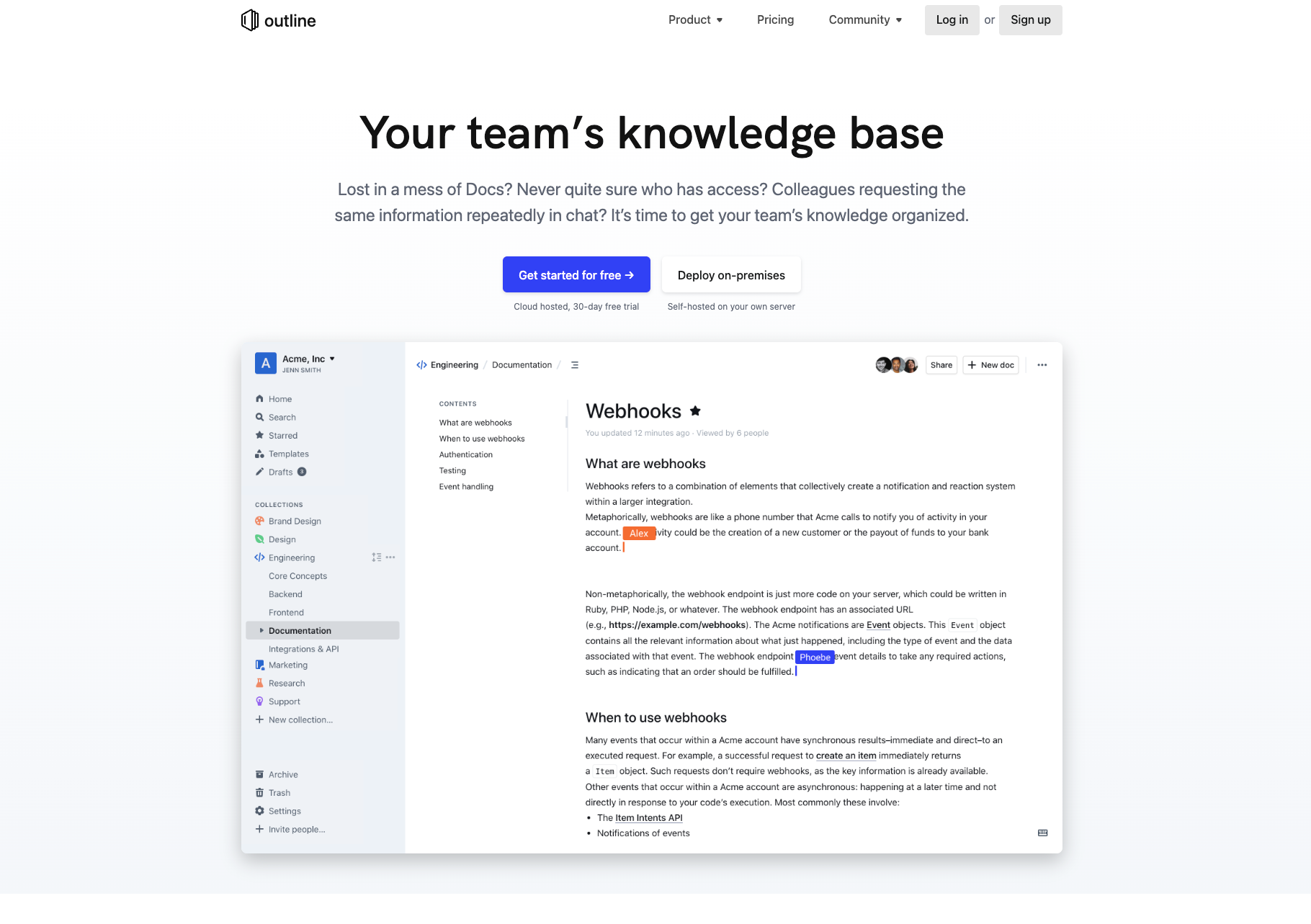
This type of tool is easy to overlook, but it is very important for long-term projects.
Suitable scenarios:
- Team knowledge base
- Product documentation
- Project documentation
- Technical documentation
- Onboarding documentation
- AI-ready docs
- Internal standards management
If you want OpenCode to do more than write code and participate reliably in project collaboration, a documentation system is essential.
5. Keycloak: Identity authentication and access control
Official website: https://www.keycloak.org/
GitHub: https://github.com/keycloak/keycloak
GitHub Stars: 34.5k
If you are using OpenCode to develop a real project, Keycloak is a strong open source identity and access management tool to pair with it. If you ask OpenCode to generate all these capabilities from scratch, it may produce a simple version in the short term, but security, scalability, and maintenance costs will quickly become problems.
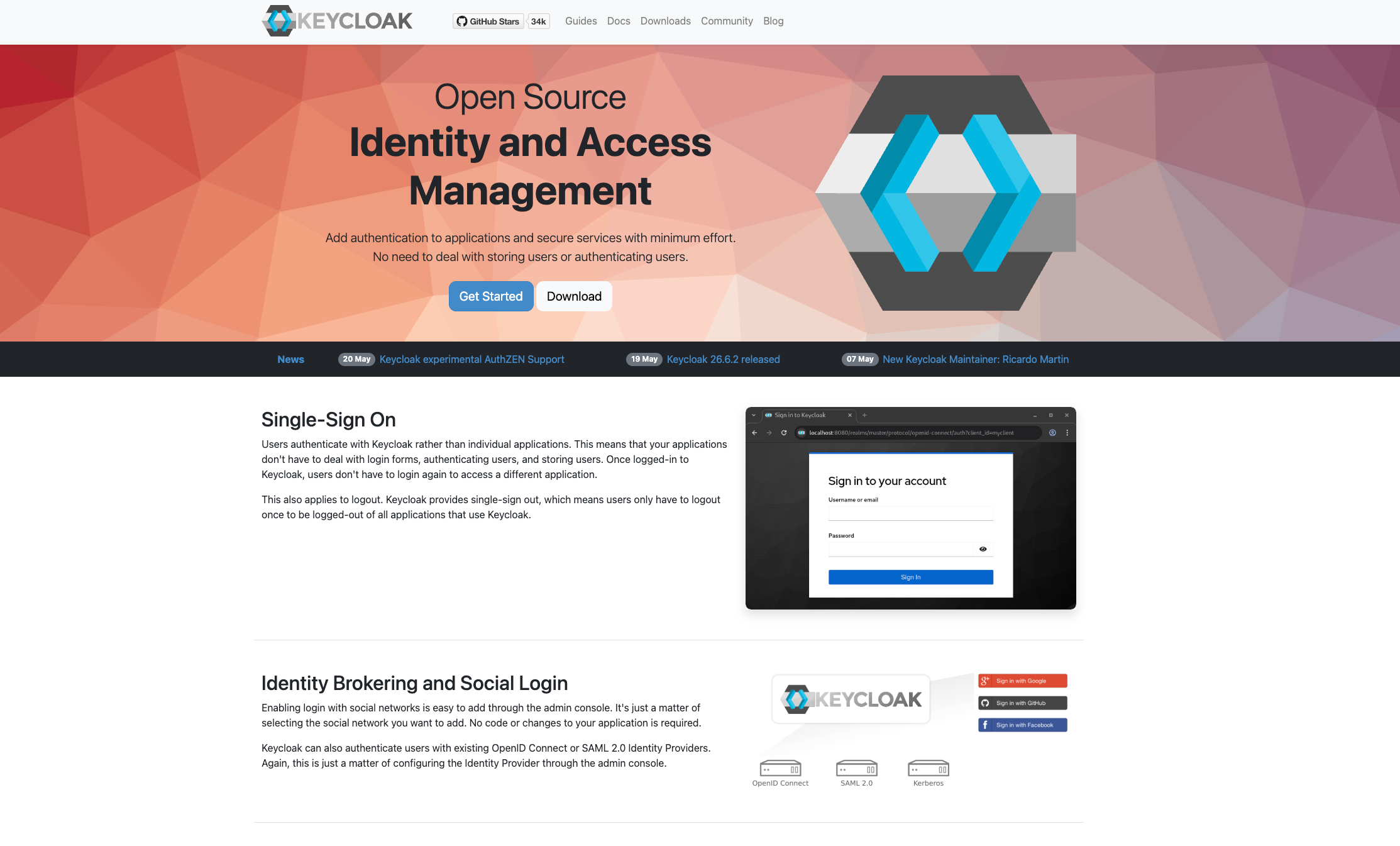
Keycloak provides mature open source identity and access management capabilities, including:
- User registration and login
- Single sign-on SSO
- Role and permission management
- OAuth 2.0 / OpenID Connect
- Enterprise account system integration
- Third-party identity provider login
- Unified authentication across multiple internal systems
- User session and token management
- Multi-factor authentication
FAQ
1. What is OpenCode?
OpenCode is an open source AI Coding Agent. It can work in a developer’s own terminal, IDE, or project directory, helping them read code, modify code, generate scripts, handle configuration, and complete development tasks. Compared with closed AI programming tools, OpenCode gives developers more choices in models, tool integrations, and workflow control.
2. Why is OpenCode suitable for use with open source projects?
Because real projects are not just about generating code. They also require foundational capabilities such as data models, APIs, permissions, workflows, reports, documentation, and identity authentication. Mature open source projects have already solved part of this system foundation, and OpenCode can handle installation, configuration, integration, extension, and secondary development on top of them.
3. Can OpenCode build a complete app from scratch?
Yes, but it may not be the best approach. For demos or simple tools, generating code from scratch can be fast. But for long-running business systems, it is better to start with mature open source projects and let OpenCode handle customization and extension.
4. Which open source projects work well with OpenCode?
It depends on your project type. For example, NocoBase is suitable for business systems and internal tools. Directus is suitable for data APIs and content management. Metabase is suitable for data analysis and reporting. Outline is suitable for knowledge bases and project documentation. Keycloak is suitable for identity authentication and access control.
5. What can OpenCode and NocoBase do together?
NocoBase provides the core capabilities for business systems, including data models, pages, permissions, workflows, plugins, and AI Employees. OpenCode can help initialize a NocoBase project, design data models, build pages, configure workflows, develop plugins, and connect external APIs. Together, they are suitable for building CRM, ticketing systems, approval systems, asset management, project management, operations backends, and similar systems.
6. Is OpenCode only for developers?
OpenCode itself is better suited for developers. But when it is combined with tools such as NocoBase, Directus, Metabase, Outline, and Keycloak, the final systems can be used by business users, operations teams, managers, and other team members. They can complete daily work through no-code interfaces, dashboards, knowledge bases, or unified login systems.
7. What is the best way to use OpenCode to build real projects?
A better approach is to use OpenCode as the Agent layer and open source projects as the system layer. Do not ask OpenCode to generate everything from an empty repository. Instead, let it work on top of mature open source projects and use existing data models, APIs, permissions, workflows, reports, or authentication capabilities. This improves development efficiency and reduces long-term maintenance costs.
Summary: Choose an open source Agent, and choose an open source system foundation
OpenCode gives developers a more open and controllable AI development workflow.
But the Agent is only one layer.
If you want to build real projects, you also need a set of system foundations that can support long-term requirements. Open source projects such as NocoBase, Directus, Metabase, Outline, and Keycloak solve problems across system infrastructure, data APIs, analytics, documentation, identity authentication, and access control.
For developers who choose OpenCode, this kind of open source technology stack is better aligned with why they choose OpenCode in the first place:
- Avoid being locked into a single platform
- Keep control over code and data
- Support private deployment
- Support continuous extension
- Let AI Agents truly participate in long-term project development
Related reading
- Building Internal Tools with Codex: 6 Open-Source Projects for Developers
- After Claude Code: 6 Open-Source Tools You Should Know
- Top 10 Open-Source AI And No-Code Tools for Enterprise Software Development
- 8 Open-Source AI Agent Platforms for Building Internal Tools
- The Best Enterprise-Grade Self-Hosted CRMs with RBAC, AI, and Open API Support
- 6 Best Open-Source Tools to Replace Custom Integration Middleware
- Replace Excel with NocoBase or Airtable? A Cost-by-Cost Comparison
- 4 Ways to Quickly Build Web Apps from Excel Data
- Not Just PostgreSQL: Comparing 5 No-Code/Low-Code Platforms with External Database Support
- Open Source Project Management Tool Selection Guide, 2026 Edition
- How to Build a Custom CRM with PostgreSQL