
Introduction
If you are comparing open source AI agent platforms, start with the work you need to support: agent workflows, document Q&A, internal applications, or a business system that your team will keep improving. These 11 GitHub projects cover different parts of that work.
2026 update: This edition adds a use-case comparison and checks selected product changes against official sources accessed on October 22, 2026. The original tool order is retained for continuity; it is not a current ranking. Historical star counts have been removed because they were not recounted for this update. This is a documentation-based comparison, not a hands-on benchmark or a complete release audit.
The list includes open-source and source-available projects. Public source code, self-hosting, and unrestricted commercial use are different things. Check the license and feature availability for the edition you intend to deploy.
💡 Further reading: No-Code or Vibe Coding? 9 Tools to Consider
You are reading the NocoBase blog. NocoBase is an open-source platform for enterprises to develop and continuously improve business systems with AI. Agents develop the business-specific parts; NocoBase provides the foundation and workflow; people set goals and make decisions. Explore NocoBase on GitHub.
2026 comparison: choose by the work you need to do
Use this table to narrow your shortlist, then test the requirements in the final column against your chosen version. The checks are evaluation questions, not claims that a product lacks a feature.
| Tool | Starting point | What to check before adopting it |
|---|---|---|
| NocoBase | Business systems with shared data, permissions, approvals, and ongoing development | Core compatibility, release review, and the boundary between community and commercial capabilities |
| Sim | Agent workflows connecting models and services | Tool permissions, run logs, and recovery after a failed step |
| Coze Studio | Visual agents, knowledge bases, and workflows | Open-source versus hosted features, model configuration, and deployment requirements |
| Budibase | Internal apps, automations, and Agents Beta | Beta suitability, deployment availability, and human approval steps |
| ToolJet | AI-assisted internal application development | Self-hosted feature availability, data access, and development lifecycle controls |
| Flowise | LLM workflows and Agentflow V2 orchestration | Shared state, human checkpoints, and compatibility with existing flows |
| AnythingLLM | Document Q&A and local AI assistants | Desktop versus team deployment, model location, and document access |
| NocoDB | Spreadsheet-style database management | AI availability in your edition, external database support, and license terms |
| Strapi | Content management and content APIs | MCP access scope and compatibility with your Strapi version |
| Dify | RAG applications and agentic workflows | Knowledge quality, plugin compatibility, and license conditions |
| n8n | Automation across existing systems | Credentials, retries, human decisions, and permitted deployment use |
For an initial comparison, shortlist Flowise, Dify, or AnythingLLM for knowledge-based AI features; Sim, Coze Studio, or n8n for agent and service orchestration; and NocoBase, Budibase, or ToolJet for business applications. NocoDB and Strapi are useful when the main requirement is structured data or managed content. These are selection starting points, not equivalent replacements.
NocoBase
Official website: NocoBase
Overview
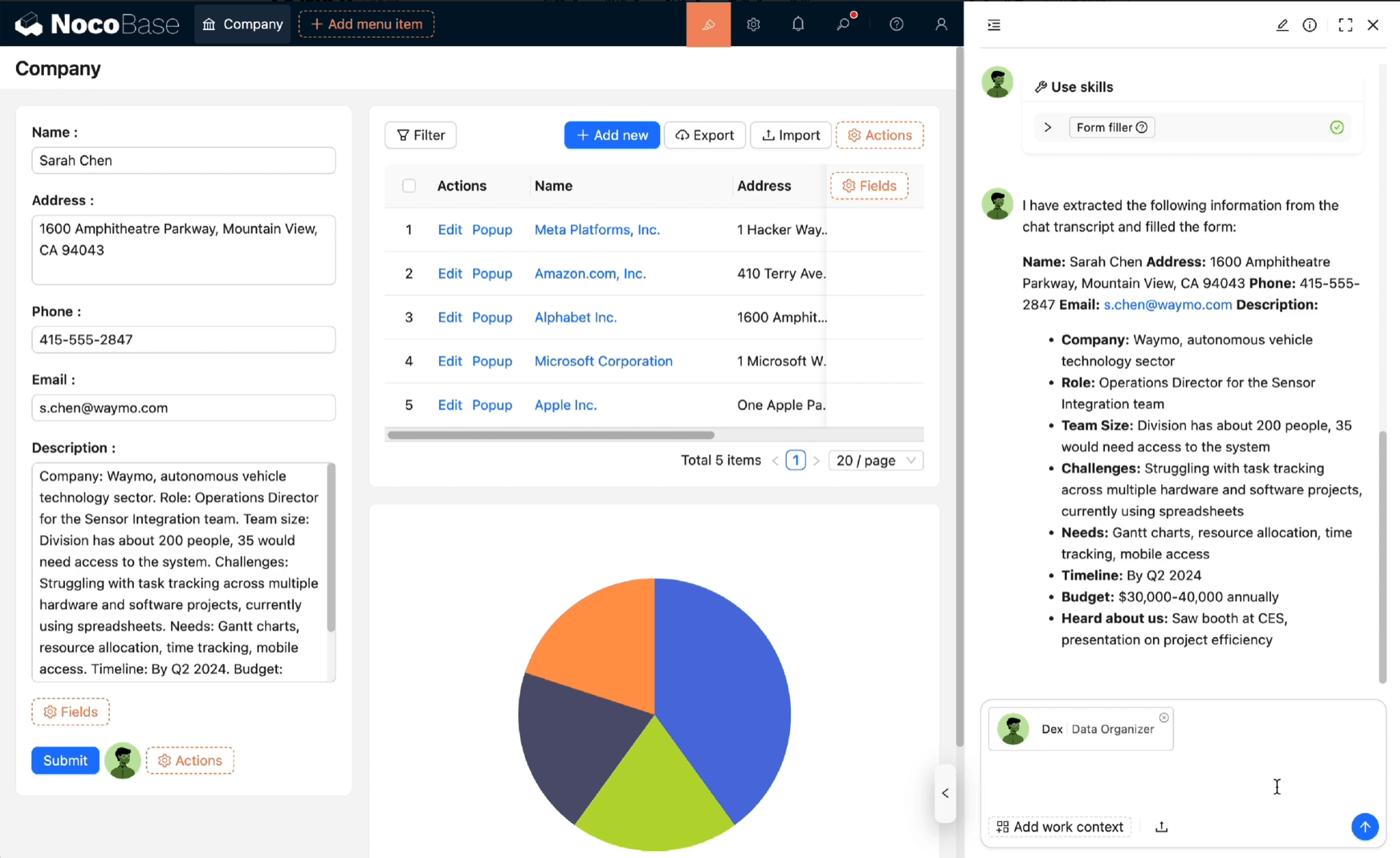
NocoBase is an open-source, privately deployable platform for developing and continuously improving business systems with AI. Its focus is keeping the system reliable as requirements change after the first release.
Key AI Features
- Development agents build and test the business-specific parts using the shared foundation. Teams choose their models and Coding Agents.
- Business agents work within the system's roles and permissions. Critical actions go through approval, and operations leave records.
- Controlled changes connect development, checks, human acceptance, and release preparation so the next change can build on the previous one.
Best Use Cases
CRM, supplier management, asset management, and support workflows that need consistent permissions and continued maintenance. Teams should evaluate the full change process, including migrations, backups, and recovery, against their own requirements.
How AI Fits In
The NocoBase 3 product structure separates NocoBase Core, the application foundation, from NocoBase Studio, where people and their chosen agents organize development and improvements. NocoBase Solutions provides open-source business applications as starting points; NocoBase Launch helps teams learn the workflow in a real project.
The division of responsibility is straightforward: agents execute, software enforces rules, and people decide. Code, data, and the runtime environment remain under the enterprise's control. Check the deployment documentation and edition entitlements for the version you plan to use.
Sim
Official website: https://www.sim.ai/
Overview
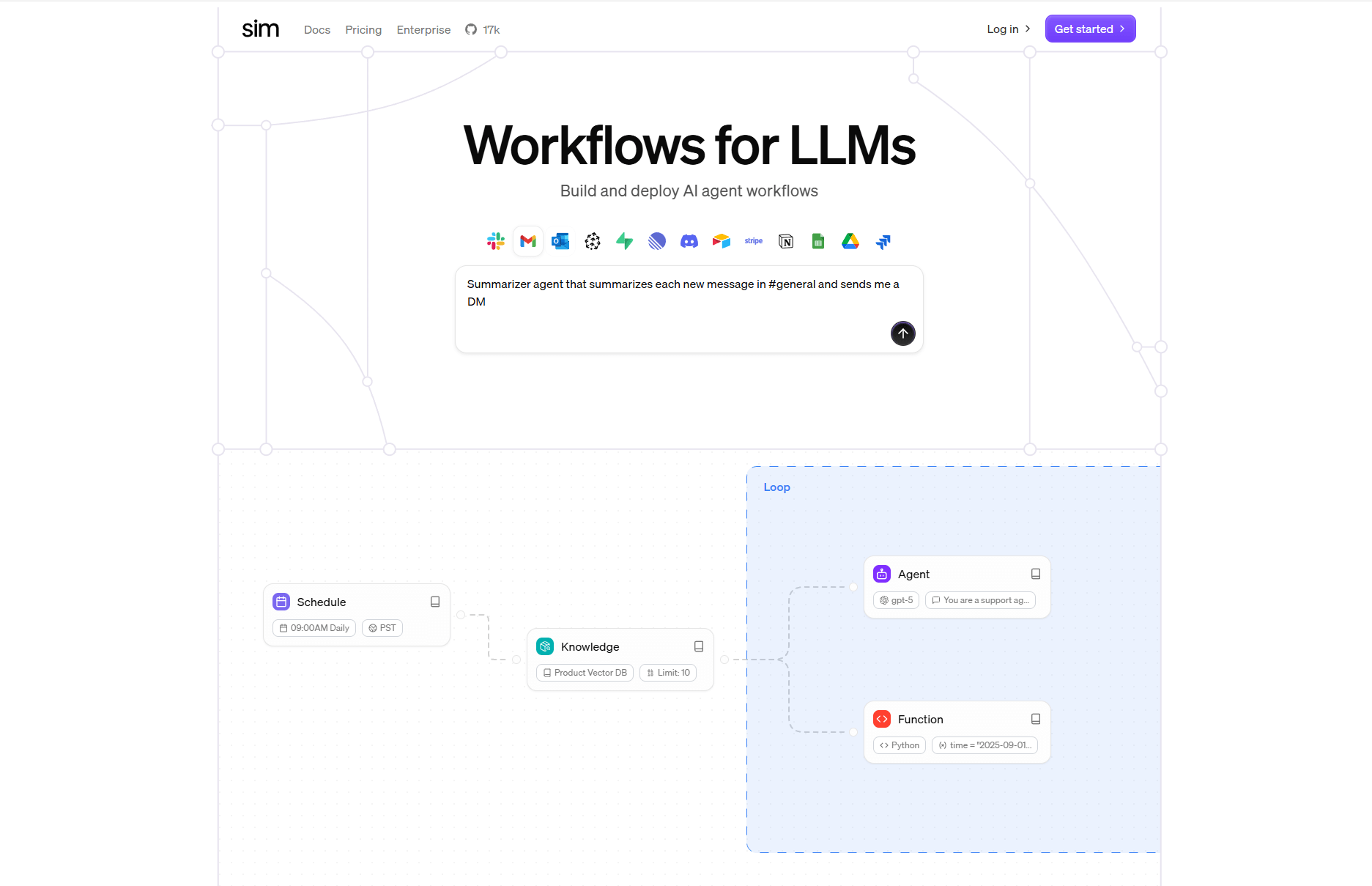
Sim is an open-source platform for building AI agent workflows. With its visual drag-and-drop interface, users can connect models, APIs, databases, and third-party services — all without writing code.
Key AI Features
- Visual agent builder – Design agent workflows like flowcharts by dragging and connecting steps.
- Multi-service integration – Supports models, APIs, databases, and external tools all in one place.
- Open-source and self-hostable – Can be deployed locally or on your own server to maintain control and data security.
Best Use Cases
- Process automation – Let AI agents handle repetitive tasks such as data scraping, automated email responses, or approval flows.
- Customer support / AI assistants – Build bots that connect to knowledge bases to answer questions or run queries.
- Cross-system orchestration – When multiple systems need to interact, Sim can act as the central coordinator, linking them into an intelligent workflow.
How AI Fits In
In Sim, AI agents can reason and take actions. Each agent can execute tasks on its own and connect with services, turning workflows into intelligent, autonomous processes.
Coze Studio
Open-source project: Coze Studio
Overview
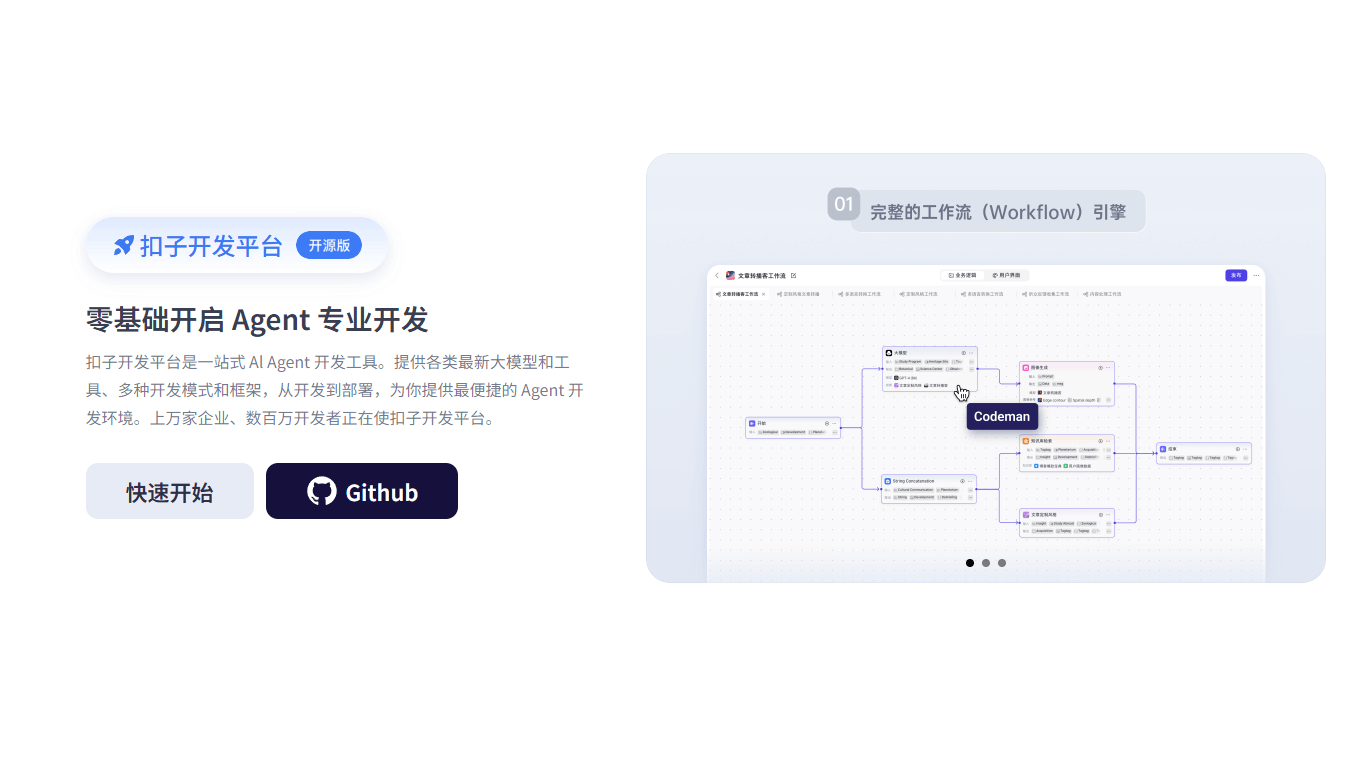
Coze Studio, developed by ByteDance, is a platform for building, testing, and deploying AI agents using low-code or no-code methods.
Key AI Features
- Visual agent builder – A drag-and-drop interface for assembling logic and functional modules.
- Model services – Configure supported model services for agents and workflows; confirm the provider and model you need in the selected release.
- Self-hosted deployment – The open-source project documents Docker-based deployment and model configuration. Compare its feature list with the hosted product before choosing an edition. Coze Studio repository.
Best Use Cases
- Internal AI tools – Q&A assistants, approval bots, monitoring assistants, and other productivity tools.
- AI prototype development – Quickly build and launch agent-based applications such as customer service bots or knowledge assistants.
- Combining multiple AI models – Useful when applications require coordinating multiple models or services with templates and plugins.
How AI Fits In
Coze Studio puts AI at the heart of the building process. Users can visually connect logic and modules to orchestrate multiple models, transitioning from simple visual assembly to AI-driven application development.
Budibase
Official website: https://budibase.com/
Overview
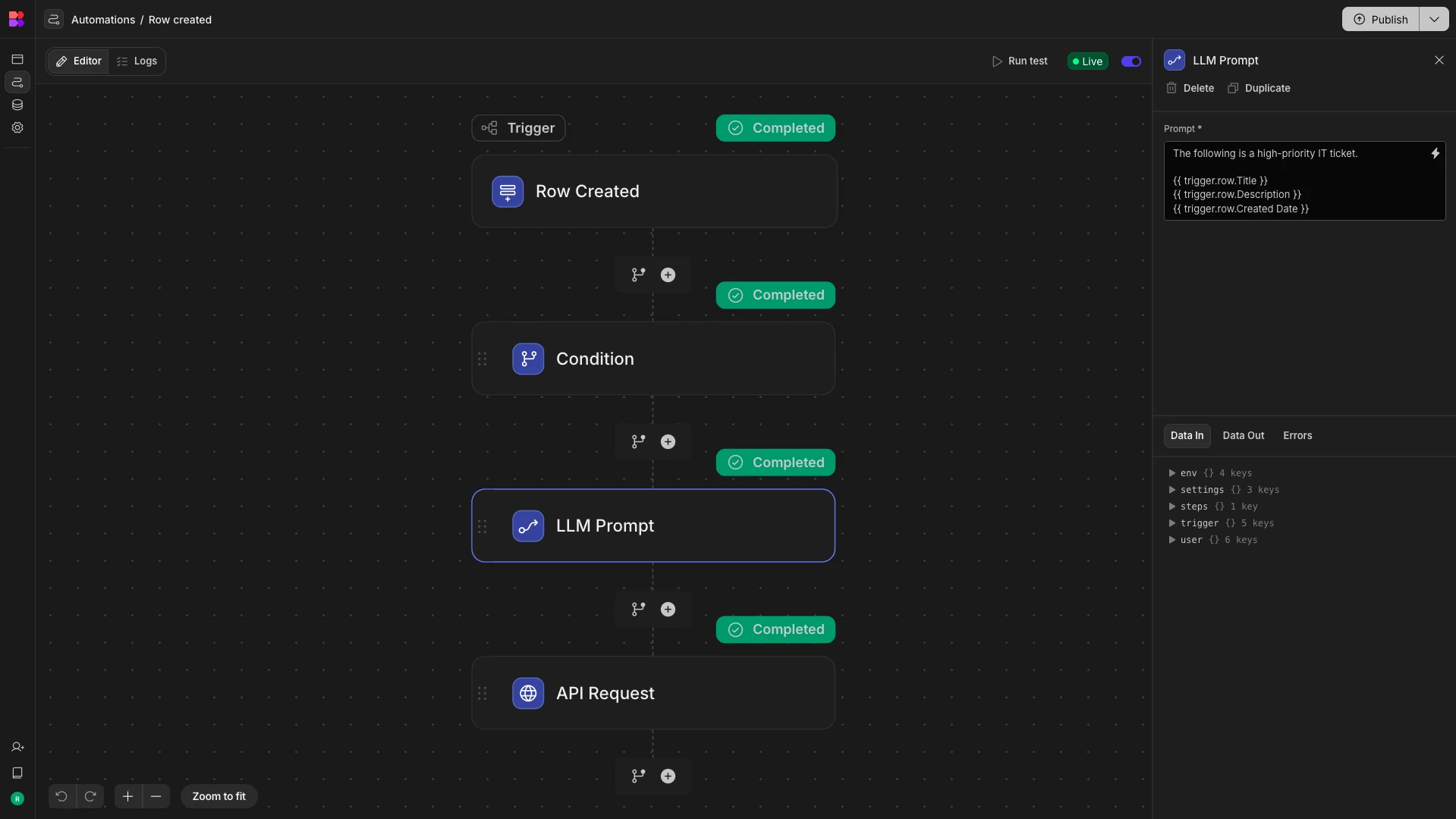
Budibase is an open-source low-code/no-code platform designed for quickly building internal tools and business applications. On top of traditional form and workflow capabilities, it introduces AI to assist with logic generation and data processing.
Key AI Features
- Smart field and data generation – AI can create fields, clean data, summarize content, and speed up application building.
- AI logic suggestions – When setting up expressions or binding logic, AI provides helpful recommendations.
- Agents Beta – Budibase announced Agents Beta on March 12, 2026. The original “in progress” description is outdated; evaluate the beta against your deployment and approval requirements. Official announcement.
Best Use Cases
- Internal tools and admin systems – Quickly build approval systems, forms, dashboards, and reports.
- Intelligent data processing – Use AI for data cleaning, summarization, and batch processing.
- Automated workflows – Let AI generate reports, send emails, or perform scheduled tasks automatically.
How AI Fits In
In Budibase, AI acts as an assistant throughout the building process — generating fields, cleaning data, and optimizing logic to make internal tool development faster and smarter.
ToolJet
Official website: ToolJet
Overview
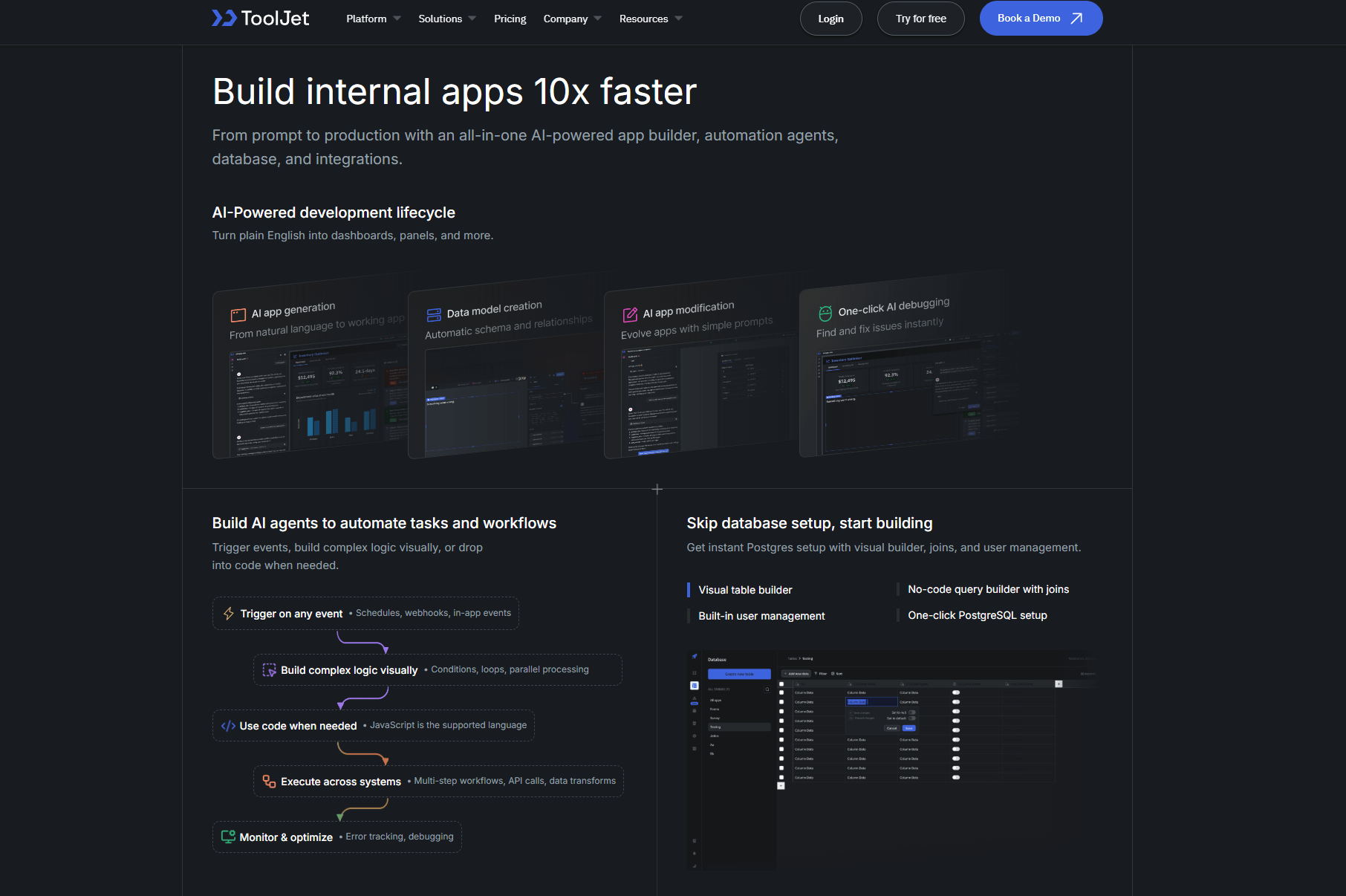
ToolJet is an open-source low-code platform that combines drag-and-drop building with natural language generation, helping teams quickly create internal tools and AI-powered applications.
Key AI Features
- Natural language app generation – Describe the interface or functionality you want, and ToolJet can automatically generate an initial app structure.
- Agent and automation support – AI can trigger workflows, execute actions, and call APIs.
- AI-assisted development – While writing SQL or JavaScript, AI provides code suggestions, completions, and improvements.
Ideal Use Cases
- Enterprise back-office and admin systems – CRM, order processing, approval workflows, etc.
- AI-enhanced applications – Intelligent search, chatbots, knowledge Q&A tools, report generation, and more.
How AI Fits In
ToolJet integrates AI throughout the app-building process: users can generate pages and logic using natural language, and AI assists by suggesting and optimizing SQL or JavaScript during development.
Flowise
Official website: https://flowiseai.com/
Overview
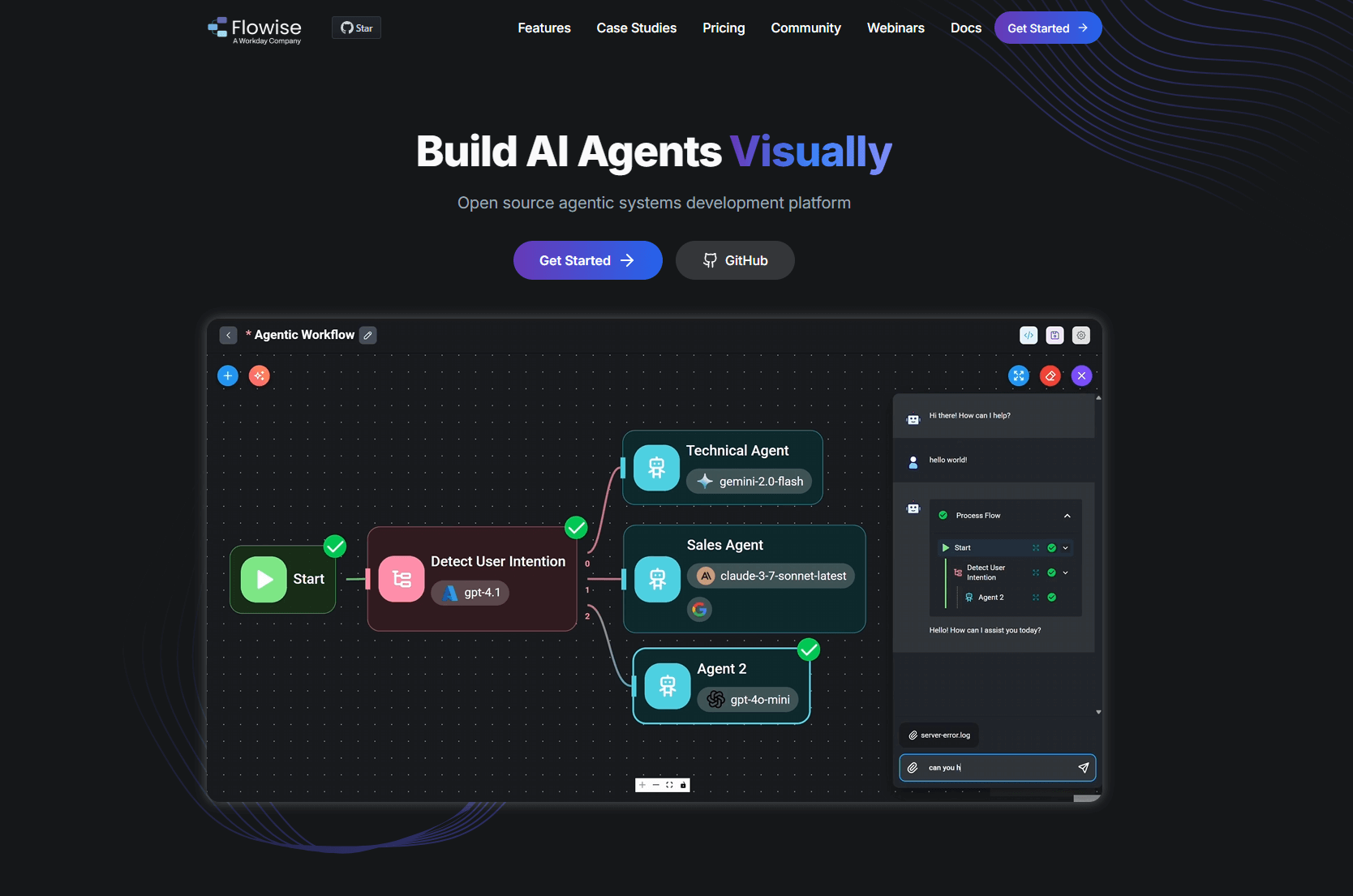
Flowise is a visual platform for building LLM- and Agent-powered workflows. Users can drag and connect models, tools, and logic nodes to create complete intelligent flows—making it easy to build chatbots, retrieval systems, and other AI applications.
Key AI Features
- Visual workflow builder – Clearly shows model calls, tool connections, and logic paths in a flowchart-style interface.
- Support for multiple models and tools – Works with different LLMs, vector databases, external APIs, and more.
- Export and embed – Completed workflows can be exported as services or APIs and embedded into other systems.
Best Use Cases
- LLM-driven features – Such as Q&A bots, information extraction pipelines, or content generation flows.
- Internal AI hub – Add intelligent reasoning and automation into existing business systems.
- AI prototyping – Quickly test logic and combinations of different LLMs.
Version difference to evaluate
Agentflow V2 documents explicit orchestration with native nodes and shared Flow State. Compared with V1's reliance on external frameworks for agent graph logic, V2 gives the workflow designer more direct control. Its documented human-in-the-loop checkpoints can pause and resume execution. Test existing flows before migrating; this is a feature comparison, not a claim that every older flow upgrades unchanged.
How AI Fits In
Flowise integrates AI directly into the workflow-building process. AI manages model calls, data processing, and tool connections, making it easier and faster to develop intelligent workflows for question answering, retrieval, and automation.
Anything-LLM
Official website: https://anythingllm.com/
Overview
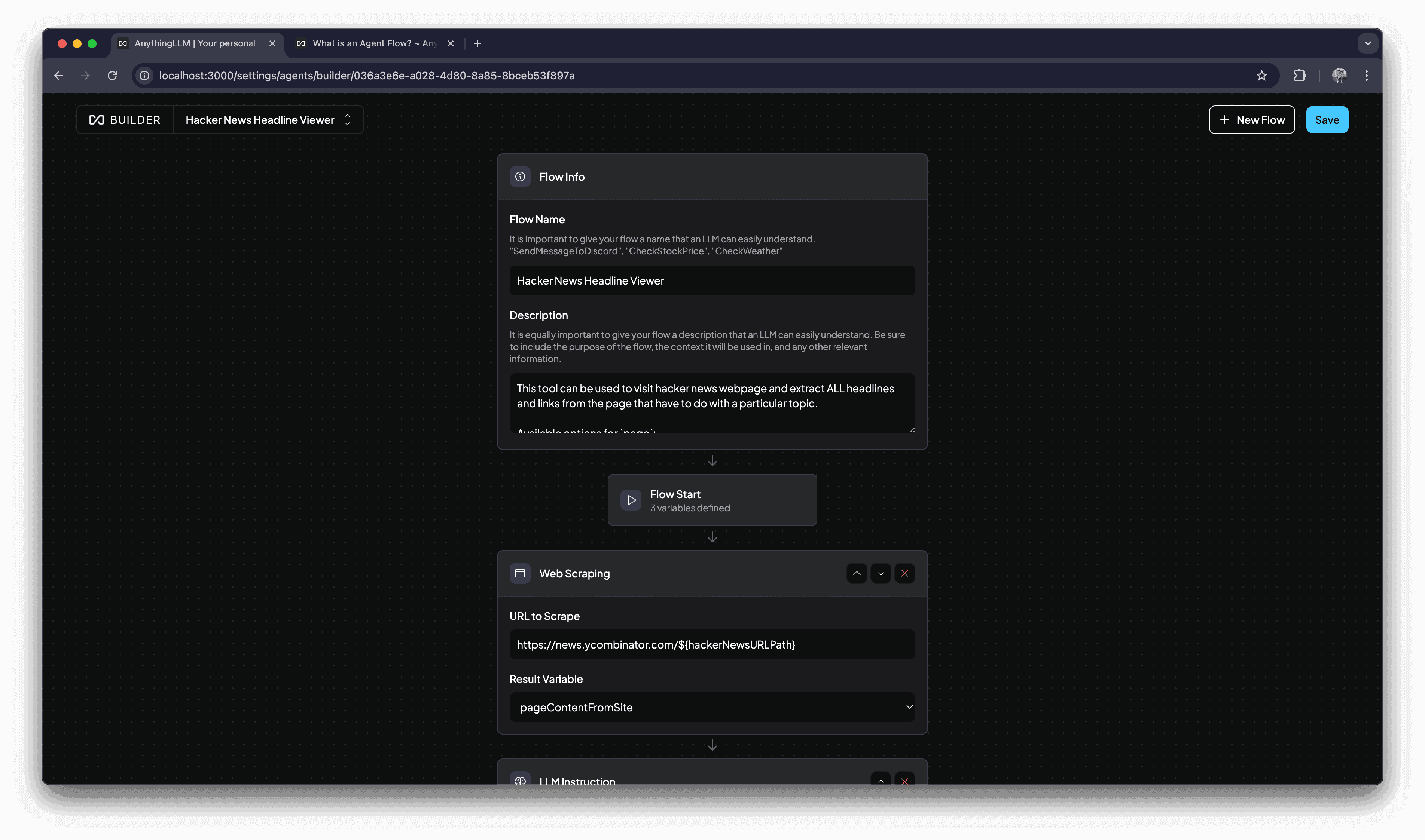
Anything-LLM is an open-source, full-featured AI platform for building chatbots, retrieval systems, agents, and RAG applications.
Key AI Features
- Document-based chat and contextual retrieval – Upload documents and allow the AI to answer questions using content directly from those files.
- Multi-model flexibility – Switch between different AI models or providers to balance cost, speed, and performance.
- Plugin and agent extensions – An open extension system allows you to connect custom tools or build new AI modules.
Best Use Cases
- Internal knowledge Q&A systems – Employees can query documents directly and quickly retrieve key information.
- Private/local AI deployment – Ideal for teams that need to run AI locally without relying on cloud services, especially in data-sensitive environments.
- Lightweight agent workflows – Easily combine agents, tools, and conversation modules to create small yet powerful AI applications.
How AI Fits In
Through its built-in multi-model support and plugin system, Anything-LLM enables AI to handle document retrieval, contextual understanding, and task automation throughout the process of building chat, search, or RAG-powered applications.
NocoDB
Official website: NocoDB
Overview
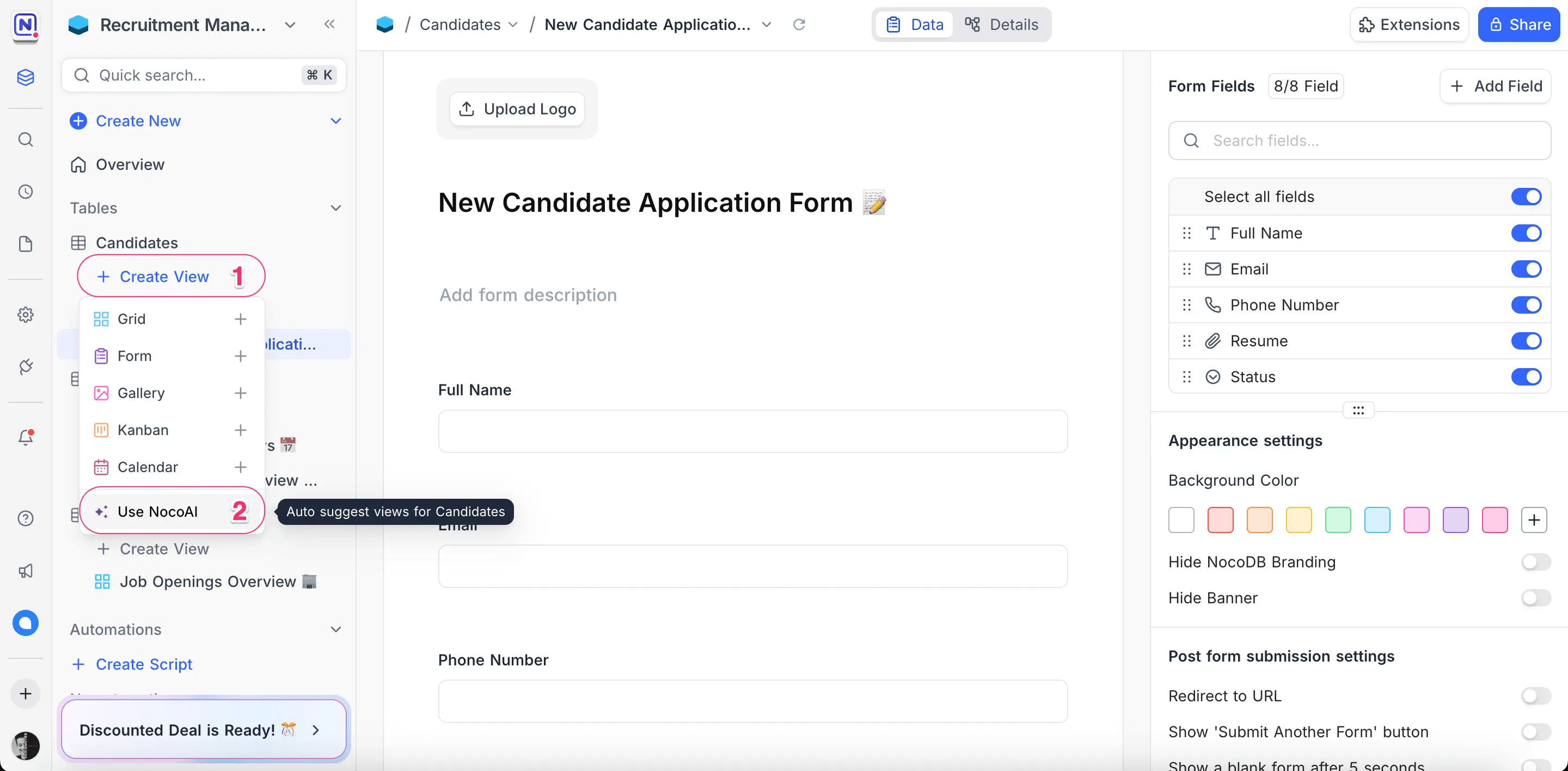
NocoDB provides a spreadsheet-style interface for structured data. Its current website describes it as a fair-source product, so it should not be grouped under an undifferentiated open-source label. Official product overview.
AI and edition availability
The earlier edition of this article described Noco AI table generation, field suggestions, and generated dropdown options. This update does not verify those capabilities across current cloud and self-hosted editions. Treat them as items to confirm in your chosen version rather than assume they are included.
Best Use Cases
Shortlist NocoDB when your main requirement is collaborative data management through a familiar table interface. Check the external database connections, views, and access rules needed for your workflow.
How AI Fits In
Validate AI-assisted modeling separately from the underlying database interface. A useful trial is to model related customers, orders, and order items, then verify the relationships and access rules manually.
💡 Read More: NocoBase vs NocoDB
Strapi
Official website: Strapi
Overview
Strapi is an open-source headless CMS for managing content and delivering it through APIs. It fits content-driven websites and applications with a separate frontend.
Key AI Features
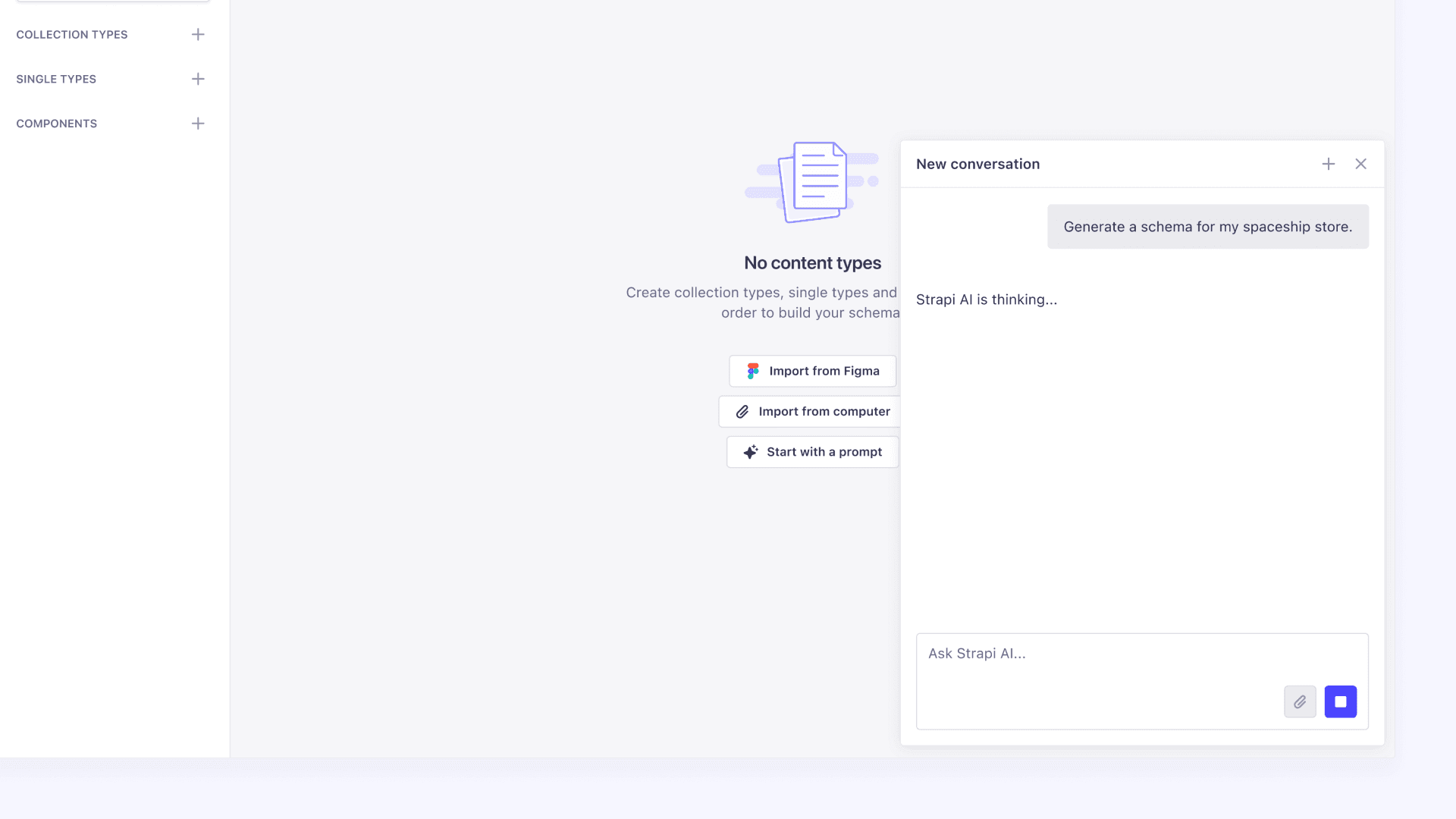
The original article focused on community and custom AI plugins. Strapi now also announces a generally available MCP server for connecting agents to the CMS. This expands the integration options beyond the original plugin-only description. Official MCP announcement.
Best Use Cases
Editorial websites, structured content services, and multilingual publishing workflows. Teams should check which operations an agent may perform and where editorial approval takes place.
How AI Fits In
Evaluate the agent connection against your content model and installed Strapi version. Keep generated content subject to the same review process as human-authored content.
Dify
License distinction: Dify uses a modified Apache 2.0 license with additional conditions, including conditions on multi-tenant operation and frontend branding. Check those conditions for the deployment you intend to run. Repository license.
Official website: https://dify.ai/
Overview
Dify is a low-code/no-code platform focused on building AI applications and agents. It enables teams to quickly create and launch intelligent apps without deep technical expertise.
Key AI Features
- End-to-end AI app builder – Built-in capabilities for chat, retrieval, content generation, and multimodal AI that can be combined directly within the platform.
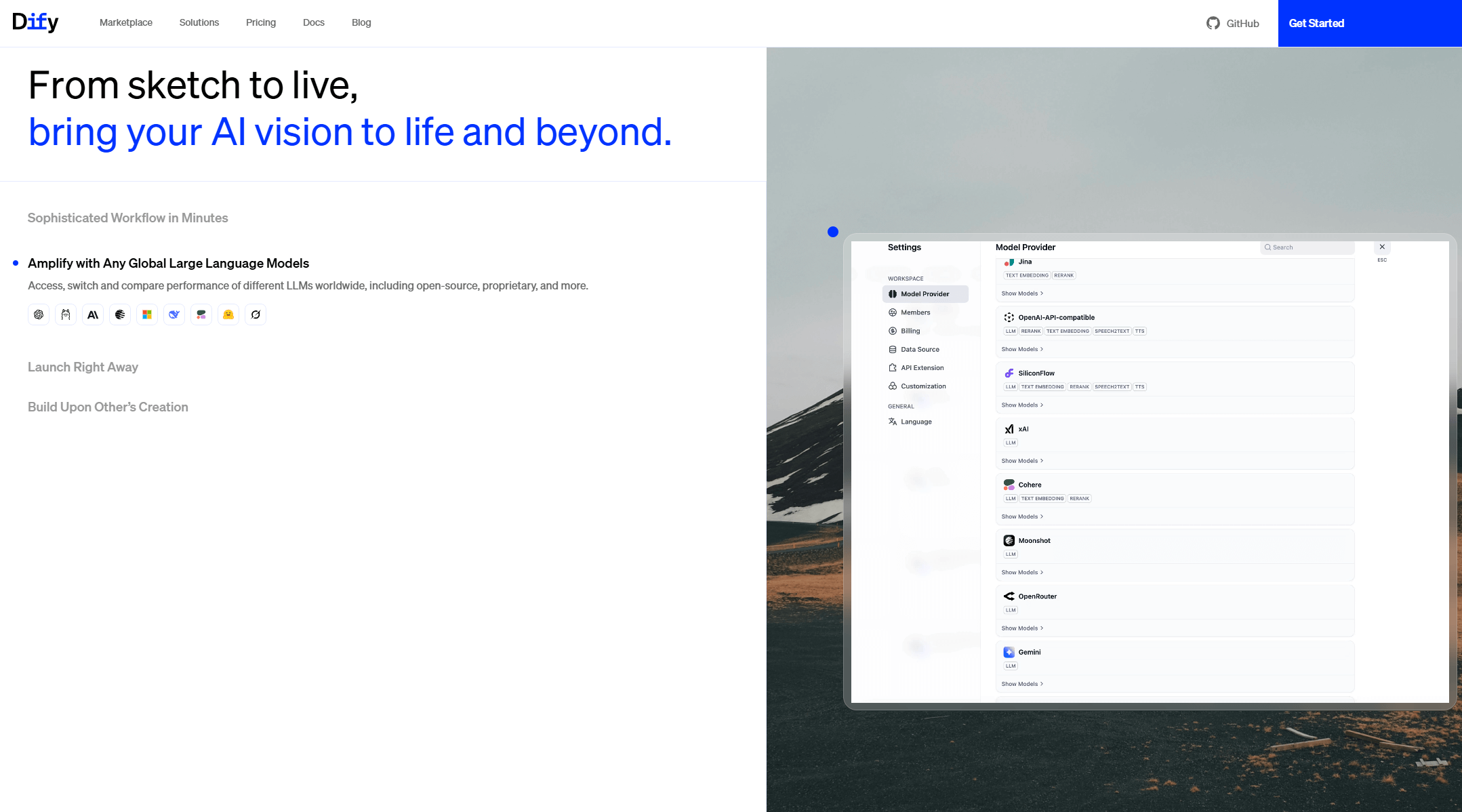
- Plugin ecosystem – Allows users to extend functionality, connect to different models, or add custom AI features.
- RAG support (Retrieval-Augmented Generation) – Combines data and large language models, allowing applications to answer questions more accurately using documents or knowledge bases.
Best Use Cases
- Chatbots and conversational systems – Quickly build bots with knowledge retrieval.
- Document and Q&A assistants – Enable users to interactively query files or data to find and use relevant information.
- Embedding AI into SaaS or business systems – Add AI capabilities like intelligent support, recommendations, or semantic search.
How AI Fits In
Dify systematizes LLM capabilities into the app-building workflow. Without writing code, users can integrate chat, retrieval, data understanding, and plugin-based AI models directly into their business systems.
n8n
License distinction: The repository uses the Sustainable Use License for the covered code, with separate enterprise terms for designated files. Review the terms for your intended use; public code does not mean unrestricted redistribution or hosting rights. Repository license.
Official website: https://n8n.io/
Overview
n8n is a source-available workflow automation platform that connects services, APIs, and databases through a node-based system to create automated workflows. In recent years, it has also expanded into AI and agent-driven automation.
Key AI Features
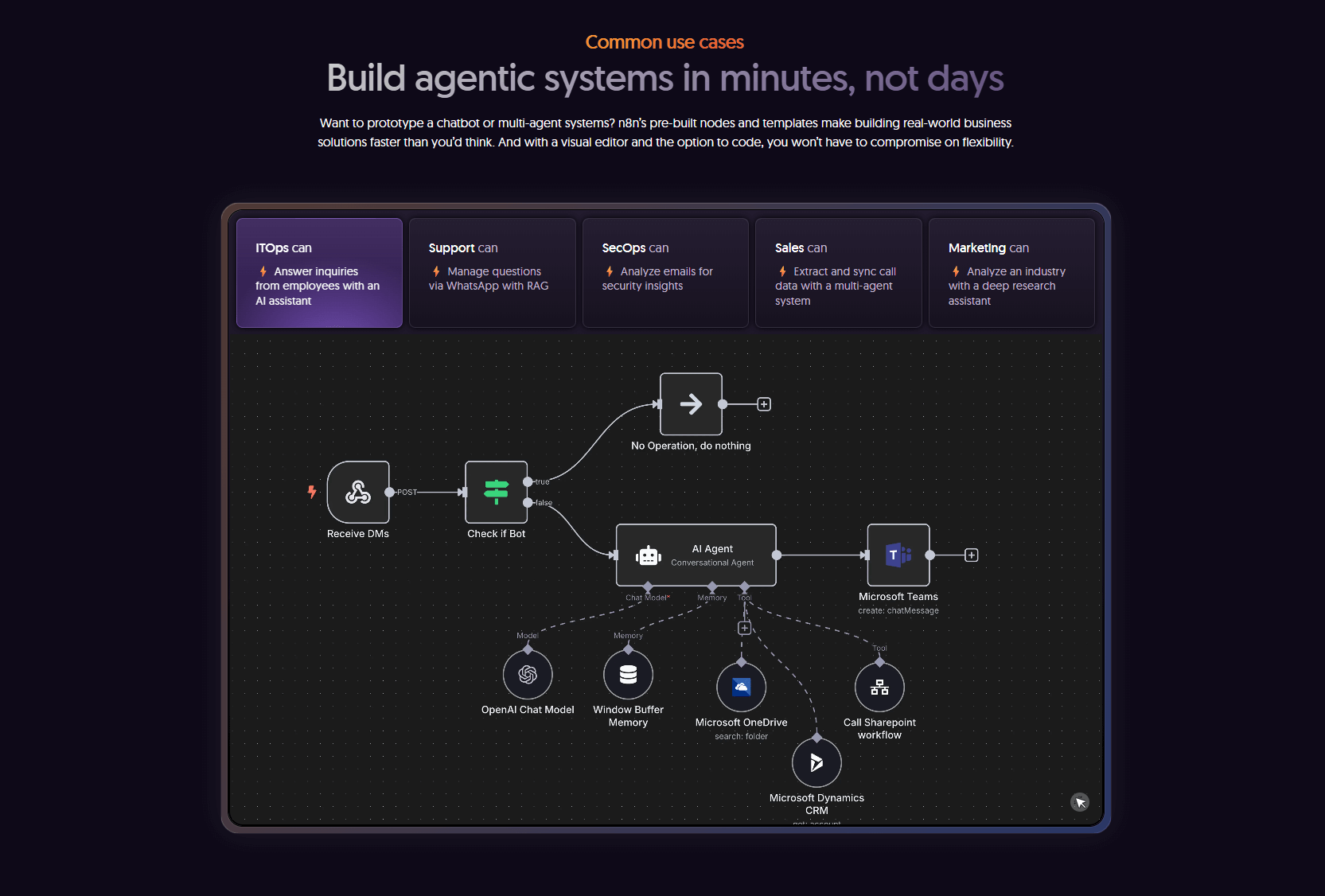
- AI nodes – Insert AI nodes into workflows to call OpenAI or other model APIs for text processing, reasoning, and automation tasks.
- Agent-style automation – Use n8n as an agent orchestration platform, enabling workflows to make decisions, call external services, and schedule tasks intelligently.
- Extensive integration ecosystem – Supports databases, email, APIs, webhooks, and more, allowing AI to plug seamlessly into existing workflows.
Best Use Cases
- Business automation and system integration – Automate cross-system processes such as data sync, event triggers, notifications, and monitoring.
- Intelligent triggers and processing – Embed AI into workflows to auto-classify content, summarize text, or send automated responses.
- AI orchestration layer / business hub – Act as a central platform that connects systems and AI agents to coordinate intelligent operations.
How AI Fits In
n8n integrates AI directly into workflow automation. Through visual AI nodes, agent-based execution logic, and API connections, users can leverage AI models for text processing, intelligent decision-making, and task execution within automated workflows.
Before you choose: test the second change
Build one small workflow with your shortlisted tools, then change a rule. For example, create a supplier record, attach a qualification document, route it for approval, and later add an expiry reminder.
Check whether an agent can read only the permitted records, whether approval is enforced by the application, and whether you can explain the resulting changes. Then test a failed integration, a repeated request, and recovery from a backup. This is a suggested evaluation scenario, not a benchmark we ran on these tools.
For a privately deployed system, also map where prompts, documents, and credentials go. A locally hosted application can still send data to an external model or service. Include infrastructure, model usage, maintenance, and any required commercial features in your comparison.
Conclusion
Choose the tool around the system you need to maintain. Document assistants, workflow engines, content platforms, and business application foundations solve different problems. GitHub popularity is useful context, but your team's permissions, release process, and ability to make the next change deserve a practical trial.
If you need a business system that will keep evolving, explore NocoBase and test one real requirement with your team. For a broader shortlist, see our guides to self-hosted Airtable alternatives and Retool alternatives.
Related reading:
- Top 10 Open Source Project Management Tools with the Most GitHub Stars
- Top 18 Open Source AI Agent Projects with the Most GitHub Stars
- Top 20 Open Source AI Projects with the Most GitHub Stars
- Top 8 Open Source MCP Projects with the Most GitHub Stars
- Top 7 Open Source Web Applications with the Most GitHub Stars
- Top 40 Open-source Developer Tools with the Most GitHub Stars
- Top 15 Fastest-Growing Open-Source Low-Code Projects on GitHub in 2025
(1)-cehdfe.png)