

This document applies to NocoBase 2.1.0-beta.24 and later.
This is a major upgrade centered on AI capabilities. This release lets you bring AI Agents into NocoBase — covering CLI integration, AI-assisted building, enhanced AI Employees, and an AI development plugin — spanning the full flow from environment onboarding to system building and business collaboration. We have also continued to round out V2 page support and core capabilities.
What’s New
NocoBase CLI becomes the official entry point for AI Agents
In this release, the NocoBase CLI (nb) is the core entry point for AI Agents to connect to NocoBase.
The CLI is used to initialize, connect, and manage NocoBase applications in a local workspace. It covers two scenarios:
- Connect to an existing NocoBase application and save it as a CLI env
- Install a new NocoBase application via Docker, npm, or Git, then save it as a CLI env
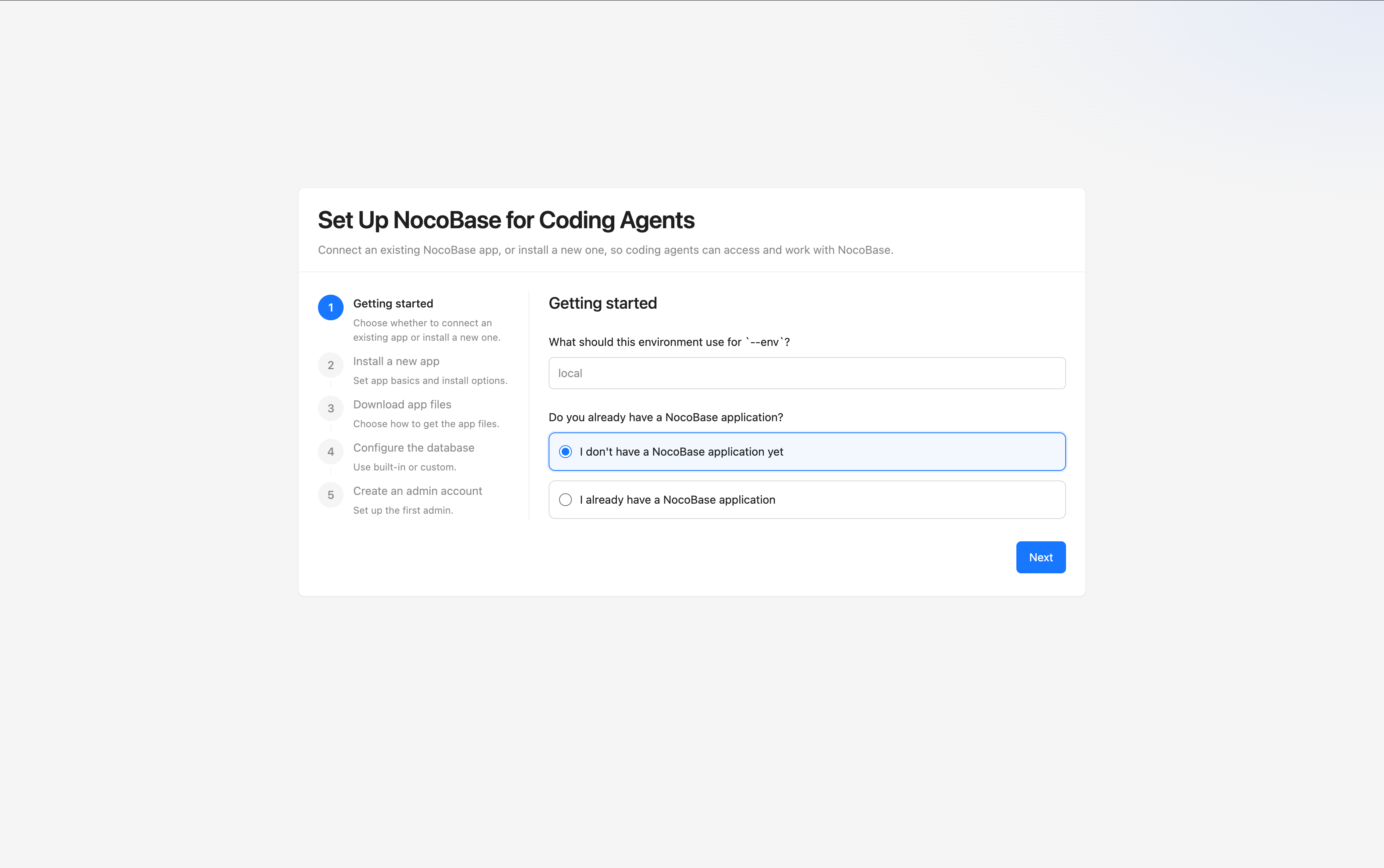
Whether you want to plug AI into an existing system or spin up a new application from scratch, you can handle initialization and ongoing management through the CLI.
For teams, the CLI provides a standard entry point that AI Agents can understand and operate on — environment initialization, connection configuration, and runtime management all share the same flow.
Related documentation:
AI-assisted building: replace manual configuration with conversation
AI-assisted building is one of the core experiences in this release. You can describe your business needs in natural language, and the AI helps complete data modeling, page configuration, permission setup, and workflow orchestration.
Compared with traditional low-code building, AI-assisted building has several clear advantages:
- A lower barrier to entry — you don’t need to be familiar with every configuration concept up front
- A shorter path from requirement description to working prototype
- Data, UI, and workflow configuration can be completed by the AI continuously
For example: “design a CRM data model for me”, “create a customer management page for me”, or “orchestrate a workflow that automatically deducts inventory after an order is created” — all of these can be handled by the AI within the scope of NocoBase’s capabilities.
Related documentation:
NocoBase Skills cover the full building flow
To help the AI truly understand NocoBase’s configuration system, this release ships a set of domain knowledge packs that can be installed into AI Agents — NocoBase Skills.
Skills are standardized knowledge and operation wrappers organized around NocoBase’s key capability domains, helping the AI more accurately understand object models, configuration structures, and execution boundaries.
We currently provide 8 Skills that cover the full building flow:
- Environment management — environment checks, install/deploy, upgrade, and troubleshooting
- Data modeling — create and manage tables, fields, and relations
- UI building — create and edit pages, blocks, popups, and interaction reactions
- Workflow management — create, edit, enable, and diagnose workflows
- Permission configuration — manage roles, permission policies, user bindings, and risk assessment
- Solutions — bulk-build entire business systems from YAML (still in beta, with limited stability)
- Plugin management — view, enable, and disable plugins
- Publish management — cross-environment publishing, backup/restore, and migration
With Skills, the AI can more accurately understand NocoBase’s configuration system and provide smarter assistance when building and managing systems.
Note: NocoBase Skills are still being actively improved. NocoBase Skills are also installed automatically when you install and initialize the NocoBase CLI, so in most cases you don’t need to install them separately.
Related documentation:
AI development plugin
This release fills in the foundational capabilities needed for AI plugin development, so the AI can take part not only in application building but also in custom plugin development.
This shows up in three main areas:
- A unified
rsbuild/rspackbuild pipeline, consolidating plugin development and the frontend build system - A
client-v2capability and/v2/routing system aimed at AI development, preparing for the next-generation client plugin development - AI plugin development Skills that help the AI better understand plugin structure, code organization, and implementation patterns
Preparation around client-v2 includes:
@nocobase/appexposes theclient-v2entry- The kernel ships a
@nocobase/client-v2package with base components, utilities, and type definitions - Each plugin gets a
/src/client-v2directory - A new
/v2/route is added - The kernel is gradually migrating to V2
- Plugins are gradually migrating to V2
A unified build pipeline lowers the cost of frontend plugin development and debugging. The gradual rollout of client-v2 also gives the AI a more stable target structure for generating and maintaining plugin code.
In practice: you can describe a plugin requirement in natural language, and the AI helps generate the frontend and backend code, data tables, APIs, permission configuration, and i18n content.
Note: AI plugin development is only for client-v2-style new plugins. We will follow up with migration documentation and Skills for moving from client-v1 plugins to client-v2, to help you bring existing plugins into the new system.
Related documentation:
AI Employees enhancements
AI-assisted building answers “how do I use AI to build a system”; AI Employees answer “how do I let AI work inside the system to solve concrete business problems”.
AI Employees existed in earlier releases, but in this release the related capabilities have been enhanced and the AI kernel has been rounded out:
- MCP support
- New AI Employee Atlas, playing a team-leader role and dispatching other AI Employees to complete tasks based on user intent
- AI Employee workflow node
- LLM-based web search tool
- New aggregation query tool and report generation tool for producing business analysis reports
These improvements take AI Employees’ extensibility, orchestration, and execution capabilities inside business systems to the next level. AI Employees can understand the current business context, invoke skills to execute specific tasks, participate in automated workflows, and combine external information to deliver analysis and output.
If your team needs to bring intelligent collaboration, automated analysis, and task execution into your business systems, this is also one of the most notable directions in this update.
Related documentation:
2.0 adaptation and new features
Beyond AI, this release continues to migrate key feature modules to 2.0, while also rolling out new features for real-world business scenarios.
New features
2.0 adaptation